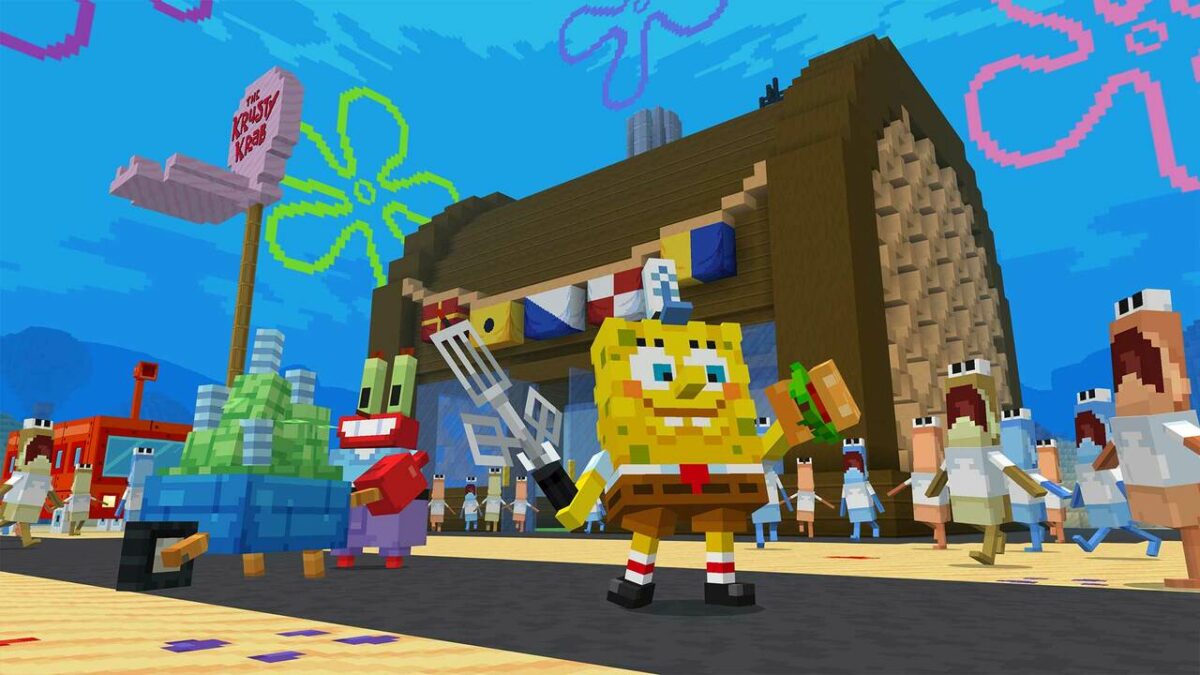
Bikini Bottom surfs into Minecraft with the SpongeBob SquarePants DLC

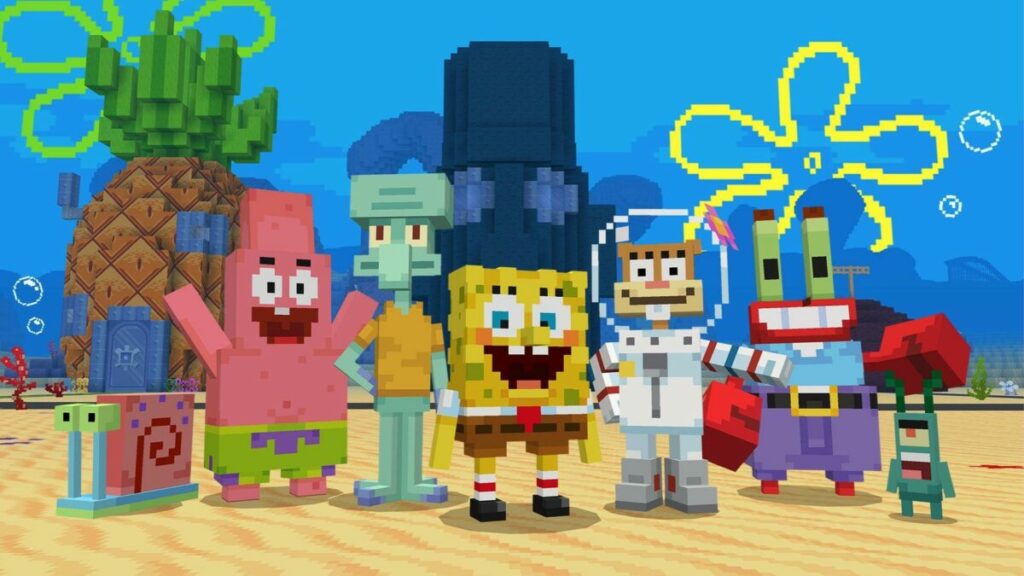
It seems like that famous pineapple and the surrounding neighborhood in Bikini Bottom are now available as aSpongeBob SquarePants DLC for Minecraft. This pack doesn’t simply consist of a skin that you can run around with in a random world. There are quests to complete, various scenes to see, and you can even make a crabby patty.

Minecraft DOWNLOAD

The trailer for the Minecraft SpongeBob SquarePants DLC is exciting and surely enticing enough to make me want to download and play it. While boasting over 40 new skins, you’ll certainly see plenty of familiar faces from Bikini Bottom. There’s Patrick, Mermaid Man, Sandy, and so much more.

The normal Minecraft packs usually only give you the skins for characters, blocks, weapons, and items. I remember when I installed the Fallout 4 and Skyrim packs, and they added soundtracks from the games. There were even buildings that sent goosebumps up my skin, such as the Brotherhood of Steel floating airship.

The SpongeBob SquarePants DLC for Minecraft takes it a whole step further. Not only will you see the Krusty Krab and other familiar buildings, but you can engage with NPCs for Bikini Bottom quests. There are even vehicles you can drive on the ocean floor, and the water doesn’t hamper movement like in the standard mode.

Minecraft with the Spongebob Squarepants DLC

After news that Minecraft was banning NFTs from the game, we wondered what was next for the entertaining sandbox game. I’ll be watching content creators for any hilarious comments or activities while I myself head to the virtual, pixelated Bikini Bottom! You can download the new SpongeBob SquarePants DLC from the Minecraft Store within the game menu.

How to play Garry’s Mod, a fun physics game for all

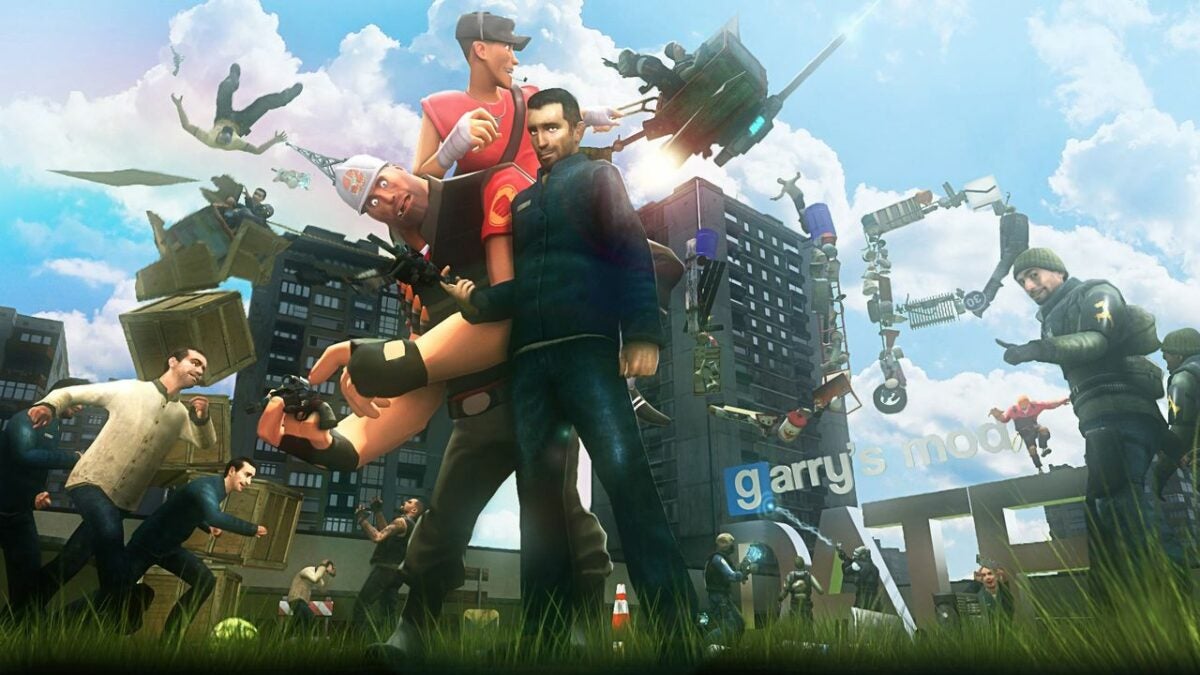
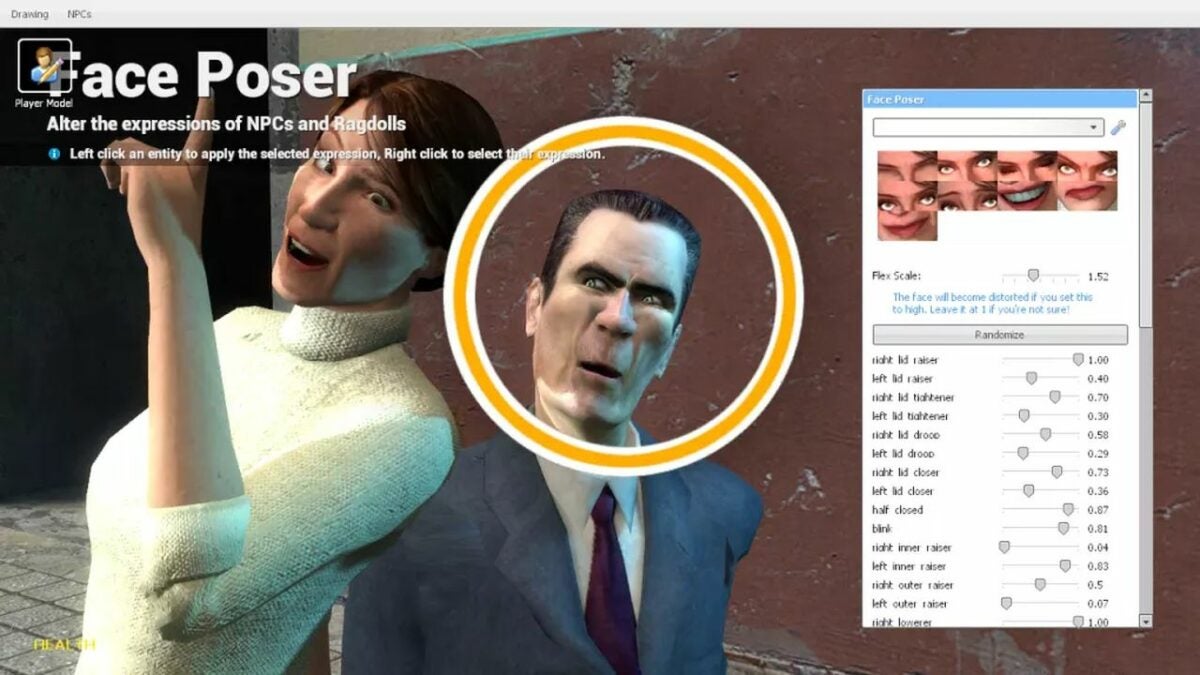
Garry’s Mod is a physics and action sandbox game from Valve Source Engine and developed by Facepunch Studios, makers of Rust and Chippy. Originally developed as Half-Life 2 mod and released in 2006, GMod has built a fanbase of players who love to customize first-person shooters. The game offers an array of ways to create your own world with different settings, items, and custom characters.

Why is GMod so popular after more than a decade? Simply put, it’s a lot of fun to use items like the physics gun and gravity gun to move objects and build a universe. There’s also a massive multiplayer community and scores of YouTube videos showing off GMod creations. But to get the most out of this sandbox game, you need to know the basics.

Garry's Mod Download
  1. Play sandbox mode to build your game

    Sandbox Mode

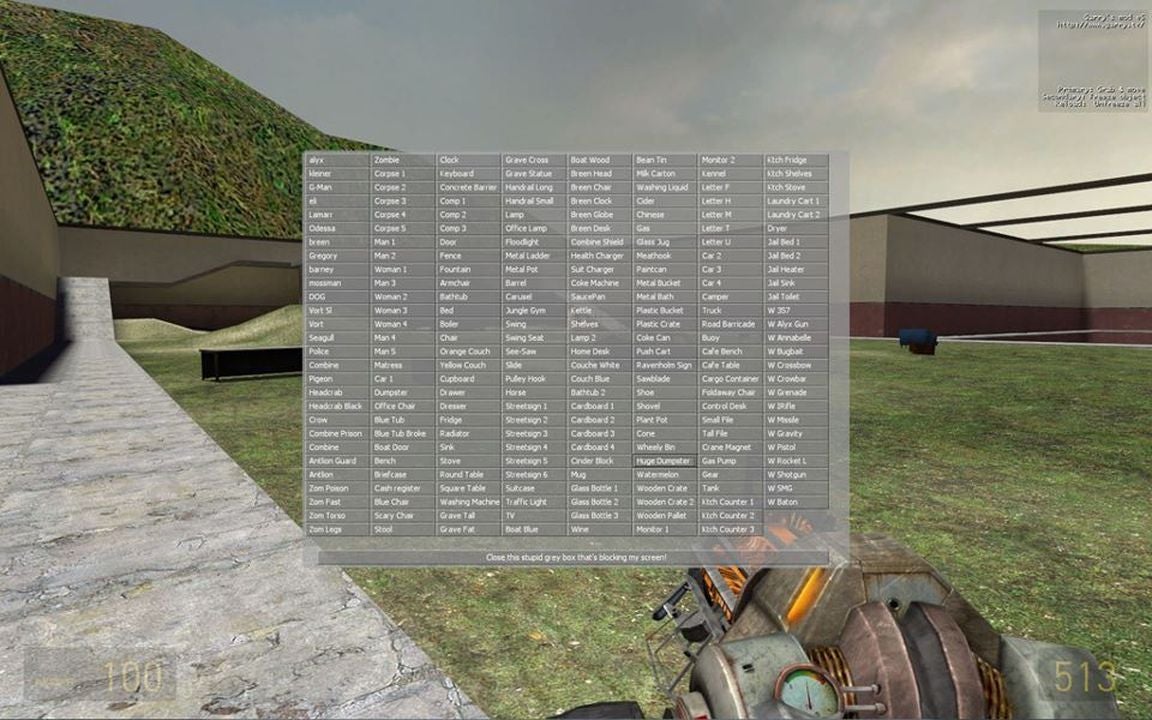
    The default mode of Garry’s Mod is the sandbox. With no set objectives, this mode provides a world in which you can freely manipulate objects. In the menu, you’ll find everyday items such as a carton of milk or special characters from other games, such as Left 4 Dead. If you’re advanced with coding and programming, you can also use Javascript to position objects and characters around your own world.

    For more of a GMod community experience, download other users’ creations in the menu for simple fun or an advanced game to play with others. Other players can download your original content for their own land if you allow permission to the public.

  2. Join popular games within Garry’s Mod

    Trouble in Terrorist Town

    In the main menu, you can click on the Find Multiplayer Game button to launch a menu of available user-created game modes. When you select a game mode, the list of servers will show and you’ll see how many current players are active and rankings. Find one that’s interesting to you and it will start downloading objects and locations you’ll need to play. This may take some time depending on the game’s activity and your computer’s connection.

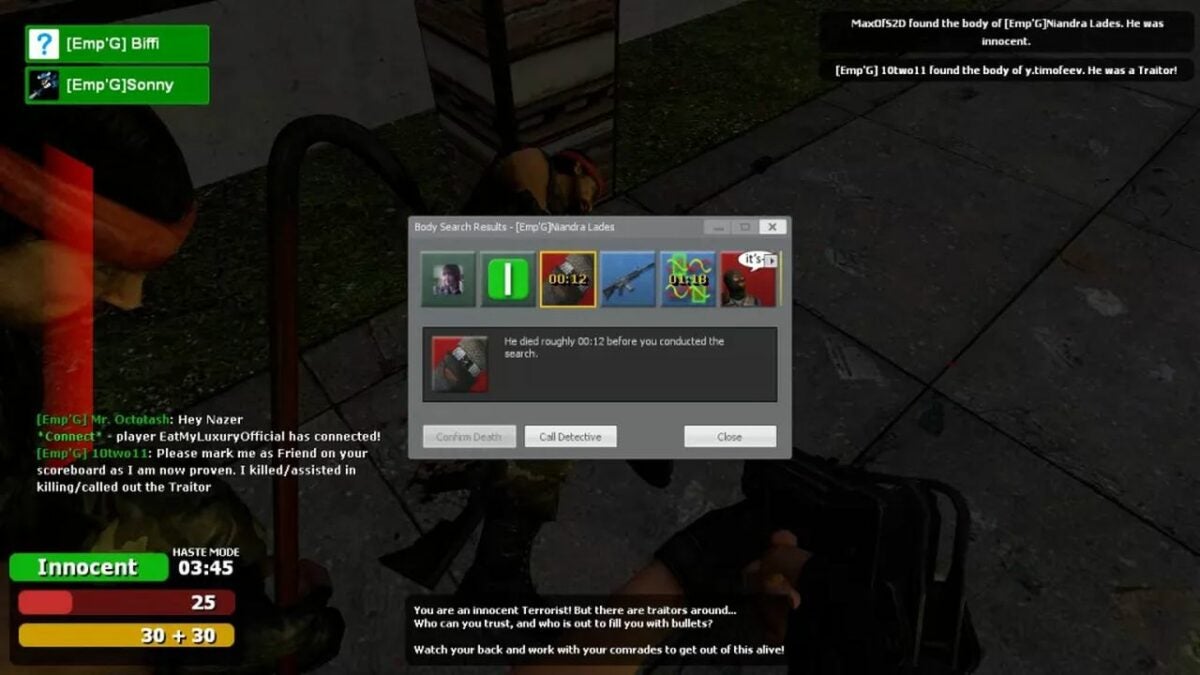
    One popular game is Trouble in Terrorist Town, or TTT for short. Players selected to be detective explore the map with a gun to find players selected as bad guys to raise their rankings. Another game made popular with YouTubers is Prop Hunt, a version of hide and seek where players transform into furniture or other objects while hunters need to locate and shoot them to win.

  3. Understand all the basic controls of Garry’s Mod

    Alter NPCs and item spawns

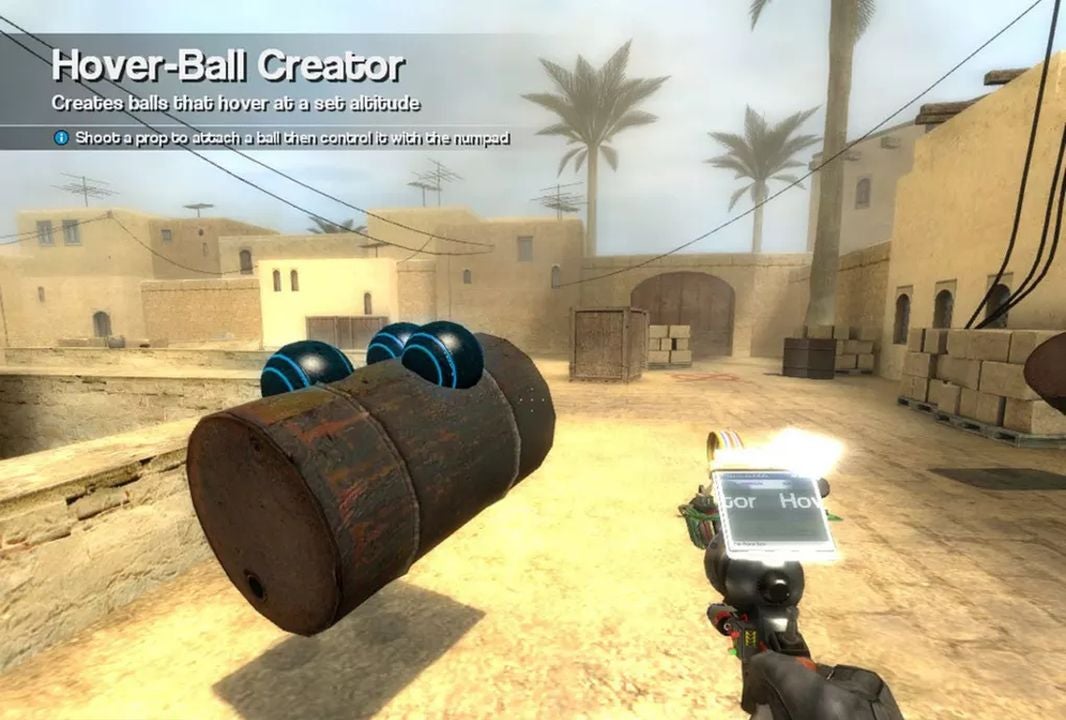
    Enter Sandbox mode by clicking Start New Game on the main menu. You’ll choose from default maps and special maps from games including Portal and Left 4 Dead 2. At your map, click Q on your keyboard to bring up authorized items to spawn. Find a character or object to appear in your map and move them with your physics gun. Right-click to freeze them in space, even in mid-air.

    Use your tool gun to weld together items and create vehicles and buildings within the special menu. Find the weapons menu by clicking Q and move heavier objects around the map with a physics gun. Pressing C will bring up the context menu where you can customize your players for games and find related items to the ones currently on your map.

  4. Use the workshop to create your own games

    Workshop menu

    From the main menu, you can click on Addons to find the workshop mode. There, select Open Workshop. You will find a list of other people’s items, including maps and weapons you may not have. Then, you can enter back to the sandbox by exiting out of the Addons menu and clicking on Start New Game from the home screen.

    If you would like to try out coding your own game, GMod uses a special programming tool named Lua. Launch the HTML editor and practice coding for a unique experience you can share with other players. The fun of Garry’s Mod really comes from the creation process, no matter how casual or professional your world may be.

Play Garry’s Mod for a world of opportunities

Garry’s Mod brings fans of first-person shooters and world-building together to have fun creating new games and environments. There’s no one way to use the program so feel free to click and explore the platform. To learn more about the game, check out our expert review of Garry’s Mod.

Top new features on Garena FreeFire 5th anniversary with the OB35 update

Garena FreeFire is celebrating its 5th anniversary, and with that comes the massive OB35 update. We’ve been waiting for some improved gameplay, but it seems like the developers have been working on a whole lot more than that. 

Garena FreeFire DOWNLOAD

Let’s take a look at all the new features included in the Garena FreeFire OB35 update with ways that you can celebrate its 5th anniversary. Lock your weapons and get ready to roll!

User interface update for Garena FreeFire

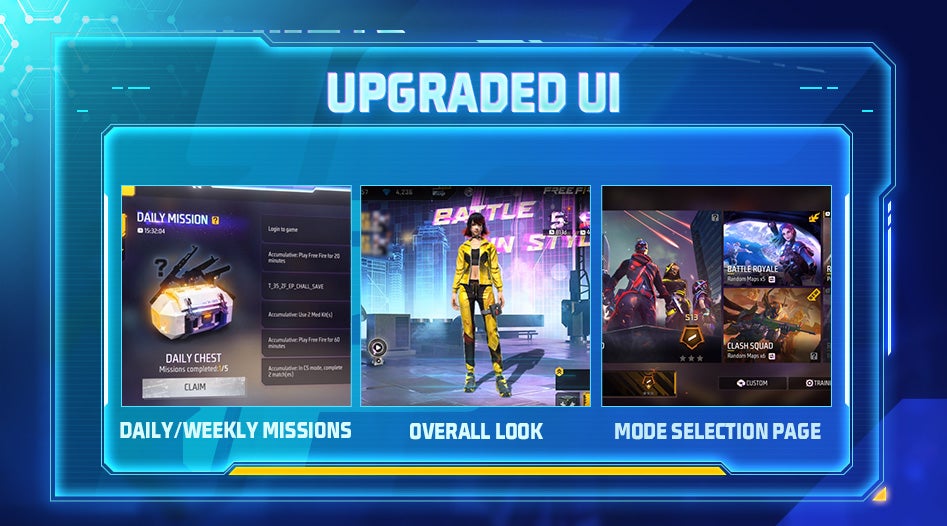
Our wish is their command! We finally have a revised user interface in Garena FreeFire with the new OB35 update. Besides a new overall appearance, there are some extra features that are reminiscent of Fortnite. For instance, you’ll see pop-up windows, a new mode selection window, as well as your daily and weekly missions. 

The Clash Squads and Battle Royale maps are now available in a single lobby, improving your matchmaking experience. You can also see the status of various quests, which helps when you want to see progress on your daily missions. Feel free to check out the new logo and icons, too!

Garena FreeFire 5th anniversary with the OB35 update

New character skill rework

Some Garena FreeFire were in desperate need of skill re-engineering, which is exactly what the developers are offering. These tweaks will assist you in battles, while it also lowers some overpowered abilities that annoyed players against whom it was used.

For example, Miguel can now trigger Crazy Slayer while busy knocking down enemies. On the flipside, Hayato won’t have as much damage penetration as before. Antonio, on the other hand, sees an increase in his maximum health points. As you can see, the OB35 Garena FreeFire update strives to bring more balance to the game.

Garena FreeFire 5th anniversary with the OB35 update

Glow Wall quick throw

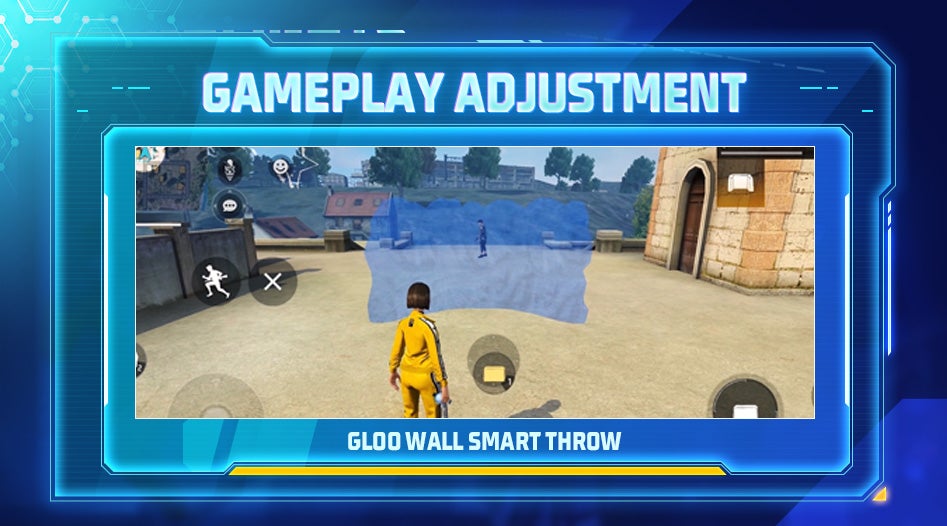
Have you ever been in a sticky situation in Garena FreeFire where you need cover from bullets quickly and there are none? Sometimes getting that protective Glow Wall out and placed takes too much time. Well, the OB35 update has changed how you throw this item, making it more enjoyable to use.

When you enable Smart Throw in the settings, all you need to do is tap on the Glow Wall to engage it. For better placement, you can hold the GW icon and quickly move it to where you want it on the battlefield. You’ll be defended from attack in no time, if you place it correctly, of course.

Garena FreeFire 5th anniversary with the OB35 update

Garena FreeFire weapon adjustments

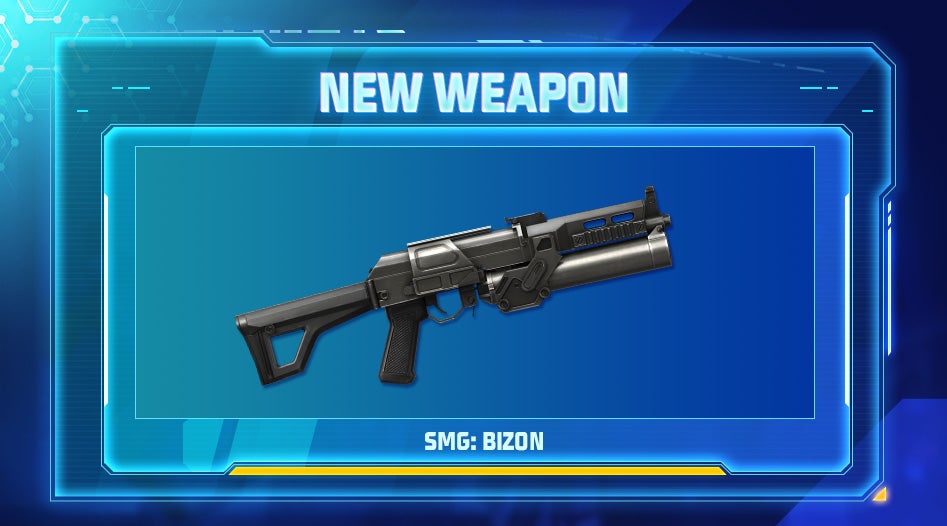
Firstly, there’s a brand new weapon in Garena FreeFire! Called the Bizon, it’s useful in close-combat situations when opponents appear right in front of you. With its high damage and rate of fire, the only aspect that suffers is the low accuracy, so make sure you aim carefully.

As with the characters, we expected to see some weapon adjustments with the OB35 update. With some advancements in a few of the specs, other guns had negative downgrades in an effort to bring better balance to the game. Here’s a quick overview:

  • Famas-III: +5% armor penetration 
  • M14-III: -6% rate of fire
  • Scar: +6% damage
  • G36: +8% rate of fire for Assault Mode
  • UMP: -10% armor penetration
  • M24: _8% damage
  • M1887: +5% rate of fire, -5% damage
  • Grappling Hook: gun-switching while running
Garena FreeFire 5th anniversary with the OB35 update

Clash Squad

There are some major updates to the Clash Squad mode in Garena FreeFire. The first has to do with the maps of Council Hall and The Maze. Where one side seemed to have a better advantage than others, the spawn points have changed for improved balance. Scoreboard skills details have also changed, where you can see everyone’s active skills at any point, even your opponent’s.

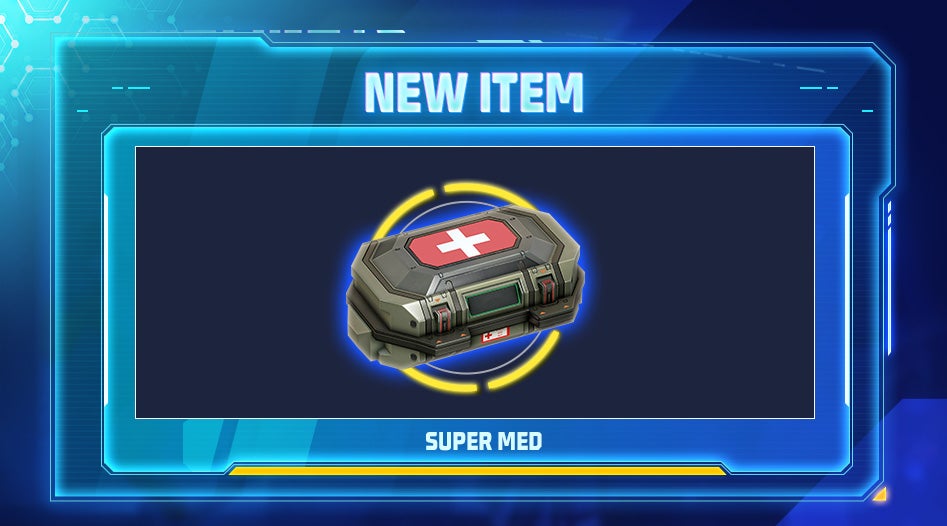
In custom rooms, each match will see a random buff appear at the start of the fight. It’s an exciting update for Garena FreeFire, as you never know what you will see on your character. For example, you might have a constant gain of health or boost your maximum health to 325! There’s also a new Super Med item that will restore 200 health points within four seconds.

Garena FreeFire 5th anniversary with the OB35 update

Battle Royale updates

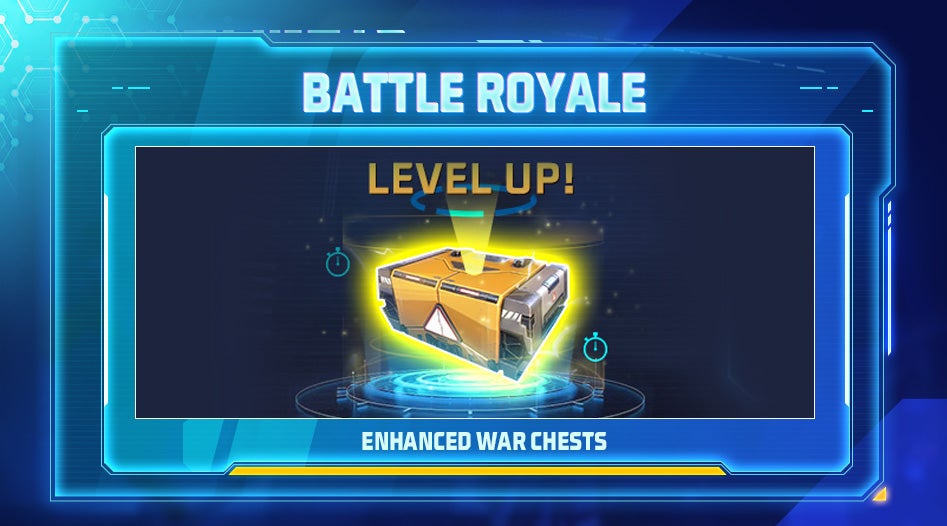
The Garena FreeFire Battle Royale mode also benefits from the OB35 update. The enhanced War Chests are the star of the show, as they’ll help you towards the end of matches. With a maximum level 3, it starts at Lvl 1, but it will slowly rise as the match progresses. 

Another adjustment is to the final zone towards the end of the match. It’s usually at the very center of the map, so players usually know where to run to. However, the final location is more random now, becoming more aligned with titles like Fortnite and Call of Duty: Warzone.

Garena FreeFire 5th anniversary with the OB35 update

Garena FreeFire gameplay features

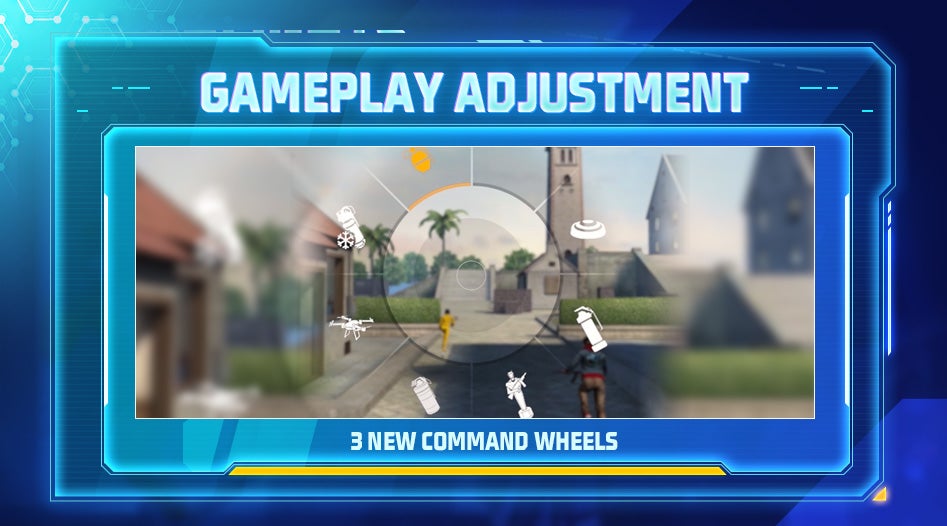
One of the top gameplay updates is with the in-game wheel. When you’re in the heat of the battle, you shouldn’t have to fight with the wheel for the option you need. There’s now smoother access to the wheel, and you can add new options to it than before.

You can now also favorite those characters that you love so much. It will save you time in searching for them when you don’t have time to waste. When you enable this feature, your specific characters will appear at the top of two lists: Equip Skills and Characters.

Garena FreeFire 5th anniversary with the OB35 update

General Garena FreeFire updates

We’ve just given you a quick overview of the top OB35 update features for Garena FreeFire that we love the most. The full patch is available on the official site, providing plenty of other details. 

For instance, there are new perspectives and buttons in the replay feature, giving more improvements than before. The character voiceovers are more interactive and engaging, making them feel more realistic. 
And that’s it for all the OB35 update news. If you’ve never played the game before, be sure to check our guide on what Garena FreeFire is and how to play it.
The Lord of the Rings: Gollum returns to an unannounced launch date due to delays

Any hopes of The Lord of the Rings: Gollum launching at the same time as the Amazon Prime series, The Rings of Power, has just vanished into thin air like a Nazgûl fleeing from the might of Aragorn. The developers mentioned the delay in a Tweet yesterday, without indicating what the new release date will be. All we know is that it will be a few months later.

The Lord of the Rings: Gollum DOWNLOAD

The original date that Daedalic mentioned for the release of The Lord of the Rings: Gollum was September 1, 2022. The Rings of Power is still set for launch on Amazon Prime on September 2, but the series shows no signs of a delay. That means you’ll just have to wait a little bit longer to see the tainted hobbit run across your screen.

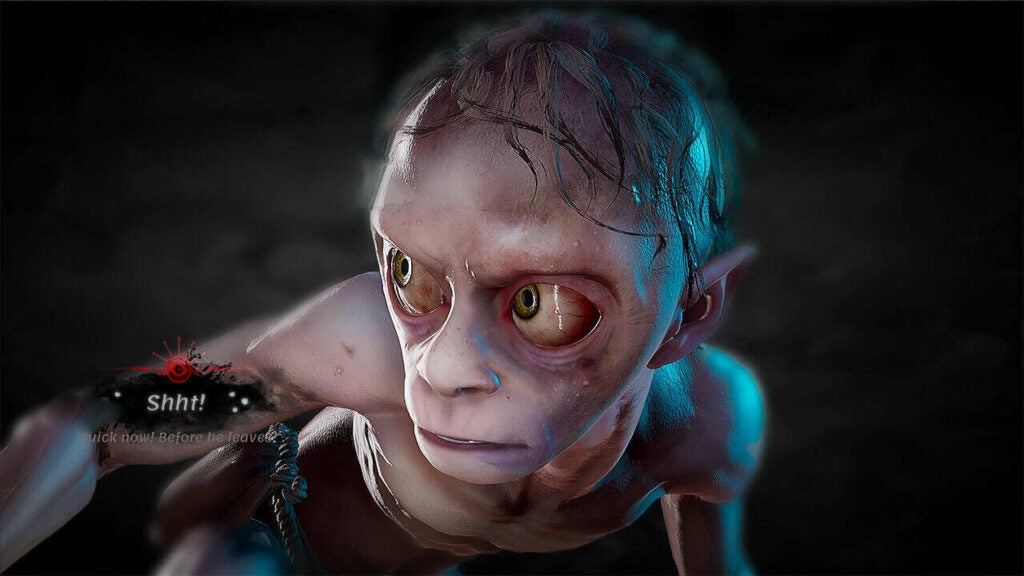
The storyline follows Gollum’s escape from the clutches of the dark lord, that time when he was captured in Barad-dur. Since the deformed hobbit doesn’t have much strength, it entails you using as much stealth as possible to avoid and overcome your enemies. We know he eventually finds Frodo during his search for “his precious”, but we don’t know if the game’s plot will end before then.

The Lord of the Rings Gollum returns to an unannounced launch date due to delays

The only reason the developer has given for the delay of The Lord of the Rings: Gollum is so that they can deliver the best experience. Let’s be honest, this has been an excuse stapled onto every game that’s been delayed in some form or another. It’s not that I don’t believe them; I want to experience that LotR game with the best quality possible. I’m just tired of hearing the same slogan for every game delay.

I guess I can’t blame them; otherwise, I’d be a hypocrite. I was working on my second Silent Hill novel, which was meant to be released first in 2018, and then in time for Halloween in 2020. I endeavored to use the same “best quality” line, which I still stand by. If a quality book with lengthy planning takes this long, I’ll have to accept that a detailed dark fantasy game will take longer.

In any event, you can head back to our previous article if you want to see the official gameplay trailer for The Lord of the Rings: Gollum.

Windows 10 KB5014666 is breaking USB printers

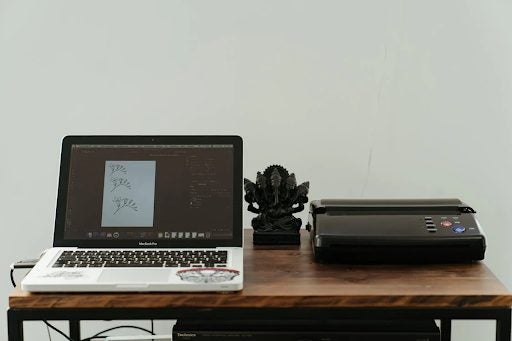
Microsoft has confirmed that update KB5014666 for Windows 10 is causing significant issues with USB printers. Ironically, this update, released on June 28th is supposed to add new printing features for Windows 10 devices.

Windows 10 DOWNLOAD

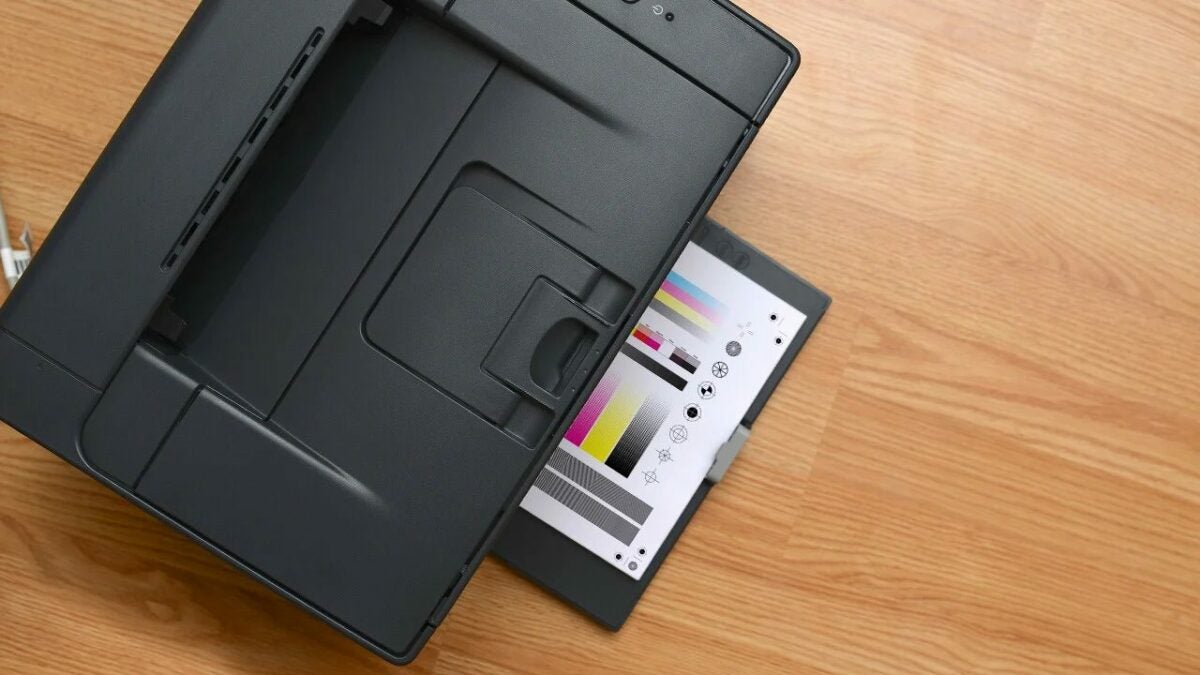
According to Microsoft, a bug in the update causes Windows 10 systems to display duplicates of single printers, suffixed by ‘Copy1.’ More critically, however, applications that refer to a specific printer by name are now unable to print documents. 

The company has stated that it is working on a fix for the issue and will release said fix in a future update. In the meantime, users affected are encouraged to file feedback reports and try an applicable temporary workaround. 

Here is one workaround for the Windows 10 printer issue on update KB5014666:

  • Open the Settings app, navigate to “Bluetooth & devices”, and select “Printers & scanners”
  • If there appears to be a duplicate installation of an existing printer, such as with suffix “Copy1”, confirm if printing works for this printer. This printer should operate as expected.
  • If there is a need to use the original printer installation and not the duplicate, right-click the duplicate printer, select “Printer properties” and select the “Ports” tab. Observe the port in use.
  • Open “Printer properties” on the original printer and select the “Ports” tab. From the list displayed, select the port option in use by the duplicate printer. If this original printer works normally, the duplicate copy printer can be removed.
Windows 10 KB5014666 is Breaking USB Printers

In the event that the steps highlighted above prove ineffective, Microsoft recommends the following additional fixes: 

  • Update the print driver for your device. For guidance, see Install the latest driver for your printer.
    • ​If you already have the latest driver, consult the printer Manufacturer’s website for any device firmware updates.
  • ​If you are still having issues, uninstalling and reinstalling your printer might help.
    • ​Turn off your printer and disconnect any cables.
    • ​Open the Settings app, navigate to “Bluetooth & devices”, and select “Printers & scanners.”
    • Select the affected printer and select the “Remove Device” option.
    • ​Restart your device.
    • ​Turn on your printer and reconnect it to your device.

As confirmed on the Windows Health Dashboard, this bug in the new update only affects Windows 10 21H2, 21H1, and 20H2 (including Windows Server). If this bug wasn’t enough, the internet is swarming with fake Windows 10 updates, some embedded with Magniber Ransomware.

Windows 11 latest cumulative updates have broken the start menu

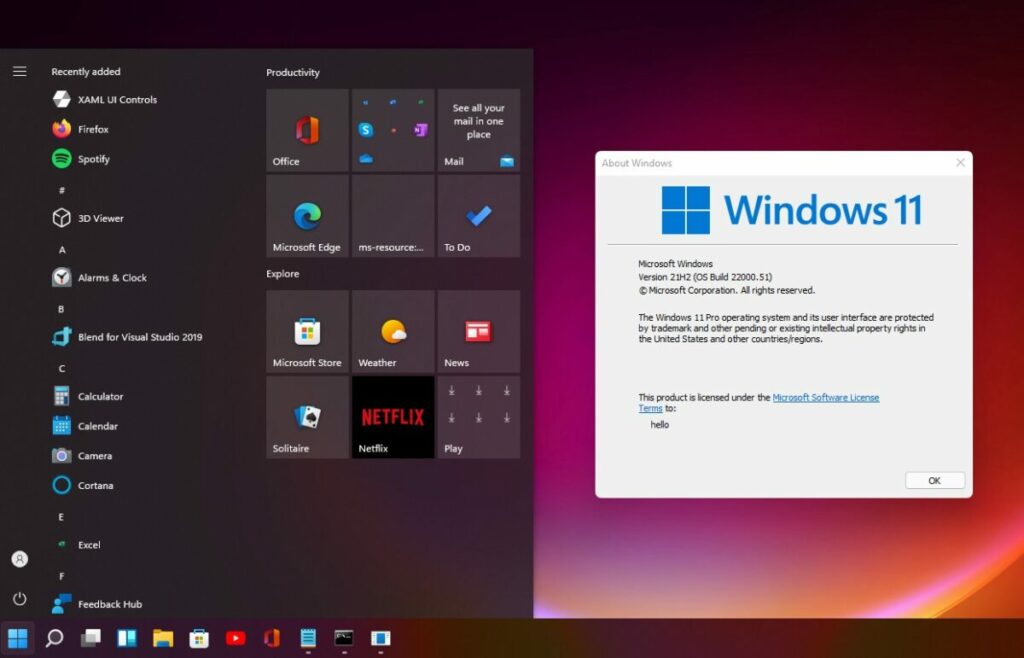
Microsoft recently released two cumulative updates for its Windows 11 operating system. Unfortunately, some users are experiencing significant issues subsequent to updating their OS. Users aren’t the only entities reporting faults with the new updates, however. Even Microsoft’s own documentation highlights significant errors in both Windows 11 KB5015882 and KB5015814.

Windows 11 DOWNLOAD

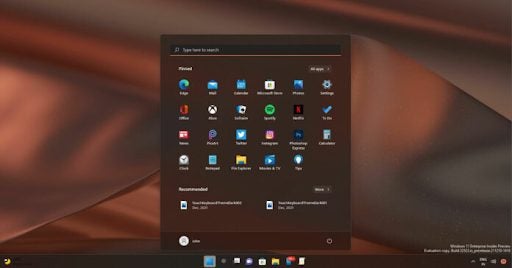
According to Microsoft, the new updates can cause the Windows 11 Start menu to disappear as soon as users try to interact with it. The company notes that this is due to a bug within the operating system. The growing number of user reports highlights the same problem with the Start menu. However, in other user reports, a new problem comes to light. It seems that in some cases, while the start menu doesn’t disappear, the context menu that usually comes up when you interact with the start menu doesn’t work. This renders the Start button completely useless in many users’ cases. 

The issues with the new cumulative updates don’t end there though. According to user reports, the Windows key located on your device’s keyboard is not exempt from trouble. In many cases, the Windows key has stopped working. Microsoft has quietly acknowledged that there is a bug in both Windows 11 KB5015882 and KB5015814 that is affecting a ‘small number of devices.’ This bug renders the Start button and Windows button ineffective, reducing the functionality of Windows 11 devices affected. 

Windows 11 latest cumulative updates have broken the start menu

Microsoft issues an emergency server-side update prior to the writing of this article which is supposed to address the broken Start menu. However, the company has stated that the update could take up to 24 hours to reflect on all affected devices. If any of your devices are affected by this bug, ensure that you reboot your Windows 11 device so that the update applies as fast as possible. 

If you’re an Enterprise customer, you can find a special group policy if you head to Computer Configuration > Administrative Templates > KB5014668 220721_04201 Known Issue Rollback > Windows 11.

All other users can download the emergency patch here to fix the broken Start menu. When your Start menu is fixed, check out the neat way that Microsoft found to expand the Windows 11 taskbar.

Roblox had plans for adapting to the Chinese Censorship rules

You may recall a recent news piece regarding a hacker obtaining confidential information from Roblox internal documents. While our concerns rested on contact details at that time, some new details have come to light. Apparently, the company had planned for Tencent to not only hack the gaming platform, but also for the possibility of cloning and bending to the Chinese Censorship put in place.

Roblox DOWNLOAD

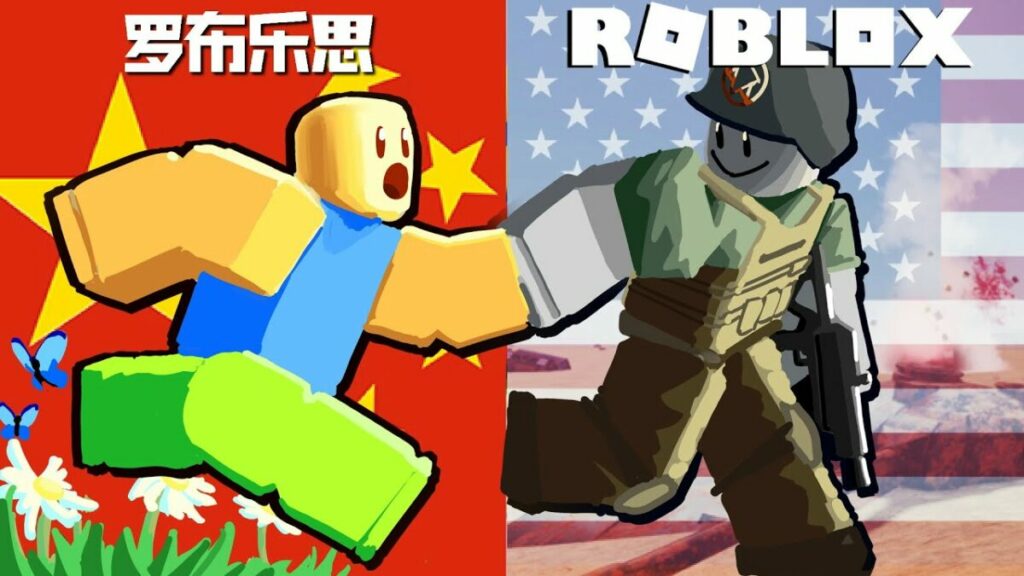
The Roblox Chinese Internal Presentation, as it’s called, is dated August 2017. It showcases details to employees about the planned Chinese version of the game, LuoBuLeSi, that would be managed with partner Tencent. In essence, it presents information on what the company should expect in terms of risks and opportunities.

While that’s all good and well, it also mentions how the Roblox company expected Tencent to eventually hack the servers and use the information to create a clone game. While LuoBuLeSi was released in China in 2021, it was taken down by Roblox a few months later.

Roblox chinese censorship rules

The notes also show how far Roblox was willing to go to enter the Chinese market. They had to follow the rules of Chinese censorship, which means no mention of the country’s leaders, paying attention to avoid disagreements with Taiwan, and not painting a bad history of China. While this isn’t astounding news, it does shed some light on what western companies need to do if they want to enter the eastern market.

The report was shared by Vice, but since it clearly says not to distribute the presentation, we won’t share it here. The presentation is ancient history now, but it’s interesting to see the lengths Roblox were willing to go to, knowing they will be hacked and the game may be cloned

Don’t forget to read what else was discovered in internal documents a hacker leaked for Roblox.

Roblox hacked, creators’ contact details stolen READ MORE

Google set to optimize Android tablets with updated apps

Earlier this year, Google announced the 12L update that would improve the performance of Android tablets and related apps. The media giant finally released more information yesterday about more features and functions you can use. For the most part, the update has to do with several applications in the Google Workspace sphere, related to Android 13 devices.

Android 13 DOWNLOAD

As announced in one of Google’s press releases, Android tablets are finally receiving more improvements following the 12L update. The apps you’ll see new features for include Google Slides, Google Drive, Google Docs, Google Sheets, and Google Keep. In essence, the changes affect how you perform tasks on your device, increasing productivity by saving time with specific actions.

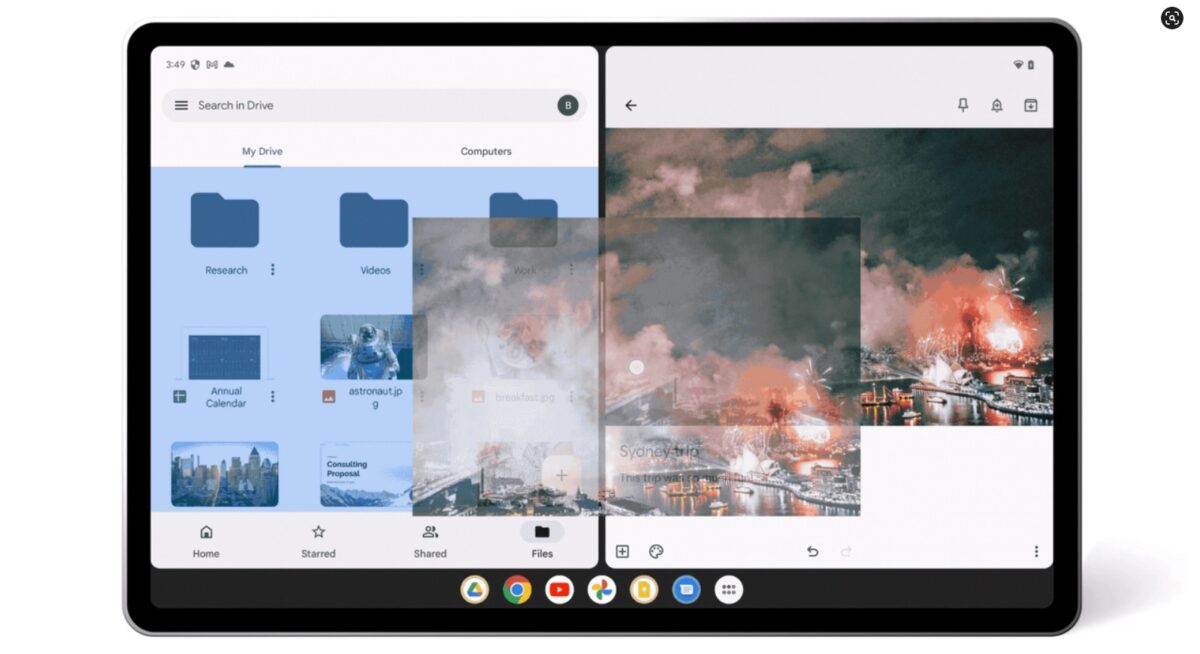
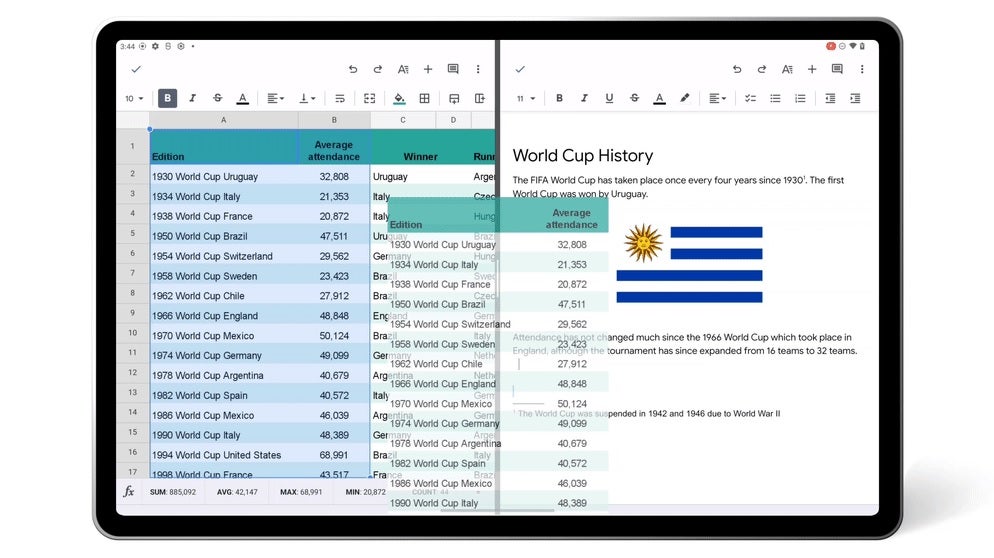
While Google mentions all these applications, the new update affects them all in the same way with new functions. For example, you can now drag and drop items from one window to another when you have a split-screen view. It also helps when you need to upload images into a sheet or document, which you can now simply drag across.

Google set to optimize Android tablets with updated apps

You can also split your Google Drive window for a side-by-side view. It helps when you’re working across multiple folders, and you need to see different information or drag files across. This new Android tablet function is also useful when you have Keep open on one side so you can quickly insert images from your Drive.

Another feature update is the inclusion of keyboard shortcuts, which only benefit you if you have a keyboard attached to your tablet. You can now use the same shortcuts as you would on a Windows desktop, making your life easier so you don’t need to select and copy text with movements on the touch screen.

All of this is favorable news after Google needed to backtrack on a permissions mess-up recently. The tech giant indicated that the features will roll out over the next few weeks.

Top new Zoom features to try in 2022

Zoom has quickly become the world’s go-to app for online meetings and professional communications. If you are unfamiliar with the service, check out this handy guide to get started. For returning users, we have prepared a rundown of all the latest features implemented in 2022. The added functionality and enhanced performance make this the best iteration of the program yet.

Zoom Meetings Download

The five tabs

Zoom’s latest update introduced five new tabs that organize each of the main functions of the app. The following list of functions and improvements will be split into five different tab categories. Tackling the tabs one at a time is the most efficient way to highlight all the new features.

Change tabs at the top of the application window

The home tab

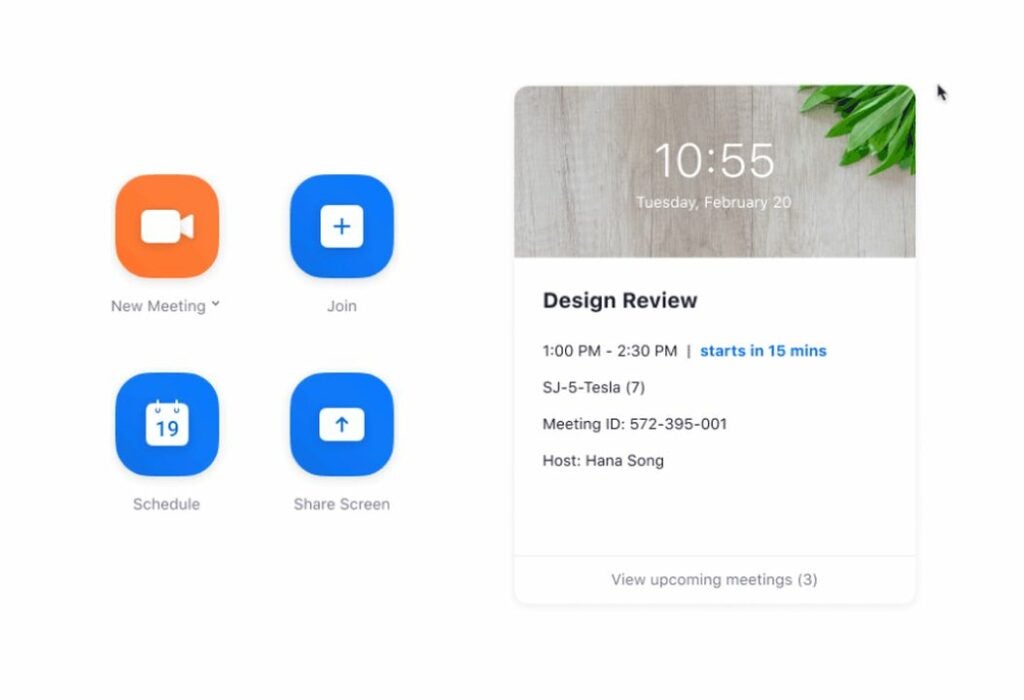
The main page is the first thing you will see when loading the software. The expanded view of the home tab now allows you to view upcoming appointment details. With a single click, you can join any of the meetings listed on this screen. The home tab also provides the option to change your background picture. The elevated search functionality has been improved by suggesting relevant files, chats, messages, and contacts as you begin typing. To make navigation easier, a collection of keyboard shortcuts has also been added.

Get an overview of your account via the home tab

The chat tab

The first of the new tabs act as a messenger hub for all your contacts. Each person now has their own chat channel, and you can create group channels for multiple users. Each channel gives you the option of starting a meeting with the group via a right-click. There is even a personal chat channel for your notes and other storage. When chatting for extended periods or late at night, you can toggle the dark mode interface from the sidebar settings. You can also assign special importance to a chat by starring it. A star keeps the chat pinned to the top of your list of ongoing communications.

Chat with your contacts with the new messaging features

The phone tab

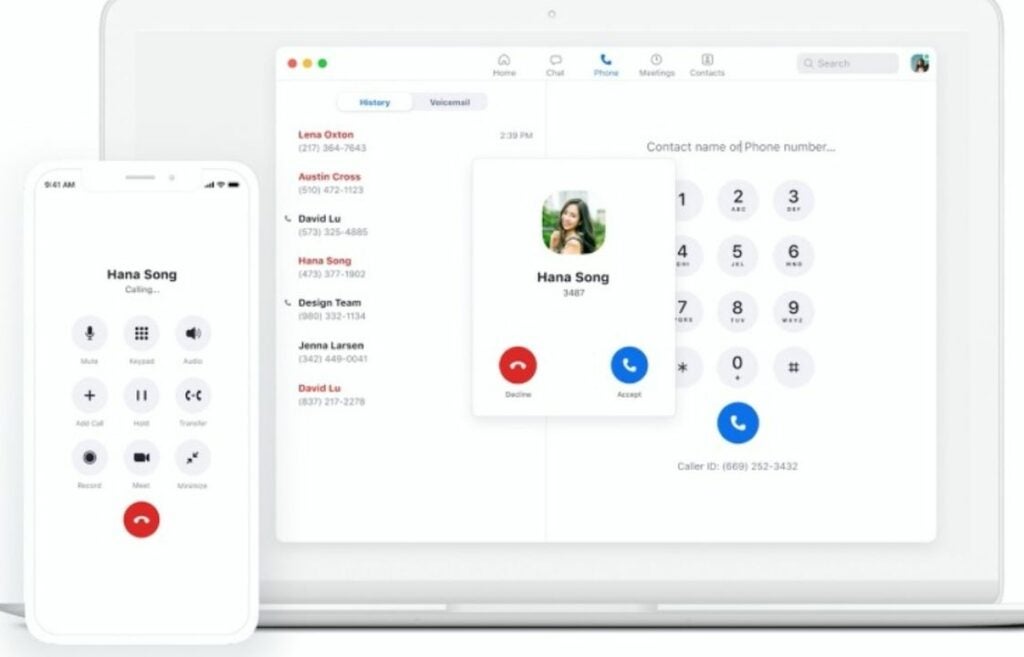
One of the biggest additions is the Zoom Phone add-on available to businesses who subscribe to the cloud service. Employees can make and receive phone calls on any device connected to the company network. Company extensions are supported with the virtual dial pad that enables you to enter numbers with a click or tap. Employers can see call history and use existing PSTN phone lines to connect with modern computers. Voicemail functionality is also included, so the Zoom Phone add-on is an all-in-one-telephone solution for businesses.

Make and receive calls with a Zoom Phone subscription

The meetings tab

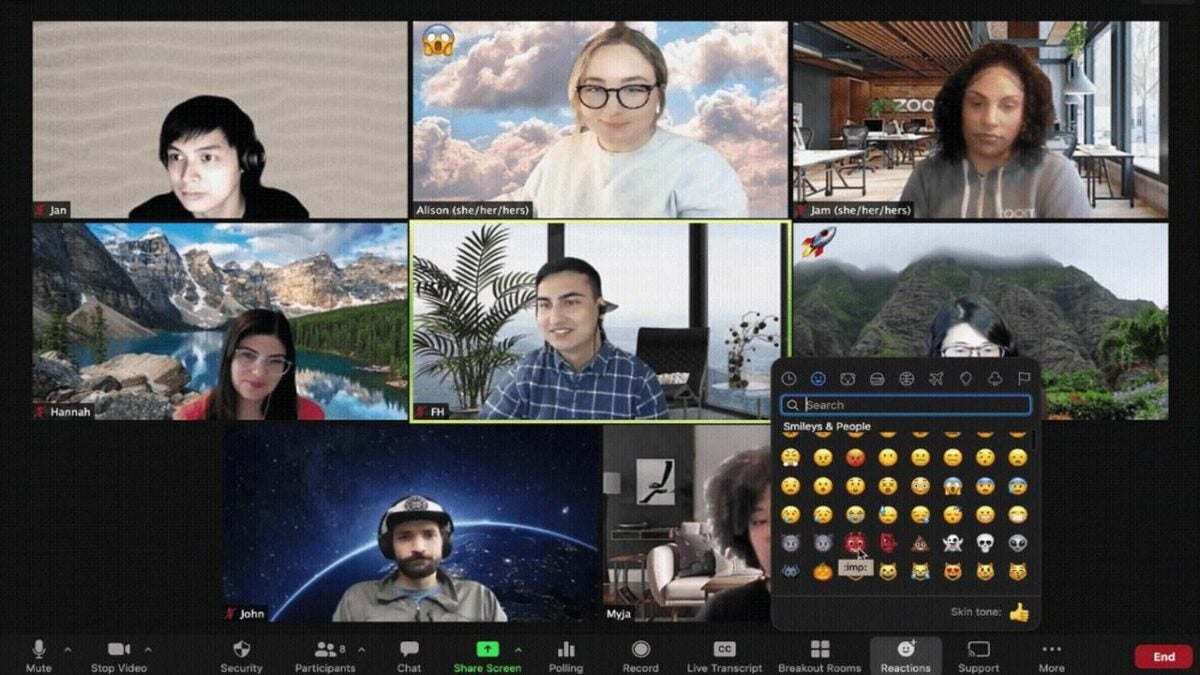
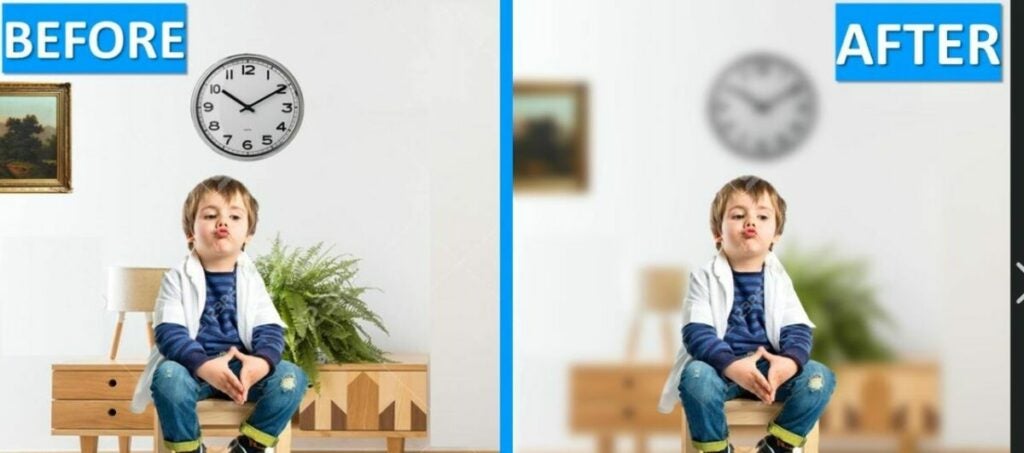
Meetings are the bread and butter of the Zoom software. There are a variety of quality-of-life improvements to go over on this tab. For starters, you can now blur your background to conceal the space directly behind where you are sitting. You can also conceal background noise to further enhance your privacy. There is even the option to insert a PowerPoint presentation as a background overlay. To round off the accessibility features, live call transcription is a toggle away.

Once a meeting is wrapped up, the host can clip and share highlights instead of posting the full recording. The backend also features increased data protection that keeps the connection secure during calls and meetings.

Blur backgrounds and enhance your privacy during meetings

The contacts tab

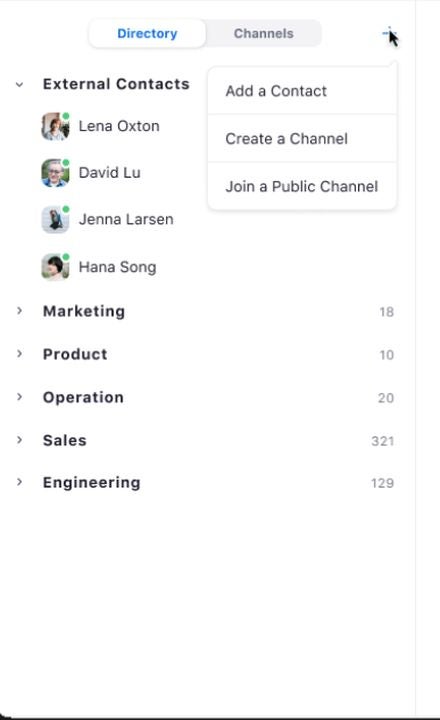
This tab organizes your contacts into a convenient list. Here, you can sort, star, delete, and add new accounts you wish to connect with. The “+” button allows you to invite additional people via email. In addition to individual contacts, this tab displays the group channels you belong to.
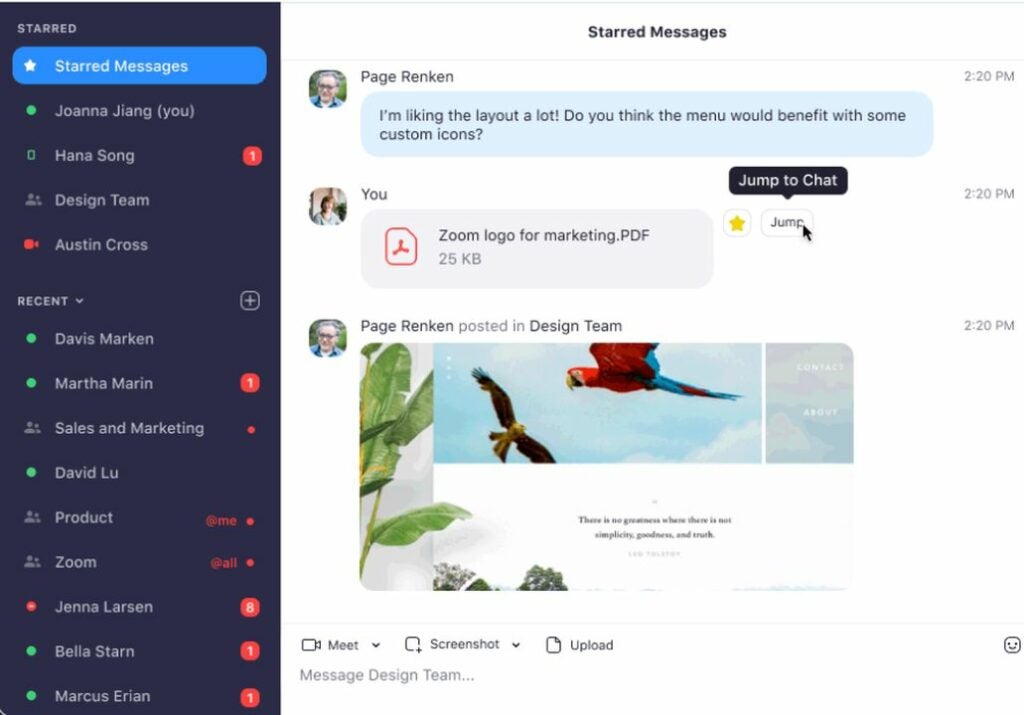
View both your contacts and group channels in a simple list

The exciting pipeline ahead

Even though Zoom just completed this major overhaul, the company continues to expand the functions and services it provides. To get all the latest news and updates surrounding the Zoom platform, check out the latest Zoom news featuring all the fresh headlines. It seems that there’s no stopping this tech giant from securing additional market share.

Google is backtracking on a privacy mishap

Things can move fast in tech, but it looks like Google recently tried to move too fast in the wrong direction recently and has since had to pull a screeching halt and move into reverse. It was only a week ago when Google released details about updating the permissions procedures for apps on Android’s Google Play Store, but now the company has backtracked completely. Let’s check it out.

Android 13 Download Now

Google recently decided to hide the app permissions list for all products listed on the Google Play Store. The decision followed the rollout of an app called Data Safety, which required the developer to disclose everything to Google, including the data they were collecting and if they were sharing it with everyone. This did mark a positive move, but the removal of the permissions sparked an outcry, which has caused Google to backtrack.

The outcry relates to user autonomy when it comes to checking and cross-checking the reliability of the apps you download on your phone. And also because Google said that app developers “are responsible for making complete and accurate declarations in [their] app’s store listing on Google Play.” Essentially, the app developers could lie about the permissions they were giving, as the new way meant nobody was really checking. Google responded to the outcry with a thread of tweets explaining it was reversing the decision. Google said:

“Privacy and transparency are core values in the Android community. We heard your feedback that you find the app permissions section in Google Play useful, and we’ve decided to reinstate it. The app permissions section will be back shortly.”

It is good to see Google reacting so quickly to user discomfort at the new way Android app permissions were being handled. Privacy concerns are very real these days with many private companies hoovering up and trading many different types of user data. It is very understandable that users would feel uncomfortable about losing control over being able to check for themselves what data app developers would be harvesting from their phones.

If you are worried about the data that tech companies are gathering about you, you should check out our guide to deleting everything Google knows about you.