New TikTok filter brings text-to-image AI to the masses

Text-to-image AI is all the rage right now with both Google and Meta pushing out their own versions on top of the OpenAI’s impressive DALL-E offerings. Unfortunately, however, it can be difficult for the average internet user to gain access to the tools to give them a try. A new TikTok filter looks set to change that though. Let’s check it out.

TikTok Download Now

The TikTok filter, AI Greenscreen has been live on the app for a few days now and it brings with it some interesting capabilities. The idea behind the app is that you type in a prompt and it will then turn the text into an image that represents the text, and you then use that image as the background for your TikTok videos.

It has to be said that the quality of the images that AI Greenscreen creates are not as good as those you will get from DALL-E or the Meta or Google offerings but the fact that is essentially giving TikTok users a chance to try out cutting-edge AI technology as a filter for their social media videos is impressive. If you want to give it a try, keep reading.

Thanks to the team at Digital Trends, we can give you step-by-step instructions on how to give AI Greenscreen a try:

“1: Open the TikTok app and select the Plus sign icon.

2: Choose the Effects icon, which is to the left of the big red record button.

3: In the Effects menu, choose the purple AI icon. You can also select the Magnifying glass icon to search for the effect. Then use “AI Greenscreen” as your search term.

4: Type in the words you want to use to generate art in the text box below the phrase Enter a few words. Or you can use one of the phrases TikTok suggests that appears in that text box.”

In other TikTok news, shocking training practices have come to light about how moderators at the app are taught how to spot and remove offensive content.

This might be the most important WhatsApp update yet

WhatsApp Groups offer a fantastic way to stay in touch or just up to date with lots of friends and family all at the same time. Speaking in larger forums, however, brings with it an element of risk as we all sometimes say things that perhaps we shouldn’t. Being able to delete for everyone messages we send to the group gives us a second chance to take back what we shouldn’t have said. WhatsApp, however, has one last trap in this situation because if you hit Delete for Me instead of Delete for Everyone, your misplaced message will stay there for everybody else to see and there will be absolutely nothing you can do about it. Fortunately, however, it looks like WhatsApp is working on giving you another second chance.

WhatsApp Download Now

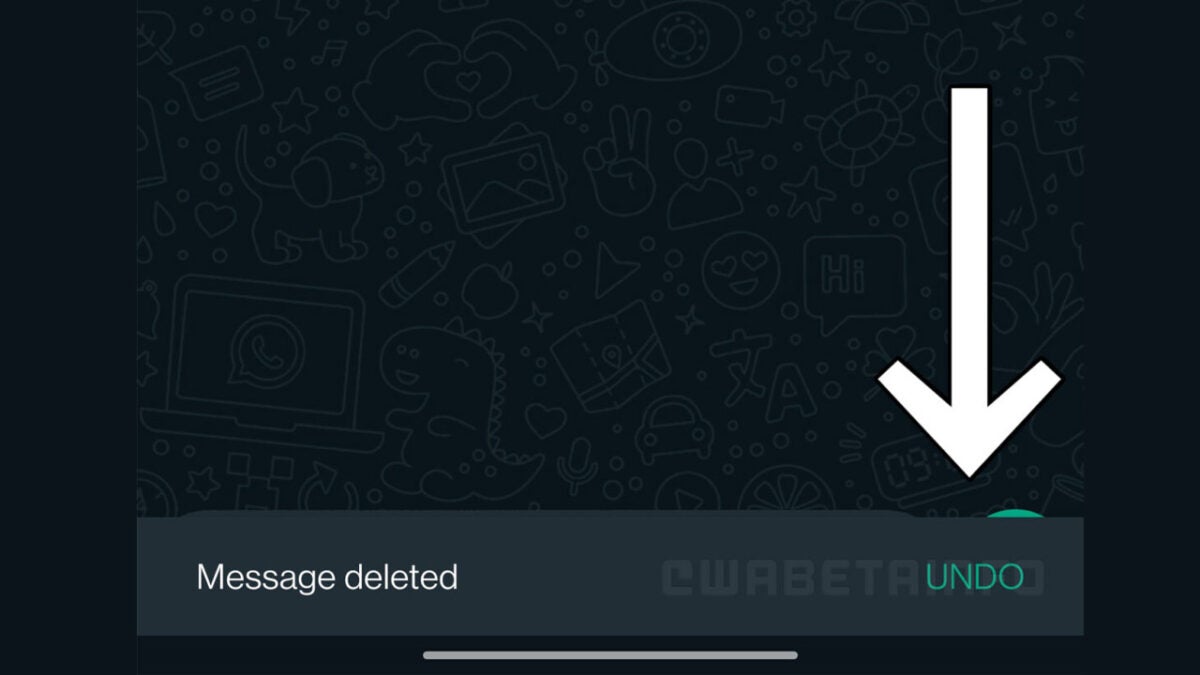
Thanks to the imperious vigilance of the WhatsApp beta testing community, we can bring you news of a new Undo Delete message feature that is currently in testing. The feature will give you a window of opportunity to undo the deleting of your messages.

If you’ve ever used the Undo Send feature on email clients like Gmail, then you will have an idea of how this feature will work. Basically, whenever you delete a message, you will get a small notification bar showing up for a few seconds at the bottom of the screen that will give you the opportunity to undo the deletion.

The feature is currently rolling out to certain beta testers, but not all. This means that it is still going through the early stages of beta testing and could still be some way off from a general rollout.

If you have ever felt that devastatingly embarrassing feeling when you’ve locked in a message you wanted to delete by deleting it just for you instead of for everyone, then you will understand the importance of this feature. It might only seem to be a minor tweak but make no mistake, when this rolls out to all users it will be the most important WhatsApp update ever for some users.

In other WhatsApp news, groups may soon have a new approval system to help decide who can and who can’t enter WhatsApp group chats.

Image via: WABetaInfo

Microsoft is attempting to patch an Outlook bug causing systems to freeze and crash

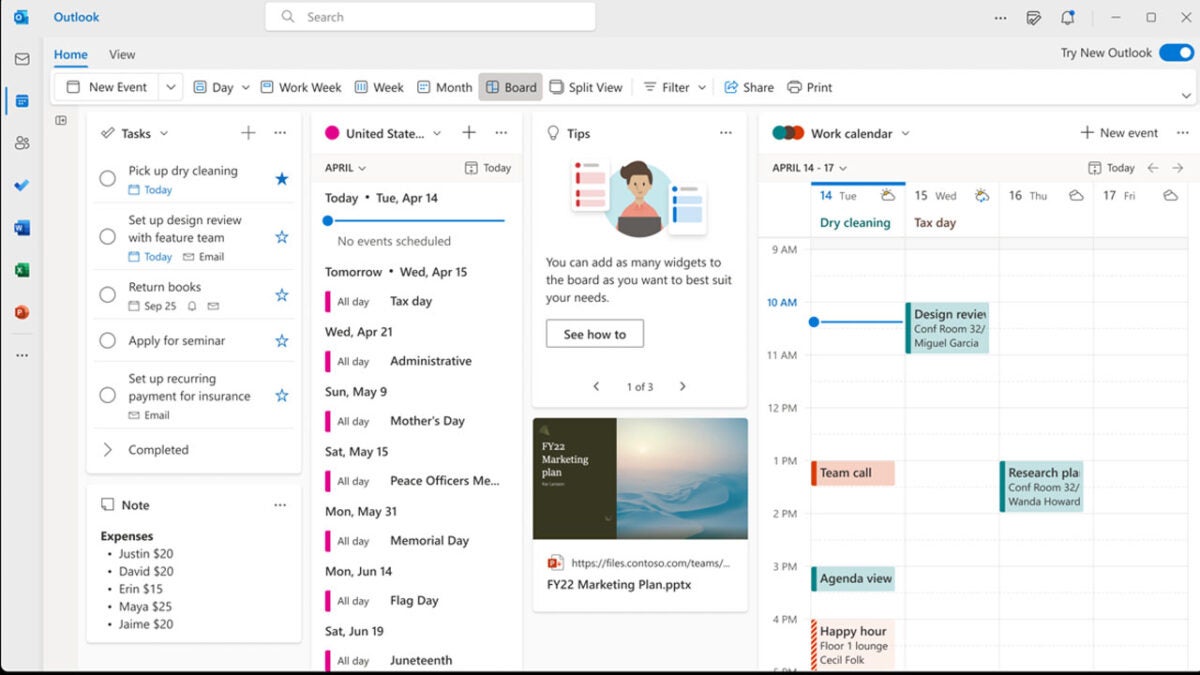
Microsoft has recently launched Outlook Lite, which is a more barebones version of its flagship email app, designed for use on lower-resource devices. Unfortunately for the software giant, however, customers have been reporting a bug in the full version of Outlook that has been causing it to freeze and crash. Let’s take a look at what Microsoft is doing about the issue.

Microsoft Outlook Download Now

According to a report by Bleeping Computer, Outlook users have been airing their frustration at an unknown bug that has been causing the app to freeze and crash. In the error report Microsoft describes the issue as, “When you start Outlook Desktop, it gets past loading profile and processing, briefly opens, and then stops responding.” The bug seems to be related to the EmailAddress key not setting properly, which, fortunately, Microsoft is able to offer a workaround for users to take advantage of.

While the company attempts to work on an official patch for the bug, it recommends working around it in one of several ways. If your version of Outlook is freezing and crashing in the manner described above, you should try signing in and out of your Office account as this will repopulate the identity registry settings. If this doesn’t work you should try turning off the Support Diagnostics, which will bypass one of the steps that lead to Outlook freezing. The final option is to try and manually set the email address to the user’s identity.

Although some of these options may sound a little complex to carry out, don’t worry as Microsoft has compiled them all together in the error report document for the bug, which you can access here. The other option is to wait for Microsoft to release the official patch but as yet there is still no news from the software giant about when we can expect that to roll out.

In other recent Microsoft News, OneDrive is getting a new and improved homepage for its 15th birthday.

Apple wants to start showing you more ads on your iPhone

We’ve been reporting on the development of iOS 16 for a while now including news of new Photoshop-like editing features, tweaks to iMessage, and possible security changes and updates. Today, however, the news is a little more mixed as reports are saying that rather than looking to update features or boost capabilities, Apple is instead looking for ways to show you more ads on your iPhone. Let’s take a look at what is going on.

iOS 16 Download Now

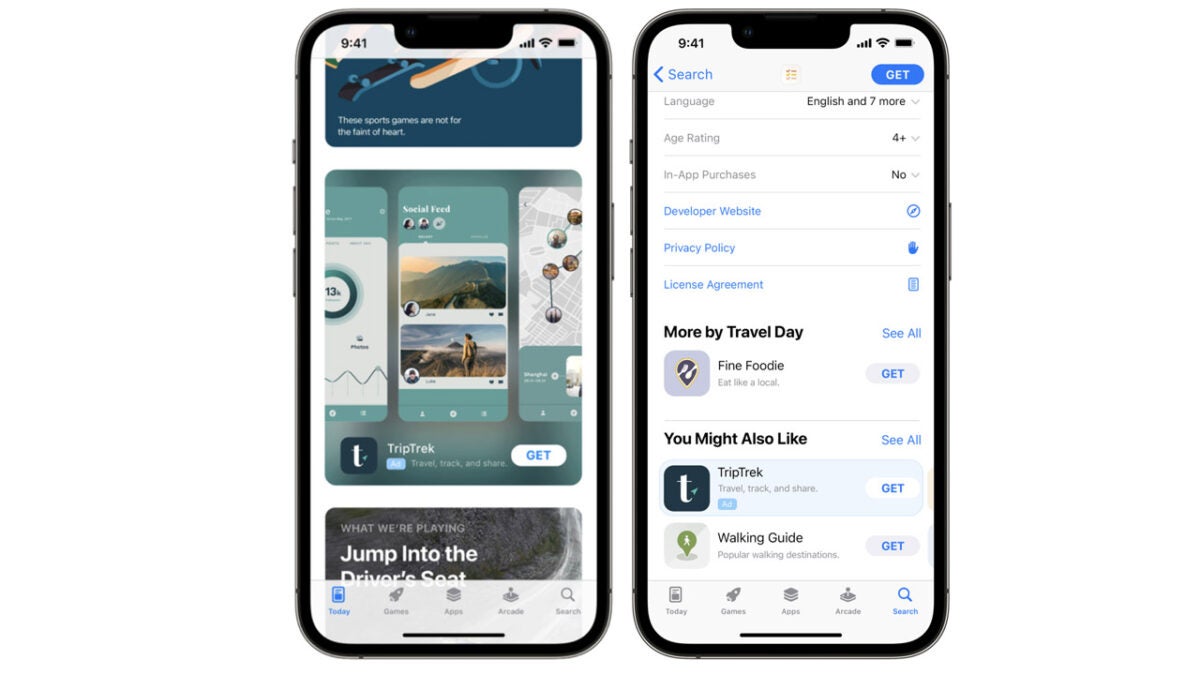
At the moment, Apple will show iPhone users ads whenever they are using the News, App Store, and Stocks apps. This could be about to change, however, as a Bloomberg report states that the company is internally testing new methods for showing ads in other Apple proprietary iPhone apps like Apple Maps, Podcasts, and Books.

You will get no prizes for guessing that the motivation behind this move is revenue. Certain execs at Apple are hoping to boost the company’s ad revenue from currently around $4 billion a year to over $10 billion. These new ad placements in Apple apps will form just one way to try and push forward this aggressive profit-expanding agenda.

It is expected that Apple will allow businesses to pay for higher rankings and positions in searches on Apple Maps with a wider strategy giving business owners more flexibility in how they will spend their advertising budgets at Apple.

Not all users will be happy about this move from Apple because the iPhone is supposed to be a premium device. When you are paying upwards of $1,000 for a phone you have can have a reasonable expectation that you have paid in full and so don’t need to be fed ads so that the company behind the device can further monetize your ownership of it.

With iOS 16’s release just around the corner, this move could take a bit of the shine off of Apple’s new flagship mobile iOS. Although, while some users won’t be happy about this move, there will certainly be others that won’t mind it at all.

Make sure you bookmark our iOS 16 News page to stay up to date with all the latest Apple iPhone news.

Image via: Apple

Google gets a big fine for misleading Android users about Location Data collection

Recently Google had to backtrack on a planned move to remove permissions from the Google Play Store. User outrage over the search giant’s disinterest in their privacy, caused the company to reintroduce permissions and remove any chance for app developers to simply lie about the user data their apps were accessing. Unfortunately, however, news coming out of Australia seems to indicate that app permissions themselves aren’t enough as a safeguard as Google has been misleading users about the location data that was being collected on their Android devices. Here is what you need to know.

Android 13 Download Now

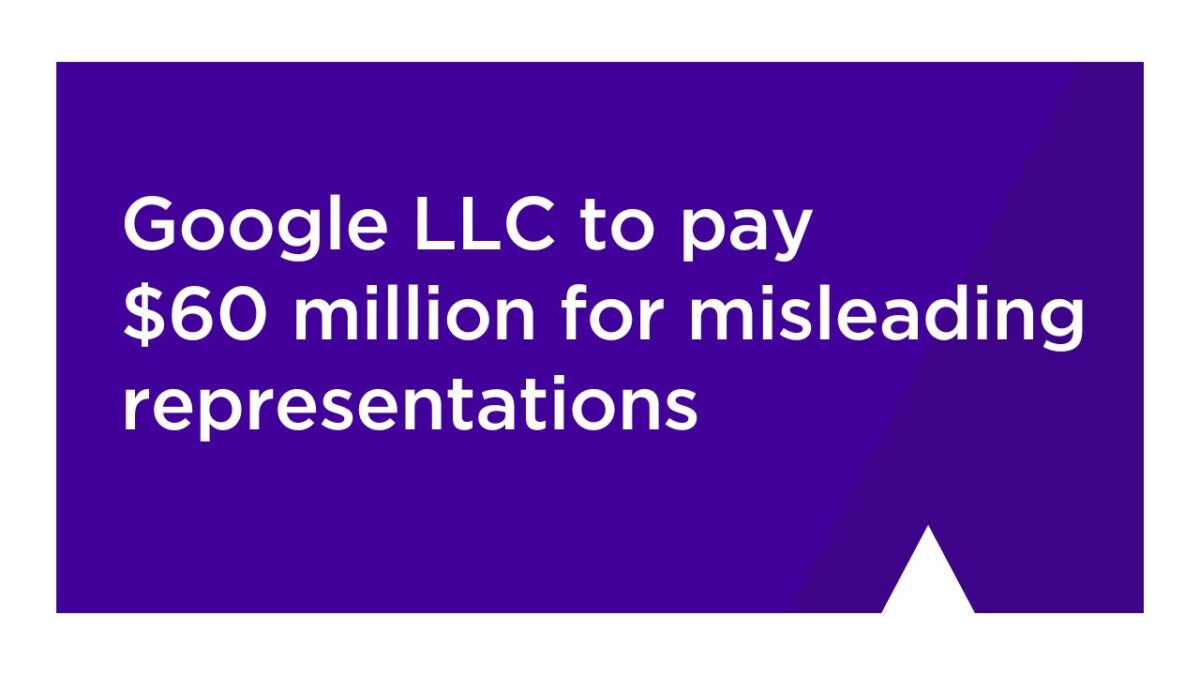
The Australian Competition and Consumer Commission (ACCC) has announced it is fining Google $60 million for what it calls misleading practices relating to the collection of Android user location data between January 2017 and December 2018.

ACCC Chair Gina Cass-Gottlieb said that the fine marks not only punitive damages for Google but should also act as a deterrent against further privacy-related deceptions in the future:

“This significant penalty imposed by the Court today sends a strong message to digital platforms and other businesses, large and small, that they must not mislead consumers about how their data is being collected and used.”

The move from the ACCC is a result of Google continuing to track the location data from some Android users’ phones even after they had disabled the Location History settings on their device. This meant that while they believed Google was not tracking data relating to their location, in fact, in some cases tracking was in fact occurring. According to the ACCC, more than 1.3 million Australian Google accounts were affected in this way.

Google is no stranger to fines like this, but it is disappointing to see the internet giant acting this way, at a time when online user privacy is such a hot topic. In this regard, Meta has just announced that it is seeking to automatically protect Messenger chats with end-to-end encryption.

Image via: ACCC

Google lets you enjoy cloud gaming straight from search results

It appears that Google is making it easier to access cloud gaming right from your search results in your Google browser. But how will that change cloud gaming?

Google DOWNLOAD

Google seems to be testing a new feature that will allow players to access cloud games directly from their search results by clicking on the new play button that will appear alongside the other relevant information. By clicking on the play button, you’ll immediately be taken to the game’s platform, such as Google Stadia, where you can then start playing the game.

This feature works similarly to the one introduced for movies and series. This feature enables the user to search for a movie or series, and the search results will feature a play button. The user will be taken straight to the cloud streaming platform (Netflix, Disney+, etc.) by clicking on the play button. 

Currently, this feature is still in its testing phase, meaning not everyone will see the new play button in their search results quite yet. However, those who have seen the feature can confirm it’s available on desktop and mobile versions of Google. Also, it’s not just games from Google Stadia that will see this feature. It’s also coming to games from platforms like Amazon Luna, Nvidia GeForce Now, and Xbox Cloud Gaming. This new development is excellent as it shows that Cloud gaming is starting to take off.

The appeal of cloud gaming is not difficult to see. For one, you don’t require any hardware, so no more buying a new gaming console every two years to stay up to date with developing technology. However, despite its benefits, you still require a fast, low latency broadband connection to make the most of cloud games. This is one of the reasons why it’s taking much slower to launch than expected.

Google lets you enjoy cloud gaming straight from search results 1

Google is working hard to make improvements and innovations. Alongside these new features, Google is also adjusting search algorithms and pushing results that offer higher quality content. We look forward to seeing how these improvements pay off.

Google to push search results with higher quality READ MORE

Ever wondered which Pokémon is the least favorite? Now we know

Since Nintendo released the first Pokémon game in 1996, these enchanting little creatures have been gaining popularity and a lot of love from fans of the franchise. There’s no denying that some of these cute critters have quickly gained the top spot in many of our hearts, such as Pikachu and Bulbasaur. But have you ever wondered which Pokémon Go character is the least favorite?

Pokémon GO DOWNLOAD

That’s right, anyone who’s ever played the popular monster-catching and fighting game has probably come across a few Pokémon they don’t like. No matter how much time and effort Gamefreak puts into the design of these characters, some of them just don’t hit as well with players. With more than 900 Pokémon in existence at the moment, there are sure to be a few stinkers.

YouTuber Thomas Game Docs set out to try and solve the mystery of which Pokemon across the entire series is the least favorite. To start his investigation, he took out ad space on Google to access Google Analytics and see how many times each Pokémon has been searched for. Quite a momentous task! Pokémon with more searches are considered more popular. The results from his experiment were quite interesting.

Pikachu is undoubtedly the most popular Pokémon, with at least four million monthly searches. However, Gen 5 had some bad results, with eight out of the ten least favorite Pokémon coming from Black and White. Some of the least favorites from this series include Vannilish, Duosion, and Whirlipede.

The top spot, however, is reserved for a horrible, angry meerkat, Watchog. Watchog comes in at only 8100 searches per month, and is it any surprise why? This Pokémon isn’t useful in battle and has no element or special abilities to speak of. Also, the character’s design with the always-angry eyes and the colored yellow and red lines in its eyes make this one difficult character to love.

Ever wondered which Pokemon is the least favorite Now we know

Have you got a Watchog that you’re proud of? Why not showcase its strength at the upcoming Pokémon Go World Championships later this month? Or perhaps you’ve been training with one of the popular Pokémons like Picachu?

Google is trying to push Search results that offer higher-quality information

Fake news and disinformation have become one of the signature problems of the modern internet age. As well as having direct consequences in elections such as the Brexit referendum in the UK and the 2016 US General Election that saw Trump take the White House, fake news around the world has also been radicalizing people and whipping up hate to extreme levels. In a bid to address this, Google is moving to try and ensure that all information served by Google searches is reputable and trustworthy. Let’s check it out.

Google Download Now

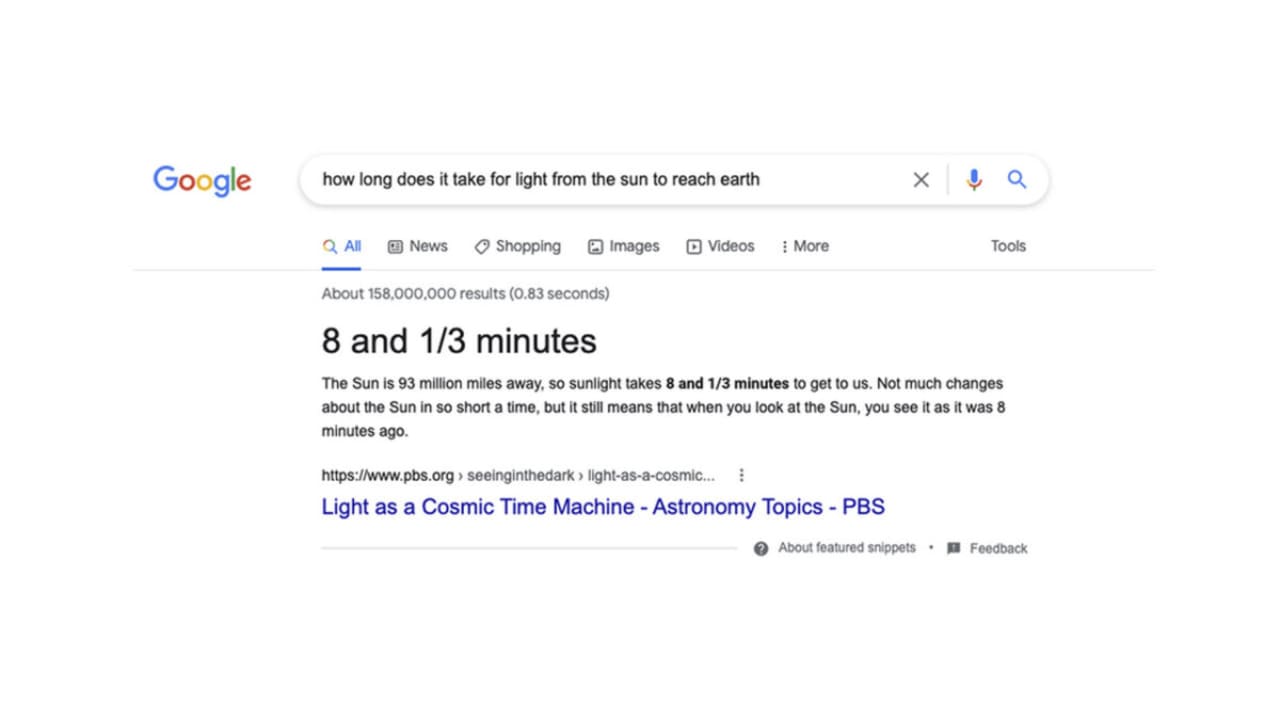
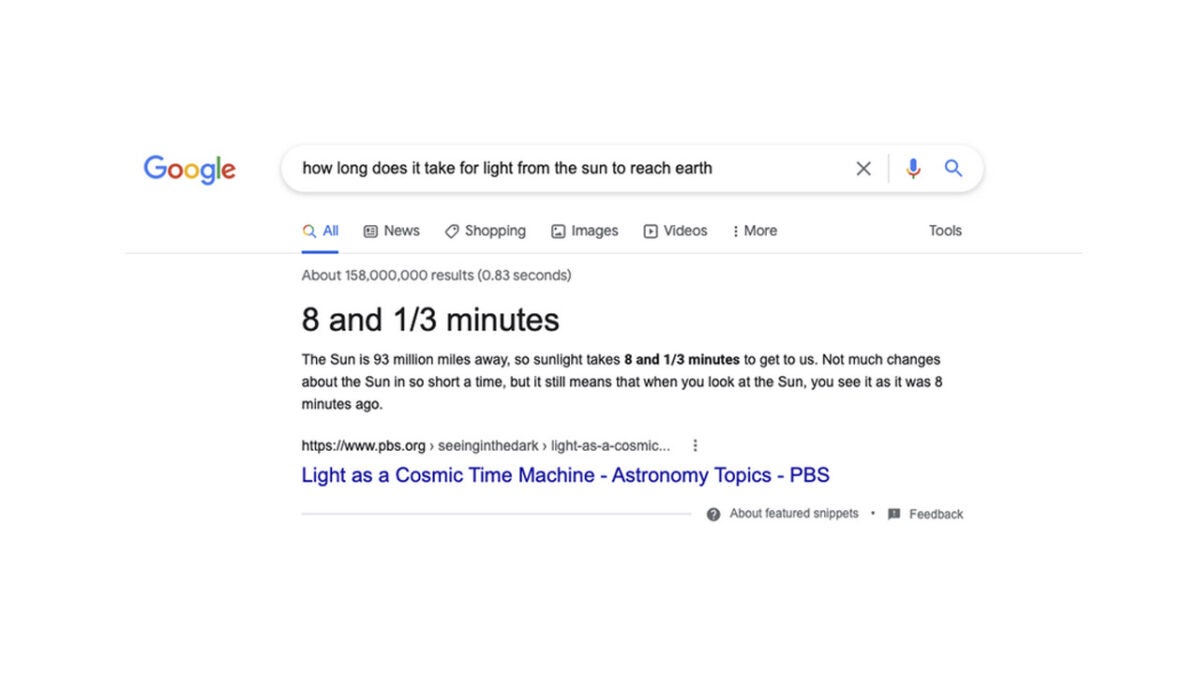
The change relates to featured snippets, which are parts of webpage content that Google displays directly on the search engine results page. They are cut around the content that most directly relates to the search terms and keywords entered into the search bar. Google has announced in a The Keyword blog post that it is introducing what it calls a significant innovation that will improve the quality of featured snippets.

The innovation involves using Google’s latest AI model to build a better understanding of the consensus that exists around a certain issue. This means it can a greater understanding from third-party sources that have also explored the topic. Google describes the new update like this:

“By using our latest AI model, Multitask Unified Model (MUM), our systems can now understand the notion of consensus, which is when multiple high-quality sources on the web all agree on the same fact. Our systems can check snippet callouts (the word or words called out above the featured snippet in a larger font) against other high-quality sources on the web, to see if there’s a general consensus for that callout, even if sources use different words or concepts to describe the same thing.”

The overall objective of the move is to remove any and all false information from making its way into Google snippets. Even though Google admits that false information is rare in snippets, the search giant says that it has already seen a reduction of 40% since this new update was introduced.

This move follows on from another recent update to search snippets which saw Google improving the quotation mark focus feature for its searches.

Google further boosts Workspace’s compatibility with Office files

Even though Microsoft 365 and Google Workspace might be battling out to win the hearts and minds of the new work-from-home labor force they still want to get along. Interoperability is a user-friendly feature that makes life easier for everyone involved, particularly those who have to deal with clients and workers outside of their own organization. That is why Google recently made it possible to edit, comment and collaborate on Office files using Docs, Sheets and Slides. Today we have news that Google is further enhancing these interoperability features. Here is what you need to know.

Google Workspace Download Now

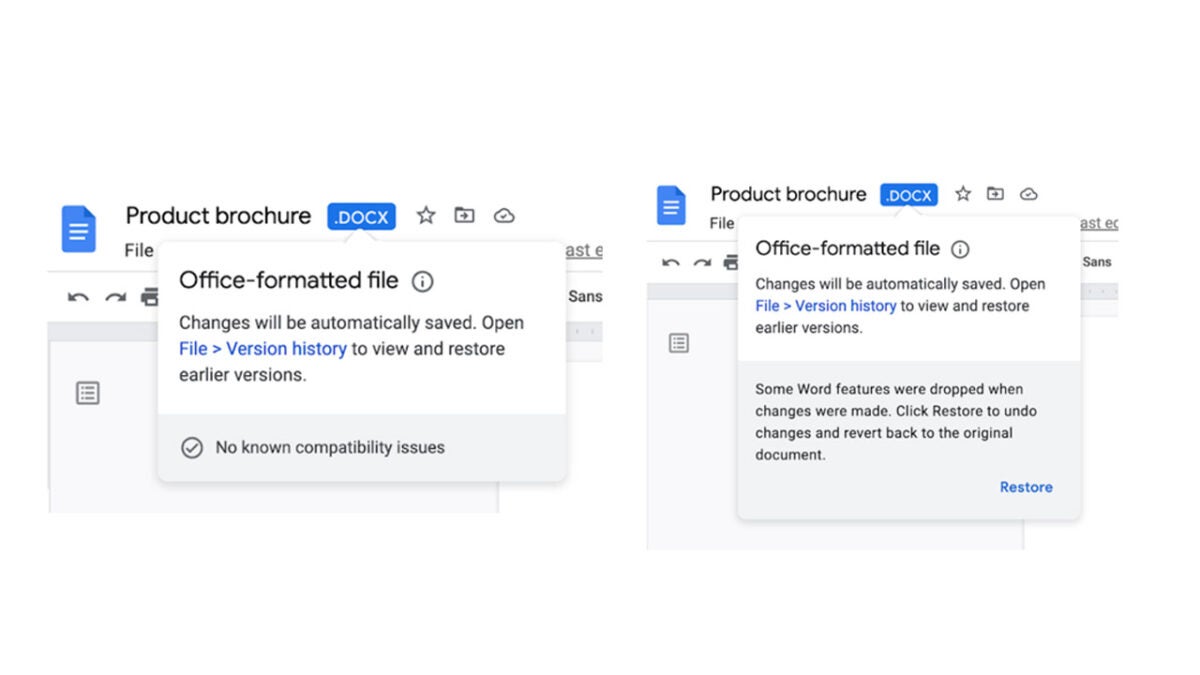
Google has announced in a Google Workspace blog post that is improving the notification system that will provide updates to users collaborating on Office files using Docs, Sheets, and Slides.

The new system includes an Office-formatted warning symbol that will let users know that some features won’t be available due to the fact that the document is an Office document and not a Google Doc. Of course, not all Office documents will have compatibility issues so there will also be a new notification screen indicating that everything is working perfectly too.

On top of this, Google is also making it easier to view historical versions of the document too and restore older versions.

The feature is gradually rolling out to all Google Workspace customers, legacy G Suite Basic and Business customers, and users with personal Google Accounts now and should be available for all users by August 25th. Google says that the new feature will be on by default and will always be present when a user opens a Microsoft-formatted document.

This added interoperability marks another step in the right direction for Google as it attempts to shorten the gap between Google Workspace and Microsoft 365. Other recent moves include improved scheduling options when assigning meetings, improved location-based services to help with scheduling, and improved Workspace security protocols.

Meta looking to bring automatic end-to-end encryption to Facebook Messenger

The end-to-end encryption protecting WhatsApp’s messages is one of the app’s most popular and headline-grabbing features. Privacy is a big issue these days and more and more users are becoming fearful about what could happen if their private messages fall into the wrong hands. It is in this context that Meta has announced it is testing protecting Facebook Messenger chats with end-to-end encryption by default too.

Messenger Download Now

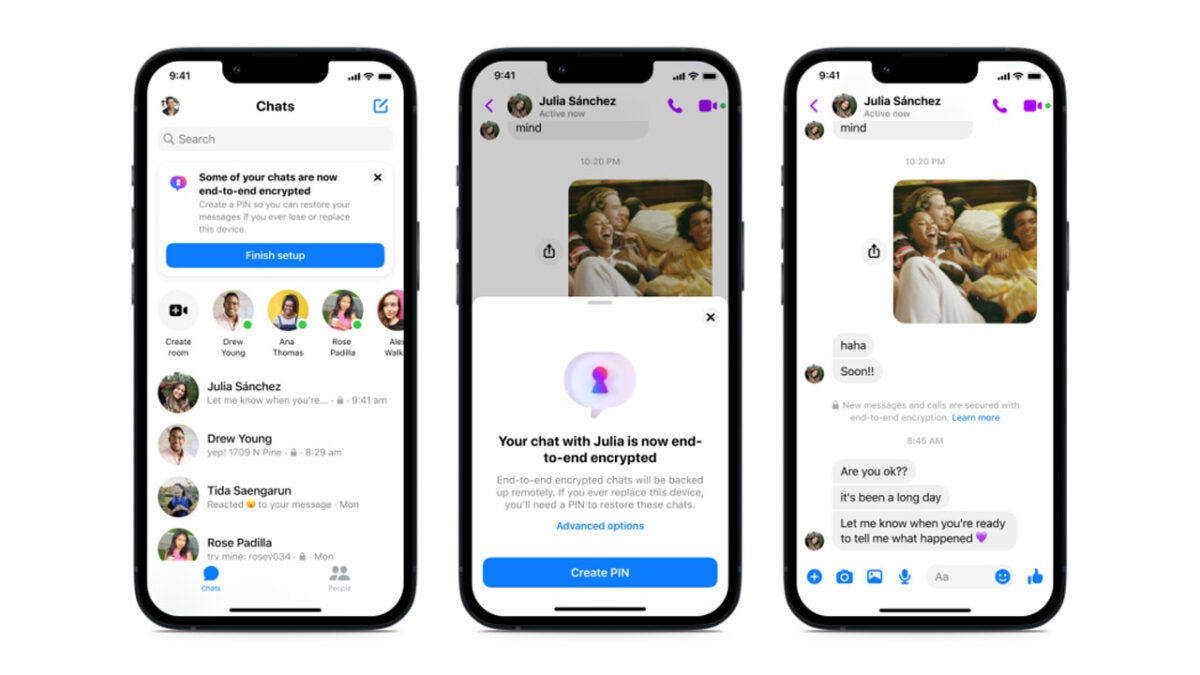
In a Meta blog post, the company has announced that it is testing automatically applying end-to-end encryption to Messenger chat threads on top of tests of a new secure storage feature on Messenger to back them up.

The test to begin automatically encrypting chats will roll out to some users on Android and iOS in the coming days. This means users won’t have to opt into the feature and that all messages will be end-to-end encrypted by default. Meta said:

“This week, we’ll begin testing default end-to-end encrypted chats between some people. If you’re in the test group, some of your most frequent chats may be automatically end-to-end encrypted, which means you won’t have to opt in to the feature. You’ll still have access to your message history, but any new messages or calls with that person will be end-to-end encrypted.”

Meta is going to also begin testing the new secure storage feature this week on both its Android and iOS apps. When it comes into play, the feature will mean Meta won’t have access to your messages unless you report them to the company. The feature will also allow you to import your messages to new devices and will be protected by a 2-step verification feature.

This move from Meta is very much a work in progress as the company looks to move towards a future where all personal messages and calls are protected by end-to-end encryption. According to the Meta blog post, the social giant is hoping to be able to roll these features out to all users at some point in 2023.

In other recent news, Meta is looking for help training its new AI chatbot. Would you like to help Meta train an AI?