Check your Halloween candy for copies of Doom

Finding strange contents inside your Halloween candy has become a little bit of a meme of late. While hiding small amounts of illegal substances inside Halloween candy wrappers is fairly easy to understand, the one thing no one really expected was to find a fully functional game inside a candy bar, namely, Doom.

DOOM DOWNLOAD

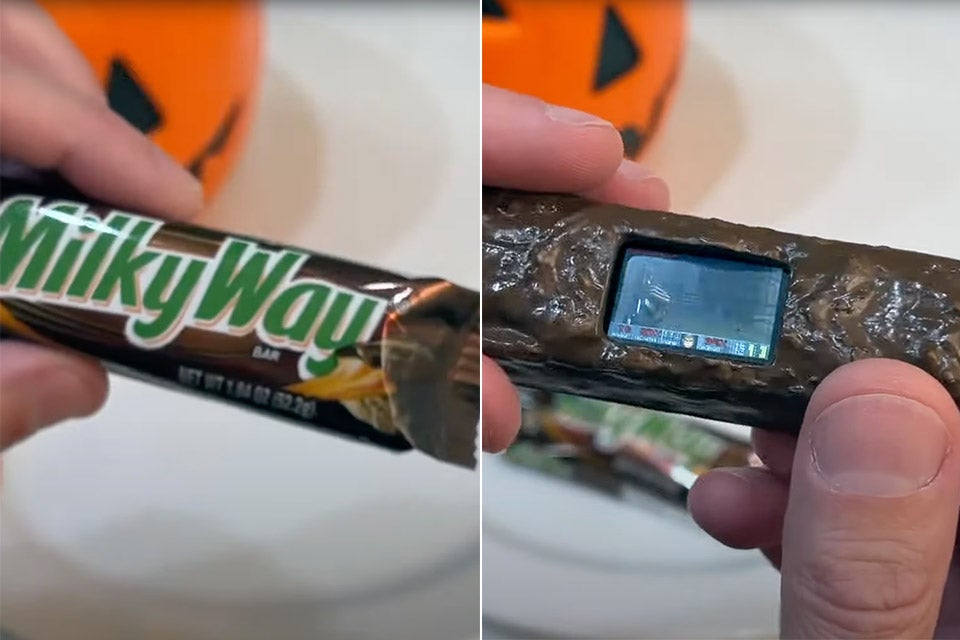
Thanks to a group of developers at Adafruit, this has now become a reality. The developers have created a Milky Way bar featuring a fully functional screen capable of booting up a copy of Doom. Even though this took a great deal of conceptualization and forethought, not to mention the actual development behind the immersive candy-coated Doom experience, this was primarily done in jest. 

The move to include something as unlikely as Doom inside a piece of candy is likely a harmless play on the age-old fear of finding illicit substances surreptitiously smuggled inside your Halloween treats. 

Check your Halloween candy for copies of Doom

Adafruit accompanied the photograph of their new gimmick development with a tongue-in-cheek statement reading: ‘Parents, please carefully inspect your kids’ Halloween candy! We found Doom running inside this Milky Way bar.’

This is, of course, also a play on the fact that people have been porting Doom to all sorts of machinery, devices, and even plain old objects. As of this year, Doom has been run on a tractor, rotary phone, Lego brick, and even a pregnancy test. The most motivated players have even managed to run Doom in their BIOS (Basic Input/ Output System) as well as Notepad, the Windows word processing utility. By the way, apparently, Notepad supports Doom with a smooth frame rate of 60fps.

If you missed the recent Resident Evil Showcase, we have a series of articles exploring its contents and the latest and future releases within the franchise.

Silent Hill Townfall teaser trailer holds a dark, mysterious secret message

It’s hard to believe that little under a week has passed since we saw the Konami stream with several announcements in one. One of the games presented was Silent Hill Townfall, which didn’t reveal much except a short message. However, it looks like fans took a peek behind the scenes and discovered a mysterious secret.

Silent Hill Townfall DOWNLOAD

The Silent Hill Townfall trailer has a portable television/radio with garbled images and someone speaking over it. You can catch quick glimpses of visuals on the screen, but it’s challenging to work out what they are. That didn’t stop MilkmanEX from revealing a secret message on Reddit that he discovered. 

secret message within the Silent Hill Townfall

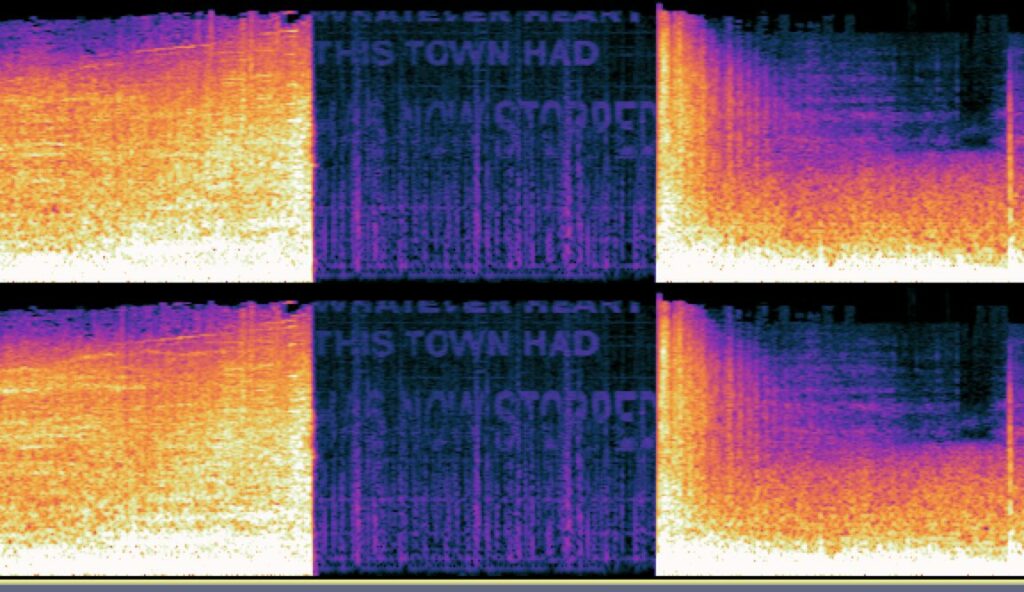
By extracting the audio to MP3 and analyzing the spectrogram, you can see the secret words. It says, “Whatever heart this town had has now stopped.” It’s quite ominous, and it makes me wonder what it has to do with the storyline. Perhaps it’s as simple as the developer being saddened that the heart and soul of Silent Hill have been dead for so many years.

In my last article about the Silent Hill transmission, I alluded to the possibility that we’re heading back to when the town first fell to the burning hells caused by Alessa while they tortured her. It seems like someone in the Reddit post’s comments agrees. If you listen carefully at 33 seconds into the trailer, it sounds like “Is that really Alessa?”

It could possibly be another version of Silent Hill: Origins, but with a new protagonist, characters, creatures, and plot. If it does end up being so, remember that you heard it hear first. Also, I want to point out that one of the hallways looks like the same passage from the P.T. demo.

Until we get more confirmation or leaks, I’ll continue working on my Silent Hill horror novels so you can also enjoy the brand in book form.

Latest features in iOS 16.1

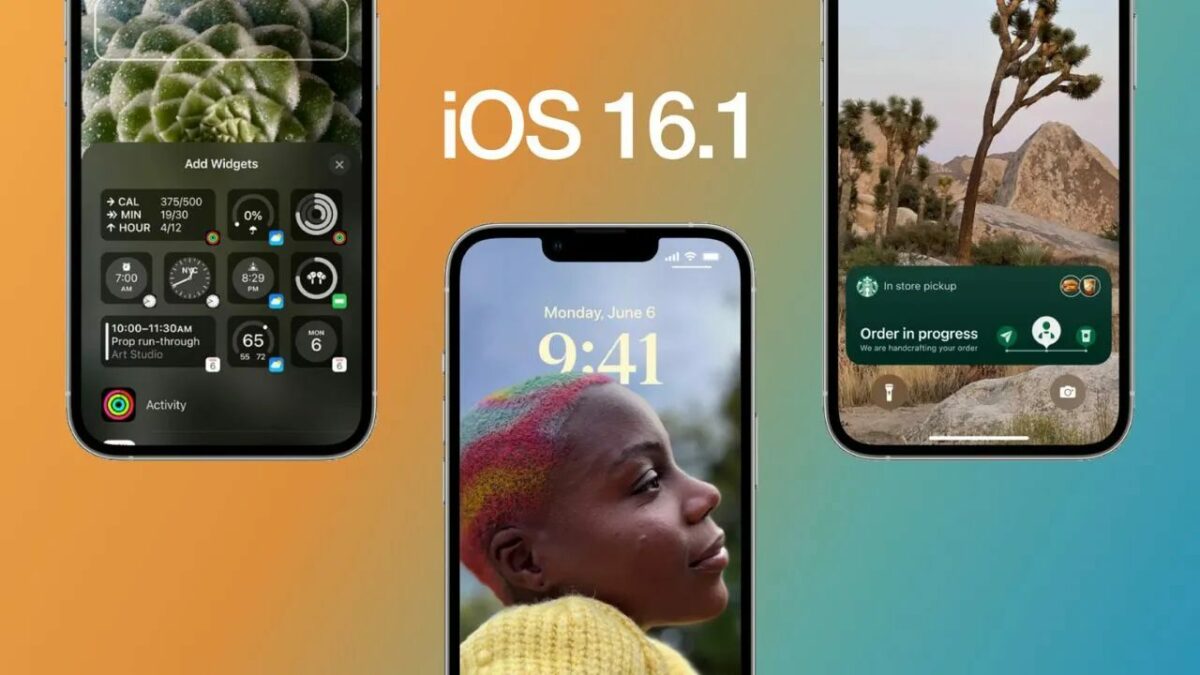
Apple recently released its latest update to iOS 16.1, one of the most anticipated iOS updates. This new version has been developed to make your iPhone or iPad faster, easier to use, and more reliable.

So what are the major new iOS 16 features? This article will walk you through all the new updates, what they do, and how to take advantage of them.

iOS 16 DOWNLOAD

Live activities

The redesigned iOS 16.1 update will allow it to run live activities on the lock screen. This means you’ll be able to interact with friends and family members or even just check in on your favorite apps, like Netflix, without having to unlock your phone first. To take advantage of these new features, you’ll need an active internet connection and an iPhone or iPad with iOS 16.1 installed.

Latest features in iOS 16.1

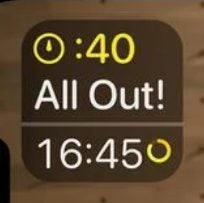
A redesigned iOS 16 battery percentage indicator

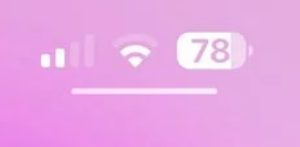
The redesigned battery percentage indicator is part of the new iOS 16.1. This design change was brought about by Apple’s desire to make the battery indicator more user-friendly and easier to understand. The new design has three separate bars representing your device’s current, minimum, and maximum battery levels. It also includes a percentage sign at the bottom to indicate how much battery life remains in your phone.

Latest features in iOS 16.1

Apple Fitness+

Apple Fitness+ is designed to be used in conjunction with other fitness-tracking apps, and it will automatically sync with these apps so that users can keep track of their progress over time. The app also offers some additional features like setting goals for yourself and seeing how far along those goals you’ve come over time, reviewing your stats in detail, and getting recommendations on how best to improve based on your current activities and habits.

Latest features in iOS 16.1

Clean energy charging option

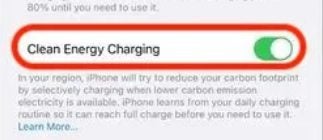
The new clean charging option allows you to charge your iPhone when lower carbon-emission electricity is available. This ensures that there your phone uses a green charging method. One drawback of this method is it doesn’t charge the phone completely, and users will still need to recharge by toggling this option off.

Latest features in iOS 16.1

Background content download

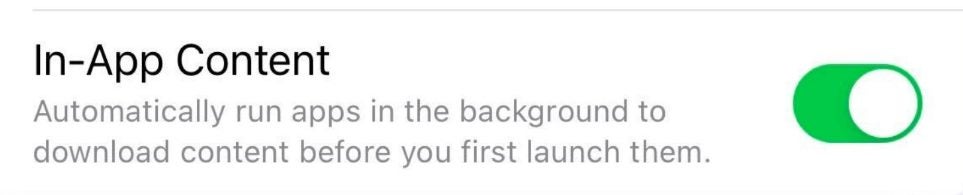
Apple’s new iOS 16.1 update automatically runs newly downloaded apps to download content in the background before launching them. This is a change from previous versions of iOS, which did not do this.

This means that if you have a new app on your phone and launch it, it will download any needed data before opening. For example, if you have an app that requires access to the internet to function properly, it will download its required data before starting up. This feature improves the experience for users who often have trouble with their battery life due to downloading apps in the background.

Latest features in iOS 16.1

Redesigned iOS 16 wallpaper section

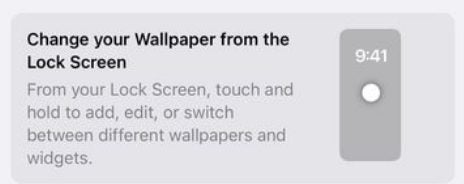
iOS 16.1 has a redesigned wallpaper section in settings, giving users more control over their wallpaper. The new designs are more intuitive and easy to use, and they’re designed to be more appealing to users of all ages.

Users can now control their home screen’s color, spacing between elements, and the size of elements on their device’s home screen. They can also choose from a new collection of realistic backgrounds that match the theme of each device.

Latest features in iOS 16.1

Copy paste prompt

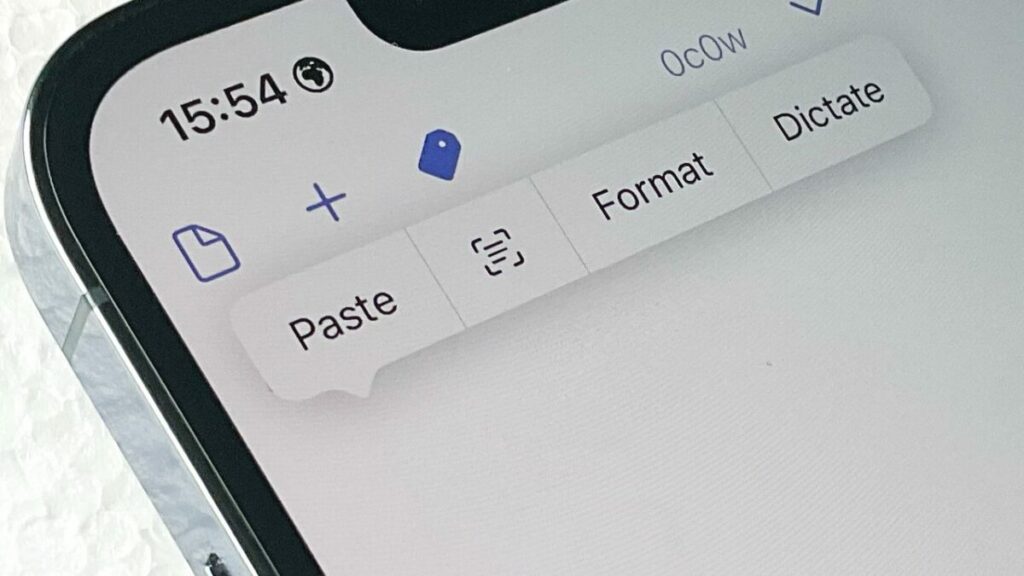
iOS 16.1 has fixed the constant copy-and-paste prompt bug. In iOS 16, the constant copy-and-paste prompt would appear every time you copied and pasted text into a text field in your app. This was a problem for many users, making it difficult to use apps like Slack or WhatsApp, where text is often used as part of a conversation. In addition, it also caused problems with some third-party iOS apps that relied on pasting text from other apps into their interface.

Latest features in iOS 16.1

Enjoy the new iOS 16 features

iOS 16.1 arrives with several new features for Apple users, including some much-needed enhancements. Even though the update is relatively minor, it could be one to watch as we head toward 2023. Be sure you read more about how the EU will require all iOS 16 devices to use USB Type C charging ports.


Windows 11 gets Android 13 treatment

As we reported a while back, Windows 11 has a feature called the Windows 11 Subsystem for Android. This was one of the most exciting features before the official launch of the OS. However, since then, it hasn’t really had all that much media attention. That changes today with the announcement that the Windows 11 Subsystem for Android is being furnished with support for Android 13 in the upcoming updates. 

Windows 11 DOWNLOAD

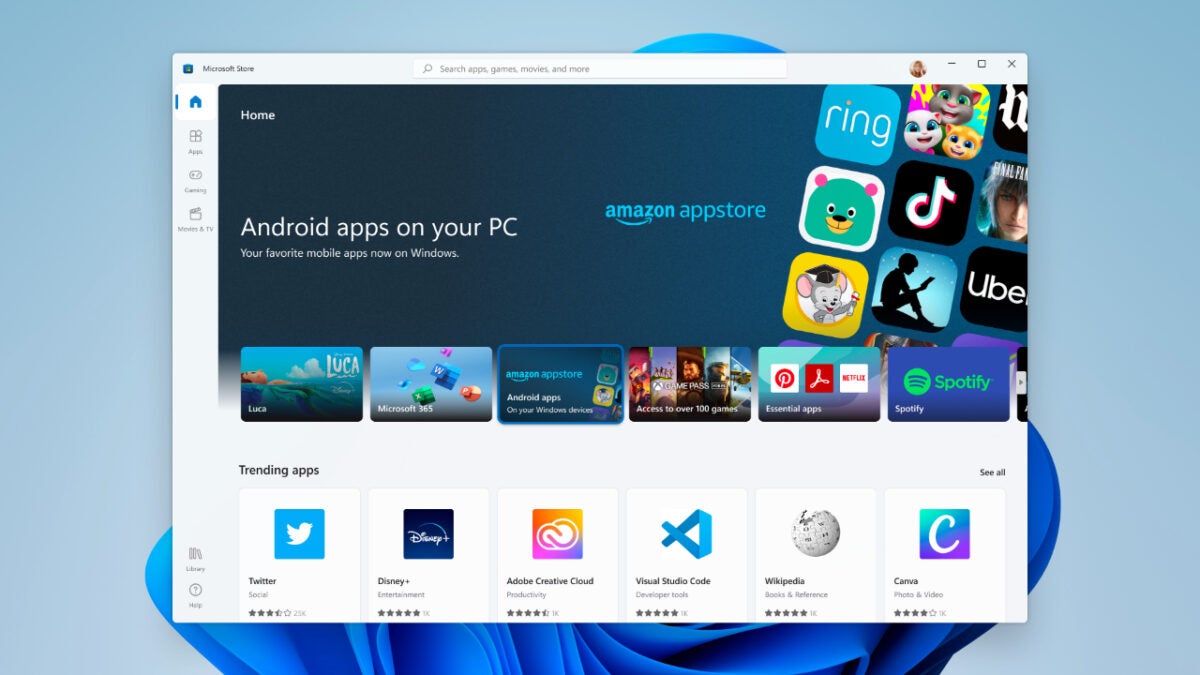
The Windows Subsystem for Android is essentially an Android app store for your Windows 11 device. With this utility, you can run Android apps directly in the Windows 11 ecosystem without the need for a third-party Android emulator. Windows recently gave us details about the utility’s future through a roadmap posted to its GitHib page. The most exciting feature, of course, is the inclusion of support for Android 13, the latest version of Google’s mobile OS launched in August. 

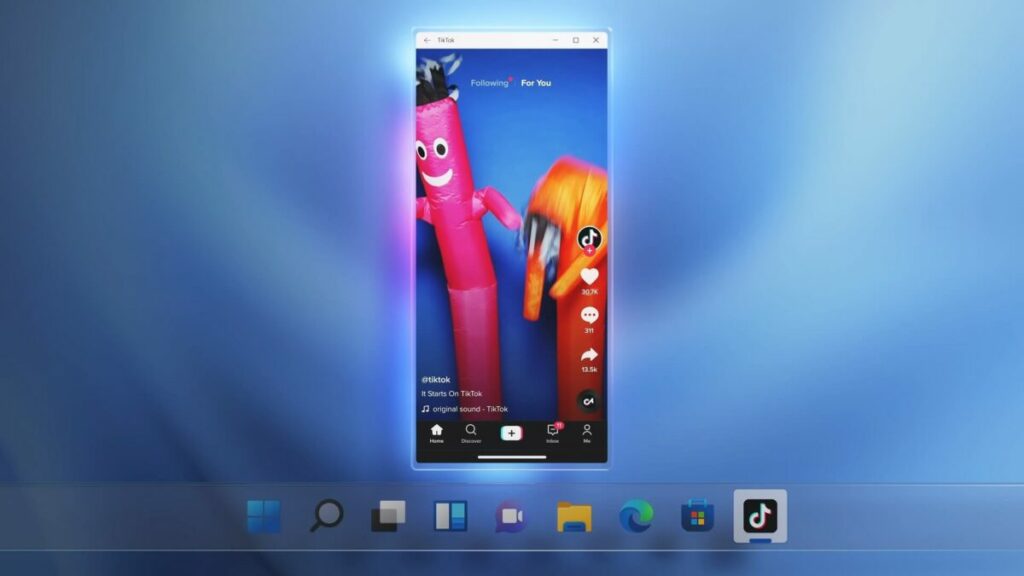
This is, however, not the only update coming to the Windows 11 Subsystem for Android in the coming updates. Even more exciting features are coming in the form of support for transferring files to your Android apps from Windows 11, new app shortcuts, and support for a picture-in-picture experience. 

Windows 11 gets Android 13 treatment

 When launched in totality, these advancements and features should make Android apps feel more native to the Windows 11 ecosystem and not like a haphazard plugins. The Windows 11 Subsystem for Android is already relatively advanced as far as emulators go, with the apps already supporting the use of your keyboard, mouse, and touch screen when interacting with them. You can also already resize app windows as you can with any other window in Windows 11. 

The Android App Store for Windows 11 was developed in conjunction with Amazon and is already available in 31 markets worldwide. While the catalog may have started out small in comparison to other app stores, the Android App Store currently lists around 50,000 games and apps that are available for testing. 

If you’re looking for even more ways to make your Windows 11 experience more feature-rich, try the Microsoft PC Manager for Windows 11.

WhatsApp Beta users get Facebook Avatars to test

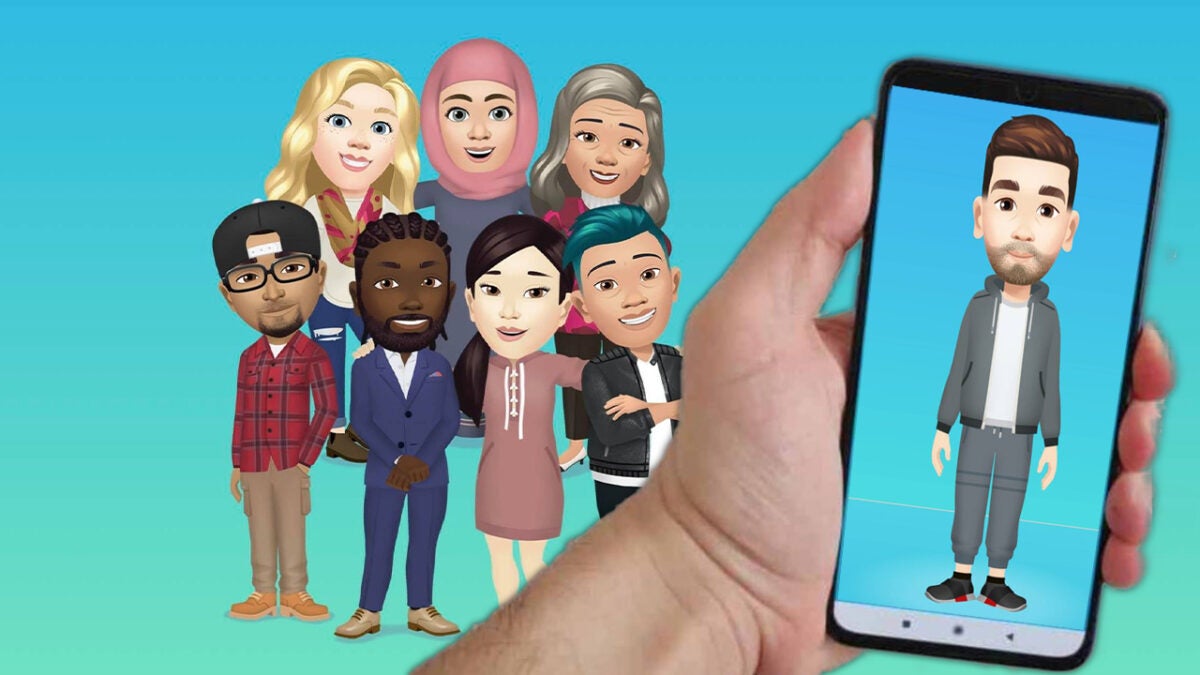
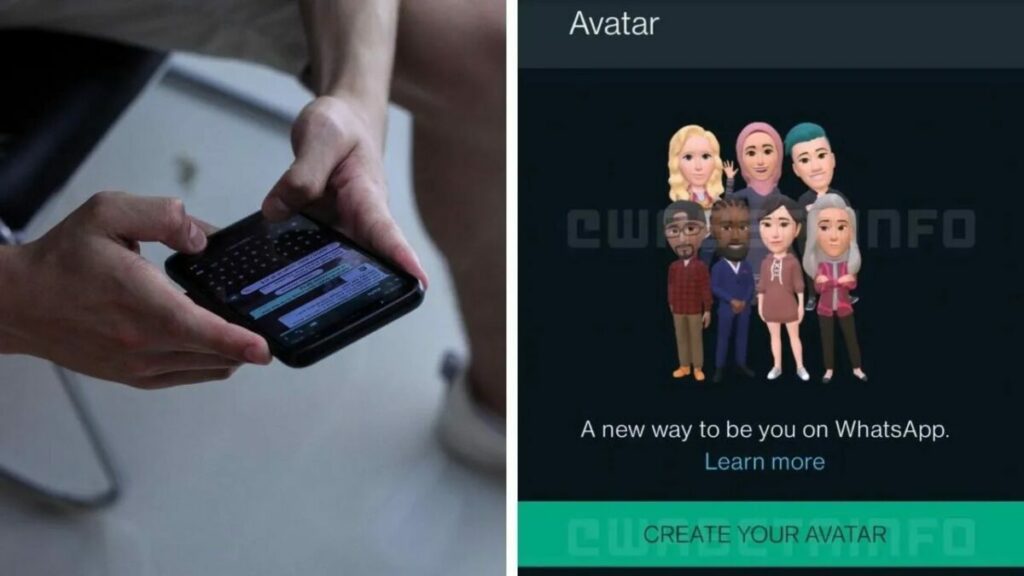
We all know at this point what avatars are. Mark Zuckerberg, the benevolent ruler of the Meta’s Metaverse concept, seems obsessed with the idea of avatars that resemble us all in more favorable filters, fits, and expressions, becoming the way that we show ourselves to the world. While the Metaverse is nothing compared to how Zuckerberg teased it, he’s still adamant that avatars are the future. In that spirit, Meta is letting certain WhatsApp beta users test out Facebook-like avatars within the popular messenger. 

WhatsApp DOWNLOAD

Avatars have long been available in WhatsApp through third-party applications like BitMoji, but this latest move sees Meta making Facebook’s avatars canon to the WhatsApp messenger story. 

Meta’s WhatsApp avatars don’t sound as advanced as other apps’, though. Instead of taking a selfie and having that be generated into an Avatar by Artificial Intelligence – and no, this is in no way slander toward Zuckerberg, we’ve been informed that he is, in fact, human – WhatsApp beta will serve you with a base Avatar which you’ll then customize to your liking.

The app will then serve up a host of stickers featuring your avatar, or as Meta would put it, your vehicle of better self-expression, which you can then send around to anyone who wishes to see you engaged in various activities, pulling faces you never pull in reality. It is, however, important to note that not all beta users will have access to the avatar function. 

WhatsApp Beta users get Facebook Avatars to test

Since 2019, Meta has held the assumption that avatars would be of ultimate importance to the future of society. However, the world is not stable enough to move into the reimagined digital universe of infinite possibilities that Mark Zuckerberg has dangled in front of us. For the moment, avatars seem to be little more than a fad. A trend grasped when a new app comes out and then quickly forgotten about. Just about as efficient and useful as the 3-dimensional television sets of a couple of years ago – a novelty gimmick. 

The company has recently added a highly-demanded feature for Whatsapp. It may be a good idea to see what it is.

A new record by Steam – 30 million concurrent players

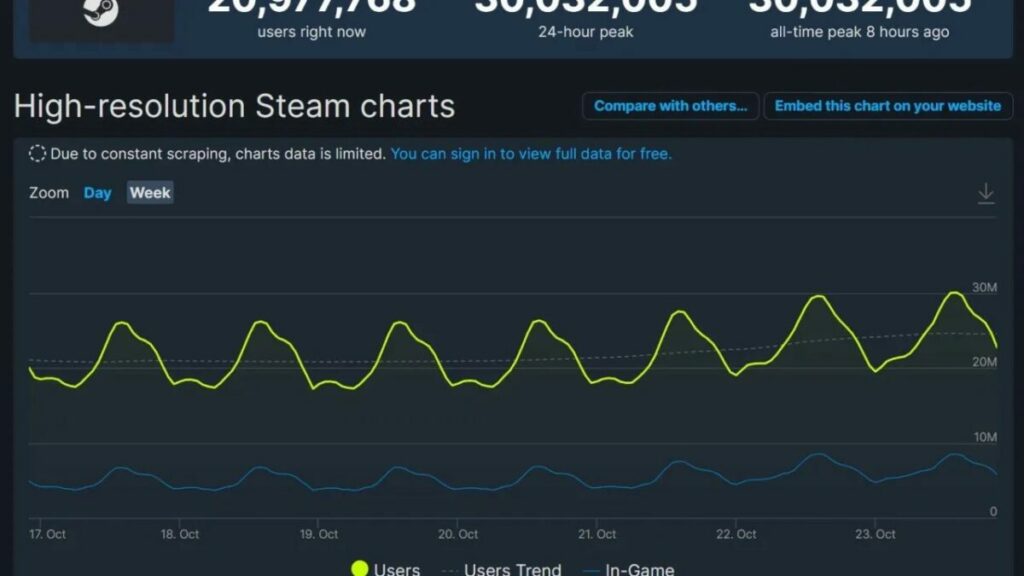
Valve’s digital video-game distribution server, Steam, initially showed a slow uptake of players on PC. This was followed by a major spike in users during the covid pandemic. Despite many believing it would end there, it didn’t, and Steam has continued to grow, setting a new record.

Steam DOWNLOAD

That’s right! This past weekend, Steam has broken all of its past records by hitting 30,012,957 players at the same time. This staggering number of concurrent players was released courtesy of Steam’s own charts. However, SteamDB confirmed the numbers were actually slightly higher at 30,032,005.
Putting this number in perspective, this is roughly the population of Ghana, a country in Africa. Ghana is also the 48th most populated country in the world. This is an impressive statistic for Steam and also shows the continued growth of PC gaming.

This sudden growth and spikes in numbers prove that PC gaming has stuck around far longer than many expected after the global lockdowns. Considering that it took the platform 14 years to grow its user base to 15 million, the concurrent user records doubled to 30 million in the span of five years.

A new record by Steam - 30 million concurrent players

According to the Steam charts, the most played game at the time of the record-breaking number of concurrent users was Counter-Strike: Global Offensive, with a player count of 1,050,184. This is closely followed by Dota 2 and PUBG: Battlegrounds.

With the platform working hard to add an exciting range of AAA and Indie games, as well as porting Playstation and rumors of a Nintendo Switch emulator coming to Steam Deck; we look forward to seeing what comes next for Steam.

System requirements for Resident Evil 4 remake

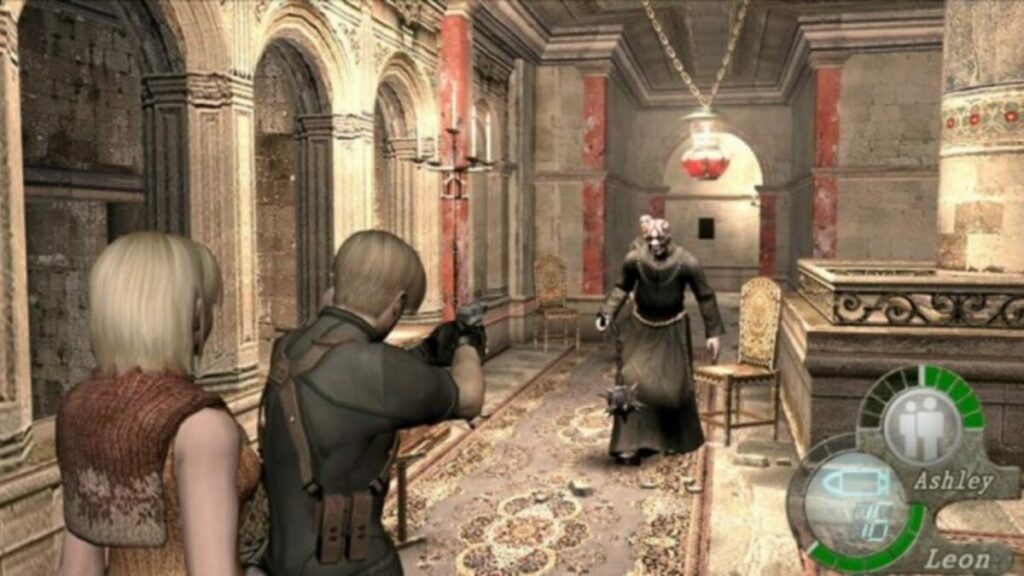
News surrounding the Resident Evil 4 remake was at the forefront of our coverage on Capcom’s recent Resident Evil showcase. The showcase gave us clues about what we could expect from the remake and how it’ll stay true to the original experience. It also gave us hints at how the remake would inject new life into the classic zombie slasher. Now, however, we turn our focus to the more technical aspects of the game as we delve into the Resident Evil 4 remakes PC system requirements. 
Resident Evil 4 DOWNLOAD

Below is a list of the minimum requirements for the Resident Evil 4 remake. Should your PC meet these requirements, you’re home-free and can enjoy the game when it launches. If not, you may experience significant performance issues if the game even starts at all. Minimum requirements are in place for a reason. 
  • First, you’ll require a 64-bit operating system running on a 64-bit processor. 32-bit won’t do in this case. 
  • Next, you’ll need Windows 10 (64-bit) at least. The specs make no mention of Windows 11, but given that it is a gaming-focused next-gen OS, it should be perfect. Ensure that your OS is up to date. 
  • In terms of CPU; the minimum requirement calls for the AMD Ryzen 3 1200 or an Intel Core i5 7500.
  • You’ll need at least 8 GB of RAM to run the Resident Evil 4 remake. 
  • In terms of GPU requirements, the lowest that will run the game is an AMD Radeon RX 560 that has 4 GB VRAM or an NVIDIA GeForce GTX 1050 Ti with 4 GB VRAM. 
  • You’ll also need Direct X version 12 installed on your PC. 
  • The game requires a broadband internet connection. 
System requirements for Resident Evil 4 remake

Now, we’ll move on to the recommended requirements. These are the best-case scenario for this game. If you have this setup, you shouldn’t experience any issues. 

  • The OS requirements remain the same here. 
  • In terms of CPU, you’ll want something equivalent to an AMD Ryzen 5 3600 or an Intel Core i7 8700. 
  • The optimal GPU setup to have is an AMD Radeon RX 5700 or an NVIDIA GeForce GTX 1070.
  • The optimal memory availability is anything above 16 GB RAM. 
  • You’ll still need version 12 of Direct X. 
  • Broadband internet connection is non-negotiable. 


If you intend to reap the benefits of ray tracing and even more intense graphics, your setup will need to be higher-spec. In particular, you’ll need at least an NVIDIA GeForce RTX 2070 or AMD Radeon RX 6700 XT graphics processing unit. However, an RTX 3050 would be even better.

GeForce NOW is expanding its coverage on mobile devices with touch-control optimization

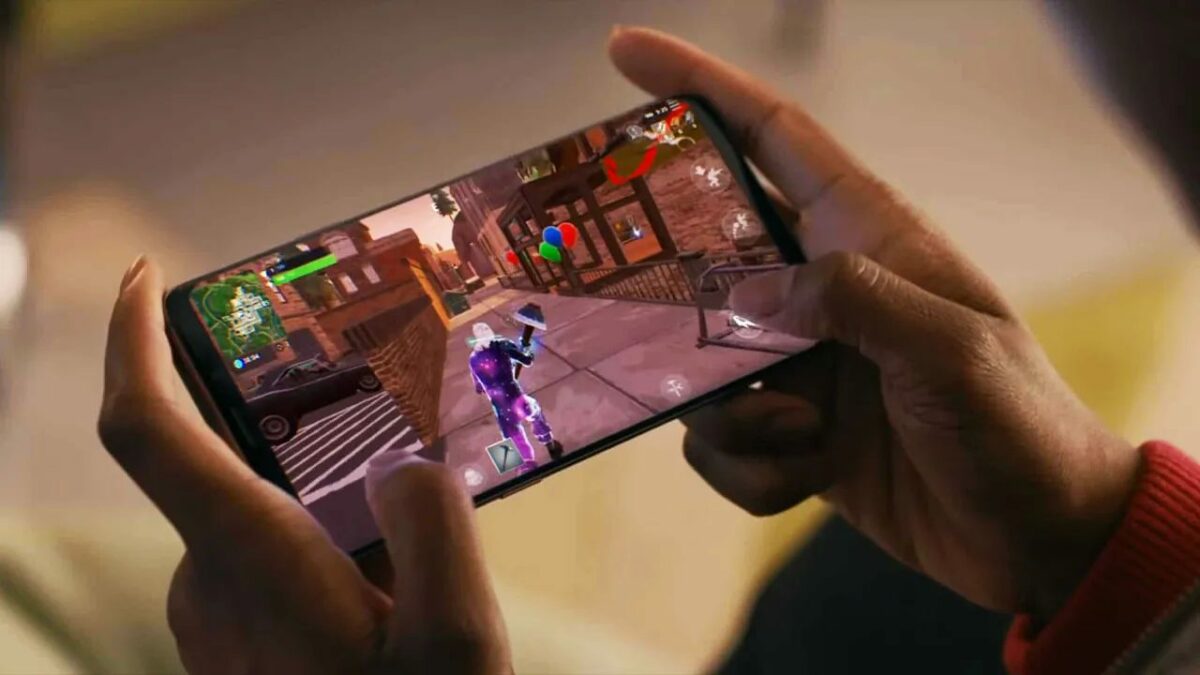
While many people enjoy gaming on PC and consoles, it’s sometimes more comfortable and luxurious to play titles on your phone while watching Netflix on your television. GeForce NOW has added some improvements to the iOS app for iPhone and iPad. The latest update includes optimization of the touch controls to maximize your gaming pleasure.

GeForce NOW DOWNLOAD

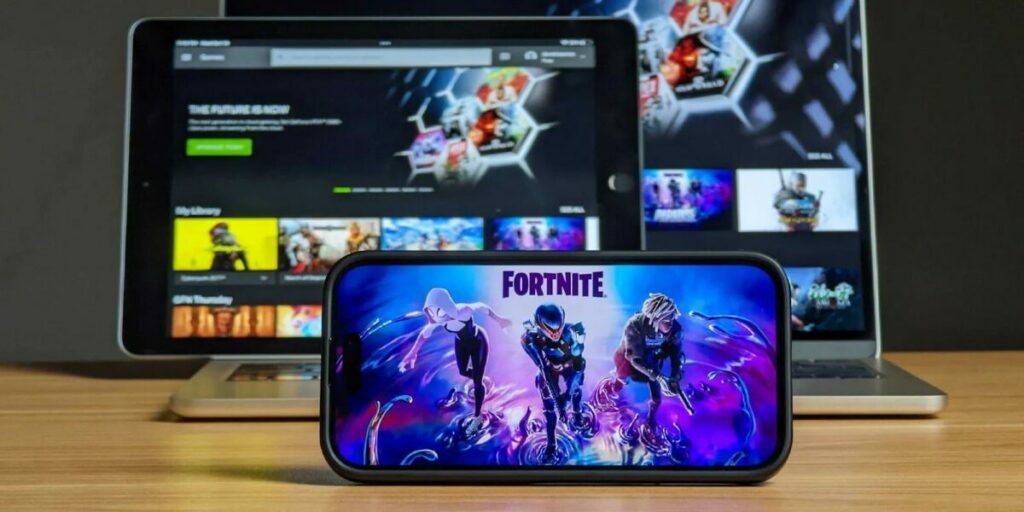
With the latest GeForce NOW update, you’ll have many of your favorite games in the palm of your hand. Of course, the most exciting news is that iOS gamers can now play Fortnite again. While the lawsuit rages on between Apple and Epic Games, you can use the GeForce mobile app to head to the new Season battlefield.

Get in Touch With New Mobile Gaming Controls on GeForce NOW

In the latest announcement by NVIDIA, GeForce NOW will add more advanced touch controls to about 13 games. It means you can enjoy those PC games even more on your mobile device without struggling with the default controls. It also looks like more titles are on the way!

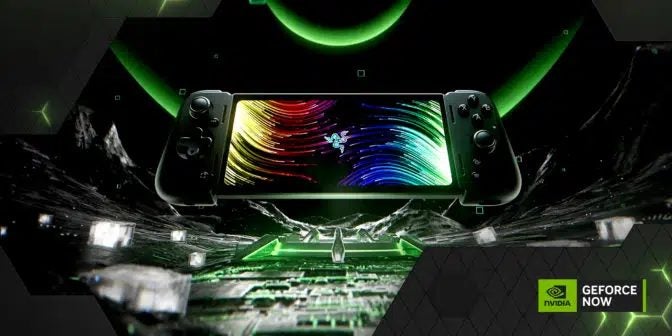
Along with this news is the announcement of Razor Edge 5G, a new handheld gaming console you can reserve. With Google Stadia going out of commission soon, it seems NVIDIA is ready with a replacement. It will also have these advanced touchscreen controls that you’ll find in the latest GeForce NOW update.

Get in Touch With New Mobile Gaming Controls on GeForce NOW

It wasn’t too long ago, in April to be exact, when we announced that GeForce NOW will be adding demos to the platform. If you connect your Steam, Ubisoft, and Epic Games accounts, there’s so much content you can enjoy. Unfortunately, the app isn’t available in all countries as yet. We’re hoping to see greater distribution in time to come.

The biggest news from the Resident Evil showcase

Capcom held another Resident Evil digital showcase yesterday. We saw a similar event back in June this year, and prior to that, there was another similar event in April last year. Just as it had in the previous Resident Evil events, Capcom gave us loads of info on where the franchise is headed, as well as early gameplay footage from the upcoming Resident Evil 4 remake. The showcase was around 30 minutes in length, and you can watch the entire event here. But just in case you don’t want to, here’s a summary of what we saw last night.

Resident Evil 4 DOWNLOAD

Capcom started the show off with a brand-new trailer for the studio’s upcoming Resident Evil Village DLC, featuring Ethan’s daughter, Rose. We also heard some of what the devs had to say about why they chose her to lead the storyline and a deeper exploration of her background. 

Capcom then transitioned into Resident Evil Re:Verse, a new multiplayer shooter hitting the metaphorical shelves on October 28th. If you already own Resident Evil Village or its Gold Edition variant; you’ll be able to pick this shooter up for free. We also saw a roadmap of the planned updates for the shooter, as Capcom says it intends to update the game numerous times post-launch. 

The biggest news was probably the Resident Evil 4 remake. Capcom promised us more footage of this fan-favorite experience, and it did not disappoint. I was incredibly pleased and overwhelmed with nostalgia when I saw the reimagined RE4 opening scenes – even more so when I saw the village sequence. Needless to say, I’ll be handing my money over to Capcom for a shot at this experience again. 

If you’re interested in joining me in this walk down memory lane, you can pre-order the Resident Evil 4 Remake on Xbox Series X|S, PC, PlayStation 4, and PS5 right now. Capcom has also said that if you buy the PS4 version now, you’ll be able to upgrade to the PS5 version for free should you decide to upgrade your console setup. The remake will be available from March 24, 2023, so you’ve got a few months within which to pre-order.

However, you’ll also be able to enjoy many Resident Evil titles on the Nintendo Switch through the online cloud. That means the games won’t take up much storage on the console, and you’ll only load the areas you’re playing in.

 
There have been a lot of gaming showcases in the last while. Just a few days ago, I had the pleasure of watching the Silent Hill live stream on YouTube with my fellow news journo and best friend, Shaun M Jooste. Coincidentally, Shaun M Jooste is also the name emblazoned across the cover of his first Silent Hill novel. I can’t wait for his next book, Silent Hill: Obversion, to come out.

How to use EasyShare APK in 5 simple steps

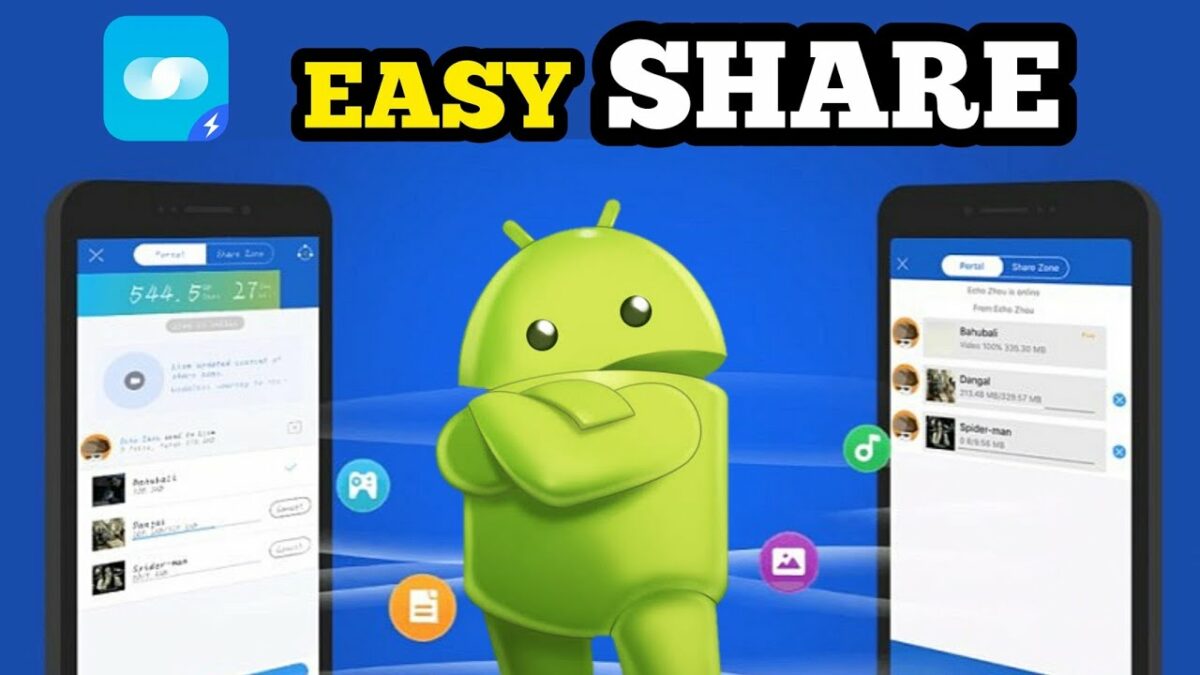
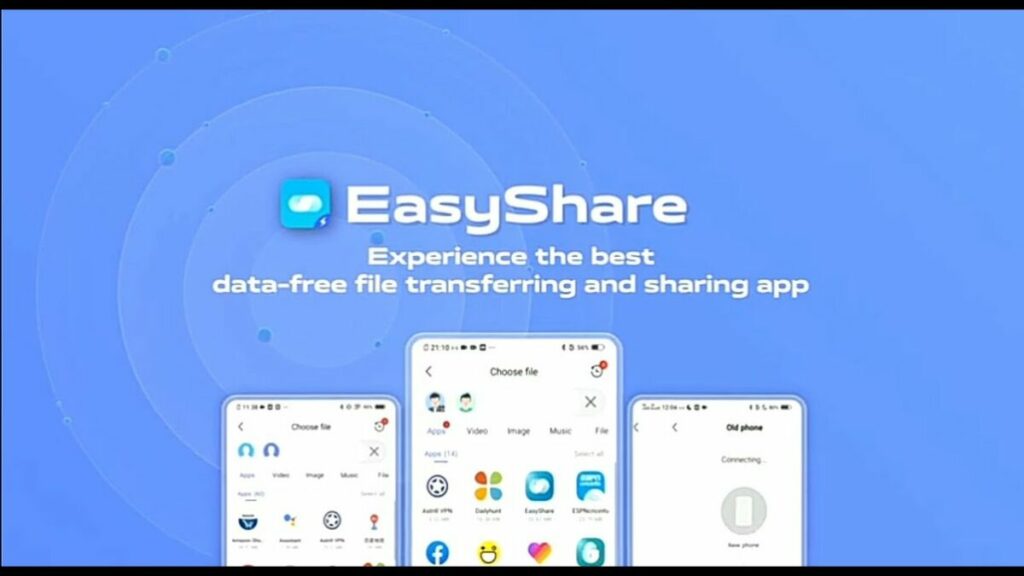
Have you ever experienced trying to share files from your computer or mobile device only to find they’re too large to send by message or WhatsApp? Or perhaps you just got a new phone and want to clone your old one without having to download everything again? In these situations, a file-sharing app like EasyShare makes sharing files or cloning your device easy. But how does it work?

EasyShare DOWNLOAD

In this guide, we’ll teach you how to use EasyShare APK to quickly transfer files or clone your device.

Does EasyShare require the internet?

EasyShare is one of the most highly recommended file transfer apps because it’s lightweight, fast, ad-free, and it doesn’t require an internet connection. EasyShare can also use wireless LAN or Bluetooth to send files, making it extremely useful in situations where internet connectivity is unreliable or not an option. Having this flexibility is essential as it makes it possible to quickly and easily send files anywhere and anytime.

Other benefits of using EasyShare:

  • Transferring large files
  • Transferring many different file formats
  • Cloning your device
  • Fast speeds up to 40mbps ensure faster file sharing
  • Available cross-platform on Android, iOS, Windows and Mac
  • Ad-free
How to use EasyShare

How to use EasyShare APK

EasyShare is a very simple and intuitive app to use. The entire process is guided by simple-to-follow options on the screen, with descriptions to avoid any confusion while using the app. There are also no ads, which makes using the application to send files even better! Let’s take a look at how to use EasyShare APK in a few simple steps.

  1. Launch the EasyShare app

    How to use EasyShare

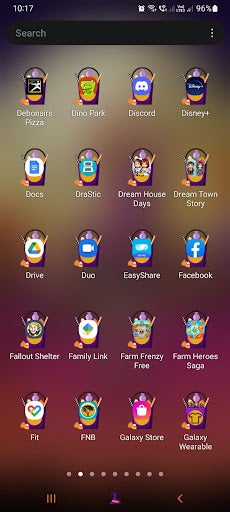
    First, you’ll need to launch the app from your device. All you need to do is tap on the EasyShare icon on your main screen or in the app drawer.

  2. Choose ‘File Transfer’

    How to use EasyShare

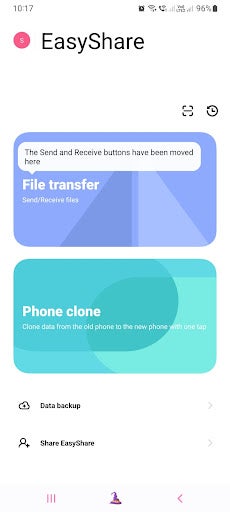
    Next, you have to choose what you want to do. EasyShare has two main functions – file sharing and device cloning. For this guide, we’ll be sharing files. Tap on the ‘File Transfer’ button to send and receive files.

    Tip: If you want to clone your phone, you can tap on the ‘Phone Clone’ button and follow the on-screen prompts to complete the cloning and transferring of all your device’s data to a new smartphone.

  3. Choose ‘Send’ or ‘Receive’ and accept the permissions

    How to use EasyShare

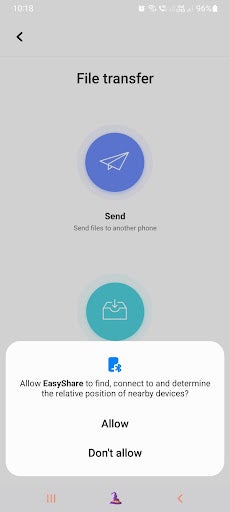
    Now you’ll have to decide if you want to send files or receive them and tap on the appropriate button. In this guide, we’ll be focusing on sending files, and for this, you can tap on the ‘Send’ button. The app will request permission to access your files and accept the necessary permission to continue to the next step.

    Tip: If you’re concerned about your privacy when granting permissions, make sure you only give the app access to files while it’s in use and make sure to go through their terms and conditions to understand why they need access and what they do with your data. You can always remove the permissions from within your settings after you’ve finished using the app.

  4. Select files to share

    How to use EasyShare

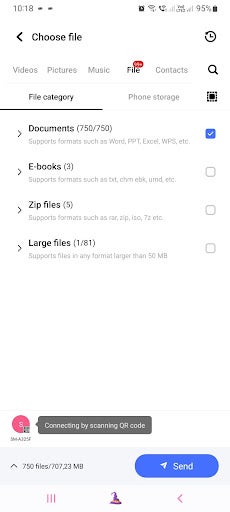
    Now you need to select the files you want to share. At the top of the screen, you’ll see different tabs for the files available. These include videos, pictures, music, files, and contacts. Tap on the appropriate tab, and then scroll through to find the right files you wish to send. You can also select multiple files or entire folders. Once you’ve made your selection, tap on the ‘Send’ button at the bottom.

  5. Scan the QR code with the other device to start the transfer

    How to use EasyShare

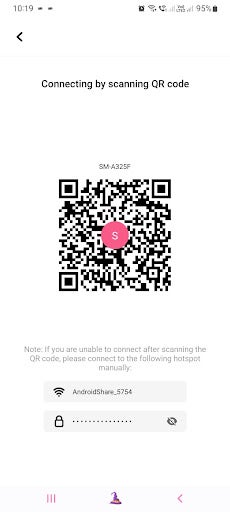
    Next, you’ll be taken to a new screen with a QR code. Scan the QR code with the device you want to send the files to. Once the QR code has been scanned by the other device, the download process will begin.

Share files or clone your devices easily

EasyShare for Android is an easy way for users to share files, videos, music and more with others without being limited by file sizes or having to worry about file compression when sending through other platforms. With no ads and no internet requirements, this app will have you cloning your device quickly and easily. Follow the above instructions to start sharing files within minutes.