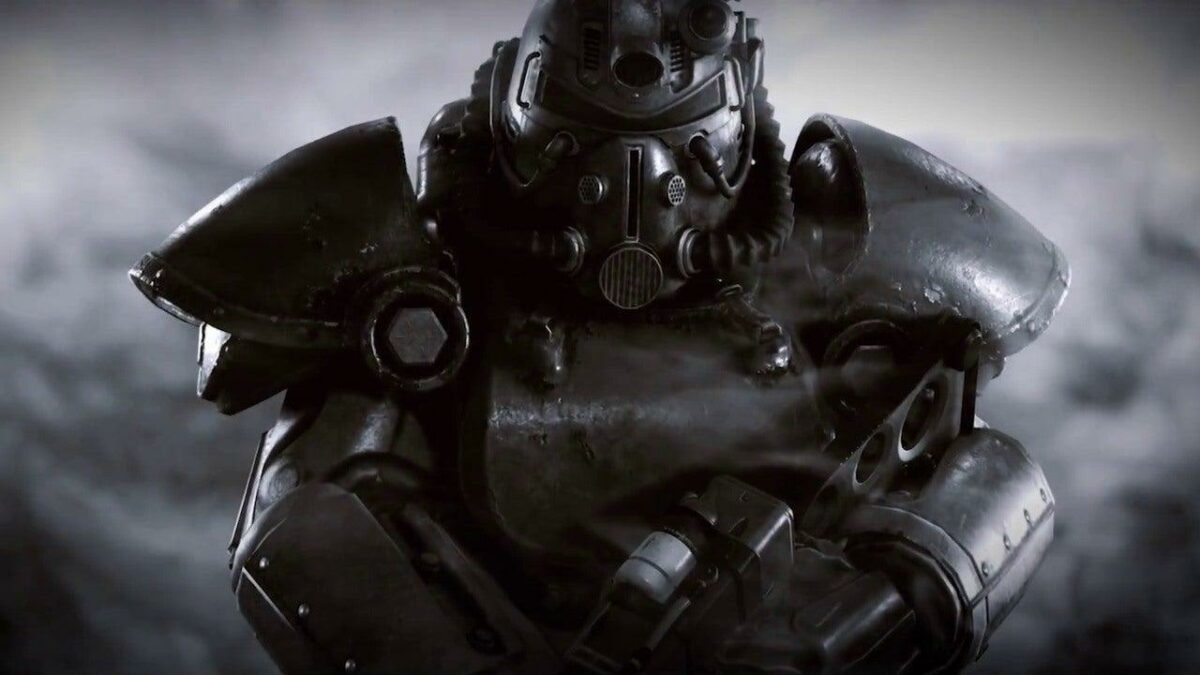
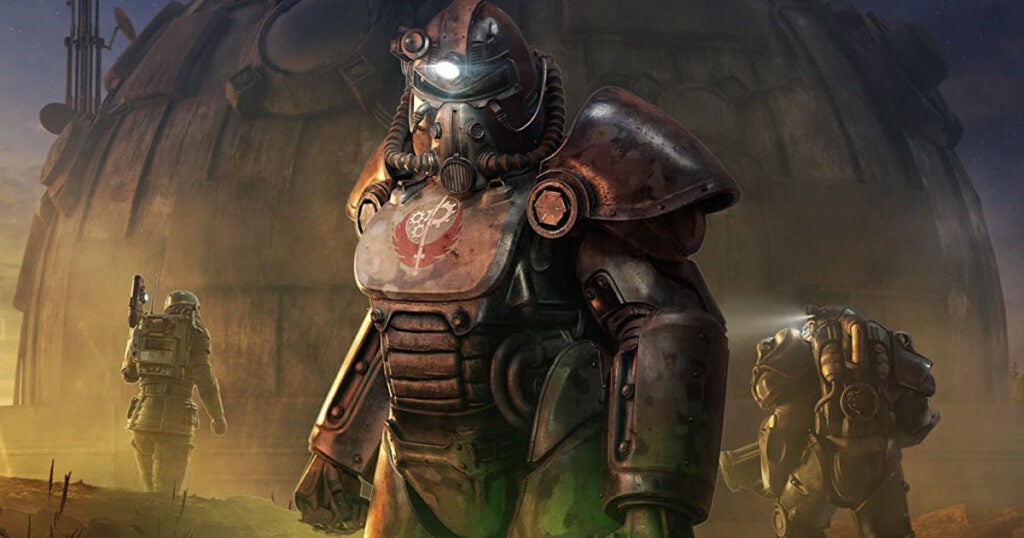
Amazon has quietly been working on a TV adaptation of Bethesda’s popular Fallout gaming franchise. Although they’ve kept everything quite secretive, they just shared a first glimpse of the Fallout TV series to celebrate the franchise’s 25th anniversary. The single teaser image has left fans excited and hungry for more information.
The image was shared on Amazon Prime’s official Twitter page, and despite giving us a sneak peek, it didn’t reveal too much. In the image, we see an open vault door with several vault dwellers standing in front of it. There seems to be another person leaving the vault with what could be a pip-boy attached to their arm. We can also see a pair of feet close to the open door, suggesting the usual battle to escape the vault.
From this image, we can see it takes place in vault 33. This is apparent from the vault number on the back of the dweller’s jumpsuits. This contradicts some of the leaked set images from earlier this year which showed vault 32. As such, there is some speculation as to whether both vaults will play a role in the series. Or if Amazon just decided to change the vault number.
Amazon first announced that they were working on a Fallout series in 2020. However, filming only began in July 2022. So far, there hasn’t been an official trailer or release date, but we’re hoping to see a premier of the show in mid-2023. This is not a confirmed date but is based on similar TV adaptations.
We know that it will star Walton Goggins from Justified and The Shield. There are some rumors that he may play a ghoul – but nothing is confirmed. The other known actor in the series is Ella Purnell, the voice of Jinx in Arcane. The writers and directors heading up the series are Geneva Robertson-Dworet and Graham Wagner. From their previous projects, they seem a good fit to head up a franchise known for portraying a heavy contrast between horror, bleakness, and absurdity.
Even with the teaser image from Amazon, we still don’t know much more. We’re eagerly awaiting any details to be confirmed and will keep you updated as the project progresses. However, from the leaked Fallout images we’ve seen, it looks to be quite exciting.
Recently we have reported on several security issues affecting the popular Google Chrome web browser. These have included fake extensions, browser-targeting malware, and spellchecker vulnerabilities, as well as security improvements such as new password-replacing technology (get all your Chrome news here). Unfortunately, today we have to bring you news of another set of fake Chrome extensions that are targeting victims with ‘malvertising’ campaigns.
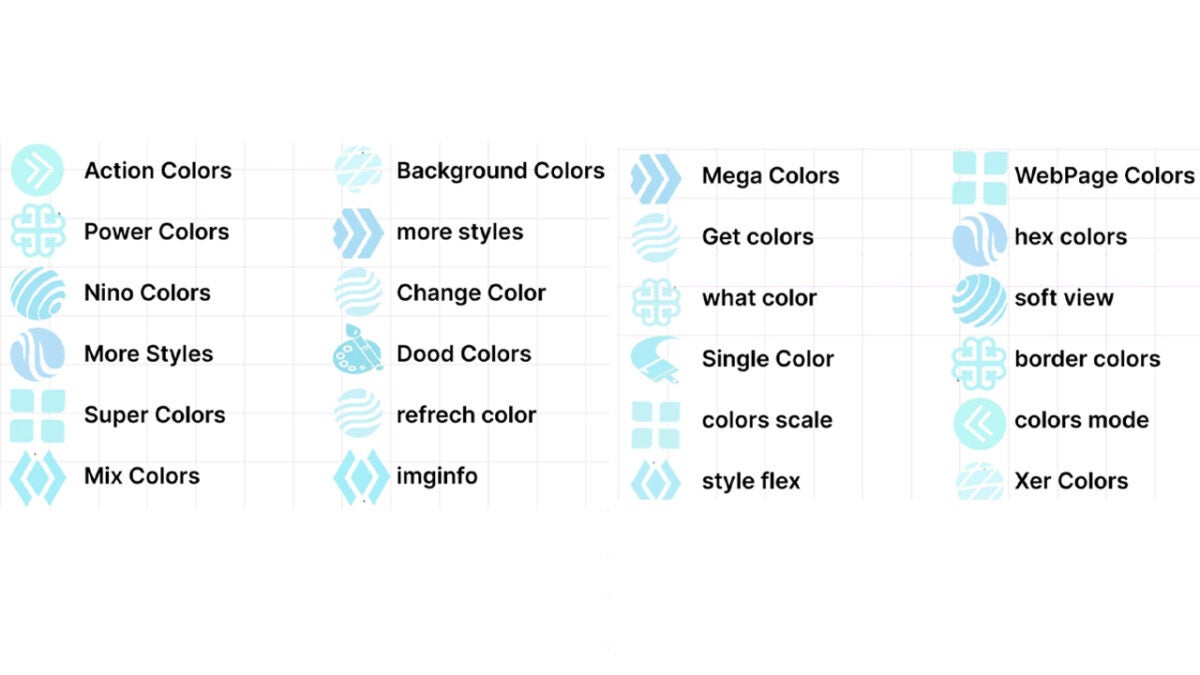
Security experts at Guardio Labs have discovered a ‘malvertising’ campaign that is using 30 fake Chrome extensions with over 1 million downloads between them. Malvertising attacks are when scammers use advertising to try and spread malware. You can the list of add-ons in the image below:
One of the extensions is pushed on users when they access certain video-downloading sites. It is pushed as a video color customization tool, to augment video downloads. It doesn’t contain any malicious code, which allows it to pass the antivirus scan that is activated by download attempts.
When the extension is live, however, it will redirect victims to a webpage that is filled with malware that can then link to it. Once the malware-ridden scripts link to the extension, they can then take over search results and fill them with affiliate links. They will also push the victims to websites that are linked to the scammers allowing them to further skim ad revenue from the victim’s web usage.
This scam doesn’t directly harm the victims beyond seriously affecting their time on the internet and bombarding them with crap. However, the major risk here is that the malicious scripts could also send users to phishing sites, which could see security login credentials stolen or even worse, credit card details leaked.
As always with these types of scams, however, you are able to exert a certain degree of power over your vulnerability by being aware of the calling signs of these types of scams. To help you keep on top of that, we have produced an anti-phishing scam infographic, which we recommend you download.
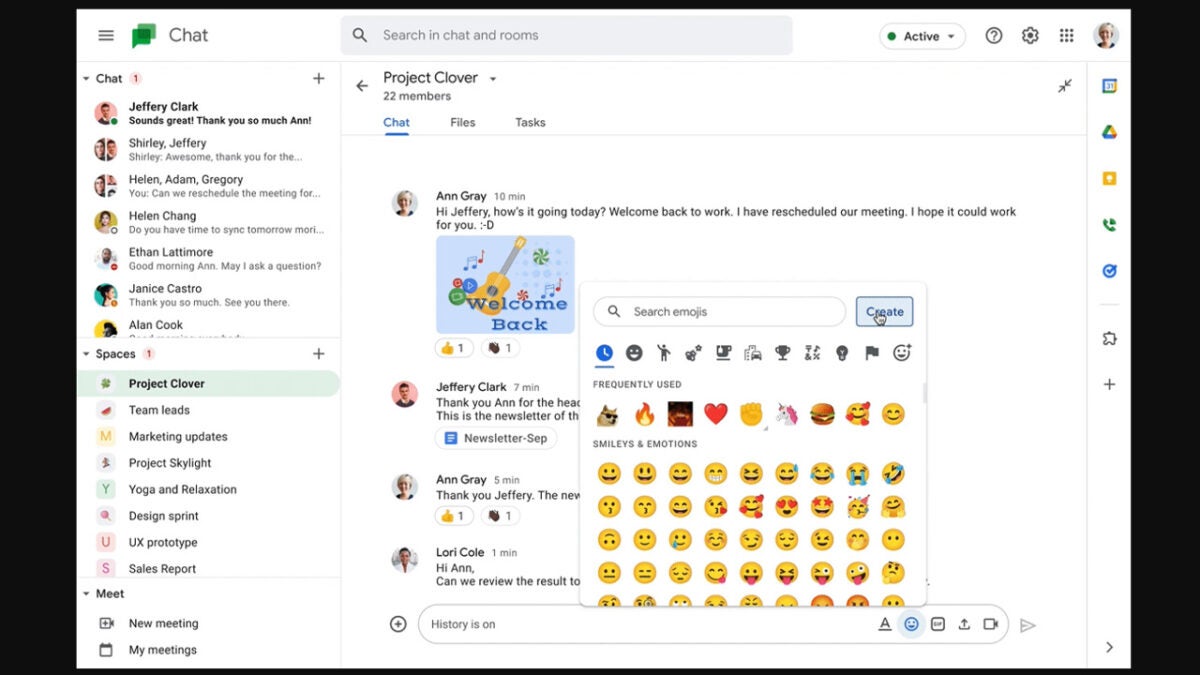
Google Chat is the search giant’s messaging app for its Google Workspace productivity suite. It is kind of like Google’s version of Slack, which helps facilitate communication between coworkers and colleagues while also allowing users to send personal messages too. In this regard, we can today bring you the news that will lean more toward those more personal messages, but that may end up creeping into work messages too, even if they are not appropriate. Google Chat is getting custom emojis.
Google is giving Chat users the ability to create and send their own customized emojis. Users will be able to send these to both personal and professional colleagues, although we would advise restraint before you go sending anything too outlandish to your coworkers.
In the Google Workspace blog post announcing the move, the Google Chat team announced that it is launching this new feature, which was announced at Google Cloud Next ’22 because:
“Emojis are a great way for people to express themselves in Google Chat.”
Adding that they are:
“Excited to announce that we’re making emojis even more expressive and personalized by allowing people to create custom emojis.”
The new custom emoji feature will be available to all users in organizations that are using Google Chat, although admins will be able to set organizational guidelines and even set special “emoji managers” who can moderate all custom emojis and even delete those that do not adhere to the organization’s guidelines.
Google Chat’s custom emojis will start rolling out on October 24 and will see availability being staggered up until November 30. It will become available for Google Workspace customers as well as legacy G Suite Basic and Business customers. It will not be launching for personal Google Accounts.
AI text-to-image generators have been gaining so much attention and popularity recently and we have seen some of the bigger players in tech, such as Meta, breaking into text-to-video generators too. As debates rage about the legitimacy of the art they create and even the suitability of the images used to train these AI tools, the sector keeps advancing, which is what we are here to report on today. Artists can now access DALL-E’s ability to create images on Shutterstock. Let’s take a look at what you need to know.
Shutterstock has announced that it is extending a partnership it has with OpenAI, which is the organization behind DALL-E. The extended partnership will allow users to generate DALL-E content on Shutterstock based on certain criteria.
To facilitate this Shutterstock will launch a new tool called Shutterstock.ai. However, first, the company wants to take a hand in further training DALL-E with current Shutterstock images to help ensure that it is able to create images that will be more suitable for the Shutterstock library.
Describing the move, OpenAI’s CEO, Sam Altman said:
“The data we licensed from Shutterstock was critical to the training of DALL-E […] We’re excited for Shutterstock to offer DALL-E images to its customers as one of the first deployments through our API, and we look forward to future collaborations as artificial intelligence becomes an integral part of artists’ creative workflows.”
The move means that Shutterstock won’t be compensating DALL-E creators for work they are selling on Shutterstock but could possibly see them compensated for helping to train the tool.
It’s been about a week since Konami dropped a bombshell on us. Not only did we hear about a Silent Hill 2 remake, but the company also announced three new games. It’s one of the biggest announcements of the century considering we thought the franchise had died.
We already covered the details of the Silent Hill Transmission. Today, we’re going to take a more detailed look at what we expect from each announced game from the showcase. It will be a mixture of known facts, fan discussions, and speculations.
Silent Hill 2 Remake
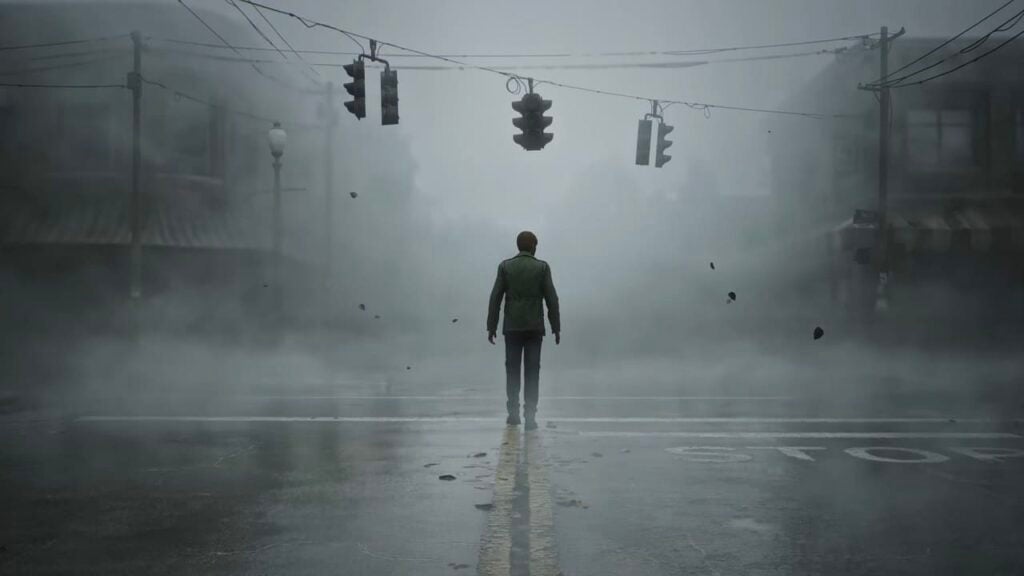
Many of us fans have been waiting for a remake of any kind from Konami. We were pleasantly surprised to see Silent Hill 2 as the first official remake of the modern gaming console generation. The company showed us the new graphics and told us that there would be updated gameplay features.
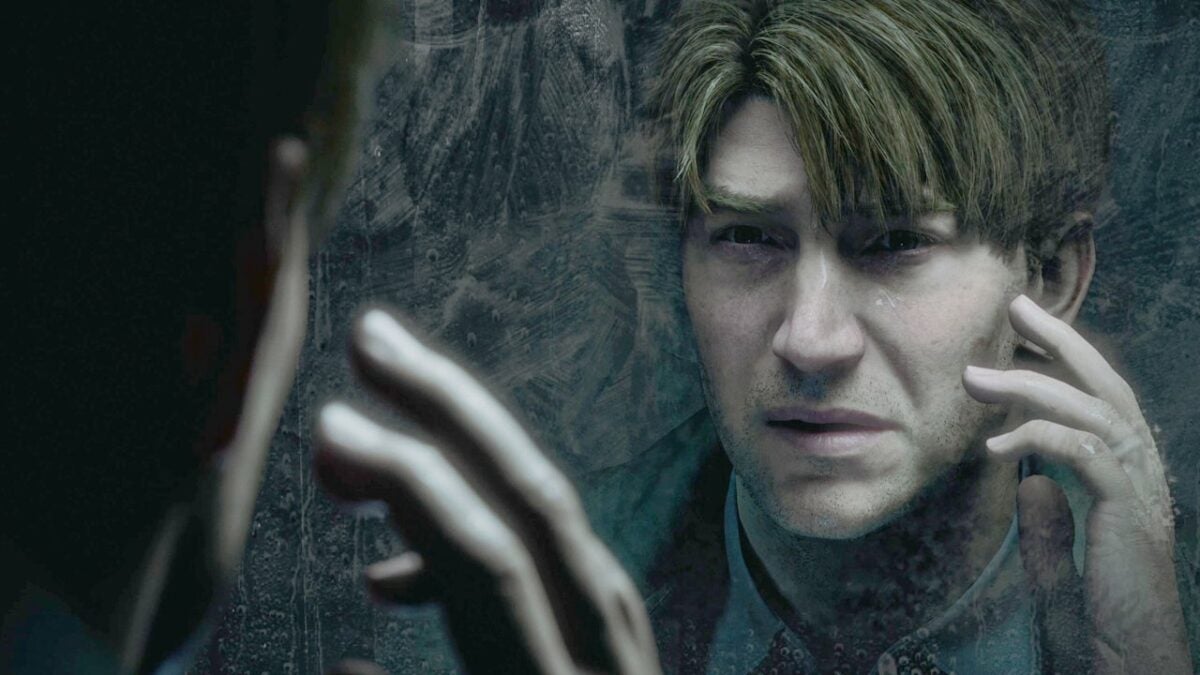
Referring to the visuals, Konami indicated that there would be a permanent camera-over-the-shoulder perspective. If you played Silent Hill 2, you may recall that the original and remastered editions both had fixed cameras. Now, you’ll see everything from James’ view, just behind his shoulder.
It’s bound to give us a brand new experience of the game. You’ll be able to see monsters head-on while wondering what’s behind the corner. While some fans would have preferred the camera remain the same, I’m excited by the new viewpoint. It means I can look at items in more detail.
If you follow Facebook and other social media Silent Hill groups, you’ll notice many of them have the same question. Why didn’t Konami start by remaking SH1. I personally believe it’s due to three reasons:
Silent Hill 2 is considered the most popular in the series (I love Silent Hill 4: The Room the most)
It ties in with Christophe Gans making a new movie based on Silent Hill 2
The third reason links to Silent Hill Townfall, which is next on my list, so I’ll discuss it there.
Silent Hill Townfall
At first, we thought the trailer for this game didn’t have much in the reveal except for someone speaking and flashing images on the portable TV. However, yesterday we revealed there was an image hidden in the Silent Hill Townfall teaser that sent chills up our spines. What does it mean, and will we be required to heal the haunted town?
I already went to town in that news article explaining why I believe it’s a possible remake of Silent Hill 1. Well, not so much of a remake as a new vision. The name ‘Townfall’ seems to already imply that we’re heading back to when the town fell, literally. It’s when the church tried to burn Alessa as they believed she was a demon, and that’s when the fires of hell destroyed everything in the neighborhood.
Of course, the Silent Hill Townfall trailer doesn’t implicitly indicate any of that. There are a few images that flash on that mobile television, and one of them looks like a door from the P.T. playable teaser. What could have been Silent Hills may be revived as Townfall, instead.
All we can do is guess at this point, but wouldn’t it be great if we went back to the origins again, much like Silent Hill: Origins did?
Silent Hill Ascension
If you’ve ever played a Netflix interactive movie game, you’ll have a rough idea of what I expect of Silent Hill Ascension. From what we know so far, it will be a multiplayer experience only. Also, it will only air once, so blink and you’ll miss it.
The only date we have for the release is sometime in 2023. Every choice you and your team makes is final, so you can’t reset or go back to a previous save. That’s probably why we won’t see it air again, as everyone will learn how to play it by watching others.
Bad Robot, a TV production company, will be involved, as will Behaviour Interactive from Dead by Daylight. Specifically, Genvid is from the Bad Robot company, and they’ve made something similar with The Walking Dead: Last Mile. I’ll keep watching the news to see if there’s any more information that comes to light.
Silent Hill f
The last game on the list is the one that seems to be getting the most appreciation from fans. Instead of being based in America like all the games, Silent Hill f is based in Japan. The time period seems to be the 1960s. While not much is known about it at this point, the trailer reveals quite a bit.
Firstly, it’s interesting that the series is traveling to Japan, making us wonder what connection it has with Silent Hill. Also, the red tendrils are fascinating and look like the symbiotic arms of Carnage from the Marvel universe. They also look similar to what we’ve seen in Resident Evil 7.
Many gamers have been wondering what the f stands for, with some saying it’s the musical symbol for forte and others flowers. In any event, it’s an interesting title, to say the least, and the gore and suspense are high in the Silent Hill f trailer alone.
High expectations
Yes, it’s clear I and many other games have high expectations for the Silent Hill series. I was so excited that I made an announcement about the future of my Silent Hill novels. The sad part is that not all fans feel the same, as I’ve seen in many SH groups I am in.
For some reason, many of them are negative and have nothing but hateful speech to spew out. After waiting for so long for a new game, we finally have four coming our way. They just refuse to accept that Silent Hill is coming back, and I’m here to live every moment of it!
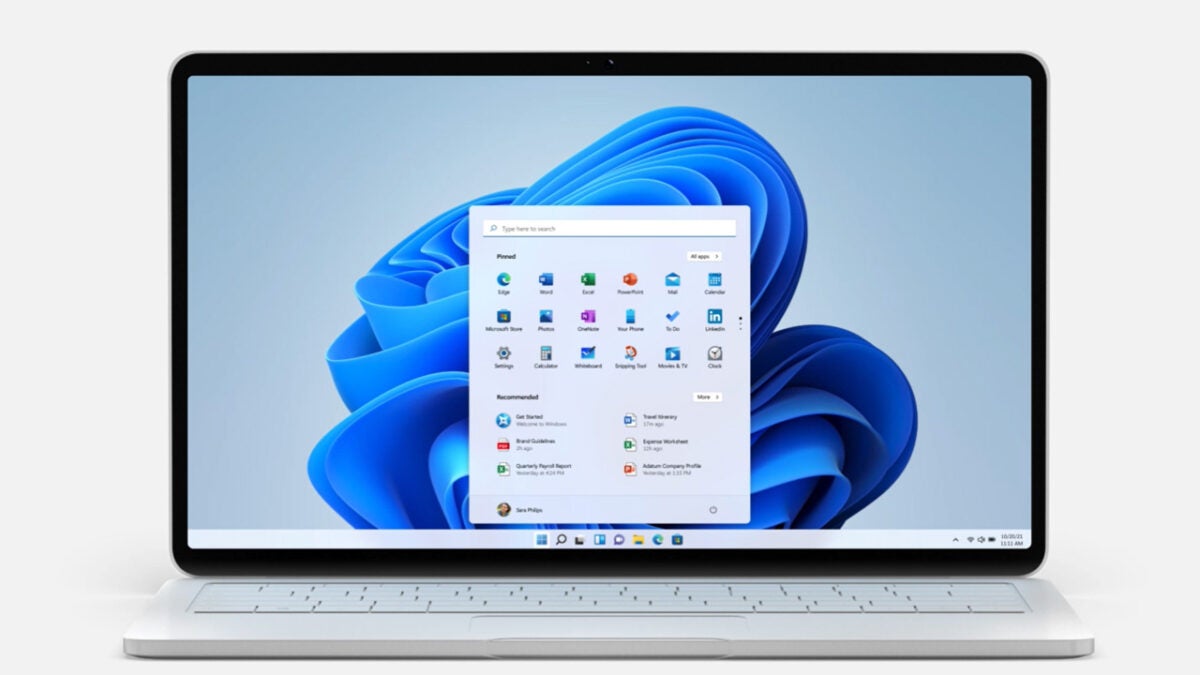
Last week, we issued a news article concerning the new Windows 11 Moment 1 update. Now, new Windows updates always get me excited, but today we’re going to focus on just one new feature that involves the Task Manager.
In the following article, we’re going to show you how to enable the feature that lets you open the Task Manager by simply right-clicking on the Taskbar. This process might be a little daunting, but we’ll take it step by step and give you an easy guide to follow.
Before we start
It’s pertinent to note that this feature, and indeed the Moment 1 update as a whole, is still in beta testing. Microsoft released this update to its Insider community last week, and the update hasn’t become publicly accessible as yet. It’s always preferable to wait for an update so that you gain access to the features within it organically.
However, we know that you, like us, are excited to try the new features, so we’ve set up this guide even though the feature isn’t officially available to the wider public. Before we start, we recommend that you back your most important files up.
How to enable right-click to open Task Manager on Windows 11
Download ViveTool
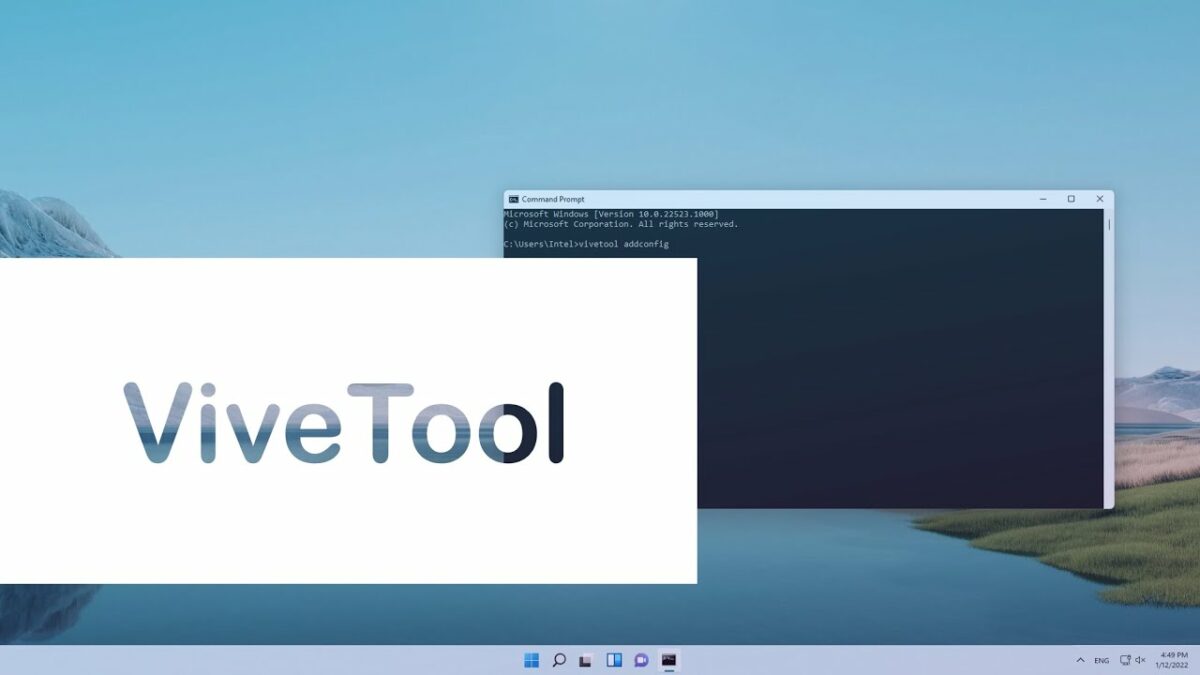
The first thing you’ll want to do is ensure that your device is running the latest version of Windows 11. The next step is to download the ViveTool utility. This is essentially your gateway to the inner workings of your Windows 11 device. We don’t currently have ViveTool listed, but you can get it safely from GitHub.
Open Terminal Admin
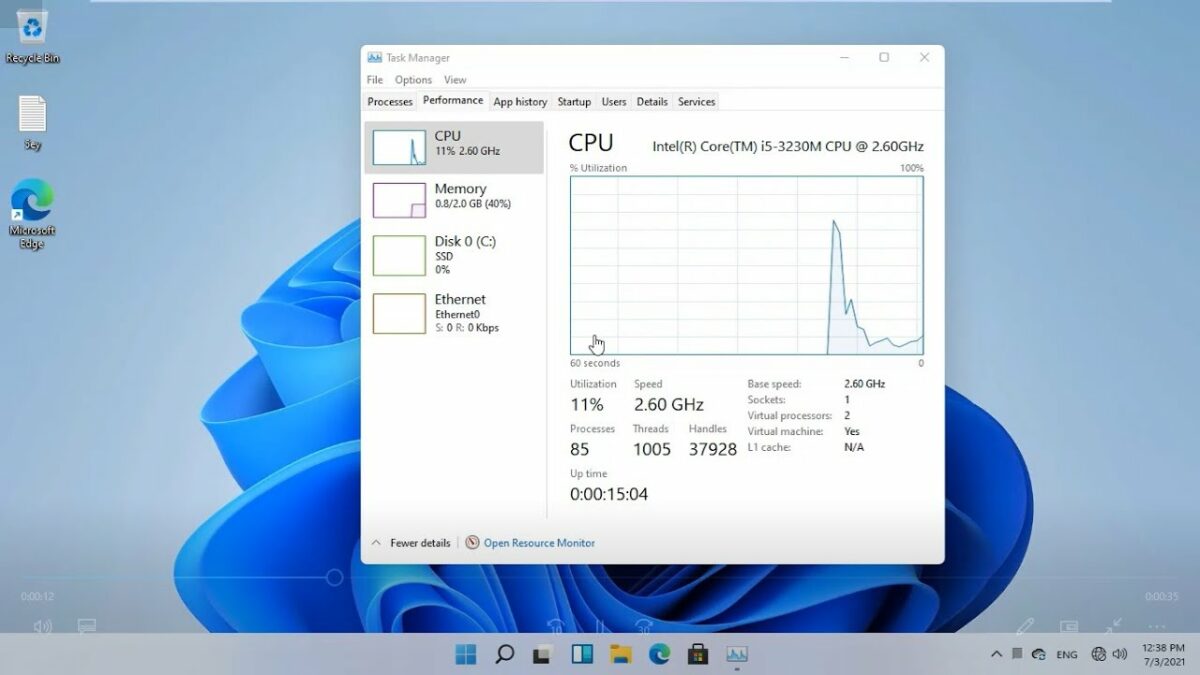
All you need to do here is right-click on your Start menu button and click on Terminal (Admin). From here, head to the downward arrow at the top of the Terminal interface, click on it and then select Command Prompt from the drop-down list.
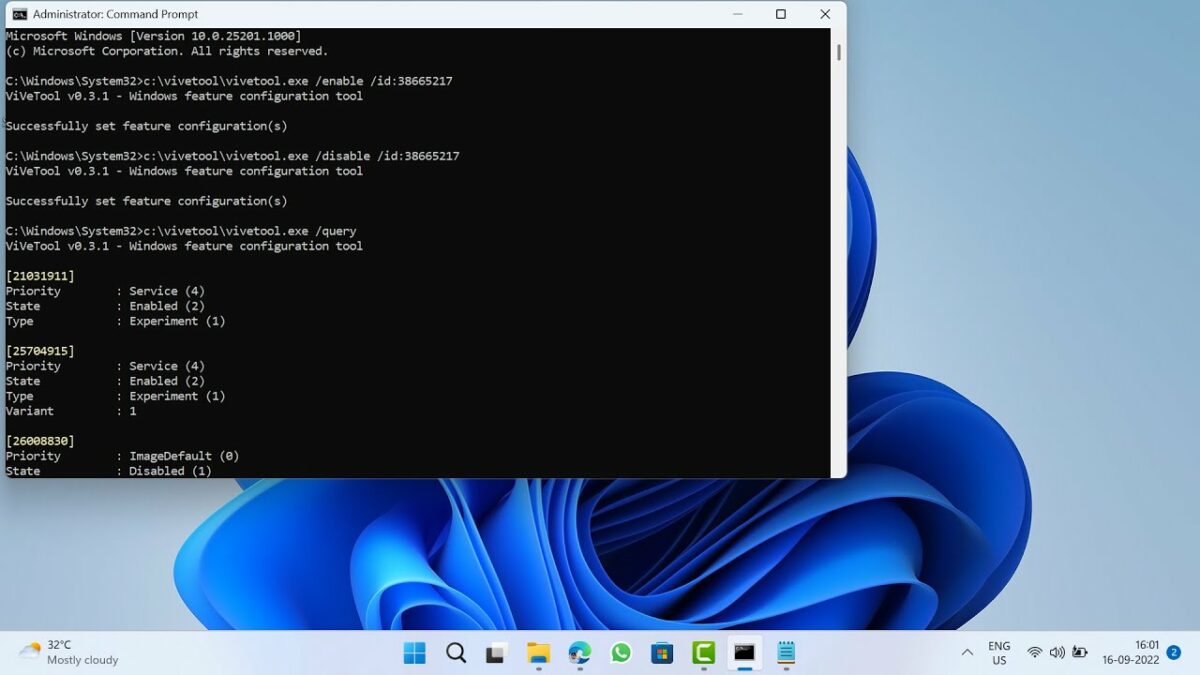
Next, you’ll need to find the location to which you saved your ViveTool utility. It should be under CD C:\Vive. Once there, simply type vivetool /enable /id:36860984 and then hit Enter.
Restart your PC
Whenever you make changes to your system using a utility like ViveTool, you need to restart your PC to ensure that the changes take effect. If you tried to use the feature before restarting your PC, nothing would happen, and the feature would not be visible.
Once you’ve restarted your PC, you should be able to simply right-click on your Taskbar to open the Task Manager. It’s that easy!
An exciting future
Features like right-clicking to open Task Manager are what Windows 11 dreams are made of. While we understand that the OS is still in its infancy compared to the former bastion of the Microsoft Windows experience, Windows 10, we still have high expectations of the system. We’ve seen how good and effective an operating system can be when given sufficient attention and time to develop, and we want the same future for Windows 11.
However, no matter how many features Microsoft adds to the new OS, the recent reveal that Windows 12 is currently in the works instantly overshadows the developing infant OS. All of a sudden, we’re looking forward to what comes after Windows 11, and we’re not focussed as intently on the current iteration of the Windows experience.
The silver lining, however, is that no matter how long we have the operating system for, the future of Microsoft personal computing is bound to be an exciting one. We’re also looking forward to Android 13 coming to Windows 11.
Google is sunsetting support for Chrome running on Windows 7 and Windows 8.1 in February 2023. The company announced the decision today on an official Chrome support website.
Google Chrome, which supports all versions of Windows starting with Windows 7 currently, will support Windows 10 and Windows 11 only going forward.
“With the release of Chrome 110 (tentatively scheduled for February 7th, 2023), we’ll officially end support for Windows 7 and Windows 8.1. You’ll need to ensure your device is running Windows 10 or later to continue receiving future Chrome releases.”
Microsoft plans to end support for both of its operating systems on January 10, 2023. Windows 7, the older of the two operating system, is in its third year of extended support currently. When Microsoft ended support for Windows 7 in 2020, it introduced an option to extend support by up to three years.
Only organizations and businesses could extend support this way, as Microsoft stopped supporting Home editions of Windows 7 in 2020. The companies had to pay Microsoft to join its ESU, Extended Security Updates, program; this program runs out on January 10th, 2023, and Microsoft announced earlier that it won’t extend it any further.
Microsoft released Windows 8.1 three years after Windows 7. Both operating systems will run out of support on the same day: January 10th, 2023. Microsoft won’t extend support for these systems, which means, that neither will receive monthly security updates anymore.
While there is a slim chance that Microsoft will release security updates for unsupported versions of Windows, it is very uncommon. 0Patch promised to deliver 2-years of additional support for both operating systems, but the offer comes at a price.
Google Chrome ends support for Windows 7 and 8.1
Google plans to end support for the two Windows versions on February 7th, 2023. Chrome 110 Stable will be released on that date, and it will be the last version of Chrome released officially for Windows 7 and 8.1.
Chrome users who run the browser on Windows 7 or 8.1 devices may continue to do so, but they won’t receive updates anymore. The browsers will become vulnerable to attacks, as security issues won’t be fixed anymore.
Google recommends that affected users switch to Windows 10 or Windows 11 to continue receiving updates for Chrome.
Other browser manufacturers, including Microsoft, Brave, Opera, Vivaldi or Mozilla, have yet to make announcements regarding end of support. At least some may decide to support their browsers after support by Microsoft ends officially; this happened in the past already. When Microsoft ended support for Windows XP in 2014, most browser makers announced support extensions. Mozilla ended support four years after Microsoft ended support for the operating system.
Windows 7 devices hold a sizeable share of the desktop market. Microsoft does not release statistics about the distribution of its operating systems. Third-party services such as Statcounter track usage across a subset of Internet sites. According to the September 2022 statistics, Windows 7, 8 and 8.1 devices make about 14% of the Windows desktop market. Translated to devices, this would mean that millions of Windows PCs run these versions.
What Chrome users may do about it
Chrome users who run the browser on Windows 7 or 8.1 devices face a tough decision. While it is in theory possible to stay on Windows 7 and run an outdated browser, it is not recommended from a security point of view.
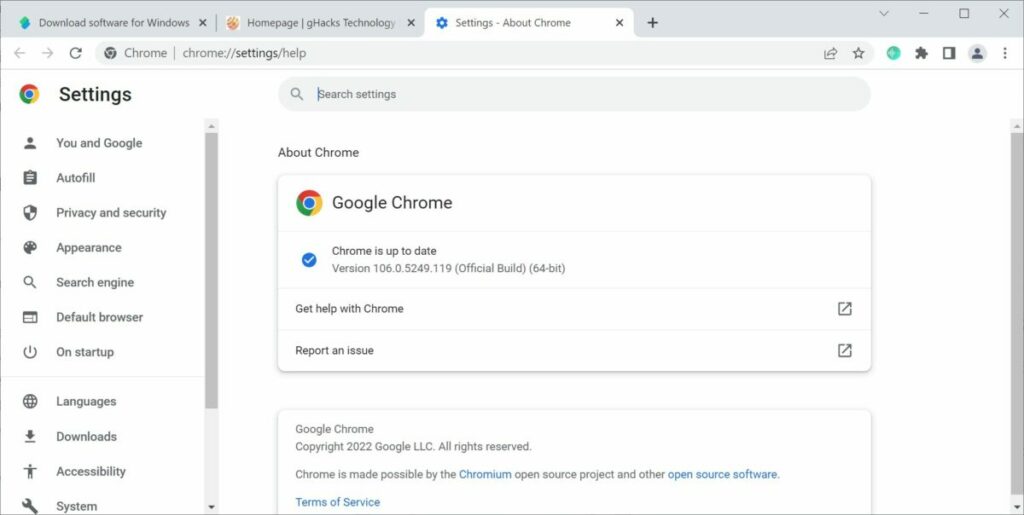
Tip: select Menu > Help > About Google Chrome to display the current version installed on the device.
Switching to a different browser may extend the period of use, but not indefinitely. Some may extend support, especially if a sizeable number of users is still using Windows 7 or Windows 8.1.
All Windows 7 and 8.1 devices should be compatible with Windows 10. While that means running upgrades, it extends support until 2025 at the very least. Microsoft may decide to extend Windows 10 support, considering that many devices can’t be upgraded to Windows 11, because of the system requirement changes.
Your email inbox spam folder is one of the most important parts of your cybersecurity defense setup as well as being on the frontline to save you from annoying emails. Unfortunately, the Republican National Committee (RNC) thinks that Google has set Gmail’s defense settings too high as it keeps sending Republican campaign emails straight to spam. In fact, the RNC thinks that the problem is so serious, it is suing Gmail in a bid to overturn it. Let’s take a look at what is going on.
A report from the American news outlet, Axios has highlighted the RNC’s position in a current civil case against Google, with the Republican’s claiming that Google isn’t doing enough to prevent their campaign emails from ending up in users’ spam folders.
The uproar has been caused by a new program that Google is piloting, which is designed specifically to keep campaign emails out of spam folders. Even though the program has been approved by the Federal Election Committee, the Republicans still do not believe Google is doing enough to curb what they describe as its algorithms’ tendencies to unfairly target conservative content. According to the report, the lawsuit claims that Google:
“has relegated millions of RNC emails en masse to potential donors’ and supporters’ spam folders during pivotal points in election fundraising and community building.”
However, in response, Google has said that it is not targeting content based on political affiliation, saying that:
“Gmail’s spam filters reflect users’ actions. We provide training and guidelines to campaigns, we recently launched an FEC-approved pilot for political senders, and we continue to work to maximize email deliverability while minimizing unwanted spam.”
This case raises an interesting debate about the intersection of technology and politics. Technology companies are at the heart of the connections that bind our societies and, therefore, whether wilfully or not, can exert huge influence over the governance of our interactions with each other. Specifically relating to democracy, however, the situation becomes murky when actors, be they technology companies themselves or even the political parties, try to use or push this influence to suit their own ends. We will have to wait and see how this one ends up.
Windows 11 has received mixed reviews from users who have upgraded from Windows 10. There now seems to be another issue to add to the catalog of strange problems that have been afflicting the latest flagship operating system from Microsoft. Reports have been coming in that some Windows 11 devices have been preventing users from ejecting their USB devices from their machines safely. Let’s take a look at what is going on.
Reporters at TechRadar have flagged a rather strange issue that is affecting the Windows 11 Task Manager on some devices. According to the reports, some users have been unable to safely eject USB drives from their devices, leaving them with the only option to remove them in an ‘unsafe’ manner.
The reason why it is always recommended to remove USB flash drives safely is that if you remove the drive while it is still in use there is a chance you can corrupt the data it holds. It could even ‘brick’ the USB drive and make it unusable. When you hit the Eject button, Windows ends all active processes on the drive are over before giving you the OK to remove it. At least, that is what it is supposed to do, but it has proven impossible for some Windows 11 users.
Some users have been reporting that whenever they hit Eject, it fails to terminate all active processes and simply returns a message saying, “Windows can’t stop your device because a program is still using it. Close any programs that might be using the device, and then try again later.” They report that this message comes back even if the device is definitely not in use, which means that Windows 11 isn’t properly reading the portable drive. Potentially, this could be a real problem for users if they have important information stored on their devices.
No doubt Microsoft is working to alleviate this problem but, in the meantime, if it as affecting your version of Windows 11, we recommend taking extra care when using portable USB drives on your machine.
YouTube is now over 17 years old and there is no denying the place it holds in the modern media landscape. It has evolved into a beast of an app offering everything from music videos and silly short videos to fully featured documentaries, TV shows, and even movies. Recently, Google has been updating the YouTube app giving it a facelift and bringing in some feature tweaks and upgrades. Today, we can report on a long-awaited YouTube feature finally coming to the app, zooming in and out of content. Here’s what you need to know.
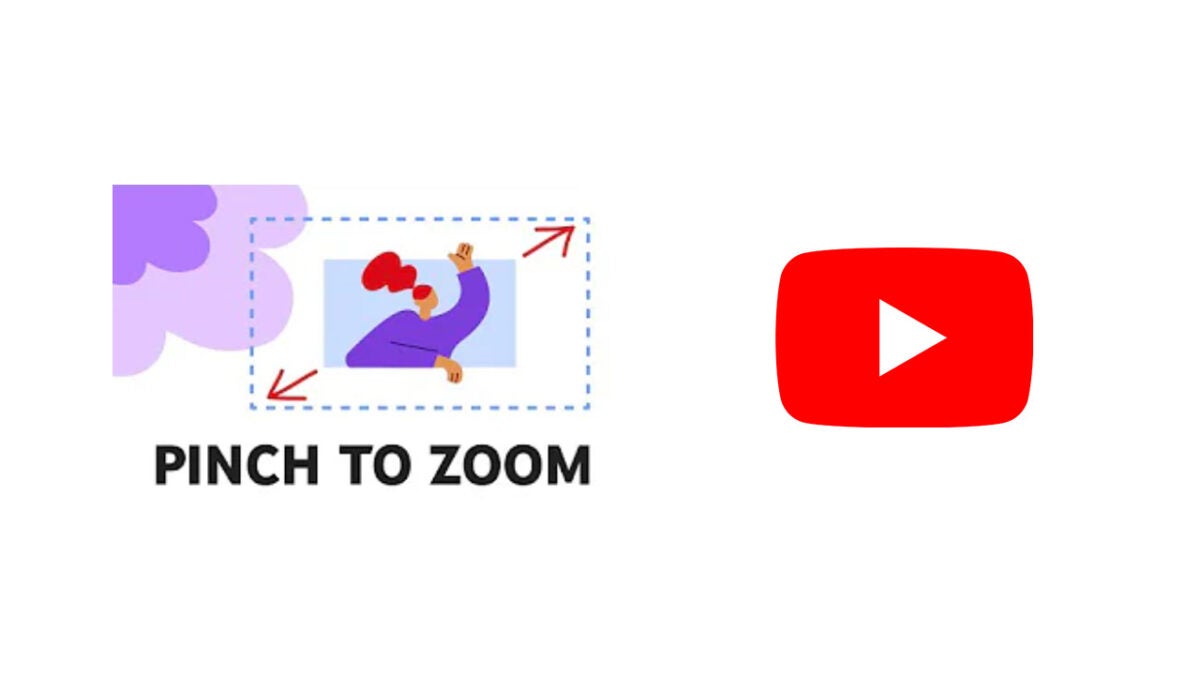
Google has announced the introduction of a new pinch-to-zoom feature for YouTube as well as publishing a how-to guide to show users what they need to do to take advantage of the feature.
The new pinch-to-zoom YouTube feature allows users who are watching YouTube videos in full-screen mode to tap and pitch the content to zoom in and out for a better and more detailed view. Also, the feature will stay zoomed in, meaning that it will not pop back out to the regular resolution automatically, which will allow users to keep watching videos they have zoomed into without having to hold their fingers on the screen. The full instructions for the new feature, as laid out by Google are:
Pinch to zoom in on content:
In full screen mode, touch the video with two fingers.
Move your fingers away from one another, while touching the video screen.
Once you let go, the video will play at the new zoom level.
Pinch to zoom out of content:
After zooming in, touch the video with two fingers, and move your fingers towards one another to zoom out.
Once you let go, the video will play at the new zoom level.
The simple process is easy enough to get your head around, but Google has also created a quick video guide to help you learn the basics quickly and easily.