The Future of Politics: Hear ChatGPT’s Groundbreaking Speech Written by Artificial Intelligence

Jake Auchincloss, a 34-year-old Democrat, used the well-known ChatGPT to write a text to help him during his speech in Congress.

It’s a fact: artificial intelligences are slowly conquering the world. Recently, we learned about Google’s AI that was able to generate music through text. Now, it seems that this technology has also broken into the world of politics.

ChatGPT DOWNLOAD
9

Jake Auchincloss, a 34-year-old Democrat, used the well-known ChatGPT to draft a text that would help him promote the construction of a research center focused on artificial intelligence. In doing so, he becomes the first member of Congress to have done so.

WBZ NewsRadio obtained a copy of the description Auchincloss used on ChatGPT to get his speech and it reads as follows: “You are Jake Auchincloss, member of Congress. Write 100 words to deliver on the floor of the House of Representatives. Topic: the importance of the U.S.-Israel Artificial Intelligence Center Act, which the congressman will reintroduce in this legislature.”

stable diffusion

In his description, Auchincloss used a link to the bill and a related press release, before introducing the content of the ending (“explain to the audience the importance of international collaboration in AI research”) and setting the style of the wording (“formal speech”).

The Democrat said it took him five to six tries on ChatGPT before he was able to come up with the right speech. His reasoning behind OpenAI’s use of the chatbot is that these programs will be the stars of the next technology boom. In his words, “Congress needs to get ahead of the curve on regulation, ethics and considerations about this high-potential technology.”

Auchincloss has not been the only politician to use ChatGPT “magic” for his work. A senator from Massashussets (Barry Finegold) and a congressman (Jake Cutler) also used it to draft bills to regulate the use of artificial intelligences. Will we see any politicians in Spain using ChatGPT in their speeches?

Step into the World of LEGO Jurassic Park: Here’s How to Get Exclusive Characters, Vehicles, and Dinosaurs.

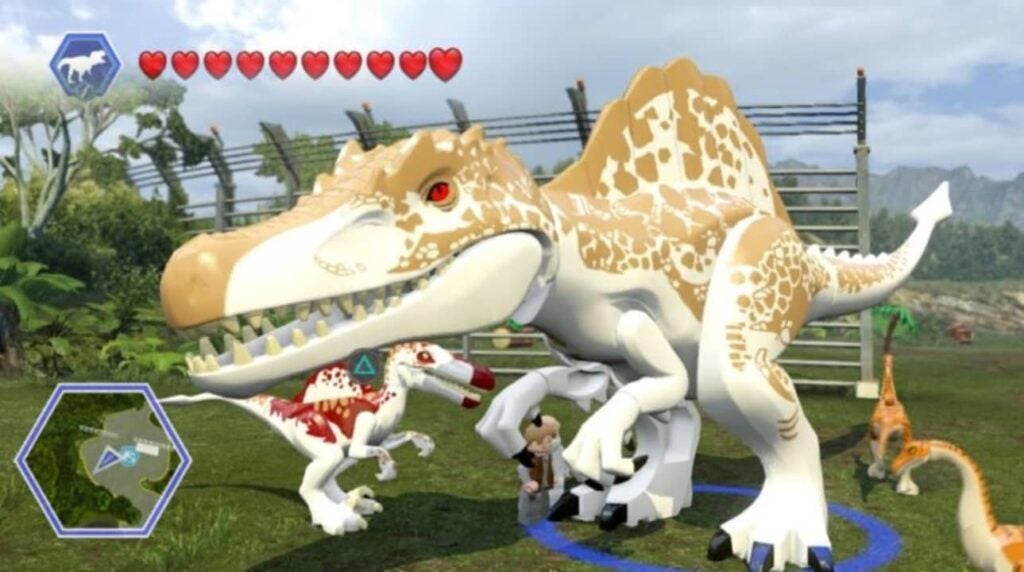
Are you looking for LEGO Jurassic World cheats? Would you like to know how to unlock all the characters, vehicles and dinosaurs in the blink of an eye? You’ve come to the right place. The most Jurassic LEGO adventures come to PC, Xbox , PlayStation and Nintendo Switch showing us the nicest face of the first 4 films of the famous dinosaur saga (Jurassic Park, The Lost World, Jurassic Park 3 and Jurassic World). As usual in LEGO games, the title has a host of codes and secret characters with which to get the most out of your adventures. Would you like to know them?

In today’s article we are going to share with you all the LEGO Jurassic World cheats, codes and secrets. But that’s not all! Here you will also find the best Easter Eggs of the game. As you can see, we’ve spared no expense – here we go!

LEGO Jurassic World DOWNLOAD
9

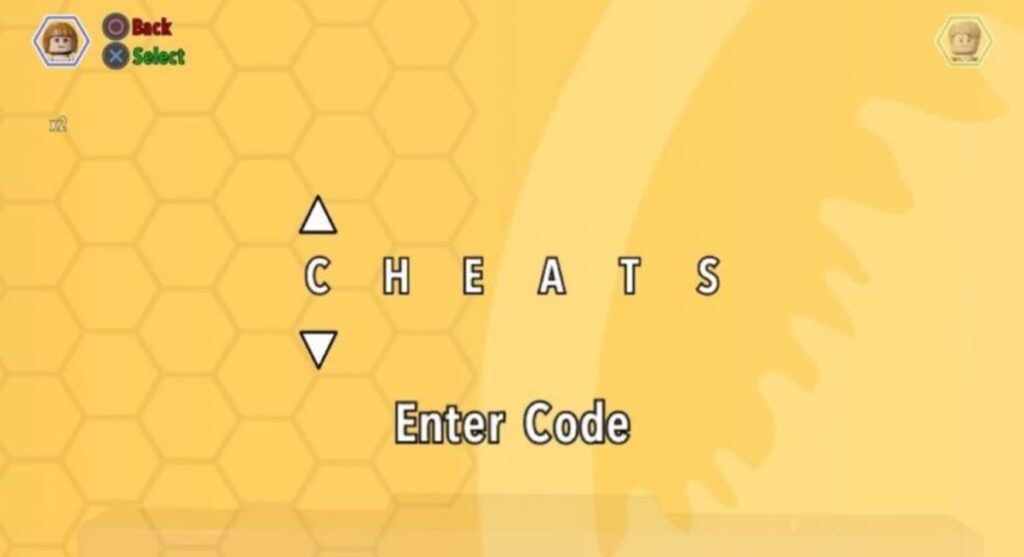
How to enter codes and cheats in LEGO Jurassic World

Before we start, let’s explain how to enter the codes to unlock characters, dinosaurs and vehicles in LEGO Jurassic World. Both methods are exactly the same regardless of the platform on which you play the title.

Method 1: Using the Extras menu

The first method of entering LEGO Jurassic World codes is very simple. Simply pause your game and, within the game menu, select the “Extras” option followed by “Enter code“.

Method 2: At the Jurassic World Innovation Center

There is a second method for entering codes that, although not as convenient as the first, is just as useful. All you have to do is go to the Jurassic World Innovation Center and enter the code in the Holoscape console of the island where you are.

Unlock codes to unlock characters in LEGO Jurassic World

  • Carlos – VK3TP3
  • Carter – 9GESXP
  • InGen Hunter – 38YWVR
  • Scientist (Male) – SKKLWC
  • Scientist (Female) – XVXGXF
  • Jurassic Park Driver – 3FE78R
  • Cooper – 5BETZ5
  • Dinosaur Caretaker Vic or Bob – YQ6S7Z
  • Jenny Raptor Caretaker – SXZ7CC
  • Jurassic World young raptor caretaker – 7VNLJT
  • Dennis Nedry (in Hawaiian shirt) – RAVKRT
  • Dieter Stark – EKCKLC
  • Ellie Degler – AV9DTJ
  • InGen Explorer – 8XL359
  • Jurassic World Ranger – GW9TGH
  • InGen Ranger Jerry – QKBCWT
  • Jurassic Park Ranger (Male) – XJS7UY
  • Jurassic Park Ranger (Female) – 8WY3FV
  • Henry Wu (Jurassic World) – A3HC7E
  • Jimmy Fallon from The Tonight Show Starring Jimmy Fallon – 6MKHSG
  • John Hammond (The Lost World) – PR2R6Y
  • Juanito Rostagno – XTH9A3
  • InGen Mechanic – RMVVB8
  • InGen Mercenary – VZRSD3
  • Nash– BRLNWC
  • Gyrosphere Operator Josh – 9NGZZQ
  • ACU Soldier (Male) – 28SPSR
  • ACU Soldier (Female) – AU25GR
  • S.S. Venture Crewman – 62539J
  • Udesky (Alternate) – PFEBS6
  • Jurassic World Veterinarian – L5AU6Y
  • Jurassic World Fence Guard – BX9Z6R

Codes to unlock dinosaurs in LEGO Jurassic World

  • Anquilosaurio – PAAADT
  • Compsognathus – KAAAWV
  • Dilophosaurio – HAAAVW
  • Indominus Rex – GAAAAC
  • Pachycephalosaurus – IAAADT
  • Espinosaurio – MAAARF
  • Estegosaurio – FAAAVT
  • Triceratops – AAAADC
  • Tyrannosaurus Rex – CAAADT
  • Velociraptor – DDDFAC

Unlock codes to unlock vehicles in LEGO Jurassic World

  • Jurassic Park Classic Car— 3FAND78R

Codes to unlock extras in LEGO Jurassic World

  • Minikit Detector – JYJAFX
  • Earn twice as many pieces – 5MZ73E

How to unlock cheats with red bricks

Red bricks – or special bricks – are a LEGO game classic. These precious commodities are hidden throughout the open-world map and allow you to unlock an assortment of tasty tricks. To redeem any of these 20 red bricks, you must use any Holoscape terminal on the Jurassic World islands and pay for them in studs.

All unlockable cheats with red bricks

  • Tack x 2– 2- 1.000.000.000 tacks
  • Tack x 4– 4- 1.000.000.000 tacks
  • Tack x 6– 3.000.000.000 tacks
  • Tack x 8– 4- 4.000.000.000 tacks
  • Tack x 10– 5.000.000.000 tacks
  • Invincibility– 5.000.000 tacks
  • Minikit detector– 200.000.000 tacks
  • Red Brick Detector– 200.000 tacks
  • Amber Brick Detector– 200.000 tacks
  • Faster construction– 100.000 tacks
  • Attract tacks– 100.000 tacks
  • Collect ghost tacks– 100.000 tacks
  • Compy Mode– 100.000 tacks
  • Destroy on touch– 100.000 tacks
  • 8-Bit Music– 100.000 tacks
  • Costumes for Nedry– 100.000 studs
  • Quick interaction with panels– 100.000 tacks
  • Dinosaur costumes– 100.000 tacks
  • Helium voices– 100.000 tacks

The best Easter Eggs of LEGO Jurassic World

LEGO Jurassic World is full of fun references to the world of cinema. While we enjoy the adventures of Owen, Claire, Dr. Grant or Ian Malcolm, we will find funny details paying tribute to some of the most emblematic moments of the big screen. These are the Easter Eggs that we liked the most.

1. A paleontologist finds the license plate of the Delorean.

2. Marty McFly flees from a Jurassic attack

3. E.T. appear upon arrival of InGen engineers.

4. Tiburon’s boat is docked at the dock

5. Homage to the Back to the Future 2 hologram

Want more LEGO games? It’s not too late to download these titles

Now that you have enjoyed all the LEGO Jurassic World cheats… Why don’t you embark on a new adventure by downloading more LEGO games? And the fact is that this addictive video game franchise has titles for all tastes. From superhero adventures with LEGO Marvel The Avengers or LEGO Batman to the best fantasy with LEGO Harry Potter or LEGO The Hobbit, not to mention the many LEGO Star Wars games!

If you love LEGO but are tired of playing film and comic book adaptations, why not try LEGO Worlds? This open world title is the closest thing to playing with LEGO blocks at home but from your console or PC. With it you can build and give life to your own adventures. The only limit is your imagination.

Say Hello to more Expressive Posts: Instagram Notes now Available!

Everyone loves Instagram because it’s an easier way to stay in touch with loved ones and share funny videos and pics instantly. Everyone even loves the story feature where you can share something interesting and it will disappear after 24 hours. However, the one restriction for stories is people need to tap on the story to see it. Thanks to the new Notes feature in Instagram, you can now add status’ and people will be able to see it even if they don’t click on your profile or story.

Instagram DOWNLOAD
Instagram Notes Feature

When Is It Releasing?

Adam Mosseri, the head of Instagram, announced that the new update was being released in all EU countries, the UK, and Japan. The reason the launch was delayed n these regions was because of the privacy policy there.

Even in the United States, not all users have access to it. Adam confirmed that this was done to get feedback from a section of the public first.

What Is the Notes Feature?

Notes are quite similar to mood messages that are available in a few chat services. Notes have a limit of 60 characters. You can use just text and emojis to express your feelings. If you want to leave a note, go to the top of your Instagram inbox. Select your followers or your closest friends and your note will be seen above your profile picture at the top of their inbox. If anyone replies to your note, it will appear as a DM.

Notes are a casual way for people to express their feelings and stay connected. It is also a way to shout out and express your gratitude to someone or declare your love for someone in front of your social community.

Deal with OpenAI results in skyrocketing Buzzfeed stock prices

The announcement of BuzzFeed’s partnership with ChatGPT led to a skyrocket in the company’s stock price. BuzzFeed is not the only firm that has reaped benefits from its connection to ChatGPT, which was developed by OpenAI. The online media company aims to use OpenAI’s artificial intelligence technology to streamline its content production. This month, companies specializing in AI have experienced a surge in trade activity, and this trend is expected to persist with BuzzFeed’s involvement.

ChatGPT DOWNLOAD
The next BuzzFeed quiz you do may be generated by AI

BuzzFeed has announced plans to utilize OpenAI’s text synthesis technology, similar to the popular ChatGPT, to generate original quizzes and potentially other content. The announcement caused a massive 200% increase in BuzzFeed’s stock price. In a recent blog post, BuzzFeed also revealed its collaboration with Meta. This development is likely to bring great satisfaction to current BuzzFeed shareholders.

BuzzFeed aims to integrate artificial intelligence into its content creation process to enhance its user experience. The company’s CEO, Jonah Peretti, recently announced that BuzzFeed will be utilizing OpenAI, the makers of the ChatGPT platform, to tailor its popular quizzes and listicles.

‘In 2023, you’ll see AI inspired content move from an R&D stage to part of our core business, enhancing the quiz experience, informing our brainstorming, and personalizing our content for our audience.’

The partnership between BuzzFeed and OpenAI comes at a fortuitous moment as the ChatGPT language model has been receiving significant attention lately. This has prompted Microsoft to increase its investment and Google to respond with its own strategic moves. Google has been on high alert regarding the potential threat of AI for some time, and has issued a ‘Google code red’ warning.

The next BuzzFeed quiz you do may be generated by AI

The ChatGPT platform is powered by the GPT-3 model, which can produce text in various styles based on its statistical understanding of a vast corpus of books and articles. The output, depending on the subject, can be remarkably similar to human writing. The goal of GPT-3 is to predict the most likely words to follow a given user input, known as a ‘prompt.’ 

The significance of carefully crafting these prompts cannot be overstated as it opens up endless possibilities for AI applications. The text-to-text AI techniques, especially their conversational nature, highlight the importance of being mindful of the language used in prompts, much like how you would choose your words when speaking with someone.

Contrary to previous reports, BuzzFeed will not be utilizing the ChatGPT platform, but instead will be developing its own version based on OpenAI’s GPT-3 engine. This is a trend that many other companies have expressed interest in following. While ChatGPT may be the shiny new toy that gets everyone excited about AI, the underpinnings are what matter. We’ll likely see an even greater rise in the use of AI when OpenAI releases a stable version of its GPT-4 platform.

All the new features in Microsoft Teams

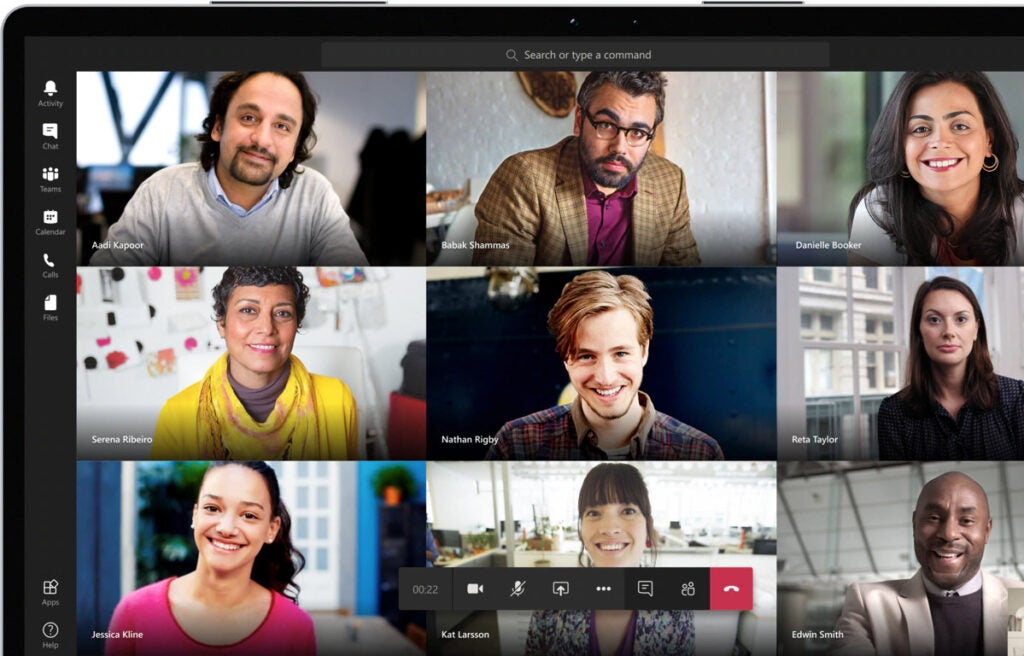
Microsoft Teams regularly gets new updates and features, which is excellent for companies that incorporate collaboration tools and online communication with their work projects for teams to stay connected throughout the process.

Microsoft Teams DOWNLOAD

January 2023, Microsoft published yet another detailed changelog, as it does at the end of each month of all the new capabilities added to Teams.

All the new Features in Microsoft Teams

What’s New in Microsoft Teams 2023?

Here are all the latest features in Teams as presented by Microsoft.

Meetings

  • View video recordings and attendance reports inside LMS
  • Teachers and students will be able to access video recordings and attendance reports inside their LMS itself. 
  • The Microsoft Teams Meeting LTI app has enabled the availability of these artifacts inside LMS. This feature will be available for all the LMSs incorporating the Teams Meeting LTI app.

Paging on Video Gallery

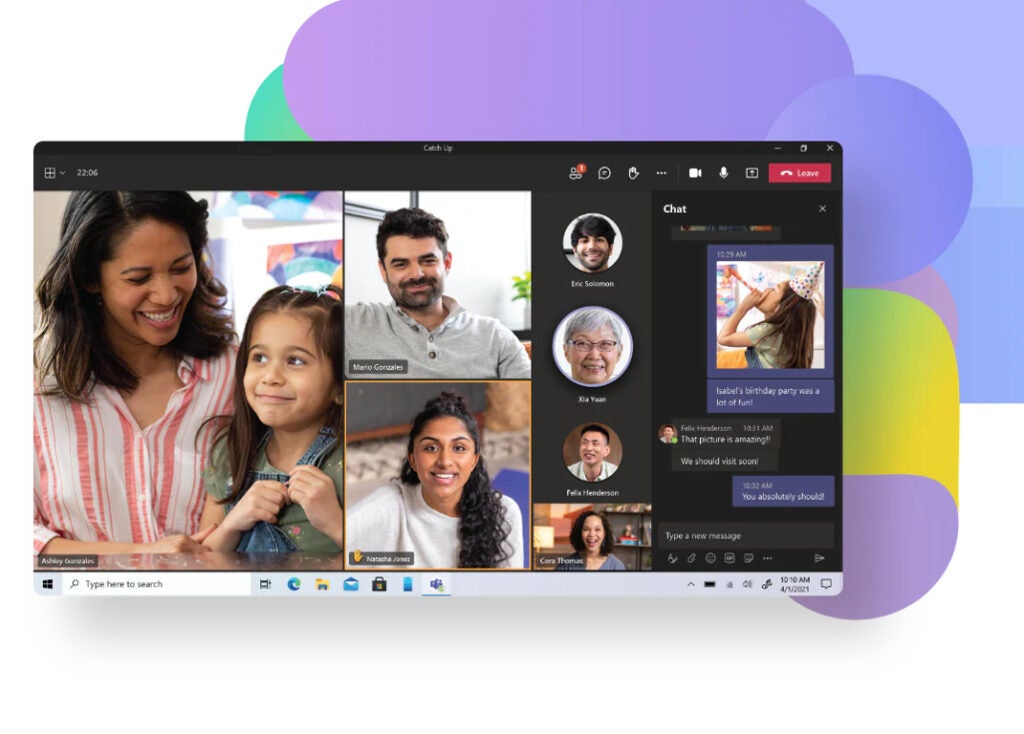
  • When you are in Gallery view, there are more videos than can be shown at once on the meeting stage.
  • Navigation controls will appear below the Video Gallery to see other videos of the attendees. 
  • You can use these controls to view more video participants.

Meeting Toolbar Usability Improvements

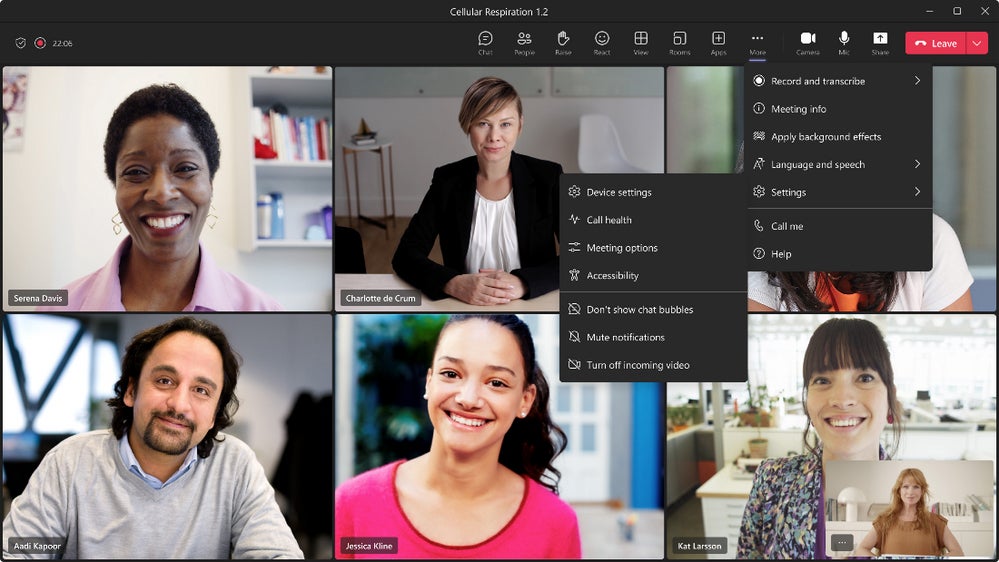
  • The Meeting toolbar in Microsoft Teams just got a usability upgrade! 
  • New features include dedicated buttons for raising hands and switching between view modes, and navigating your next meeting just got a little easier.
All the new Features in Microsoft Teams

Live stream Teams meetings and webinars to Meta Workplace Live

  • Live stream your Teams meetings or webinars directly to Meta Workplace Live using the new Workplace Live app integration. 
  • Allows attendees to watch live meetings and webinars within their Workplace groups or catch up later by watching a recording on Workplace. 
  • Simply add the Workplace Live app to your Teams meeting or webinar, sign in using your Workplace account, and select the Workplace Event you’d like to live stream.

Webinars

  • Enhanced webinar management experience with customized options
  • When you select the webinar template, you’ll see a new structure and expanded opportunities to customize registration details and settings specific to each event. 
  • With the unique management experience, you’ll be able to configure your webinar with the following capabilities:

Calling – Federated group calling

  • Quickly start a group Teams call from a chat with federated colleagues outside your organization, including video and screen sharing — all over an internet connection without any PSTN usage charges.

Chat and collaboration

  • View the entire chat conversation thread after clicking on the search message results.
  • Search for a chat message in Teams and click on a message result. Search will now display the full context of the conversations related to the redevelopment regardless of the age of the messages.

Management

  • Edit and delete events support for messages in user: bot chats
  • Currently, message events can be accessed by developers. 
  • This feature allows developers to access, edit, or delete event updates on messages in user: bot chats.

Upload files to your approval request via the Power Automate portal

Files uploaded within the Power Automate portal will now show within the view details window of an approval request within Teams.

Notification granularity

Admins can use Intune to determine the types of content a user can see in a notification on their mobile lock screen.

All the new Features in Microsoft Teams

How to Download, Play, Win at Mobile Legends: Tips and Guide

Mobile Legends is an interesting Android MOBA (multiplayer online battle arena) game. It is a free game, where you can battle real online players. To begin with, you need to pick from a wide choice of heroes and build your team. 

Mobile Legends: Bang Bang DOWNLOAD

The game also includes 10-minute battles with instant matchmaking. Once you download Mobile Legends, you need to figure out how to get better at the game.

How to download Mobile Legends

To download Mobile Legends, you simply need to find a clean file of the game and click on the download button. Your phone might ask you to approve some permissions, but these are generally safe. Once downloaded, you can install the game to begin your adventure.

Mobile Legends

Real-Player Battles

Mobile Legends is an exciting MOBA game with various features, top heroes, and fast action. The game has simple touchpad controls, and it allows for a hassle-free experience. You can even customize your settings to add auto timing and add last hitting. This eases the game controls. You play against players across the globe and you can even display your national flag next to your character.

What Is the Mobile Legends About?

As mentioned above, Mobile Legend is a MOBA game that you play against actual players that have a specific skill set. You fight over three lanes to claim the enemy tower. You can choose from the wide hero choices, depending on their specialty. Some of them are marksmen, some control tanks, and so on.

With instant matchmaking, you can join a game within seconds and matches are completed within ten minutes. You can even live stream your plays or browse through the library to see live streams by other players. 

Mobile Legends

Tips To Get Better at Mobile Legends

With Mobile Legends, you need to use the best strategies to win at team fighting and defeating the enemy. This is an action-adventure game where your goal is to strike your opponents and claim victory for your team.

Understand Minion Lanes

In the past, Minion Lanes were not different from others. Now, there are different routes that come with different bonuses and resources. These lanes are called EXP Lane and Gold Lane. EXP lane always coincides with the turtle lane and the siege minions will give you 50% more EXP. The gold lane increases your gold bonus by 50%.

Tower Game

Mobile Legends uses a scoring system, and the MVP of the match is determined using this system. The current system favors ADC units that kill more enemies. This causes people to obsess about killing enemies. However, what most people forget is Mobile Legend is a tower game. If you want to win, you should aim to destroy the enemy’s turret.

Mobile Legends

Small Things Make a Difference

Mobile Legends is an exciting game and focusing on the right aspects can help you reach the top of the leaderboard. Watch this space for more tips on your favorite action-adventure games.

How Apple Music is taking over its first Super Bowl Halftime Show

In September, the NFL and Apple announced that Apple Music would be the Super Bowl halftime show’s new sponsor as of February 12, 2023, with Super Bowl 57 with Rihanna performing. To celebrate its first year as the official Super Bowl Halftime Sponsor, Apple Music announced “new and exclusive ways” for fans to join in the celebrations.

Apple Music Converter DOWNLOAD

Rihanna decided to join Apple Music in celebrating this new venture with a first-look trailer to tease fans as the countdown has begun to the big show. Rihanna fans can experience her music with Apple Music’s deeply enriched multidimensional sound.

January 30, 2023, gave subscribers access to this Iconic star’s songs with Spatial Audio in Dolby Atmos featuring her pumped-up anthems mixing EDM, R&B, rap, and pop sound throughout her singing career under her ever-evolving umbrella!

“Rihanna is one of the most prolific artists of our time, and we, along with her many fans across the globe, cannot wait to see her take the stage at the first Apple Music Super Bowl Halftime Show.”

“We are excited to celebrate Rihanna, and give her fans a new way to experience her music with Spatial Audio, as well as exclusive content from Apple Music.” – Oliver Schusser, Apple’s vice president of Apple Music and Beats.

February 9, 2023, at 10 a.m. MST

Nadeska Alexis of Apple Music Radio will interview Rihanna at the Super Bowl LVII Halftime Show Press Conference. Fans can tune into the live broadcast or watch on @AppleMusic’s Twitter, YouTube, Instagram, TikTok, or on the NFL Network.

Sing with Rihanna

Apple Music allows fans to sing along with Riahnna with the new Apple Music Sing feature. So, grab the mic and turn up the volume of your favorite Rihanna songs -you can have a blast if you want to sing backup, perform duets, or hit those solos. Compatible with all iPad and iPhone models and the new Apple TV 4K.

How Apple Music is taking over its first Super Bowl Halftime Show

Apple Music Radio

Leading up to Rihanna’s big night will have Apple Music Radio in the stands and on the ground to soundtrack the festivities. The exclusive special programming will include the following:

  • “Halftime Hype Radio,” a 10-part series reflecting on some of the most notable Super Bowl Halftime performances of all time;
  • “Rihanna Revisited Radio,” an eight-episode roundtable exploring the cultural impact of the elusive singer’s catalog;
  • “Live from Super Bowl LVII,” featuring daily live broadcasts that capture all of the excitement in Arizona leading into the weekend with Apple Music Radio hosts Zane Lowe, Ebro Darden, and Nadeska Alexis, plus an array of surprise special guests.

Monday, February 13 

It all wraps up with “Halftime Recap Radio” to celebrate the debut of Apple Music’s Super Bowl Halftime Show and recap this monumental moment in music.

NFL Team Playlists

To get fans ready and even more excited for some football, Apple Music will feature Rihanna’s Road to Halftime, which will include an official 32-playlist collection of the top songs that are listened to by each NFL team in the weight room, the locker room and game day!

Listen to the exclusive pregame warmup curated playlists by NFL players like Dak Prescott (Dallas Cowboys), Davante Adams (Las Vegas Raiders), Trevon Diggs (Dallas Cowboys), Stefon Diggs (Buffalo Bills), and Travis Kelce (Kansas City Chiefs) including a throwback video playlist from past games revisiting halftime performances.

Follow @AppleMusic on Twitter, YouTube, Instagram, and TikTok to stay up to date with the latest news and exclusive behind-the-scenes content!