Microsoft Teams will allow threat detection from now on

Microsoft is significantly expanding threat detection capabilities in Microsoft Teams by allowing Defender for Office 365 Plan 1 users to report suspicious messages directly. This change, tracked under roadmap ID 531760, marks a new approach in Microsoft’s security strategy, democratizing threat intelligence gathering, a feature that was previously reserved only for Plan 2 subscribers. The update, which is expected to be active by the end of March 2026, responds to the growing need to secure collaboration platforms with the […]

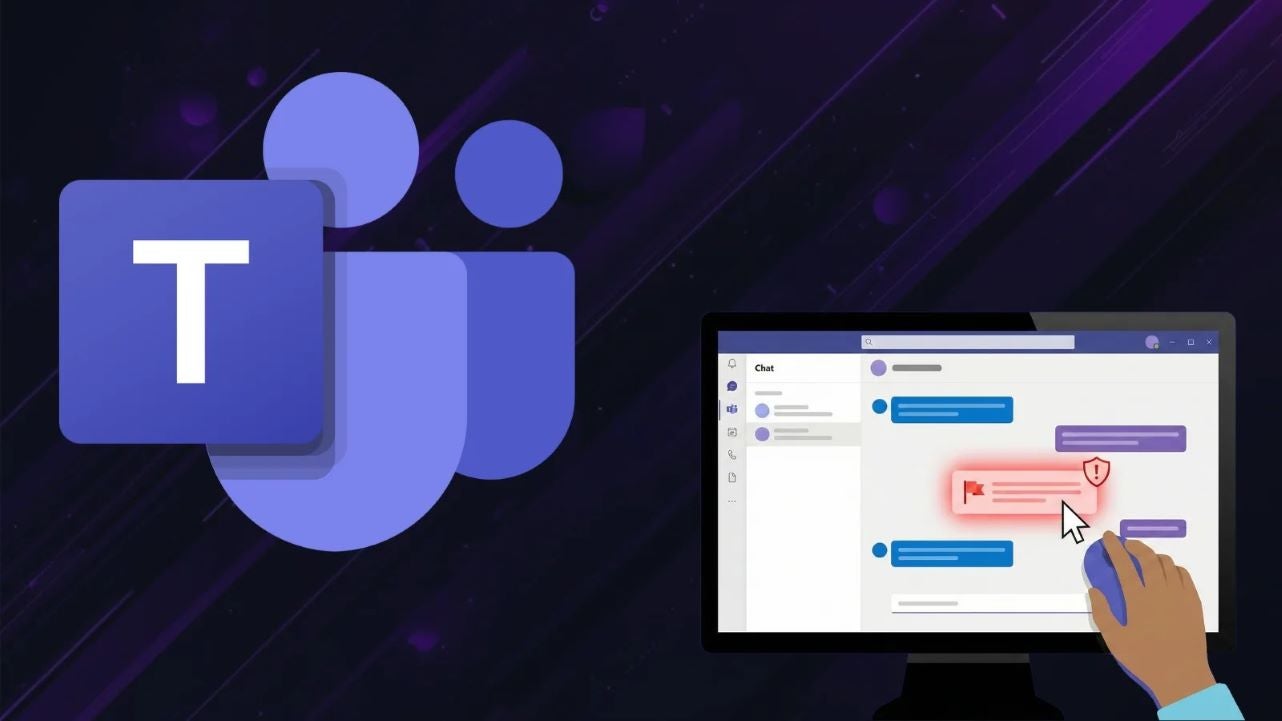
Microsoft is significantly expanding threat detection capabilities in Microsoft Teams by allowing Defender for Office 365 Plan 1 users to report suspicious messages directly. This change, tracked under roadmap ID 531760, marks a new approach in Microsoft’s security strategy, democratizing threat intelligence gathering, a feature that was previously reserved only for Plan 2 subscribers.

Teams is not being vacated

The update, which is expected to be active by the end of March 2026, addresses the growing need to secure collaboration platforms with the same effectiveness as is done with email environments. The line between internal communication and external threats is becoming blurred, making it critical to empower end users to act as the first line of defense as a component of a robust security posture.

Previously, the ability to report messages within Teams, whether in direct chats, channels, or meeting logs, was exclusive to organizations with Defender for Office 365 Plan 2. This left Plan 1 environments relying solely on automatic protections without the advantage of receiving real-time feedback from users.

With the new feature, users will be able to tag messages in two distinct categories. These user-generated signals are vital for security operation centers (SOC), providing immediate visibility into potential breaches and helping to train Microsoft’s detection algorithms to better recognize conversational attacks.

However, activating this feature requires administrative action. Microsoft has emphasized that the reporting capability is an optional feature and that administrators must enable the user reporting settings in the Microsoft Defender portal. It is crucial for security teams to update their internal documentation and communicate these changes to staff to facilitate the use of this new tool when it becomes available.

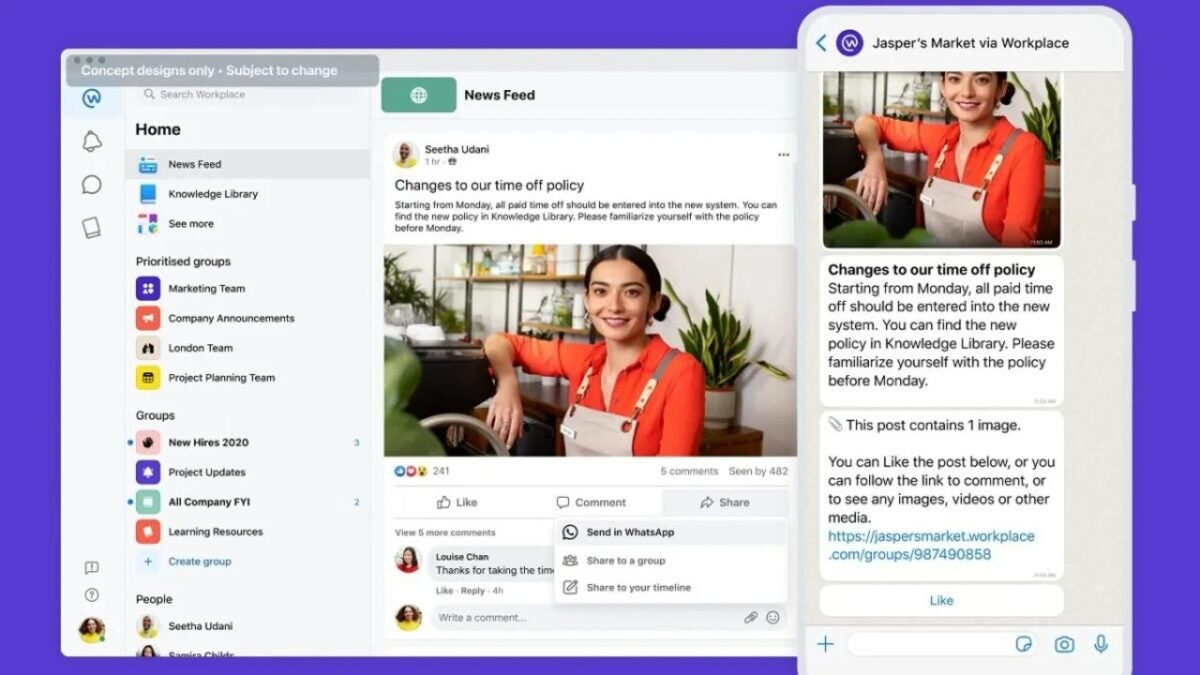
Goodbye to Facebook’s dream of being the app for workers: it loses the battle against Teams

Meta will offer a 50% discount on the service starting in September and has offered to work with customers on the transition to Workvivo, from Zoom.

You probably didn’t know that Meta had an application designed to compete with Microsoft Teams, the most used and largest work environment in the world. And not knowing it is the main reason for its death.

Microsoft Teams DOWNLOAD

Meta throws in the towel on Workplace, its Facebook-based alternative to office communication platforms like Slack and Microsoft Teams.

Ashley Zandy, spokesperson for Meta, has confirmed to The Verge that it will be available to customers until August 31, 2025. Previously known as Facebook @ Work, it was used internally for two years before its public launch in 2016, and according to Zandy, there will be no changes in its internal use.

What will Meta do now that they are closing their job service

Meta will offer a 50% discount on the service starting in September, and has offered to work with clients in the transition to Workvivo, owned by Zoom.

After September 1, 2025, Workplace will become read-only and exportable until June 1, 2026, when access will end and data will be deleted.

TechCrunch reports that development slowed down significantly after people returned to offices that had been empty due to the pandemic and following the departure of several key employees.

Microsoft Teams DOWNLOAD

The change burst the bubble of an increasingly crowded space for remote work tools. The strong competition from Microsoft Teams, Google Workplace, and even new competitors like Zoom Workplace caused Meta to lose its market share after a decade working on this project.

Microsoft Teams will finally let you switch accounts within the same application

Microsoft Teams, Microsoft’s messaging service focused primarily on communication in work environments, has finally implemented an improvement that users have been waiting for in the application, which is also used for personal purposes. Starting next April, users will finally be able to switch accounts within the same application, something that was not possible until now.

Until now, Microsoft Teams did not allow to maintain simultaneous sessions within the same application: if you wanted to switch accounts, you had to log out in order to start with another account. However, this will now change, for the benefit of many users who will enjoy a significant improvement in quality of life.

Microsoft Teams Download

Compatibility improvement for Teams

As Microsoft has announced through its blog, this Microsoft Teams improvement is currently being tested in a canary version, which will allow users to have more than one session logged in simultaneously, and switch between them comfortably. This feature will gradually start rolling out during the month of April, and it is expected to be fully operational by May.

With this, people who manage more than one Teams ecosystem simultaneously will find a very valuable solution, as they will be able to perform these actions without having to have two separate Microsoft Teams applications running simultaneously.

Teams is available to millions of users through their smartphones

One of Copilot’s greatest allies

Microsoft Teams and Copilot, the generative Artificial Intelligence that Microsoft has invested heavily in, have one of the greatest synergies within the company’s ecosystem. Thanks to Copilot-powered Teams services, such as the ability for AI to attend meetings and summarize everything that has been said in them, this application gains a very substantial value compared to the competition.

Now, for the moment, the next step in the Teams roadmap will be improving compatibility with different accounts, but we will have to see what the next features that can come to this application will be, and if they will be powered by the possibilities offered by Copilot to the Microsoft work and education ecosystem.

Microsoft Teams Download

Will Microsoft Teams spy on you? That suggests a Microsoft patent

If you use Microsoft Teams and value your privacy, pay attention to this. The well-known Microsoft app for online meetings and teamwork could soon integrate a technology capable of detecting if someone is not paying attention in meetings, according to a recently published Microsoft patent.

Microsoft Teams DOWNLOAD

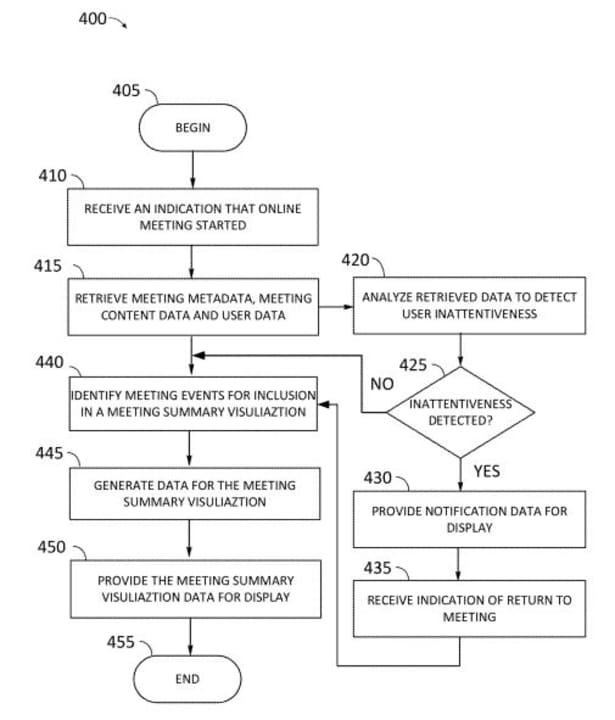
The patent describes an AI-based system to determine if someone is not paying attention during a meeting. The system gathers information from the meeting, such as what is being said and shown, who is in the meeting, and how they are using their devices. It then checks if someone is not paying attention by looking at their camera or what they are doing on their device. If the system detects that someone is not paying attention, it will send them a message to regain their attention.

The system also receives a signal that the person has returned to the meeting and displays a summary of what has been missed, similar to the Intelligent Recap feature of Microsoft Teams, which shows a meeting summary and a series of task suggestions. Currently, Microsoft Teams does not have any technology on the platform capable of detecting if users are paying attention in meetings, although administrators can monitor user activity in Teams through other means.

However, the document argues that technology should not be used to demonstrate employees’ lack of activity, but to provide essential highlights for those participants who attend multiple meetings in the same day: “It is necessary to improve systems and methods for managing meetings intelligently, monitoring their content and providing highlighted information that allows retaining context when necessary”.

Microsoft Teams DOWNLOAD

For now, it is only a patent, so this new technology for Microsoft Teams does not necessarily have to be materialized in the future. Even with Microsoft’s alleged good intentions, this new technology could pose various moral and ethical problems in an already difficult work context for many, especially for those who work in the technology industry.

Microsoft Teams is testing new video and audio features

Microsoft Teams continues to take steps forward in terms of its services. Its most recent changes, after having announced numerous innovations in the software of the communication application, will be focused on audio and video settings, which will be modified to have a usability superior to what it currently presents.

This change comes after many other recent ones, such as the change in the video call interface. Therefore, it can be appreciated that Microsoft has started strong in this 2024 to show that their team has worked on all kinds of improvements for the benefit of users who use their applications daily.

Microsoft Teams Download

Improvements in video and audio settings

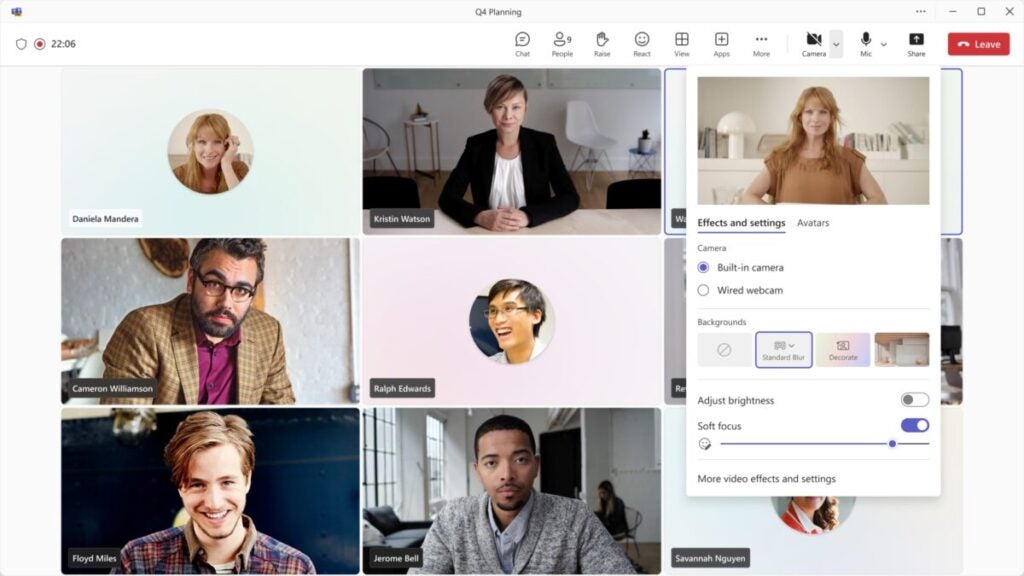
As Microsoft has officially announced, the audio and video settings have been improved to provide greater freedom when adjusting the image and sound of a video call. They can be adjusted in a simpler way, with settings such as autofocus and backgrounds on the screen, or adjusting the ambient sound and noise suppression in the audio.

Thanks to these improvements for audio and video settings within Teams, each user will have more facilities to adjust both parameters to their environment with greater precision than currently. In addition, along with the redesign of the video call interface, this change gives the application a flashy facelift.

Teams Facelift

Microsoft Teams is a fully established application within the Microsoft productivity ecosystem, but that doesn’t mean the company has wanted to rest on its success, and they have continued to announce changes and innovations for this service. In fact, with over 320 million users behind it, Teams is shown as one of the services focused on the business world that companies trust the most when it comes to coordinating their teams.

For this reason, one of the main improvements that is being worked on for Teams is its implementation within the Copilot services, the company’s generative AI in which they have placed a lot of trust. And it is thanks to this synergy between both services that Teams users will see their service improved thanks to Copilot and the features it offers, such as summarizing messages, facilitating responses, or even attending video calls or conferences to gather all the comments made in them.

Microsoft Teams Download

Microsoft Teams is about to change your video calls forever

There is not a day lately when Microsoft Teams does not receive news, updates or rumors of some kind. This time, however, it is an official update that the company has revealed, and that will forever change the video call interface of the application, defaulting to a overview of all participants in it.

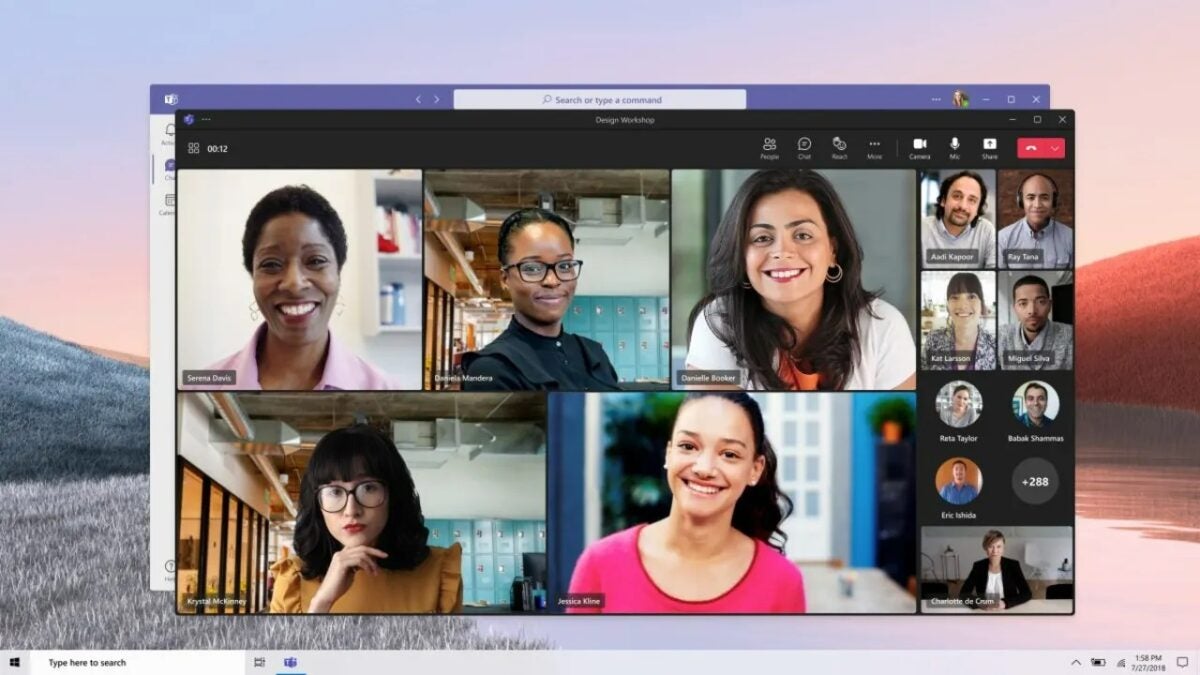
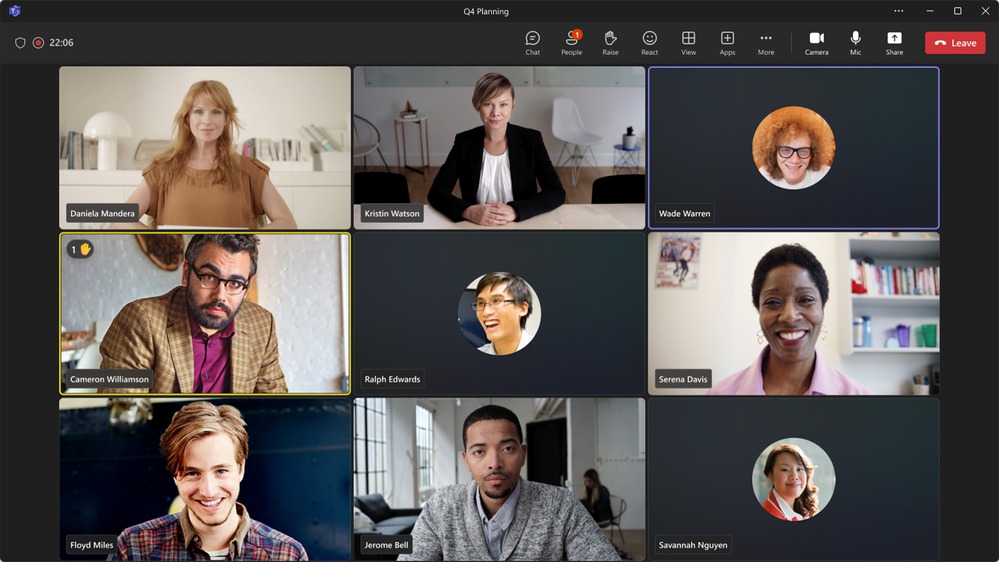
This change will allow all users to see each other, without being cut off on different pages like in the current system. This will provide greater ease in seeing which users interact, raise their hand, and increase communication within the application, something important considering that it is the main purpose of this service.

New video call interface

The new video call interface, officially showcased by Microsoft, allows grouping all the windows of each user on the screen, thus allowing to see all the members that are part of a conference or meeting in a general way. By default, users with the camera turned off will be shown with their usual photo, but there is also the option to hide the box if the interlocutor wishes.

This change responds to a recurring problem in the current design of chats, which gives a lot of prominence to the person who is speaking, but relegates a much more secondary vision to the people who are also part of the video call, thus preventing a more complete communication.

Other Teams news

As we have been mentioning, Teams is receiving all kinds of news lately. Some of them have to do with the features it receives through Copilot, such as the ability to attend video calls to summarize their content, among many other functions. In this way, the application embraces Artificial Intelligence to increase its usability.

In addition, smaller but also useful changes are also being made, such as the ability to hide channels and lighten the load of chats and conversations in the application’s side panel. This results in a cleaner interface and allows less used windows to be set aside.

The intelligent summary of Teams meetings with Copilot will arrive this month of January

The long-awaited Microsoft Teams feature will be coming soon through Copilot. One of the most anticipated services, made possible by the AI that powers the capabilities of the meetings and communication application. Focused on corporate management, this service is set to start operating from this month of January: meeting summaries and key points without having attended are already a reality.

Microsoft Copilot, Microsoft’s flagship application introduced in the last year, is now part of various services: Microsoft Edge after the demise of Bing Chat, Microsoft Teams with these new features, or in Outlook to improve the quality of assistance provided to the user.

Microsoft Teams Download

Smart Summary in Teams

This function, which will be a kind of smart summary, works practically like “letting the AI attend the meeting for you“. Copilot will be able to literally attend the meetings that take place through Microsoft Teams and will be able to summarize the content that has been mentioned during the conference, as well as mention the different slides that have been shared during the meeting time.

This is a great implementation, although, unfortunately, it will only be available for users with Teams Premium, that is, those who enjoy this service through a Microsoft 365 subscription. If, like the majority of users, you have the standard version, you will not be able to enjoy the possibilities of Copilot in Microsoft Teams.

Microsoft Teams AI will only be available for premium users

Copilot at the Microsoft Center

The company has been placing Microsoft Copilot as one of its central points when it comes to commercial focus or improving its services for several months. In fact, most of the changes that many of its applications are receiving have been carried out with the aim of adapting the ecosystem to the generative AI that Microsoft has developed.

In fact, they are so convinced of the success that Copilot can have that they are even working on bringing this AI to computers with Windows 10, something that catches attention considering that, since October 2025, Windows 10 will be officially discontinued and will no longer receive updates. But Microsoft wants, during the remaining lifespan of this Operating System, to have this AI to improve the experience of all users who remain loyal to Windows 10.

Microsoft Teams Download

Microsoft Teams already has over 320 million active users

Microsoft Teams, Microsoft’s application focused on communication and video calls within the workplace, has already reached 320 million active users worldwide, a figure that highlights the value of this application within companies to carry out communications in a useful, simple and effective way.

It’s not the only striking fact, since, in addition, Microsoft Teams currently has over 2,000 applications within the internal app store, as well as over 145,000 customized businesses through Teams, allowing it to adapt to the needs of various companies.

Microsoft Teams Download

Microsoft Teams solidifies its user base

In a blog post, Microsoft has looked back to mention the main news and advancements that the Teams service has made in 2023. Among the data shared by Microsoft, they highlight the 320 million users they already have and the more than 2,000 applications that already have support within Teams.

The company also mentions the importance of Copilot in its present and future as a tool that can change the game rules forever, and they highlight that, in addition, in 2024 many new features will continue to arrive to the Microsoft Teams service.

Teams is available to millions of users through their smartphones

Teams Roadmap

Microsoft Teams has made great progress in 2023. In addition to making major changes to its design, expanding the service and support it receives from the applications hosted on its platform, or the new functionalities it has implemented to improve its service, it also has the support of Microsoft Copilot, the Artificial Intelligence designed by the company to make its biggest qualitative leap in recent years.

Copilot is a generative AI that is capable of integrating with various services and applications offered by Microsoft. In fact, Teams is one of them, and Copilot is capable of performing tasks such as joining meetings, summarizing the topics discussed in the conversation, and even organizing the content in various ways.

Microsoft Teams Download

Microsoft Teams will allow you to redirect calls to voicemail messages

Microsoft Teams continues to take steps forward to become a more comprehensive ecosystem. For that reason, calls will be able to be redirected so that the caller can leave a voicemail that you can listen to at your convenience. Best of all, you can do this without needing to accept or reject the call.

This call forwarding, similar to what exists in traditional telephony with an answering machine for leaving voicemails, will give the option for a caller to leave a message for another user without the need for the recipient to answer the call at that exact moment.

Microsoft Teams DOWNLOAD

Productivity benefit

This improvement, focused on the productivity-based ecosystem of Microsoft Teams, might seem small in absolute terms, but it could be a significant qualitative improvement considering that, oftentimes, a caller might prefer making a call instead of leaving a voicemail message, but would be willing to leave a voicemail if the other person isn’t available.

This update is expected to roll out to Android systems throughout March 2024. In this way, Microsoft Teams continues to become an increasingly favorable ecosystem for mobile use without becoming overly invasive in its capabilities, allowing for better balance.

Microsoft Teams is one of the cornerstones of Microsoft’s productivity ecosystem.

The many advances of Teams

Microsoft Teams has been advancing on many fronts in recent months. It’s seen significant development on mobile devices, but perhaps the most remarkable improvement currently underway is its integration with Microsoft Copilot, the company’s developed Artificial Intelligence.

Copilot is designed to enhance user productivity, and within its integration into Microsoft Teams, standout elements include its ability to assist in meetings on your behalf and synthesize their content, among many other functions. This AI might potentially spare users from attending tedious meetings when they’d prefer to focus on other tasks at that moment.

Microsoft Teams DOWNLOAD