Say goodbye to social media

Social media is a term that, today, has a very loosely-defined meaning. It refers to a class of apps, such as Facebook, Instagram, and Twitter, designed to keep us connected, but as the social mediums of the past changed, so too did the meaning of the word. In the article that follows, we’ll explore the rise and current fall of social media. We’ll also briefly touch upon the dangers that these apps pose and how society has become so fully engrossed in social media. 

You take the blue pill, and nothing changes. Then, You carry on posting, mindlessly scrolling, and experiencing the short-lived but constant supply of dopamine that social media feeds you. You take the red pill, and you wake up. You learn what it means to communicate again. From there, you rediscover what it means to be alive – truly alive, not alive but stuck in a virtual fantasy nestled atop a slowly crumbling house of cards. So, what will it be? 

What is a social network?

In its simplest and earliest expression, a social network is a way to combine your list of close connections with someone else’s list of close connections so that you both gain a larger list of connections, albeit not always as close as the former. A non-digital social network could be you introducing your group of friends to another friend’s group of close friends. Somewhere in the chaos, new connections are bound to develop, such as strengthening the bonds within the new social network. That’s literally all there is to it. 

Of course, we live increasingly more digital lives these days. And social media, in digital terms, has come to mean so many things to so many people that it’s lost its original meaning. However, given the current climate of the social media industry, we needn’t quibble over terminology. 

Is social media dying

How did humanity become so addicted to social media?

It happened slowly, like bringing a frog to a boil so slowly that it doesn’t realize it’s burning – until it’s too late. Social media was born out of a desire to connect people to each other more effectively – and for a while, this is exactly what early social media did. Back in the day, content meant satisfied if you pronounced it slightly differently, and social media was more about connecting with other people, not publishing mindless content.

For instance, one of the earlier utilities, Friendster, allowed people to connect their groups of friends to other people’s connections, thereby giving people gateways to friends of their friends’ friends. The purpose of social networks was to network socially with other people. This is a far cry from the trashy Instagram measuring contest that most social media has become. 
Is social media dying 2

The age of social media addiction and the decline of social networking began with the release of Instagram in around 2009. Let’s be clear; Instagram, as it was envisioned by its original creator, Kevin Systrom, was very different from how it’s turned out. Basically, Instagram was meant to allow people to share their experiences with their friends through video and photos, but that was pretty much it. The dumpster fire, political, virtue signaling, toxic, influencer nature of the app is primarily thanks to our greedy friends at Facebook – now Meta. Meta is not to be confused with the Metaverse, Zuckerberg’s misguided attempt to lure humanity into a future that he solely controls. 

Ugliness aside, the launch of a media-sharing platform like Instagram catapulted us into a world where the average human isn’t just experiencing broadcasted media but is actually themselves a broadcaster. This would likely have turned out fine if Systrom was left to manage the app himself. Instagram, formerly called Burbn, would have continued operating at a loss, gained popularity, lost popularity, and inevitably lost humanity’s interest.
Is social media dying 2

Fun Fact: Facebook has always been in the business of collecting user data and buying other platforms. Its founder, the powerful Zuck, has a historic propensity for calling his app’s users ‘dumb f***s’. User data is money because whoever controls user data, has access to the likes, dislikes, desires, and secrets of whoever uses their app.

This is power over entire countries that can be sold to threat actors for a massive profit. Any social media platform that tells you it isn’t interested in your data is lying to you. Data drives the algorithm, which drives your engagement, which drives the type of data that is collected, which drives the algorithm, and so it goes until you’re left with a system that knows you better than you’ll ever know yourself and thus has power over you. Is that really the kind of future you want? 

When Facebook gets a hold of another platform, the first step is to make it profitable. This means ads, lots of ads. It also means finding ways to boost engagement which boosts data collection, which boosts engagement, and so on. The more engagement, the more money. 

In any case, the tide change from the average human simply reading or watching to actually creating ‘content’ has landed us where we are today. 

The current social media climate

Where we are today is at a crossroads. This takes us back to the red pill/ blue pill statement from before. Social media in its current iteration is primarily comprised of people doing either stupid, dangerous, provocative, illegal, or downright disgusting things for ‘clout’ – or social media exposure.

This is because more followers, likes, views, and comments typically means more chance at becoming that rare thing; a social media influencer. The fact that we call these people influencers should already be a red flag of note. That literally means that we accept that their actions, opinions, and biases are meant to influence the masses. These influencers have already had some mark on society in the past, such as in the US presidential elections of 2016.

Social media is in a state of disarray right now. We live in a time where Zuck is complaining that Facebook is losing money because people of a certain demographic are dying. The rest of the social media extended universe is calling Facebook an old folk’s home, Twitter is in an inherently unstable liminal space at the moment, TikTok, a Chinese app, seems to be brainwashing western children with insipid dances and vapid influencers while in China, the app is reportedly used to educate children on how to live healthier lives.

It’s as if this entire effort has been a massive social experiment. The experiment has failed, for the average person at least. For corporations, however, this experiment has generated billions upon billions in cold hard cash – or cryptocurrency. 
Is social media dying 4

The anti-social social media movement

There’s a massive movement toward a disconnected life happening right now. Disconnected from social media, that is. Which, in turn, means more connected to each other. This is most noticeable amongst the generation termed Gen-Z. Gen-Z, while having grown up suckling at technology, are moving away from social media and toward healthier lives. Gen-Z, for the most part, realizes that you cannot be happy with yourself while being exposed to the fallacy that everyone else on social media has a more fulfilling life than you do.

In a larger proportion of people, social media usage and mental stability are mutually exclusive ideas. You’ll also find that the larger portion of people who are truly happy on social media have found a way to generate an income from it. The anti-social media movement is gaining traction by the day and is resulting in droves of people deleting their social media accounts or, at least, using social media less and less. 

Where does it end? 

This story ends with the inevitable demise of social media – at least in its current form. Every day, people are slowly realizing that they don’t need influencers; they don’t need the constant drip of dopamine that keeps them addicted to social media. People are waking up and realizing how much social media has taken over their lives. While there are good aspects to social media, a lot of these were lost when we moved from social networks to modern social media.

In order to remain a part of the human experience, social media needs to change. Unfortunately, or perhaps, fortunately, it won’t change. Tech billionaires are not likely to get less greedy, and the only way that social media could ever be healthy is if it became less about trying to make money at the cost of the freedoms and liberties of others – and that’s practically Meta’s bread and butter. We’ve seen how much money means with Meta cutting services and products and firing half its workforce. It’s also visible with Twitter saving on employee and infrastructure costs in the Musk era.

I want to end by saying that I’ve spoken a lot about addiction and stripping away people’s freedom. I understand that using social media is a choice we make ourselves, but we also need to understand that that choice isn’t always all that conscious. We are incredibly easy to influence, and social media is incredibly difficult to detox from.

I also admit that many people have found a way to coexist with social media in its current form. But we still shouldn’t have to. Social media should be a small part of the human experience. It shouldn’t completely take over our lives as it has in many cases.
How to: Break your Social Media Habit

Summer is a time for disconnecting from your work and routines and for enjoying life and especially your hobbies. But in today’s information-driven world, it can be hard to break the habits you maintain during the year. You’re probably used to checking Facebook every morning at breakfast or posting constant tweets while watching your favorite TV show. Maybe you spend more time uploading photos to Instagram than actually enjoying the great outdoors. Like it or not, social media platforms have become a regular (and sometimes unhealthy) part of our everyday lives.

Jóvenes utilizando el móvil

Remember those summer days that seemed endless, when you used to spend long hours relaxing and having fun without even thinking about technology? You can still have that! But you’ll have to reduce your phone and social media use. Not sure how to do that? Don’t worry, in today’s article, we’re going to share some foolproof tips on how to break your internet habit. We hope you find them helpful.

How does social media affect your health?

We spend more than 30% the day on our social media habit. That might not sound like much, but keep in mind that you spend 33% of the day sleeping. That means you spend only 37% of your life offline, fully enjoying your free time. Since mobile phones have come into our lives, it’s not unusual to see a group of friends sitting together in silence, with each person looking at social media. Do you know how much social media has affected our lives? Here are some examples:

  • It affects your sleep- If you spend hours staring at a screen, especially before bed, you’ll take longer to fall asleep, and in the long run, you may develop chronic sleep deficiency and insomnia. According to recent studies, excessive phone use can even cause serious health problems like cancer. If you’re spending 30% of your day checking social media, breaking that addiction for a time will improve your quality of life.
  • It affects your mental health- For some time, psychology experts have identified social media as an important contributor to feelings of loneliness, social anxiety, and depression. Studies carried out by the University of Houston have found that it can cause mood disorders due to people’s tendency to compare their lives with those portrayed on social media.
  • It causes FOMO- One of the new technology-generated mental illnesses is FOMO (Fear Of Missing Out), or the exaggerated fear of missing something important on social media and being excluded from one’s friend group. FOMO also causes an excessive need to know what everyone else is doing and to compare one’s lifestyle to theirs, generating narcissism and the need for approval due to low self esteem.

As you can see, not everything about social media is wonderful, and although these networks can be used for wonderful things, such as maintaining contact with distant friends and relatives, they can be dangerous. Does this mean you should delete your Facebook and Instagram accounts? Of course not! But you should certainly take a break from them, especially during your much-deserved summer vacation.

How to take a necessary break from social media

Restrict your technology use to certain times of day

Familia paseando por el campo

Our first tip to break your social media habit this summer is really easy. Plan technology-free hours throughout the day. During these times, you’ll be absolutely prohibited from looking at your phone or checking social media. We recommend planning some of your phone and screen-free hours before you go to bed, so you can sleep longer and better.

Limit the time you spend on social media

Jugando a videojuegos

This is closely linked to the point above. Aside from spending time on activities not related to technology, we recommend limiting your activity on social media for the remainder of the day. Enjoy a good movie or TV show with your friends, or if you prefer, have fun playing your favorite video game. Being in front of a screen doesn’t mean you always need to have Facebook, Twitter or Instagram open.

Turn off the notifications on your phone

The classic excuse for being social media addicts is the fact that we receive notifications whenever someone interacts with us. To get away and disconnect from social media once and for all, you have to turn off the notifications on your phone. That way, you won’t know what’s happening online or need to constantly look at your phone. Not sure how to turn off the notifications on your phone? Don’t worry! Keep reading for a step-by-step explanation.

  • How to turn off notifications on your iPhone

Turning off notifications on your iPhone is easy. Just tap the “Settings” option (the gear-shaped icon) and then the “Notifications” icon. Next find the social media platforms you wish to mute and tap the option to turn them off.

  • How to turn off notifications on your Android phone

To turn off notifications on your Android phone, find the app for the social media platform on your home screen. Tap and hold the icon, and when the pop-up menu appears, select “App info.” Then scroll down to “Notifications” and disable the “Show notifications” option.

You’re on vacation, prioritize your hobbies!

Mujer leyendo un libro

We’re willing to bet that during the year, you never have enough time to read that book you got for your birthday, go back to your dance classes, learn a new language, or practice your favorite hobby. But when you’re on vacation, all you ever do is look at your phone, take selfies, and show off that hot bod of yours on Instagram. Do yourself a favor and recover your beloved hobbies now that you have the time to spend on them. Social media will still be there when vacation is over, and believe us, you’ll feel much better if you spend your time on other things.

Delete the apps from your phone

Even if you follow the above tips, you might still struggle to limit your time on social media. In this case, we recommend deleting the apps. Removing the apps from your phone doesn’t mean deleting your account, but it will help you (a lot!) to disconnect from social media over vacation. That way, you’ll only be able to access Facebook, Twitter or Instagram on your desktop. Then you can enjoy your time to the fullest, hanging out with friends, going for walks, or taking off for a few days.

Take a vacation

Playa y hamaca

Although this tip could be hard to follow due to the COVID-19 pandemic, if you want to disconnect from social media, a change of scenery is an excellent idea. Keep in mind that a big reason for social media addiction is monotony, doing the same things every day. For example, if you’re used to looking at Facebook at breakfast, you’ll probably keep it up if you’re on a “staycation.” If possible, pack your bags and go somewhere, even if it’s just for two weeks, to enjoy life away from your phone. But forget about going to your second residence, because there you’ll probably maintain the same routine you have at home. Look for a cheap trip (click here to find the best trip-planning websites) and spend some time being a tourist and discovering new things. We promise that after spending two weeks away from social media, you’ll feel like a completely new person.

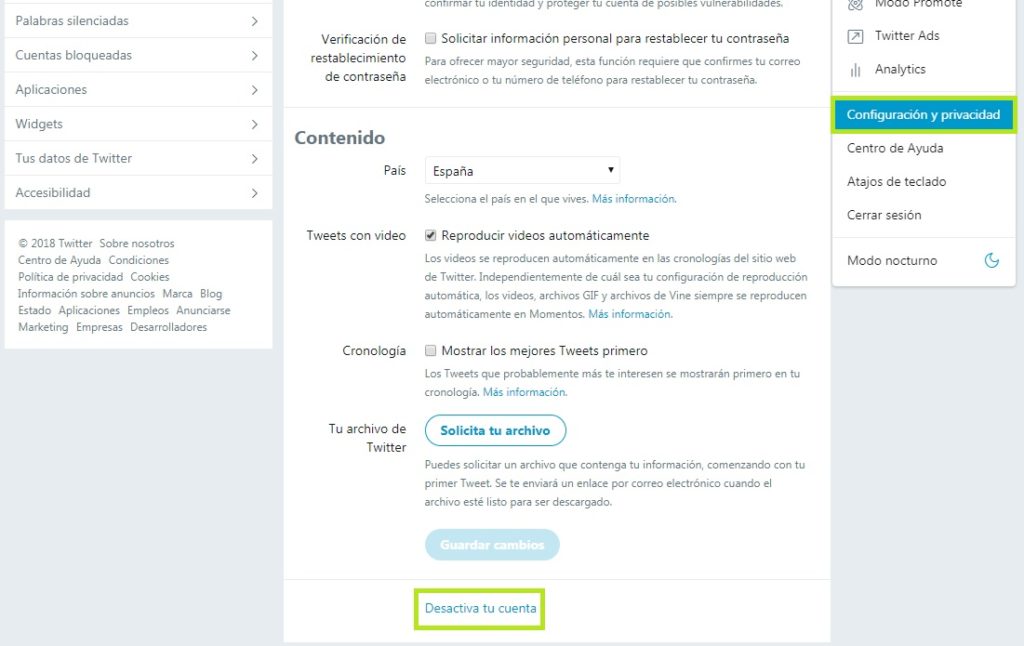
If all else fails, delete your accounts

If none of our tips are working, or you don’t feel strong enough to follow through with them, you may have a social media addiction. First of all, don’t feel bad, it’s a very common problem nowadays. However, we recommend seeking help to overcome it. A radical yet effective option is to delete your social media accounts. Then you’ll start to see that there’s more to life than the screen of your computer or phone. Good luck!

We hope that our tips have helped you to get away (even a little!) from social media this summer. Do you have any other ideas that might work? Feel free to share them in the comments section!

Best Instagram accounts with the most followers

We’ve counted up all the followers and put together a list of the most popular Instagram accounts in sports, movies, and music. Check this out.

Today we’re going to look at some of the best Instagram accounts across a number of different categories. In particular, we’ll be focusing on Instagrammers with the most followers. This will allow us to cut through all the subjective arguing that could go into what an Instagram account needs to be or do in order to be good or, indeed, the best. Today’s not about hashtags, snippets, tweets, or color palettes. Today is all about raw numbers. These are the influencers and Instagram users with the most followers.

The categories we’ll be breaking today’s social media popularity contest into will be musicians, movie stars, and sports stars. So, without any further delay, let’s go through all the top Instagram accounts.

Instagram Download Now ►
7

Best Instagram accounts

We’re going to start today’s list by looking at the best musicians on Instagram.

Most popular pop star Instagram accounts

All follower counts are from the time of writing.

Ariana Grande – 187 million followers


View this post on Instagram


A post shared by Ariana Grande (@arianagrande) on May 21, 2020 at 9:02pm PDT

Ariana Grande has the second most followers of all on Instagram, well third if you count the social network’s own account. We’ll get to the top dog in a moment but number two belongs to the pop sensation Grande. Already a global star at the time she won hearts a couple of years back when her concert in Manchester, UK was bombed by terrorists and she showed solidarity with the victims and even threw a benefit concert. Her Instagram account offers a behind the scenes look at her concerts, selfies, and cool Instagram stories as well as many public appearances, with the odd personal Instagram photo thrown in for good measure.

Selena Gomez – 178 million followers


View this post on Instagram


A post shared by Selena Gomez (@selenagomez) on Apr 22, 2020 at 5:13pm PDT

Hot on the heels of Grande is Selena Gomez who began her career appearing on children’s TV shows. She’s since moved on to singing, acting in TV shows, and is also a TV producer. As seems to be the trend now for owners of Instagram mega accounts, Gomez has set up a beauty firm too, which itself has over a million followers. This account is very much the same as Grande’s, showcasing Gomez’s fame and beauty in a tasteful fashion.

Beyonce – 147 million followers


View this post on Instagram


A post shared by Beyoncé (@beyonce) on Jan 8, 2020 at 8:35pm PST

Queen Bee comes to take the final spot in our top three most popular Instagram. Beyonce is more of a cultural force of nature than your regular superstar. Everything she touches turns to gold and she has a voice that soothes the nation. This Instagram account just screams star power.

Most popular movie star Instagram accounts

All follower counts are from the time of writing.

Dwayne “The Rock” Johnson – 184 million followers


View this post on Instagram


A post shared by therock (@therock) on May 15, 2020 at 4:14pm PDT

The number one movie star in the world, at least according to Instagram, is Dwayne “The Rock” Johnson. It’ll probably be no surprise to most of you at all who are no doubt following The rock for all his movie insider posts and powerful workout assistance and motivation posts too. Recently, however, The Rock has also been using his account to plug his new Tequila brand as well.

Jennifer Lopez – 122 million Instagram followers


View this post on Instagram


A post shared by Jennifer Lopez (@jlo) on May 18, 2020 at 8:11am PDT

J Lo comes in as the second most popular movie star on Instagram, with her recent role in Hustlers showing that she still has plenty of power on the big screen. Lopez is another multi-talented star, however, and her Instagram account reflects this, showcasing posts from her slots on TV, performing in concerts, fashion shoots she’s done, and more.

Kevin Hart – 91 million followers


View this post on Instagram


A post shared by Kevin Hart (@kevinhart4real) on May 29, 2020 at 2:50pm PDT

Movie star number three in today’s list is funnyman Kevin Hart. Hart ascended to mega movie star status from the stages of the stand-up comedy circuit and has never looked back. He’s since become a bit of an onscreen lothario and you’ll plenty of posts here of his training as well as more family-focused content too.

Most popular sports Instagram accounts

All follower counts are from the time of writing.

Cristiano Ronaldo – 221 million followers


View this post on Instagram


A post shared by Cristiano Ronaldo (@cristiano) on May 7, 2020 at 9:17am PDT

So here we are. Who would have guessed that the biggest Instagram account in the world would belong to a sports star? Portuguese Footballer Cristiano Ronaldo takes the top spot, with over 20 million followers more than Grande in number two. Ronaldo’s account is very much a window into his family life, but it also includes plenty of personal snaps and a few training photos to go with them too. It has to be said, Ronaldo’s Instagram account makes him look like a really nice guy.

Leo Messi – 152 million followers


View this post on Instagram


A post shared by Leo Messi (@leomessi) on May 1, 2020 at 7:11am PDT

Instagram has spoken and declared Ronaldo the winner in the beautiful footballing battle that has been waged between him and Leo Messi for more than a decade. Ronaldo has almost 70 million followers than Messi, which proves only one thing, Instagram doesn’t know anything at all about football. We bet you Instagram even calls it soccer! Messi’s account is in fact pretty similar to Ronaldo’s to be fair, offering an inside look into Messi’s real-life while also showcasing training videos and photos alongside the odd post advocating for good causes.

Neymar – 138 million Instagram followers


View this post on Instagram


A post shared by ene10ta Érre ?? ? neymarjr (@neymarjr) on Apr 4, 2020 at 12:49pm PDT

Another footballer takes the third top spot in sports Instagram accounts with the Brazilian Neymar taking the honor. You have to go all the way down to 38th most popular Instagram account in total to get to a sports star who isn’t a footballer that falls on Indian cricketer Virat Kohli who sits just above Justin Timberlake. To be fair to Instagram on football, they’ve called it OK here, he’s incredibly talented but not fit to lace the boots of Messi or Ronaldo so his position in number three is well warranted.

These apps are draining your battery

Does your smartphone battery hardly ever last a full day? These five apps are killing your battery.

Smartphones are amazing and there is absolutely no doubt that the phones we have today are much better than the phones we had just a few years ago. That is not true, however, for the batteries that power them. Battery life is the same as it ever was. Mobile phone manufacturers haven’t been able to move beyond a simple truth. For more battery power, you’re going to need a bigger battery. It really is that simple. You can’t have more power without having a bigger phone and phones are about as big as they can get.

As a phone owner, however, there are things you can do to help squeeze a bit more power out of your Android or iPhone’s battery. Yep, you should be familiar with your device’s battery saver mode and of course things like screen brightness, Bluetooth and Wi-Fi usage, and battery health will have an effect too, but you also need to know that certain third-party apps will be placing a massive strain on your battery usage. If you delete these apps, you will immediately notice a difference. Let us show you then, the apps that are draining your battery.

Biggest battery draining apps

All the apps below are draining more than their fair share of battery. If you regularly find your phone dying before the end of the day, consider deleting any of the following apps that you have installed on your Android or Apple mobile device.

Facebook

Mark Zuckerberg doesn’t just want all your private data, seemingly, he wants all of your battery power too as he owns the top three apps to make it into our battery draining list. Facebook, however, is by far and away the biggest of the lot though, and deleting Facebook from your phone will have the biggest effect of any action we’ll recommend you today.

The main reason behind Facebook’s excessive battery drain is that it is constantly trying to spy on everybody all over the world. This means that the app on your phone is constantly tracking what you do and constantly trying to notify you about what everybody else on your network is doing. Think about it, Facebook is always running in the background, it syncs and updates whenever it wants to, and it is constantly updating contacts and software. This means you can limit Facebook’s power usage by turning off all internal notifications for the app. Or you can just delete it altogether.

Facebook Messenger

Hot on the heels of Facebook is Facebook Messenger. You know that app that extra Facebook decided you had to download as it was no longer ok to send messages to your friends using the Facebook app. Yeah that app that you shouldn’t even need but do because a global corporation forces you to download it. That app is a massive battery hog that is likely causing your phone to run out of battery long before it needs to.

The reasons for this are much the same as they are for Facebook. Messenger is a busy app, constantly buzzing away in the background and using a lot of your phone’s hardware in the process. Fortunately, for anybody looking to save battery without losing access to the biggest social network on earth, you can download the Lite versions of Facebook and Facebook Messenger, which will use a lot less power than their bigger siblings.

WhatsApp

WhatsApp

We’re now at number three on our list and as you can see, we’re still talking about a Zuckerberg-owned app. WhatsApp is an incredibly useful app, so much so, that it is the most popular messaging app in the world. That comes as no surprise too, when you consider that you can use WhatsApp to text and call your friends and family, make video calls, easily send photos and videos, and effortlessly create messaging groups with lots of different people. Not too bad at all for a free app.

The catch, however, is that WhatsApp uses a lot of battery power. The internet modem on your smartphone is one of the most power-hungry pieces of hardware it has. By sending all your messages and transferring all your social data over the internet rather than the phone antenna, you’re placing more of a strain on your device’s battery. The real kicker here, though, is that there’s no real alternative. If you want WhatsApp to use less of your battery, you’re going to have to use it less.

Google Maps

Just like with your data, the other big guilty party when it comes to hogging your battery power is Google. In particular, out of all the Google apps, Google Maps is the one that is using the most of your juice. Google Maps needs a lot of data to accurately keep you up to date on your whereabouts. As we mentioned above, more data means more power.

To limit the amount of power that Google Maps needs you need to go into Settings on your mobile and then scroll down until you find the Google Maps option. Once you’re there select Location and adjust to While Using the App. Another quick battery-saving measure you can do is turn off notifications too.

Snapchat

Snapchat makes it onto our list today by being guilty of a number of the crimes we’ve mentioned above. Basically, Snapchat is always on and constantly tracking and looking for something to notify you about. On top of that, Snapchat is constantly tracking your location so that it can tell your friends where you are and what you’re up to.

As you’ve probably guessed, the best way to stop Snapchat hogging all your battery is to delete it from your phone altogether. If you don’t want to do that, however, you can limit certain features and functions. You need to go into the Snapchat app and open Settings and select the Who Can… option and hit My Location. When you’ve done that hit Ghost Mode and you should start to notice your battery lasting a little longer at the end of the day.

Productivity tips for lazy people

These productivity tips will help you get more work done when you need to do it.

productivity plan

Getting things done can be such a chore. It is not just the finishing of jobs that is hard neither. Starting them can be bad enough too. Whatever the reason or distraction that is standing in the way of the work that needs doing does not matter. The only thing that counts is that it is there, and the work is not getting done.

Fortunately, however, there are a number of coping techniques and tips that you can utilize to break through these difficult times when distraction reigns supreme. You are not lazy, you just like to occupy your mind with other pursuits when there is work to be done. Well, these tips are here for you to help you regain control of your consciousness and start getting stuff done. These are the top productivity hacks to help you improve productivity in your daily life.

Tips for productivity

These tips aren’t necessarily related to apps or software, they’re simply good practices to have at hand any time you feel distracted or struggle to start a task. The truth is we do a lot of jobs on our computers these days, and they bring with them a whole new world of electronic distractions such as social media and online procrastination. These tips are here to help you fight them.

The 2-minute rule

2 min rule

The two-minute rule is a simple yet brilliant way to increase productivity. It offers a way to instantly deal with the small tasks that end up in your in-tray and forces you into taking action on similar tasks that would eat up a larger amount of time. The two-minute rule states that:

If a job can be done in under two minutes, you should just do it there and then.

If a job is clearly going to take longer than two minutes, then you should start it right there and then.

This rule is brilliant because it instantly activates your brain to the task at hand. It declutters your to-do list by making sure none of those little tasks clog it up when they’re so easy to complete. On top of that, the rule also ensures that those bigger tasks are already underway when you move not the next item. It is always easier to come back to a task you’ve already started than it is to start a new one.

Chew gum

OK, this one sounds a little strange. Let’s all be honest though; you’re not looking for productivity tips here that are going to take a lot of effort. Really, you’re after the easiest tips that will have the biggest results. Well, that’s what we have here. Scientific studies have found that chewing gum can make you more productive. Amazingly, chewing gum can make you work 10% faster, can stop you feeling sleepy, and can even make you more charismatic. Start chewing gum now!

Break lists

This is a cool little tip that will make so much sense once you read through it. It is imperative that we take breaks during the day if we’re to work as effectively as we can. In fact, be should be taking 15-20-minute breaks roughly every 90 minutes. Shutting down one program on your computer and opening another one, say Twitter or Facebook, for example, is not going to have the regenerative effect a proper break will. This is why you should create break lists; write down all the short pleasurable activities you can think of that help make you feel better. Now, this could be something like “check Twitter” but only add activities to your list that help you feel like you’ve had a break. Mine would be something like read from a book or magazine, take a walk, make a coffee, call a friend, etc.

Microsoft To-Do Download
8

The Pomodoro method

Image via: Flickr

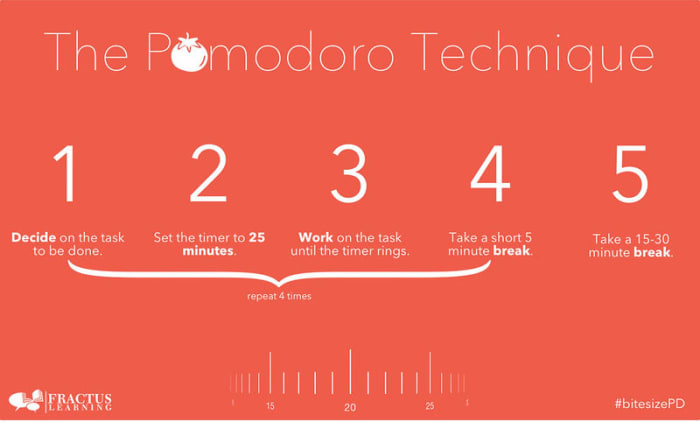
If you really want to take your breaks to the next level, you should look into the Pomodoro technique. Pomodoro works off the idea that your brain can only remain truly active for around 25 minutes. You set a timer for 25 minutes and then every time it rings you take a short five-minute break. This could be when you go make a coffee or check your phone. Then, when you’ve done this work-break cycle four times, you take a longer 15-30-minute break and then start the process all over again. This way you get to go through all the different items on your break list while training your brain to focus for shorter periods.
Pomodoro Timer Donwload
8

Don’t break the chain

We’re not talking about a Fleetwood Mac song here; we’re actually talking about a Seinfeld hack. Yep, Jerry Seinfeld actually shared one of the productivity tips he used to help him develop as a comic by trying to write better jokes every day. To do the same you need to get yourself a huge calendar poster that covers an entire year. Then every day you work on the task you want to work on you get to put a giant red x in the square for that day. Pretty soon, you’ll have a chain of red x’s and you’ll be a hell of a lot more motivated to work on your task because you won’t want to break the chain!

Do the hardest thing first

The final tip of the day is about what you should work on first. It is no secret that the most productive time of day is first thing in the morning just after we wake up. This means that it is first thing in the morning when we begin working that we should tackle our hardest tasks. This way you will take care of the most challenging and pressing issues when you’re at your best, but it also helps build momentum for the rest of the day. Once that first big task is out the way, everything else will feel smaller and less daunting.

Multiplayer online games that your non-gamer friend will love

These multiplayer games are all perfect for playing with your non-gamer friends

Tetris 99 for non gamers

The final article we’re bringing you in this week’s look at the best games to play while you’re stuck at home is here to help you reach out to your friends even while you can’t leave the house. The truth is, not everybody is a gamer though so you can’t expect anybody and everybody to get involved in your next World of Warcraft campaign just because you haven’t seen each other in the real world for quite some time.

All is not lost, however, as there are plenty of games you can play online with friends who wouldn’t normally play video games. Some of these games are free, all of them are fun, and most of all they are all accessible to people not used to playing video games alone or with friends online. Let’s get into them then, the best multiplayer games to play with non-gamers.

The best games for non-gamers

The five games listed below all offer unique experiences that could be attractive to non-gamers and first-time gamers alike. All our perfect to play with friends when you’re stuck inside. There’s no ridiculously complicated RPGs or first-person games in this list, just the best video games with accessible gameplay, gentle learning curves, friendly co-op games, and simple gaming dynamics.

Minecraft

Minecraft is a huge open-world game that offers a massive world to explore, inhabit, and shape. The graphics are rudimentary in Minecraft, which may go both ways for new gamers either earning a scoffed rebuke or appearing unthreatening. The game dynamics and physics that lie beneath the surface, however, are deep and rich. As well as the huge physical size of the Minecraft game world, it also offers a universe’s worth of possibilities complete with a plethora of elements and materials to find, mine, and ultimately craft.

Playing Minecraft with a non-gamer friend offers a non-threatening and open-ended experience. If you start your own private server in Creative mode, you’ll be able to build whatever you like in peace. You’ll have no enemies to worry about, no battles to fight, and you’ll simply be limited by the bounds of your collective imagination. This is the perfect way to spend time with friends while you can’t actually be together. Create a world together and then build it in your own image.

Minecraft Download now ►
7

Castle Crashers

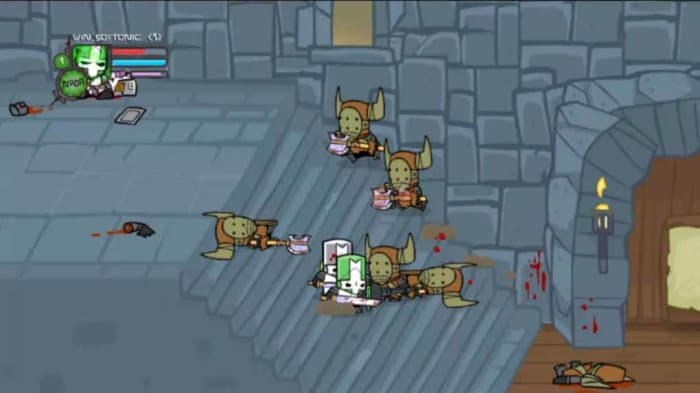
Castle Crashers is a ridiculously fun side-scrolling arcade-style action and adventure game. Simply put, you don’t need to be a hardcore gamer to be drawn into the fast-paced colorful action that can be played cooperatively by up to four players. What’s even better is that you don’t need to take this game too seriously. This is a party game in its purest sense.

The action sees you playing as four intrepid knights battling through a mystical, fantasy land in a bid to overthrow an evil sorcerer. There’s plenty of brightly animated, cute beasties for you to fight but don’t be fooled. These are tough little creatures and you’ll have to work hard and fast to past them all.

Castle Crashers Download now
8

Portal 2

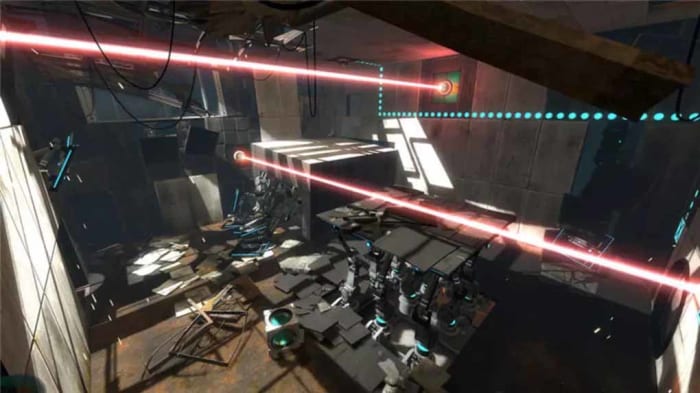
The original Portal game introduced some truly revolutionary game dynamics to the world of gaming. The titular portal gun allowed players to beam themselves around each individual level, with each being built specifically to warp the brains of the player so that they can best make use of the intriguing new technology. When you add to that the dark humor that the game also leveled at players you can see why the game became a cult classic.

Portal 2 improved and built on the winning formula in every way with one such way being the introduction of new cooperative dynamics. Portal 2 has all the physics-driven puzzles and action found in the first but can also be played with your friends. Being a mind-bending puzzler too, that doesn’t have any lethal weapons makes it perfect for anybody who doesn’t normally play video games. This is one of those games that will have non-gamers realizing they’re wrong about games and never knew all that they could be.

Portal 2 Download now
9

Tetris 99

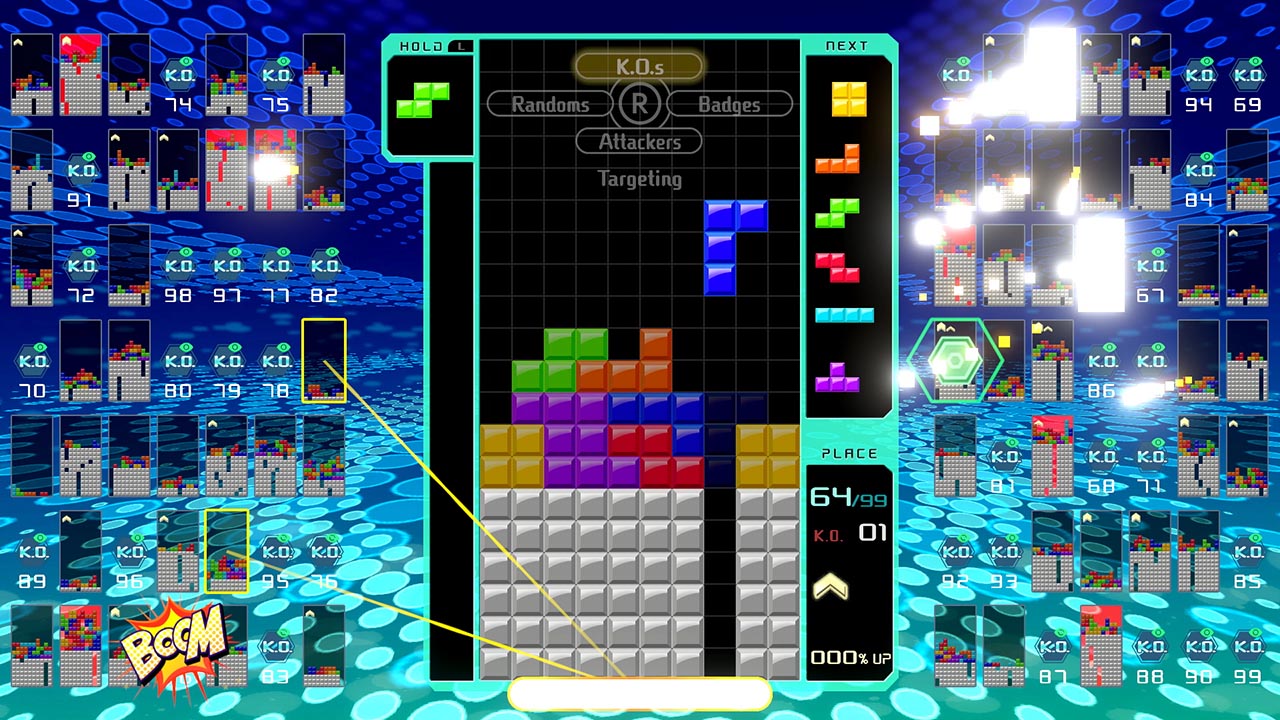
Even non-gamers know about Tetris and have probably played and loved it. The Gameboy classic puzzle game is another one of those video games that doesn’t feel like a traditional video game, it feels like something else. A game and puzzle in its purest sense, Tetris is simple yet perfect. Tetris 99 takes that video game ubiquity that has touched even the most ardent non-gamers and adds a manic social aspect to it that is a lot of fun once you get into it.

Tetris 99 is a Tetris Battle Royale game. Yep, you read that right. It is a game of Tetris that sees 100 players battling it out with each other in a bid to become the last man standing. It comes complete with new multiplayer elements including being able to lob bricks of all shapes and sizes at your enemies in a bid to throw them off-kilter and block up their screens. Ask your non-gamer friend if they’re ever played Tetris before and then ask them if they want to play it together against 98 other people. Then, let the fun commence.

FIFA 20

FIFA has always been one of the best social games ever. Playing a match against a friend sat next to you on the couch and beating them is a truly satisfying experience. When EA Sports added online multiplayer action the game though, everything went to the next level. You can now play against another player on the other side of the world and even play as a single player in a team of 11 against another team of 11 players. Absolutely ridiculous.

FIFA’s also great for playing with non-gamers though, as most of the time they’ll at least be football fans, so they’ll have something invested in the game before they even pick up the pad. If you then find that you’re unevenly matched to take on each other, you can simply switch to coop mode and try to win yourselves a trophy together. That way you’re in it together and everybody wins.

FIFA Mobile Soccer Play Now
9

Best apps to edit your Instagram photos

These apps will help you edit your Instagram photos so that they look amazing. This is how to edit Instagram photos.

Instagram on mobile

Image is everything on Instagram. You want your photos to look good because you want to look good. Instagram is a photo first social network. Practically, this means that snapping quality photos just isn’t enough anymore. You can capture all the great views, vistas, events, people, or whatever you like and still not get any sort of traction on Instagram. Instead, what you need to do is edit your photos to bring out all the best elements, shades, and lighting effects.

All this means Instagram can be an intimidating place. When they pop up on your Instagram feed the most popular accounts, even the ones not run by celebrities, look they have hired a professional photographer to snap everything they do for their Instagram posts. The truth behind the lens though is less intimidating. What they’ve really done is downloaded any of a number of photo editor apps that then help them turn their basic photos and selfies into high-quality social media gold. This is what we’re here to do today. Walk you through all the best apps you can download that will help you edit Instagram photos. You’ll still need a good eye for a photo but with any of these apps on your phone, you’ll be able to take things to the next level and post your best Instagram photo yet.

Instagram Download Now ►
7

Best apps to edit photos for Instagram

VSCO

VSCO

VSCO is available for both Android and iOS phones and offers some very user-friendly photo editing features that will have your smartphone pictures looking excellent in no time at all. What’s very cool about VSCO is that as well as a simple user interfaces on your phone, it also offers a Lightroom plugin that will make it possible to work with the same filters on your desktop PC. This is an extremely effective trick to have up your sleeve when trying to break through on Instagram. Most successful accounts will be pulling off desktop edits of their shots before posting them on mobile. VSCO offers you a path to the big leagues by making it easy to do so yourself.

VSCO also has a great in-app camera feature which works very well alongside all the regular edit features you’d expect to find on a photo editing app like this. You’ll find filters, lighting effects, vignettes, tinting, and more all easily controlled via slide bars that will show you your edits in real-time.

VSCO Download
9

PIXLR

PIXLR

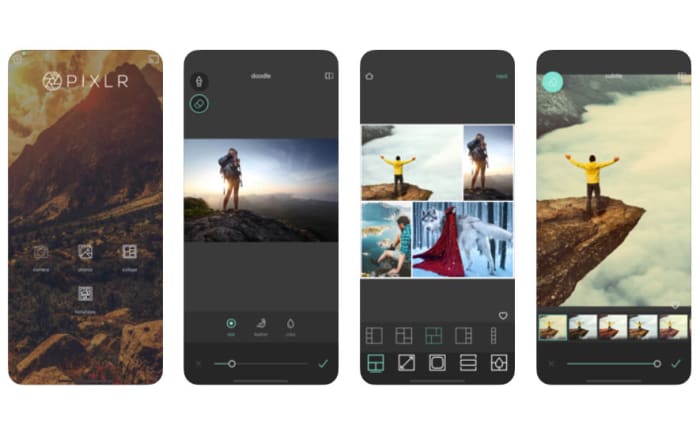
Another great app for all you budding Instagram influencers is PIXLR, which works on Android smartphones and tablets, iOS iPhones and iPads, and a whole host of other platforms including Microsoft Windows, Apple Mac, Linux, and web browsers like Google Chrome and Mozilla Firefox.

Again, like with VSCO, PIXLR has a very user-friendly interface so it won’t add an extra layer of complexity to your social sharing process. In fact, PIXLR has some specially designed social sharing features built right into the app. Editing features here include making collages, adding text, blurring or sharping your images, and even more outlandish edits like making your photos look like hand-drawn sketches. There’s a lot to master with PIXLR meaning you’ll really be able to develop your images, if you commit the time it’ll take to master the tools the app will give you.

PIXLR Download now
8

Snapseed

Snapseed on mobile

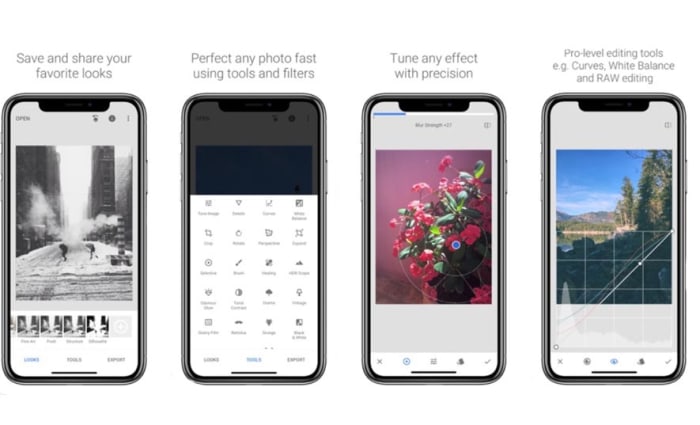
Google’s Snapseed app puts a lot of very powerful photo editing tools into your hands for free. Like with PIXLR, Snapseed also makes it very easy to instantly share your edited and optimized masterpieces to social networks like Instagram and Twitter. Snapseed is a mobile-only app that is available for iOS and Android phones.

All in all, Snapseed has an impressive 26 different editing tools and features including the likes of blur, vintage filters, white balance, lens bokeh, HDR optimization and more. For a mobile app, there is a lot here that can help you take a high level of control over your Instagram photos. Quite rightly, Snapseed is considered one of the best mobile photo apps available today and, accordingly, is the preferred choice of professional photographers and serious amateur snappers alike. You could say that there is somewhat of a steep learning curve to Snapseed but if you really want to try and make your Instagram sing with great photos, this is the one app you should download above all others.

Adobe Photoshop Lightroom CC

Lightroom for mobile

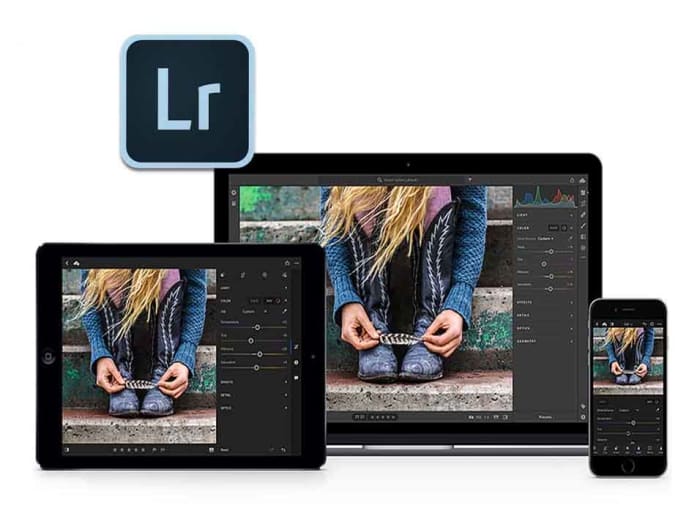
When it comes to graphic design and photo manipulation, Adobe Photoshop is the top dog and has been for years. If you’ve ever edited an image you fall into one of two categories. You either have Photoshop or you want it. Fortunately for mobile users, Adobe has developed a rather handy mobile app in Photoshop Lightroom CC that is available on both Android and iOS. What’s even better is that the basic version is available for free.

Obviously, there are certain sacrifices you’ll make using a mobile app compared to the full desktop version. There’s still a lot here though including the tonal curve, exposure edits, and contrast and sharpness. Adobe has also built-in social sharing features that you can access from the free version. If you do decide to stump for a full Adobe CC subscription though, you’ll be able to seamlessly switch your edits from mobile to desktop.

Adobe Lightroom Download Lightroom
7

Layout

Layout app

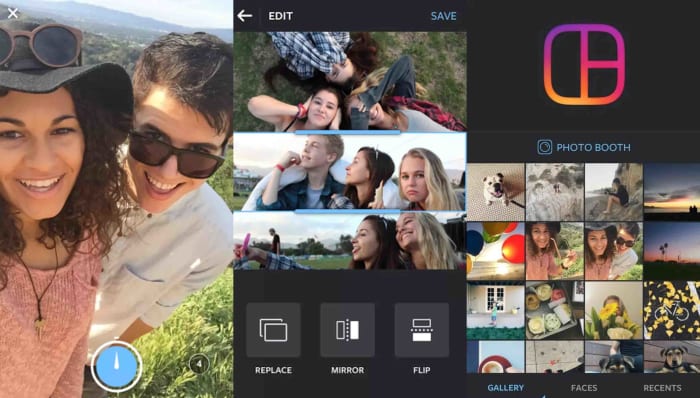
Our final app today is Layout, which has actually been designed by Instagram itself. Layout is free and available on both iOS and Android and works as both a camera app and a photo editing tool. Layout isn’t a serious photo editing tool like Snapseed or Lightroom CC, but it has been optimized to work with the dimensions of the social network and to create visually appealing photo creations.

The main aim of Layout is to help you make cool collages and then run them through Instagram’s myriad filters and editing tools. You’ll then be able to quickly and efficiently share your work directly to Instagram.

Layout for Instagram Download now
8

Best Android apps to create avatars

These apps will help you make your own fun avatars to use as your profile image on all your social media and messaging apps

Android avatar apps

We live in a modern world where information and data flow freely. We can post videos online, talk to relatives on the other side of the planet, and communicate quickly and easily with many friends at once in group chats. In such a world, do you really think a mere username or phone number is enough? These days, if you want an online identity that says something about you before you do, you need an avatar.

Today we’re going to walk you through some of the best apps you can download on your Android phone to help you make your own avatar. With a well-designed avatar, you can display your personality without showing off your actual face. As well as being fun to make, avatars can also help keep you safe online. Let’s get started then. These are the best Android avatar maker apps

The best Android apps to make avatars

Boomoji

Boomoji for Android

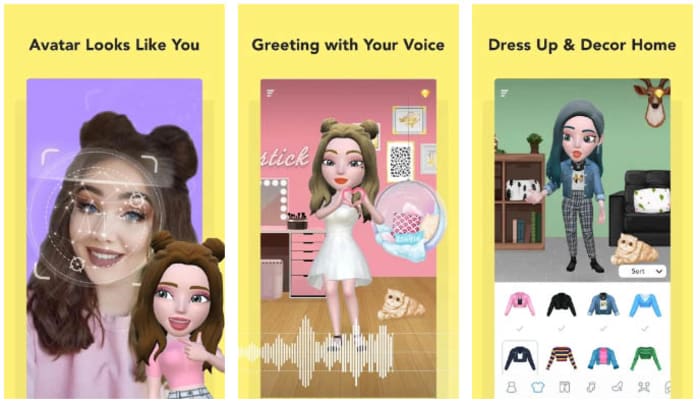
Boomoji could be the best avatar maker app on our list. This app will actually scan your face through a selfie and then build a 3D avatar that looks just like you. So far so good, but Boomoji goes even further by allowing you to then tailor the resulting avatar even further. You can tweak things like hair color, hair style, eye color, skin tone, and more.

Boomoji is so much more than an avatar builder though. Once you’ve built your avatar you can then use the app to film mini animated avatar movies using in-app scenes with your avatar and also your friend’s avatars as the stars. The app also has AR features, which means you can see what your avatar looks like in the real world too. On top of all of that, Boomoji also has a massive collection of animated stickers and emojis and games too, which you play as your avatar.

Boomoji Download now
9

FaceQ

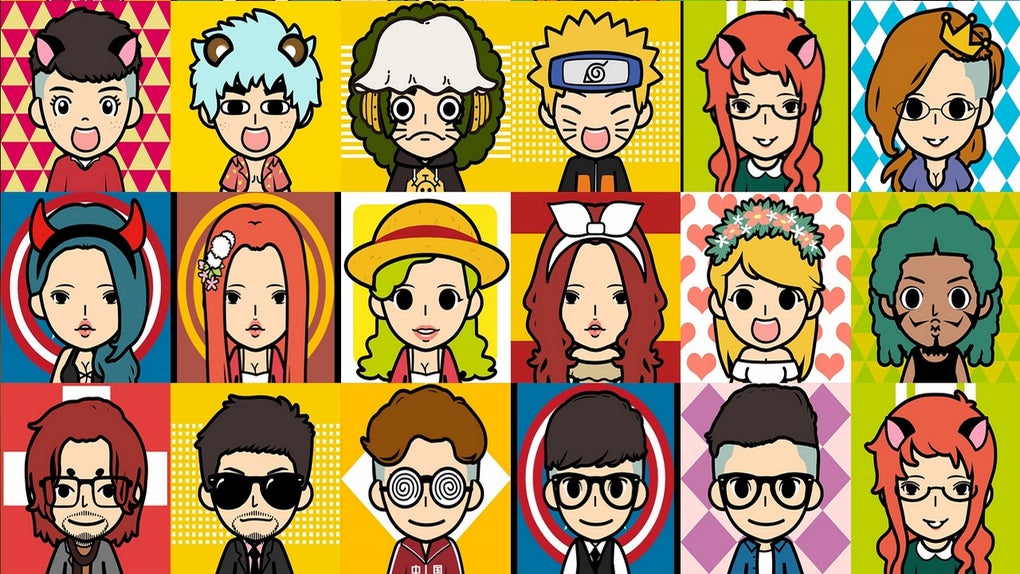
FaceQ is a great little app that you can easily lose hours to. This app is about creating cute, cartoon avatars and it easy to use, even if you can’t draw. You simply choose your gender and then model on various other facial features like eyes, nose, lips, and stuff like hair and eyebrows too. You can also tailor things like clothing and emotions, and you can play around with the background and add text, if you’d like. The other cool thing about FaceQ is that it is free and doesn’t show you ads.

FaceQ Download now
8

SuperMii

SuperMii

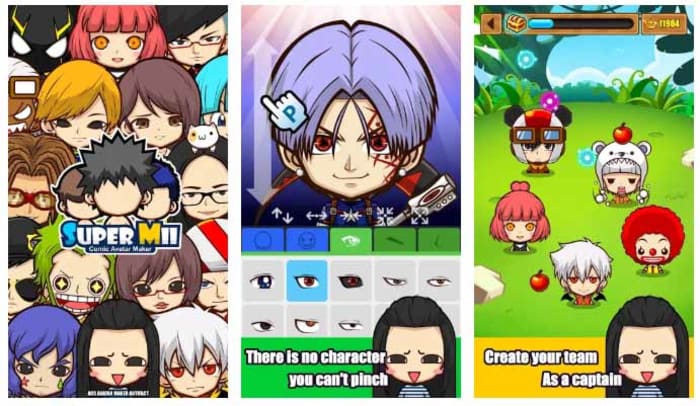
If you’re an anime or comic book fan, then you might want to check out the SuperMii app. SuperMii gives you all the usual avatar customization options but does so in a bright and vibrant anime style. This is definitely one of the edgier avatar creator apps we’re featuring today. As well as designing the facial features, SuperMii also gives you the power to control facial expressions too. There’s also a lot of other cool features here for you to play around with.

SuperMii - Make Comic Stiker Download now
8

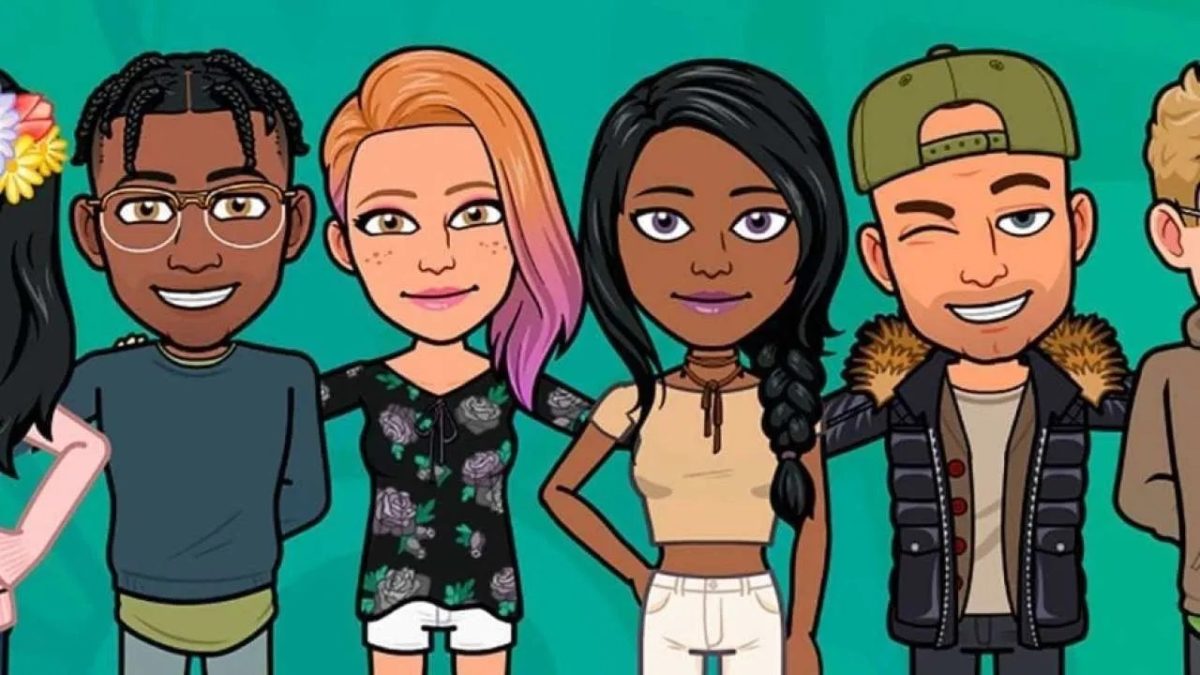
Bitmoji

If you want to download one of the most popular Android avatar apps, you should look at Bitmoji. What’s cool about Bitmoji is that it can connect with a lot of apps straight out the box, which means it is very easy to use your avatar across all your online services. You’ll no doubt already be familiar with the Bitmoji avatar style if you use Snapchat. What’s even better is that you can link the app to your Gboard keyboard app, which means you can easily add your avatar to third-party apps, with the simple press of a button on your on-screen keyboard.

Bitmoji Download now
9

Androidify

Androidify

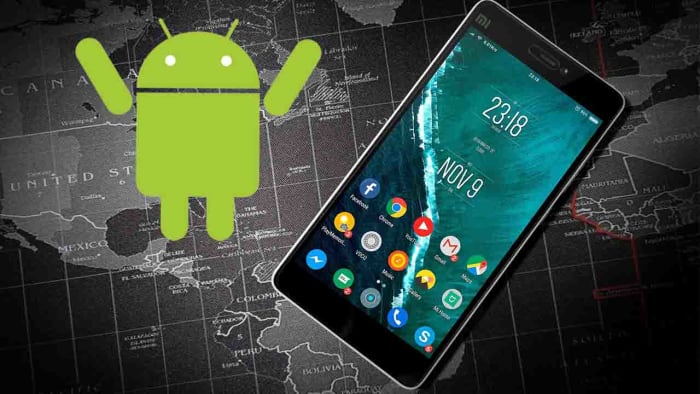
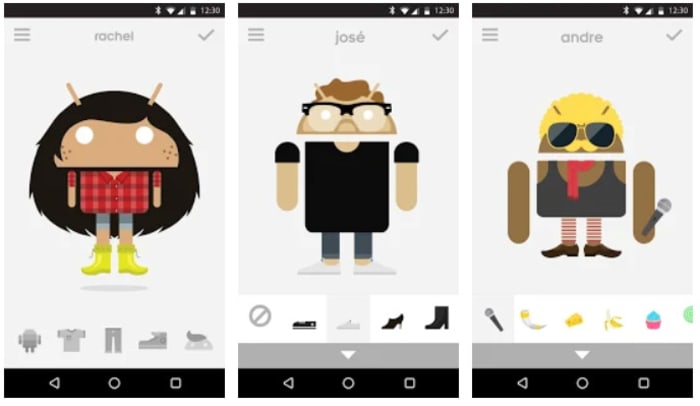
Androidify adds an interesting new aspect to your avatar creation. Basically, Androidify gives you the chance to create an avatar out of the Android logo. You can take the logo from the little green alien looking robot everybody knows and loves, and then really go to town giving it a makeover. Think cameras, smartwatches, hipster outfits, and all manner of weird accessory from smoker’s pipe to rubber duck. What’s even better about this app is that it comes from Google directly, which means it is completely free to use, doesn’t have any in-app purchases, and won’t show you any ads.

Androidify Download now
7

Cartoon Maker

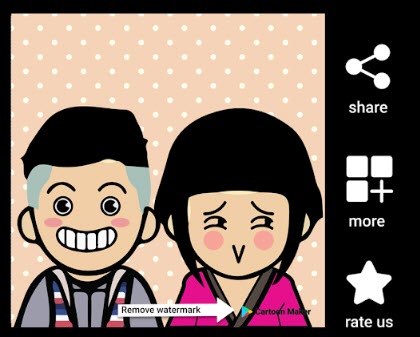
The final app we’re featuring today is Cartoon Maker, which is another app that focuses on creating fun avatars with comic-like features. This is a little similar to what FaceQ offers. If you go with this avatar app, you won’t be trying to recreate something that looks just like you, rather you’ll be picking an app that will help you show off a fun and outgoing side of your personality.

Cartoon Maker - Avatar Creator Download now
8

Wrapping up

You’ve now got some really great options for creating yourself a unique and personalized avatar to use on your online accounts. If you’re a parent who is worried about their children using online social media apps like Facebook and Snapchat or messaging apps like WhatsApp, the apps we’ve outlined above could offer you some peace of mind. Furthermore, as well as offering you a way to allow your children to access the internet, these apps will also give you a fun activity to do with your kids too, as you design their avatar together.

How to know if somebody has blocked you on Facebook, WhatsApp, and Instagram

This is how to find out if somebody has blocked you on Facebook, WhatsApp, and Instagram

Have I been blocked on social media

Do you want to know? That’s the question you should be asking yourself now. You’re here because you want to find out who has blocked you on either Facebook, Instagram, or WhatsApp. Maybe you think they’ve blocked you on all three. We’re going to show you how to find out, which means this is your last chance to ask yourself. Do you really want to know?

Have you taken a second? You want to go on. OK, let’s do this then. Let’s go through how to find out if somebody has blocked you on social media. We won’t be able to get them to unblock you, but at least you’ll know what’s going on.

How to know who blocked me on Instagram

Have I been blocked on Instagram?

If you get blocked on Instagram, you won’t receive any notification telling you it has happened. All that will happen is that the person will disappear from your feed and you won’t see any new posts from them. Now of course, this could just be a case of them not posting anything, but if your suspicions have been raised and you think the person may have blocked, you’ll be glad to know that there are a few ways you can find out.

Instagram Download Now ►
7

The first thing you need to do on iOS iPhones or Android devices is search for the account on the Instagram app. Then, if you can’t find the person’s profile page, then there is a good chance you’ve been blocked. If, however, you find that the account is set to public, but you can’t see their profile picture, post count, following or follower count, and it says No Posts Yet, you have definitely blocked.

If you’re using a Windows PC or Mac, you need to type www.instagram.com/… and add the account name you think might have blocked you after the dash. If the page says, Sorry, this page isn’t available then again, it looks like you’ve been blocked. They might have deleted their account but chances are they’ve blocked you.

You can confirm that you’ve been blocked by looking for an Instagram account you know the person follows and looking through their posts. If you see that they’ve commented on any of the posts, then you know you’ve been blocked.

How to find out who blocked me on Facebook

Like on Instagram, to find a Facebook user who has blocked you you’re going to have to do a little digging. The first thing you need to do is search for the friend who you think has blocked you using the Facebook Search bar at the top of the page or app. You then want to click the People tab to remove stuff like pages and groups from your search results. If you can’t see the person’s profile image or account in the results, there is a good chance you’ve been blocked.

7

When you’re not friends with somebody on Facebook you can see some of their profile in your search results. If a person has blocked you, however, they won’t turn up in your search results at all.

If you’ve done all that and you still think you’ve been blocked, you can confirm your suspicions by going to a mutual Facebook friend’s account and searching through their friends list. If you find them, you haven’t been blocked. If you can’t, you’ve either been blocked or they’ve deactivated their whole account, which, you know, might not actually be you fault alone.

The other way to try and confirm you’ve been blocked is to search out any past communications between you both. When you find them; whether they be birthday greetings, direct messages, or whatever, you won’t be able to see their profile picture, if you’ve been blocked.

As you’re probably guessing, none of these methods can tell you definitively 100% whether you’ve been blocked or not. They can give you a very good idea, but nothing certain. To know for certain there is only one foolproof method, but it might actually be worse than being blocked. The only way to know for certain if somebody has blocked you on Facebook, is to ask them.

How to find out who blocked me on WhatsApp

Have I been blocked on WhatsApp?

Much like with Facebook and Instagram, WhatsApp doesn’t have an official way to discover who has blocked you. Not to worry though, as with a little digging you can get a very good idea of whether you’ve been blocked or not.

WhatsApp Messenger Download Now ►
8

The first thing you can do to see if you’ve been blocked by a contact on WhatsApp is search out their profile and open it. What you’re looking for here is their profile picture. If you know that you used to be able to see their profile picture but now you can’t, there is a very high chance that they’ve blocked you on WhatsApp. Of course, there is a chance that they’ve simply deleted their profile picture.

The other thing you can do is send some messages to the contact and then keep an eye on the message ticks. If the messages stay with only one tick for a long period of time, then there is a very high chance you’ve been blocked. If your had two grey ticks, they’d simply be ignoring them, but one tick means the messages aren’t even getting to their phone,  so you’ve probably been blocked. You could confirm this by asking a mutual friend to send them a message and seeing how many ticks their messages get.

Wrapping up

So, there you have guides for finding out who has blocked you on Facebook, WhatsApp, and Instagram. The only certain way to do so is to ask the person and see what they say. If you’re not up to task, however, the methods we’ve outlined above will give you a pretty good idea. The important thing to remember though, is that no matter how important you think this is, you will be able to get over it, if the person has actually blocked you. There’s always a way back and there will always be another chance for a brighter tomorrow. No matter what your investigations find, you’ve got this, friend.

How to record your calls: Skype, Hangouts and WhatsApp

Here is our guide for recording audio and video calls on Skype, Hangouts, and WhatsApp

How to record video calls skype whatsapp hangouts

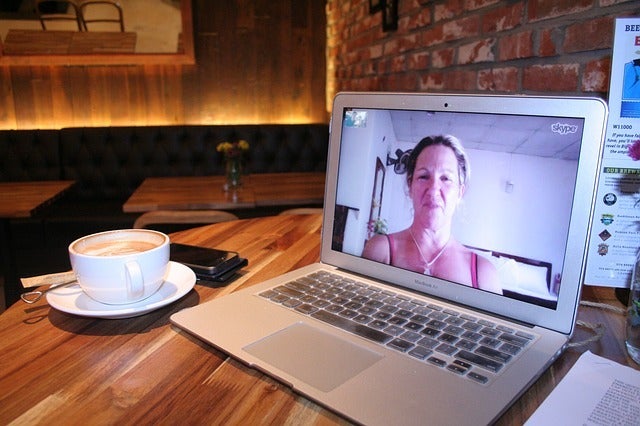
Recording conversations that take place over voice or video calls is no longer the reserve of spy movies and dodgy cops. Now, anybody can do it and it is easier than ever. Think about it, pretty much all types of long-distance conversation are easier than ever so it makes sense that recording them would be too. Just think, thanks to Skype, WhatsApp, Google Hangouts, and other programs too, you can now video call friends, family, and colleagues all over the world for free.

Now there could be many reasons why you want to record your calls. You could be interviewing somebody for a podcast or need a record of certain important information. As we always say here at Softonic, we’re not concerned about the why. We’re here to help you with the how. Without further ado then, let’s get started on how to record video calls on WhatsApp on Apple and Android devices, and Hangouts and Skype on a Windows PC or Mac.

How to record video calls on Skype

Skype has a call recording function built into the app as standard. This means that recording your Skype calls is as simple as pressing a couple of buttons. There is no need to install any third-party apps.


The Skype video call function only works for Skype-to-Skype calls. The other thing you need to consider is that, in the interests of privacy, all participants in a call will be notified that somebody is recording the call, as soon as they hit record. The recording will then be posted in the call chat box once the call ends or the recording function is switched off. You can record Skype calls for up to 24 hours, with longer calls being broken up into multiple files, and all recordings will be saved to the cloud meaning you don’t need to worry about local storage space on your device. Once the call has been posted to the calls chat box, you’ll have 30 days to download the recording.

This is how to record audio and video calls on Skype

1 – During your Skype call hit the ellipsis (three vertical dots) menu icon to open the Options menu.

2 – On Skype for desktop you’ll see a button labelled Start recording. Hit this to begin recording your call. If you’re using Skype on a mobile device, look for the button with a circular record icon next to the words Start recording. Pressing this will begin the recording.

How to record video calls on Google Hangouts

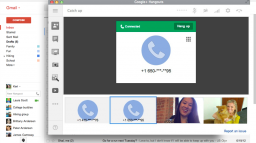
google hangouts calling

Google Hangouts also has a built-in call recording function, which means you won’t need to install any third-party apps or programs to record calls. The problem, however, is that the function is only available for certain types of G Suite subscriptions. This means it is only available for G Suite Enterprise and G Suite Education users. If this applies to you, follow our instructions below. If it doesn’t, scroll down to the instructions we’ll give on recording WhatsApp calls and calls from other video call apps where we’ll tell you how to record calls using a third-party screen recording app.

Hangouts Download now
6

This is how to record calls on Google Hangouts

1 – Start or join a video call either by clicking the meeting link or going to Hangouts and hitting the VIDEO CALL option.

2 – Once all members of the meeting have joined the call, click the ellipsis menu icon in the bottom-right corner of the screen to open the options menu.

3 – Hit the Record meeting option at the top of the menu and wait for your recording to start. To finish the recording hit the ellipsis menu icon again and then press Stop recording.

NB – Like with Skype, all members of the call will receive a notification telling them the call is being recorded. The call will then be saved on the Google Drive of the meeting admin in a folder called Meet Recordings. The admin will also receive an email containing a download link.

How to record WhatsApp video calls

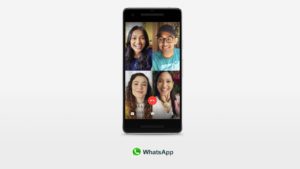
Whatsapp group video calls 4 people

To record a video call on WhatsApp you’re going to need to download a third-party video call recorder app that will record everything happening on your device’s screen. If you have an iPhone running iOS 11 then your phone already has a screen recording feature. If not, then you need to download a screen recording app and we recommend Go Record: Screen Recorder as an excellent option. If you are using WhatsApp on an Android phone, we recommend you download and install ADV Screen Recorder.

It is worth noting that once you have either of the apps we’ve listed or are using an iPhone running iOS 11 or above, you can follow the instructions below to record calls on any video call apps you have on your mobile device.

WhatsApp Messenger Download Now ►
8

Go Record: Screen Recorder for iPhone Download now
7

ADV Screen Recorder for Android Download now
8

This is how to record calls on WhatsApp

1 – Open your screen recorder app or feature.

2 – Minimize the app and then open WhatsApp too.

3 – Start your video call with your selected contact/contacts.

4 – Open up your screen recording app and hit the record button.

5 – Go back to your call and have your conversation as you normally would. You can end the recording any time by going back to your app and terminating the record function.

NB – This method for recording calls is a little more discreet than the two official methods outlined above for Skype and Hangouts. There are no automatic notifications sent here so it could be a good idea to let everybody who is involved in the call know that you’re recording the conversation. The other thing to consider with this method is that your recording will be saved in among all the other recordings you make with your screen recording app. This means it would be a good idea to immediately rename your call recording so that it doesn’t get lost in all the other video files.