Gmail’s interface is getting a major makeover

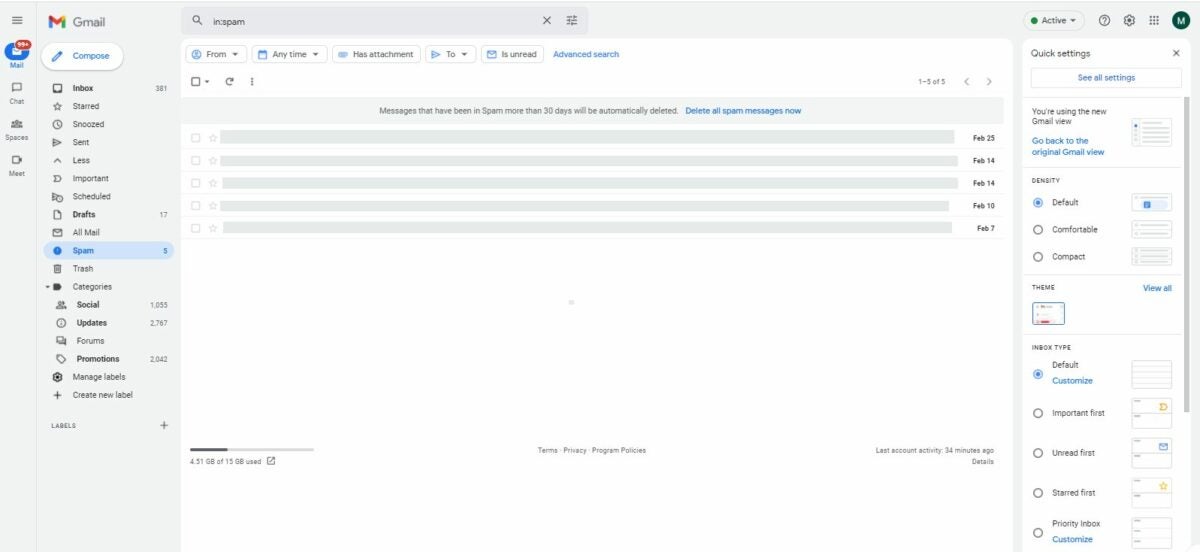
Announced back in January 2022, Gmail’s new integrated layout is slowly rolling out to all users and can be tested until the end of March. This redesign now has an additional sidebar to the farther left of the classic one and inserts dedicated buttons for Gmail, Google Chat, and Google Meet. By the end of June 2022, it will become the standard interface design.

Despite being one of the most popular email services around, Google hasn’t been improving much of Gmail’s interface. This is mostly because its classic design remains comfortable to use. However, Gmail is now gearing up to become an app switcher for Google’s other productivity apps to help you be more efficient at work.

Some user accounts can now try out the new Gmail view, which will display another strip to the left sidebar menu. This contains four icons for Mail, Chat, Spaces, and Meet, and will be your main navigation bar. The latter three used to be quick-access features to Google Chat and Google Meet, but the new layout now lets you fully access them inside the Gmail window. 

If you feel like the sidebar’s getting bulkier, though, then no worries as the collapsible panel still works. When closed, it will only display the four icons on their own sidebar. You also get a new notification bubble on the bottom left of your screen. If you don’t want to try this layout just yet, you can dismiss its prompt window and switch back to the classic view.

However, take note that Google plans for this to be the new Gmail standard view by the end of Q2 2022. There won’t be an option to revert back and there’s still no news on whether you can turn off some of the apps’ icons here if you’re not using them. Hopefully, feedback from the users testing the layout will at least give us the option to customize our Gmail account in the future.


Instagram finally says goodbye to IGTV

With Facebook expanding its Reels feature to mobile across all other countries, Instagram is also making big changes to its video features and has announced that it will no longer be supporting its standalone app for IGTV. This is to fully integrate all videos onto the main Instagram app and promote Reels, which is currently its fastest-growing content format.

Short for “Instagram TV,” IGTV was the social media app’s platform for long-form vertical videos and was created to contend with apps like YouTube and Snapchat. Despite the company’s best efforts, however, it never became popular with Insta users. Meanwhile, Reels has become popular enough to compete with TikTok.

Come mid-March 2022, IGTV’s standalone app will be completely shut down and removed from the app stores. Additionally, In-Stream video ads or IGTV ads will no longer be supported. The creators on IGTV who are actively using this monetization will receive a temporary monthly payment based on their recent earnings. 

If they want to continue, however, they’ll have to transfer to the Instagram app and use Reels from now on. The monetization options for this feature are being expanded upon, as well—with tests being conducted on overlay ads and user-sent tips in the form of “Stars.” Plans for upcoming features also include sharing and cross-posting to Facebook.

IGTV’s functionality has pretty much been merged with Feed Video and Reels and rebranded to “Instagram Video”—which is an easily-accessible section on the Instagram app interface. While the lack of lower daily time limits means that you might spend more time watching Reels, the chance to support your fave creators and even become one yourself is still a pretty solid deal.

You can now search WhatsApp messages on contact info pages

Popular messaging app WhatsApp has started rolling out a new search message shortcut feature for WhatsApp Beta for Android. Additionally, they’re testing out other upcoming features like message reactions and call links. Take note that the search message shortcut doesn’t always work, though.

WhatsApp continues to improve its user-friendliness and ease of use with the help of WhatsApp Beta. While this messaging app may be behind with some functions compared to its competitors, it still ensures that all new features work correctly before being publicly released.

The new search message shortcut on WhatsApp Beta for Android allows users to search for specific keywords while on the info page of their personal contacts and groups. This greatly saves time as you don’t need to scour different conversations. The feature is available to certain beta testers only, but it doesn’t always appear so you’ll have to wait for another update to fix it.

Other cool upcoming features are also being tested right now. One is the long-awaited message reaction, which other messaging apps already have. With it, you can react directly to a message using one of the six default emojis available. Another feature is the ability to send call links so users can quickly join a call. Then there’s a new shortcut to quickly manage your privacy settings for status updates.

WhatsApp’s interface is getting more streamlined, which is great news considering that the app has more than 2 billion active users right now. Not only do you get new functionalities for the messaging side, but voice and video calls are also being improved. The interface design for voice calls has even been revamped.

You can now send text chats in Clubhouse’s live rooms

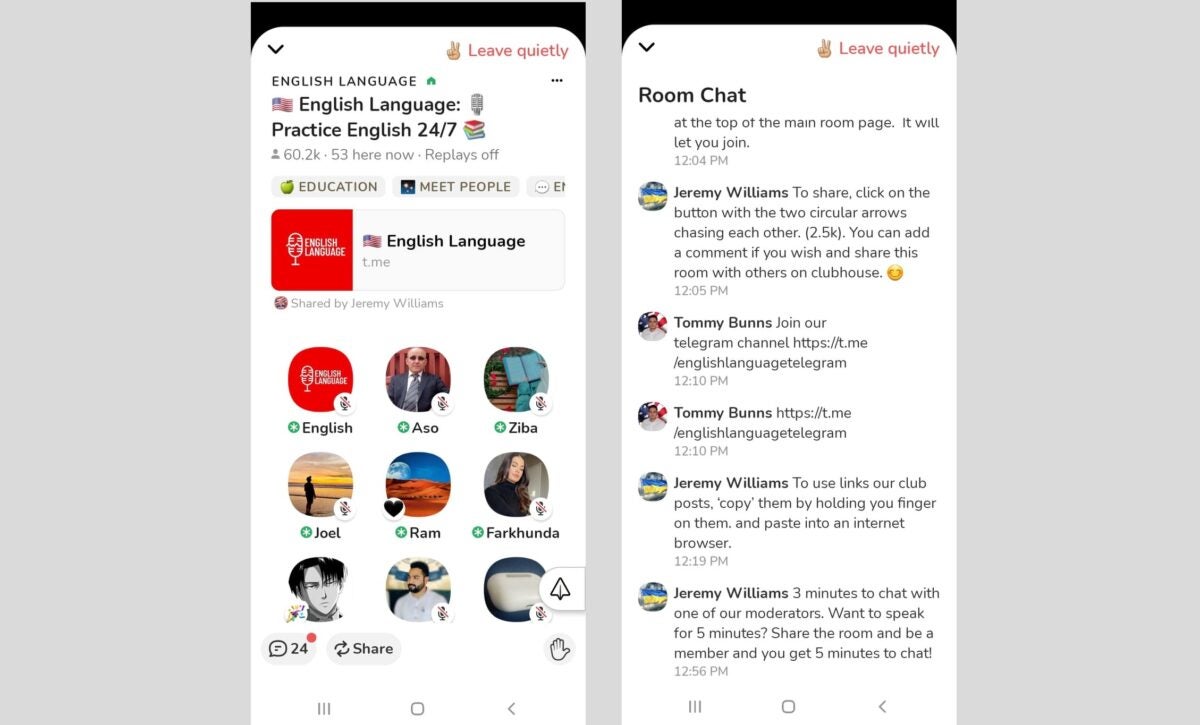
Clubhouse, the popular audio-chat app, has now added the option of having an in-room chat in its live rooms. This new feature lets you send text messages and emojis in the chat textbox of a live room if the creator enabled it before hosting. Text chats can also be deleted and moderated and will remain archived for Replays.

As a social audio app, Clubhouse originally focused on an audio-only experience with its phone call podcast-style rooms. However, it’s now aiming to be accessible to more people—especially to those who want to participate in live rooms but don’t want to speak via voice chat. 

Back in 2021, a feature called Backchannel was released for Clubhouse, making direct messaging finally possible on the app. Now, it’s also possible to type and send texts while these calls are happening live. This in-room chat feature works similarly to the live stream chat functions from other apps. 

Users can delete their messages during or after the room closes. Messages that violate the app’s guidelines can be reported by both users and moderators. Lastly, users can catch up on the messages sent after a call ends—although they can’t send anything to the chat anymore. However, you can only use this feature if the creator of the room enabled it in the first place. 

It’s enabled if there’s a chat icon at the bottom left of the screen, next to the Share and Clip icons. It will also have a red dot to indicate unread messages. Simply tap this icon or swipe right to access it. This new feature is available on both Clubhouse iOS and Clubhouse Android’s latest versions.

Opera for Android now supports direct Ethereum Layer 2 Wallet

Opera has recently announced an Ethereum Layer 2 Wallet for its Opera for Android app, allowing for direct transactions with the popular cryptocurrency. This makes it the very first mobile browser to have such a feature, and you can access this by installing the app’s beta version.

Opera has already been making strides in the cryptocurrency tech industry these past few years—with the introduction of its built-in crypto wallet back in 2018 and the beta launch of its Web3-powered Crypto Browser Project back in January 2022. Thus, this new feature takes things one step further for the future of the app.

To support Ethereum Layer 2, Opera has integrated with DeversiFi on this endeavor—which is a hybrid Ethereum exchange platform. The integration is also powered by StarkWare, so users can expect cheap and instant transactions from Opera for Android. Additionally, it improves efficiency for Opera users who want to send Ethereum (ETH) to each other via Peer-to-Peer (P2P) transactions.

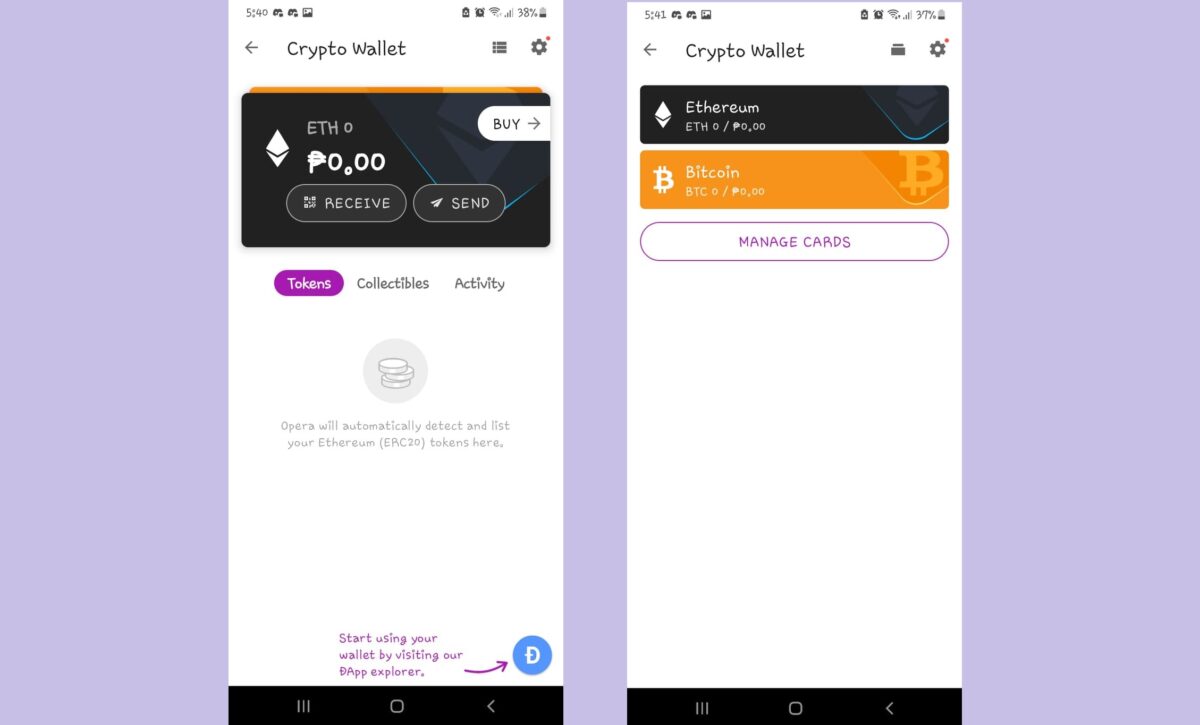
The Ethereum Layer 2 Wallet is currently only available in Opera for Android’s beta version, which can either be downloaded from the official website or Google Play Store. To start using it, install the beta, go to the browser’s settings, open the Crypto Wallet feature, and activate the L2 card found there. You can deposit fiat money directly via Moonpay or deposit ETH from your Layer 1 wallet. Then, you can swap and transfer tokens directly into the wallet.

The Crypto Browser Project will also be integrating Layer 2 solutions sometime in the near future. This will no doubt expand Opera’s capabilities and show its drive to innovate and follow the trends. Another cool new feature worth checking out is the browser supporting the emoji-only URLs of Yat and allowing you to instantly open Yat pages.

Facebook Reels is now coming to mobile worldwide

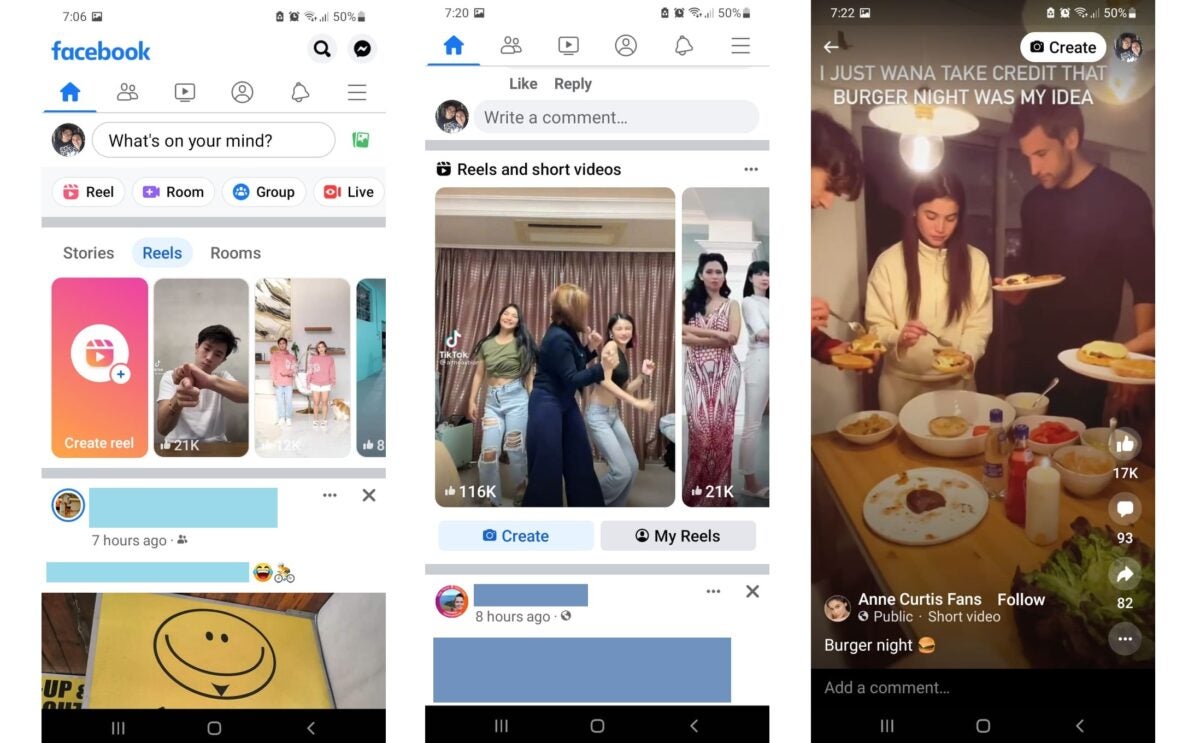
Facebook will soon be rolling out its Facebook Reels feature to Android and iOS worldwide, adding new editing tools to it. It will also be expanding monetization options for Reels creators and the ways users can support them—particularly in how ads appear on the videos. 

First launched in September 2021 for the US, Facebook Reels is the popular social media platform’s short-form video feature and its own take on the highly-successful TikTok app. With Instagram also having its own Reels feature, Facebook has assessed that it’s their current fastest-growing content format by far.

The plan is to launch Reels on Android and iOS in more than 150 countries, which expands their support for Reels creators, too. Testing for Reels overlay ads with creators will begin in the US, Canada, and Mexico, and to more countries in the coming weeks. These non-interruptive ads will come in two formats: semi-transparent banner ads at the bottom of a Reel and static sticker ads that can be placed anywhere.

Users will also be able to support creators by buying and sending Stars while watching Reels. Plus, Reels will now be found on various sections on Facebook, such as Stories, Groups, Watch, and Feed. New editing features will also be added to the Reels creator. These are 60-second Reels, Drafts, Video Clipping, and Remix—which lets you create your own Reel alongside an existing publicly-shared Reel.

Other planned features include brand suitability controls—to give advertisers more control over how their ads appear in various places—and sharing of Reels via app crossposting. Regardless of how long until these updates will be released, both creators and users will benefit from the emphasis placed on this feature. Advertisers, in particular, will have more ways to promote their products and services on Facebook.

Why Instagram silently removed two daily time limit options

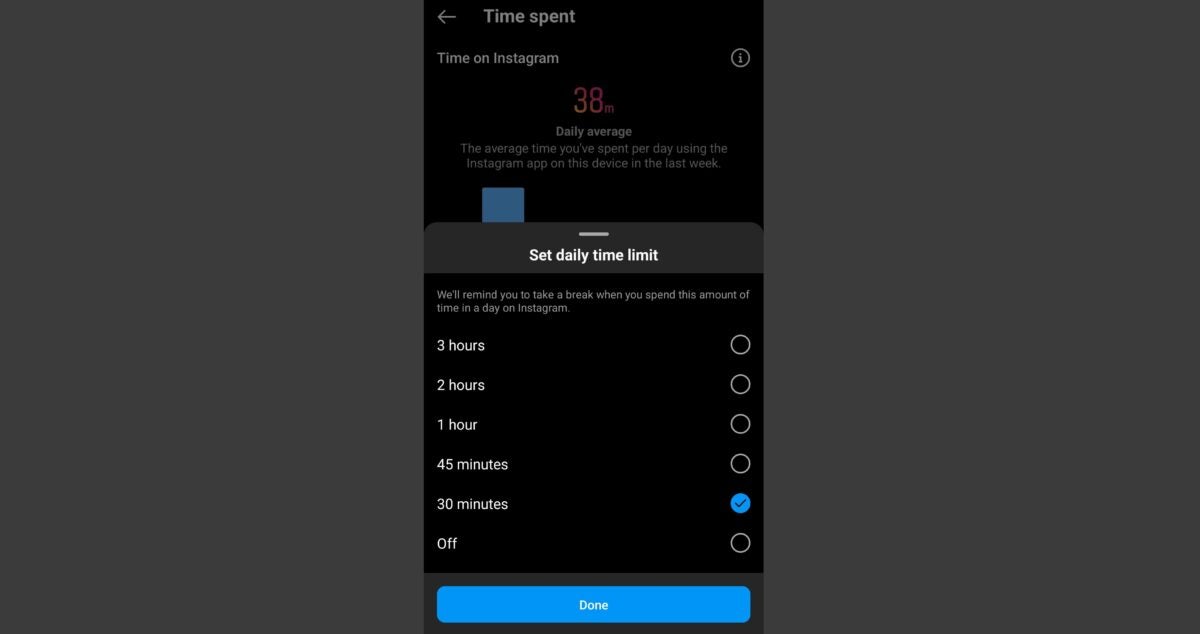
In a move that went completely unannounced, Instagram has removed the ability for users to set their daily time limit to anything lower than 30 minutes. Now, you’ll be prompted to change your chosen duration if it’s not among the current options—and you may end up losing them for good if you do edit them.

Instagram is among the many social media apps that Meta, Facebook’s parent company, owns. It’s quite popular but often criticized for its negative impact on subjects such as mental health and censorship. This sudden change is sure to be another point of contention against the app.

Instagram’s daily time limit feature was first released to help users track their overall usage time and combat social media addiction. That’s why previous options included 10 minutes and 15 minutes. However, a silent update removed them and the minimum time available is now 30 minutes—with other choices usually being 45 minutes, 1 hour, 2 hours, and 3 hours. 

With the interface now displaying “3 hours” at the very top of the list, it really feels like Instagram is pushing for more engagement from its active users—especially since a notification will constantly remind you that you need to change your settings if your previous choice was 10 or 15 minutes. You can still actually keep them, but you must avoid editing your settings to do so.

Instagram confirmed this update via Twitter and said that they’ve “changed the ‘daily limit’ options to avoid sending people multiple notifications at the same time.” This is because their new feature, called “Take A Break,” prompts users to stop using the app for a bit instead of just reminding them that they’ve hit their daily limit.

The two time management tools may clash in terms of notifications but the lack of lower time options and an actual feature that forcibly closes the app to enforce your limit paints Instagram’s intentions in a different light. It doesn’t help that things aren’t going well for Meta lately—from Facebook’s reportedly slow growth during 2021 to the company’s $90 million lawsuit settlement.

A new interface design is coming to WhatsApp’s voice calls

To enhance your user experience, WhatsApp will be releasing a redesigned interface for its voice calls. This applies to both simple voice calls and group calls—letting you see real-time voice waveforms whenever someone speaks. It will also add a wallpaper to the new interface, although it can’t be edited just yet. 

With more than 2 billion active users worldwide, WhatsApp always aims to improve user-friendliness and comfort regarding its numerous instant communication features. Thanks to WhatsApp Beta and its dedicated testers, you can count on helpful functionalities being implemented, such as the new global voice note player for multi-tasking between chats.

While voice-calling isn’t the main appeal of WhatsApp for most users, it’s still a vital and major feature that can always use some tweaking. For future updates, its interface will be redesigned and voice calls will also display real-time voice waveforms whenever sound is detected. This is a great function for group calls of more than two people, as it’ll be easier to detect where background noise is coming from.

Aside from the new interface, wallpapers will be added to voice calls to make things lively for those who love to customize. At the moment, however, it can’t be changed just yet. These features are currently available in WhatsApp Beta for iOS and are only for certain beta testers. You’ll have to wait for a future update if it’s not yet available for your WhatsApp account.

Nevertheless, the other most anticipated features of WhatsApp for this year are always worth the wait. Not only do they add more flexibility to how we handle chats and customization options, but they also show that WhatsApp’s drive to continuously improve is something we can witness and take part in ourselves. 

WhatsApp’s new voice note will let you multitask better

WhatsApp will soon be rolling out a global voice note player that lets you listen to your WhatsApp voice messages while chatting in other conversations. The new feature is currently available in WhatsApp Beta for desktop and iOS, while an update is still pending for Android.

WhatsApp is among the most popular messaging apps due to its wide range of features. What’s more, you can test out its upcoming features using the WhatsApp Beta version. This lets you enjoy all of what they’re planning to improve the app with, like the new emoji feature and the ability for admins to create Communities. 

Voice messaging is an old but basic feature of WhatsApp that allows you to send voice recordings or clips directly to a chat. This helps save time when you have much to say, as typing can be pretty slow for some people—thus, it also came to be called “voice notes,” thanks to its usefulness. However, voice notes can be pretty long and you won’t always have the time to listen.

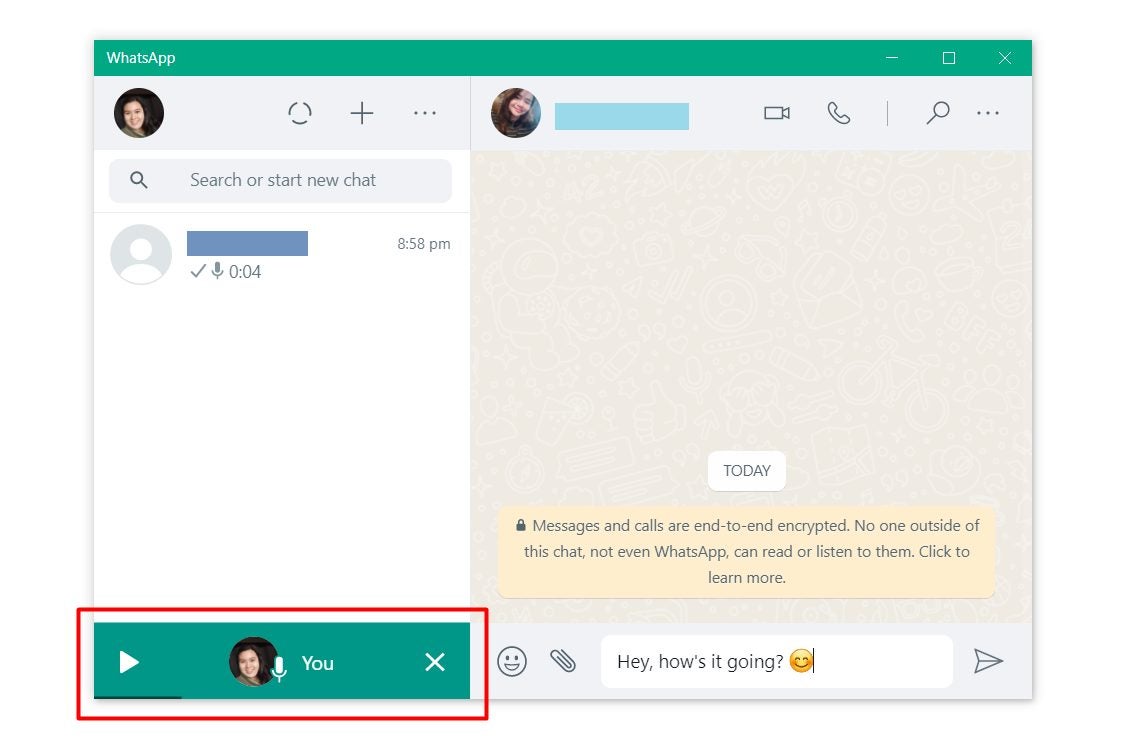
Thanks to the new global voice note player, though, that won’t be a problem anymore. The feature will allow voice messages to play even as you exit their chat thread. You can then switch to other chats and read and reply to them while listening to the recording in the background. It comes with a media player displayed on your screen, showing a progress bar and some controls.

In case you don’t have access to it just yet, then make sure to update your WhatsApp Beta client to the latest version. This is pretty useful for those who love to multi-task. Even if you don’t get voice notes often, being able to switch between conversations without the audio pausing is still a great feature. 

Why Google’s Privacy Sandbox is coming to Android

Tech giant Google has announced that it will be extending its Privacy Sandbox initiative to the Android platform in an effort to change its data-tracking ecosystem, and improve both user privacy and safe web advertising on mobile. However, the current system will be in place for at least two years first, as they’re still working on this major change with industry players.

The Privacy Sandbox initiative is a collection of proposals Google has offered to enforce balance regarding the use of data-tracking methods. It aims to promote privacy-preserving advertising services, wherein users can be more at ease online while still enjoying the free content fueled by ad revenue.

First launched in 2019 on Chrome, Privacy Sandbox is Google’s alternative to the current use of intrusive web advertising. Its proposals were designed to rework web ads without third-party cookies getting involved. After all, while protecting people’s online privacy is important, allowing companies and developers to grow their digital businesses also ensures a healthy online economy.

It hadn’t exactly been a success back then, though. Nevertheless, how this will work on Android is that it will limit user data-sharing across third parties and operate without cross-app identifiers, eventually phasing out advertising IDs. Additionally, they’ll be adding the SDK Runtime feature for safer app integration with third-party advertising software development kits (SDK)—although this is only for Android 13 for now.

Privacy Sandbox is going to be a multi-year project so the current system will be around for two years for now. However, we can expect the initial proposals to be tested over the coming months. A full public beta will be released by the end of the year, as well. Though, if you want to take your online privacy matters into your own hands, then there are easy ways to delete your Google user data.