You can soon make email drafts directly on Google Docs

Google announced that a new email template is rolling out for Google Docs soon, integrating with Gmail and allowing users to create email drafts via Google Docs’ @ menu. This feature will also allow collaboration between users and joint drafting on emails before they get published. 

While the Google apps’ capabilities are noteworthy enough to make G Suite and Workspace a top contender for online productivity programs, there is still much to improve about the apps’ interaction with each other. This upcoming integration between Docs and Gmail is definitely a step in the right direction.

Google Docs has a cool feature called the “@ menu”, which displays shortcuts and items you can insert. This includes links to your files, images, and formatting. One of the things it can add is Building Blocks, which integrates options from other Google apps. With the upcoming feature, you can now insert an email template onto a document and start drafting an email without opening Gmail.

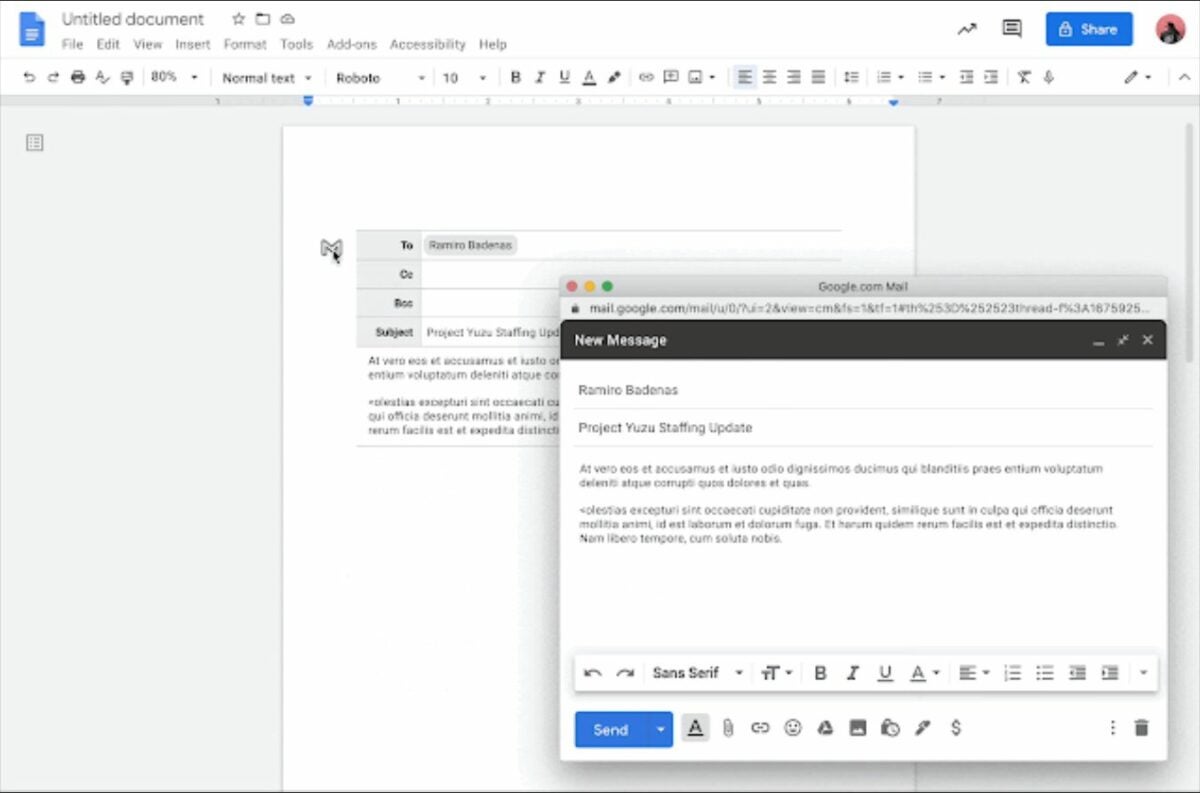
To use it, either type “@email” to insert the template or click the “Insert” function on the toolbar, then choose “Building Blocks” and “Email draft.” It will then display email recipient fields, which are To, Cc, Bcc, Subject, and a blank space for the body. You can easily add email addresses here by simply typing “@” and their names. Additionally, Google Docs’ comment and suggestion features work here, so users can collaborate on the draft in real-time.

When you’re finished, click on the Gmail “M” icon on the top-left of the template to open Gmail “Compose Email.” This will automatically fill in all fields with what you wrote so it’s ready to be sent. This new feature will be available for all Google Workspace and legacy G Suite Basic and Business users over the coming weeks. Meanwhile, if you want to know more cool features, here’s a list of secret Google Docs tips and tricks.

Image credit: Google Workspace Updates / Google Blog

PC users can now play Android games via Google Play Games

Google Play Games, the Google online gaming service for the Android operating system, is finally rolling out the beta test for its Windows version—allowing users to play Android games on PCs. This new app currently offers at least 12 playable games and is available in South Korea, Taiwan, and Hong Kong for selected testers. 

As part of the Google Play or Google Play Store product line, Google Play Games also features gamer profiles, cloud saves, achievements, and leaderboards for users. Thus, the new Windows app will allow you to sync your progress across supported devices and cross-save.

Google Play Games for PC is a great alternative to emulators because it’s directly connected to a gaming service that hosts user data and games. With this, users can enjoy mobile games on a wider screen with optimized graphics and use their keyboard and mouse for better controls. Existing user accounts on mobile can also be logged in on the Windows version—as well as data purchases and Play Points.

There’s no official list yet but 12 mobile games have been showcased in the beta’s promotional video. These are Asphalt 9: Legends, Cookie Run: Kingdom, Cookie Run: Ovenbreak, Dragon Mania Legends, Gardenscapes, Homescapes, Idle Heroes, Mobile Legends: Bang Bang, State of Survival, Summoners War, Three Kingdoms Tactics, and Top War: Battle Game. To get an invite to the beta, you must first sign up for the waitlist on the official website.

Additionally, your PC must meet the minimum requirements, like a Windows 10 operating system, 20 GB of available storage space, and more. The official release date for the Google Play Games app will vary among regions, but the beta will be expanded to other countries in the next few years. Since you can use your account for it, it’s best to brush up on how to quickly sign in to Google Play Store.

Image credit: @BakaChocolate | Twitter

WhatsApp launches a security browser extension for its web version

Improving WhatsApp Web’s security measures, WhatsApp has released a browser extension called “Code Verify,” which automatically alerts users if the web app’s code has been tampered with in any way. This extra layer of security ensures that WhatsApp’s end-to-end encryption hasn’t been compromised. 

While WhatsApp is improving its two-step verification settings for desktop and mobile as part of its upcoming features this year, its web browser version seems to lag behind the other supported platforms for a while now. Thus, the launch of this extension is a huge step in keeping WhatsApp Web just as safe.

Code Verify is an open-source browser extension available on Google Chrome, Mozilla Firefox, and Microsoft Edge. It automatically runs whenever you open WhatsApp Web and notifies you of whether it’s authentic or is at risk. What’s great about this extension is that it doesn’t log any data whatsoever and also doesn’t share any information to WhatsApp and Meta, the app’s parent company. 

Code Verify works by checking the resources on the entire webpage and compares them to WhatsApp’s code. Since this is on a much larger scale, WhatsApp has partnered with Cloudflare. With the help of Cloudflare’s third-party verification, users are provided with real-time code verification and auto-updates every time WhatsApp Web’s code does.

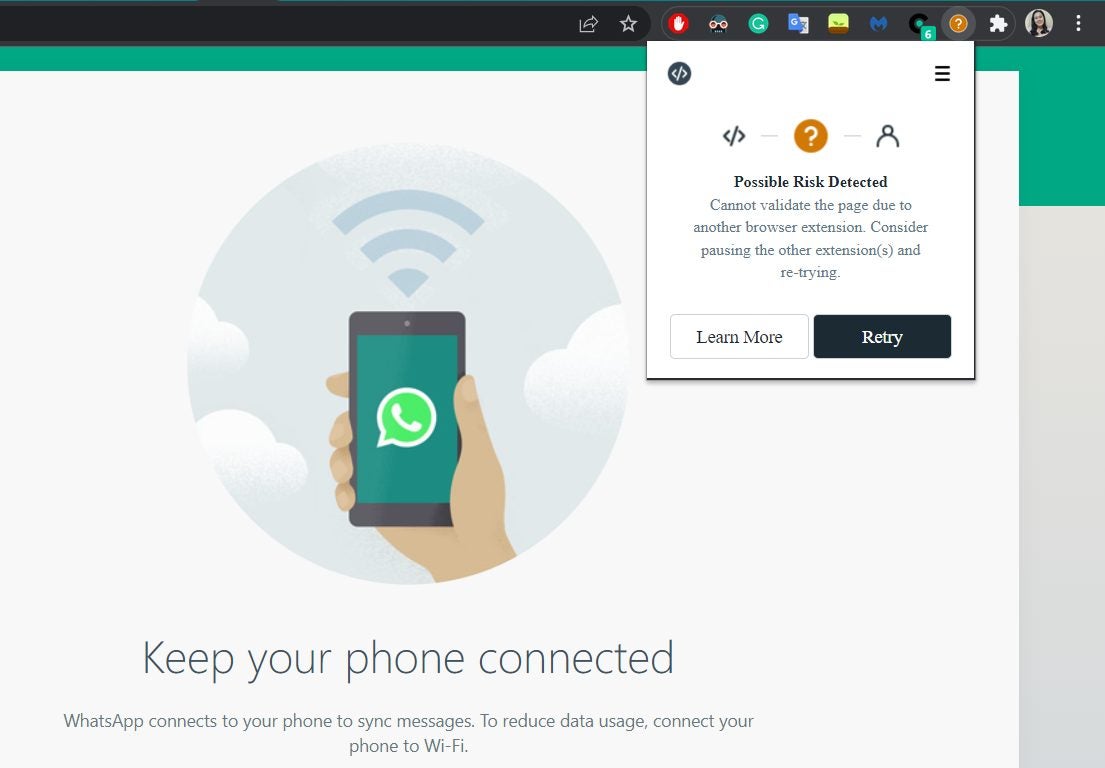
There are four statuses on the extension icon. “Network Timed Out” and “Possible Risk Detected” come with an orange circle and a question mark, requiring you to either reset your connection or manage your extensions. “Validation Failure” turns the icon red with an exclamation mark, denoting that it’s a non-authentic code. Meanwhile, “Validated” displays as a green checkmark icon and means that you’re secure.

Code Verify only confirms the code and won’t actually read or access your messages. For easy viewing, keep it pinned to your browser toolbar. If you happen to use WhatsApp Web often, it’s best to install this as soon as possible so that your end-to-end encryption is safe on your browser.

Gboard is getting over 2,000 new emoji mashups

Gboard, the virtual keyboard app from Google, will soon be rolling out more than 2,000 stickers for its Emoji Kitchen feature. Additionally, the grammar correction feature previously exclusive to the Google Pixel 6 phone will now be available for all Android phones.

Gboard is constantly promoting features that let you express yourself much more clearly and easily—whether it’s by letting you voice-type to avoid taking too long to reply or by turning your selfies into Gboard emojis. With this new update, users are sure to find more fun in socializing online.

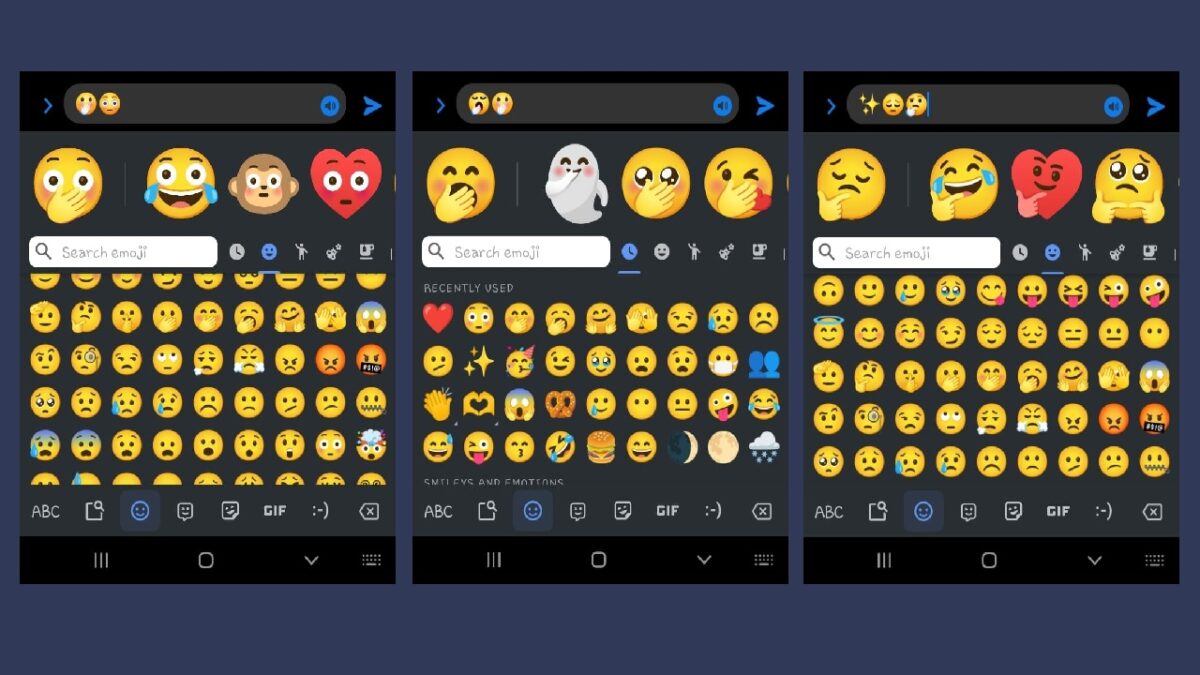
Gboard’s Emoji Kitchen was first introduced back in 2020 and allowed users to combine different emojis to generate brand-new stickers to use. However, the available mashups back then were still quite limited. This time, we’re getting way more stickers to discover. No comprehensive list of combinations was given, though, so you’ll have to discover them on your own.

Emoji Kitchen works on most instant messaging apps. To try it, open your Gboard’s emoji picker and start choosing some emojis to see what stickers they’ll generate. They’ll appear on the empty space above the keyboard and will also display some suggested combinations. There’s another feature, too, in which the text you type can be generated into stickers themselves—although this isn’t available for all users just yet.

The last feature mentioned is Gboard’s grammar correction tool. Now, other Android devices can use this handy tool by simply tapping on a highlighted word on the textbox that indicates an error. It will then display the correct spelling for the word and tapping that will auto-replace the text. All of these updates are great for expanding Gboard’s versatility for communication, so let’s hope that the app continues to improve.

TikTok launches its very own music distribution platform

Popular short-form video app Tiktok has recently launched SoundOn, its all-in-one platform for music creators. With it, artists and record labels can directly upload their music onto TikTok and distribute it to other streaming services—all while being paid royalties.

TikTok has taken the world by storm thanks to its engaging content format, which easily became viral across its users. One of the things the social networking app is well-known for is the background music you can use for your videos, which helps promote the songs and get them trending with enough views.

With SoundOn, musicians can now capitalize on TikTok’s trendiness by giving creators easy access. This not only helps their music reach a wider global audience but also earns them 100% of the royalties for an unlimited time via TikTok and Resso—the music streaming service owned by TikTok’s parent company. There are also no hidden fees, the artists get paid monthly, and they maintain 100% ownership of their music.

SoundOn also works for other streaming platforms like Apple Music and Spotify. For these, the 100% royalty only applies to the first year but drops to 90% in the succeeding years. Aside from these, artists will get promotional tools and support such as analytics and audience insights. To join this service, just register an account with a phone number on its website, verify your identity, and sign the agreement.

TikTok has proven that its viral trends are great for promoting products, services, and people—letting users earn money through various methods. Now, thanks to SoundOn’s music marketing and distribution scheme, new and undiscovered musicians can get paid another way, too. This service is currently available in the US, UK, Brazil, and Indonesia.

The blur tool is coming to WhatsApp for Android

WhatsApp is finally adding the blur tool to WhatsApp for Android as part of its effort to redesign its drawing editor. This feature will now allow users to blur out sensitive data that may be displayed when they share images on the app. Additionally, the drawing editor will get two new pencils. 

This particular feature has long been included in WhatsApp for iOS and will soon be available for testing via WhatsApp Beta. While it’s strange that the tool hadn’t been offered to the Android version before, it’s at least a good sign that WhatsApp is now letting more users access it.

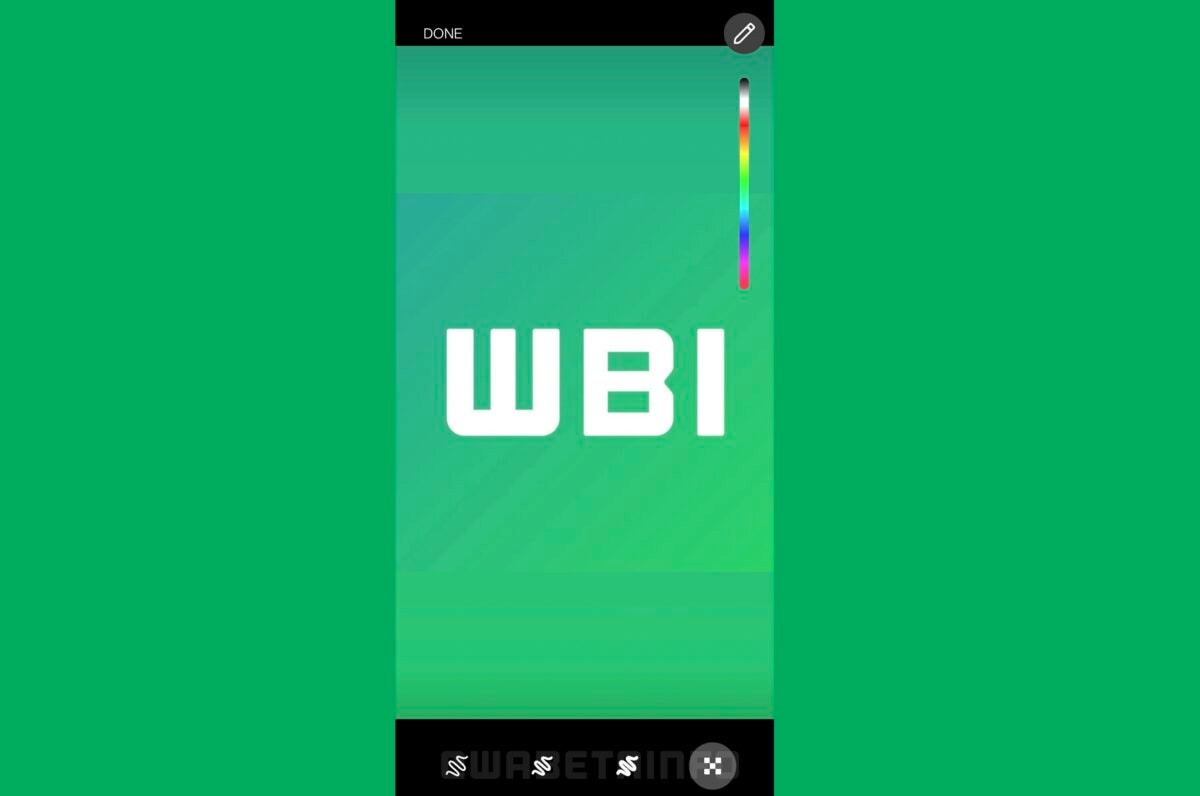
The blur tool’s use is pretty straightforward, thanks to the drawing editor’s easy-to-use redesigned interface. Its button can be accessed on the bottom-right corner of the screen and lets you draw onto the image to start obscuring whatever parts you want hidden. These could be sensitive information like phone numbers, names, or even profile pictures.

The new drawing editor also includes two new pencil thicknesses, making your options a total of three pencils on the bottom bar. They’re right next to the blur tool and you can easily switch between pencils as you draw. Both of these features will be released together as the whole update for the drawing editor.

However, there’s still no news as to when it’s slated for a public beta release. It shouldn’t be too hard of a feature to develop, though, as the iOS version already had it for some time now. Regardless of when it’ll be available for the beta, it’s now definitely one of the WhatsApp features we’re looking forward to this year. 

Image credit: WABetaInfo

Facebook is getting a redesign out of nowhere

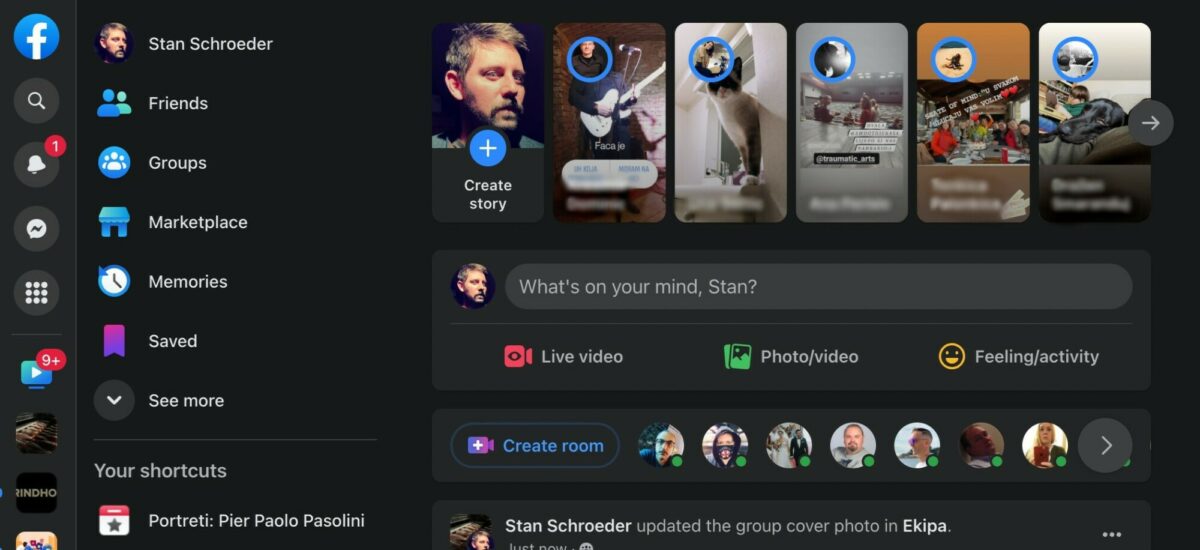
As recently reported by Stan Schroeder of digital news website Mashable, it seems Facebook is testing out a redesigned interface of the home menu for a small group of users. This new look features all important icons relocated to the left of the screen in a slim ribbon panel and the rest of all navigation options in other panels next to it. 

While the Facebook redesign of 2020 took a while to get used to, it still offered neat changes to the user interface that many welcomed—especially since it included the much-needed Facebook Dark Mode option. However, this teased redesign doesn’t seem as intuitive as it should.

There had been no announcements regarding this little test, as far as Schroeder had checked, and it felt like just another update. “Nearly all of the navigation elements, menus, and settings were moved to the left on the desktop version of the platform, with essentially no navigation on top of the page,” he says. It also came with a little pop-up tutorial for an explanation. 

Basically, the redesign aims for a more streamlined look. However, Facebook has over a dozen buttons so the left side can start feeling too cluttered and disorganized with the amount that’s displayed. Gone are the notifications and Messenger buttons on the top-right corner, too. Meanwhile, the button for composing a new Messenger message is left all alone on the right side.

Schroeder expressed some doubts about this new redesign. He pointed out that while some apps have a similar look, with Facebook’s vast amount of features, “placing all of them on the left might not be the ideal solution.” Additionally, the new design wouldn’t be consistent with the mobile version’s own UI. Unfortunately, he couldn’t find a way to roll back to the current design.

Since not a lot of people he knew were aware of the redesign, Schroeder opted to contact Facebook for any details they could spare. For now, though, we can expect that this test will eventually be expanded to more users in the coming months, and we can then personally see how we really feel about this major overhaul they’re planning. 

Image credit: Stan Schroeder / Mashable

You can soon enjoy polls and Communities in WhatsApp

As part of its effort to catch up to its competitors, WhatsApp is working on allowing users to create polls in group chats. Additionally, the previously-reported upcoming Communities feature gets its own dedicated tab on the interface. These are currently planned for WhatsApp Beta for Android and for iOS.

There are still a lot of Whatsapp features under development to keep up with its rival apps. Nevertheless, features teased for WhatsApp Beta just this first quarter of the year are quite promising and will surely be a hit once publicly released.

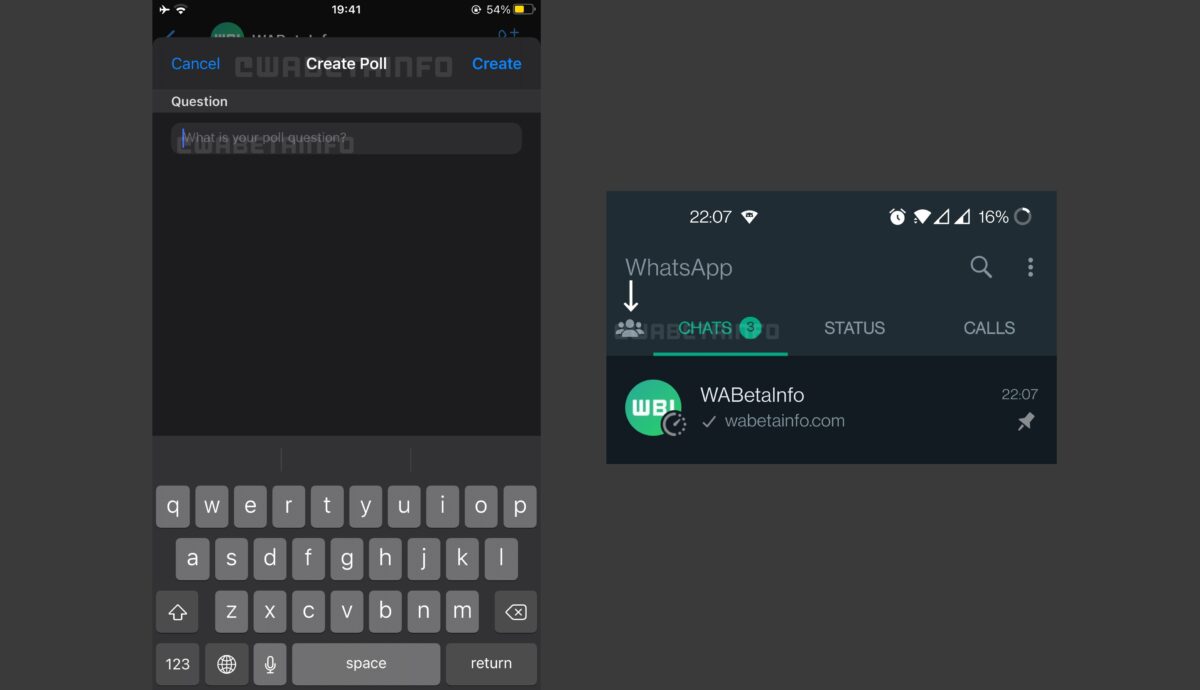
One of the long-awaited features currently in development is the ability to conduct polls when in WhatsApp groups. So far, the leaked preview shows a text field where users can type in to enter their questions for the poll, and the Create and Cancel buttons on the top corners of the screen. There are no details yet as to how many choices you can input by default.

Aside from this, further progress has also been made for the Communities feature. Meant for connecting with people who have the same interests, this is considered to be a more organized version of group chats that can be easily controlled by admins. Currently, a new dedicated tab has been made for it—replacing the camera tab in the interface. When opened, it will display all communities you’re a part of.

These are still not available for beta testers but like all of the features announced, they’re expected to be released sometime in 2022. Since the other features are also slated to be released for the desktop client, then we can soon expect some news about these two, as well. 

Image credit: WABetaInfo

5 upcoming features in WhatsApp

WhatsApp lovers are in for a treat this year as five awaited features currently in development in WhatsApp Beta are expected to be ready for a beta release sometime in 2022. These are the message reactions, a better two-step verification process, the Communities feature, voice call wallpapers, and animated heart emojis.

Despite WhatsApp’s popularity, it still lacks a lot of features that are now considered basics in other messaging apps. Not to worry, though, as these are slowly being tested and rolled out to the general public, so there’s always an assurance that they’re working properly upon release.

The first upcoming feature is the message reaction feature, which has been a long-awaited function in the messaging app. With it, you can react to a message using one of the six default emojis available. The second one is improving the app’s two-step verification feature. You’ll be able to manage your settings for it—allowing you to enable and disable it on the desktop client, and restore your PIN.

Another new feature being tested is the Communities function, which seems to be a more organized version of group chats and lets you meet new people with similar interests—all while letting admins control group chats much better. There is also the new voice call wallpaper feature, which is anticipated to be released alongside the new interface design for voice calls. 

Lastly, we’ll soon have animated heart emojis of different colors—all slowly pulsing to a beat to stand out in your conversations. You’ll need to have the animation setting enabled to see this, though. While the first quarter of the year hasn’t ended yet, these teased features are already quite impressive and are something to look forward to. Hopefully, the rest of the anticipated features in this list will be released soon, as well.

You can soon react to WhatsApp messages with emojis

WhatsApp for Desktop is currently developing a new message reaction feature so you can finally reply without having to type back. So far, they’re working on different elements of the feature, like viewing reaction info and using another button to react to messages.

This WhatsApp Beta feature was previously announced to be in development for the WhatsApp Beta for Android and iOS platforms. This particular feature has long been overdue for the popular messaging app, so it’s exciting to finally see progress being made on it.

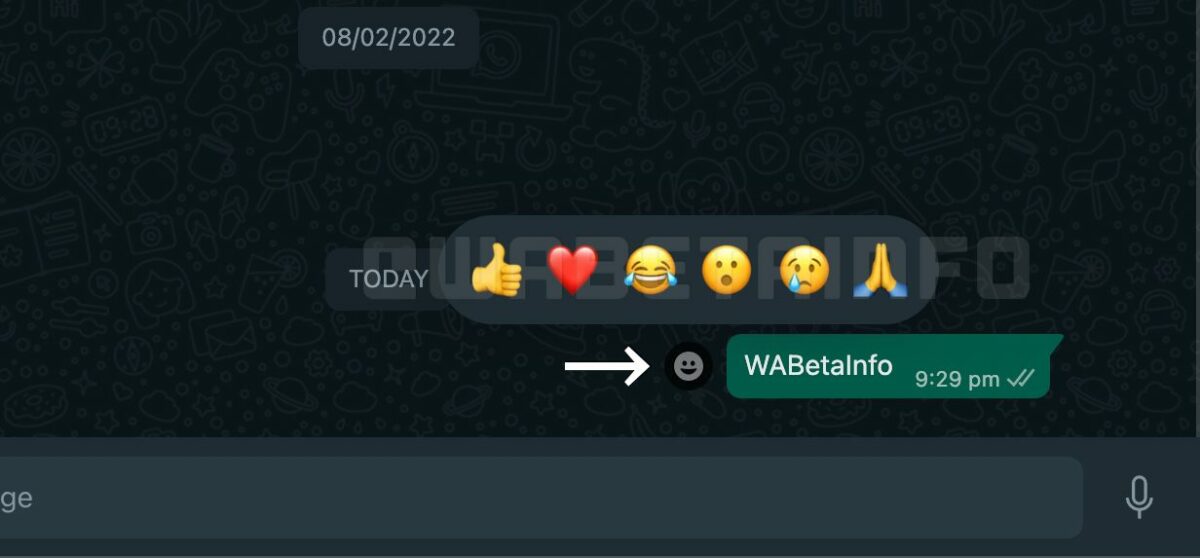
As reported before, the message reaction feature is planned to be just like what WhatsApp’s rivals have: the ability to react directly to a message using one of the six default emojis available. You can either use the dedicated emoji button that appears next to a message when your cursor hovers over it or the “React to message” option from a drop-down menu on the message bubble.

Additionally, the feature plans to have a reaction info window pop up when you click on an emoji reaction. This will display the number of times the emoji was used and who sent it, which is pretty helpful if you’re in a group chat and many users give out reactions. Currently, it’s the heart emoji being tested for such things. 

Since it’s still in development, beta testers will need to wait a while before they can try it—although it’s expected that the Android and iOS versions will have it out first. Regardless of when it’ll be ready for a beta release, it’s definitely on the list of things Whatsapp users look forward to this year.

Image credit: WABetaInfo