Here is how to check hidden replies on Twitter (X)

Twitter, with its bustling and vibrant community, is a platform where voices from all corners of the world converge to engage in conversations, share thoughts, and connect. However, not every tweet or reply is a welcome addition to the discourse. In such instances, Twitter offers a solution through its “Hidden Replies” feature, allowing users to maintain a more controlled and civil conversation. If you’re wondering how to check hidden replies on Twitter, or X, as Elon Musk likes to call it these days, this guide is here to show you how!
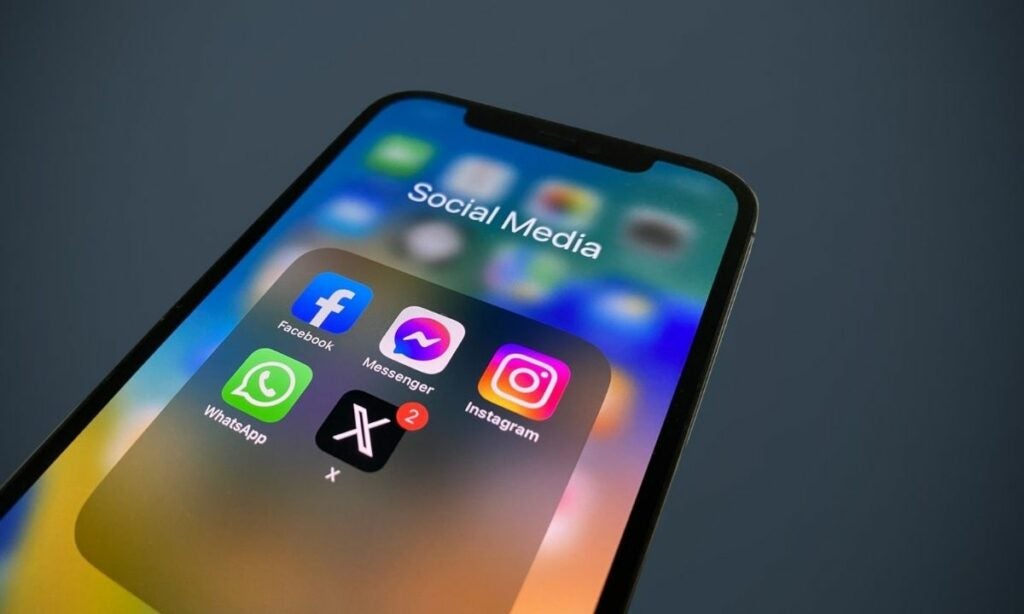
What are hidden replies on Twitter (X)?

Hidden replies are comments that Twitter users intentionally conceal when displaying replies to a particular tweet. Twitter introduced this feature as a means to empower users, enabling them to filter out undesirable or disruptive content from their conversations. It’s a digital moderator that helps keep discussions productive and respectful.

It’s important to note that when Twitter users hide a reply, it doesn’t vanish into thin air. Instead, it becomes discreet, tucked away from the primary conversation thread. However, the good news is that hidden replies are not off-limits; you can still access and view them when you visit the tweet in question. In this guide, we’ll walk you through the steps of how to unveil these concealed responses, ensuring that you’re always in control of your Twitter experience.

Twitter (X) DOWNLOAD

How to hide replies on Twitter (X)

If you’re seeking respite from unwanted comments on your tweets, Twitter’s “Hide Reply” feature is your ally. Here’s how to use it:

  1. Begin by opening Twitter and logging in if necessary. Find the tweet that has the reply you wish to hide.
  2. Find the specific reply you want to conceal and tap on the three-dot menu icon situated to the right of that reply.
  3. A pop-up menu will appear. Within this menu, select the “Hide reply” option.

How to check hidden replies on Twitter (X)

Hidden replies, as mentioned earlier, are not obliterated; they’re simply tucked away from plain view. Here’s how to uncover them:

  1. Whether you’re on the Twitter website or the mobile app, log in to your account.
  2. Find the tweet that has hidden replies, either within your own conversation or while viewing someone else’s tweets.
  3. Tap or click on the dotted square icon located at the bottom right of the original tweet, just above the replies section.
  4. You’ll be redirected to a new page where you can explore all the hidden replies associated with the tweet.

In conclusion, Twitter’s “Hidden Replies” feature provides a handy tool to maintain a more enjoyable and respectful experience on the platform. By knowing how to hide and reveal replies, you can curate your Twitter conversations to your liking, fostering a healthier and more engaging online environment. So, the next time you encounter an unwanted reply, remember, you have the power to make it disappear or reappear with just a few simple taps. Happy tweeting!

The Roman Empire TikTok trend is ALL OVER the internet

In recent days, a strange trend has taken the internet by storm, leaving everyone scratching their heads. If you’ve been casually scrolling through Instagram or TikTok, you might have stumbled upon videos of women posing a seemingly random question to the men in their lives: “How often do you think about the Roman Empire?” This trend has been spreading like wildfire, and we’re here to unravel the mystery behind the Roman Empire TikTok trend.

The rise of the Roman Empire TikTok trend

Some sources say that the enigma all started with an influencer from Sweden, Saskia Cort, who posed this thought-provoking question to her followers via Instagram. She simply asked them to inquire about the men in their lives and how often they thought about the Roman Empire. Little did she know that this seemingly mundane question would ignite a viral sensation that swept across social media platforms.

TikTok DOWNLOAD

TikTok, the global hub of short videos, played a significant role in propelling this trend into the limelight. The hashtag #romanempire began garnering an astonishing 1.3 billion views on the platform. Within this colossal sea of content, a resounding theme emerged: men seemed to think about the Roman Empire more frequently than their female counterparts.

Why do men ponder the Roman Empire?

Delving into the videos strewn across TikTok and Instagram, we find men openly sharing their musings about the Roman Empire. One video showcases a user asking her father the million-dollar question, and his reply is surprisingly profound: “Yes, every time I use the bathroom because of how the Romans invented the modern-day sewage system.” Another video reveals a woman’s regret after posing the query to her husband, who proceeded to unleash a torrent of historical facts about the empire and its enduring influence on the modern world.

Even Hollywood superstar Ryan Reynolds couldn’t resist the allure of the Roman Empire TikTok trend, joining in with an Instagram selfie captioned “Just thinking ’bout the Roman Empire.” But what lies beneath this fascination with ancient Rome? Modern psychology suggests that men, particularly those of a certain age, have an innate attraction to historical battlegrounds. This same fascination has manifested in earlier trends, such as the intrigue surrounding World War II, Napoleon, Alexander the Great, and Julius Caesar.

The viral explosion of the Roman Empire TikTok trend

Hulu’s theory about the varying degrees of interest between men and women in the Roman Empire turned out to be spot on. An avalanche of responses flooded his Instagram post, with one user even revealing that their boyfriend launched into a captivating 15-minute discourse on the topic. Hulu himself sheds light on his lifelong fascination with the Roman Empire, stating, “I can’t remember a day when I didn’t think about the Roman Empire. … It just fascinates me how different but also how similar the Roman Empire is to our world today.”

In conclusion, the Roman Empire TikTok trend has taken the digital realm by storm, causing us to ponder our connection to history’s grand narratives. As the trend continues to unfold, one thing is certain: the Roman Empire, with all its glory and legacy, has once again captured the imagination of the world, thanks to a simple yet intriguing question that has left us pondering, “How often do we really think about the Roman Empire?”

YouTube AI initiatives include Dream Screen and more

YouTube AI initiatives continue to make headlines, with the company unveiling exciting plans that promise to reshape our experience on the platform. In this article, we’ll delve into YouTube’s latest announcements, including the groundbreaking Dream Screen feature, AI-powered content suggestions, multilingual dubbing, and the user-friendly YouTube Create app. These initiatives aim to democratize content creation and enhance the creative process for content creators and viewers alike.

YouTube’s AI-powered revolution

YouTube, the widely adored video-sharing platform, recently introduced a slew of innovative AI-powered tools during its annual Made on YouTube event. These cutting-edge advancements are set to redefine how content creators produce videos, making the process more accessible and imaginative.

YouTube AI initiatives: Dream Screen

One of the most remarkable unveilings is the introduction of generative AI-driven content creation through the Dream Screen feature. Dream Screen empowers creators to craft captivating videos and images using AI-generated backgrounds. Initially, creators can input prompts to generate backgrounds, but YouTube envisions a future where content producers can remix and edit their existing content with AI assistance, ushering in a new era of creativity.

During the Made on YouTube event, Dream Screen showcased its capabilities by rapidly generating backgrounds based on brief prompts. This feature holds immense potential for sparking creativity and enhancing the visual appeal of YouTube Shorts, providing content creators with a fresh palette of AI-generated visuals.

YouTube: Watch Listen Stream DOWNLOAD

YouTube’s CEO, Neal Mohan, demonstrated Dream Screen’s power by inputting whimsical prompts like “a panda sipping coffee,” instantly bringing the image to life on the screen. The company also showcased scenarios like underwater castles and dream-like imagery such as dragons or sci-fi moonrises. Mohan emphasized that this technology would enable more individuals to publish content on YouTube without requiring in-depth knowledge of YouTube analytics or access to a full-fledged production studio.

The Shorts platform has been consistently achieving over 70 billion daily views, a notable increase from 50 billion in January. YouTube anticipates that AI will further boost these numbers.

AI-powered content

YouTube is harnessing the power of AI to assist creators in generating content ideas. A novel AI feature in YouTube Studio will suggest tailored topic ideas and outlines to individual creators. These AI-driven suggestions will tap into trending topics, ensuring that creators remain in sync with audience interests. Furthermore, an AI-powered music recommendation system will analyze a creator’s video description and propose suitable audio tracks, simplifying the process of enhancing video soundtracks.

Simplifying video production

In its ongoing commitment to democratize content creation, YouTube is launching a user-friendly mobile app called “YouTube Create.” This app aims to streamline video production, making it accessible to newcomers and experienced creators alike.

YouTube Music DOWNLOAD

Equipped with essential video editing tools like precision editing, trimming, and automatic captioning, YouTube Create empowers users to craft compelling content directly from their smartphones. Currently in beta on Android in select markets, this free app is poised to empower a new generation of content creators.

YouTube’s venture into AI-driven content creation is a game-changer for creators and viewers alike. With features like Dream Screen, AI content suggestions, multilingual dubbing, and the YouTube Create app, the platform is on the verge of ushering in an era of unparalleled creativity, accessibility, and engagement.

These innovations underscore YouTube’s unwavering commitment to evolving with the times and ensuring that content creation remains an inclusive and imaginative endeavor. The future of YouTube content creation has never looked brighter! Stay tuned for these exciting developments that promise to revolutionize the way we create and consume content on the platform.

Microsoft 365 Copilot plugin plans are set

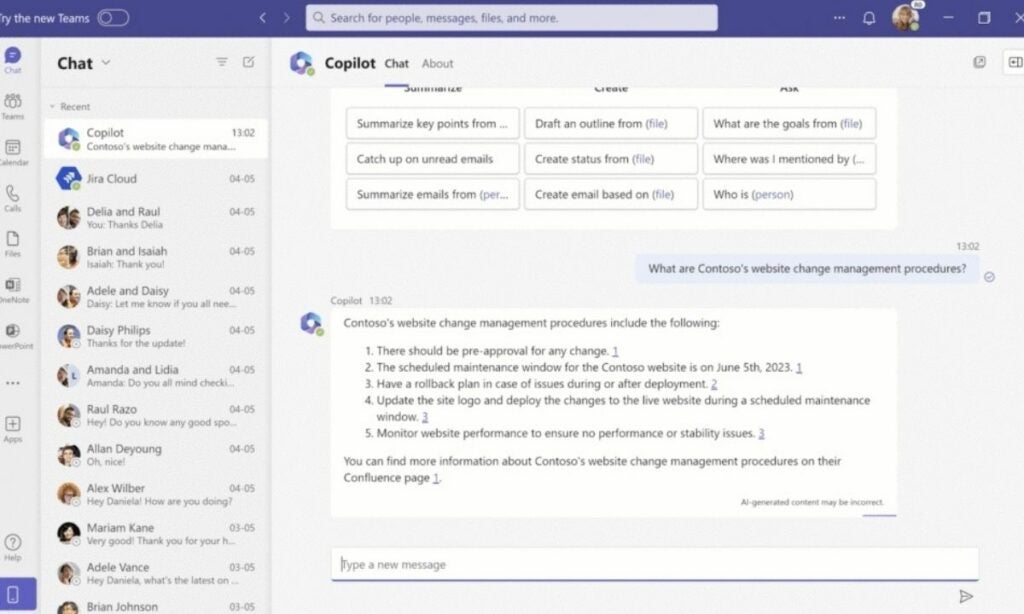
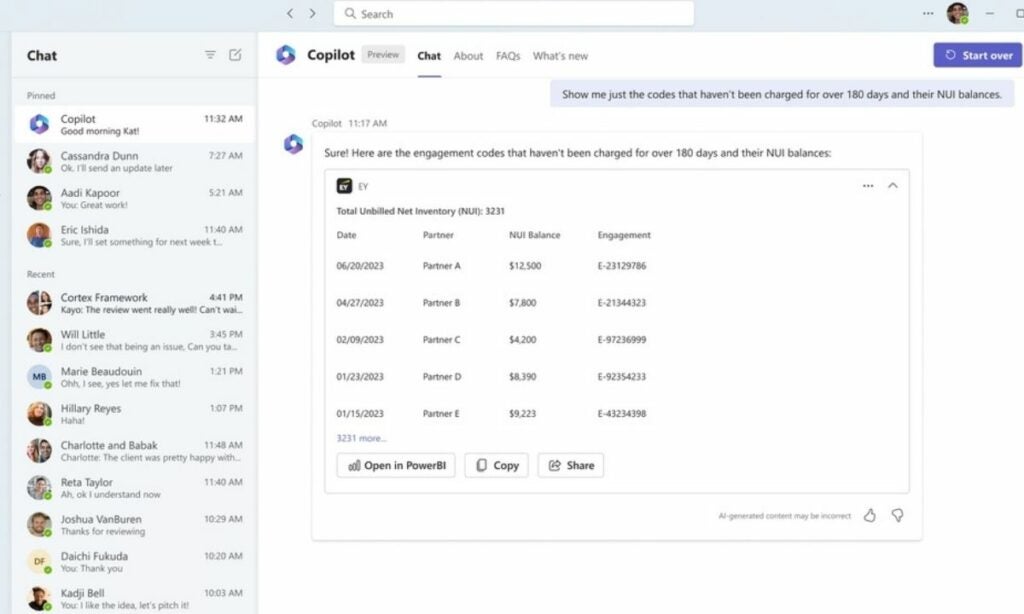
Microsoft 365 Copilot, the eagerly anticipated generative AI assistant tailored for Microsoft’s suite of productivity applications, is set to make its official debut on November 1, exclusively for enterprise users. This exciting development heralds a new era of enhanced functionality, as third-party plugins are gearing up to join the Copilot ecosystem, bringing a host of innovative features to businesses and their dedicated workforce.

In a recent blog post, Microsoft unveiled that businesses are actively crafting these plugins through the utilization of various tools, including Teams message extensions, Power Platform connectors, and Microsoft Graph connectors. Among the pioneers in this exciting venture is none other than Amadeus, the renowned travel company that has ingeniously devised a plugin for Microsoft 365 Copilot.

According to Neowin, these plugins, exemplified by Amadeus’ contribution, promise to revolutionize the way users interact with their productivity tools, significantly reducing the need to switch between disparate applications. The result? A tangible surge in productivity that will undoubtedly resonate with enterprises across the globe.

Credit

Expanding horizons

The journey towards a more streamlined and efficient work environment doesn’t stop with Amadeus. Other tech giants are also stepping up to the plate, ready to integrate their offerings with Microsoft 365 Copilot. For instance, Jira, a formidable software development and management tool, is diligently working on plugins designed to empower users to take swifter, more decisive actions while navigating complex projects.

Similarly, the project management aficionados at Mural have thrown their hat into the ring, introducing a plugin that facilitates seamless collaboration, content sharing, and easy retrieval of Mural boards through chat interfaces. These initiatives underscore the immense potential of Microsoft 365 Copilot in fostering collaborative and efficient work environments.

Microsoft 365 DOWNLOAD

Wells Fargo’s foray into Copilot

Even the financial sector is not untouched by the allure of Microsoft 365 Copilot. One of the United States’ major banking institutions, Wells Fargo, has crafted a specialized Copilot plugin to benefit both its employees and valued customers. This move further emphasizes the adaptability and versatility of Copilot, transcending industry boundaries to serve diverse user needs.

Credit

The path ahead

For those eager to dive into the world of Microsoft 365 Copilot plugin development, the Microsoft 365 Developer Technology Adoption Program (TAP) awaits. This program offers a comprehensive package, including access to invaluable resources such as product roadmaps and the opportunity to exchange insights and feedback with fellow developers. Microsoft has promised to unveil further details about its ambitious plans for Microsoft 365 Copilot during the upcoming Ignite conference, scheduled for November 14-17.

In conclusion, the impending launch of Microsoft 365 Copilot and the enthusiastic participation of businesses and developers through innovative plugins paint an optimistic picture for the future of workplace productivity. With Copilot, the sky is the limit, as it promises to usher in a new era of seamless, efficient, and collaborative work experiences for enterprises worldwide.

Check out the new Amazon Echo devices

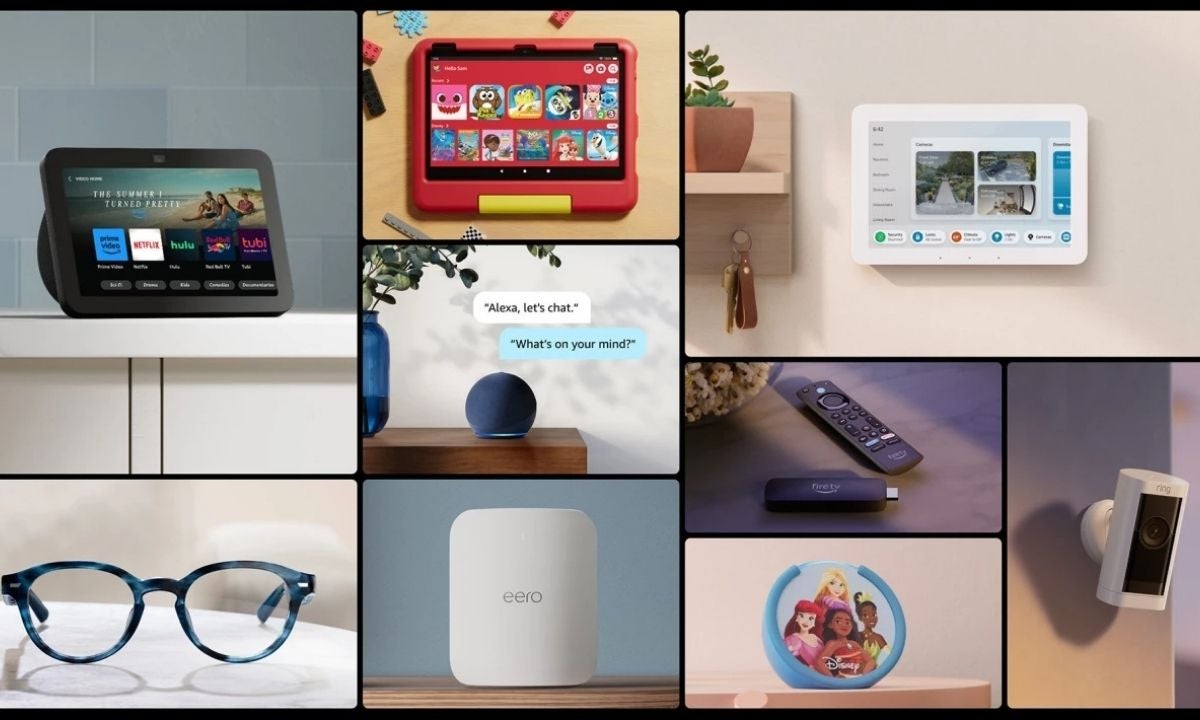
New Amazon Echo devices have been unveiled, and they’re causing quite a stir among tech enthusiasts. In this article, we’ll delve into these cutting-edge gadgets and explore what they have in store for us!

Amazon is showing no signs of slowing down its innovation efforts. Despite some rumors swirling around its hardware division, the tech giant is charging ahead with its vision for the “ambient home.” Today, in an exciting live-streamed event from Virginia, Amazon has introduced a range of new products for its Echo lineup, including the debut of Alexa-enabled smart glasses. Furthermore, the company has shed light on its ongoing work to enhance Alexa’s conversational abilities, making controlling your smart home devices easier than ever before.

Amazon Prime Video DOWNLOAD

What are the new Amazon Echo devices?

The latest Amazon Echo devices are here, and they come bearing innovations that promise to simplify our lives. Amazon didn’t just reveal new devices; they also rolled out important updates to some of their existing products, all aimed at bringing smiles to loyal customers. So, without further ado, let’s meet the new Amazon Echo devices that stole the spotlight at the event:

Echo Show 8

Credit

The Echo Show 8 has received a much-anticipated update, featuring spatial audio capabilities that are on par with Sonos smart speakers. This enhancement ensures that your music sounds fantastic in any room. The new model sports a slightly more rounded shape and packs a 13-megapixel camera with improved background noise reduction for crystal-clear video calls.

In terms of connectivity, the Echo Show 8 has got you covered on all fronts for your smart home needs, supporting Matter, Zigbee, Bluetooth, Thread, and Sidewalk – Amazon’s internal mesh network that helps you keep tabs on your package deliveries

Echo Hub

Credit

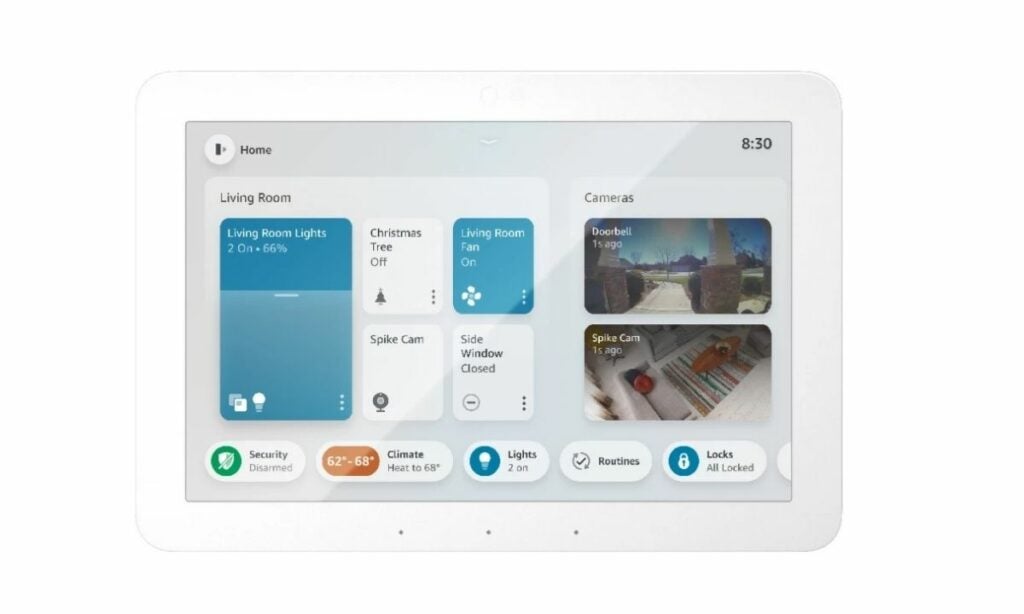
At the heart of Amazon’s announcements is the Echo Hub, priced at $179.99. This sleek device has been designed with one clear purpose: to serve as your smart home controller. Resembling a more compact version of the Echo Show 8 or a trimmed-down Show 15, the Echo Hub effortlessly blends into your living space. You can mount it on your wall or place it on a table or shelf using a desktop stand.

Featuring an eight-inch touchscreen, the Echo Hub shares its DNA with the Echo Show smart display. However, it brings some unique features to the table. Although it runs on the same operating system as the new Show 5, it boasts a different processor and lacks a camera. Instead, the Echo Hub employs an infrared (IR) sensor that springs to life as you approach, eliminating the need for multiple taps to activate smart home widgets, such as turning on lights or checking security cameras.

The Echo Hub is soon available for pre-order and is scheduled to ship later this year. It includes a wall-mount bracket, a power adapter, and a generous six-foot cable (USB-A to C). For those looking to add a personal touch, Amazon offers decorative frames in wood, white (paintable), and metallic, priced at just $19.99 each, along with a tabletop stand for $29.99.

Amazon Alexa DOWNLOAD

Eero Max 7

Eero, now part of Amazon’s family, introduces the Eero Max 7 – a Wi-Fi router built to meet the demands of today’s connected homes. With three wireless bands, including 2.4GHz, 5GHz, and 6GHz, this router delivers blazing fast wireless throughput, clocking in at up to 4.3 Gbps, and offers wired capability of up to 9.4 Gbps.

One standout feature of the Max 7 is its impressive array of ethernet ports – a first for Eero. It boasts two 10GB ethernet ports and two 2.5GB ethernet ports, providing connectivity for over 200 connected devices. The router also supports Matter and Zigbee, serving as a Thread border router for seamless smart home connectivity.

Echo Frames

Credit

Amazon’s latest iteration of Echo Frames is 15% thinner and boasts an improved battery life, offering up to six hours of continuous media playback or talk time. A standout feature here is the “multipoint” pairing, allowing wearers to connect these frames to multiple audio devices simultaneously, all without the need to fuss with their phones.

But the real showstopper is the revamped audio experience in the Frames, promising more balanced sound, enhanced audio clarity, and reduced distortion. With seven different styles and the option for prescription-ready frames, Echo Frames are poised to take your audio experience to new heights

In a fast-evolving tech landscape, Amazon’s unwavering commitment to innovation shines through with these exciting additions to the Echo lineup. From the Echo Hub’s mastery of smart home control to the sleek and improved Echo Frames, along with the enhanced Echo Show 8 featuring spatial audio, there’s something here for everyone.

Android now lets you check battery information in settings

Google has unveiled the first beta of Android 14 QPR1, bringing with it a range of exciting updates. Among the changes, the most eye-catching is the introduction of battery information in the device settings, a feature set to provide users with essential insights into their device’s battery life. While this innovation is a step in the right direction, there’s more to the story than meets the eye.

Discovering battery information in Android 14 QPR1 Beta 1

Android 14 QPR1 Beta 1 is out, and everyone is trying out the new features and settings. One of the users on X, Mishaal Rahman, has discovered that you can now see your battery information in settings. Rahman shared his findings and included an image to show all the details about the new feature. You can find his post below:

With Android 14 QPR1 Beta 1, Google has taken a leap forward in enhancing user experience by allowing users to access crucial battery data conveniently. To access this newfound treasure trove of information, navigate to “Settings,” then proceed to “About Phone,” and finally, click on “Battery Information.” This simple yet effective maneuver unveils a wealth of information, including the manufacturing date of your device’s battery and the count of charge cycles it has undergone.

Android 14 DOWNLOAD

The inclusion of manufacturing dates allows users to gauge the age of their battery, providing valuable insights into its lifecycle. On top of that, the charge cycle count offers a glimpse into the battery’s usage history, shedding light on the journey it has undertaken since its inception. However, it’s important to note that this feature doesn’t include one crucial piece of data that many users crave—the “battery health” or maximum capacity, which indicates how well the battery holds up over time. While this may leave some users wanting more, it’s worth remembering that even giants like Apple only introduced support for battery cycle counts in iOS 17 following significant complaints about battery issues.

What can Android bring in the future?

While it remains uncertain whether this battery cycle count feature will extend to all Android devices, it is a confirmed addition for Google Pixel users. This is a promising step forward, and we can only hope that Google will build upon it, providing users with even more comprehensive insights into their device’s battery health.

In conclusion, the introduction of battery information in Android 14 QPR1 Beta 1 marks a positive development in the Android ecosystem. As we eagerly anticipate further updates and improvements, this feature offers a valuable first look into the state of our device batteries, bringing transparency and control into our hands. While we keep our fingers crossed for future enhancements, it’s clear that Google is committed to enhancing the Android experience, one feature at a time. Stay tuned for more exciting updates as Android 14 QPR1 continues to evolve.

You can now label AI-generated content on TikTok

AI is getting more and more casual in our daily lives, and so is TikTok. According to the latest news, TikTok has rolled out a new tool that will help creators label their AI-generated content on the platform. There were many rumors before today, and the company finally made the official announcement that the tool has gone live.

Shedding Light on AI-Enhanced Content

TikTok’s existing user guidelines already mandate that creators must disclose when their content relies on AI. However, the newly introduced AI labeling feature takes this a step further. Creators will now receive prompts encouraging them to activate this feature, effectively signaling to viewers that the content in question has been generated using AI software.

This AI label is prominently displayed beneath the username in the corner of videos, making it easily noticeable to viewers. Furthermore, the prompt also serves as a reminder of potential consequences, as TikTok warns that undisclosed AI involvement may result in content removal.

The Rapid rise of AI-generated content

AI-generated content has rapidly gained traction on TikTok, emanating from both users and the platform itself. Notably, AI-driven voice cloning software has been utilized to craft convincing imitations, such as simulated Drake songs or fabricated motivational speeches from a Taylor Swift impersonator. These AI-generated creations have garnered millions of views, underlining the need for transparency in distinguishing between human and AI-generated content.

TikTok DOWNLOAD

A clear policy

It’s crucial to emphasize that TikTok’s new labeling tools are not optional. Recent company policies explicitly state that any AI-generated content featuring “realistic images, audio, or video” must be properly labeled.

This mandate serves a twofold purpose: first, to provide viewers with essential context, and second, to curtail the potential dissemination of misleading content. It’s worth noting that TikTok offers various disclosure methods, such as stickers or captions, enabling creators to adhere to these guidelines without infringing on community standards.

In light of these developments, TikTok is also actively working on developing its own algorithm to label AI-generated posts automatically. While the platform has not yet revealed the launch date for these in-house labeling tools, the intent is clear: to streamline the process and ensure that AI-generated content is accurately identified.

These initiatives were collaboratively developed in consultation with TikTok’s safety advisory councils, with invaluable input from industry experts and academics.

Additionally, TikTok is committed to adhering to the Partnership on AI’s Responsible Practices for Synthetic Media, a set of recommendations designed to promote transparency in AI-generated content.

The platform has also announced its partnership with the nonprofit organization Digital Moment, aimed at hosting roundtable discussions to engage young community members in advancing AI technology.

TikTok‘s latest move represents a significant stride towards fostering transparency and trust in the realm of AI-generated content, and it underscores the platform’s dedication to responsibly harnessing cutting-edge technology for the benefit of its diverse user base.

As these labeling tools become an integral part of the TikTok experience, users can look forward to a safer and more informed social media environment.

Taylor Swift 1989 Vault Puzzle answers and how to submit them

If you’ve found yourself scratching your head while tackling the Taylor Swift 1989 Vault Puzzle, don’t worry because today, we’re here to provide you with all the Taylor Swift 1989 Vault Puzzle answers you need.

This unique puzzle game, created in collaboration between the renowned singer Taylor Swift and Google, has stirred up excitement among fans, offering a glimpse into the bonus songs of “1989 (Taylor’s Version).” To unlock these hidden tracks, fans worldwide must collectively solve a staggering 33 million puzzles, each taking on 89 of them. If you’re feeling stuck and in need of some guidance to crack this enigmatic puzzle, you’ve come to the right place. We’ve got you covered with the Taylor Swift 1989 Vault Puzzle answers.

Taylor Swift 1989 Vault Puzzle answers

Now, without further ado, let’s delve into the answers you’ve been eagerly waiting for. But before we get into the specifics, let’s get a better understanding of how to navigate and conquer the Taylor Swift 1989 Vault Puzzle.

  • A Game of Cat and Mouse – love
  • AKA Christmas in September – chai sugar cookies
  • All You Had To Do Was Stay – but not like this, the palm of your hand, you were all I wanted, they paid the price
  • And Somehow That Was Everything – but she found herself
  • Announce – Los Angeles
  • Bad Blood – now we got problems, she wasn’t doing anything
  • Birth Date – December thirteenth
  • Birth Day – Wednesday
  • Blue Sweatshirt – seagulls
  • Caption – got a haircut
  • Coffee – long list of ex-lovers
  • Deepest Fear – sea urchins
  • Excitedly Mingling – secret sessions
  • First Stop – Tokyo
  • Halloween Costume – pegacorn
  • How You Get the Girl – of kisses on cheeks
  • I Know Places – and we run, and everyone was watching, loose lips sink ships
  • I Love You – swifties
  • I Was Born In – nineteen eighty-nine
  • I Wish You Would – elevator buttons, everything and nothing
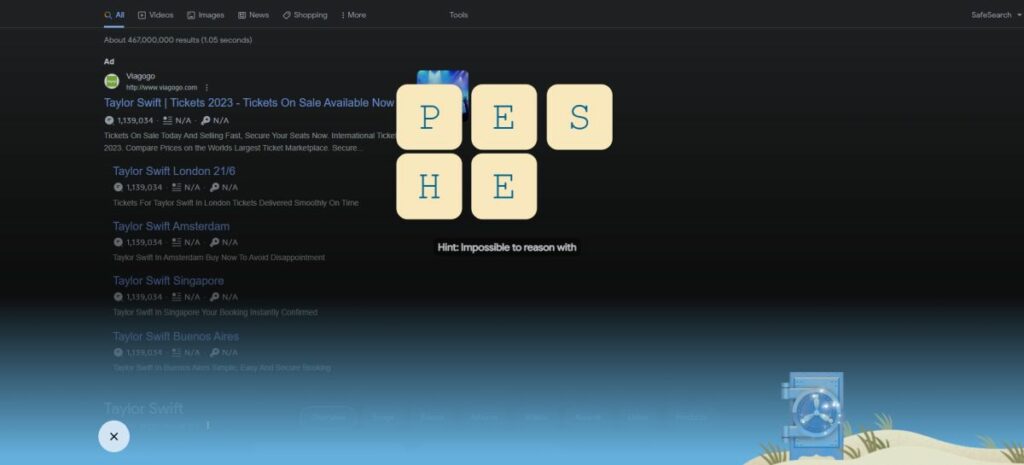
  • Impossible to Reason With – Sheep
  • Karnma Music Video – MCMLXXXIX
  • Last Stop – Melbourne
  • Likes, Job, Whereabouts Were Studied Intently – taylurking
  • Look At It! – yes whale
  • Loudest and Brightest City – New York City
  • Lucky – thirteen
  • Makes You Clean – rainstorms
  • New Romantics – come along with me
  • Number of Instant Films – sixty five
  • Out of the Woods Intro – she lost him
  • Release – October twenty-seventh
  • Smashing – golf club
  • Sun Sign – Sagittarius
  • They Never Go Out of Style – sunglasses
  • This Love – in silent screams, to what you need, timing is a funny thing
  • This Love (Taylor’s Version) – the summer I turned pretty
  • Track 6 – floor eighteen
  • Welcome to New York – it’s a new soundtrack, it’s been waiting for you, but they never blind me
  • Wildest Dreams – burning it down, he does it so well
  • Wildest Dreams (Taylor’s Version) – glitch
  • Wonderland – we both went mad
  • World Tour Live – Sydney
  • You Are In Love – you’re my best friend
  • Santa Clause emoji – swiftmas
  • Blank Space – and I’ll write your name, pen click, darling I’m a nightmare. magic madness heaven sin, incredible things, she’s like oh my god, so it’s gonna be forever, so hey let’s be friends, crossword puzzle, nice to meet you
  • Clean – I could finally breathe, think I am finally clean, what you are is brave.
  • Out of the Woods – two paper airplanes flying, it all seems so simple, like we stood a chance, you were looking at me.
  • Shake it Off – can’t stop won’t stop moving, I’m just gonna shake, she danced to forget him
  • Style – never go out of style, red lip classic, with some other girl

How to submit Taylor Swift 1989 Vault Puzzle answers

Here is how to submit Taylor Swift 1989 Vault Puzzle answers:

  1. Open your web browser.
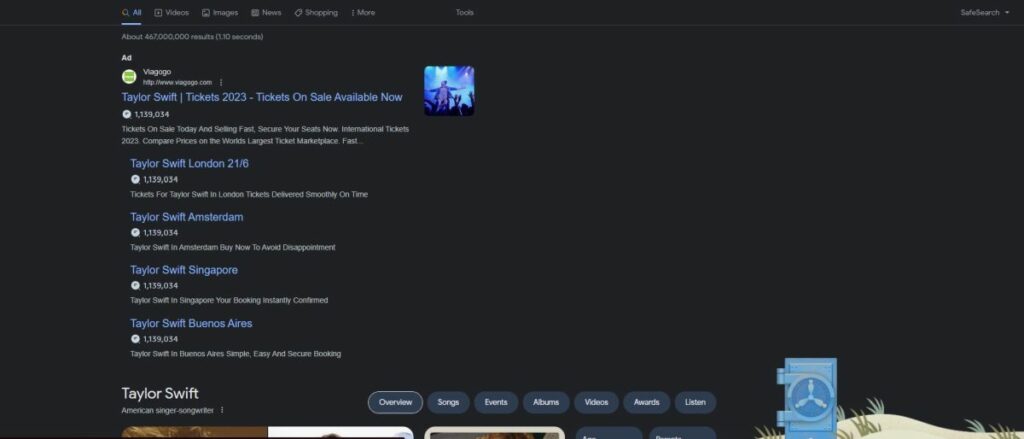
  2. Go to Google.
  3. Type Taylor Swift.
  4. Click on the Blue Vault.
  5. Starting solving the puzzle!
Taylor Swift 1989 Vault Puzzle answers

So, there you have it! With these answers and steps, you’re ready to tackle the Taylor Swift 1989 Vault Puzzle and find those hidden songs in “1989 (Taylor’s Version).” Join millions of fans worldwide on this exciting journey and share the joy of solving puzzles with your fellow Swifties. Good luck, and may your puzzle-solving skills lead you to the music you’ve been waiting for!

Google Slides adds live pointers to collaborate better

To help with seamless collaboration and boost productivity, Google Slides has rolled out an exciting new feature that’s set to transform the way we work together on presentations. The web version of Google Slides is introducing a live pointer, allowing you and your colleagues to see each other’s mouse pointers in action, making collaboration smoother than ever before.

What is the new live pointer feature on Google Slides?

Traditionally, Google Slides users could only discern which slide their collaborators were viewing, along with the telltale sign of them actively editing text. While these were valuable indicators, they left room for improvement. Now, with the introduction of live pointers, Google Slides takes collaboration to the next level by providing live insight into where each participant’s mouse cursor is located. When activated, the familiar arrow icon becomes more prominent, and each user is assigned a unique color accompanied by their floating name.

“To boost collaboration in Google Slides, we’re introducing live pointers, a new feature that allows you and your colleagues to see each other’s mouse pointers in real-time. With this update, co-creators can easily point out specific text or visual elements within a Slide in order to highlight important information and content,” said Google in the official announcement.

Google Slides DOWNLOAD

This new feature is especially handy during collaborative walkthroughs when a presentation is still a work in progress. Located at the right end of the toolbar, the live pointer icon is just a click away. It’s essential to note that this feature is off by default, ensuring that you have full control over when you activate it.

Additionally, you have the flexibility to manage the visibility of your collaborators’ pointers. If you wish to hide their pointers temporarily, you can do so by selecting View > Live pointers > Show collaborator pointers, or by entering the presentation mode.

How to use the live pointer on Google Slides

For those eager to embrace this groundbreaking feature, here’s a step-by-step guide on how to enable and use live pointers in Google Slides:

  1. Open Google Slides.
  2. Go to View.
  3. From the drop-down menu, select the Live Pointers option.
  4. Step 4: Then, click on Show my pointer. Alternatively, you can activate the feature using the pointer icon conveniently located in the toolbar.

Remember that live pointers will remain visible across all slides until you decide to turn them off. To hide your collaborators’ pointers for the current session, simply navigate to the presentation mode or select View > Live pointers > Show collaborator pointers.

In the weeks ahead, this exciting feature will be gradually rolled out to both Workspace customers and personal Google Accounts, promising to revolutionize the way we collaborate on Google Slides presentations. Say goodbye to the guessing game of where your collaborators are and embrace the era of live pointers for a more efficient and engaging collaborative experience.

Emoji 15.1 update to bring these emojis to Android and iOS devices

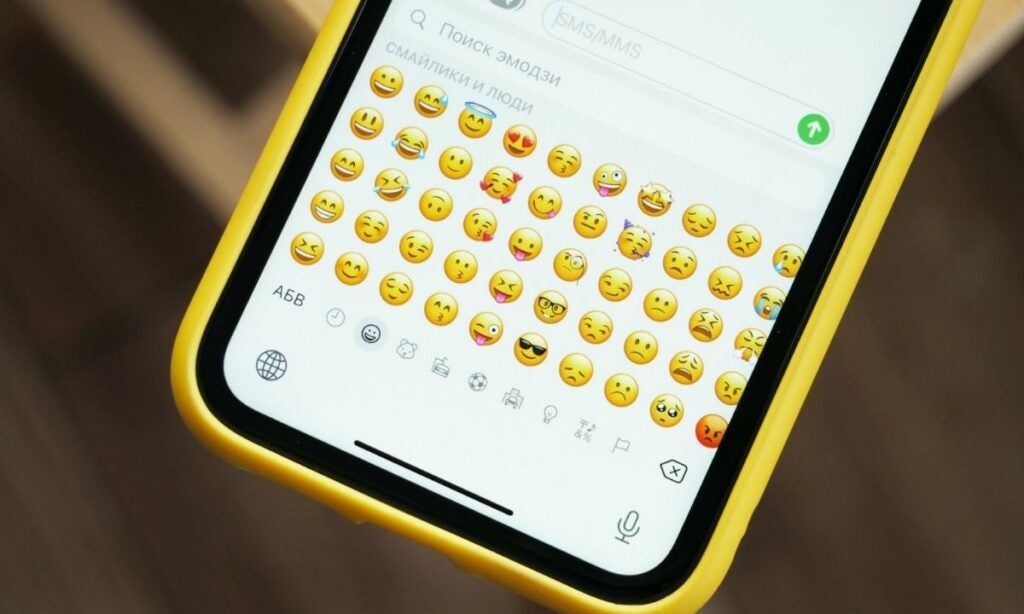
Get ready for some fun news! Our beloved emoji library on Android and iOS is getting a cool update called Emoji 15.1. This means we’re about to see 118 brand-new emojis that’ll make our messages even more exciting!
What is Emoji 15.1, and who is making it happen?

First, let’s understand what Emoji 15.1 is and who’s working on it. The Unicode Consortium is a group that makes sure we have emojis on our devices. Big companies like Apple, Google, and Microsoft are part of this group. They take the emoji ideas approved by the Consortium and give them their own style. That’s why Apple’s emojis look different from Google’s.

Now, let’s check out the new emojis in Emoji 15.1. These 118 emojis fall into three groups, and each group is pretty cool. According to Emojipedia, here are the new emojis that are expected to hit the keyboards on Android and iOS devices:

Unique Emojis

In the first group, we have emojis that are unique and stand-alone. For example, there’s a nodding head emoji and a shaking head emoji. These are great for simply showing agreement or disagreement. Just pick the one that fits your feelings!

The six completely new emoji concepts within Emoji 15.1 are:

  • ?‍↔️ Head Shaking Horizontally
  • ?‍↕️ Head Shaking Vertically
  • ?‍? Phoenix
  • ?‍? Lime
  • ?‍? Brown Mushroom
  • ?‍? Broken Chain
iOS 17 DOWNLOAD

Family Emojis

The second group is all about family. You’ll find emojis that show different family situations. From happy family moments to everyday family life, these emojis capture it all. No matter where you come from, you’ll relate to these emojis.

The four new family emojis are:

  • ?‍?‍? Family: Adult, Adult, Child
  • ?‍?‍? Family: Adult, Child, Child
  • ?‍? Family: Adult, Child
  • ?‍?‍?‍? Family: Adult, Adult, Child, Child

Expressive People Emojis

The third group is the biggest. It brings emojis of people doing different things, like walking or running to the right. These emojis match the ones we already have for leftward movement. What’s cool is that you can choose different skin tones and genders for each of these emojis. So, you get lots of options to express yourself!

The six people emoji characters that now have direction-specifying variations are:

  • ?‍➡️ Person Walking Facing Right
  • ?‍➡️ Person Running Facing Right
  • ?‍➡️ Person Kneeling Facing Right
  • ?‍?‍➡️ Person with White Cane Facing Right
  • ?‍?‍➡️ Person in Manual Wheelchair Facing Right
  • ?‍?‍➡️ Person in Motorized Wheelchair Facing Right
Android 14 DOWNLOAD

“These 118 new emojis introduced in Emoji 15.1 include six completely new concepts, four new gender-neutral family emoji combinations, and 108 new direction-specifying versions of six pre-existing people emojis. For example, color images are commonly shown on pages of new emoji information by Unicode and come from various sources. These are intended to convey the preferred design choices for vendors when implementing emojis,” said Emojipedia.

Emoji 15.1 is going to make our texting and messaging way more fun. With 118 new emojis covering personal expressions, family moments, and different actions, there’s something for everyone. Keep an eye out for these emojis on your devices soon, and enjoy adding a little extra fun to your digital conversations!