Rockstar confirms GTA 6 is in active development

Rockstar has been rumored to have been working on a new title in the Grand Theft Auto franchise for at least two years. Now, after nearly nine years of GTA V, in addition to the newly released Definitive Editions of the 3D universe, the company has confirmed that GTA VI is in active development

GTA V has dominated both single-player and online gaming since its release in 2013. But even with its many facelifts, updates, and DLC packs, fans of Rockstar’s crime franchise are ready for something new. With the global success of GTA V and Rockstar’s recent embarrassment due to the unfinished state of the Definitive Edition releases, the company is under more scrutiny than ever before to turn this new title into something spectacular. 

Nothing has been said by the team behind Grand Theft Auto apart from that GTA 6 is officially confirmed, this has not stopped the rumor mill from churning away and making predictions about the upcoming addition to the Grand Theft Auto HD universe. 

Rumors abound that GTA VI is due to be set in the fictional location Vice City, due to both players’ desire to return to the Miami-esque city and supposed leaked maps for a modern-day Vice City. Other rumors are that Rockstar is employing features from Red Dead Redemption, another Rockstar game, in the development of GTA VI. For the moment, however, Rockstar hasn’t released any other official information, meaning we’ll have to wait and see what the next few years’ worth of announcements, leaks, and community speculations say as the much-anticipated game starts to take shape. 

For all you need to know about Rockstar’s current crown jewel GTA V and how to make the most of your experience, read our expert guides, mod reviews, and tips and tricks for GTA V HD universe.


Infinity Ward teases a Modern Warfare Sequel in the Call of Duty “New Generation”

Activision is wasting no time in beefing up their already stellar catalog. With the ink barely dry on the release of Sledgehammer Games’ Call of Duty: Vanguard, the gaming publisher has inadvertently announced a new project. In a post on Twitter yesterday, the Infinity Ward official account tweeted that it was bringing to life ‘A new generation of Call of Duty.’

Expected to arrive sometime this year, Infinity Ward’s next contribution to the CoD franchise is rumored to be a sequel to Modern Warfare. It could reportedly feature drug cartels as the main storyline. 

Modern Warfare is one of the greatest titles in the Call of Duty franchise, and for a good reason. First released in 2019, the game brought back characters from CoD games past, even though the canon was slightly altered, and introduced several notable new ones. A sequel to Modern Warfare was expected as relentlessly teased and desired within the CoD community, so Infinity Ward’s announcement comes as no surprise.

However, what is surprising is the rumor that it will center around drug cartels, as Call of Duty has mostly previously focused on full-blown war and rebellions. But this would not be the first time CoD has deviated from that unwritten rule, and Colombia’s war on drugs is considered a modern war, so it would be an apt setting for a Modern Warfare Sequel.

The game’s future in terms of platform is uncertain, with Microsoft’s purchase of Activision Blizzard, but reports suggest that at least the next three CoD titles will still be on PlayStation. The assumption is that the franchise will eventually take its place on Xbox and Microsoft Gaming with all of Microsoft’s other acquisitions, but nothing has been confirmed as yet. We do have a suspicion which Activision Blizzard games we expect to see on Games Pass, though.

Halo Infinite patch addresses Big Team Battle bugs

Since mid-December 2021, Halo Infinite players have been frustrated by bugs in the Big Team Battle mode. Even though a patch was released in January this year, it did not fix the major issue with Halo’s biggest and most popular game mode. A new patch released on February 3rd finally addresses these issues and should be the fix the community needs. 

The January patch may not have solved the issues present in BTB since December, but it did provide the telemetry data needed to develop the February 3rd patch. The new patch isn’t just focused on BTB; it also makes a few notable changes to Oddball, resulting in an additional minute being added if scores are tied after the timer runs out. If thereafter, the match is still tied, it will end in a draw. 

Here are some of the other multiplayer patch notes that accompanied the February 3rd parch:

  • Improvements to matchmaking service for BTB, resulting in players finding full matches more consistently and faster. 
  • Update to the ‘join in progress’ function so that players cannot join matches that are almost over. 
  • Changes in Oddball resulting in victory to the team with the most rounds won if two separate rounds end in a draw.
  • Wraiths and Scorpion Tanks will be a much more frequent occurrence on BTB maps. 
  • BTB Fireteam members will have markers in the selected colors but can still start matches on different areas of the map.

The patch is available on all platforms and has a download size of approximately 1.1 GB, if not less.

Countdown to Carnaval: The Sims 4 gets a Carnaval-inspired kit

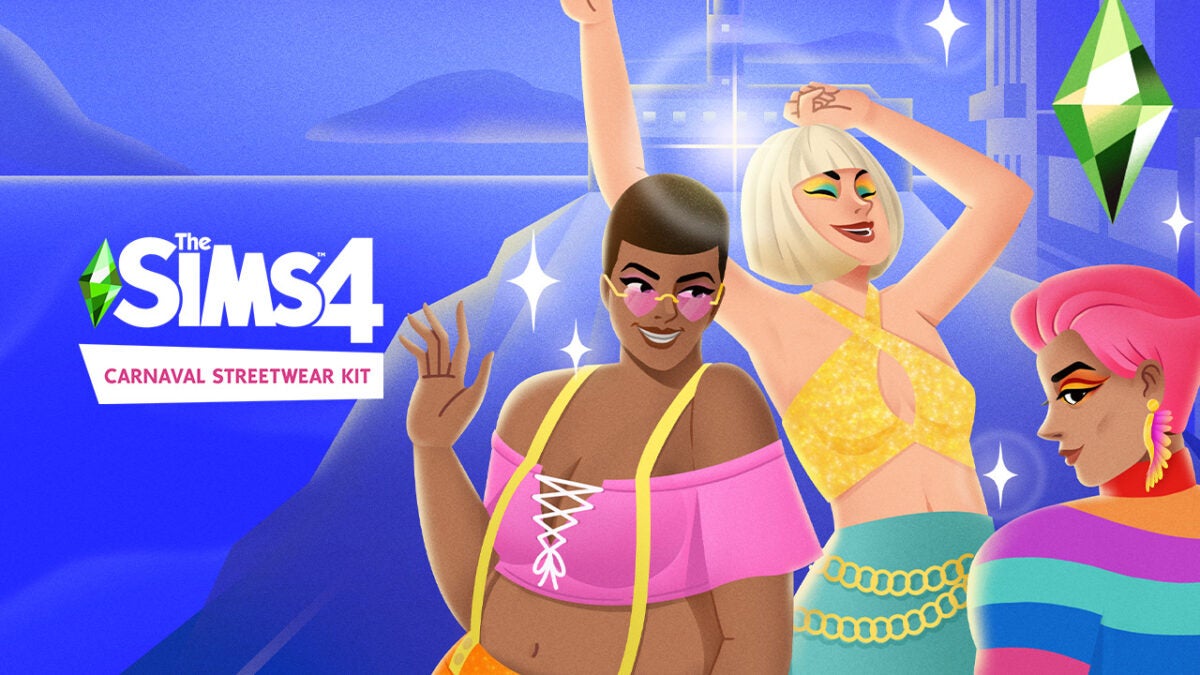
The Brazilian Carnaval is one of the most iconic celebrations in the Southern Hemisphere, if not the world. While the physical world is still waiting for massive celebrations and social events like Carnaval to become the norm again, Simmers are holding their breath for a whole other reason; Carnaval is headed to The Sims 4 in the form of the Carnaval Streetwear Kit

The Brazilian-inspired kit is due to be released into the virtual world of The Sims 4 today, February 3, and for passionate Simmers, it means much more than a few new items of clothing for Create-A-Sim (CAS). Electronic Arts and Maxis partnered with Pabllo Vittar, a Brazilian singer-songwriter, advocate for inclusivity and social change and lover of all things Carnaval to assist with designing the items in the pack. Pabllo says that Carnaval has always been a festival of unity, and that’s the kind of energy this kit carries within the Sims 4 community, even before its release. 

Concept art for the kit has already been released, as well as a teaser video posted to social media by the Sims team. The video shows various sims rocking out to Pabllo’s iconic electronic dance anthem, Buzina while showcasing some of the items featured in the new kit. The theme for the kit is neon colors, cutouts, and copious amounts of mesh. Anyone looking to recreate the glamor and extravagance of Carnaval will not be disappointed. 

The Sims 4 is notorious for being a watered-down variant of older Sims games. Still, including packs like this will forever change the Sims 4 landscape, adding color, depth, and the ability to truly ‘play with life’ as the famous catchphrase goes.

If you haven’t yet got the hang of the life simulation game, whether you’re struggling to rotate furniture or editing your Sim, be sure to check out the latest Sims 4 how-to guides!

How to get PUBG New State free codes

PUBG: New State was released in November 2021, and apart from a few bugs and glitches, it’s been smooth sailing so far. The game is fairly well established as a battle royale titan in a saturated market, but for any new players looking to diversify their gaming experience, now is definitely the time to get into PUBG Mobile. Krafton has sweetened the deal by releasing a bunch of new codes that you can enter for free loot, gear, and gadgets this February, and we’re about to show you how to get your hands on them. 

How to Redeem PUBG: New State Codes

The codes themselves are easy to redeem, and you only need to follow a few simple steps listed below:

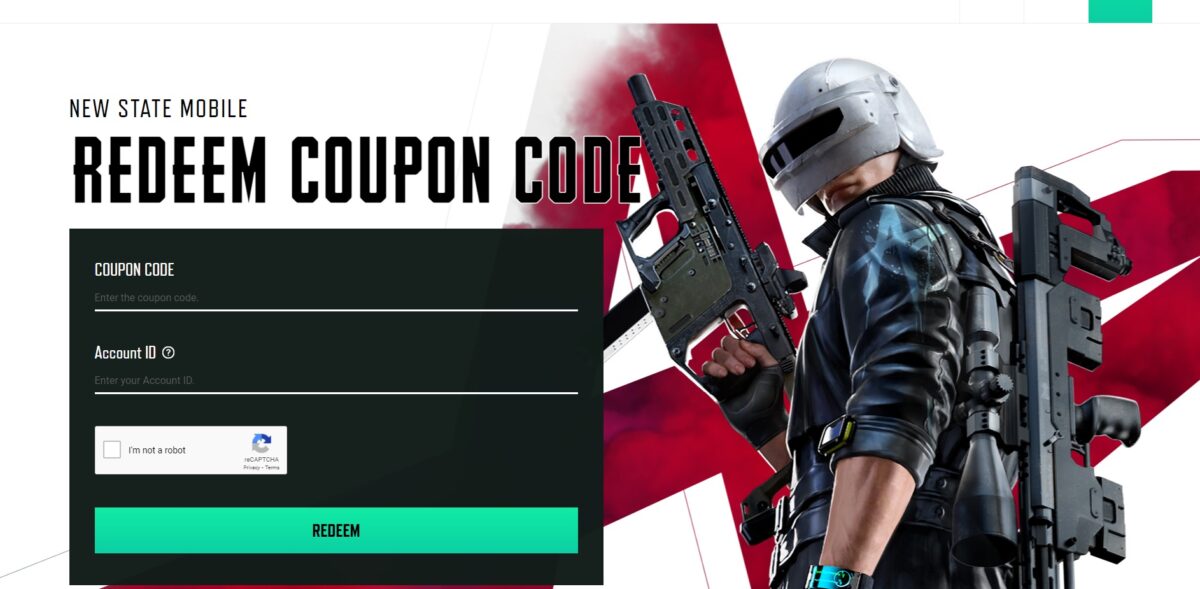
  1. Visit the PUBG: New State Web Portal

    How to get PUBG New State free codes

    You can open the PUBG: New State code redeem page here.

  2. Enter the code you want to redeem and your account credentials

  3. Solve the Captcha and click Redeem

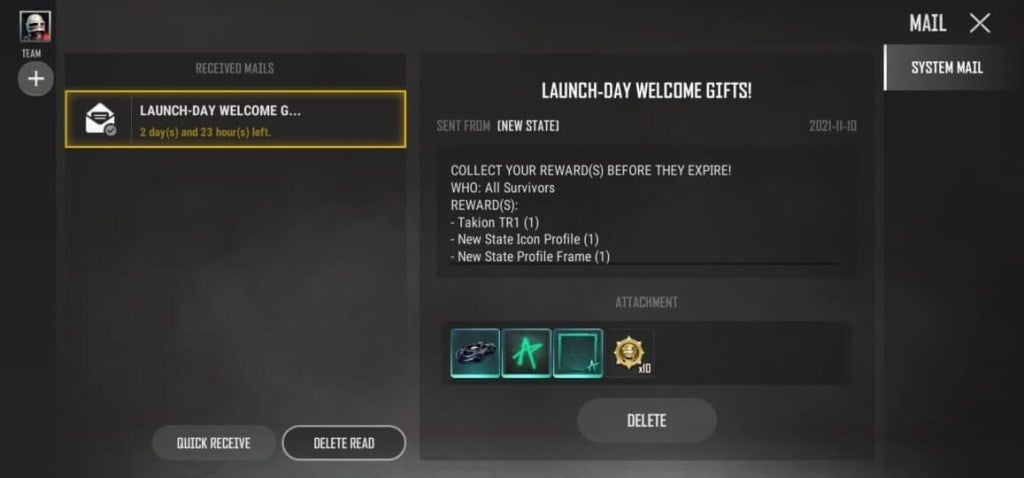
  4. Your rewards will be loaded up in the in-game mail system

    How to get PUBG New State free codes

PUBG: New State coupon codes for February 2022

  • DDSJJCZCDZ9U – An AKM gun skin
  • HTDS78FTU2XJ – An M416 gun skin
  • BDGRAAZBZJGS – Gives you the latest skin for the M416
  • P8HZDBTFZ95U – Gives you a new Sniper skin
  • Q12KARZBZYTR – New parachute or crates full of loot
  • Y12KARBYD2ER – BP coins and loot crates
  • 7TREMIK6YERU – A new AKM gun skin
  • INUTRE97YU3N – Free loot crates
  • 12JUNN7GTRER – New skins for cars
  • OJI87YUHITEE2 – A new parachute

An active and regularly updated player reward system is an integral tool for modern gaming. Specifically, on mobile gaming and within the battle royale class games, this provides new players with ample incentive to sign up and begin playing, leading to an increase in loyal PUBG: New State players.

Now that you know how to get the most out of PUBG: New State, why not check out some of our PUBG Mobile guides?

How to get your Spotify playlist to Apple Music

There are so many music streaming apps and services that have been released over the past few years. If you’re anything like me, you’ll have tested out a few of them to find the one that fits like Cinderella’s proverbial glass slipper. But once you’ve found the service you want to stick with for the long haul, what do you do with the others? 

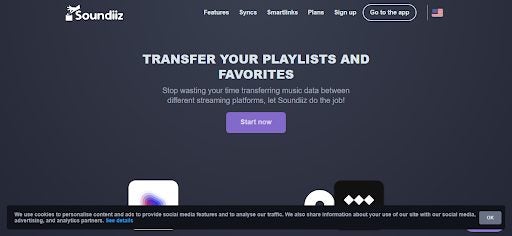
If we lived in a perfect world, Spotify would communicate seamlessly with Apple Music, Deezer, Joox, and all the other music streaming services and vice versa. But we don’t, so we need the help of a separate app to get all our music apps speaking the same language. Say hello to Soundiiz, an app that lets you move music, playlists, albums, and even artists from one music service to another. Here’s how you can use it to transfer your Spotify playlist to Apple Music and other platforms.

Transferring your music from Spotify to Apple Music

Music taste is subject to change, even for the most steadfast of us; every now and then, we find something new that rocks our world. It’s likely that across these myriad music apps you’ve tried, you’ve got a lot of different music. The best thing would be if there were a way to somehow merge all your music into one app, no matter where you got it from, so you could listen to all the greatest hits from multiple eras of music discovery. This used to be a concept only existing in dreamland, but not anymore.

  1. Open the Web App

    How To Get Your Spotify Playlist to Apple Music

    The first thing you need to do is open your browser of choice and head to Soundiiz.com.

  2. Sign in With Spotify

    How To Get Your Spotify Playlist to Apple Music

    Next, you’ll be prompted to sign in with a music streaming service of your choice. For the purpose of the tutorial, we’ve chosen Spotify. Enter your credentials and allow Soundiiz permission to access your Spotify discography.

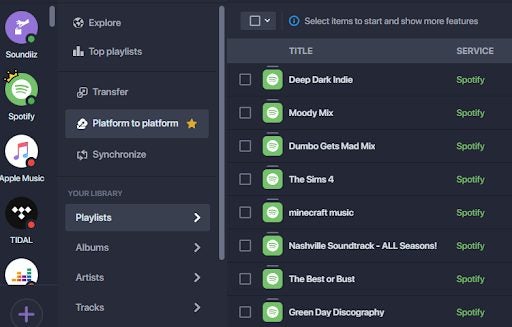
  3. Click on Platform to Platform

    How To Get Your Spotify Playlist to Apple Music

    You’ll see a list of features on the left-hand side of the screen. Click on ‘Platform to Platform.’

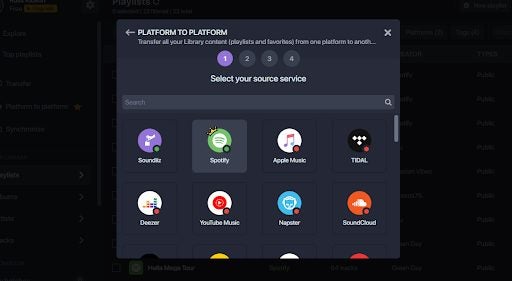
  4. Select and Connect to Spotify

    How To Get Your Spotify Playlist to Apple Music

    Next, you’ll want to select Spotify as your source service. This will let you move content from Spotify to your chosen destination service, in our case, Apple Music.

  5. Select Your Destination Service

    How To Get Your Spotify Playlist to Apple Music

    Now you need to select where your music is headed to. In our case, that’s Apple Music, but you can choose from any of the 40+ music streaming services that Soundiiz supports.

  6. Wait Patiently

    How To Get Your Spotify Playlist to Apple Music

    Depending on the subscription level you choose, Soundiiz will let you transfer your music collection in batches. This happens in the background, so you can carry on doing whatever you were busy with before you came across our article. 

    If you have a free subscription to Soundiiz, you can transfer one playlist at a time. However, for the amount of functionality you’re getting, the premium package is well worth the $3. When your transfer is finished, head to Apple Music or your chosen destination service and enjoy your music.

All Your Music at Your Fingertips

Soundiiz is a really powerful music conversion and transfer tool. With a few simple steps, you can consolidate all your music and have it all in one place. For a small price each month, you get access to all premium features, making the entire process faster, easier, and so much more convenient.

Windows 11 might be getting faster soon

Windows 11 is by no means a perfect operating system. Since the launch of the revolutionary new Windows OS, bugs have been present impacting performance on various devices. An issue affecting solid-state drives (SSDs) and hard drives reportedly slows some systems down more than 50%. Microsoft has yet to resolve the problem, but a new optional Windows 11 update could make the storage bug a thing of the past. 

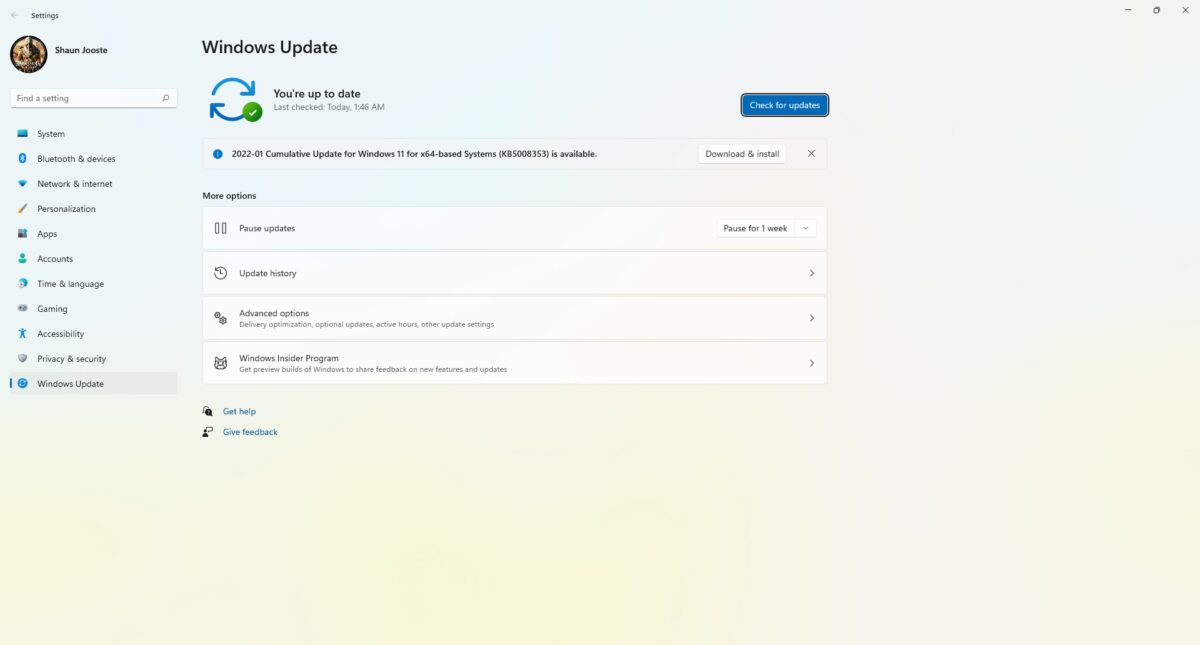
Windows 11 KB5008353, the latest in a string of performance updates, finally seems to be addressing the issue with storage drives on Windows 11 devices. The proof of this comes in the form of user statements commenting on the increase in speed and decrease of storage drive issues across the board. The new update is entirely optional, and Microsoft says it also fixes another bug found in the USN journal, which caused strange performance regression issues. 

The bugs have been a holdup in productivity and usability since the product’s launch, with key updates attempting to rectify the issue. One such update was the December 2021 Cumulative Update shortly after Microsoft acknowledged the performance issues affecting all storage drives, including NVMe, HDD, and SSD. Microsoft said that the bug affected disks’ performance because it performs unnecessary actions at every occurrence of a write operation. 

This issue with the Cumulative Update is that it only improved performance for a limited number of users, not all. Reports persist of innumerable SSDs and HDDs still being much slower than should be the case. 

With the new update potentially making speed regression issues a thing of the past on Windows 11, the operating system is set to soar past the popularity of its older counterpart, Windows 10. To read more about how quickly Windows 11 has been adopted by users and some tips and tricks on using it to its full potential, take a look at some of our other articles.

How to enable Microsoft Edge’s Super Duper Secure Mode

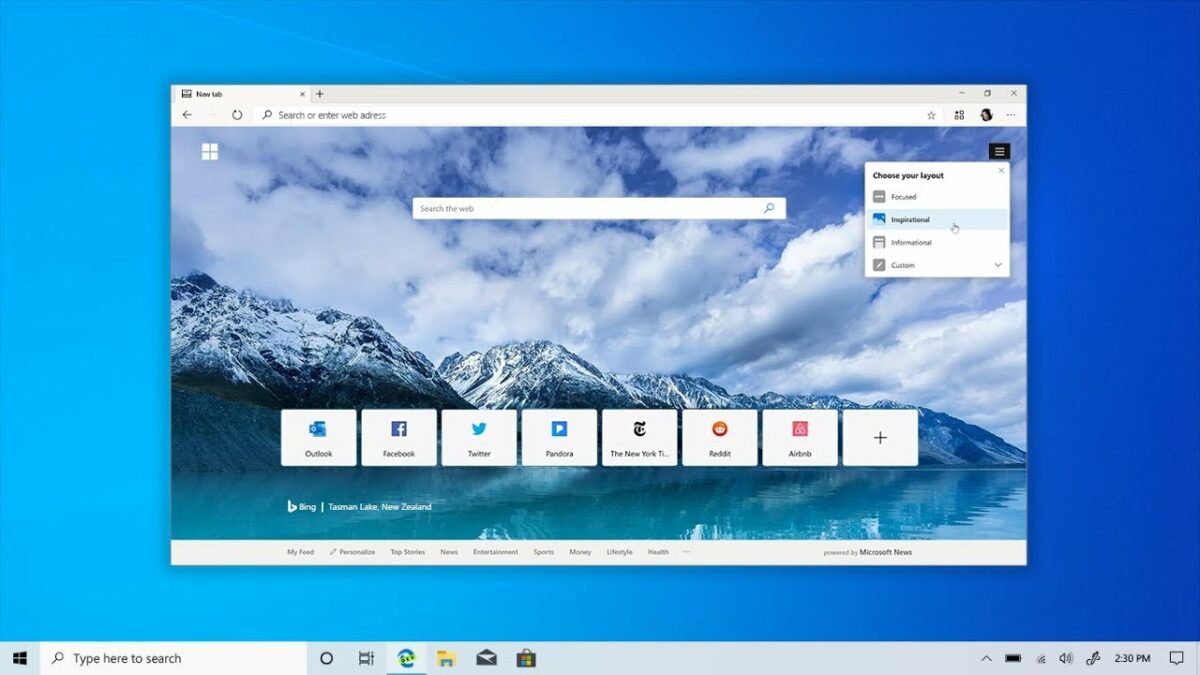
Microsoft’s new resident browser has improved greatly during its short life. Currently, Microsoft Edge rests on its laurels as one of the top three best browsers in the world. Edge is fast and capable, and now with Super Duper Secure Mode, it’s a veritable crypt as well. 

Super Duper Secure Mode basically lets you load webpages faster without compromising on security, as is the case with the JIT compiler tool. Edge can speed up JavaScript-based web pages by up to 17%. It’s available on Windows, macOS, and Linux, and we’re going to teach you how to enable Super Duper Secure Mode wherever you browse.

Enabling Super Duper Secure Mode on Microsoft Edge

  1. Download Edge

    How to enable Microsoft Edge's Super Duper Secure Mode

    The step is to download the browser that makes Super Duper Secure Mode possible; Microsoft Edge. Edge comes standard on Windows 10 and 11 and is easy to download and install on macOS and Linux-based systems. Head over to Microsoft’s website and choose the Microsoft Edge Executable compatible with your OS architecture. You’ll need the latest version of Edge for this feature to work; this is v.96.0.1054.29 0r later.

  2. Run Edge

    How to enable Microsoft Edge's Super Duper Secure Mode

    Everything from here on out will be done on Edge itself. Edge is incredibly capable as far as browsers go and narrowly beat out Google Chrome on speed tests. Edge is also going through a slight resurgence in user popularity. While Chrome still sits proudly at the top of the list, more and more people are choosing Edge over their native browsers.

  3. Open Edge Settings

    How to enable Microsoft Edge's Super Duper Secure Mode

    At the top right-hand side of the Edge toolbar, you’ll see three dots. You’ll see an expandable list of options. From here, you need to head to ‘Settings.’

  4. Security Settings

    How to enable Microsoft Edge's Super Duper Secure Mode

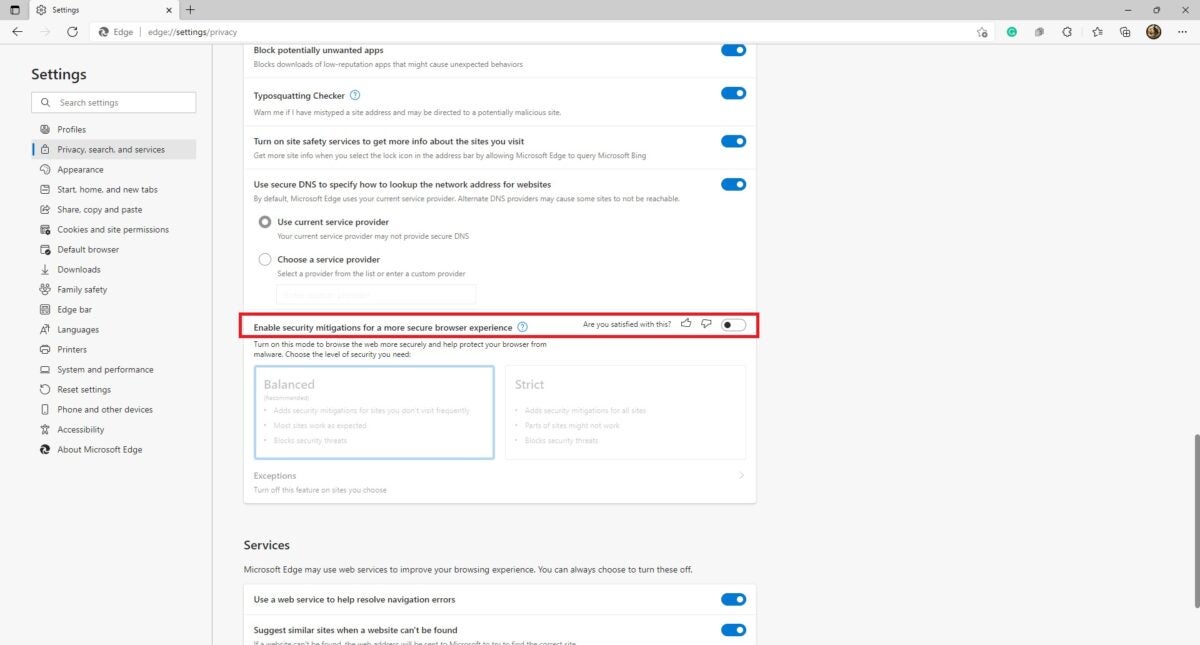
    You’ll see a ‘Privacy, Search, and Services’ tab in the Settings menu. Open this tab and scroll down to the ‘Security’ header. Now you should see an option to toggle ‘Security Mitigations for a More Secure Browser Experience. Turn this on. You have now successfully activated Super Duper Secure Mode.

  5. Choose a Mode

    How to enable Microsoft Edge's Super Duper Secure Mode

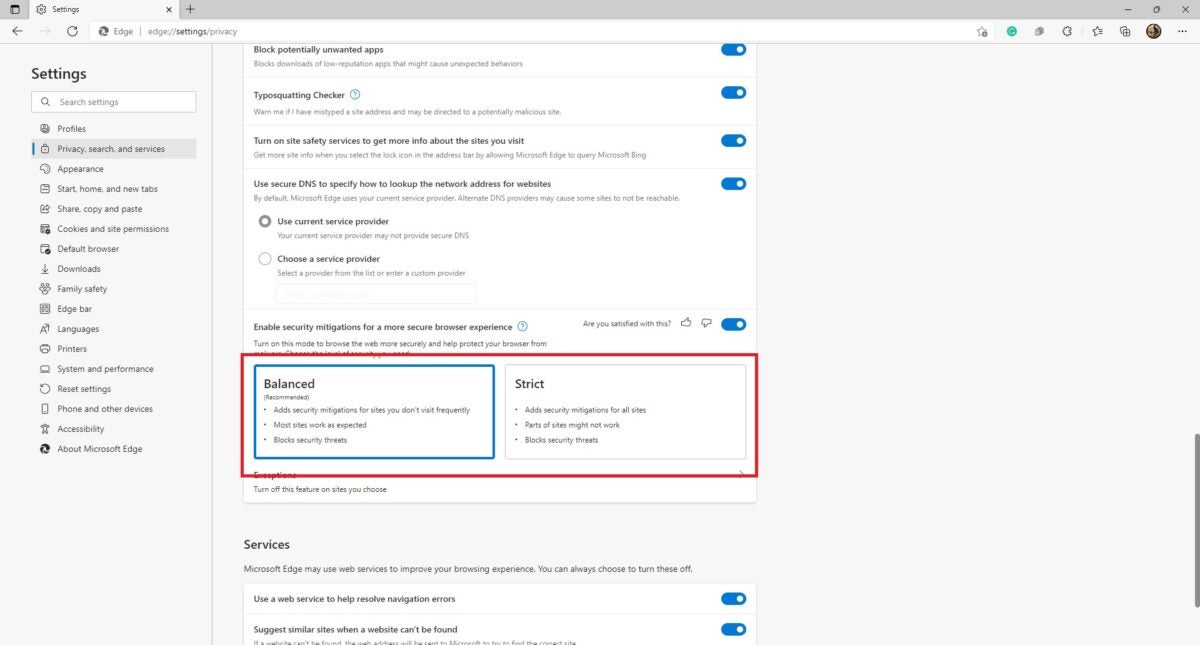
    Microsoft Edge offers two different modes when you activate Super Duper Secure Mode. You can choose between ‘Balanced’ and ‘Strict’ security protocols. Balanced adds security mitigations for sites you visit less frequently, allows most sites to work as you’d expect them to, and blocks security threats. Strict mode is a bit beefier. It adds security mitigations for all sites it encounters, blocks all security threats, and can result in some sites not working as they’re supposed to due to heavy JavaScript reliance.

A sign of security integration standards to come

Super Duper Secure Mode can be a bit buggy. To be fair, it’s still very much a work in progress, but it is a crystal clear window into the future of internet browsing security; The fall of the geriatric V8 JavaScript JIT compiler. The tool is quite the dinosaur in technological terms and serves as more of a security nightmare than anything else.

The expectation created by features like Edge’s Super Duper Secure Mode is that slowly but surely, reliance on the JIT compiler will lessen and that more browsers will start disabling it by default in the next few years as Microsoft Edge has done.

Bungie’s future is not PlayStation exclusive

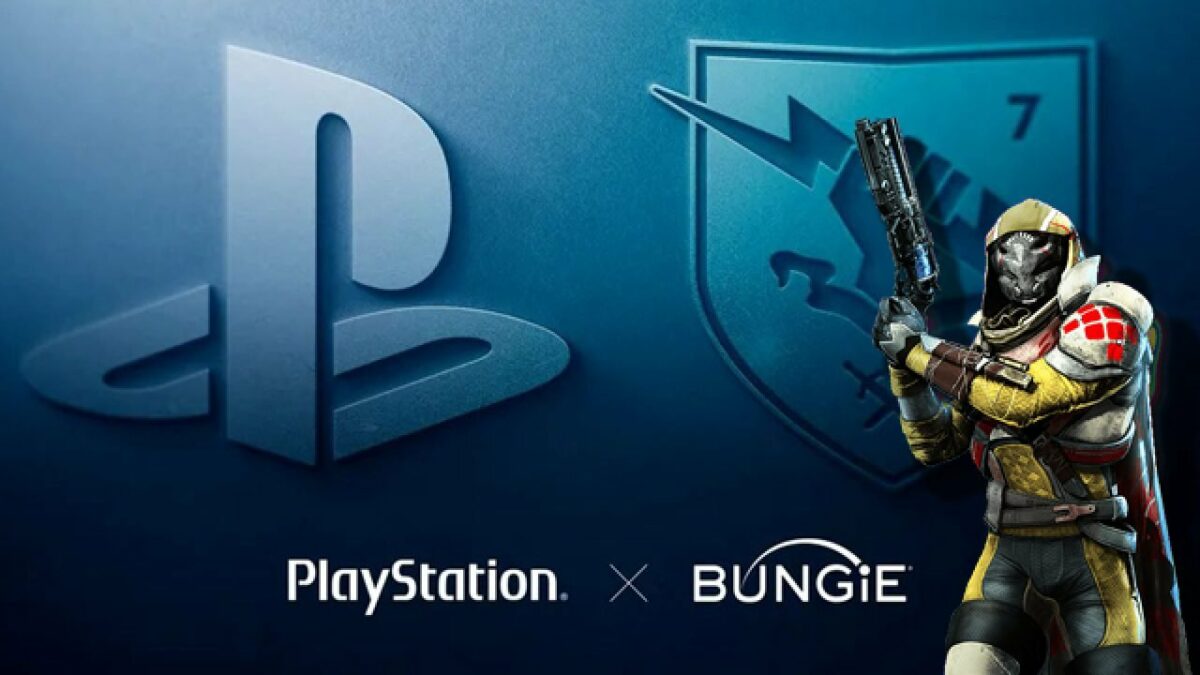
Sony Interactive Entertainment recently announced plans to acquire game developer Bungie for $3.6 Billion. While the acquisition news ruffled many feathers in the Xbox and Destiny 2 gaming communities and caused moderate panic over Bungie’s future developments, SIE has made it clear that they have no intention of making Bungie PlayStation Exclusive

Famous for the Halo and Destiny franchises, Bungie was under the Microsoft banner from the year 2000. In 2007 however, the developer split from Microsoft, losing its intellectual property rights to Halo, which is now developed by another of Microsoft’s acquisitions, 343 Industries. 

Sony Interactive Entertainment CEO, Jim Ryan, says that after the acquisition, Bungie will remain a multi-platform studio with full rights to self-publish their IP and reach players wherever they want to play. He goes further to say that Bungie and SIE have had a strong partnership since the birth of the Destiny franchise and that he is thrilled to welcome the studio into the PlayStation fold. 

The official PlayStation blog posts also went out of their way to quell concerns, reinforcing that Bungie will sit alongside PlayStation Studios and that the two groups would collaborate on future titles and IP. Bungie clarified what the acquisition would mean for them in their own blog post. The developer called Sony Interactive Entertainment a partner who has supported them unconditionally and only hopes to bring Bungie’s vision of entertainment spanning multiple generations to fruition while allowing them to remain the creative, independent force they’ve always strived to be. 

While Destiny 2 is being promoted heavily alongside PlayStation, offering exclusive bonuses to the platform’s players, it’s pertinent to remember how intertwined Bungie has always been with PlayStation, Xbox, and PC. There is no reason at this stage to worry about Bungie’s future offerings being exclusive to Sony’s gaming platform, and all parties involved have been transparent about wanting to preserve Bungie’s independence and supporting them in their quest. 

New God of War PC mod restores Kratos’ former glory

Since 2018, God of War fans have been getting used to the ‘new and improved’ Kratos. 2018’s release of the massively popular role-playing game chose to give the protagonist a makeover of sorts with a colossal beard and a body plagued by the visual effects of aging. In a new PC mod by Speclizer, God of War die-hards can see Kratos restored to his original glory to better live out their ‘Kratos: The Early Years’ fantasies.

The model for the Greek hero in this mod differs greatly from the now ‘original’ version that appears in the newer titles, swapping his beard out for the initial goatee and stripping the God of War staple of his iconic armor. 

The God of War mod hasn’t done much else to try and age Old Man Kratos down to his former years, so his skin still looks a little wrinkled, and his tattoos still look faded from age. However, Kratos looks like the picture of youth with his almost clean-shaven face and less armor.

The modding community has always been driven to bring more advanced realism into games. This latest PC mod by Speclizer focuses on a whole new category of modding, bringing back the golden age of console classics like God of War. The game has changed a lot since the PS2 days, and the improvements have all around been widely accepted as the new status quo. But it’s always comforting to be able to return to simpler times, even in a game like God of War that has always been a console staple.

God of War’s recent successful port to PC has introduced a slew of new players to the Greek-inspired odyssey. The best thing is that, now that proper mods are a GoW reality, the developers have even given modders their blessing to change the game as much as they see fit. It’ll be interesting to see how a new breed of mods will change the face of God of War.