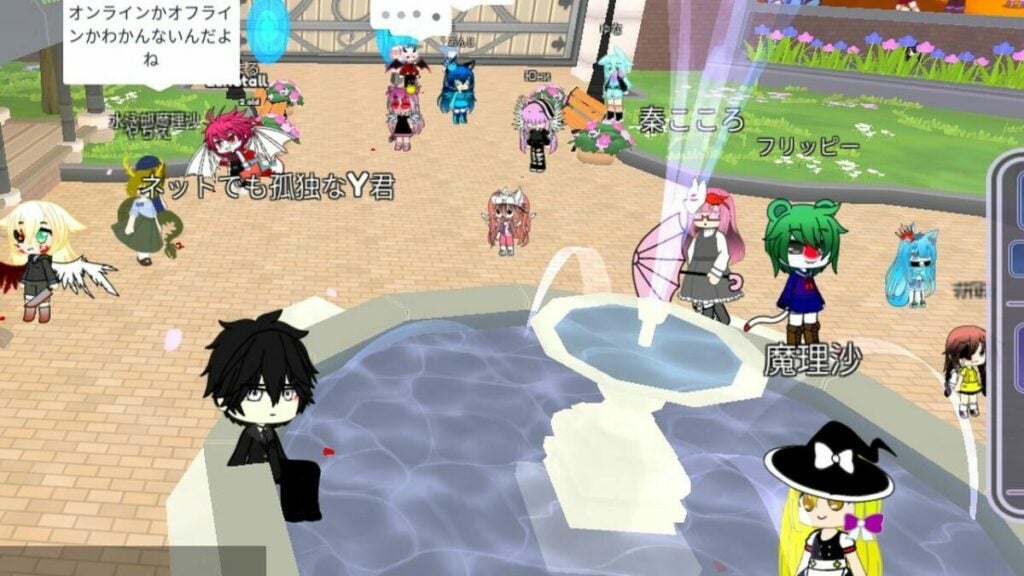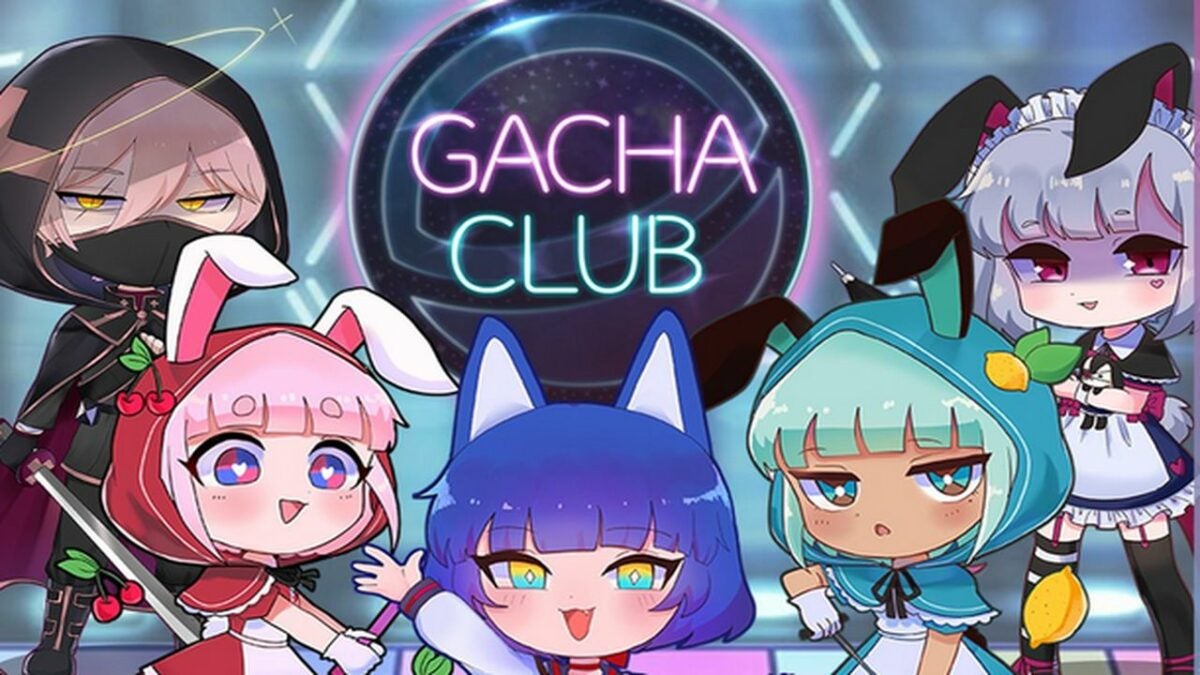
Gacha Club Review: A creative outlet for gamers

Gacha Club is the sequel to 2020’s Gacha Life by Lunime Inc. While Gacha Club shares many similar elements to its predecessor, the focus on single-player content and RPG elements gives the title a distinct feel. Players will create their own characters and play mini-games with them. There is also a new battle feature that gives you more ways to interact with your roster of avatars.

You can play Gacha Club for free on either your PC or mobile device. Like with many modern titles, cross-progression is enabled so you can continue your adventure on either platform as the situations warrant.

Gacha Club Edition DOWNLOAD

Customization adds to gameplay loop

Gacha Club is all about creating your own experience. You create all of your characters and design many of the scenes they find themselves in. There are numerous customization options that help you make the game your own. In addition to the scenes you create, your characters can also be used to partake in various mini-games created by the developers.

The main addition to Gacha Club is the numerous RPG elements. The first thing you will notice is the story mode. While the narrative is not very deep, the mode is the perfect spot to level up your characters and obtain new items. The structured levels provide a reliable way to keep progressing your collection. You will engage in turn-based battles as the primary means of strengthening your characters.

The turn-based battles offer a fair degree of strategy thanks to the numerous options for character development at your disposal. It is similar to a card game in how you must balance the various resources in your inventory during each conflict. Half of your success is contingent upon the plan you devise before each battle even begins.

If you prefer to battle without the rest of the story mode weighing you down, there is a standalone battle mode in the options. You can play a quick bout during moments of downtime throughout the day. There is also a tower mode for longer play sessions. This endless mode tasks you with winning as many battles as possible before your team is wiped out. This serves as the ultimate test of your inventory and training.

Created scene to put your character in

Graphics, art style, and presentation

Gacha Club opts for the chibi anime style employed by the previous game in the series. The hand-drawn animation format allows the title to run on mobile devices and computers with minimal hardware specs. Having distinct lines around each character help make the art style memorable and impactful.

The true key to this impact is the creation and customization element. As long as you enjoy the base art style, you can find customization options that will suit your personal taste. A roster of your own unique characters enhances the presentation of story mode immensely. While the narrative is not fleshed out, there is reason to feel attached because it is your creations enduring the fray.
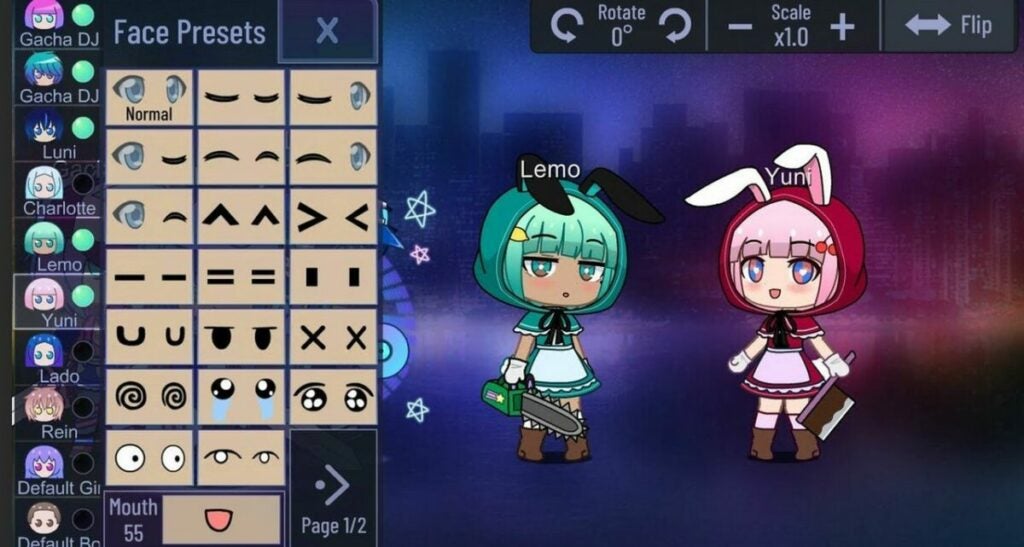
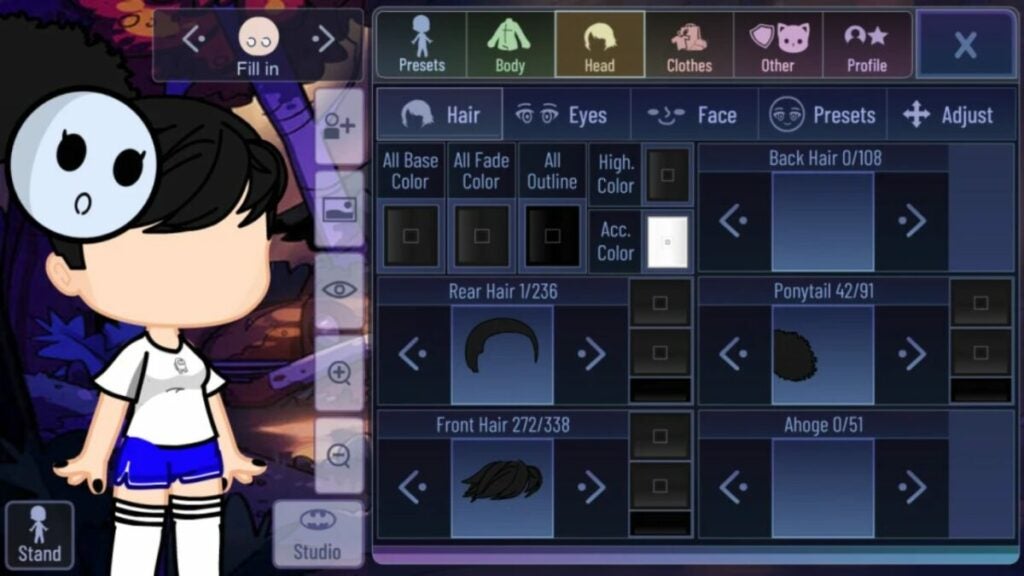
Character customization menu

Does Gacha Club offer a new narrative?

Gacha Club’s main mode does not offer much in the way of traditional storytelling. The base campaign is mostly there to give players inspiration. The community generates the real narrative backbone of the title itself. The ability to create custom characters, scenes, and dialogue facilitates the development of fan stories and projects.

Interestingly enough, the user-generated content is not viewable within the game launcher itself. Instead, fan productions are given life on video-sharing platforms such as YouTube. There are sizeable and dedicated communities uploading Gacha Club content on a consistent basis. You can choose to join the creation process yourself, or just view what others create on your favorite social media sites.

It is worth noting that some user-generated content is not suitable for minors. The base Gacha Club game is safe and reasonable for everyone to play. However, the developers cannot dictate the subject matter of content released outside the game they created. Parents should take this into account when allowing their children to browse the litany of Gacha Club video stories available online.
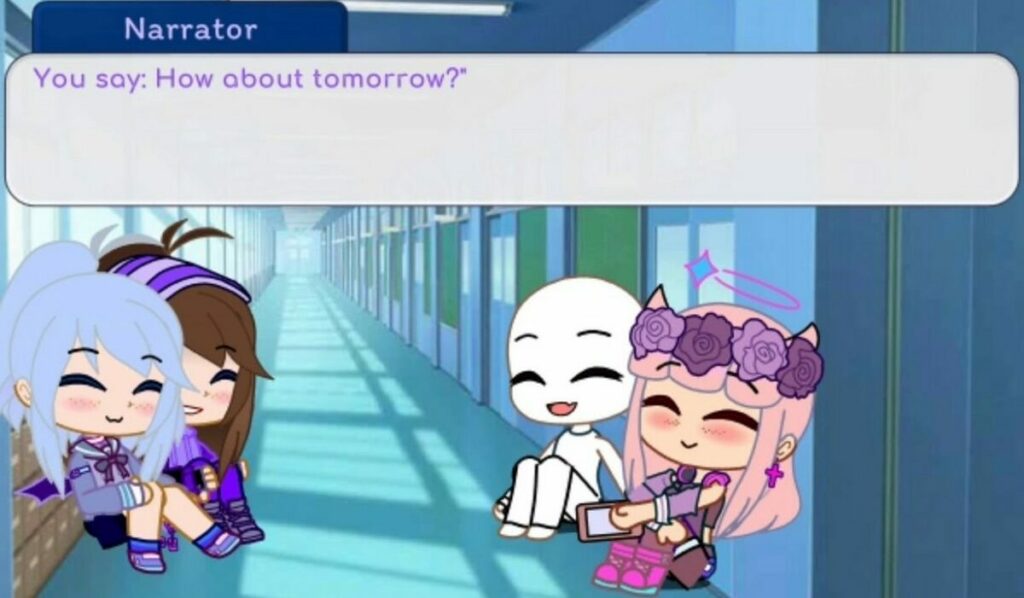
Cutscene presentation

The Gacha progression system

As the name implies, you will progress through the game via Gacha collection mechanics. Gacha-style games involve trading currency for randomized loot drops. The gacha idea was transferred from Japanese coin machines to the digital space as a means of keeping players hooked. By making each reward random, players are encouraged to keep hitting that lever until they receive the exact item they are looking for. In the case of collectors, the goal is to collect a full set of items.

Gacha Club employs this mechanic to determine which playable characters are unlocked for use and customization. Unlocking new characters is crucial to doing well in battles in addition to enhancing the customization options of your inventory. You can exchange both gems and bytes to roll for new Gacha rewards. Gems are completely free to farm through battles and mini-games. On the other hand, bytes must be purchased with real money.

The game provides reasonable value for free-to-play gamers. Gems are easy enough to obtain so you get a constant drip of character rewards. Getting a complete set or your desired collection of items is another story. Since you cannot buy specific items outright, there is no guarantee you can unlock everything you desire in a measurable timeframe. While there is no need to spend any real dollars, the temptation mounts the longer you play without getting the drops you want.
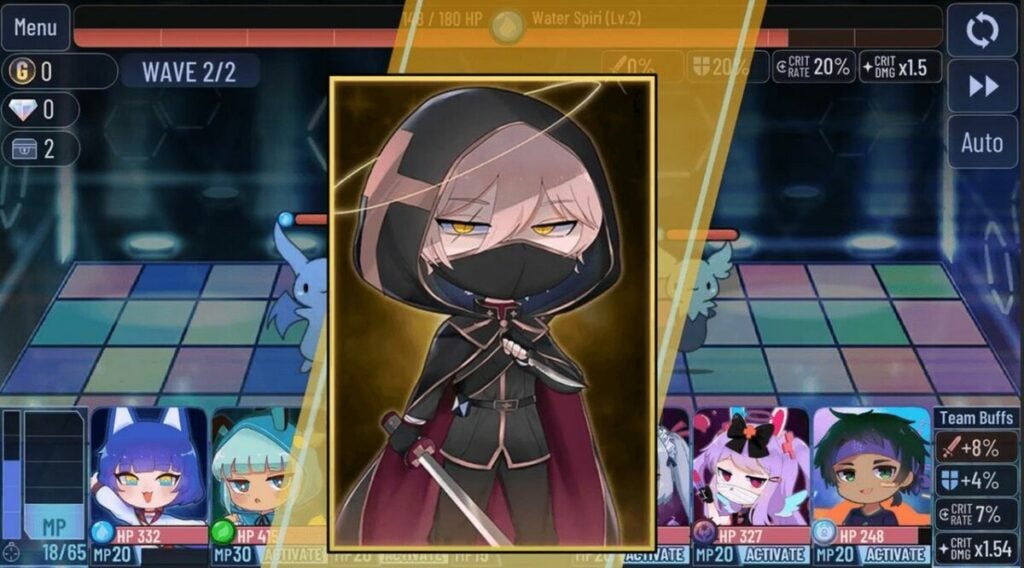
Demo of unlockable characters

Cheery music matches the gameplay

Gacha Club is filled with cheery sound effects and songs designed to enhance your mood. The upbeat pop music suits the visuals well and can hype you up if you enjoy that genre of tunes. The soundtrack does the job for numerous play sessions. Depending on how much you grind, you may eventually turn the music off to avoid repetition. This is not a knock on the songs themselves, as even the best music grows tiresome when played too often.

The user-generated emphasis extends to music and audio as well. A huge portion of the content on sites like YouTube is music videos. The community can add any sound effect or song to the video stories being made. Both Android and Windows platforms give players tons of flexibility in modding external audio into Gacha Club projects. This provides much-needed longevity for the overall audio presentation.

Music videos are plentiful

Game modes offer replay value

Gacha Club has a substantial volume of content to go through. The multiple game modes give you numerous reasons to keep coming back. Rotating between story mode, single battles, and the tower will keep you the most invested in the Gacha progression system. With that in mind, your total playtime is heavily based on a random number generator.

Some players will get everything they want in just a few weeks. If the randomized rewards are not in your favor, you could play for months without completing your intended objective. Subjectively, this could be perceived as positive or negative depending on what type of gamer you are. The title will resonate most with people who enjoy long grinds and RPG mechanics.

The final verdict

Overall, Gacha Club is well worth the download if you are the least bit interested. The free-to-play price point and low minimum hardware spec requirements make it easy for anyone to jump in and start collecting. The gem economy allows you to play for hours without spending any real cash. There is enough fun here to serve as a conducive distraction when you have a few minutes of downtime. If you like chibi anime and collecting items, then check out Gacha Club right away. Here’s an explainer on how to download Gacha Club.

Pros

  • Multiple game modes keep the action fresh
  • A massive roster of 100 characters and over 180 battle units to collect
  • Deep levels of customization are available on all items you earn

Cons

  • A lack of ways for players to connect in-game
Recursive Ruin review | Kaleidoscopic puzzle journey

Recursive Ruin is a kaleidoscopic puzzle adventure from a first-person perspective. Bit Riot developed it, with Iceberg Interactive releasing it on May 18, 2022. It takes you on a journey of an artist who’s coming to terms with some grief that’s entered his life. When he enters Infinite Realms, he has the chance to save the immersive world and himself.

Recursive Ruin demo DOWNLOAD

You can play a free demo of Recursive Ruin to get a taste of what it’s like. In this review, I’ll explain the full extent of the game, what the puzzle elements are like, and how much I enjoyed the mechanics and visuals. Stay tuned for an exciting adventure into another universe.

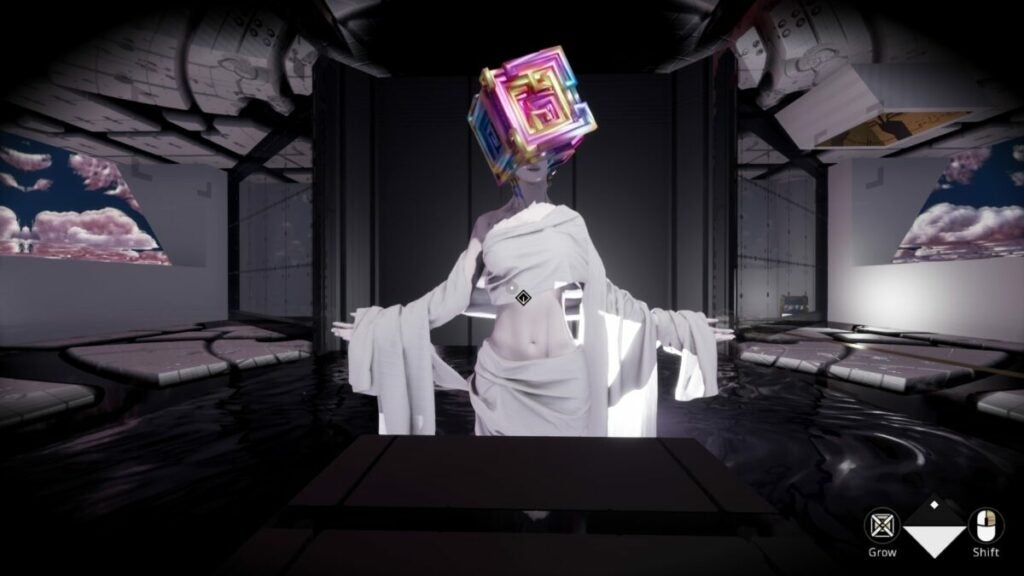
Recursive Ruin presents an immersive story

The basis of Recursive Ruin delivers an intense and immersive story that will pull at your heartstrings. Within the many puzzles and worlds, you’ll unlock memories and reasons for the character’s grief. Here’s my review of the story elements.

Memories of a dark past

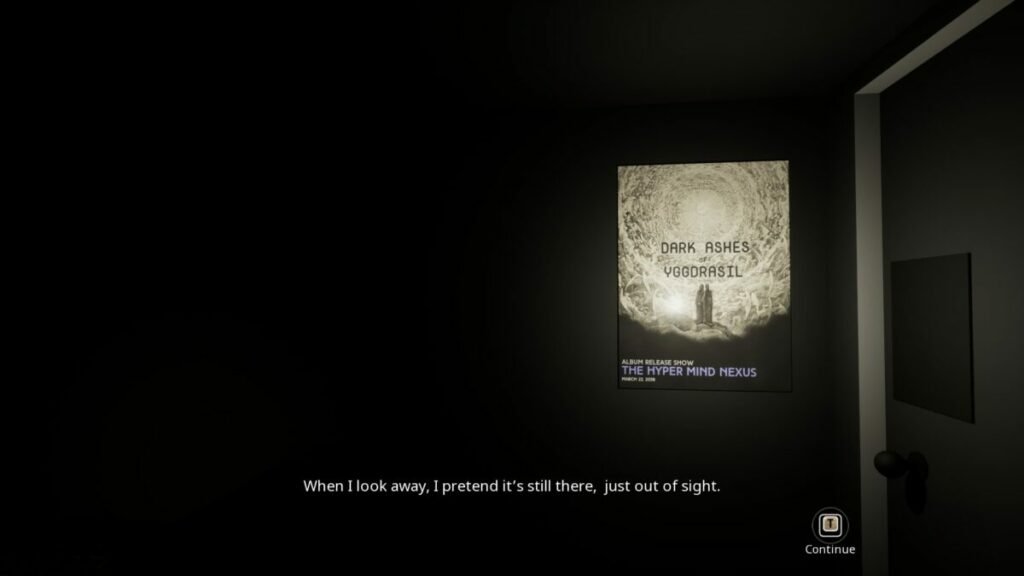
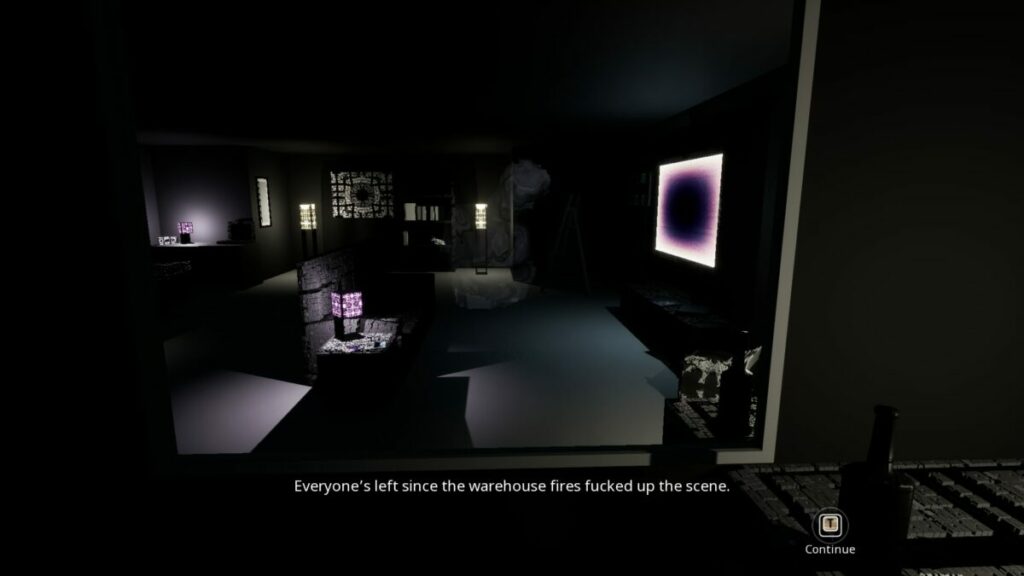
You begin your Recursive Ruin journey in an apartment with a massive television, furniture, and an assortment of odds and ends. As you move around in the first-person perspective, you’ll see small icons for items you can inspect. When you click on them, your character tells you interesting information about them.

It seems there are some memories you’d like to keep hidden. There’s a panel on the wall that unlocks them in bits and pieces between levels. As you open them, you realize how much pain and grief the main character has had to deal with in his life. It’s a sad tale, but I won’t spoil it for you here. The main warning I want to provide is that the memories contain sensitive content that not everyone will enjoy.

Recursive Ruin Review

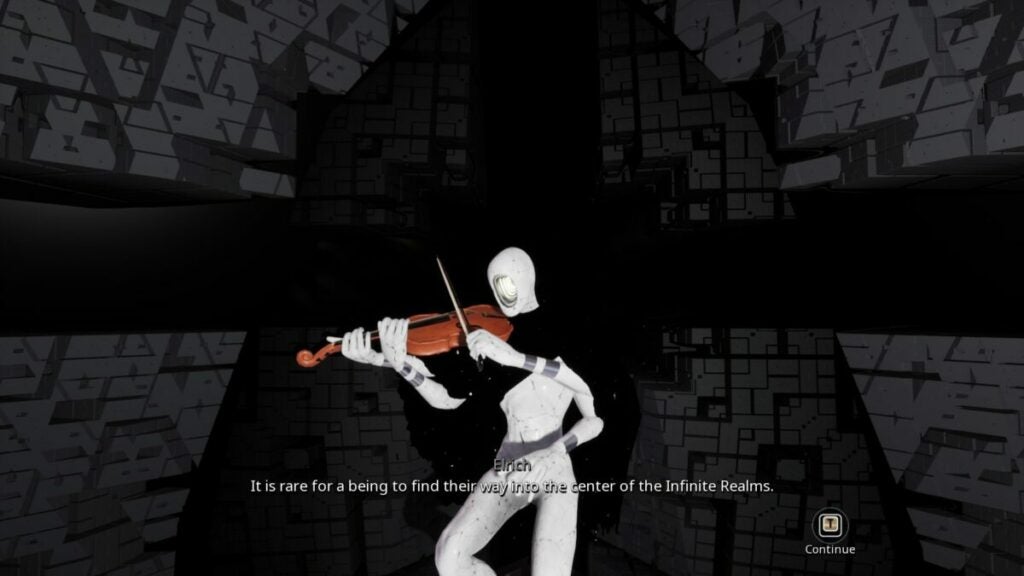
Entering and escaping the Infinite Realms

When the time is right, you can play the game Recursive Ruin on your television. It’s a game within a game mechanic that I enjoyed. It’s almost like a virtual reality realm, but it feels like you’re in a different universe that’s real and not a game. As soon as you complete a level, you return to your apartment to explore your memories again.

Recursive Ruin Review

Saving the world from Ichor

It appears as though the place known as Infinite Realms needs your help. There’s an entity called Ichor that is destroying reality as we know it. Much like your fragile mind, you’ll need to put the pieces back together and solve the puzzles to make everything right again.

Recursive Ruin Review

Speaking to your cat

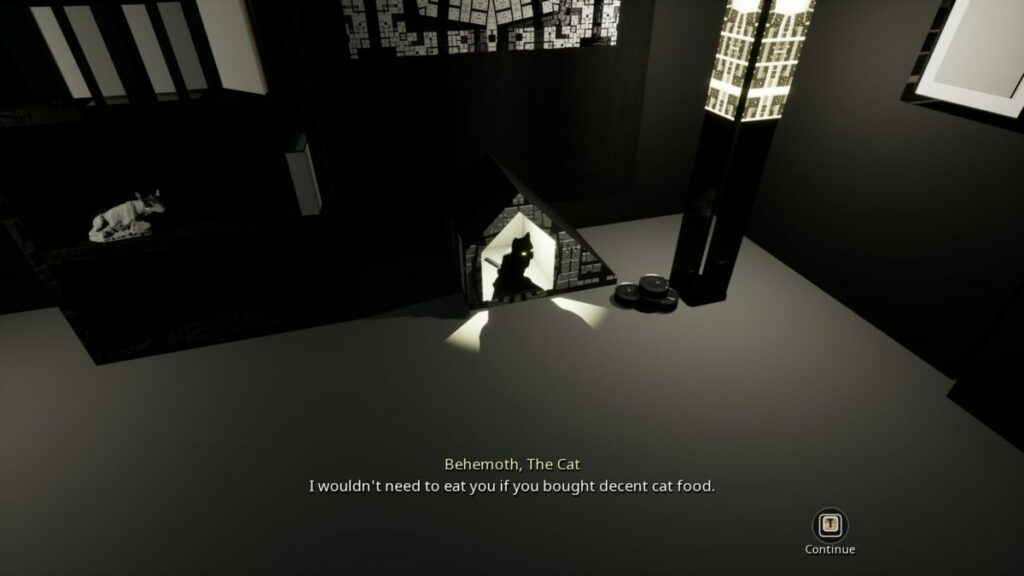
You’ll notice a small wooden home for a cat called Behemoth in your apartment. Surprisingly, he speaks to you, sometimes in deep tones. While shrouded in mystery in the beginning, chatting to him will help you unravel your mind and the secrets of Infinite Realms. I quite enjoyed the conversations we had.

Recursive Ruin Review

How long to play Recursive Ruin  

The gameplay length for Recursive Ruin depends on how quickly you can solve the puzzles. Once you have the hang of it, it can take you about 6 to 8 hours to complete. The main menu has the option to select levels to play them again if you wish, but it won’t reduce the overall game time.

The interactive mechanics of Recursive Ruin

I’ve only mentioned the story elements for my Recursive Ruin above without spoiling the actual plot for you. There’s a lot to uncover, but I’d like to leave you with the chance of doing so. For now, here’s an overview of what it was like playing the game.

Learning how the puzzles work in Recursive Ruin

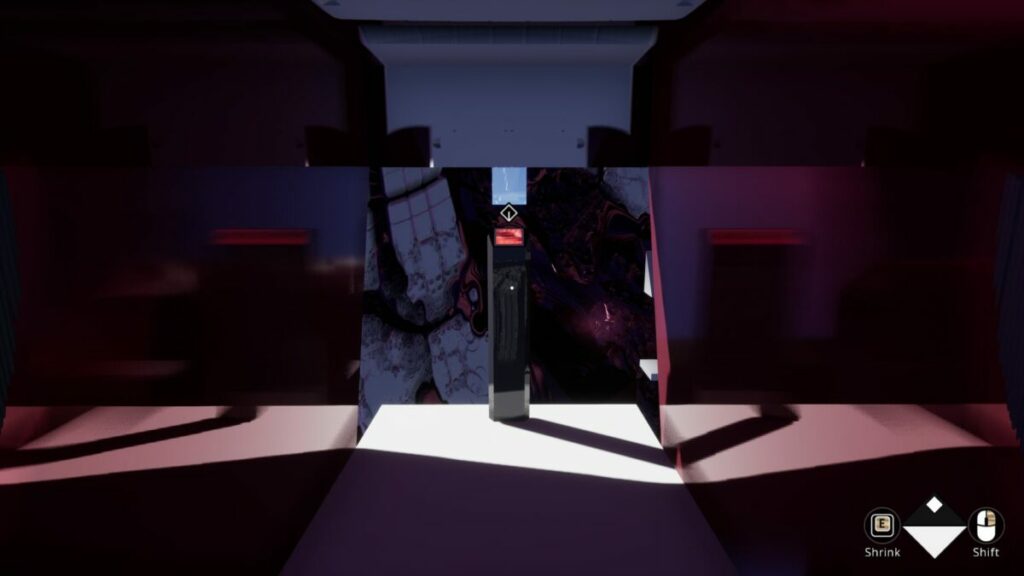
Recursive Ruin has an engaging way of showing you how the puzzles work. Not only will it show you the controls when new mechanics appear, but some of the NPCs will also guide you. If you get stuck along the way, an information panel appears on a surface nearby to give you a hint. It’s an outstanding way for you to choose if you want a clue or decide to solve the puzzle without one.

I love the way Recursive Ruin lays out its puzzles. You won’t find small items to move around and place in other objects. Instead, the entire world at that level is a puzzle, and you’ll need to find creative ways to reach new areas and engage with items. It’s similar to how Mirror Forge and Myst V: End of Ages play out, where the whole stage is a puzzle. 

Recursive Ruin Review

Expanding and collapsing

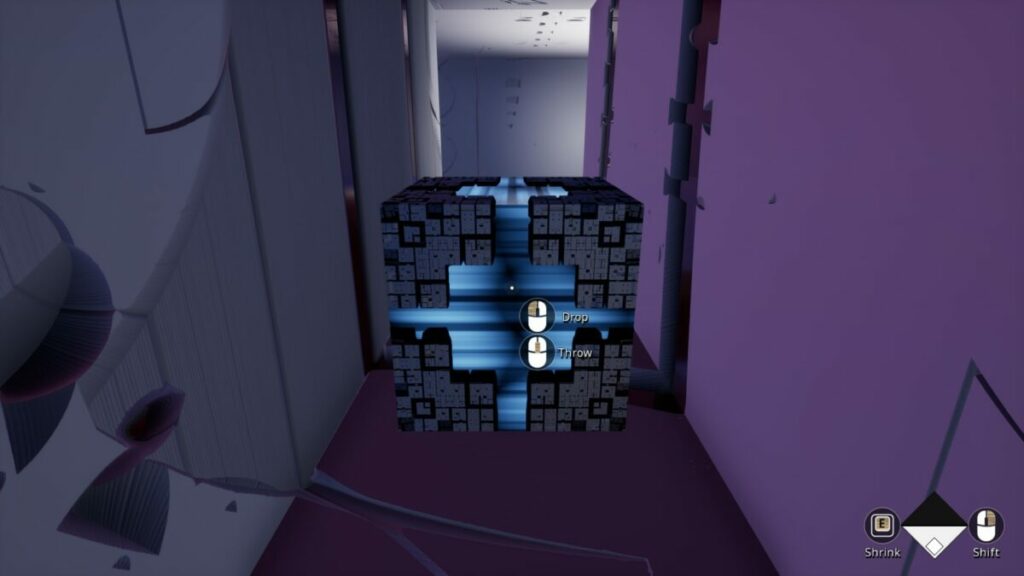
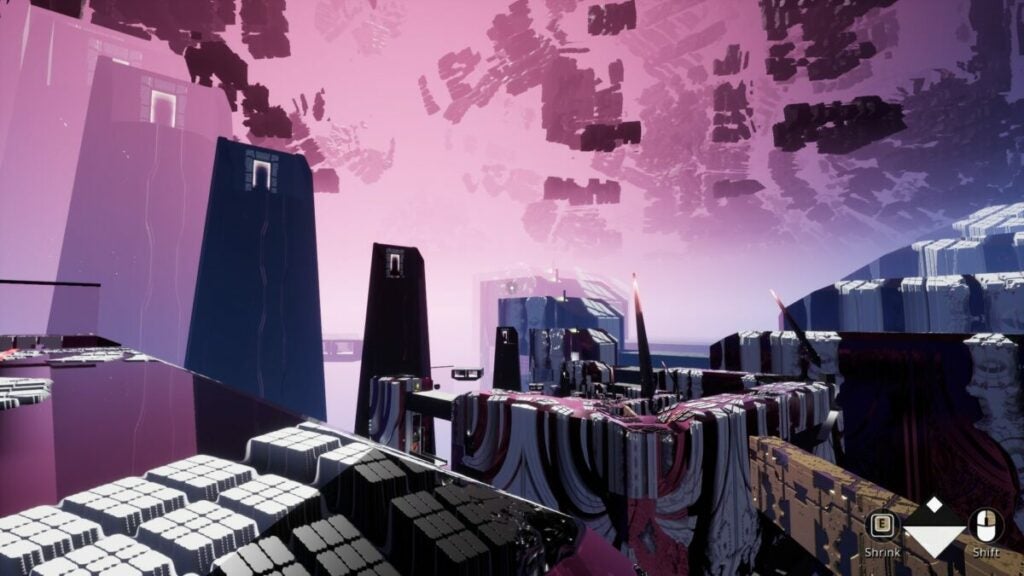
One of the first puzzle mechanics you’ll find in Recursive Ruin is expanding and collapsing. Basically, it’s like breathing in and out, but on a planetary scale. When you expand, the world breaks apart and grows outwards, while collapsing brings it back in. 

You’ll need to experiment with this foundation if you want to succeed and enter new areas. It’s like breaking apart a Rubic’s Cube and putting it back together.

Recursive Ruin Review

Growing and shrinking

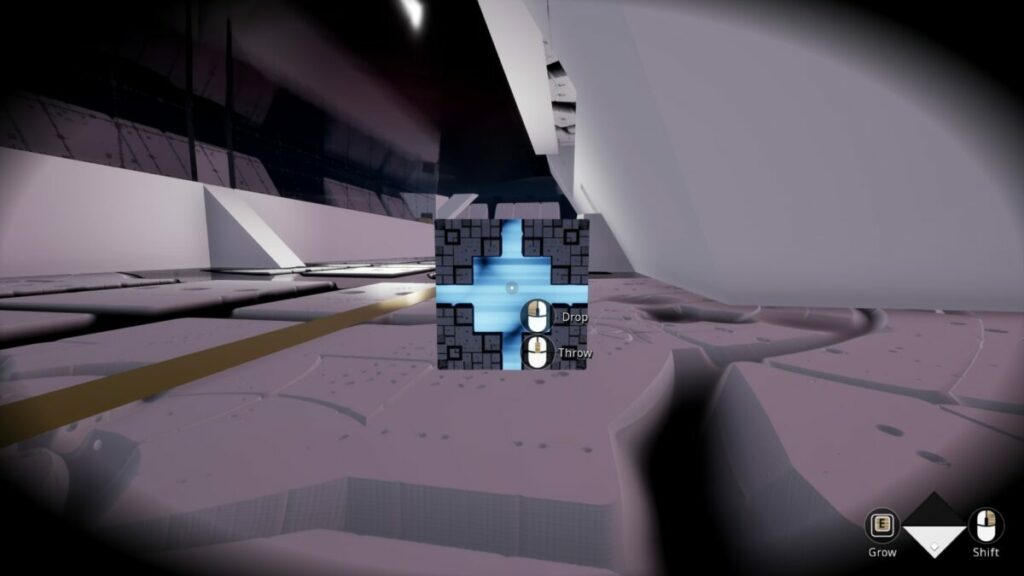
It’s not only the world that can expand and collapse. Recursive Ruin has smaller openings you’ll need to enter, so you’ll need to shrink at those points. When you’ve made it through to the other side, you can grow to your standard height to continue the adventure. It adds a new dynamic to the puzzle game.

Recursive Ruin Review

Clues of where to go next in Recursive Ruin

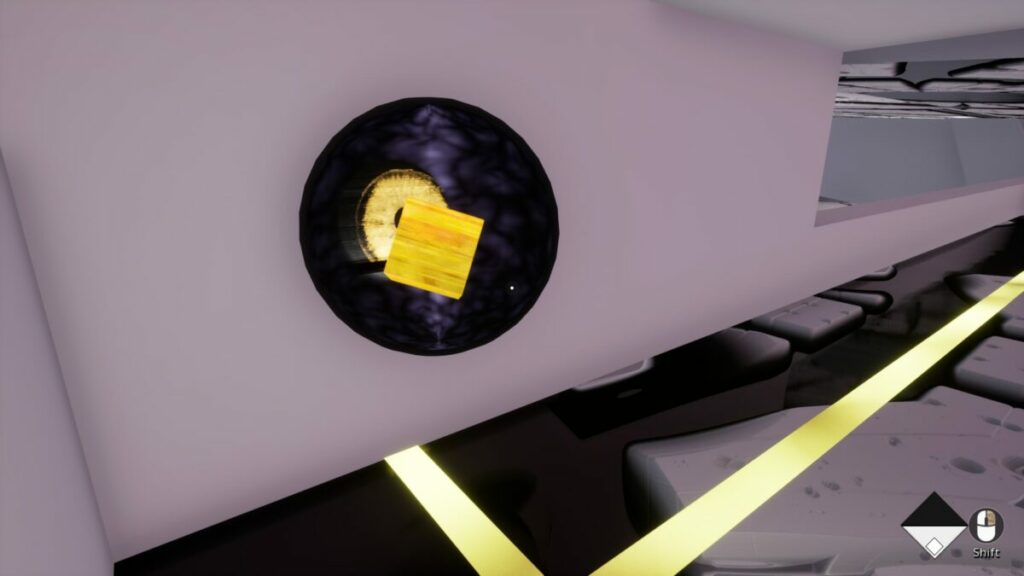
You won’t feel completed deserted in the complex arenas. For the most part, you’ll have slight clues about where to go next. One of the levels had a red line that I followed until I reached an object where I needed to place a block. When I completed that goal, the line became gold. 

Recursive Ruin Review

Interacting with NPCs

You’ll find NPCs along the way in Recursive Ruin. While they spend quite a bit of time telling you about Infinite Realms and Ichor, there are also moments where they give you hints of what they expect of you. I enjoyed the storytelling moments when engaging with them, and it made me feel like I was a hero in their tale.

Recursive Ruin Review

Linear progression

You’ll soon realize that there’s only one way to play Recursive Ruin. The progression is ultimately linear, as you’ll follow designated paths towards your goal. If you veer off the path, you’ll either end up dead or in an infinite loop. At least you end up at the last checkpoint when you die, and you don’t need to redo the entire puzzle again.

Recursive Ruin Review

What you’ll need on your PC

The requirements for playing Recursive Ruin on your PC aren’t excessive. There are only seven levels in the game, but you’ll need a decent amount of memory to display the outstanding graphics. Fortunately, I didn’t come across any performance issues. Here’s a quick summary:

  • OS: Windows Vista, 7, 8, 10, 11 – 64 bit
  • Processor: 3.60GHz Intel Core i3-4160
  • Memory: 4 GB 
  • Graphics: ATI Radeon HD 5870/5850, NVIDIA GeForce GTX 480/570/670 
  • DirectX: Version 11
  • Storage: 1 GB 

The beauty of Recursive Ruin will astound you

It’s challenging to find a game that perfectly balances story, game mechanics, visuals, and sound. Somehow, Recursive Ruin does just that. All the elements blend into each other to form a beautiful, brilliant experience.

Outstanding graphics in a complex world

The visuals in Recursive Ruin are absolutely incredible. The colors are bright, and you’ll find a variety of textures to enjoy. Each stage brings new imagery, and it’s always a pleasure to see what will appear next. Even NPCs have fascinating designs. 

Recursive Ruin Review

Using visual cues

Most of the visual elements will have clues of some kind, which is what makes the graphics so important. You can follow lines and textures on the walls while keeping an eye out for gaps. If the graphics weren’t as outstanding as they are, Recursive Ruin would be unplayable.

Recursive Ruin Review

Engaging voice acting and sounds

I love games that have voice acting. Call me lazy, but I hate having to read through walls of text just to get an understanding of what I need to do next. Fortunately, Recursive Ruin has incredible voice acting that immerses you further into the game. I also enjoyed some of the sound elements, especially Behemoth the Cat’s voice.

Recursive Ruin Review

Final Verdict of Recursive Ruin

Recursive Ruin is a brilliant game that looks at the grief of the main character and builds a puzzle around it. By being a hero for a fallen world, he in turn saves himself in a way. I love that it presents these massive levels that form puzzles, and you need to work out how to get from one space to another. It makes you think harder than you planned.

If you enjoy games like this, you may want to read my Mirror Forge review. For another title complex title in the horror genre, check out my Death Stranding Director’s Cut review.

Mirror Forge preview | Intense horror game READ MORE
Death Stranding Director’s Cut Review READ MORE

Pros

  • Immersive story with a sad tale
  • Interactive puzzles for the entire level
  • Engaging NPCs with stunning characteristics
  • Voice acting for all characters
  • Memory wall shares story in pieces
  • Relatively lengthy gameplay

Cons

  • Story contains sensitive content

Developer: Bit Rot

Publisher: Iceberg Interactive

Game Modes: Story

Platform reviewed: Windows 11 – Steam

signNow review: Best eSignature app for small businesses

If you need an eSignature program that gives you more bang for your buck, signNow might just be the app for you. Acquired by PDFfiller in 2017, signNow offers more features than ever before. Though it rose to prominence thanks to its eSignature feature, the program can benefit your company in new ways.

Cloud-based e-signature: signNow DOWNLOAD

Let’s take a look at the key features of signNow, its history, and its competitors to see what it’s all about.

What is signNow?

signNow offers cloud-based electronic signature services. The SaaS platform lets people and businesses engage with and manage documents using any computer with an internet connection.

The app serves many platforms including Windows and Mac devices. It’s also available for Android, iPad, and iPhone devices as it uses the device’s camera, email, or your Dropbox account for your signature.

The app aims to improve many aspects of business such as:

  • Workflow automation and robotic process automation
  • Contract management and negotiation
  • Document generation and PDF editing
  • Utilizing advanced analytics
  • Payment streamlining
  • Offering mobile-first web forms
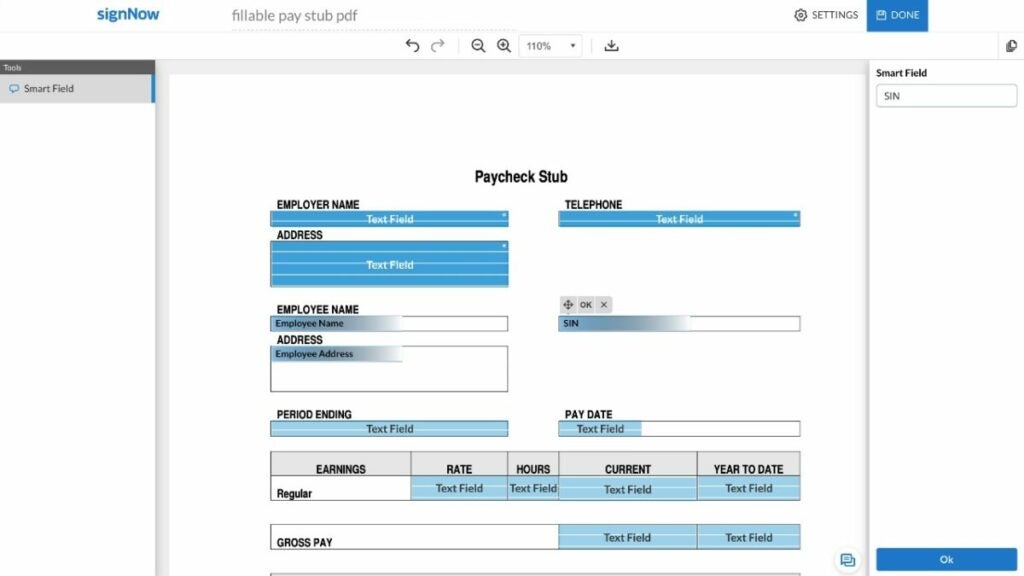
image of the signNow UI

Key features in signNow

signNow features all kinds of important elements that keep your information safe while still providing excellent service. Chiefly, it includes the following features:

  • Conditional, actionable, formula, and template fields
  • Sending documents for eSignature
  • Adding fillable fields in PDF files
  • Field validation
  • PDF editing and annotations
  • In editor comments
  • Sending documents using links
  • Recipient attachments

The company primarily serves its eSignature functionality under the product umbrella of airSlate — a direct competitor to programs like DocuSign with more features than just eSignature now.

Is signNow free?

While the mobile version has a free trial for 7 days, signNow for business starts at $8 USD per month per user with the option of monthly or annual billing. This ranges up to $50 per user per month with a minimum of 5 users for their Business Cloud service.

Of course, the higher tiers have more tools and capabilities, as well as a free trial option which the lower tier offerings lack.

  • $8 USD per user/per month – up to 10 users, basic fields, mobile app, threat protection, and document sending
  • $15 USD per user/per month – all listed features plus bulk sending, reminders and notifications, branding, and signing link invites
  • $30 USD per user/per month – all listed features plus payment requests, conditional documents and fields, calculated fields, and signer attachments
  • $50 USD per user/per month – the enterprise level tier withs lots of additional features such as phone support, HIPAA compliance, Kiosk mode, and more
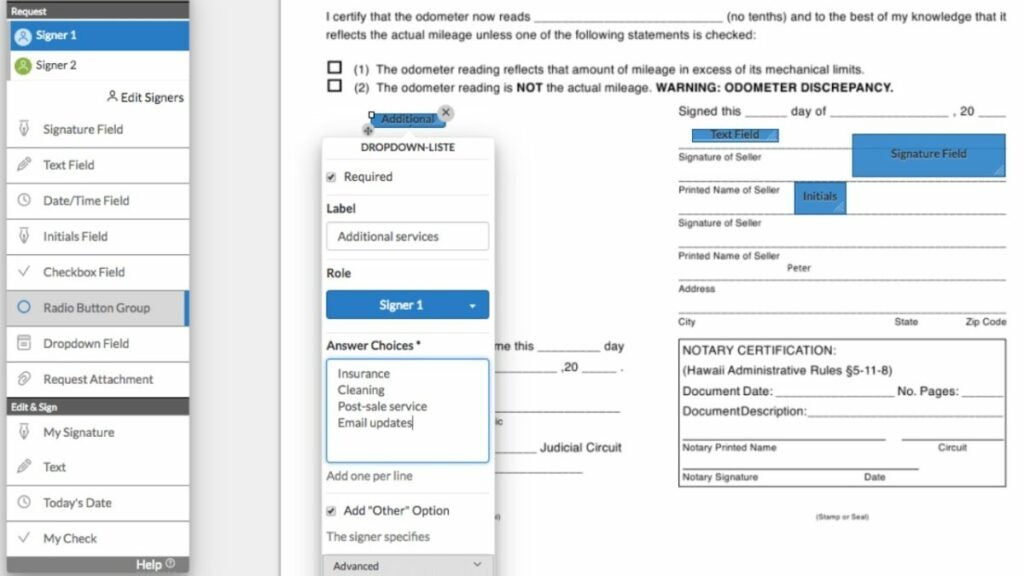
image of the signNow UI

Other signNow elements

Thanks to the additional programs like PDFfiller controls, signNow can integrate with more programs than before. In fact, the image above is how the app integrates with Microsoft Word. When it comes to competing with programs like Adobe, that counts for a great deal.

Beyond that, this program offers a mobile-ready private eSignature solution — something vital in today’s digital ecosystem. The access to 85,000 state-specific legal forms doesn’t hurt either. It ensures that your contracts, payments, and documents will be safe and accurate.

image of signNow competitor logos

signNow Competitors

HelloSign

HelloSign bills itself as the easiest way to do eSignature with “little to no training required”. It offers many of the same services that signNow does with the following price structure:

  • $15 USD – single user, unlimited signature requests, 5 templates, audit trail, signer fields, mobile app, multiple languages, reminders and notifications, and template links
  • $24.99 USD – single user plan with all listed features plus 3 TB storage, mobile offline folders, priority chat support, sending files up to 100 GB, document watermarking, and file recovery within 180 days
  • $25 USD per user/per month -for 2 to 4 users with all listed features plus 15 total templates, SharePoint integration, bulk send, branding, team features, Salesforce integration, and more
  • Premium – enterprise level plan that starts at 5 users with unlimited templates, data validation, multi-teams, performance dashboards, single sign-on, and more

While HelloSign has a free trial like signNow, it lacks some features that airSlate and signNow offer such as conditional fields, recipient attachments, PDF editing, and more. User reviews cite concerns over team control and poor integration, as well.

eversign

First off, eversign has a free option — an obvious win over signNow by airSlate. Many users also report loving the simplicity of eversign’s UI in comparison to DocuSign or signNow. This program has the following price schema:

  • Free – 5 documents per month, 2 SMS credits, 3 API documents
  • $9.99 USD per user/per month – unlimited documents, 10 SMS credits, 10 API documents, 3 templates, 1 team member, premium support, and app integrations
  • $39.99 USD per user/per month – all listed features plus in-person signing, and additional templates, API documents, and SMS credits
  • $79.99 USD per user/per month – all listed features plus branding and additional templates, API documents, and SMS credits
  • Custom – a tailored solution for your needs

However, eversign does not handle contracts that need multiple signatures well. In addition, users will have to potentially pay more to gain access to more features in comparison to signNow’s payment tiers.

DocuSign

Many large companies opt for DocuSign thanks to its familiar UI and suite of solutions. signNow may offer more integrations now, but DocuSign has more than 350 integration options. Users have also reported preferring DocuSign’s support system thanks to paid support plans. The app has the following price structure:

  • $10 USD per user/per month – single user, audit trail, mobile app, reusable templates, document sending, reminders and notifications, and integration with many programs
  • $ 25 USD per user/per month – up to 5 online users with all listed features plus comments, team reports, shared templates and documents, branding, and in-person eSignatures
  • $40 USD per user/per month – up to 5 online users with all listed features plus single click consent, payment collection, SMS authentication, bulk send, PowerForms, signer attachments, and additional field types
  • Enhanced Plans – comparable enterprise level plans with tons more features

While DocuSign has those benefits, it does differ from signNow in key ways. For instance, certain features such as sending documents via hyperlink or PDF editing cost extra. Other features, such as actionable fields, are not functions offered in DocuSign.

Adobe Acrobat Sign

Adobe products such as Photoshop have that big name brand factor going for them. They also tend to have very slick UI design. However, as is common with products backed by a powerful corporation, the software may be more powerful than some users require. Adobe Acrobat Sign has the following price schema:

  • $12.99 USD (Standard) per user/per month – Windows integration, reminders and notifications, send and collect an unlimited number of signatures, PDF editing, conversion, and exporting, and many other features
  • $14.99 USD (Pro) per user/per month – adds turning scanned documents into PDFs, PDF creation and validation, redaction capabilities, document version comparison, and more

In comparison, Adobe Sign lacks template and actionable fields, PDF annotations and editing, and in editor comments. Many users also cite the price as being a bit high for their needs if they are a smaller business or individual.

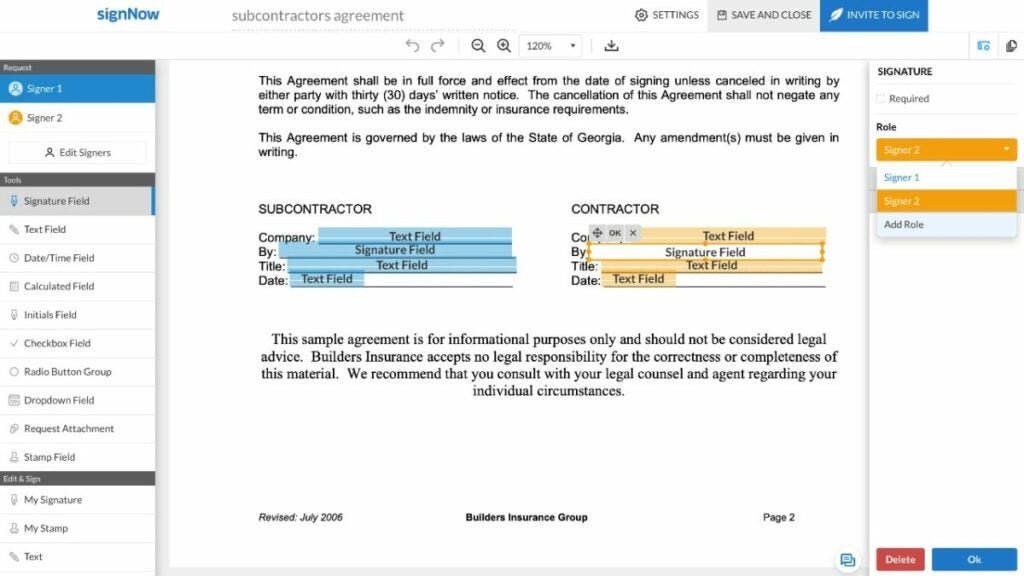
image of the signNow UI

Verdict: a solid choice for eSignature

signNow offers a great deal for users who are willing to pay for one of the tiers. The fact that it integrates easily with Microsoft Word and allows for contract management across multiple platforms and devices is fantastic.

However, the lack of a free option may be a barrier to entry for some would-be users. And other reviews have reported that the UI can feel cluttered or non-intuitive to beginner users or in comparison to rival apps.

Looking to try a new eSignature process for your small business? Try the signNow free trial to see if the base plan works for your needs.

PROS

  • Integrates with many popular programs
  • Includes a team collaboration feature
  • Users can add fillable test fields to any place in a document
  • App features two-factor authentication and password protection
  • Easier multiple document e-signature management
  • Multiple platform options

CONS

  • No free option (only a free trial)
  • Lackluster customer support
  • Doesn’t have signature tracking
  • Certain features may not be available on all platforms
  • Some users prefer the UI of other programs to signNow’s UI
  • Potentially long load times

Developer: Chris Hawkins and Andrew Ellis

Publisher: PDFfiller (previously Barracuda Networks)

Top Features: eSignature, program integration, field addition and manipulation

Platform Reviewed: Windows PC

5 Nights At Shrek’s Hotel review | Short horror scare

5 Nights At Shrek’s Hotel is a free short horror demo of a game currently in development. The developer is RenderPi, releasing it to the Itch.io network so that gamers can support his work. It puts you in a hotel where you stay for five nights.

The horror element mostly consists of jump scares and one moment of gore. You’ll only find some basic mechanics, such as running and interacting with objects. Read more below to see if it has enough suspense for the ultimate thriller experience.

5 Nights At Shrek's Hotel DOWNLOAD

Welcome….to 5 Nights At Shrek’s Hotel

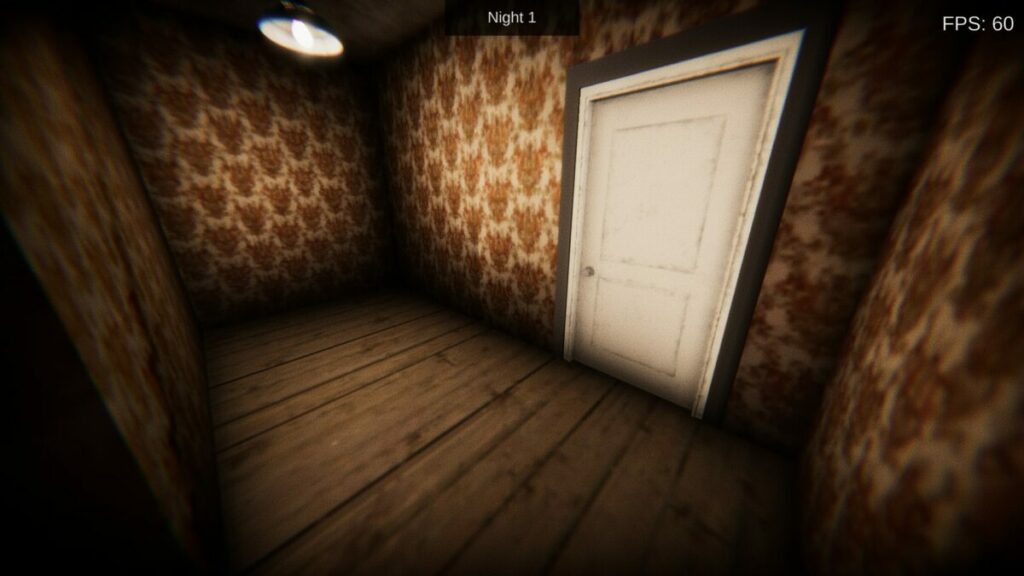
For the first part of my 5 Nights At Shrek’s Hotel review, I want to look at the story elements. It’s the only mode available; not that you have many choices when you start. Much like Silent Hill P.T., you’ll find yourself facing a door wondering what’s behind it.

5 Nights At Shrek's Hotel review

Why are you staying 5 nights at Shrek’s Hotel?

The story goes that you’re in a new town wanting to buy a house, but you don’t have enough funds to do so. It begs the question, why move in the first place if you haven’t bought a new home yet? Confusion aside, you arrive at Shrek’s Hotel because it’s affordable and you just need five nights to get your plans in place. You have no idea what you’re in for….

5 Nights At Shrek's Hotel review

Menial tasks and sleeping

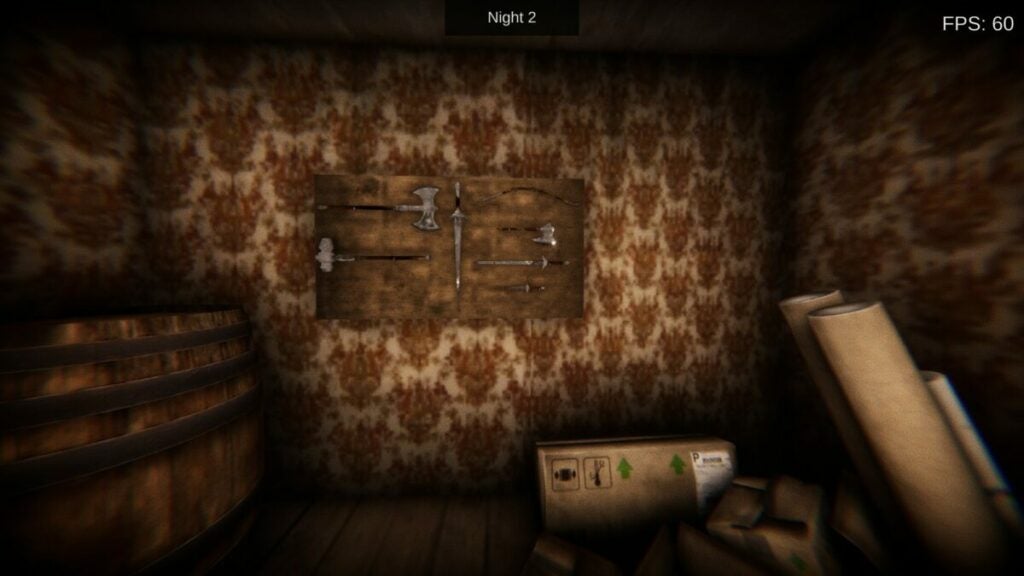
The first night goes down without any issues. However, the second of the five nights at Shrek’s Hotel sees you helping the ogre with some tasks. He’ll ask you to move boxes and clean the toilet floor. As the nights progress, you can enter new rooms and find disturbing sights. It’s a small foreshadowing of things to come.

5 Nights At Shrek's Hotel review

Random items that mean nothing

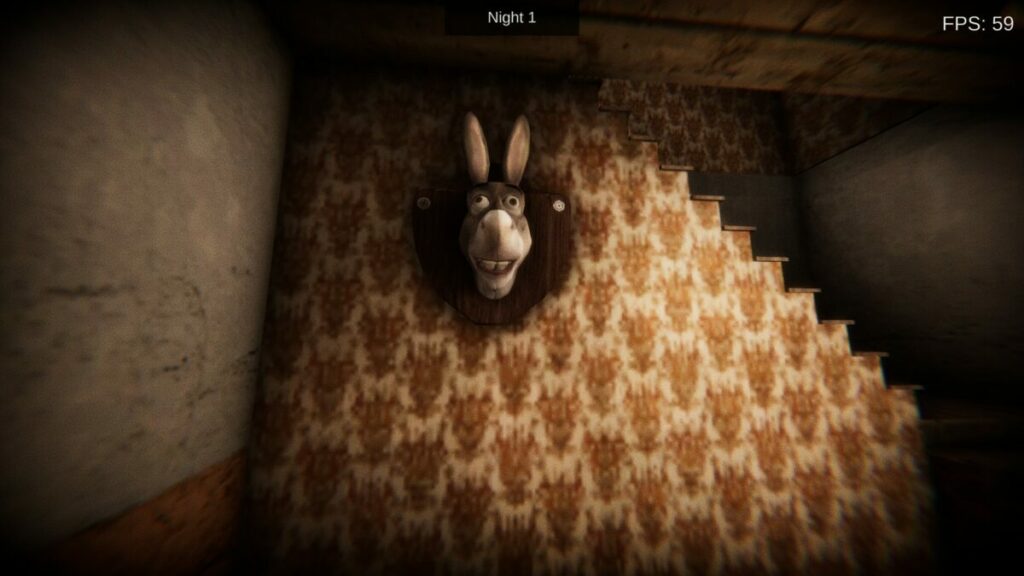
You’ll also find some random items that don’t seem to mean anything. There are tall barrels with a sign not to touch, and I thought Donkey’s head mounted on the wall might eventually do something. While you might want to investigate the rooms in 5 Nights At Shrek’s Hotel, most are locked until you need to interact with them.

5 Nights At Shrek's Hotel review

Can you make it out alive?

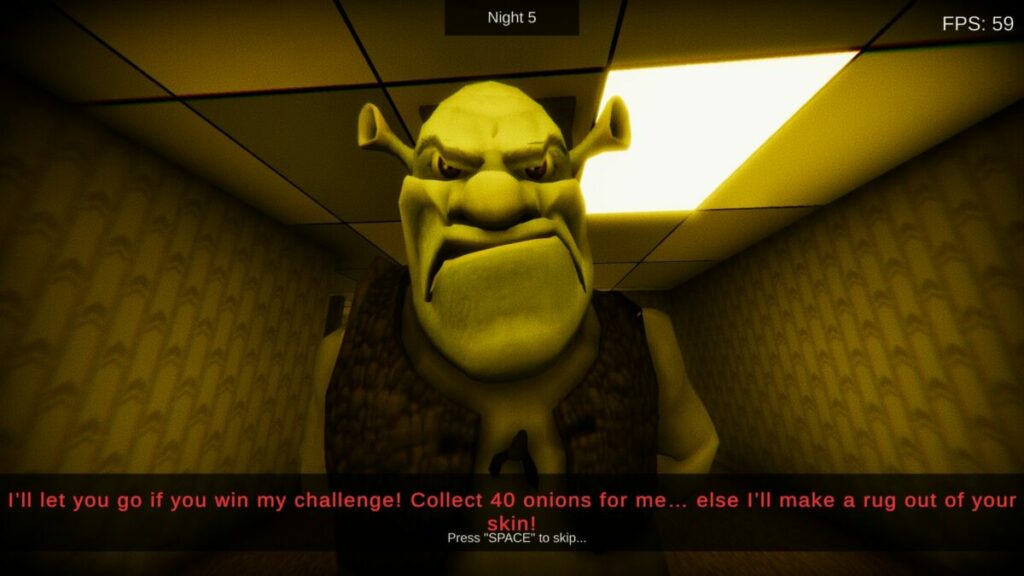
The fifth night suddenly appears at the end when Shrek shows his true colors. He wants you to collect 40 onions within a minute while running around a new area in the hotel. When you die (and you will), you’ll respawn by Shrek at another attempt. The game finally ends abruptly once you have all the items, thanking you for playing 5 Nights At Shrek’s Hotel. 

How long to play 5 Nights At Shrek’s Hotel

It took me about 30 mins to complete 5 Nights At Shrek’s Hotel, as the final gauntlet with the onions caused me to die about five times. I tried to use my trick of the rat running through the maze, always turning left, and then always right. However, it takes memorizing how the passages run to beat it eventually. Speed runs can easily bring the game time down to under 20 mins.

Enjoy your stay for 5 Nights At Shrek’s Hotel

Now that you have the basic idea of how the short horror game works, it’s time to discuss the mechanics and movement. Bear with me as I share my thoughts on what I liked and what could have been better in 5 Nights At Shrek’s Hotel.

Working the actions out as you play

Since there’s no tutorial, you’ll have to rely on the on-screen instructions for what to do. For the most part, you’ll move around the halls and open doors. One frustrating element is that the doors don’t remain open, so you’ll need to keep reopening them. There are a lot of doors for such a small space.

5 Nights At Shrek's Hotel review

Interacting with objects

To progress in the game, you’ll need to interact with items in 5 Nights At Shrek’s Hotel. The developer makes sure you don’t touch objects at the wrong time. You can only engage with them when the on-screen prompt appears. It’s an excellent way to move the game along without wasting too much time.

5 Nights At Shrek's Hotel review

Running and turning corners

The movement isn’t as fluid as I’d like for a horror game like this. If running away from the monster ogre is required, the motion should be smoother and allow you to take corners more easily. I’m sure if this was real life, I wouldn’t move around a corner like a robot with death just a moment behind me. Fortunately, the run button does speed things up.

5 Nights At Shrek's Hotel review

Survival with no combat

I love horror games that have some element of combat. Sadly, 5 Nights At Shrek’s Hotel has none, and you’re only required to run from the demonic ogre at the end. There aren’t even puzzles to complete unless you include the maze of passages in the final level.

Other games like 5 Nights At Shrek’s Hotel

There are other horror titles that have similar survival elements to 5 Nights At Shrek’s Hotel. The top names include The House in the Woods, Poppy Playtime 2, and Mirror Forge. You’ll enjoy the puzzle elements more in these titles, but they’re also more horrific. 

Creepy atmosphere in 5 Nights At Shrek’s Hotel 

Horror games need to have the right mood from the sounds and visuals to set the tone. There are three elements I want to review for 5 Nights At Shrek’s Hotel, so let’s get into them.

Retro horror graphics

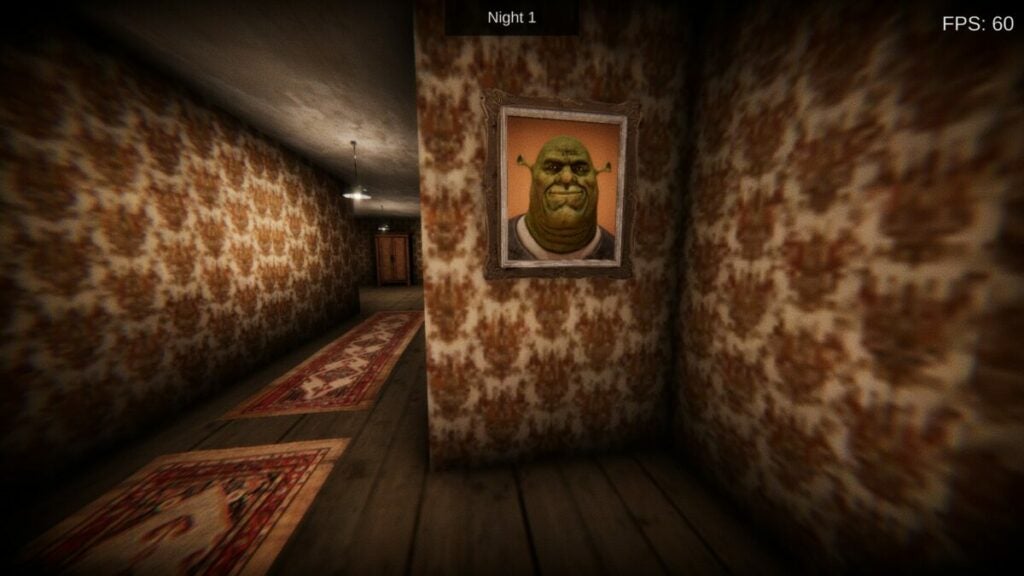
5 Nights At Shrek’s Hotel has retro horror graphics that brings back a sense of nostalgia. There’s a dark border around the screen, and many times your sight goes blurry. The grunge wall texture and some objects are excellent touches. However, some of the visuals don’t work so well.

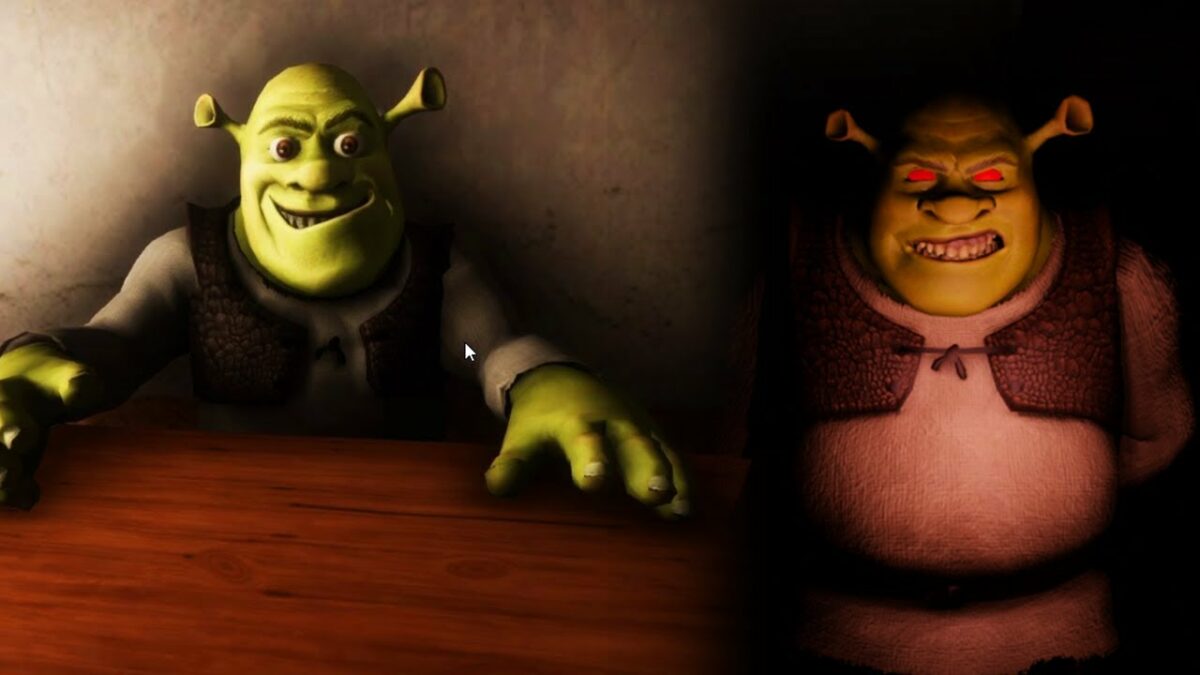
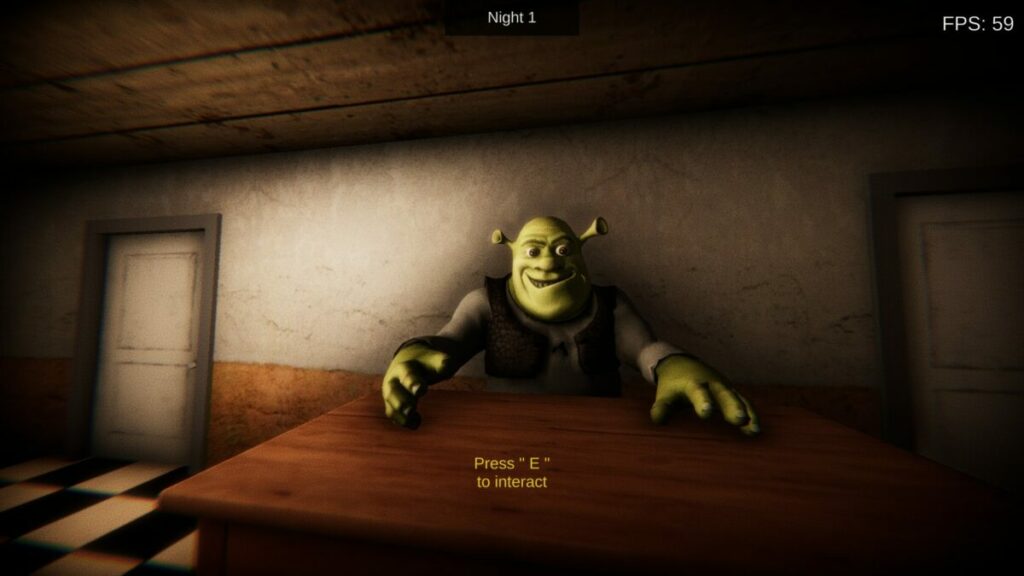
For example, Shrek watches you from behind the reception desk whenever you’re in the room. The developer programmed the ogre’s head to follow your character’s movement; so, its head turns in all directions in an unnatural way.

5 Nights At Shrek's Hotel review

Spooky atmosphere and sound

When it comes to the sound and effects elements, 5 Nights At Shrek’s Hotel has various noises that make you worry about what’s around the corner. The atmosphere in the game is just right for the horror scene, building up momentum until you meet the ogre’s demonic side.

Gore and scares

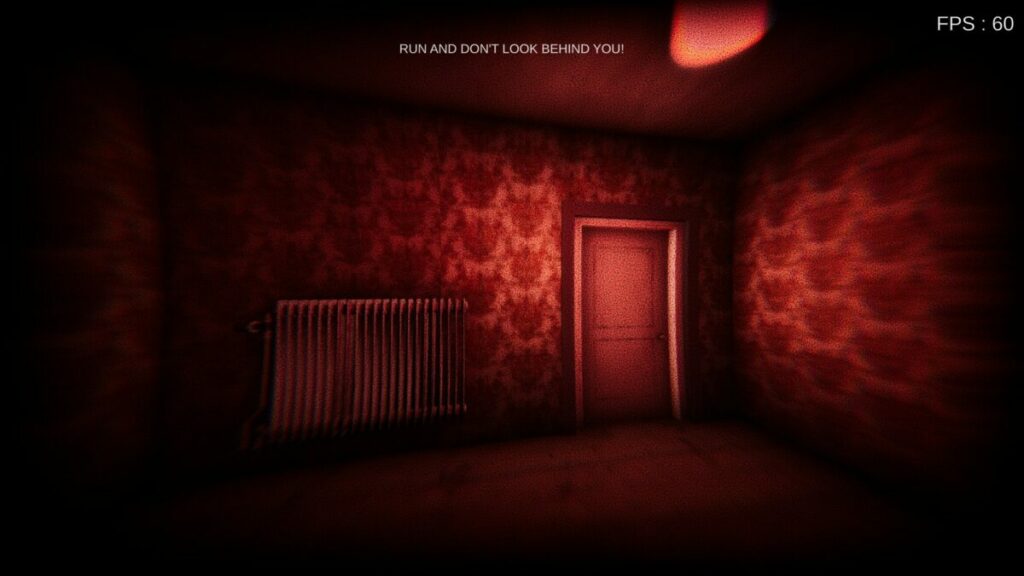
There are two main visual horror aspects in 5 Nights At Shrek’s Hotel. There’s one moment of gore when you see a dead body on the floor. The second element relies on jump scares, which is when Shrek catches and kills you. It’s best to look away from the screen when this happens, as there are loads of flashing lights that are more annoying than horrifying.

5 Nights At Shrek's Hotel review

Final verdict of 5 Nights At Shrek’s Hotel

5 Nights At Shrek’s Hotel is a decent horror game that has a lot of potential. As it is now, it’s way too short and needs more puzzle elements. The menial tasks don’t count. There’s so much more the developer can do for the game, and he can take examples from titles like Mirror Forge. Still, I recommend you give it a try for a few minutes of fun.

In case you haven’t checked them out as yet, be sure to read my complete Mirror Forge and Poppy Playtime reviews. 

Mirror Forge preview | Intense horror game READ MORE
Poppy Playtime Chapter 2 review | Intense horror puzzle READ MORE

Pros

  • Excellent retro graphics
  • Creepy growls and sounds
  • Intense horror-action near the end

Cons

  • Moving around corners isn’t smooth enough
  • No real puzzles to engage the mind
  • Some visual elements don’t work too well
  • Gameplay is too short

Developer: RenderPi

Publisher: RenderPi

Game Modes: Story

Platform reviewed: Windows 11

Gacha Star review: Exciting and free dress-up RPG

Gacha Star is a free mod for Gacha Club that adds even more fun content to the original game. If you love designing adorable characters and creating elaborate scenes, this mod is for you. Gacha Star offers a variety of new customization options — you get new facial features, additional background details, and extra outfit options.

Gacha Star APK Download

The mod’s been through a few different versions, and now it’s better than ever. Compared to Gacha Star 1.5, Gacha Star 2.1 has additional content and runs a little more smoothly.

Get access to all sorts of new customization options

Gacha Star drastically increases the number of customization options you have in Gacha Club. As soon as you create your OCs, you’ll notice a lot of fun new hairstyles, facial features, and clothing options. The update also adds a lot of interesting new accessories, including wings, horns, scepters, and swords. You can stack these items to make an endless array of interesting and unique combinations. Some of the favorite new additions are fun–comedic options like a paper bag that you can put over your character’s head.

In addition to letting you create more personalized characters, Gacha Star adds a lot of background options. This is where the app really shines. There are buildings, greenery, furniture, and more. You can use presets or alter settings to match your preferred colors. These new features allow you to build full scenes for your characters to move through. This is essential for fans who want to use Gacha Club for roleplaying, edits, and videos.

Explore new background options.

Enjoy extra gameplay features

The app does more than just alter the look of things. Gacha Star also augments the base gameplay of Gacha Club. It comes with a Studio Mode that lets you put up to 10 characters on the same screen. You have the option of using custom text boxes and a narrator to tell a story. The app also lets you cycle between presets to quickly change characters’ poses and faces. This makes it easier to have your characters move around, talk, and react.

Gacha Star also contains some minigames that add a fun PvP element to the game. You get to hunt for rare items, buy items from stores, and battle other players. The new games tend to be fairly simple, and they mostly rely on luck to win prizes. Although they don’t add that much to the base Gacha Club game, they are entertaining to mess around with occasionally.

What you need to know about the Gacha Star interface

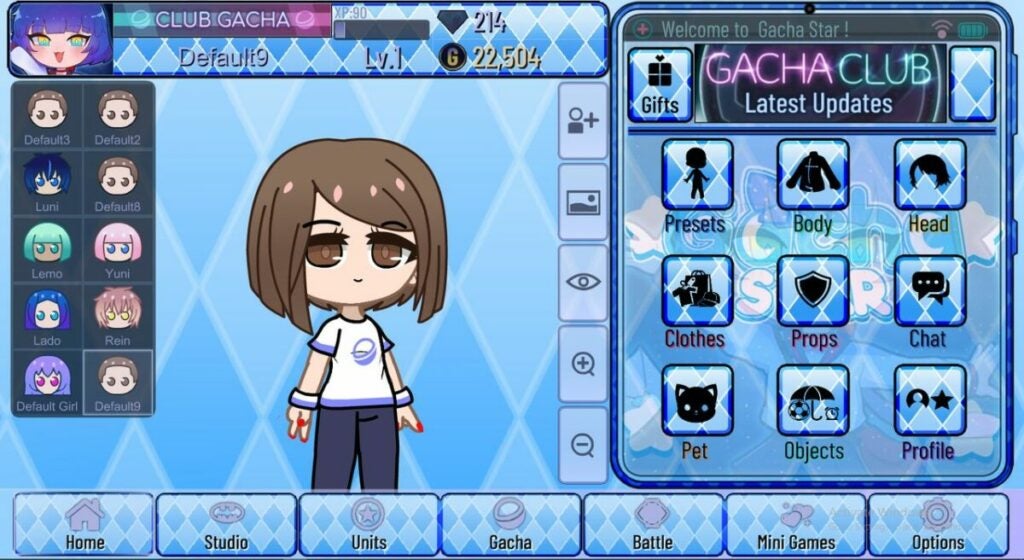
How does Gacha Star 2.1 handle all the extra content it adds? For the most part, the app’s interface is very straightforward. It uses the standard Gacha Club layout with a few extra tabs for the new categories of items. The simple interface with its neutral colors and lines of items helps keep all the content from looking too busy.

Though the interface itself is easy to use, users may have trouble finding specific items within the app. Accessories aren’t fully sorted, so finding some of the more unique additions like bags, weapons, and wings is often tricky. They frequently end up slotted into random categories that don’t quite make sense. Expect to spend a lot of time scrolling through the Special tab and the Other tab to find items.

Gacha Star's interface is easy to use.

Is Gacha Star NSFW?

Some mods have been known for letting users add adult content to Gacha games. This isn’t the case for Gacha Star. For the most part, it remains true to the main design and concept of the original game. Unlike some of the updates for Gacha Club, Gacha Star is mostly a minor-friendly app. It’s all about adorable, anime characters, not erotic content.

Gacha Star doesn’t include any overt sexualization, but keep in mind that some of the outfits are a little more risque. This isn’t a true Gacha Club shirtless mod, but it does offer some crop tops and other revealing outfits. Extra customization options also offer body shapes you can’t find in the base game. If you prefer for your characters to look a little more adult, this is a neat mod to try.

How to add Gacha Star to your Gacha Club game

As with any mod, it’s important to understand how the updates integrate with the main game. Since this is a fan-made mod, there is always a risk that the mod will be poorly coded or confusing to use. Fortunately, this isn’t the case for Gacha Star. It seamlessly connects with Android phones, Apple computers, and Windows computers. There have not been any reports of the mod breaking the main game or causing any unfixable bugs.

Keep in mind that the mod is easier to install with a new Gacha Club account. Your best option is to download the mod, delete Gacha Club, and use the mod as its own version of the game. Adding it to your existing Gacha Club account with your current OCs will take slightly longer. You’ll need to replace specific in-game files with the modded files. This requires a little extra computer know-how, so make sure you have some free time before trying this method.
The bottom line

Ultimately, this free mod is an exciting addition to current Gacha Club content. Though most players will use it for the extra outfits, the different backgrounds and Studio Mode additions are also good enough to justify a download. If you use Gacha Club for videos or edits, Gacha Star is a must-have tool.

Interested in trying other Gacha games? Another favorite option for Gacha Star fans is Gacha Neon. Download it to check out the exciting neon-themed color palette.

Make adorable characters with this Gacha Club mod.

Pros

• New hairstyles and clothes for your characters
• Way more background additions than the original
• Fun new gameplay elements and filming options
• Stays true to the original game’s vibe

Cons

• No version available for mobile Apple games
• Menu organization is often confusing
• Search abilities are limited

Developer: SpaceTeam

Publisher: Lunime

Game Modes: Story Mode, Tower Mode, Studio Mode

Crab Game review | Casual survival arena

Crab Game is a free first-person multiplayer game developed and published by Dani. It was released on October 29, 2021, following the trending hype of the Squid Games television series on Netflix at the time. While it has the Red Light Green Light game, there are new modes available for players.

While there was an update for Christmas, the developer doesn’t spend much time on making changes or removing festival items. Crab Game is mostly in the control of the players who create servers for others to join. Join me in this detailed review to see if it’s worth downloading.

Crab Game DOWNLOAD

Starting an episode in Crab Game

I first heard of the Crab Game when it appeared last year, but I didn’t have the chance to play it until this week. It was an interesting experience, with odd controls and mechanics. Before I get to those aspects, let me start with the basics of getting started.

Where does Crab Game come from?

The premise of the Crab Game is inspired by the Squid Game TV series that showed on Netflix. There is no central plot in the game, so forget about story elements or quests. All you’ll do is join or create a game server, play through the various rounds, and try to survive until the end.

Unfortunately, I didn’t see any rewards or points collected that level you up or present you with chests. Once you’re done with the series of games in a match, you can join another one. There’s no real incentive to keep playing except to challenge other players and be the last one standing.

How many games are in Crab Game?

At the time of writing my Crab Game review, there are 17 game modes across about 50 maps. When it first came out, there were only a few, but the developer has added quite a lot since then. Many of them hail from popular multiplayer games, such as Call of Duty and Minecraft Mini Battles.

Creating and joining servers

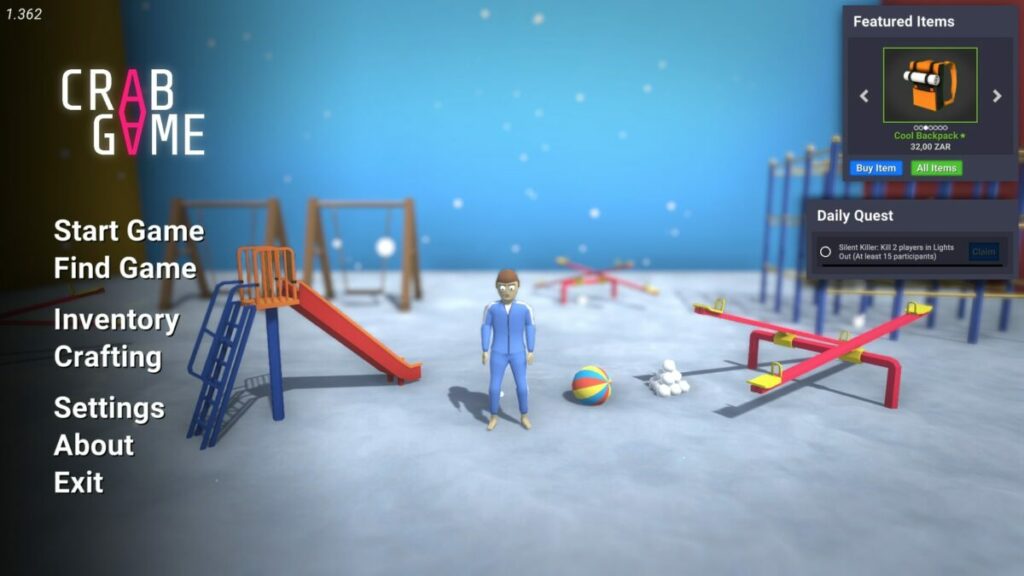
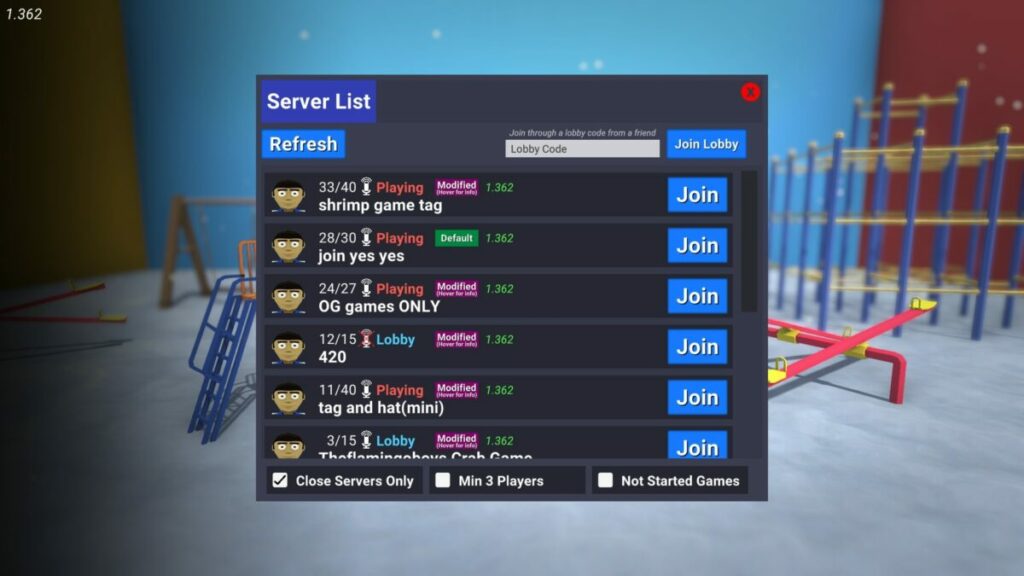
There’s no tutorial when you start playing Crab Game. On the main menu, you’ll notice you can join or create a server. The former gives you access to all the available games you can join, but you’ll need to see which ones are waiting in the lobby. If you join one that’s already in action, you’ll simply be a spectator that flies around. You’ll have to wait until all the games for that round are done.

Creating a Crab Game lobby can be frustrating for a beginner. You’ll wait in the lobby until players decide they want to join you. You can invite your friends if you want, or wait patiently. I opted to exit and join others.

How do you prepare for the Crab Game?

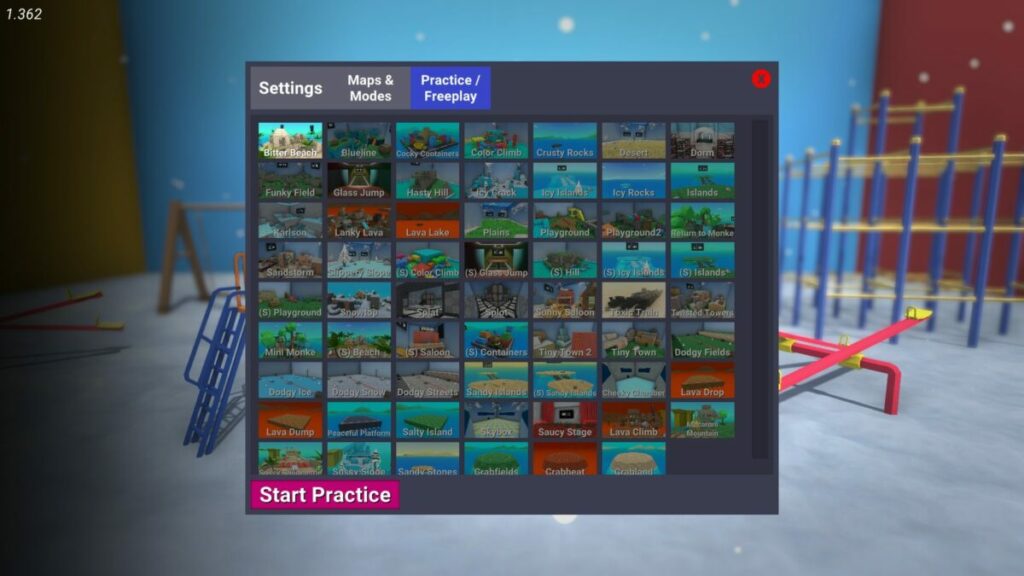
There’s a free practice mode in Crab Game where you can become acquainted with each mode and map. You’ll have a chance to see how the arenas look and become familiar with them. However, this mode is generally useless, as there is no one to practice against.

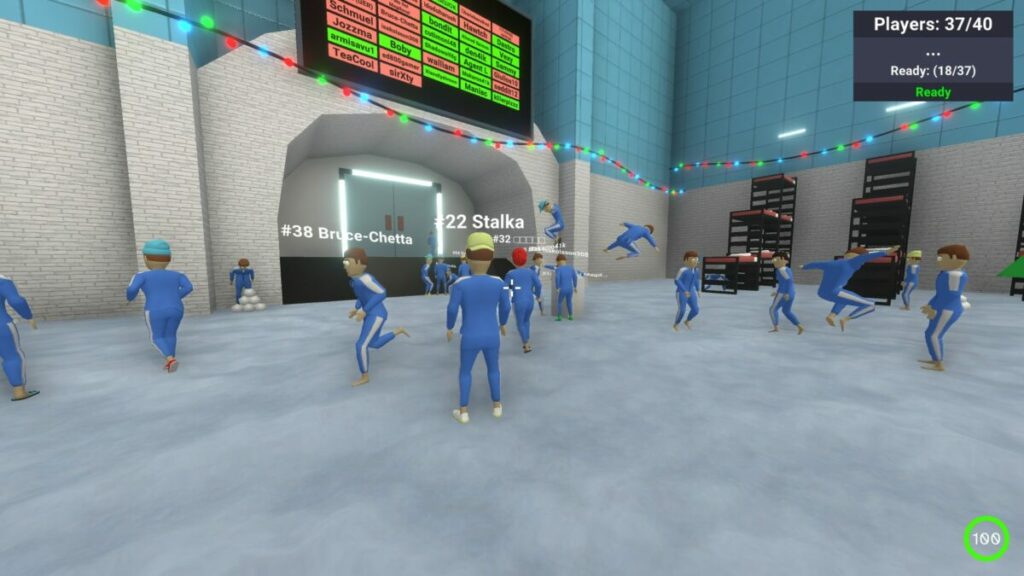
When you’re in a Crab Game lobby, you’ll need to ready up when you want the mode to start. You’ll recognize the bunk beds from the Squid Game TV show. Head to the small pedestal and press the red button to light your name in green on the matchmaking board on the wall above.

Crab Game review

How do you know what number you are in Crab Game?

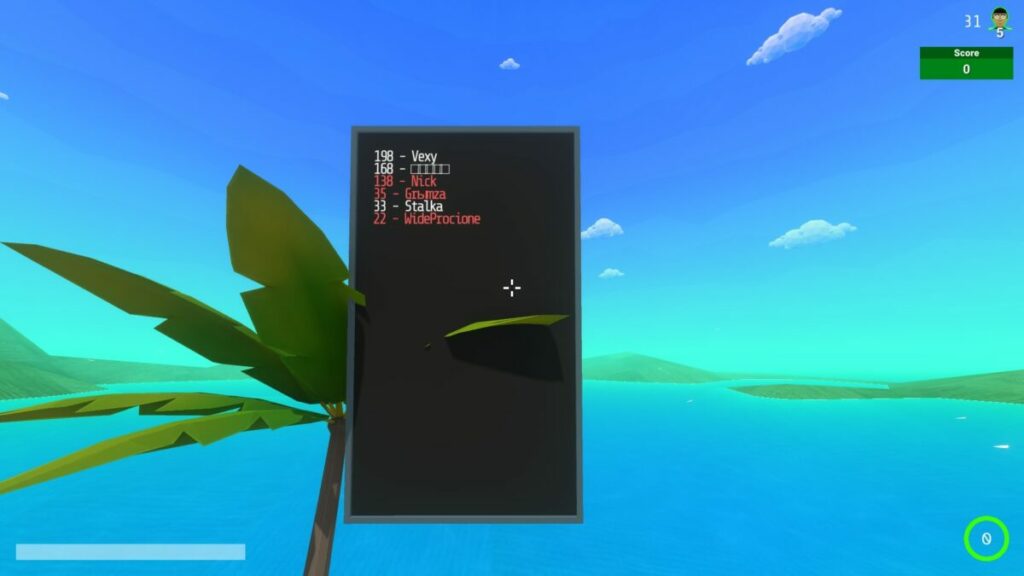
Every player in Crab Game is assigned a number, much like in Squid Game. When you look at the game board in each round, you’ll see player names with numbers allocated next to them. You’ll also see numbers appear above players’ heads when you get close enough to hit them.

Crab Game review

Getting the hang of playing Crab Game

In this section of my Crab Game review, I’m going to look at the mechanics of playing the game. You can forget about strategies, as none will help you here. The controls are few, so you’ll just have to look for the best opportunity to terminate other players.

How do you play Crab Game?

Every game mode has a different way of playing it, so you’ll need to become acquainted with how they work. The premise is that you need to survive each round and avoid elimination so you can progress to the next one. The ones who make it to the end are declared the winners. 

Some game controls you should know

The Crab Game controls are basic, which is probably why you can only play on a keyboard and mouse and not a controller. You’ll run, jump, and hit items or players. Some stages require that you time your jumping to land on platforms while avoiding death. 

It’s mainly these modes where I don’t enjoy Crab Game. The controls may be easy, but the movement is messy. Running and jumping feel unrealistic and odd in the game. It feels more like you’re floating across the gap, which makes it challenging to get right. Also, everyone moves and jerks around in such strange motions that it’s hard to tag them.

Crab Game review

Obtaining items for your inventory

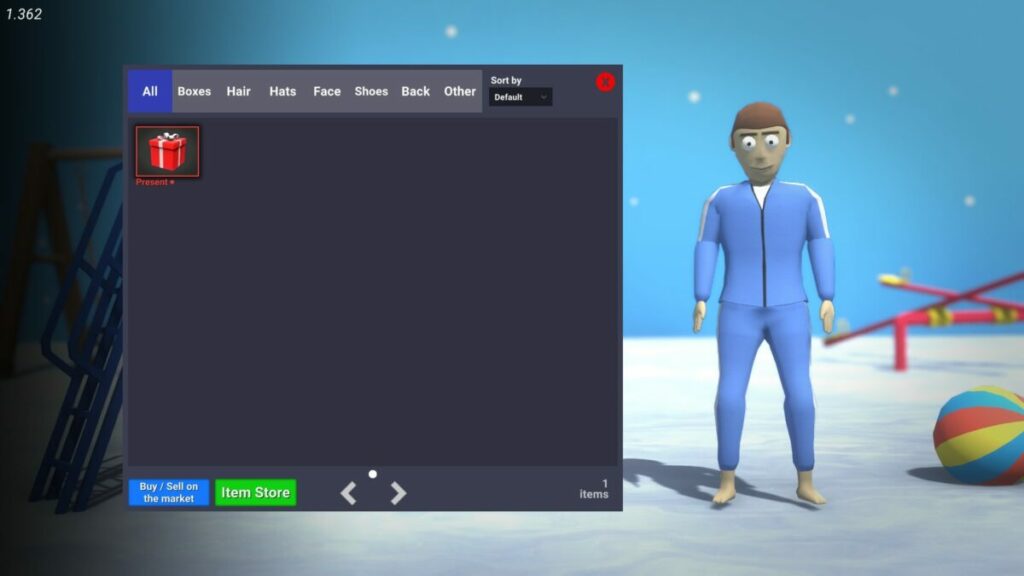
There’s a tab in the Crab Game main menu for your Inventory. While you can’t use any objects to your advantage in any of the rounds, they’re mostly for appearances. You can obtain clothing and other items through rewards or by buying them from the in-game store. It’s this method that the developer uses to get a financial return for the game.
Requirements to run Crab Game on Windows

You won’t need a massive top-end gaming PC to play Crab Game. The requirements are low and are nothing compared to other FPS titles today, such as Call of Duty which needs almost 100GB per game. Here’s what you’ll need:

  • Operating System: Windows 7 and up
  • Processor: Intel Core i3 2,00 GHz
  • Memory: 2 GB
  • Graphics: Intel HD 520
  • Storage: 200 MB
  • Constant internet connection

Other games like Crab Game

Another gaming platform that has similar titles like Crab Game is Roblox. There are plenty of Squid Game replicas you’ll find, and most of them are better than Crab Game when it comes to movement and rewards. Even Fortnite has some games created by other players that have similar elements.

Comparing Crab Game visuals and sounds

I want to mention some details about the sounds and visuals before I end my Crab Game review. Some are positive, while others I didn’t enjoy as much. Stay tuned for my final verdict at the end so you can see if the free game is worth your time.

Unimpressive graphics

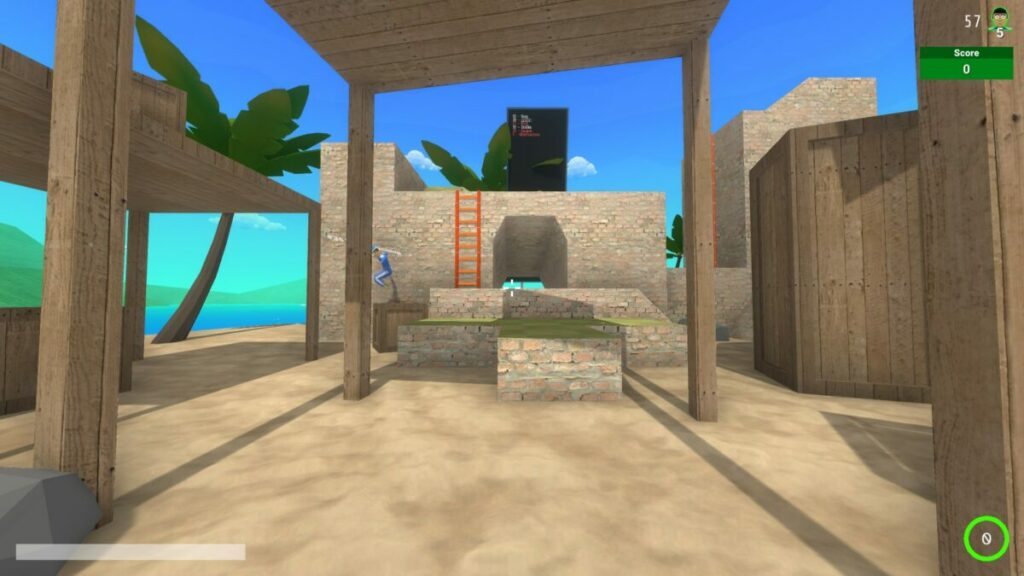
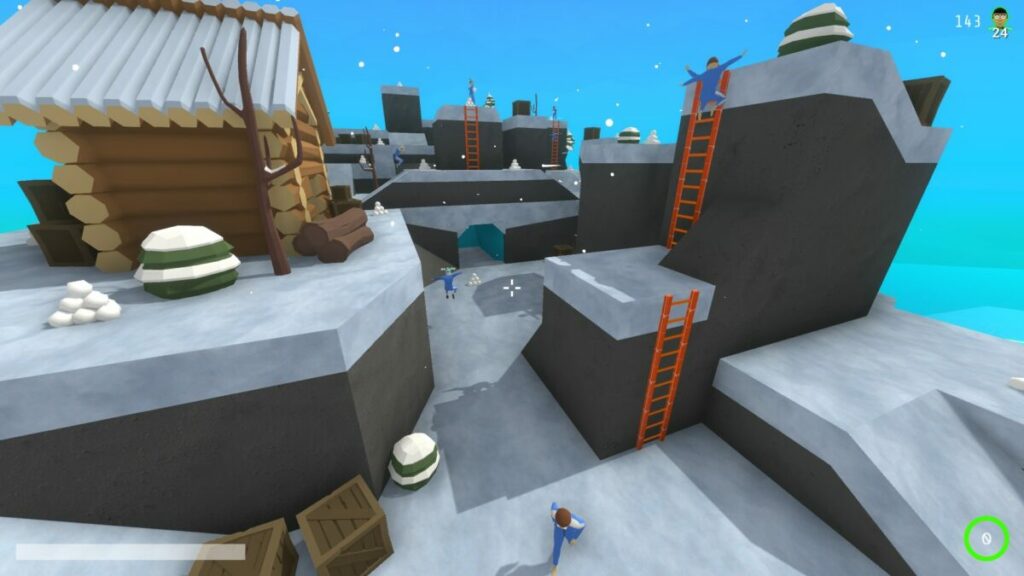
Sadly, Crab Game has poor graphics when compared to other FPS titles I prefer. It has poorly constructed avatars that don’t look good while moving and jumping. Some of the moving items in the different stages don’t even appear to be attached to objects or platforms properly. 

Crab Game review

Plenty of maps to enjoy

One upside of Crab Game is that there are about 50 maps to play across, giving you loads of variety. Not even Call of Duty maps have this library size in a single game, and the only one that competes with it is Roblox. It’s just a pity that the Christmas themes are still all over the place and not removed yet.

Not many sound elements

Crab Game also suffers from a lack of interesting sound elements. The music, if any, is dull, and you won’t have many noise effects unless you count the explosion when someone dies. The developer could have done much more with the sound.

Chat with others

Fortunately, you can chat with other Crab Game players by plugging in your microphone. Of course, whether or not you’ll like it depends on your preference. On FPS titles like COD, you can choose to only listen to your party. Here, everyone has something to say, and some of them swear like sailors when the mood suits them.

Final verdict of Crab Game

My final verdict of Crab Game is this: some players will like and others won’t — I didn’t. I tried to spend as much time on it as my mind could enjoy, but eventually, I just left. It’s only challenging to complete the rounds due to the controls and movement. If that were improved, I might have stood a better chance of competing. Still, feel free to download the game if you’d like to see if you like it more.

For games I did enjoy, please see my Clash Mini and Mirror Forge reviews.

Clash Mini Review | Mobile Battle Excitement READ MORE
Mirror Forge preview | Intense horror game READ MORE

Pros

  • Plenty of game modes and maps
  • Inventory to hold rewards
  • Incorporates mic to speak with others

Cons

  • Creating a lobby can be lonely
  • Joining a busy game means spectating
  • Movement mechanics are challenging
  • No introduction or tutorial
  • Unimpressive visuals and sound
  • Free practice is useless
  • Not much incentive to return
  • Other players swear like sailors

Developer: Dani

Publisher: Dani

Game Modes: Free practice, create server, join server, 17 different game modes

Platform reviewed: Windows 11 – Steam

Gacha Redux review: fun and free-to-play character creator

Anyone who loves Gacha games probably knows what Gacha Redux is – or at least Gacha Life. With similar features to popular titles like Genshin Impact, Raid: Shadow Legends, Gacha Studio, and even Roblox, Gacha Redux has one thing that makes it stand out — that it is completely free.

Let’s review the game’s performance, key features, and customization options to see how it compares to other games like it.

Gacha Redux Download
Download

What is Gacha Redux?

This free-to-play Gacha game lets users interact with characters and virtual items. Gacha Redux originated as a modded Gacha Life – a Sims-like or Animal Crossing-type game where players customize characters. Customization options include:

  • Weapons
  • Hairstyles
  • Clothing items
  • Facial features
  • Poses

But the original game also included mini-games, studio mode, and life mode. However, it required some monetary investment in that it is free to play but users must use Gems to purchase things in-game. Gacha Redux does not require in-game purchases to get things from the shop.
Is Gacha Redux free to play?

Gacha Redux is 100% free-to-play and allows users to totally customize multiple characters entirely for free. This is where it differs from traditional Gacha titles.

image of Gacha Redux character creation screen

Key features in Gacha Redux

Despite the game having a very specific functionality, its features are an inch wide and a mile deep. There are literally thousands of customization options to choose from. As a result, filling up the 10 allotted character slots is an easy thing to do very quickly.

But that presents another possibility for users in the form of roleplaying.

Customizable character options

The game, like other Gacha titles, features an anime-inspired animation design. It also features tons of hairstyle options for base hair, bangs, ponytails, ears, ribbons, and more.

There are just as many eye customization options with all the clothes and accessories you could possibly want. Want a pirate hook for a hand? Easy. A plague doctor mask? No sweat. Users can also choose from many detailed backgrounds, as well.

YouTuber MBPhiitsLayschipher showcases the various customization options very well in one of her videos.

Roleplaying possibilities

Many users use Gacha Redux to create what are commonly referred to as “OCs” or “original characters”. These can be used for roleplay across a variety of genres and mediums.

Gacha Redux Club logo

Gacha Club Studio

In previous versions of the mod, Gacha Club Studio crashed causing many players to lose their characters. However, Dellt Dev has revamped it to ensure this doesn’t happen again. It contains all of the following features:

  • Thousands of hairstyles, clothing options, weapons, and more
  • Up to 10 customizable characters with more than 600 different poses
  • Pets and other objects
  • Studio Mode where up to 10 characters can be on screen and talk to each other with text boxes or use a narrator for story-telling scenarios
image of Gacha Redux logo

Latest updates to Gacha Redux

The developer Dellt Dev updated the game earlier in 2022 adding a host of new features including:

  • A dark vaporware UI theme
  • New cloth shades
  • Updated body shades, hairstyles, and eye options
  • A new bellybutton option
  • New shirts with new shade options
  • Jackets with new shade options
  • New sleeve options
  • New pants and skirt options
  • Oversized shirts
  • High waist pants
  • New shoe options
  • New accessories like goggles, antlers, and hats
image of Gacha Redux custom characters

Verdict: middling performance for a great app

Gacha Redux is a fantastic mod for the base game Gacha Life and a great addition to Gacha Studio Club. Many users even recreated their favorite characters like Goku from Dragon Ball Z as seen above.

However, the app performance is a bit inconsistent since just a single developer operates and updates it. Still, for fans of the Gacha genre or people with roleplaying friend groups, this title is a great option to create custom characters online.

Download Gacha Redux today to start creating your own unique characters!

PROS

  • Familiar gameplay to other Gacha titles
  • Free customizations and store items
  • Unique UI
  • Thousands of combinations
  • Great for roleplaying

CONS

  • Difficult installation for some
  • Limited cosmetic item selection
  • Less consistent program performance
  • Lack of robust support

Developer: Dellt Dev

Publisher: Lunime

Top Features: totally free-to-play Gacha game

Platform Reviewed: Windows PC

Clash Mini Review | Mobile Battle Excitement

Clash Mini is a free strategic mobile board battle game developed and published by Supercell and launched on November 8, 2021. It features a map consisting of tiles where you can place your units. When the match begins, your opponent’s army appears to face yours until only one side prevails.

While there are only two modes in the beginning, you’ll climb a ladder to unlock new features. It’s about 127 MB when you first download Clash Mini, but it rises in storage the more you obtain new characters and items. Stay tuned to see how to play this MOBA and win with the best strategies!

Clash Mini DOWNLOAD

Becoming acquainted with Clash Mini

Let me begin my Clash Mini review by looking at some of the introductory elements. There’s no story to the game, so it’s more of a mobile battle arena without any plot. You’ll fight others for a chance to rule the leaderboard with casual progression.

Mastering the basics

When you start playing Clash Mini, there will be a short introduction. You’ll have to follow the guidelines during and after the fight. Once you have the hang of the mechanics, you’ll be on your own until you unlock new features or abilities. The game is quick to learn and not too challenging.

Clash Mini review

Choosing your initial characters

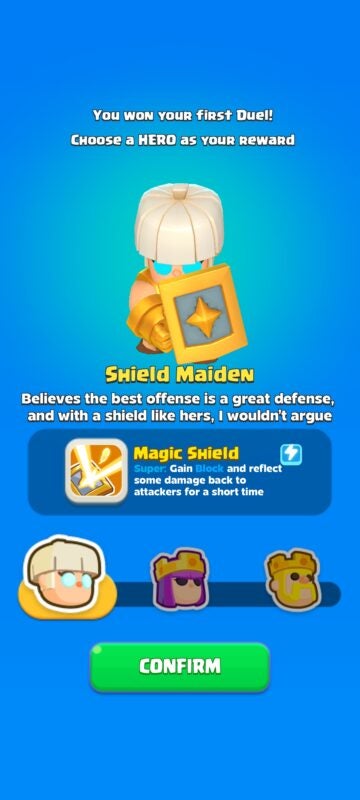
During the tutorial, you’ll need to select a primary hero. Each one has different abilities, so read more about them and choose carefully. You won’t be stuck with the hero too long, as the chance to unlock and opt for a new one will appear after some gameplay.

Clash Mini review

Abilities, and how to use them

Minions, or units, accompany your hero into battle. They also have specific abilities, but there’s a limit to how many can join you. You’ll see a small blue bar under the health meter for each unit. Once it’s full, it unleashes the character’s primary ability against the opponent.

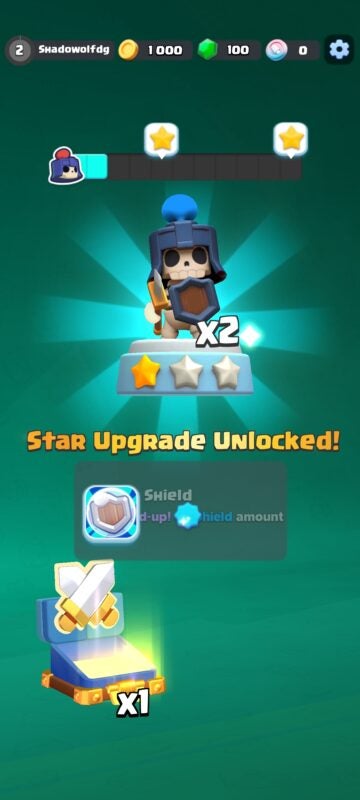
Which power the unit uses depends on the level. I’ll touch on that a bit more later in my Clash Mini review. With each star that your character has, a new skill becomes available that makes it more powerful. That’s why switching minions or heroes is so risky.

Creating a Supercell account

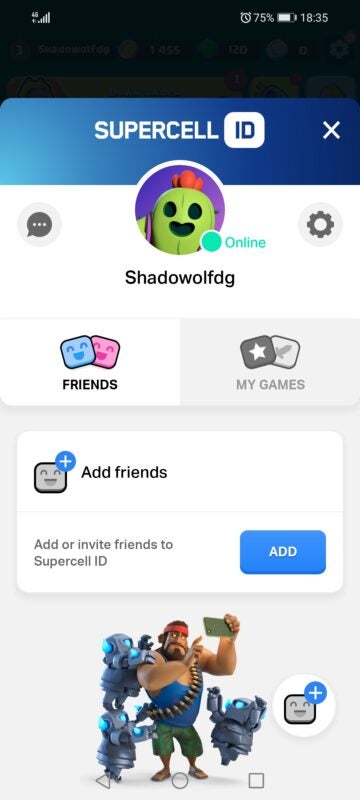
Not long after you start playing Clash Mini, the game will ask you if you want to create a Supercell account. I recommend that you do. If you switch devices or decide to play on Windows with Bluestacks, you’ll be able to use your accumulated points on your account. There’s also a special skin reward, depending on when you join.

Bluestacks DOWNLOAD
Clash Mini review

Rising up the ranks

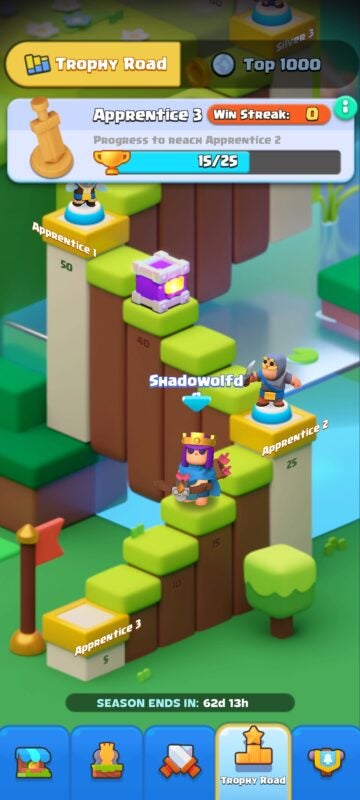
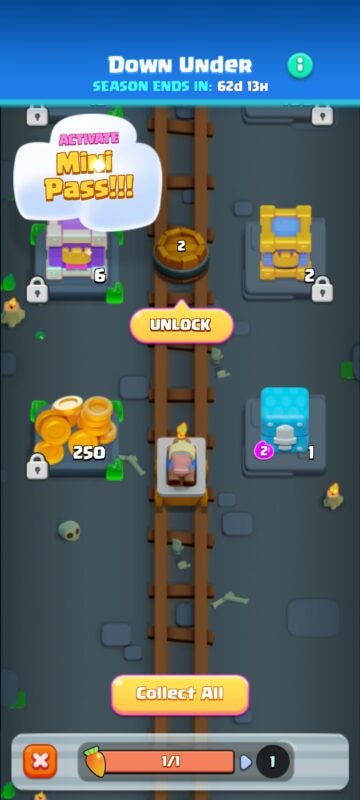
Before I get into the actual game mechanics for Clash Mini, I want to quickly touch on the ranks. Your profile has its own leveling system. As you win battles and gain experience, you’ll climb up the steps towards a new rank. The higher the rank, the better the rewards. You’ll also unlock different units at specific rank levels.

Clash Mini review

Playing Clash Mini with strategy

Are you excited to play Clash Mini yet? Before you head to your phone and install it, you may want to see what the combat mechanics and modes are like. My review has only given you a taste of what’s to come.

Two modes to play

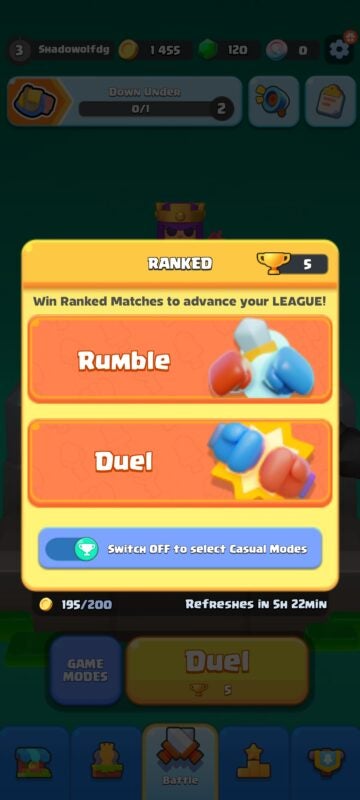
There are only two modes available in Clash Mini, but you can play them in two ways. Firstly, you have Rumble and Dual modes. The former lets you battle opponents in a tournament setting, where the winner continues to fight other players until you reach the semi-finals and finals. Dual-mode is simply a 1v1 match over three to five rounds to see who the ultimate victor is. 

Now let’s look at how you can play these modes. There’s a casual, unranked setting where Clash Mini randomly picks opponents regardless of rank. I’ve lost many battles this way since I faced players much stronger than me. I prefer the ranked version, where opponents seem to be the same rank as me. It makes it much easier for a beginner to win rewards and units this way. Sadly, there are no other modes, such as Story or 4v4. 

Games similar to Clash Mini by the same developer include Clash Quest and Clash Royale

Understanding combat mechanics in Clash Mini

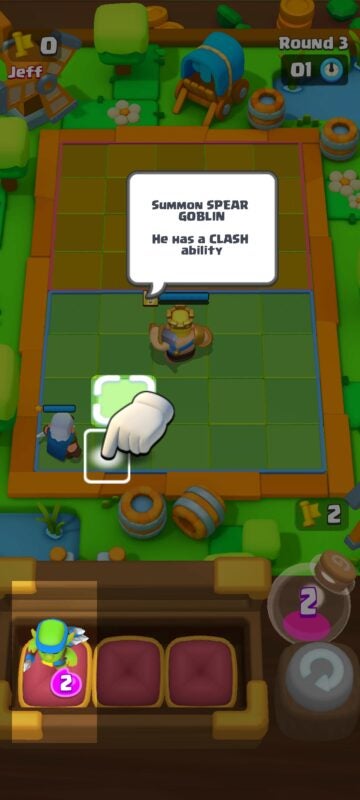
So, what actually happens during a Clash Mini battle? When the match begins, you’ll have three units in a bar with your hero on the board. You can’t see where your enemy’s troops are just yet.

To the right, there’s an elixir bottle with points. Each unit will cost you points to transfer to the board. There’s a refill button that changes the current selection of minions, but you’ll only have three chances per match.

Once the timer counts down, the match starts whether or not you’re ready. You’ll have no control over the battle as units move towards or attack the closest opponents. When the health bar runs out on a unit, they die. The match ends when one side no longer has any characters left.

In the next round, your units all return to the board, and you’ll have new elixir points. I’ll discuss how to use these in a bit. All you need to know is that you can add more minions or upgrade them. The match continues until there’s a winner. The first one to reach three trophies in dual mode wins. You’ll only need one victory per opposing player in rumble mode.

Using Elixir points wisely

The elixir point is the most significant strategic element in Clash Mini. Each unit has a different value. The smaller, more basic minions will cost you about 2, while the larger ones will be 4. You have about 6 points to allocate per round.

The strategy becomes more intense when you need to decide whether to upgrade or place a new unit. If you already have that minion on the board, you can move the same type into the arena to level it up. It unlocks a special ability for that character.

The other option of adding more units means you might overwhelm your opponent if they only have a few troops. However, it doesn’t help if they’ve upgraded minions that quickly kill your team. You need to find a balance between numbers and skills.

Upgrading heroes and units

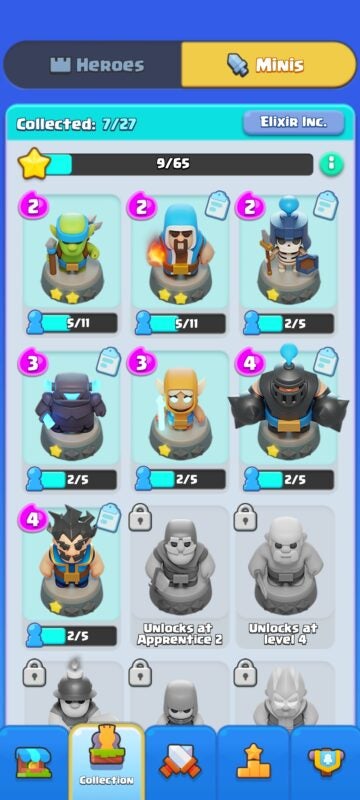
You can only unlock new abilities and level units up in battle after you level them up. When you head to the sections for heroes and minions, you’ll notice stars under them. The max level is 3 stars, which opens all the abilities for that unit. Chests and rewards provide you with hero and minion cards that help you upgrade them.

More items in the Battle Pass

If you like paying for items in games, you’ll be happy to know that Clash Mini has an in-game transaction system that’s like Battle Pass in Call of Duty multiplayer modes. You’ll need to subscribe to unlock specific rewards when you climb the tiers. In the shop, you can also use green gems to obtain unique units and items. 

Call of Duty DOWNLOAD
Clash Mini review

Placing your units wisely

It may not seem important in the beginning, but how you place your units on the board is vital to winning the match. Sure, you can’t see where your opponent’s fighters are. However, you’ll get an idea of how they play in the first round.

Let me give you an example from the Clash Mini matches I played for this review. There’s a goblin that has the chance to throw a heavy spear before any other units move, straight down the board. Your opponent will watch where you place your hero in the first round so they can target it with this fighter in the second round. It’s best to shuffle them around between rounds to confuse the other player.

You also need to visualize where the enemy units may be. Your melee units will walk towards the closest opponent, so they should be upfront. The ranged fighters can shoot from anywhere, so keep them close to your hero at the back.

What else Clash Mini has to offer

You now have a deeper understanding of how Clash Mini works. Before I end my review, I want to give a quick overview of some other elements I haven’t covered yet.

Superb mobile visuals

Clash Mini provides outstanding visuals on mobile devices that don’t cause the performance to lag. Of course, it depends on how much space and memory you have on your tablet or phone. I love how much color there is, and you’ll unlock more boards as you progress.

Clash Mini review

Brilliant animations and effects

The action in Clash Mini is adorable and intense at the same time. You’ll watch those ability bars fill up, waiting for that ultimate power to unleash. There are some pretty devastating attacks that made me gape in excitement. The battle sounds are also exhilarating, especially when everyone is fighting at full force. 

The latest Clash Mini news

Supercell is constantly working on new features. Season 3 was released a few days ago, so you can start early to rise up the tiers. Fortunately, I was able to use the new Skeleton ranger that just appeared a few hours ago in Clash Mini. There’s a tab at the top where you can access the latest announcements.

Clash Mini review

Final Verdict of Clash Mini

Clash Mini provides a fun mobile battle experience that’s almost casual in nature. My children and I took turns fighting online opponents, and we loved collecting as many units as possible. Since you don’t have much control over the actual battle, it sometimes feels like you’re winning or losing based on luck. Still, you don’t feel like a loser when defeated, and it leaves you eager to try again.

If you enjoyed this game, you may want to look at our Clash Royale review. Supercell also made this title, but you’ll have towers and lanes to deal with, much like League of Legends and DOTA 2.

Clash Royale Review READ MORE

Pros

  • Stunning mobile graphics and colors
  • Enjoyable animations and effects
  • Easy to learn
  • Using strategies makes you feel powerful
  • Plenty of units to unlock

Cons

  • You have no idea what you’ll be facing beforehand
  • Needs more modes
  • Feels like victories are based on luck at times

Developer: Supercell

Publisher: Supercell

Game Modes: Rumble, Dual (ranked and unranked)
Platform reviewed: Huawei P Smart 2021 – Android 10

Droidkit review: a reliable Android data recovery app

iMobie Inc., the publisher of the useful Droidkit program, recently updated the software to version 2.0. It features all kinds of new tools across its 8 offerings from data recovery to data management and more.

Let’s break down the key features of the program, what it costs, and see how the updated version compares.

Droidkit Download
Download

What is Droidkit?

Droidkit is a licensed data recovery program from iMobie Inc. for Android devices. It is helpful with data management and extraction, as well. The software runs on a freemium model with various tools valued at different prices.

How much does Droidkit cost?

While there is a free option, iMobie offers the program for a starting rate of $15.99 USD. However, in order to have access to the full suite of tools, users could spend up to $269.92 USD for a 1-year plan across 5 devices.

The company often offers discounts such as the full suite for as low as $80 USD for the same plan above that costs almost $300 USD. The cost really depends on which features you need for your device.

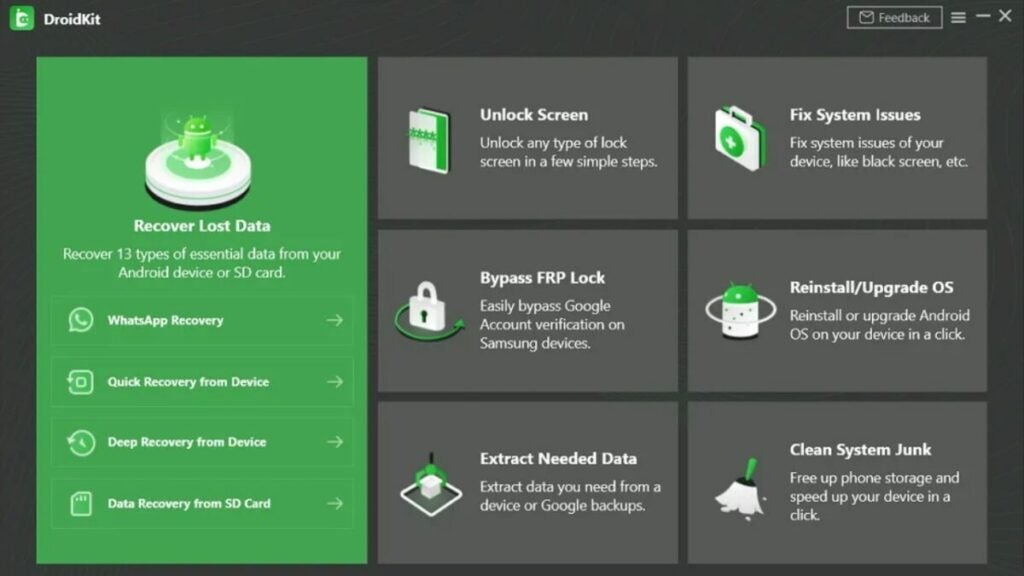
image of the Droidkit user interface

Key Droidkit features

Lost data recovery and data extraction

Retrieving lost data becomes a simpler task with Droidkit’s two modes: Quick and Deep Recovery Mode. For quick data recovery of specific sections, opt for Quick Recovery Mode. If you need a more thorough option, Deep Recovery Mode fully scans your device. However, it does require users to “root” their device first.

In order to prevent data loss, Droidkit enables users to easily extract file types to external storage backups including WiFi photos, WhatsApp messages, call logs, calendars, and more.

Lock screen removal and FRP lock bypass

Though lock screens keep your information safer, they can also be a pain if you forget your password or code. If you find yourself locked out of your device, Droidkit can remove any lock from passwords to PINs to fingerprints and facial recognition. This feature extends to Samsung, Huawei, Sony, and other major brand devices.

Bypassing FRP locks is only available on Samsung devices. However, Droidkit does allow users to bypass all Google FRP locks in order to reset it. Be sure to back up data before doing this as it can erase the device information.

Cleaning system junk

Data management is a daily task for most technology users. Whether they are documents, images, videos, or other file types, everyone is managing some kind of data. But sometimes, things pile up and waste precious storage space on your phone.

Droidkit addresses that with the “Clean System Junk” feature. It clears up duplicate files, cache files, shuts down background apps, and more.

System issues fixes, reinstalls, and upgrades

A black screen. An unexpected update. A battery that won’t charge. Error reports. Device freezing or boot loops. There are lots of problems that users can encounter with Android devices. Droidkit aims to address them quickly and easily with its “Fix System Issues” feature.

Users can also upgrade or reinstall their device OS with a few simple clicks, too. This can help with system slowdowns, system crashes, errors, black screens, or stuck devices.

image of the Droidkit logo and the version 2.0 program

Updates in 2.0

The latest update to Droidkit came earlier in 2022 bringing lots of new features including:

  • Italian language support
  • More intuitive and quicker screen unlocking
  • Data management for more Android data control for users to manage up to 13 types of data including messages, images, music, and more
  • Improved system fixing capabilities
  • FRP lock bypass for Android 11 and 12
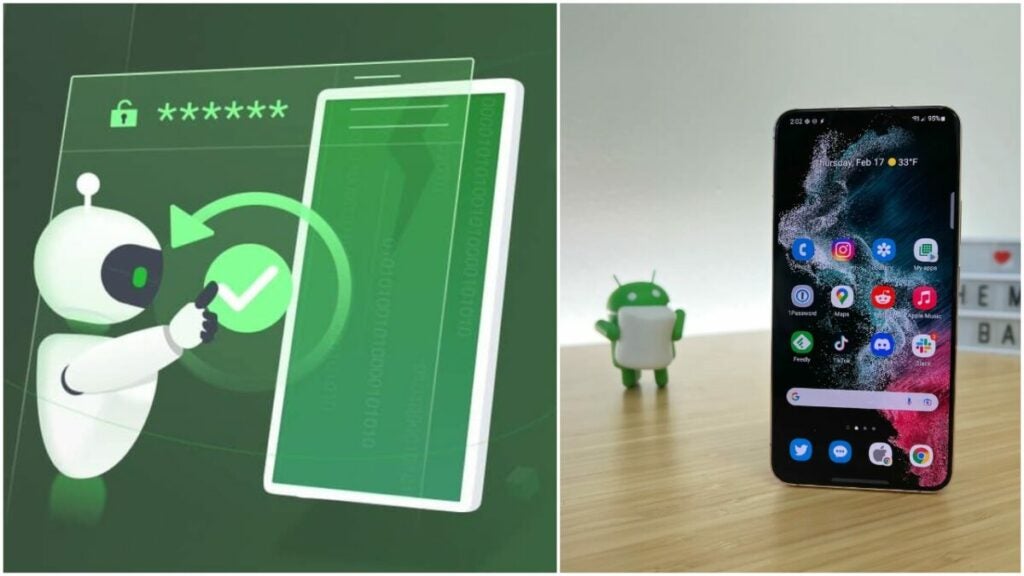
image of a Samsung Galaxy S22 and the Droidkit logo

Verdict: a solid, reliable data recovery tool

If you have an Android device such as a smartphone or tablet with data loss, Droidkit offers a great option to recover that data. The 8 core offerings it has a range in utility and price, so you can customize the plan you need.

Users looking for more robust data management tools will not find them in Droidkit. But the 60-day money-back guarantee offers nice peace of mind for would-be users looking to move up from the free version.

Pros

  • Great all-around tool and device kit
  • Custom plans available
  • Lets you recover valuable files
  • Removes FRP locks and lock screen passwords
  • Allows for quick system fixes
  • 24/7 customer service
  • 60-day money-back guarantee
  • Instant activation
  • Teacher and student discounts

Cons

  • Only for Android devices
  • Free version offers a more limited toolset
  • Can seem costly if you don’t fully utilize the toolset

Developer: iMobie Inc.

Publisher: iMobie Inc.

Top Features: Data recovery, lock screen reset, and system fixes

Platform Reviewed: Android Samsung Galaxy S20 phone

Gacha Neon review: Free mod enhances RPG

Gacha Neon is an updated version of Gacha Life, an addictive role-playing game that’s popular for its sandbox qualities. In this free-to-play mod, you can enjoy even more ways to customize your avatar to fit your likeness or create a wild new look. You’ll also be able to adjust cool details such as facial features and backgrounds — perfect for those who love sharing their avatars on social media and throughout the ever-expanding Gacha community.
Gacha Neon Download

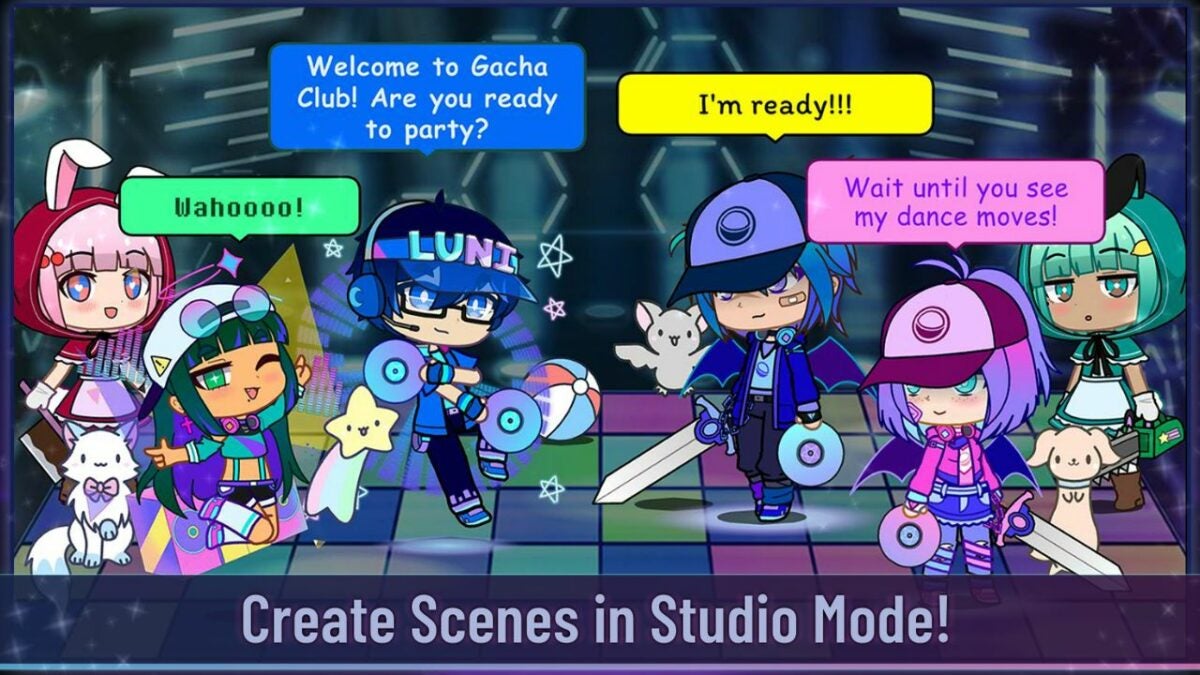
This standalone game has colorful mods and futuristic content to complement its namesake. Gacha Neon concentrates on avatar customization; however, you can also play as new characters such as Luni and Ramunade, the DJs who provide the game’s soundtrack. Although Gacha Neon is advertised as a mod, this game is meant to play on its own without saving the content of other Gacha series. This means you will have to start from scratch. So are the updates enough to make Neon a must-have addition for Gacha fans? Read on to find out.

Play Gacha Neon to make a new avatar with retro designs

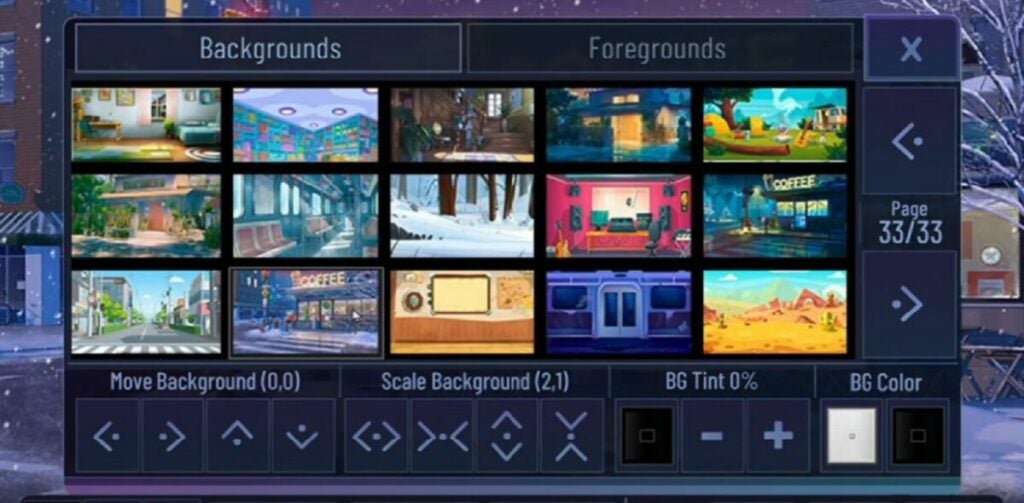
The shining addition to this new Gacha Life mod is its versatile costumes and neon backgrounds with retro effects. The “neon’ name comes from the rainbow array of makeup and settings you can use to customize your character and your character’s home. While you’re not obligated to spend money during the game, you can play programs from advertisements to build up your hit points and unlock secret settings to further adapt your gameplay. Rewards are granted earlier in the game and are a bit harder as you advance through the program.

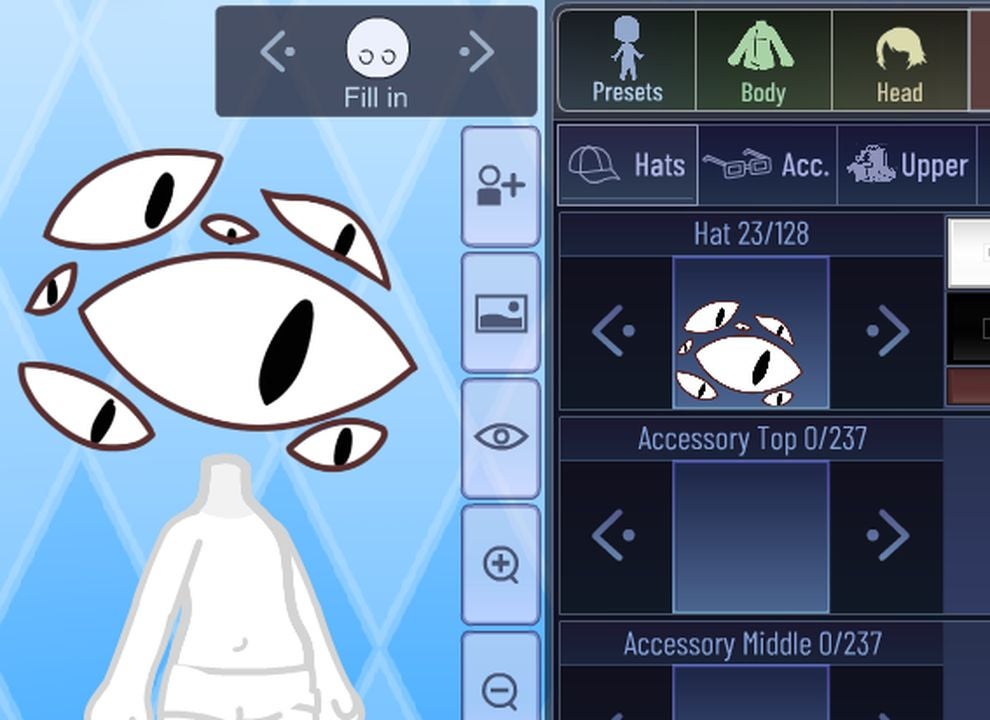
You’ll start off as a basic character and choose clothing and makeup to make an individual avatar stand out in the world of other players. With so many items and accessories, Gacha Neon really encourages players to be as creative as possible. Options include specifics such as different eye shapes and trendy outfits that can be mixed and matched in this virtual world and changed whenever you achieve points. Once you create the character, the game is on. Interact with other users for a special experience each time.

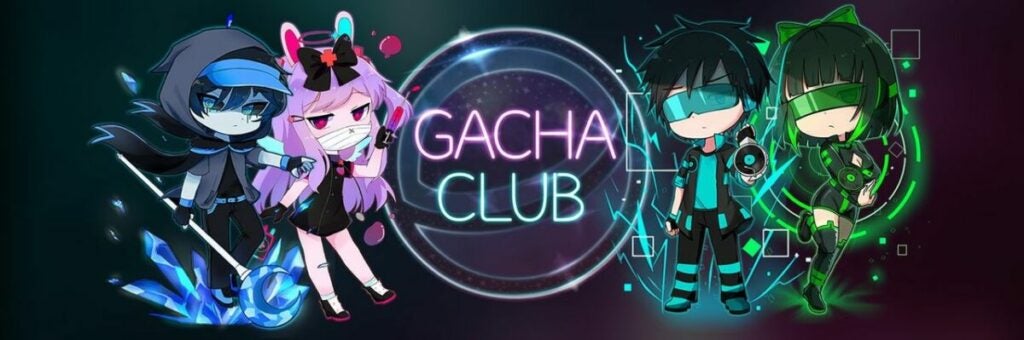
Gacha Club logo and avatars examples

Take your knowledge from prior games to Gacha Neon

Gacha Neon gives you a fresh start in the Gacha Life universe. You won’t have to play as your former characters. However, this may be a disadvantage for some as your stats will be wiped when you install the game. The advantage is leveling up your skills and becoming more experienced with the game as an individual player or with the help of the community. If you’re familiar with prior titles, you can quickly catch on. New players may feel a bit overwhelmed by the sandbox nature of the game as the opportunities are endless. But this immersiveness is really what the Gacha world is all about.

Fans of funky graphics and customizing an avatar will love this Gacha Neon mod even if there are subtle advertisements that may be tempting to get ahead in the game. A great way to avoid spending in-game money and actual currency is to take a break between daily gameplay while collecting regular achievements, rather than spending your entire day trying to beat Gacha Neon. The expansive universe is a great place to explore and learn new tactics.

Neon Gacha Studios logo illuminated

How do I download Gacha Neon?

The download process for Gacha Neon is very straightforward. You won’t need to delete Gacha Life of Gacha Club to install. However, if you’re using an Android phone, you may need to update your specific browser. Most of these downloads instruct you to extract files using a specific app. Once you’ve managed to extract the files, you can click on the program and run it effortlessly if there is enough memory on your device.

Gacha Neon is a great game to join in with a community of fellow players and admire their special avatars. Active users on Facebook and Twitter love to share their mods and invite others to do the same to get tricks and tips on the best gameplay. You can share advice with these growing communities and evolve together as an RPG family. Unlike other role-playing games, Gacha Neon isn’t so much of a competition as it is a place to gather and communicate.

Gacha Neon gameplay example

What makes Gacha Neon different from the rest?

Gacha Neon is an extensive game that extends the excitement and former gameplay of the Gacha series with a new twist. This program is a completely standalone game that wipes the slate of your former Gacha Club statistics for a fresh start. It’s fun and easy to advance your character to be more trendy or traditional with special customization at your fingertips.

This role-playing game allows your fellow players to sneak a peek into your background scenes and get a glimpse into the world you create as your own with Gacha Neon. Feel free to check out other players or get into battles in this immersive game.

Neon Gacha bedroom setting and decorations

The final verdict

Gacha Neon is a must-have update for fans of this RPG series. Since character personalization is so important, this mod rightly focuses on adding cool accessories and retro-styled backgrounds. While you’ll need to start over to play this standalone game, veteran Gacha fans should enjoy the excuse to start fresh. Want to learn more about the series? Check out our Gacha Club tricks and tips.

Pros

  • Updated customization for characters
  • Unique backgrounds
  • New vibrant skins
  • Standalone game with new modes

Cons

  • Doesn’t connect with previous versions
  • No major gameplay updates

Developer: Lunime

Publisher: Eleven Games

Game Modes: Multiplayer, co-op

Game Engine: Android, PC