Hands on with Google Hangouts

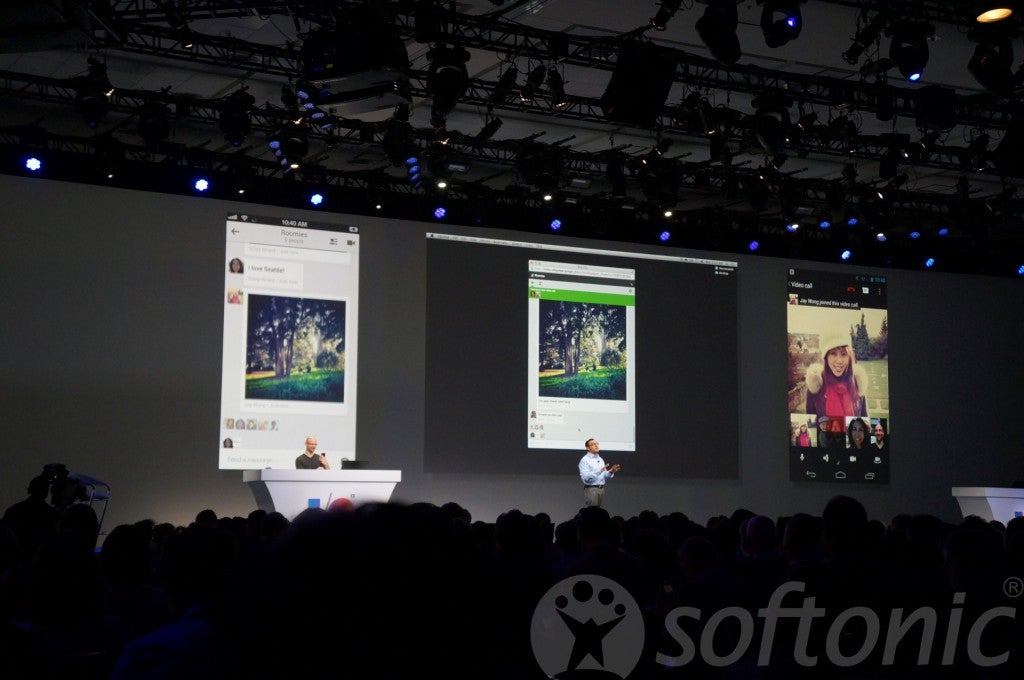
google hangoutsAt Google I/O 2013, Google revealed its solution for the fragmentation of its messaging services. Before Hangouts was announced, users had to use multiple services like Google Talk and Google+ Messenger, along with Google Voice if they made calls. Google Hangouts was previously the name of Google+’s video conferencing feature, but now the messaging services are all integrated into one app.

Released as an app for Android, iOS, web, and Chrome extension, Hangouts streamlines chat into one simple service. You sign in and the service syncs to all of your devices. One of the best parts is that Hangouts recognizes which device your using and only sends one notification so you don’t get them on multiple devices at once.

Hangouts is a much needed update to chat with Google contacts. One of the best things about the release of Hangouts is that Android users can now chat directly with iOS users without having to use Google+ Messenger.

But Hangouts is late to the messaging game with competitors like Facebook Messenger, KakaoTalk, WhatsApp, and numerous other chat apps offering more features than Hangouts, like free voice calls and stickers.

Chrome and Hangouts Extension
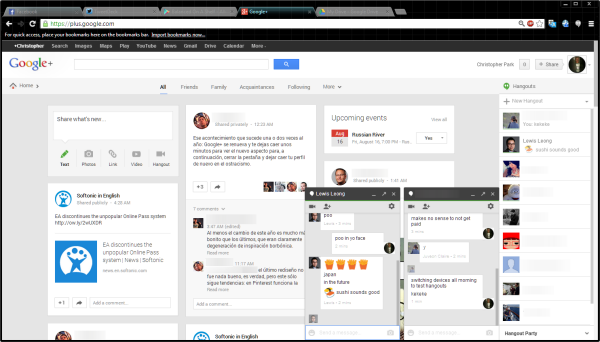
Hangouts is available for use inside the Google+ and Gmail sites. It works just like Google Talk and Google+ Messenger except it’s one service instead of two. If you ever used Google Talk or G+ Messenger inside a browser, you will get the update to Hangouts automatically.
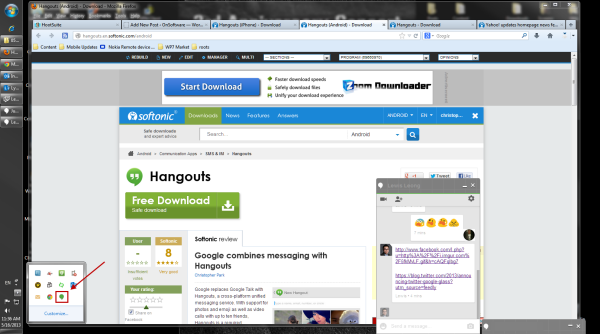
Google also released a Chrome extension for Hangouts, allowing you to chat with friends without having to have an open up Google+ or Gmail. Hangouts connects to the service and contains persistent chat windows. The chat windows will sit on top of other windows, but you can change this in the options. You can see who you’re talking to in your taskbar, but when friends send messages, the chat window will pop up with a notification and sound by default to notify you.
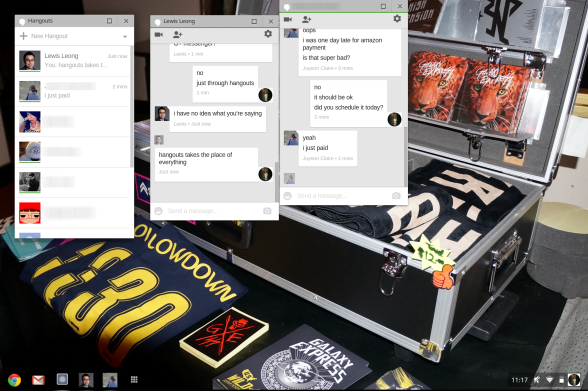
The extension also works in Chrome OS, but it works more like a standalone chat app than extension. Notifications for chats come from the Notifications tray in Chrome OS and they contain the user photo and the message. The Hangouts extension on Chrome OS are different from web and Windows, but they are equally simple to interact with.

Android and iOS
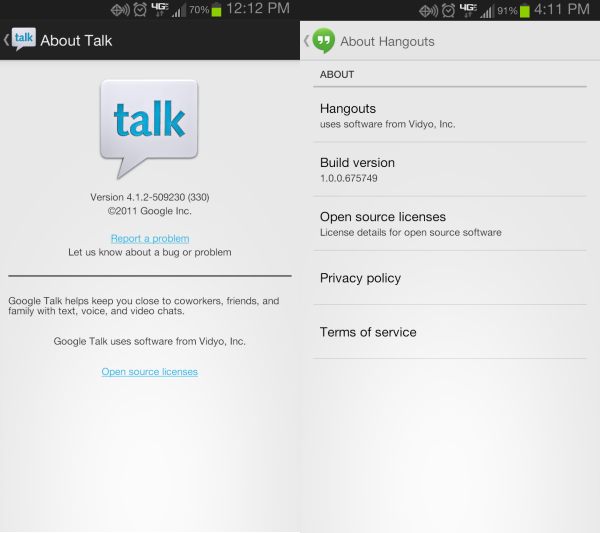
After Google released Hangouts in the Google Play Store, I looked at how Hangouts would replace the Google Talk app. Looking in the app manager, I saw that Hangouts was integrating to replace the Talk services on my Android phone. It took a couple minutes, but Hangouts replaced all the services previously associated with Talk.
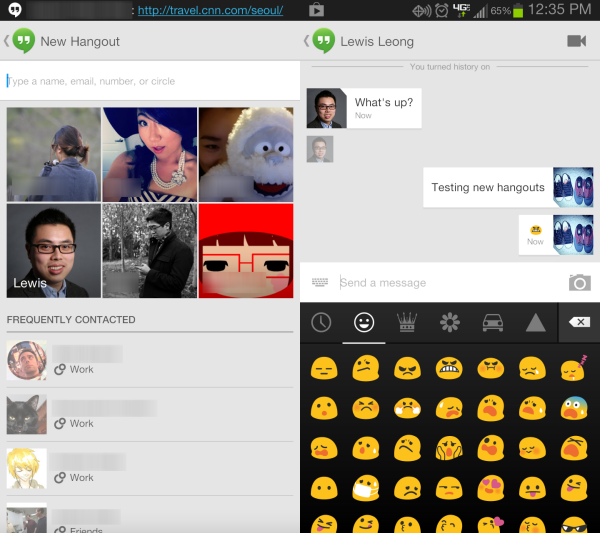
Using Hangouts on Android is very streamlined and features two main screens: one for current Hangout chats and the other showing a photo selection of contacts and frequent contacts. It integrates Gmail and Google+ contacts together and also pulls other contact information from my phone. The problem with importing my phone info is that it doesn’t show a single contact with multiple accounts as one contact, but displays each individual separately, resulting in a messy and cluttered contacts list.
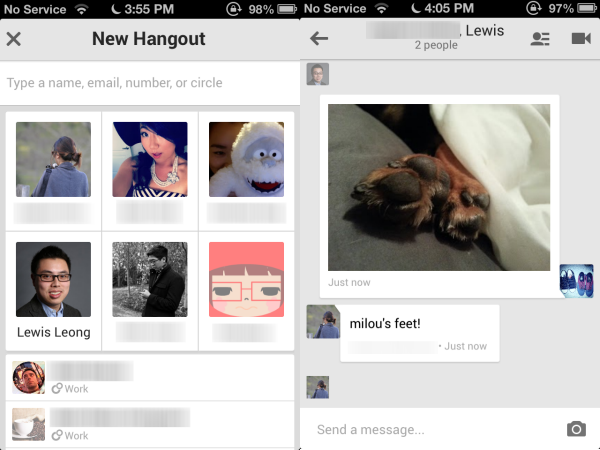
Google Hangouts on iOS has a similar interface, but doesn’t support emoji like on Android. It’s still supports the core actions for messaging and photo sharing, but feels behind the Android version in terms of usability.
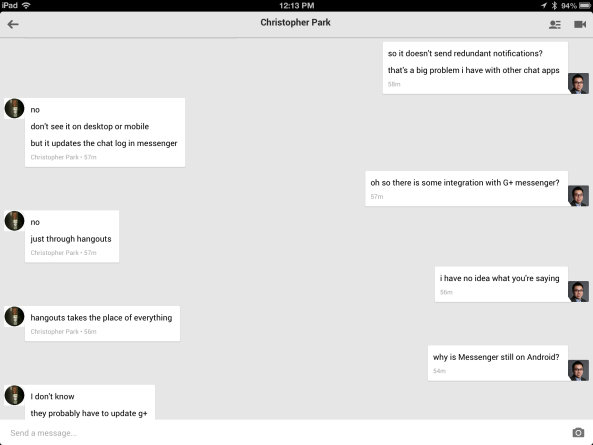
It’s also a universal app with iPad support, but the results of messaging on iPad aren’t as successful on the larger screen. As you can see, there’s a lot of wasted space.

Good start but room for improvement

Hangouts is Google’s first step in trying solve fragmentation of its messaging platforms. It doesn’t support Google Voice or SMS, though those are expected to come in future updates. Google is late to messaging. Google needs to spend time to quickly improve the service

It’s already easier to communicate with friends who use Google services and cross platform support is excellent with intelligent notifications. It’s superior on the web and Android right now, but iOS should get the same attention for bigger updates unless Apple doesn’t want Hangouts to compete with iMessage.

Android and web users don’t have much of a choice with Hangouts replacing Talk, but it’s a great replacement with lots of potential. It just isn’t there yet.

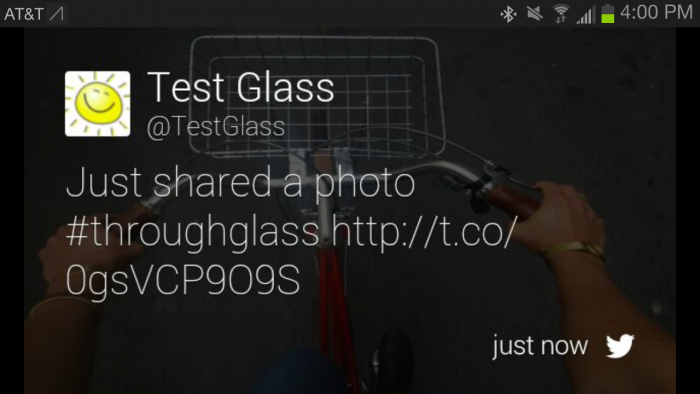
Twitter releases app for Google Glass

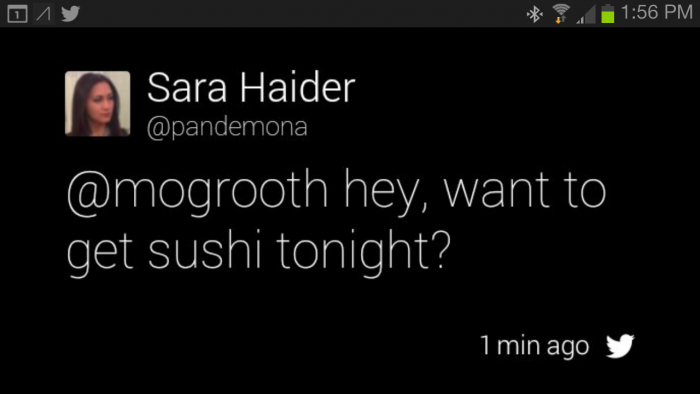
Google Glass is getting a bit more useful today with the release of Twitter for Google’s eyewear. Users will be able to share photos, update, and get notifications from Twitter.

Photo sharing is straightforward; simply take a photo and use Twitter to share. Tweets will show up with the hashtag, #throughglass with a link to your photo.

twitter for google glass picture

Twitter for Google Glass users will also be able to get notifications for tweets, mentions, and direct messages. Users can reply to message by voice with Glass. There are also options to reply, retweet, and favorite Tweets that show up in your feed.

twitter for google glass reply

Glass owners can head over to google.com/myglass to turn on Twitter.

[Source: Twitter]

Yahoo! updates homepage news feed with Twitter integration

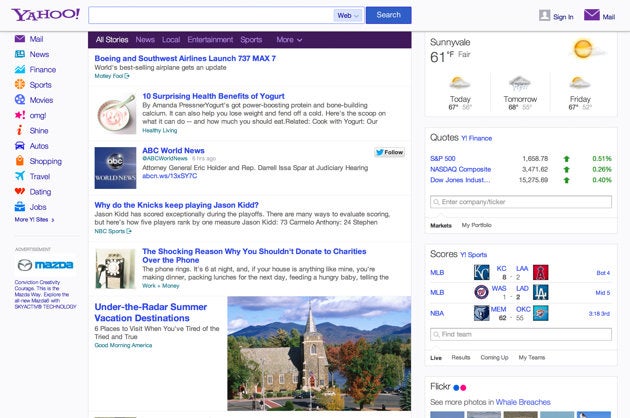
Yahoo! is partnering with Twitter to offer select tweets within Yahoo!’s news feed featured on its homepage. With this new deal, Twitter will offer up relevant and personalized tweets in Yahoo!’s news feed.

Yahoo! Twitter integration

This announcement makes sense as Yahoo! tries to reinvent itself as a mobile focused company. Last month, Yahoo! launched completely redesigned apps for Android and iOS, which featured Summly, a technology that trims stories down into digestible summaries. The new applications also offered customizable newsfeeds for its users so only relevant stories will be shown. Twitter integration is one more service that allows users to create custom streams.

The roll out will happen over the next few days to all US desktop and mobile web users.

[Source: Yahoo!]

Google I/O: Hangouts unifies Google communication apps

Google has shown a new Hangouts real time communication app at I/O. Released today, it’s for Android, the web and iOS, it stores all your conversations, with photos organized automatically in albums. You control your history, but there’s never any reason to lose anything unless you want to.

Hangouts replaces Google Talk, Google+ Messenger, Google Voice Chat for Drive and the old Google+ Hangouts. Instead of a list of contacts, when you open Hangouts you see your recent conversations, and they are all live. You can see who has read what, an who is active in the conversation. Like Google+ Hangouts, you can have free video conversations with up to ten people. This means Skype has even more competition, and WhatsApp, Facebook Messenger and Viber are clearly in its sights.

google hangouts app

Hangouts has been heavily rumored for some time. It didn’t make sense for Google to have so many different communication apps, and I’m pleased it’s not called Babel!

Google I/O: News Roundup

Google announced lots of new features for many of its services at the I/O 2013 Keynote presentation.

There is a new Google Maps interface for desktop, as well as new apps on the way for iOS, Android and tablets. We saw the new unified communication app Hangouts, a streaming music service All Access and the Google Play games services, although that didn’t work well in the presentation. We also saw Chrome get some great synchronization features, including a new simple payments system.
Google I/O 2013 Recap

Google Chat history can no longer be turned off by default

Send money to your friends with Gmail and Google Wallet

New Google Maps

Google Hangouts

Google’s streaming music service All Access

Google Play games service

Chrome synchronized simple payment system

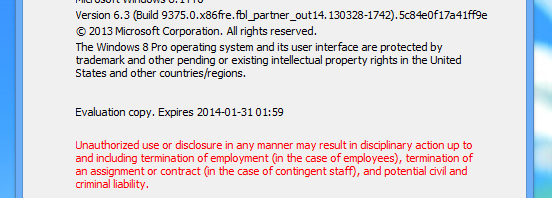
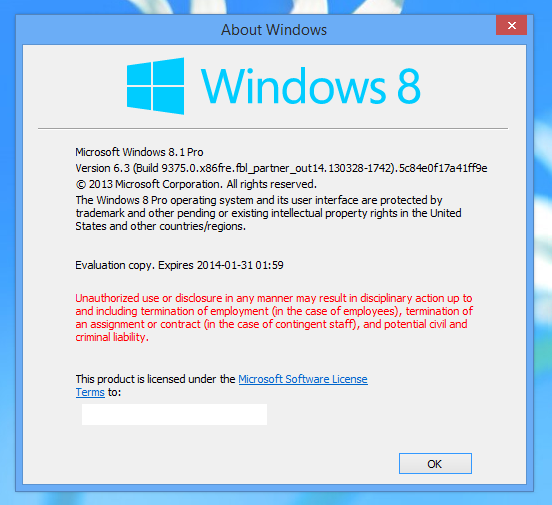
Windows 8.1 confirmed for release this year, free upgrade for Windows 8 users

windows 8 guideIn a blog post written today, Microsoft confirmed that the next version of Windows will be called 8.1, dropping the ‘Blue’ codename. The update will be free to all current Windows 8 users and will be released some time this year, though it’s hinted for a holiday release.

While there’s no solid release date for Windows 8.1, Microsoft will reveal more information about the operating system during its Build developer conference on June 26th. There will also be a public preview released during Build for users to test out.

Details are still scarce about what Windows 8.1 will bring, though Microsoft is paying attention to user complaints about Windows 8. The most popular rumor is that the Start button will be making a return, though it’ll still only open up the Modern UI of Windows 8 instead of offering a traditional Start Menu experience. Another rumor is that the updated OS will allow booting straight to the desktop instead of loading the Modern UI first. There will also be a new Modern UI styled file manager for tablets and improved window snapping for multiple apps.

windows 8.1 blue

Microsoft also took the time to reiterate that Windows 8 is about choice with tons of different devices running the operating system. The Windows Store now has over 70,000 apps but still lags behind both Android and iOS.

[Source: Windows Blog]

Firefox 21 out now with improved Do Not Track feature

The latest version of Firefox, version 21, comes out today. It has a few new features, and some minor changes and fixes.

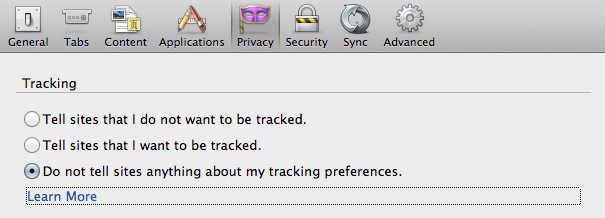
The biggest change is the enhanced ‘three state Do Not Track‘ feature. Do Not Track lets you opt out of any tracking cookies from websites you don’t visit, including analytics services, and advertising networks. Now, in Firefox 21 you can choose to tell sites you do not want to be tracked, that you want to be tracked, or to tell them nothing. Until now, there were only two options: say nothing or say don’t track.

Another useful change is that Firefox will now suggest ways to speed up opening the app, hopefully helping users who complain it takes too long to start. The last new feature is the preliminary implementation of the Firefox Health Report. This is a system designed to help you see how Firefox is performing, and how different configurations could affect performance. It also sends performance data to Mozilla, to help it improve future versions of Firefox.

See the full list of new features, changes and fixes here.

Download Firefox 21 for Windows or Mac.

[Source: Mozilla release notes]

Amazon releases Amazon Cloud Player for PC, Mac version coming soon

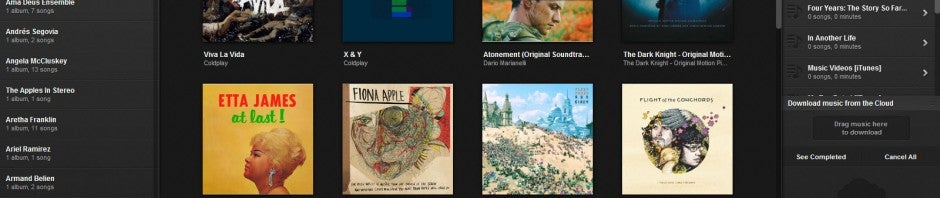
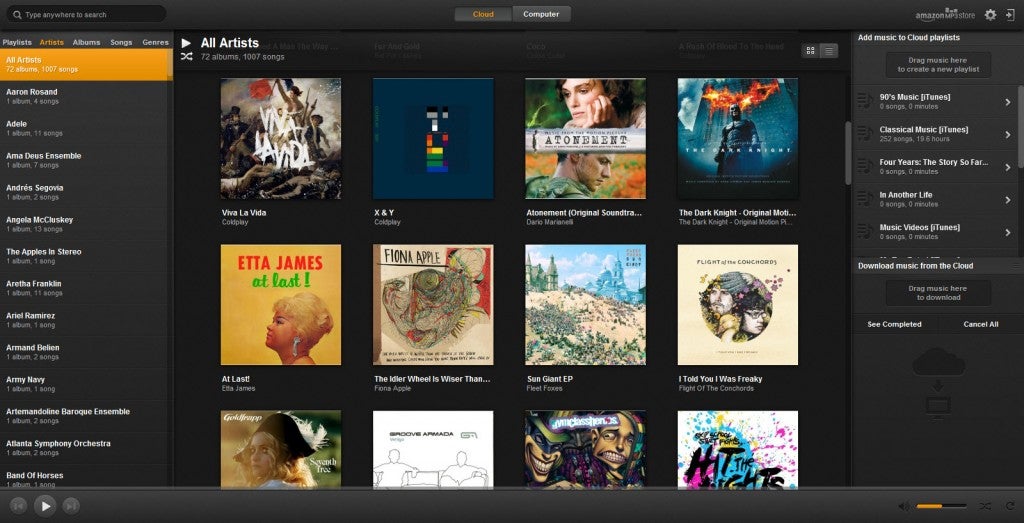
Amazon MP3 iconToday Amazon launched its Cloud Player music streaming app for PC. Previously, Amazon users had to navigate to the Cloud Player website in order to their music purchased and uploaded to Amazon’s servers. With the new Cloud Player for PC, users can stream or download music to their computers without needing a web browser.

Although this is version 1.0 of Cloud Player for PC, it’s very stable and feature packed. There’s a handy universal search that’s triggered by typing when the app is in focus; no need to click on the search bar first. There’s also a bunch of automation tools in the app. For example, users can set Cloud Player to automatically add music to iTunes, Windows Media Player, and Amazon. It will even import songs from your iTunes library if you wish to use Cloud Player as your main audio player.

It’s nice to see Amazon come out with a dedicated desktop application, something its competitor, Google Music, is lacking. Amazon is also leveraging it’s physical media sales with AutoRip, which automatically gives customers a free digital version of a CD or LP.

amazon cloud player for pc

Amazon Cloud Player is compatible with Windows 7, Windows Vista, or Windows XP SP3. Oddly, Windows 8 isn’t listed as being supported.

[Source: Amazon | Download: Softonic]

YouTube launches paid subscription channels

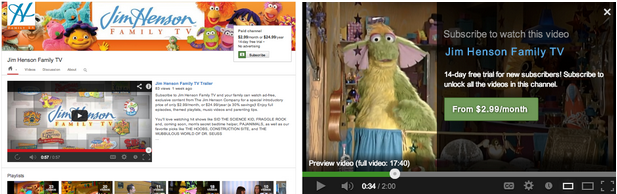
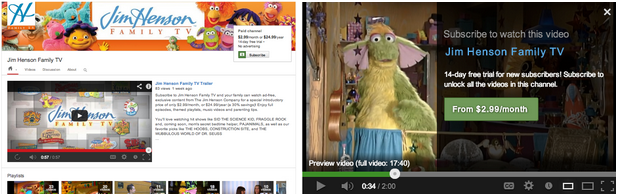
youtube windows phone iconStreaming video giant, YouTube, has announced paid subscription channels with a select group of partners, ending months of speculation. Subscriptions will start at $0.99 per month and all channel will have a 14-day free trial for users to sample. National Geographic Kids and UFC are just a couple of channels that have subscriptions set up. YouTube is still testing this subscription feature and will be rolling out more channels with this feature over the next few weeks.

Viewing channels you’ve subscribed to will work on a myriad of devices including your computer, phone, tablet, and television. YouTube is working on bringing the ability to subscribe to channels on more devices. For now, there are only 53 channels that have paid subscriptions at the writing of this article, though there are over 1 million channels that generate revenue on YouTube. Content creators can sign up to implement paid subscriptions for their channels with this online form.

youtube paid channels

[Source: YouTube Blog | YouTube Paid Channels]

Zynga releases endless runner Running with friends for iOS

Running With Friends is the new Temple Run like game from Zynga, the creators of Words With Friends, FarmVille and many other social games. It’s available for iOS, and compatible with iPhone, iPad and iPod Touch. The game is based on the famous Spanish Running of the Bulls festival of San Fermin.

The goal, like all endless runner games, you have to run a course, collecting stars and avoiding obstacles. In Running With Friends you are being chased by bulls, and Zynga have created a festival where the police have set up road blocks along the course, apparently to help the bulls catch the runners.

The game has been confirmed for Android, but there is no date yet. Zynga has been playing catch up in the world of mobile games, since its pioneering Facebook games like Farmville. The company has been focusing on its ‘Friends’ games recently, which typically take a popular mobile genre, and add Zynga’s social layers.

Running With Friends is free to play, but also includes premium content which can help you perform better in the game. In app purchases range from $0.99, to an impressive but not unheard of $99.99.