4 Reasons why you should upgrade to Avira Antivirus Pro

Four major reasons why you might want to upgrade to Avira Antivirus Pro 2020. Get your pro version of online security with a 20% discount! For Softonic users only.

As you might already know, one of the strongest free antivirus software packages out there comes from security experts, Avira. Avira Free Antivirus has been offering users protection from hackers for years with a continuously updated database of viruses, malware, ransomware, and spyware.

While that’s a remarkably complete package for a free offering, there are four major reasons why you might want to upgrade to Avira Antivirus Pro 2020, aside from the fact that it is currently on sale for 20% off its normal rate.

Internet Protection

Stepping up to Avira Antivirus Pro 2020 adds another layer of protection to your devices thanks to its internet-level scanning function. This aspect of the software protects delicate information such as banking details, credit card numbers and other personal data from potential theft on unsecured websites. It also alerts you to suspicious websites that are known to lead to data leaks, and blocks ransomware attacks. The internet protection option is turned on from the antivirus software itself, so it covers you regardless of the browser or app that you are using to get online.

Scanning Function

Avira Antivirus Pro 2020 will also allow you to scan your entire system for files that may have been compromised by malware and keeps scanning in real-time to alert you to potential infiltrations. It can even examine downloaded software to spot hidden applications that you may not want installed on your machine, often known as bloatware. On top of that, it scans removable devices such as thumb drives or microSD cards to ensure that they are free from any malware that could damage your computer, tablet or phone.

Email Protection

The Pro level of the software adds an email scanning feature that will alert you if an attachment contains malware or if there is a link that might be infected or one that will direct you to a shady website. We so often use antivirus programs to protect our surfing activities but forget about the open pipeline that email provides to our devices. Pro 2020 expands your protection to this vital potential vulnerability.

No Adds plus Premium Customer Service

Finally, Avira Antivirus Pro 2020 grants you access to a dedicated customer support team via a toll-free number or email. You can get help with installation, operation or any other product questions you may have quickly, efficiently, and accurately. On top of that, the Pro version of the software is also completely free from ads, which is a nice upgrade from the free version.

The Best Antivirus Software if your Computer is Running Low on Resources

The internet has changed our lives in ways we never could have imagined. Now we are connected to the rest of the planet, and with a single click, we can get the answers to our questions, access all kinds of content, make purchases, or do paperwork without leaving our homes. The internet is also, however, full of dangers, and cybercriminals know full well that you share all types of personal and banking data from your PC. That is why over the last few years, viruses, malware, and spyware on the internet have increased exponentially.

Having good antivirus software is no longer optional, it’s a must if you want to surf the net without having a potentially bad experience. These programs are able to detect and block any threat that tries to access your computer either through your browser, downloaded files, or malicious emails. However, a lot of anti-virus software does so many things that it ends up dramatically affecting your PC’s performance. Does that mean you have to give up protecting your computer if you want your computer to run smoothly?

Internet virus

Fortunately, there are excellent antivirus programs on the market that balance complete protection of your computer with using few system resources. In today’s article, we are going to share the best antivirus software for older computers, so you can use the internet safely without affecting your CPU’s performance. Let’s have a look!

Avast Free Antivirus
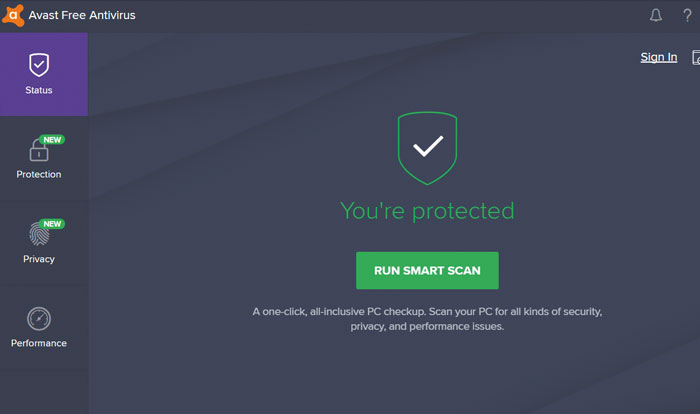
Avast Interface

Avast Free Antivirus is one of the best options whether you’re a laptop user or your PC is a few years old. Its more than 400 million users and excellent results detecting and eliminating viruses are just a few of the many attractions of this antivirus software. Even though it’s completely free, it offers protection on par with the best antivirus programs on the market.

The free version of Avast offers a wide range of options to keep your computer protected at all times. You’ll find browser shields, real-time protection, custom scans, and a great, always up-to-date virus library. Avast Free Antivirus also offers extra options such as a game mode, a password manager, or the ability to scan your computer for malware.

The reason we have included the free version of Avast on this list is that it hardly affects your computer’s performance. In fact, you won’t notice much difference in the speed of your computer, whether or not you have Avast installed. Your computer, though, will be completely protected from any hacker attack. If you’re interested in downloading Avast Free Antivirus, you can get it quickly and safely below.

Avast Free Antivirus DOWNLOAD
8

Norton Antivirus

Norton-Internet-Security-interface

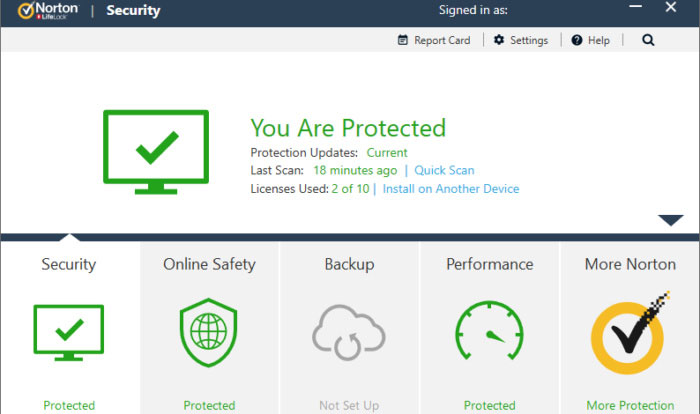
Norton Antivirus has been protecting computers from hacker attacks for years and years. Its latest version is still as good as the first ones, although it obviously comes with some great improvements, keeping up with the times.

One of the biggest strengths of the latest version of Norton Antivirus is its outstanding protection of your browser. It has a smart firewall and is able to block any kind of threat you may run into online. Norton Antivirus also has a number of tools designed to perform maintenance tasks on your computer and, for example, significantly reduce boot time in Windows.

Norton Antivirus is one of the programs that uses the least resources without decreasing its virus protection in any way. In fact, it is rated number one in the PassMark rankings in terms of CPU use by an antivirus product. The only disadvantage (if it can be called that) is that it’s not a free program, although it’s worth spending a few euros for some peace of mind when browsing online. Below you will find the free trial version.

Norton Security Deluxe DOWNLOAD
8

ESET Antivirus

ESET-antivirus-interface

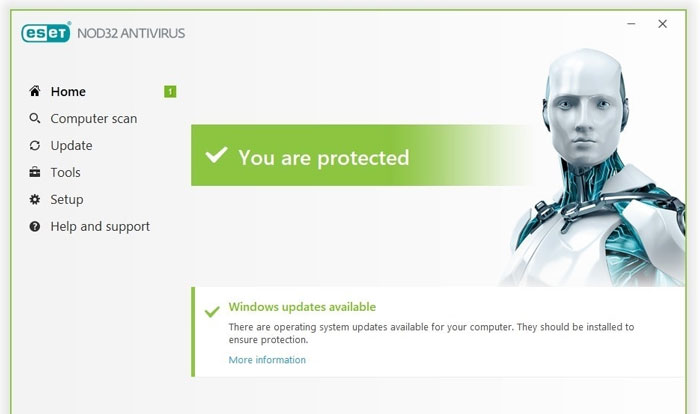
ESET Antivirus may not be the best-known option in the antivirus industry, but that doesn’t make it any less efficient. This is an effective, highly customizable program with a variety of options to ensure that your computer is always protected.

If there is something that stands out about ESET Antivirus, it is precisely all of its options and modes for analysis programs to run on your computer. While comprehensive, it can sometimes be a bit complex for novice users who prefer fewer options with good results. However, users who prefer an anti-virus program that’s literally custom-made will love it.

In terms of resources, ESET Antivirus barely uses any CPU, so you’ll be able to keep it on and work or play your favorite video game while hardly noticing your computer slow down. There are three versions of this antivirus software (ESET NOD32, ESET Internet Security, and ESET Internet Security Premium) that only differ in terms of small extras. That’s why for the most bang for your buck, we recommend ESET NOD32. You can download the free trial version below.

ESET NOD32 Antivirus DOWNLOAD
8

Avira Free Antivirus

Avira-Free-Antivirus-interface

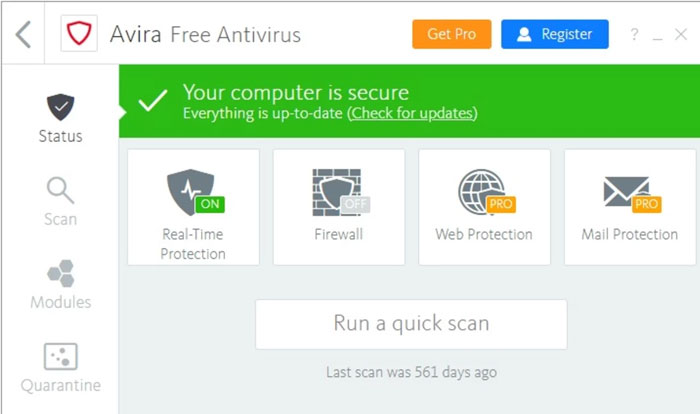
Avira Free Antivirus is a good choice if you’re looking for a solid free antivirus product with great results and a minimal impact on your PC’s performance. Avira is known around the world for its good results and it’s no wonder. This is because it is capable of detecting 99.97% of viruses and attacks your computer may receive, so you can go online carefree.

If you’re a first-time user or just don’t like cryptic or feature-rich antivirus products, you’ll be glad to know that Avira has a simple and easy-to-understand interface. You can use it to scan your computer for viruses and optimize your computer’s performance, something that’s really useful if it hasn’t been working as it should lately. It also has powerful phishing protection and offers the ability to browse through its integrated VPN. And all without slowing down your computer!

The only drawback about Avira is that, since it’s a free antivirus program, it has quite a few ads and pop-ups that can be frustrating. Also, be careful when choosing options when you install the antivirus software, since it will try to get you to install other Avira programs that you might not be interested in. If none of this bothers you, or if you just want to check it out, you can download this antivirus program for free below.

Avira Free Antivirus DOWNLOAD
8

Bitdefender Antivirus

bitdefender-interface

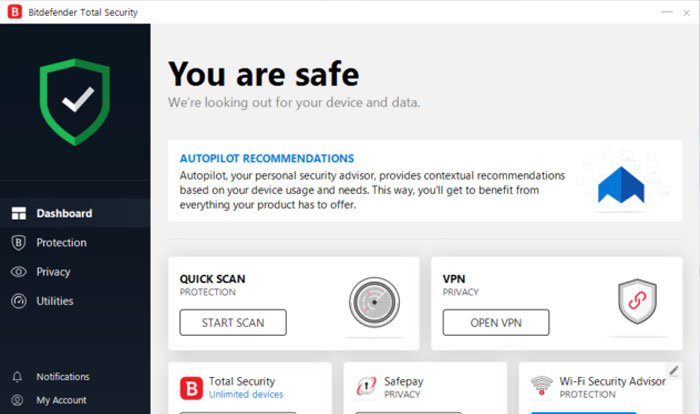
Bitdefender is another excellent option when it comes to protecting your computer without affecting its performance. It has a comprehensive virus database that is updated regularly and has achieved excellent results in the AV-TEST studies. But it doesn’t end there, because Bitdefender also offers a number of tools to improve your computer’s performance, making it one of the world’s most popular antivirus programs.

Depending on the features you want on your computer, you can purchase two types of Bitdefender Antivirus: Bitdefender Internet Security or Bitdefender Total Security. The first is a lighter version of the software, and as such, it has fewer options. In addition to offering you complete virus and malware protection, Bitdefender Internet Security also comes with the Safepay secure payment system, a password manager, and a computer vulnerability scan. Total Security adds a spam filter, a powerful parental control system, and an efficient firewall.

Regardless of which option you choose, Bitdefender Antivirus is perfect for protecting your computer against any attack over the internet without compromising the speed of your operating system.

Bitdefender Total Security 2020 DOWNLOAD
8

I installed an antivirus product from the list, but my computer is still slow 

If you have downloaded and installed one of the programs on this list but your computer is still slow, the problem is probably something else. There are many factors that directly affect your computer’s performance, and they’re not always related to antivirus software. The state of your hard drive, its fragmentation, an incorrectly installed program, an out-of-date operating system, or some malicious process that starts when the computer is booted could be the problem.

To figure it out, we first recommend scanning your computer for any viruses that might be affecting it. If your computer comes back clean, we recommend using some software to speed up your operating system. These programs scan your computer for system errors and unnecessary processes that are slowing down your computer. If you don’t know which one to choose, don’t worry. We have an in-depth article with the best tips and tricks to get your PC working like new.

We hope this article has helped you to choose the perfect antivirus product for your computer’s CPU. Do you know of any that you think should be in our selection? Tell us in the comments section!

How to choose the right anti-virus protection for your business

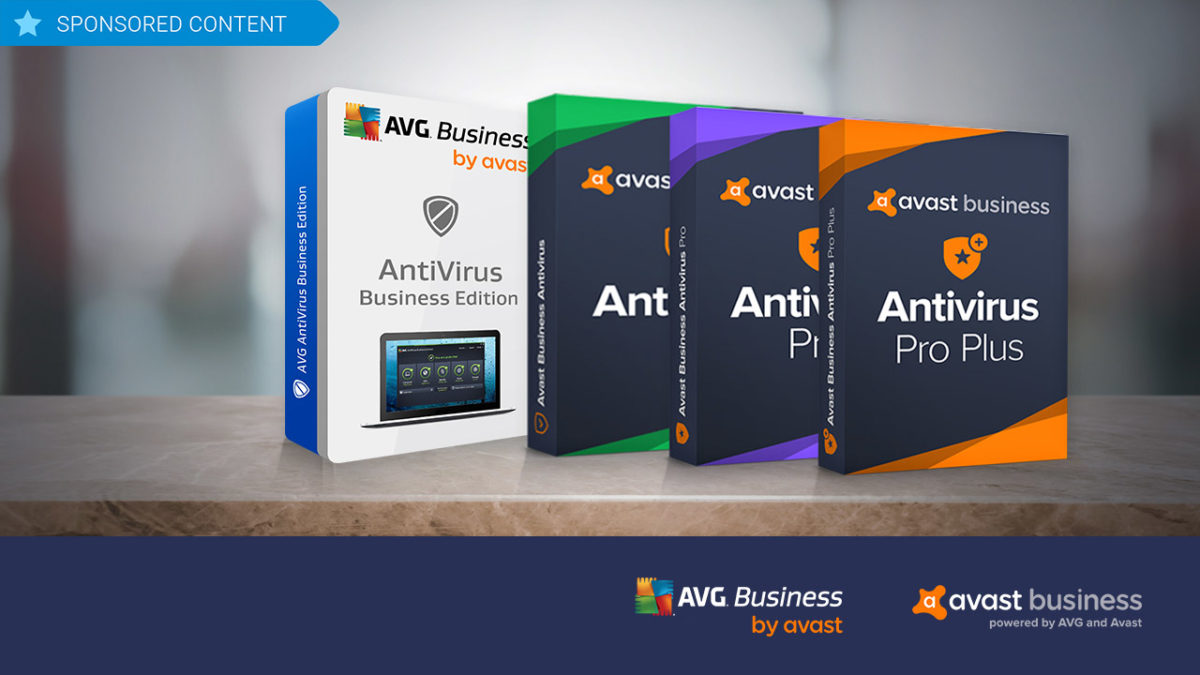
Avast, a leader in security software, supplies two different business security solutions: AVG Antivirus Business Edition and Avast Business Antivirus. Try them out!

While there are lots of anti-virus software programs on the market for individuals, when it comes to protecting your business, the choices tend to shrink. Avast, a leader in security software, believes that businesses should have all of the flexibility in anti-virus and hacker protection offered to individual consumers. This is why it supplies two different business security solutions, each further broken down into additional options that let business owners choose exactly the kind of coverage they need based on budget and requirements: AVG Antivirus Business Edition and Avast Business Antivirus.

AVG Antivirus Business Edition

As with all Avast products, AVG Antivirus Business Edition has world-class antivirus protection baked in, and is an ideal solution for larger businesses with multiple workstations. 

The software employs cloud-based Real-Time Outbreak Detection to ensure that it is continuously updated and prepared to thwart the latest attacks whether they be from spam, viruses, hackers or malware – or through problematic email attachments or downloaded files. The program also includes a behavioral shield that looks for suspicious behavior that might be hiding in programs on devices across your network. 

Additionally, AVG Antivirus Business Edition provides a WiFi inspector, a data shredder that overwrites files multiple times to permanently erase potentially sensitive data, and a sandbox, which isolates troublesome files in a safe, virtual environment for deeper analysis. 

To add even more protection, AVG’s Internet Security Business Edition adds exchange server protection where your emails are scanned at the server level and you are protected from spam and phishing schemes before it even hits your network. 

Avast Business Antivirus

If you’re a smaller business owner, Avast Business Antivirus lets you choose the exact level of protection you need to keep your operations safe and smooth, as it’s available in three versions: Business, Business Pro, and Business Pro Plus.

The base-level program offers the same file, web, email and behavioral shields as AVG Antivirus Business Edition, as well as the sandbox and WiFi inspector, but it does so in a lighter-weight program that takes up less resources on your network.

Stepping up to the Business Pro level adds the data shredder function, the exchange server email protection and SharePoint Server Protection – a scanner that monitors all files on your shared storage system to ensure that they stay malware free.

Moving on to the Pro Plus level adds four additional features including the ability to protect employees’ login details with a secure master password; VPN functionality; a browser cleanup function to remove cookies that contain personal data; and a webcam shield. These features are also not included in either of the two AVG Antivirus Business Edition products, so for true 360-degree protection for your business, Avast Business Antivirus Pro Plus really is the way to go.

 All the software is compatible with Windows 10, 8 and 7 as well as Mac OS.

How to scan your TV for viruses

Your Smart TV is just as susceptible to Malware as your computer and smartphone!

Smart TV

Did you know that your Smart TV can get malware just as easily as your computer or smartphone?

Let’s put this into perspective.

You finally bought the TV of your dreams: a 65-inch curved Smart TV with 4K capabilities. Mother of God, misplaced Starbucks cups and water bottles on “Game of Thrones” never looked so good.

Unfortunately, after a few weeks of using your dream TV, you soon realize that it has been infected with malware.

What can malware do to a TV?

For starters, if your Smart TV has malware, your TV will start running slower and slower. If your Smart TV is infected with malware, you are also at risk of having your data stolen, and being subjected to bogus ads, according to an article from WeLiveSecurity.

To think, all you ever wanted was to watch “Stranger Things” in beautiful HD.

How to scan your TV for viruses

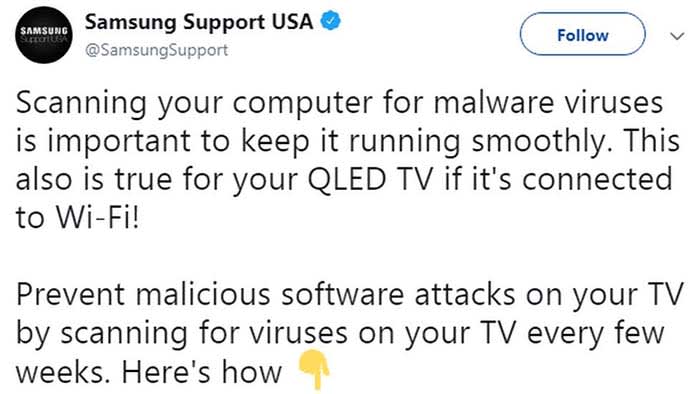
Recently, Samsung tweeted about the need to scan your TV for viruses every few weeks.

Samsung

The tweet has been recently deleted, but we can tell you how to scan your Samsung TV for viruses:

  1. Turn on your TV
  2. Open your Settings
  3. Go to General, and then to System Manager
  4. Scroll down and choose Smart Security
  5. From Smart Security, click Scan

You can check out the video below for reference:

Some Smart TVs have different scanning procedures, but pretty much all of them can be scanned by accessing Security from your Settings. 

Wrapping up

The fact that Samsung tweeted about the need to scan TVs for viruses, and then deleted the tweet after receiving flack is cause for concern. Whether or not Samsung has detected a vulnerability in their TVs has yet to be discovered, but we’ll keep our ears open.

Until then, make sure that you are running regular virus scans on your TV. If you spend hundreds or even thousands of dollars on a TV, you should also spend time to make sure it is working properly.

Your Mac needs malware protection and Intego delivers the goods

The award-winning Mac Antivirus Intego Internet Security X9 now with 30% off.

In January, Mac users were targeted by VeryMal, a piece of malware that tried to trick them into installing a fake upgrade to Adobe Flash Player. If duped into clicking, they would have been gifted with OSX/Shlayer, adware first discovered by security firm Intego, that can monitor your online activity and serve you excessive advertisements. While the attack was halted in just two days, it brought to light an important piece of information that users of Apple computers often overlook: Macs certainly have extremely robust inbuilt protection from malware, but they are not invincible and can always benefit from additional security measures.

Fortunately, the same company that identified Shlayer is also exceptionally good at blocking it, along with other Mac attacks. Intego’s Mac Internet Security X9 software is an affordable best-in-class solution for keeping Macs locked down safely. Here’s why.

Double Shielded Protection

When you download Intego Mac Internet Security X9, you actually get two hard-working utilities.

Intego VirusBarrier

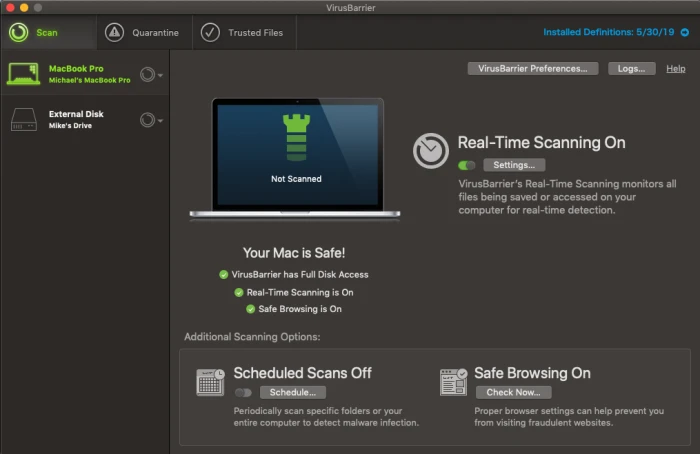
The first is VirusBarier X9, which scans your Mac for every known malware threat and keeps on doing that quickly and efficiently in the background. The interface is pleasant and simple to understand, with a simple toggle switch to control whether or not you want to activate real-time scanning, in which the software constantly monitors files that are accessed on your drive whether by yourself or by other system actions. Pop-up windows alert you to suspicious activity and you instantly have the choice of placing a file in quarantine or allowing it to function normally. You can also set up scheduled scans of either specific folders or your entire computer and can have the software do a quick check of your browsers to ensure they have the proper settings for safe browsing.

The second component to Intego Mac Internet Security is Net Barrier X9.

Intego NetBarrier

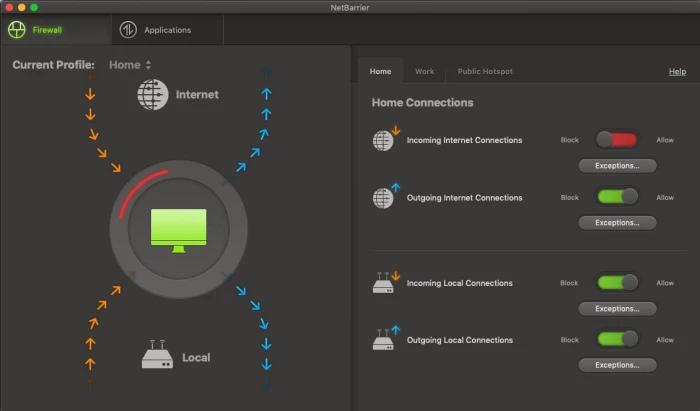
You might already know that Macs have a built-in Firewall that protect you from nefarious inbound connections. But that native functionality doesn’t extend to watching for outbound connections, which is important because some malware could land on your machine and start telegraphing information out to places you don’t want it to go. Net Barrier X9 monitors both inbound and outbound connections to ensure that nothing happens without your permission.

Like Virus Barrier, the Net Barrier interface is extremely straightforward to use. Four simple toggle switches control whether or not you want to allow incoming or outgoing internet connections as well as incoming or outgoing local connections.

The software alerts you any time a program attempts to make contact with the internet and you get to decide whether to allow it or not. Additionally, you are able to establish different profiles for home, work and public hotspot access, and the software will switch to those profiles automatically.

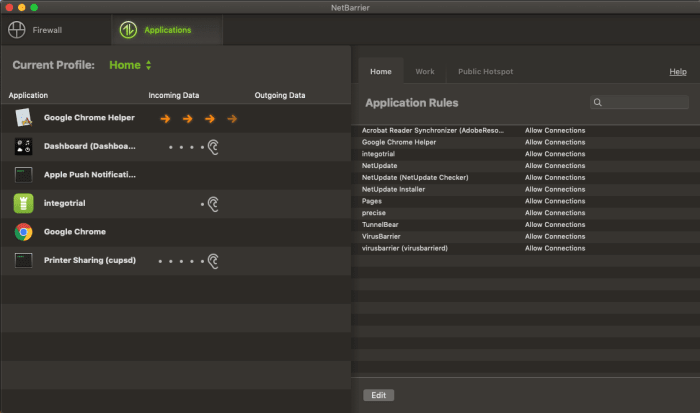
The applications tab allows you to see which apps are accessing the internet at any one time, and which you’ve granted permission to, something you can do permanently or on a case-by-case basis as notifications arrive.

Intego NetBarrier Applications

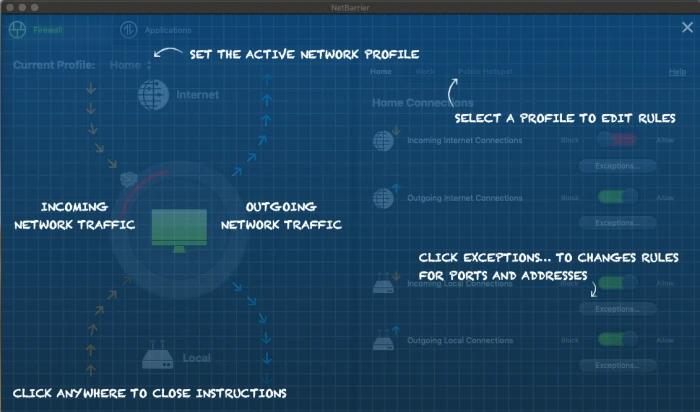
Additionally, when you first use the software, helpful overlays appear on top of the windows to help you understand how to use the program at a glance, which is just another small feature that makes Intego Mac Internet Security X9, such a pleasure to use.

Intego NetBarrier Instructions

Rarely does so much online protection arrive in such a user-friendly package.

The software is available for purchase for the very attractive price of $34.99 for one year or $64.99 for two.