Why Avast Free Is the Best Antivirus Choice

Avast Free may be the answer to protect your PC and other devices from viruses and malware. Check it out here!

A lot has been said about antiviruses since their appearance in 1971 when the first virus, called Creeper, infected PDP-10 mainframe computers. Because the desktop computer world has two main types, the tech-savvy and casual users, antivirus software is something that tends to “take care of itself.” And Avast Free certainly is one of the best on offer.

Avast Free Antivirus Download

Those new to computers or casual users rely on built-in software or vendor recommendations. In contrast, more involved “PC-master-race” kind of users usually adhere to their favorites.

Still, in the ever-evolving landscape of the Internet nowadays, it’s extremely important for all to know exactly what each offer brings. In this article, we’ll delve into Avast and antiviruses in general so you’re better informed when deciding what to use.

The Case for Antivirus Software

It’s unthinkable in today’s times to go online without proper protection. All kinds of dangers lurk around, with shady websites, phishing attempts, dangerous links on emails, and more. 

What’s worse, hackers, scammers, and other cyber criminals are engaged in an arms race against software providers. This means you need to be at the vanguard when protecting your devices. New ways of gaining access to your personal information appear literally every day.

Categorizing software like Avast Free as “antiviruses” is a misnomer since it does much more than detect and eliminate viruses. In truth, any worthy protection platform today should include antivirus tools as just a part of the offering.

Because of the many ways you can get hacked or scammed today, a good package comprises viruses and general malware. Avast Free not only helps in detecting and blocking viruses but also other kinds of malware, such as ransomware.

It does so in real-time, which is extremely important. It catches malware on the fly before it accesses your system. Other options allow you to run “offline” scans, but by then malware could have performed all kinds of actions on your data and personal information.

Windows Defender Who?

Many people try their luck by relying on software available for free with their OSs, such as Windows Defender. It seems, after all, a competent choice, and it’s included in your Windows copy, so why bother picking anything else? As it turns out, there are many reasons. 

First of all, Windows Defender is not a bad option at all. It includes real-time protection from malware in general, and it targets apps, cloud storage, email, and web browsers, including downloads.

You can quarantine or delete infected files and send reports. It has cloud protection as well. Pretty nice, isn’t it? The problem resides in efficacy and features.

Windows Defender consistently scores less than others when detecting malware, which lets some nasties slip into your system and remain undetected. Additionally, many bells and whistles of other antivirus software aren’t available, such as VPN, optimization tools, parental controls, etc.

One feature that Avast Free has and Windows Defender lacks is the ability to protect your photos from being encrypted by hackers. And this is just an example.

So, if you thought you were safe with Windows Defender, think again! 

ET Wi-Fi Home

If only an unauthorized, friendly alien would be the one messing around with your Wi-Fi network without you noticing it! In truth, it’s much more likely that strange events surrounding your connectivity are due to a considerably less cute intruder.

If the Internet wasn’t dangerous enough, you must also look out for unauthorized access to your Wi-Fi network. This happens for several reasons, and the technical details would take several volumes.

In short, people with the right tools can access your Wi-Fi networks; if they do, they can gain complete control of your devices. They can even redirect web traffic to their devices first, injecting malware that goes unnoticed.

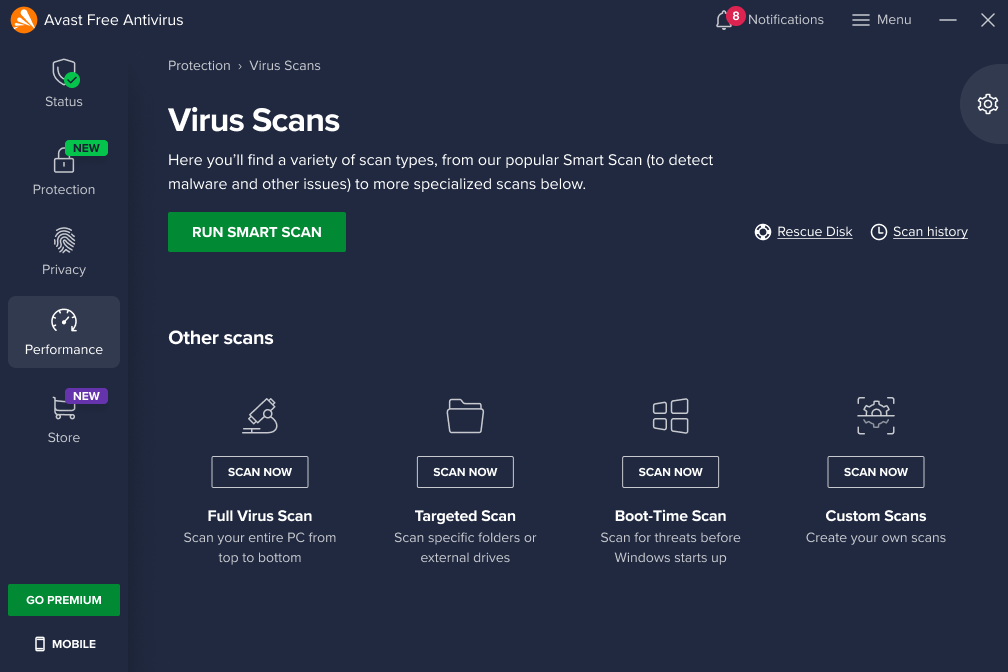
Threats are abundant, but luckily, Avast Free offers a feature where you can actively scan your Wi-Fi network to look for security weaknesses. It can also help you find intruders. 

Why Avast Free?

Avast Free has a lot going on and is a no-brainer regarding antivirus and malware protection. First, it’s free, so you won’t make any financial investments to stay protected.

Second, it’s lightweight. While other solutions take up many of your system resources, Avast feels like a breeze. You won’t even notice the impact on performance. 

Because the team behind it has more than 30 years of experience and more than 435 million people use it daily, you can rest assured it’s a top-notch choice to protect your devices and important information.

The software is designed to allow them to catch well-known threats efficiently, much like other solutions, but also new and emerging threats. This is extremely important because you don’t want to be “patient zero,” so to speak.

And, if you ever feel you need more, you can switch to paid plans with more features.

Do You Need More than Avast Free?

Make no mistake: Avast Free is an incredible platform powerful enough to protect you in your online activities. With this solution, you’ll be safe from current and emerging threats and unwanted intruders.

While this is what most people need, you might want additional protection. If you do, you’ll be happy to know higher Avast tiers do include such features. For instance, you can get protection from fake sites that take your credit card information.

You can also update outdated computer apps automatically (which, incidentally, are a major security concern), prevent people from hacking your webcam, and much more. 

As you can see, all this collateral protection is perfect for many, but the key word here is “additional.” The free version protects you with some of the most powerful anti-malware techniques available.

Avast Free Antivirus Download

Summing up, if you aren’t already one of the 400+ million users of Avast Free, don’t waste any more time and get it. Try it out. There’s nothing to lose by trying and a lot to win.

Avast updates its Free Antivirus to ensure more protection

With its release of a new 2020 antivirus software package, Avast has shown that it’s willing to go toe-to-toe with the toughest threats online.

When it comes to antivirus protection for your devices, the software you choose is only as good as its most recent update. That’s because viruses, hackers, phishers and other online scammers and dangers are constantly growing more sophisticated and better able to sidestep protections. With its release of a new 2020 antivirus software package, Avast has shown that it’s willing to go toe-to-toe with the toughest threats online.

The company, a leader for years in online security services, is beefing up its protection algorithms across a range of features for the new decade – and astoundingly, all of these protections are available in Avast’s free version of the software.

At the heart of the enhanced security features offered by Avast Antivirus 2020 is of course, a robust and continuously updated virus database. As you access the internet, the software works in the background comparing your surfing and email activity to this database and blocking viruses, malware, spyware, ransomware and phishing attacks. It also alerts you to unsafe websites without the need to install browser extensions, and employs a “Behavior Shield” that identifies suspicious behavior patterns on your computer. 

avast

Also found in the free version of Avast Antivirus 2020 is a CyberCapture feature that quarantines suspicious files to be analyzed in the cloud and reports back to you on any possible safety risks. And the software also comes with a Wi-Fi inspector that can alert you to potential vulnerabilities across your entire network including all connected devices.

avast

Unlike other antivirus programs, Avast 2020 also delivers additional features that go beyond security to make your computer as sound as possible. 

These include a software updater that automatically scans for new versions of programs on your computer; a password manager that allows you to securely store all your login information to various sites under one master password; a browser clean-up function that removes unwanted toolbars, add-ons and extensions you choose to toss; and the ability to create a rescue disk image on a CD or USB drive, which would come to the rescue if your computer becomes inoperable. 

And to reiterate, all of these features come along with Avast’s FREE version of its software.

For those looking for even more functionality, the company also offers a Premium plan with extra smart security features. For example, Avast Premium Antivirus will alert you whenever someone joins your Wi-Fi network so that you can disconnect immediately if you don’t recognize a device – whether it be from a hacker or a neighbor looking to tap off your service. The premium version of the software will also place your photos and files in a ransomware-proof vault to keep your most personal data safe. 

Avast

Whichever version you choose, you can be assured that Avast is continuously striving to improve their offerings in the marketplace. This is a rarity – especially for a free software solution, which other companies can often neglect or offer with limited functionality. 

Avast Antivirus 2020 is available for Mac, PC, Android and Apple mobile devices. The free version of the software is likely sufficient for most users, but the extra protections offered by the Premium package is certainly worth considering for those looking for enhanced safeguards. Avast Antivirus Premium 2020 is now being offered for $59.99 per year.

Win an Avast Premium Antivirus license and a multi-device VPN!!

Download and install Avast Free Antivirus on your PC to get a chance to win an Avast Premium Security single-device license and an Avast SecureLine VPN multi-device subscription for 1 year.

We’re very happy to bring you a chance to win a premium subscription to Avast’s award-winning antirust suite. Avast is known for offering industry-leading support and protection against viruses, malware, and all modern threats such as ransomware, spyware, phishing attacks, and even password breaches and hacks.

Incredibly, Avast offers a free version of its antivirus suite that is designed for ease of use. With a single click, Avast Free users can set machine-learning virus protection algorithms to work, scanning for known threats, analyzing system and application behavior for suspicious activity, and keeping you safe from spyware. It has never been easier to protect your PC for free.

Download Avast Free Antivirus now

If you’ve downloaded Avast Free Antivirus, your device is now protected. You can go one further, however, and enter our contest to win an Avast Premium Security single-device subscription for a whole year, plus a 1-year multi-device Avast SecureLine VPN for those who want to enjoy the Internet without intrusive eyes. This means that our contest first winner will be able to protect themselves and up to five of their friends and family for the next twelve months. Do you fancy being a hero? It could be as simple as entering our contest.

Some features that come with the Avast Premium Security suite include ransomware protection, a robust web shield that blocks dangerous downloads and websites, a webcam blocker to prevent hackers breaching your webcam and spying on you in your own home, and an advanced firewall to keep cybercriminals off your computer.

Back to the competition!

To get a chance to win an Avast Premium Security single-device license and an Avast SecureLine VPN multi-device subscription for 1 year:

1. Install Avast Free Antivirus
2. Tag the friend/s to recommend Avast Free Antivirus to!!

Download Avast Free Antivirus here in case you haven’t done it already. The contest ends on February 1st. Winners will be announced on February 3rd. The first winner will receive an Avast Premium Security single-device license for 1 year (real price on the website $69.99) and the Avast SecureLine VPN for up to 5 devices for 1 year (real price on the website $89.99). The second and third winners will receive an Avast Premium Security single-device license for 1 year each.

For Terms and Conditions: Softonic terms and conditions

This holiday season, let Santa in, but keep the spies out

Shopping online can bring a lot of great gifts right to your door. But with all that increased surfing, it can also bring something else you don’t want to your computer: spyware.

Some spyware can be relatively harmless – like adware or cookies that track your surfing and purchase history for marketing purposes, such as serving you relevant ads. But spyware such as Trojans and system monitors can watch everything you do at your computer and harvest personal details including social security numbers, credit card numbers and more.

Defeat the mighty Trojans

Trojans generally arrive on your computer via a download link that you’ve clicked. For example, you might get a notice that your browser is out of date and needs to be updated. When you click on the link however, you’ll actually download spyware onto your system that can be very hard to detect. What’s worse, Trojans can continue to download more malware once they settle onto your system.

If you don’t have an antivirus program to identify them, the most likely way in which you’ll notice their presence is through system slow downs and frequent crashes. Other telltale signs include unusual icons in your toolbar that you’ve not seen before or error messages that seem unrelated to your activities.

Every click you make

System monitoring software is often masked as freeware and will log every keystroke you make, every site you visit, and every program you run. Again, caution is king when deciding what to download to your machine. Even if a site looks reputable, be smart when clicking on a download that seems too good to be true, or one that appears on your machine as a pop up.

If you suspect that your computer has been infected with spyware, you really only have one choice for removing it: aggressive antivirus and antispyware software. Just like spies in the real world, spyware is created to avoid detection, so without the right software to sniff it out, it could run on your computer indefinitely.

Avast Free Antivirus is one of our top picks for preventing, detecting and removing spyware. With continuously updated databases and algorithms, this software is tops in keeping your computer clean and your data safe.

Of course, you can also take steps on your own to limit your exposure to spyware by ensuring that your browser, operating system, and software have the latest updates and security patches; setting your browser security and privacy levels higher; using extreme caution if you frequent file-sharing sites; and not clicking on pop-up ads.

Once you’ve run your antispyware software and know what type of threats existed on your computer, you may want to contact your financial institutions to change credit cards and account numbers if it turns out that your personal data was at risk. You might also want to freeze your credit through national monitoring services to thwart identity theft.

Taking these steps should ensure that your online holiday shopping will deliver gifts Santa would be proud of, while keeping the spies out in the cold.

Don’t gift your credit card number to a scammer this holiday season

So far, 2019 has smashed records for online shopping as people embrace the ease and relative security of making purchases electronically. Unfortunately, this also means that scammers such as phishers are also out there in record numbers trying to score a gift of their own: your credit card number. Here’s how to keep your data private and stop them in their tracks.

Know your phish

Phishing, which is the term for when someone uses fraudulent methods to gain access to your personal data, generally originates from an email – perhaps even from an organization that you already do business with. But here’s the catch. Phishing emails need to get you to a website where you will be asked to fill in personal information – something reputable organizations simply don’t do. So if you receive such an email, beware.

During the holidays you might even receive an email asking you to confirm your order details, which seems like a logical request. But even if you follow the link asking for this information and the website you arrive at looks like you’d expect, be extra cautious if you’ve already provided your shipping address and credit card information to an online retailer. If you’ve done it once, you don’t need to do it again.

Remove the disguise

One easy-to-find telltale sign of a phishing scam has to do with the link you’re being asked to follow. It’s very easy for scammers to create a link that seems legitimate, but that actually masks its real destination. Let’s say you see a link that reads “paypal.com” in an email. It looks legitimate, and that is indeed a correct web address for the company. To see where the link really leads however, simply hover your mouse over it. The true address will pop up in a small box. If it’s not what you expect, DON’T CLICK!

Protect yourself

Lastly, no one should be online these days without some kind of antivirus software securing your private details. Avast Antivirus Free has consistently been one of our top picks because it offers protection rarely seen in a free package. Avast Antivirus comes loaded with technology that will not only scan your email for dangerous attachments, but it will warn you that a site is unsafe if you’ve unwittingly clicked a link in a phishing email so that you can steer clear.

Additionally, Avast beefed up its anti-phishing efforts recently by incorporating robust artificial intelligence (AI) coding into the software. This cutting-edge technology not only compares links to known phishing sites, but it goes much deeper.

By using computer vision to analyze the composition of a site and determining if a site might be stealing images from another, phishing scams are more readily uncovered. Plus, the AI also investigates sites based on their ranking in search engines. Because phishing sites are not usually online long enough to be indexed by search engines, finding out a page’s ranking adds to the information gathered, allowing the software to warn you – with extreme accuracy – when a site is to be avoided.

How to choose the right anti-virus protection for your business

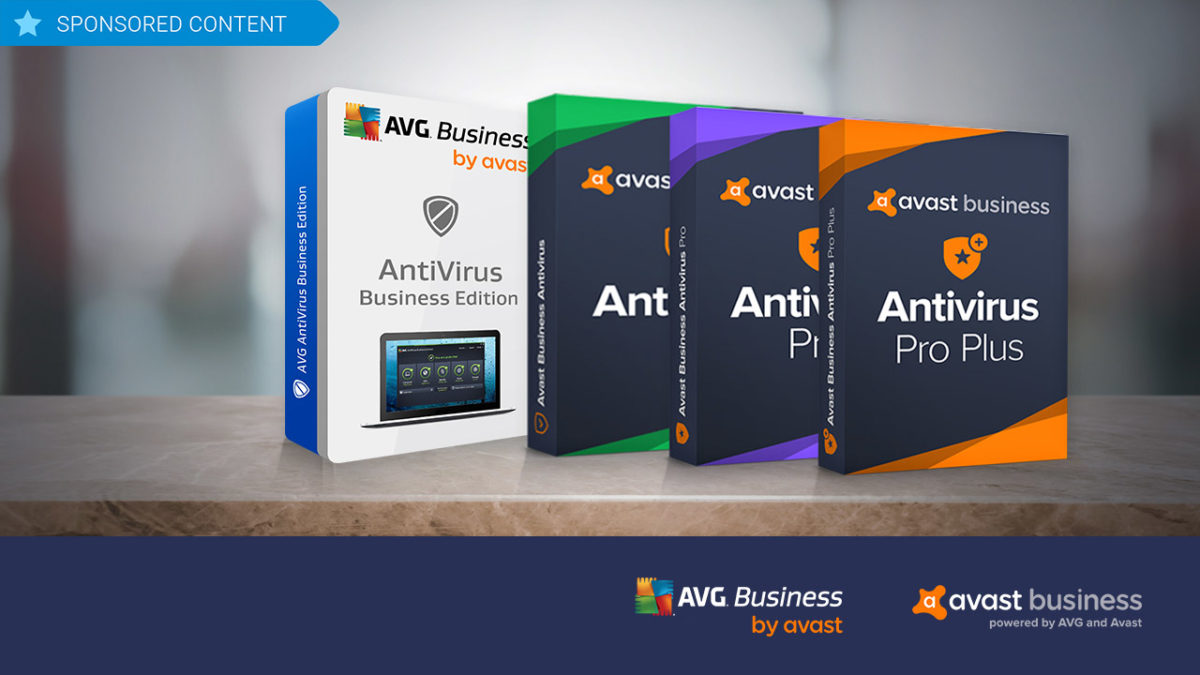
Avast, a leader in security software, supplies two different business security solutions: AVG Antivirus Business Edition and Avast Business Antivirus. Try them out!

While there are lots of anti-virus software programs on the market for individuals, when it comes to protecting your business, the choices tend to shrink. Avast, a leader in security software, believes that businesses should have all of the flexibility in anti-virus and hacker protection offered to individual consumers. This is why it supplies two different business security solutions, each further broken down into additional options that let business owners choose exactly the kind of coverage they need based on budget and requirements: AVG Antivirus Business Edition and Avast Business Antivirus.

AVG Antivirus Business Edition

As with all Avast products, AVG Antivirus Business Edition has world-class antivirus protection baked in, and is an ideal solution for larger businesses with multiple workstations. 

The software employs cloud-based Real-Time Outbreak Detection to ensure that it is continuously updated and prepared to thwart the latest attacks whether they be from spam, viruses, hackers or malware – or through problematic email attachments or downloaded files. The program also includes a behavioral shield that looks for suspicious behavior that might be hiding in programs on devices across your network. 

Additionally, AVG Antivirus Business Edition provides a WiFi inspector, a data shredder that overwrites files multiple times to permanently erase potentially sensitive data, and a sandbox, which isolates troublesome files in a safe, virtual environment for deeper analysis. 

To add even more protection, AVG’s Internet Security Business Edition adds exchange server protection where your emails are scanned at the server level and you are protected from spam and phishing schemes before it even hits your network. 

Avast Business Antivirus

If you’re a smaller business owner, Avast Business Antivirus lets you choose the exact level of protection you need to keep your operations safe and smooth, as it’s available in three versions: Business, Business Pro, and Business Pro Plus.

The base-level program offers the same file, web, email and behavioral shields as AVG Antivirus Business Edition, as well as the sandbox and WiFi inspector, but it does so in a lighter-weight program that takes up less resources on your network.

Stepping up to the Business Pro level adds the data shredder function, the exchange server email protection and SharePoint Server Protection – a scanner that monitors all files on your shared storage system to ensure that they stay malware free.

Moving on to the Pro Plus level adds four additional features including the ability to protect employees’ login details with a secure master password; VPN functionality; a browser cleanup function to remove cookies that contain personal data; and a webcam shield. These features are also not included in either of the two AVG Antivirus Business Edition products, so for true 360-degree protection for your business, Avast Business Antivirus Pro Plus really is the way to go.

 All the software is compatible with Windows 10, 8 and 7 as well as Mac OS.

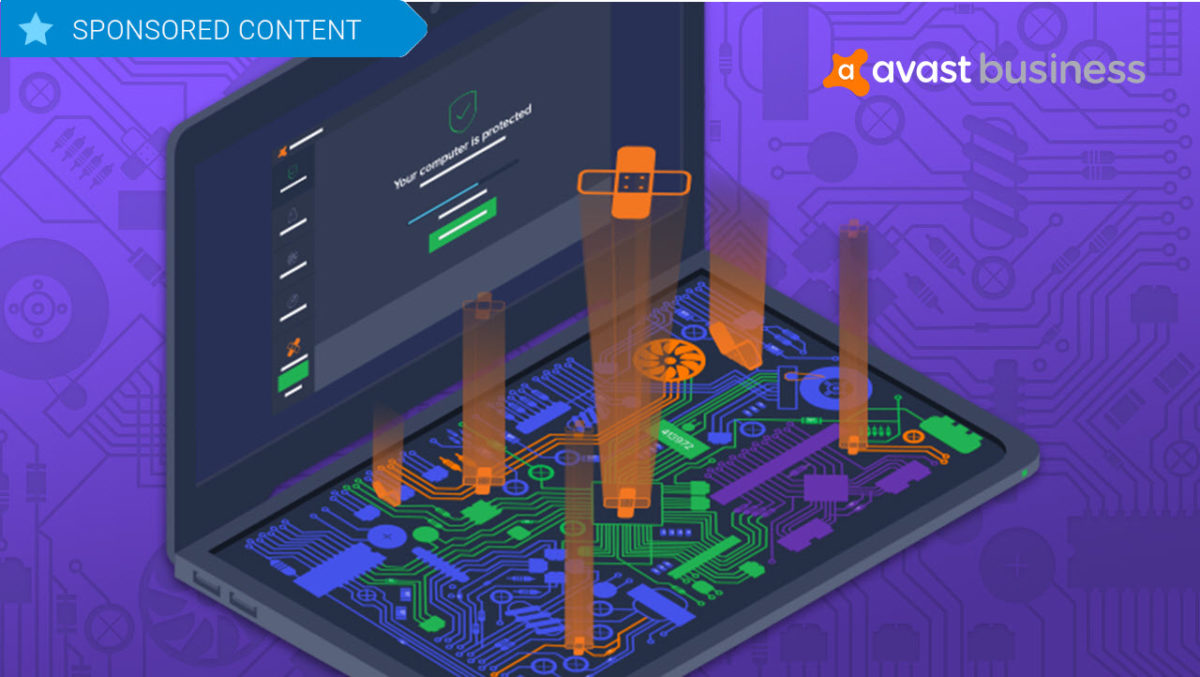
Keep your software humming along with Avast Business Patch Management

Avast has now released Business Patch Management, a program that can be added to any of the company’s anti-virus products. Try it out!

Software patches are a bit like the annoying little brother of the IT world. 

These updates that can enhance efficiency, repair security vulnerabilities and deliver new features, seem to pop up sometimes on a daily basis, asking IT professionals to interrupt the smooth flow of their networks to deploy the fixes, which can sometimes take hours. In fact, deploying patches is such a constant and unrewarding task that in a recent survey conducted by cybersecurity firm Avast, out of 500,000 devices analyzed, only 304 were fully patched.

Wanting to address this glaring problem and help businesses keep their IT products 100 percent up-to-date, Avast has now released Business Patch Management, a program that can be added to any of the company’s anti-virus products. The solution works in the background to monitor the software on all devices on a network to discover and deploy patches automatically, saving a significant amount of administrative time.

Centralized Dashboard

To make the patch process as painless as possible, Avast has built this new software right into its existing dashboard for its antivirus products, known as the Management Console. Here, IT professionals can see at a glance where patches are needed and what the severity level of the patch is, along with the name of the patch, release notes and the release dates.

Working in the Console, users can also choose when to scan their systems for patch requirements. Scans can happen daily, weekly or monthly and can be run at any time of the day, and are downloaded to a master agent that then distributes the patches across the network. 

Furthermore, it’s possible to schedule automatic patch rollouts, which can be deployed at low-usage times, such as overnight. Applications that should be excluded from patches can also be designated and, the Console will provide automatic alerts if certain patches failed to install, so that they can be redeployed.

Flexible and comprehensive

One of the standout features of Avast Business Patch Management is that users can set the automatic system to scan and install all patches or to activate only when patches reach a certain level of severity. It’s also possible to block scans by vendor or product. 

And, speaking of products, the program not only scans the Windows operating system for needed patches, but it also analyzes thousands of other applications including widely used programs like Chrome, Firefox, Skype and Adobe Acrobat as well as lesser-known software like Blue Jeans and KeePass. Products from one hundred vendors in all are covered.

Avast Business Patch Management also features robust reporting features, so that you can easily customize the kind of data your business operations require, export that data to a PDF and print it for sharing with team members and management. Along with automatic patch update alerts and a simple sorting feature, the program truly is an incredible assistant for IT pros. 

Avast Business Patch Management is available for a free 30-day trial, and can then be purchased for $29.99 per device per year. While it is currently only available for all Windows operating systems including Windows Server, the company is working on a version for iOS, which it expects to release later this year.