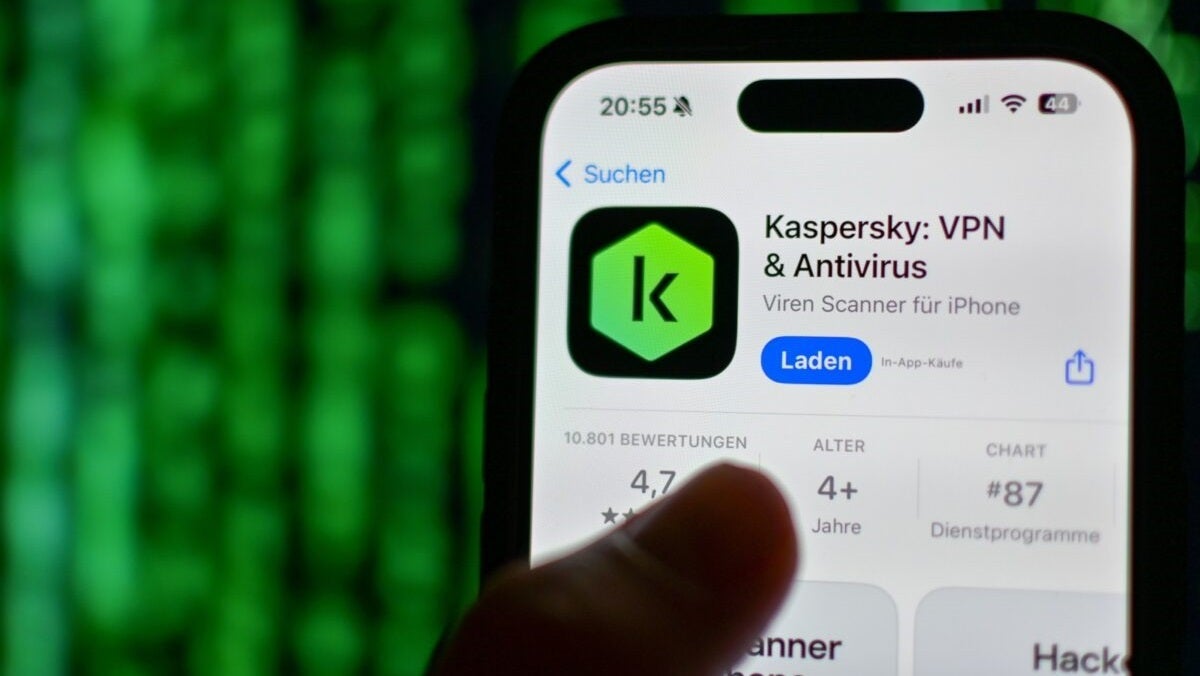
The official Android app for Kaspersky antivirus has been removed from the Google Play app store in the latest blow to the company that two decades ago ruled with an iron fist. Bleeping Computer notes that the move seems to have occurred over the weekend, with Kaspersky’s developer accounts also deactivated and removed following a recent ban by the United States government. “The U.S. Department of Commerce’s Bureau of Industry and Security recently announced a series of restrictions on Kaspersky. As a result, we have removed Kaspersky’s apps from Google […]
The official Android app for Kaspersky antivirus has been removed from the Google Play app store in the latest blow to the company that two decades ago ruled with an iron fist.
Bleeping Computer notes that the move seems to have occurred over the weekend, with Kaspersky’s developer accounts also deactivated and removed following a recent ban by the United States government.
“The U.S. Department of Commerce’s Bureau of Industry and Security recently announced a series of restrictions on Kaspersky. As a result, we have removed Kaspersky’s applications from Google Play,” said a Google spokesperson.
An update on the Google Play store situation, and how to now install our products and services on #Android devices.
The app has disappeared from the Play Store but remains in third-party stores
In a poston its official forums, Kaspersky said it was aware of the issue, and that it was investigating why its software is no longer available on the Google app store.
“Kaspersky is currently investigating the circumstances behind the issue and exploring possible solutions to ensure that users of its products can continue downloading and updating their applications from Google Play,” they posted on social media.
The company said that users could still download their apps from alternative app stores, such as Galaxy Store, Huawei AppGallery, and Xiaomi GetApps, or install the apps by downloading the .apk installation file from the Kaspersky website.
This measure is the latest issue facing the security giant, which in recent months has had to deal with U.S. sanctions for national security reasons.
The U.S. has long maintained that Kaspersky software is at risk of being manipulated by the Russian government to deliver secrets and control computers, and ordered a total ban on the sale of its products at the beginning of 2024.
The Russian company was included in the United States Entity List, which includes “foreign individuals, companies, and organizations considered a national security concern,” with the prohibition of selling Kaspersky products starting from July 20, 2024.
Is your PC running slow because your antivirus uses too much of your CPU resources? Download these antivirus and make your computer work like the first day.
Antivirus software has become an indispensable tool for surfing the Internet. They protect us from all kinds of online threats such as viruses, Trojans and malware ready to put our data at risk. However, most antivirus programs consume a lot of resources and can slow down our PC considerably. Does this mean that we should do without them? Of course not.
At Softonic we have analyzed one by one the most popular antivirus programs on the market to come up with a list of those that hardly use any CPU. Thanks to them, the speed and performance of your PC will not be affected while you protect your computer from all viruses and malware. Would you like to know them? These are the antivirus for low-resource computers that we like the most.
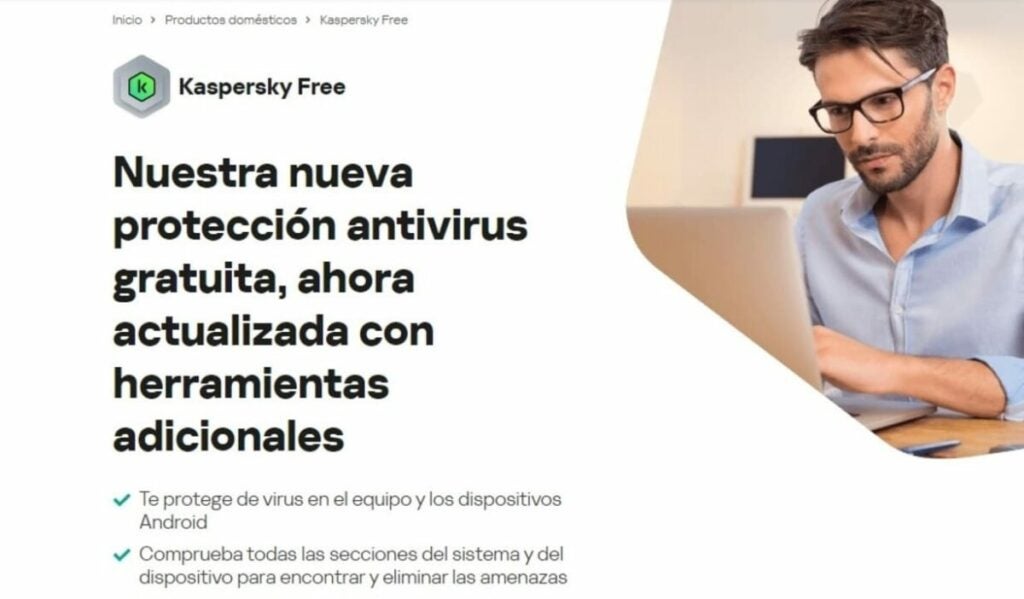
Kaspersky Free is the undisputed winner among the free antivirus programs with the lowest impact on your PC’s CPU. It offers protection on both desktops and Android devices against viruses, infected files as well as suspicious sites and apps. And best of all, your computer will hardly notice that you are using it.
Among the main features of Kaspersky Security Cloud Free is its powerful protection against viruses. But that’s not all; the program is capable of detecting malware, Trojans, ransomware and other threats that can put your data at risk. It also offers efficient protection against stalkerware, allowing you to detect apps and installed programs that spy and track your activity.
In terms of performance, Kaspersky has less impact on a PC than Windows Defender, so its installation can even speed up your computer… All this for free and with the peace of mind of betting on trusted antivirus such as Kaspersky.
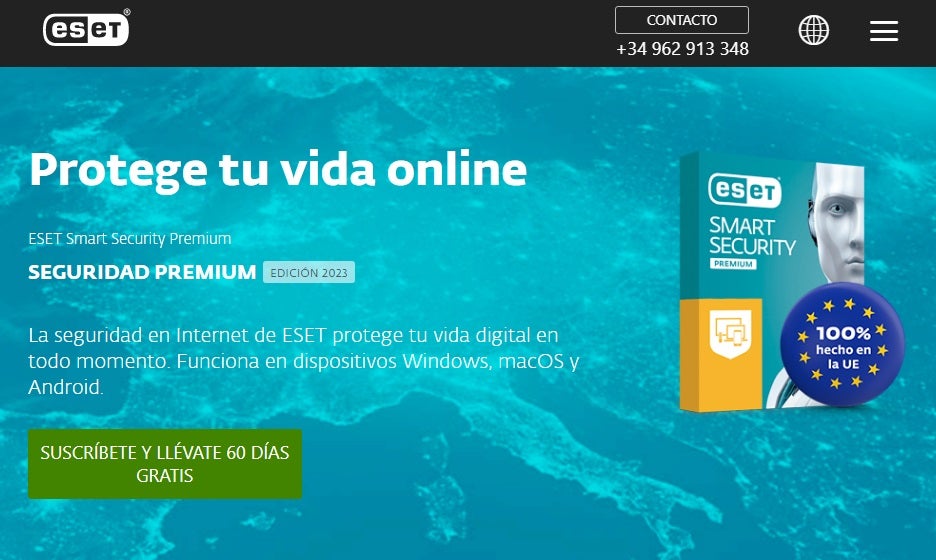
ESET Antivirus may not be the best known option in the antivirus sector, but that does not make it any less efficient. This is an effective program, highly customizable and with a large number of options to ensure that our computer is always protected.
If ESET Antivirus stands out in something, it is precisely in its many options and modes for the analysis programs that we will perform on our computer. Although it is very complete, sometimes it can be somewhat complex for novice users who prefer few options and good results. However, it will delight users who prefer to have an antivirus literally made to measure.
In terms of resources, ESET Antivirus will hardly make use of your CPU, so you can have it on and be working or playing your favorite video game without noticing any slowdown in your computer. There are three versions of this same antivirus (ESET NOD32, ESET Internet Security and ESET Internet Security Premium), each of them differing only in some small extra. That is why in terms of quality-price, we recommend ESET NOD32.
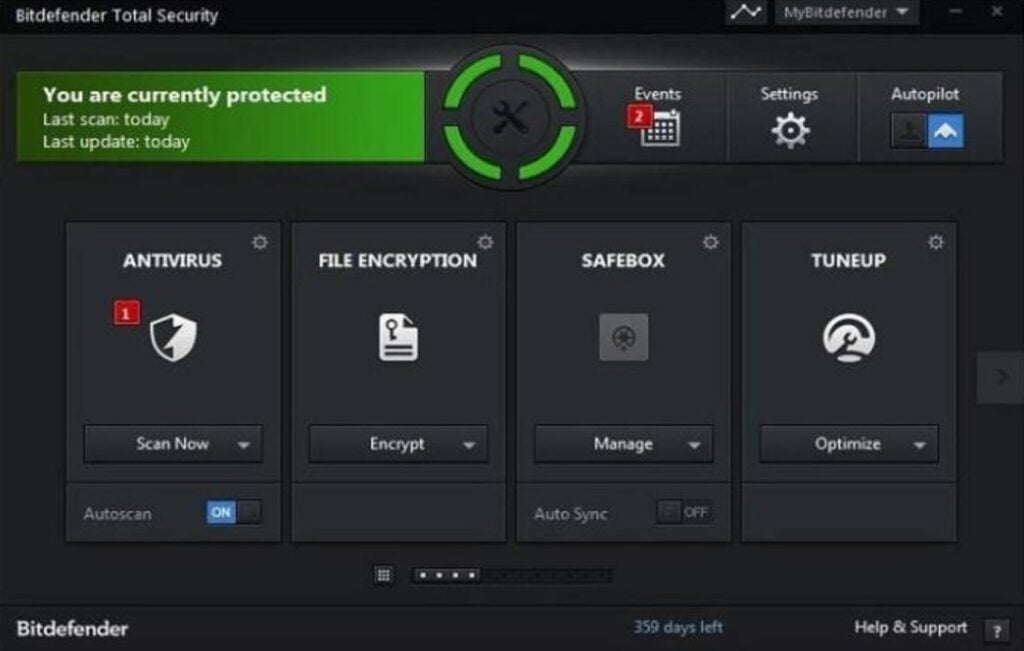
Bitdefender is another excellent option when it comes to protecting your computer without affecting its performance. It has a very complete virus database that is updated regularly and has also achieved excellent results in AV-TEST studies. But it doesn’t end there, Bitdefender also offers a good number of tools to improve your computer’s performance, making it one of the favorite antivirus around the world.
Depending on the features you want in your computer you can purchase two types of Bitdefender Antivirus: Bitdefender Internet Security or Bitdefender Total Security. Here are their main differences:
Bitdefender Internet Security is a lighter version of the antivirus in question and therefore with fewer options. In addition to offering you complete protection from viruses and malware, the antivirus also provides the Safepay secure payment system, a password manager and an interesting vulnerability scan on your computer.
Bitdefender Total Security is a more complete version of the antivirus, adding features such as an anti-spam filter, a powerful parental control system and an efficient firewall.
Regardless of the option you choose, Bitdefender Antivirus is perfect for protecting your computer against any possible attack over the Internet without compromising the speed of your operating system.
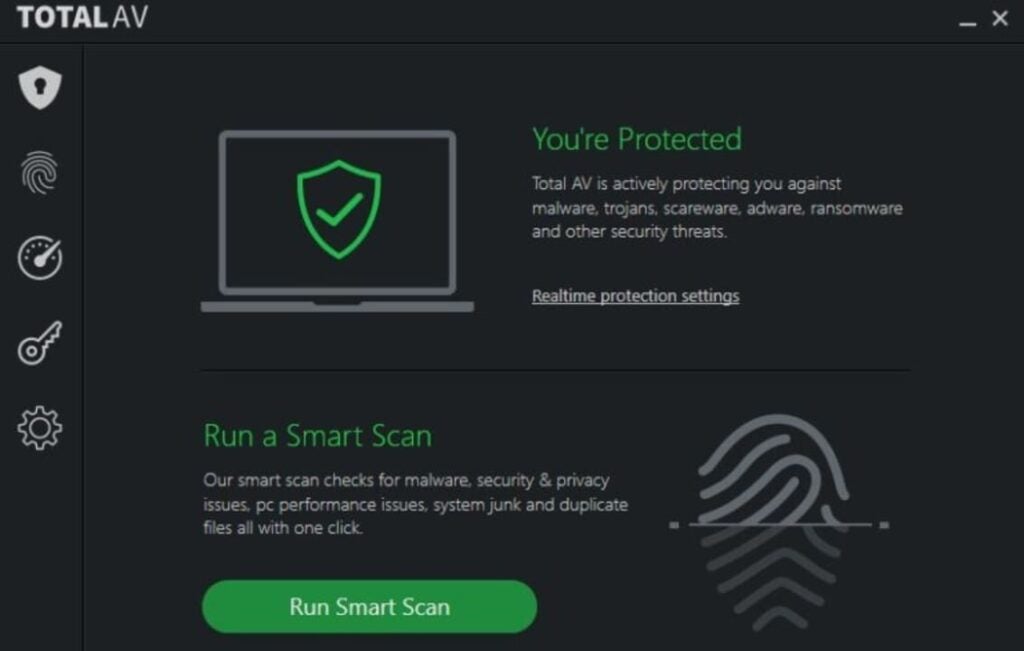
TotalAV is a powerful antivirus that while protecting you against all Internet threats, it won’t put a dent in your computer’s CPU. It will be running silently in the background at all times and will only scan your hard disk when strictly necessary.
Among the main features of TotalAV is a powerful real-time filter against viruses, ransomware, malware and malware as well as being able to block phishing attempts instantly. In addition, it also includes extra tools, such as a hard disk cleaner to improve your PC’s performance or a VPN to surf the Internet securely.
In short, TotalAV is the perfect choice for anyone looking for an antivirus that is not very intrusive but at the same time efficient enough to protect their PC.
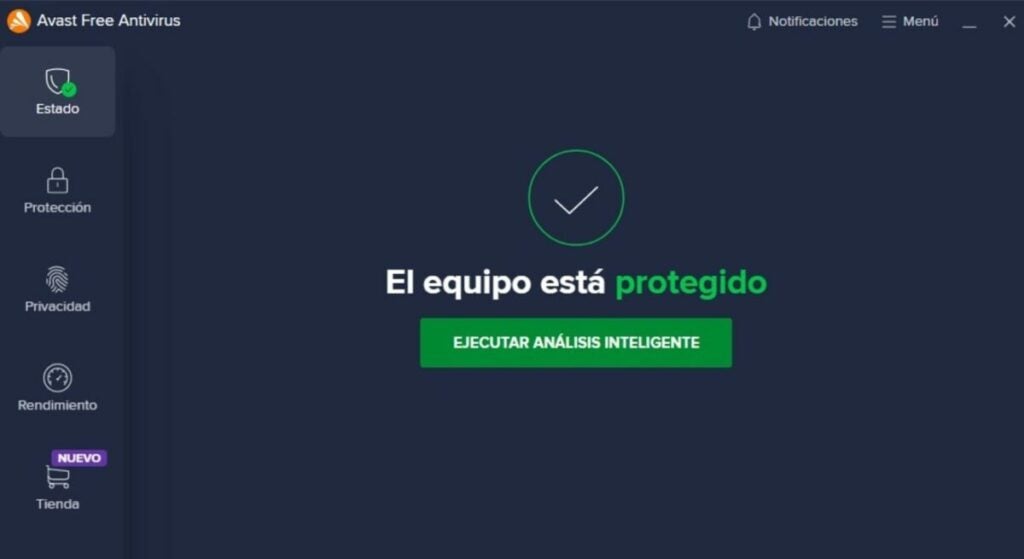
Avast Free Antivirus is one of the best options whether you are a laptop user or if your PC is a few years old. Its more than 400 million users and its excellent results when it comes to detecting and eliminating viruses are just a few of the many attractions of this antivirus. Although this is a completely free program, it offers protection that is on a par with the best antivirus programs on the market.
The free version of Avast offers a wide range of options to have your computer always protected. We find the browser shields, real-time protection, custom scans and a great virus library always updated. In addition, Avast Free Antivirus offers extra options such as a game mode, a password manager or the ability to scan your computer for malware.
However, if we have included the free version of Avast in this list for any reason, it is because it hardly affects your computer’s performance. In fact, you will not notice much difference in the speed of your computer whether or not you have Avast installed. However, your computer will be completely protected from any hacker attack.
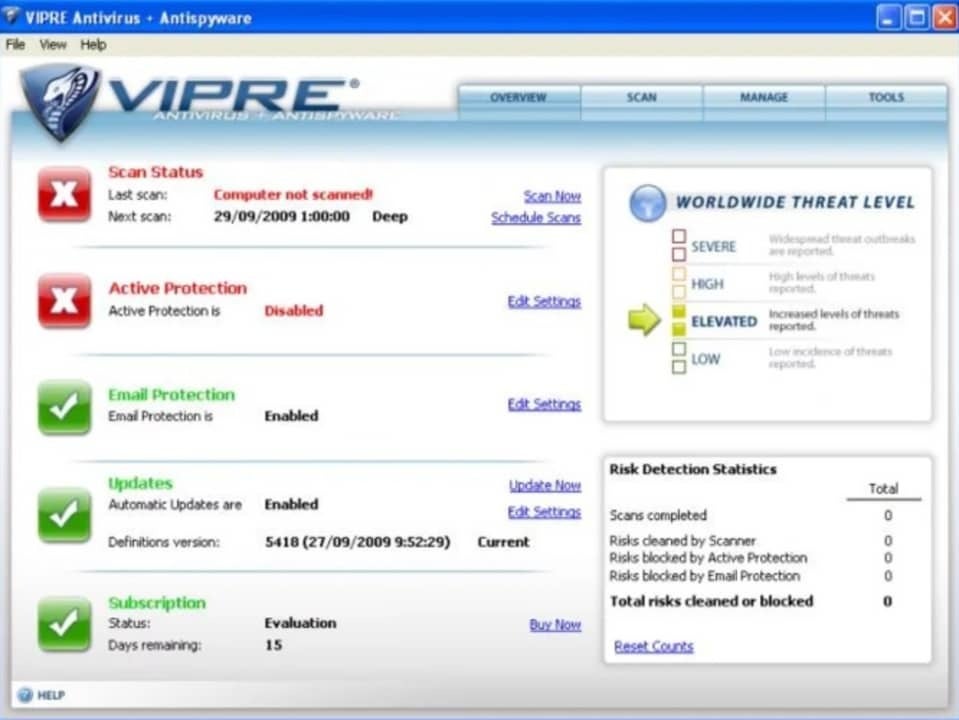
VIPRE is an antivirus designed to protect your PC from the latest threats circulating on the Internet. In fact, it is one of the best options on the market to protect your computer from the dangerous ransomware. However, the power of VIPRE does not come at odds with the use of your computer’s resources, preventing the entry of viruses but without affecting the speed of your PC.
As we have already mentioned, VIPRE stands out for its good results without impacting your computer’s resources. It is able to protect your computer from viruses, Trojans, rootkits, spyware, ransomware and much more. On top of that it is very easy to install and has a perfect user interface for any user who doesn’t want to drown in complicated configuration options. It is, therefore, a perfect choice for anyone looking for a good antivirus that is also very easy to use.
VIPRE is one of the best options on the market if you want to protect your PC from any malicious activity coming from the Internet. It will block any attempt to steal your data without affecting your PC’s performance. Highly recommended.
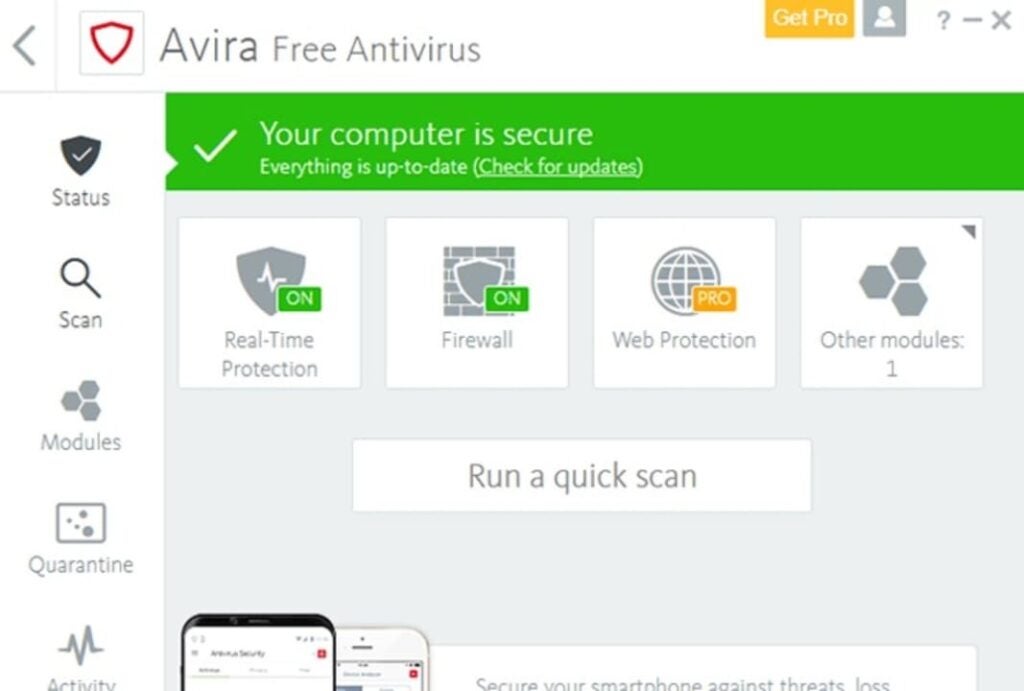
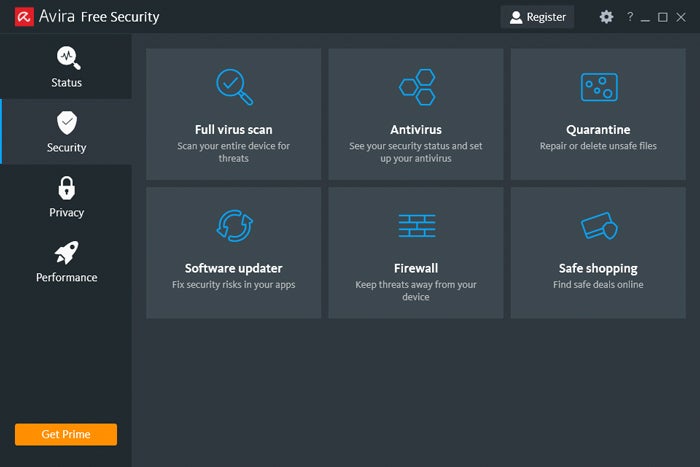
Avira Free Antivirus is a good option if you are looking for a good free antivirus with very good results and that also has a minimal impact on the performance of your PC. Avira is known around the world for its good results and it’s no wonder. It is capable of detecting 99.97% of the viruses and attacks that your computer may suffer, allowing you to always browse with total peace of mind.
If you are a novice user or simply do not like cryptic antivirus or with many options, you will love to know that Avira has a simple and easy to understand interface. From it you can scan your computer for viruses and optimize your computer’s performance, something really useful if it is not working as it should lately. To all this we must add a powerful protection against phishing and the possibility of browsing through its integrated VPN, and all this without slowing down your computer!
The only negative point of Avira is that, being a free antivirus, it has quite a few ads and pop ups that can be frustrating. In addition to all that, it is important that when you install the antivirus you are very careful about which options you choose, because it will try to install other Avira programs that surely do not interest you. Nevertheless, it is a really interesting option to take into account.
Your PC is slow even if you change your antivirus? Here is the solution.
If you have downloaded and installed any of the programs on this list but your computer is still running slow, it is likely that the problem lies elsewhere. There are many factors that directly affect the performance of our computer and they do not always have to do with the antivirus. The state of our hard disk, its fragmentation, a program that has been uninstalled incorrectly, having your operating system outdated or a malicious process that starts when you boot your computer could be the problem.
To find out for sure, we recommend that you first scan your computer for any viruses that may be affecting your computer. If your computer is clean, we then recommend that you use some software to speed up your operating system. These scan your computer for system errors and unnecessary processes that are slowing down your computer.
Download the best antivirus for your PC
As you can see, there are many antivirus programs with which you can keep your data safe without affecting the CPU of your PC. Did you like what you have read? Don’t forget to share it with your friends on social networks!
Almost everything we do happens in the digital space, whether for work, study, or entertainment. Even though we spend so much time online every day, we don’t always prioritize security the way we should. Trust, performance, and cost are all factors that make us shy away from overpromising and underperforming antivirus programs. With the launch of Avira Free Security, users may finally have the answer to their digital protection problems.
Avira is a well-known German cybersecurity software and VPN platform with over 30 years of experience in the industry. Avira Free Security is a free, high-performance application that provides industrial-grade protection.
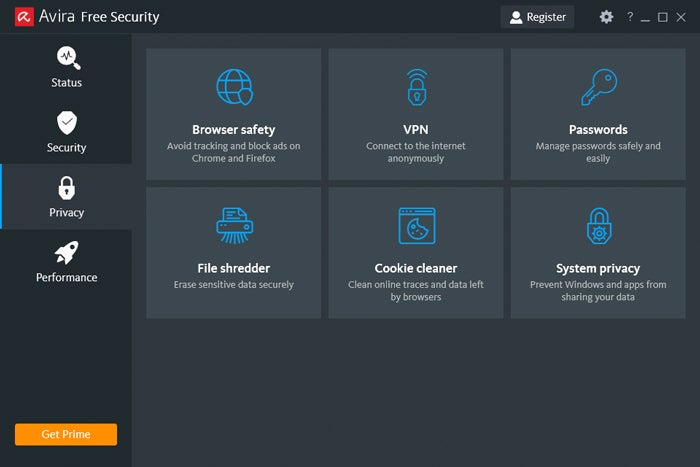
Why free? According to Avira, the app ensures that “no one needs to miss out on protecting their digital lives.” Online security isn’t the only feature on offer, either. The free software comes with over 15 different tools, including:
Antivirus scanner
Safe browsing protection
Ad blocker
Tracking blocker
VPN
Password management
Let’s take a closer look at what Avira Free Security can do for you – without a daunting price tag.
Avira works hard to earn its reputation as one of the best antivirus and threat protection software applications on the market. The app protects users from an average of 8.4 million malware attacks and 8.1 million phishing scams daily. Additionally, in consumer tests, Avira blocked 100% of threats.
With one click, Avira Free Security can:
Resolve security, privacy, and performance issues.
Protect users from identity theft, scams, and financial loss.
Allow users to browse safely with its free VPN.
Block malicious ads and trackers.
According to Alexander Vukcevic, Director Protection Labs & QA at Avira “We are living in an era where people are constantly exposed to malicious online activity, with an average 8.4 million daily malware attacks and 8.1 million phishing scams. With our new Free Security products, everyone around the world – including the less tech-savvy consumer – can make sure they are fully protected.”
Quick Installation, High Performance, and Easy-To-Use Dashboard
The need for top-quality, effective antivirus applications is higher than ever. However, providing security is no longer enough. Users want an intuitive, easy-to-use app that protects their privacy while providing excellent performance. Avira Free Security combines all these features into a single, optimized solution.
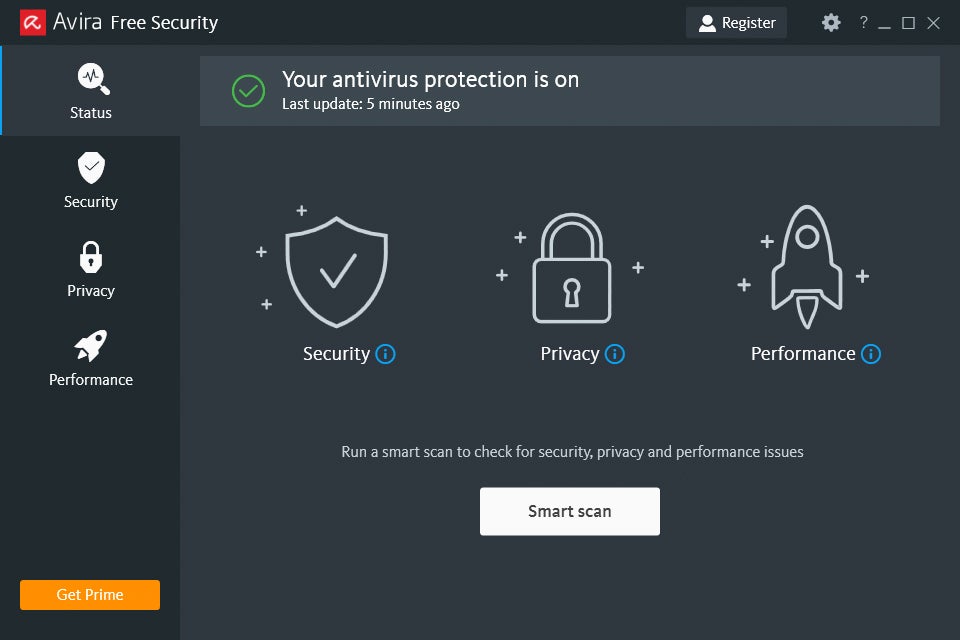
Using the app is a breeze. Once you’ve downloaded the installation file, it’ll guide you through the process in easy-to-follow steps. When you’ve finished installing Avira, the intuitive dashboard will appear, prompting you to start the Smart Scan process.
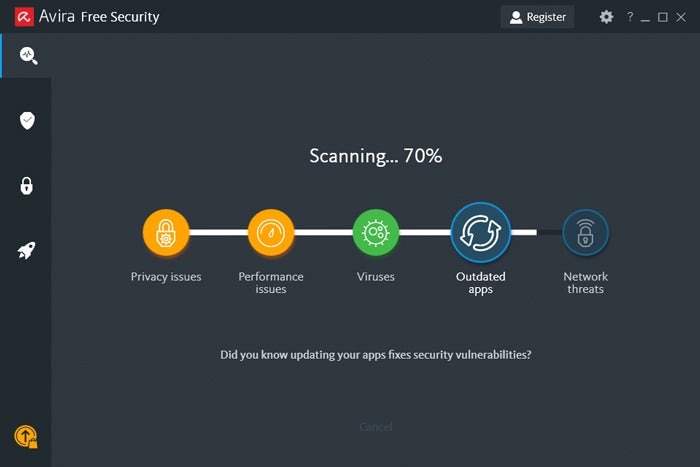
With one click, Avira Free Security will scan your device for any privacy or security threats. It also runs an optimization process that cleans up the device and boosts performance.
Free Protection on the Go With Avira Free Security for Mobile
Avira Free Security isn’t limited to desktop devices and laptops. You can get on-the-go protection for your Android and iOS devices with the free security app. The interface is optimized for mobile use and includes several of the same features as the desktop version, such as:
Smart Scan
Privacy Manager
Network Scanner
Antivirus
VPN
According to Travis Witteveen, Head of Avira, protection shouldn’t be a luxury but “a right that everyone can take into their own hands.” He goes on to say that Avira Free Security gives users better digital protection so that they can enjoy using their technology without worrying about security risks.
Conclusion
Avira Free Security gives everyone access to online protection with one click and no price tag. The intuitive interface, easy-to-use dashboard, and broad selection of included tools make it easy to keep yourself and your devices safe, whether you’re tech-savvy or not.
Now you can enjoy your online experience with top-notch protection with Avira.
As more of us work, shop, communicate, and consume content online, it’s become more important than ever to protect our PCs with adequate safeguards against a dizzying array of threats. Our machines are vulnerable to viruses, spyware and ransomware; our personal data is at risk from phishing schemes and endless online tracking; and even the embedded software that we use can hide dangerous code that hackers can use as backdoors to enter our digital lives.
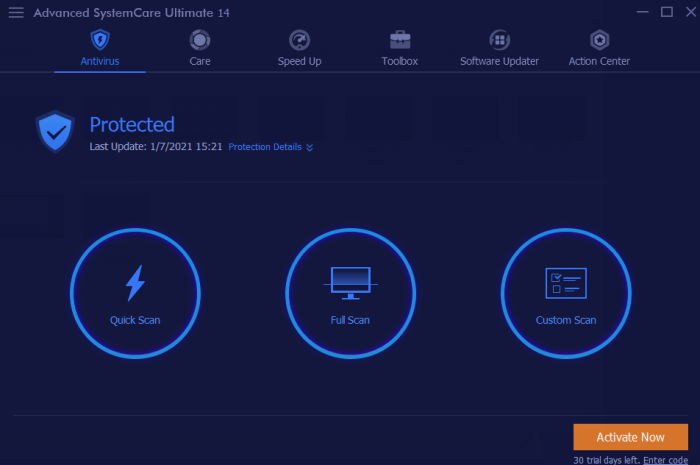
Unfortunately, getting adequate protection on our PCs as well as shields to guard our data online can be almost as complicated as understanding the different kinds of threats we face. That’s why we’re big fans of Advanced SystemCare Ultimate 14 from IObit, a major force in providing safe and secure PC system utilities.
Coming just about one year after the last SystemCare Ultimate update, IObit has packed this release with up-to-the-minute protections that shield you from threats anywhere they might leak in – and we mean anywhere.
“Cyber attacks have increased dramatically along with the worldwide spread of the COVID-19 and people are facing more varied types of cybersecurity risks,” said Bing Wang, IObit Product Director. “IObit attaches great importance to developing easy-to-use tools to strengthen PC’s defense against cyber threats, especially those that have recently emerged. Now at the very beginning of 2021, we are proud to present Advanced SystemCare Ultimate 14, a system tool that not only makes your PC clean and fast, but, more importantly, safe.”
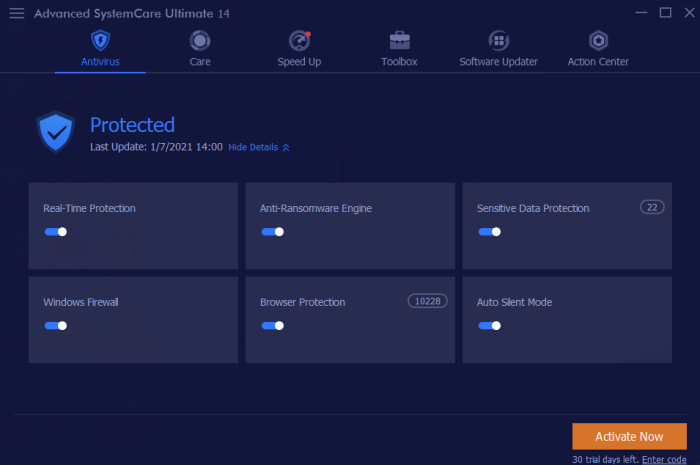
For starters, IObit’s continued partnership with Bitdefender – a leading producer of antivirus software – has led to a supercharged database of malware threats. Now, not only will SystemCare Ultimate 14 protect you against the usual threats from Trojans, spyware and ransomware, but it will also guard against the unique viruses that are emerging faster than ever as we enter 2021. IObit’s algorithm and defense engine works tirelessly in the background of all your activity to spot these threats and eliminate them in real time.
Beefed-Up Browser
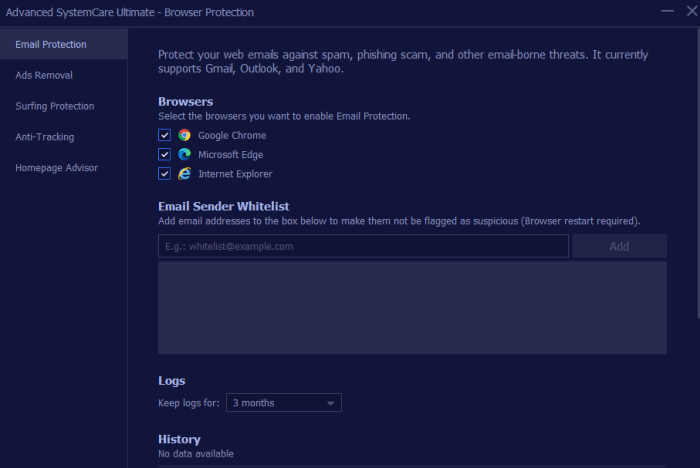
Browser-level security has also been significantly improved with this release. SystemCare Ultimate 14 now offers surfing protection that is more comprehensive than ever, thanks to a newly updated database that blocks dangerous websites – some of which have merged to make them even more difficult to find. On top of that, you’ll get enhanced email protection, ad removal, and anti-tracking functionality to keep you safe from annoyances like targeted ads, as well as more serious threats like phishing scams.
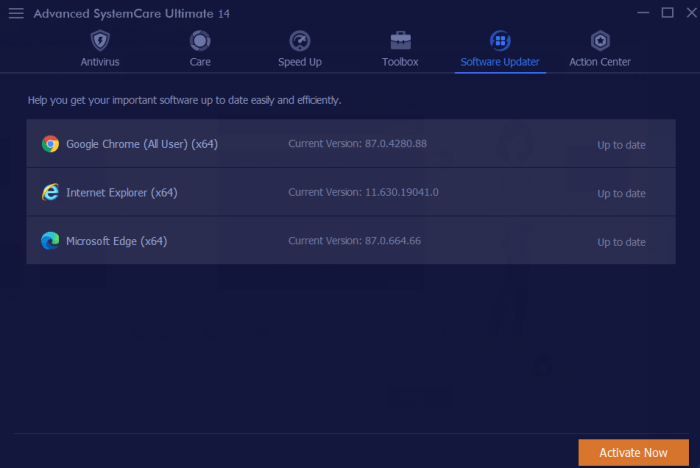
As if the significant online protections offered by SystemCare Ultimate 14 weren’t enough, this Swiss-army-like software also offers system enhancements that will keep your PC running safely and smoothly. It has greatly expanded and diversified its software database, which lets users access the latest updates to the programs on their machines with one click.
This not only keeps computers running better, but it also takes advantage of the latest security patches from software makers that prevent hackers finding their way onto your machine through vulnerabilities. Additionally, SystemCare Ultimate 14 also provides a registry cleaner to eliminate bloatware or unnecessary files, as well as the ability to manage your startup items to improve boot times.
Rarely do so many powerful functions converge in one software, but IObit continues to impress with its offerings. And the best part? You can download a copy completely free! Just follow the link below and a cleaner, safer, glitch-free PC is just a few clicks away.
Even though Macs have a reputation for security, the number of malware attacks on Macs surpassed those on Windows machines for the first time in 2020, according to an article in Vox. So there goes the idea that if you have a Mac, you don’t have to worry about installing software to protect it. The fact is, hackers have gotten more devious in sidestepping the inbuilt protections in all our computers, so having an extra level of security – for Macs and PCs – is just plain smart.
AntiVirus for Mac from trusted software developer TrendMicro delivers this protection and much, much more.
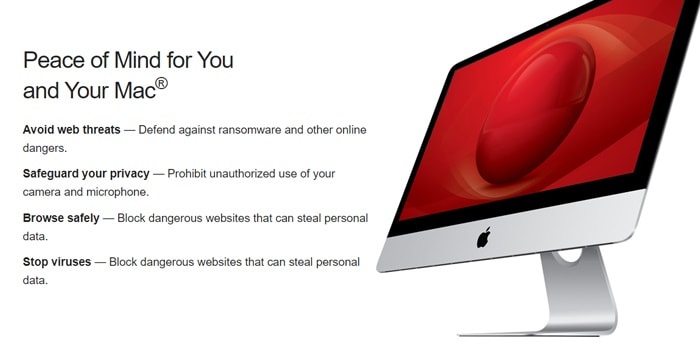
As with all antivirus software products out there, TrendMicro’s product will alert you when it finds malware on your Mac or when you attempt to download a potentially troublesome file. But Antivirus for Mac takes things a step further with enhanced ransomware protection. Called Folder Shield, this component of the program allows you to mark folders you want monitored so that if a hacker were to try to encrypt them and charge you money to un-encrypt them, he would be blocked and you would be notified.
Cruise the web with confidence
Antivirus for Mac also automatically plugs into your browsers when it is installed so that it can keep an eye out for suspicious websites and other online threats, which it identifies with an icon in search results. You are able to set your Web Threat Protection Level to low, medium or high, and you can also activate a website filter to block sites based on their themes/functions such as those that feature nudity, hate or racism, gambling, shopping, offer online chats, or provide streaming media. There are 31 filters in all, along with the ability to whitelist any site you’d like – a feature that comes in very handy if you have children surfing the internet.
Social distance
One of the standout features of Antivirus for Mac is the ability to have it examine your social media settings on Facebook, Twitter and LinkedIn for potential privacy concerns (although we couldn’t get this feature to work on Facebook in our tests). The scan will tell you what information you’re sharing with the public and recommend settings to help lock down your private information – including the information that’s shared with advertisers outside the social networks.
Eye spy
Still another noteworthy feature of Antivirus for Mac is that you are able to set it to alert you whenever an application is trying to access your webcam or microphone to prevent unwanted spying. The setting is simple to activate during the installation process.
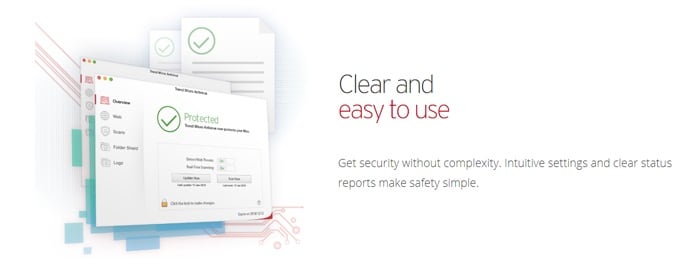
And speaking of simplicity, TrendMicro has made this program extremely easy to navigate. The main screen offers the various protection possibilities down the left and when you choose one, the window to the right is populated with the settings you can control. Things work with simple checkboxes and slidable switches, plus an icon in your Mac’s toolbar lets you quickly access key features including scans and updates.
Value time
TrendMicro’s antivirus, anti-malware, and anti-ransomware protections would be enough to make Antivirus for Mac a bargain on its own. Throw in all the features we’ve detailed, and it becomes clear that it’s hard to beat the value you get for your money. Right now the software is available for 25% off the normal rate of $39.95, so you’ll pay only $29.95 for a full year of protection.
With its release of a new 2020 antivirus software package, Avast has shown that it’s willing to go toe-to-toe with the toughest threats online.
When it comes to antivirus protection for your devices, the software you choose is only as good as its most recent update. That’s because viruses, hackers, phishers and other online scammers and dangers are constantly growing more sophisticated and better able to sidestep protections. With its release of a new 2020 antivirus software package, Avast has shown that it’s willing to go toe-to-toe with the toughest threats online.
The company, a leader for years in online security services, is beefing up its protection algorithms across a range of features for the new decade – and astoundingly, all of these protections are available in Avast’s free version of the software.
At the heart of the enhanced security features offered by Avast Antivirus 2020 is of course, a robust and continuously updated virus database. As you access the internet, the software works in the background comparing your surfing and email activity to this database and blocking viruses, malware, spyware, ransomware and phishing attacks. It also alerts you to unsafe websites without the need to install browser extensions, and employs a “Behavior Shield” that identifies suspicious behavior patterns on your computer.
Also found in the free version of Avast Antivirus 2020 is a CyberCapture feature that quarantines suspicious files to be analyzed in the cloud and reports back to you on any possible safety risks. And the software also comes with a Wi-Fi inspector that can alert you to potential vulnerabilities across your entire network including all connected devices.
Unlike other antivirus programs, Avast 2020 also delivers additional features that go beyond security to make your computer as sound as possible.
These include a software updater that automatically scans for new versions of programs on your computer; a password manager that allows you to securely store all your login information to various sites under one master password; a browser clean-up function that removes unwanted toolbars, add-ons and extensions you choose to toss; and the ability to create a rescue disk image on a CD or USB drive, which would come to the rescue if your computer becomes inoperable.
And to reiterate, all of these features come along with Avast’s FREE version of its software.
For those looking for even more functionality, the company also offers a Premium plan with extra smart security features. For example, Avast Premium Antivirus will alert you whenever someone joins your Wi-Fi network so that you can disconnect immediately if you don’t recognize a device – whether it be from a hacker or a neighbor looking to tap off your service. The premium version of the software will also place your photos and files in a ransomware-proof vault to keep your most personal data safe.
Whichever version you choose, you can be assured that Avast is continuously striving to improve their offerings in the marketplace. This is a rarity – especially for a free software solution, which other companies can often neglect or offer with limited functionality.
Avast Antivirus 2020 is available for Mac, PC, Android and Apple mobile devices. The free version of the software is likely sufficient for most users, but the extra protections offered by the Premium package is certainly worth considering for those looking for enhanced safeguards. Avast Antivirus Premium 2020 is now being offered for $59.99 per year.
Download and install Avast Free Antivirus on your PC to get a chance to win an Avast Premium Security single-device license and an Avast SecureLine VPN multi-device subscription for 1 year.
We’re very happy to bring you a chance to win a premium subscription to Avast’s award-winning antirust suite. Avast is known for offering industry-leading support and protection against viruses, malware, and all modern threats such as ransomware, spyware, phishing attacks, and even password breaches and hacks.
Incredibly, Avast offers a free version of its antivirussuite that is designed for ease of use. With a single click, Avast Free users can set machine-learning virus protection algorithms to work, scanning for known threats, analyzing system and application behavior for suspicious activity, and keeping you safe from spyware. It has never been easier to protect your PC for free.
Download Avast Free Antivirus now
Professional lightweight protection for free with Avast
If you’ve downloaded Avast Free Antivirus, your device is now protected. You can go one further, however, and enter our contest to win an Avast Premium Security single-device subscription for a whole year, plus a 1-year multi-device Avast SecureLine VPN for those who want to enjoy the Internet without intrusive eyes. This means that our contest first winner will be able to protect themselves and up to five of their friends and family for the next twelve months. Do you fancy being a hero? It could be as simple as entering our contest.
Some features that come with the Avast Premium Security suite include ransomware protection, a robust web shield that blocks dangerous downloads and websites, a webcam blocker to prevent hackers breaching your webcam and spying on you in your own home, and an advanced firewall to keep cybercriminals off your computer.
Back to the competition!
To get a chance to win an Avast Premium Security single-device license and an Avast SecureLine VPN multi-device subscription for 1 year:
1. Install Avast Free Antivirus
2. Tag the friend/s to recommend Avast Free Antivirus to!!
Download Avast Free Antivirus here in case you haven’t done it already. The contest ends on February 1st. Winners will be announced on February 3rd. The first winner will receive an Avast Premium Security single-device license for 1 year (real price on the website $69.99) and the Avast SecureLine VPN for up to 5 devices for 1 year (real price on the website $89.99). The second and third winners will receive an Avast Premium Security single-device license for 1 year each.
Shopping online can bring a lot of great gifts right to your door. But with all that increased surfing, it can also bring something else you don’t want to your computer: spyware.
Some spyware can be relatively harmless – like adware or cookies that track your surfing and purchase history for marketing purposes, such as serving you relevant ads. But spyware such as Trojans and system monitors can watch everything you do at your computer and harvest personal details including social security numbers, credit card numbers and more.
Security and privacy: all you need in one software
Trojans generally arrive on your computer via a download link that you’ve clicked. For example, you might get a notice that your browser is out of date and needs to be updated. When you click on the link however, you’ll actually download spyware onto your system that can be very hard to detect. What’s worse, Trojans can continue to download more malware once they settle onto your system.
If you don’t have an antivirus program to identify them, the most likely way in which you’ll notice their presence is through system slow downs and frequent crashes. Other telltale signs include unusual icons in your toolbar that you’ve not seen before or error messages that seem unrelated to your activities.
Every click you make
System monitoring software is often masked as freeware and will log every keystroke you make, every site you visit, and every program you run. Again, caution is king when deciding what to download to your machine. Even if a site looks reputable, be smart when clicking on a download that seems too good to be true, or one that appears on your machine as a pop up.
If you suspect that your computer has been infected with spyware, you really only have one choice for removing it: aggressive antivirus and antispyware software. Just like spies in the real world, spyware is created to avoid detection, so without the right software to sniff it out, it could run on your computer indefinitely.
Avast Free Antivirus is one of our top picks for preventing, detecting and removing spyware. With continuously updated databases and algorithms, this software is tops in keeping your computer clean and your data safe.
Of course, you can also take steps on your own to limit your exposure to spyware by ensuring that your browser, operating system, and software have the latest updates and security patches; setting your browser security and privacy levels higher; using extreme caution if you frequent file-sharing sites; and not clicking on pop-up ads.
Security and privacy: all you need in one software
Once you’ve run your antispyware software and know what type of threats existed on your computer, you may want to contact your financial institutions to change credit cards and account numbers if it turns out that your personal data was at risk. You might also want to freeze your credit through national monitoring services to thwart identity theft.
Taking these steps should ensure that your online holiday shopping will deliver gifts Santa would be proud of, while keeping the spies out in the cold.
If you own a PC, you’re already familiar with the need for robust antivirus software. You might also be acquainted with software that scans your computer and helps you make tweaks to keep it humming along efficiently rather than getting bogged down with useless files and malware. What you might not know is that IObit has been producing a software solution that combines both of these functions, and that in its latest release of the program – Advanced SystemCare Ultimate 13 – it has injected a significant dose of new tech to ensure that its solution is one of the best on the market at this time.
Safety and speed. Yours in one complete software solution.
For starters, Advanced SystemCare Ultimate 13 has been bestowed with an antivirus database that is 30 percent larger than in the previous release, along with a spyware database that is a whopping 200 percent larger than in the past. This bleeding-edge digital gold mine ensures that the software is now entirely equipped to identify even the most recently unleashed online threats.
On top of this, IObit partnered with Bitdefender, a global cybersecurity leader, to update its antivirus algorithm – meaning that real-time protection against threats including viruses, malware, worms, Trojan horses, spyware and ransomware are now at an industry-leading level.
Advanced SystemCare Ultimate 13’s protective features have also been expanded to monitor system emails to guard against spam, phishing scams and more, while the program’s Surfing Protection functionality indicates unsafe links when search results are returned, allowing users to steer clear of potentially troublesome websites.
So that covers the improvements to Advanced SystemCare Ultimate 13’s protection software. What about its PC cleaning and optimizing functions? IObit has introduced significant improvements here as well.
As with the protective side of the software, it starts with a database upgrade. The Startup Organization database has been increased by 30 percent to speed boot time by eliminating unnecessary processes and system services. Beyond this, Advanced SystemCare Ultimate 13 has a stronger PC cleaning function, which zaps junk off your hard drive like temp files and the cache files kept by programs such as Dropbox, Steam, Chrome Firefox and more. A file shredder functionality completely eliminates deleted files, a context menu helps clear out unwanted shortcuts without a trace, more robust privacy shields guard against the leakage of personal information, and a multiple accounting cleaning utility allows full machine optimization without the need to switch accounts.
“With the continuous appearance of new viruses, we consistently value the expansion of our anti-virus & spyware database, we believe that only if we insistently extend the anti-virus database we can truly deal with rampant viruses” said Bing Wang, the Product Director at IObit, “Advanced SystemCare Ultimate 13 aims at providing users a more secure and stable PC with a larger anti-virus database and more powerful cleaning, that can rank among the top comprehensive utilities of antivirus and system optimization.”
Safety and speed. Yours in one complete software solution.
So far, 2019 has smashed records for online shopping as people embrace the ease and relative security of making purchases electronically. Unfortunately, this also means that scammers such as phishers are also out there in record numbers trying to score a gift of their own: your credit card number. Here’s how to keep your data private and stop them in their tracks.
Keep your data private: all you need in one software.
Phishing, which is the term for when someone uses fraudulent methods to gain access to your personal data, generally originates from an email – perhaps even from an organization that you already do business with. But here’s the catch. Phishing emails need to get you to a website where you will be asked to fill in personal information – something reputable organizations simply don’t do. So if you receive such an email, beware.
During the holidays you might even receive an email asking you to confirm your order details, which seems like a logical request. But even if you follow the link asking for this information and the website you arrive at looks like you’d expect, be extra cautious if you’ve already provided your shipping address and credit card information to an online retailer. If you’ve done it once, you don’t need to do it again.
Remove the disguise
One easy-to-find telltale sign of a phishing scam has to do with the link you’re being asked to follow. It’s very easy for scammers to create a link that seems legitimate, but that actually masks its real destination. Let’s say you see a link that reads “paypal.com” in an email. It looks legitimate, and that is indeed a correct web address for the company. To see where the link really leads however, simply hover your mouse over it. The true address will pop up in a small box. If it’s not what you expect, DON’T CLICK!
Protect yourself
Lastly, no one should be online these days without some kind of antivirus software securing your private details. Avast Antivirus Free has consistently been one of our top picks because it offers protection rarely seen in a free package. Avast Antivirus comes loaded with technology that will not only scan your email for dangerous attachments, but it will warn you that a site is unsafe if you’ve unwittingly clicked a link in a phishing email so that you can steer clear.
Additionally, Avast beefed up its anti-phishing efforts recently by incorporating robust artificial intelligence (AI) coding into the software. This cutting-edge technology not only compares links to known phishing sites, but it goes much deeper.
Keep your data private: all you need in one software.
By using computer vision to analyze the composition of a site and determining if a site might be stealing images from another, phishing scams are more readily uncovered. Plus, the AI also investigates sites based on their ranking in search engines. Because phishing sites are not usually online long enough to be indexed by search engines, finding out a page’s ranking adds to the information gathered, allowing the software to warn you – with extreme accuracy – when a site is to be avoided.