AI smart speakers are very useful tools to have around the house as long as you don’t mind the privacy trade-offs and you take care when letting young children interact with them. Amazon, however, has just announced an incredibly new feature for some of its Alexa speakers that will give them a real advantage over other competitors from the likes of Google and Apple. The retail giant has announced that soon some Alexa smart assistant speakers will be able to boost your Wi-Fi signal around your home. Here is what you need to know.
At the recent Amazon Launch Event, the company announced that the latest generation of Amazon Echo and Echo Dot Smart speakers (the fifth generation if you are counting), as well as the current and fourth generation speakers will be able to boost your home Wi-Fi signal as a part of the Amazon Eero mesh Wi-Fi system.
The caveat then attached to this exciting news is that for the Echo speakers to boost your home Wi-Fi you will need to have already set up the Eero mesh Wi-Fi system, which means you need to buy extra hardware to make it work. Mesh Wi-Fi systems tend to be much more effective than standard Wi-Fi extenders as they integrate with the system’s router to ensure better and more even coverage across the reach of the network.
This looks like a very clever move by Amazon as it offers households who have Echo smart speakers in their home a much cheaper way to build out a larger mesh Wi-Fi network in their home. The hardware is relatively expensive for these types of Wi-Fi extender networks so being able to augment the offering using hardware you already own will likely be attractive to users who often struggle with their Wi-Fi signal.
The Amazon Alexa virtual assistant can improve your life in many different ways. With the right set of Alexa devices and apps, you can completely personalize how you use this virtual assistant. From opening and closing blinds, starting the coffee machine, ordering dinner and groceries, to even playing games – Alexa makes this all possible.
But how can you add skills to Alexa to customize it to your needs? In this article, we’ll take you through the process of how to install and use skills in Amazon Alexa.
What are skills in Amazon Alexa?
Alexa-driven devices can do a lot of things – if you have the right tech and skills. You can use it to order takeout or to work out with a virtual trainer, and you can even set reminders or load ambient music to help you sleep. If you have compatible smart home tech, such as smart lighting, smart garage doors, and more, you can even use Alexa to switch on the lights or open and close the garage door.
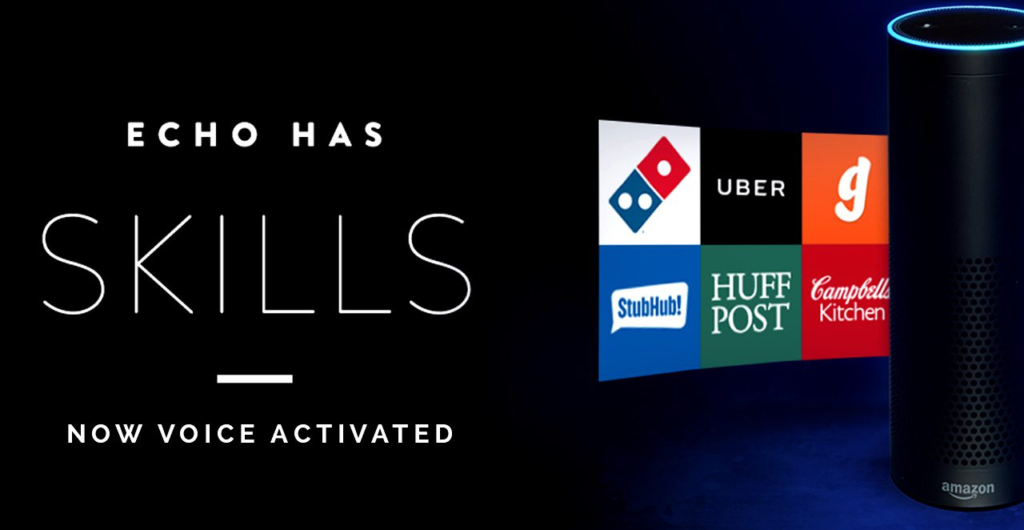
However, all of these features aren’t available on Alexa devices out of the box as it would just be too much, and users would be stuck with apps they never use. In order to get the features you want, you will need to download and enable the relevant skills. In this sense, Alexa skills are similar to apps you download for your smartphone.
Some of Alexa’s top skills to use every day include:
Anypod: add podcasts to your library and start listening through Alexa.
Lyft: Use Alexa to get a cab.
Mastermind: Use it to send messages, and emails, make phone calls, search the internet, and more.
7-Minute Workout: Use it to exercise with a virtual trainer.
Headspace: Provides guided meditations and advice on reducing stress and improving sleep.
How to install and use skills in Amazon Alexa
Downloading, installing, and using skills in Amazon Alexa is much easier than you might think. Just think about how you download apps for your smartphone through the app store. The process is just as easy. Here are the steps you can take to download and enable skills on Amazon Alexa using your smartphone and the Alexa app.
Launch the Alexa app
Take out your Android or iOS smartphone and launch the Alexa app.
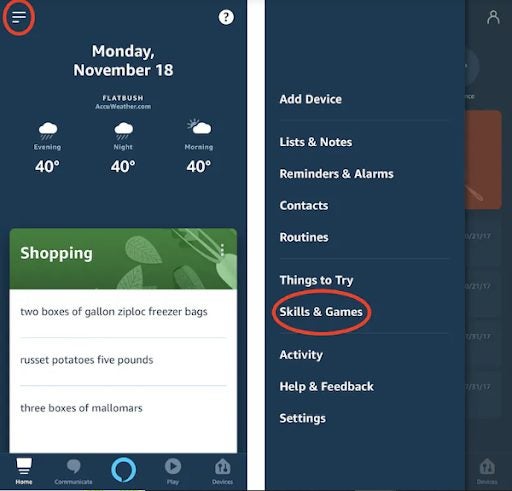
Navigate to ‘Skills and Games’
Once the app is open, tap on the menu icon represented by the three horizontal lines in the upper-left of the screen. This will open a new list. In this list, look for ‘Skills and Games’ and tap on it to open.
Find the skill you need
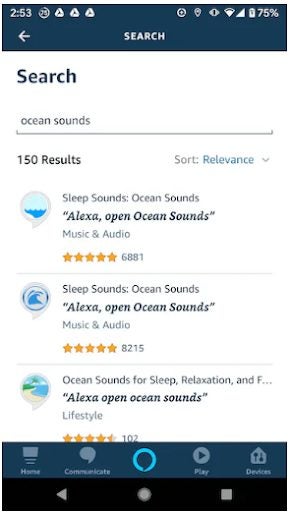
Now you’ll be able to see a few of the recommended skills and their relevant categories. You can scroll through the recommended skills until you find one you like. Alternatively, you can also use the search bar if you already know what you’re looking for. Tap on the skills that seem interesting to see more details, including the phrases you’ll need to speak to activate the skill once installed.
Tip: There are more than 50 000 skills on the Alexa app to choose from. The app also doesn’t show kids’ apps by default. If you’re looking specifically for kids’ apps, you’ll need to ‘Allow Kids Skills’ found in the account section of your app settings.
Enable the skills
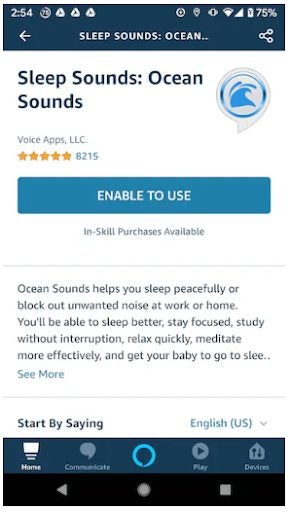
If you’ve found a skill that looks perfect for your needs, you simply tap on the skill to open the details, and then all you need to do is tap on the ‘Enable to Use’ button. This will download and install the skill for you.
Start using the skill
Now to start using the skill, you simply use the appropriate Alexa voice command prompt known as the invocation name. This phrase is provided in the skills details section. At the bottom of the screen showing the details of the skill, you’ll see a list of the phrases you can use to activate the skills, shut it down, and more.
Tip: More advanced users can even customize the activation phrases for personalized skills from the Alexa Skills Blueprints settings.
Virtual assistants like Amazon’s Alexa have carved out their own little part of our homes by offering interesting aspects of voice-controlled utility. One of these interesting aspects that helps us out a little while also helping Amazon lock us into its online shopping ecosystem is by allowing us to add items to our shopping list, simply by shouting them out to Alexa. Another is asking Alexa for quick tips on how to perform household chores and tasks. Amazon looks set to combine these two capabilities and may start serving up little ads for products whenever you ask Alexa certain questions. Let’s go through what you will need to look out for.
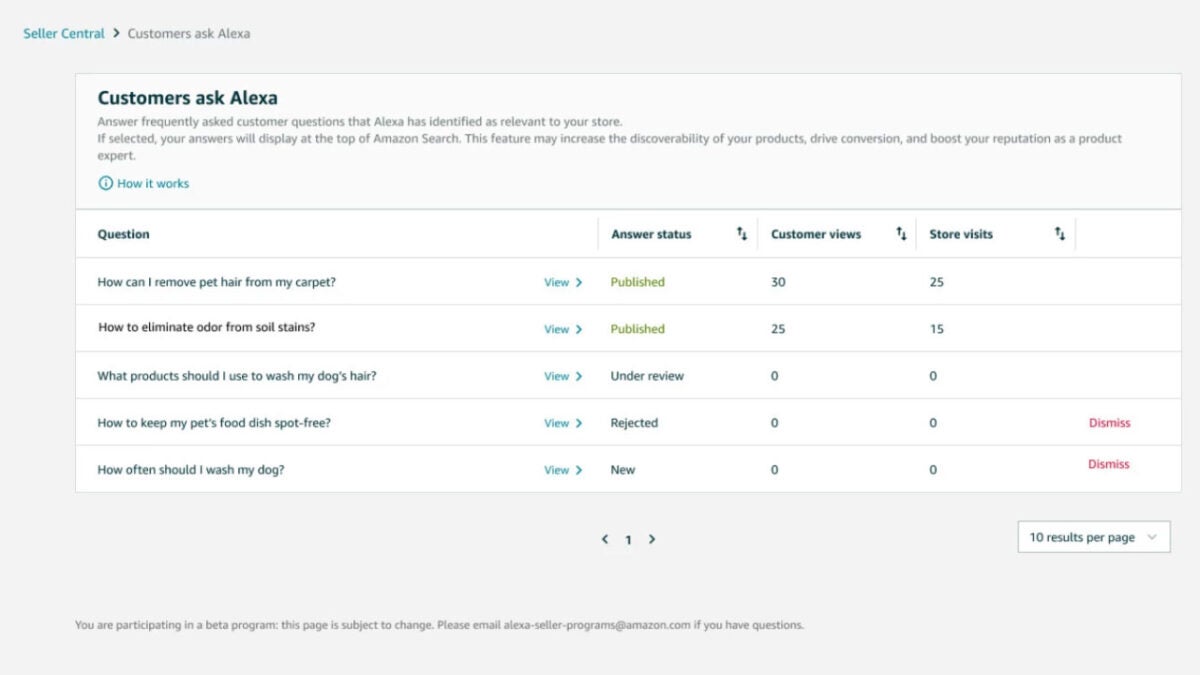
Amazon has just announced the “Customers Ask Alexa” Program, which will see promotional messages added into answers to common household questions. The idea is rooted in the idea that Amazon views bands as experts on their products and on the situations where they could be applied successfully.
In the blog post announcing the new Alexa capability, Amazon gave an example of how it could work:
“For example, a customer shopping for cleaning products on Amazon.com could ask, “How can I remove pet hair from my carpet?” A brand can now provide answers to such questions, along with links to its Amazon storefront.”
Although these product prompts sound a lot like ads, interestingly Amazon is not being paid for the feature and the little prompts are not sponsored in any way. Amazon has also stressed that all of the information provided by brands that could plug their products in response to certain household questions and queries will be moderated and put through quality control checks.
Amazon is planning to roll out the feature on an invite-only basis from next month with a view to roll out it much more broadly from next year.
The NHS is the UK’s state provided healthcare service. The move means that Alexa will be able to use NHS information, which has been verified by health professionals to answer health-related questions.
What does all this mean though? Are we heading into a future where the traditional doctor doesn’t exist and what about all the privacy concerns relating to smart assistants in general and Alexa specifically?
Amazon thinks its new NHS-backed Alexa service could especially help patients who are old, blind, or who don’t otherwise have access to the internet
The new partnership between Amazon and the NHS has been spearheaded by NHSX, which is an NHS body tasked with bringing digital technology to NHS patients. The idea has been well received by the UK’s Royal College of GPs with chairwoman, professor Helen Stokes-Lampard saying, “This idea is certainly interesting and it has the potential to help some patients work out what kind of care they need before considering whether to seek face-to-face medical help, especially for minor ailments that rarely need a GP appointment, such as coughs and colds that can be safely treated at home.” Stokes-Lampard did have a number of caveats to add though.
As you’d expect from a well-respected medical body, the Royal College of GPs called for independent research to be carried out to ensure that the advice being given by the Amazon assistant is safe and correct.
If you’ve ever been told by Google that you’re going to die when you’ve searched about a minor headache, you’ll know why this is important. Over-zealous advice could end up sending more people to doctors unnecessarily.
As well as the legitimacy of the advice being offered, the other major concern is privacy. How does doctor-patient confidentiality work, if you’re discussing your health issues with a smart speaker connected to a global corporation?
The new scheme could relieve pressure on hospitals and GPs but also raises a number of concerns
There have been some worrying developments relating to Alexa recently, with it coming out that Amazon has been keeping transcripts of interactions with Alexa, even after users had deleted them. Even worse is the news that some Amazon employees have had access to these transcripts and even shared the ones they thought were interesting with their colleagues.
Alexa, who have you sold my health data to?
Matt Hancock’s NHS deal with Amazon – one of the most aggressive corporate data guzzlers – risks people being profiled & targeted based on health concerns.
This is an issue that has already been picked up by the British privacy advocates Big Brother Watch. The organization has called the moved a data-protection disaster waiting to happen with director Silkie Carlo saying, “Encouraging the public to give their private health details to one of the most aggressive corporate data guzzlers is astonishingly misguided… This scheme will likely result in people being profiled and targeted by data brokers based on their deeply personal health concerns.” It might not just be people laughing at our private medical information, it could end up being sold just like the rest of our data too.
With healthcare being such a huge market, the big tech companies have been looking for ways in for years now. Those organizations aren’t without their fair share of health-related problems either. The UK government might have given Amazon a leg-up in its bid to establish itself as a healthcare provider that can be trusted and relied upon.
The truth of the matter, however, is that whereas this move could help relieve under pressure GPs up and down the UK, through answering questions about basic and simple medical related questions, there are plenty of concerns that need addressing before we can rely on our smart speakers to give us sound and private medical advice.
Alexa transcripts with customers are being stored despite users requesting that they be deleted.
“Alexa, erode my privacy.”
Recently, Senator Chris Coons (D-Delaware) sent a letter to Amazon with privacy concerns about the Alexa. Specifically, Coons asked about how long Alexa keeps user data, and how they use it.
Amazon responded by saying that Amazon kept transcripts of interactions with Alexa, and, in some cases, kept them even after customers “deleted them.” As Coons later tweeted, Amazon was not clear about what is done with these transcripts and who they are being sent to:
What’s more, the extent to which this data is shared with third parties, and how those third parties use and control that information, is still unclear.
Why does Alexa record conversations in the first place?
As Amazon said in its letter to Coons, Alexa is constantly evolving and getting smarter. In order to do this, it needs to learn more about human language to better understand us.
As Vice President of Public Policy for Amazon, Brian Huseman wrote to Coons, “Training Alexa with voice recordings and transcripts from a diverse range of customers helps ensure Alexa works well for everyone.”
The idea that Amazon employees could possibly be hearing intimate moments in our homes, and are sharing them is disconcerting.
How do I delete the conversations that Alexa recorded?
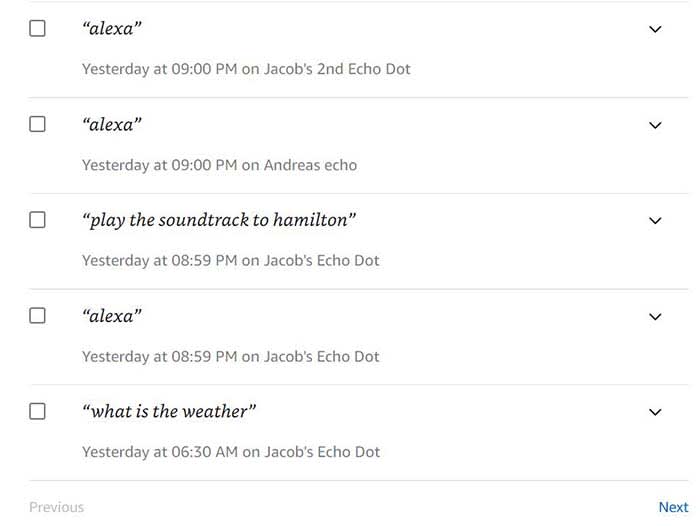
If you want to see what conversations Alexa has recorded, you can either access the Alexa Privacy Settings on your Alexa app or click here to view them on your browser.
From here, you can listen to the recordings, and delete whichever ones you’d like. However, according to the letter from Amazon, not all transcripts will be deleted. For example, the letter said that transcripts that deal with transactions and routines often won’t be deleted even if you manually delete them. According to the letter, deleting those completely could stop routines from occurring and are required for transactions. As these were just examples, what now begs to be seen is what other conversations is Alexa keeping, and who is she sending them to.
What should you do?
Some of you might be about to use Alexa as a hockey puck and slapshot it as far away from you as possible.
The problem is that Amazon is far from the only company that has serious privacy concerns. Apple products have been known to record us, and don’t even get us started on Facebook.
Facebook steals information about your menstrual cycles, home buying, more
If these privacy issues concern you, it might be time to ditch Alexa. However, please realize that there are plenty of other things in your life serving as microphones to the outside world.
Can Amazon overthrow Apple in the great earbud war?
Once again, Apple has set a trend, and once again, the other tech giants are trying to outdo them.
It’s no secret that the hugely popular and frequently-memed AirPods are a hit with consumers. Wireless earbuds are a rapidly growing market, with over 12.5 million pairs being sold in the last quarter. AirPods make up a whopping 60% of those sales. Amazingly, AirPods made up 7% of Apple’s total revenue last year.
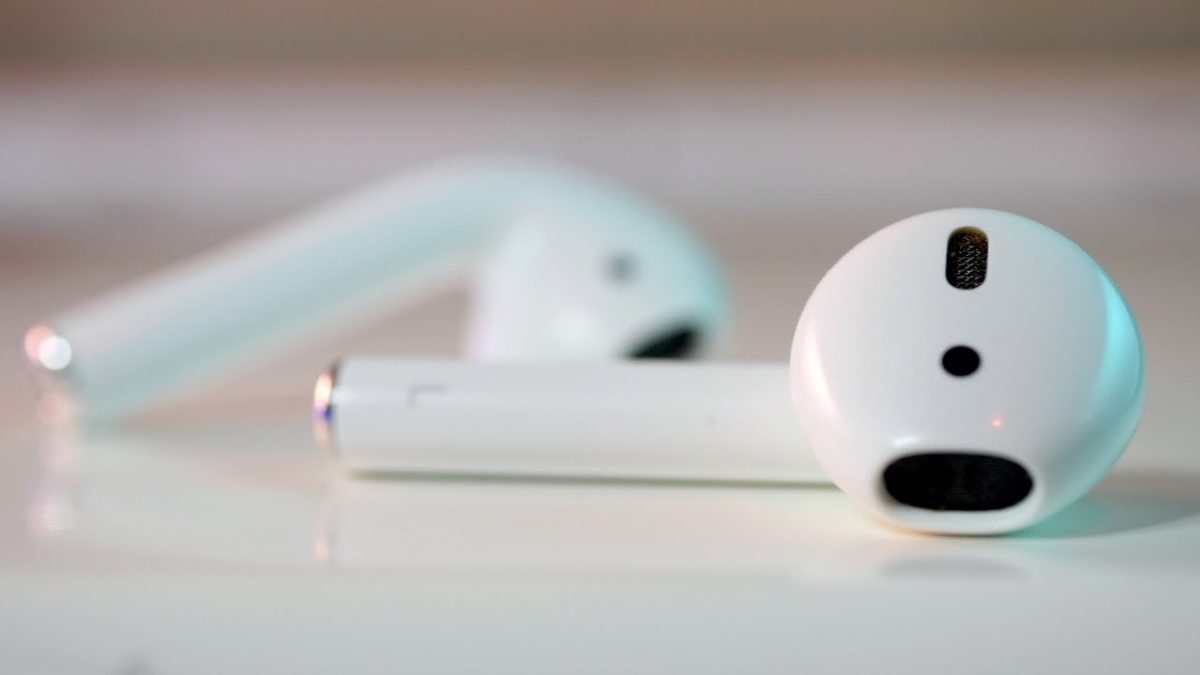
Rumors suggest that Amazon is working on creating its own line of earbuds, hoping to stand out in the crowding industry by including its voice assistant Alexa in every pair.
While AirPods contain Siri integration, Alexa is significantly more versatile, which could prove a key selling point for Amazon’s earbuds. Alexa has been a key part of the e-commerce giant’s strategy recently, and the company hopes to integrate the technology into as many devices as possible.
Amazon is striving for the simplistic aesthetic and clipless design that made AirPods popular, but with better audio quality. The earbuds will reportedly come with a charging case similar to the one used with AirPods.
The earbuds are reported to be released in the second half of 2019.
Beats, Bose, or Sony: who has the best headphones?
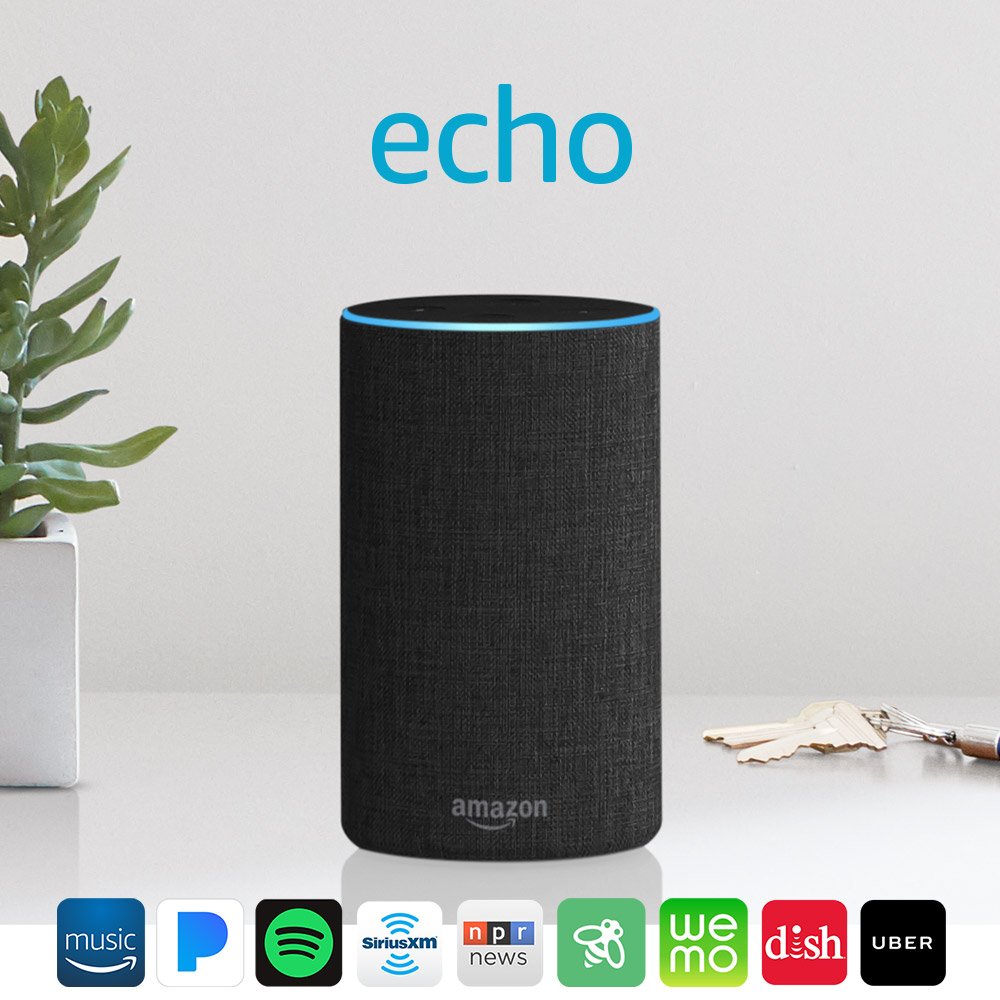
Alexa is the brain behind the Amazon Echo, an intelligent two-way speaker and digital assistant. Alexa functions using skills, which are a lot like apps – some come pre-installed while others (especially skills developed by third parties) you can enable afterward.
Alexa has so many cool features and tricks up her sleeve, it’s easy to get lost, so we’ve played around and selected our favorites to help you get started. While we’ve included some specific skills in this list, it’s certainly not exhaustive – there are over 15,000 skills to choose from. To explore in more detail, check them out on Amazon.
In the meantime, here are 7 of our favorite things you should try…
7 tips for using Amazon Alexa
1. Cook confidently without touching a recipe book (with Alexa as your guide)
There are a number of great cooking skills you can enable, but AllRecipes and Recipedia are among the best. You can ask Alexa to find your recipes by ingredients, cooking time, calories, dietary needs, or by searching past favorites. Alexa will tell you the name of the dish, number of reviews, and will even suggest alternatives if you’d prefer to cook something else.
What’s great about AllRecipes and Recipedia is that you can ask Alexa to talk you through each step of the cooking procedure as you go. So no longer will you need to place dirty fingers on iPads, laptops, or smartphones while you’re cooking up a storm.
Many cooking apps will email or text you the recipes, create shopping lists for ingredients, and even – with compatible smart home appliances – preheat the oven for you. So next time you’re thinking about cooking the family meal, ask Alexa for a little help and you’ll be putting your feet up in no time.
2. Control your heating, lighting, and appliances simply by using your voice
Source: Amazon
The Internet of Things is slowly becoming a feature of our homes. Alexa is, essentially, a “smart” speaker, and chances are you’ve other appliances in your home that are also smart. A Nest Thermostat, for example… or a Samsung washing machine… Philips Hue lighting… a Sony Bravia TV… the list goes on.
And you can get more from your smart devices by controlling them with Alexa. Imagine turning your lights on when you get home, dimming them in the evenings, warming your home when the weather turns frosty, or turning plugs off before going to bed – all with your voice alone.
It’s not all about being lazy, either. By making the most of your intelligent appliances, you could actually save money. A voice command is faster and takes less effort than manually controlling something (especially if you’re a bit lazy or forgetful), so you could see electricity bills reduce simply through managing all your smart devices through Alexa. Worth a try, right?
3. Customize your flash briefing for a daily dose of what matters to you
Source: Amazon
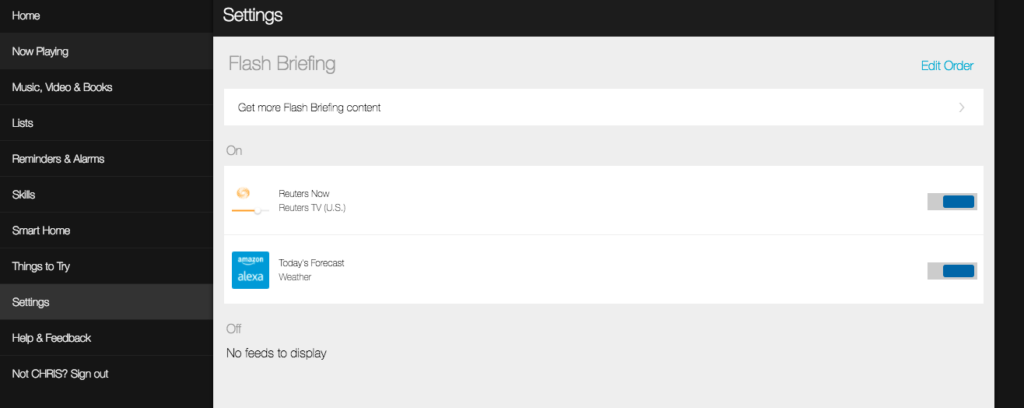
Alexa’s flash briefing is one of her most compelling features. As a summary of news headlines, it works well, but there’s much more to it than that. For starters, you don’t have to listen to Alexa’s odd, slightly mechanical cadence: there are flash briefings from international news outlets read by real humans.
Also, the flash briefing needn’t be just about news. You can customize
your flash briefing to include sports updates, weather, travel, tips,
advice, jokes, and mini-lectures on subjects like history and
technology. It’s a great way to get a daily update of what’s going on in
your favorite subjects while sipping your morning coffee.
To organize and edit your flash briefing, visit alexa.amazon.com or
open the Alexa app on your device. Go straight to settings, then Flash Briefing, and you can add new content or remove existing feeds. You can
also change the order to get the most important updates first.
4. Order taxis with just a few words
Source: Amazon
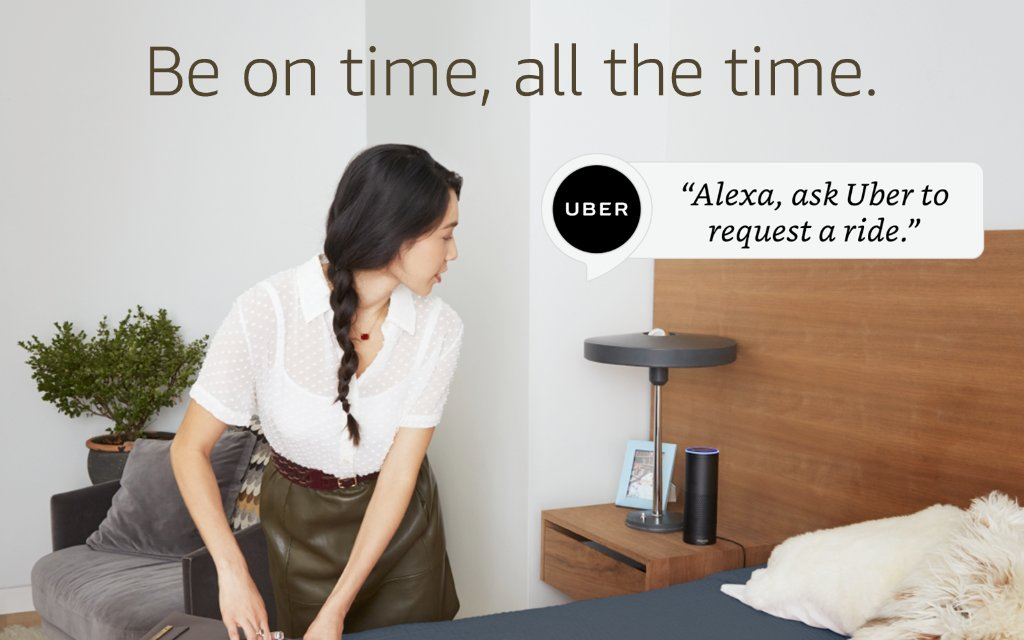
Whatever you think of Uber the company, it’s a darn convenient service. Being able to order a taxi at a big discount, monitor its approach, and know who’s driving is a big leap from flagging them down or ordering over the phone.
With Alexa, you can now order Uber taxis, Lyft taxis, and others by enabling them as skills and asking Alexa to order them for you. Alexa will tell you how long you have to wait, the price, and you can tell her what type of car you need, too. Not bad if you’re packing in a rush to make that 6 o’clock flight…
5. Stream your favorite music
Source: Amazon
Alexa, being the “brains” behind Amazon Echo, your intelligent speaker, can, of course, play your favorite tunes for you. Alexa can choose from a whole host of online sources, such as Amazon Music, TuneIn, Spotify (you’ll need a Premium account), local, national, and international radio stations, podcasts, Pandora, Audible, iHeartRadio, and more.
If you’d prefer to play your own music selection – streaming from an iPhone or laptop, for example – you’ve got a couple of options. The first is uploading your music to Amazon Music’s MyMusic folder. You’re limited to 250 free uploads, then afterward you have to pay to store more tunes.
An easier option is to keep your music where it is and just connect to your Echo through Bluetooth. To do this, just turn your device’s Bluetooth on, and say “Alexa, pair,” which will put your Echo into Bluetooth pairing mode. Once you see the Echo on your device’s discoverable connections, click to connect. Afterward, you can play, pause, and skip tracks as normal by giving Alexa the usual commands.
Useful tip: Alexa likes to push Amazon’s services before others, so if you’re a Spotify user instead of Amazon Music, you can change the default player here.
6. Create voice profiles for all the members of your household
Source: Amazon
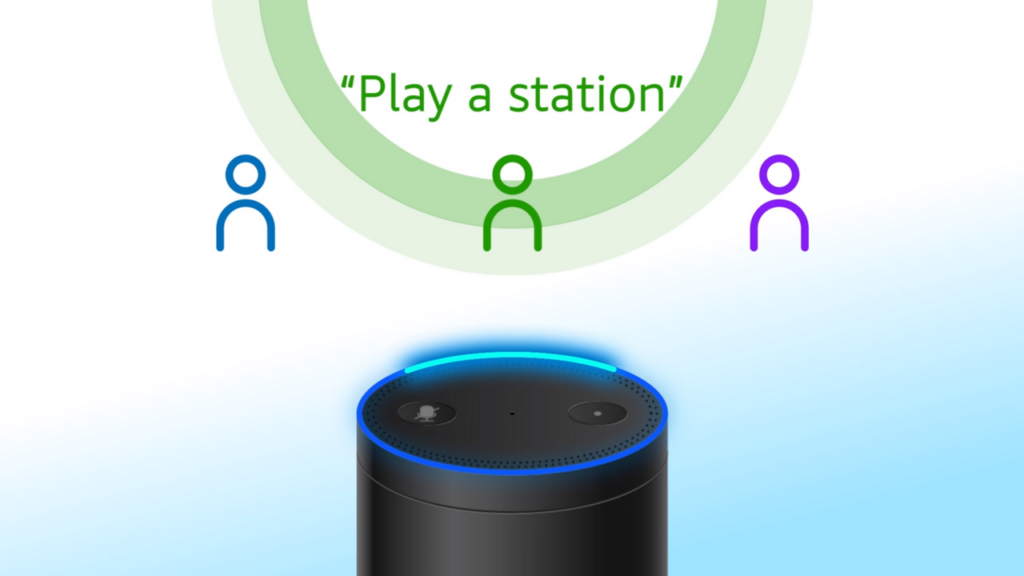
Late in 2017, Amazon announced that Alexa can now distinguish between different voices. This means everyone in your household gets a unique, customized Alexa response to all the usual requests. Alexa will play music according to that person’s taste, recognize who can and can’t buy from Amazon, and skip segments of the flash briefing – all dependent on who’s speaking. This is especially useful if your spouse or child doesn’t want to listen to your heavy metal playlist or your daily dose of political satire.
Setting up profiles is quite simple; you just have to train Alexa to understand each person in your household. You can find full instructions here.
7. Enable skills simply by asking for them
Source: Amazon
If you’ve found or heard of a skill you’d like to try with Alexa, you can ask Alexa to enable it for you. For example, say, “Alexa, enable the Lyft skill” and you’ll be able to order taxis with just a few words. And when Alexa responds to certain questions with suggested skills, you can enable them immediately instead of having to search for them using the app.
The Amazon Echo is a great piece of gear, and Alexa is the star of the show. With the tips above, you’ll find Alexa a joy to live with, and perhaps wonder how you ever lived without her.