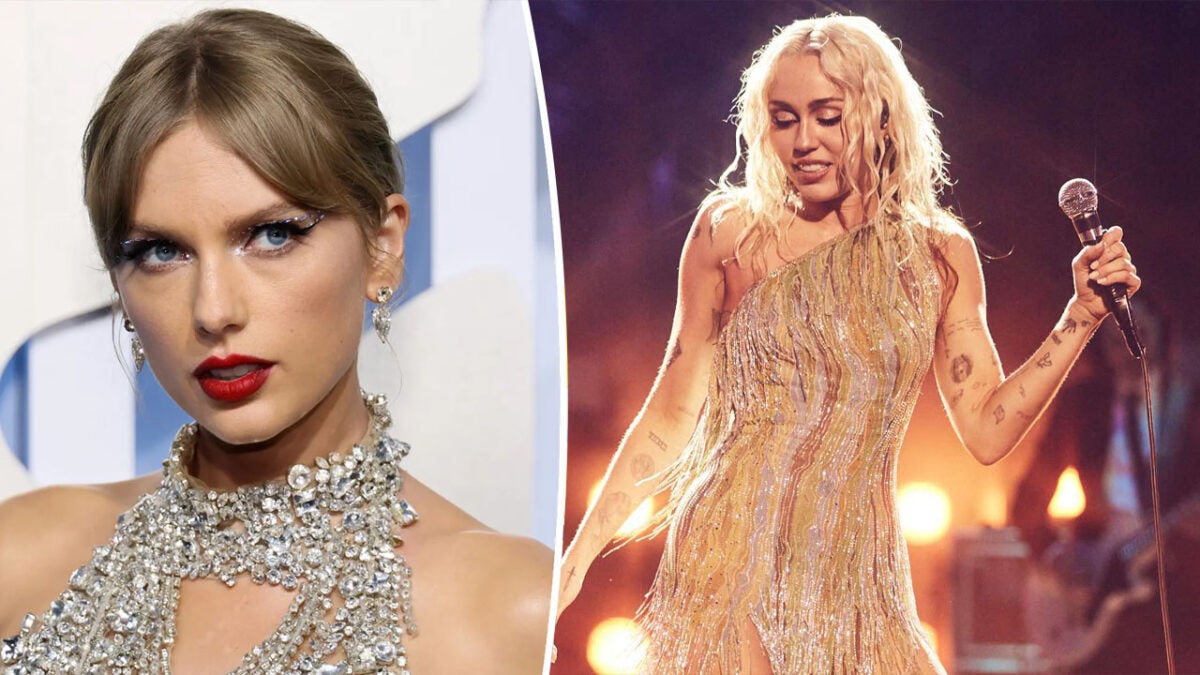
Decoding Miley Cyrus’ New Single ‘Flowers’: is about Ex Liam Hemsworth?

Miley Cyrus has grabbed the attention of fans globally and made headlines on all social media platforms and newsfeeds, with everyone speculating – Is this her ultimate self-love anthem?! She kept her fans in suspense by leaving breadcrumbs leading up to the release of her new single ‘Flowers’ from her latest album Endless Summer Vacation. 

The excitement started with billboard campaigns in all major cities advertising teaser “New Year. New Miley.” And to follow that, teasers were shared on social accounts where she is strutting her stuff outdoors with the mountain as the perfect backdrop as she confidently sings: “I can love me better…I  can love me better, baby.”

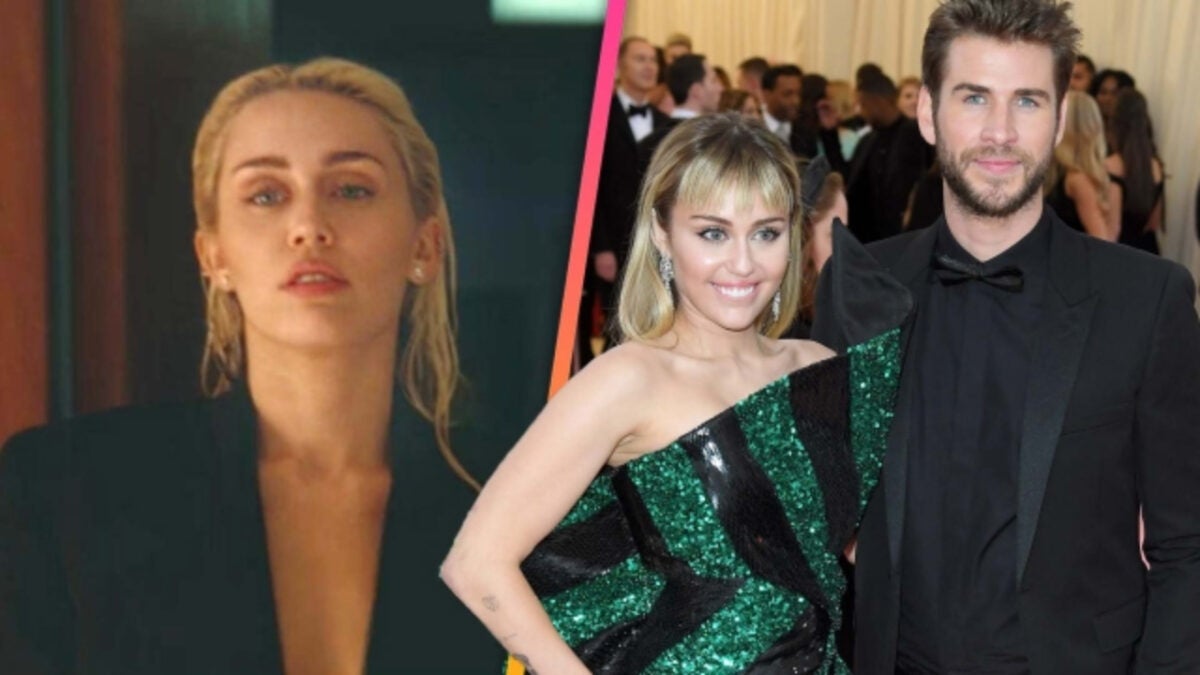
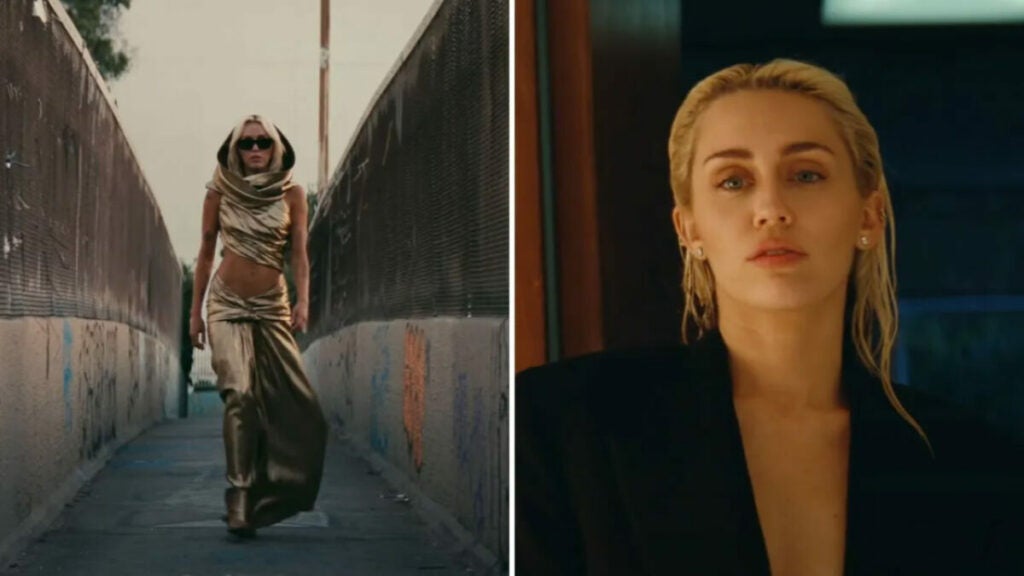
Miley Cyrus has captivated almost everyone’s attention, and not only for the steamy scenes in her music video but the lyrics and the fact the single was released on Liam Hemsworth’s birthday has many assuming if this is a coincidence.

So why are fans lighting up social platforms with these speculations? Well, let’s take a look at the rumors going around.
Decoding Miley Cyrus' New Single 'Flowers'

Source: Twitter

As rumor has it, there have been claims that Liam dedicated Bruno Mars’ song ‘When I Was Your Man’ to Miley, and if you listen to the lyrics of her latest single ‘Flowers’ there seems to be a relevant response to that song’s lyrics. Above all the above-mentioned speculation, she ends her music video on a high note, getting dressed in an oversized suit with nothing underneath and strutting her stuff as if she is setting herself FREE from any attachment she had to her ex-husband.

Whatever your thoughts are, just reading the lyrics will make one thing crystal clear – and that is that she is showing the world that you can survive a breakup and walk out with your head held high and take back your freedom! Well, that’s only my opinion when I intently listened but why don’t you read it and decide for yourself.

Flowers Lyrics – Miley Cyrus

[Verse 1]

We were good, we were gold

Kinda dream that can’t be sold

We were right ’til we weren’t

Built a home and watched it burn

[Pre-Chorus]

Mmm, I didn’t wanna leave you, I didn’t wanna lie

Started to cry, but then remembered I

[Chorus]

I can buy myself flowers

Write my name in the sand

Talk to myself for hours

Say things you don’t understand

I can take myself dancing

And I can hold my own hand

Yeah, I can love me better than you can

[Post-Chorus]

Can love me better, I can love me better, baby

Can love me better, I can love me better, baby

[Verse 2]

Paint my nails cherry-red

Match the roses that you left

No remorse, no regret

I forgive every word you said

[Pre-Chorus]

Ooh, I didn’t wanna leave you, baby, I didn’t wanna fight

Started to cry, but then remembered I

[Chorus]

I can buy myself flowers

Write my name in the sand

Talk to myself for hours, yeah

Say things you don’t understand

I can take myself dancing, yeah

I can hold my own hand

Yeah, I can love me better than you can

[Post-Chorus]

Can love me better, I can love me better, baby

Can love me better, I can love me better, baby

Can love me better, I can love me better, baby

Can love me better, I (Ooh, I)

[Bridge]

I didn’t wanna leave you, I didn’t wanna fight

Started to cry, but then remembered I

[Chorus]

I can buy myself flowers (Uh-huh)

Write my name in the sand

Talk to myself for hours (Yeah)

Say things you don’t understand (Better than you)

I can take myself dancing (Yeah)

I can hold my own hand

Yeah, I can love me better than

Yeah, I can love me better than you can
It’s 2023, and Sony keeps releasing Walkmans

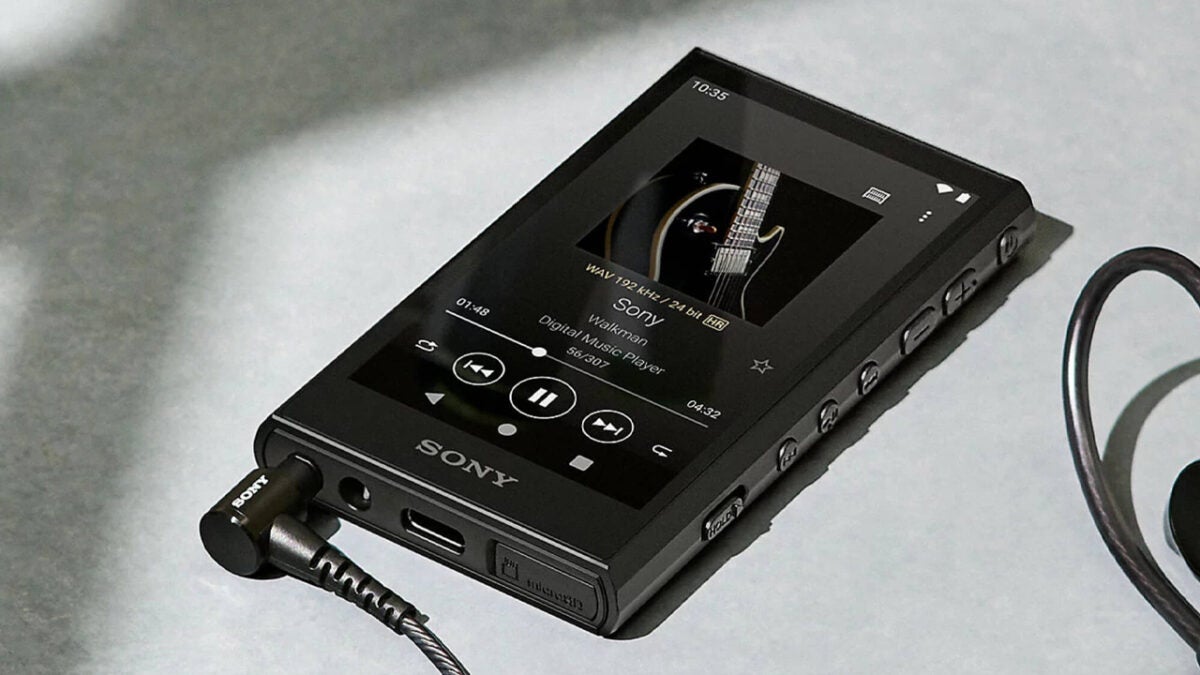
Sony released the first Walkman in 1979, a cassette-reproducing device, and still produces devices within the “Walkman” brand. They have gone a long way since those days, and Sony is one of the few companies that still believes in portable music-exclusive players. 

Are these people hopeless romantics? Not only has Sony unveiled two new Walkman devices, but they are also fully-featured Android devices with a lot going on under the hood, compatible with dedicated PC software. This is in direct contrast to what Apple did when ending the iPod line.

In the case of Sony, two new models are being released, the NW-A300 and NW-ZX700.

NW-A300, the little guy

This device is an upgrade of 2019’s NW-A105, offering a more recent Android version, new processor, and design. It’s very small, measuring only 56.6×98.5×12 mm, which allows you to fit it in any pocket. 

Even with its small size, buttons and connectors are very manageable, and the LCD touchscreen offers crystal-clear detail. It has a Qualcomm quad-core processor with 4 GB of RAM, and interestingly, it offers a fully-working Android system. It means that you might be able to use it for more things than just reproducing music.

Regarding music, it offers 32 GB of storage for your music and can handle many different file formats. However, the battery life decreases faster as the music quality increases. For instance, you can get 36 hours of playback with 44.1 kHz FLAC but about 32 hours of 96 kHz FLAC. Still, this is a lot of battery life when comparing it to a regular smartphone.
There’s Wi-Fi 802.11AC, Bluetooth 5, and USB-C 3.2 Gen1, so regarding connectivity, this small device has you covered. Additionally, there’s a MicroSD slot to expand the internal memory.

This device is not available in the USA, and it costs the equivalent of about $430 in Europe.

Meet the NW-A300 and NW-ZX700, the newest Sony Walkmans

NW-ZX700, dedicated electronics for audiophiles

If Walkmans are your passion, then you should skip the NW-A300 and go for the similarly ugly-named NW-ZX700. It costs about $800 in Japan and has some interesting features that make it an interesting choice for audiophiles.

First, the processor is a Qualcomm QCS4290 with eight Kryo 260 CPUs and an Adreno 610 GPU. It has 64 GB of storage and a 5-inch display. So far, these are good specs, but most importantly, some exclusive features differentiate (and perhaps, justify) it from any smartphone.

The news here is that the NW-ZX700 has a built-in audio amplifier with large capacitors to offer some analogic features to your digital sound, large coils for balanced outputs, and more analog-electronic circuitry. 

Aside from this, it has a Hi-Res S-Master HX digital amplifier which allows 384 kHz and 32-bit playback. Sony claims this amplifier can upscale your music to reach higher digital sample rates, thus improving the quality. 

Finally, you can add a Vinyl Processor feature to your listening, which adds noises for more vintage playback.
The NW-ZX700 has a lot of features to justify its existence, something that’s not so easy to gauge for the NW-A300. After all, you can simply use your phone to listen to music. However, you won’t get dedicated audio processors, balanced outputs, and many other features out of your phone. 
If you’re a music enthusiast, you should definitely give both a try.

The Most Popular Break-Up Songs from Mainstream Artists

Some people cry a lot when their hearts are broken. Of these people, many find solace in having some activity like songs to distract them from the pain, both constructive and destructive. And others simply say “What the heck? Let’s make money out of this!”

This seems to be the case with the average world-famous pop artist, judging the many songs they’ve released about their broken hearts, like Shakira. Most interestingly, some go beyond a general sadness tone and seem to target a specific individual, as is the case with some recent hits.

It’s also worth knowing that many artists don’t actually write their own songs, they pay songwriters to do it. One can’t help but wonder how angry you can get, to hire someone to write songs about your ex. 
Shakira’s latest collab with Bizarrap

Shakira’s breakup with former soccer superstar Gerard Piqué was highly publicized, as is the case with most millionaires. After the initial grieving period, Shakira decided to do something about it: why not do some collab song with rap artist Bizzarrap, thrashing her former darling? 

You don’t want to get on Shakira’s bad side, either. Here’s an example of what more than 50 million people enjoyed on the first day of its release:

“You left me as a neighbor to the mother-in-law

With the press at the door and the debt at the IRS

You thought you’d hurt me, but you made me tougher

Women don’t cry anymore, women invoice”

Ouch. Incidentally, Argentina won the World Cup, which probably didn’t influence Shakira’s decision to collaborate with Bizarrap, who is also from Argentina. 

Miley Cyrus’ release on ex’s birthday

Miley Cyrus is no stranger to controversy, and even though her latest song is not as blatant as Shakira’s, it’s still very convenient. The song in itself has lyrics that apply to anyone such as “I can love me better than you can”.

But the fact that she decided to release the song, titled “Flowers”, right on the date of former husband Liam Hemsworth’s birthday is a bit suspicious, to say the least. At least she’s taking a positive attitude, claiming that this is a New Year and a New Miley. 

Popular Break-up Songs from Top Artists, Revenge Included

Other notable heartbroken people raking it in

There are many examples of top performers releasing songs after a highly publicized breakup. One of them is Justin Timberlake with his song “Cry Me a River”. His producer confirmed the song was inspired by an event between Timberlake and Britney Spears, his ex, at a concert.

Another example is Selena Gomez and Justin Bieber with her releasing “Lose You To Love Me”. This song is actually more focused on moving on and getting your grip instead of whistleblowing your former lover to the IRS, so it doesn’t feel so vindictive.

There are many songs about breakups and moving on, so these examples are nothing extraordinary when looking at song themes. From sad country songs about breakups and drinking to the ephemeral nature of love in Purple Rain by Prince, you can create a never-ending Spotify playlist.
Who is Clara Chia and why is she targeted on the new Shakira song about Piqué?

Last month, I presented an article about Gerard Piqué getting involved with the King’s League football association. While it may be exciting for the former footballer, he’s not too happy to hear Shakira’s latest Session 53 song. It’s a direct attack on him and his latest girl, Clara Chia.
It’s been a while since Clara Chia Marti and Piqué have been seen publicly together. What we know about her is that they both work for Kosmos, a television production company. Also, there have been several photographs of them together at festivals and other events. 

Yet, Shakira’s new Session 53 song seems to indicate the real reason she separated from Piqué. While the tax and debt issues are mentioned, there’s a hit on him and Clara in the words. Not only does she slam Chia’s age, but she discusses how the former footballer has taken a step down from what he had.

The lyrics in question roughly translate to:

You’re so weird that I can’t even tell you apart

I’m worth two 22’s

You traded a Ferrari for a Twingo

You traded a Rolex for a Casio

Shakira
Clara chia Shakira

Interestingly enough, Chia is actually 23 at this point, making her 12 years younger than 35-year-old Piqué. With Shakira being 45 now, it basically puts the football star somewhere roughly in the middle. It’s a metaphorical sandwich he probably didn’t ask for, but it’s now definitely in the limelight. 

While Shakira and Piqué split in June 2022, it’s clear that the singer isn’t quite over the matter just yet. The song mentions how she’s better off now, and yet, it strikes at him, Chia and possibly Piqué’s mom as if she’s still bitter about it. Either way, it’s now a song cast in virtual stone and one that’s not likely to disappear.

Best Instagram accounts with the most followers

We’ve counted up all the followers and put together a list of the most popular Instagram accounts in sports, movies, and music. Check this out.

Today we’re going to look at some of the best Instagram accounts across a number of different categories. In particular, we’ll be focusing on Instagrammers with the most followers. This will allow us to cut through all the subjective arguing that could go into what an Instagram account needs to be or do in order to be good or, indeed, the best. Today’s not about hashtags, snippets, tweets, or color palettes. Today is all about raw numbers. These are the influencers and Instagram users with the most followers.

The categories we’ll be breaking today’s social media popularity contest into will be musicians, movie stars, and sports stars. So, without any further delay, let’s go through all the top Instagram accounts.

Instagram Download Now ►
7

Best Instagram accounts

We’re going to start today’s list by looking at the best musicians on Instagram.

Most popular pop star Instagram accounts

All follower counts are from the time of writing.

Ariana Grande – 187 million followers


View this post on Instagram


A post shared by Ariana Grande (@arianagrande) on May 21, 2020 at 9:02pm PDT

Ariana Grande has the second most followers of all on Instagram, well third if you count the social network’s own account. We’ll get to the top dog in a moment but number two belongs to the pop sensation Grande. Already a global star at the time she won hearts a couple of years back when her concert in Manchester, UK was bombed by terrorists and she showed solidarity with the victims and even threw a benefit concert. Her Instagram account offers a behind the scenes look at her concerts, selfies, and cool Instagram stories as well as many public appearances, with the odd personal Instagram photo thrown in for good measure.

Selena Gomez – 178 million followers


View this post on Instagram


A post shared by Selena Gomez (@selenagomez) on Apr 22, 2020 at 5:13pm PDT

Hot on the heels of Grande is Selena Gomez who began her career appearing on children’s TV shows. She’s since moved on to singing, acting in TV shows, and is also a TV producer. As seems to be the trend now for owners of Instagram mega accounts, Gomez has set up a beauty firm too, which itself has over a million followers. This account is very much the same as Grande’s, showcasing Gomez’s fame and beauty in a tasteful fashion.

Beyonce – 147 million followers


View this post on Instagram


A post shared by Beyoncé (@beyonce) on Jan 8, 2020 at 8:35pm PST

Queen Bee comes to take the final spot in our top three most popular Instagram. Beyonce is more of a cultural force of nature than your regular superstar. Everything she touches turns to gold and she has a voice that soothes the nation. This Instagram account just screams star power.

Most popular movie star Instagram accounts

All follower counts are from the time of writing.

Dwayne “The Rock” Johnson – 184 million followers


View this post on Instagram


A post shared by therock (@therock) on May 15, 2020 at 4:14pm PDT

The number one movie star in the world, at least according to Instagram, is Dwayne “The Rock” Johnson. It’ll probably be no surprise to most of you at all who are no doubt following The rock for all his movie insider posts and powerful workout assistance and motivation posts too. Recently, however, The Rock has also been using his account to plug his new Tequila brand as well.

Jennifer Lopez – 122 million Instagram followers


View this post on Instagram


A post shared by Jennifer Lopez (@jlo) on May 18, 2020 at 8:11am PDT

J Lo comes in as the second most popular movie star on Instagram, with her recent role in Hustlers showing that she still has plenty of power on the big screen. Lopez is another multi-talented star, however, and her Instagram account reflects this, showcasing posts from her slots on TV, performing in concerts, fashion shoots she’s done, and more.

Kevin Hart – 91 million followers


View this post on Instagram


A post shared by Kevin Hart (@kevinhart4real) on May 29, 2020 at 2:50pm PDT

Movie star number three in today’s list is funnyman Kevin Hart. Hart ascended to mega movie star status from the stages of the stand-up comedy circuit and has never looked back. He’s since become a bit of an onscreen lothario and you’ll plenty of posts here of his training as well as more family-focused content too.

Most popular sports Instagram accounts

All follower counts are from the time of writing.

Cristiano Ronaldo – 221 million followers


View this post on Instagram


A post shared by Cristiano Ronaldo (@cristiano) on May 7, 2020 at 9:17am PDT

So here we are. Who would have guessed that the biggest Instagram account in the world would belong to a sports star? Portuguese Footballer Cristiano Ronaldo takes the top spot, with over 20 million followers more than Grande in number two. Ronaldo’s account is very much a window into his family life, but it also includes plenty of personal snaps and a few training photos to go with them too. It has to be said, Ronaldo’s Instagram account makes him look like a really nice guy.

Leo Messi – 152 million followers


View this post on Instagram


A post shared by Leo Messi (@leomessi) on May 1, 2020 at 7:11am PDT

Instagram has spoken and declared Ronaldo the winner in the beautiful footballing battle that has been waged between him and Leo Messi for more than a decade. Ronaldo has almost 70 million followers than Messi, which proves only one thing, Instagram doesn’t know anything at all about football. We bet you Instagram even calls it soccer! Messi’s account is in fact pretty similar to Ronaldo’s to be fair, offering an inside look into Messi’s real-life while also showcasing training videos and photos alongside the odd post advocating for good causes.

Neymar – 138 million Instagram followers


View this post on Instagram


A post shared by ene10ta Érre ?? ? neymarjr (@neymarjr) on Apr 4, 2020 at 12:49pm PDT

Another footballer takes the third top spot in sports Instagram accounts with the Brazilian Neymar taking the honor. You have to go all the way down to 38th most popular Instagram account in total to get to a sports star who isn’t a footballer that falls on Indian cricketer Virat Kohli who sits just above Justin Timberlake. To be fair to Instagram on football, they’ve called it OK here, he’s incredibly talented but not fit to lace the boots of Messi or Ronaldo so his position in number three is well warranted.

Best YouTube DJ tutorials

These are the four best YouTube channels for anybody wanting to become a DJ

Best YouTube video DJ guides

This week we’re continuing to look at all the fantastic opportunities that you can exploit through your PC, smartphone, or tablet even if you’re stuck in the house.  This week we’re going to mix it up a little by concentrating on music and in particular, DJing and performing music. All week we’re going to be bringing you articles that will help you develop your musical talents.

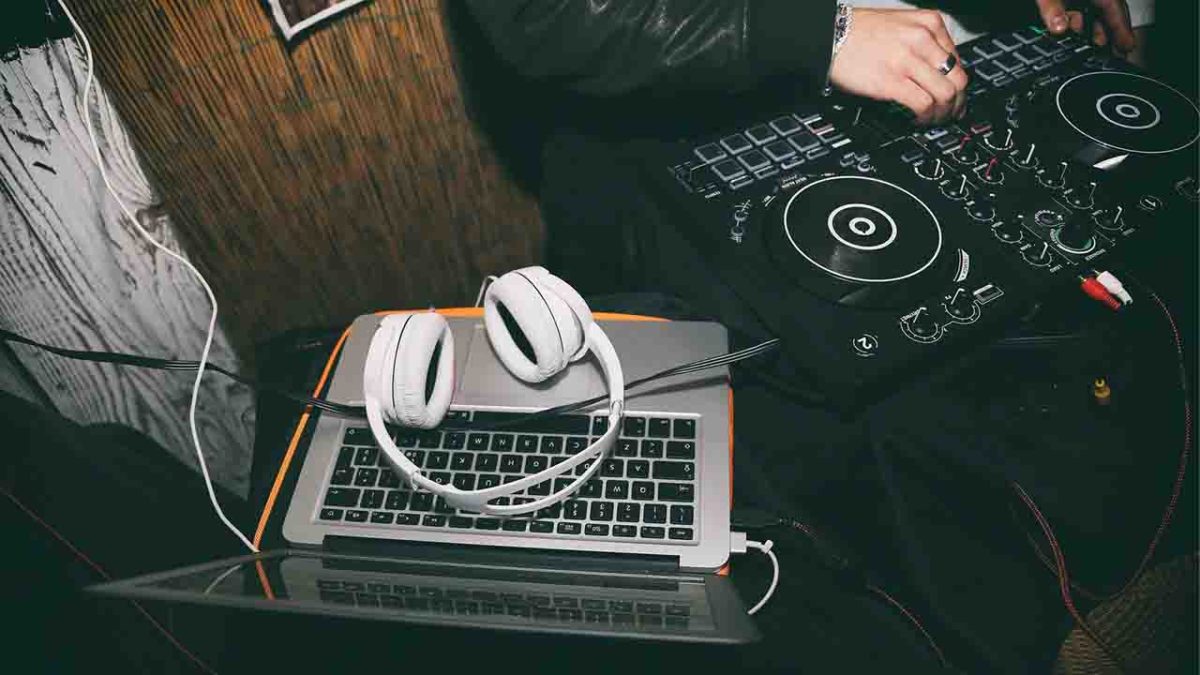
If you’re a DJ, it is now possible to keep all your music on your laptop and to seamlessly mix your songs together using a DJ controller, DJ software, and programs. There’s no need to invest in expensive turntables or CDJs, and you don’t need to cart around crates of heavy vinyl records. You can, of course, still do both, however, if you want to. As well as this newly enhanced accessibility, you’re also now able to find all the training materials and guides you could ever need to master all the technical wizardry that the top DJs have at their fingertips. Today, we’re going to help you find the best of these, focusing on YouTube video tutorials and guides.

Virtual DJ Free download
8

DJ video tutorials

Below are the four best YouTube channels we’ve found for learning how to become a DJ. Check out any one of them for all the help you need to get started as a beginner DJ and then move on to more advanced DJ techniques.

DJ Tech Tools

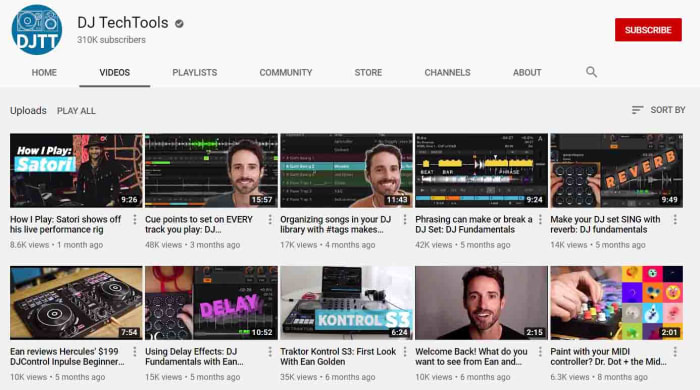
The DJ Tech Tools YouTube channel likes to think of itself as a central internet hub for all digital DJs looking to make a name for themselves in the world of music. As well as the YouTube channel, which has a very handsome 310,000 subscribers and has racked up a massive 54,000,000 video views, DJ Tech Tools also publishes weekly articles and guides on all things DJ related. Today though, we’re looking at the YouTube video guides.

DJing is a massive subject with many different subjects. The DJ Tech Tools videos are short and insightful, usually coming in at between 10 – 15 minutes. They cover all the different angles you’d expect including setting up midi controllers, gear reviews and guides, and even unique tutorials into niche skills like mixing in reverse. If there’s a negative to say about this channel, it is that the videos aren’t very well organized, which means beginners might find it difficult knowing where to start. For all intermediate and above DJs, however, there is an impressive breadth of information here that will prove invaluable in the right hands.

Jon Sine

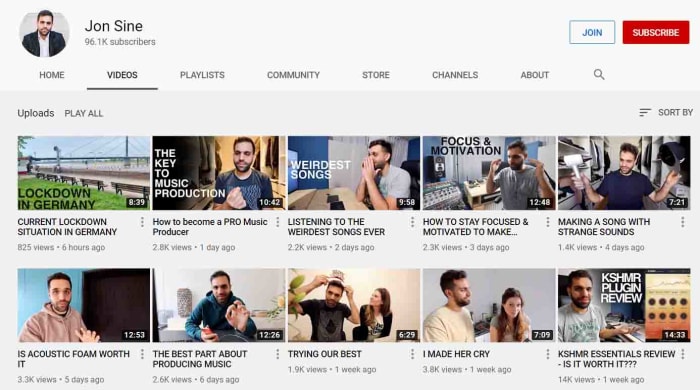
Jon Sine is an independent House DJ and music producer. That means that as well as playing other people’s tunes in his sets, he also makes his own songs to play too. In truth, with DJing being so much more accessible these days if you want to land yourself a good gig, you’re going to have to grab the promoter’s attention with your own songs. This makes Sine’s channel a fantastic resource for anybody hoping to break through as it offers guidance on both tracks of career progression.

If you’re just starting out though, and making your own beats sounds a little daunting, don’t worry as Sine has created a fantastic playlist called Everything DJing, which is well organized and will walk you through all you need to do to learn the skills required to make it behind the decks. He also brings in guests from the industry to explain their routes to success to give you more perspective. His little guides into smaller subjects such as basic transitions and even subjects like the practical considerations that come with making a living as a DJ are excellent too.

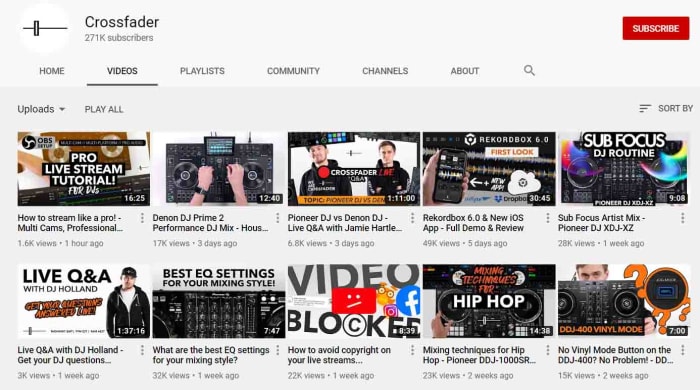
Crossfader

The Crossfader YouTube channel is an online DJ school based in the UK that is dedicated to helping the next generation of global superstar DJs find a place for themselves in the industry. Over at the Crossfader website you’ll all manner of guides and courses grouped into categories like Serato DJ, Rekordbox, Traktop, Pioneer DJ, and Performance. Many of these premium courses and resources come with a hefty price tag but over at the Crossfader YouTube channel, you can find many great video guides for free.

As well as great weekly mixes and uploads the Crossfader YouTube channel also comes with gear reviews, tips and tricks split into equipment categories, and all manner of helpful bits of advice. As well as technical guides you’ll also find simpler stuff here like how to sort your music library and which software you should use for different tasks. If you’re taking your DJing seriously, you need to check out this channel.

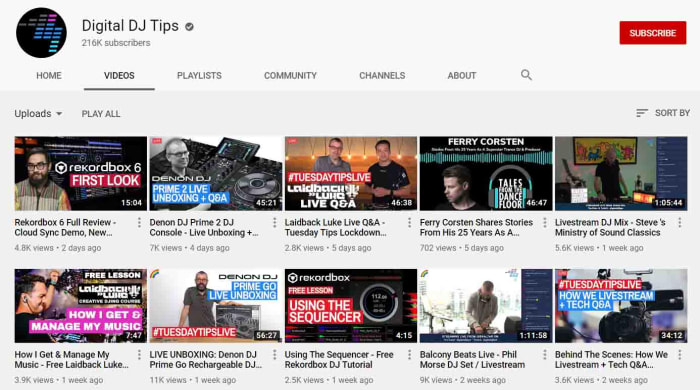
Digital DJ Tips

Digital DJ Tips is another online DJ and music production school. So far, the Digital DJ Tips YouTube channel has amassed almost 40,000,000 video views with each one of those helping an up and coming DJ in one way or another. This is a slick channel full of well-produced guides that include a plethora of big-name DJ guests such as the superstar DJ Laidback Luke.

What’s also interesting about Digital DJ Tips is that as well as grouping its videos into categories based on equipment manufacturers and software developers it also groups content into music genre too. This often-overlooked distinction means you’ll find different guides for aspiring Hip Hop DJs compared against the guides you’ll for House or Techno DJs. This channel is very well organized too meaning it’ll be easy for DJs of all levels to find the video they’re after whether that be about the basics of mixing or how to live stream your sets like a boss. There’s a lot of great content here and this site should not be overlooked.

TikTok: Where to listen to the most popular songs of 2019

Check out our playlist of ten of the most popular hit songs that have taken Tik Tok by storm.

Tik Tok music hits

Tik Tok. It is definitely a global phenomenon but there are still people out there who think it is just a flash in the pan. No matter what side of that debate you fall on, you have to say that the lip-syncing music video app that came from musical.ly is lots of fun. TikTok users take music clips and then build their own fifteen-second videos out of them. People can then reuse the same audio clips making music memeable.

Tik Tok is so successful that it is easy to lose yourself to a couple of hours watching short videos and then come out the other side humming along to songs in your head that you’ve never even heard before. Yep, Tik Tok is now one of the best places to hear new music as there will always be somebody out there who is cooler than you, who’s listened to a new hit song you haven’t heard yet, and then turned it into a catchy Tik Tok video. From hip-hop rappers to Spotify heroes and Billboard dominators and influencers like Ariana Grande, Tik Tok has them all. These days, popular songs aren’t measured by views or listens, instead, they’re measured by how many videos have been made using their best bits. In no particular order then, let’s look at some of the most popular songs on Tik Tok from 2019.

9

Famous Tik Tok songs 2019

Lil Nas X Old Town Road – 2.6 million videos

Listen to it on:

YouTube video

Spotify

Deezer

Absofacto Dissolve – 1.1 million videos

Listen to it on:

YouTube video

Spotify

Deezer

DJ Snake Taki Taki Feat. Selena Gomez, Ozuna, & Cardi B – 1.1 million videos

Listen to it on:

YouTube video

Spotify

Deezer

Charlie Puth Betty Boop – 1.6 million videos

YouTube video

Imagine Dragons Believer – 1.7 million videos

Listen to it on:

YouTube video

Spotify

Deezer

Avril Lavigne Hello Kitty (Illusion Remix) 1.3 million videos


YouTube video

Spotify

Deezer

Avicii The Nights 1.4 million videos

Listen to it on:

YouTube video

Spotify

Deezer

Ariana Grande Thank U, next 1.5 million videos

Listen to it on:

YouTube video

Spotify

Deezer

Why Mona Wannabe 9.4 million videos

Listen to it on:

YouTube video

Spotify

Deezer

Billie Eilish Bad Guy 1.1 million videos

Listen to it on:

YouTube video

Spotify

Deezer

Best Winamp skins

These are the best Winamp Skins

All the best Winamp skins

Nullsoft’s Winamp has been around forever. Back when you started downloading songs from Napster, Winamp was the best program to listen to them with. As other programs have come and gone, and the likes of the iPod, iPhone, and now Spotify have revolutionized the way we listen to music, it bears remembering that Winamp is still here and it is still going strong.

As well as Winamp’s ability to play many different types of audio files like MS-Audio, WAV, MP3, and AAC, one of the big stand out features for Winamp has always been its skins. Winamp skins have long given users a fun way to make their digital music player their own. Through the years there has been all manner of Winamp skin landing on the internet from classic Winamp 2 and Winamp 5 skins to skins of your favorite movies and shows. Let’s have a look then at some of the best Winamp skins you can download right now.

Winamp skins collection

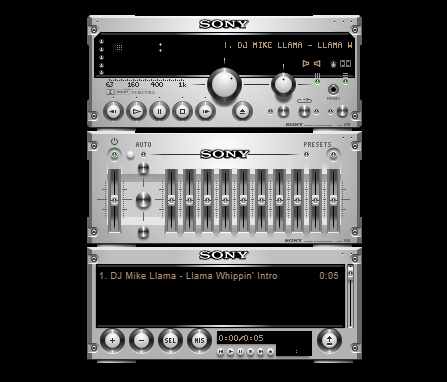
Expensive Hi Fi Skin

Expensive Hi Fi

Although a modern skin, the Expensive Hi-Fi Skin is an absolute classic for Winamp. The premise is simple, you make Winamp look a high-end separates stereo with each part of the Winamp console, including the main window and the playlist section, being a separate stereo module. There are lots of these to choose from. But this one stood out for us as the equalizer looks so good.

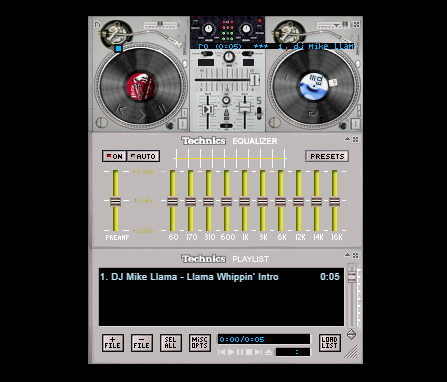
Technics 1210 Skin

Technics 1210

Most DJs simply mix with their laptops these days, but any DJ worth their salt learned their trade on a pair of Technics 1210s. These things were built like tanks and this skin does a fairly good job of recreating the old beasts with a decent mixer and equalizer to go with them too.

Old Mac OS Skin

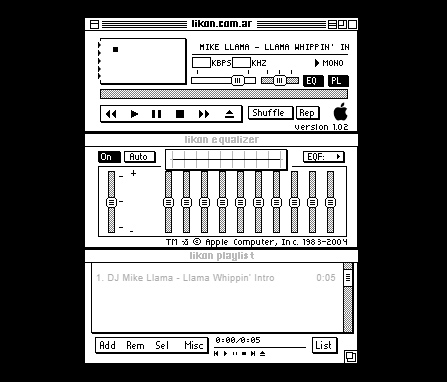
Old MacOS

These days Winamp has quite a bit of nostalgic value to it. Like we’ve already said, there are now many other options out there for listening to music in many different formats. We don’t even have to download music onto our devices anymore. We still use Winamp though, for one reason or the other, with it definitely having a nostalgic feeling to add to it too. Well, how about this black and white original Mac-style Winamp skin to add to that nostalgic feeling?

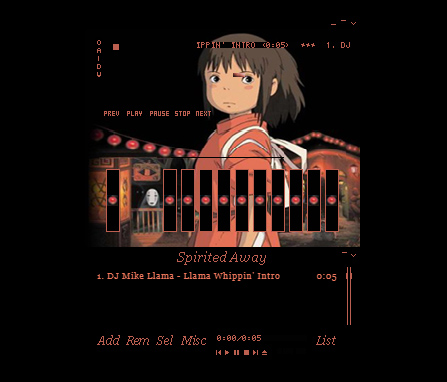
Anime Winamp Skin

There are a lot of different Anime themed Winamp skins out there. This one from the classic movie Spirited Away. It is sleek and simple with a bold red on a black color scheme and a cool image to go with it.

Marshall Skin

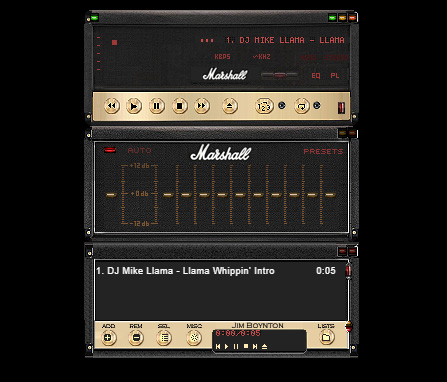
Marshall skin

This Winamp skin is so cool. It basically turns your Winamp controller into an epic Marshall amp, just like you’ve seen on stage at some of the world’s biggest rock concerts. If you’re listening to anything with a guitar solo of more than a minute, this is the skin you need.

Commodore 64 Skin

Commodore 64 skin

This 64-bit skin is one of our favorites. It takes us back to the days when video games came on cassette tapes and you’d have to turn the tape over halfway through a load screen. This is nostalgic to the max and, with cyberpunk minimalism being very much on-trend, it looks great too and will definitely get people’s attention.

The Hustler Skin

The Hustler

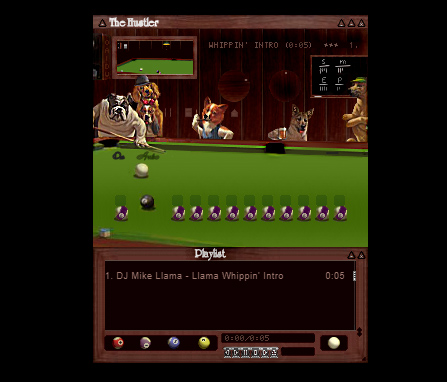
This Winamp skin is just funny. It takes that classic image of the dog’s playing pool and turns it into a Winamp skin complete with pool balls as equalizer knobs so you can rearrange how the game is going by playing with the levels.

Wonder Woman Skin

Wonder Woman

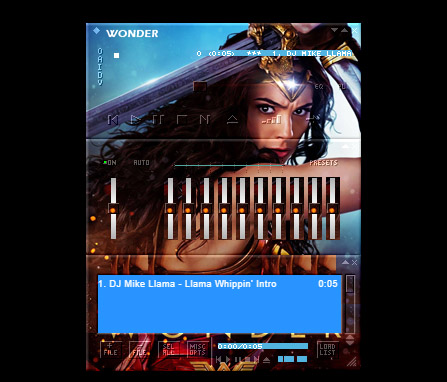
Some people turn Winamp into what is essentially a poster that plays music. There are plenty of movie posters out there that people have turned into Winamp skins, but we’ve seen more Wonder Woman skins than any other movie. This is our favorite.

Super Mario Land Skin

Super Mario Land

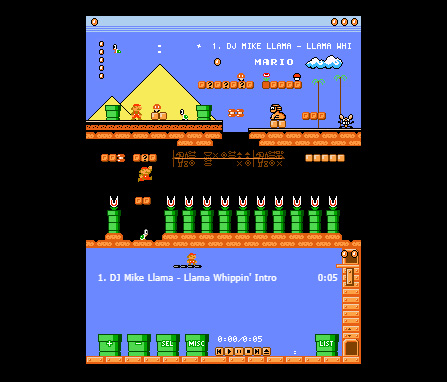
This Super Mario Land skin is very cool indeed and is more than just a flat image. It depicts a number of different game worlds and houses the control buttons in the question mark chance cubes you find all over Super Mario World. The coolest bit, however, is the equalizer, which is series of Mario’s famous pipes with Piranha Plants sticking out. You mess around with them to change the levels of your music. It looks great.

Spiderman Skin

Spiderman skin

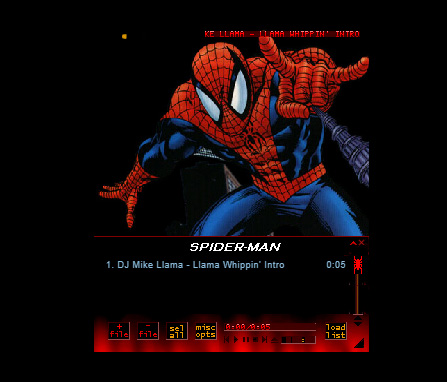
Another poster skin here. Although this is a basic skin with only minor button design, a main image, and a color scheme we still love it. The Spiderman image is as cool as they come. It’s almost like Winamp keeps pulling you back in with Spidey’s web. Just listen to one more tune…

Nucleo Skin

Nucleo Skin

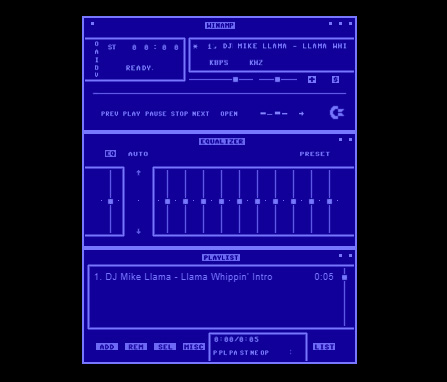
If you’ve ever seen or used an old school HAM radio, you’ll be familiar with the retro stylings of the Nucleo Winamp skin. Waveforms, KHZ, and analog buttons really make this skin stand out as a sleek and light offering.

Windows Media Player Skin

Windows Media Player skin

The old Windows Media Player was likely what you used to listen to your tunes on before you downloaded Winamp, which was able to play a lot more file types than Windows Media Player could handle. If the old girl had a style you liked though, don’t worry. You can simply download this skin, which will make Winamp look like Windows Media Player.

Windows Classic Skin

Windows Classic skin

You wouldn’t believe how popular Windows 95 was. Back when Minesweeper and Solitaire were the only games you had on your PC was a happier time for many people as Windows 95 nostalgia is a real thing. This Winamp skin looks like a classic Windows from back in the day, complete with the solid greys and blues that made Windows 95 what it was.

Winamp Classic Skin

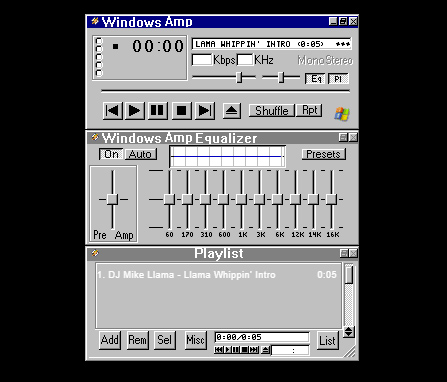
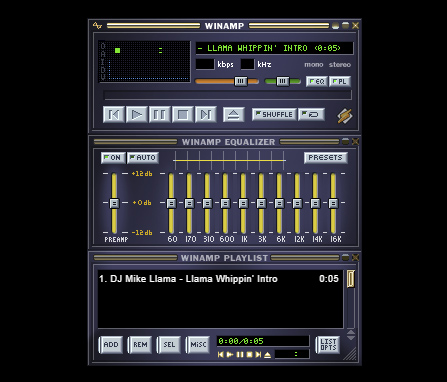
Winamp classic

Why mess with perfection? The classic Winamp skin is pretty good, which means there isn’t really any need to change it in the first place. This is all about personal choice and tastes so have at it, if you wish.

Best audio editing apps for Android

These are all the best audio editing apps available on Android smartphone

Best audio editing tools for Android

Modern phones have modern apps that can do things that just 10 years ago you’d never have imagined a phone could do.  You can now live a complete modern life without having to own a Windows PC or an Apple Mac. With smartphones becoming more and more powerful, apps can do more and more things. There are credible mobile image editing apps; you can edit video on your phone; and you can even run a complete office with productivity apps, calendars, and to-do lists, social media managing apps, and a plethora of team communication apps.

Today, we’re going to look at all the best audio editing apps you can get for your Android smartphone. With these apps, you’ll be able to produce your own music, remix your favorite classic track, make your own ringtones, or simply stitch together some audio clips into a coherent podcast. Without further ado then, these are the best audio editors and audio recorders for Android.

The best audio editing apps for Android

MP3 Cutter

MP3 Cutter

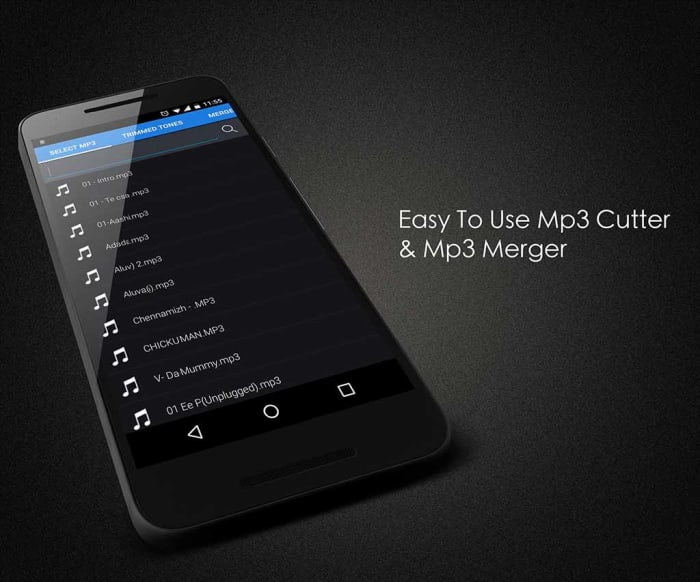
We’re starting off with a great app for stitching together your podcasts or for other basic audio editing jobs. MP3 Cutter makes it easy for you to trim your audio tracks, splice them, cut them and put them all back together again in whichever order you see fit. It works great with voice tracks as well as music. You’ll also be able to save your completed audio tracks in various file formats and even set them as your ringtone from within the app.

MP3 Cutter is a free app, paid for by ads. It does, however, offer an in-app purchase costing $1.99 that will remove all the ads.

MP3 Cutter Download now
7

WavePad Audio Editor

WavePad Audio Editor

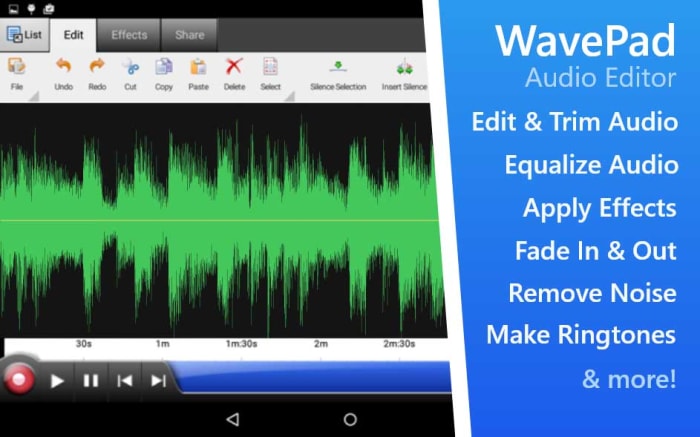
Another free audio editing app for Android is the WavePad Audio Editor. WavePad is a great editor for amateurs and professionals alike giving users the ability to stitch together many different types of audio files and then save them as a single format. You can use WavePad to record your sounds, add sound effects, and then save to the format of your choice. The app also has good sharing features, which will be good for anybody needing to submit their work or upload it to a third-party website.

WavePad is a free app but you’ll need to pay to access some premium features.

WavePad Editor Download now
8

Voice Pro

Voice Pro

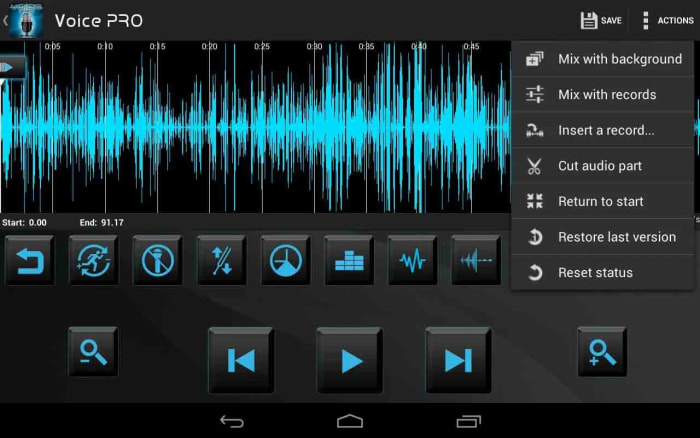
Voice Pro is another excellent app that gives you access to high-quality audio recording features. Voice Pro users will get their hands on a lot of audio editing tools including background music tracks, audio encryption, up to 100 different audio formats to save your work as, and solid mixing capabilities. Voice Pro doesn’t just record audio either, it also has a transcription feature, but we’ve found it doesn’t work as well as some other transcription apps.

Although Voice Pro is one of the most feature-rich apps on our list, unfortunately, it comes with a price tag to match. To get your hands on this professional audio editing and voice recording app will set you back $9.99.

Voice Pro Download now
8

Lexis Audio Editor

Lexis Audio Editor

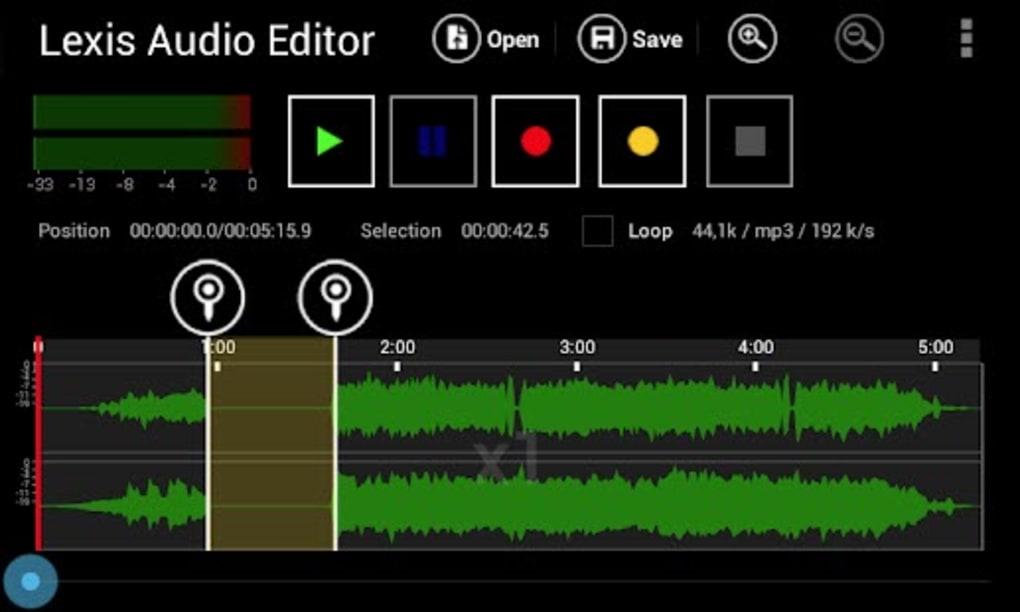
Lexis offers audio editing software available on Windows, Google Android, and iOS iPhone and iPad. The Android app offers some great audio editing capabilities and a nice user-friendly interface. This is a great app for beginners but also has plenty of tools to get more complex jobs done too. Lexis allows you to record quickly and simply, and then perform many editing tasks on your track. It has noise reduction features, tempo change, speed and pitch control, and many other useful features like normalizing and fades.

Lexis Audio Editor Download now
8

Music Maker Jam

Music Maker Jam

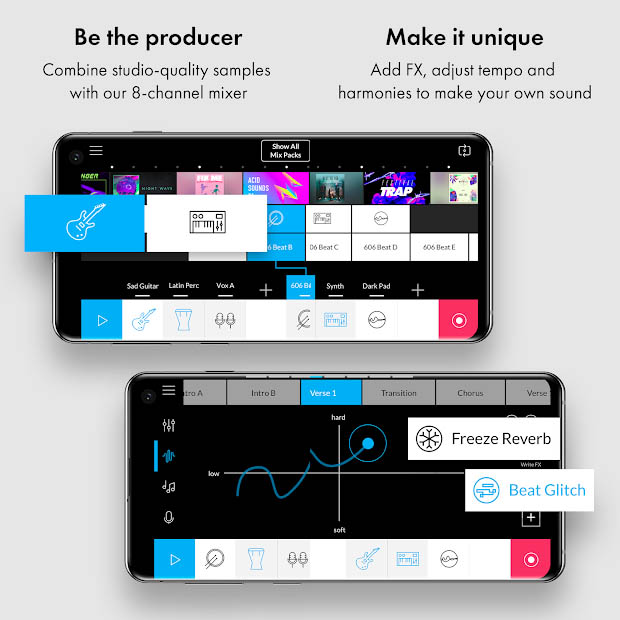
Music Maker Jam is another app that is available on Windows as well as having mobile apps for both iPhone and Android. As the name suggests, this app is a music editor much more geared towards producing music files as opposed to podcasts or interviews. The app gives eight multitrack channels for you to build your track with and offers many different sample sounds and instrument tracks for you to include in your hits.

Again, like with most of the other free apps in this list, Music Maker Jam hides some features behind in-app purchases and will show ads to all free users.

Music Maker Jam Download now
8

Audio Evolution Mobile Studio

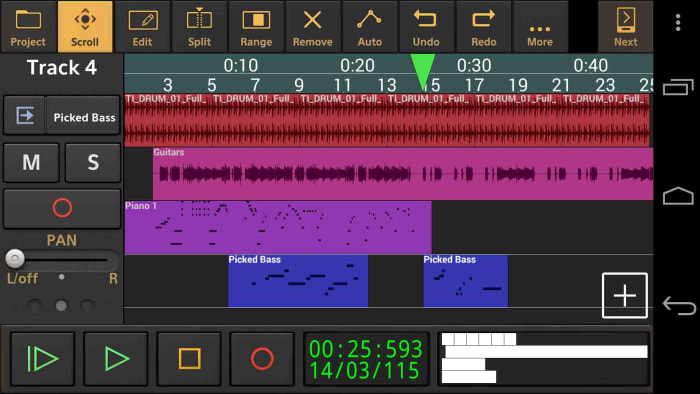
Despite how amazing our smartphones are these days they still offer a certain handicap over a full-sized laptop or Mac. That handicap is the size as it can be a lot fiddlier and frustrating trying to edit or control your audio tracks on a tiny screen. This is where Audio Evolution Mobile Studio comes in for Android users. It supports over 250 USB audio/MIDI interfaces meaning a DJ could take their midi controller with them and then DJ full gigs from their Android phone or tablet, knowing they’d be able to do everything they could on their laptop or Mac. It is also a great app recording audio on an Android device and will also help you edit audio files. It offers most of the features you can find elsewhere on this list. This app should definitely be taken seriously.

Audio Evolution Mobile Studio is a free app, but some of the more advanced features will require in-app purchases.

Audio Evolution Mobile Studio Download now
8

Media Converter

Media Converter

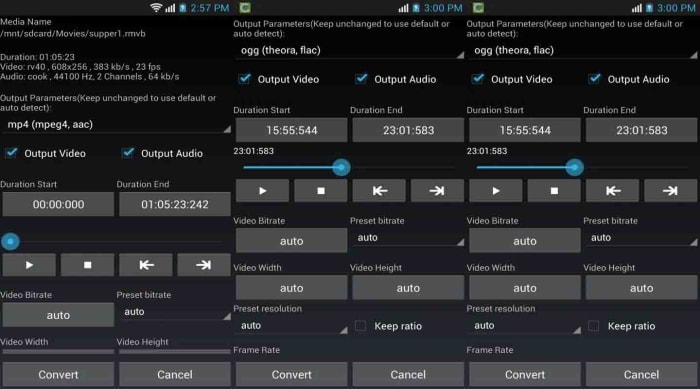
The final app on today’s list strips away all the bells and whistles you get with the more advanced apps featured above. Sometimes you don’t need to edit your tracks, trim them, splice them together, or fade in or out to a tempo change. Sometimes you don’t even need to stitch two different tracks together and you just need a simple app for a simple task. That is exactly what Media Converter is. If all you need to do is convert your audio file to upload it to a certain social network, website, or audio player then Media Converter is the app for you. It still has simple audio clipping features, but the main feature is converting your media files into various formats. It can also save your audio files as ringtones making it a great ringtone maker, which is probably the main reason you wanted to read this article anyway.

Media Converter is a free app.

Media Converter Download now
9

The best sources for Roblox Song IDs

This his how to find Audio and Song IDs for Roblox

Where to find Roblox song IDs

Disclosure: Softonic may receive a referral fee if you click or buy any of the products featured here.

Roblox is a huge online multiplayer game available on iPhone, iPad, Android, Xbox One, Mac OS, and Windows PC. Not only does Roblox give you the chance play games for free, it also enables you to make your own video games too. Roblox gives you virtual tools and building blocks, a bit like Lego, that you can use to build epic Roblox maps, and even more epic Roblox games.

Another cool thing about Roblox is that you can listen to your favorite songs while you’re playing away by using Roblox Music Codes. What’s even cooler is that to do so you need to get your hands on an in-game boombox item to play your music from. There are different boomboxes you can choose from that will cost you different amounts of Robux but once you have one you can listen to songs on Roblox using your Roblox Song IDs.

If the boombox is like your CD player, then Roblox music codes are like CDs. Furthermore, with the music coming from an in-game item, other players will be able to hear it too. This way, you can organize Roblox parties for you and all your friends to come to where everybody will be able to hear the same music. This all begs the question then, how do you find song IDs on Roblox?

How to find song IDs on Roblox

On your boombox, you’ll see a field where you can enter in the numbers that make up the Roblox Song ID/Music ID. You can find these new song codes in all sorts of different places, both in the game itself and dotted around the internet.

Finding Roblox music codes with Roblox studio

Once you’ve logged in to roblox.com you’ll find that the site has a pretty decent search function. Simply type in the song you’re looking for and then scroll through the results until you find it. Then write down the code to use later with your boombox.

You can also leave the search bar blank and hit the search button, which will open up the different categories available for you to search around. Once you’ve done this, hit the audio tab, and then scroll through all the songs. You’ll find, once you’ve clicked on the song you want, that the numerical audio code for each song is in the url of the page between the library and song name.

Finding Roblox Song Codes online

Roblox is such a massive game that you can depend on the fact that thousands of players have come before you and done most of the hard work already. Yeah, this means they’ve built the games you love to play but it also means that there are plenty of people who’ve searched for Roblox music IDs and posted thousands, if not hundreds of thousands, of them online. There are a lot of sites dedicated to hosting Roblox audio codes so we’ve laid out a few of the best sites where you can find Roblox song IDs.

RobloxSongID

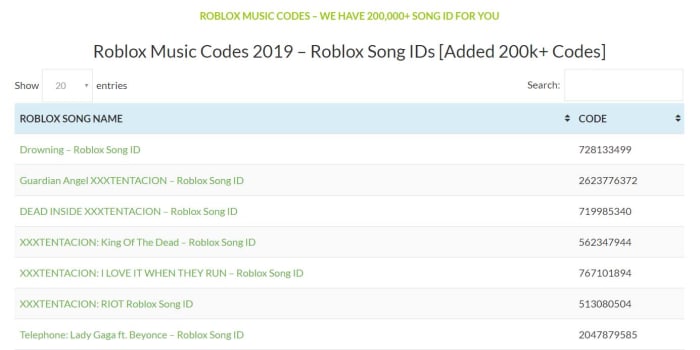
RobloxSongIdThis is an epic library of Roblox song IDs. At RobloxSongID.com you’ll be able to find more than 900,000 music codes for Roblox. There is a simple search function that will give you the chance to type in any songs you’re looking for to see if RobloxSongID has it. As well as songs, this website also has audio codes for other things like Mining Simulator codes and Rocitizens Money codes. These, of course, are for anybody out there looking to add various sound elements to the games or worlds they’re building on Roblox.
Roblox ID

Roblox ID

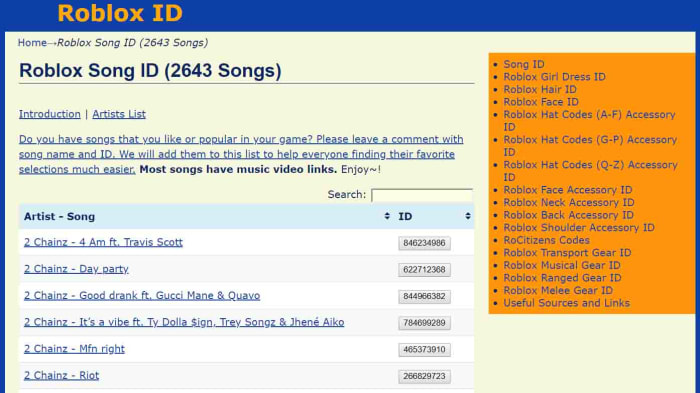
The Roblox ID Song ID page has nearly 3,000 pop hits from the likes of Ariana Grande, Skrillex, rapper xxxtentacion, Kanye West, Travis Scott, Katy Perry, Avril Lavigne, Avicii, Nicki Minaj, Blackbear, and more. They’re laid out alphabetically and easy to navigate through. If you’re looking for some of your favorite songs and remixes to take into the Roblox universe with you, this is the place to look.

Roblox Musics

Roblox Musics

Robloxmusics.com is another extensive song ID repository just like the RobloxSongsID website. Here, however, you’ll find over twice as many codes with over 2 million Roblox song IDs available for you to search through. Also, like on RobloxSongID, you’ll be able to search for other non-music sound elements too. You’ll be able to perform standard text searches to find the songs you’re looking for and you’ll find many of the latest pop songs here to play on your Roblox boom box.

How to find Roblox audio codes on YouTube

Roblox IDs on YouTube

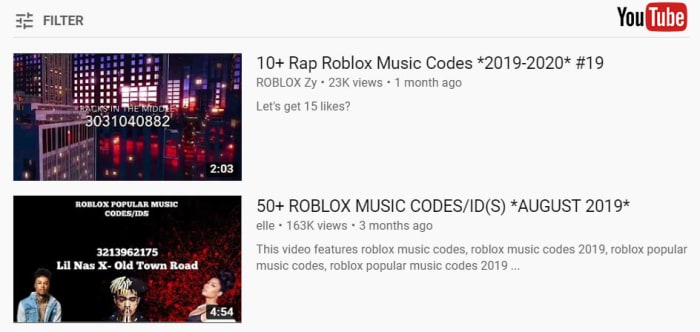
As well as searching through massive online libraries of Roblox song codes, you’ll also be able to find lots of them on YouTube too. To find your Roblox song IDs on YouTube couldn’t be simpler. All you have to is head over to YouTube.com and then type whatever you’re looking for into the search bar, but with Roblox ID at the end. This way, all your YouTube search results will be for Roblox IDs.

Another trick you could use is to search for music genres like “Pop music” “Electronic music, or “Hip Hop” for example and include Roblox codes or Roblox IDs in the search term. Again, this will ensure that although your YouTube search results will cast a wider net, they’ll only offer you the codes you’ll need to listen to the music via your Roblox boom box.

Once you’ve found your audio code on YouTube, you should see the code written in the video thumbnail. Simply note it down and then enter it on your boom box next time you’re playing Roblox.

Wrapping up

There you have it then. We’ve given you a few different ways to find Roblox song IDs. Whether you find them using Roblox, the internet, or YouTube doesn’t matter. There are hundreds of thousands of codes out there and the important thing is that you note your codes down and then use them on your in-game boom box.

We hope you enjoyed this guide. If you think we’ve missed anything out, please let us know in the comments below.