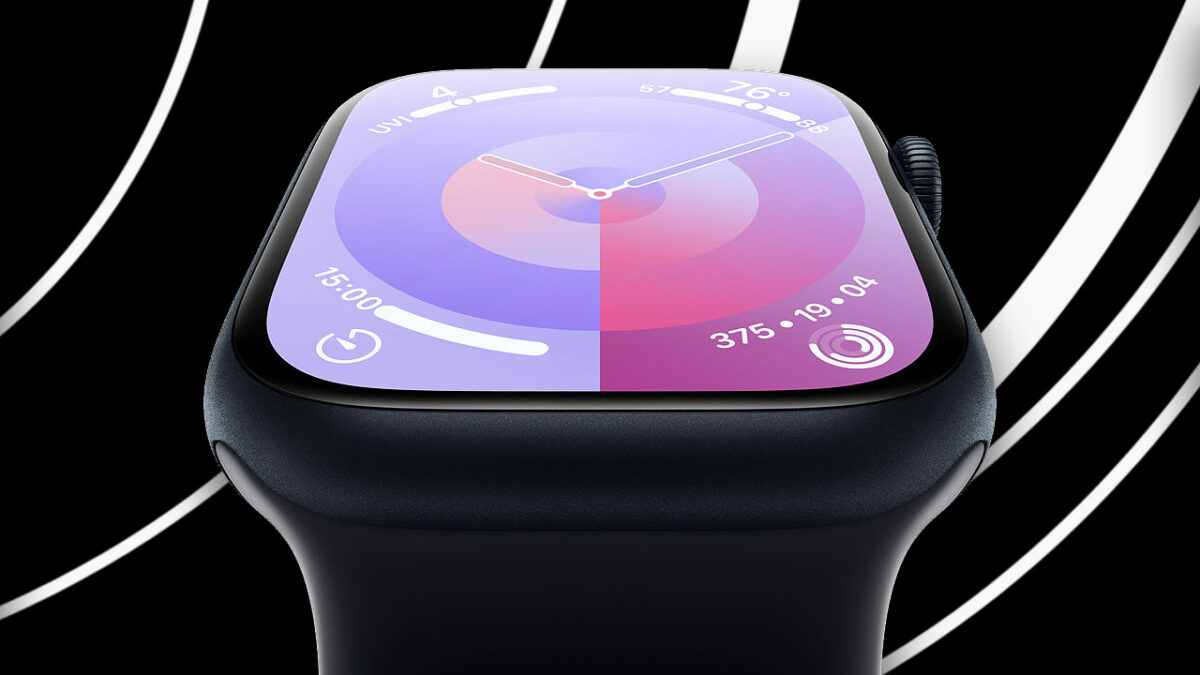
The new Apple Watch Series 9 and Apple Watch Ultra 2 are the first Apple products to be carbon neutral. However, what does this really mean?
During the Keynote on September 12, Apple made a strong emphasis on its commitment to the environment. One of the most attention-grabbing features of the new Apple Watch Series 9 and Apple Watch Ultra 2 is that both are the first Apple products to be carbon neutral. However, what does this really mean?
Despite Apple’s laudable goal of reducing its environmental footprint, it is also a somewhat contradictory and unrealistic idea. According to a report by the New Climate Institute, this may be an “exaggeration” on Apple’s part: “It is an inaccurate exaggeration to imply that a company’s products are even close to having reached the point of zero climate footprint.
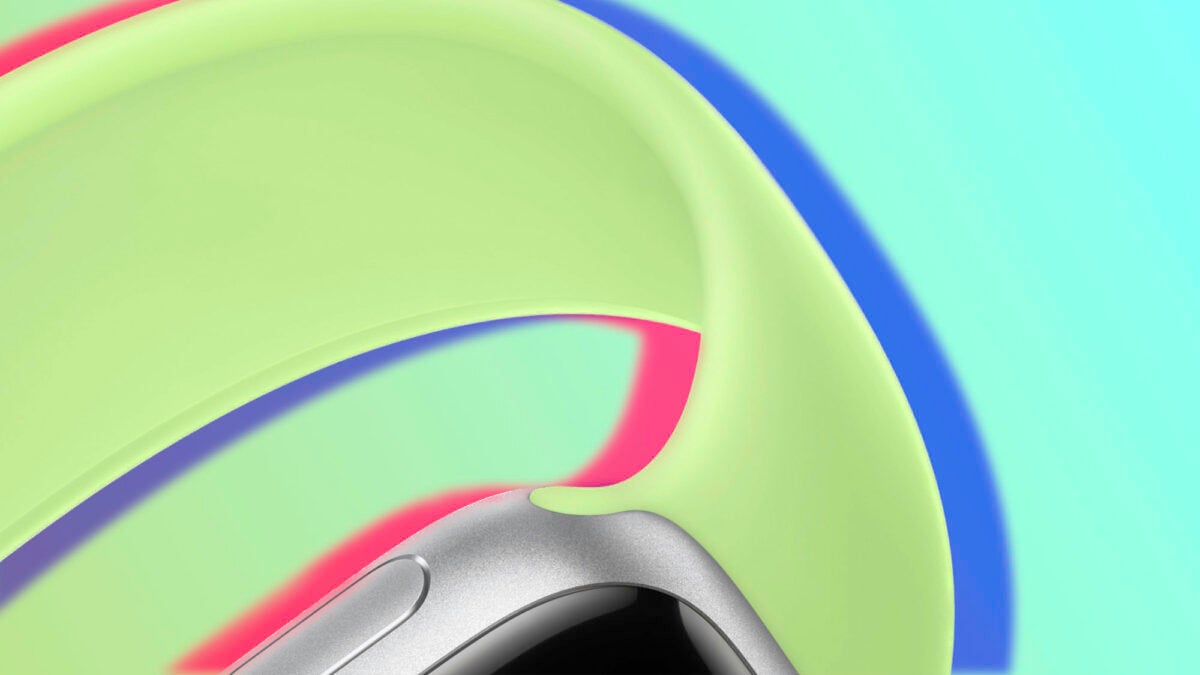
Apple itself claims to have reduced emissions by more than 75% for every carbon-neutral Apple Watch. Watches that meet these requirements include all models of the Apple Watch Series 9 and the Apple Watch SE, as long as they are made of aluminum and sold with the Loop sport band. The Apple Watch Ultra 2 also falls into this category if paired with the new Loop Trail or Loop Alpine straps.
Apple’s drastic drop in emissions is due to three very important factors:
The use of 100% clean electricity when manufacturing the watches and using the product.
The use of 30% recycled or renewable material by weight.
At least half of its shipments are shipped by means other than air.
The trick: carbon credits
However, this does not mean that Apple Watches do not pollute at all. Such blunt claims by the Cupertino-based company stem from the controversial use of carbon credits.
A carbon credit is, in essence, a unit representing one ton of CO2. These credits are “redeemed” by companies in green projects and are used to “offset” the carbon footprint generated. From Apple, they claim that their credits are being used to “restore prairies, wetlands and forests”. While the company may not be “lying” in its claims, it is important to know what bearing the much revered carbon neutral badge actually consists of.
You don’t need the new Apple Watch Series 9 to enjoy “double tap”- find out how you can activate it on your own Apple Watch.
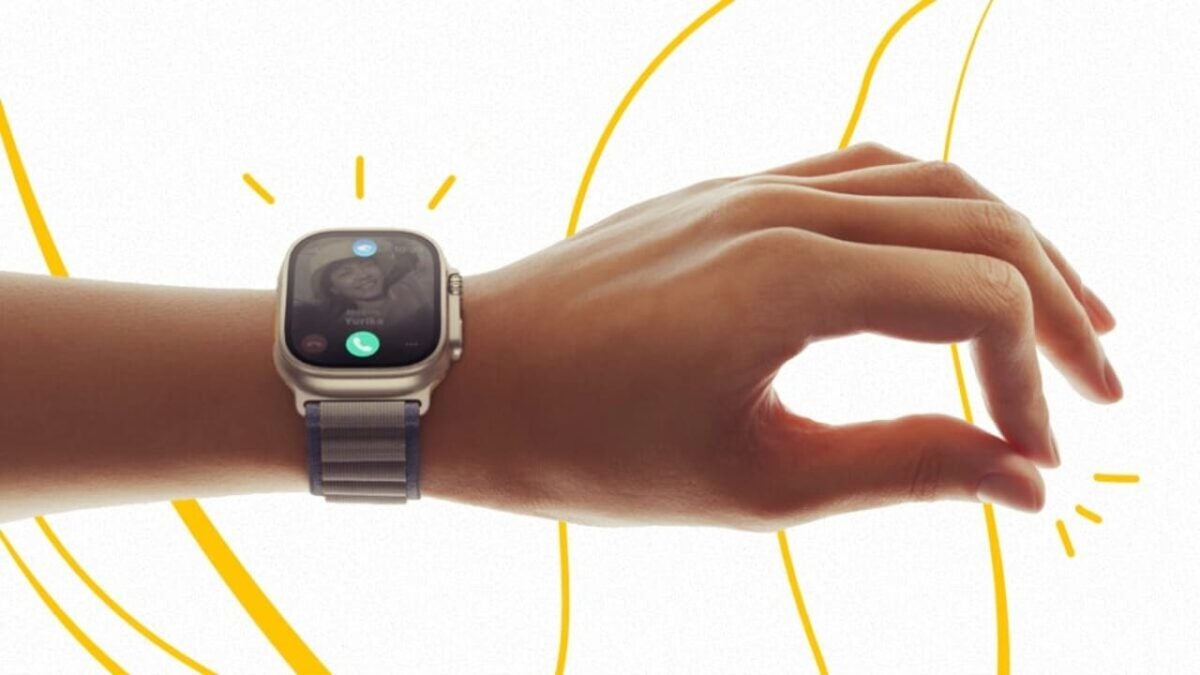
On September 12th, Apple unveiled the new iPhone 15, Apple Watch Series 9, and Apple Watch Ultra 2 to the world. Cupertino’s smartwatch kicked off the Keynote and showcased some very interesting innovations. Among them, we had the debut of the new S9 SiP chip and the “Double Tap” gesture, which changes how we interact with the Apple Watch.
However, those familiar with tinkering with Apple gadgets may already know that you can do something very similar to the double tap without needing to purchase the Series 9. If you have an Apple Watch and want to know how to activate this gesture, keep reading below.
Apple explains that thanks to the S9 SiP chip and the high speed of its Neural Engine, the Apple Watch Series 9 can recognize the new “double tap” gesture in a fairly intuitive way. However, you can also perform gestures with your Apple Watch. To do this, you first need to meet these conditions:
You must have an Apple Watch Series 4 or later.
The Apple Watch should be updated to the latest available version of watchOS.
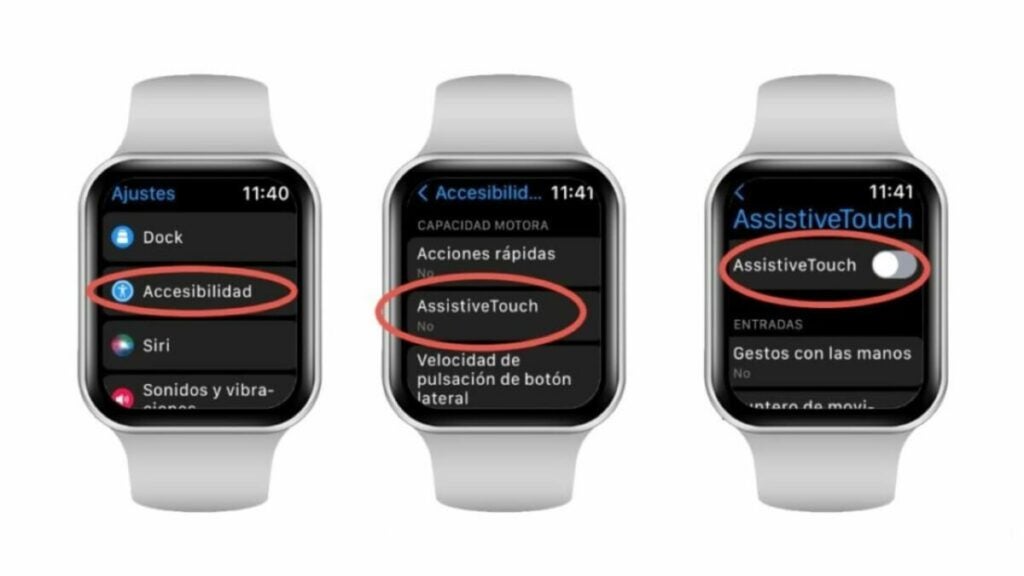
Once you have these conditions met, you can get started. The magic of gestures is made possible through the use of Assistive Touch, a functionality available on iPhone, iPad, and Apple Watch that helps us interact with our devices through gestures and actions.
To activate Assistive Touch on your Apple Watch, follow these steps:
Select “Settings” from the Apple Watch. You’ll recognize it instantly by its gray gear icon.
Tap on the “Accessibility” section and then select “Assistive Touch.”
Once you have activated Assistive Touch, you can customize the gesture you want to use through “Hand Gestures.” The Apple Watch allows you to use pinch, double pinch, fist close, and double fist close gestures to perform actions.
Indeed, our Apple Watch hides many interesting features that are not immediately apparent. Try out these gestures and incorporate them into your routine.
Easy, efficient and something that makes a very substantial difference in some photos.
The integration between the Apple Watch and the iPhone allows us to go far beyond simply receiving notifications. One of the many uses we can give our watch in conjunction with our iPhone is to take pictures. We open the corresponding app and we can see the framing, adjust the exposure and focus, set timers, activate or deactivate the flash and, when the time is right, capture an image with a simple tap on our wrist. Let’s take a look at the options available to us and how to use them.
Being the Apple Watch one of the only Apple devices that we always wear, it is also one of the ones that most reflects our personal taste and style. And what better way to do it than with a good wallpaper?
Being the Apple Watch one of the only Apple devices that we always wear, it is also one of the ones that most reflects our personal taste and style. Apple takes this into account and it is reflected in the variety of straps and cases available, although there is another element of the watch that is decisive for its image: the dial.
Interesting, since it allows us to test the latest innovations before the others.
Apple releases software updates for the iPhone, Apple Watch or Mac on a regular basis. These updates usually improve the performance, stability and security of the devices, as well as include new functions and features. System changes require some caution, so before releasing them to the general public Apple rolls them out in the form of beta versions.
Thanks to a simple adjustment, our iPhone, iPad, Mac, Apple Watch or Apple TV can change the time automatically.
Next Sunday, March 26, 2023 will be the first time change of the year in Spain and the rest of the European Union countries. Just two days before Apple Music Classical arrives, at two o’clock in the morning (one in the Canary Islands) we will have to set our clocks one hour ahead to enter daylight saving time, which means losing an hour of sleep -something that our Apple Watch will not like-, but gaining an hour more of natural light at the end of the day.
A new patent hints at smart straps for the Apple Watch. With a communication chip and the possibility of built-in sensors, the idea promises.
Technology never ceases to amaze us and one of the companies that most demonstrates this is Apple. It does so with its constant research and development of new accessories and technologies that give rise to the most unlikely and amusing patents.
Sleep is essential and being able to understand it well is essential to maintaining good health. That is exactly why studies like this one that stars the Apple Watch are launched.
The Apple Watch has proven time and again to be a tremendously valuable tool for measuring key metrics of our health, including sleep. In this field it is able to detect sleep patterns, sleep duration and sleep quality. And subsequently, with this data in hand, we can better understand our sleep habits and, if necessary, improve them.
Sleep tracking may seem like just another metric, but the truth is that it can provide important information about overall health, as the quality and quantity of sleep is directly related to health and can indicate irregularities, such as obesity, diabetes and even heart disease. To better understand all this is precisely the aim of the study that has been carried out with data from the Apple Watch and that reveals something (that we all already knew) about our sleep habits.
Five more minutes, please
Data generated by the Apple Watch for the Apple Heart and Motion Study in cooperation with Brigham and Women’s Hospital indicate that most people do not get enough sleep at night. The study was started in 2019 to initially look for early signs of atrial fibrillation (AFib) in conjunction with the American Heart Association. However, an updated version of the data focusing on sleep shows that we should be getting more sleep.
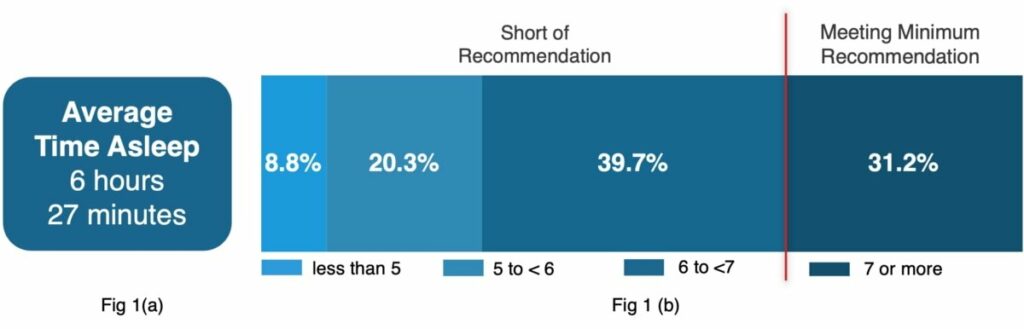
Data collected by the Apple Watch from people who have chosen to participate in the study reveal that the average time spent sleeping is 6 hours and 27 minutes. Only 31.2% of people manage to sleep seven or more hours, which meets the minimum recommended by the American Heart Association. Most participants sleep between six and seven hours, with 39.7% of them achieving that figure. Another 20.3% sleep between five and six hours a night, and 8.8% sleep less than five hours.
It is well known that sleep is an important area for health and well-being. The duration and consistency of this rest is related to several health issues, according to Brigham and Women’s Hospital. The catch here is that, until now, conducting studies of this type has been tremendously complicated. Not only that, but the reliability of the data was very different. We have already seen, to give just one example, how the GPS accuracy of the Apple Watch Ultra exceeded all expectations or how it saved the lives of its owner and a friend.
In this sense, what the Apple Watch can do in terms of collecting accurate data to feed scientific research is truly amazing. Gathering more than 42,000 people, as reported by Apple Insider, to organize a study of these characteristics is now a much simpler task and, of course, totally respectful of the privacy of the participants who can see what data they provide at all times and decide whether to continue. A great advantage that, as the study aims, sooner rather than later may yield conclusions that have a positive impact on our rest and day to day.
An extra prize to stay active on International Women's Day with our Apple Watch.
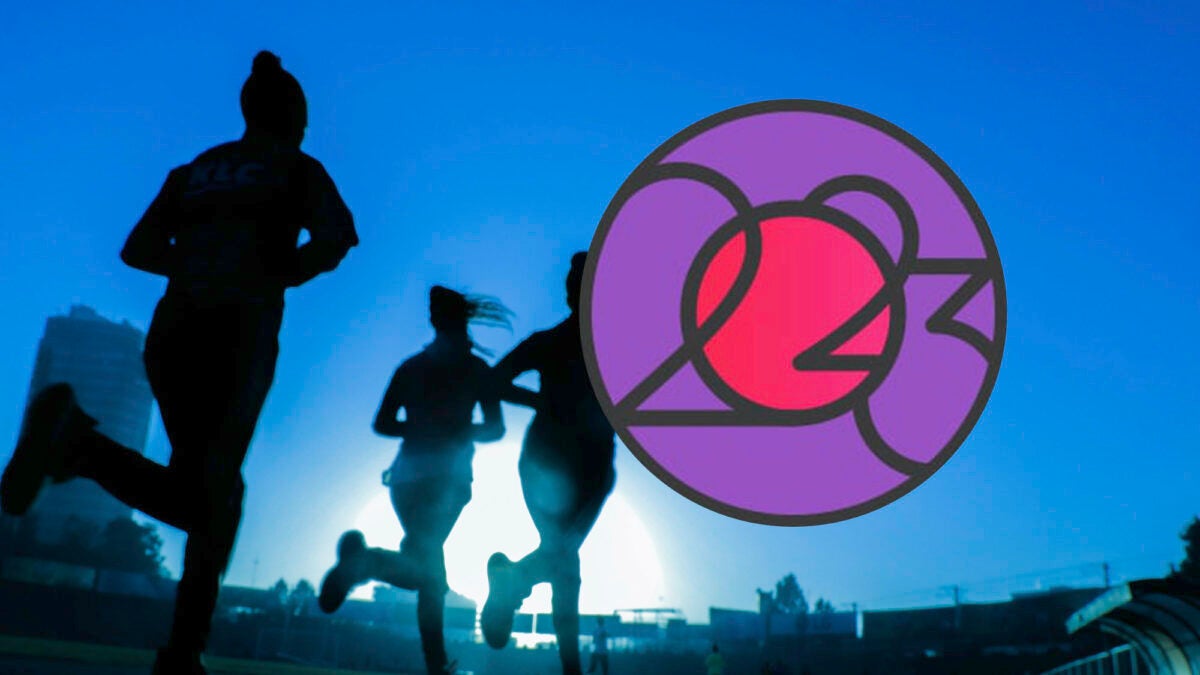
As has become tradition, Apple has announced its next activity challenge for Apple Watch users. This time, on the occasion of International Women’s Day with a challenge that takes place today, March 8. A good opportunity for Apple Watch users to show our support on International Women’s Day and also engage in physical activity and lead a healthy lifestyle at the same time. Or at least distract ourselves while we wait for the new Macs with M3 chips.
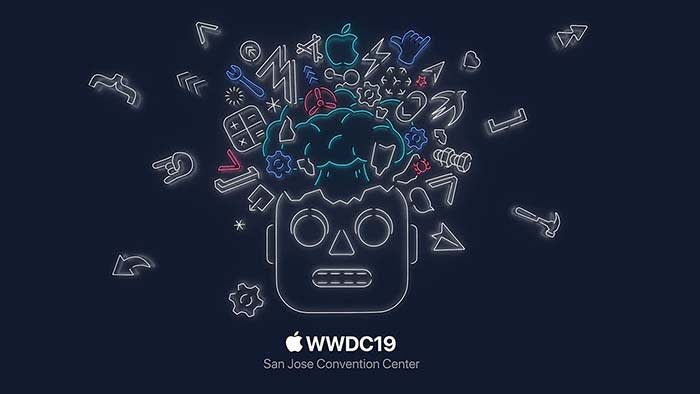
We took the key takeaways from the WWDC and compiled them for you below. This way, you can save yourself from listening to Tim Cook’s bad jokes and Apple’s constant humblebrags, and go straight to the important stuff.
WWDC key takeaways
The new iOS 13 is coming this fall
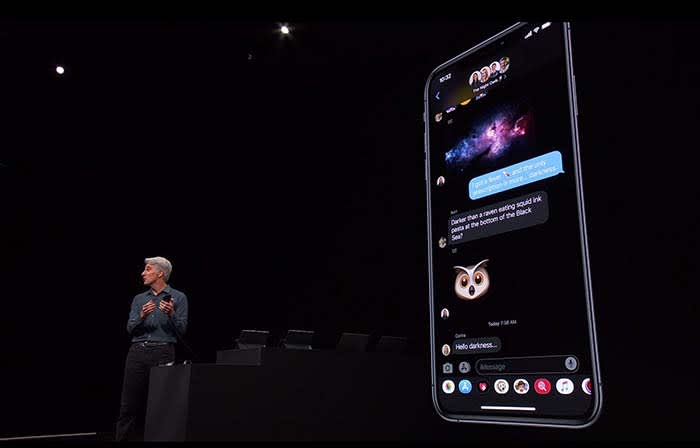
Not gonna lie, Dark Mode on Messages looks clean
Going with the trend, Apple announced that iOS12 will be replaced with iOS13.
The theme of iOS13 is “faster.” Face ID unlocks 30% faster, app downloads are 50% smaller, and updates are 60% smaller. Because of this, apps will launch twice as fast.
Dark mode is coming to iOS. Different apps such as Messages, Safari, and even your home screen will appear darker, giving them a cool sleek new design.
Google Calendar and Keep apps get the dark mode treatment
You will soon be able to sign in with Apple rather than Facebook or Google to help protect your privacy.
For apps that still require an email address, signing in with Apple can also give apps a fake email address. Apple will forward emails sent from your fake address to your real one. This way, the apps will not have your real email address, and you can disable those fake addresses if you want to stop receiving messages.
Your iPhone is probably packed with thousands of trackers sending private data
While talking about a new cycle-tracking feature for women coming to the Apple Watch, a spokeswoman talked about sharing data with apps. The new takeaway from Apple is that “you control your data, and you control what gets shared with what apps IF you want to share anything at all.”
Basically, Apple is trying to be more transparent about what data users are sharing with apps. The message is that they don’t want you to divulge what you don’t want to share, and what you don’t have to share.
Facebook steals information about your menstrual cycles, home buying, more
These tools can help edit photos as well as videos. You can even rotate videos and give them filters.
Other key takeaways from WWDC:
An OS system for all devices!
Every Apple device will have its own OS system. iPhone will be keeping iOS and Mac is keeping MacOS, but iPads will get iPadOS, Apple Watch is getting WatchOS, and AppleTV is getting TVOS.
What’s new with iPad?
The new iPadOS will have all the same features that iOS13 will have.
However, probably one of the wildest features coming to the iPad is the ability to plug in a thumb drive.
This small little change sparks a slew of questions. The new iPad they showed did not appear much thicker than your typical iPad. That said, we don’t know if a new iPad is coming that is thick enough to receive a normal USB. We also don’t know if a special type of USB must be purchased, or if you have to use an intermediary device to connect a USB to an iPad.
With all Apple devices getting thinner and thinner, we find it hard to believe that that the iPad will break the mold in this regard. However, being able to plug in a USB can potentially save us a lot of headaches.
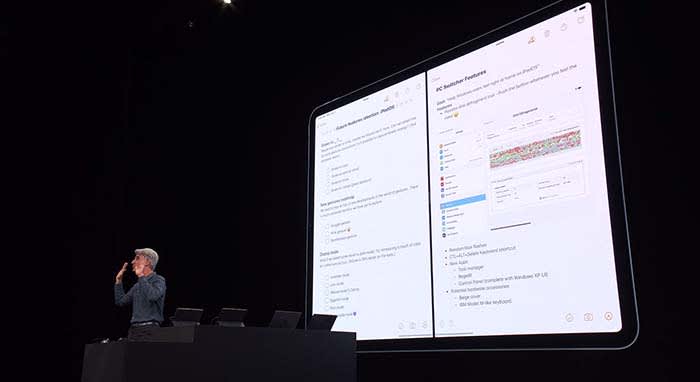
Apple wants users to be able to use their iPad as if it were a normal desktop computer. Going along with this change, iPads will be able to use split-screen to view multiple apps at once.
Going along with this theme, when viewing websites through Safari, you will now see the desktop version of the page rather than the mobile version.
Along with new keyboard shortcuts being added, you will be able to use touchscreen commands to copy, paste, and undo by extending or retracting your fingers.
If you need extra space when working on your Mac, a new app called Sidecar will allow you to use your iPad as a second display screen for your Mac.
Apple TV+ is coming this fall with an original show
Apple TV+ will stream video in 4K. Along with featuring music and music-related content like videos, Apple TV+ will also have its own original show called “For All Mankind.”
“For All Mankind” takes place in a reality where the Soviets beat the U.S. in the race to put a man on the moon. It goes into how the U.S. would react to this reality, and how we would try to bounce back.
The show looks… okay, but not good enough to warrant purchasing Apple TV+. We will have to wait and see what other original content might come our way before making a decision. For now, we will just plan on buying Disney+, and be happy with that call.
Siri will be able to read your messages to you while you’re listening to your AirPods. You can even respond to her. This works for other messaging apps as well.
During the demonstration, a man was on an exercise bike listening to music when Siri informed him that a friend sent a message. After reading off the friend’s message, the man was able to immediately reply by telling Siri what to say. Throughout the process, the man did not have to stop riding.
It’s a cool feature, but we can’t help but point out a flaw in their demonstration. Apple also owns Beats by Dre, which is coming out with a wireless headphone of its own, similar to AirPods. These are supposed to be used while working out, not AirPods. Basically, we’re all sorts of confused.
Apple Watch is a proud, independent device that don’t need no iPhone
Apple Watch will soon be able to operate completely independently without needing to be managed through an iPhone app.
The App Store is also coming to Apple Watch. New apps will include, but are not limited to:
Audiobooks
Voice Memos
Calculator
Podcasts
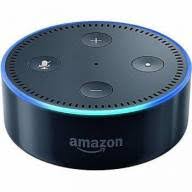
Homepod hopes to compete with Alexa
Homepod can now understand who in your house is talking to it and can personalize the request. For example, if your roommate asks it to play a song, HomePod will play a song it knows your roommate will like.
With more than 100 titles to choose from, Apple Arcade will be a subscription service like Netflix or Hulu, but for gaming. Gamers will be able to play with both an Xbox One and a PlayStation 4 controller.
Wrapping up
Some of these new features are far more significant than others. When the iPad’s split-screen capabilities were unveiled, the audience members erupted. Why they went bananas for a feature we’ve had on computers for years, we don’t know.
However, the new privacy tools from Apple do deserve praise.
We can’t wait to see how some of these new features and products will unfold for Apple, and we will keep you updated the whole way.