How to Mash Songs Together

Pick any two songs and make a mash-up masterpiece!

Have you ever wondered what your two favorite songs would sound like together? Or perhaps you just know that two specific pieces were meant to be mashed into a single song? Rave DJ is an online website that lets you mash two songs together for fantastic, bizarre and sometimes awful results. 

Since it is a song-mashup website, you can access the website for Rave DJ from any browser on any operating system. This means there’s no reason for you not to try and mix songs together

Rave DJ – The Best Website App to Mix Songs

Rave DJ is an AI-based platform that you can use to mash two songs together in a matter of minutes. The AI technology used takes care of all the mixing and adjustments so that even a beginner can use the platforms easily to create new music.

Rave DJ is the first successful successor of SKYGGE as an AI platform for mixing music, mashing songs together and creating DJ playlists. Rave DJ 2021 also features a trending page where you can see what mashups other users have created. You’ll find some odd, interesting, good, and sometimes just plain terrible mashups on this page. I mean, have you ever thought of mixing A-Ha and Slipknot?

Another entertaining feature of the Rave DJ mashup creator is that when you choose two music videos from YouTube to be combined, the program also incorporates the video and not just the audio. This means you can have an entertaining audio and video experience.

How to Mix Two Songs Together with Rave DJ

Now that we’ve covered what Rave DJ is, let’s mix two songs together. To clearly illustrate this for you, we will be combining Psy’s Gangnam Style with MC Hammer’s Can’t Touch This. We cannot take credit for the mashup, but it is an awesome one to see what this AI technology is capable of, so I highly recommend you give it a try.

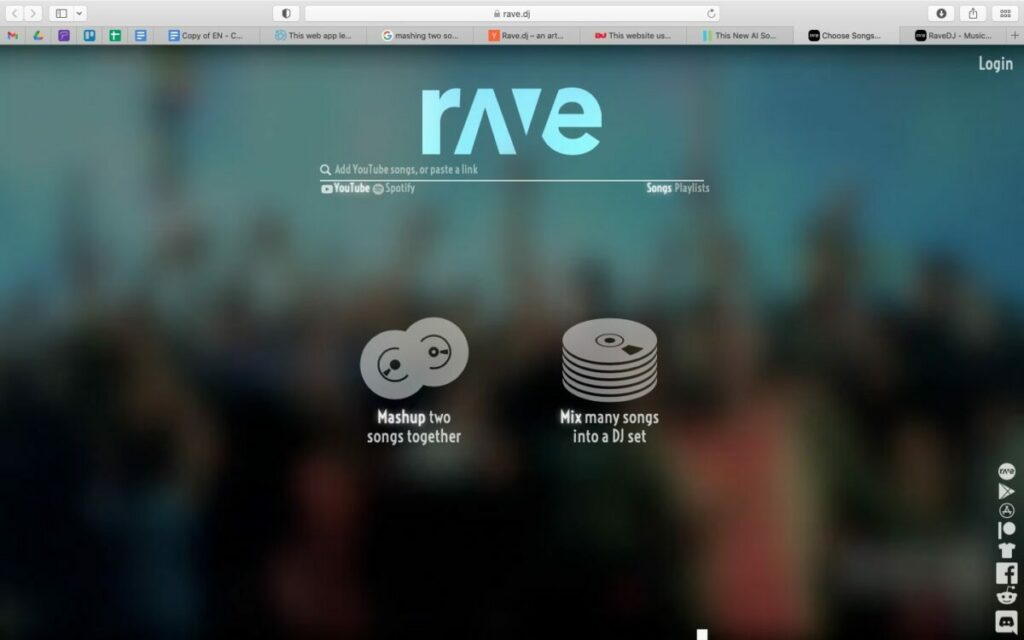
Step 1: Head to the Rave DJ Website

First, you need to go to the Rave DJ website.
How to Mash Songs Together in 7 Simple Steps

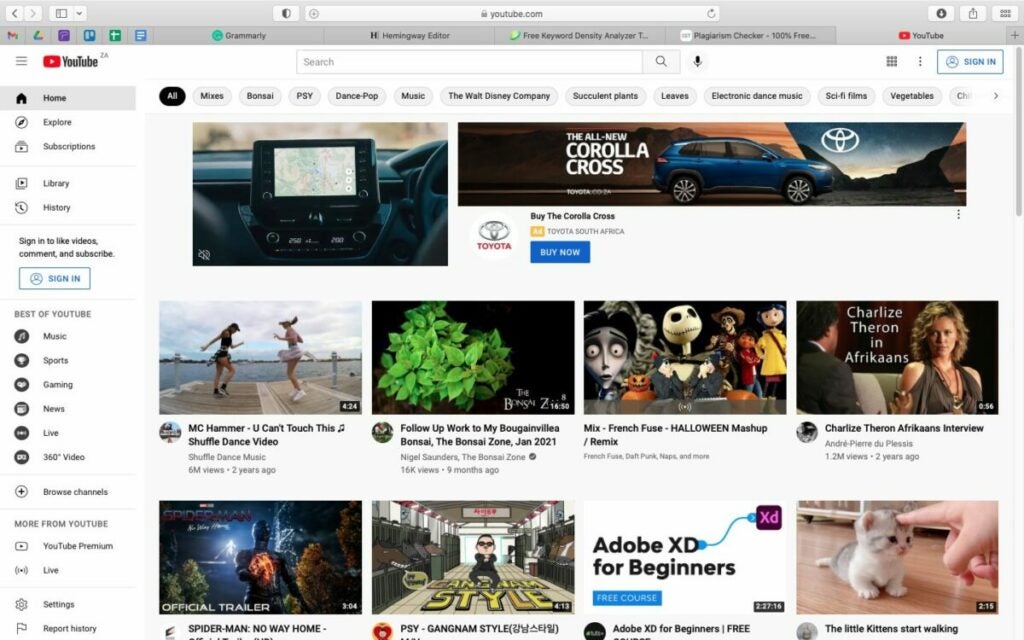
Step 2: Open Another Tab to YouTube or Spotify

Now open a second tab in your browser and go to either YouTube or Spotify. For this example, we used YouTube, but Spotify works the same way.
How to Mash Songs Together in 7 Simple Steps

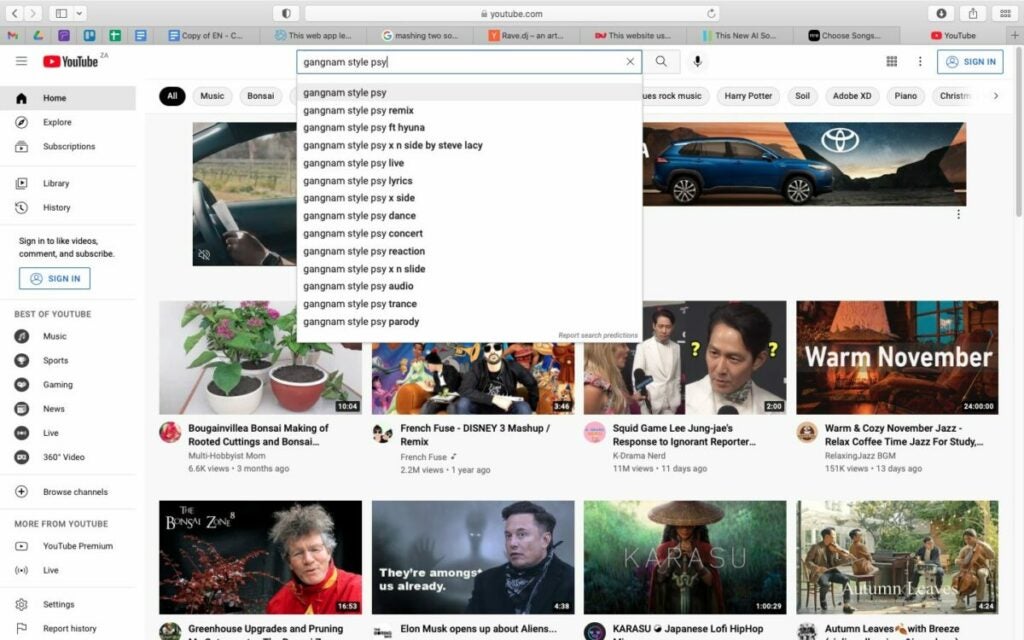
Step 3: Find the Song You Want on YouTube or Spotify

Search for the song you want by typing the name in the search bar. From the options provided, choose the song you want to use. Remember that when selecting a music video on YouTube, Rave DJ will also combine and overlap the music videos.
How to Mash Songs Together in 7 Simple Steps

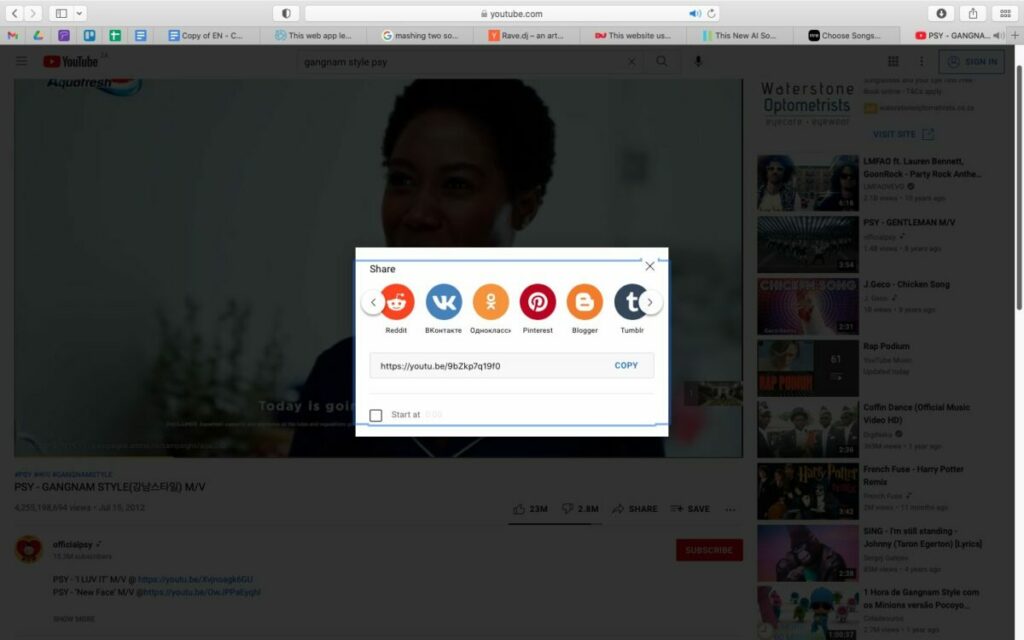
Step 4: Copy the Link and Paste it Into Rave DJ / Type the Song and Artist Name

To copy the link, you can simply copy the URL directly or click on ‘Share’ in the song options and then copy the link.
How to Mash Songs Together in 7 Simple Steps

Step 5: Paste the Link Into Rave DJ

Now head back to the Rave DJ website tab, and paste the link into the program. Options will come up. Click on the one you want to use, and it will be added to your list shown below the search bar.
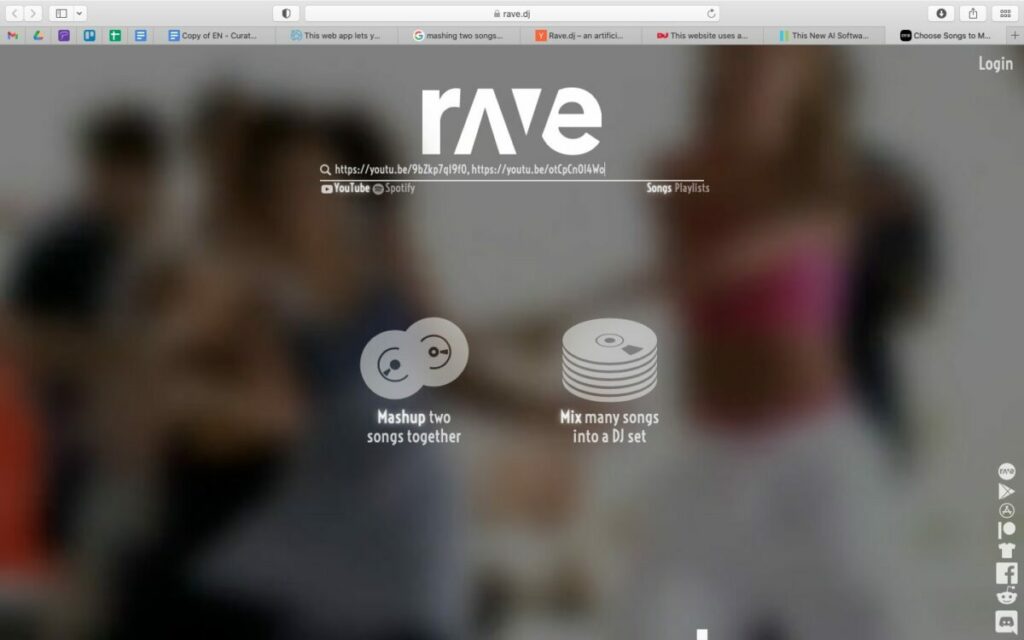
How to Mash Songs Together in 7 Simple Steps

Step 6: Repeat Step 3 and 4 for the Second Song

Now, you can repeat steps three and four to add your second song. Alternatively, if you don’t want to navigate between two windows, you can just type the song and artist name in the search bar, and Rave DJ will give you the options it finds, and you can just choose the correct one.
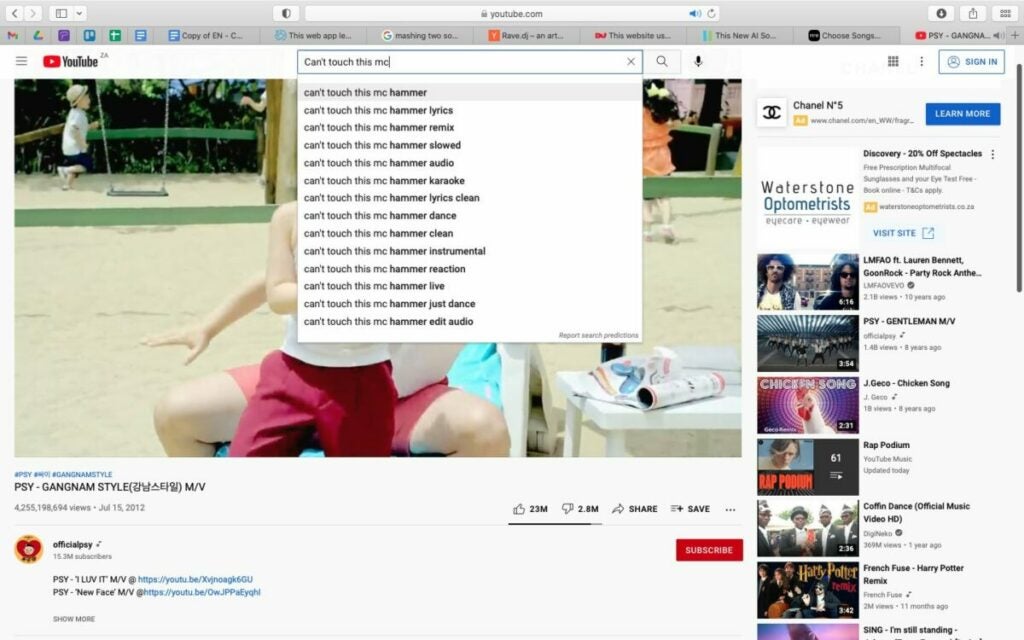
How to Mash Songs Together in 7 Simple Steps

Step 7: Click on ‘Mashup Two Songs Together’

Now, with both songs added to your list, you can click on the ‘Mashup Two Songs Together’ button and give Rave DJ some time to mix the songs together. Once your mashup is ready, you can click on it to see how well the songs have been combined.
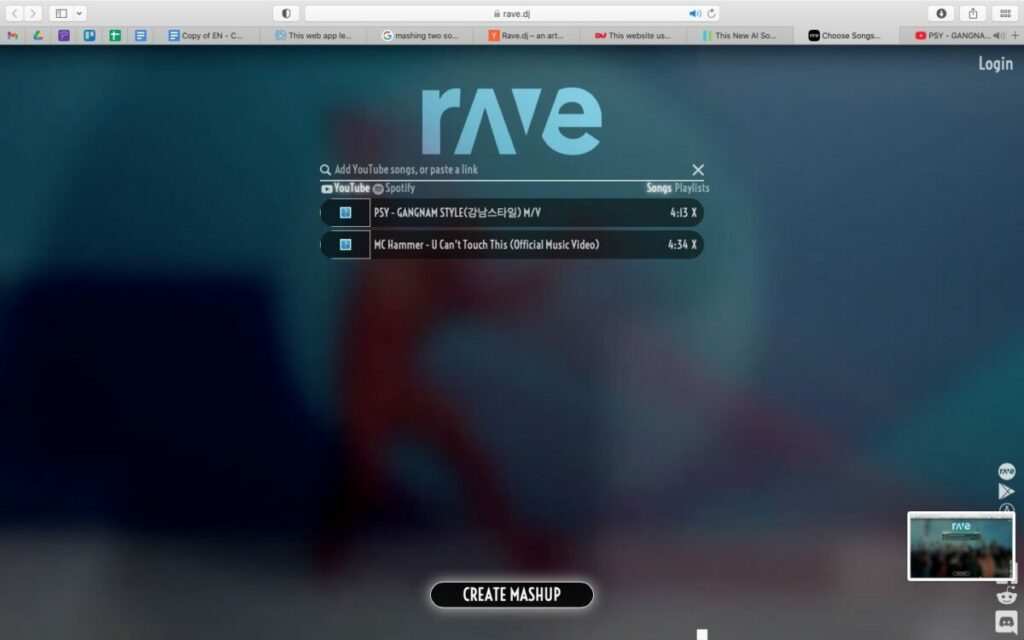
How to Mash Songs Together in 7 Simple Steps

Alternatives to Rave DJ

If you enjoy using Rave DJ, but would like something with a few more features so that you can customize the audio files with a bit more freedom, here are three of the best alternatives to Rave DJ you can try.

Audacity

Audacity is free-to-use open-source software that has a lot of features for mixing music. Not only can you mix multiple songs, but you also have form creative freedom and can make many more changes to create a new song.
You can download Audacity for Mac and Windows.

GarageBand

This program is another free-to-use audio editing software. It comes very highly rated, and the user reviews are very positive. The program usually comes stock standard on many Apple devices, and you can download GarageBand for Mac, iOS and Android devices.

DJ Mixer Express

DJ Mixer Express for Windows is another free tool that you can use to mix music and create new songs from existing ones. You can even mix music videos and create custom karaoke with this software.
The top 8 DJ software applications available today

Feel the beat with some of the best DJ software out there!

DJ

When it comes to DJ software, your choices include household names, underground favorites, and open-source extravaganzas. With all this variety, it can be difficult to tell which is the right software for you. You’ll hear terms like ‘session view’ and ‘sampler’ tossed around and it can make the whole process seem daunting.

But with a little research, there’s no reason why you can’t start mixing the tracks of your dreams today. Whether you’re a beginner or a seasoned veteran, we’re here to help you find the package that’s right for you. Take a look at the best DJ software available today.

The top 8 DJ software applications available today

1. Native Instruments Traktor Pro

native instrument dj

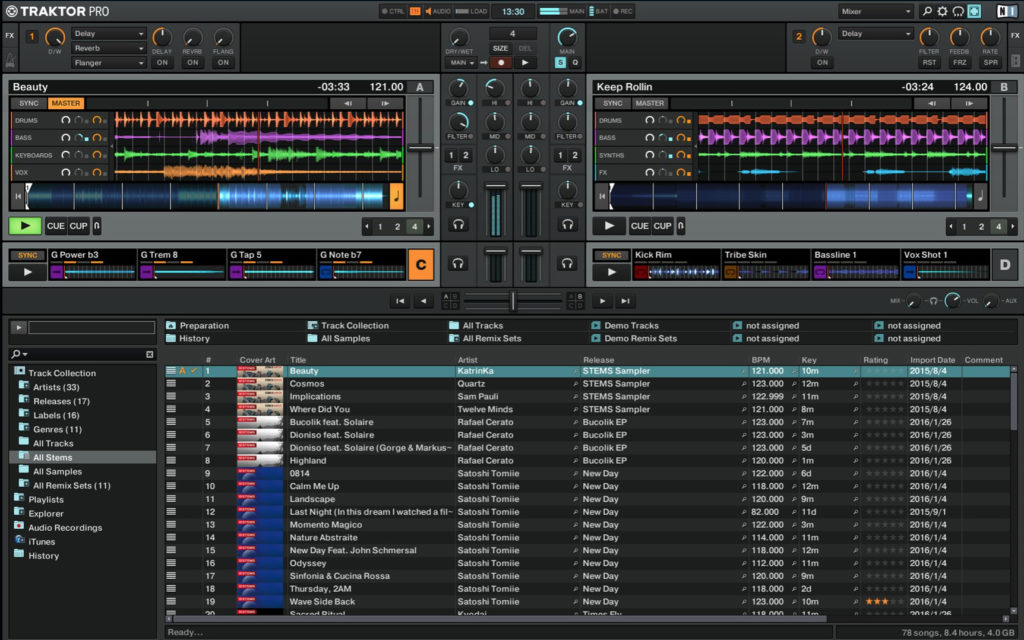
If you’re looking for a safe pair of hands in the world of DJing, there’s no program like Native Instruments Traktor Pro. With more than 10 years in the game, this platform has risen to popularity because of its reliability and ability to create a diverse range of music. Amateur and professional users will be pleasantly surprised by the versatility of the onboard Sample and Remix Decks.

There’s also a state-of-the-art analytical tool that breaks down the key and beat of your music. One particularly nice touch is the colored waveforms feature, which allows the user to differentiate between high and low frequencies through a jazzy visual color display (Which makes life easier when mixing complex tracks). Native Instruments is currently available for $99.

Traktor Pro Download Now ►
7

2. Pioneer DJ Rekordbox

pioneer dj

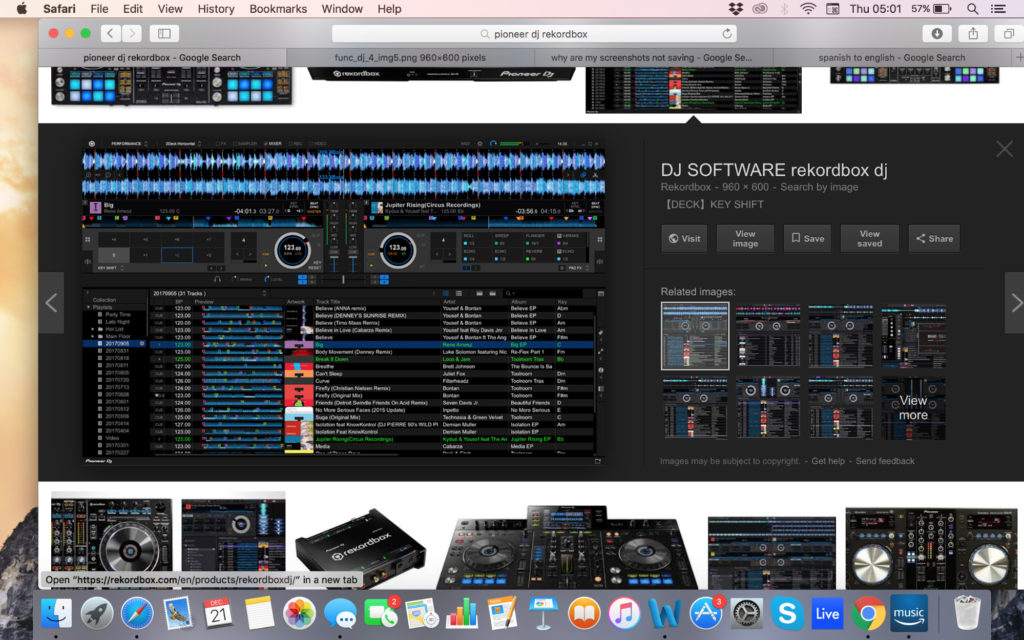
In the world of DJing, few companies are more famous than Pioneer. Originally Rekordbox was designed to use with Pioneer music players but it’s now morphed into a full-blown mixing and sampling suite. The program boasts a respectable four decks, supported by master effects, an eight-part sampler, and a beat slicer. The visual pads are easy to use and add a lot to the overall feel of mixing.

If you’re lucky enough to have an extra monitor you can even move your library to one screen. That said, the preferences screen can be very confusing to navigate at times and you’ll need a glass of water to cool down if you’re tweaking them for a while. Dj Rekorbox can be yours for $129.

Rekordbox Download Now ►
9

3. Ableton Live

ableton

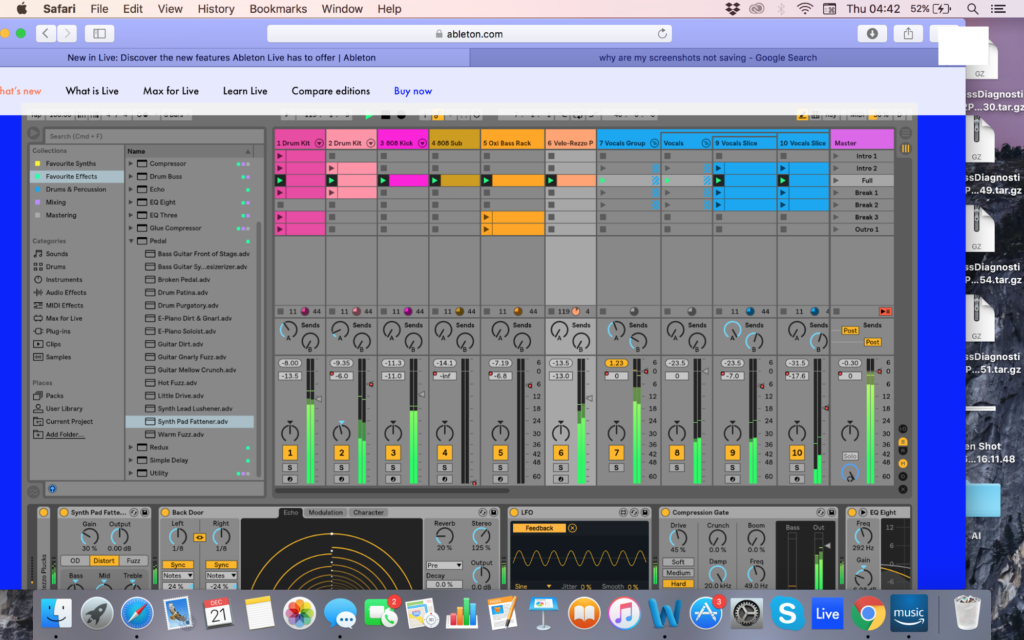
Whilst Ableton Live not a pure DJ software platform, Ableton has certainly developed a reputation as one. DJs across the world have been using Ableton’s Session View to create blistering live sets. The user interface makes it easy to launch audio samples in sync as well as muting unwanted sections on the go. Likewise, the program’s versatility as DAW can add an extra layer of production to supplement your live sets.

There are hundreds of effects in the standard version (Thousands if you opt for the suite) and packs are regularly released so that you can tweak your tracks with new tools. While there is certainly a learning curve with Ableton, you’ll reap the rewards once you master how to navigate the session view effectively. Ableton Live starts at $99.

4. Serato DJ

Serato

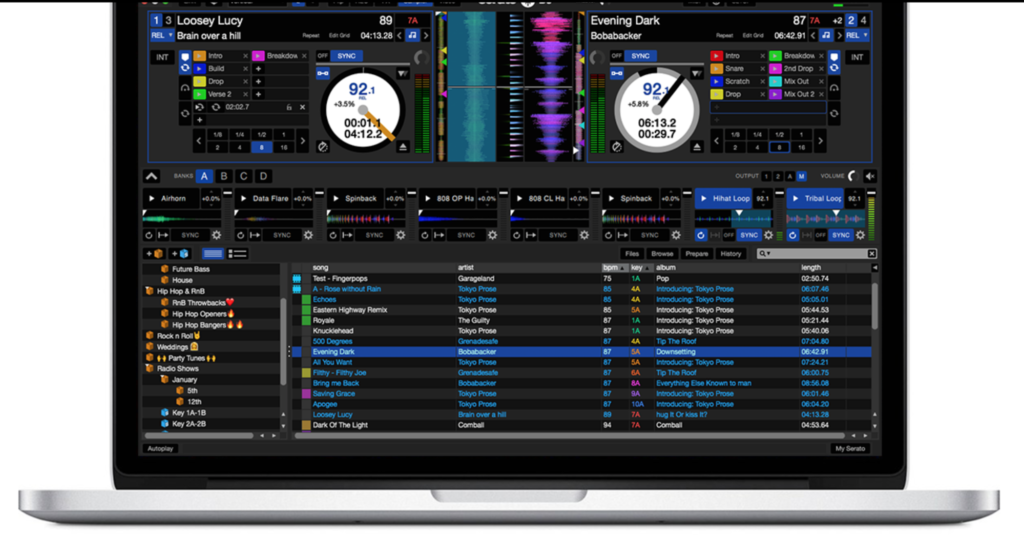
While not as famous as Pioneer, Serato DJ is one of the leading DJ software packages on the market today. On the main screen, you’ll have all the basic info you need, with your decks, BPM, time scales, pitch, and track progress all kept in clear view. You can also switch between mixing on two or four decks. One of the biggest advantages of Serato is its massive onboard library (which dwarfs every other provider on this list!).

In terms of MIDI, users have access to a clear virtual panel so that they can interact directly with the program and create their own music. DJs looking to be extra strict with their timing can also make use of Quantize Mode to ensure that each segment begins right on the beat. Serato is available for a respectable $99.

Serato DJ Download Now ►
8

5. Mixxx

Mixxx

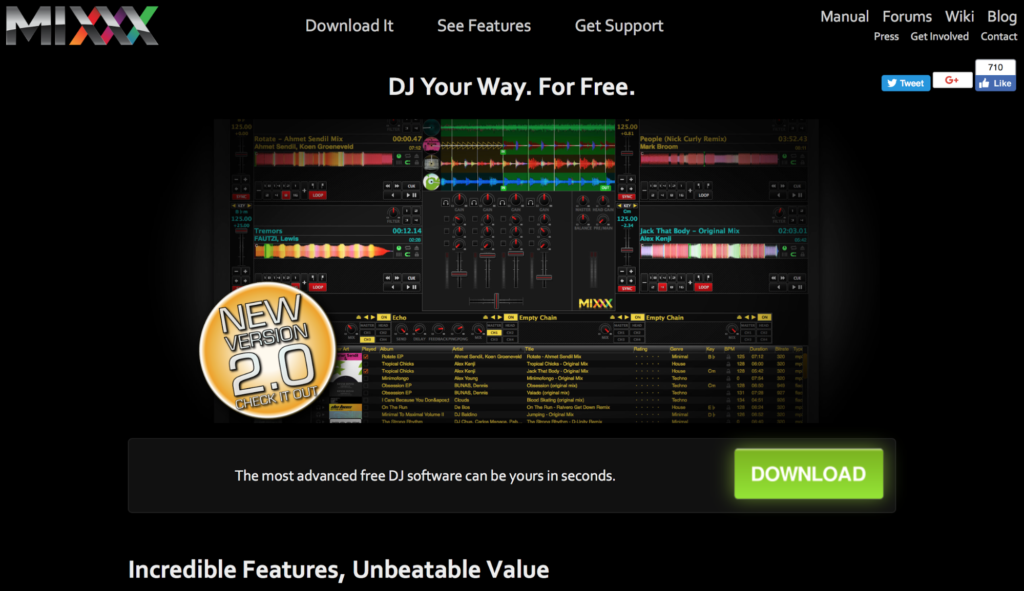
If you’re looking to dabble in the DJ world but you don’t have the budget to spend on an expensive suite, Mixxx is the product for you. This free open-source DJ software allows users to crossfade tracks, detect BPM, run loops and adjust the overall EQ. In other words, everything an amateur DJ could need to hit the ground running.

This nifty open-source program is also available to Windows and Mac users as well. Mixxxx now has five main effects: Flanger, Filter, Echo, Reverb, and Bitcrusher. Just be aware that the mix does not have the quality or nuance to it that many other DJ software packages have on this list.

6. Magix Digital DJ 2

Digital DJ

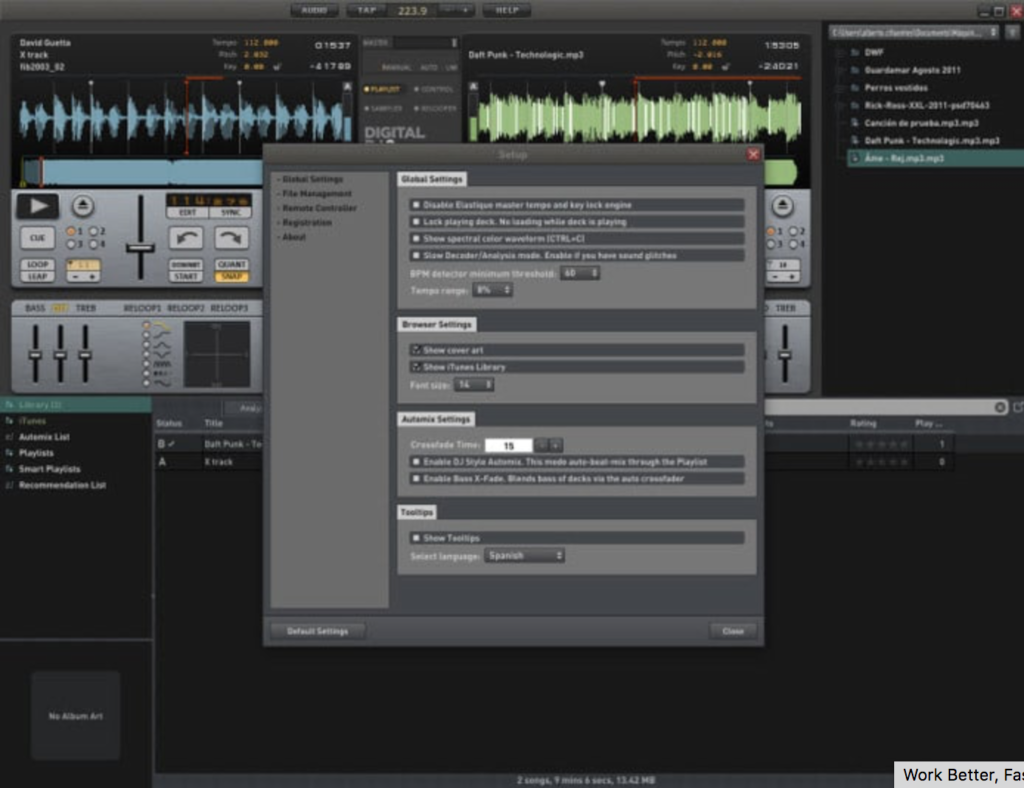
The user interface is simple to use, and you can drag and drop tracks into the main screen to start mixing. To assist your mixing journey, the onboard app will suggest similar-sounding tracks to the one your playing. The song manager interacts with your iTunes library (if you have one) to search through your tracks for similar songs.

The song manager makes it much easier for beginners to navigate the software and start playing their favorite tracks without too much of a learning curve. While it lacks the advanced depth of some of the other competitors on this list, it’s a good entry-level platform into the world of music sampling.

Magix Digital DJ 2 Download Now ►
7

7. Virtual DJ Pro

virtual dj pro

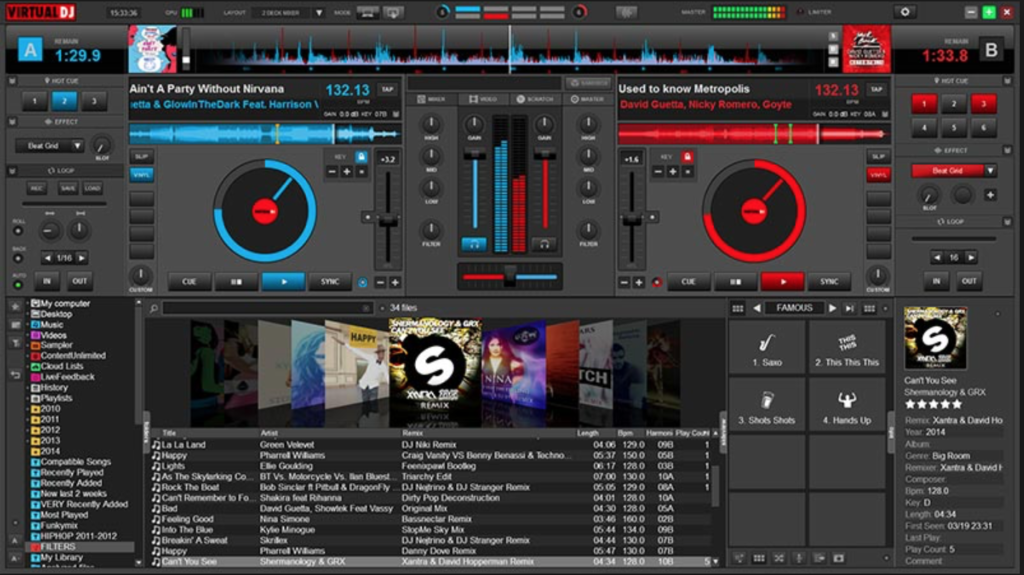
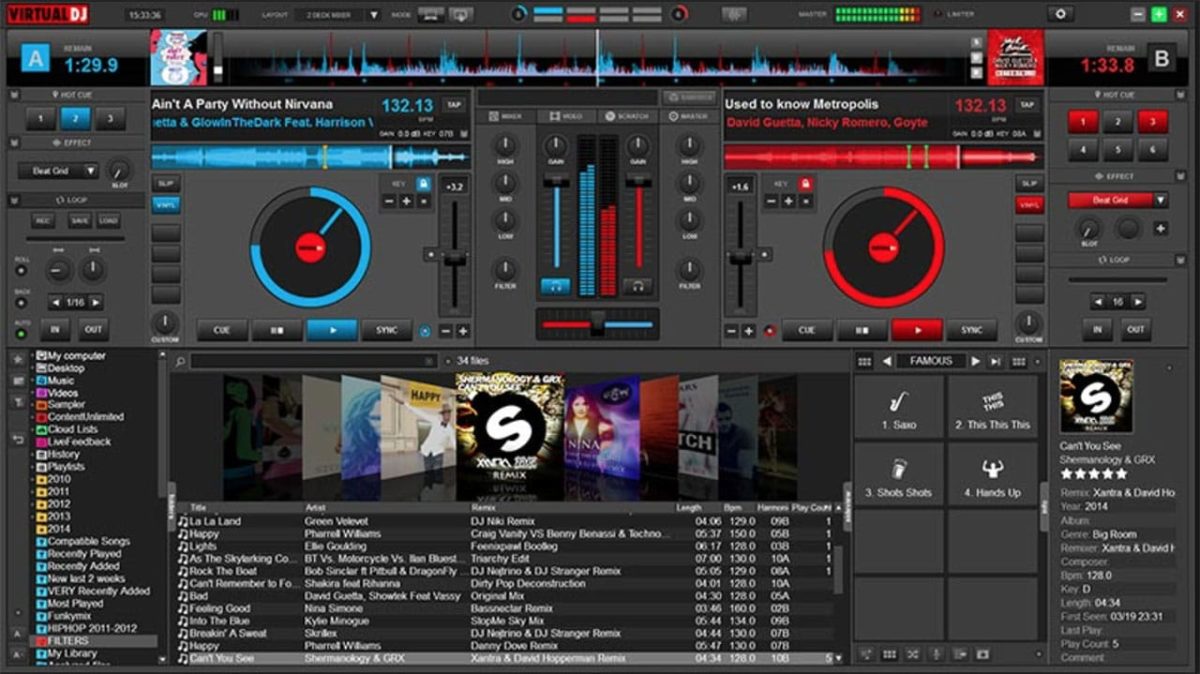
Virtual DJ has caught a lot of flak for being a light option with a poor user interface and overall feeling of clunkiness. However, Virtual DJ 8 looks fluid and contemporary. (And it now supports retina displays, unlike most other competitors!) On the main screen, you’ll have both your decks, with an EQ section in the middle and the crossfader located below.

All you need to do to start mixing is drag and drop. If you want to go old school, you can open up the scratch window to view your waveforms and get that distinct scratch sound. Virtual DJ is compatible with most hardware, making it one of the most versatile software packages on this list. Virtual DJ Pro can be downloaded here for $299 or $19 a month.

Virtual DJ Download Now ►
8

8. MixVibes Cross DJ

dJ

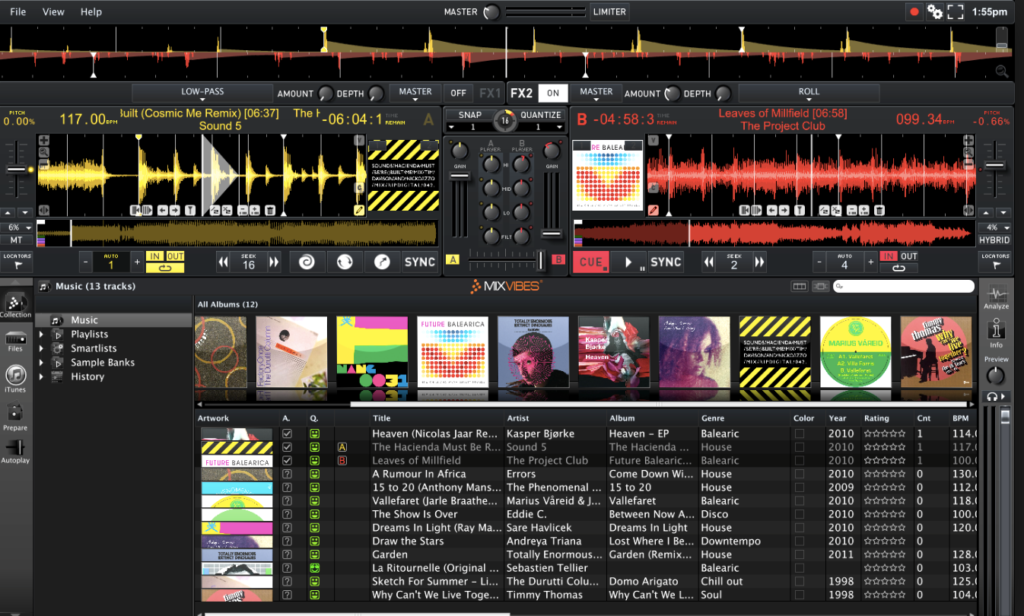
MixVibes Cross DJ make not have the same recognition as Pioneer but it’s been making waves in the DJ community. In terms of core layout, you can choose between 2 or 4 decks, with a selection of different players and samples to choose from as well. There are two main FX units and you can choose between 14 different effects.

One of the biggest advantages of MixVibes is the excellent BeatGrid Editor which helps to resolve any issues with BPM. You can also import from iTunes and connect a SoundCloud account to load up some of your own tracks. MixVibes is also much cheaper than many of its competitors but it still holds its own phenomenally well. MixVibes Cross DJ can be picked up for €49 (about $60 at the time of publication).

Cross DJ Pro Download Now ►
9

Want to produce music? Here’s how to get started

Are you interested in getting into music production? These tips can get you started!

Rock band

With platforms like Spotify, YouTube, Soundcloud, and Bandcamp, we live in a new golden age of music distribution. The middleman between artist and listener has been all but eliminated, and anyone with the right song at the right time can make it big. If you’re an avid music fan who’s ever considered making your own, now is the best time to do it.

8

It can be daunting jumping into music production. With this guide, we’ll answer all of the most common questions and try to keep things as simple as possible.

Want to produce music? Here’s how to get started

Get a good pair of headphones

headphones

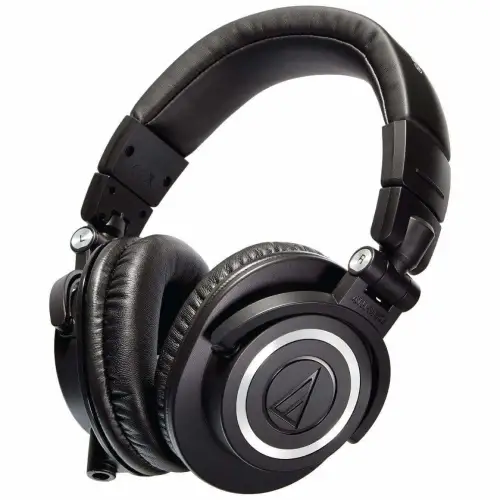
A small but important step to making sure your music has the highest quality possible is to get a good pair of headphones. This will make sure you can hear all of the nuances in your mix. Besides a computer, this will be the only piece of equipment that you truly need.

Choose a DAW that suits you best

fl studio

Choosing your DAW is the most important first step of music production. DAW stands for Digital Audio Workstation, and they are programs that let you create, manipulate, and rearrange sounds into beautiful music.

Different DAWs have different strengths and weaknesses, price ranges, and ease of use. For Mac users, GarageBand is a basic DAW that’ll get the job done, with its main advantage being that it’s free and easy to use. If you want a more powerful DAW, here are the most popular options:

GarageBand Download Now ►
7

FL Studio

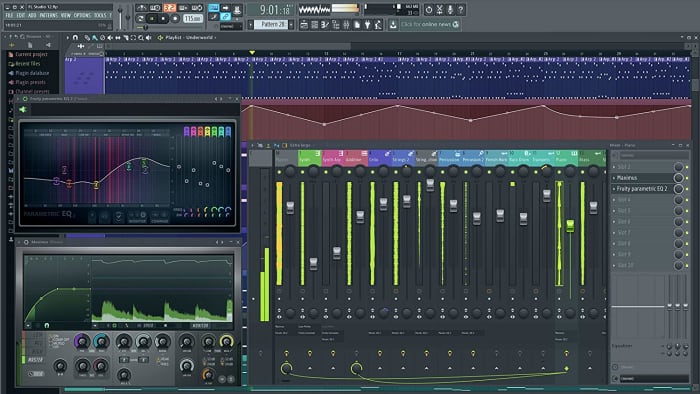
FL Studio is one of the most commonly used DAWs in the world. The program has a ton of depth and thousands of user-made plugins and sample packs that allow you to create any sound you can imagine. FL Studio also contains a piano roll that makes it incredibly simple to arrange the pitch and length of different notes.

It is definitely one of the easier to use DAWs due to its emphasis on visual communication. Notes and patterns are clearly represented by blocks that make it easy to visually sort your music. Out of all of the major DAWs, composing and arranging music in FL Studio is the easiest by far. Depending on which edition you buy, the price of FL Studio ranges from $99 to $899. Popular artists who use FL Studio include Metro Boomin, Soulja Boy, and Martin Garrix.

FL Studio Download Now ►
9

Ableton

Ableton sports a more visually clean interface than FL Studio, showing you as much information as possible in one screen as opposed to many windows. Mixing and automating tracks is easy in Ableton as the program automatically sorts them for you.

If live performances are your thing, Ableton has many features that make it the superior live DAW. This includes live resampling and editing duplicated samples on the fly. Pricing for Ableton depends on the edition and ranges from $99 to $799. Big artists who use Ableton include Flume, Skrillex, and Deadmau5.

7

Personally, we would recommend any total beginner to go with FL Studio. The learning curve for Ableton is much steeper, and FL Studio is designed to be easy to use for complete beginners. As you become more advanced, check out Ableton and its features and decide if a switch is right for you.

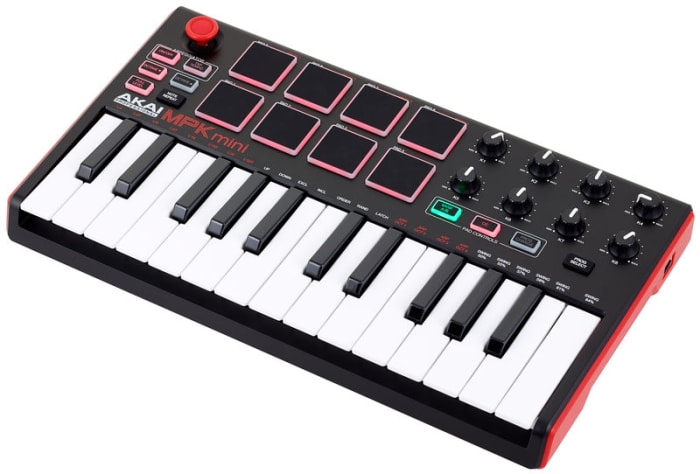
(Optional but HIGHLY recommended) Get a MIDI controller

midi controller

If you want to learn how to write a melody, it is essential that you learn a little bit of music theory. This theory can be as basic as learning a few chord progressions and staying within a scale. Also, there are plenty of free online resources that can help you learn these things if you have no musical background.

A MIDI controller is basically a piano with a few extra bells and whistles. They don’t produce sound on their own but can be used to produce sound through a DAW. When trying to compose a melody, it is infinitely more intuitive to play around on a piano instead of just staring at a screen.

You can come up with a melody by clicking around and trying different things. However, it’s significantly easier to come up with one while fiddling with something that resembles an actual instrument. You don’t need to already know how to play the piano (though you might learn along the way!) but a MIDI controller will help your workflow when it comes to melodies significantly.

Experiment and learn

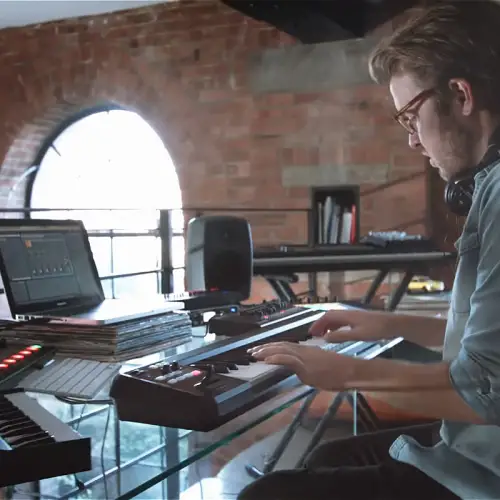
home studio practice

Learning music production is just like learning any other instrument: you need to practice, practice, practice. You’re not going to make a new masterpiece every time you sit down at your DAW. However, every time you’re fiddling around with it and making new sounds, you’re actually getting better.

If your first few songs don’t turn out exactly how you want them to, don’t be discouraged! You will learn new things with each song, and you will get better. There are thousands of tutorials on YouTube and beyond, so absorb as much information as you can.

The hardest part of getting into music production is actually getting started and keeping with it, but you’ll be so glad you did.