
The Best Features in Virtual DJ Explained

VirtualDJ is a powerful Pro DJ Software for Windows and Mac desktop and laptop computers. With the release of version 8, VirtualDJ adds great new features that make DJing so much easier, whether at a professional DJ gig using a DJ controller or virtual turntables or for fun at home. Sure, there are other media players and DJ mixing midi controllers such as Serato DJ and Traktor, but the Virtual DJ software from Atomix has been around for over 30 years and is well established as pro DJ favorite.

Virtual DJ has been around since 1996 but the last few years, beginning with the Virtual DJ 8 upgrade, have seen a full rewrite of the software code. As well as established plug-and-play features like the BPM detector, virtual crossfader, vdj video mixing features, hot cues and more, there’s now a lot more going on with Virtual DJ. Here is a look at the new main features.
Virtual DJ Download now
8

Timecode Vinyl

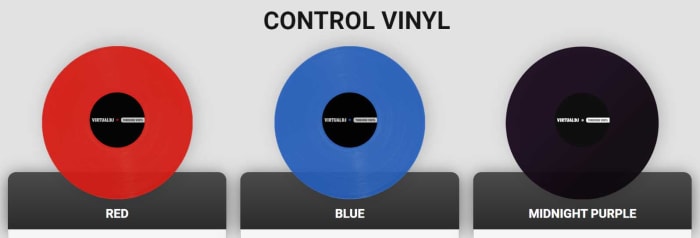
Virtual DJ now rivals Serato by offering digital DJs the chance to use real records when they’re mixing songs from their digital music library. Timecode vinyl now allows laptop DJs to incorporate their old Pioneer, Numark, or Technics decks into their routines. The vinyls transmit timecodes to the software so that Virtual DJ knows exactly what part of the song would be playing if it were coming from the vinyl itself. Not only does this bring an added flair to your mobile DJ live performances it also opens up scratching for your shows and mixes too.

Sandbox

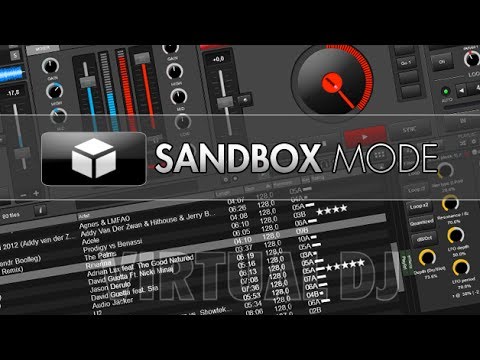
The sandbox concept helps you get ready for your next mix at the same time your audience is enjoying the current song. In the sandbox, you can move to the end of the playing track and mix in the next track.
sandboxmode

The mix is picked up only by your headphones. When you find the right transition points, disengage the sandbox feature and your mix will play effortlessly.

Sampler

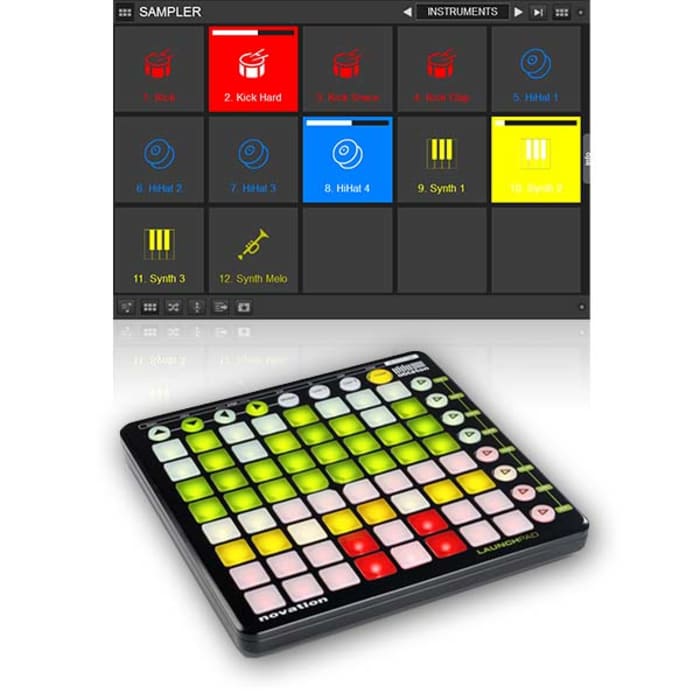
The version 8 sampler lets you play unlimited samples at the same time. The selected samples can be audio tracks, videos, or even still images. You can organize and group samples, triggering them like an instrument bank. Samples are like sound effects and elements that you can add to your mixes.
Sound Engine

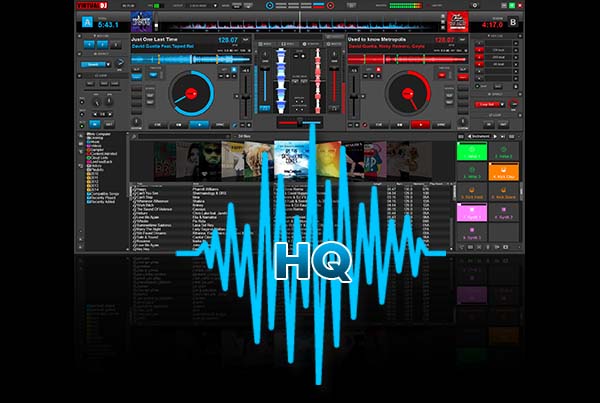
Audio components such as an equalizer, filter, limiter or pitch-stretcher are all re-designed, leveraging the strength of modern computers. These features deliver crystal-clear sounds, and the re-worked engine delivers 32-bit audio, though the sample rate can be tweaked if preferred.
Browser

The latest browser has three components: folders, file view, and side view. Side view lets you show and switch between folders or lists, including automix, karaoke list, and side list.

Drag and drop folders into the side view, letting you park preferred tracks for easy access, and create your own shortcut buttons using this powerful tool.
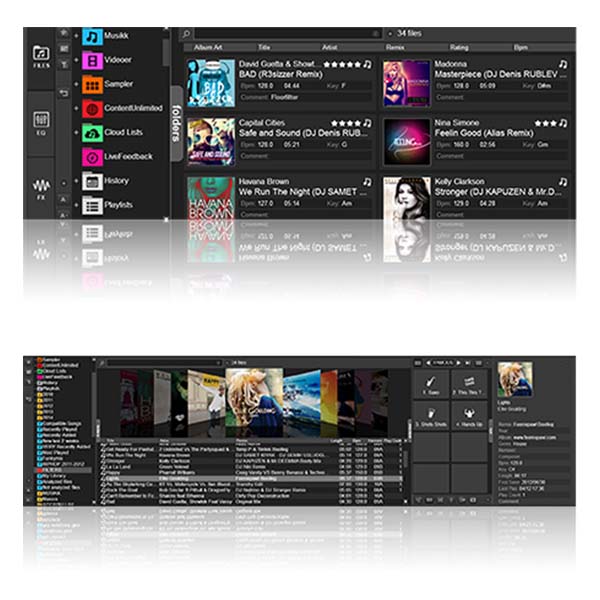
A new folder organizational system also lets you organize track groupings in new ways and apply content from one folder into another. You can use folder filters such as “group by genre” to ease organization.

Effects

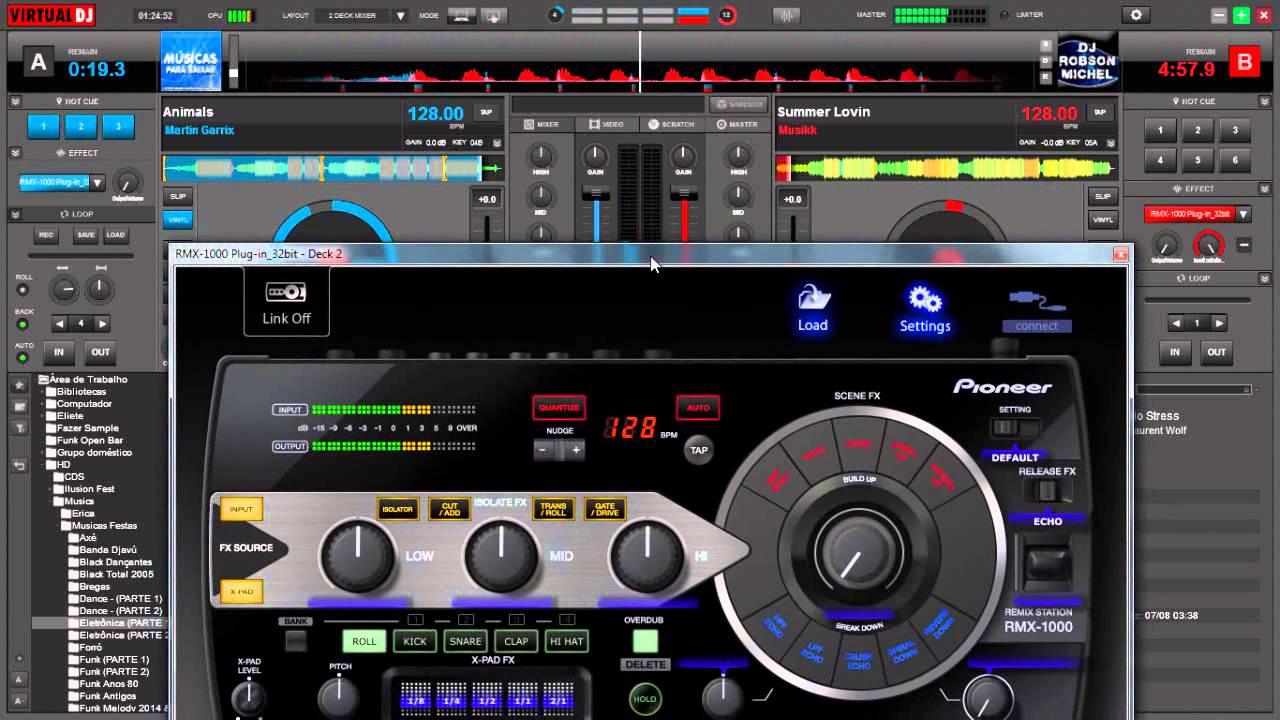
Effects windows can float and be moved around your computer screen now. You can un-pin the effects list to place it where you want. In this version, effects can be applied to one deck or as a master output function.
virttualdjeffects

Editors

This version includes a number of built-in editing functions, including:

Automix: Lets you pre-edit an automix sequence, fine-tune mix-out and mix-in marks, the transition type and, with videos, the video transition to use. The program remembers mix tuning, letting you use those settings when you use the same two songs next.

Track Cleaner: Make edits to your tracks by removing inappropriate lyrics, deleting unwanted intros, or looping sections.

Video: Add text effects or lyrics, or add new video tracks to audio-only tracks.

Sample: Adjust how you use audio, video, or image samples, including tweaking transparency on videos or cropping audio clips.

Point of Interest (POI): Manage your cues, including beat grid anchors, saved loops, and automix points.

If you like VirtualDJ, you’re sure to love DJ Mixer Express!
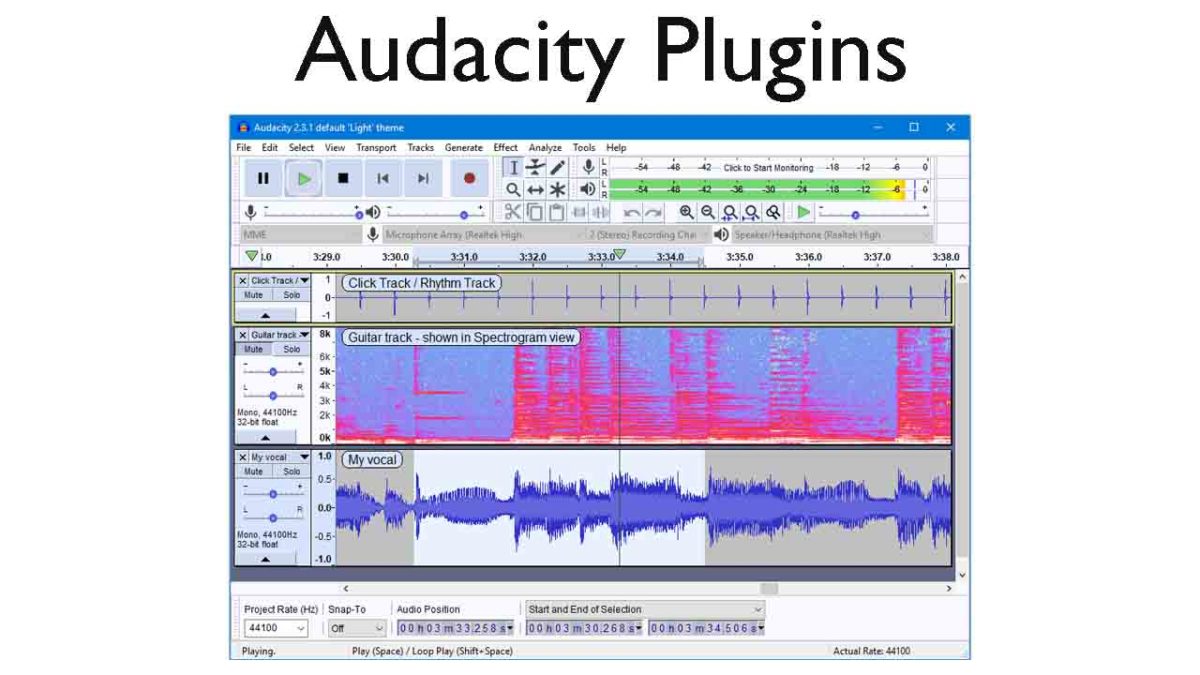
Best Audacity plugins

Check out our list of the best Audacity plugins.

The best audacity plugins

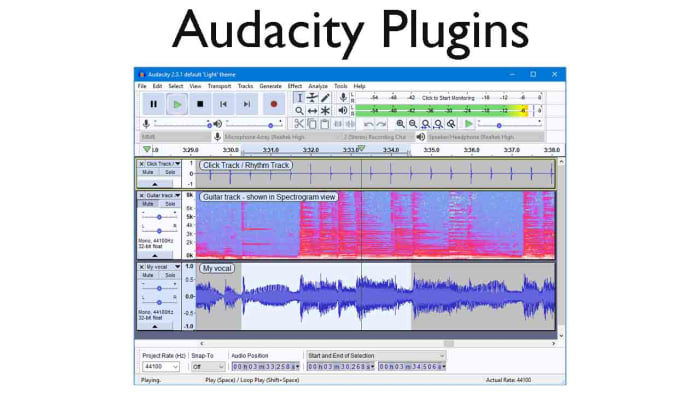
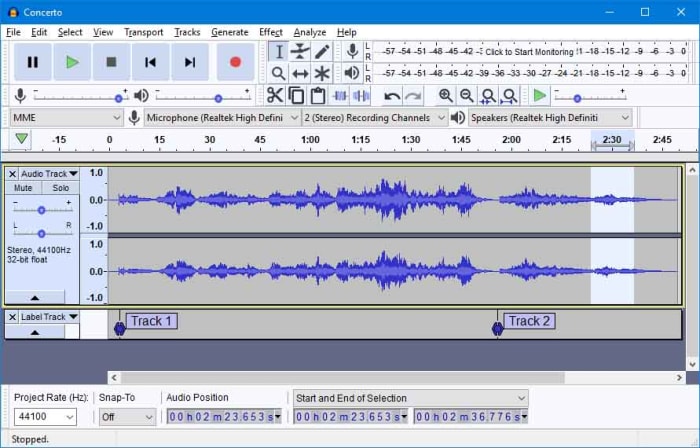
Audacity on Windows, Linux, and Mac OS X operating systems is an excellent open-source audio editor for anybody who needs to do pretty much any task relating to the audio. Audacity puts the power of a music producer recording studio right there in your bedroom and it is fair to say that many of the biggest tracks have been produced in bedrooms by aspiring producers and DJs just like you.

Audacity is a very well-made piece of music software that has been developed by and continues to be maintained by the audacity team, which is a group of volunteer developers all over the world. The nature of the Audacity software is why we’re here today. Its core functions mean it can help you create podcasts or produce tracks that can hit the top of the charts, it is that good. On its own, however, it can be and feel a little limited. This is OK though, as because it does the basics so well, other developers can build their own plugins that augment the music production process. This is what we’re going to look at today, an Audacity-files plug-in directory. These are the best Audacity plugins.

7

Best free plugins for Audacity

Audacity VST Enabler

VST effect plugins. This is where all Audacity plugin guides should start. The Audacity VST Enabler plugin manager allows users to take advantage of high-quality Visual Studio Technology (VST). Using VST plugins will give you the ability add all sorts of different recording studio like features to your setup. Think pianos, synthesizers, oscillators, and even guitar rigs or classical instrument inputs and samples and you’ll start to see just how much is possible with VST plugins for Audacity.

There is good news and bad news, however, when it comes to the Audacity VST Enabler. The bad news is that it has been removed from the official Audacity website. The good news is that it has been built-into Audacity itself. If you’ve recently installed Audacity, you already have it and can begin downloading VST plugins. If you installed Audacity a while ago or have an older version like v. 1.3, update Audacity and you’ll be ready to install VST plugins.

Djindrumm LM-1

Djinndrum

Now that we’ve cleared all that up, let’s get into some of the best VST plugins you can add to Audacity. Let’s go through VSTs that’ll help you create and enhance all the sounds you’d get from a band then add some creative powers to your setup too.

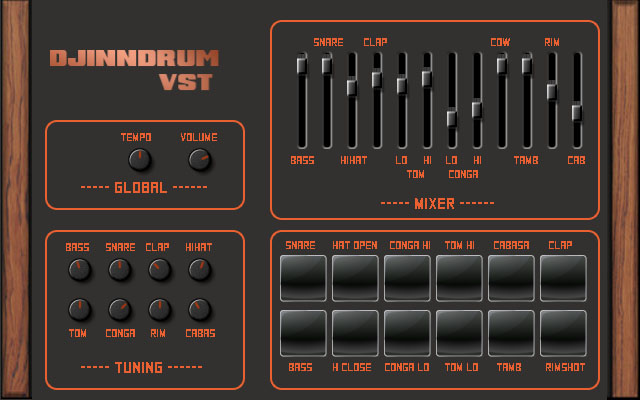
First off then, is the Djindrumm VST. The Djindrumm is a digital re-creation of the classic Linn LM-1 drum machine. The Linn has been a stalwart of rock and pop gods for years. Michael Jackson used one and so did Prince. Enough said. You can get the tools they used to make their hits with this free VST plugin for Audacity, which you also got for free. It really is a mad and crazy world we live in.

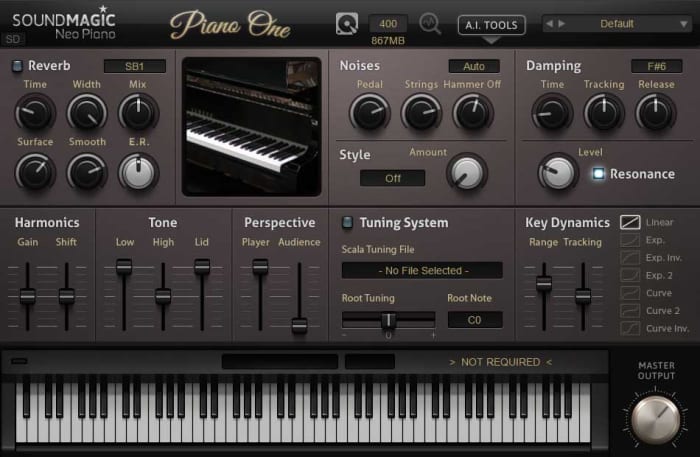
Piano One

Piano One

Many people think that Piano One is the best free acoustic piano VST plugin you can get your hands on. One of the main reasons for this is because the samples came from a Yamaha C7 Grand Piano, which would set you back about $75,000, if you bought one today. Yep, that’s right, you can get a free acoustic piano that sounds like a $75,000 piano. The free version of this VST isn’t feature rich, but it sounds incredible.

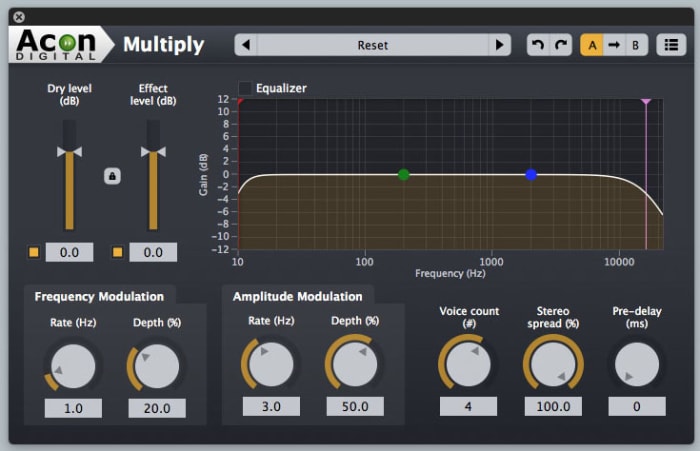
Acon Digital Multiply Chorus

Acon Chorus Multiplier

The Acon Digital Multiply Chorus plugin is great if you want to thicken out your sound and add a bit of depth to your tracks. It offers control over frequency and amplitude modulation and can add minute delays to your vocals. This effects VST is excellent if you’ve already laid down your track and you’re looking to add a little atmosphere and emotion to the sound. It is only a small console, but it can bring so much to your music.

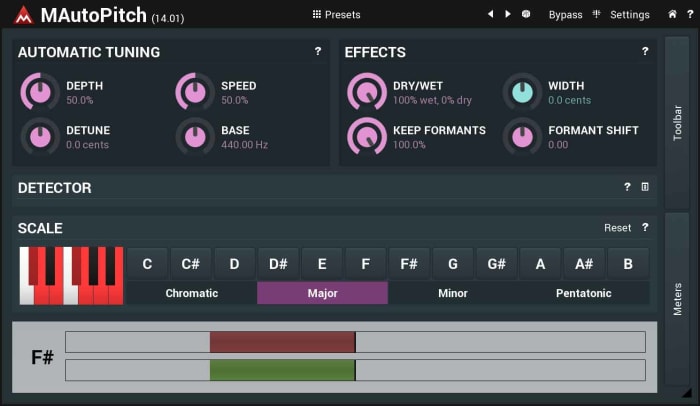
Melda MAutoPitch Auto-Tune

Melada AutoTune

Auto-Tune processes sound and then shifts the pitch to the nearest true semitone. This makes it an invaluable tool for any vocal mixer. If you’re laying down vocals on your track, you need to an Auto-Tune plugin, and the Melda MAutoPitch is one of the best you can get for free. It will fix the pitch in your tracks, correct all the notes that aren’t quite right, and also give you the ability to distort the vocal tracks you’re putting into your songs.

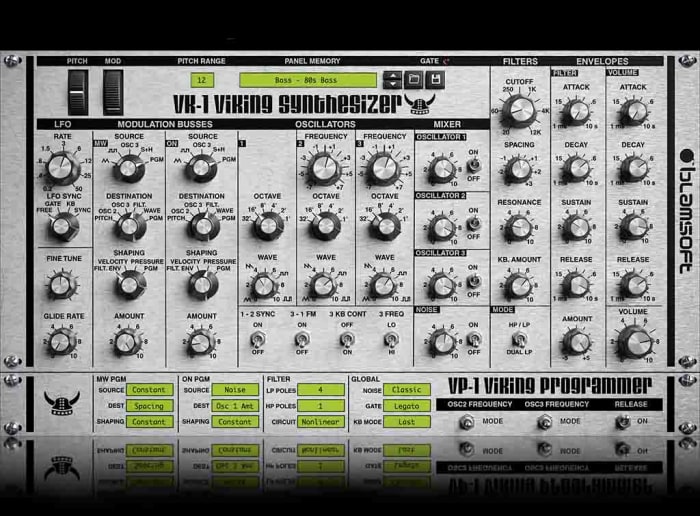
VK-1 Viking Synthesizer

Viking VK-1

If you’re looking to bring some retro electronica into your music, you’re going to want a synthesizer. The VK-1 is a VST plugin emulation of an analog mono synthesizer that’ll bring some real power to your Audacity setup. It comes with oscillators, dual modulation channels and an all-round accurate recreation of a very retro sound. What’s even better about the VK-1 Viking is that it is paid as you like. If you’re just getting started and don’t have much money to invest in your setup you can get this for free or very little.

CamelCrusher

CamelCrusher

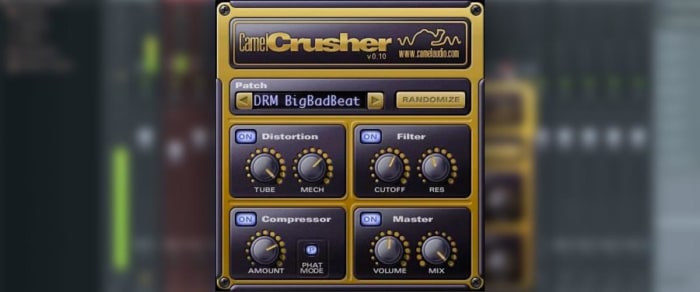
CamelCrusher adds distortion control, reverb, compression, and filtering to your Audacity toolkit, giving you powerful control over the sounds and beats you add to your tracks. As well as giving you the control, CamelCrusher also gives you a number of presets to add some instant oomph to your output while also giving you an idea of what the plugin is capable of. The CamelCrusher plugin is so good that Apple decided to acquire the developers that built it. Don’t worry though, you can still download CamelCrusher for free.

Guitar Rig 5

Guitar Rig

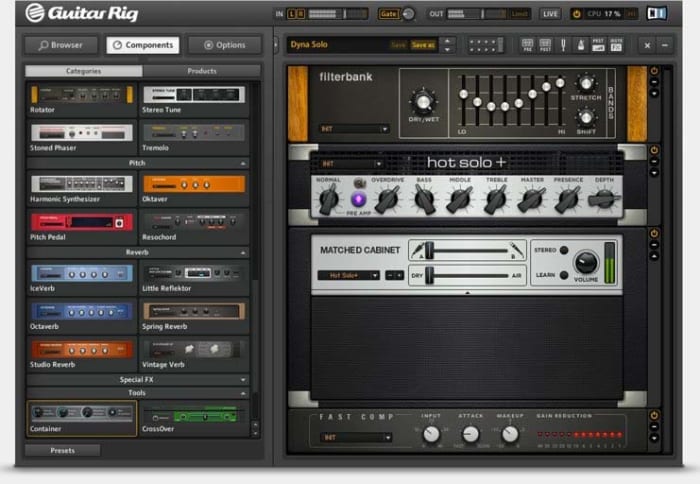
Guitar Rig from Native Instruments brings the power of the most epic of rock god recording studios right into your bedroom. With 17 different amps to choose from, 27 cabinets, and 54 effects this VST plugin gives you the power to really take control of the guitar tracks in your audio files. It can even manage effects like tone shaping, different mics, and even the positioning of your setup. This really is some next-level gear.

The top 8 DJ software applications available today

Feel the beat with some of the best DJ software out there!

DJ

When it comes to DJ software, your choices include household names, underground favorites, and open-source extravaganzas. With all this variety, it can be difficult to tell which is the right software for you. You’ll hear terms like ‘session view’ and ‘sampler’ tossed around and it can make the whole process seem daunting.

But with a little research, there’s no reason why you can’t start mixing the tracks of your dreams today. Whether you’re a beginner or a seasoned veteran, we’re here to help you find the package that’s right for you. Take a look at the best DJ software available today.

The top 8 DJ software applications available today

1. Native Instruments Traktor Pro

native instrument dj

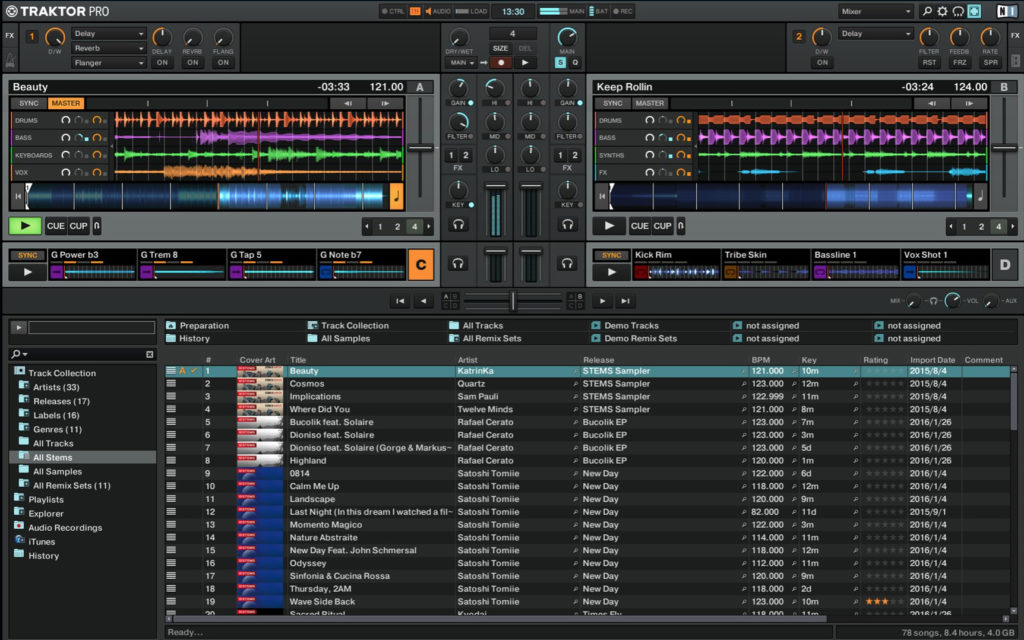
If you’re looking for a safe pair of hands in the world of DJing, there’s no program like Native Instruments Traktor Pro. With more than 10 years in the game, this platform has risen to popularity because of its reliability and ability to create a diverse range of music. Amateur and professional users will be pleasantly surprised by the versatility of the onboard Sample and Remix Decks.

There’s also a state-of-the-art analytical tool that breaks down the key and beat of your music. One particularly nice touch is the colored waveforms feature, which allows the user to differentiate between high and low frequencies through a jazzy visual color display (Which makes life easier when mixing complex tracks). Native Instruments is currently available for $99.

Traktor Pro Download Now ►
7

2. Pioneer DJ Rekordbox

pioneer dj

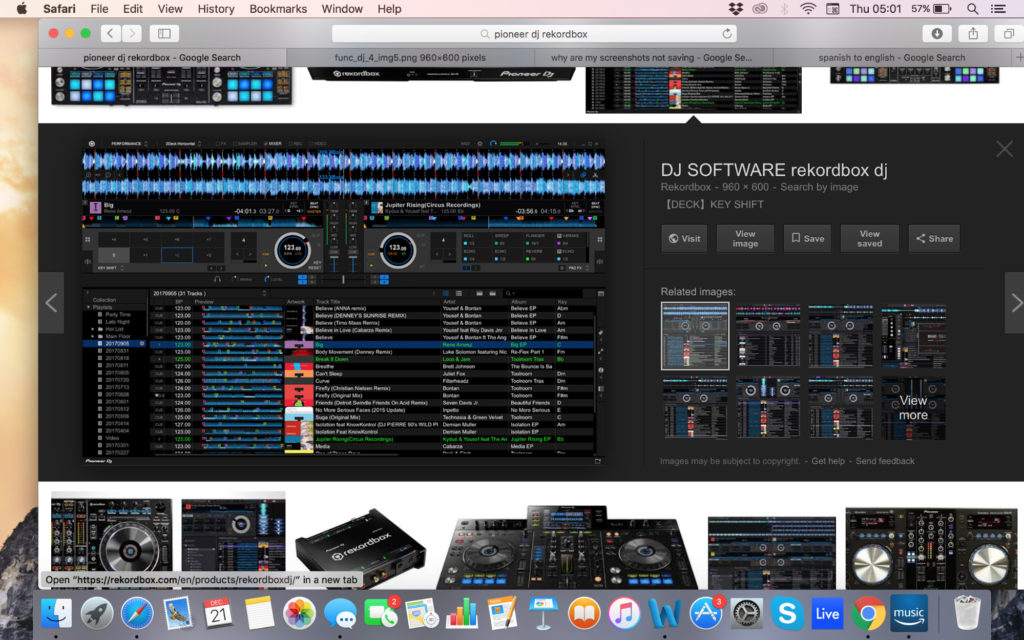
In the world of DJing, few companies are more famous than Pioneer. Originally Rekordbox was designed to use with Pioneer music players but it’s now morphed into a full-blown mixing and sampling suite. The program boasts a respectable four decks, supported by master effects, an eight-part sampler, and a beat slicer. The visual pads are easy to use and add a lot to the overall feel of mixing.

If you’re lucky enough to have an extra monitor you can even move your library to one screen. That said, the preferences screen can be very confusing to navigate at times and you’ll need a glass of water to cool down if you’re tweaking them for a while. Dj Rekorbox can be yours for $129.

Rekordbox Download Now ►
9

3. Ableton Live

ableton

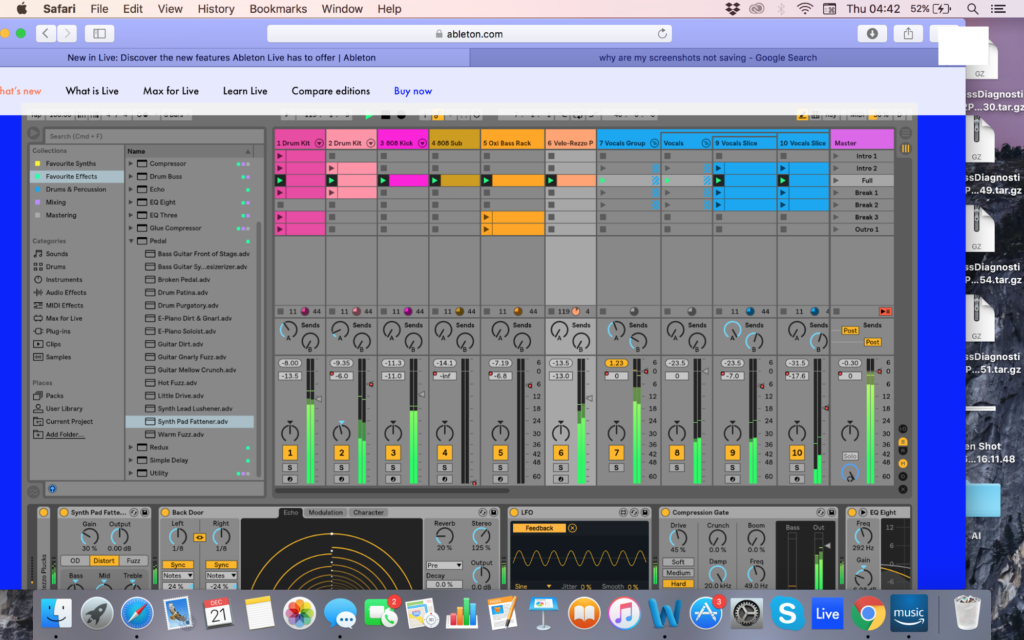
Whilst Ableton Live not a pure DJ software platform, Ableton has certainly developed a reputation as one. DJs across the world have been using Ableton’s Session View to create blistering live sets. The user interface makes it easy to launch audio samples in sync as well as muting unwanted sections on the go. Likewise, the program’s versatility as DAW can add an extra layer of production to supplement your live sets.

There are hundreds of effects in the standard version (Thousands if you opt for the suite) and packs are regularly released so that you can tweak your tracks with new tools. While there is certainly a learning curve with Ableton, you’ll reap the rewards once you master how to navigate the session view effectively. Ableton Live starts at $99.

4. Serato DJ

Serato

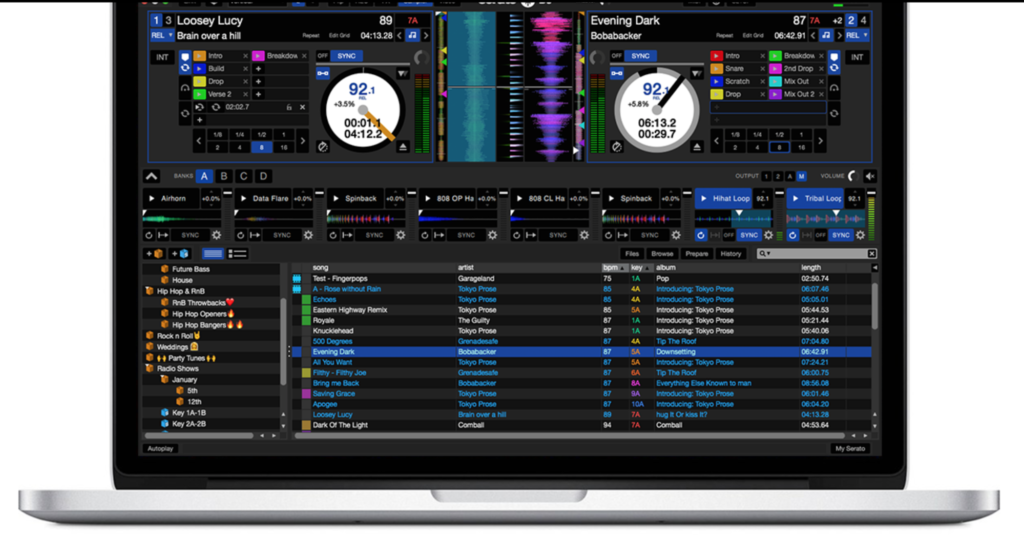
While not as famous as Pioneer, Serato DJ is one of the leading DJ software packages on the market today. On the main screen, you’ll have all the basic info you need, with your decks, BPM, time scales, pitch, and track progress all kept in clear view. You can also switch between mixing on two or four decks. One of the biggest advantages of Serato is its massive onboard library (which dwarfs every other provider on this list!).

In terms of MIDI, users have access to a clear virtual panel so that they can interact directly with the program and create their own music. DJs looking to be extra strict with their timing can also make use of Quantize Mode to ensure that each segment begins right on the beat. Serato is available for a respectable $99.

Serato DJ Download Now ►
8

5. Mixxx

Mixxx

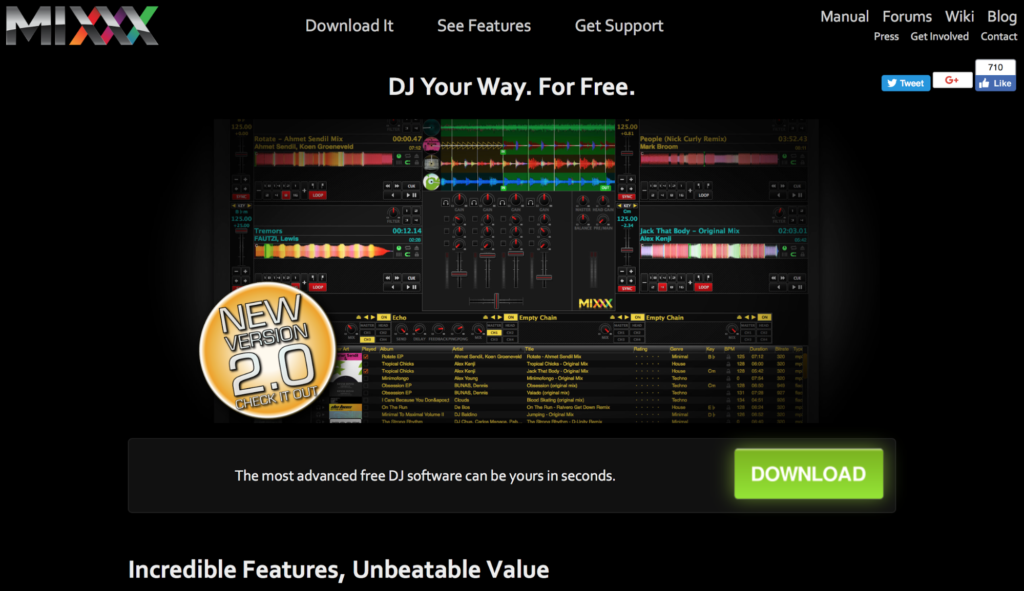
If you’re looking to dabble in the DJ world but you don’t have the budget to spend on an expensive suite, Mixxx is the product for you. This free open-source DJ software allows users to crossfade tracks, detect BPM, run loops and adjust the overall EQ. In other words, everything an amateur DJ could need to hit the ground running.

This nifty open-source program is also available to Windows and Mac users as well. Mixxxx now has five main effects: Flanger, Filter, Echo, Reverb, and Bitcrusher. Just be aware that the mix does not have the quality or nuance to it that many other DJ software packages have on this list.

6. Magix Digital DJ 2

Digital DJ

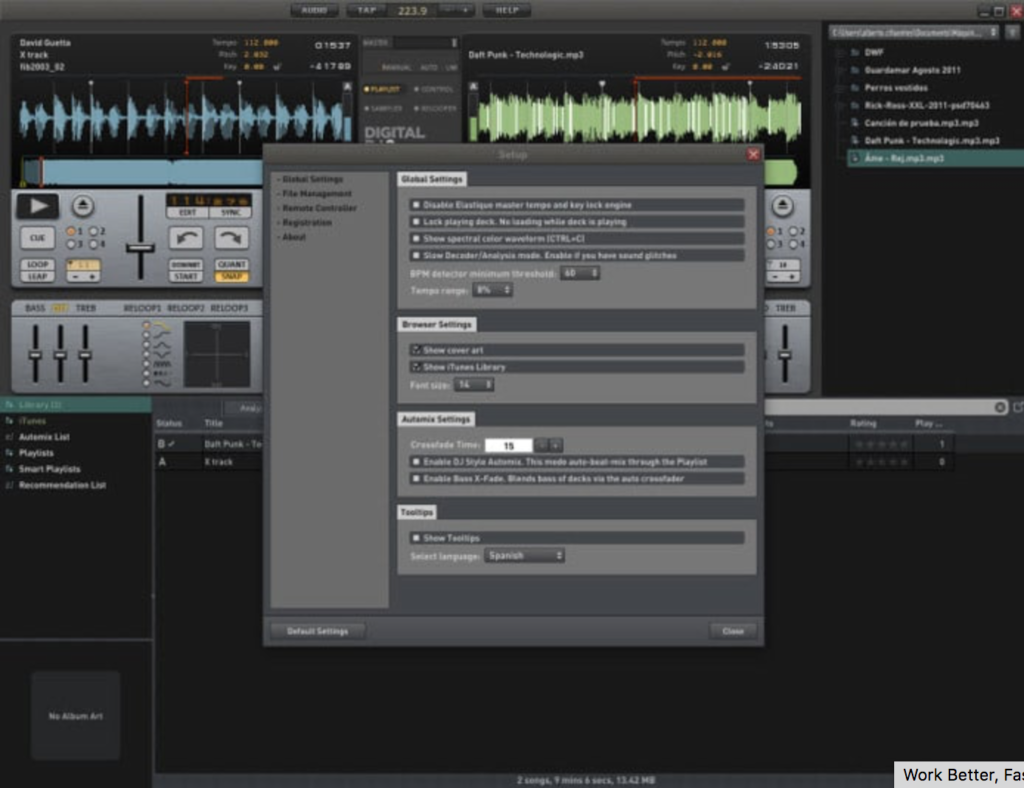
The user interface is simple to use, and you can drag and drop tracks into the main screen to start mixing. To assist your mixing journey, the onboard app will suggest similar-sounding tracks to the one your playing. The song manager interacts with your iTunes library (if you have one) to search through your tracks for similar songs.

The song manager makes it much easier for beginners to navigate the software and start playing their favorite tracks without too much of a learning curve. While it lacks the advanced depth of some of the other competitors on this list, it’s a good entry-level platform into the world of music sampling.

Magix Digital DJ 2 Download Now ►
7

7. Virtual DJ Pro

virtual dj pro

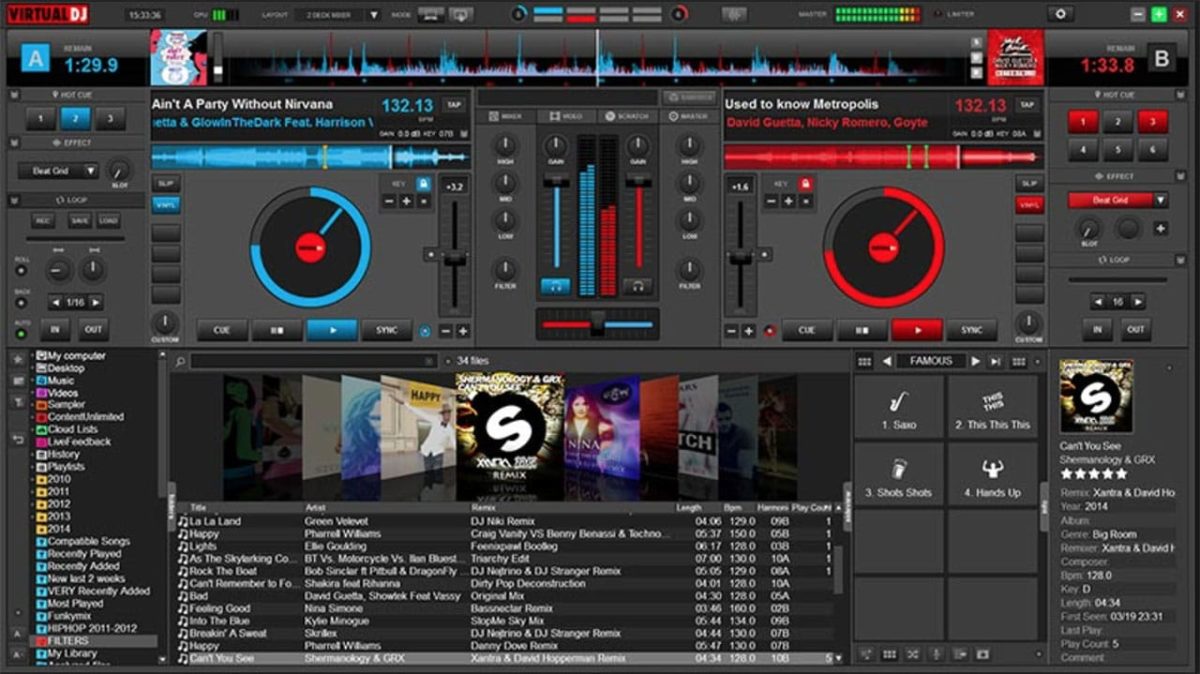
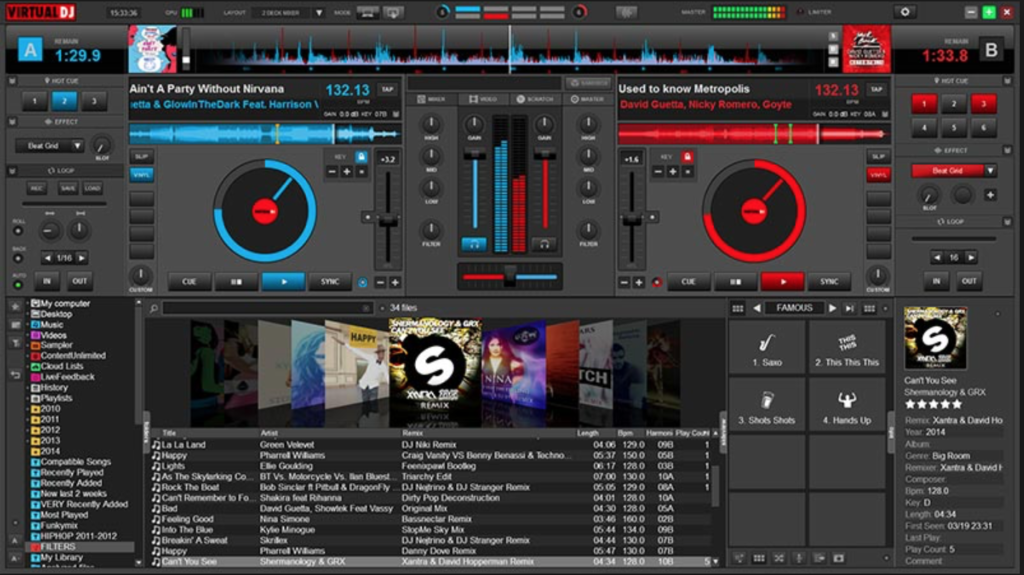
Virtual DJ has caught a lot of flak for being a light option with a poor user interface and overall feeling of clunkiness. However, Virtual DJ 8 looks fluid and contemporary. (And it now supports retina displays, unlike most other competitors!) On the main screen, you’ll have both your decks, with an EQ section in the middle and the crossfader located below.

All you need to do to start mixing is drag and drop. If you want to go old school, you can open up the scratch window to view your waveforms and get that distinct scratch sound. Virtual DJ is compatible with most hardware, making it one of the most versatile software packages on this list. Virtual DJ Pro can be downloaded here for $299 or $19 a month.

Virtual DJ Download Now ►
8

8. MixVibes Cross DJ

dJ

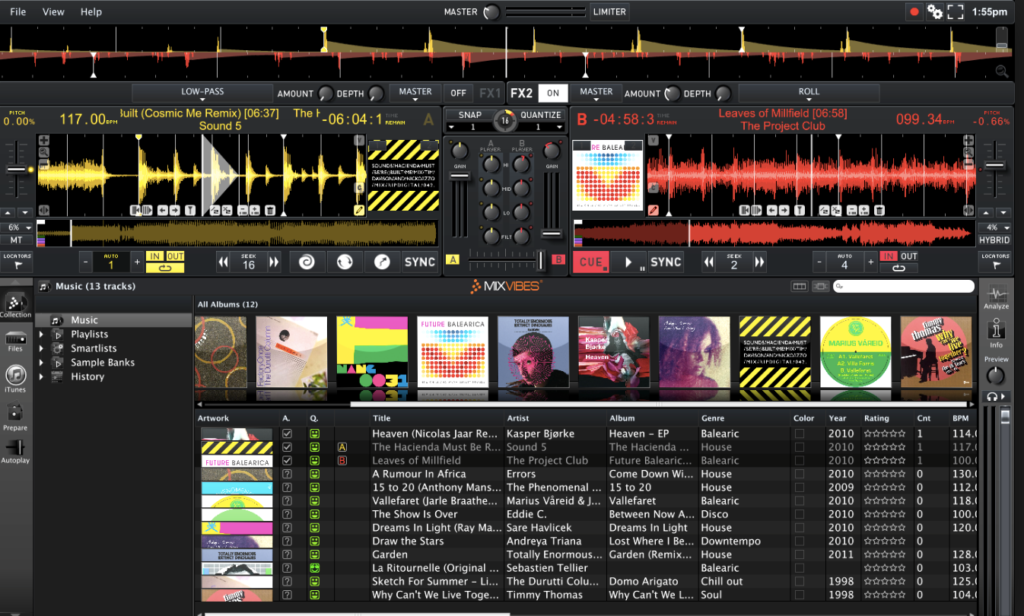
MixVibes Cross DJ make not have the same recognition as Pioneer but it’s been making waves in the DJ community. In terms of core layout, you can choose between 2 or 4 decks, with a selection of different players and samples to choose from as well. There are two main FX units and you can choose between 14 different effects.

One of the biggest advantages of MixVibes is the excellent BeatGrid Editor which helps to resolve any issues with BPM. You can also import from iTunes and connect a SoundCloud account to load up some of your own tracks. MixVibes is also much cheaper than many of its competitors but it still holds its own phenomenally well. MixVibes Cross DJ can be picked up for €49 (about $60 at the time of publication).

Cross DJ Pro Download Now ►
9

Want to produce music? Here’s how to get started

Are you interested in getting into music production? These tips can get you started!

Rock band

With platforms like Spotify, YouTube, Soundcloud, and Bandcamp, we live in a new golden age of music distribution. The middleman between artist and listener has been all but eliminated, and anyone with the right song at the right time can make it big. If you’re an avid music fan who’s ever considered making your own, now is the best time to do it.

8

It can be daunting jumping into music production. With this guide, we’ll answer all of the most common questions and try to keep things as simple as possible.

Want to produce music? Here’s how to get started

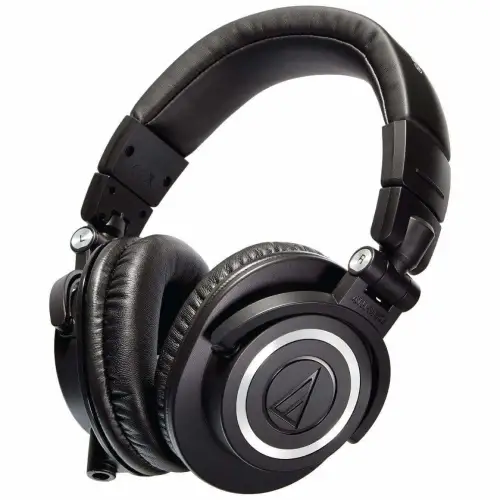
Get a good pair of headphones

headphones

A small but important step to making sure your music has the highest quality possible is to get a good pair of headphones. This will make sure you can hear all of the nuances in your mix. Besides a computer, this will be the only piece of equipment that you truly need.

Choose a DAW that suits you best

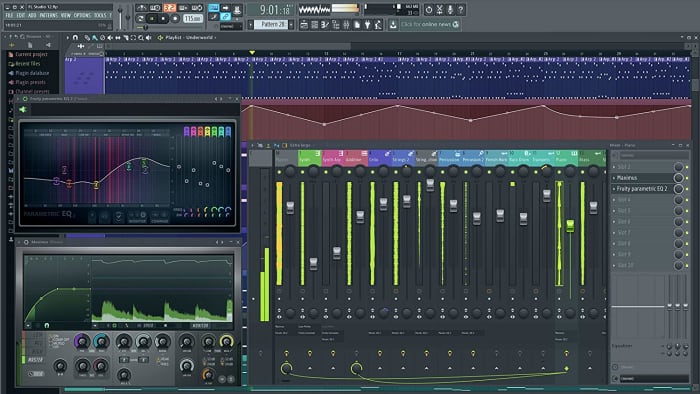
fl studio

Choosing your DAW is the most important first step of music production. DAW stands for Digital Audio Workstation, and they are programs that let you create, manipulate, and rearrange sounds into beautiful music.

Different DAWs have different strengths and weaknesses, price ranges, and ease of use. For Mac users, GarageBand is a basic DAW that’ll get the job done, with its main advantage being that it’s free and easy to use. If you want a more powerful DAW, here are the most popular options:

GarageBand Download Now ►
7

FL Studio

FL Studio is one of the most commonly used DAWs in the world. The program has a ton of depth and thousands of user-made plugins and sample packs that allow you to create any sound you can imagine. FL Studio also contains a piano roll that makes it incredibly simple to arrange the pitch and length of different notes.

It is definitely one of the easier to use DAWs due to its emphasis on visual communication. Notes and patterns are clearly represented by blocks that make it easy to visually sort your music. Out of all of the major DAWs, composing and arranging music in FL Studio is the easiest by far. Depending on which edition you buy, the price of FL Studio ranges from $99 to $899. Popular artists who use FL Studio include Metro Boomin, Soulja Boy, and Martin Garrix.

FL Studio Download Now ►
9

Ableton

Ableton sports a more visually clean interface than FL Studio, showing you as much information as possible in one screen as opposed to many windows. Mixing and automating tracks is easy in Ableton as the program automatically sorts them for you.

If live performances are your thing, Ableton has many features that make it the superior live DAW. This includes live resampling and editing duplicated samples on the fly. Pricing for Ableton depends on the edition and ranges from $99 to $799. Big artists who use Ableton include Flume, Skrillex, and Deadmau5.

7

Personally, we would recommend any total beginner to go with FL Studio. The learning curve for Ableton is much steeper, and FL Studio is designed to be easy to use for complete beginners. As you become more advanced, check out Ableton and its features and decide if a switch is right for you.

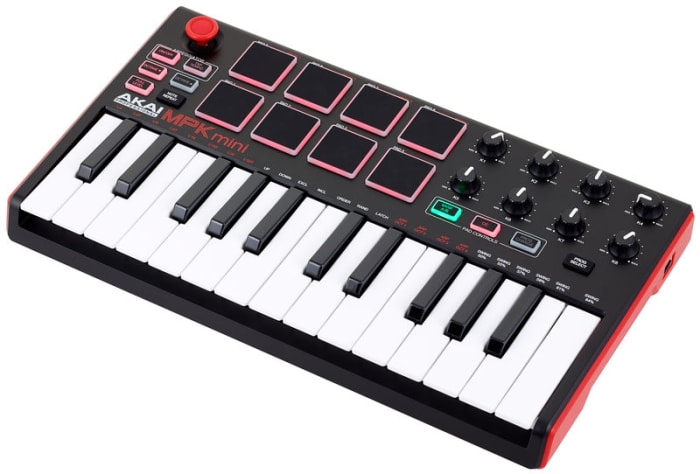
(Optional but HIGHLY recommended) Get a MIDI controller

midi controller

If you want to learn how to write a melody, it is essential that you learn a little bit of music theory. This theory can be as basic as learning a few chord progressions and staying within a scale. Also, there are plenty of free online resources that can help you learn these things if you have no musical background.

A MIDI controller is basically a piano with a few extra bells and whistles. They don’t produce sound on their own but can be used to produce sound through a DAW. When trying to compose a melody, it is infinitely more intuitive to play around on a piano instead of just staring at a screen.

You can come up with a melody by clicking around and trying different things. However, it’s significantly easier to come up with one while fiddling with something that resembles an actual instrument. You don’t need to already know how to play the piano (though you might learn along the way!) but a MIDI controller will help your workflow when it comes to melodies significantly.

Experiment and learn

home studio practice

Learning music production is just like learning any other instrument: you need to practice, practice, practice. You’re not going to make a new masterpiece every time you sit down at your DAW. However, every time you’re fiddling around with it and making new sounds, you’re actually getting better.

If your first few songs don’t turn out exactly how you want them to, don’t be discouraged! You will learn new things with each song, and you will get better. There are thousands of tutorials on YouTube and beyond, so absorb as much information as you can.

The hardest part of getting into music production is actually getting started and keeping with it, but you’ll be so glad you did.

Discover free sheet music with Musescore

Looking for sheet music? This site has you covered… for free!

MouseMuseLearning an instrument is a difficult but rewarding experience, and we believe finding great, inspiring sheet music for your journey should be as easy as possible!

While there are admittedly great ways to purchase sheet music or anthologies of classical scores, we’d like to recommend one great location to find high-quality music assembled and rated by users like you!

Join the community and…

Discover free sheet music with Musescore

Why MuseScore?

Muse

There are many other websites with free sheet music, so why this one?

There are numerous answers to that. For now, here’s a quick list:

First, MuseScore has an intuitive interface and well-designed website that makes creating an account, searching for music, and practicing your songs easier, thanks to many powerful tools.

Second, the website has almost every song imaginable: classical songs, modern TV and video game soundtracks, 80s rock tunes, the works. If you can think of it, someone else probably wanted to play it already and developed sheet music on this site. Search around, give it a try!

Finally, we love the community. They review music so you can choose the best version of your score, whether it’s “Megalovania” from “Undertale” or “One Summer’s Day” from “Spirited Away.” Even better, they’re generally supportive; the most negative comments we’ve seen are constructive posts recommending alterations to improve a score.

At this time, nothing else can match Musescore! Let’s dive in.

Introduction

HomeWelcome to MuseScore! Right now, we’re looking at the “Browse” page, which we firmly believe is the real main page. Here, you can most easily begin searching for your next project.

However, quickly look over the other important links. “Community” holds hundreds of discussion on musical topics. “Upload” allows you to enter your own script works, which is likely why it’s located next to the Notification and Profile buttons. Keep those in mind!

(We recommend creating a profile. It allows you to save as many favorite tracks as you want for later.)

Exploring for Music

You can easily “search” for music on MuseScore, but the “explore” describes the process far better: voyage into a sea of new possibilities!

1. The search bar

SearchKnow the name of your song? Type it in and search. MuseScore will pull up the top result, reviewed and approved by many other musicians, along with even more relevant options.

2. Top Hubs

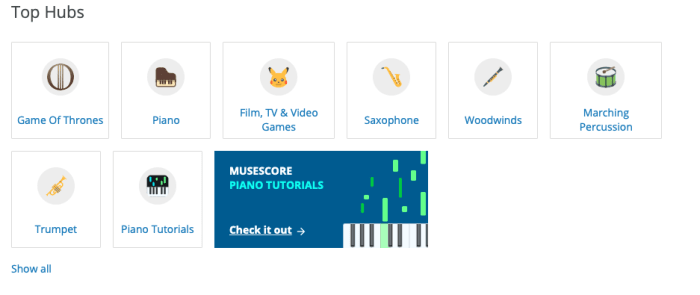
HubsFeeling a bit adventurous? Great! The Top Hubs show the most popular locations for music searches. As you can see, “Game of Thrones” currently tops the charts, likely because of G.O.T. Season 8.

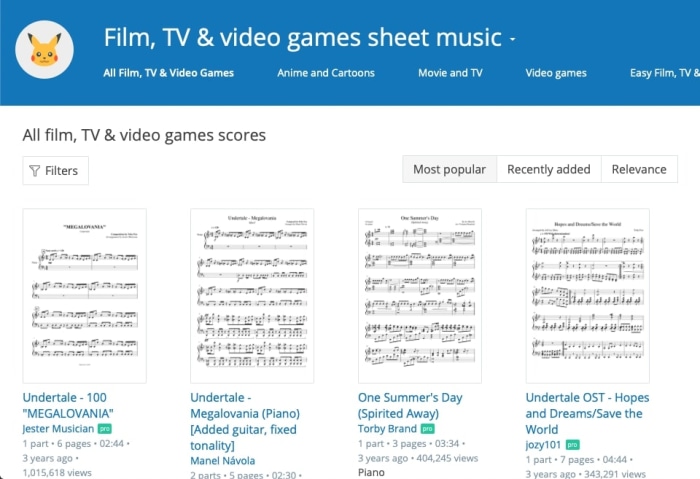
Frankly, we love this feature. Music, like many other types of art, has dull moments of indecision over where to begin next, the same feeling one gets when holding a pencil over a blank sheet of paper. Here, those feeling can be destroyed with a few refreshing minutes perusing the highest rated tracks in Piano, Trumpet, Film, TV & Video Games, or more!

Know what makes this even better?

Within every hub, there are even more options to narrow down the search! Check out the most popular, or recently added files. Among the “Film, TV & Video Game” section, you can see there are hub-specific filters for Anime and Cartoons, Movie and TV, or Video Games.
KEY NOTE: every hub will have a section for Easy sheet music. Newbies rejoice! You can find starter-level pieces lickety-split.

3. From the top

If you don’t have a preference for any of the main hubs, fear not! There are other ways of finding great music…

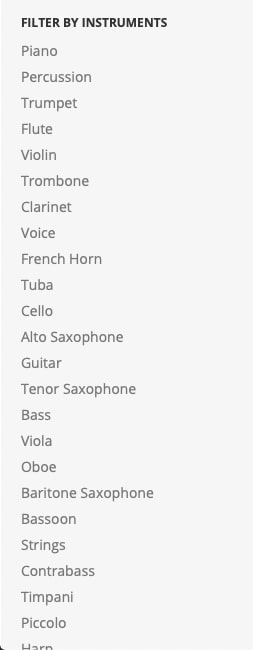
At the main “Browse” page, you can filter through the entire MuseScore library with a number of tools. For example, there’s an option to choose your instrument:

ListLook at that list! So many options. So many instruments.
The full list of filter options goes: sort by (upload date, comment count, view count), instruments, number of instruments, artist, and even license type (available to modify commercially, use commercially, share, and use personally). These are powerful tools!

If you’re feeling unsure or simply want to see the full range of options, MuseScore has plenty of choices.

4. Search by user

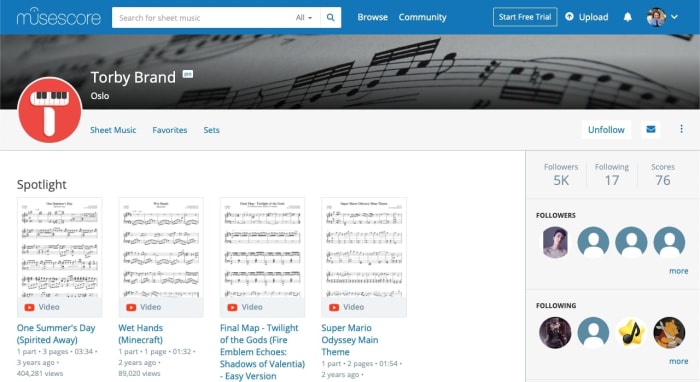
TorbyFinally, you may be surprised by how many dedicated MuseScore users have dedicated themselves to bringing great sheet music to others. In the photo above, we used Torby Brand as an example. Brand created excellent scores for some of our favorite games and shows, from “Attack on Titan” to “How to Train Your Dragon.”
While this may not be the go-to method of searching for first-timers, you may begin to notice familiar names while searching for new music. Thanks to these hardworking individuals, we have even more great options! You may want to follow their page and leave a nice comment.

The Music

Music

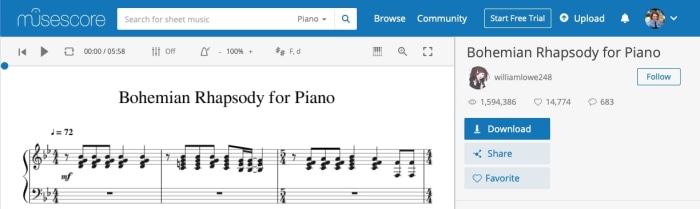
Finally! You’ve found the perfect song. Let’s say it’s “Bohemian Rhapsody for Piano,” currently the most popular piano song on MuseScore.

At the top left, you have the playback options: listen to the song’s audio (digitally created from the score), loop a particular section, bring a metronome into the mix, choose your key, and more! Honestly, we just like to listen to the track sometimes, but this window has great potential for studying as well.

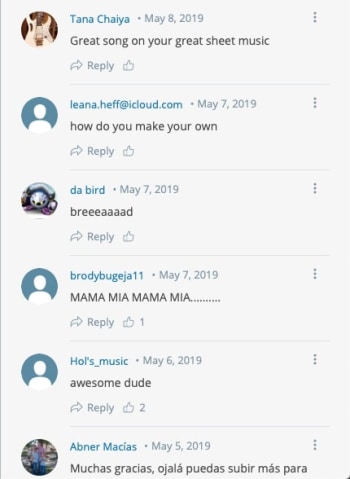
In the right bar, check out the important information. Download sheet music for printing, share it on social media, add it to your favorites, check the community stats, and find the user that uploaded the track. Also, while it isn’t shown here, the right bar scrolls down to a comments section, where you can leave your support and suggestions:

Conclusion

Wherever you’re at on your journey, we promise MuseScore has something for you. How are we so sure? Because MuseScore has all the things!

We hope you find what you’re looking for here. Enjoy!

Spotify testing Instagram-like stories feature

Spotify’s new Storyline feature allows artists to share both insight and their creative process.

Spotify feature

Spotify is testing a new feature similar to Instagram’s “Stories” feature, according to an article from TechCrunch.

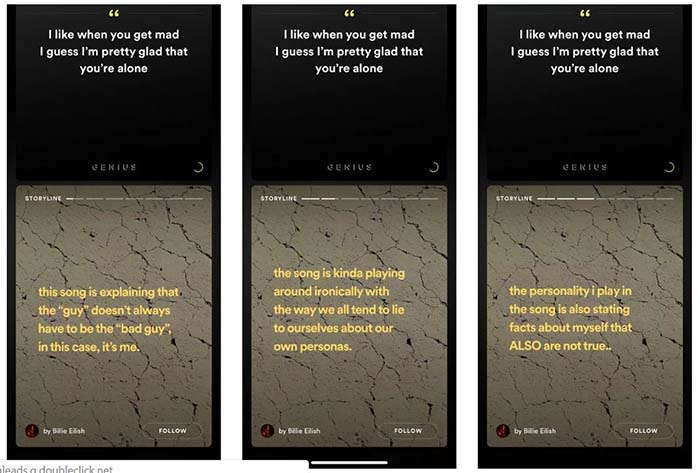
The new feature, called “Storyline,” will allow artists to share their insights into the creative process of their music.

Spotify Storyline
Source: Thomas Ricker / The Verge

For example, if T-Pain releases a new album, he can go into the deeper meaning behind his songs in Storyline. Users could sift from segment to segment in Storyline to the parts they want to see. Each part of the Storyline would be static text and video.

8

“We are always testing new ways to create better experiences for more users,” a spokesperson said in a statement to TechCrunch. The spokesperson confirmed that Storyline is being tested.

Spotify does already have a feature that shows the lyrics of a song, and some of the insight behind them. 

However, the feature was known to be incorrect at times. In one case, Hayley Williams from Paramore tweeted at Spotify to correct “outdated facts” in one of her band’s songs.

Right now, there is no set release date. Also, none of the testers are in the U.S. However, the new feature would give Spotify original content, which users have noted is lacking on the app. Reddit users have spotted the feature on songs from the Jonas Brothers and Billie Elish. 

How to submit your podcast to Stitcher

Stitcher can be the tool that takes your podcast to the next level.

Making a podcast

So, you’ve created a podcast poised to become the next big thing in true crime, pop-culture, or something new altogether.

Now, you’re thinking distribution, expansion, and the ability to monetize.

Your next move is to submit your podcast to a few platforms. Think Apple, Google Play, Spotify, and of course, Stitcher.

Stitcher Download now ►
9

Below, we’ll look at what it takes to get your podcast on to the popular platform. Although, standing out in a sea of aspiring podcasters may well be another story for another time.

How to get your podcast on Stitcher

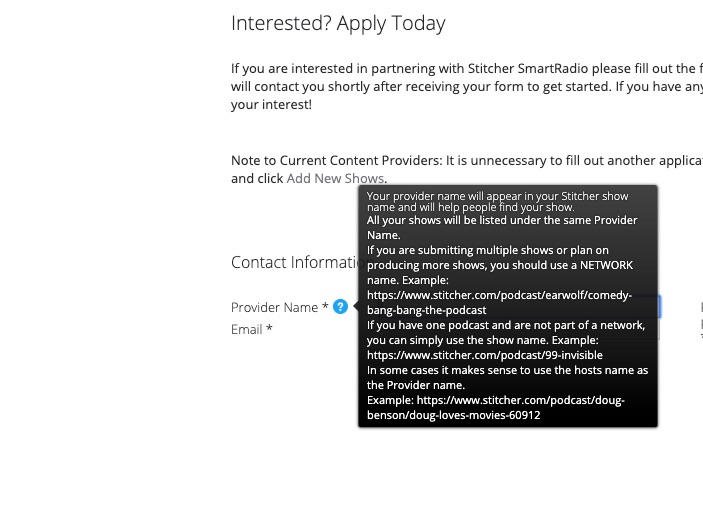
Getting your podcast on Stitcher is relatively easy. All you’ll need to do is head over to the official website, and create a content provider profile.

apply to be a stitcher content creator

Once you’ve created a login, click the “Add Shows” tab in the top navigation.

Add your RSS feed, show details, and hit submit.

That said, there’s more to it than adding your RSS link. To find your RSS link, you’ll need to go to your podcast hosting platform — BluBrry, Spreaker, Libsyn, etc. From there, you can get the link.

Adding your link will provide Stitcher with your podcast’s metadata, but you can customize further once you’ve connected your episodes.

BluBrry

You can add a description that lets your audience know what each episode is about. This is better than lumping everything together under one umbrella description.

You’ll need to make sure you have a unique podcast title — hopefully, you’ve done this before you hit the record button the first time. However, we’d advise double checking that no one else is already using the name of your show.

You’ll also need to make sure your podcast artwork is 1,400 x 1,400 pixels, and in either PNG or JPG file format. Also, audio files must be in MP3 or M4a format.

Once all of those components are in place, you’ll just kick back and wait for approval.

Free MP4 MP3 Converter Download now ►
7

We should also mention that adding your show doesn’t mean you have a blanket approval for all future episodes. Stitcher manually approves each episode and can take up to a week to approve each show.

Keep that in mind if you’re posting on a regular schedule, as fans will expect shows to drop at a specific time each week.

What’s the deal with Stitcher approval times?

Stitcher

Good question. The Stitcher website isn’t especially forthcoming about who gets approved, and why, at least not at first glance.

According to a user on Reddit’s r/podcasting, Stitcher takes about an hour to approve content creator applications.

In that same thread, a few users mention that Apple Podcasts can take up to two weeks to grant their approval. Other platforms like Spotify and Google Play take a few hours.

8

Now, this is all anecdotal. It’s worth pointing out that approval times might vary based on factors such as listenership or whether you’ve submitted the requested information correctly.

After the initial approval, the platform may take a few days to approve each episode. So, you might want to front-load your content in order to make sure you can schedule regular drops.

Can you make money on Stitcher?

Make money on a podcast

Yes, but Stitcher won’t pay you outright. The whole purpose of Stitcher is to help you extend your reach to more listeners. However, you’ll need to establish partnerships with advertisers on your own.

According to the platform’s Content Provider page, podcasters who can grow a larger audience may be eligible to participate in the platform’s revenue sharing program.

But, if you’re just starting out, your best bet is to work on growing your audience on your own.

Promoting a podcast can turn into a full-time effort, just like any form of marketing.

Again, Stitcher isn’t the only place where you can submit your podcast. For best results, you should submit your podcast to Apple, Spotify, Google. From there, promote your podcast like crazy on social media.