If you hate annoying autoplay videos, you need to see this

Firefox update will block autoplay videos with sound and stop slow loading ads

Good old Mozilla. The Mozilla Foundation has built itself a solid reputation for protecting user privacy while offering top-notch web services. We recently saw the introduction of Firefox Send, which offers a free and easy way to send huge files to whoever you want. Firefox though, Mozilla’s ever-present web browser is the not-for-profit foundation’s jewel in the crown. The browser is Google Chrome’s biggest competitor and Mozilla keeps working hard to give it the latest features.

Mozilla Firefox Free Download
7
Mozilla Firefox is a free, open-source web browser. Now with new features, faster and more secure.

Firefox update will block autoplay videos with sound and stop slow loading ads
new Firefox update
Image via: Mozilla

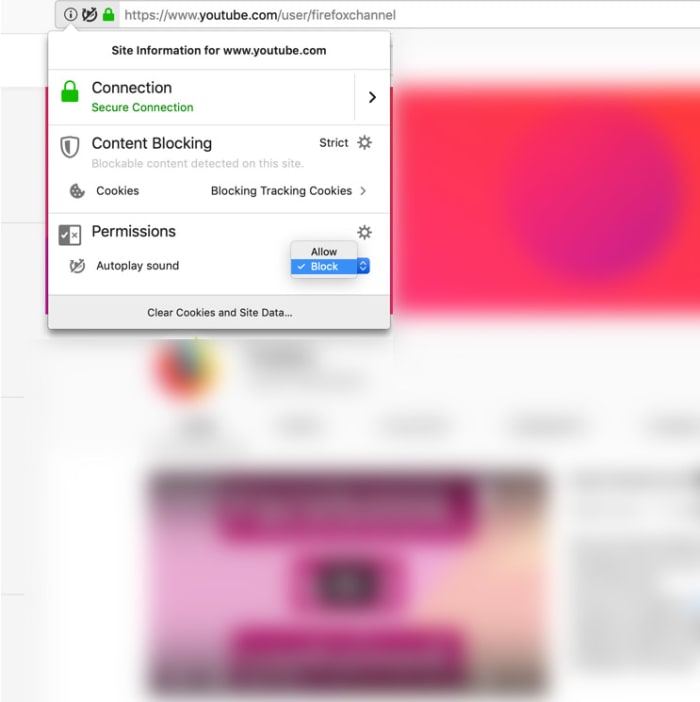
This is now a standard feature – blocking all autoplay videos you come across that play with sound. Videos that autoplay without sound, however, will not be blocked. This means videos that play in your Facebook feed or Twitter feeds will make it through the blockade. This will either be good news or bad news for you, depending on your social media habits.

The new feature was announced in the release notes for the latest Firefox update, Firefox 66, with a couple of scenarios fleshed out. If you think autoplay videos with sound are annoying or if you usually browse the internet in environments were silence is paramount, you’ll be interested in the first scenario.

“Scenario #1 – For anyone who wants peace and quiet on the web:  Go to a site that plays videos or audio, it could be a news site or site known for hosting movies and television shows, the Block Autoplay feature will stop the audio and video from automatically playing. If you want to view the video, simply click on the play button to watch it.”

The second scenario Mozilla highlighted speaks to all you binge watchers out there. Should you be watching your favorite TV shows on Netflix, Hulu, or YouTube (autoplay videos with sound) the new feature won’t block them from playing so you still won’t have to budge from the couch.
block autoplay videos with sound on Firefox
Image via: Mozilla

Google Chrome has had a similar feature for almost a year now, but the feature is limited in scope and a bit tricky. Whereas the new Firefox solution blocks autoplay videos with sound automatically, you have to do a lot of messing around to get it set up on Chrome. Chrome allows autoplay videos with sound from 1,000 popular sites and blocks the rest. To block those 1,00 sites, though, you need to fiddle around with bits of code in the address bar. If you’d like a full tutorial on this, hit us up in the comments.

The Firefox solution works the opposite way to Chrome. By default, all sites are blocked from auto-playing videos with sound, and the onus is on you to allow videos through the default block or turn the block off altogether. You’ll find full instructions on how to do both here.

Mozilla Firefox Free Download
7
Mozilla Firefox is a free, open-source web browser. Now with new features, faster and more secure.

Microsoft has a brand-new security extension to keep you safe on Chrome and Firefox

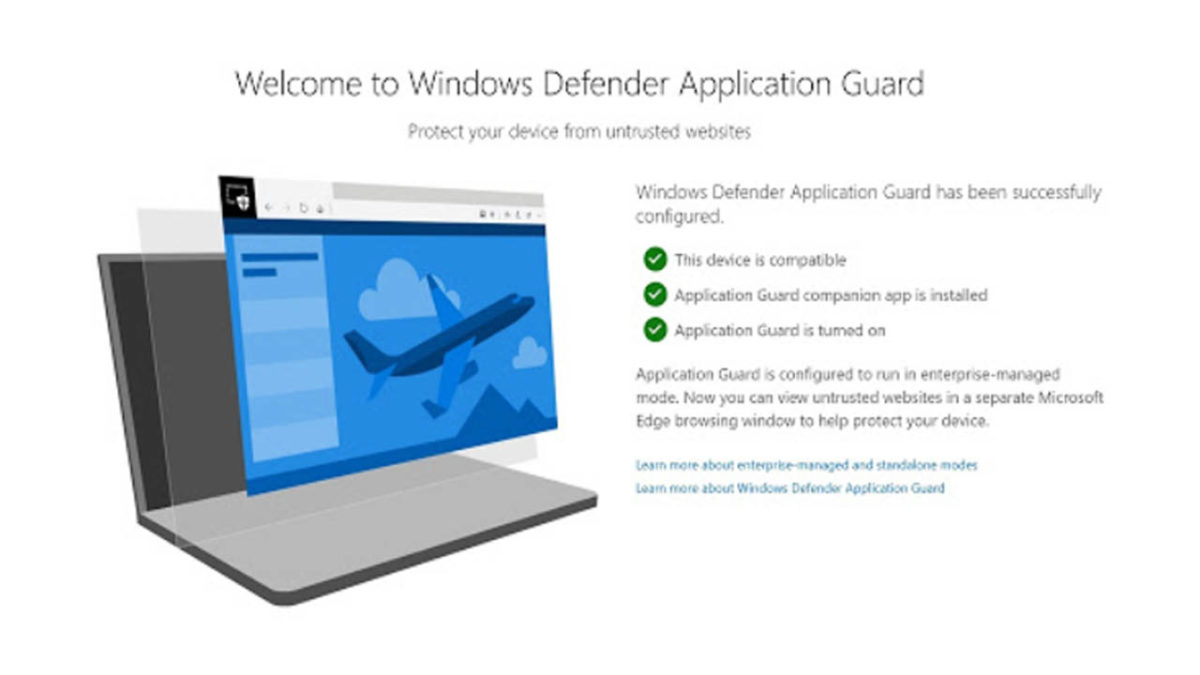
Microsoft brings Windows Defender Application Guard to Chrome and Firefox.

Microsoft is releasing a new extension for Chrome and Firefox that will help protect enterprise systems. The feature will work for businesses and takes what was once an Edge exclusive feature and puts it in the hands of businesses that use the Chrome and Firefox web browsers. There is a cool catch, however, that helps keep Microsoft’s Edge browser relevant, but we’ll get to that a little later on.

Microsoft brings Windows Defender Application Guard to Chrome and Firefox

Edge exclusive feature on Chrome and Firefox

According to the Windows blog post on the latest Windows 10 Insider preview, the new extension works by opening any web pages that aren’t on the network administrator’s trusted sites list in a virtual container.

7
Chrome is a young, fast browser that can browse any web page. It supports all major technologies and standards such as HTML5 and Flash.

The blog post says, “When users navigate to a site, the extension checks the URL against a list of trusted sites defined by enterprise administrators. If the site is determined to be untrusted, the user is redirected to an isolated Microsoft Edge session. In the isolated Microsoft Edge session, the user can freely navigate to any site that has not been explicitly defined as trusted by their organization without any risk to the rest of (the) system.” This means that the new extension won’t work without Microsoft Edge as it is in Edge where Microsoft keeps the virtual container. Theoretically, however, any link clicked in the isolated Edge session that is on the administrator’s safe list will then open again in the original browser.

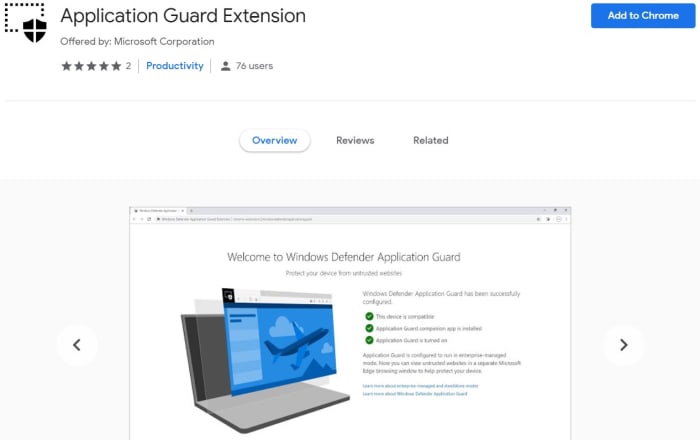
Application Guard Extension Google Chrome

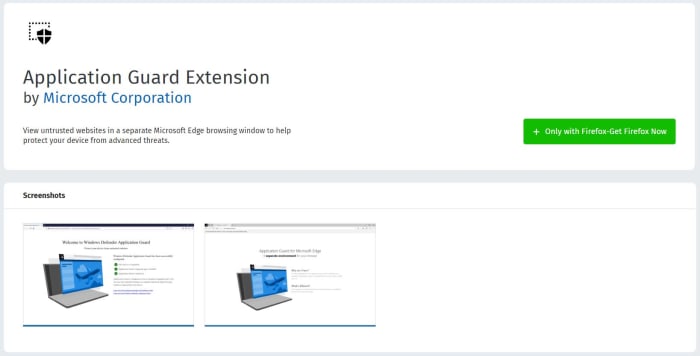
To run on a PC the machine, you will first need the Windows Defender companion application and the browser extension installed on either Chrome or Firefox. For now, however, the feature is only in preview mode, so it is only available to members of Microsoft’s Insider program. We can expect a wider release soon, though.

Application Guard extension Firefox

This isn’t the first time Microsoft has extended Edge’s security prowess to other browsers. Back in April of last year, Microsoft released another Chrome extension that helped defend against phishing attacks. The extension offers a dynamic list of reported malicious sites and now helps keep Chrome users safe against phishing attacks as well as if they were using Microsoft Edge.

7
Mozilla Firefox Quantum is a free, open-source web browser that offers numerous features and customization options. Its performance is excellent, and it's designed to protect your privacy.

Microsoft has had somewhat of a torrid time with Microsoft Edge. Even with the browser proving itself a more than capable competitor to Google Chrome, it has still failed to break Google Chrome’s stranglehold on the web browser market. Edge itself is soon to become a Chrome-based browser that will enjoy total compatibility with Chrome extensions. Maybe this lies behind Microsoft’s decision to share more and more of the Edge browser toolkit with the other web browsers via extensions.

Firefox Send delivers a new, free file-transfer service

Firefox Send is a new free service from Mozilla for sharing large files.

Mozilla, famous for its privacy-focused web browser Firefox has launched a rather handy new product. Firefox Send is a file sharing program that enables users to send huge files, up to 2.5GB, to friends, relatives, and colleagues. Just like the Firefox browser, Firefox Send is built around privacy meaning users will have control over a number of different factors that’ll help them stay on top of who can access the files they’re sending. If all this sounds like a useful service, you’d be interested in, let’s take a deeper look.

Firefox Send is a new free service from Mozilla for sharing large files

There are two ways you can send large files using Firefox Send.  All you have to do is go over to send.firefox.com where you can sign up for a free account that enables you to send files up to 2.5GB. The other way is to send files without signing up. If you decide to go down this route, however, you’ll only be allowed to send files up to a maximum of 1GB.

Mozilla Firefox Free Download
7
Mozilla Firefox is a free, open-source web browser. Now with new features, faster and more secure.

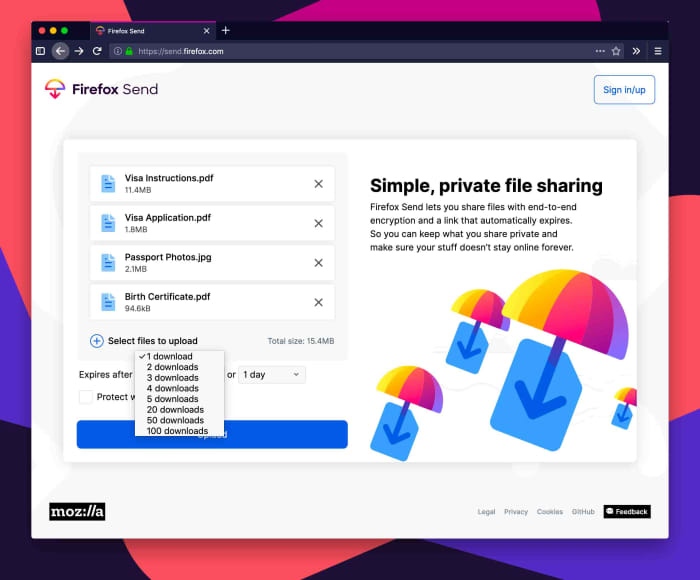
To send files, you first upload them to Firefox Send and then you’ll have a number of different customization options to choose from. As well as who you choose to share your file with, Firefox Send will give you control over how many times your file can be downloaded in total and how long it will remain available for download. You’ll also be able to password protect your file before you upload it.

A screenshot of Firefox Send
Image via: Mozilla

Once uploaded, your file will be shared via link. Anybody who receives the link will be able to download your file, as long as they fit all the criteria as laid out above. The key thing here is that the person receiving your file doesn’t need to have signed up to Firefox to be able to download it.

As you’d imagine with a product coming from Mozilla, privacy sits at the very heart of Firefox Send. In the blog post announcing Firefox Send, Mozilla cited its long-standing Mozilla Manifesto and had this to say of its latest offering, “Send uses end-to-end encryption to keep your data secure from the moment you share to the moment your file is opened. It also offers security controls that you can set.”

Mozilla isn’t fazed by the fact the file-sharing market is quite crowded with the likes of WeTransfer already out there and cloud storage operators like Dropbox and Google Drive offering collaborative editing of shared files. The privacy-focused foundation went on to say, “We know there are several cloud sharing solutions out there, but as a continuation of our mission to bring you more private and safer choices, you can trust that your information is safe with Send.” By offering a secure and simple way to share large files, even with people who haven’t signed up themselves, Mozilla might just be on to something with Firefox Send.

Mozilla Firefox Free Download
7
Mozilla Firefox is a free, open-source web browser. Now with new features, faster and more secure.

6 best tips to stay safe while shopping online

Don’t let your data leak. Use these tips for a safer shopping experience.

online shopping

We buy just about everything online these days. If you’re not careful, your financial data could end up in the wrong hands. If you’re worried about the safety of your private information, we have a few tips that will help put you at ease. It may be as simple as making the right browser choice.

How to stay safe while shopping online

1. Be careful with Autofill

Honestly, autofill is probably one of the best things to ever happen to people who shop online often. Having to add your information to a website repeatedly in order to check out on different websites is pretty annoying, and auto-populating really helps out. Even so, autofill requires some of your data to be saved and can leave you open to dangerous activity.

Choosing the right browser is one way to protect yourself. For example, Firefox ensures your safety by never saving your CVV number, allowing you to set a password before your information can be autofilled, or you can forego having your information saved altogether. Learn more about the autofill feature here.

2. Check for the padlock

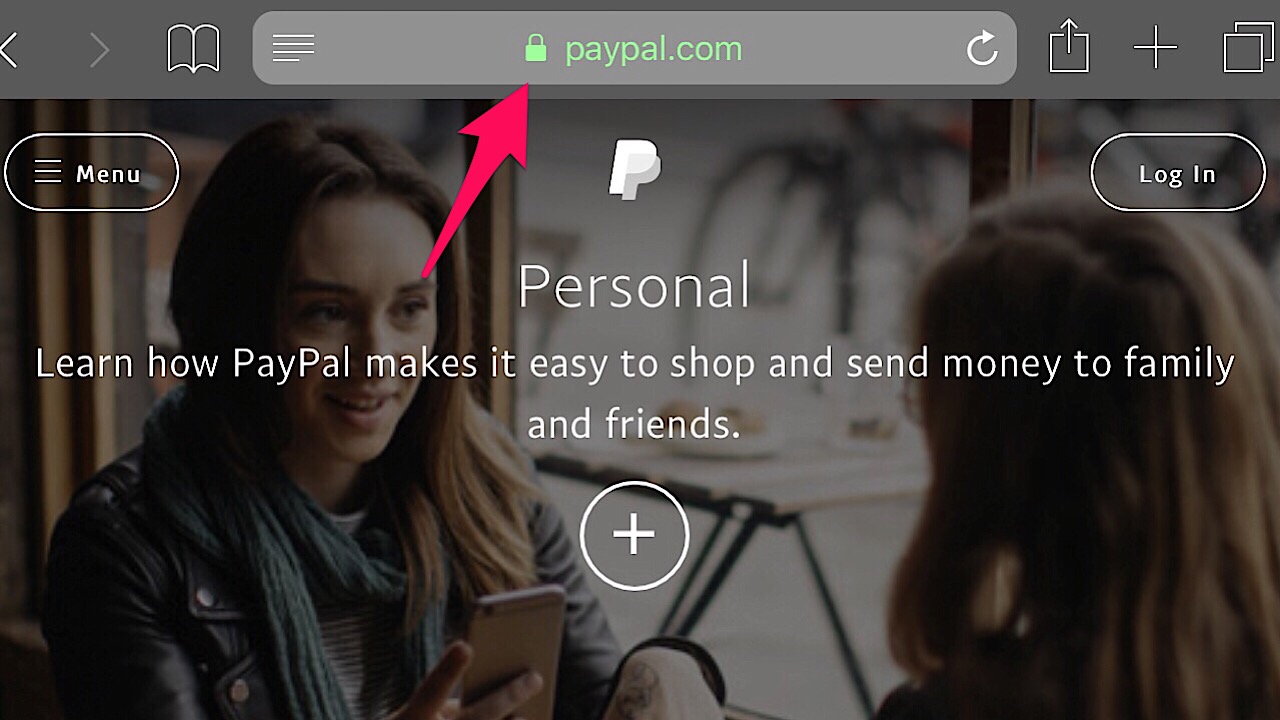
Before sending any private information over the internet, especially banking or credit card information, make sure that there’s a green padlock in the address bar.

Paypal screenshot

If there’s a green padlock then you’re all good to go because it means that the website is encrypted, but if it’s grey or red, the site isn’t secure.

3. Stealth Browse

Shopping in private is the best way to go. Firefox can help here, too. With their Private Browsing Mode, your entire browsing history will be erased when you close the window. This includes your passwords, searches, and cookies. Private Browsing Mode also blocks any site’s trackers keep tabs on you after you’ve left the site. Click here for more info on the Private Browsing Mode and to download Firefox.

Mozilla Firefox DOWNLOAD FREE
8

4. Save money with Price Wise

Instead of going back and forth from website to website to compare prices, Firefox’s Price Wise does all of the work. Price Wise collects and tracks the prices from the top five U.S. retailers: Amazon, eBay, Home Depot, Walmart, and Best Buy. Just add the item that you want from each site to the extension’s wish list and you’ll be able to see if the price increases or decreases. Learn more about Price Wise and other cool extension experiments in the Firefox’s Test Pilot Program here.

5. Screen for hackers

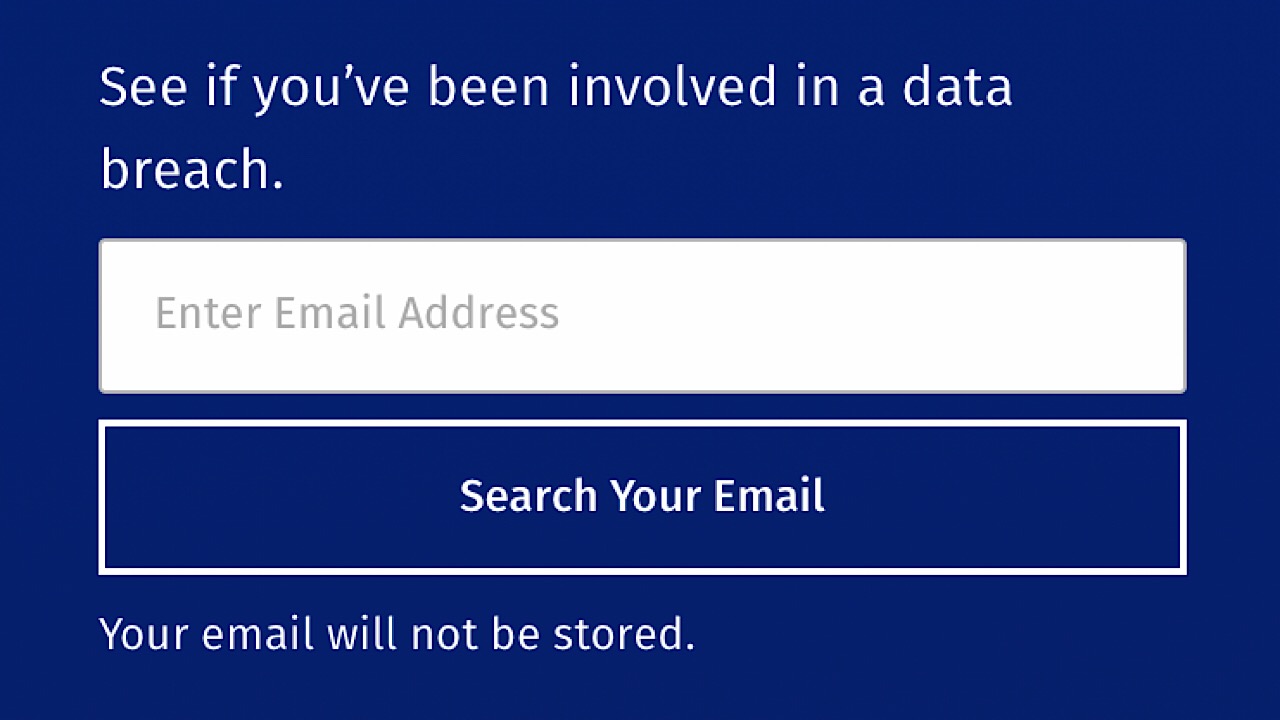
Even if you’ve been exposed to a data breach, all hope isn’t lost. One way to check to see if this has happened with Firefox Monitor. Over on the website, you can enter your email address and it will let you know who, when, and where your information got spilled. If your information is in the open, the page provides some really helpful steps so it doesn’t happen again.

6. Keep track of all your tabs

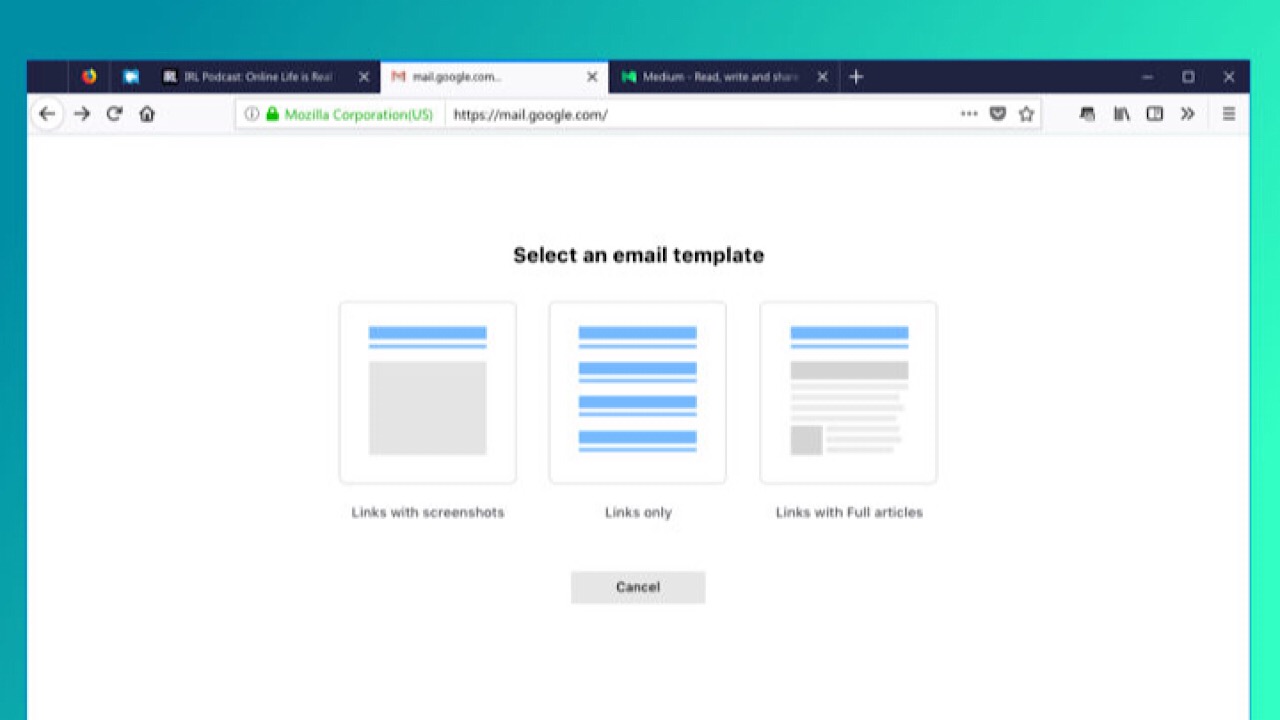
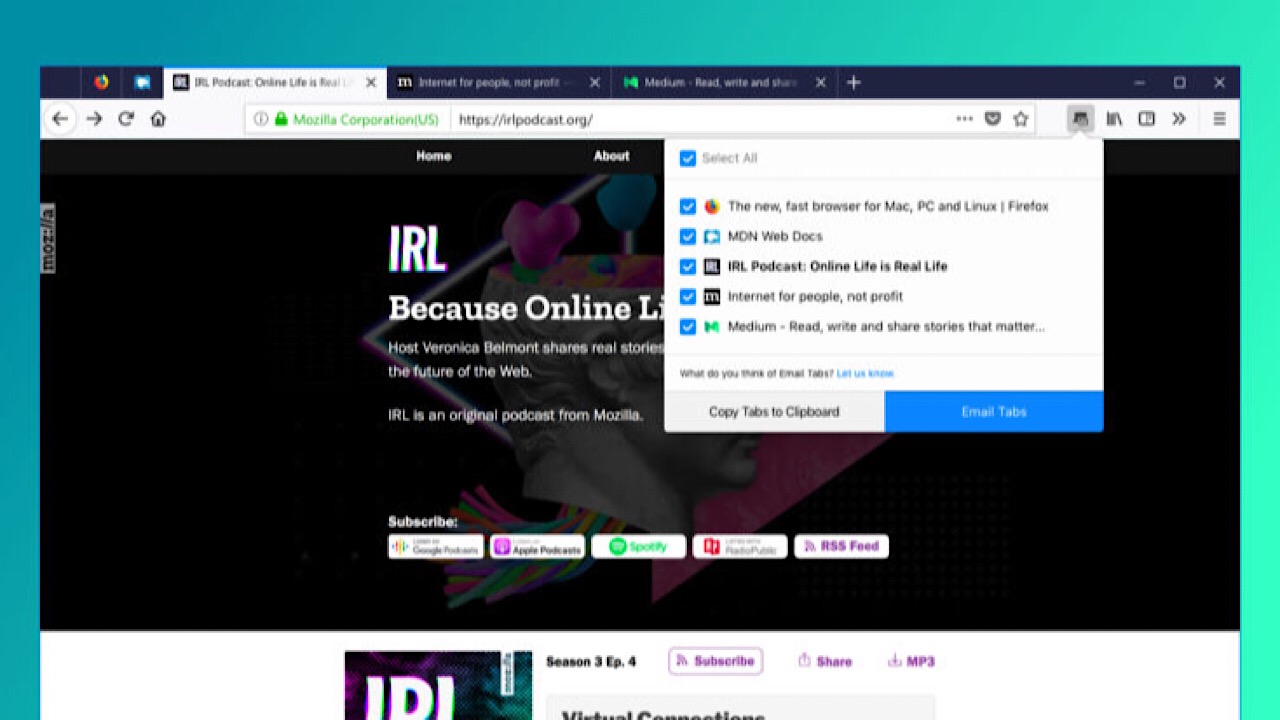
While shopping, you’ve probably added a ton of different products to your wish lists and it’s easy to get a little overwhelmed. Firefox’s Email Tabs takes the stress out of shopping by giving you the ability to add all of the links to your tabs to one email. After you’ve downloaded the extension, just select which of your open tabs you’d like to send, and bam – done!

If you don’t want to send the links, you can send a screenshot of the web page instead.

With these simple precautions, you’ll keep the bad guys at bay and make sure your future transactions go as smoothly as possible. Happy shopping!

How to join Test Pilot and try new Firefox extensions before everyone else

See the future of the web with cutting-edge features available only on Firefox.

With any product or service that we use, we hope the company takes our voice into account. Take Twitter, for example. Recently, the characters per tweet increased from 140 to 280, but there still isn’t an option to edit a tweet in case of typos, which users have been asking for since Twitter was created. Wouldn’t it be useful to have the ability to choose what we want most in our services?

Mozilla Firefox DOWNLOAD FREE
8

Enter Firefox’s Test Pilot. Essentially, Firefox creates product concepts called “Experiments” in the form of browser add-ons and features. Users get to test-drive them for a short period of time. Concepts are created by Firefox team members, but anyone can submit ideas that could be a good addition to Firefox. Once beta testing is complete, some Experiments graduate to become official features.

The Test Pilot Wiki shows every single step taken by the Firefox team, and is completely transparent about how they come up with ideas for features with the Test Initiator Journey. As users, an in-depth A to Z timeline really makes us feel involved with the process and that our contributions, like feature submissions or just giving general feedback, are appreciated.

Once you’ve joined Test Pilot, you’ll have access to cutting-edge new features that will make browsing better. Do you remember life before tabs? It was brutal. Now, every browser has them. As Firefox continues innovating, Test Pilot gives you access to new features that are likely to become the essentials of the future.

If you’d like to see what Experiments are happening now and take part in building a great browser, head over to the Test Pilot page.

5 new browser features available only on Firefox

Try them now on Firefox before every browser scoops them up.

Want a glimpse of the future? Firefox offers a program called Test Pilot that lets users test features and add-ons called “experiments” for a short period of time to see if they’re worthy of becoming an official part of the browser. With this program, you can try out new features from the Firefox team, or even submissions from other users that help the Firefox browser become even bigger and better than it already is. Check out the experiments below that you can test out right now!

5 cutting-edge features from Firefox

1. Price Wise

Who doesn’t love a bargain? Especially during the holiday season, it’s a hassle trying to keep track of who has the best prices and when they change. Fortunately, Price Wise does all of the work for you.

Price Wise tracks prices from the top five U.S. retailers: Amazon, Best Buy, The Home Depot, eBay, and Walmart. To start tracking, add the Price Wise extension to your browser. Every time you’re online shopping and you see something that you want to track the price for, click the Price Wise icon to add it to your watchlist and Price Wise will notify you every time the price drops or increases. Add the same item from multiple retailers and compare. A green arrow next to the item means the price dropped, and red means an increase. It’ll be such a relief not to have to keep tabs open to check on items repeatedly throughout the day. Check out more about Price Wise in Test Pilot here.

2. Email Tabs

This feature is one of our favorites. If you’re a big planner, the person heading up a group project, or the family member who always ends up making the reunion itinerary, the Email Tabs feature will make your job a breeze.

In the family reunion scenario, imagine you have a ton of tabs open because you’re trying to decide which hotel to stay at. Instead of copying and pasting all of those links into an email, just click the Email Tabs icon. It lists all of your open tabs, and once you pick the ones you want, it creates an email with all of the links for you.

email tabs screenshot

If you expect Grandma might only opening the email instead of the link, you can include a screenshot of the entire web page. Don’t worry Grandma. We’ve got your back. Check out more information on Email Tabs here.

Mozilla Firefox DOWNLOAD FREE
8

3. Side View

We bet you’ve never multi-tasked like this before.

Side View is a feature where you can see two browser tabs at the same time, within the same window. This feature is amazing for literally everyone you can think of: college students writing end-of-year papers, your dad comparing his fantasy football stats, or writing your grocery list inspired by online recipes.

You don’t have to resize one tab to see two simultaneously, and it makes everything so much easier. More about Side View here.

4. Color

Everything is made better when you can customize, and the Color feature lets you do a lot of that in a bunch of different ways.

Make all that text that you have to analyze for that big work project a little more pleasant to look at by making your Firefox browser neon orange. Sprinkle your theme texture with purple flowers, or channel your inner Harry Potter nerd and throw in a few lightning bolts. Icons, toolbars, tabs, search bars, and more can all be Bubblegum Pink, and nobody can take that away from you.

If you’re not sure what you want, you can always choose from the preset themes until you’re ready to utilize all the functions of Color. Save themes that you like for later, and share them by sending the link to friends. Learn more about Color here.

5. Screenshots

What’s unique about Screenshots is that it isn’t part of the Test Pilot program anymore. It was so popular that it became a built-in part of the browser, and we can see why.

There are a lot of reasons why we take screenshots: to post a picture to social media, to add a picture into a document for your boss, or to highlight the most important part of an article instead of sending the link for the entire thing.

Screenshots skips the steps of having to save to your desktop, then drag and drop or upload somewhere else by giving you the ability to copy the screenshot directly into a document. This feature also supports Private Browsing mode, so if you want to keep your guilty pleasure meme collection out of the cloud, all of your downloads are deleted when you exit that mode.

And as the Test Pilot program rolls out, Firefox gets better by the day. With a continual flow of great new features that you can’t find anywhere else, Firefox becomes a better browser by the day.

Firefox Monitor is the internet bodyguard that alerts you to data breaches

Discover how Firefox can alert you when your data has been compromised.

In recent years, privacy on the internet has been a hot topic. With data breaches happening nearly every week, your personal data is at risk in more ways than ever before.

Mozilla Firefox DOWNLOAD FREE
8

Pretty much everything can be done on the internet now: check your account balance with your bank’s app, have Siri tell you what the weather will be like during your vacation in Greece next week, or buy a custom-made cowboy hat in China and have it shipped to your grandma in Florida. Most apps now don’t even require you to enter your password – just scan your thumbprint and unlock.

But there’s a simple rule on the internet: if it can be hacked then someone has probably tried. Taking quick action after a security breach is vital. Thankfully, Firefox Monitor is here to watch your back.

Firefox Monitor is a free service that gives you alerts whenever your email is associated with a business or service that has experienced a data breach. To find out if your information was at risk in the past, visit Firefox Monitor’s website and enter your email. Your email will not be saved, and the Firefox’s servers won’t retain any other bits of your information either.

Firefox Monitor screenshot

If your email was associated with a breach, Monitor will let you know what was leaked, where it was leaked from, and when.

Firefox Monitor passwords

On the website, you’ll find tips on what to do next, like making sure that your passwords are unique and not easy to guess, and that you have a different password for every website. Change your old passwords, and passwords with services that you’ve recently signed up for if it is one that has been recycled.

When you add Monitor to your browser, it will let you know every time your email address or password has been part of a breach so you can take action immediately. Your safety is most important, and Firefox Monitor is a must have to make sure that your personal information is secure.