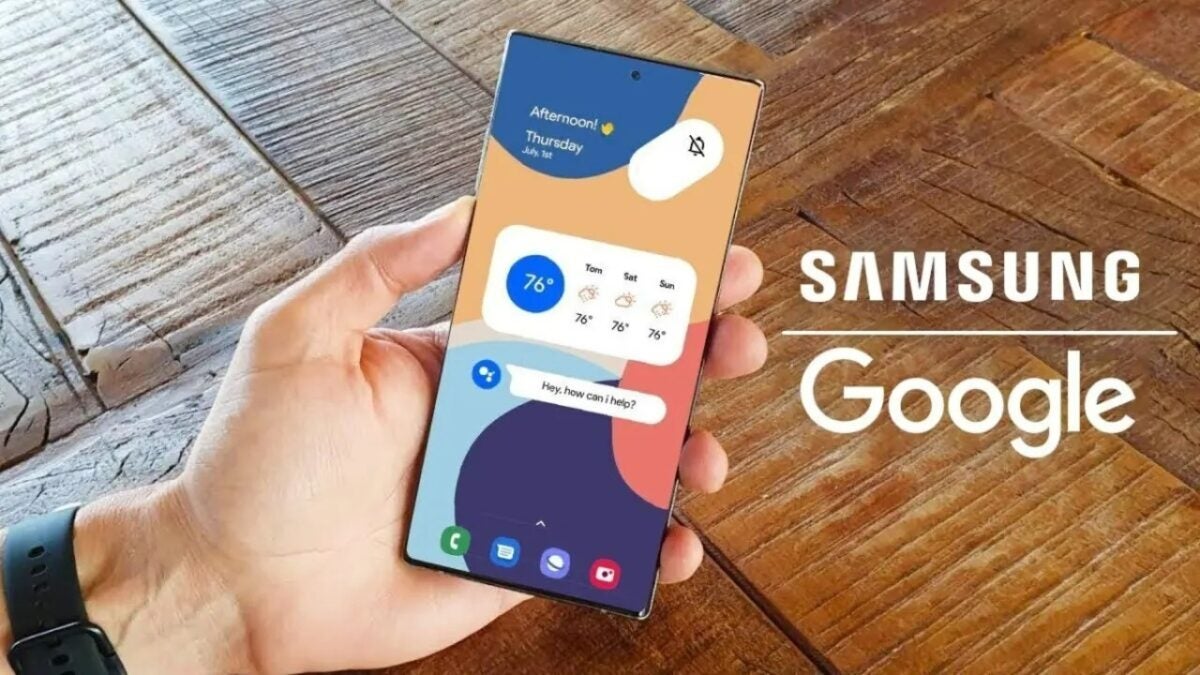
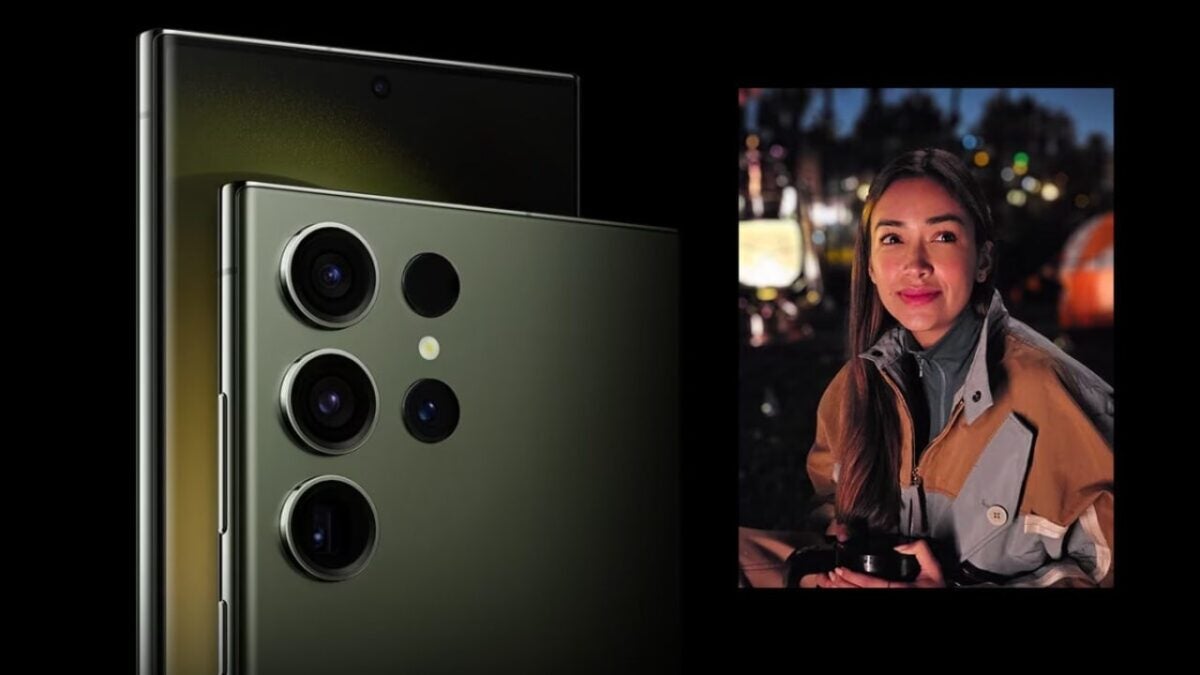
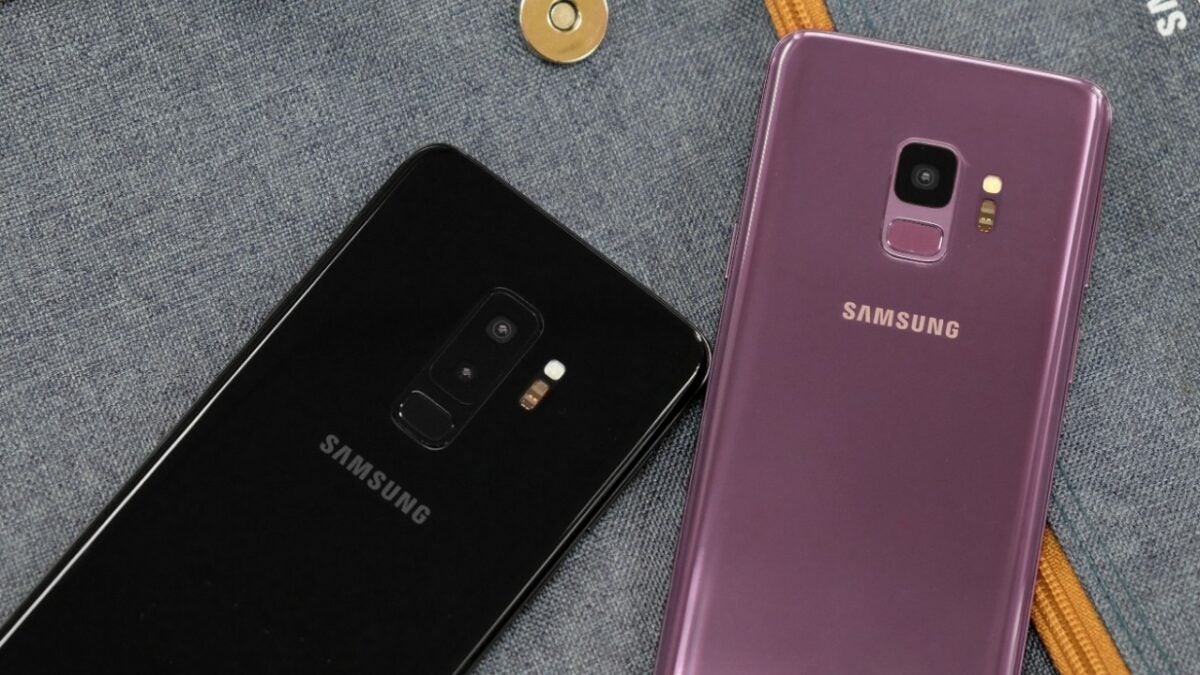
According to the testimony presented by Epic Games, Samsung received a payment of 8 billion dollars over a four-year period just for Search, Assistant, and Play Store to be the default services on all their devices.
Google agreed to pay $8 billion over four years to Samsung to make its search engine, voice assistant and Play Store the default on the company’s mobile devices, according to Epic Games https://t.co/hCacE9brhV
Mastering the market through dollars: Google’s strategy
James Kolotourous, Google’s Vice President of Partnerships, discussed how the company struck deals with various Android OEMs to ensure their devices were preloaded with the Play Store.
The testimony even revealed that Samsung devices account for half or more of all Play Store devices, which makes sense given Samsung’s position as the largest Android OEM in the market.
Back in 2019, Google even initiated a project called “Project Banyan,” under which the company invested money to ensure the Play Store remained on all Samsung devices, sharing space with the Galaxy Store.
Google offered up to 200 million dollars annually for four years to Samsung to have the Galaxy Store available within the Play Store, featuring its own billing system.
Another internal document reveals how Google managed to save 1 billion dollars over four years. This was done by reversing a request that would have allowed the Play Store to be the only digital storefront displayed on Samsung devices’ home screens. This agreement never came to fruition.
The significance of this discovery is that Epic is trying to showcase how Google has discouraged third-party app stores on Android by paying these manufacturers hefty fees just so that the Play Store can be the default store that everyone uses.
Shortly, Samsung televisionswill no longer have access to the Steam streaming service. After several years of service, as it was part of the devices’ app catalog since 2017, the application that allowed users to enjoy PC games through streaming will vanish without a trace.
Being an application that had been experiencing certain unresolved performance issues, it seems that Steam has deemed it unnecessary to renew the application and has chosen to remove it, something that companies often do when a service has such low traffic that it does not generate profits for them. Thus, on November 30th, the Steam Link App will disappear from Samsung televisions.
It was a death that was more than evident, considering that other streaming and cloud gaming services are taking much more prominence. In fact, Samsung’s Gaming Hub on their televisions already offers support for Xbox and GeForce Now to play big titles without the need for a gaming console in your possession.
On the other hand, considering that Valve’s Steam Deck has encouraged Steam users to opt for this format, it becomes more understandable that they decided to eliminate the streaming system on Samsung televisions, whose player base would be considerably smaller and had more performance issues.
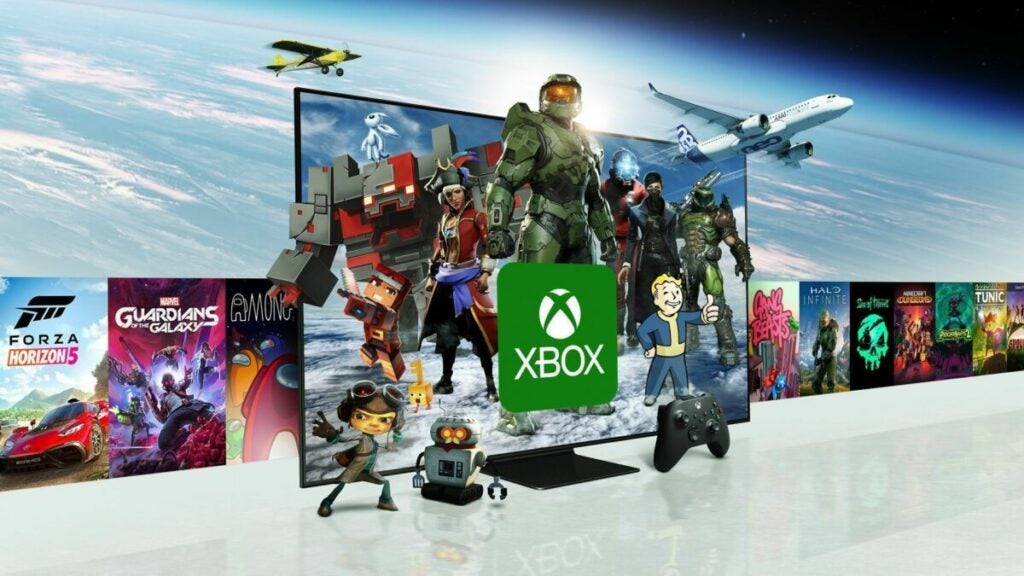
Xbox Cloud Gaming is working to open its app to Samsung televisions around the world
The future of cloud gaming
One of the major goals in today’s technology industry is to make cloud gaming more accessible, a common objective pursued by many companies due to the potential benefits of being the first to achieve it. That’s why, even though Samsung televisions are leaving the Steam app behind, they will have the support of GeForce Now and Xbox as one of their major strengths for video game streaming.
Xbox and PlayStation, in fact, are working diligently to enhance both streaming and cloud gaming (which can be closely related concepts but not always identical). On Phil Spencer’s side, cloud gaming is gaining more and more importance, and at the Japanese company, on November 15th, the PlayStation Portal will arrive, allowing users to play their PS5 games via streaming without the need to be confined to the same room
As many of you already know, the launch of the new Samsung Galaxy S24 is expected to take place in the first quarter of 2024. However, while that is confirmed or not, details about these devices continue to emerge, and now we can talk about their strong emphasis on AI.
It appears that this new range of phones will come with One UI 6.1 out of the box, which leads us to expect that these devices will feature many innovations centered around artificial intelligence, as suggested by the leaker Ice Universe. Therefore, it is quite probable that the upcoming Samsung Galaxy S24, Galaxy S24+, and Galaxy S24 Ultra (supposedly these will be the models released in the new series) will have the most significant AI update in the history of the Korean company.
Samsung is gearing up to launch the new Galaxy S24, which could be considered as ‘AI phones’
One UI 6.1 and the Galaxy S24 series bring many new AI features, AI more powerful than Bixby, and Samsung’s largest AI update in history. Maybe Samsung will call the Galaxy S24 an AI phone.
In fact, rumors suggest that the improvements will be quite significant and will change the functionality of the company’s upcoming smartphones. If all this information is true, it will highlight that one of the main selling points of the new Samsung Galaxy S24 will be AI. On the other hand, it will be quite interesting to see how these devices come with One UI 6.1.
To clarify, remember that One UI 6.0 is still in the beta testing phase, which has recently been made available for the Samsung Galaxy Z Flip5. There is currently no stable release date, but there is already talk about its next version, one that will be powered by AI, as it will be integrated into the system. Although not many details have been provided, the mentioned leaker has shared that the improvements provided by AI will be far ahead of Bixby.
Clearly, we will have to wait until early 2024 to see if the new Samsung Galaxy S24 models arrive as indicated by the renowned leaker. This source even dares to claim that this new lineup will earn its models the moniker of ‘AI phones’.
Cloud gaming continues to make its way into households on various devices. Samsung Smart TVs released from 2020 onwards will be compatible with cloud gaming through the Xbox Cloud app. So, if you want to play Starfield, you’ll only need a Game Pass Ultimate subscription and, for now, you’ll need to live in the United States since the app is currently available there only.
Thanks to this new update for Samsung TVs, any user with an Xbox Game Pass Ultimate subscription can play any game from Microsoft’s library that is compatible with cloud gaming. This includes all kinds of games, indies, previous releases, and, of course, Xbox’s flagship title for the end of the year, Starfield.
This news was announced through Twitter by Harrison Hoffman, Product Manager at Xbox responsible for cloud services on Smart TVs. He details that this new feature is already available on Samsung TVs from 2020 onwards in the United States.
Lucky users will only need to update their TV and find the Xbox app to enjoy cloud gaming. As a curiosity, you can connect many types of controllers for cloud gaming, including the DualSense, so using the PS5 controller to play Starfield is possible.
ICYMI, the Xbox app is now available on 2020 Samsung Smart TVs in the U.S.! Update your TV and search the store for Xbox to start playing our entire Cloud catalog, including Starfield! Stay tuned for info about 2020 support in additional countries. https://t.co/rEAxwcLwaG
Many will remember the case of Google Stadia, a service that closed in January 2023, and wonder why it failed at a time when cloud gaming seems to be thriving. Well, it’s not just about the format but also about what’s being offered. Services like Game Pass or GeForce Now have much better commercial performance, among other reasons.
As you can see, cloud gaming becomes much more popular when combined with quality subscription services that provide access to a vast catalog of video games. In the case of Google Stadia, however, it didn’t firmly embrace this model and raised doubts about its long-term viability (doubts that have turned into certainties) because a service that lacks confidence also couldn’t attract mass buyers.
Stadia failed miserably and closed permanently in January 2023
We are fully immersed in the race for dominance in the high-end mobile phone segment, and after a 2023 that ended with Samsung’s defeat in its battle against Apple, both companies are preparing their flagship devices for the next showdown. The Korean company already surprised by revealing that its upcoming smartphone would feature a functionality that nobody expected until the iPhone 16. Following this, there have been discussions about the Galaxy S24 featuring a new Exynos chipset in some of its models, a trend we had already seen with the S23.
Improved Exynos 2400, that’s the key
A version of the Exynos 2400 chip customized directly by Samsung could make its way to Europe, Africa, and certain parts of Asia. However, this isn’t the most intriguing part: rumors suggest that the Samsung Galaxy S24 will feature a 10-core CPU configuration of 1+2+3+4 clusters, with a main cluster rumored to reach up to 3.1GHz in frequency. The other clusters wouldn’t be as powerful, of course, but they are expected to handle less demanding tasks effortlessly and easily tackle more significant challenges.
But that’s not all. Alongside the advanced CPU, there’s a notably powerful GPU in the mix: an upgraded Xclipse 940 with twice the compute units, equipped with RDNA 2 technology. Given that the original Xclipse had three separate units, this modification would have six, totaling 12 cores.
It’s not clear whether this combination can compete with Qualcomm’s Snapdragon 8 third generation, although some voices suggest it will achieve twice the performance of the Exynos 2200. This, in reality, wouldn’t be a significant feat, as it’s widely known that processors under this brand have consistently lacked significant graphical power.
In any case, while this information is reliable, it’s far from definitive, and no one can guarantee that the specifications of the Samsung Galaxy S24 will be as described before the official announcement. Nevertheless, if they turn out to be true, it would be quite exciting.
ChatGPT continues to be on the minds of many companies. Despite initial indications of the AI trend deflating, companies like Samsung are planning to integrate them into their smartphones. Evidence of this can be seen in part of the code of Samsung’s native web browser that remains within the app.
Samsung is a company that, within the Android ecosystem, has a layer of customization filled with nuances compared to stock Android, with many proprietary functionalities and applications. One of these is Samsung Web Browser, Samsung’s native search engine, in which traces of code directly mentioning ChatGPT have been discovered in its latest update.
This code, which is freely accessible, reflects that Samsung has been conducting tests in its latest update to integrate one system into another. However, there has been no official comment, so we cannot know for certain if they will make this addition permanently.
On the other hand, it is worth mentioning that, unofficially, ChatGPT can be integrated into their browser, but it is always safer for interested individuals if this functionality is 100% official and supported by the company. However, there are currently no further details available.
For now, as we mentioned, this functionality does not officially exist, and it has not been announced either, although it is evident that the presence of the code implies that they are working on it. We will have to wait and see what decisions Samsung makes and whether they ultimately implement ChatGPT.
The possible arrival of ChatGPT in Samsung’s search engine has created a lot of buzz.
New challenges in the mobile market
Samsung is not solely focused on implementing Artificial Intelligence, far from it. The company is constantly expanding its horizons in various areas to maintain its dominant position in smartphones. This includes the introduction of new smart accessories, regular security patches for their wide range of phones in the market, and, of course, the arrival of new models in important lineups like the Galaxy Z, as they themselves explain through social media.
Apart from their ongoing projects, Samsung will also have to deal with new regulations aimed at protecting consumer interests. Just as Apple is required to use USB Type-C starting this year due to European Union regulations, starting in 2027, it will be mandatory for phones and portable consoles to have removable batteries.
Learn how to back up your phone and store photos, videos and files in the Samsung cloud.
Samsung Cloud announced the permanent closure of its doors at the end of 2021. This popular cloud storage service allowed users to safeguard photos, videos, calendars, agendas, and even information from installed apps on their Samsung devices. However, over time, the company reversed its decision and has kept part of the service still active. Would you like to know what you can do with Samsung Cloud?
In today’s article, we will discuss what Samsung Cloud is and what it is used for, how to view your stored content on this platform, and what alternative cloud options are available to you. We hope to be able to assist you!
As we mentioned earlier, Samsung Cloud is the cloud storage service provided to all users of Samsung mobile devices and tablets. To use this service, you only need to have an active Samsung Account. Despite announcing the discontinuation of its service in September 2021, Samsung Cloud is still operational, and you can access its functions both from its official website and from the interface of any Samsung device.
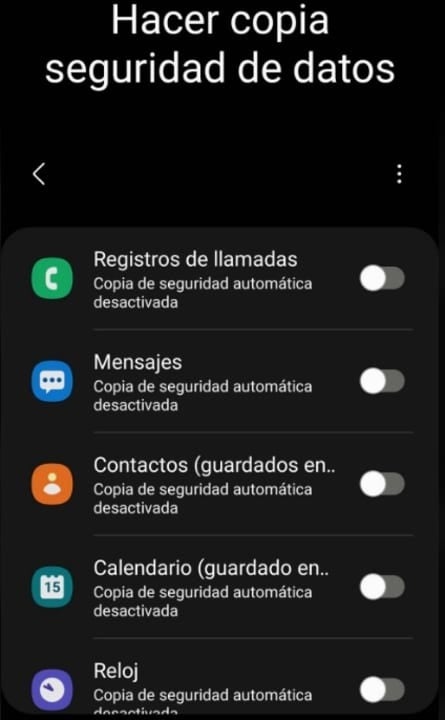
The main function of Samsung Cloud is to create backups of your mobile device data. This includes:
Call logs from your smartphone
Received messages and SMS
Contacts from your address book
Calendar events from your mobile device
Information and alarms from your smartwatch
Settings from your mobile or tablet
Home screen layout of your device
Data from your apps
Voice recordings
Is Samsung Cloud still working?
Despite Samsung announcing the discontinuation of its cloud service in 2021, you can still use Samsung Cloud. However, there are limitations: you won’t be able to back up any files from your gallery (such as photos and videos). But don’t worry, this doesn’t mean you can’t store these types of files in the cloud. You simply need to use another service.
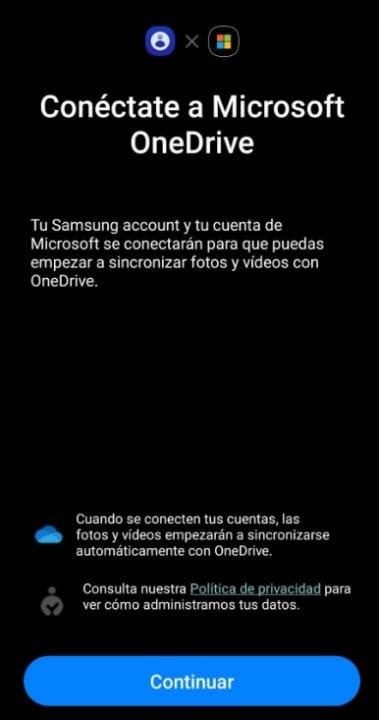
Samsung has implemented an option in the Samsung Cloud interface where you can back up all the images, photos, and videos stored on your phone to your OneDrive account. The only requirement is that you have a Microsoft account and it is linked to your Samsung device.
How can I back up with Samsung Cloud?
Backing up your data using Samsung’s free storage service is very simple. Just follow these steps:
Make sure your Samsung account is linked to your device.
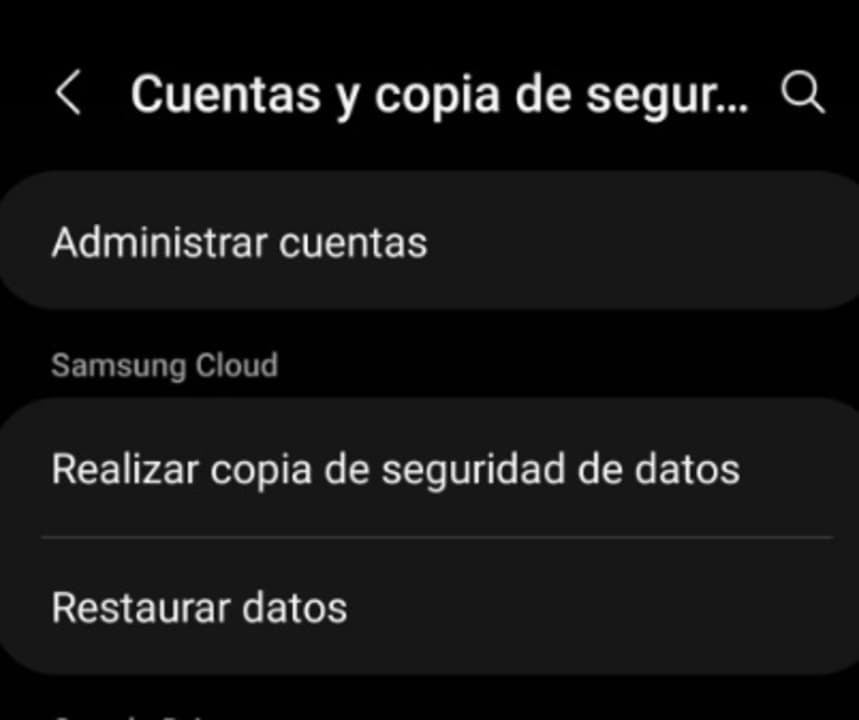
Access the settings on your Samsung phone or tablet.
Tap on the “Accounts and backup” option (the name may vary depending on the model).
Under “Samsung Cloud”, select the “Back up data” option.
Choose which data you want to save and tap on the “Back up now” option.
How to see what I have stored in Samsung Cloud
If you have made any backup of your data to Samsung Cloud, you may want to take a look at what you have stored at some point. The process is straightforward and similar to the previous one:
Go to the settings on your Samsung device.
Tap on the “Accounts and backup” option (the name may vary depending on the device).
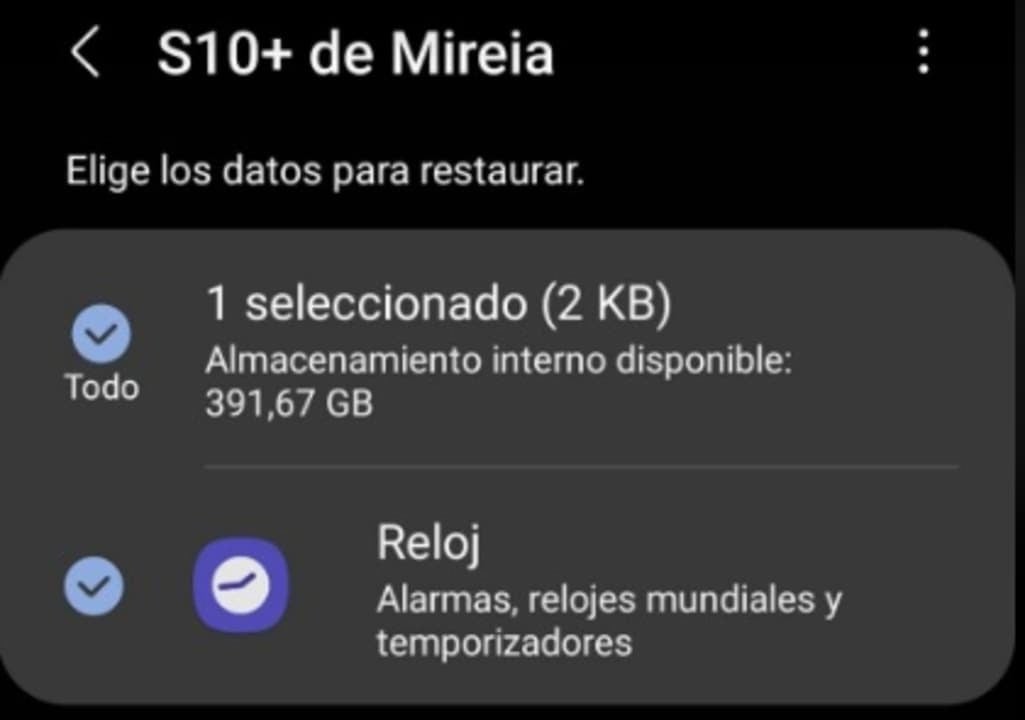
Select “Restore data” within the “Samsung Cloud” section.
Tap on the latest backup to see what you have stored in the cloud.
How to recover photos and videos from my Samsung Cloud
We regret to inform you that if you made a backup of your photos and videos before 2021, you won’t be able to recover them. As we mentioned before, Samsung decided to discontinue many of its Cloud services throughout that year, including the ability to store videos and photos in the cloud. As a result, all backups of galleries from Samsung smartphones and tablets were deleted from the cloud.
Currently, Samsung Cloud offers the option to backup photos and videos through the integration with OneDrive. If you have stored your gallery in the cloud using this service, you will be able to download your multimedia files using the Microsoft application.
Alternatives to Samsung Cloud
Since Samsung Cloud no longer offers the option to create backups of your mobile or tablet files, you are likely looking for a good alternative to safeguard your data. Here are the best apps to replace Samsung Cloud:
1. Microsoft OneDrive
OneDrive is undoubtedly the most convenient alternative to Samsung Cloud. The reason is that it is integrated into the same app of the Korean company, so you don’t need to do anything to backup your data. Simply open the Samsung Cloud app, create a backup of your device’s gallery, and once you enter your OneDrive credentials, it will upload your photos and videos directly to Microsoft’s cloud.
Google Drive is another compelling option to replace OneDrive. Google’s cloud not only offers 15 GB of free space but is also very user-friendly when using a mobile device with the Android operating system. The only requirement to use Drive is simple: having a Google account. Obtaining your own account is easy and completely free.
Dropbox is one of the pioneering cloud storage platforms on the Internet, making it one of the most widely used services. It is integrated into many popular applications such as Slack or Photoshop, making it an excellent choice for collaborative work online. However, its only downside is that the free account only provides access to 2 GB of storage space, which is often insufficient for storing files in most cases.
We conclude our list with Amazon Photos, an excellent application if you are looking for a secure place to store the photos and videos from your mobile phone. Unlike the other programs we have recommended, accessing the Photos service requires an Amazon Prime account. If you already have one, simply log in to the app with your credentials and you can enjoy unlimited storage for all the photos in your gallery. Backup can be automated, so your photos will be saved in the cloud whenever you are connected to a Wi-Fi network. However, for unlimited space for your videos, you will need to pay an additional fee.
We hope that our article has been helpful in providing you with information about what Samsung Cloud is, how part of its service is still active, and alternatives in the cloud to store all your data. Did you like what you read? Don’t forget to share it with your friends in the comments section!
Learn how to create your own Samsung Account and discover all the free benefits, apps and tools that you will have at your disposal from your free account.
If you own a Samsung phone, you may have noticed that the first time you set up your smartphone, you will be asked to link it to your Samsung Account. As usual with companies like Apple, Sony, Google or Microsoft, you will need to create an account with them in order to access all the tools, exclusive apps and bonuses available for your device. Many of us skip this step because we don’t know exactly what a Samsung Account is or what it’s for, but… Did you know it’s really useful?
In today’s article we will answer all your questions and explain in a clear and simple way the advantages of opening a Samsung account. And without knowing it, it adds a lot of services and applications that make the most of your brand new cell phone. We hope it helps you!
What is a Samsung Account
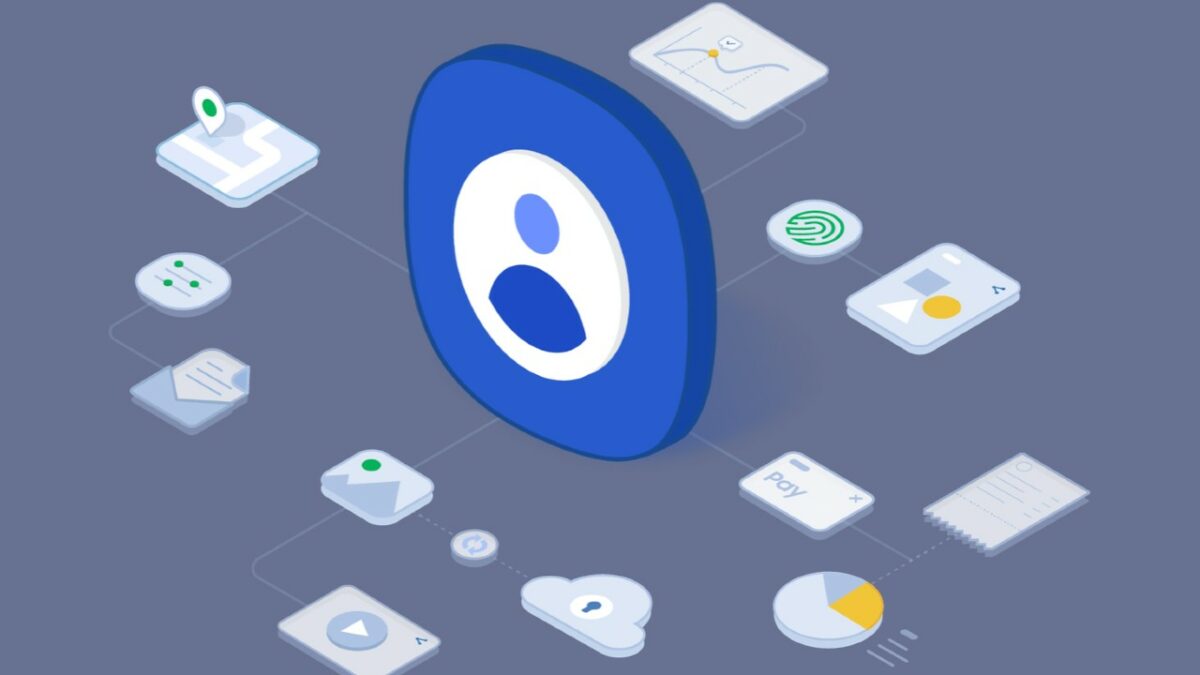
A Samsung Account is a free personal account service, exclusive to all Samsung device users. It offers access to new tools, applications and services designed to improve the usability of your mobile, exponentially improving your experience not only with your smartphone, but also with its compatibility with the rest of the company’s products.
Thanks to your account you will be able to back up your device, use your mobile to make payments with Samsung Pay or even find it if you ever lose it. But this is just the tip of the iceberg. Samsung also offers a host of exclusive services such as its powerful Samsung Health, an app to create healthy lifestyle patterns very similar to Google Fit.
In addition to all this, having a Samsung Account allows you to have access to the Samsung Store, from where you will be able to download a wide range of applications for your cell phone. In short, your Samsung account unlocks the full potential of your new device, allows you to protect your data and makes it easier for you to transfer all the content of your smartphone to a new Samsung mobile or tablet in the future.
What is a Samsung Account for?
As we have already mentioned, the Samsung account offers a great number of exclusive services and tools designed for customers of this platform. The most important are the following:
Create backups – With your Samsung Account you will be able to create backups of your phone quickly and securely. Simply enter the account menu of your smartphone, click on Samsung Account and then on the Backup option. From there you can both create a new backup of your phone and restore an old one.
Transfer data from one device to another– Thanks to the backups mentioned in the previous point, you will be able to transfer all the content from one Samsung device to another just by bringing one cell phone close to another.
Samsung Health– Samsung Health is an application downloadable from the Samsung Store from which you can improve your health and stay in shape. It allows you to monitor your daily activity, keep track of calories ingested and propose challenges to ultimately lead a healthy life.
Samsung Pay– Samsung Pay turns your smartphone into a wallet so you can pay at most merchants by simply touching your phone to a dataphone. Using Samsung Pay is very safe, simple and practical, especially if you go running often and can’t carry your wallet with you.
Samsung Cloud– Another really useful service intended only for Samsung Account users is Samsung Cloud. This offers free storage space in the cloud so you can save and download files without needing space on your mobile.
Find My Phone – If you are a forgetful person and always lose your phone when you are in a hurry, you will love the “Find My Phone” application. Thanks to it, Samsung Account users will be able to know the exact location of their phone from any PC.
Samsung Themes– This service is designed so that all users with a Samsung Account have a phone made to measure. With Samsung Themes you will be able to choose from thousands of wallpapers and customize the call screen, send and receive messages, etc..
Samsung Game Launcher- Mobile phones have become the allies of gamers, being able to access the best titles on the market from the comfort of the smartphone. Samsung is aware of this and for this reason has developed Samsung Game Launcher, an app capable of accessing and improving the performance of the games stored on your cell phone. In addition, it also provides recommendations of titles related to your tastes as well as interesting game statistics.
Samsung Smart Home– If in addition to your phone you have a Samsung appliance at home, you will love Samsung Smart Home. Thanks to it you will be able to control your TV, tablet and compatible appliances from your phone.
How to create a Samsung Account
Do you want to open a Samsung account and don’t know how? Don’t worry, we are going to teach you how to do it step by step. There are two different ways you can create your Samsung Account. Both are really easy, just choose one of these two methods.
1. From your cell phone
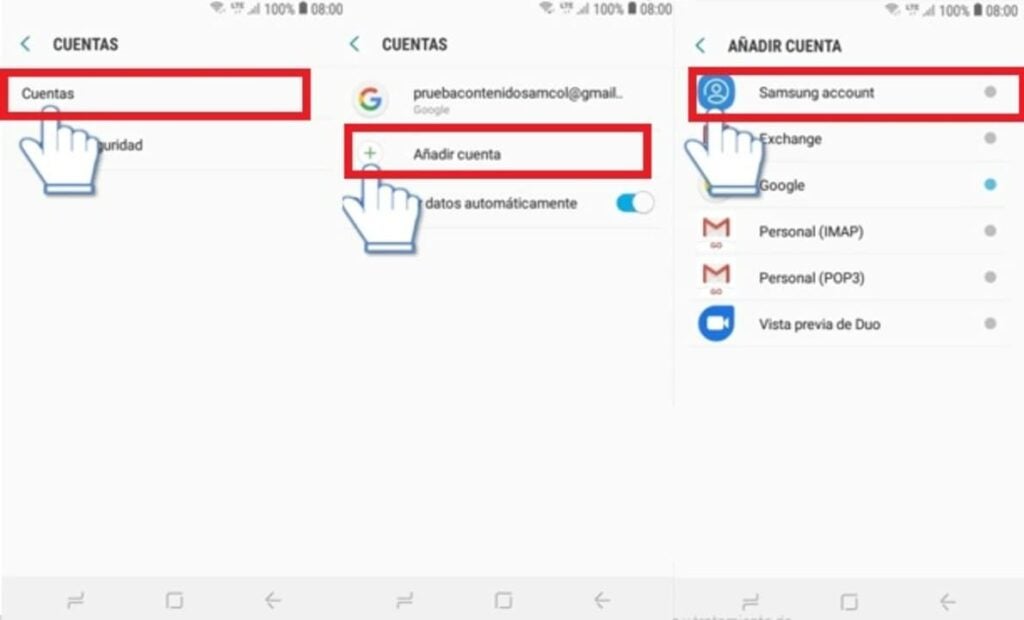
Creating an account from your Samsung phone is very simple. Depending on your phone model, simply click on the “Settings” or “Configuration” button and select the “User and backup” option. Then click the “Add” button followed by “Samsung Account”.
This will take you to a new window where you will be prompted to enter your Samsung account username and password. Click on the “Create Account” button and follow the on-screen instructions to open your Samsung Account.
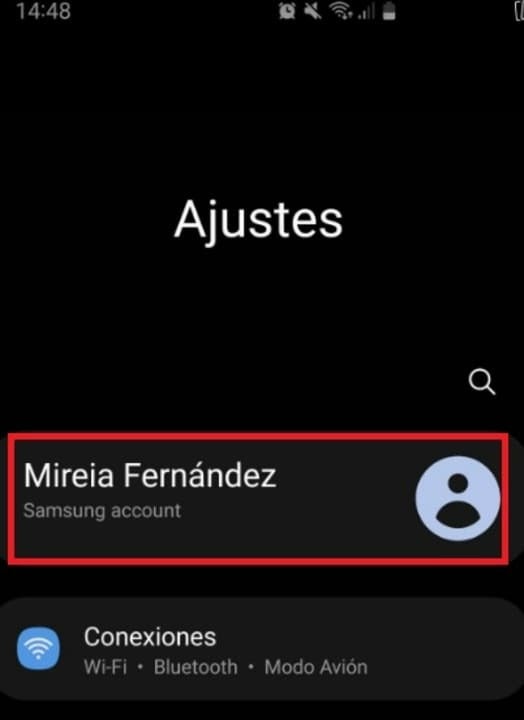
On newer phones, this process is greatly simplified by simply clicking on “Settings” (the gear icon) and the option to add the Samsung Account will appear at the top of the screen. Once there, you will be able to create your own account.
2. From the official Samsung website
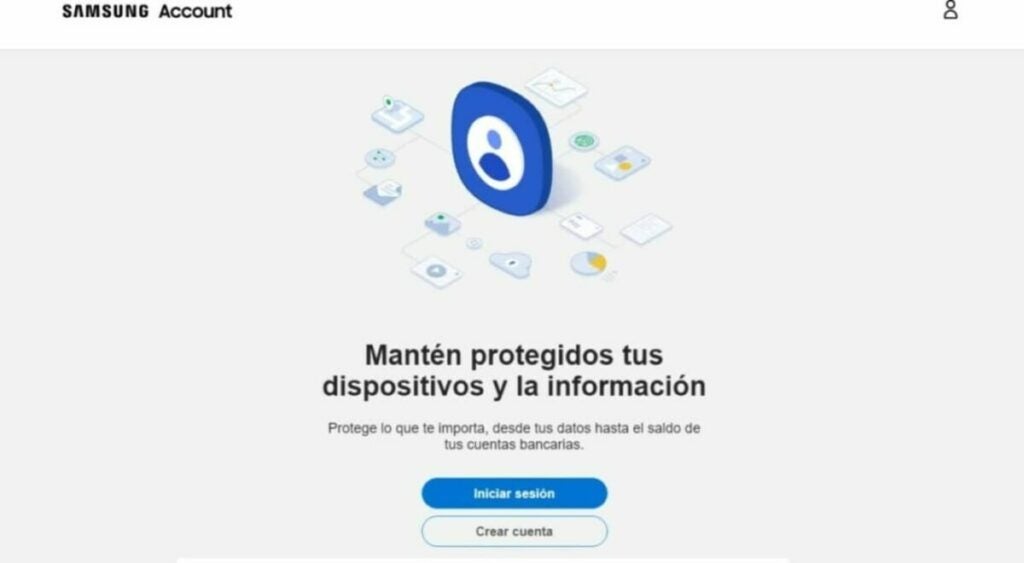
If you prefer to open your account in advance or from the comfort of your desktop computer, you will be happy to know that you can create your Samsung Account from your PC. The process is just as simple as with your mobile, but with the advantage that you can use a much more convenient keyboard. To create your account you will first need to visit the official Samsung Account page.
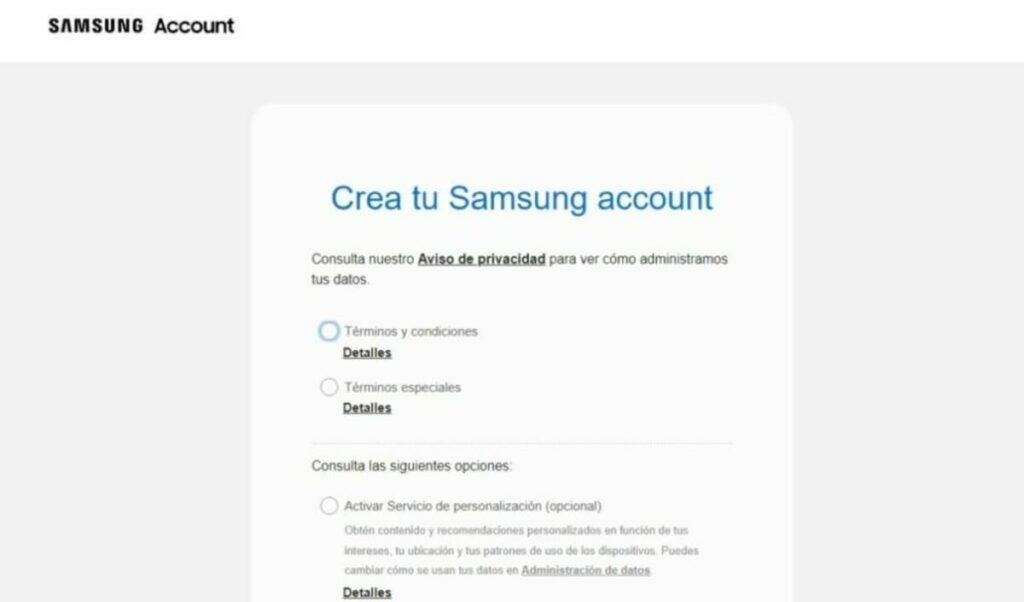
Then click on the “Create account” button. This will take you to a new page where you must first accept all the terms and conditions of a Samsung account. You will also be able to opt in for a personalized recommendation service, as well as receive news and commercial notifications from the company. Once you have checked the relevant boxes, click on the “I accept” button.
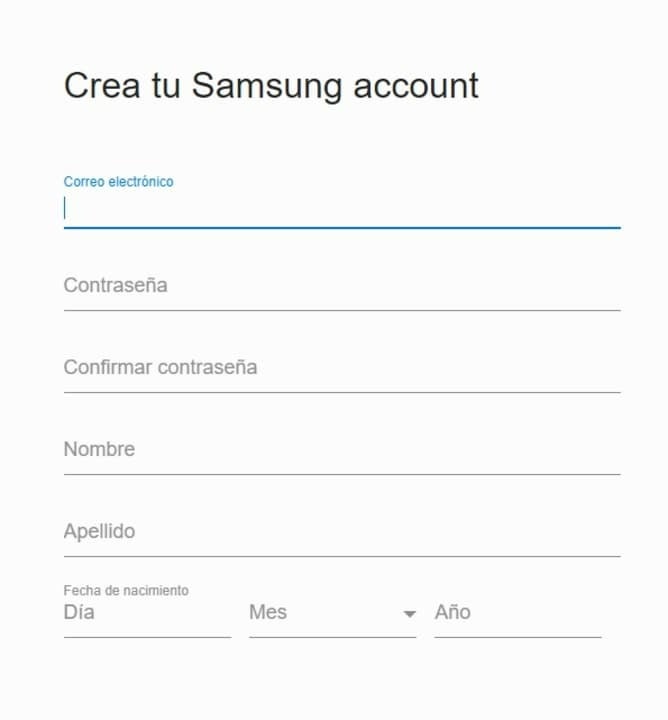
Once you have done this, complete the form by entering your email address, first name, last name, date of birth and password. After that click next to open your account. Now simply wait to receive the email to verify your data and you will have your Samsung Account activated.
How to delete your Samsung Account
Have you decided to retire your Samsung phone and buy an iPhone? It is likely that if this is the case, you will want to delete your Samsung Account. This will permanently delete all data and information stored on the platform, the company’s apps as well as Samsung Cloud.
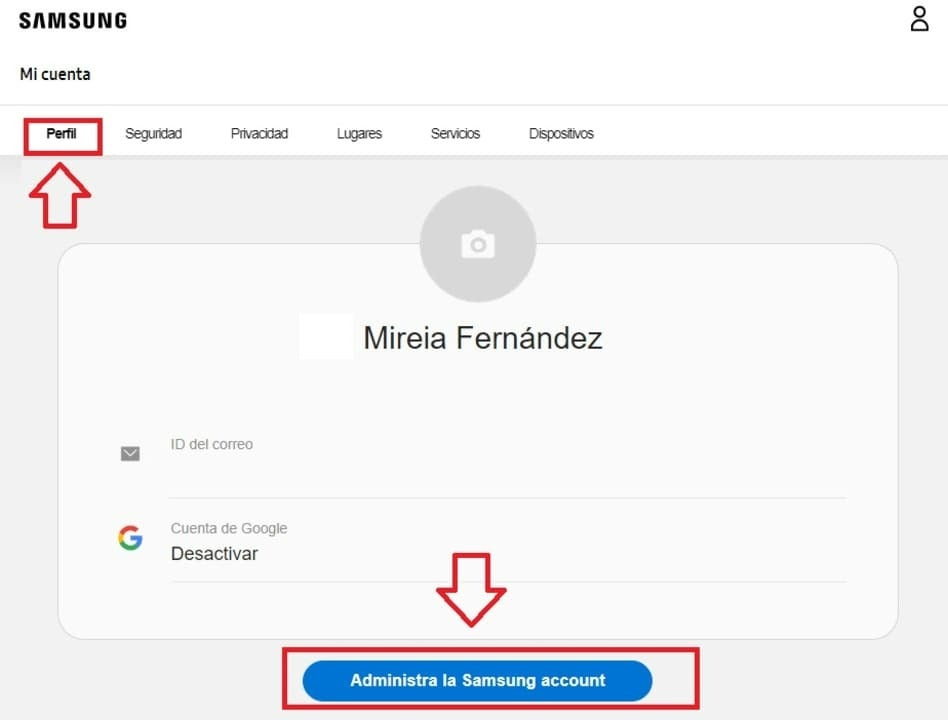
To delete your Samsung account, first of all visit their website and log in with your details. Once you have done this, select the “Profile” option from the top menu of the screen and click on the “Manage Samsung Account” option.
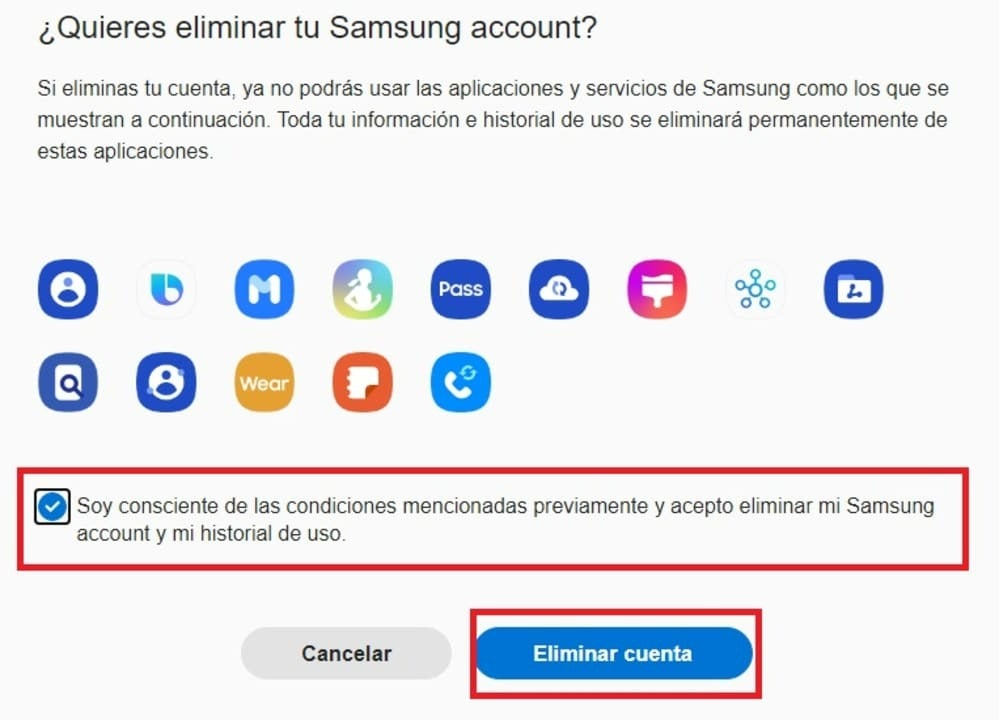
After that, click on the “Delete account” option and check the option “I am aware of the above conditions and agree to delete my Samsung account and my usage history“. Now just click on the blue “Delete account” button to close your Samsung Account forever.
Get the most out of your Samsung cell phone
We hope this article has helped you to know what a Samsung Account is, what it is for and how it works. As you have been able to see, this free service offers endless improvements and advantages for all Samsung users so… What are you waiting for to open your own Samsung account?
And remember, if you liked what you read… Don’t forget to share it with your friends on social networks!
Some really impressive results. Too much? The tests seem to indicate it, although the last word has not been said yet.
Samsung is one of the leading brands in the smartphone market, and one of its most prominent features is Space Zoom, a function that allows you to capture high-resolution images of very distant objects, such as the moon. Space Zoom was first introduced on the Galaxy S20 Ultra, and has since been present on all of the company’s subsequent ‘Ultra’ models.
Leak shows early patent images of the Samsung Galaxy S11!
Although the Samsung Galaxy S10 just came out, the S11 has already been leaked!
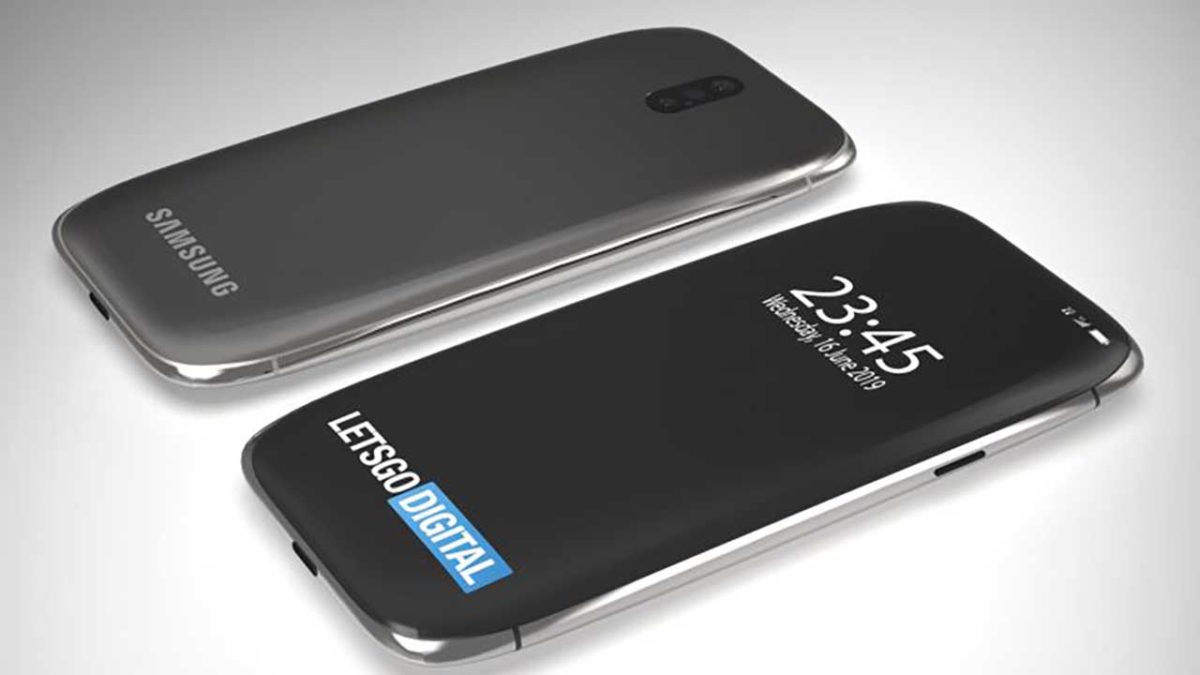
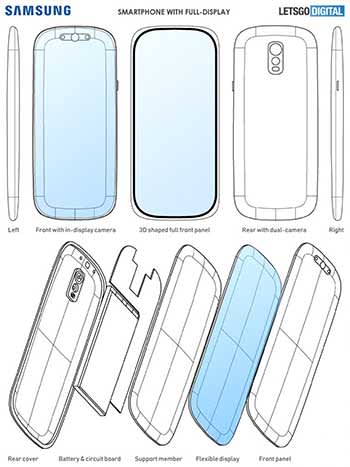
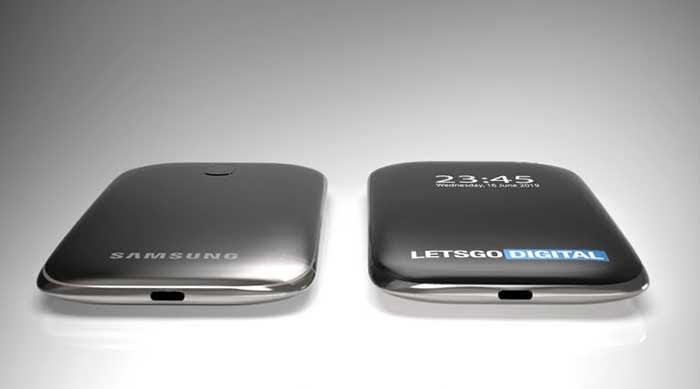
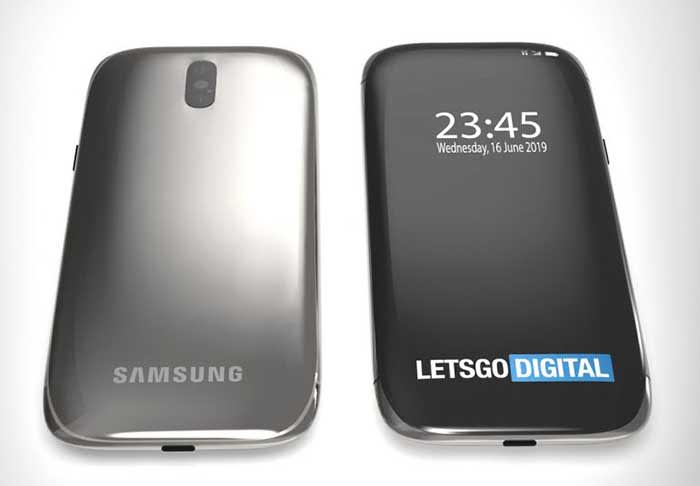
Thanks to the Dutch SITE Letsgodigital , we have the first patents of the S11. Its design is quite different from the previous Galaxy. For a long time, it has been rumored that the Samsung Galaxy wouldn’t have borders, and that it would be all screen. This seems to be the case with the new Galaxy.
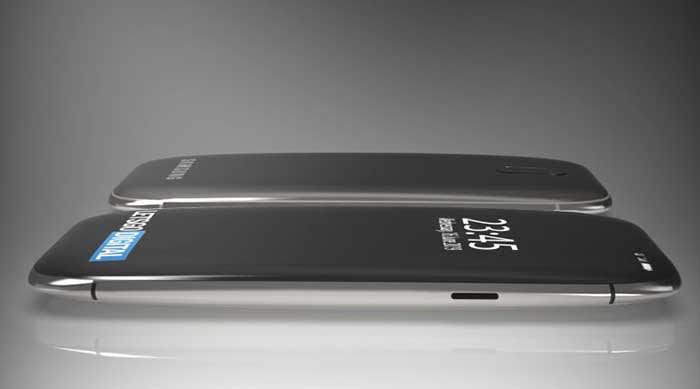
The Galaxy S11 appears it will be a very compact phone, with no borders and with a curved screen much more pronounced than the current Samsung models.
The front camera and sensors will be perfectly integrated into the screen. To prevent this curvature from causing image distortions, the camera module will be placed at a slight angle.
The camera system in the back will have several objectives, which will be displayed vertically, not horizontally, as with the Samsung Galaxy S10.
For now, there is no sign of other new technologies, such as folding or rolling screens.
It must be said that patents never show final designs, so it is possible that the above image does not represent the final design of the Samsung Galaxy S11 completely.
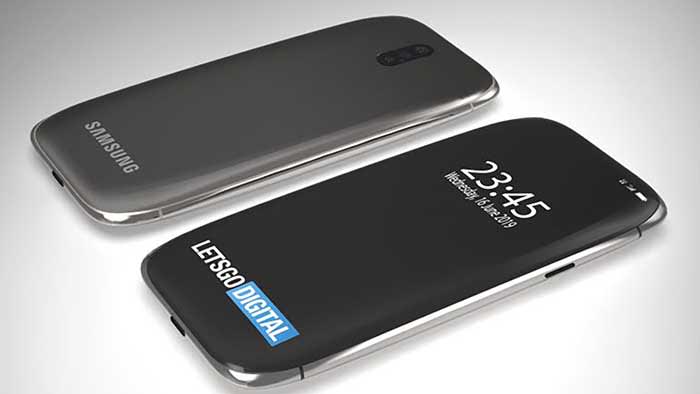
We leave you with the conceptual designs that they have created: