TikTok Blocked? Here are 5 Worthy Alternatives

While TikTok is nothing but harmless fun for millions of users around the world, for major governments, the short-video sharing app is a political thorn. Because the app is owned by a Chinese company, several governments including the United States and India worry about the threat the platform poses to national security. India, in fact, has banned the app along with nearly 60 other Chinese apps citing security concerns, and the United States is threatening to do the same – especially after Apple discovered that TikTok was secretly accessing users’ clipboards. While TikTok claims that was a simple glitch and insists that the app isn’t used for spying or any other nefarious purposes, the app’s future may be threatened. 

Most likely, though, if you’re a TikTok user, you’re not all that interested in geopolitical maneuvers. What you’re interested in is using a fun, easy app to shoot short video clips that make people smile. Fortunately, no matter what happens with TikTok, there are plenty of other apps that can deliver the same good time without the controversy. Here are five of our favorite TikTok alternatives.

Byte
dubsmash

Of course, if you’re a fan of short-form videos, you are familiar with Vine – the app that pretty much kicked off the genre when it was released in 2012. It was shortly bought by Twitter, who closed it down in late 2016. Now, one of Vine’s founders has released Byte, to bring back a super-short video platform to the masses.

While TikTok allows you to shoot 15-second videos, Byte goes back to Vine’s micro format with a cap of 8-seconds. Beyond that, the two apps are fairly similar, except that Byte doesn’t quite yet have all of TikTok’s excellent video-editing tools. As a newly released app though, Byte is constantly improving. It has already announced new features including “byte beats” (unique to the iOS version): mini audio tracks that are automatically adjusted to users’ videos; Floaties, which are objects you can place into your camera’s view and then record; and the ability to add and manipulate text on top of videos.

Byte’s true differentiating factor is the ability to join different communities, which are basically video genres such as horror, comedy, and animation.

Android; iOS

Dubsmash

dubsmash

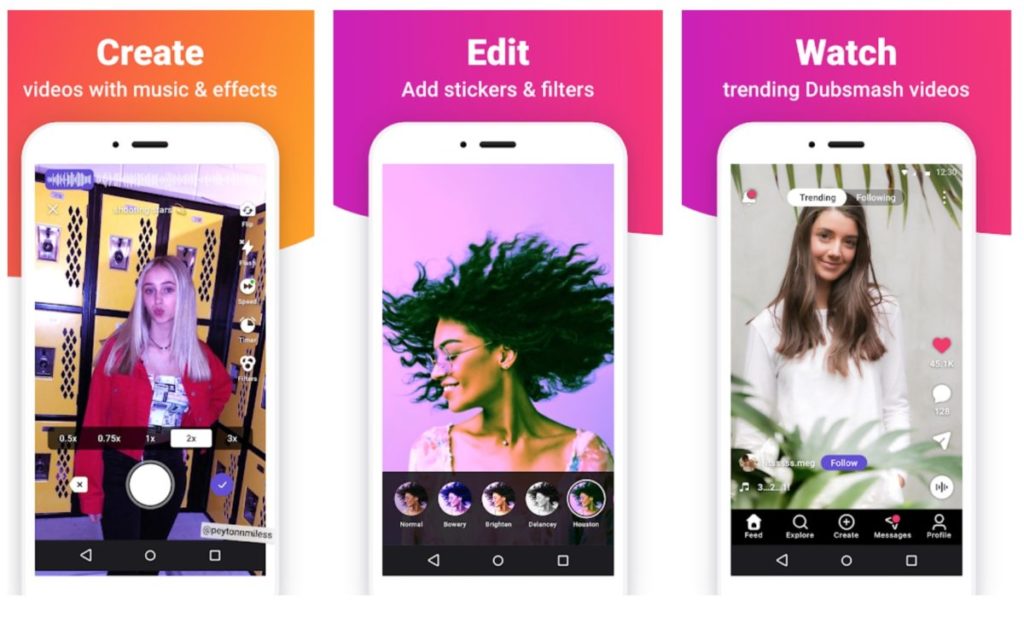
Most video-sharing apps start with the video portion of the process. You shoot a clip then you can juice it up with special effects, sounds and text. Dubsmash, a German company founded in 2014, takes the opposite approach. It contains a huge library of music clips and quotes from movies and elsewhere. So you basically start with an audio clip and then add your video, which usually consists of you lip syncing to the track. Filters and emojis help dress up your clips, and a newsfeed lets you see what’s trending and what your friends have posted. 

Android; iOS

Triller

triller

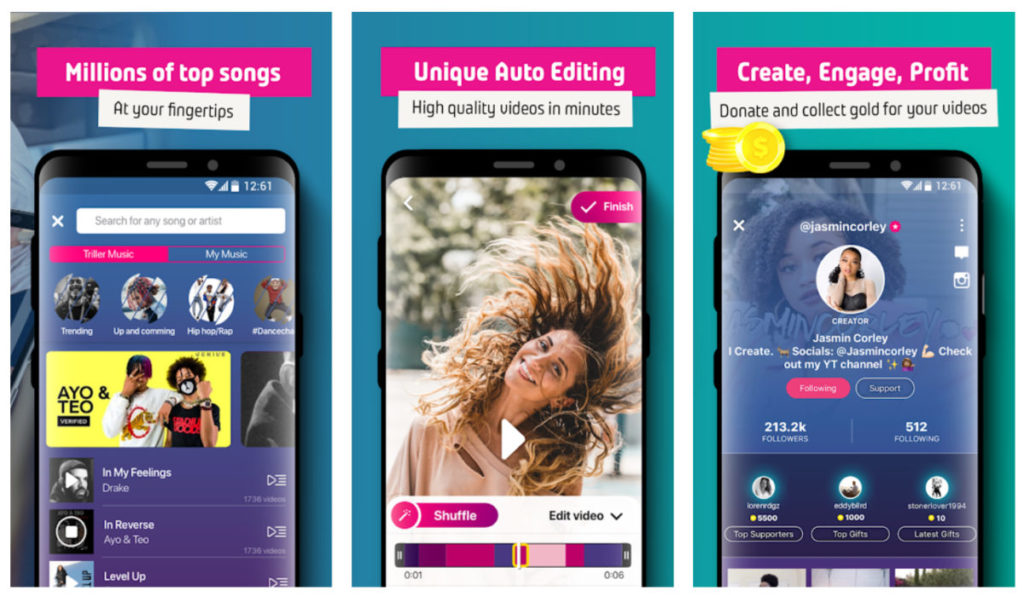
Like Dubsmash, Triller provides a treasure trove of songs to help inspire your video creations. And like TikTok, the platform allows you to record 15-second-long video clips. Where Triller sets itself apart is that it offers super-simple video editing at the push of a button.

Creating impressive videos is as simple as choosing a song, selecting which portion of it you’d like to use, choosing a series of video clips, and letting the software do the rest. It will stitch everything together for you into a professional-looking video that will make it seem like you truly know your way around more sophisticated video-editing software. Videos are represented by a color bar at the bottom and swapping out or reordering clips is as easy as swiping and dragging

Triller also stands out because of its very impressive collection of songs and videos. Because the app has partnered with major music-production companies and other apps like Spotify, your choice of tracks is nearly limitless. Triller also features more than 100 filters that let you play with the look of your clips to an impressive degree.

Triller clips can be shared through the Triller platform, or they can be shared on other social media platforms like Instagram and Facebook, which has made it a tool used by a significant number of celebrities including Kevin Hart, Chance the Rapper and Rita Ora. 
Android; iOS

Instagram

Instagram

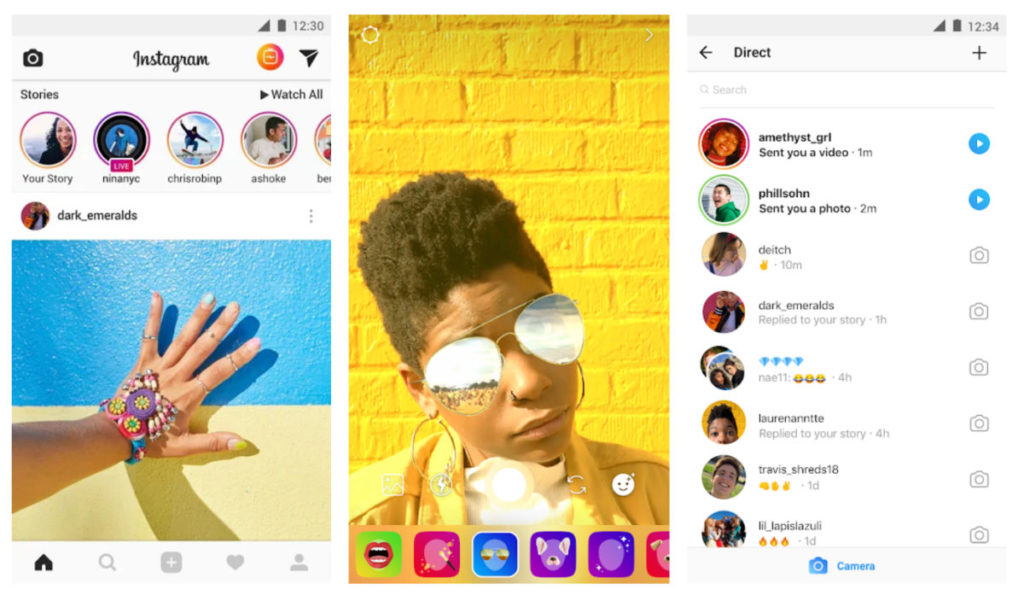
While Instagram is commonly thought of as a photo-sharing platform, the fact is that there are thousands of users sharing videos there as well. While it doesn’t really have the robust video editing tools of some of the other apps on this list, because of the popularity of the platform (can you say over 500 million daily active users?) it’s well worth considering as a video-sharing tool.

Instagram also doesn’t feature the limited-time function of many other video-sharing apps, so if you’re looking to create longer-form videos, this is your app. You can upload clips under 60 seconds as “short videos” but longer vids can be uploaded to IGTV to share with your followers. And, because Instagram is free from lots of gimmicks like animal-head overlays and stickers, it’s an excellent place to share videos with more serious or engaging content.

Android; iOS

Likee

likee

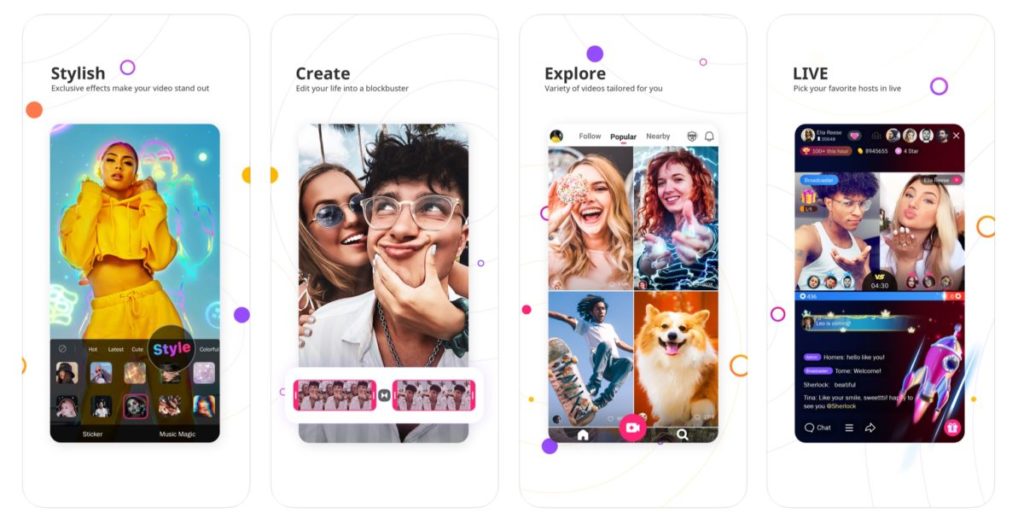
Likee, (which used to be known as “LIKE” before a rebranding) is the rocky road ice cream of video apps – which is to say, it’s got a lot of stuff crammed into it. In addition to crazy filters that do everything from adding fireworks to a video to causing you to dematerialize in a bolt of lighting, the app also has a Tinder-like feature of letting you search for nearby video creators and sort them by gender. 

The app also offers a pretty impressive face-swap option that lets you step into the role of your favorite actor with a touch. There are thousands of stickers and filters to choose from; “Makeup and Micro Surgery” functions that let you fine-tune your videos or bedazzle the people in them; a “Hair Color” feature that lets you try out any color you’d like on your ‘do; plus a function known as “Supreme” that turns your photos into movies with a tap.

On top of this, the app allows for more serious content by showcasing instructional videos in addition to lip syncing and other entertainment-style videos. While the app might be overwhelming for some, if you’re already familiar with video creation apps and want to take your abilities to the next level, Likee should get the job done.


Android; iOS

The best apps for making videos from photos

Want to turn your photo collections into videos? These five apps, programs, and websites will help you create epic slideshow videos.

According to Facebook users on the social network engage with videos an awful lot more than they engage with photos. Furthermore, we’ve now also got social networks like Snapchat and Tik Tok that encourage users to create short and snappy videos and photo videos to share across the network. We’re transitioning from a photo first world to a video-first world. Hell, we might even be living in a video-first world right now and we simply haven’t caught up yet.

It isn’t easy for many of us, I included, to simply create fun and engaging videos at the drop of hat. If like me, you’re still a photos first person, you will be looking to make videos out of your photos. Today, we’ll walk you through some of the best apps to help you make videos from photographs.

How to make videos with pictures

Below we’ve laid five of the best ways to turn your photographs into slideshow-like videos. You don’t need impressive video editing skills or experience. These Android and iPhone apps, programs, and websites have all been designed to be user-friendly and with ease of use in mind.

MiniTool Movie Maker

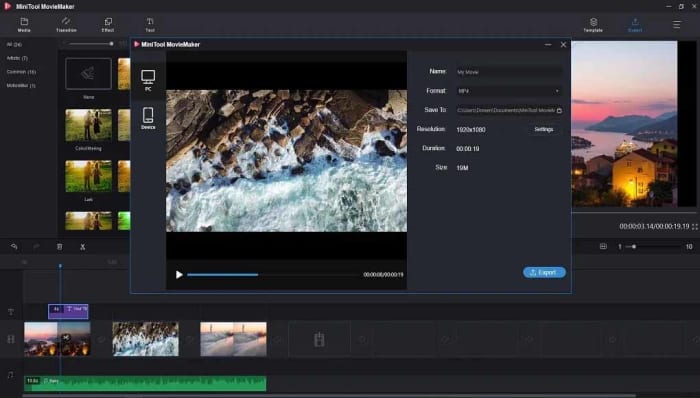
Our top choice today is the MiniTool Movie Maker, which offers a fantastic and free solution to anybody looking to turn their photos into videos. What stands out about the MiniTool solution is that it gives you the freedom to create your movies without imposing a company watermark. Normally, these tools make you include their branding on free versions and will only remove them if you pay for a premium version.

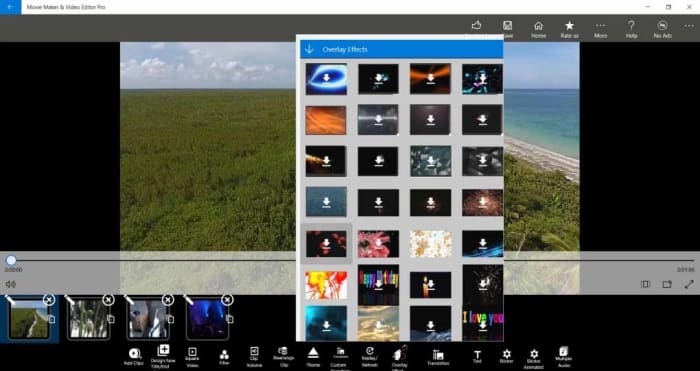
Other standout features of the MiniTool Movie Maker app, which is available to download on Windows include fun and easy to use Hollywood-style movie templates and an impressive array of effects including transitions titles. Editing tools to go with your slideshow capabilities include splitting and trimming clips and combining multiple clips together. When you’re done and your video is complete, MiniTool can export your creation to all major video file formats.

MiniTool Movie Maker Download now
9

Google Photos

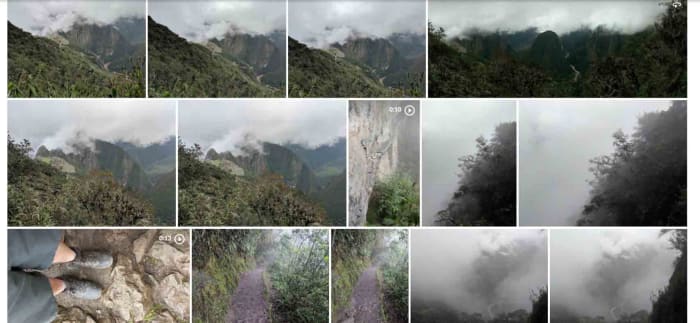
Google Photos is a great tool for making videos out of your photos. The app is so good at making videos from Photos that it can do it by itself. Google Photos can automatically group your photos together, based on a number of different categories it can recognize, and then add music and transition effects to create short videos from your pictures. This means that once you have the app installed on your Android phone or tablet, or iOS iPhone or iPad you’ll automatically receive notifications from the app telling you whenever it makes movies from your photos.

These automatic movies are great but obviously you’re going to want to make your own too. There’s nothing stopping you at all from making your own photo slideshow movies using Google Photos and you can include all the cool effects that go into the automatic movies too. These features include music, text, transition effects, and even Google Maps integrations showing where you were when the photos were taken and even including your travel details too.

Google Photos Download Google Photos
7

Slideshow Maker

Slideshow Maker is another video editor for Windows 10 that offers a lot of video editing features that will help you take your static photographs and give them a new life. Similar to the MiniTool Movie Maker, Slideshow Maker has some really great features including slow-motion effects, color filters, and more. Impressively, Slideshow Maker is even capable of outputting videos that can work with VR headsets too.

Another key feature of Slideshow Maker is that it is free although you will have to deal with a number of adverts if you use the free version. Another negative point that you need to consider is that the app isn’t compatible with MP4 video files, which is a very common video format. If most of your files are MP4, you might want to look at one of the other apps on today’s list.

Slideshow Maker Download now
9

Photo Slideshow

This classic Windows program offers a wide array of professional-level movie-making features. The kicker here, however, is that the program isn’t free, and you’ll only get access to its features for a very short free trial period.

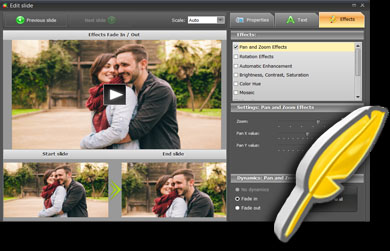
If you do decide to go with Photo Slideshow, however, you’ll get access to features like transition effects, music tracks for your slideshows, face focusing effects, and even animation. The animation effects, in particular, add a lot of possibilities to your videos allowing you to pan in and zoom into your photos. Other cool animations adding vignettes and retro film-like effects to your movies too.

Photo Slideshow Download now
7

Animoto

Our final solution today for turning photos into videos is the Animoto site. Animoto does have professional and team plans but, fortunately, it also offers a free plan for casual users like you and me. The only catch with the free version is that your videos will include an Animoto watermark. If you don’t mind that, however, then Animoto offers a simple solution that doesn’t require you to download any apps or programs at all.

What’s great about the Animoto solution is just how simple it is. You will have to create an account on the site but once you’ve done that everything will run smoothly. All you need to do is select the template you want from the many available on the site and then upload your photos. After that is just a case of putting your photos in order and letting Animoto do the rest. If you’re a technophobe, then we suggest you look at Animoto as it couldn’t be simpler to use and still impressive results.

Super-powerful MiniTool MovieMaker is now free!

Download MiniTool MovieMaker: create top-notch videos has never been simpler. And even better – the software is completely free for a limited time!

All it takes is a quick scroll through an Instagram feed to realize just how important video has become in today’s world. In fact, according to advertising software provider, Wordstream, one-third of all time online is spent watching video content. Creating videos was once a task only reserved for the pros – but now, thanks to MiniTool MovieMaker, creating top-notch videos has never been simpler. And even better – the software is completely free for a limited time!

Free: Truly free!

You might expect that free video-creation software would come with certain limitations. But that’s simply not the case with MiniTool MovieMaker. Not only are there no limits on file sizes, no watermarks or ads, and no bundle upsell – but there’s a multitude of helpful features included. 

Easy-to use templates

When you start up the MiniTool MovieMaker software, you’ll be given a range of templates to choose from including “Our Love Story,” “Photo Album,” “Wedding Slideshow,” and “Travel.” Select one of these templates and you’ll be prompted to add the recommended number of photos, which will then be stitched into a professional-looking movie you’ll be instantly proud of. 

Once the photos are uploaded, you can change their order, as well as the duration any one of them remains on the screen in your creation. You can also change and edit the musical or narrative track that can accompany each video. 

Powerful tools

If you want to start a video project from scratch, you simply upload your content into the software and you can then add and edit musical tracks, build in great effects to enhance or artfully manipulate your photos, and control the transitions between each image.

On top of that, MiniTool MovieMaker comes with features usually only found in big-budget professional software like the ability to merge videos and change a video’s resolution, format and quality. 

 It’s also possible to use a variety of overlay templates to add text to any image, or to have your text appear on a graphic background to really grab the attention of your viewers. Text templates include those suited for credits, title slides and narration.

Drag-and-drop simplicity

While MiniTool MovieMaker puts pro-level tech in your hands, it remains easy to use thanks to a simple drag-and-drop interface. You simply drag in images, video clips, transitions and text slides to a running strip on the bottom of the page and you’re practically ready to debut your masterpiece!

Did we mention that it’s free?

Just in case you missed it – all of the features of the simple yet powerful MiniTool MovieMaker are completely free for a limited time. We’re not really quite sure how such an amazing opportunity came along – but we do know that’s it’s one you should take advantage of today!