Albumatic is photo crowd sharing

Google+ included a crowd sharing photo album during events called Party Mode. You take photos and automatically them share with other attendees when uploaded to a public album attached to the event. While this is a great idea, it doesn’t work that well because not many people think to use Google+ during events.

Albumatic borrows that idea, but allows you to create photo albums for any occasion that are shared with friends in real-time. While Party Mode is attached to a single event, you can take and add pictures to different albums to share with friends at any time in Albumatic. Any event with linked friends can create huge photo albums that are socially shared. With phone and Facebook contact support, it wouldn’t be surprising to see multiple angles of the same event from different perspectives.

Continue reading “Albumatic is photo crowd sharing”

Google+ Sign-In takes on Facebook Connect and Twitter [video]

google-Plus-iconIf you have trouble remembering passwords for different sites and services, Facebook and Twitter’s universal logins are a boon. Google is looking to some of that action with its Google+ Sign-In. This basically means that you will have a single login for websites and apps. The service works very similarly to Facebook Connect. Users will be given a page alerting them to what the site or app has access to from your Google account, including your Gmail, Calendar, and other Google services.

This is a smart move for Google as it will draw more users to its Google+ social network. Google+ Sign-In allows users to choose which Circles in Google+ to share with. And of course, you can set things to private if you so desire. Google is taking security very seriously and has made Google+ Sign-In work with its two-factor authentication. You can easily manage what apps you’ve given permissions to at plus.google.com/apps. Read on to find out more.

Continue reading “Google+ Sign-In takes on Facebook Connect and Twitter “

Claim free Skype credit from MSN

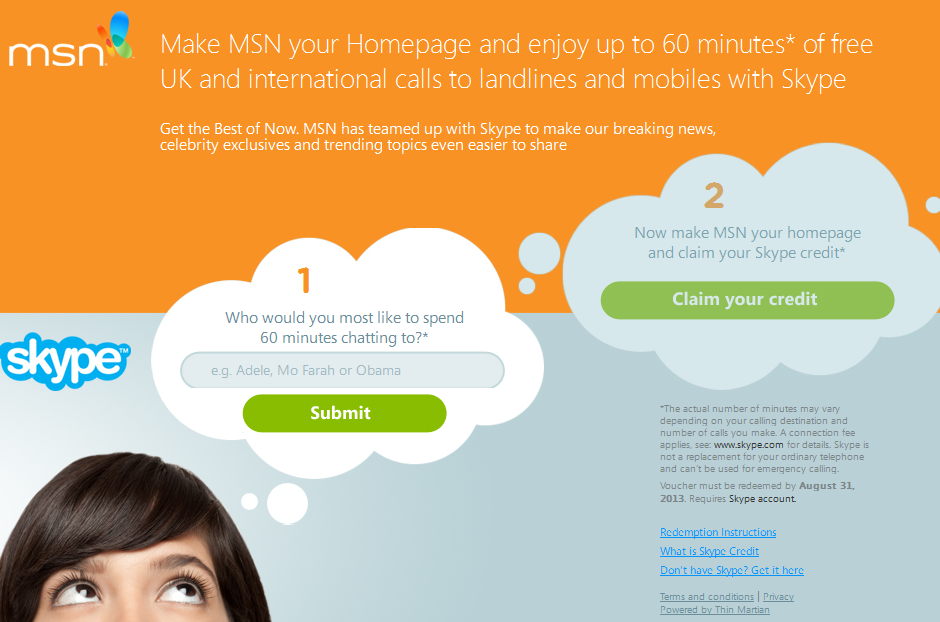
If you’re a Skype user in the UK or Ireland, MSN has teamed up with Skype to offer you 60 minutes free Skype credit. All you have to do is suggest who you would like to spend 60 minutes chatting with and change your homepage to MSN.

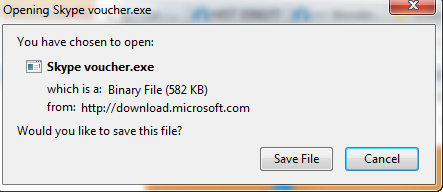
Enter the name of the person you would like to chat to in Box 1 and then download the .EXE download that you’re offered in Step 2.

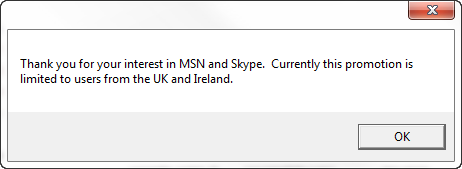
Users in the UK and Ireland will then have their homepage set to MSN with a redemption code which you can find out how to redeem here. It’s not worth trying if you live outside of these countries by the way – you’ll just receive this message:

Click here to get started with the giveaway.

Internet Explorer 10 now available for Windows 7

Microsoft has released Internet Explorer 10 for Windows 7 after more than a year of testing. The update will be pushed out over the coming weeks, but you can download and install it manually now.

While it shares its overall look with IE 9, Internet Explorer 10 has lots of improvements under the hood, with some interface refinements. It feels much quicker that IE 9, with its improved JavaScript performance, CSS animations and HTML 5 spell checking. Read more here.

Security is tighter, with an ‘Enhanced Protected Mode’ which locks down parts of Windows, preventing the browser from accessing the operating system. You can also activate a ‘do-not-track’ mode, which allows you to opt out of targeted advertisement on the web.

Download Internet Explorer 10 (32bit) or Internet Explorer 10 (64bit).

Google Chrome tabs will get audio indicators

Google Chrome will soon add an audio icon to any tabs that are making noise.

The internet can be a noisy place, and with multiple browsers open with numerous tabs on each, I often find myself wondering ‘where is the noise coming from?’. With this feature, a neat animated icon, you’ll be able to tell immediately.

As well as telling you which tabs have audio, the feature is also designed to tell Chrome. Chrome discards tabs if it runs out of memory, but the audio indicators would tell Chrome to discard these last. This means if you’re listening to something in one tab while working in another, Chrome won’t assume the first is inactive.

This function is already in the latest Canary build of Chrome – the build meant for developers and early adopters. It’s not always stable, as it’s for testing new features, but you can install it alongside another Chrome install if you want to try it.

Here’s a video of the audio indicators running in Chromium:

Personally I never have a problem with memory, but I often lose track of audio in tabs, so this feature will be excellent.

Do you like the sound of audio indicators for Chrome tabs? What other features would you like to be added?
[via TheNextWeb]

MWC 2013: Ubuntu Touch OS hands on [video]

Softonic-MobileWorld-Congress-2013The developer preview of Canonical’s Ubuntu Touch OS was released last week and now we’ve finally got a hands on demonstration of how it works. Canonical gave a demo at their booth at Mobile World Congress in Barcelona, Spain.

For an early developer preview, the software seems to be fluid and functional. The core applications all seem polished, although it’s hard to tell without getting our hands directly on the OS. The most impressive thing about Ubuntu Touch is the ability to multitask. You can run a phone style app in a little column while running another app behind it or to the side. This feature mimics Windows 8’s Snap feature.

Ubuntu Touch still has a long way to go in order to be a viable competitor in the mobile OS market. Canonical still hasn’t shown off any 3rd party applications, which it will need to succeed. The projected release of the final software is in early 2014, which is quite a long way in the future. Can Ubuntu succeed in this crowded space? Watch the video and decide for yourself.

Be sure to check back for more news from Mobile World Congress!

iOS 6.1.3 beta fixes lock screen vulnerability, breaks evasi0n jailbreak

evad3rs iconApple has seeded iOS 6.1.3 beta to developers. It includes fixes for the lock screen vulnerability and also patches the exploit that the evasi0n jailbreak uses.

It was only a matter of time until Apple patched the most current jailbreak from the evasi0n team. David Wang, a member of the evad3rs team, has confirmed to Forbes that the iOS 6.1.3 beta will break the evasi0n jailbreak. Here’s what Forbes’ Andy Greenberg had to say:

“Wang tells me that he’s analyzed the 6.1.3 beta 2 update and found that it patches at least one of the five bugs the jailbreak exploits, namely a flaw in the operating system’s time zone settings. The beta update likely signals the end of using evasi0n to hack new or updated devices after the update is released to users, says Wang, who says he’s still testing the patch to see which other vulnerabilities exploited by the jailbreak might no longer exist in the new operating system.”

Jailbreaking has always been a game of cat-and-mouse. Apple inevitably patches jailbreak exploits and jailbreak teams inevitably find new ones. Wang predicts that finding a completely new exploit will take as long as another month, if not longer.

If you want to keep your iOS 6.1 device jailbroken, it’s recommended that you refrain from upgrading until a new jailbreak is found. But be aware that your device will continue to have the lock screen vulnerability if you don’t upgrade to iOS 6.1.3.

Source: Forbes

HP sells parts of webOS to LG for its TVs, may put it on a phone

webos logoIn a surprising announcement today, HP has said it will sell parts of its webOS product and team members to LG, who plans to use the operating system to power its smart TVs. LG also hasn’t ruled out putting webOS on a phone.

webOS has always been known to be a mobile phone and tablet operating system so it’s interesting to hear that the Korean company plans on implementing it in its TVs. LG will be purchasing the source code, documentation, websites, and the team behind webOS. HP will hold on to webOS’s cloud services, which is a smart move for the company as it will control how webOS devices connect to the cloud. Even smarter, HP has kept all of its patents that it purchased from Palm, forcing LG to license patents for webOS.

It’s strange that LG would buy webOS when it has invested so heavily in Android. LG’s CTO, Dr. Skott Ahn, cites webOS’s ease of use over Android’s.

“We’ll use Android together with webOS, but webOS is better in user experience.”

There’s also no indication whether HP will continue to support the now defunct HP Touchpad as it focuses on creating Android tablets.

Source: The Verge

How to transfer from Posterous to Tumblr

Tumblr LogoSeveral years ago Posterous and Tumblr entered a fierce competition to become the most popular image-based blogging site. While Posterous gained momentum in South Asia with over five million accounts, Tumblr became a worldwide success with over ten times the user base. Tumblr now even trumps Facebook and Twitter as the most used social media outlet.

Last week Posterous admitted defeat and announced its closure on April 30th. Anyone who used Posterous in the last four years only has two months to retrieve all of their posts and images before they are lost forever.

We will show you the best way for preserving your Posterous blog: transferring to their rival Tumblr. Continue reading “How to transfer from Posterous to Tumblr”

How to use Snapchat video on Android and iOS

Snapchat was one of the first apps to offer self-destructing messages that protect your privacy, letting friends view a sent image for up to 10 seconds before being automatically erased. Early on, it was possible to screen capture images, or even find the cache of the file, but updates to Snapchat notify the sender if a screenshot was taken in the app. So while these messages are supposed to be destroyed, there are ways to keep a copy.

In response to video-sharing apps like Vine, Snapchat introduced video recording and sharing in its iOS and Android apps to support video as well.

Are you wondering exactly how to use the video recording option in Snapchat? It’s very similar to taking photos, with only one minor change.
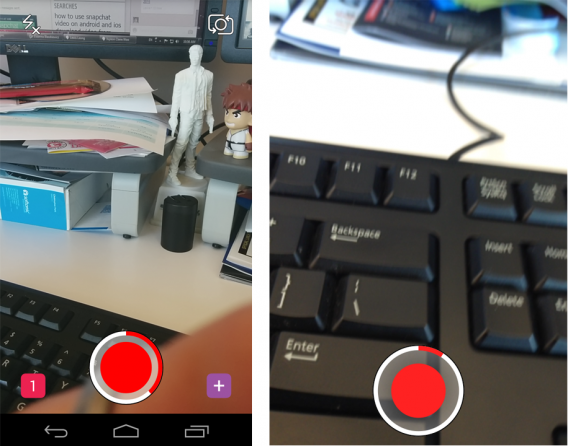
Snapchat Android iOS record video

To record video, instead of tapping the picture button, hold it down. This will start Snapchat’s video recording. Unlike Vine, Snapchat allows you to take up to 10 seconds of video before sending to your friends (Vine only records up to 6 seconds). As long as you hold down the record button, Snapchat will continue to record.
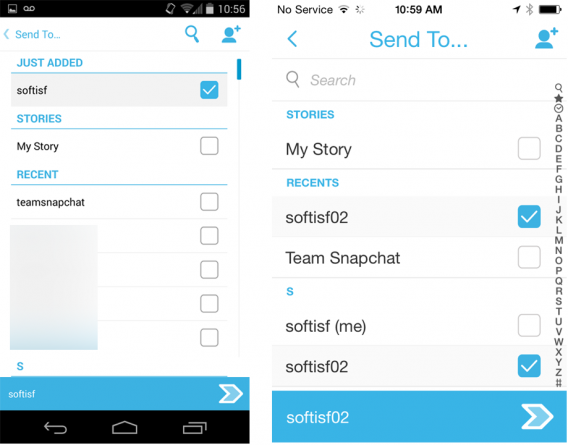
Snapchat Android iOS send to

When you’ve recorded your video, you can send it to your friends just like you would a photo. Select the contacts that you want to send the video to, and hit Send.

Snapchat will still save a log of your Snapchats, along with unseen sent messages.
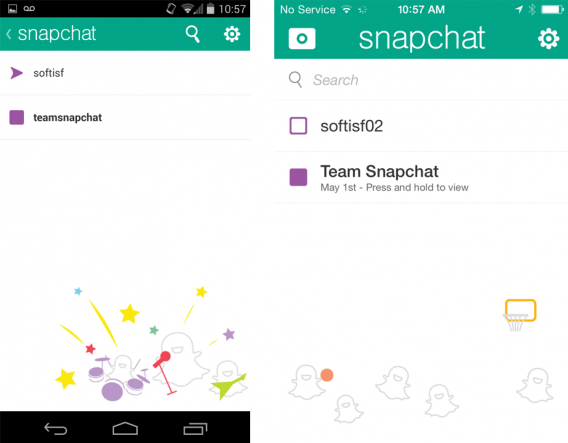
Snapchat Android iOS messages

Snapchat’s expansion into video recording is great for friends to share creative and fun videos. For parents, the app creates concern for the types of content that gets sent. Even though Snapchat erases the photo or video content, parents should be aware of the possible content that their children could be exposed to from their Snapchat friends.

The newest addition to Snapchat video is the live-video function, which lets you have live, face-to-face conversations with other Snapchat users who are online. If you’re interested in using this function, check out the tutorial here.

Snapchat is available for free on iOS and Android.

Add me on Google+
Related Articles: