Whatsapp Sneaky With Their Latest Update

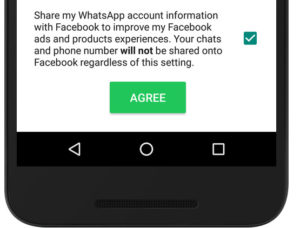
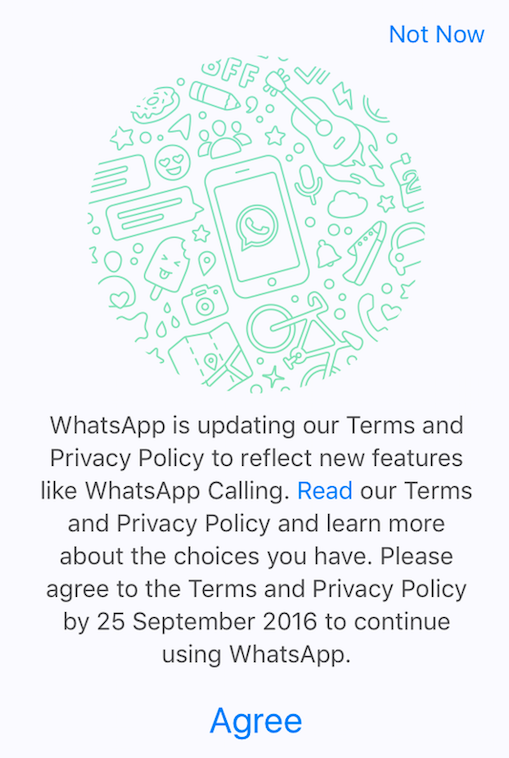
For those of you on Whatsapp, you’d have seen this alert sometime last week. You probably just clicked on “Agree” and gotten on with your life, didn’t you?


Whatsapp

Usually, that’ll be no big deal. But not this time.

Because the fine print says that the app will now pull personal information, including names and phone numbers, from WhatsApp to the “Facebook group of companies”, which includes the likes of Instagram and Oculus. Among other things, this means that many more companies now have your user profile and contact information, and they (and their partners and advertisers) can now send you messages and ads via WhastApp.

You can revoke this permission

When you see the pop-up, you can scroll to the bottom and check the box to NOT share your account information.

Whatsapp1

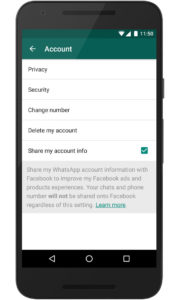
But if you’ve already jumped the gun, it’s not too late. You now have 30 days to go to SettingsAccount – and uncheck Share my account info.

Whatapp2

To be fair, Whatsapp is (and will remain) a free and ad-free service. Which means that they’ve got to make a buck somehow to keep it running. Is sharing our info a small price to pay for a, frankly quite excellent, free lunch?

What do you think? Tell us in the comments below.

Opera VPN for Android is Finally Here

VPNs are the hottest apps right now and no one is surprised. We are constantly reminded that many apps on our phones are tracking our location, collecting our information and accessing our data. Having a security tool to conceal your identity and location can be very reassuring.

Why Care About VPNs?

Apart from being an obvious security risk, it is disturbingly creepy to receive notifications that says things like “If you leave your office now, you’ll arrive home in 14 minutes” or “Would you like to share these pictures you took of David and Elle at Central Park on your wall?”

Opera VPN Apps

So when Opera, the makers of the popular Opera browser, released the iOS version of their Free VPN app earlier this year, it became an instant success with iPhone and iPad users. And this week, Opera finally dropped the Android version of Opera VPN.

Get Opera VPN for Android and iOS here.

How’s it better?

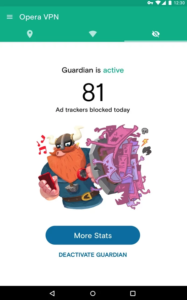
Unlike other VPN apps, Opera VPN is completely free, comes without data limits, doesn’t require a subscription or login, and offers advanced Wi-Fi protection features. As if that wasn’t enough, they also included bonus features like an ad blocker and tracker stopper.

Opera 1Opera 2Opera 3

Setting up the app is painless, and running it is simple enough for most people. You get the choice of surfing from the U.S., Canada, Germany, Singapore and The Netherlands.


Should you get it?

So do we like them? Yes, pretty much. Should you get them? Probably.

Get Opera VPN for Android and iOS here.


A sensational deal on Adobe Creative Cloud

Adobe Creative Cloud Photography plan provides you access to a suite of Adobe’s renowned desktop and mobile apps. The package ensures that you have the tools you need to make a brilliant picture perfect. It is the ideal package for photographers of all levels, allowing you to get the most from every holiday snap and pet picture, without the need to spend hours editing.

Best of all, Adobe is offering 20% OFF this superb software suite to Softonic readers.

button (1)

Softonic Adobe Promo

Photography has always relied as much on technical prowess as it has on an eye for a good picture composition. Be it playing around with the exposure during your shoot, or overdeveloping the colors in the dark room, the art of taking a great photo has always demanded a diverse skill set.

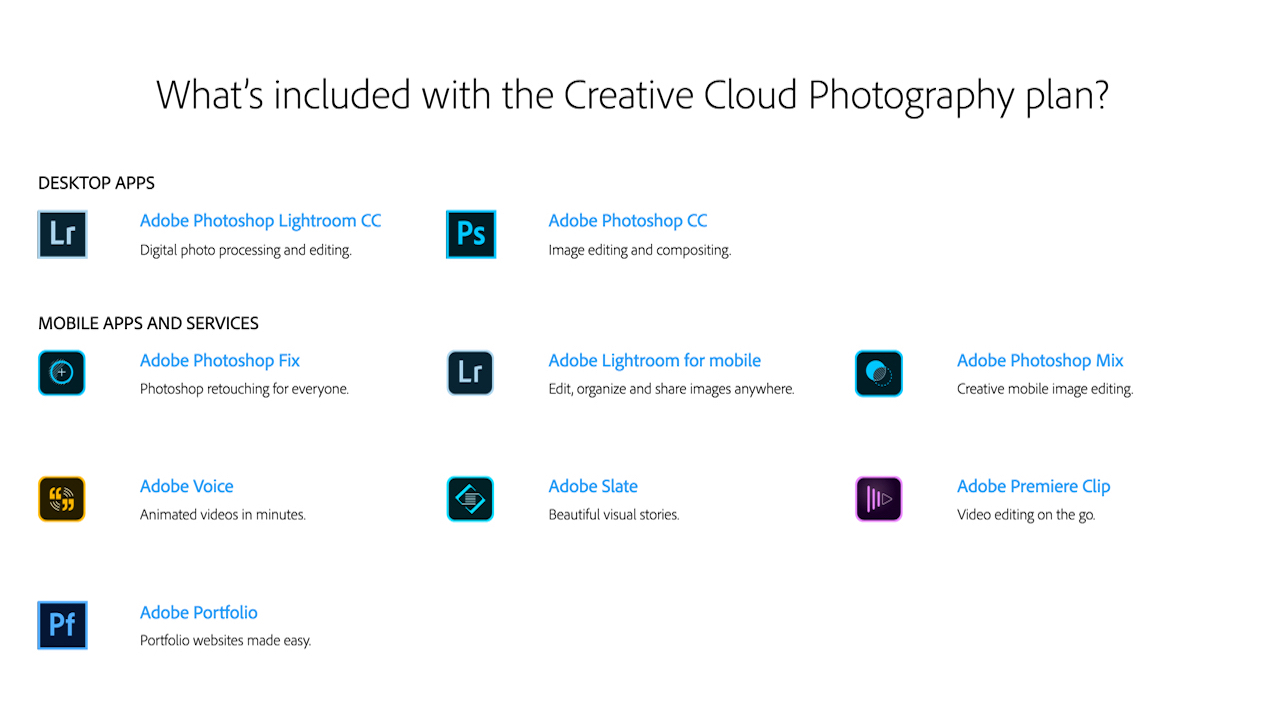
Today it is easier than ever to produce photographic perfection, thanks to the Adobe Creative Cloud Photography plan, a suite stuffed with nine amazing tools to get the most out of every image.

Softonic Adobe Promo

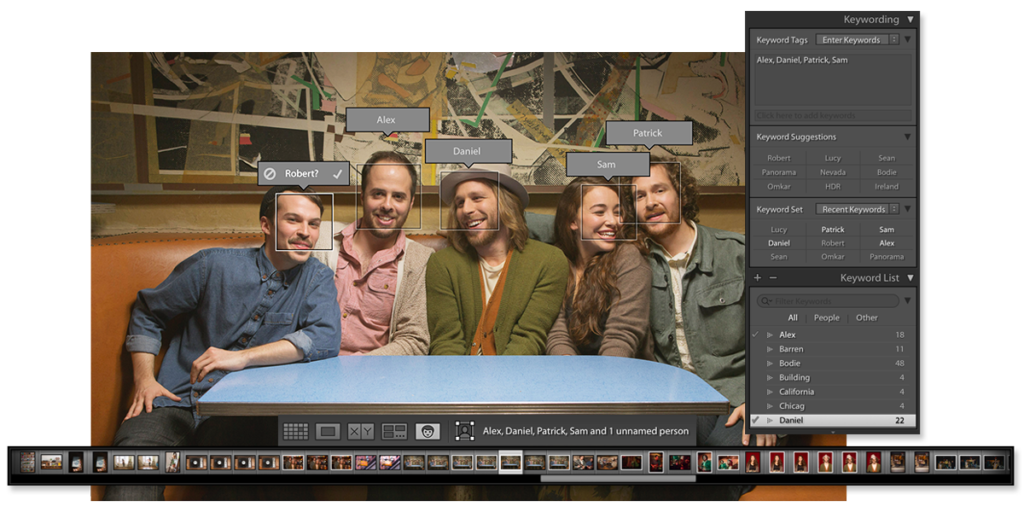
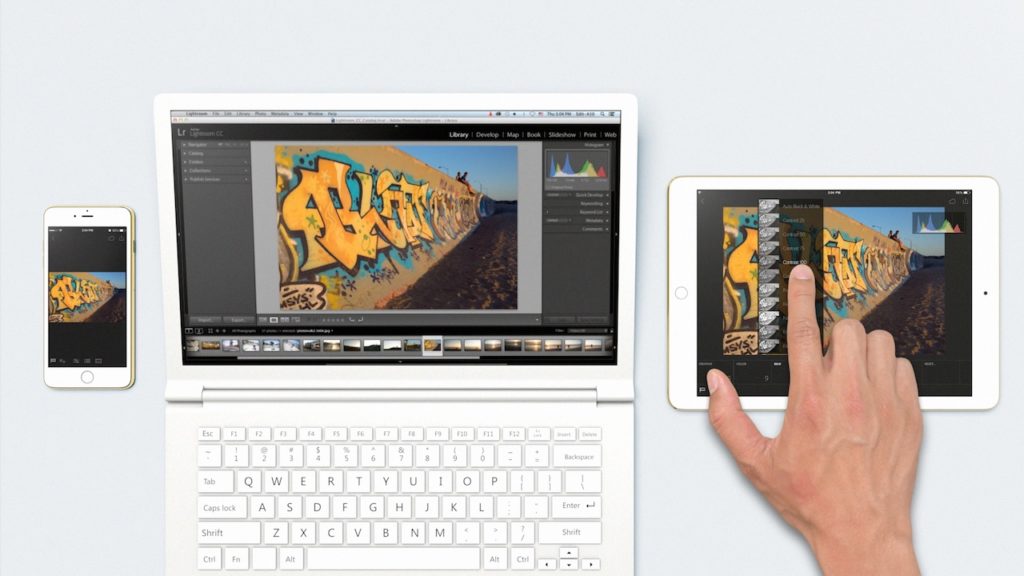
With Lightroom, your photography goes where you go. Organise, edit and share your photos from anywhere – your computer, the web, your iPad and your iPhone or Android devices. All your photography in one place.

Softonic Adobe Promo

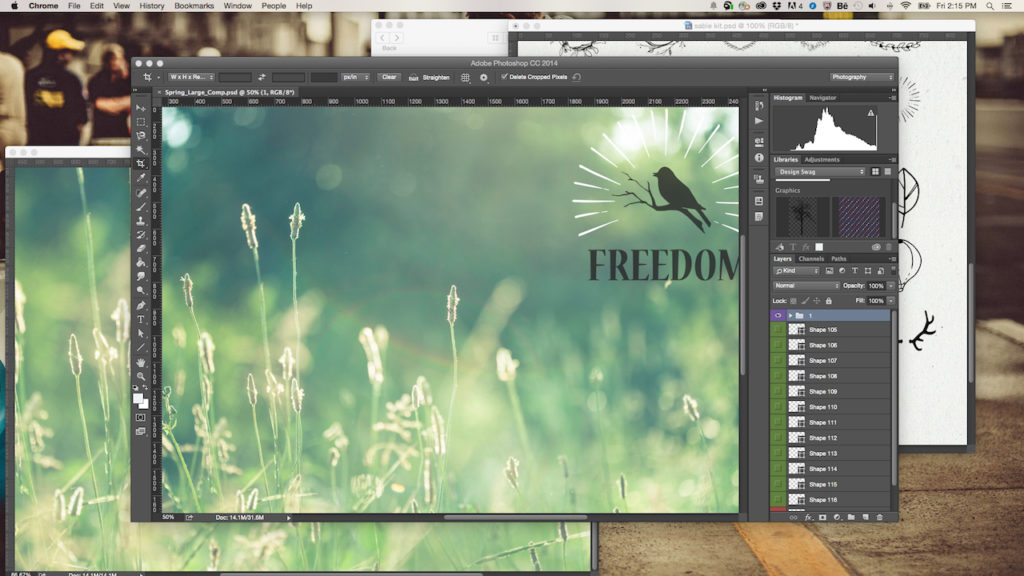
The most famous element of the suite is Adobe’s Photoshop CC. This powerful desktop software offers all the tools you could possibly need make your masterpiece. Letting you combine, retouch, resize, layer, and more, Photoshop has long been an industry standard for both professionals and enthusiasts. Best of all, it is included as part of the Adobe Creative Cloud Photography plan, making it an absolute bargain.

button (1)

The double package of Photoshop Mix and Photoshop Fix provides a streamlined mobile version of the desktop app for editing on the go – cut, combine, and retouch from anywhere.

Photoshop Product Image


If you want to extend your photos beyond still images, then the Adobe Voice, Adobe Slate, and Premier Clip apps are perfect for you. With Adobe Voice you can quickly turn your images into an incredible animated video. Slate allows you to easily make compelling visual documents that combine words and images to fantastic effect. Finally, Premier Clip can produce high-quality videos that can be shared with ease.

Softonic Adobe Promo

Furthermore, you can quickly and simply showcase your creativity with Adobe Portfolio, giving you access to Typekit’s library fonts, live editing, plus much more.

If all of that isn’t enough, the updater makes sure you always have the newest version of the software and a training option allows you to get in-app tips and tutorials to get the most from every part of the Adobe Creative Cloud Photography plan.

Softonic Adobe Promo

All you have to do to get this amazing 20% off deal, is to click on the button below and subscribe to Adobe Creative Cloud Photography plan for one year. The package includes 2 desktop apps and 7 mobile apps and services, and provides incredible value to photographers of all levels – from beginners to professionals.

button (1)

Processing and enhancing your photos – how to do it like the pros

Why do my pictures look like crap?

We all ask ourselves that question. Then we empty our bank account and buy the newest many-megapixel-magic-voodoo camera, and we descend into regret 3 days later because our photos still look like crap.

That’s because the camera is not the problem, you just need to enhance the photos.

Enhancing your photos isn’t as difficult as it sounds. Today, we outline the four simple steps to help you enhance your photos like a pro, so that you can make your friends green with envy as quickly as possible.

Selfie?

Backup

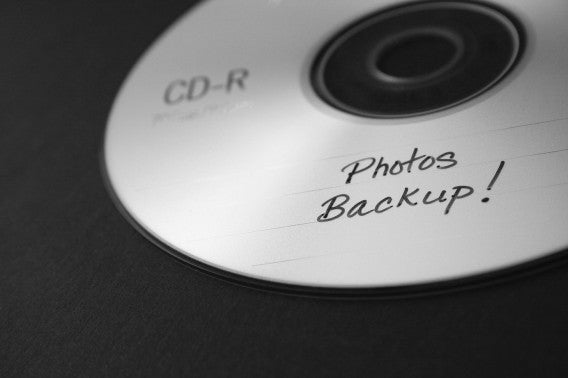
Before you embarking on anything, back everything up! This means that you should make a duplicate of all the photos you have taken – good, bad, and ugly

Who uses disks?

Sort

Now it’s time to organize all your photos. There are many ways to do this, but the simplest way is to create three folders: Delete, Keep, and Enhance, and start dropping your photos into each as you go.

Enhance

Now for the really fun part where all the magic starts to happen. There are many tools you can use to help you enhance your photos, ranging from the professional (and very complex) programs such as Adobe’s Photoshop and Lightroom, to the more user-friendly ones such as HDR Projects 4.

Simply put, HDR (high-dynamic-range) imaging technology gives your photos the pro-touch in a few simple clicks. The main problem with most photos is uneven lighting, where one part of the picture is darker (your friends sitting under an umbrella), and the other parts are much too bright (the rest of the beach). HDR corrects that by adjusting the lighting, so that you can perfectly capture that soft, indoor shadow, or bring out every color in a sunset. 

button

While tweaking your photos one by one, always keep in mind that each photo has to fit within the entire collection. For instance, a photo that has enhanced color saturation next to a photo that is black and white could make your collection disjointed. Try to keep the style of every photo in your album as consistent as you can.


For that extra special touch, read our article on ‘4 usually overlooked ways to enhance your photographs’.

You weren't there man...

Keep & Share

Now you’re almost at the end of your photo processing journey. The last things to do is to share them with your friends using Facebook or WeTransfer, and store them safely for the years to come with Google Photos or Dropbox.

Kids with photos

Enjoy your photos

Your photos are your memories frozen in time, so process and enhance them with care! Don’t be too anxious to get it finished. Take your time and relive the moments.


New Google Apps to Take On Skype, Facetime and Whatsapp

Google’s solution for free mobile calls and messaging was introduced to us earlier this week and is positioned to take on the likes of Apple’s Facetime, Microsoft’s Skype and Whatsapp.

Google Duo

The first of the two apps is Google Duo, a video-calling application that, unlike Facetime, is available on both Android and iOS. This means that you’ll now be able to make free calls to all your friends and family, regardless if they’re using an Android or iOS device.

The one feature that Google hopes will get you very excited about is Knock Knock. Not found on rival apps, Knock Knock lets you preview who’s on the other end of the call, and lets you decide if it’s worth getting out of that meeting to pick up.


Google Allo

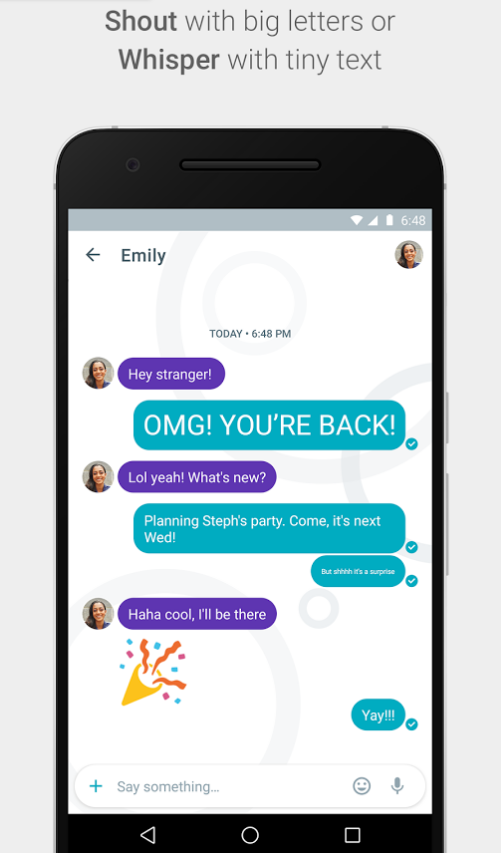
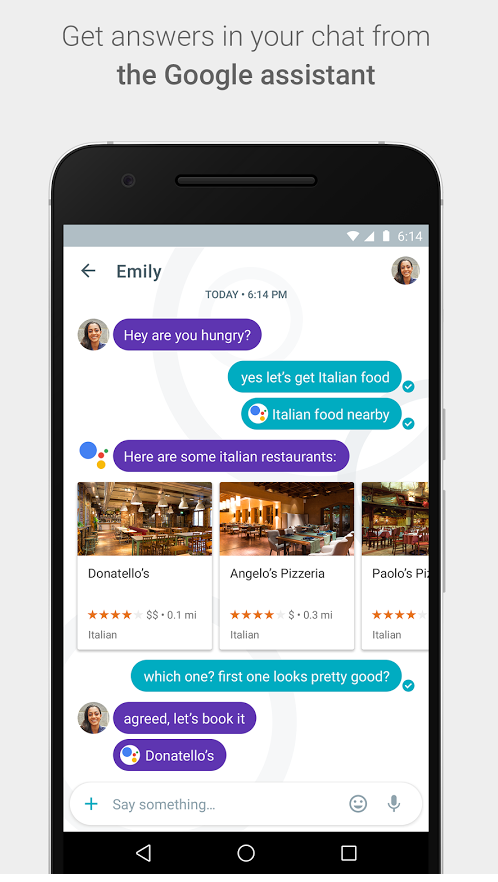
The second app is called Google Allo – a smarter, more feature-packed version of Whatsapp. With Allo, you get to make Google searches directly within the messaging app, get predictive reply suggestions, write in bigger or smaller font to simulate shouting or whispering to the other person, and many other features.

Allo Shout

Allo assistant


So when can you get your hands on these apps?


If you’re in the US, you’re in luck! Google Duo is already available on Google Play and the App Store, and for the rest of you, Google says that they will be available worldwide “in the next few days”.


There is no word yet on Google Allo’s launch date.


However, you can now pre-register for both Google Duo and Allo on Google Play, so that you get (presumably) a notification when these apps are available in your region. iOS users, you’ll just have to watch this space.


Let us know what you think about these two apps in the comments below!

The 5 best VPNs

VPNs are internet security tools allow you to browse the internet without fear of other people being able to access your information, or see what you are looking at. Particularly vital if you regularly connect over public Wi-Fi. Here are our five favorite VPNs.

TunnelBear (Window|Mac|Android)

TunnelBear is one of the easiest VPNs on our list to set up and use. A popular and well-known service, it is available for desktop, mobile, and as a browser extension. The downside is that they only offer 500MB of browsing for free, which runs out pretty quickly for most of us.

Hotspot Shield Elite VPN (Get Here)

Our second pick in the “ease of use” category is Hotspot Shield Elite VPN. Hotspot is compatible with both mobile and desktop devices, and with one click, gives you secure access to servers in over 20 locales, including USA, UK, Japan and Germany. While it isn’t free to use, Hotspot VPN is still relatively affordable compared to the other options

proXPN VPN (Get Here)

If you have the need for speed, ProXPN blew us away with some of the highest speeds we’ve seen. But it’s not just quick: it also features a 512-bit Encryption Tunnel and a 2048-bit Encryption Key.

SecureLine VPN (Window|iOS|Android)

Avast, with its SecureLine VPN app, is one of the more recognizable names in the VPN sector. Though you do have to pay to access its secure network, the service it provides is fast, reliable, and anonymous. With it IPSec technology, SecureLine makes you practically invisible.

ZenMate (Chrome|Firefox|iOS|Android)

The German based ZenMate is one of the best when it comes to VPNs. The service stores no information about your usage (German laws doesn’t allow it), it is reliable, and trusted by an ever growing user base. It is paid, but offers a 7-day trial so you can see if it is a good fit.

Know any other good VPN services? Let us know below.

Related Stories

Five voice changing apps

Five apps to create your own digital avatar

Three Dark Souls III alternatives

How to sell your things and make money online

Follow me on Twitter: @DoFuss

9 Tricks to Help you Find the Cheapest Flights for Your Holidays

Did you know that the same flight on the same date can vary in price by hundreds of dollars depending on where and when you buy your ticket? Did you know that the airlines play games with us in an effort to get us to pay as much as possible for our plane tickets? Unfortunately both are true but there are a few tricks you can use to help you avoid paying more than you should for your airline tickets and today we are bringing the 9 most useful.

1. Incognito mode is your best friend

The airlines are pretty clever and they can track when you’ve visited their site and searched for a certain flight. If you’ve checked the price of a flight and then thought you’ll make the purchase at a later date the webpage will register your interest. When you come back to make the purchase they will know that you’re interested in that particular flight and they will give you your very own price hike to reflect your interest.

Incognito mode stops them from doing this. The airline website captures your cookies when browsing for flights and it then uses this data to manipulate the prices when you’re looking to purchase a ticket. Incognito mode prevents them capturing your cookies and thus strips them of their power to manipulate prices based on your personal plans.

Although incognito mode means you’ll have to enter your login and password details manually, if you’re saving some money for your trouble it’ll be worth it.

150324_flights-hero-image_1330x742

2. Use the Best Search Engines for Flights

There are plenty of websites dedicated to finding you the best prices on flights. They’re all good but not all are as good as each other.
One of the best and most recommended is Skyscanner. As well as searching for flights among a huge number of airlines, Skyscanner also allows you to see the prices of flights to your destination for up to a month before and after your chosen dates allowing you to compare the different prices for the different dates.

Kayak is also a very good site to use if you’re looking for flights. It won’t just carry out your search, it’ll also highlight the cheapest flights to various destinations.

Also we recommend Drungli. This page has a different take on searching for flights. You tell Drungli where you’re flying from and when you’re going to fly and it will show you how much flights cost to various destinations.

3. Don’t Obsess Over the Dates

OK, plenty of us want to fly during the holidays or on weekends but remember that the busiest periods are also the most expensive. So, if you can, it will always pay to be a little flexible with your dates.
If you can avoid flying at Christmas or during the summer months you’ll see huge savings on flights booked during the “low season”.
If this can’t be avoided, however, do not despair as all is not lost…

4. Be Adventurous (At Least Once)

If you can’t budge on dates maybe you can be a little flexible with your destination. If you have certain dates free but aren’t sure where you want to go you can play with the websites to make sure you get the best bargains.

contest_adventure_travel_show-550x366

Google Flights is designed specifically for this, showing you all sorts of interesting offers for the dates you’ve picked. Skyscanner, which we’ve already mentioned, has the option to put in dates without a destination and Kayak also has the explore section which is designed to do the same thing.

5. Forget the Myth of the Last Minute Bargain

According to a study by the Airlines Reporting Corporation last minute bargains on flights do not exist. In fact the prices of flights increase substantially in the final 12 days before national and international flights.
If you’ve already got your dates approved then get your flights booked. For example if you were to try and book flights from Barcelona to Paris for this month the price would come in at around 100 euros but if you looked for flights towards the end of the year you would find prices closer to 50 euros for a return ticket.

6. When you buy is Also Important

According to the study mentioned above the prices of flights can vary a lot depending on which day of the week you are buying them. As a general rule you’ll find the best prices for flights on Tuesdays, no matter where you’re flying to. After Tuesday’s the best days to book are Saturdays and Sundays meaning, as much as possible, you should avoid buying flights on Mondays, Thursdays and Fridays.

a41560336118f264adae8aa62ee20be1

This isn’t an exact science and can change depending on airline (many low cost airlines can have price fluctuations throughout the day), but if you don’t need to book your tickets immediately it could be worth checking out the prices of your flights periodically as the week goes by and studying which is day to buy.

7. Don’t Rule out Stopovers

You’d think taking two flights instead of one to get to a destination would be more expensive. This, however, isn’t always the case and with long haul flights, more often than not, the opposite is true. This is the case even more so if you’re origin is an airport that isn’t a major international hub. For example, it is usually to cheaper to fly from Barcelona to New York stopping over in London that it is to fly direct.

To search for flights with stopovers simply click the “with stopovers” option on the webpage you’re using to search for flights.

8. Be Aware of how far Airports are From Your Place of Origin and Final Destination

Many cities have more than one airport in their vicinity. Although flights from major airports are generally more expensive you need to take into consideration how much it will cost you to get to and from secondary airports. If you’re not too careful you could end up spending more on getting to the secondary airport than you saved on your airfare by flying from there.

8908090105_5368b7892a_b

Also, once you know roughly how much it costs to travel to and from the secondary airports that are in your vicinity you can look at the money you could save by flying out of one airport and returning to another. This goes for airlines too. There is no law saying you need to return with the same airline that took you out and fortunately most flight search engines already take this into account when calculating the cheapest way for you to get from A to B.

9. Newsletters can Help you Stay Ahead of the Game

Although search engines and price comparison websites offer you the best way to find the best value flights it also pays to keep up to date with what types of offers the airlines are offering directly.

If you sign up for newsletters you will receive regular offers and promotions via email or even discount codes that you can apply when you pay for your flights. Furthermore, if you sign up on their website many airlines offer loyalty schemes which will reward you for repeated use of their service… Do not underestimate the power of the Newsletter!!!

So there are our favorite 9 tricks for getting the best possible deal when booking flights. If you have any other hints or tips that you use to save money when travelling let us know so that we can make this article even more useful for our readers.

Google’s latest hidden games for the Olympics

The Olympic games in Rio have already started and everybody is celebrating them in their own special way. Never one to disappoint, Google has decided to celebrate the games by putting 7 minigames in your smartphone. They might not be No Man’s Sky but hey, they’ll definitely help you kill some time.

It’s quite easy to find the games Google has slipped into your smartphone. Simply go into the Google app on your Android phone (you’ll need to download the Google app if you’re using an iPhone), and click the Google Icon with a strawberry.

The 7 games are related to sports, except instead of guiding Olympic athletes, you’ll be helping cheeky pieces of fruit win at their event. Help a strawberry escape from a melon, a pineapple win a game of tennis or turn a lemon into a swimming champion.

Are you up for the challenge? Tell us in the comments below.

Discover Rio de Janeiro with Virtual Reality

If you’ve always wanted to travel to Rio de Janeiro but never could find time or money to do so, then Google’s Beyond The Map project might just be the way to embark on your dream adventure – without emptying the piggy bank or leaving the comfort of your living room.

Arts and Culture 3

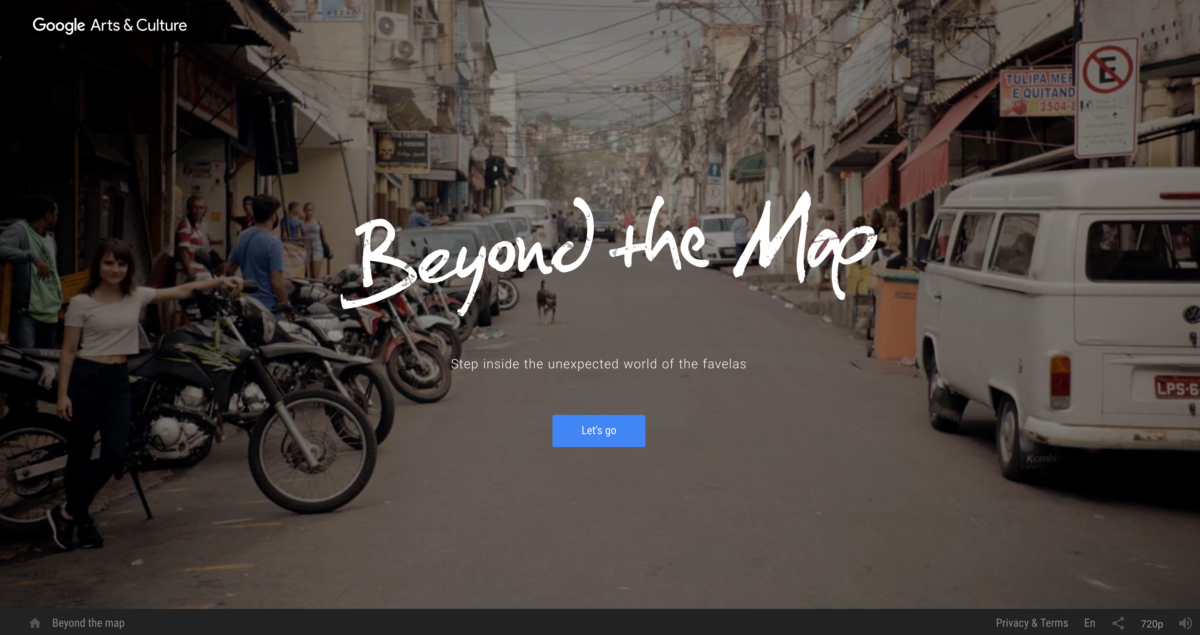
Rio: Beyond the Map is a 360˚ Virtual Reality experience that brings you around the sights of the 2016 Olympics host city. Join your virtual hosts as they take you around the Favelas on a motorbike, meet the people that live and grew up there, and discover the dances and songs of the Brazilian people.

Arts and Culture 4

As with all 3D videos, VR glasses are highly recommended for the best experience.

Screen Shot 2016-08-08 at 7.02.24 PM

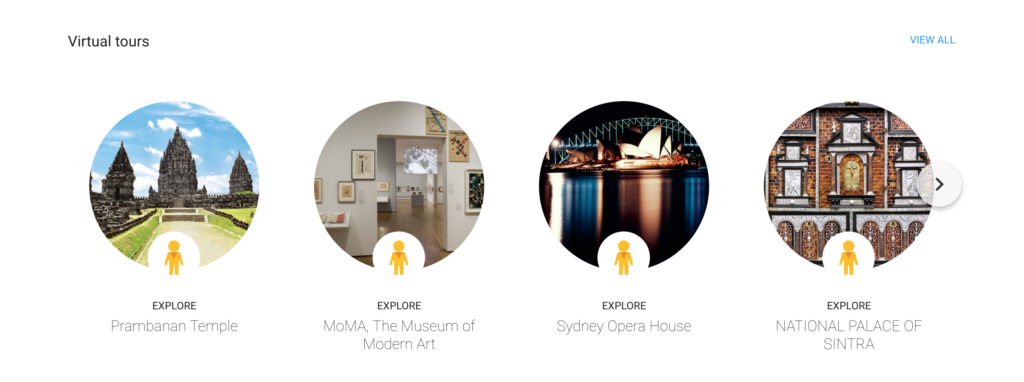
Once you’ve concluded your tour of Rio, fret not because there are many more virtual tours (albeit not in awesome 360˚ Virtual Reality. yet) of places like the historic Prambanan Temple in Indonesia, Museum of Modern Art in New York City, and Humayun’s Tomb in India to visit and explore on Google Arts & Culture.


So what’s your next adventure? Tell us in the comments below.

Enter VR today with these five fantastic apps

VR is the craze of 2016 and everyone is jumping on the bandwagon to make their mark. From Facebook and Oculus to YouTube and Google, virtual reality gadgets and experiences are being launched every other week and if you don’t know where to start, here are the five best apps we’ve tried so far.

Cardboard (iOS|Android)

An obvious place to start once you have your headset is with the official Cardboard app. This primes your device for the head-wear and offers a handful of demos to get you hooked. It’s a great beginning to your VR journey – though its gesture-based navigation can be tricky.

YouTube (iOS|Android)

If you are sat there wondering what VR apps to download, the odds are you already have one: the official YouTube app. That’s right, there are huge number of videos out there that offer a full 360-degree experience, allowing you to view them from any angle you like. Just search #360videos.

Vrse (iOS|Android)

Vrse offers a selection of video experiences that are designed from the ground up for the immersive platform. Videos are custom shot with high fidelity professional equipment, ensuring spectacular visuals with dynamic stereo audio that moves with you to give an unprecedented sense of realism.

Sisters (iOS|Android) & Insidious: Chapter 3 (iOS|Android)

Don’t believe that a phone could ever really create an immersive experience? Then here’s a challenge – turn down the lights, get a good pair of headphones, and play Sisters, the tense horror story that will have you constantly thinking there is something behind you. And, if you make it through that, you can try Insidious: Chapter 3 a creepy app to promote the film.

NYT VR (iOS|Android)

The New York Times has always been quick to adopt new technologies, a trend they have continued with the NYT VR app. This app provides a novel and visually appealing way to view reports New York Times content within Cardboard’s virtual environment. It seems to be doing well too, so expect more companies to adopt this strategy soon.

If you think we missed any great apps on our list, let us know in the comments. For more of 5 apps, check out our YouTube channel.

Related Stories

The best antiviruses of 2016

2015’s PC and console games of the year

The best PC games of 2015

Follow me on Twitter: @DoFuss