Big change for Windows 10’s Cortana assistant

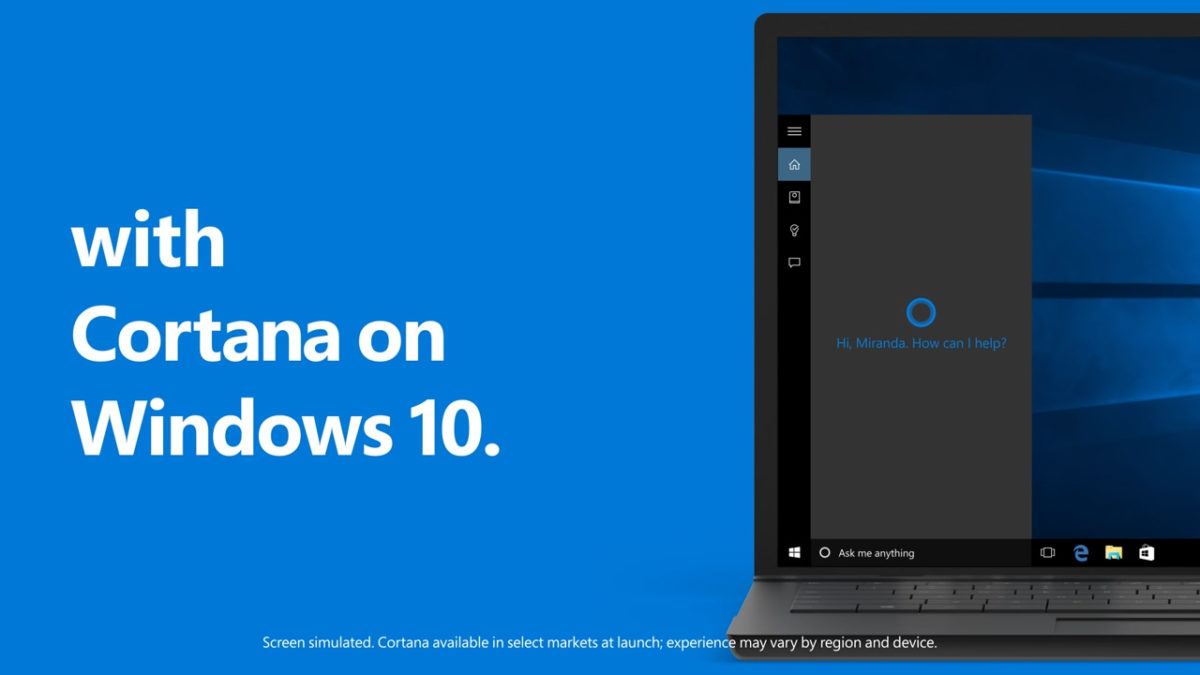
If you have Windows 10, you’ll be familiar with Microsoft’s AI digital assistant Cortana. Taken from Microsoft’s first major gaming franchise Halo, Cortana is Microsoft’s version Apple’s Siri, Google’s Assistant, and Amazon’s Alexa. Thanks to the Cortana character in the Halo series, however, Cortana is the only AI assistant to have a physical representation of her likeness. This isn’t the case in Windows 10, where Cortana is represented as the search bar next to Start button. Reports are saying, however, that this might be about to change.

A new report says that Microsoft plans to move Cortana from the search bar to the Action Center, which makes sense. Cortana is already taking care of a lot of the notifications that show up in the Action Center, so it could prove to be a more suitable homeland for the AI assistant. Microsoft is also developing a new chat-based user interface for Cortana that will be located in the Action Center.

This change will have two impacts on your Windows 10 experience. The first is that it will remove Cortana from Windows search. There was little to need for Microsoft to integrate an AI assistant into the Windows search function, and people haven’t been crazy about it since they did. Microsoft knows that people don’t like talking to their PCs, so the second big impact is that a new chat-based UI with text input should garner more interaction between Windows 10 users and Cortana.
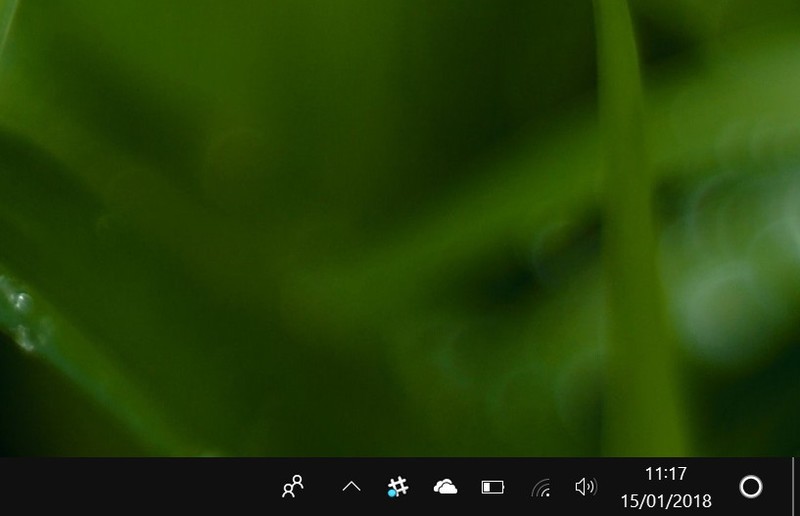
Image via Windows Central

According to Windows Central, the latest Redstone 4 Insider Preview features a change that puts Cortana’s proactive content in the Action Center. This means that we could be seeing Cortana moving home when Redstone 5 hits towards the end of 2018. If it does, we’ll have Windows search back, improved functionality for Cortana, and a tasty little Cortana logo in the Action Center.

Follow me on Twitter: @PatrickDevaney_


Via: ubergizmo and Windows Central

Malware-filled Chrome extensions have been downloaded 500K times

Google Chrome is widely regarded as one of the most secure web browsers available today. If you add speed and reliability to Chrome’s high-level security, you can see why it is the most popular browser. There is a chink in Chrome’s armor, however, that has been exploited before and that has again seen hundreds of thousands of Chrome users exposed to malicious code. That weakness is the Google Chrome Web Store.

We reported in October that 30,000 Chrome users had downloaded a fake ad blocker extension that caused their browser to be inundated with ads. On Friday, researchers at security firm ICEBRG uncovered four Chrome extensions that contained malicious code that had already been downloaded 500,000 times from the Chrome Web Store.

8 tricks to boost your security on Google Chrome Click Here to Read

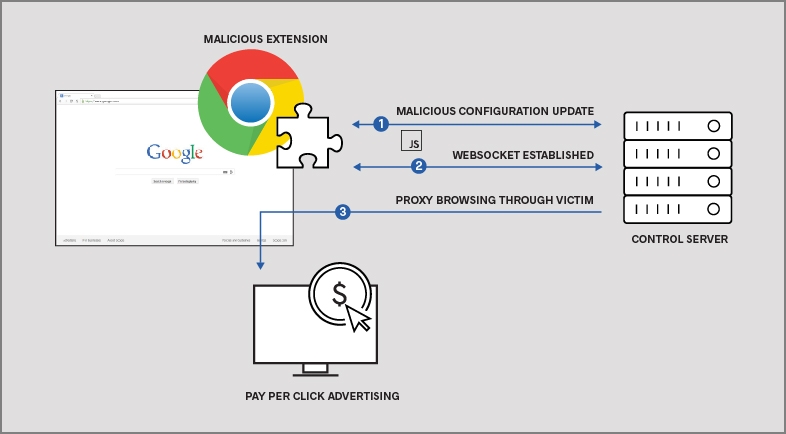
The extensions in questions are the HHTP Request Header, Nyoogle, Stickies, and Lite Bookmarks. The researchers discovered that there had been a spike in outbound traffic from one of ICEBRG’s customers and their investigations led them to the extensions mentioned. Each infected the victim’s PC with code that forced the PC to “click” certain advertisements that would generate revenue for the people behind it. According to ICEBRG a similar bot in 2013 generated $6,000,000 a month.

(Image via: ICEBRG) – How the malicious extensions generate money

Google removed the malicious extensions from the Chrome Web Store as soon as ICEBRG privately notified it of their presence. In ICEBRG’s report on their findings, however, they pointed out that this type of attack will continue to be attractive to cyber-criminals due to the high payoffs that they offer. They added:

“…without upstream review or control over this technique, malicious Chrome extensions will continue to pose a risk to enterprise networks.”

The ball is definitely in Google’s court on this one. If they want to stamp out this type of scam, they’re going to have to assess their review process for Chrome add-ons. In the meantime, take care when you’re downloading anything from the Chrome Web Store.

Follow me on Twitter: @PatrickDevaney_


Via: ICEBRG and arstechnica


New Malware targets WhatsApp

A new piece of malware, called ‘Skygofree,’ is targeting mobiles and enables hackers to steal your encrypted WhatsApp messages. Researchers at Kaspersky Labs say that the malware has been around since 2014 and is capable of much more than just viewing your secret messages.

According to Kaspersky Skygofree can turn on your phones microphone, take photos, and even record videos from any infected device. The powerful malware is even able to track an infected device’s location, and then record audio at specified locations. If you’re not scared by this malware you should be.

Kaspersky Anti-Virus Download Kaspersky Now
8

Fortunately, the mobile malware mostly affects older handsets and is easily guarded against so if you only install apps from trusted sources, like Google Play or Softonic, and you should be safe. If you’re running a more recent version of android then, even if your handset becomes infected, you should be protected from a number of the vulnerabilities mentioned earlier. Basically, update your phone if you can and be careful when you’re downloading apps and you should be ok.

Do you download your apps from trusted sources or have you ever downloaded something from a page you weren’t sure about?

Follow me on Twitter: @PatrickDevaney_

Via: Securelist, The Next Web and Trusted Reviews

Think again about Google Chrome’s Incognito Mode

A user on Reddit has discovered a startling finding about Google Chrome’s Incognito Mode on android. It turns out that, for whatever reason you want to browse incognito, Android might still keep tabs on your activity.

Google reveals the truth about Chrome’s Incognito mode Read Now

In a Reddit post, u/Mas_Zeta highlights that Android’s Notification Log tracks a lot of things that you do on your mobile. These can include events like watching a video and in most cases this is perfectly understandable and to be expected. Unfortunately, however, the Notification Log keeps track of these events even when you’re in Incognito Mode. U/Mas_Zeta said:

“I often use the notification log if I accidentally dismiss a notification. If you play videos on Chrome, a notification appears with the video title and basic controls. This shouldn’t be a problem in normal mode but if you’re using incognito mode then the video title gets listed on that registry and you probably don’t want it to do so.”

This means that the titles of any videos watched in Incognito Mode will be stored in the Android Notification Log. There doesn’t seem to be any way to delete this log either but it seems like the log is only kept from the last time the phone was booted.

The 7 security tips you really need to know Click Here to Read

What would somebody find if they went searching through your Android Notification Log?

Follow me on Twitter: @PatrickDevaney_


Via: Reddit and UberGizmo

Could WhatsApp be about to kill spam?

If you ever receive spam messages by WhatsApp, you’ll be glad to hear about the latest feature that is coming to the Facebook owned messaging app. It is a simple update but one which could prove quite effective.

WhatsApp will notify you if you receive a message that has been forwarded more than 25 times. Any time you receive such a message you’ll see a large warning in the chat bubble. According to the WhatsApp watchers on the wall, WABetaInfo, the new spam feature is currently in beta testing and will soon be available across the main versions of the app.

WhatsApp Messenger Download Now
8

Whenever you receive a message from an unknown contact WhatsApp already asks you if the message is spam and if so to report it. This new spam-warning feature shows that WhatsApp is taking spam seriously and are looking to get rid of it all together.

Have you ever received a spam message via WhatsApp?

Follow me on Twitter: @PatrickDevaney_

Via: WABetaInfo

New bank card with a cell phone chip

Sprint and Dynamics Inc. have unveiled a single super-smart card to replace your current deck of credit, debit, and loyalty cards.

Although as thin as a conventional bank card, the Wallet Card has an e-ink display and buttons to scroll between functions. And unlike Venmo and Apple Pay, you can pop it into an ATM to grab cash, too.

But the real innovation is that this card has a cell phone antenna that allows it to update data so you can look at your latest balance, lock an account,or perform transactions.

That’s all great – as long as you’re okay with your bank tracking your location.

One card to rule them all. Sprint and Dynamics unveils a super-smart card to replace all your current ones. Although once you use it, you won’t disappear but rather get tracked.

Highlights and blackouts at CES

Every year, thousands of companies and hundreds of thousands of punters gather at the world’s biggest tech conference to marvel at the shape of things to come.

Highlights of this year’s CES, which ended last week, included Sony’s new Aibo robodog, a flying phone case for aerial selfies, and a robotic exoskeleton that can turn you into the 8,000-pound gorilla in the room.

There were robots that played (and won at) Scrabble and ping-pong, yet more self-driving cars, and VR helmets galore. Plus a device that charges your phone on the other side of the room.

But the real star of the showaccording to Twitter – was the brief power outage when everything stopped working. Was that a glimpse of the future, too?

A robot playing Scrabble, self-driving cars, flying phone case for aerial selfies and a power outage. Guess what is the hottest news about this year’s CES.

Swallow this to track your farts

Scientists and medics are increasingly using sensors and probes you swallow to find out more about what goes on – and goes wrong – under the hood.

Pressure readings, acidity, and medication activity can already be monitored, so it was only a matter of time before a gadget was invented that monitors your thunder down under.

Yes, swallow this vitamin pill-sized gizmo and it will travel down the Hersey Highway to record your gut gas. (Or, in adult terms, the capsule gathers readings on oxygen, hydrogen and carbon dioxide in your alimentary canal.)

The idea is to see how different diets can affect your level of internal windiness – and its health implications. But we’re just glad it gives us the opportunity to write about bottom burps.

Whereas some gases are polluting the planet, scientists have come up with a vitamin pill-sized gizmo to monitor ours. Curious to see what’s going on down under?

Exposed ice could lead to life on Mars

We’ve known that Mars has water for a while now, but it was all thought to be underground. Now it looks like there is water near the surface, too, making the red planet a little more hospitable.

In fact, scientists who spotted the near-surface ice sheets from pictures taken by NASA’s Mars Reconnaissance Orbiter say it’s a “game-changer” for both exploration and colonization. In theory, you could go out with a bucket and spade and take what you needed – rather than blasting water-bearing rocks.

So far, eight sites have been discovered – and even better, they’re mostly in the warmer parts of the planet. Now all we have to do is get there and figure out what to eat.

It looks like Mars is turning into a (little bit) more hospitable planet. Not only there is water, but we could take what we need just by spading the surface.

Watch out for fake Spectre and Meltdown patches infected with Smoke Loader malware

The Spectre and Meltdown vulnerabilities that affect almost all processors on the planet have been dominating the news recently. We’ve heard about the patches that might slow down PCs and a Google patch that might have a negligible effect on PC performance. Well now we have something else to worry about as it seems that there are fake Spectre and Meltdown patches out there that come loaded with malware.

Malwarebytes Anti-Malware Download malware protection now
8

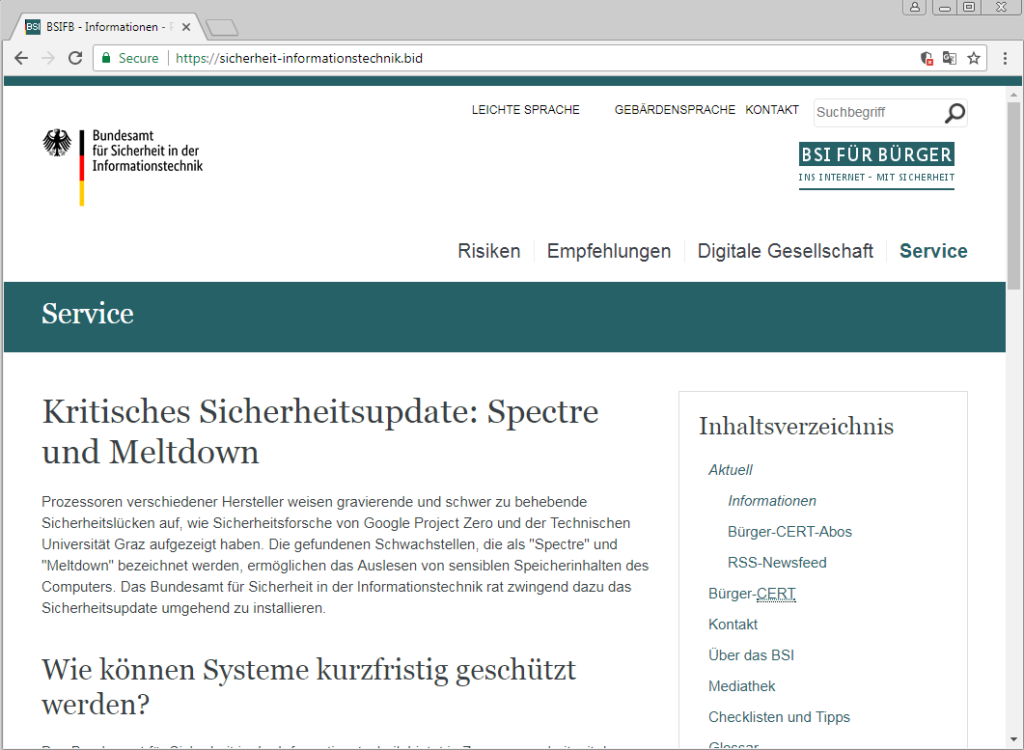
The warning comes from cyber security experts at Malwarebytes. Victims find themselves redirected to a site that looks legitimate and is filled with “useful” information about how Spectre and Meltdown affect computer processors.

(Via: Malwarebytes)  The fake German site looks serious and credible

All of this is designed to make users feel comfortable enough to click the link and download the patch offered, which will have dire consequences. Malwarebytes researcher, Jérôme Segura said:

“Upon running it, users will infect themselves with Smoke Loader, a piece of malware that can retrieve additional payloads… Post-infection traffic shows the malicious file attempting to connect to various domains and sending encrypted information.”

Once installed the Smoke Loader malware can download more malware onto the victim’s computer and send back personal information to remote servers.

Malwarebytes Anti-Malware Download malware protection now
8

Although this particular site was aimed at German users, by mimicking a German government website, fake websites pushing fake patches, updates, and fixes are a threat to us all. Malwarebytes’ Segura went on to offer this advice:

“Online criminals are notorious for taking advantage of publicized events and rapidly exploiting them, typically via phishing campaigns. This particular one is interesting because people were told to apply a patch, which is exactly what the crooks are offering under disguise.

It’s always important to be cautious, especially when urged to perform an action (i.e. calling Microsoft on a toll-free number, or updating a piece of software) because there’s a chance that such requests are fake and intended to either scam you or infect your computer. There are very few legitimate cases when vendors will directly contact you to apply updates. If that is the case, it’s always good to verify this information via other online resources or friends first.

Also, remember that sites using HTTPS aren’t necessarily trustworthy. The presence of a certificate simply implies that the data that transits between your computer and the site is secure, but that has nothing to do with the intentions or content offered, which could be a total scam.”

Be careful when downloading anything and always double-check the source of the download.

Let us know your experiences with Spectre and Meltdown in the comments below.

Follow me on Twitter: @PatrickDevaney_

Via: Malwarebytes, Security Boulevard and betanews