Hamachi review: A secure VPN solution for businesses and gamers

Released in 2004, LogMeIn Hamachi isn’t the typical virtual private network solution. As an on-demand hosted service, the VPN lets users establish direct network links to distributed teams, remote co-workers, and online gaming friends, creating an internet-based connection similar to a local area network.

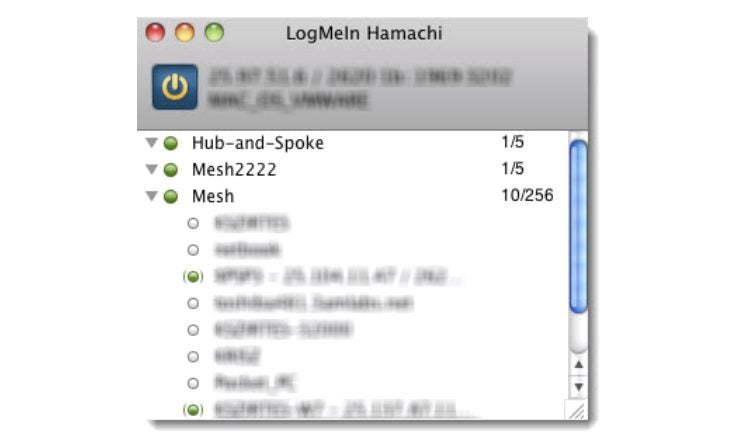
With Hamachi’s unique interface and functionality, you can enable virtual networks from anywhere. It lets you establish end-users as desired for secure conference calls, multi-contributor podcasts, and multiplayer gaming applications. Hamachi subscribers can choose from distinct network types: Mesh, Hub-and-Spoke, or Gateway, depending on their requirements.

Hamachi network types

To promote a flexible service, Hamachi offers three network solutions for a diverse range of use case scenarios. The networks differ from other solutions primarily in topology, each offering unique advantages depending on use.

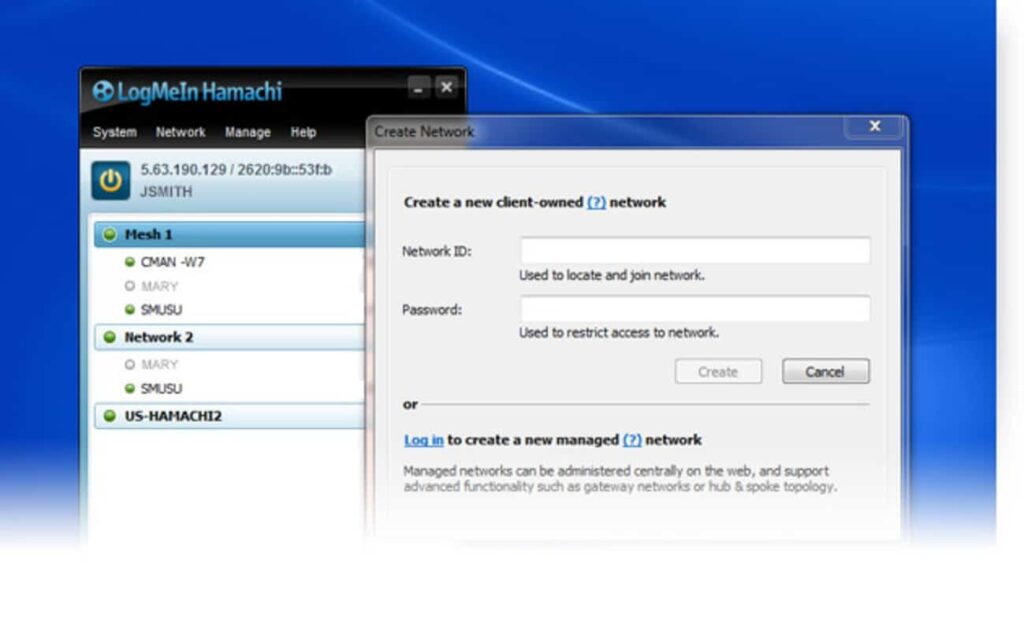
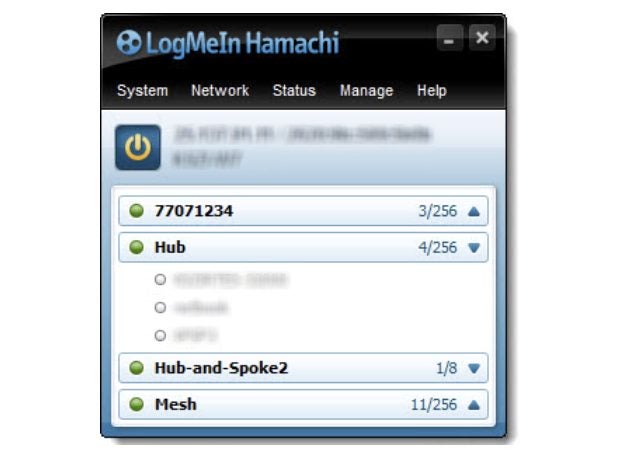
Under the Mesh network, for example, all established members remain connected, letting you create a virtual corporate LAN in the absence of a physical LAN. Mesh is the only network type that generates directly from the Hamachi interface. The Mesh network is a popular choice with gamers because online gaming applications necessarily provide individual gaming status to all participants.

The Hub-and-Spoke network differs from Mesh because one or more connected computers operate more like a gateway hub while established users represent spokes. In other words, spokes only connect to the hubs, not other spokes. The hub functions like an informational catalog, as in a centralized library terminal, for example. Individual workstations, in contrast, represent spokes connecting to the hub.

Gateway combines the features of Mesh and Hub-and-Spoke in hybrid form to provide transparent access across your entire network from a centralized Hamachi gateway. Like Hub-and-Spoke, one computer acts as the hub (or gateway) while participating members function as spokes. There exists only one gateway, usually a permanently online service connected to the LAN. Computers acting as a gateway are visible to network members, which means all network resources are available. This network is the most popular choice among digital nomads and workers who office from home.

Hamachi pricing

What’s nice about the Hamachi VPN is that it’s free for up to five computers on your network. For those who require more devices and elect to run Hamachi as a service in unattended mode, there are three different subscription packages.

The standard package pricing begins at $49 per year for every network, setting the pricing at just over $4 every month. This service covers 6-32 devices per network. There are also good options for subscribers with larger membership requirements. Hamachi’s premium package runs $199 annually per network, or $16.58 every month, for 33-256 devices per network. With the Multi-Network subscription, users can run up to 256 devices and access unlimited networks. The cost for this last package is $299 per year, or $24.92 if broken down monthly. All billing is upfront, and subscriptions can be purchased from the LogMeIn Hamachi website using credit cards, PayPal, or bitcoin.
Hamachi VPN for business

Hamachi has several practical applications for business. It is most effective for building mobile LAN-like networks that incorporate various team member devices. Since the Multi-Network provides access to unlimited networks, many outsourced managed IT service providers find this package beneficial for managing multiple networks on behalf of their customers.

Hamachi provides user-friendly apps for both Windows and Mac along with a command-line version for Linux. All approved Hamachi clients running Hamachi software on a computer or mobile device can become members of any Hamachi network. The VPN service offers reliable business support. Business owners have access to a comprehensive “Getting Started Guide,” or they can visit Hamachi’s Support center on their website for more detailed answers about security. Alternately, if you need to speak with a representative in person, you can always call to open a ticket.
Hamachi VPN for gaming

LogMeIn Hamachi offers unique features for gamers, allowing them to set up secure gaming services with specific properties that resemble LAN networks. This option promotes robust server security and enhanced functionality for popular games like Minecraft. Gamers favor Hamachi because it deploys powerful protection against DDoS attacks. In the realm of celebrity streamers and highly competitive gameplay, Hamachi subscribers appreciate this extra layer of protection against malicious cyberattacks.

LogMeIn Hamachi does a great job leveraging AES-256-bit encryption to ensure protection, but the VPN lacks a kill switch. The kill switch is a security feature that terminates your connection if the VPN stops functioning, protecting your IP from being revealed. This means you’ll have to monitor your network connection carefully to avoid exposing your IP address should it ever drop out. While this security feature may be less important in business applications, frequent gamers might find a kill switch useful for keeping their IP address information secure online.
Is Hamachi safe?

Hamachi is among the best VPNs for establishing secure connections between multiple devices. Users can easily share files or play private games with an ultra-secure peer-to-peer protocol. The Hamachi VPN also lets you deploy your home PC as a server if you want to download torrents while overseas, assuming the torrenting is permitted in your country.

All your team’s communications are secured using the AES-256-CBC cipher for data encryption and decryption and ESP-like padding as established in RFC 2406. Packet authentication utilizes the HMAC-SHA-1-96 (RFC 2404) variant of HMAC-SHA1 (RFC 2104), and the packets are numbered to safeguard them from reply attacks. In layman’s terms, this level of privacy and security places Hamachi among the safest VPN options available.
So, what’s the verdict on LogMeIn Hamachi?

Hamachi offers a unique VPN solution that operates differently from several more recognizable options, but unfortunately lacks a global server and a kill switch. Nonetheless, for businesses and gamers, it’s one of the finest VPN services for remote and multiple networks on offer. To learn more about its security features, check out the Hamachi white paper published on their site.

Pros

  • Centralized access control
  • Unlimited networks
  • Unattended access
  • On-demand networking
  • Encrypted communications

Cons

  • No global network
  • Lacks kill switch
  • No money-back guarantee
Gacha Club Edition review: Free mod offers new customization options

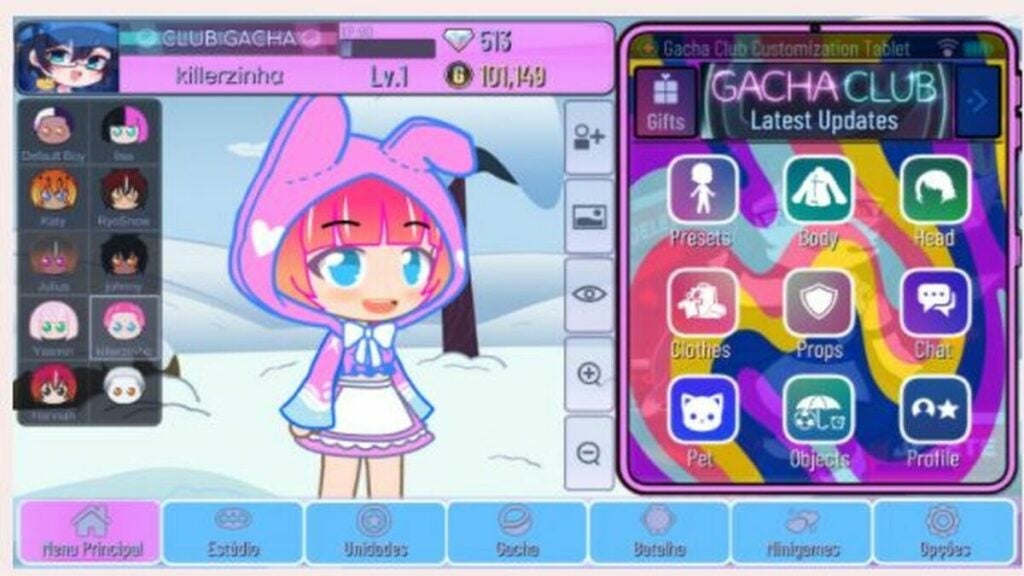
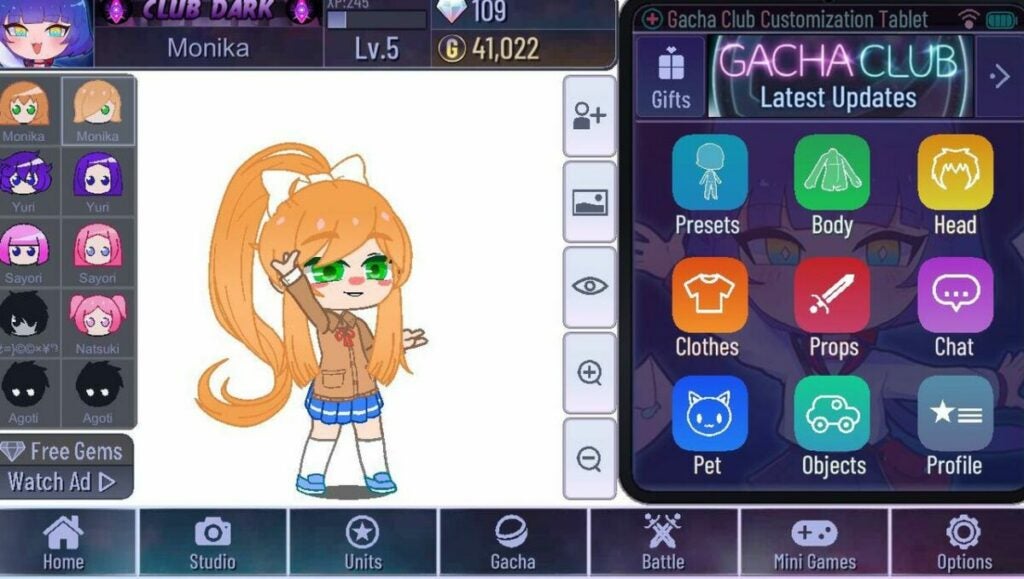
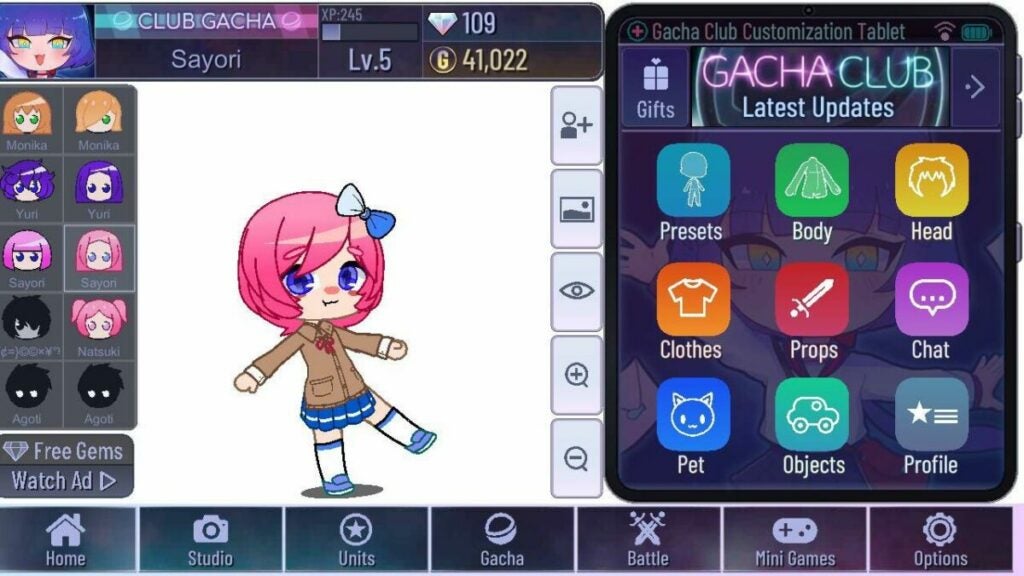
Gacha Club Edition is a free mod for the popular Gacha Club game by developer RyoSnow that lets you customize your gameplay in fun new ways. This addition unlocks items in your inventory to enhance your avatar with special clothing and accessories. Gacha Club Edition features 2D graphics to pair with the original game from Lunime.

Gacha Club Edition is available for free as a full mobile utility mod or as a demo on PC. You can use this mod with the prior release or as a standalone program. As a casual game, Gacha Club is ideal for fans of simple, straightforward RPGs. The mod enhances what’s arguably the best part of the game — the ability to design and modify your own character.

New ways to customize Gacha characters

Building on elements from previous Lunme games, Gacha Club is a surprisingly addictive game that has developed a strong following on social media. A main aspect of the game is character creation, and the original release offers scores of customization options as well as a Studio mode that lets users take pictures of their avatars in scenes with different backgrounds.

While the Gacha Club Edition mod does not change the gameplay, it does add more ways to customize your characters. This isn’t an essential update for new Gacha Club players. However, the mod does add some fun new dimensions that will delight devoted fans.

Gacha Club Edition is fun for children and adults alike

Like previous Gacha games, Gacha Club Edition features different modes including Training, Story, Tower, and Studio. This mod showcases original characters with your own personal customized content. You’ll be able to try on new outfits for mascots and avatars to get a sneak peek of how they will look before playing the game.

Another fun feature of the mod is that you can change the background scenery in Studio mode through unlocked designs. Players can also use new and advanced objects through the game mod with different effects from the original Gacha Club. If you’re a fan of the original games, you’ll love all the new designs options that are perfect for sharing on social media with the Gacha community.

Gacha Club Edition is a smaller version of the original game

Unlike most mods, Gacha Club Edition does not require an emulator to work. You can download the program on your PC or mobile device without the requirement of the original game. There, you will extract the files you need to play the game and choose how to customize your own Gacha Club world.

Similar to games such as The Sims, Gacha Club immerses players in a world of their own choosing. Some of the most fun comes from customizing characters with new faces, hair, and outfits. With Gacha Club Edition, you can change up the look of your avatar to go on fun adventures and explore new lands created by yourself and other players.

Ways to download and install Gacha Club Edition

If you’re playing on your computer, Gacha Club Edition must be downloaded through a ZIP drive, which only takes a few clicks but can be confusing for new users. You’ll need a program such as WinRAR to extract files and then access the Gacha Club Edition folder to launch the program.

With the mobile application, you may have to work around app restrictions and save up space on your phone. Once you’ve downloaded Gacha Club from your device’s app store, you can search for mod downloads. For extra security, run your mods through a virus program such as Avast Free Antivirus.

Troubleshooting Gacha Club Edition downloads

If you’re struggling with downloading Gacha Club Edition on your PC or mobile device, there could be a few reasons. You may have too many apps and need to free up space or figure out that the download simply does not work and features errors for being an unrecognizable file. Also, there is the possibility that your device is not compatible with the program.

When you’re determined to add Gacha Club Edition to your gaming routine and keep finding errors, it’s best to start over. Completely delete the existing file and try again – most likely, an error message will show up to say you’re out of space or the game file name is too long to be recognized. Try shortening the file name to see if that works instead.

Celebrate creativity with Gacha Club Edition for mobile or PC

Gacha Club Edition is an entertaining tool for those who want to make their gameplay more original and unique. By adjusting avatars and unlocking items, you will have access to an inventory that expands after prior games. Simple details such as hairstyles and outfits create one-of-a-kind avatars to share with your fellow players and get new hints and tricks.

This mod is exceptional when you want to start fresh on your Gacha Club progress. You can add and delete your customized results by unlocking items and clothing to help your character stand out. There are many combinations for a new experience each time you play the game which makes Gacha Club Edition a worthy mod to add to your gameplay.

Pros

  • Easy to modify game without additional downloads
  • Can customize gameplay with different avatars
  • Simple to extract with proper programs
  • Mod is perfect for fans who like posting Gacha customizations on social media

Cons

  • The file may be too big for mobile devices
  • Needs prior knowledge of previous games
  • 2D retro graphics sometimes feel outdated

Developer: RyoSnow


Publisher: Lunime


Game Modes: Modulator


Game Engine: Mobile and PC

You can now type shortcut commands on Messenger

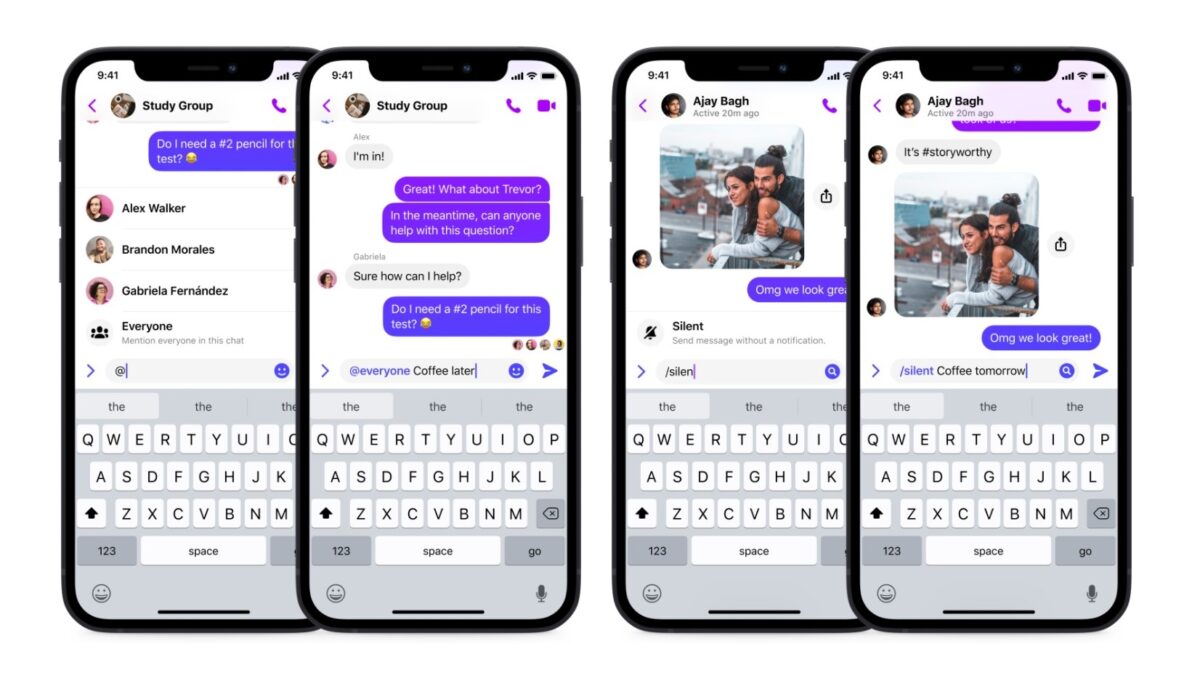
Popular instant chat app Messenger has recently launched a new shortcuts feature, which is a command system similar to Slack’s commands. With it, you can tag everyone in a group chat and silence your messages so they won’t be notified. This is currently available on both Messenger for Android and Messenger for iOS

Even with Messenger being one of the most widely-used communication apps, Meta still continues to make improvements to its features in order to stay in the competition. The addition of chat commands isn’t a new concept but it’s definitely going to set Messenger in a more efficient and creative direction.

There are two shortcuts you can do so far: “@everyone” and “/silent.” The former is similar to the current “@” feature that lets you tag someone but instead, it tags every member of a group chat. Meanwhile, the latter is for sending messages that aren’t urgent and so won’t disturb anyone with pop-ups or notifications. This is great for groups with different time zones.

Messenger plans to roll out more shortcuts in the coming weeks. So far, four have been revealed: “/pay”, “/gif”, “/shrug”, and “/tableflip.” Coming soon to iOS and Android in the US, “/pay” will be Messenger’s own built-in payment system, letting you send and request money in your one-on-one chats. “/Gif” is simply an easier way to access the GIF feature and is coming soon on iOS.

Meanwhile, “/shrug” and “/tableflip” are for instantly pasting the popular kaomojis, “¯\_(ツ)_/¯” and “(╯°□°)╯︵ ┻━┻”, respectively in your message—and are also coming to iOS for now. Messenger plans to add more shortcuts within the year, but there’s no news yet on when they’ll be available on PC.

These new shortcuts are bound to make things much easier for users—if not a good reason to prefer Messenger over its competitors. In case you’re interested in knowing more about the app, here’s a guide on how to use Facebook Messenger.

Image credit: Messenger News

People Playground review – simulator and dummy sandbox

You know those games you see everywhere? You may not know what they’re called, but you’ve probably come across them at some point on social media, in forums, or somewhere else on the internet. One example is the game known as People Playground.

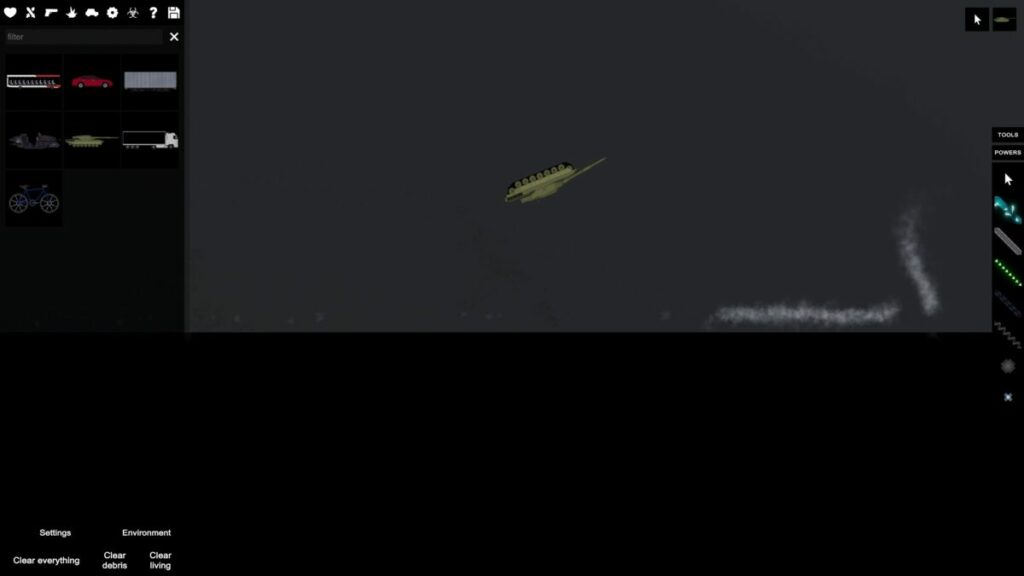
One of the most popular titles for streamers and YouTubers, it stands out for its crazy, fun gameplay and user-friendly format. In it, you’re in control of a gray ragdoll that resembles a crash-test dummy. Make it fly, throw it around, destroy it, etc., all in an open space where you can create anything, just like in Minecraft or Roblox. Next, we will explore more about this title and what makes it so special.

People Playground for PC PLAY IT NOW

What makes People Playground special

As we mentioned, the game mechanics in People Playground couldn’t be simpler. Players control a gray ragdoll that appears against a gray background with black blocks. At first glance, the map is reminiscent of video game developer tools like Unity or Unreal Engine, especially if you opt for a sidescrolling 2D game. And that’s all…literally!

Here, the player decides how the “adventure” will continue since this is a simulator/sandbox where they set the pace. There are no rules other than those made by the user with the tools in this video game. Do you want your ragdoll to fly through the air? Make it happen. Or, do you want your ragdoll to get crushed by a tank? Well, you only have to create it and watch it happen.

Use maps as your starting point

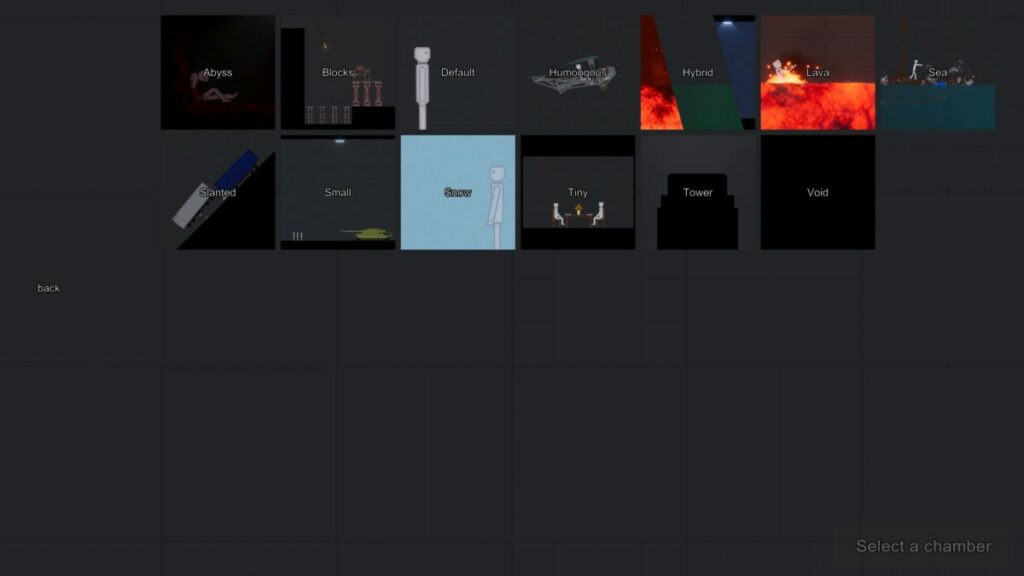
When you open People Playground on your PC, the first thing you’ll see is a window with multiple maps. Although you can do anything using the default option, the game features maps to help you achieve your goal more easily and, of course, find things faster. The maps for creating are as follows:

  • Abyss: This map is divided by a huge abyss that must be overcome (you can imagine how).
  • Blocks: A map filled with blocks to use for building insane creations with defined segments.
  • Default: The game’s default map, which is ideal for experimentation, and you can let your creativity do the rest (try this one first so you can master the controls, the toolbar, and everything the game has to offer).
  • Humongous: Big versus small, where giant takes center stage and large is powerful.
  • Hybrid: A combination of any maps you choose to achieve the perfect mix. Ideal for a variety of mods.
  • Lava: Remember that game “The floor is lava” that was popular years ago? Well it’s the same thing here: there’s lava everywhere and you’ll get burned in an instant.
  • Sea: While the above map is full of lava, here it’s all sea. Lots of water that you’ll have to avoid… or risk drowning.
  • Slanted: Going down a ramp is always rather scary (who hasn’t slipped and fallen before?) And rolling things up a ramp is pretty hard.
  • Small: Just as the name suggests, little takes precedence over big. The opposite of “Humungous.”
  • Snow: A snow-themed map where snowflakes fill the screen. Don’t forget, snow is slippery…
  • Tiny: In this case, small is the starting point for creations.
  • Tower: We created nice constructions with “Blocks,” and we can do the same with “Tower” from a massive building. Imagine jumping off the top of a skyscraper.
  • Void: Emptiness, the void as a concept. Nothingness. Can you picture it?

No matter which map you choose, they can all take you to the same destination. Using the toolbox, players can customize maps to end in one of these biomes. But as we mentioned, if you’re looking to create a map with fire, it’s best to go straight to that creation.

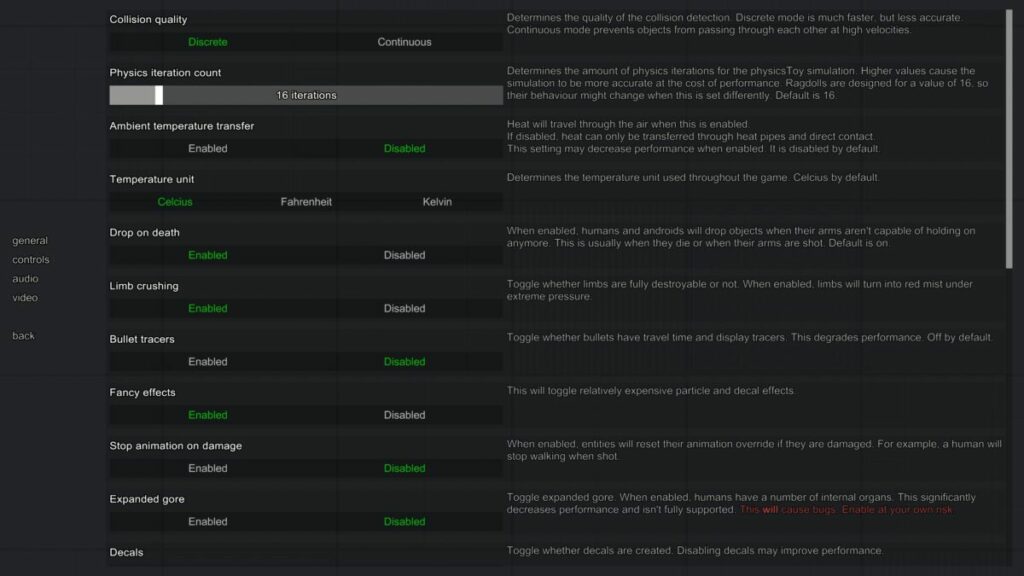
Make sure to adjust the settings

People Playground is a game where brutality is the point. The idea behind the game is to create something and use it to destroy your ragdoll. That’s all there is to it. But you can make this “character” more detailed.

In the game settings, you can modify a number of features. For example, you can make the ragdoll collision system lighter, eliminate gravity altogether (or make it heavier), generate more intense on-screen effects, or even make characters uncrushable when they fall. There are literally dozens of options in the settings, so try experimenting with them to achieve optimal gameplay.

Game requirements

As you may imagine, People Playground is a video game that requires very few resources. Created by a single developer under the pseudonym Mestiez, this Studio Minus title runs on just about any PC from the past few years, so you’re not going to run into any problems. Here are the minimum and recommended requirements.

Minimum:

  • Operating system: Windows 7 SP2+
  • Processor: 2 GHz
  • Memory: 4 GB RAM
  • Graphics: Graphics card with DX10 (shader model 4.0)
  • DirectX: Version 10
  • Storage: 350 MB available space

Recommended:

  • Operating system: Windows 10
  • Processor: 3 GHz
  • Memory: 8 GB RAM
  • Graphics: Graphics card with DX10 (shader model 4.0)
  • DirectX: Version 12
  • Storage: 1 GB available space

In fact, the developer even includes an additional note that’s pretty clear: “This game offers enough freedom to be able to slow down any computer. The better your processor, the more you can do.” In short, the better your computer, the crazier the things you can do. (Of course, the optimization sometimes leaves something to be desired).

The community

The strong point of People Playground, in our opinion, is the community of players. This video game is similar to Minecraft in that the users make the most out of it and share their creations with others.

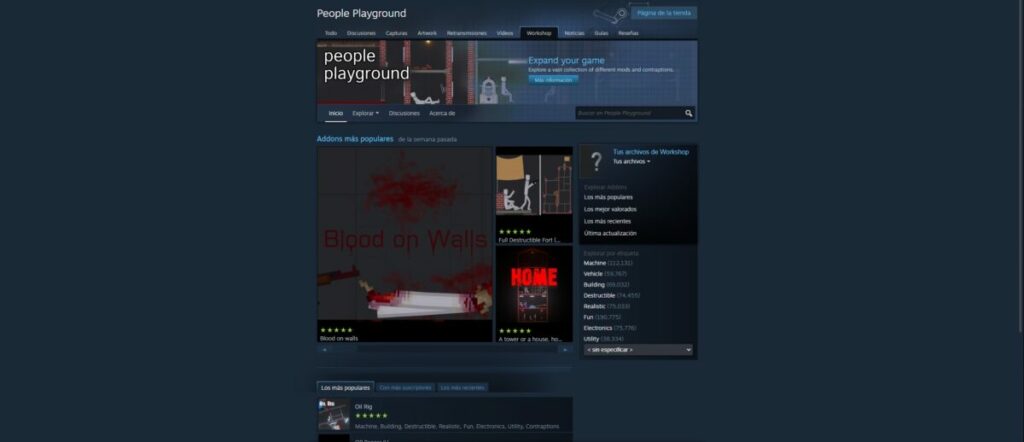
In People Playground we can import mods and builds from other players. That way we can explore maps that are almost impossible to solve and others where the goal is to kill all the ragdolls on the map. Just keep in mind that the map creator is the one who chooses the rules and the way to solve it.

We recommend visiting the mods and creations page on the game’s Steam profile. This is the official one, validated by both the community and the platform itself. To give you an idea, there are more than half a million creations – yes, you read that correctly, more than 500,000 – grouped into different categories (including vehicles and buildings, destructible, realistic and electronic elements, and much more).

And don’t forget that you can also upload your own creations and mods to the page. If you think your map, mod, or item is worth sharing and/or playing, don’t hesitate for a second to upload it. The community will vote on how relevant it seems to them, to rank it higher or lower (yes, it will be there for anyone who wants to play it, regardless of its rank).

Wreaking havoc has never been so fun

Throwing a character off a building when the ground is covered in spikes: there’s nothing funny about this situation, but People Playground somehow makes it humorous. This simulator invites you to design the most surreal settings and elements that you can think of to torture your ragdoll.

Its mission is to make people laugh and have fun, whether playing alone or in company. Here you’ll find no story to finish or objectives to pursue, just a stick figure in the hands of an implacable God. Because that’s you: while playing this video game, you’re God, and everything belongs to you. Hmm…that could be dangerous!

PROS

  • Easy and effective point and click system
  • Gets harder with each passing night
  • Games are short, yet exciting and lively
  • Very creepy ambiance

CONS

  • Limited technical section (although the artistic one makes up for this)
  • If you quickly master the game mechanics, you’ll finish in a little over an hour
  • We would like more settings on the PC version

Developer: Mestiez

Publisher: Studio Minus

Game Modes: Single Player / Sim

Game Engine: Unity

Axie Infinity’s network got breached, and hackers fled with more than $600 million

Crypto hacks are increasing, and the latest one targeted the gaming blockchain network that supports the popular game Axie Infinity. This most recent breach is now one of the largest crypto hacks.

The hackers managed to breach the Ronin Network and got away with $625 million in cryptocurrency. The Ronin Network is an independent, Ethereum compatible blockchain developed by Axie Infinity publisher Sky Mavis. 

Axie Infinity co-founder, Jeff Zirlin, discussed the hack at a keynote address at the NFT LA conference. During the address, he announced that the Ronin Network had been exploited for 173 000 Ethereum and $25 million USDC. 

In comparison, Poly Network, a decentralized finance network, was hacked last year, and the hackers got away with $600 million in cryptocurrency. Although the hacker gave the money back afterward, it was known as the largest crypto hack until now. These hacks have brought light to how vulnerable the entire web3 marketplace still is.

Axie Infinity is a web3 in which players use NFT digital pets to interact with other players and the community. Players can use the Axies to battle other players in this community or breed new pets.

Following the latest breach, a blog post has been released onto the Ronin Networks official substack. In this post, players were notified of the violation and were informed that all activity related to converting assets within the Axie universe has been halted. Players who keep digital funds on the Ronin Network also won’t be able to make any transactions until the issues have been solved. However, the company reassured all players that no user funds would be lost.

Currently, the company is working with law enforcement officials, forensic cryptographers, and investors to ensure all the funds are recovered or reimbursed. Despite a 20% drop in the value of the coin following the hack, investors aren’t too concerned at this stage, as a 20% drop in cryptocurrencies is not unheard of. We look forward to seeing how the situation progresses.

Microsoft Edge Canary teases quick access to Office apps

As all in-the-know users are aware, Microsoft has been actively testing various methods of implementing quick access to apps in its Microsoft Edge browser. The software giant’s latest attempt has now been spotted by the keen and penetrative eyes of Redditor u/Leopeva64-2. Nestled quite discreetly within the Canary build of Microsoft’s Chromium-based browser is a new Microsoft Office button. 

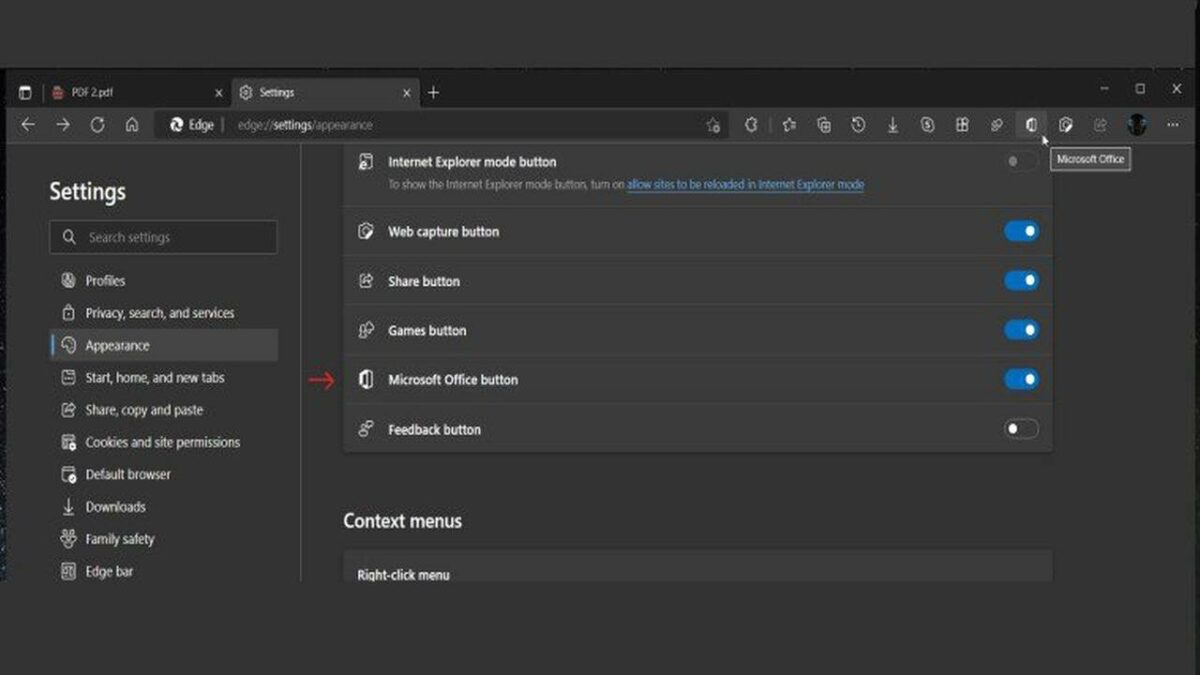
This new button isn’t activated by default in the latest Edge Canary build, which explains why it hasn’t made the news before. To access the new button, as well as numerous other buttons for other features Microsoft is testing within its Canary space, you’d have to head to Settings and then hit Appearance. You’ll then be presented with a list of additional buttons that you can toggle on or off at will.

These include options to share content, access the Games utility, create a Web capture, or provide feedback. Second from the bottom, however, is the exciting new addition, the Microsoft Office button, toggled off by default. Flipping the associated switch on the right-hand side of the screen makes the button visible in the feature-loaded quick access banner also containing your Edge search bar and navigation buttons. 

Even if you choose not to activate the new Microsoft Office button, the associated app is still accessible through the sideways-kebab menu, also known as an ellipsis menu. All you need to do is hit the ellipsis at the right-side edge of the quick access bar, head down to More tools, and then navigate down the list to Microsoft Office. Clicking on either this Microsoft Office shortcut or the revolutionary new quick access button opens up a sidebar on the right-hand side of the Microsoft Edge interface displaying your associated Microsoft Office Apps

Even though in its current state, clicking any of the options will take you to the Office productivity suite’s web platform variants, it’ll be interesting to see if the final build of Microsoft Edge will instead redirect you to the associated app. It is, however, pertinent to note that the entire Edge experience seems to be geared more toward web-based access to apps and platforms, and it’s certainly a much more integrated option to open the associated apps directly in Edge

Microsoft Edge, along with its Chromium-based cousin Google Chrome and their notable contemporary by Mozilla, is on the edge, excuse the pun, of an incredible revitalization of the browsing ecosystem they provide. All three are due to hit triple digits soon as they move from version 99 to 100. Some see a Y2K-level disaster looming for Microsoft Edge, others find room for further advancement. What are your thoughts?

Dungeon Defenders: Going Rogue hits Steam Early Access

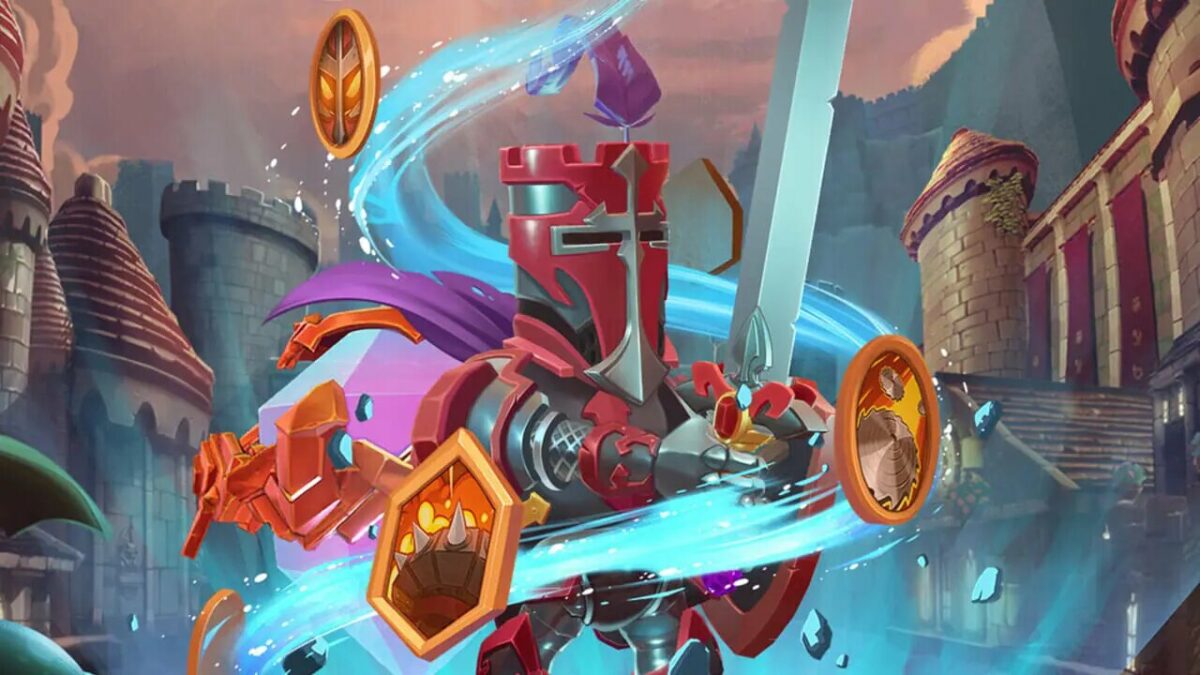
Fans of Chromatic Games’ Dungeon Defenders have a renewed chance to defend vast dungeons thanks to the early access release of Dungeon Defenders: Going Rogue. Even though the new in-progress game is marketed as a rogue-lite spin-off of Dungeon Defenders, die-hards need not fear that it’s an inferior experience to the main game. If the early access version of the game is anything to go by, Going Rogue should more than hold its own in the competitive gaming landscape

You’ll still be able to enjoy the primary elements of the main title, such as exploring dungeons and defending them with an expert setup of traps and towers. Some would argue Going Rogue is actually an enhanced experience, coupling the main game’s core elements with new additions such as procedurally generated rooms so that you never get bored. You’ll also be able to experience randomized runes

In a recent statement, the game’s Creative Director, Alec Saare, had this to say: ‘Dungeon Defenders: Going Rogue is an exciting new addition to the series, originally starting as a new game mode that blossomed into an entirely new game. We are harmonizing the beloved elements of Dungeon Defenders with the ever-changing customizability and replayability innate to the roguelite genre. Creating fun challenges for players to take on over and over again is our favorite part of working on this beloved series!’ 

Chromatic Games says that the game is around 80-90 percent complete, so the early access version, while giving users a taste of what the final game will be like, isn’t the fully-realized final form of Dungeon Defenders: Going Rogue. The game is, however, already incredibly loaded with loot. Included in the Steam Early Access offering are 20 maps, over 75 weapons, in excess of 200 runes and other items, and four fully customizable heroes. 

Chromatic Games is also hosting a speedrunning event to celebrate the launch. The developer is urging contestants to try and outrun each other until the competition ends on April 3rd. The winners will be entered into a $10,000 prize pool. Contestants must Livestream their attempts and submit them to the Chromatic Games team. 

For now, Going Rogue is only available as early access content on Steam and Chromatic Games’ website and is exclusively for Windows. Releases for Xbox Series X|S and Xbox One, PlayStation 4 & 5, and Nintendo Switch are expected at a later date.

Fortnite’s new game mode makes no building permanent

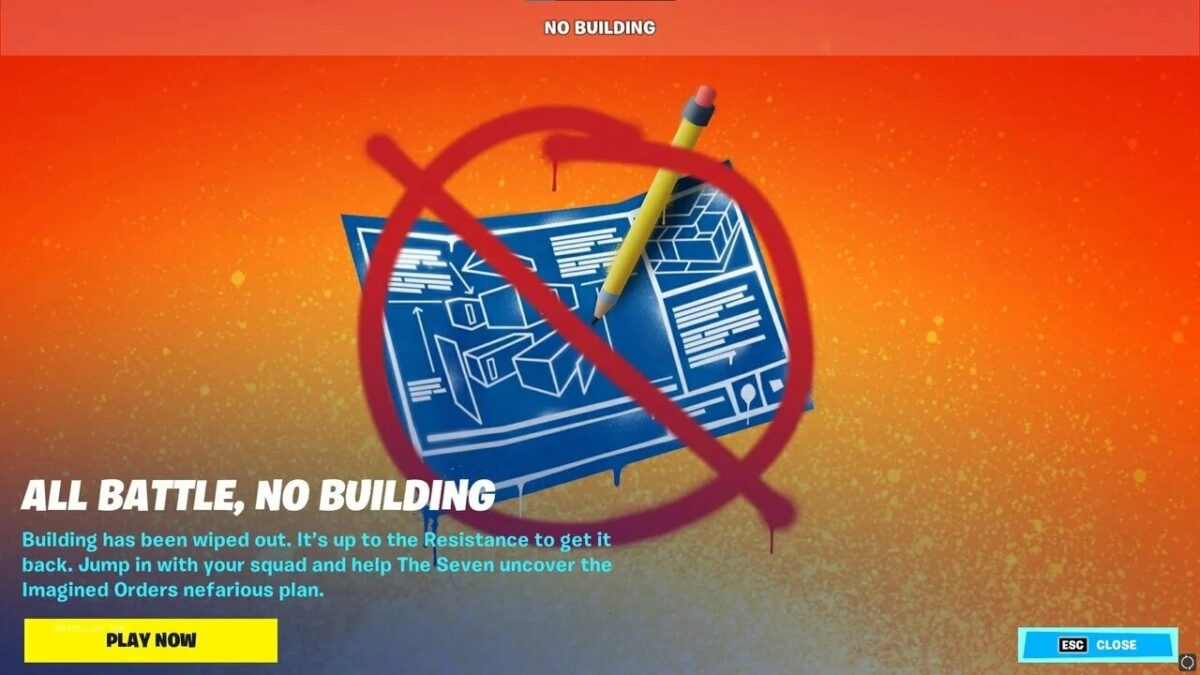
The developers of Fortnite, Epic Games, have always made a significant attempt to listen to their players’ feedback regarding changes and updates for the game. In the last week, they released a no-building game mode. The success of this led Epic Games to make another addition to the available game modes in Fortnite.

The newest game mode, called Fortnite: Zero Build, was announced on March 29. The name was chosen to go along with the current storyline, called Zero Point. This game mode is ideal for players who don’t want to rely on building but play using pure aim.

Part of what drove the new game mode’s success was the number of prominent creators who spoke highly of it. For example, Ninja announced on Twitter that Fortnite new no-build mode was the most fun he’s had in the game in years. Other big names have returned to the game after years of not playing. These names include streamers like Myth and Pokimane. With their return to the game, the Fortnite Twitch page holds upwards of 500 000 viewers a day.

Multiple streamers have already flooded their channels, expressing excitement over the announcement that Fortnite: Zero Build would be a permanent new game mode. Among those sharing their excitement was SypherPK, who commended Epic Games to make all the right moves.

All of the excitement surrounding the Fortnite: Zero Build mode is sure to reflect a revival of the game’s player base. There’s something for everyone with the wide range of available game modes. If you want to rely on just your combat skills, the Zero Build mode will be for you.

We look forward to seeing what else Epic Games has up its sleeves for fans of Fortnite. In the meantime, check this rumor on a Fortnite team revival item.

How to email a page with a signature from OneNote to Outlook

One of the best features of Microsoft Applications is the seamless integration of the programs such as Outlook and OneNote. After spending a bit of time on prior setup, you will be able to automate and simplify a substantial portion of your workload. For instance, sending a page of notes from OneNote through an Outlook email will be as simple as making sure that both programs are initialized.

However, some advanced features like automatizing signatures can be harder to master without some guidance.

  1. Emailing notes from OneNote through an Outlook account

    For starters, let’s get the information about basic email functionality out of the way. If you have Outlook 2010 or later, OneNote makes it simple to send emails without needing to open Outlook in a separate instance:

    – Open the notebook that you wish to send via email.

    – Then switch to the home tab at the top of the screen.

    – From the home menu, move your mouse over the email page button. When you click this, it will open a window with all the relevant fields you need to complete your message.

  2. Attaching notes to older versions of Microsoft Outlook

    If you are running a version of Outlook from before 2010, you can still send notes by manually attaching them to your emails. Simply follow these steps:

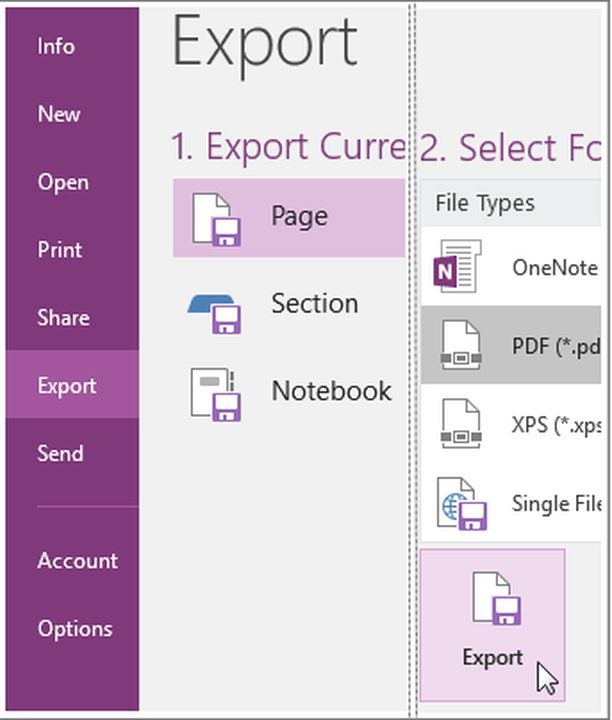
    – Once you open the notes you wish to send, navigate to the export tab.

    – From the export current menu, choose the parameters of whatever you wish to send.

    – You can send the whole notebook or individual sections at your discretion.

    – Under select format, choose the file type you wish to attach to your email.

    – Once you have created the file, open Outlook and attach it to the body of an email.

  3. Attach your signature to emails you send from OneNote

    Each time you send an email via OneNote, the system will prompt you to fill in your signature and BCC information. You can automate this process should you plan to use the same credentials in each message.

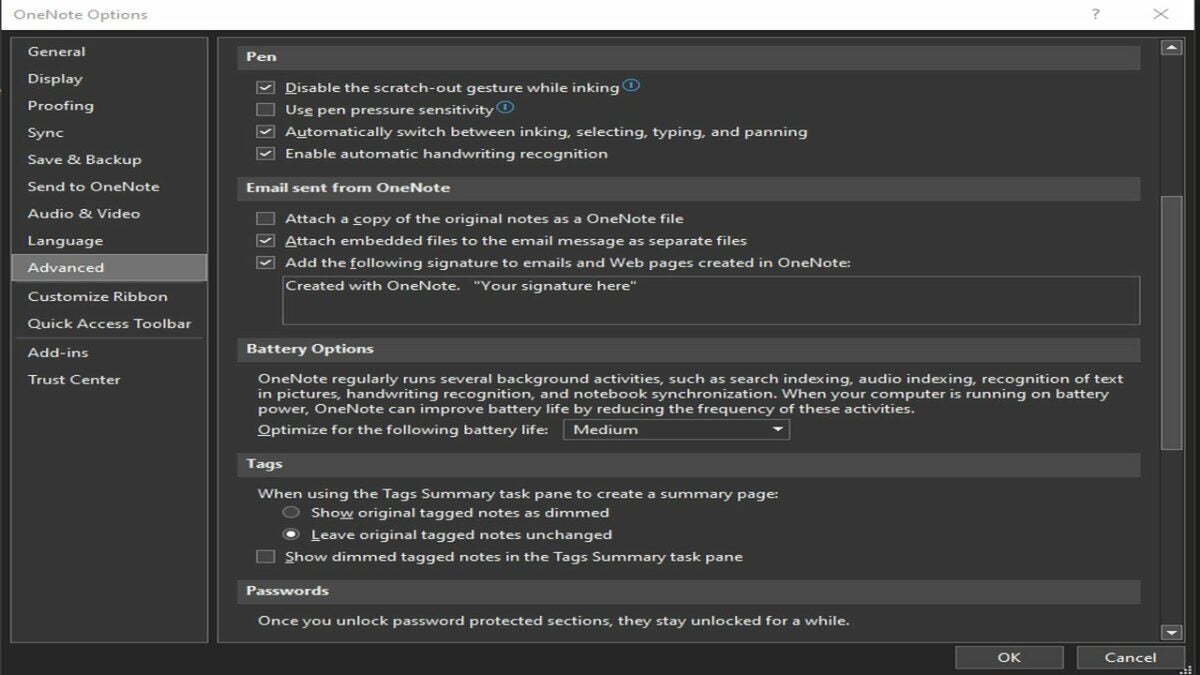
    – With OneNote open, click on File. Navigate to the bottom left corner of the page and select Options.

    – From the Options menu, click on the Advanced tab.

    – In the “email sent from OneNote” section, you will find a list of settings as well as a place to enter your signature.

    • After you have typed your signature, be sure to click OK to save your changes.

Use Microsoft Applications to work smarter, not harder

By taking advantage of the integration between Microsoft OneNote and Outlook, you can dramatically enhance your productivity. While it only takes a few seconds to type out your signature, those seconds add up quickly over the course of thousands of emails. Spending a few minutes to automate your workflow will save you many hours each month.

How to stop Psiphon VPN from opening a tab in the browser

Psiphon VPN provides a free service when you want to connect to the internet using a server in a different country. It’s a small application that hides in the background when you’re connected, and you can use PsiCash to boost the speed and performance. However, it usually opens a new tab in your browser that many people find annoying.

Unfortunately, being able to stop Psiphon VPN from opening a new tab in your browser isn’t something you can change at the moment. Your best bet would be to contact the developer and ask if that can be added as a featured setting that you can disable. For now, here’s why that tab is necessary.

Why does Psiphon VPN open a new browser tab?

The new tab that opens up in your browser when you activate Psiphon VPN contains vital information and connections that will provide security when you use the internet or social media. It’s integrated with the app itself, which is why disabling the feature isn’t possible at this point. It would have been better if the developer placed a button in the application to open the browser securely, but perhaps this way works better with their safety protocols.

Why stopping Psiphon VPN from opening a new tab in your browser isn’t possible

When you study the information on the new tab in your browser that Psiphon VPN provides, you’ll see why it’s part of the application’s functions. Here’s what you’ll find.

  1. Reveals your I.P. Address

    How to stop Psiphon VPN from opening a tab in the browser

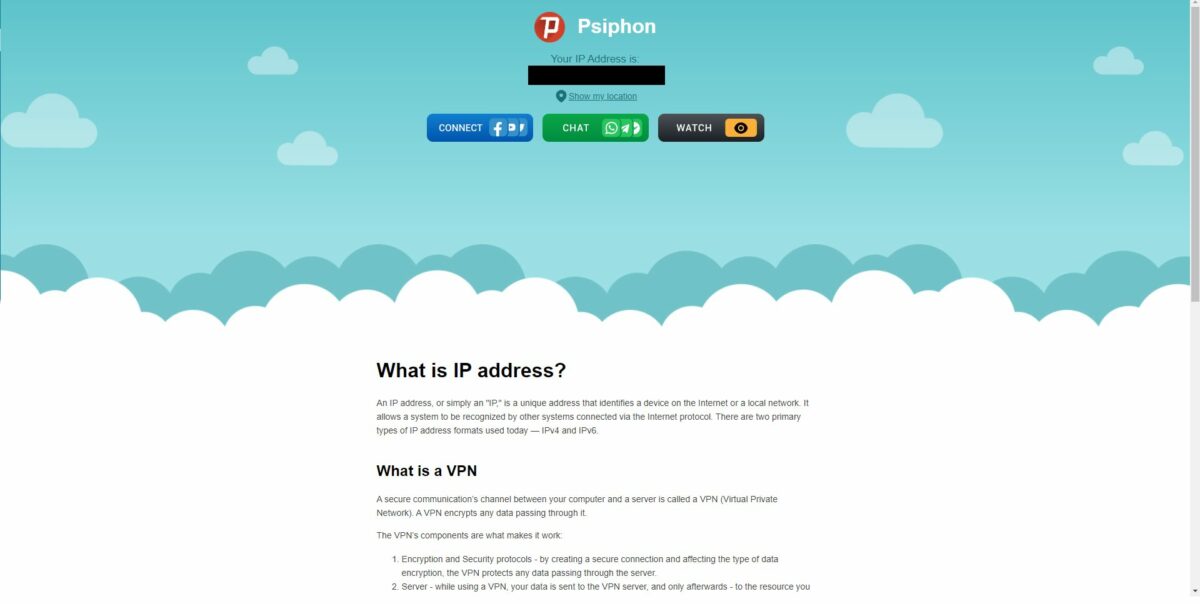
    The first element you’ll notice at the top is your I.P. address and the location it’s connected to. Strangely, it actually shows your real I.P. address and not the one it links to on the server in the other country. At least you’ll have the information ready if you need it. If you’re using another program like Avast SecureLine to hide your I.P. address, at least here you can see if it’s working.

  2. Lets you connect to social media anonymously

    How to stop Psiphon VPN from opening a tab in the browser

    The next section has three tabs that let you connect to various messaging and social platforms anonymously. In this way, no one can watch your chats on your browser. For the moment, the buttons include social media links (Facebook, Twitter, YouTube, and Tik Tok), chat links (WhatsApp, Telegram, Messenger), and browsers for secure online streaming.

  3. Provides VPN recommendations

    How to stop Psiphon VPN from opening a tab in the browser

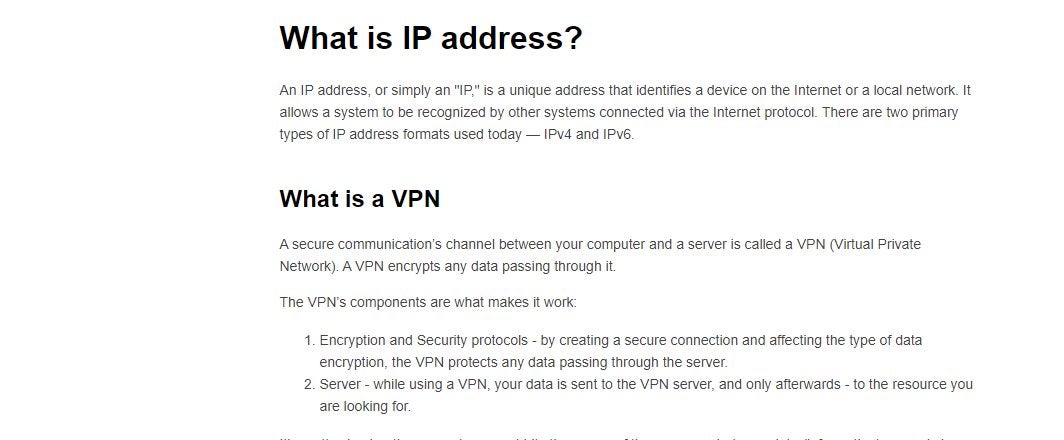
    Finally, your find some content relating to what a VPN is, how it works, and how you can use it to connect safely to the internet. You’ll also find an explanation about how an I.P. address can be used against you.

Other features of Psiphon VPN

Besides the new Psiphon VPN tab appearing on your browser, there are some features linked to it from the app. Here are the most important ones you should pay attention to.

PsiCash balance

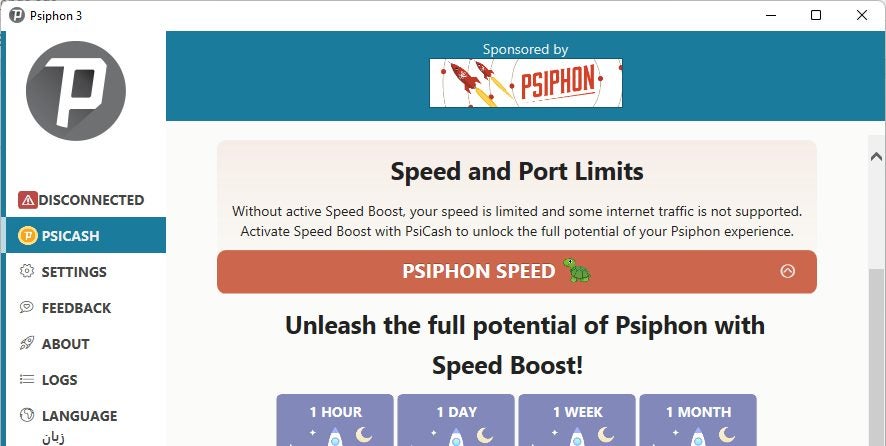
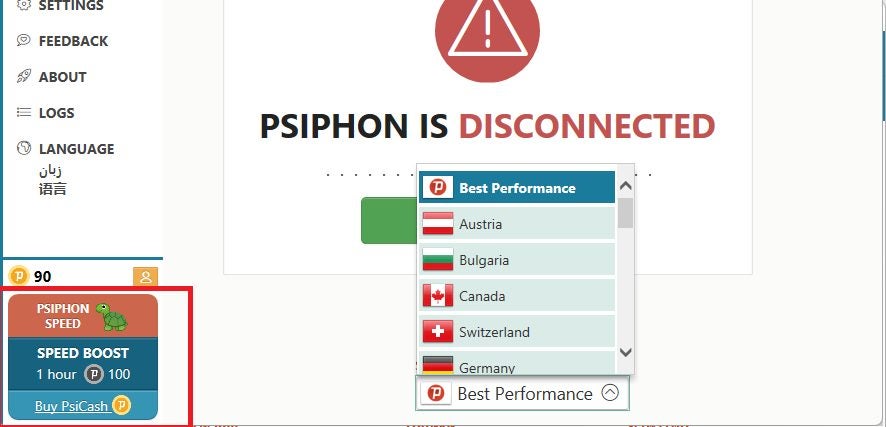
While Psiphon VPN is free to download and use, you’ll have limited streaming and connection speed. If you want to boost the performance, you’ll need to buy PsiCash with real money. You’ll see the amount you have on your balance as coins.

How to stop Psiphon VPN from opening a tab in the browser

Primary VPN settings

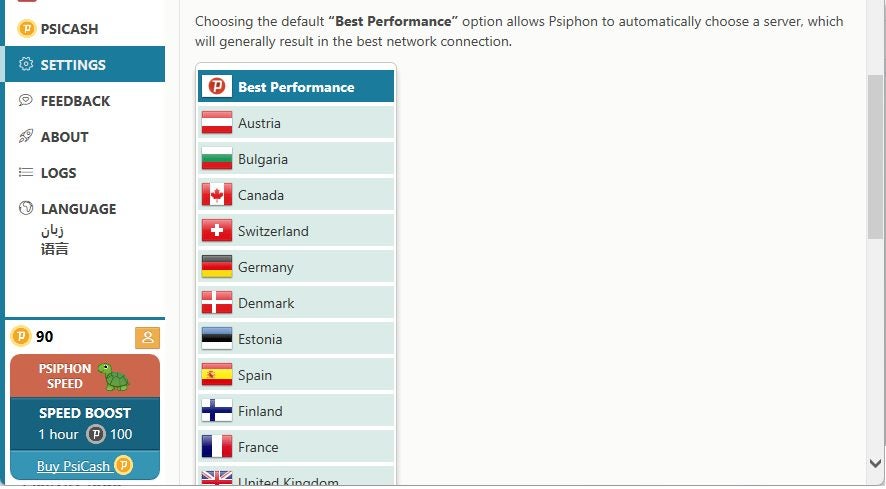
There are plenty of settings that Psiphon VPN has in the app, but stopping it from opening a new tab in your browser isn’t one of them. Mainly, it deals with split tunneling and connection features. You can also set the default country you want the VPN service to link to.

How to stop Psiphon VPN from opening a tab in the browser

Feedback panel

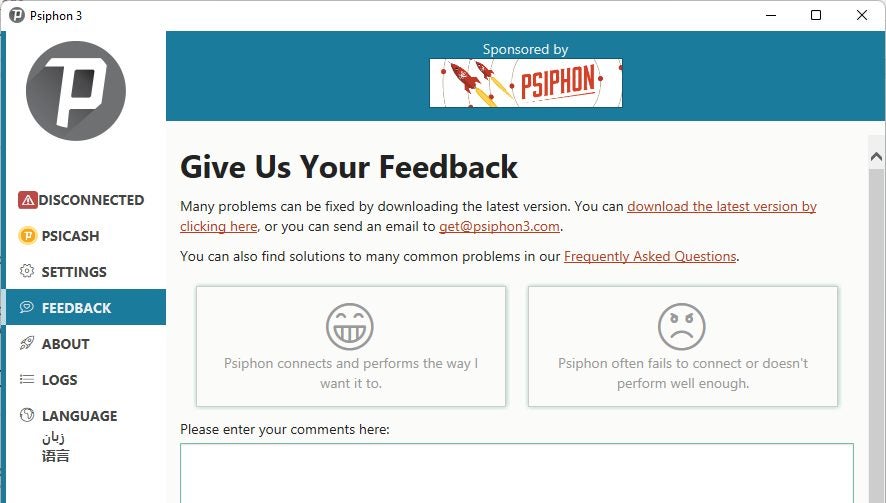
If you’re unhappy with the service, you can log a complaint on the feedback panel. You can also send some feedback, and maybe Psiphon VPN will even use it as one of their testimonies. This section is ideal for asking if they can add a disable button for not opening a new tab in your browser.

How to stop Psiphon VPN from opening a tab in the browser

Activity logs

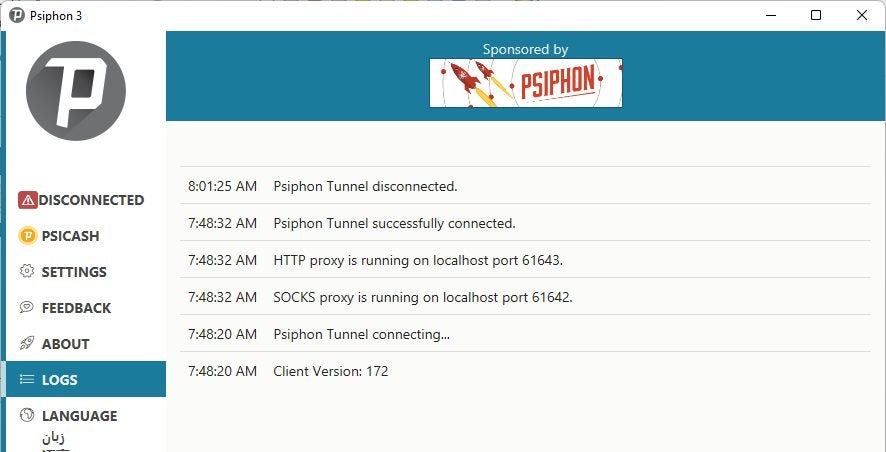
Want to see when last you used Psiphon VPN? While most VPN providers don’t log your activity, this one visibly does so for your benefit. You can check the different times you connected and disconnected, which helps determine if there’s been any strange activity.

How to stop Psiphon VPN from opening a tab in the browser

Language settings

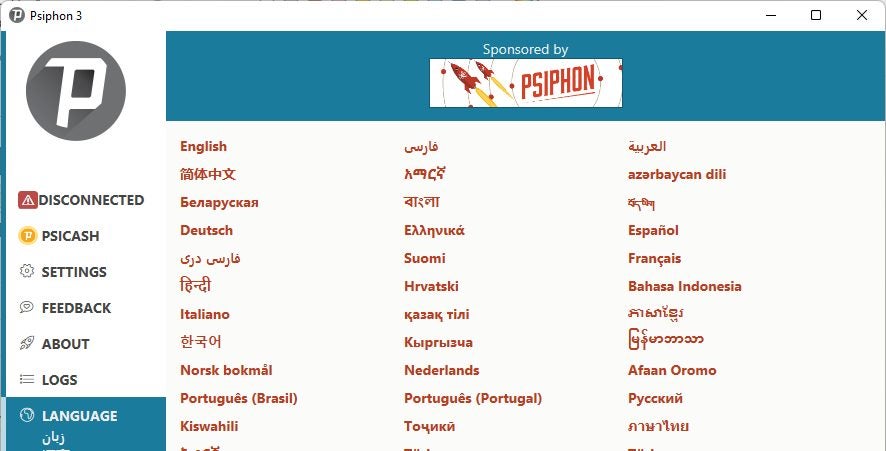
If English isn’t your home language, you can change the default one here. Make sure you choose the right one, as it may be tricky changing it afterward if you can’t read what’s happening.

How to stop Psiphon VPN from opening a tab in the browser

VPN speed booster

Finally, you can check how fast your connection is and how much PsiCash is remaining in your balance. It’s a good indication of why the performance isn’t what you’d like it to be.

How to stop Psiphon VPN from opening a tab in the browser

A necessary tab in your browser

While stopping Psiphon VPN from opening a new tab in your browser doesn’t appear to be possible at the moment, it does seem to be necessary. Perhaps they’ll update the buttons to be included in the app so the tab won’t be needed. For now, check our guide on how to remain safe online.