According to an announcement on the Among Us official Twitter account, registrations are now open for Among Us VR. Applicants will have to fill out a short survey, though. The answers to the survey presumably determine whether you get picked to try the game when it releases for beta testing.
The questions on the survey are quite straightforward. The team behind the survey seems to be primarily interested in whether you have a VR headset or not, which VR headset you have, and where you usually buy VR games.
‘Do you own a VR headset? Do you have an internet connection? Do you want to try Among Us VR early? Sign up for Beta Test tasks here and help out the beans!’
do you own a VR headset? do you have an internet connection? do you want to try Among Us VR early?
At this point, we’re not sure exactly how long the beta test period will last and when successful applicants will be notified, but the prospect of being one of the first to experience this phenomenal part game in VR surely is tantalizing. This VR take on the classically modern whodunnit game was inspired by another VR title – Cosmonious High.
The latter is a VR experience set in an alien high school, and the game may have formed part of an early hint the crewmates were going to go VR. In March, there was a section of Owlchemy Lab’s Cosmonious High where players were tasked with finding an Among Us crewmate somewhere in the high school-themed world. Little did we know that that short search was a precursor to far more exciting gameplay.
The trailer for the new VR Among Us looks sick. No hold’s barred, there is nothing that appeals to me more right now than the idea of getting to actually run around the space station with crewmate blood on my hands. The trailer features the yellow crewmate rather heavily, which makes it even more striking toward the end of the video when the yellow crewmate ends up decapitated. We don’t know when the game will release, but when it does, it’ll be available on PSVR 2, Meta Quest, and Rift.
If you don’t want to wait for the new Among Us VR experience, feel free to check out the latest update of the existing game. In the patch notes for the update, you’ll find the mention of brand-new Among Us roles and Cosmicubes!
We’ve got numerous new leaks ahead of the release of Call of Duty: Modern Warfare 2 – whether that was part of the plan or not. Activision recently hosted a private event to which it invited members of the Los Angeles Rams to try an early version of the game. We’re assuming that the publisher must have had some kind of NDA in effect for the duration of the event, but this didn’t stop some of the players from sharing priceless gameplay screenshots on Twitter.
The problematic tweets have subsequently been removed and replaced with generic event banner media, but not before industrious Twitter users were able to screenshot the images for further distribution.
The first image is fairly innocuous – A simple shot of COD: MW2’s lobby. The lobby looks similar to other recent iterations of the Call of Duty franchise. Right at the top of the screen, you’ll see the various operational buttons such as Play, Operators, Weapons, and Barracks. These are exactly where you’d expect them – no pointless changes or innovations here.
To the right of these tabs, you’ll find the social menu, and the remainder of the screen is quite standard if you’re familiar with modern Call of Duty games. The lobby’s background looks fairly standard, too, proving that the trend of the animated lobby featuring various in-game characters is going nowhere anytime soon.
There is one rather interesting aspect of the leak, however. As blurry as the image is, if you look at the game mode select screen, you’ll see the word DMZ. You might need to squint, but it’s there. If you’re not familiar with the term, DMZ is the name given to a rumored extraction royale game mode that some say will bear some resemblance to Escape from Tarkov.
DMZ is a controversial topic within CoD forums. Some players don’t believe the game mode will be included in the game’s initial release, believing that is will instead form part of future paid DLC. Others say it’ll be a free-to-play component similar to Warzone 2.
The presence of the term DMZ in a leaked screenshot doesn’t prove any of these rumors, only that the feature does currently exist. We’ll have to hang on a little longer to find out what the initial release of Call of Duty: Modern Warfare 2 is going to look like.
If you enjoy building virtual LEGO creations, LEGO Digital Designer (LDD) is a powerful program. Though the LEGO Digital Designer 4.3.12 update marks the end of official LEGO support, it still has a lot of devoted fans. The simpler interface and rendering tools make it a classic for old-school LEGO fans.
Despite seeming like a more basic version of Bricklinks Studio, LDD does pack a lot of tools into a seemingly-simple program. When working with Digital LEGO Designer, you’ll need our helpful user guide to figure out all the features.
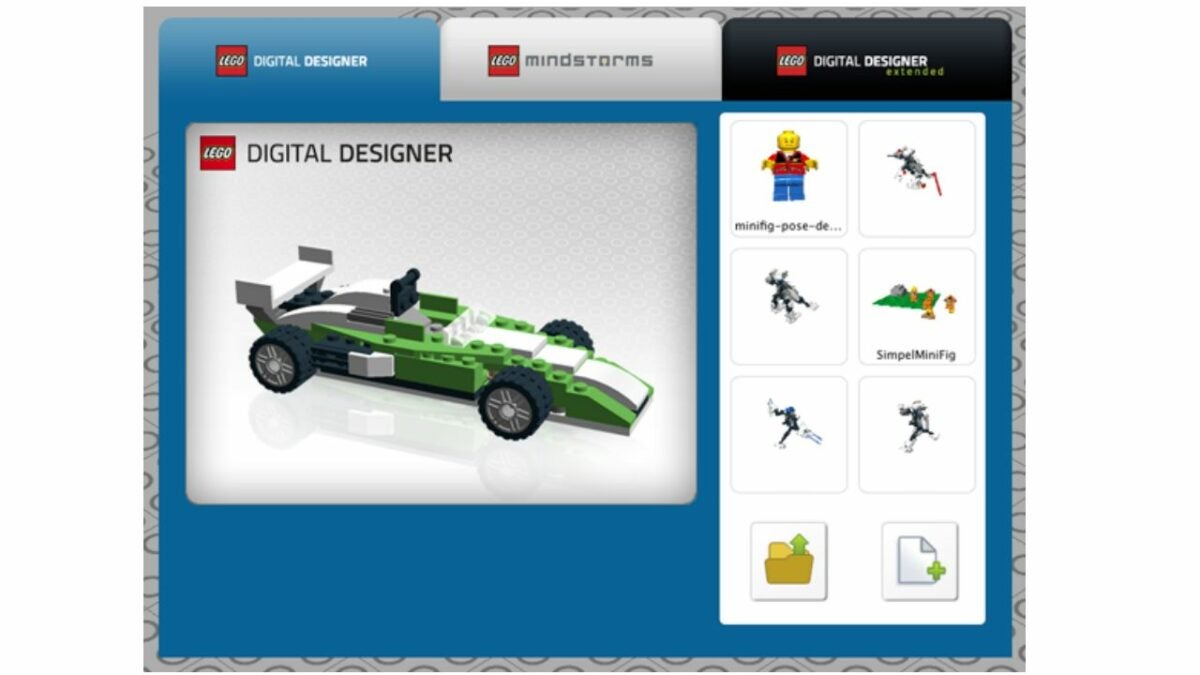
When you first open the program, take a moment to look around at the home page. Select the yellow file folder icon in the lower, right-hand corner to upload a saved file, or click the white blank page icon to start a new build. Most of the home page is taken up with a 3D grid that is your build space. This is where you’ll place your virtual LEGOs, and it lets you zoom in, zoom out, or adjust the size.
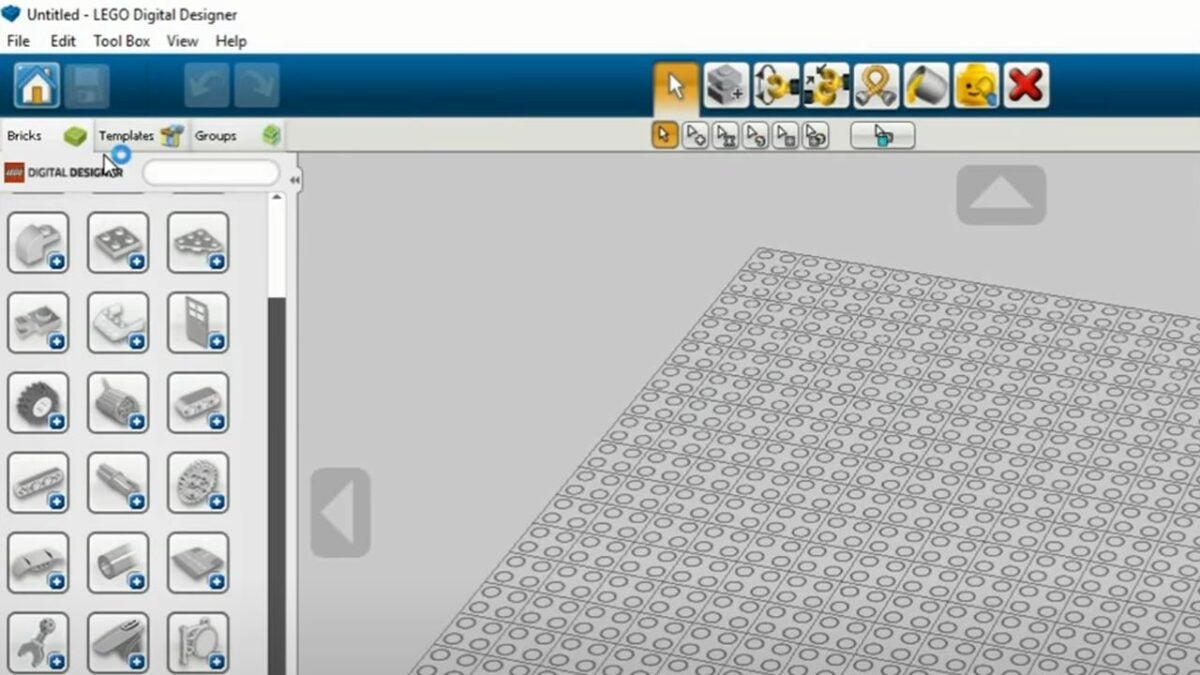
Next, look at the menu on the upper left-hand side. You’ll have options like saving your build and undoing and redoing steps. The Bricks tab will let you select various bricks to build with while the Templates tab lets you input helpful, pre-made templates.
Find the perfect bricks for your build
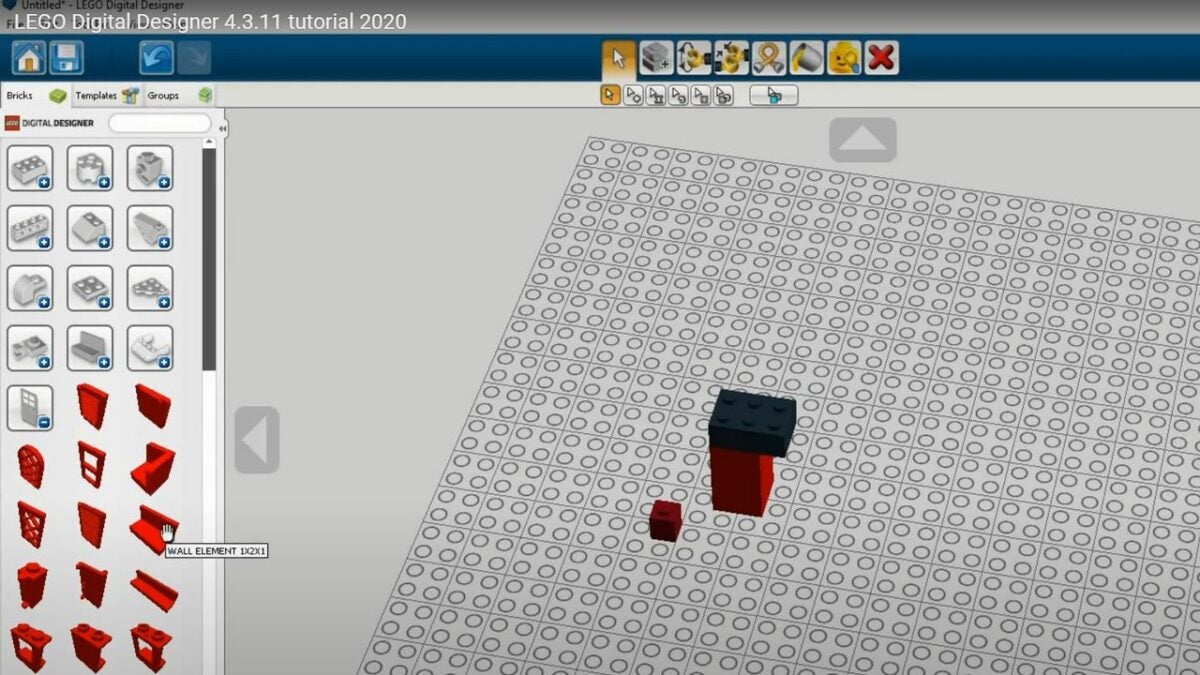
The brick library is the heart and soul of the Digital LEGO Designer. Located on the left half of the screen, it starts with common shapes like rectangles and cylinders. Clicking the plus symbol lets you view a variety of pieces in that shape category. You also have the option of using the search bar to look for a piece based on either the keyword or the LEGO ID number.
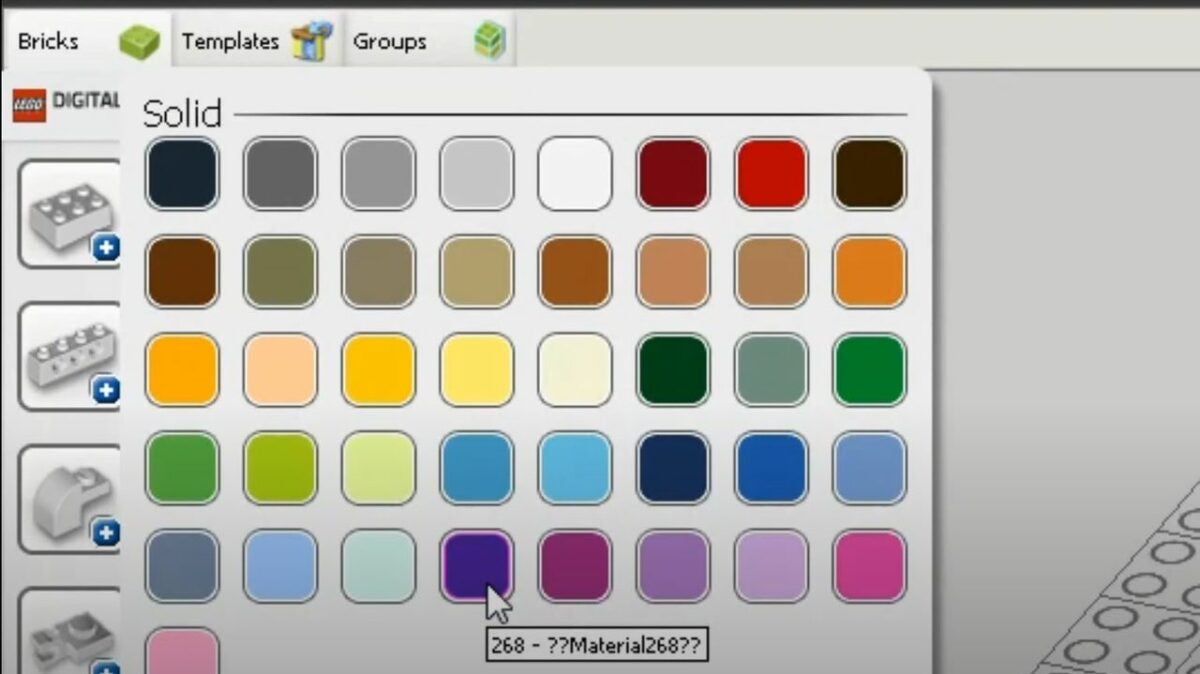
To select the right size, you just hover over the brick to see its length and width. Placing bricks is as simple as clicking on your choice once and, then, clicking the spot you want the brick to go to. When searching for bricks, you have the option of filtering by color before placing, or you are able to pick a color after placing the brick.
Explore all the helpful LDD functions
Once you get the hang of selecting and placing bricks, it’s time to start building anything you want. Technically, you don’t need to know anything else. However, there are a lot of useful little functions that make your builds easier. You access these functions from the toolbar at the top of the page. Another option is using the keyboard shortcuts, which are the same whether you have LEGO Digital Designer for iPad or Windows.
Delete (D): Remove a selected brick.
Selection (V): Use this tool to select a single brick within your screen.
Clone (C): Make an instant copy of your previously selected brick.
Paint (B): Change the color of your selected brick to your desired color.
Hinge (H): Rotate a brick that’s connected with a single-stud connector or hinge.
Hinge Align (H+shift): Connect two selected bricks with a single connector
Hide (L): Temporarily hide a brick without removing it, which makes it easier to build underneath or behind the blocking brick.
Make big builds easier by using the groups tab
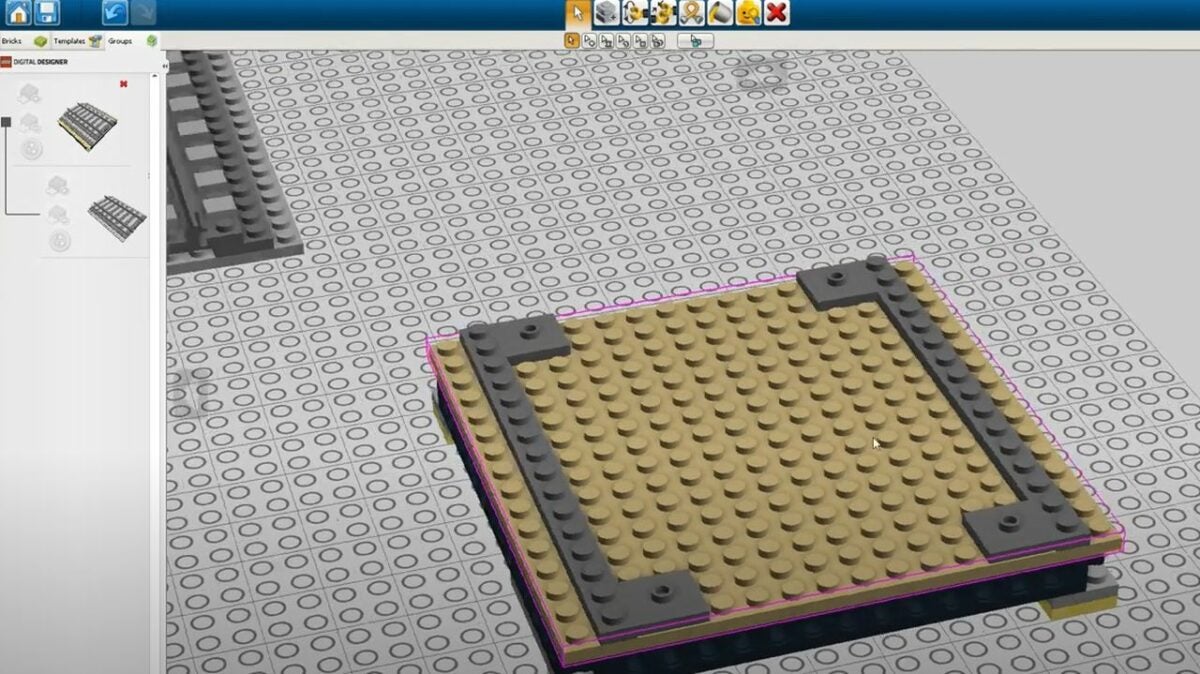
The Groups tab often gets overlooked, but it’s essential to managing big builds. With this tab, you are able to group highlighted parts of a build together. Once your group is defined, you are able to move it around or copy and paste the same group multiple times. You even have the option of adding previous groups to a new file with the File > Import command.
This adds a lot of exciting applications to Digital LEGO Designer. For example, if you’re building a castle, you are able to create a group with all the bricks needed for a castle turret. Then, the group function lets you set the turret aside, build four different towers, and top each one with identical turrets.
Final thoughts
We hope these tips will make it easy to explore all the neat features within LEGO Digital Designer 4.3.12. By taking the time to tinker around with all the tools and settings, you are able to build some really unique LEGO creations. Give the program a try, and let us know what you think of it in the comment section below! For extra fun with LEGO, download the LEGO Movie Videogame.
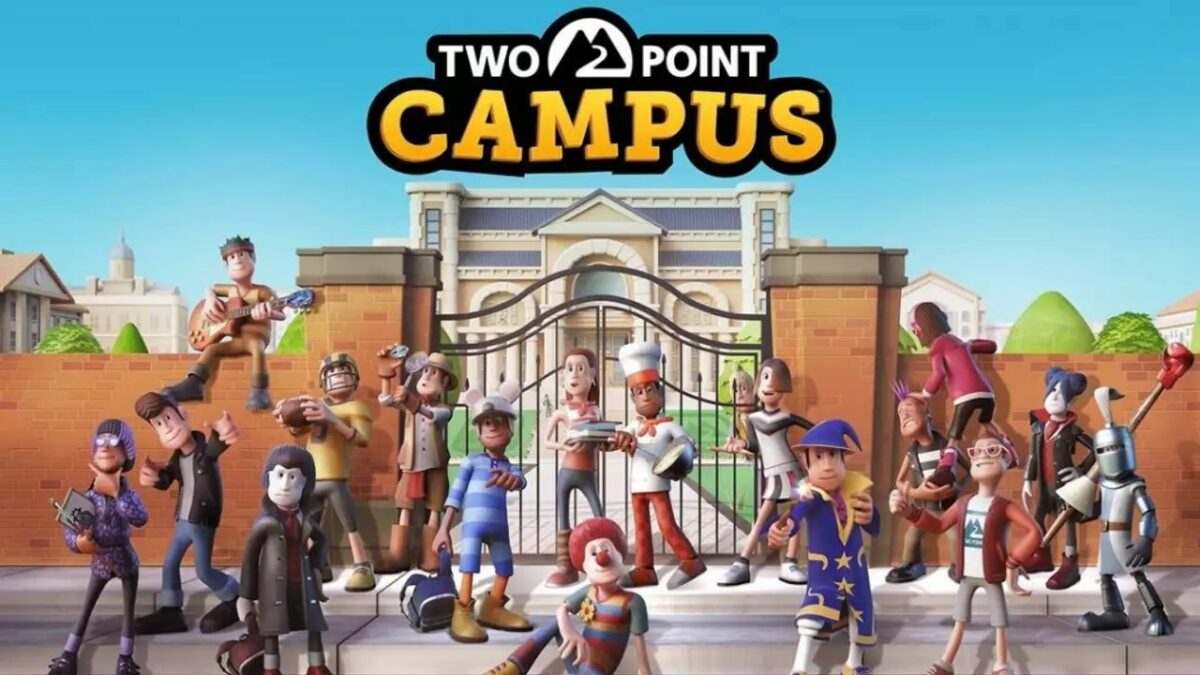
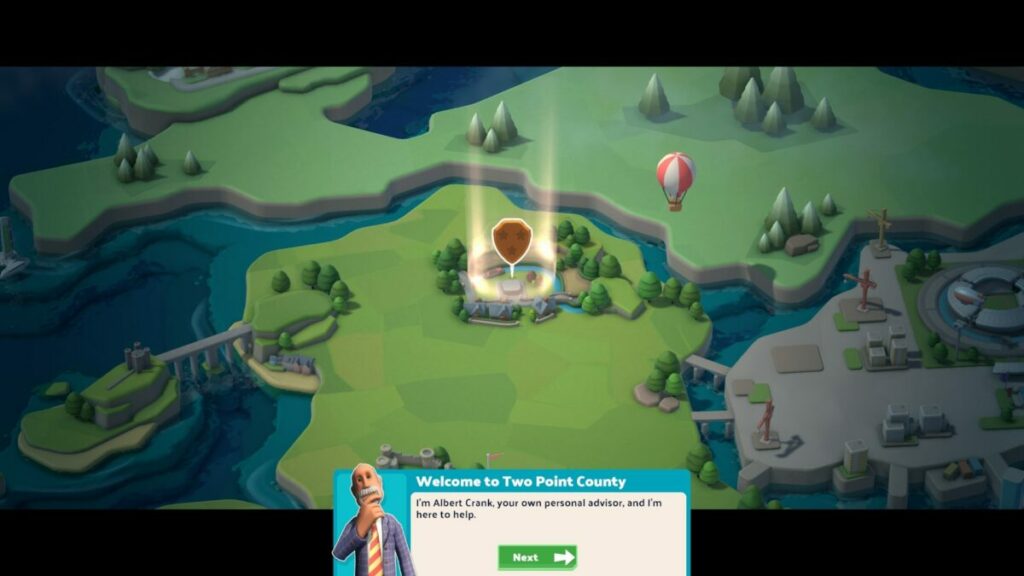
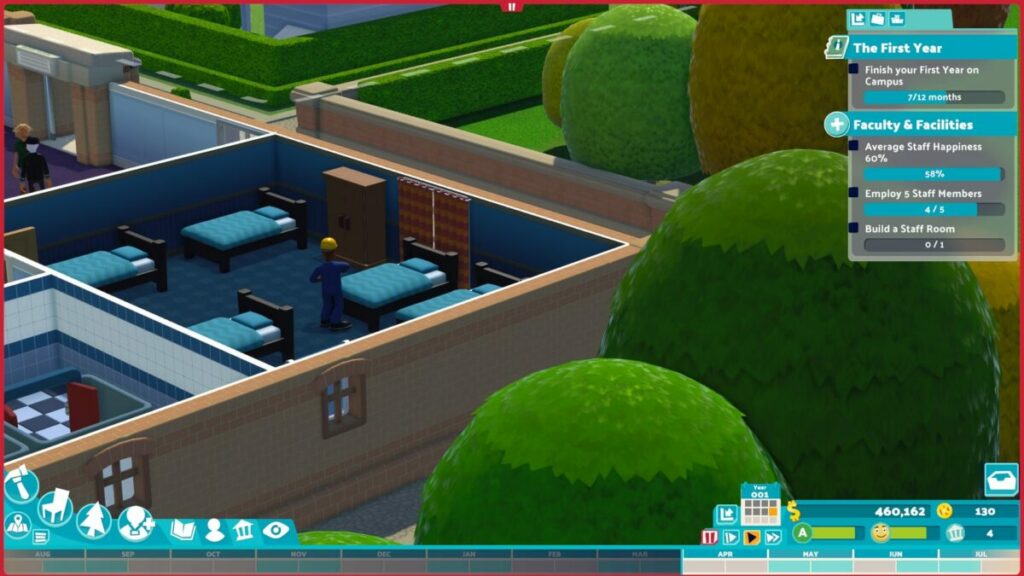
Two Point Campus is a building management game that follows as a sequel to the popular Two Point Hospital, brought to you by Two Point Studios and SEGA. It’s set for launch on August 9, 2022.
As with the first game, you need to manage facilities, people, and resources to earn money and points towards improving your levels. In this case, you’re managing academic buildings towards the final university.
That means you’ll need to care for staff and students as you provide the best rooms for comfort and education. While it may sound tedious, there are plenty of elements that make Two Point Campus fun to play. I especially loved the Hogwarts references later in the game. Here’s a complete review of my experience with TPC.
Do you have what it takes to run a university?
Let’s take an introductory run with this Two Point Campus review. In this section, I’ll discuss the main campaign points and what you’ll need to focus on from the start. Essentially, you’ll work your way towards managing the ultimate TPC university facility at the end.
Starting small
When you start your journey in Two Point Campus, you have a rectangular, relatively small facility. Thankfully, you have tons of funds to use, but don’t go splashing out just yet. You’ll need to manage your money over time, only buying what you need as the missions progress further.
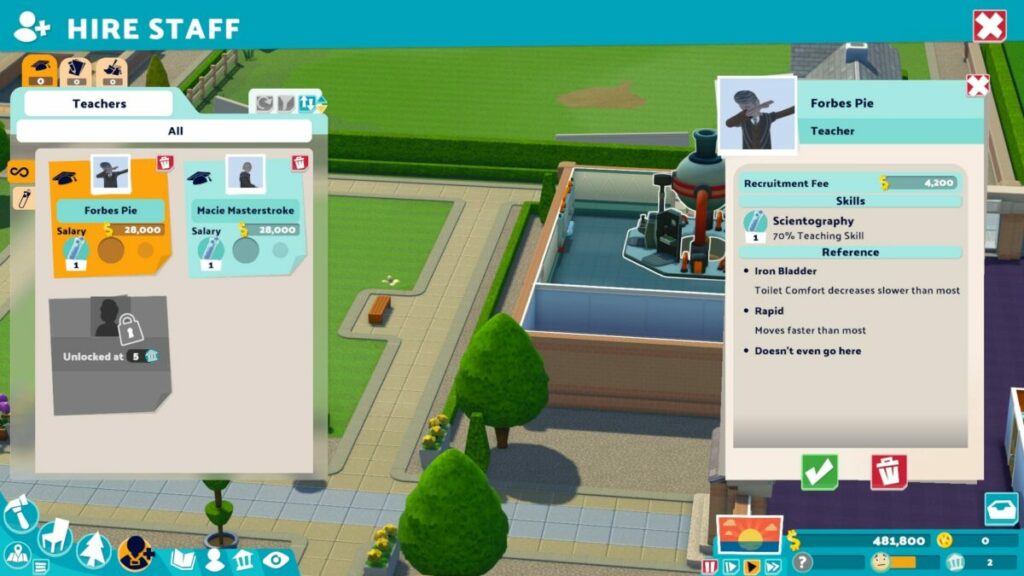
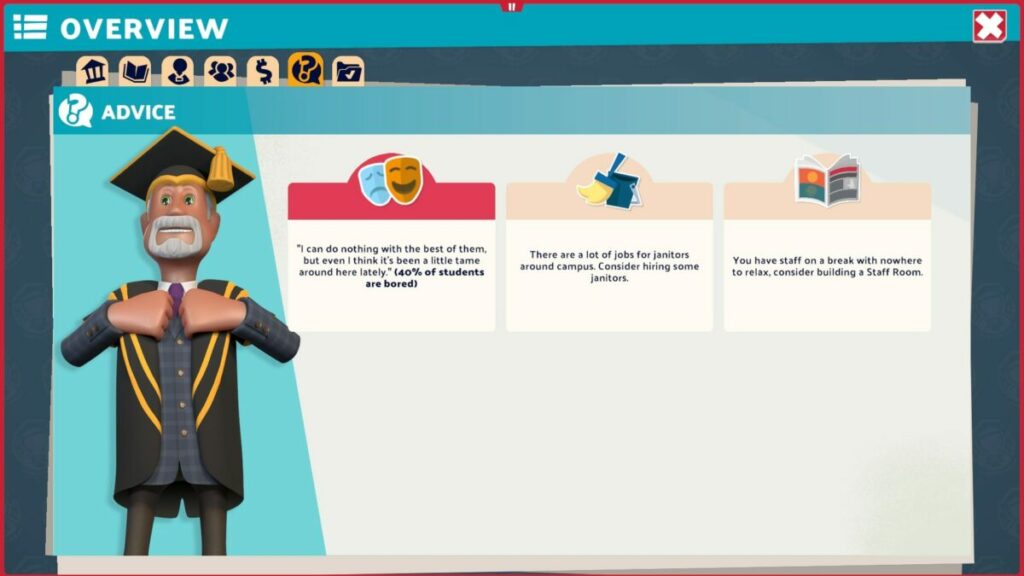
The game sets the scene with you as the facility manager of the campus. You’ll get the hang of meeting your students, teachers, assistants, and janitors. They’ll even develop relationships over time, which you can monitor.
Managing people and resources
As with its predecessor, Two Point Campus expects you to manage people and resources effectively so you don’t run out of funds. Every student and employee has a happiness level, and you’ll need to provide specific items to increase it. The happier they are, the more willing they are to learn or pay rent for the dorm rooms.
Increasing levels
The whole point of kitting out your campus and making the people happy is to earn Course Points. Two Point Campus bases these rewards on the number of rooms, students, and staff. Whenever your campus levels up, you’ll earn 10 Course Points, which you can allocate at the end of the academic year.
Stages and courses
Another exciting aspect I enjoyed with Two Point Campus was the different stages and the courses you unlock with them. For example, the second level is called “Food for thought” where you teach culinary students how to cook food and serve clients at a diner. The two courses you unlock are Funny Business and Gastronomy.
There are a total of 12 levels and 17 courses. Each one makes you more excited for the next, making you wonder what you’ll encounter next. At the end of the road is Two Point University, where you need to show what you’re made of with all your skills put together.
As a Harry Potter fan, I need to make a nod to the Spinninmoore campus, with its Dark Arts and Wizardry courses. It should be easy for any HP lover to see the correlation with Griffindor there, as well as one of the top classes at Hogwarts (Defence Against the Dark Arts). Another fun name for a campus is Pebberly Ruins, which takes a look at archeology.
How long to play Two Point Campus?
The length of time you’ll play Two Point Campus depends on how quickly you can pass the levels. It may take you only 30 mins to an hour for the first level, but the other levels may far extend past 2 hours. If we take an average of 1 and a half hours per level, that’s still over 18 hours of gameplay, if you’re lucky. We’re sure there are more than 25 hours in TPC if you want every achievement.
Strategic gameplay in Two Point Campus
Now that you have some idea of what Two Point Campus entails, let me share the gameplay details. I truly love playing strategy games like this that add some entertainment and laughs along the way. It takes away any frustration you may feel if the level isn’t going your way.
Learning how to play Two Point Campus
If you haven’t played Two Point Hospital or any game like Two Point Campus, you’re in luck. The first level shows you how to move your camera around, activate lessons, hire staff, and attract new students. The best part is that each level has some form of a tutorial when a new game mechanics appears, ensuring you aren’t left confused.
Building rooms
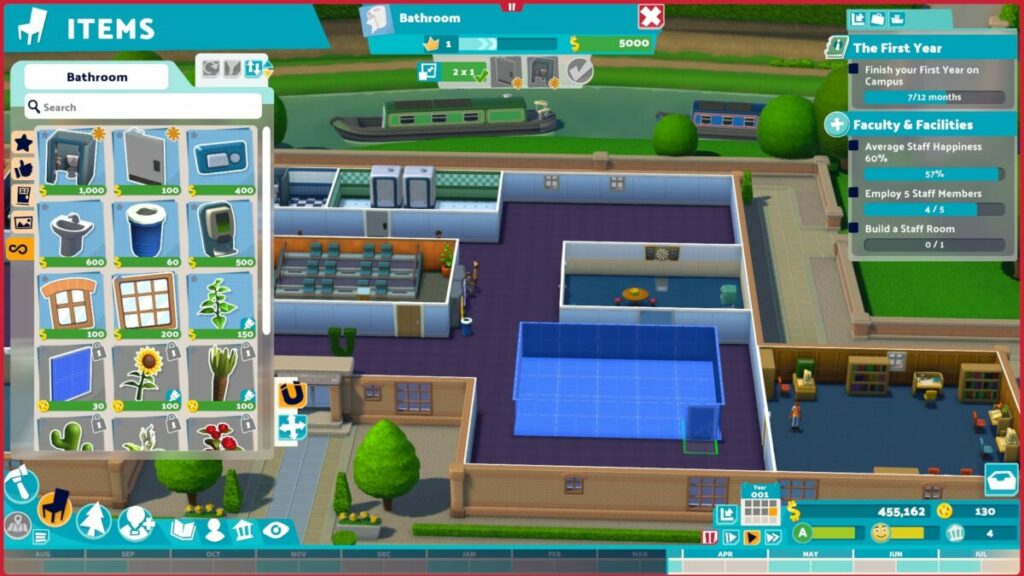
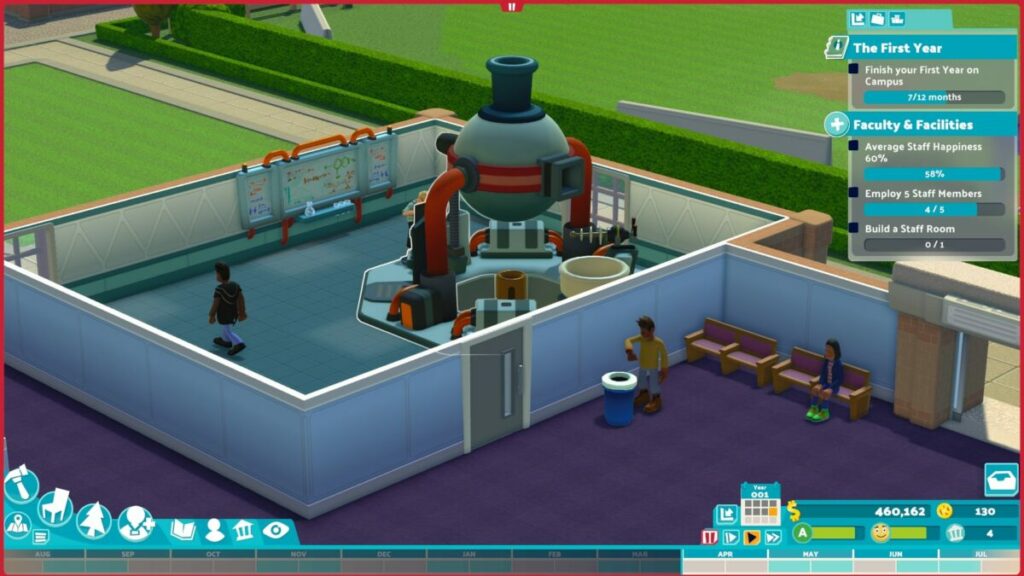
You can’t leave your students and staff walking around, wondering where the rooms are on the empty campus. One of your first assignments is to build rooms for them, such as lecture halls, experimental labs, and staff areas. The function is easy with a click-and-drag feature, after which you can place items.
Each room has a specific function, and you’ll need to look at the inventory at the top to see what they need. You can add more furniture and objects later, as long as you cover the basic requirements. Also, the rooms mustn’t clash with other items on the campus.
Buying new items in Two Point Campus
Not everything is available from the start of Two Point Campus. You’ll notice that there’s an in-game credit system called Kudosh. As you complete missions, you’ll earn these credits along with experience. This currency is essential if you want to spoil your staff with new outfits or unlock new decorations for your facility.
Completing assignments
You can’t progress in Two Point Campus without completing assignments. It’s the heart and core of the game, but they’re also fun to achieve. At the start of each level, these missions usually consist of getting things up and running. Towards the end of the stage, it’s about meeting the requirements before you can move to the next level, such as getting a specific number of students to pass.
Expanding your building
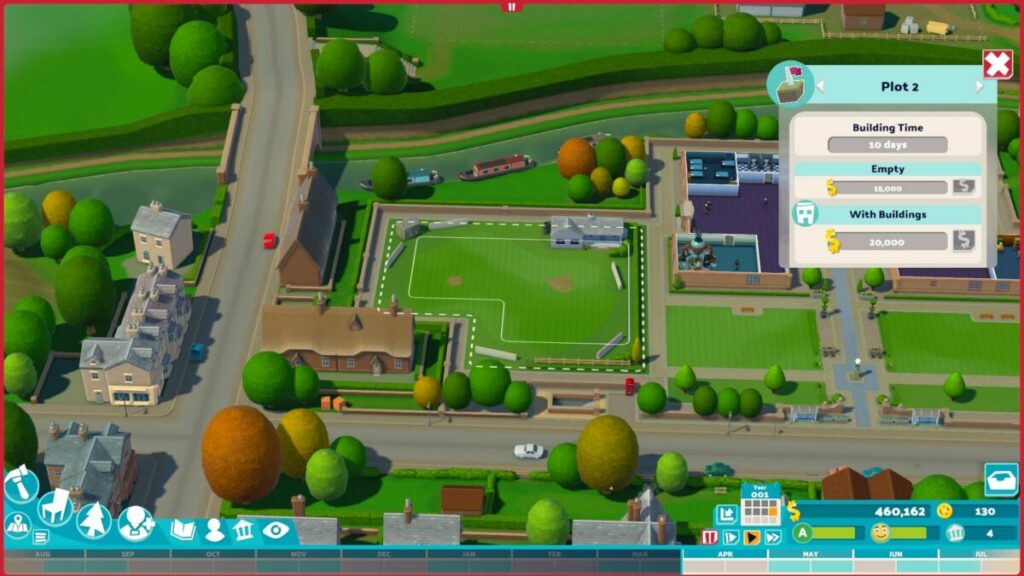
When you make enough money through your students and missions, you’ll be able to buy plots next to your land to expand your facilities. These become necessary when you unlock new courses and rooms and you don’t have sufficient space in your current building.
That brings me to another point. While you may want to give your students and staff massive rooms, you’ll reach times where you just can’t afford the space. You can expect to cut back on room sizes to make more space for other areas, especially when it affects the happiness of the occupants.
Managing expenses
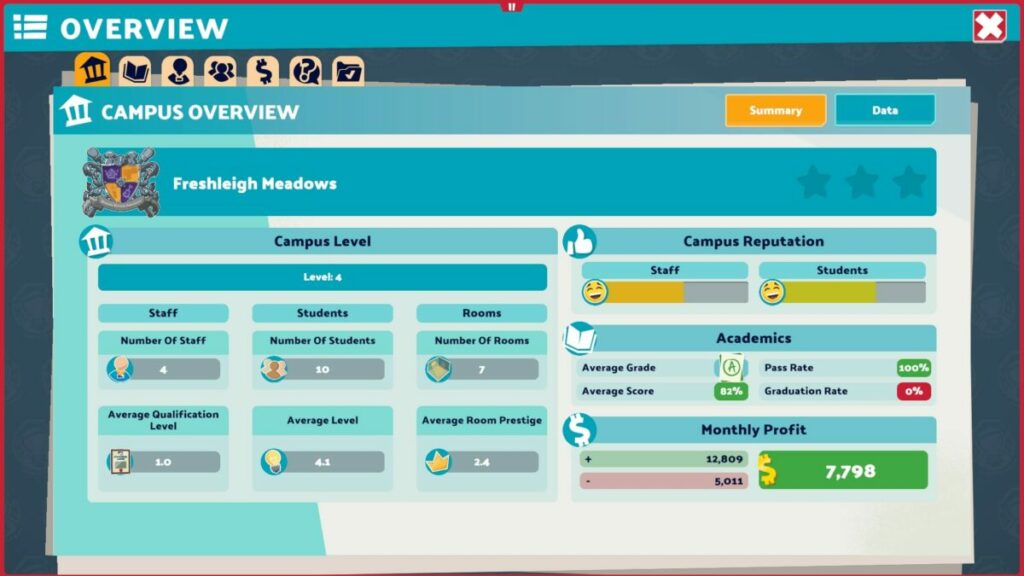
While the missions will progress you further into Two Point Campus, it’s the money that keeps you alive. Every so often, you’ll receive a report on income and expenses, and you’ll want the overall balance to remain in the green. Keep a tight watch on where you can increase revenue and cut back on costs so you don’t end up with a loss.
All I can say is that it becomes really challenging towards the end, and you’ll be scratching your head working out where you went wrong.
Similar games to Two Point Campus
I love games like Two Point Campus with a passion. It all started with Theme Hospitalon the PS1 in 1997, and then Two Point Hospital surprised us with the similarities that we loved so much. Another building management game to try is Megaqaurium, which I’m still hooked on after all this time. Roller Coaster Tycoon is also fun, but with more complicated elements.
What you’ll need on your PC for Two Point Campus
If we went back about a decade, 6 GB for a game may have seemed like a lot, or at least average. In today’s world, it’s small compared to some of the massive titles we’re seeing online such as Here’s looking at you, Call of Duty: Warzone, and Elder Scrolls Online.
In any event, here’s what you’ll need as minimum requirements to play Two Point Campus.
If a building management game doesn’t have pleasant graphics and some fun effects, then I don’t feel it’s worth playing, in my opinion. Here are some of the visual and audio elements you can expect from Two Point Campus.
Detailed scenes and rooms
You have the same cartoonish graphics and animated effects as we saw in Two Point Hospital. Having said that, many of the visual elements are easier to work with, showing how well Two Point Studios listened to complaints about the first game.
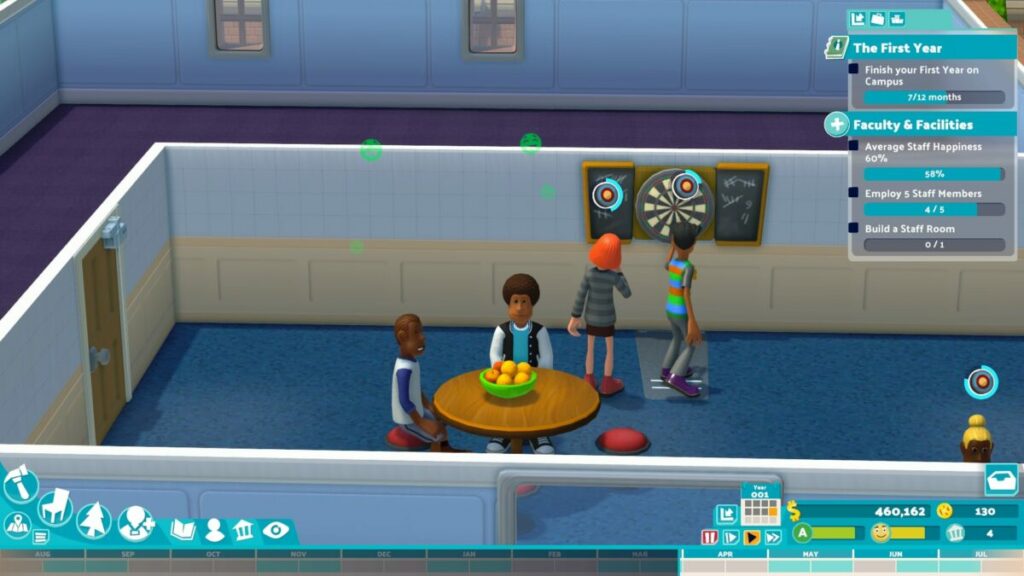
There are many moments where you simply want to watch the people walk around, waiting to see if any funny scenes appear. The students certainly have interesting designs, and some even make you wonder about their fashion choices. You’ll also see plenty of decorative items to make your campus look beautiful.
Compact menus and interfaces
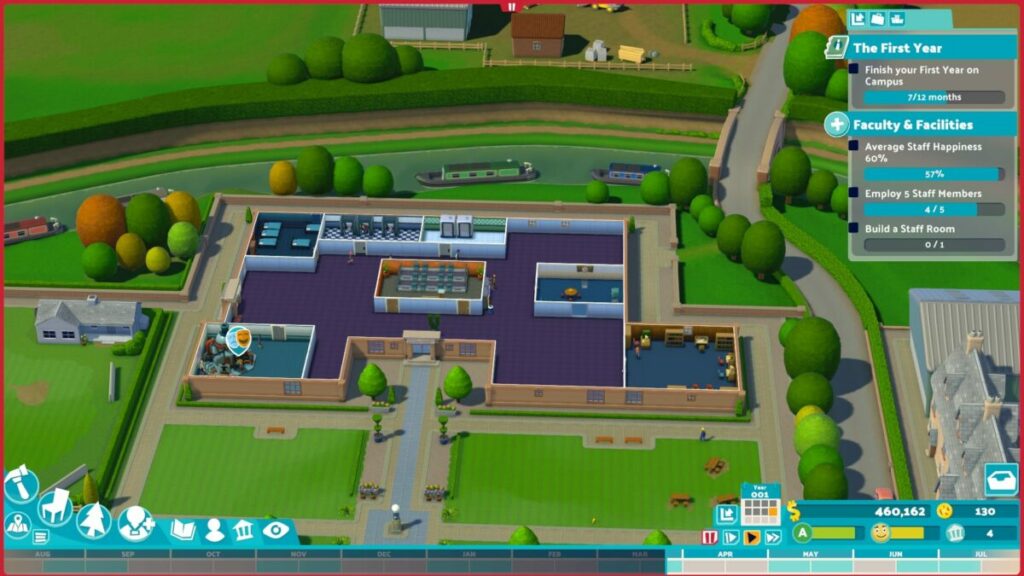
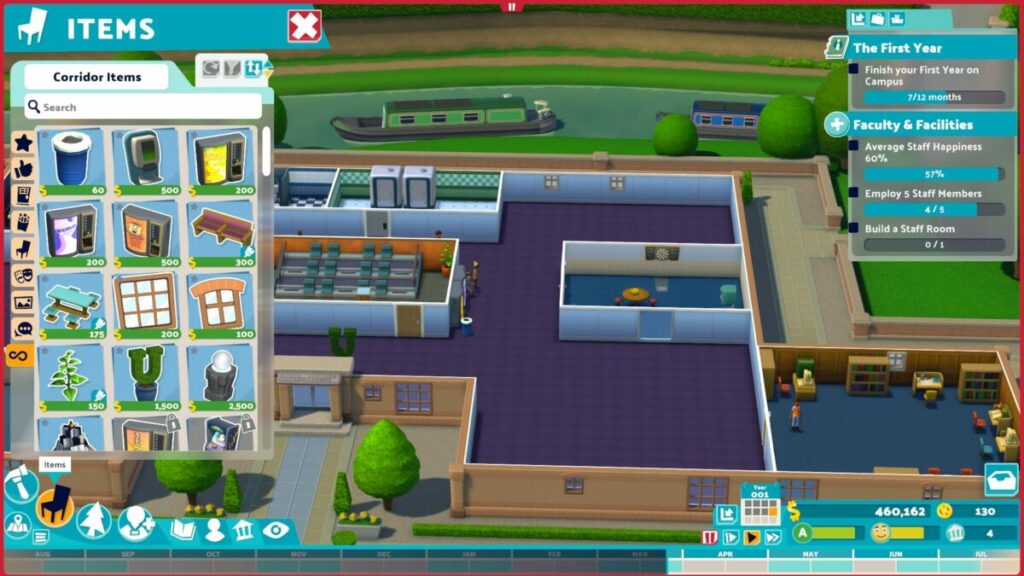
You’ll find most of the menus and interfaces along the edges of your screen, mostly at the top and bottom. They’re neatly organized in a way that’s easy to spot what you’re looking for. For instance, the build and buy items are in the bottom left corner, while your inbox and assignments are on the right. That’s not just my visual memory kicking in, but just how easy it is to become used to the interface.
Music and sim sounds
Fortunately, Two Point Campus plays gentle, entertaining music in the background while you’re busy managing various elements. Staff and students will send out audio alerts when something is wrong, which sounds like something you might hear in The Sims 4. It provides a pleasant backdrop while also keeping you on your toes. Even the classroom machines have fun sound effects!
Final Verdict of Two Point Campus
We need more games from Two Point Studios. There’s so much the company can do with this series of games, and I’m looking forward to what they’ll do next. The potential is so huge, and my head is floating with all the possibilities.
As far as Two Point Campus is concerned, it exceeds expectations. It’s the perfect game to follow TPH, and it’s clear the developers kept the gamers in mind with feedback from its predecessor. The effects and courses are entertaining, and I love the rooms, furniture, and environments. I definitely want more!
Roblox being in trouble feels like a cliche these days. The company is permanently in the dog box for the most obscure and immoral reasons. Roblox always seems to go above and beyond with its immorality that it actually came as quite a surprise when we learned that it was guilty of the most basic offense known to the video gaming industry – not having a proper anti-cheat protocol in place.
This is a company that has been implicated in everything from allegations of rampant child exploitation to the sick trend of exploiting the time and talents of young game developers for free. Unfortunately, this new allegation is still a rather significant offense, albeit not one the platform can be prosecuted for. Cheating is a problem in most games, but, as usual, Roblox takes allowing cheating to an extreme.
A simple Google search for Roblox hacks or cheats will reveal pages of search results that offer everything from free in-game currency to hacks that add-ons that literally aim for you. This proves how dire the platform’s problem with hackers is.
Having a hacker on a server is detrimental to the average player who just wants to have a good time within the various games available on Roblox. Still, it seems the problem is even more dire for developers and moderators.
i have pretty much resigned myself to never work on a competitive game on Roblox again, because the experience of maintaining it against a constant wave of cheaters without any effective tools is a nightmare
Hutch is a developer in charge of a popular zombie survival Roblox title called Apocalypse Rising. Since the game went free-to-play, the number of bans instituted has doubled. Unfortunately, banning is the most that you can do on Roblox where cheaters are concerned, and it carries no permanent consequences.
‘It is exhausting and demoralizing dealing with exploiters all the time. The enjoyment I get out of developing games on Roblox doesn’t even start to outweigh the burnout myself, and my moderation teams suffer through. It’s so much larger of an issue than just an anti-cheat problem and it never feels like any meaningful progress is made by Roblox to assist developers with these issues.’
A Twitter poll revealed that other developers echo Hutch’s concerns. Roblox is not new to the firing squad, and the platform hasn’t really made an effort in any arena to stop its services from being associated with immoral content or actions. It seems developers are alone on this one too. In other Roblox news, it seems the platform had a plan for adapting to China’s censorship rules.
Roblox had plans for adapting to the Chinese Censorship rulesREAD MORE
Microsoft hinted at a new mobile app for Outlook users earlier in the year. The new app, Microsoft Outlook Lite, is now available to users across 14 countries, with more to follow. This effectively means that there will be no escape from your emails anymore.
That’s right; Outlook Lite is a stripped-down version of the Outlook email client, with all the necessary features included while placing less strain on your device resources and battery life. While the full app is jam-packed with the features you’d find on the desktop client, this makes it hard for users with the older generation or lower-end devices as it uses many system resources and drains the battery life quickly.
Outlook Lite, on the other hand, only takes up 5MB of storage space on your device and was specifically designed to run on devices with as little as 1GB of RAM. Aside from this, the new lightweight app also runs well on older 2G and 3G networks found in many undeveloped countries.
Despite its lightweight stature, Microsoft Senior Product Manager, Pradeep Elavarasan, has reassured users that it still contains all the necessary features while ensuring the app runs smoothly. He went on to explain that millions of users worldwide make use of the Outlook email client. Yet, a wide range of devices cannot get the best experience from the service because they don’t have the necessary capabilities.
This new app, along with the many updates to Outlook overall, hopes to address this and enable more users to access and use the app easily. At the moment, Outlook Lite is only available in Argentina, Brazil, Chile, Colombia, Ecuador, India, Mexico, Peru, Saudi Arabia, South Africa, Taiwan, Thailand, Turkey, and Venezuela. More countries will be added to the list to receive Microsoft Lite.
We look forward to seeing how the new app works. We’re also eagerly awaiting the release of One Outlook, currently in development and aimed at business and education customers that subscribe to Microsoft or Office 365.
NetEase has scrapped its plans for a mobile World of Warcraft title. As a result of this cancelation, the company has had to disband the team working on the title and lay off 100 employees.
According to Bloomberg, NetEase used the codename Neptune for the planned title, and it was to be a new mobile MMORPG set in the same universe as World of Warcraft. The game wasn’t going to be a direct mobile port of the PC game, though. Sources say that Neptune was going to be a spinoff of the WoW universe, set in a slightly different time period to the events in the PC title.
The reason for the cancelation is thought to be a conflict between the developer and the game’s publisher, Activision Blizzard. Usually, when a developer like NetEase cancels one project, the teams working on it will get transferred to other projects within the company. This, unfortunately, has not been the case for all of the employees involved in Neptune.
While some of the employees did secure transfers to teams working on some of NetEase’s other IP, just over 100 employees didn’t make the cut. The cancelation, unfortunately, calls the entire partnership between NetEase and Activision Blizzard into question, which is a massive blow for the American developer as a partnership with NetEase opens doors to the rest of the substantial Chinese market.
The new mobile game was thought to be the equivalent to Diablo Immortal when it was still planned to be released. The latter has gone on to become a worldwide mobile phenomenon. This is despite the fact that many players see the game as a total cash grab. Diablo Immortal has already been downloaded in excess of 30 million times.
It’s important to note, though, that not every mobile game published by Activision Blizzard is a home run. Neptune is actually the second mobile WoW spinoff to be canceled after numerous years of development. The other was called Orbis, and had it been released, it would have been Activision Blizzard’s answer to Niantic’s Pokemon Go.
Submitting a concept to the WhatsApp developers is the best way to start seeing the features you want on the app. Granted, not all concepts will eventually make it onto the app, but it’s still a great way for users to make suggestions on improving the social communication app.
One of the most recent concepts submitted is from WABetaInfo, and we’re quite excited by it! This is not the first concept that they’ve submitted to the developers. A while back, they also suggested a feature allowing users to share their focus mode status with all chats. This is another feature we feel can be very useful if implemented.
Their newest concept allows users to manage their WhatsApp storage by deleting certain types of messages. Does this sound familiar? It should, as this used to be a feature on WhatsApp. This feature was available on the chat app two years ago but was replaced by the ‘Manage Storage’ section, which enabled users to manage their chats by seeing more details.
This new concept aims to bring back the storage feature that allows users to delete certain types of messages, but with a twist. The team who worked on the concept suggested that developers add a new ‘Manage Storage’ tab in the contact info screen for easy access. This menu will allow users to clear specific messages, such as GIFs, documents, photos, etc., from the chat.
As we mentioned, this is still just a concept, and there’s no guarantee that we’ll see it on WhatsApp. That being said, there’s no denying that this will be an extremely useful feature, and we hope to see it on the app in the future. WhatsApp seems keen on giving users more features to control how they use the app, so it might be possible to see this one as well.
WhatsApp group admins will have the power to delete messagesREAD MORE
While many people turn to Wikipedia for insightful information, many of us wouldn’t regard it as completely reliable. Despite our concerns, it seems that Wikipedia has some influence in the courtrooms and with citations, a group of researchers discovered. If things continue as planned, it may become a source of info that lawyers can use with their cases.
It has long been contended that writers who create content with detailed facts shouldn’t use Wikipedia as a source of information. With the way things are going now, that could change. Imagine if lawyers used the online database to quote previous cases as arguments in court.
MIT’s Computer Science and AI Laboratory department has Neil Thompson as one of the members who decided to perform a study on the matter. Since you hardly read about Ireland court cases on Wikipedia, they decided to target that location. The plan was to see if adding legal information about past cases would set a precedent for citing Wikipedia sources.
With several researchers at the help, the team created about 154 new Wikipedia entries that were curated by the Wikipedia editors. Of course, the latter knew nothing about the project. The research team used detailed facts and information about Irish court cases but only loaded about half of the completed assignments.
Not only did the results appear as number one rankings on search engines, but the use of Wikipedia citations in Ireland court cases went up by 20%. It was mostly in the lower courts, which is probably a reflection of how overwhelmed those judges and lawyers are with work. With simply less time available, Wikipedia was the place to go for information on past cases.
Here’s the best part. Instead of making a ruling that no courtroom uses Wikipedia as a source, they’ve gone in the opposite direction. The research team proposed that Wikimedia, the parent company, employ legal experts to check any articles involving past cases and make corrections where needed. Basically, this condones using Wikipedia in the courtroom simply based on the fact that all the details have been confirmed by experts.
Will that change the frame of mind for content agencies and everyone else who refuses to use Wikipedia as a source? Will it set a precedent for court cases to come? With Wikimedia turning to Meta for help with misinformation, it may just do so.
Will Wikipedia turn to Meta’s AI for help?READ MORE
In our recent news pieces, we’ve been highlighting the biggest changes shipping with FIFA 23. But there’s so much more to unpack with the new additions to the latest iteration of the game than a few news articles can cover. Recently, Electronic Arts released a gameplay trailer that introduces all the new mechanics coming to the FIFA franchise. This is, however, a bittersweet moment.
As incredible as the new FIFA 23 trailer looks, this is to be the last game in Electronic Arts’ FIFA franchise as the partnership between the two entities is coming to an end due to numerous contractual disagreements. Luckily, where one door closes, two more are due to open. To effectively unpack all of the groundbreaking innovations coming in FIFA 23, we’ve put together this comprehensive guide to the top new features in FIFA 23.
HyperMotion2 Technology
HyperMotion was introduced in FIFA 22. Essentially, this technology helps the FIFA games look more realistic by capturing a high volume of actions on-site, which are in turn converted to in-game animations. HyperMotion, and by extension, FIFA 22, was incredible. But EA is pulling out all the stops for the next iteration of the game, including the development of HyperMotion2, a brand new high-volume dynamic movement capturing protocol.
HyperMotion2 is the fruit of 2 90-minute games at the Spanish Real Zaragoza stadium and 71 players wearing Xsens suits to capture even the most minute dynamic movement. This includes the players on the bench and the match officials. Double the amount of gameplay action was captured for FIFA 23 than for its predecessor. To ensure that the Xsens suits and HyperMotion2 capture as many possible movements, the team ran through numerous training scenarios. This helped them capture even those motions that aren’t frequently implemented during the average match.
The introduction of HyperMotion2 also ties in with the introduction of a world first – the inclusion of women’s soccer leagues in FIFA 23. One of the full 90-minute games captured for HyperMotion2 was a women’s game. This is because of the difference in dynamic movement between players of the male and female persuasion – something EA is relatively unwilling to admit in some of its other titles.
There are three unique movement archetypes tailored specifically to women’s games in FIFA 23. These are based on height, signature running styles, and variance. In total, there are hundreds of distinct characteristics and individual animations made possible by HyperMotion2, including the unique running and playstyles of women’s soccer stars like Australia’s Sam Kerr.
Machine Learning in FIFA 23
FIFA 23 also expands on the machine learning algorithm used in FIFA 22. The new machine learning algorithm for FIFA 23 will study the hundreds of animations mentioned above, combined with HyperMotion2 technology to decide which movements to use based on player stats and situational stimulation. This will result in the most realistic reactions and movements throughout the FIFA franchise, and possibly gaming on the whole.
The algorithm is learning from a total of 9.2 million frames of data captured during the two sample matches. However, FIFA 23’s machine learning algorithm isn’t just for sifting through animations and code to implement the most appropriate during given situations. The algorithm can also write new code and animations in real-time, resulting in six new hyper-realistic soccer motions in FIFA 23.
We’ll move into particular motions next that have been improved upon greatly for the next, and last iteration of the FIFA franchise.
Technical Dribbling
Technical Dribbling is a brand-new feature that EA is introducing into FIFA 23. This is a state-of-the-art dribbling engine that uses the Active Touch system to more intelligently and intuitively calculate the player’s path to the ball. Actions like turning and dribbling the ball should now feel far more responsive.
Even though EA has developed this brand-new engine for better dribbling, the overall efficacy and skill of a player’s ball control will be determined by said player’s stats. The stats most involved in determining how good a player will be at dribbling with the new Technical Dribbling engine are Dribbling, Agility, Balance, Reactions, and Ball Control.
Higher attributes and stats will therefore have higher quality results. Everything, from the speed of the resultant dribble to the distance that the ball will maintain in relation to the dribbler are dependant on these above-mentioned stats. In fact, these stats will even determine how quickly various players can switch between animations.
FIFA 23 AcceleRATE
This is another impressive expansion to EA’s player movement protocols. This new feature divides players into assorted unique archetypes based on players’ acceleration. See, as the FIFA franchise has been expanded upon in terms of adding new titles, it’s also gained a lot more comprehensive knowledge about the sporting discipline it tries to emulate.
The franchise started with broad-spectrum additions like animations that make players look like they’re running like humans. However, we’re now at that point where the additions are so finely-tuned that they breathe even more realism into the game. One such addition is the realization that even though certain players have equal top speeds, there’s a lot more that goes into how they reach those speeds.
AcceleRATE sorts players into three acceleration types; Controlled, Explosive, and Lengthy. Most of the players in FIFA 23 will fit into the Controlled acceleration category, which means that they are able to accelerate in a uniform and controlled manner.
Explosive acceleration, on the other hand, is for the players that accelerate with explosive bursts over short distances. These are primarily shorter, more agile players. At the other end of the spectrum are the Lengthy accelerators. These are taller, stronger players that typically accelerate slowly, but once at speed, can catch up to and exceed the speed of most other players. Slow and steady wins the race.