The era of making money from misinformation is over: Elon Musk cuts off the flow on Twitter in this curious way

Remember that with the war between Israel and Hamas, many tweeters have taken advantage of lies and manipulation to make money.

Verified Twitter users are the ones who spread the most misinformation online. That’s what the most recent reports studying the topic claim. That’s why Elon Musk wants to put an end to them on his social network in the most efficient way: by not paying.

Twitter DOWNLOAD

Elon Musk has announced that the platform is disabling revenue sharing on posts corrected by fact-checks from Community Notes.

The aim is to make spreading incendiary false information on Twitter/X unprofitable. Remember that during the Israel-Hamas conflict, many Twitter users took advantage of lies and manipulation to make money.

If you lie, the money is over

“Any post that is fact-checked by @CommunityNotes ceases to be eligible for revenue sharing,” Musk wrote on his official account on Sunday. “The idea is to maximize the incentive for accuracy over sensationalism,” explained the CEO.

Implemented earlier this year, Twitter/X’s advertising revenue-sharing program gives users a portion of the revenue from ads displayed in responses to their messages.

The program is only available to users with a X Premium or Verified Organization paid account, and they must also have at least 500 followers, as well as a minimum of 5 million organic impressions in total across all their posts in the last three months.

Unfortunately, there is a widespread belief that social media posts are more likely to go viral if they are false, controversial, polarizing, negative, or include misinformation.

Therefore, if you wanted to maximize your potential advertising revenue on Twitter/X before today, you were incentivized to publish this type of content.

The fact that certain posts cannot receive advertising revenue will not prevent verified accounts from spreading misinformation, but they will have one less reason to do so.

It is unclear whether this data transparency will actually prevent people from strategically applying Community Notes to demonetize accounts, or if it will simply be evident when they do.

Twitter DOWNLOAD

You have to switch to Passkeys after this Android 14 update

Exciting news for Android users! Google recently announced a game-changing feature that’s about to shake up how apps work on Android devices. This feature, called “Credential Manager,” is all set to launch on November 1st, bringing a big update to Android 14. Credential Manager, after being tested by developers for some time, is a new tool designed to gather passkeys, usernames, and passwords all in one place through a special system made just for Android.

With the release of Credential Manager right around the corner, big changes are coming to how apps protect you and how you get into your accounts. This new system will let apps use things like your face or fingerprint to let you in, instead of making you type in a password every time. It’s like having a VIP pass to all your accounts, making things super easy and safe.

Android 14 DOWNLOAD

Huge “W” for app developers

This isn’t just good news for users; developers are getting a major break too. They won’t need to juggle different login methods anymore. By using the Credential Manager, they can simplify the login process for users, making it smoother and safer.

Here’s the cool part: the Credential Manager lets you have different sign-in methods for various accounts within the same app. For example, you can use a passkey for your personal account and a traditional password for your family account. When you want to sign in, a pop-up lets you choose which account you want to use – making life much easier.

And there’s more good news: the Credential Manager plays nice with other password managers, like 1Password and Enpass. It can even work with multiple password managers simultaneously. This means your saved credentials from these platforms will pop up, making your login experience smooth and familiar.

For developers interested in jumping on this train, Google’s got you covered with detailed info on their blog. They’re showing the way on how to smoothly integrate the Credential Manager with existing login systems, ‘Sign In with Google,’ and how to switch from FIDO2 to the Credential Manager API.

With Android 14’s impending release, the Credential Manager promises to simplify how we interact with our apps, giving us a safer, easier, and more convenient login experience. It’s a game-changer that’s set to benefit both users and developers, marking a new chapter in how we log in and access our favorite apps.

Cities: Skylines 2 aims to improve its performance and still targets reaching 30 FPS

Cities: Skylines 2 was surrounded by controversy days before its recent release, as its developers announced that the game would launch on its scheduled date but not in the best possible condition. Thus, both the developer Colossal Order and the publisher Paradox Interactive kept their promise and released the highly anticipated city management and construction title on October 24th for PC. However, it arrived with very noticeable performance issues, as they had already warned.

Cities: Skylines II DOWNLOAD

A few hours after the mentioned game’s release, and with several player criticisms regarding the performance issues, its developers communicated their intentions to improve the experience as much as possible. They also took the opportunity to reiterate once again that their goal is to make Cities: Skylines 2 run at 30 FPS, the ideal frame rate for this game, according to the developer.

Cities: Skylines 2 hopes to address its issues with upcoming updates

Through a blog post, Colossal Order has stated its intention to address the issues in the game. They aim to resolve problems experienced by some users with specific hardware configurations, eliminate flickering caused by synchronization issues in the simulation, and implement GPU optimization and balance improvements. Additionally, they plan to enhance CPU optimizations that have not been completed yet as part of the ongoing process.

Furthermore, the studio also recommends reducing the game’s resolution to at least 1080p, as well as disabling depth of field, volumetrics, and global illumination to achieve a FPS rate that allows players to enjoy the game in the best possible way. Additionally, Colossal Order aims to expand its scaling options, including compatibility with AMD’s FSR2 and Nvidia’s DLSS2, once the game supports the Temporal Anti-Aliasing system used by both scalers.

It’s worth noting that, despite the numerous improvements Cities: Skylines 2 is set to receive, at least as indicated by its developers, the goal remains to achieve a stable 30 FPS. “It’s worth mentioning that for a game like this, the performance goal is to run it at a consistent minimum of 30 FPS. There is no real benefit in a city builder to aim for higher FPS,” the developer states. They also emphasize that “a growing city will inevitably be limited by the CPU.”

With the announcement of the upcoming improvements for the game published by Paradox Interactive, the studio also explained the reason why the game was released on PC despite having multiple issues, as they themselves acknowledged. “We came to the conclusion that performance is not a decisive factor for every player. For us, the number one priority is that players have fun with the game, and we have seen enough player comments from those who enjoy the game,” which is why they found it more unfair to postpone its release than to launch it in the state they did.

Cities: Skylines II DOWNLOAD

We will see if Cities: Skylines 2 manages to redeem itself from its current state on PC and if, by the time the game is released on consoles, PS5, and Xbox Series X|S, it can be in its best possible state.

Batman: Arkham Knight aims to receive The Batman’s suit after this oversight

Undoubtedly, one of the best movies, at least in the realm of superheroes, that was released in theaters last year was The Batman, the film directed by Matt Reeves and starring Robert Pattinson. The movie captivated both critics and audiences, especially DC fans and enthusiasts of its iconic character, one that was represented cinematically at a level similar to The Dark Knight trilogy.

Batman: Arkham Knight DOWNLOAD

However, as much as The Batman was a success, what we didn’t expect is that it would have some kind of crossover with the last major video game featuring Batman himself, not counting titles like Gotham Knights. Specifically, we’re talking about Batman: Arkham Knight, the title released by Rocksteady in 2015 that marked the end of the iconic Arkham saga. It seems that the game has briefly featured a new free suit inspired by the aforementioned movie starring Pattinson.

Pattinson’s suit from The Batman unexpectedly appears and disappears in Batman: Arkham Knight

The 2015 game briefly featured The Batman’s distinctive suit, something that had not been announced or teased. However, as surprising as its inclusion in the Epic Games Store version was, its removal without prior notice was equally unexpected. All these actions suggest that the mentioned suit will eventually make its way to Batman: Arkham Knight, and it will likely be available for free.

As you can see, there is evidence that this new skin for Rocksteady’s title was visible in the game itself under the name “The Batman – 2022” and had the following description: “I am the shadows.” Although this new suit was downloaded by several users, it disappeared from the store without a trace. It seems like someone jumped the gun prematurely.

Batman: Arkham Knight DOWNLOAD

The rumor that has gained more strength as the hours pass is that The Batman’s suit will land in Batman: Arkham Knight, and in all versions of the game available (that is, both on consoles and PC), to coincide with the release of the Batman: Arkham Trilogy for Nintendo Switch. This collection was initially set to be released this October but ended up being delayed until December 1st. In this way, the mentioned skin would arrive in the game as a gift for its players.

The Apple Event Scary Fast is almost here: here's what we don't expect to see

And even so, there are a lot of products that Apple can surprise us with.

The Apple “Scary Fast” event is just around the corner, scheduled for October 30th or 31st, depending on the time zone. We expect new MacBook Pro models in 14 and 16 inches, as well as a new 24-inch iMac. However, there are certain rumored products that probably won’t make their debut today. Let’s take a look at what we don’t expect to see at this event.

Continue reading “The Apple Event Scary Fast is almost here: here's what we don't expect to see”

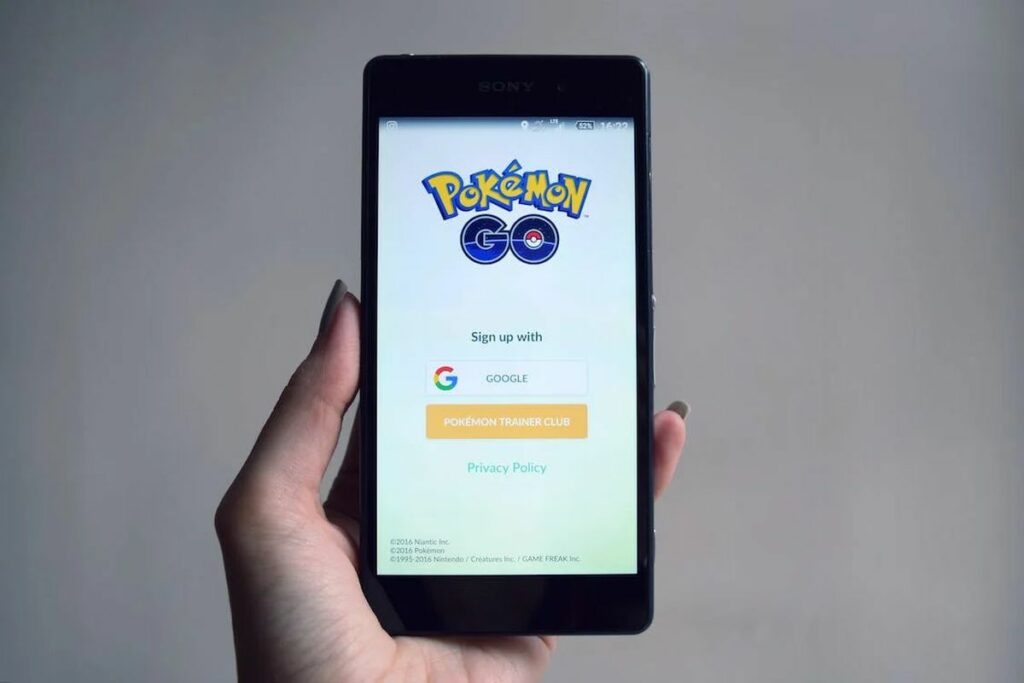
Pokemon GO: Spiritomb catching guide

Pokemon GO has always been a game that thrives on events, and the Halloween 2023 event is no different. With a plethora of spooky content for players to dive into, one of the most sought-after creatures this season is Spiritomb. In this guide, we’ll detail how you can capture Spiritomb in Pokemon GO and discuss its shiny variant.

The Halloween 2023 event in Pokemon GO

The Halloween 2023 event in Pokemon GO has been split into two parts, with the second part currently in progress.

This event will conclude on October 31, 2023. During this phase, players have the opportunity to:

  • Catch the Shiny Zorua in the wild for the very first time.
  • Encounter Pikachu and Gengar donning the Tricks & Treats costume.
  • Engage in the Spiritomb Timed Research quest for a chance to encounter this Ghost/Dark-type Pokemon.

Steps to capture Spiritomb in Pokemon GO

Capturing Spiritomb isn’t straightforward. Players need to engage in a special timed research quest to have an encounter with this rare creature. Here’s how:

Engage in the spiritomb timed research quest. This is an event-exclusive quest available only during Pokemon GO’s Halloween celebrations. The quest will end on October 31, 2023, at 8 PM local time.

Complete the quest tasks. The tasks associated with this quest are:

  • Make 108 Nice Throws.
  • Execute Curveball Throws.
  • Spin 10 PokeStops or Gyms.

It’s essential to note that if you miss out on this timed research quest, you’ll likely have to wait until the next Halloween event to have another shot at capturing Spiritomb.

Rewards

Quest Steps and Rewards:

  1. Earn 1,080 Stardust:
    • Reward: Misdreavus encounter
  2. Earn 1,080 XP:
    • Reward: Yamask encounter
  3. Make 108 Nice Throws:
    • Reward: Pumpkaboo encounter
  4. Make 108 Curveball Throws:
    • Reward: Phantump encounter
  5. Use 108 Berries to help catch Pokémon:
    • Reward: Shuppet encounter
  6. Earn 10,080 XP:
    • Reward: Litwick encounter
  7. Spin 8 PokéStops or Gyms:
    • Reward: Gastly encounter
  8. Spin 10 PokéStops or Gyms:
    • Reward: Driftloon encounter

Pokemon GO: Spiritbomb shiny variant

Spiritomb has a shiny variant in Pokemon GO. The shiny form of Spiritomb was introduced to the game in 2020. So, for those trainers who are avid shiny hunters, this is your chance to add a shiny Spiritomb to your collection.

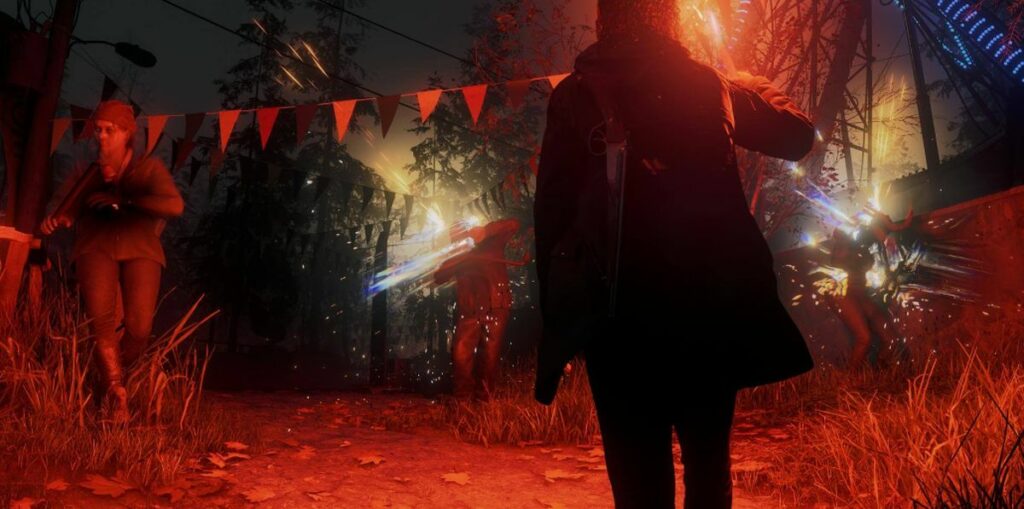
Alan Wake 2: Password for Witchfinder Station walkthrough

Alan Wake 2 is a game that has captivated players with its intriguing storyline and challenging puzzles. One of the most sought-after pieces of information in the game is the password for the computer at Witchfinder’s Station.

Alan Wake 2 delivers groundbreaking features, building upon both the original title and its polished successor. In its approach to reinventing genre conventions, the game echoes shades of Lords of the Fallen, particularly in its diverse environments and player mobility options.

Harnessing innovative lighting techniques and enabling character toggling, the game presents dual realities and perspectives, creating a visually captivating and engulfing gameplay experience.

In this guide, we’ll walk you through the steps to find the station and the coveted password.

Finding Witchfinder’s Station in Alan Wake 2

Before you can access the computer, you first need to locate Witchfinder’s Station.

Progress in the story. Continue playing Alan Wake 2 until the flood event concludes. This significant moment in the game serves as a marker, indicating that you’re on the right track.

Locate the station. Once the flood is over, head to the northwest part of Cauldron Lake. Here, you’ll find a prominent building – that’s Witchfinder’s Station.

The password hunt

Now that you’re inside Witchfinder’s Station, it’s time to find the password:

Spot the computer. As you enter, you’ll notice a computer directly in front of you.

Inspect the screen. To find the password, closely examine the computer screen.

A pro tip for Alan Wake 2 players: Use your weapon’s aim (left trigger) to zoom in on the screen. However, be cautious and avoid shining your light directly onto the note.

On the computer screen, there’s a sticky note that holds the key – the password: 2547

When entering the password, don’t fret about adding extra spaces; just inputting the numbers will suffice.

What awaits inside the computer?

After unlocking the computer with the password, you might be wondering what secrets it holds. Well, while there aren’t any cool gear or items to collect, there’s valuable information to uncover.

Dive into the emails stored in the computer. These correspondences shed light on some of the game’s puzzles, providing players with insights and clues.

Puzzles in Alan Wake 2

Alan Wake 2 is not just about action; it’s also about solving riddles and puzzles. Here’s a brief overview:

  • Throughout the game, players will encounter puzzles on the ground, known as “Riddles.”
  • To solve these riddles, players need two essential components: clues and items. These items can be objects like dolls or statues, and they’re typically found near the riddles.
  • Once you have the necessary items, place them on specific spots on the ground. For instance, if a clue mentions a bird flying, you’d place a bird figure on the corresponding spot. Another clue might discuss a hero and a wolf, guiding players to place the hero on a boat spot and the wolf on a tree spot.

With the information provided in this guide, players should be well-equipped to tackle every puzzle in Alan Wake 2 without requiring additional assistance.

The game is available on Epic Games Store:

Epic Games Store DOWNLOAD

Alan Wake 2 offers players a rich gaming experience, filled with mysteries, challenges, and puzzles. The password for the computer at Witchfinder’s Station is just one of the many secrets waiting to be uncovered.

Are your secrets safe? Check “Results About You” on Google

How often have you punched your name into Google and stumbled upon long-forgotten photos, ancient usernames, or even digital breadcrumbs from a past life? Worse still, ever found your old home address or phone number staring back at you?

The digital age has its perks, but unintentionally publicizing our personal data isn’t one of them. Enter Google’s solution: a proactive tool to have your back in the vast ocean of online information.

This past August, Google rolled out a fresh feature for its search engine, dubbed “Results About You”. This nifty tool gives users a heads-up when their personal details show up in a Google search. Not just a passive alert system, it grants users the power to see the exact places their data appears and, if they wish, to yank that page out of Google’s search list.

Furthermore, in a world where online harassment is sadly prevalent, “Results About You” becomes an essential ally against doxxing threats.

Google DOWNLOAD

Bundled with Google’s growing suite of privacy tools and on-the-horizon offerings, individuals can feel a tad more secure about their online presence – or at least, about how Google portrays it.

Enabling Results About You

Ready to take charge of your digital presence? Here’s a step-by-step guide to setting up Google’s “Results About You” alerts:

  • To begin, ensure you have a Google account. If not, create one. If you already do, simply log in.
  • Head to the “Results About You” activity page.
  • Click on the “Get Started” button and heed the instructions popping up on your screen.
  • Google will prompt you to list down the contact details you want to be alerted about. This isn’t limited to just one entry – feel free to include multiple names, residential addresses, phone numbers, and email addresses.
  • Decide how you’d like Google to give you the heads up. Your choices? Either an email to your registered Google account or push notifications to your Google-connected devices.
  • Once set up, Google takes the wheel, combing through search results for any mention of your listed details. Do note, this maiden voyage through the vast seas of data can take a couple of hours.
  • Changed your phone number or shifted houses? No worries. Revisit the “Results About You” page whenever you like to update or modify your contact details.

Deleting your personal data from Google Search

While Google might be the maestro of search, it doesn’t have the magical power to erase content from websites it doesn’t own. However, it does offer a helping hand in scrubbing certain personal details from its own search pages.

Wondering how to put in a plea to Google to delist personal data from its search outcomes? Here are the steps:

  • Visit the “Results About You” activity page.
  • Click on “Results to review.”
  • Notice any results that shouldn’t be there? Simply tick the blue checkbox beside the result(s) you wish to flag for removal.
  • Once selected, hit the “Submit request” button.
  • Google won’t just blindly obey; they’ll evaluate your request based on their established policy parameters. Curious about your request’s progress? You can keep tabs on its status right on the “Results About You” page. Plus, if you have second thoughts, there’s an option there to reverse any removals.

Remember, while Google offers tools to better manage your online visibility, it’s always a good idea to be cautious about the personal details you share on the internet. After all, prevention is better than cure!

If you’d rather go through a more general channel, Google’s got you covered with its Help Center removal form. Here’s how to tread that path:

  • Navigate to Google support’s personal content removal form.
  • Be prepared to input specifics about the content you’re concerned about. This might mean sharing screenshots, pointing out URLs of problematic search result pages, or jotting down the exact search queries that led to the unwanted results.
  • After ensuring everything is in order, hit “submit” on the form.
Google DOWNLOAD

If you’re keen on diving deeper into how Google manages privacy or if you want to fine-tune your digital veil, the Google Safety Center is your treasure trove. Make it a pit stop to educate and empower yourself about the digital traces you leave behind.

How to choose which app Siri uses to send a message

Now we can use applications like Telegram or WhatsApp to send messages using only our voice through Siri.

With the release of iOS 17, Apple has added new features to Siri, its virtual assistant. One particularly interesting feature is the ability to use Siri to send messages through compatible third-party apps, in addition to Apple’s default Messages app.

Continue reading “How to choose which app Siri uses to send a message”

GI Joe removes censorship from a dialogue… 40 years later.

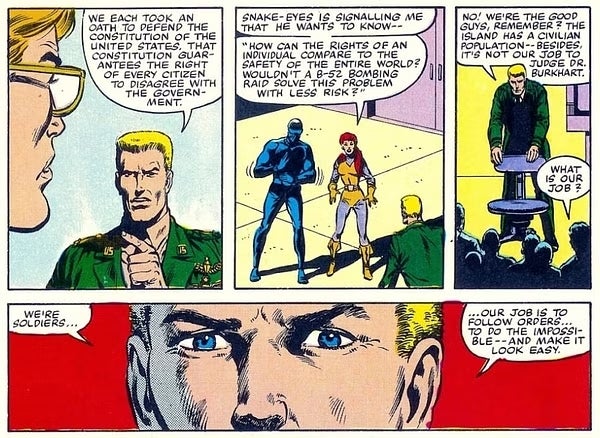
We are soldiers… our job is to do the unthinkable… and be forgotten.

We often underestimate what GI Joe once was. Created in 1964, in a peaceful America that felt victorious after World War II, the toy line started with four action figures based on different branches of the military and, not long after, they abandoned realism to fight alongside a bionic warrior (Atomic Man) and battle against Cobra Commander. They sold like hotcakes all over the world, spread American patriotism across Europe, and to this day, thanks to the movies, they are still riding high.

Comics++ DOWNLOAD

God bless censorship

So much so that the little figurines continue to sell (more geared toward collectors than children), and their cameo in the latest ‘Transformers‘ movie, anticipating a Hasbro-verse, made it very clear that no one had forgotten about them. In fact, in addition to the famous 80s series, there have been several well into the 21st century, although none have surpassed those episodes of limited animation, repetitive plots, and which we devoured.

What’s interesting is that before the action figures, there was a comic in 1942 within the military magazine ‘Yank,’ intended for American soldiers in the war. Dave Breger was its creator, although it didn’t last long because he soon signed with another company to cover his experiences as a special envoy to the United Kingdom. From there, ‘GI Joe’ went through all sorts of writers, artists, and wars, from the Korean War to its fictional battle against Cobra.

But the main comic book series began in September 1983, published by Marvel. In that issue, written by the legendary Larry Hama, there was a dialogue dedicated to boosting patriotic sentiment: “We’re soldiers… Our job is to follow orders… do the impossible, and make it look easy.” The problem is that Hama hadn’t written that, but he suffered unilateral censorship from Marvel. Now, in its reissue forty years later, it will finally have the (much better) dialogue he wrote.

We are soldiers… our job is to do the unthinkable… and be forgotten.” A key moment that finally appears unaltered, a thorn the author had after enduring 300 subsequent issues with an axe to grind. “This is why I never rewrite any script that comes to my office. I always give the writers the option to rewrite them themselves. I do the same with the art. I’ve always hated it when I see redrawn heads that bear no resemblance to the original style. I think this is a courtesy that is rarely given these days,” the author confessed, who completed his work in 2022 after a 16-year hiatus. Who said GI Joe was out of fashion?

Comics++ DOWNLOAD