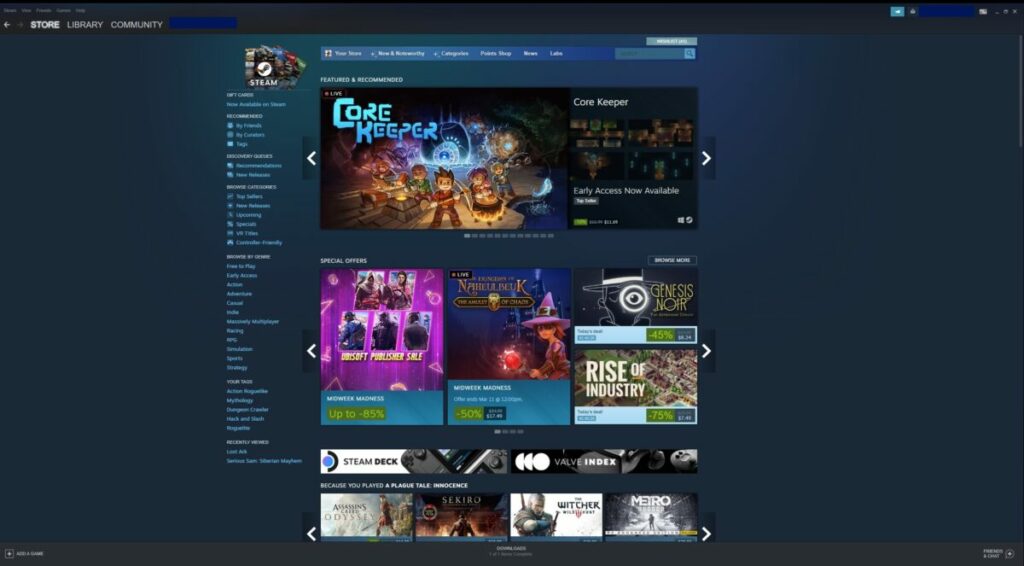
Ghostwire: Tokyo review – spirit detective simulator

This Ghostwire: Tokyo review has everything you need from story background to combat mechanics to how it performs on console vs. PC. The game features a very unique world plagued by Japanese Yokai or spirits from Japanese folklore. Human people have vanished, replaced with these often unnerving creatures.

Developer Tango Gameworks gained traction with its series The Evil Within beginning in 2014. Since the team has not released anything from 2017, fans of the studio were eager to pick up their latest release which also comes backed by publisher Bethesda Softworks. Fans know of Bethesda for several high-profile franchises such as Elder Scrolls and Fallout. These single-player RPG experiences appeal to players thanks to their incredible world-building and usually long play-times.

While Ghostwire: Tokyo carries a shorter run-time, the lore of the world is just as deep and engaging. Now let’s dive into the spooky realm full of spirits for a full Ghostwire: Tokyo review.

images of The Evil Within protagonist and Ghostwire Tokyo game director Shinji Mikami

Ghostwire: Tokyo background

The Evil Within carries a very somber and eerie tone with the main character investigating a mass murder at a mental hospital. Game director Shinji Mikami stated that he had wanted to create a survival horror game that focused more on survival than action with that series. In contrast, Ghostwire: Tokyo features more action as it is an action-adventure game that uses horror elements.

Doom veteran Shinichirō Hara helped develop the game’s combat using inspiration from martial arts like Kuji-kiri. Recent smash Sifu also drew combat inspiration from real-world martial arts, too. This lends the combat an intuitive, natural feel where the hands feel like “organic extensions of the character” as Hara said

Setting and tone

Set in a ghostly Shibuya City, this game juxtaposes the neon lights of a bustling Japanese city against the spine-shuddering visuals of eerie Japanese-inspired spirits. The main character, Akito, must discover what has transpired after a thick fog causes any who touched it to vanish. The clothes of those who disappear litter the ground while different Visitors assault Akito. 

Curiously, a ghost and seeming spirit detective by the name of KK seems to have possessed Akito. This gives him the power to dispel the Yokai-themed Visitors – all based on various Japanese urban legends – and learn why all of this has happened. 

images of Akito and KK for Ghostwire Tokyo

Story

While Akito just wants to find his sister, KK seeks out the Hannya mask-wearing group that seems to be behind the disappearance of everyone. Pro-tip: Hannya masks are traditionally used in Japanese Noh theatre to represent jealous female demons or “hungry ghosts”. The story unfolds as the two battle for control over Akito’s body, fighting through hoards of Visitors, and tracking the Hannya.

Clearing Torii gates throughout Shibuya city clears fog to reveal new areas, leading Akito and KK closer to the final enemy. However, along the way, the regrets these characters share regarding life choices come to the light. As a result, family features heavily as a running theme in Ghostwire: Tokyo 

How long to beat Ghostwire: Tokyo

The game is still rather new, so not everyone has discovered all it has to offer as of yet. However, the developers gave players a guide as to how long it takes to beat Ghostwire: Tokyo.
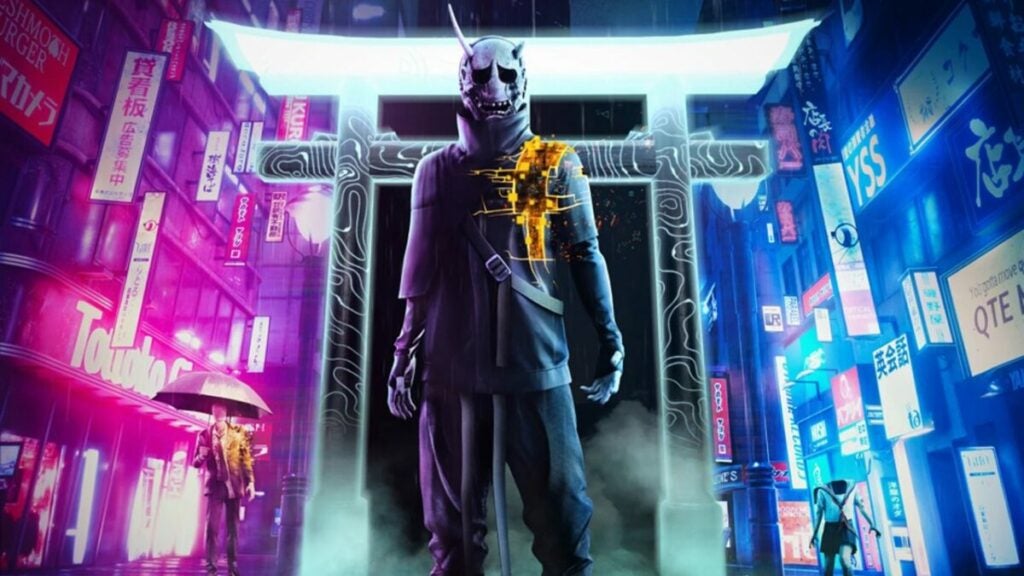
image of Hannya enemy in Ghostwire Tokyo

  • Main missions: ~15 hours
  • Main missions with side quests: ~30 – 40 hours

Ghostwire: Tokyo performance 

All games released for next-gen consoles tend to deliver stunning graphics. However, better graphics means they also have higher technical requirements. This rings true in this Ghostwire: Tokyo review, as well. If your PC falls below the minimum required specifications from the developers, here are a few tips to help the game run better:

  • Install it on an SSD (solid state drive) for more consistent and faster reading and writing of data.
  • Play on lower graphics settings.
  • Upgrade your hardware such as a new CPU or GPU.
  • Install more RAM to better help your computer run multiple processes.

PC vs. PlayStation 5

As with many recent games, Ghostwire: Tokyo was only released on PlayStation 5 vs. PlayStation 4 or even Xbox. This could be due to the demanding graphical requirements of the game as it offers six options on PS5 alone. PC gamers can look forward to DLSS and ray tracing support along with support for ultrawide displays.

As for which experience you might prefer, high-end PCs will offer a crisper experience, but lower-end PCs with older graphics cards or processors may struggle a bit. Whereas, PS5 players will enjoy top-notch graphics in any mode.

images from Ghostwire Tokyo including Jizo statue and combat gameplay

Ghostwire: Tokyo gameplay and functions

Battling against Visitors, the Faceless, and even the Masked Occultist himself requires combat savvy and powered-up skills. Ghostwire: Tokyo delivers these well with an intuitive UI that is relatively uncluttered.

The combat features real-world inspired movements while the first-person perspective puts players right in the action. Let’s break down some of the best Ghostwire: Tokyo skills, important items, quests, and more.
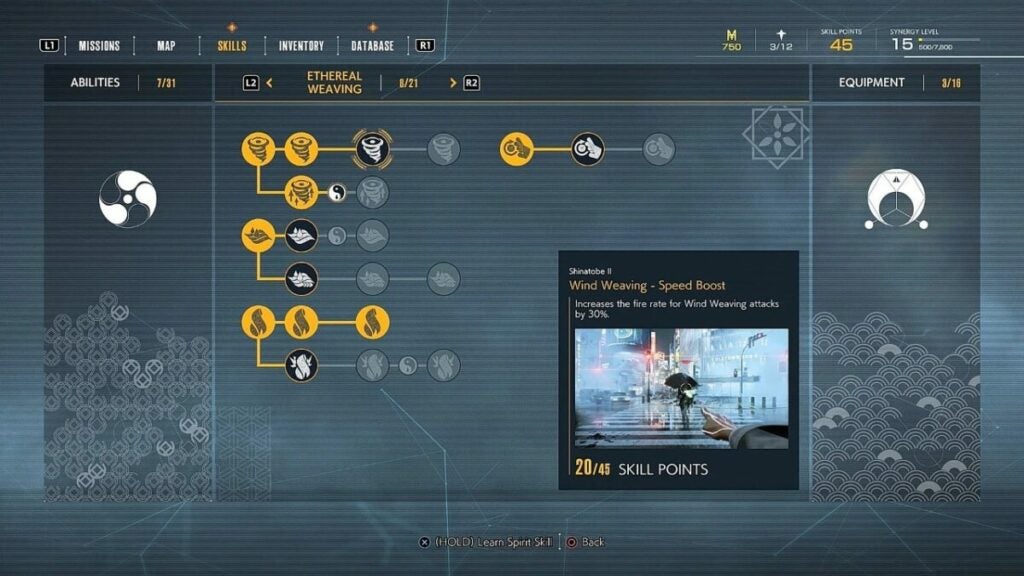
image of Ghostwire Tokyo skill tree

UI and interface

The in-game menu and UI are decently intuitive and familiar. The tabs are very familiar offering a Mission journal, map, skill tree, database of information, and inventory.

The skill tree illustrates skills and describes them well. Players can also view their outfits and buildout in the “Inventory” tab to check their drip.

During combat, the UI remains decently minimal with a minimap in the lower-left corner and a health gauge on the bottom right. Subtitles and prompts will appear in the bottom center of the screen.
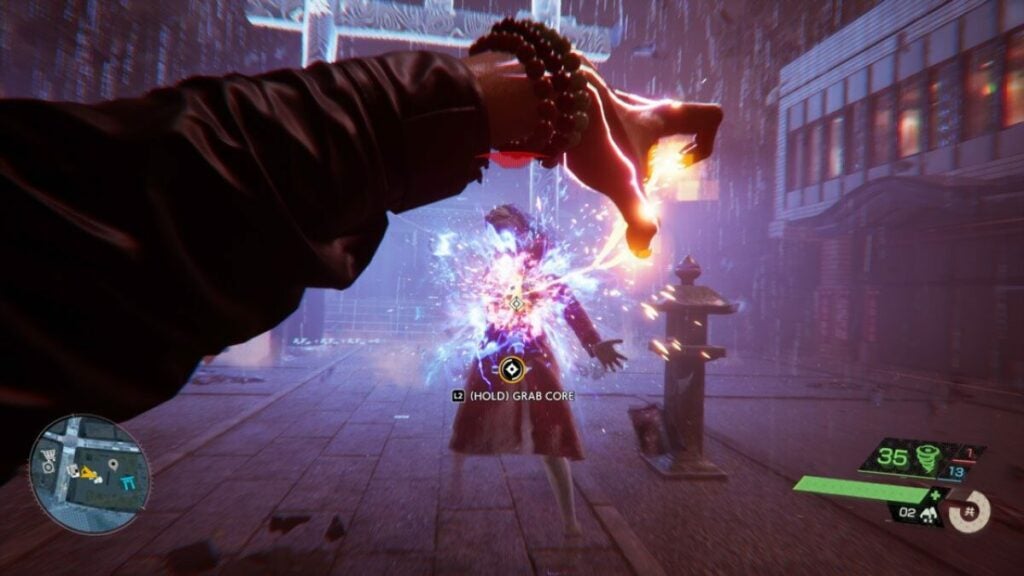
image of Akito using a skill in Ghostwire Tokyo

Combat mechanics and Skills

The first-person game features a “Karate meets magic” approach to combat design with Ethereal Weaving. Players can watch their players execute skills via various hand movements and motions. These feel especially visceral and satisfying as you watch Akito rip out enemy cores to destroy them.

The game employs several different elemental attacks that use “Ether” to power them. But Akito only has limited ammo or SP (powers special abilities) for each attack. He does also have a Bow weapon and can upgrade all kinds of Ghost abilities and skills. He can also block using the Tatenui ability – something that becomes crucial in the game as it grants you Ether upon use.

Ghostwire: Tokyo seems to incentivize using stealth above all else as you can highlight enemies, purge them silently, and remain undetected in an area. It rings very similar to some Assassin’s Creed games where staying in stealth mode is much better than “going loud”. Using skills like “Faster Sneaking” and gear for Stealth only make it more overpowered.

Ghostwire: Tokyo important items:

  • Phone booths: used to release and save spirits
  • Jizo statues: used to upgrade elemental ammo capacity
  • Golden Ether crystals: grant Akito Meika — the game’s currency
  • Red Ether crystals: these explode when you shatter then, dealing damage to you and nearby enemies
  • Ether: the power behind Akito and KK’s attacks. You can find more by destroying corrupted objects highlighted by your “Spectral Vision” pulse
  • Katashiro: small paper idols used to absorb spirits
  • Shrines: drawing paper fortunes called “omikuji” can grant Akito certain buffs or debuffs based on luck

What you need to know about Ghostwire: Tokyo Combat:

  • Wind attacks: swift attacks using weaker projectiles with more ammo available
  • Water attacks: lower ammo quantity and damage with a wider attack area
  • Fire attacks: low ammo capacity with slow dispersal rate. However, it has incredibly useful offensive attacks including the “Big Fireball Grenade” that acts like how a shotgun would in a game like Doom
  • Talismans: these provide varying boons such as stunning enemies, summoning bushes to hide in, and other useful boons
  • Bow: a traditional bow with arrows for ammo
  • Strike Attack: attack enemies without using SP
  • Quick Purge: lets Akito stealth kill an enemy or deal heavy damage to it without being noticed
  • Tatenui: a skill that lets you block attacks and grants Ether on use
  • Spectral Vision: lets Akito locate objects like collectibles, animals, points of interest, spirits, enemies, and more
  • Stealth kills: keep you hidden in densely populated enemy areas
  • Finishers: how Akito and KK rip out enemy cores
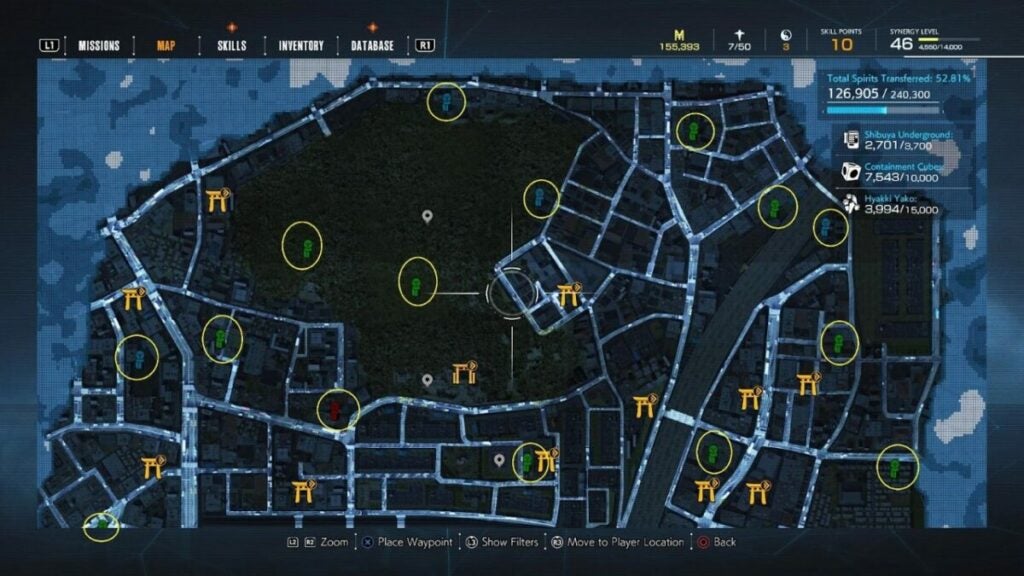
image of map from Ghostwire Tokyo

Quests and gameplay

Players looking for a grand, epic ending will be disappointed by the ultimate bad guy in Ghostwire: Tokyo. Though the many Visitors are unsettling and somewhat challenging, the Hunnya leader just wants to absorb souls for power. But this kind of straightforward approach to character motivations can be seen throughout the game.

Many of the quests for the Yokai involve fetching things including toilet paper – yes, toilet paper. One unfortunate spirit is having a very tough time in a bathroom stall. But juxtaposing these kinds of simple, mundane tasks against stopping the Hunnya leader from absorbing souls feels unbalanced.

Though many of the game’s most intriguing details are found in the side missions, the game does not incentivize completing them from a lore perspective.

images for Ghostwire Tokyo including Hannya mask enemy and Akito with a dog

Ghostwire: Tokyo visuals, sound, and enemy design

As players saw The Evil Within games, Tangoworks created atmospheric gameplay that seriously freaks you out. Everything from the weather to the creaking of the floor beneath your feet and light blinking on a street corner feels lovingly crafted and intentional.

Though parts of the world feels a bit procedural in Ghostwire: Tokyo, the scale of the game is large and the city feels lived-in. The fog that Akito must clear grants an extra aura of eeriness while the Visitors’ unsettling designs make for constant anxiety. The uncanny resemblance to humans with just something slightly off never ceases to send shivers up your spine.

Sound design

Ghostwire: Tokyo is not a shooter, but it still kind of feels like one when it comes to sound design. Akito’s abilities “fire off”, making sounds as they charge up, disperse, and then explode or impact. The ability to interact with the environment also adds to this similarity.

But what really sticks out in Ghostwire: Tokyo from a sound design perspective is the remnants of a once vibrant Tokyo city. Akito can hear music blasting from stores as he walks through the city despite there being no one around. He can hear the buzzing of streetlights or the rushing of water at a shrine.

Then, of course, there’s the unholy whispers or shrieks from various Yokai. When wearing headphones, this makes for an especially spooky experience. The only disappointment has to be the voices of the benevolent spirits that Akito can assist. The pitched voices don’t do much to add to the atmosphere and also feel a bit cliche in comparison to everything else.

images of dangerous spirits in Ghostwire Tokyo

Enemy and character design

Given that the game takes place in one of the busiest places in Japan, the enemies mirror those very humans who disappeared. Many of them will wear school uniforms or business attire. What’s more: all of these enemies have unique combat abilities and approaches

For instance, enemies that have umbrellas will use them as shields while headless schoolgirls will perform rush attacks. Deciding how to navigate fights with multiple types of enemies requires knowing their preferred attack methods. Players can tell how close a spirit is to death by how damaged they look — enemies look more damaged as you successfully attack them.

images of non-violent spirits in Ghostwire Tokyo

Non-violent spirits

Once discovered, all Yokai remain marked on the map – including floating merchant cats. But Akito and KK will also encounter non-violent spirits that can grant quests.

Though the Visitors are animated distinctly (like the sentient umbrella), the spirits you help are typically spectral outlines that fade in and out of existence. These characters also feature weirdly pitched voices to drive home the point that they are “not of this world”. Although consistent, these spirits stick out as a bit of a letdown in comparison to other Yokai in the game.

image of overworld in Ghostwire Tokyo review

World design

The world never seems quite real in Ghostwire: Tokyo. Street signs will begin to float above the pavement. Doors will grow or shrink in size or even lead to a different place altogether than what they showed you before walking in. These touches, along with the grim and foggy atmosphere, go a very long way in creating the mood for the game. 

But the game does more than establish an eerie mood and incredibly immersive recreation of Tokyo. It plays with the verticality of the city – requiring Akito to visit building rooftops regularly. There is a “Glide” mechanic that lets Akito float in the air momentarily, but Tengu Spirits are your best bet to get to rooftops

Tanuki hunt, collectibles, and more

Rely on the ability of “Spectral Vision” to find collectibles. This pulse highlights everything worth checking out in an area such as collectibles, single-use items, Ether, and more. 

There are tons and tons of things to discover, so exploring really pays off.
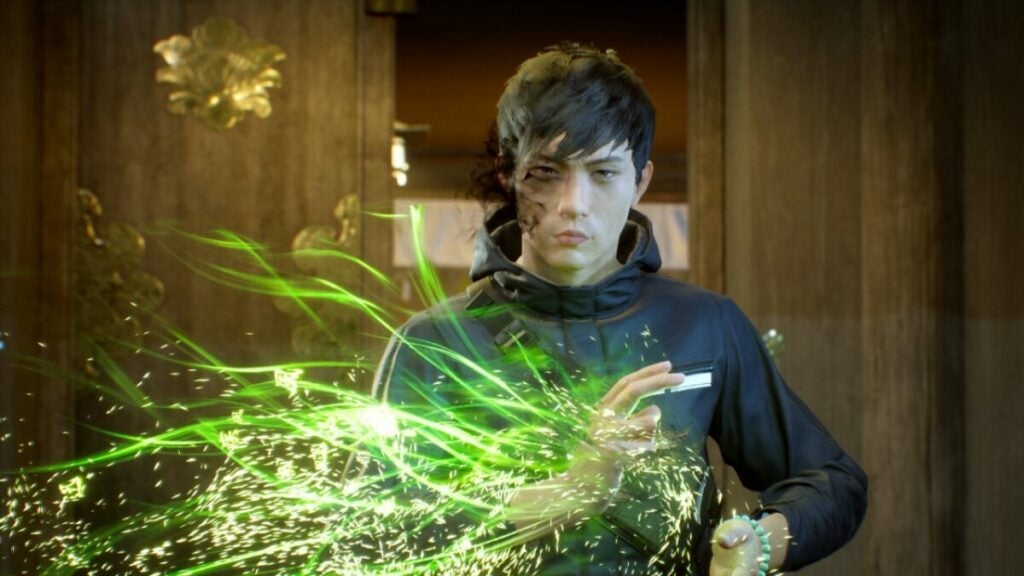
image of Akito in Ghostwire Tokyo

Ghostwire: Tokyo review: verdict and wrap-up

Overall, Ghostwire: Tokyo offers a solid, immersive experience with consistent gameplay mechanics and unique character designs. The game’s graphics are beautiful, rendering Shibuya City and other parts of Tokyo in lovely if unnerving elegance. For players who love collectible hunting or Japanese culture, it offers an especially fun experience.

But the game is at its best when it leads you through segments in an almost fatalistic manner. Though Akito and KK don’t know why the Hannya are doing this, they unravel their own inner turmoil as they discover why. It’s those interactions and the various spirits they encounter and help or dispel that make Ghostwire: Tokyo worth picking up. The game officially launches on March 25, 2022; pre-orders yours today!

Pros

  • Engaging combat with real-world influences
  • Enticing stealth mechanics
  • Incredibly unique character designs based on Japanese urban legends
  • Immersive recreation of Shibuya and many other aspects of Japanese culture and infrastructure
  • Open-world feels alive and lived-in (despite the mass disappearance of humans)
  • Bizarre visual features and environmental effects that enhance the atmosphere
  • Consistent combat mechanics

Cons

  • A bit formulaic at first before more unique enemies appear in combat
  • Enemy AI can be very rudimentary at times, making it easier to take them out without much dexterity or difficulty
  • Focus on stealth may not be for everyone
  • Perfunctory-feeling sidequests at times
  • Muddled motivation for the final boss results in a somewhat hollow ending
  • Developer: Tango Gameworks
  • Publisher: Bethesda Softworks
  • Game Modes: Single-player
  • Game Engine: Unreal Engine 4
Poppy Playtime review | Escape the horror

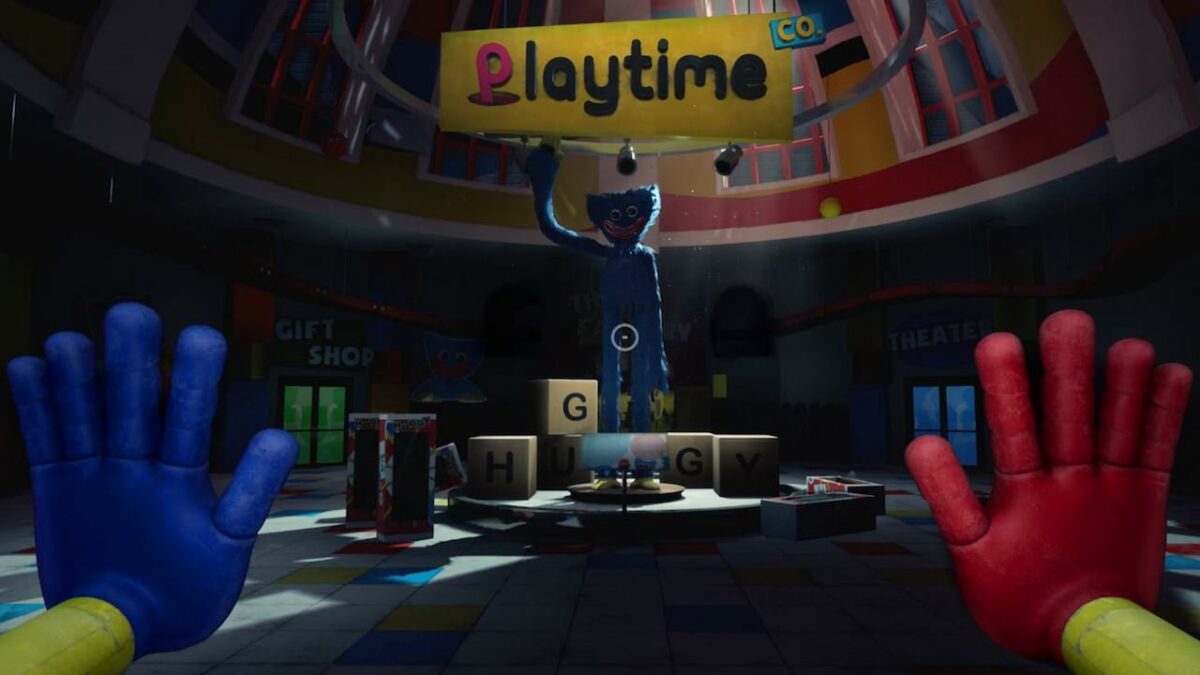
Poppy Playtime is a horror escape room puzzle game developed and published by MOB Games, which was released on October 12, 2021. It places you in a haunted toy factory with very little information. Your mission is to enter the facility and discover what happened to it.

There’s a certain air of suspense when you play Poppy Playtime. As an author of fantasy and horror novels, it’s an element I highly respect, and I love how the developers incorporated it in every aspect of the game. Read more about what I experienced in the review below!

Poppy Playtime story

Every good horror story should have an enticing plot that draws you in. It doesn’t even have to be a massive one; as long as it’s interesting enough to keep you engaged, it works. Let’s see how it plays out in this Poppy Playtime review.

A haunted toy factory

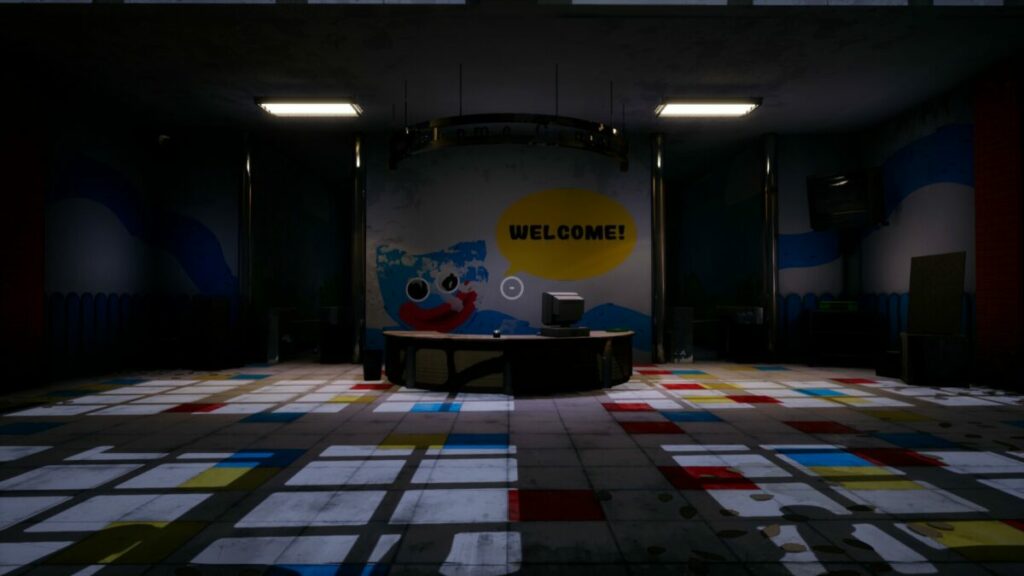
The introduction scene has enough to send chills down your back. At first, you have no idea what’s going on, except that you’re in an abandoned building. To know more about the story, you need to head in and find some clues.

The posters and notes you discover lying around indicate that you’re in a toy factory that closed a few years ago. If you’ve ever been to an abandoned building, you’ll know just how creepy it feels. As you enter each room in the facility, you’ll get some hints about what life was like as a toymaker.

Poppy Playtime Review

Collecting videotapes

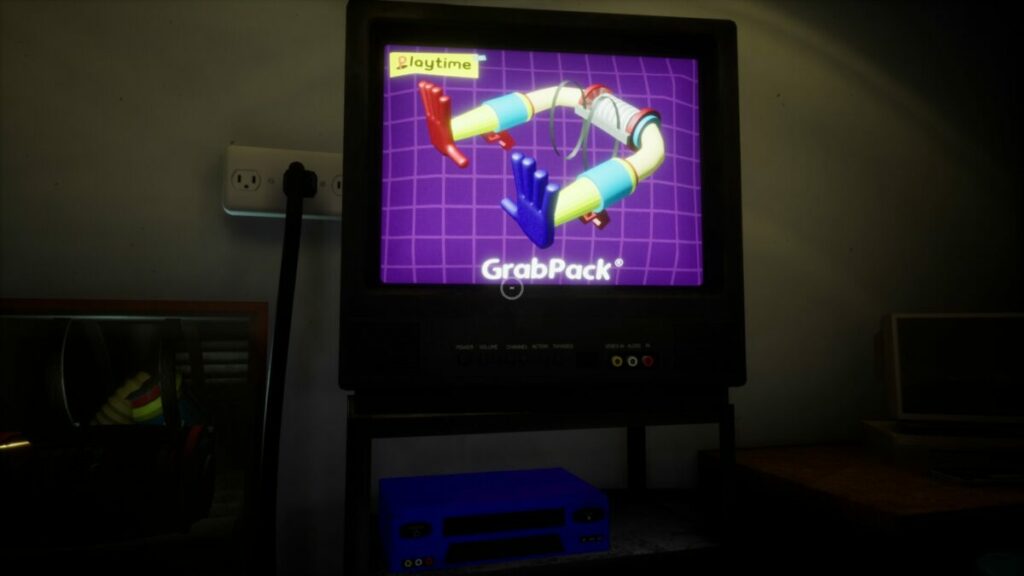
More clues to the story lie within five videotapes you’ll find lying around in random locations. The color corresponds to a VCR you’ll discover nearby. When you insert the tape, the television will play a short transcript, sometimes with dialogue between different people.

Poppy Playtime Review

The writing on the wall

Finally, you’ll want to pay attention to hand-scribbled words on the walls. It seems like someone else was here before you, trying to escape. There are plenty of warnings informing you of impending doom, but you’ll be left wondering what the danger is until the end. This forecasting is a fantastic element of horror tales that I love.

Poppy Playtime Review

How long to play Poppy Playtime

The puzzles were quick for me to solve, so it only took me about 15 minutes to complete Poppy Playtime. There’s one section at the end that may keep you busy for some time, depending on the routes you take through the vents. It all depends on how long it takes for you to solve each room, so it may take you longer. 

Poppy Playtime gameplay

While Poppy Playtime’s story is exhilarating, the gameplay is where the game really shines. It features elements of Resident Evil 7 and Silent Hill P.T., specifically where the suspense and puzzles are concerned. I’ll address more of these comparisons in the review below.

Learning how to play Poppy Playtime

Fortunately, there’s no tutorial for Poppy Playtime. The reason I’m happy about this is that it would ruin the suspense and gameplay. Sure, you may see a message appear on your screen on how to interact with objects, but they’re few and far between. For the most part, you’re left looking around each room, wondering what to do next.

Difficulties and puzzles

There are also no difficulty levels like you’d find in most Resident Evil and Silent Hill games. The puzzles remain as easy or difficult as they are, and you can’t change them. It means that all players are on an equal footing from the start. 

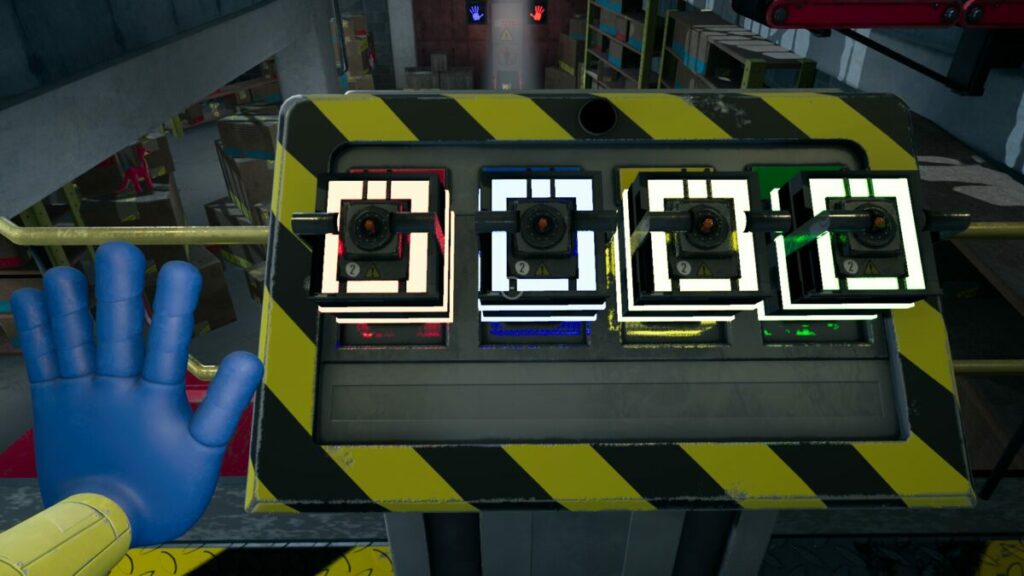
The puzzles change in every room, and you need to use your environment to solve them. With the help of the mechanical hands, you’ll discover you need to push or pull objects, or you’ll have to link electrical pylons and connections with power. While not incredibly challenging, they were entertaining to solve.

Poppy Playtime Review

Combat mechanics

You won’t have any shooting or fighting abilities in Poppy Playtime. You’ll spend most of the game moving around, inspecting items, and solving puzzles. There’s only one time you’ll actually need to defend yourself, and it’s to use the environment against the final boss, Huggy Wuggy. That’s all I’m going to say without spoiling the ending for you.

Poppy Playtime Review

Movement abilities

There’s more of a focus on movement in Poppy Playtime. With the two mechanical arms, you’ll move and interact with objects. You’ll also need to make use of running and crouching to save your life near the end. There’s also a jump ability, but I found little use for it throughout the game.

Saving points

Unlike Silent Hill with the Halo of the Sun, there are no visible save points in the game. The first time I died near the end of Poppy Playtime, I feared I would have to start over. However, it does save when you reach critical points or new scenes, for which I’m eternally grateful. 

User interface

The user interface presents the bare minimum in Poppy Playtime, which is ideal for a horror puzzle game. There are no health icons, but the screen will become blurry and the bass on your speakers will buzz when you’re hurt. Give it a moment, and all will go back to normal. You can press Esc to enter the main menu and inventory, but that’s about it.

Poppy Playtime Review

Gameplay performance

Somehow, Poppy Playtime needs a lot of resources. It’s quite surprising, especially for a game that’s only 15 minutes long. However, when you read more about the visuals and sound later in this review, you may get an idea why. Here are the recommended PC requirements:

  • OS: Windows 10
  • Processor: Intel Core i5
  • Memory: 8 GB RAM
  • Storage: 10 GB available space
  • Graphics: Nvidia GeForce GTX 1060 / Radeon RX 580

It’s worth mentioning that Poppy Playtime: Chapter 1 is now available on mobile. The gameplay performance is incredible on PC with no crashing or performance issues, but it appears as if the mobile version has problems in the final chase with Huggy Wuggy. It may be best to play the computer version first.

Poppy Playtime visuals and sound

Here comes the exciting part of my Poppy Playtime review. I’ve grown up with several horror games and movies in my life, hence my passion for writing this genre for my books. It takes a lot for games to terrify me, but I must admit that this game did put a smile on my face. I loved the chills and suspense, which is where the graphics and sound play the most significant part.

Overall graphics

The visuals in Poppy Playtime are incredibly impressive and almost realistic. Items and colors are crisp and clear, and many scenes deliver a haunting atmosphere. It’s outstanding how much of a story the graphics present without someone actually telling you what’s going on. The lighting and shadows are also marvelous, but I did need to increase the brightness for some rooms that were just too dark to enjoy. 

Poppy Playtime Review

Character and room designs

You won’t find any characters except Huggy Wuggy in Poppy Playtime. In fact, this boss has become so famous that it features in other games, such as Friday Night Funkin’ vs Minus Huggy Wuggy.

SPOILER ALERT: There’s also a doll at the end in a glass cage that reminds me very much of Annabelle from the horror movies. That scene was enough to make me gulp in fear and delight.

Poppy Playtime Review

As for the room designs, they set the scene for the puzzles, but there’s enough forecasting and suspense to make you wonder what’s coming next. The most exciting part for me was when the Huggy Wuggy chase ends, and you enter these hallways. It made me feel like I was back in Silent Hill P.T., but it’s only visual. Sadly, they made no use of puzzles in this area, and it’s just an exit for the first chapter.

Poppy Playtime Review

Sound effects

The sound effects work in harmony with the graphics to fill you with suspense. There’s voice acting in the videotapes, and Huggy Wuggy’s noises, while it chases you, is enough to make you want to speed up a bit. It made me wish there was a boost button to run a bit faster, but you need headphones on or your bass on maximum for the complete effect.

Final verdict of Poppy Playtime

Poppy Playtime takes what we love about classic horror puzzle games and puts them together for a quick adventure. There are only a few jump-scare moments, while the remainder of the game relies on suspense and forecasting. If this game is anything to go by, I expect Poppy Playtime: Chapter 2 will be way more intense. 

There are even rumors that Poppy Playtime will be heading outside in the next chapter, which will be more exhilarating. For now, I recommend you download Poppy Playtime Chapter 1 as soon as possible before Chapter 2 arrives. You won’t want to miss out on the action.

Pros

  • Plenty of suspense
  • Fun action scene at the end
  • Nods to horror games and movies
  • Environmental puzzles
  • Incredible graphics and sound
  • Ending is a fantastic cliffhanger

Cons

  • Some scenes are too dark

Developer: MOB Games

Publisher: MOB Games

Game Modes: Story

Platform reviewed: Windows 11 – Steam

Trek to Yomi review | Become a samurai legend

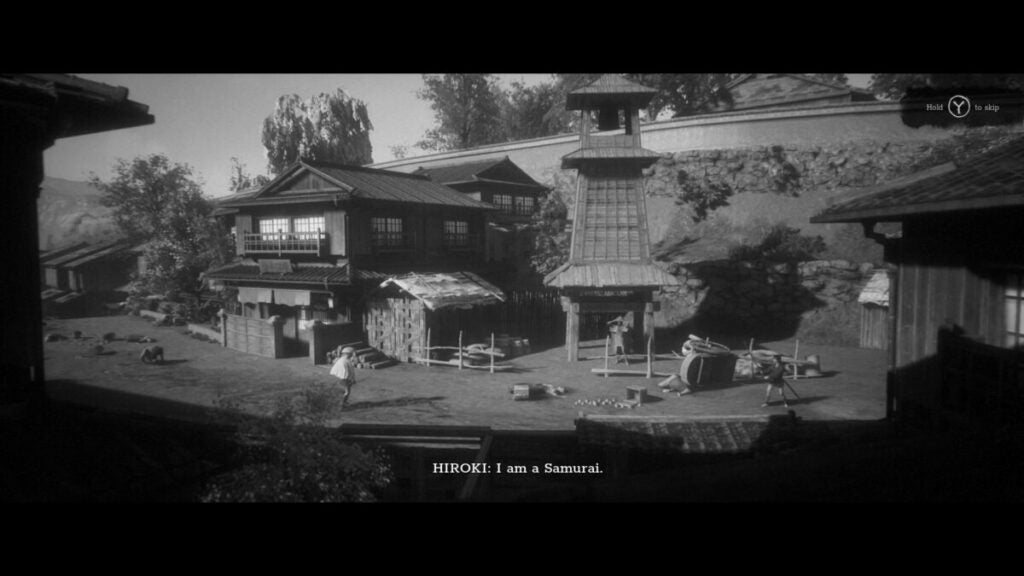
Trek to Yomi is a platform action fighting game developed by Flying Wild Hog and published by Devolver Digital, the same group that brought us Shadow Warrior 3. You play as Hiroki who watches loved ones die and picks up his Samurai sword to protect the village. It has an exciting story with blistering beautiful graphics that will keep you hooked.

There are some interesting combat mechanics and plenty of elements I didn’t expect to see in a platform game. I have a deep love for the Japanese voice acting in the game, while I’m glad there are English subtitles. You’ll find plenty more details of what I did and didn’t enjoy in my Trek to Yomi review below.

Trek to Yomi story

The most remarkable aspect of Trek to Yomi is the story. It weaves a mystical tale in ancient Japan that calls to the heart. Here are the elements I enjoyed the most while playing the preview version I got access to.

A young samurai warrior

When you first start as Hiroki, you’re simply a child. You quickly connect with him on a personal level, especially when things fall apart around him. You can feel the heat of anger and passion as you head out to defend the village.

At the core of the tale is when Hiroki loses someone close to him (won’t spoil who it is). The expressions and pitch of his voice show you just how angry he is, but somehow, he channels that into his combat abilities. You’ll also love how every aspect of Japanese lore is placed within the game as you progress through the story.

Trek to Yomi review

Crossing ages

Trek to Yomi doesn’t linger on one stage of Hiroki’s life. As you move between chapters, there are many years that pass. It shows how much he’s developed in that time, which is also how you unlock new skills

Each chapter has missions you need to complete before you can progress further in the story. There are sometimes puzzles you need to complete, like in the form of moving objects. When you want to save progress, you’ll visit shrines along the way

Trek to Yomi review

Finding collectibles

Progressing with the story isn’t the only fun element in Trek to Yomi. There are collectibles you’ll find along the way, but sometimes you need to discover secret areas or pathways to obtain them. As you complete a chapter, a new page will appear in your journal showing you what to look out for.

Trek to Yomi review

How long to play Trek to Yomi

If you take your time to play the game as I did for this review, you’ll spend at least six to eight hours, if not more, completing the story. I’m sure there are speedrunners that will attempt to do it faster, but I feel that’s a generous amount of time if you want to soak in the story. 

Trek to Yomi gameplay

Now that you have a better idea of Trek to Yomi’s story, I want to delve into the gameplay aspects. I honestly didn’t think there could be so many elements in a platform game, but Flying Wild Hog and Devolver Digital have taken it to a whole new level.

Learning how to play Trek to Yomi

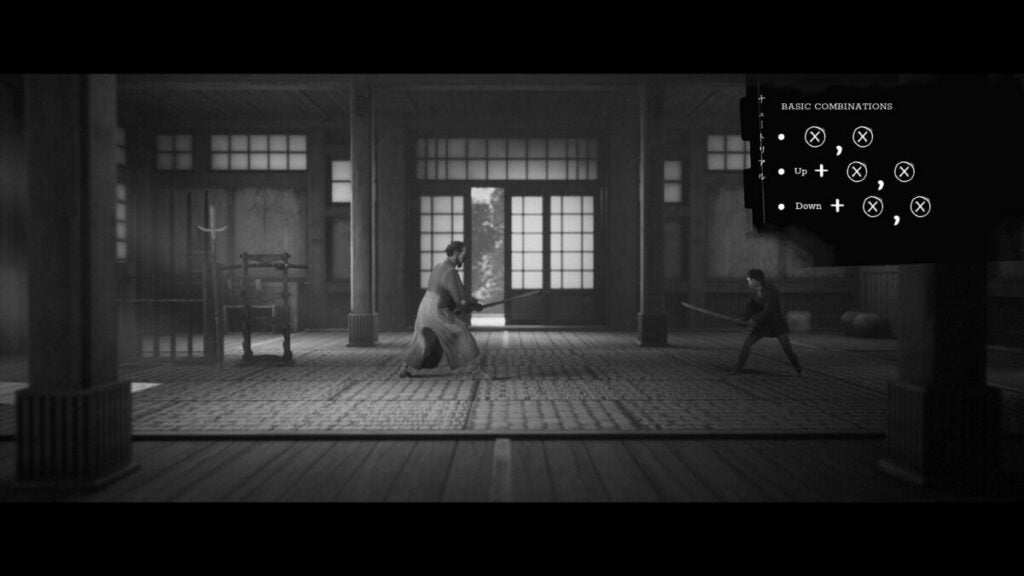
When you start playing Trek to Yomi, there’s a tutorial that fits in nicely with the story. Your Sensai or Master shows you the basics of attack and defend, which I found easier to use on an Xbox controller than on a keyboard. In some ways, the side-view fighting reminded me of Mortal Kombat 11.

The only tricky part was getting the parry right. You need to block and then time your attack right after. Even when I thought I’d perfected it in the tutorial, I still struggled to maintain that perfection in actual battles. Fortunately, when you unlock abilities at a later stage, the journal shows you how to pull them off.

Trek to Yomi review

Modes and difficulties

There are four different difficulties you can choose between, each one harder than the next. The first one mainly lets you focus on the story, so combat elements will be easier and almost non-existent. I played the second difficulty for my Trek to Yomi review, as I wanted to experience more of the fighting with the tale. The last two are even more challenging. As for the modes, you only have the campaign to play.

Trek to Yomi review

Saving checkpoints

As you play through the story, you’ll find shrines that you need to click on to save your progress. Fortunately, it saves any items you’ve already collected, so you won’t need to do that again. Also, it skips any cutscene videos you’ve already watched, so you only need to fight the same villains and bandits as before.

Trek to Yomi review

Combat mechanics

The combat isn’t too difficult once you get the hang of it. There are set functions for most of the Xbox buttons, and the trick is learning how to make the best of them in each situation. You can swing your Samurai sword, throw a spear-like Scorpion in Mortal Kombat, parry or block, or spin in the other direction.

You’ll need to keep an eye on your stamina bar. When it becomes empty, blocking and special moves are no longer valid. I found myself learning to watch that meter to stay alive in Trek to Yomi. You’ll feel a sense of satisfaction when you pull off the outstanding combos in later chapters, though.

Trek to Yomi review

Unique abilities

In our Shadow Warrior 3 review, we mentioned how very reminiscent the finishing moves were to fatalities in Mortal Kombat. Even though Trek to Yomi is a platform game, the developer somehow managed to incorporate the same mechanics. It sent chills down my spine seeing how I stunned the enemy and then decapitated him in one swipe of my sword.

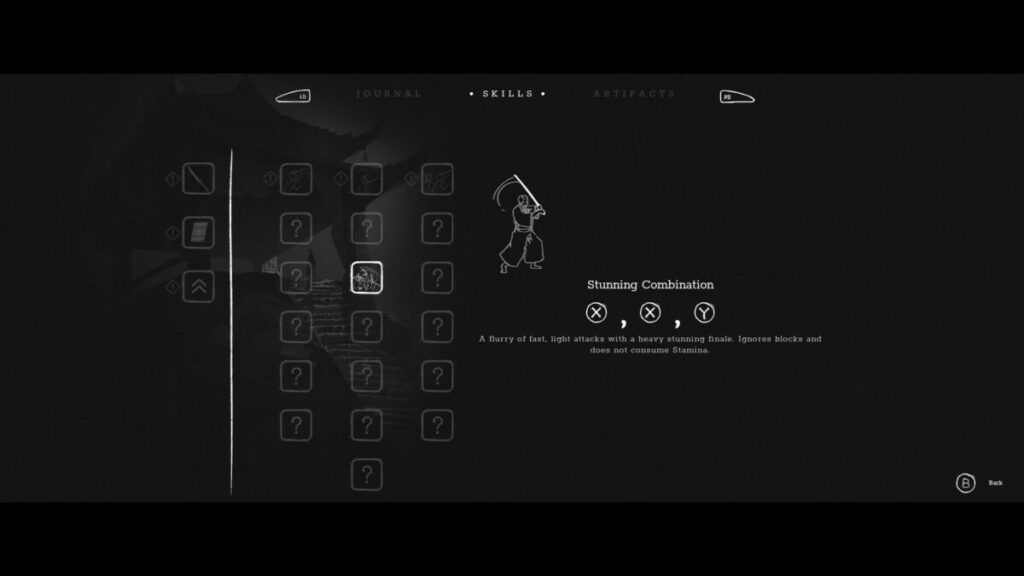
As you move through later chapters, you’ll unlock new abilities and combos. They’ll help you with tougher enemies and bosses, and also put a smile on your face if you love martial arts as much as I do. Check your journal now and again to see how the movements work.

Trek to Yomi review

User interface

There are only a few menus to use in Trek to Yomi. The one contains your journal with the story chapters, while another has your abilities. You can also view your collectibles

On the game screen, there isn’t much to distract you. There’s a small health section with bars that deplete every attack on your body. When you visit a shrine, your health restores completely. You’ll also see your stamina bar.

Gameplay performance

The PC requirements for Trek to Yomi aren’t that huge, and you can easily play it on a decent computer. When I get to the sound and visuals section of this review, these requirements will make a lot more sense:

  • OS: Windows 7, 8, 8.1, 10 x64
  • Processor: Intel Core i3-4160 (2 * 3600) or equivalent
  • Memory: 4 GB RAM
  • Graphics: GeForce 9600 GT (512 MB)
  • Storage: 3 GB available space

I played the game on Windows 11 with Steam, and there was no issue at all with performance. I saw no hint of lagging, and the graphics were superb every step of the way.

Trek to Yomi visuals and sound

In the final section of this Trek to Yomi review, I look into the graphics and sound. The game really surprised me, especially considering that it’s a platform game in most regards. I didn’t expect it to be this good when I first started the game.

Overall graphics

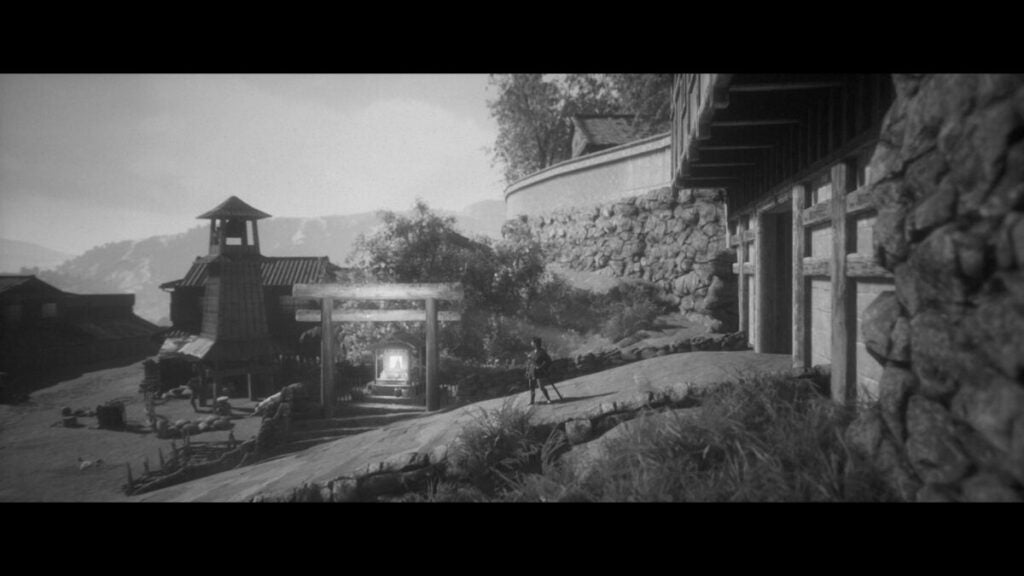
The visuals in Trek to Yomi are set in black and white tones. Since it’s set in old times within Japan, it works remarkably well for the game. The lighting and shadows are fantastic, and I really can’t stop staring at what the developer has achieved.

Character and world designs

The characters look so realistic, I honestly believed some video acting was done at one stage. It’s hard to tell if it’s CGI or real people in some of the motion videos. There are some incredible scenes that will leave your jaw-dropping.

As for the world design, the developer has gone the extra mile with Trek to Yomi. While most of the game features side-view platform visuals, there are times you’ll run backward and forward to access other parts; as in to and away from the computer screen. It really makes you feel like you’re playing in four dimensions.

Trek to Yomi review

Soundtrack and voice acting 

As with the visuals, the voice acting and soundtrack are utterly amazing. They speak in Japanese, but you can hear the passion in their dialogue. The music sets the pace; slow and casual while investigating, fast and hurried while in battle. High praise to the developer for what they’ve achieved with Trek to Yomi’s music score and voices.

Final verdict of Trek to Yomi

Trek to Yomi is a platform action game that I enjoyed more than I expected to. There’s so much fighting that’s evenly balanced with the storyline, visuals, and sound. The collectibles are a nice touch, but you’ll find yourself pursuing the plot more than discovering secret items. There’s no reason you won’t absolutely love this game once the full version is released.

If you’re like to see more game reviews like this, check out the articles on Drill Deal Oil Tycoon and Minecraft.

Pros

  • Intriguing story
  • Stunning visuals and scenes
  • Easy combat mechanics
  • Impressive music score and voice acting
  • Finishing moves
  • Relatable and beautiful characters
  • Added entertainment with collectibles

Cons

  • The parry timing is slightly frustrating

Developer: Leonard Menchiari, Flying Wild Hog

Publisher: Devolver Digital

Game Modes: Campaign

Platform reviewed: Windows 11 – Steam

A free playback solution for obscure audio and video formats

Media playback solutions are a dime-a-dozen these days. Most modern operating systems come with a serviceable video player pre-installed. Back when VLC Media Player was first introduced in 2001, there was a much stronger demand for ways to natively play audio and video files on-demand for free.

Despite the abundant nature of basic media playback software, VLC boasts several additional features that are worth taking a glance at. Whether your default app fails to play a file, or you are looking for editing functionality, VLC Media Player likely provides a specific feature that will help. After over 20 years of updates, this open-source app can recognize and play an impressive list of uncommon audio and video formats. With that in mind, let us take a closer look to determine if VLC Media Player is worth the download.

A free playback solution for obscure audio and video formats

Media playback solutions are a dime-a-dozen these days. Most modern operating systems come with a serviceable video player pre-installed. Back when VLC Media Player was first introduced in 2001, there was a much stronger demand for ways to natively play audio and video files on-demand for free.

Despite the abundant nature of basic media playback software, VLC boasts several additional features that are worth taking a glance at. Whether your default app fails to play a file, or you are looking for editing functionality, VLC Media Player likely provides a specific feature that will help. After over 20 years of updates, this open-source app can recognize and play an impressive list of uncommon audio and video formats. With that in mind, let us take a closer look to determine if VLC Media Player is worth the download.

A straightforward ‘play-everything’ media player

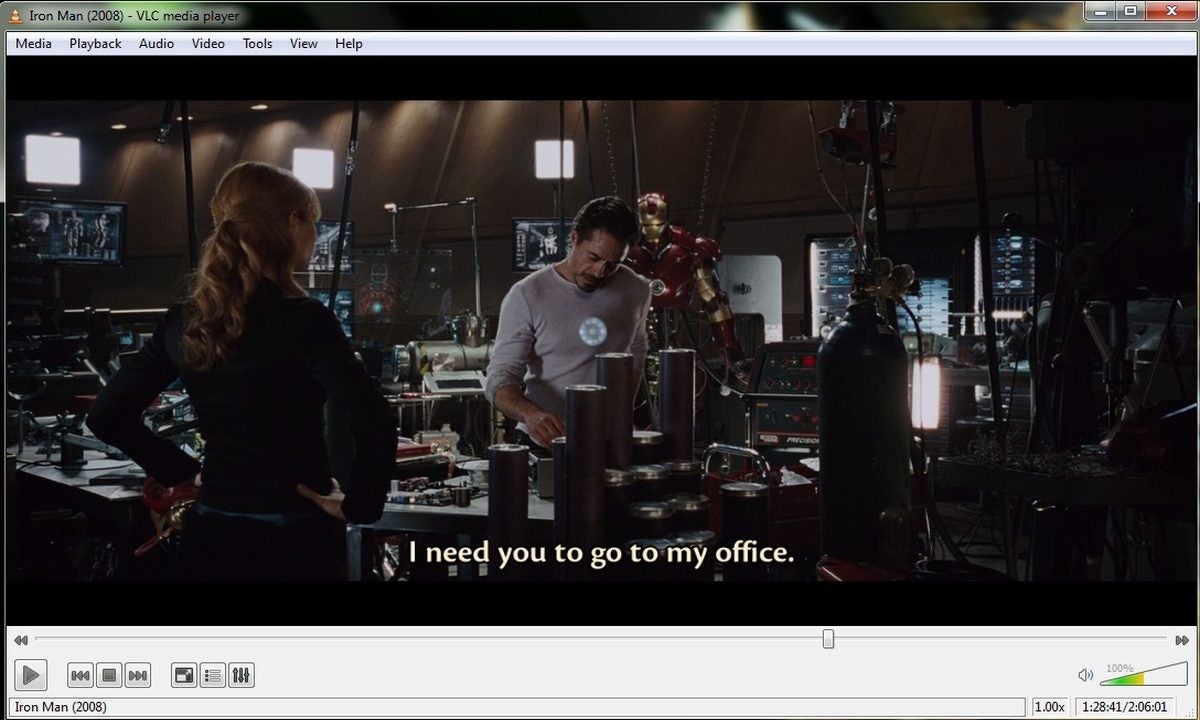
Launched by French developers in 1996, VLC has always touted a simple and clean interface. That no-nonsense, play anything reputation is well deserved. VLC gives easy access to all your device’s files without any additional bloat such as advertisements or premium subscription offers. The secret behind this ease of use is the vast array of video and audio codecs supported by VLC. This permits playback of nearly any file format under the sun without the use of conversion software. Once a file is running, the app offers unprecedented control over playback. You can change subtitle languages, synchronize audio, and apply a variety of filters to the content.

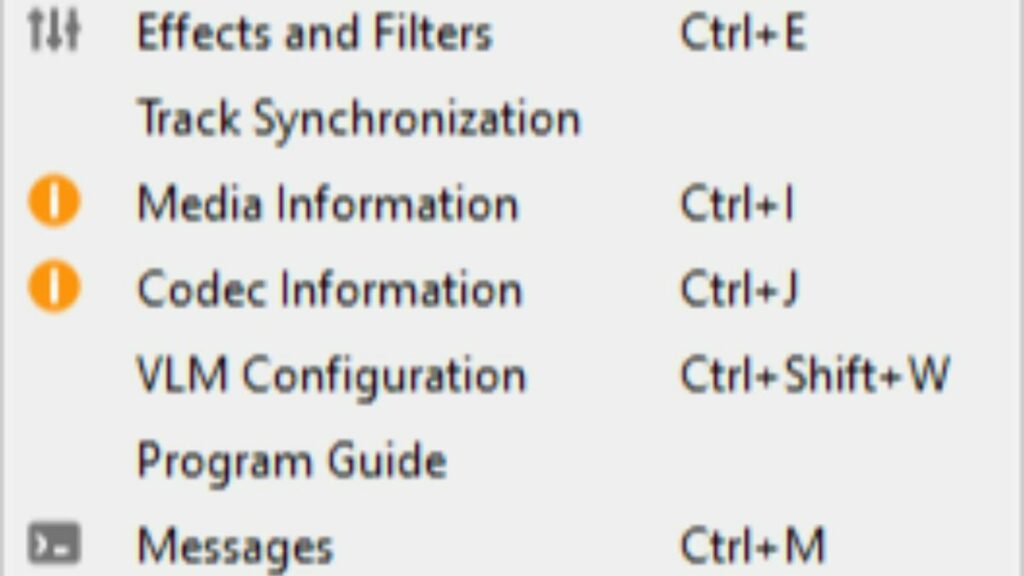
Options at your disposal, hover your mouse over the tools tab at the top of the screen.

Users also have access to simple video editing features such as cropping scenes and rotating images. You can learn more about these features here. When it comes to streaming, a wide range of content networks are available. You can even start video playback before the file is finished downloading. The instant playback feature works on P2P connections provided you set your torrent software up for sequential downloading.

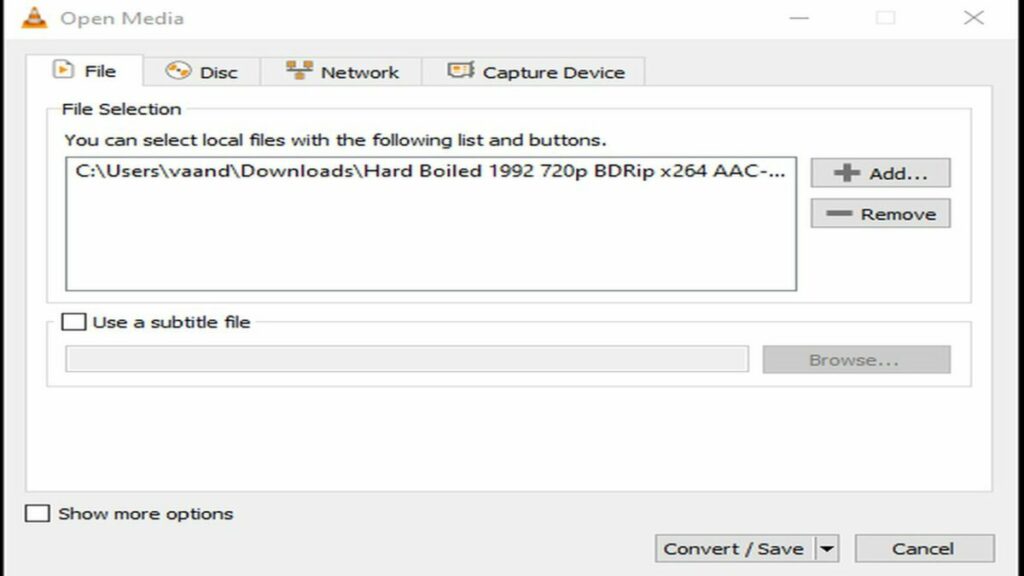
Can you convert videos into different file formats using VLC Media Player?

VLC Media Player not only recognizes an enormous collection of video codecs, but you can even convert your files with obscure formats into a more universal extension. For instance, you can convert the rare H.264 video format into an MP4 file container. This feature is perfect for when you need to make your files more portable. Your MP4 video can then be comfortably played on most devices. Even if your goal is not to change the format outright, the conversion process can be used to reduce file size. Content creators who keep a library of past work will appreciate the ability to condense each file with ease.
This is the interface for converting your files into another format.

Is VLC media player safe?

With the number of frauds and malware going around the internet these days, it is wise to investigate foreign applications before installing them. Fortunately, the files for VLC Media Player are completely clear of any threats. Just be sure you download VLC Media Player from a trusted portal or directly from the publisher’s site. However, VLC does not scan the video and audio files you run through it for potential viruses. As with the program itself, be sure to acquire your audio and video files from a reputable source.

There are no viruses to see here, just your library of content.

Is VLC better than Windows Media Player?

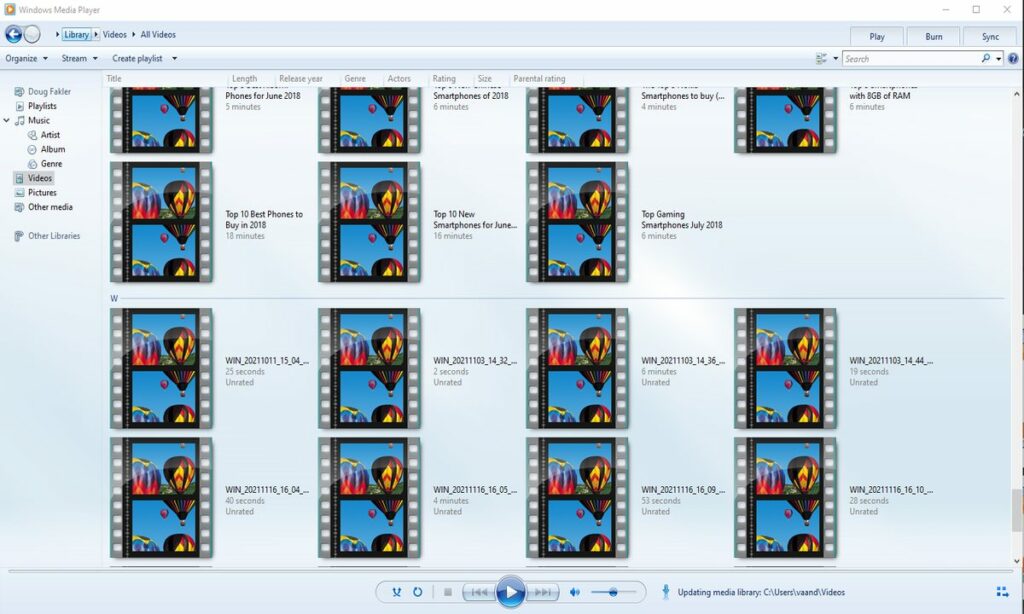
If you have a Windows operating system, then you may be wondering if VLC is a substantial upgrade over Microsoft’s built-in playback application. Windows Media Player is a convenient choice for quickly watching short clips in popular file formats. The ability to rip data directly from discs is also an appreciated feature. For some basic users, the convenience of Windows Media Player will outshine VLC.

With that in mind, VLC’s advanced features are a huge step-up from what Microsoft provides out of the box. You are bound to run into a few file formats that Windows Media Player does not recognize. With VLC, it is extremely rare when a file will not play as intended. Once you have VLC installed, you never have to worry about compatibility again.

A simple overview of the GUI and layout that comes standard on Windows.

Is VLC media player customizable?

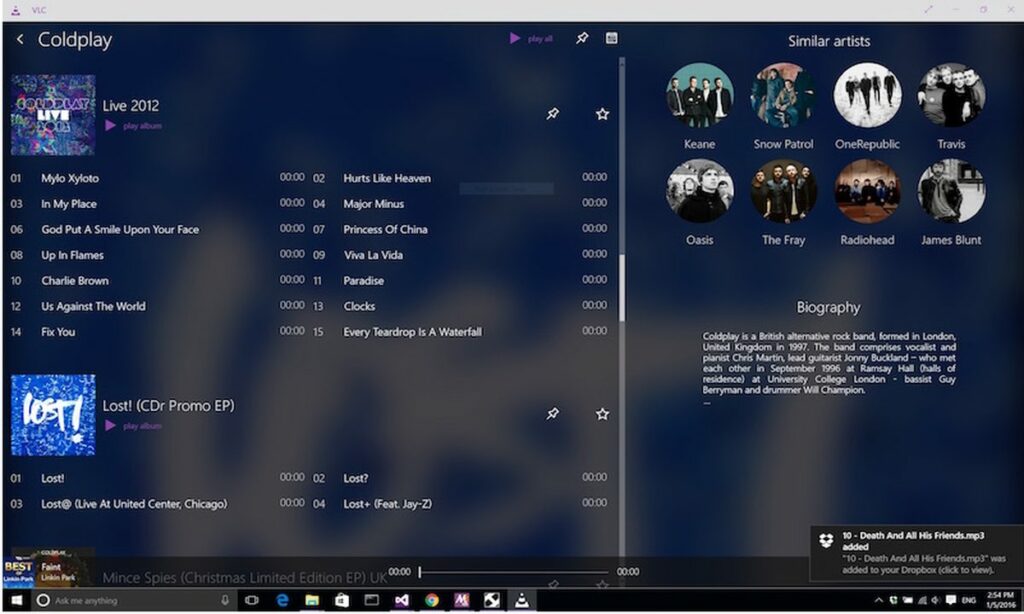
While customization options are not as robust as Windows Media Player, VideoLAN has provided numerous options for changing both visual appearance and runtime performance. On the cosmetic side, you have numerous skins to choose from that alter the visual theme. If none of the presets suit your fancy, you can create your own theme using the VLC skin editor.

When it comes to performance, VLC offers the ability to download extensions. Much like your web browser, VLC extensions are capable of adding any functionality an independent developer envisions. In the case of media playback, audio and visual filters are especially popular in the community.

One example of a custom VLC Media Player experience.

Does VLC media player support subtitles?

When watching anime or other foreign content, you need a reliable way to add subtitles to each viewing. The good news is VLC makes it simple to add subtitles in the language of your choice. If you already have a subtitle file, it should activate immediately. In some rare cases, you may need to right-click the video and manually select your subtitle file from the drop-down menu.

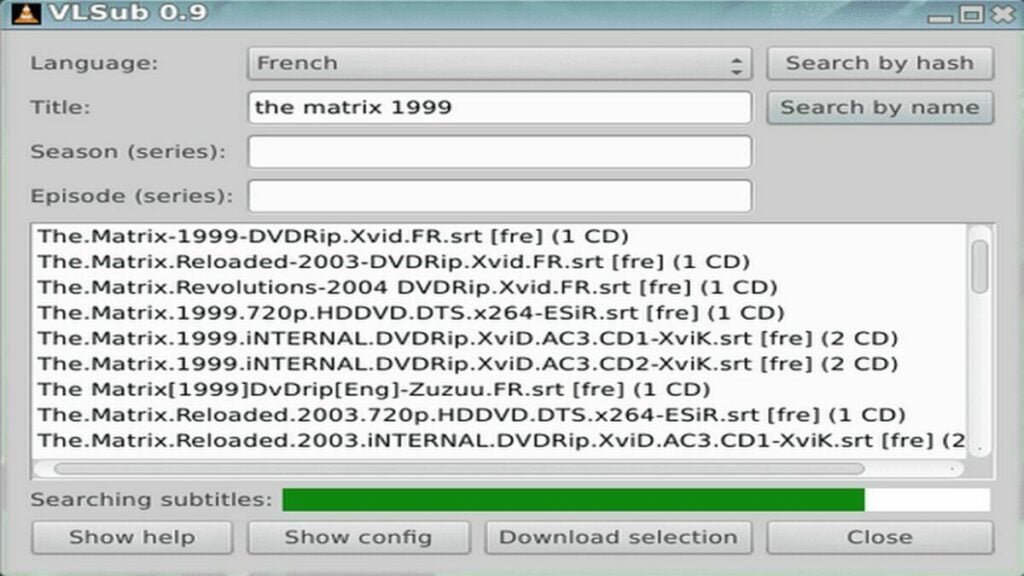
For shows that did not come with a subtitle file, you can use the handy extension, VLSub. This extension is available for free directly from the VLC add-ons store. Just type the name of your movie and desired language. VLSub will search the internet for the most relevant subtitle files and let you download them quickly. Once installed, VLSub allows you to complete the language setup without leaving the VLC Media Player app itself.

This extension makes adding subtitles a breeze.

The final verdict on VLC media player

Overall, VLC provides a smooth and reliable media playback service that can play virtually any media file. The ease of use, wide range of acceptable formats, subtitle support, and the suite of video editing coupled with conversion features make VLC media player a worthy addition to any of your devices. It was originally designed as a video player, so it’s not as well suited for music playback. However, there is an impressive degree of value for a free application with no other monetization schemes beyond the main website’s donate button. The fact that users have supported VLC for over 20 years is a clear indication of the media player’s efficacy. To find out how simple this app really is, download VLC for free today.

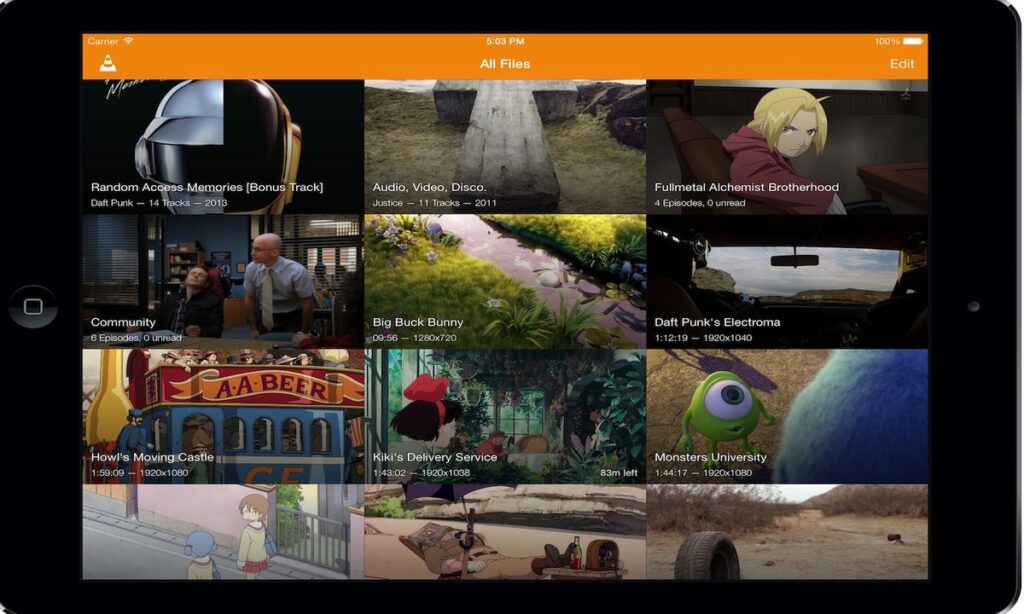
VLC Media Player runs on everything, including relatively closed ecosystems like macOS

PROS

  • Massive assortment of media codecs
  • Allows for playback while a video is still downloading
  • A suite of video editing features built in

CONS

  • Files must be selected in their directory folders to initiate playback
  • Interface is better suited for video rather than audio
  • Compared to other players, it lacks customization options

Developer: VideoLAN

Type: Media Player

Supported Operating Systems: Windows, macOS, Linux, Android, Chrome OS, iOS, iPadOS, tvOS, watchOS

Purble Place: Kid-friendly gaming suite

Purble Place is a video game for kids that hearkens back to a simpler time in all of our lives. But it has elements that never get old in it, too. Remember classic games from your childhood like Mathblaster? You could play video games and learn something at the same time.

This suite of games did exactly that for a younger audience in the late 2000s and you can still play it today. In fact, some people have been revisiting it in a walk down memory lane. For those who don’t know of it, let’s review Purble Place for its game design, features, and more to see if it lives up to our nostalgia.

What is Purble Place?

Game designer Jane Jensen co-founded the games company Oberon Media after working on many high-profile games. Her experience with games like King’s Quest VI inspired her to create more casual games.

This led her to also create educational games aimed at a younger audience. Thus, Purble Place came about with 3 original games in tandem with a suite of other Windows-based titles.

It was originally released in 2007 for Windows Vista as published by Microsoft. People looking to play it now can download it on Softonic as it no longer comes pre-installed with Windows.

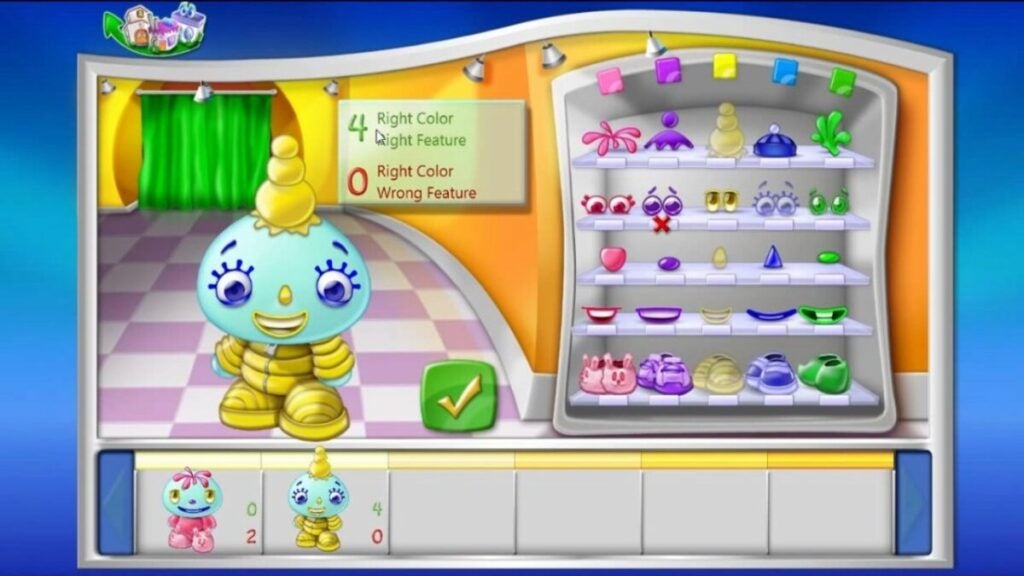
image of Purble Place game Purble Shop

Purble Place design style

Like many early video games designed for kids, Purble Place features a very bright and animated design style. The characters are very cute with expressive eyes, silly hats, and non-human proportions.

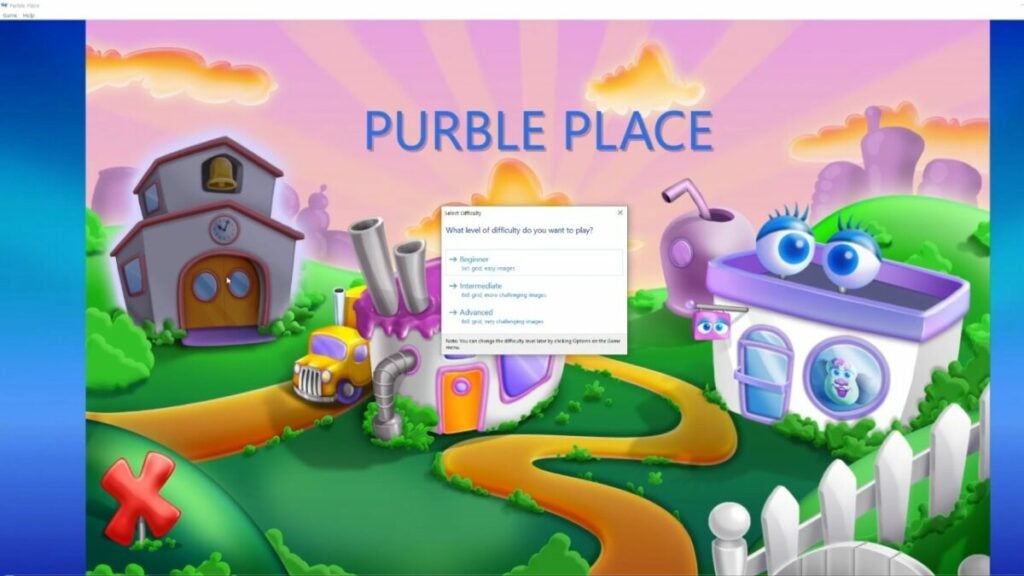
Since it’s a simpler Windows game, the UI is not complicated at all with merely a red “X” at the bottom left of the screen to close the game. In keeping with this trend, each game is siloed in a different structure on the main screen. Entering the building or game reveals a different setup for the player to interact with.

Overall, the style is colorful and appealing with an easy-to-use interface. But it can be a bit overwhelming at first — especially if kids aren’t used to absorbing so much visual information.

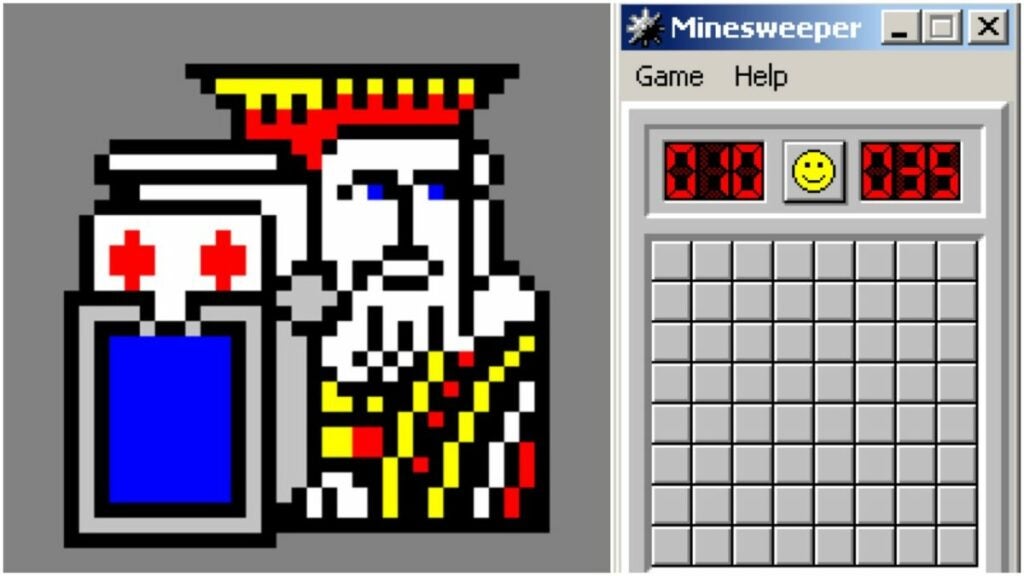
image of Purble Place Microsoft suite of games like Freecell

All games in Purble Place

Though the game includes 3 original titles, Purble Place also comes with the whole suite of Windows games. You’ll remember all of these classics if you grew up with anything earlier than Windows 8.1:

  • Solitaire
  • Spider Solitaire
  • Minesweeper
  • Mahjong
  • FreeCell
  • Hearts
  • Chess Titans

Many of the downloads for Purble Place available now still include these games, as well.

image of Purble Place game Comfy Cakes

Comfy cakes

Most people want their cakes to be rich and moist rather than “comfortable”, but let’s not nitpick the alliteration here. This hand-eye coordination game develops pattern recognition by having players build cakes according to orders. Think of games such as Overcooked or Cook, Serve, Delicious! that require you to accurately prepare food orders.

Players control a conveyor belt with simple left and right arrow buttons. Then, you select the correct options from the below combinations based on the order:

  • Pan shape: round, heart, or square
  • Cake batter: yellow, chocolate, or strawberry
  • Middle layer icing: white, green, or dark red
  • Top layer icing: brown, pink, or yellow
  • Cake topping: gumdrop buttons, clover, smiley face, or heart

Depending on the selected difficulty, players make 5 or 6 cakes with more variety. Cake accuracy, player speed, and cake number all affect a player’s final score.

image of Purble Place game Purble Pairs

Purble pairs

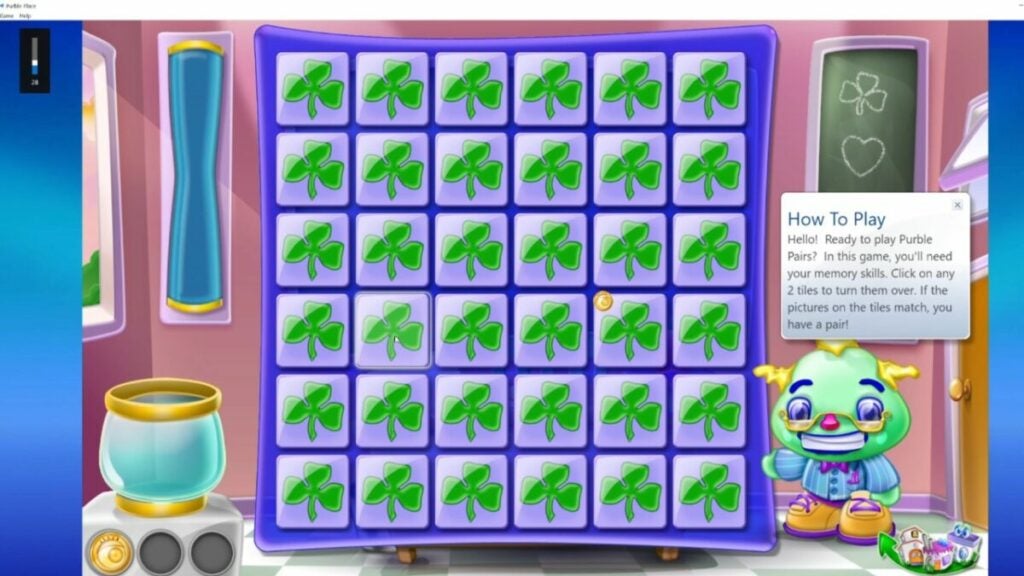
Everyone loves a good memory game, right? This one is pretty straightforward and similar to other common memory games. Players must select a card to reveal what’s on the other side of the card. Then, they must match it with another tile with the same image on it.

Harder difficulties add a timer, increase the grid size, and use images that are more difficult to tell apart. They also have more levels per game with up to four different card backs: gumdrops, clovers, hearts, and smiley faces.

This game helps to develop working and short-term memory while also developing concentration skills.

List of special cards and what they do in the game:

  • Time card: adds more time to the game timer
  • Cake batter station card: shuffles the board
  • Joker card: automatically locates a match for another card
  • Cake chef card: finds and matches cards with cakes on them
  • Sneak peek coin bonus card: lets a player select as many cards as they want in an allotted time to make matches
image of Purble Place game Purble Shop

Purble shop

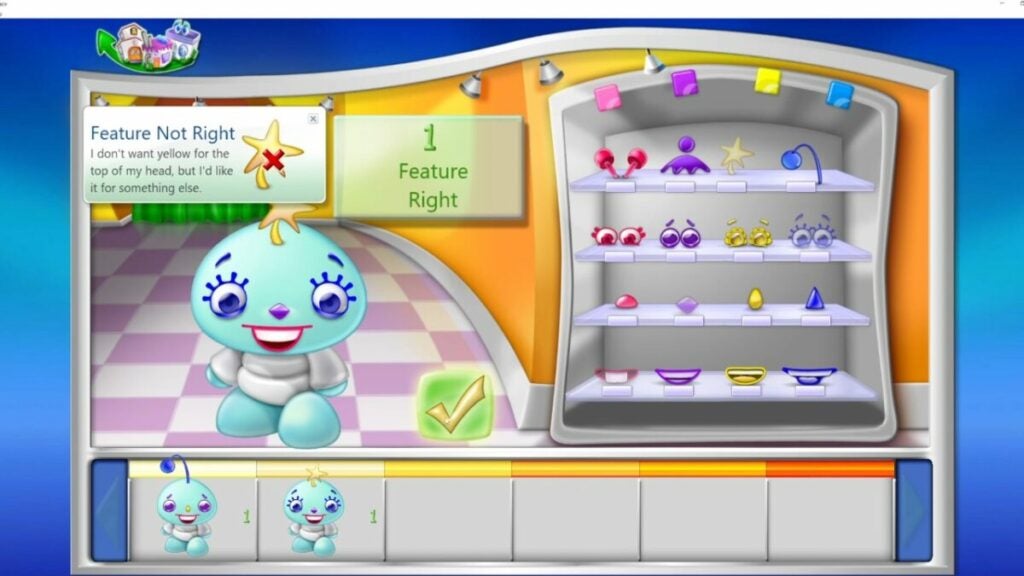
Like some games that allow players to create custom avatars, Purble Place has lots of customized characters called Purbles. This game has players assembling the right combination of Purble features for each character including eyes, nose, mouth, topper, and clothes.

However, these all come in one of 5 colors: blue, yellow, purple, red, and green. That means that there are tons of different combinations for players to choose from — and lots of ways to get it wrong. But there are three different difficulty levels as with the other two Purble Place games.

Like the popular game Wordle, Purble Shop tells players which objects are correct and only gives them a set number of guesses. In the highest difficulty, players only know what number of objects are correct instead of which objects are correct.

For instance, on Easy, a player might have “Purple Eyes” correct; that same thing on Advanced would be “1 Feature” correct. Note: this can be color or placement.

image of Purble Place competing games

Similar video games for kids

Nowadays, video games that teach players something are much more common. In fact, they don’t need to be labeled “educational” in order to be educational. However, some children’s games do still place a focus on the more educational aspects of video games.

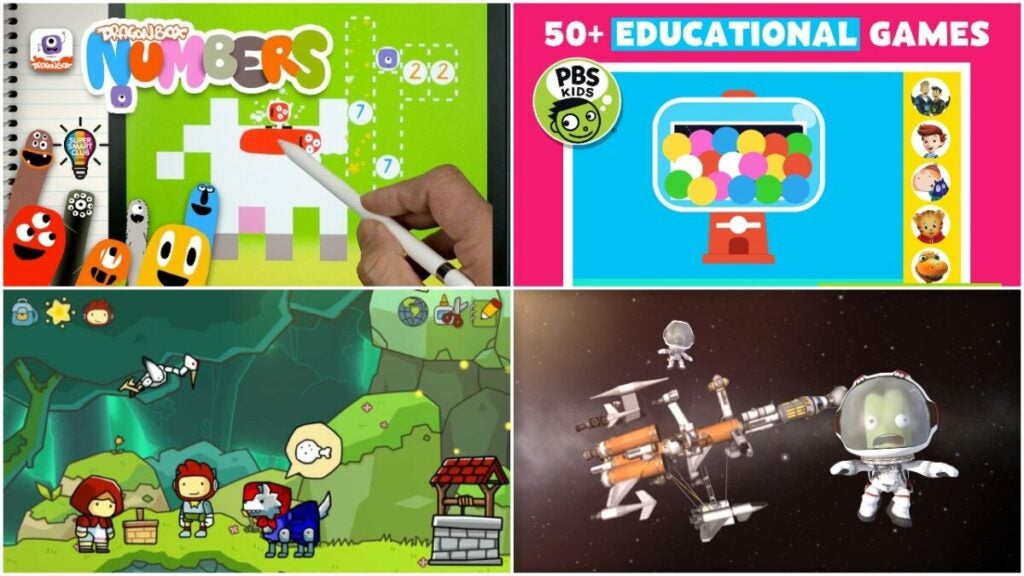
If you want something similar to Purble Place, here are four alternatives that offer different experiences. Keep in mind that some of these games veer toward older age ranges than Purble Place.

PBS Kids Games

PBS, short for Public Broadcasting Service, has long dedicated itself to educational kid’s TV programs like Sesame Street, Curious George, and Arthur. But the company also produces tons of different interactive games for kids, too. They have options for every kind of genre like:

  • Music
  • Reading
  • Math
  • Exploration
  • Fashion games
  • Sandbox games
  • Hide and Seek
  • Vehicle games

That’s just scratching the surface. There are also food games, games to learn the ABCs, animal games, matching games like Purble Pairs, and even games to learn Spanish. Since many of the games are available in-browser, parents can play with their kids or better monitor how their kids play the games.

It makes for a fantastic free option for those who may not be able to spend money on video games.

Dragonbox Games

Getting kids interested in mathematical concepts early is a great way to ensure that they don’t struggle with math later in school. A solid strategy is to introduce them to math in ways that feel more engaging and fun like using video games.

Dragonbox has games for kids of many ages in two categories: 4 – 8 and 8+. But each game focuses on different aspects of mathematical concepts starting with things as simple as numbers and how they work to Euclidian geometry and algebra.

You’ll have to download them on a mobile device or tablet as the games only support Android and iOS platforms. These apps do require a subscription service to play, so they aren’t free. However, Dragonbox also offers Educational downloads at a discounted price for institutions, as well as Teacher access which provides free access for a class.

Scribblenauts Unlimited

Some people might be familiar with the Scribblenauts franchise that first launched in 2009. The action puzzle games created this title specifically for kids and released it in 2012 originally. Scribblenauts Unlimited has been ported over to many platforms including Android, iOS, and Nintendo Switch. That makes it a very accessible kid’s game alternative to something like Purble Place.

The game follows the same main character, Maxwell, as he and the player solves puzzles, create things, and explore the world. It is more adventure-based than Purble Place, so it may not work for younger children.

Kerbal Space Program

This is definitely one for older kids, but Kerbal Space Program can teach them a ton about physics and literal rocket science. It also features the adorably doomed green aliens known as Kerbals. It features realistic orbital physics, as well as aerodynamics, rocket construction, space exploration, and base building. NASA even lauded the game for its educational purposes and accuracy.

Play in one of thee modes:

  • Career: players oversee the whole space program like strategy, construction, funding, and more.
  • Science: players unlock technology to advance the Kerbal race through experimentation.
  • Sandbox: players can play in a more freeform manner using all tech and parts available in the game.

It makes for a fantastic primer for understanding the basics of certain scientific concepts. Kids can also learn that they don’t need to be rocket scientists in order to be interested in physics. The studio has also announced Kerbal Space Program 2 for a 2022 release, so keep an eye for that, as well.

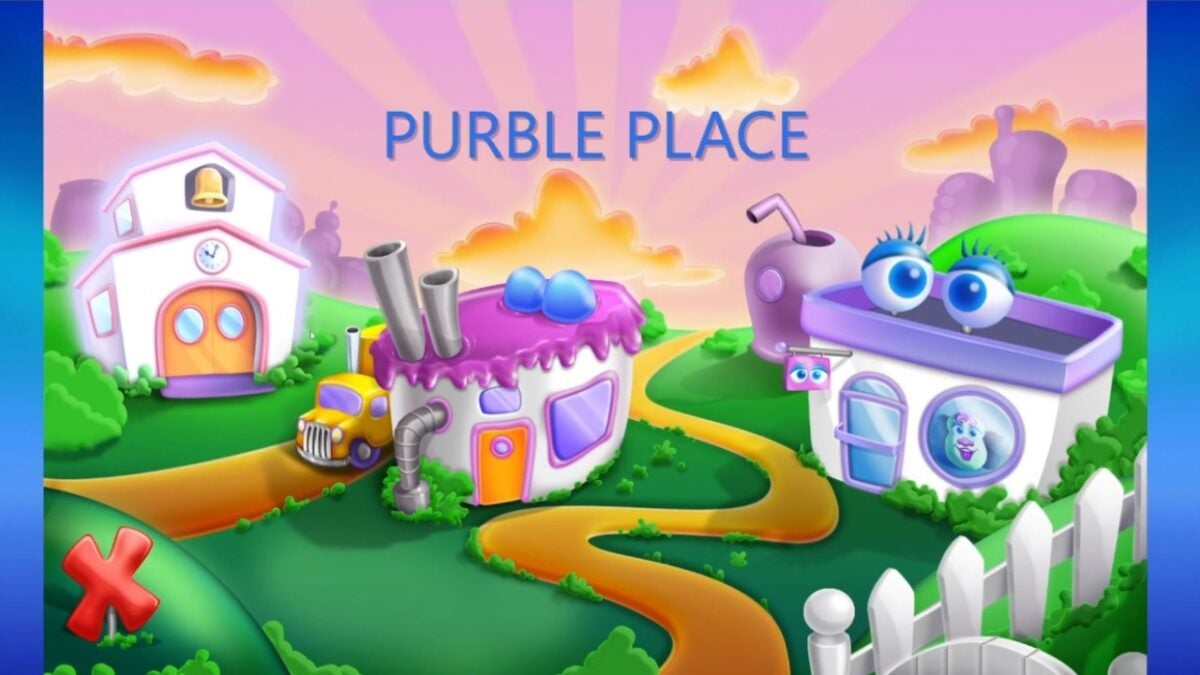
image of Purble Place home screen

Verdict on Purble Place

Video games for kids don’t need to be overly simple or clunky. Purble Place, given that it is an older game, remains very easy to use and even fun to look at. The simple UI has aged well even if the sound effects on Comfy Cakes are a little more splat and less “cake icing”.

If you want to introduce your younger child to video games, this makes a great start — especially with the matching game. The different difficulty levels allow for incremental learning over multiple playthroughs. However, kids will likely want to move on from the game after a certain point since it only has three experiences in it.

PROS

  • Fantastic introduction to video games for kids
  • Helps players learn as they play
  • Fun design style
  • Doesn’t take up too much disk space

CONS

  • Limited number of games
  • Older graphics due to earlier release year
  • Not available on a digital storefront such as Steam or Epic Games

Developer: Oberon Media

Publisher: Microsoft

Game Modes: Single-player


Drill Deal Oil Tycoon review | Sea simulation game

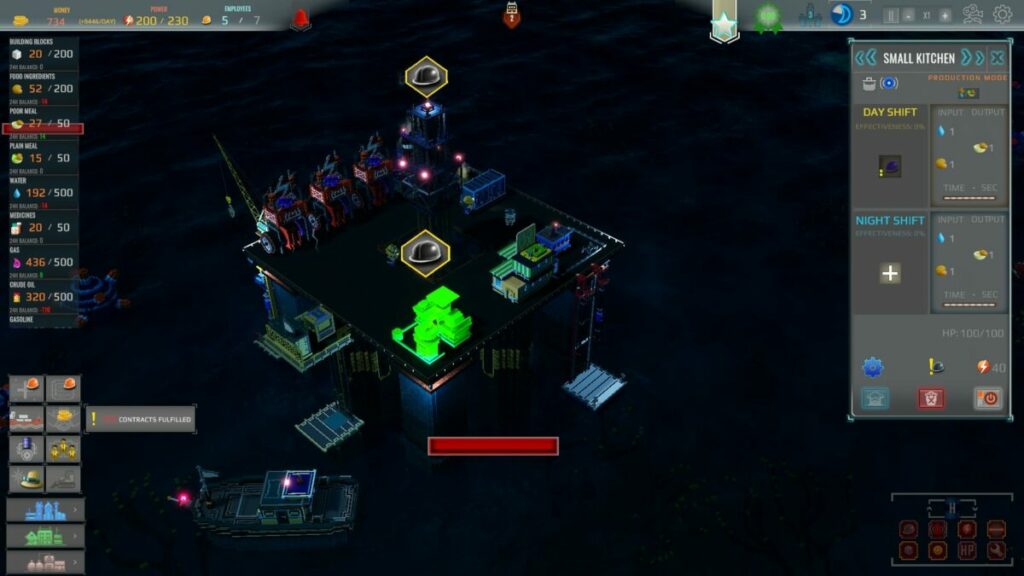
Drill Deal Oil Tycoon is a business simulation game developed by A2 Softworks and published by Manager Games S.A. and Red Dev Studio S.A. on March 9, 2022. It sets you as a manager of a small oil rig in the oceans that you can expand with more platforms. There are different levels and environments, each more challenging than the other.

While there are a few fun elements to the game, it certainly is challenging. You’ll need to be strategic with the economic aspects while fending off dangers from the seas. Read more about what it’s like to play in the Drill Deal Oil Tycoon review below.

Drill Deal Oil Tycoon story

The heart of Drill Deal Oil Tycoon is the campaign. It takes you through various levels you’ll need to complete to unlock others. Each one has a set mission, but let’s look at what the theme is like overall.

Drilling for Oil

The primary storyline features you as the manager of an oil rig in the middle of the ocean. You’ll need to drill for oil, place it in barrels, and then sell it to the highest bidders. However, you’ll need to keep different aspects running smoothly, striking a balance between all of them for fear of failing.

You’ll start small, but eventually, you can build several platforms with pipes and tunnels between them. There are also obstacles and opponents to deal with, such as mines, bad weather, and pirates. The only way to win is to survive the tide and become the best business strategist on the high seas.

Drill Deal Oil Tycoon Review

Trading is the way of life

You’ll need money if you want to succeed while keeping your employees satisfied. There are several contracts you can engage with, with a distinction between short and long-term contracts. Your priority is to ensure that you have the goods available so that there’s a daily income to cover your expenses. 

As part of Drill Deal Oil Tycoon’s story, you gain and lose reputation based on if you can meet the contract requirements. Should you fail to deliver to the trade ships, you’ll lose reputation points. It means that other companies won’t want to do business with you until you raise it to a specific level.

Keeping your workers happy

The drill platforms will come to a standstill if your employees are unhappy. Part of being the manager is ensuring that all their needs are met. When you’re in the middle of an ocean with a hardy crew that wants some entertainment, it can be challenging to fulfill. It can be easy to lose in Drill Deal Oil Tycoon if you neglect this aspect.

Drill Deal Oil Tycoon Review

How long to play Drill Deal Oil Tycoon

The tutorial takes about 20 minutes, but the other stages take much longer. Also, it depends on how well you manage your platform, trades, buildings, and employees. It can easily stretch between 10 and 20 hours.

Drill Deal Oil Tycoon gameplay

With the general idea presented to you, let’s head to the gameplay mechanics of this Drill Deal Oil Tycoon review. I’ve already hinted at a few of them, but it’s essential that I go into more detail so you can see how complicated it is.

Learning how to play Drill Deal Oil Tycoon

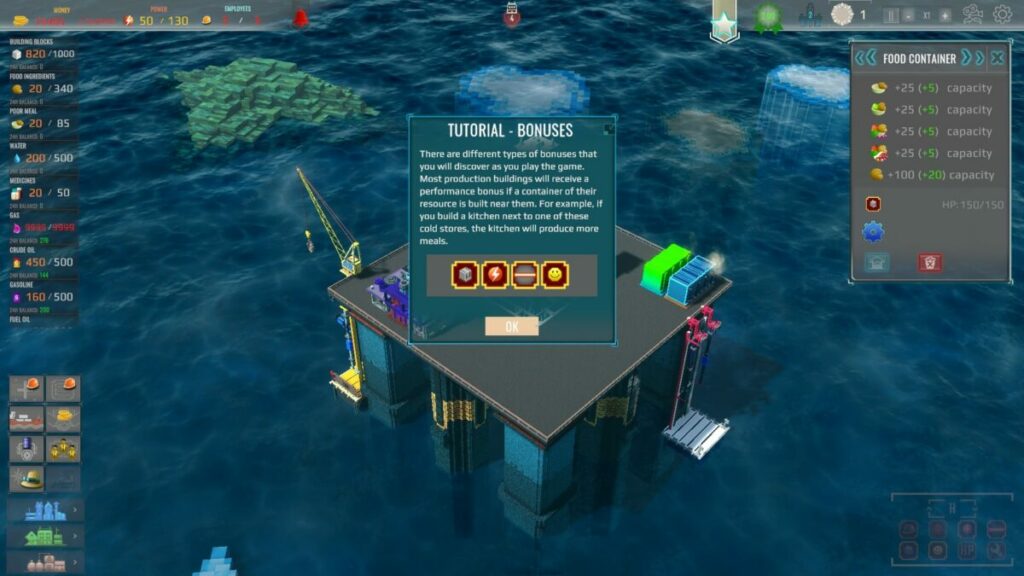
Fortunately, Drill Deal Oil Tycoon is a business simulator that starts with a tutorial. Trust me; you’re going to need it. There are so many elements you need to focus on, it will become daunting at first. It’s similar to TV Empire Tycoon and Two Point Hospital, specifically regarding how much you’ll need to plan to succeed.

Even with one playthrough, I was slightly confused about how to proceed with the first level and failed almost instantly. It’s not the tutorial’s fault, though. It shows you everything you need to know. It’s the strategy — behind mastering the various elements–that’s challenging. 

Drill Deal Oil Tycoon Review

Different levels and modes

There are mainly two different modes in Drill Deal Oil Tycoon. You’ll begin with the Campaign mode as the only one available for the time being. When you reach one of the later maps, you’ll unlock Sandbox mode where you can build and trade to your heart’s desire.

Each map serves as a stage. As you progress through the maps, the challenges and missions become harder to achieve. It will also take longer to complete. Within the game, you can level up the platform by adding and upgrading buildings, which unlocks new tech.

A challenging beginning

Going back to the difficulty in my Drill Deal Oil Tycoon review, the first level will push your strategic thinking to its limits. The main reason is that it’s a new game you need to become used to. There are so many aspects to manage from the start already, and it only becomes more challenging after that. 

As soon as you have a handle on one element, the next thing goes wrong. You’ll need to stay on your toes every step of the way to ensure the business runs smoothly. The most challenging aspect is making sure you make more money than you lose while keeping your staff happy.

Technological trees

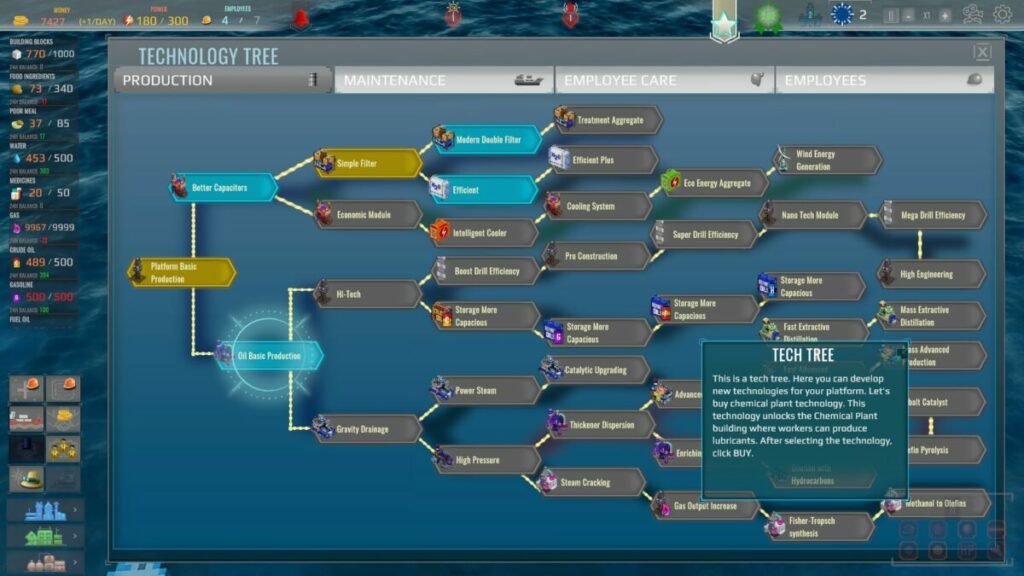
One aspect I loved in Drill Deal Oil Tycoon is the technological research. There are four divisions, and you’ll sometimes stress about which one to focus on first. The categories include production, maintenance, employee care, and employees. You’ll need funds to unlock research, but there may also be platform-level limitations.

Drill Deal Oil Tycoon Review

Various buildings

You’ll find three categories of buildings available in your construction hub. They deal with production, social interaction, and other types of facilities. There’s limited space on your platform at first in Drill Deal Oil Tycoon, but you’ll have more in later stages. Also, you’ll need to repair them, as daily use wears them down.

I did find some buildings to be out of place. For instance, the workshop was in the social panel, which I would think should either go to the production or other tabs. Other than that, I enjoyed unlocking the facilities and learning how to use them.

Staff performance

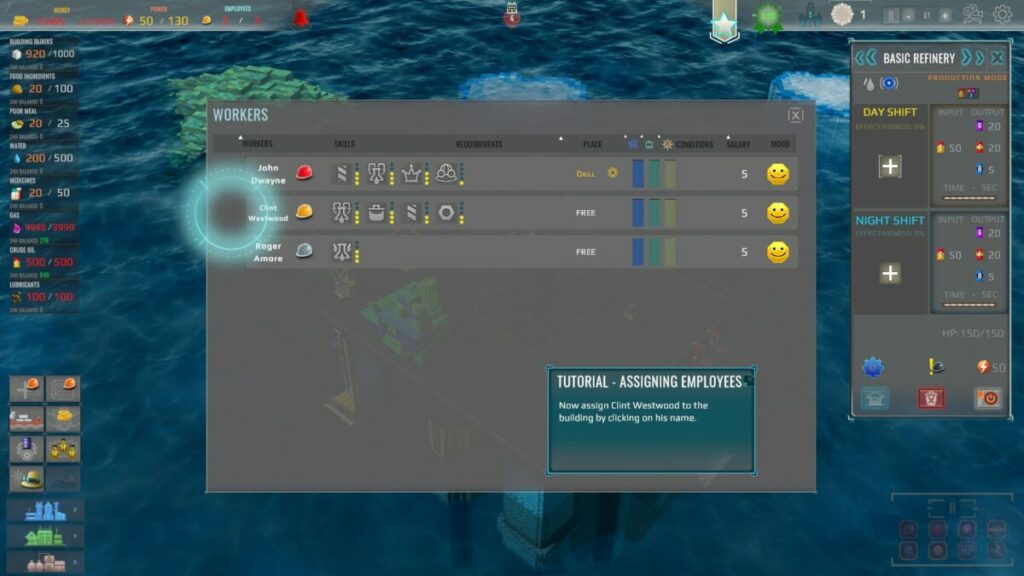
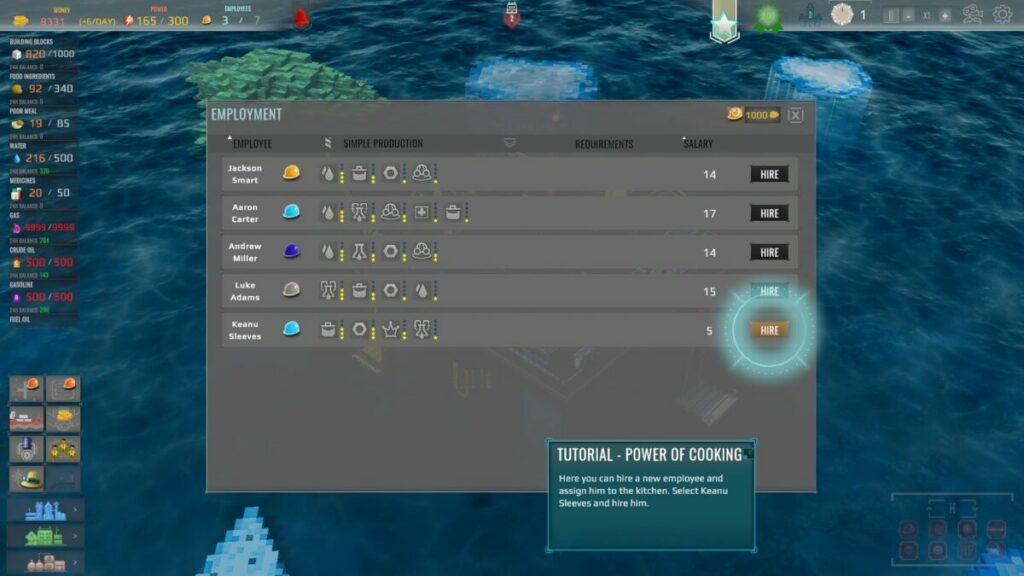
Managing your staff is probably one of the more challenging aspects of Drill Deal Oil Tycoon. Firstly, you’ll need to check what skills they have when you hire them so you know where you can assign them. There are spots in buildings for day and night shifts, which is quite innovative, I feel.

You’ll need to watch the requirement meters, much like in Sims 4. They’ll become tired, hungry, and bored. There are specific buildings that can help fulfill these needs, such as sleeping quarters, a buffet station, and cinemas or other entertainment buildings.

One element I loved when it came to the employees are the names. You can tell they’re based on real people, such as Clint Westwood for Clint Eastwood. It was good for a chuckle, at least.

Drill Deal Oil Tycoon Review

User interface

The developer did an incredible job making the user interface neat and easy to use. When you first see all the panels on the top, bottom, and sides, you may frown in confusion. Play for a few hours, and you’ll know exactly where to click for your actions. The tutorial helps learn the basics, but you’ll master all of them soon enough.

Combat mechanics

You’ll be surprised to hear that there’s some form of combat in Drill Deal Oil Tycoon. You’ll face pirates, mines, and other obstacles in different stages. As you advance, you’ll unlock turrets and other platform weapons you can use to shoot at them. The weapons do most of the work for you, but you’ll need to be prepared for when they arrive.

Gameplay performance

Drill Deal Oil Tycoon doesn’t use too many system resources, and the minimum and recommended requirements are quite low compared to other games published this year. Here’s what you’ll need:

  • OS: Windows 7 // Windows 10
  • Processor: Intel i5 // Intel i5+
  • Memory: 2 GB // 4 GB
  • Graphics: NVIDIA GeForce 9600 GT or  AMD Radeon HD 6450 // Nvidia Geforce GT520 or AMD Radeon HD
  • DirectX: Version 11
  • Storage: 1 GB 

I played Drill Deal Oil Tycoon for this review on Windows 11 and can confirm that it runs smoothly without any lag. The textures and effects are in high definition, and even connecting it to a 65” television screen doesn’t cause it to lose any quality.

Drill Deal Oil Tycoon visuals and sound

Finally, I’ll run through the graphics for my Drill Deal Oil Tycoon review. There were quite a few elements I like, but overall, it’s enjoyable.

Overall graphics

The graphics in Drill Deal Oil Tycoon are similar to the pixelated shapes you’d find in Roblox, Minecraft, and LEGO Worlds. There are plenty of colors to enjoy, so you won’t have a dull moment while drilling oil in the ocean. You’ll also enjoy the effects, especially when there’s a massive storm and your employees run for their lives on the platform.

Drill Deal Oil Tycoon Review

Character and building designs

The developer could have gone for a standard appearance for the employees. Instead, they put in some effort and gave each one a unique look. The facilities may appear basic at the start, but they become more intricate and stunning to behold at later stages. There are even sea creatures to observe in the waters around you.

Sound 

While the characters won’t do much talking, there are still some sound elements to enjoy. Mostly, it consists of the seas and the operations on the platform, while you’ll hear alarms when you’re under threat of attack. It’s the sound of the storms I loved the most.

Final verdict of Drill Deal Oil Tycoon

Who would have thought that a simulation game about the drilling of oil in the oceans could be so much fun? Drill Deal Oil Tycoon takes what sounds like a dull game and turns it on its heels with hilarity and strategy. Sure, you may swear a few times with how challenging it is, but you’ll get the hang of it soon enough.

If you enjoyed this guide, be sure to check out my Minecraft and Shadow Warrior 3 reviews.

Pros

  • Excellent game performance
  • Entertaining characters and visuals
  • Hilarious employee names
  • Challenges strategic thinking
  • Several buildings and research elements
  • Easy-to-use interface
  • Detailed tutorial

Cons

  • Can be incredibly challenging at the start
  • Sandbox mode only available at a later stage
  • No multiplayer mode

Developer: A2 Softworks

Publisher: Manager Games S.A., Red Dev Studio S.A.

Game Modes: Campaign, Sandbox

Platform reviewed: Windows 11 – Steam

Roblox Studio Review: Games galore amid safety concerns

By now, you’ve no doubt heard of the blocky, Lego-Esque “game” known as Roblox Studio. But it’s not just one game; it’s hundreds. And they are more or less all user created, as well. There is even a parasocial element such as real-life influencers getting custom Roblox and hosting in-game events like Yoga classes.

Many types of games exist and it is technically free to play, and Roblox is widely regarded as a kid-friendly platform. Of course, that trait has recently been called into question with multiple news sources such as The Washington Post reporting on unfortunate, nefarious actors within the Roblox community.

Let’s review Roblox Studio, list some of the best Roblox games, and see what they’re all about.

Roblox studio history and background

Believe it or not, David Baszucki and Erik Cassel founded the Roblox Corporation all the way back in 2004. They didn’t officially release Roblox until 2006 and the game continued on through the years. It debuted on various platforms starting with Windows then adding iOS, Android, and Xbox One.

Tragically, Cassel passed away in 2013 due to complications from cancer. However, the company received funding through a round of venture capital funding in the amount of $82 million USD in 2016.

The company expanded, receiving more funding in 2020, and eventually got a valuation of billions of US dollars. Going public in late 2020 saw the company’s clout go up even further.

What is Roblox?

Roblox is an online platform where users create and then share their games across the digital world. It’s more like a Steam/YouTube hybrid that’s free to play. Roblox Studio Software creates games ranging from shooters to RPGs and themed games around popular Korean streaming shows.

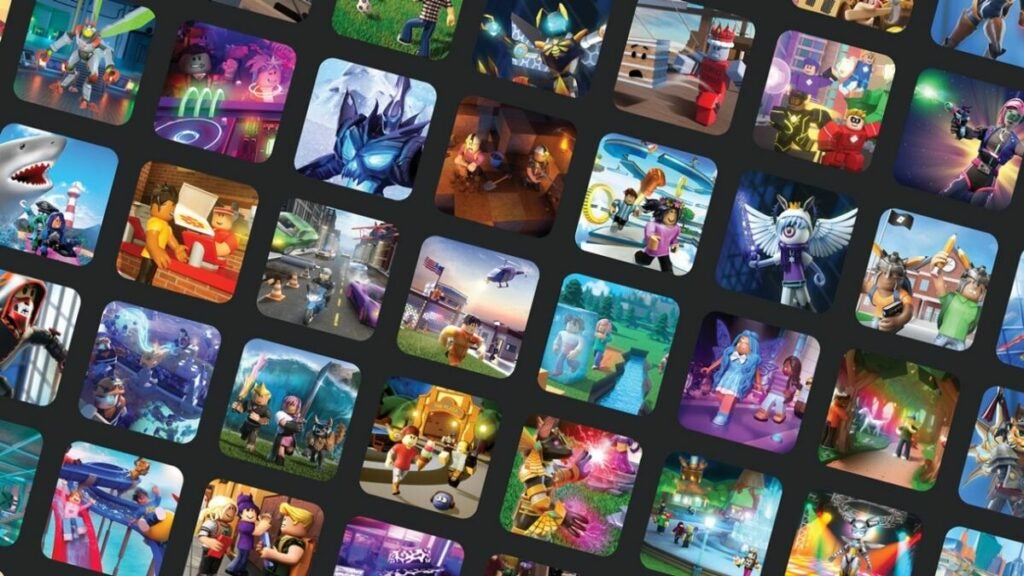
image of Roblox game thumbnails

Roblox developer tools and features

Roblox heavily incentivizes all users to become game developers with lots of tools and the promise of earning real money or in-game currency. Especially aimed at a younger audience, the platform offers tons of resources from Studio Step articles to a developer console.

The game uses Lua, the programming language, to create digital hangout spaces or full-fledged interactive digital experiences. Users can create the game they’ve always wanted to play but perhaps haven’t found yet. There was even a Lil Nas X virtual concert in 2020.

For anyone looking to learn more about game development with lots of documentation and community support, Roblox is a great way to get started.

Concerns about content and exploitation

Every game, developer, and platform has its controversies and Roblox is no different. There are two major concerns regarding the game platform — one that especially concerns parents since many kids are active on Roblox.

Is Roblox kid-friendly?

Roblox, like any gaming platform, has rules in place for decency. No slurs, nudity, harassment, etc. However, many users experience naked avatars who proposition other players in chatrooms or break other rules. Worse yet, one user had their avatar assaulted in-game in 2018.

A voice chat meant to heighten the immersiveness of the game gives would-be bad actors another pathway to harass underage and unassuming players.

Roblox Studio has a laissez-faire approach to overseeing player-to-player interactions, so many of these issues don’t get reported or aren’t addressed. The game platform is an older one and, now, it’s explosively popular and quite siloed in how the company approaches platform management. Retrofitting safety and security features for minors does not seem to be a top priority.

Does Roblox exploit young developers?

As reported by numerous outlets in early 2022 after initial reporting by People Make Games, developers with some as young as age 6 were creating content on the Roblox platform. Not only are there claims of financial exploitation, but of harassment, as well.

The company encourages young creators to sell their work with phrases like “Make Anything. Reach Millions. Earn Serious Cash”. But Roblox takes 30% of any sales of virtual creations. Moreover, older developers take advantage of young developers who don’t understand how to value their work. Then, when the younger party is dismissed erroneously or not appropriately compensated, they have no recourse against the older parties or even with Roblox who considers themselves a third party in the scenario.

In addition, the older parties would harass younger users — sometimes in sexually explicit ways. For a platform that bills itself as kid-friendly, these are huge red flags.

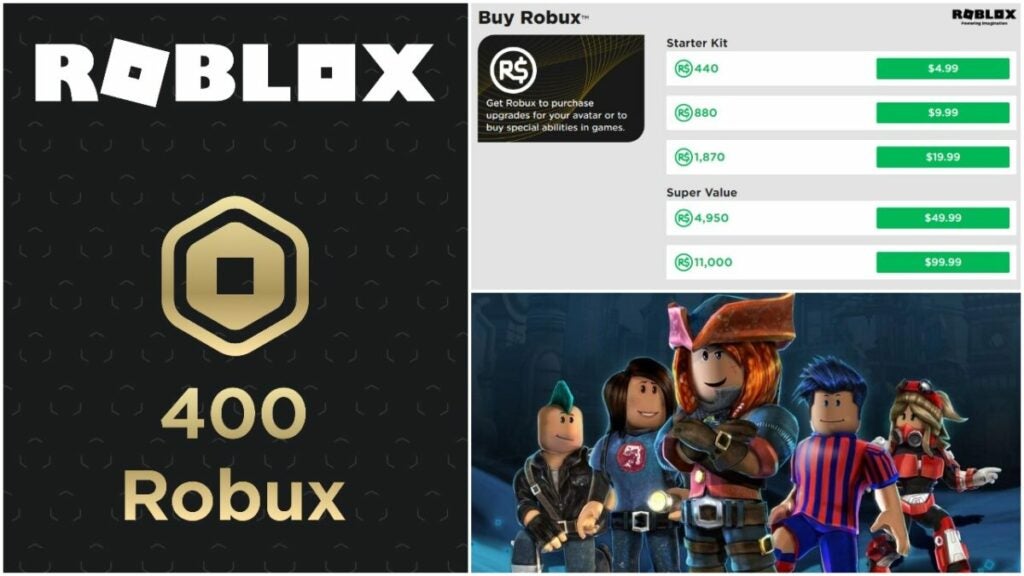
image of Roblox Studio Robux logo

Roblox “Robux” system

Robux is the system of in-game currency in Roblox that lets players buy cosmetics, items, and games. The company even has tutorials on how to price games if you are trying to earn Robux with them. Roblox also has a trading system that lets players trade Robux, Limited Items, and Limited Unique Items.

There are several ways to get Robux in-game, but here are some of the most straightforward options:

  • Build games that become popular to generate revenue
  • Design custom clothes or items to sell on the platform
  • Buy memberships that dole out a certain number of Robux every month instead of buying a small chunk of Robux at a time
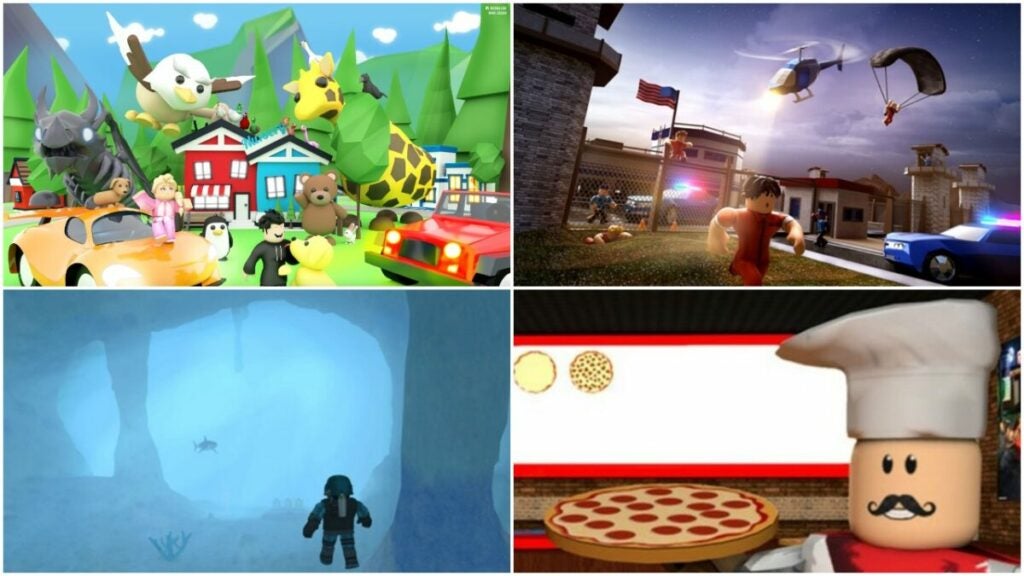
image of Roblox Studio games like Adopt Me! and Jailbreak

The best Roblox games including Adopt Me

Roblox players have tons of options when they want to choose a game. Do they want scary Roblox games or something laid-back and casual? Maybe they just want to know what it’s like to work in a pizza shop for a day. On Roblox, downloading a new experience is easy, but not all of them are created equal.

Here are the best Roblox games in terms of popularity among users:

  • Adopt Me! – a Sims-style game where players take care of their home and pets while exploring the world.
  • Work at a Pizza Place – roleplay as a pizza place worker in one of the most popular Roblox games of all time. This cooking game has players fulfill customer orders accurately and quickly in one of many roles such as chef and cashier.
  • Counter Blox – if this reminds you of Counter Strike, that’s on purpose. It has similar movement, mechanics, aesthetics, and maps.
  • Theme Park Tycoon 2 – similar to games like Roller Coaster Tycoon, this amusement park sim game allows players to create and manage their own parks.
  • MeepCity – an open world Sims-style game with more focus on home building.
  • Scuba Diving at Quil Lake – more relaxing than something like Subnautica, this game lets players find treasures beneath the waves and explore caverns for lost artifacts. It features some survival elements such as maintaining air supply and avoiding toxic water.
  • Jailbreak – users play as criminals or cops in this kid-friendly Grand Theft Auto-style game.
  • Dungeon Quest – an MMORPG similar to Blizzard’s epic franchise Diablo with tons of loot to find and enemies to slay.
  • Anime Fighting Simulator – a rich fighting game, this option features lots of diverse items, weapons, and game modes for tons of beat ’em up action.
  • Murder Mystery 2 – find the killer among you and a group of people before it’s too late.
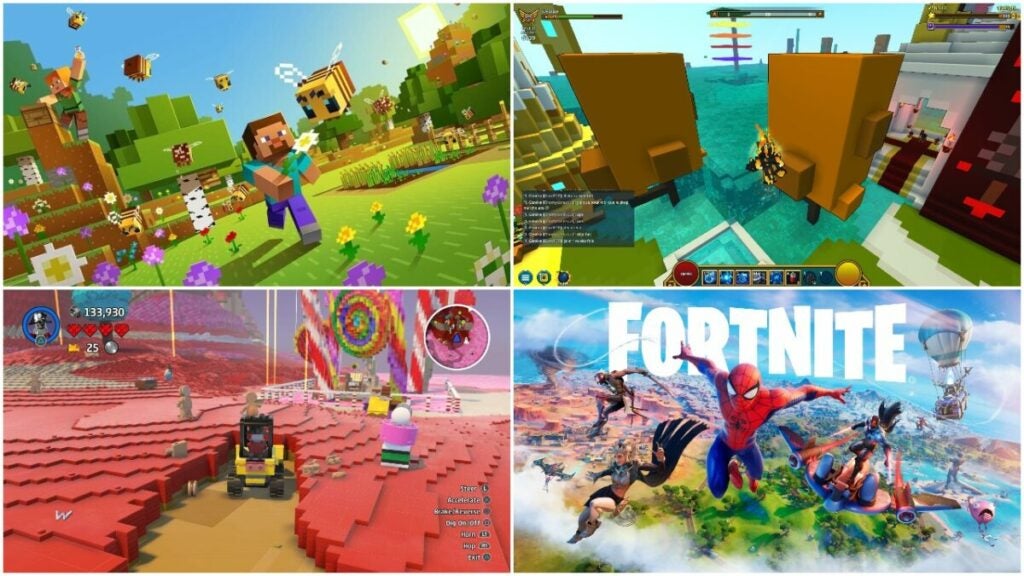
image of Roblox game competitors like Fortnite and Minecraft

Roblox games competitors

In 2021, Roblox began to refer to its games as “experiences” instead since the user-created ventures are all so different. The company even replaced the “Games” tab on its UI with a “Discover” option instead. Despite this change, most users agree that they are playing games when they go to Roblox.

Though the platform offers many free-to-play experiences, there are tons of free-to-play options on the market today in both the Indie and Triple-A camps. These competitors all give every Roblox experience a run for its Robux.

Trove

The MMO sandbox game was originally launched for Windows PCs but expanded to Xbox and Nintendo Switch. Users choose one of many classes, explore different environments, customize their characters, choose professions, and more.

Players looking for a more RPG-style experience should consider Trove as it has great depth of content and a cute, retro art style. The free-to-play game has a wholesome feel to it, hearkening back to pen and paper RPG games. Some parents may enjoy sharing it with their kids as a step toward other video games and even Dungeons and Dragons.

Minecraft

Minecraft, available as early as 2009, remains one of the world’s best-selling games. Though users can pay for their own servers, they can also play Minecraft for free. Creative mode allows users to create incredible, unique worlds while still exploring the more RPG-related elements of the game.

It’s a fantastic option for parents and kids to play together; it also has a similar aesthetic to Roblox with blocky figures. However, it is limited to exploring, building, crafting, and survival gameplay. Roblox Studio naturally offers more variety since it hosts hundreds of games.

Fortnite

Though it started as a PvE campaign with base building and zombies, Fortnite gained major notoriety for its popular Battle Royale mode. The free-to-play mode pits single players, squads, or teams against each other in a raucous, third-person shooter battle with all of the cosmetics you could imagine.

Since it is free and easy to pick up, many parents will play it with their kids or just let their kids play. Tons of streamers such as the famous Ninja also give the game publicity. However, since the age range of Fortnite varies so widely, it may not be considered as kid-friendly as games on the Roblox platform.

Lego Worlds

The building block titan created its own sandbox title with Lego Worlds. Like Minecraft, users create their own buildings and structures in a procedurally generated realm. It offers a very similar experience to Minecraft, but with the addition of Lego-branded content.

For lovers of Lego blocks, this makes a fantastic game to pick up since it has buildings, vehicles, animals, and more. Again, it is just one game vs. Roblox’s many, but it offers a more restricted experience for younger players.

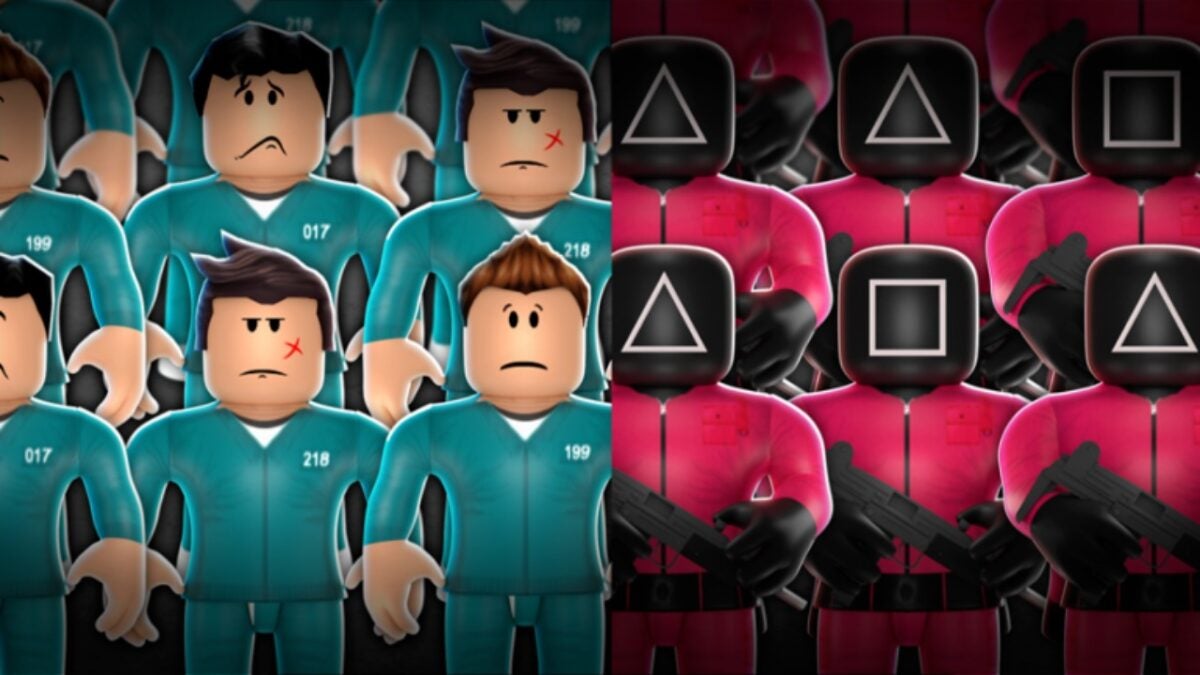
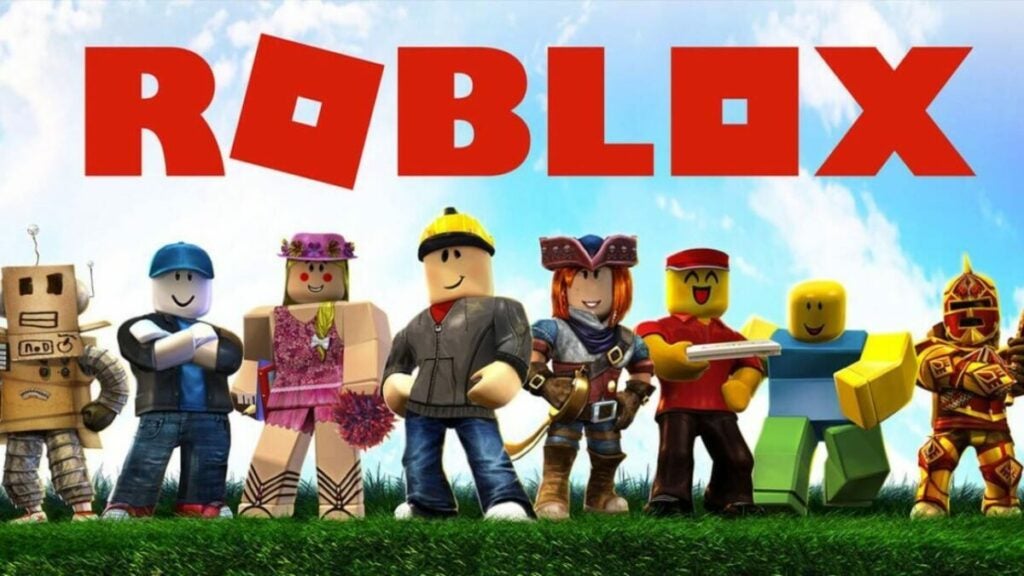
image of Roblox avatars and logo

Verdict on Roblox Studio

The Roblox Studio game platform is home to hundreds of unique, user-created games. Many of them are riffs on classic or popular Indie and Triple-A titles. The platform is free to download, but not all games are free to play. Moreover, cosmetics and items cost real-world money.

Overall, Roblox is worth it if you want to learn the basics of game development, play casual games with friends, or play a video game with your kids.

PROS

  • Free to download
  • Large variety of game types
  • Great exposure for young people and newbies to game development and other development-related tools
  • Unique way to earn income selling games
  • Easy for large groups of friends to play games together
  • Customizeable avatars

CONS

  • Microtransactions
  • Potentially harmful without careful parent oversight
  • Little recourse for players regarding in-game issues
  • Not all games are free
  • Simpler aesthetic that may not suit everyone’s preferences

Developer: Roblox Corporation

Publisher: Roblox Corporation

Game Modes: Single-player and multiplayer

Game Engine: Lua

Minecraft review | Crafting exploration adventure

Minecraft is a sandbox crafting game originally developed and published by Mojang Studios on November 18, 2011, for PC. Since then, there have been various upgrades and versions across console, desktop, and mobile devices. 2021 saw massive changes appear with new mobs and biomes with the Minecraft Caves and Cliffs updates.

While you’ll have to pay for it on most platforms, you can play Minecraft for free on Xbox Games Pass. It’s an excellent game for adults and children alike, and it’s spawned several spin-off titles and apps for entertainment and education. 

For more information, check out the detailed Minecraft review below.

Minecraft story

You may not realize it at first, but there is actually a slight plot behind Minecraft. It’s mostly in the sense that there’s a beginning and an end, and how you live between those times is your own story. Here are some more details.

The survival tale of a Crafter

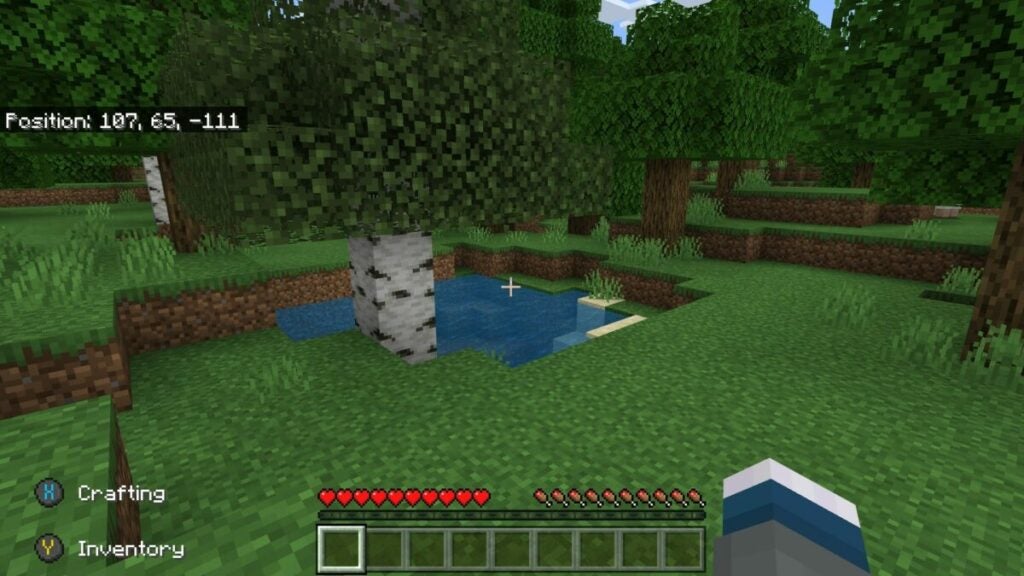
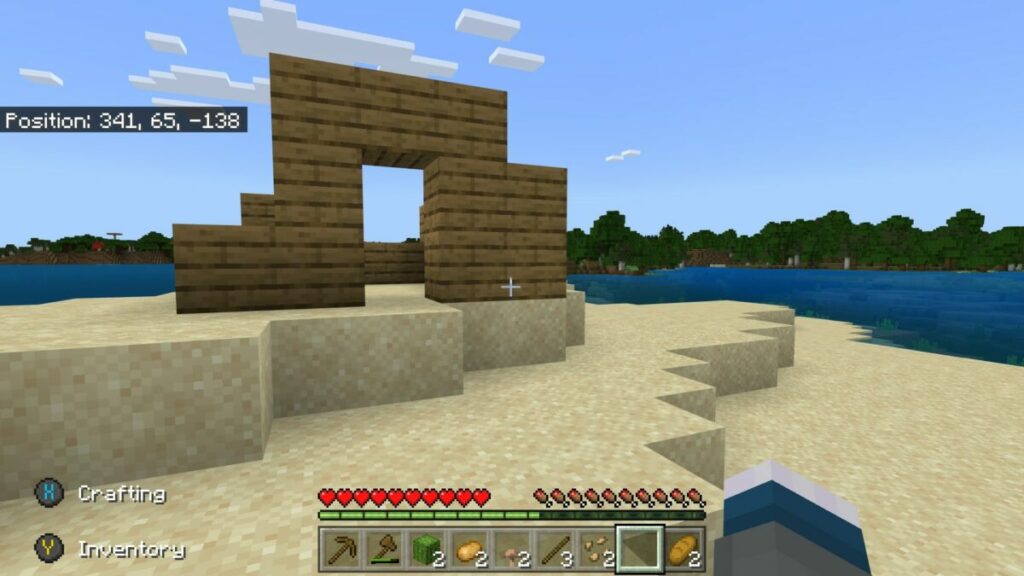
After you create a new world in Minecraft, you’ll wake up on land or an island. There’s no note to tell you what’s happening or why you’re there. All there is do, as a beginner, is to walk around and investigate.

As the day progresses and you perform actions, your hunger will increase. You’ll need to hunt for food and cook so that your health doesn’t start to drop. However, this aspect is nothing compared to what’s coming.

When night arrives, these creatures called mobs appear. Depending on the game difficulty, they’ll attack and feed off you. You’ll need to find a place to hide or defend yourself if you want to survive. It’s at this point that you realize that you should have built a home or shelter.

If you want to survive the Overworld as it’s called, you’ll need to craft. We’ll show you exactly what that entails later in our review.

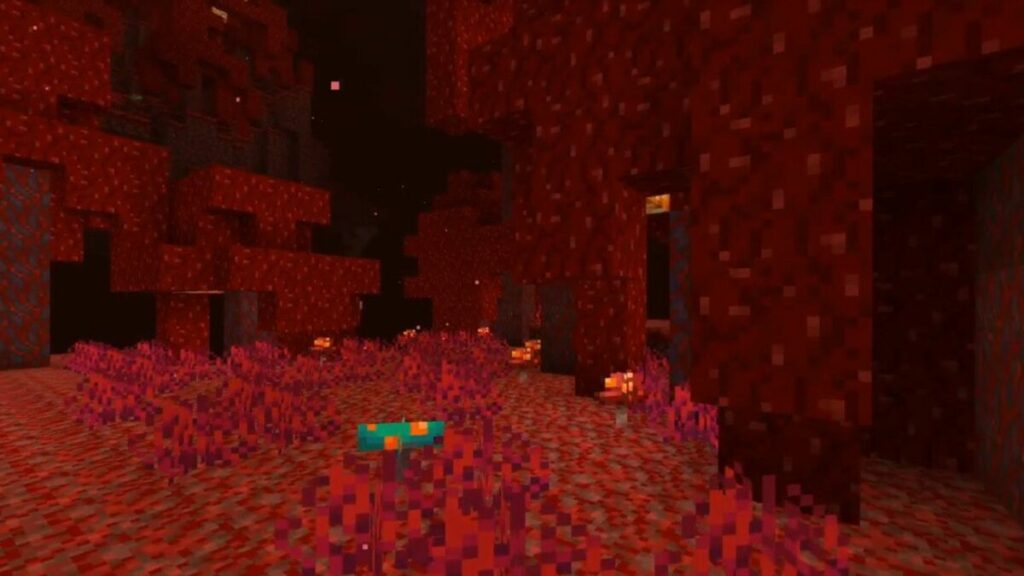
The dark world of the Nether

At some point in your journey in the Overworld, you’ll come across lava in the depths of the world. When you mix water with it, the block transforms into Obsidian. It’s a valuable resource that you can use to create a Nether Portal, taking you to a new world.

You’ll notice that there are new blocks, items, and mobs in this environment. You can build a shelter here too, which is essential if you want to farm resources unavailable in the Overworld. The Netherworld is almost the equivalent of what Otherworld is to the foggy streets of Silent Hill 4: The Room. providing a location that’s more dangerous.

Minecraft review

Reaching The End

One mob that most players fear in Minecraft is Enderman. It’s a completely black creature with purple eyes. It won’t attack you unless you look dead in its eyes. It teleports where it likes, and most gamers die upon first contact with this being. 

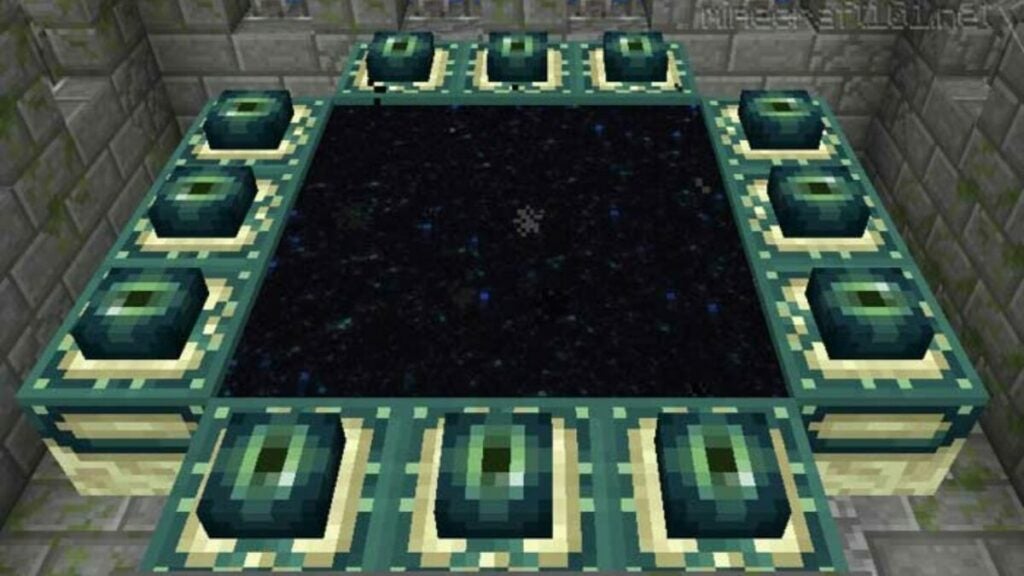
When you do manage to kill it, it drops one of its eyes. You can use these to make a portal to a world called The End. It’s home to the Endermen, and there’s a massive Ender Dragon you’ll need to fight. If you win, you’ll reach the official end of the game. However, you’ll return to the Overworld to continue building if you wish.

Minecraft review

How long to play Minecraft

How long you play Minecraft is up to you. If you only want to build and get enough resources to get to The End, the average time is about 100 hours. Many have been playing it for several years. For instance, I’ve been playing it on PlayStation 4, Xbox 360, Nintendo Switch, Android, and now PC for this review. There’s no end to the joy it brings to a master craftsman who loves base-building games.

Minecraft spin-offs

The official Minecraft game has inspired several spin-offs also worth trying These include: 

Minecraft gameplay

Now that you have a general idea of what Minecraft is about, let’s take a closer look at the gameplay mechanics. We’ve already written some guides over the years, so I’ll make sure to direct you to them where necessary. For this review, I’ll stick to the basics.

Learning How to Play Minecraft

Before the Minecraft Bedrock Edition upgrade, there was a wonderful tutorial world you could start in before creating your own. It gave crafting objectives and then took you to a marketplace with different farming and mechanical fields and stores. It was ideal for the beginner.

Sadly, that has completely vanished. You’ll have to register for the Minecraft Education Edition if you want some form of a tutorial. There is a help section in the game you can consult for more information. Your other option is to read our guide on how to play Minecraft.

Minecraft review

Different modes and difficulties

Before you create your first Minecraft world, you need to understand the various modes. Firstly, you can play solo, with your friends locally, or online in a multiplayer lobby. All this really affects is whether you build alone or with others. You can choose how others join your game and what permissions they’ll have. 

Once you’re ready to play, you’ll need to decide if you want to play survival or creative. Much like Fortnite and 7 Days to Die, creative mode means you can go wild building without needing resources. Survival mode lets you search for the elements you need to make blocks and items while mobs are trying to kill you.

Speaking of which, let me draw your attention to the difficulty levels in this Minecraft review. You can switch to Peaceful, where no enemy mobs will appear and you can live in serenity. Easy, Normal, and Hard enables the monsters while also changing how challenging they are to defeat.

Finally, you can also join Minecraft Realms for a different experience. You’ll need to pay a monthly subscription, but it lets you host a world for you and your friends to play on privately together. You’re basically paying for space on Mojang’s servers.

Minecraft review

Creating a world

You now have enough knowledge to create a world in Minecraft. You can let the game procedurally establish one for you randomly, or you can enter a seed string if you want to play in a specific world. Some have more diamonds, others have more iron, while there are some with specific villages already created. We have a list of some of the best Minecraft seeds to check out.

Minecraft review

Various biomes

When your world is generated, it’s time for you to explore. There are several biomes, which is one of the aspects I love. Each one has a set theme for trees, grass, weather, animals, and more. It’s helpful to learn what they contain, especially when you’re looking for glow berries or the blue Axolotl in Minecraft. The Nether and The End are limited in the number of biomes. 

Basic and advanced crafting

The primary mechanic of Minecraft is crafting, hence the name. Everything you do should be towards making something in the game. Whether you need to eat, build a castle, develop tools and swords, the heart of your tasks turns to the act of crafting. 

You’ll start small, but you’ll keep wanting to expand as you gain more resources. There are basic and advanced designs, better known as recipes. You can easily view them in your crafting menu when you select one of the objects. Feel free to read more about how to craft in Minecraft.

For the purposes of this review, the crafting mechanics are easy to master, but you’ll be better off once you create farms or breed mods so you can have easy access to resources. Learn how to tame a horse in Minecraft with crafted materials if you want to travel quickly across the land, for example. 

The best part is that you don’t need to limit yourself to building shelters on land. You can develop buildings in the ocean or build a home in the deepest caves. Here you can see a short video on how I constructed a Skyrim homestead in Minecraft as an idea of what you can do.

Rising in experience

Another aspect to pay attention to in Minecraft is your experience. As you craft and mine, you’ll gain XP that will provide higher levels. Unlike most games where you’ll use these to unlock abilities, they’re mostly used on the Enchanting Table. Every time you enhance armor or weapons, it will consume experience points.

User interfaces

There are various user interfaces to become used to in the game. They mostly exist in the various crafting blocks, such as the crafting table, furnace, smelter, and anvil. The concept is basic, and you only really need to click on the recipe and then construct the item if you have the resources. Some of them have tabs you can switch between.

Minecraft review

Combat mechanics

If you have enemy mobs activated, you’ll need to create weapons to help you survive. You’ll start with the basic ones, like a sword and a bow. You’ll also need to craft the arrows if you want to kill from a distance.

Fighting is easy to perform in Minecraft. You literally just click to hack and slash or shoot your arrow. If you’re an alchemist at heart, you can brew poison to throw from a distance to weaken your opponent. It also helps if you make armor so that you don’t lose too much health when a mob makes contact.

Gameplay performance

The requirements for Minecraft on Windows have updated over the years, especially with the Caves and Cliffs update. For the moment, you’ll need the following on your computer, but it’s subject to change:

  • Operating System: Windows 7 and up
  • CPU: AMD A8-7600 APU 3.1 GHz | Intel Core i3-3210 3.2 GHz 
  • GPU: AMD Radeon HD 7000 series or NVIDIA GeForce 400 Series 
  • Memory: 4 GB RAM
  • HDD: 180 MB to 1 GB 

Playing Minecraft on Windows 11 via Xbox Games Pass with NVIDIA GeForce, there was no noticeable lag or drop in performance. If you’re planning to play Minecraft Realms online, you may need to boost your system if there are multiple gamers online.

Minecraft visuals and sound

In this final section of the Minecraft review, I’ll discuss the graphics and sound. You may have an idea of how it looks from the screenshots, but there’s more to it than that.

Overall graphics

Minecraft graphics consist of block or pixel shapes, much like you’d find in Roblox and LEGO Worlds. It looks pristine on PC and somewhat more realistic than console. There’s a massive render distance, which means you can see far out onto lands to see what lies ahead. 

Character and world designs

The most impressive feature is the collection of biomes and how much effort the developers put into the mob and item design. The latest updates have added more performance into the visuals, but it all depends on what computer system you have. 

Minecraft review

Skins, packs, and mods

There are three ways you can change visual elements in the game.

  1. Buy and change your skin in Minecraft, which alters your character’s appearance.
  2. There are packs you can install, such as Skyrim and Fallout 4. These provide blocks and items that are similar to colors and themes in other games.
  3. You can also install mods in Minecraft if you want to adjust any elements or add items not available in the original game. I prefer not to, and I didn’t for this review, but I’m aware that it’s possible as a MC gamer. 
Minecraft review

Sound 

You wouldn’t expect much sound in a game like this, but there’s actually plenty to enjoy. There’s background music, but you can also find music discs later in Minecraft if you want to play something specific. Each mob has its own sound effects with striking blocks when mining.

Final verdict of Minecraft

Minecraft is ideal for any gamer that wants to spend time building homes and structures and not worry about time going by. You’d be surprised how quickly it slips by when you’re having fun. When you look back, you’ll wonder what you actually did at that time. Still, it’s an exciting game to play whether alone or with your friends. Even an action-junkie like me loves it.

Pros

  • Vast worlds to explore
  • Plenty of items to craft
  • Hunting for resources is fun
  • Splendid graphics and designs
  • Interesting mobs
  • Educational for children
  • Allows installation of mods

Cons

  • Tutorial mode no longer exists
  • Can eat up your time quickly

Developer & Publisher: Mojang Studios

Game Modes: Survival, Creative, Multiplayer, Minecraft Realms

Platform reviewed: Windows 11 – Xbox Games Pass

Is the Steam shop the best it can be?

The Steam shop and Steam games platform is known for epic steam sales, the Valve Steam Deck, supporting indie game developers, and much more. It’s been around since 2003, making it almost 20 years old now.

Though other developer-specific storefronts like EA Play, Uplay, and others exist, Steam offers games from thousands of developers at all price points — consistently offering sales and user-created mods. The problem is that they are no longer the only player in the digital games storefront game. Rivals like Epic Games have forced Steam to re-examine its features, offerings, pricing structure, developer tools, and more.

How does the Steam platform stack up to rivals and what are the problems users have found? Let’s explore the Steam shop from things like the Steam shop, Steam games, and Steam wallet to skins gambling and anti-competitive practices.

Steam platform creator: Valve and Gabe Newell

Gabe Newell and Mike Harrington, two former Microsoft employees, started the company Valve Software/Valve Corporation in 1996. Though initially developing video games, the company developed its digital storefront known as Steam in 2002. It only offered first-party Valve games at first but began to more widely distribute other games starting in 2007.

Over the course of its lifetime, Steam has added new and developed unique features, and worked alongside its development arm (Valve). It accommodates Windows, macOS, Linux, mobile platforms, and virtual reality options. In fact, Valve produced Half-Life: Alyx in 2020 — a game designed for VR.

Though the platform offers many features, many users just use it as a video game digital storefront and library.

image of image of Steam shop game library

Organization, UI, and features

Having changed to keep up with popular UI and UX design, the Steam interface now focuses on image-heavy organization. This keeps things very vibrant with lots of visual information, but may not be for everyone. However, Steam also has lots of quality-of-life features such as:

  • Friends list that shows what games friends are playing, offers you to join or invite, etc.
  • A community hub for game discussions, workshop mods, and more.
  • A digital store front where users can search, find, and learn more about different titles.
  • A more secure Steam Wallet.
  • The “Steam Points Shop” where users can buy game-specfic emotes, profile skins, digital stickers, and more.
  • A somewhat bizarre, but still active trading card market where users earn cards by playing games and then sell them to other users for “gems” or real currency to use for their Steam Wallet
  • Game achievement and play time tracking.
  • Community broadcasts from users and developers alike.

Overall, the UI is very useable and the organization makes tons of sense. Since Valve has had years to refine it using market research, developer input, and user feedback, Steam follows in the same fashion and has well-thought-out UI and UX design.

image of Steam shop Steamworks developer tool graphic

Developer tools and features

Though not many developers are pleased that Valve pockets 30% of every sale on its platform, the Steam shop has tried to do more for developers in the last few years. This includes making their developer tools more robust and incorporating more initiatives such as SteamVR.

Steamworks

This API gives studios publishing and development tools for free that better allow them to use Steam features. It helps with microtransactions, matchmaking, Steam Workshop, DDoS protection, achievements, screenshots, cloud saves, and more.

The program has become so thorough over the years that Steam has tons of documentation for developers to scour through.

Steam workshop

Users with Steam accounts can create content for video games owned on the Steam platform. Other players can easily subscribe to these mods with one click, curate mod collections for specific uses, and more.

It originally came about to distribute Team Fortress 2 items then redesigned to accommodate more titles and more robust use cases. Some creators were even compensated for their work as it was incorporated into the base game.

Games like Cities: Skylines and Valve’s own Half-Life depend heavily on mod support.

SteamVR

This software and hardware platform works alongside VR technology such as the Valve Index and HTC Vive. It uses positional tracking base stations to facilitate room-scale experiences. This means that users can move within a space as opposed to standing in one place.

Though still available for Linux and Windows, Valve no longer offers SteamVR macOS support as of 2020.

Steam Direct

Steam Greenlight was released in 2012 with a focus on making it easier for Indie developers to reach potential users. However, the initiative did not go as planned and was replaced by Steam Direct in 2017.

It lets potential developers distribute their product on Steam by completing the required forms and paying an application fee that they can recoup later. If a game exceeds $1,000 USD in sales, Valve pays back the developer but some still feel this process doesn’t work. Raw Fury and Fig offer to pay the fee for some developers if they can’t pay.

image of Valve videogames TF2, Half-Life, Portal, Left 4 Dead, and Dota 2 logos

First party Steam games

Valve started out producing video games, so Steam maintains certain first-party titles including:

Most recently, the company released Aperture Desk Job, a short experience set in the Portal universe, for free on March 1, 2022. It served as a tech demo for the new Steam Deck hand-held device from Valve.

images of Steam Link, Steam Deck, and Steam controller

Proprietary hardware

Valve has pursued several hardware ventures in their lifetime with some being more successful than others. The recently released Steam Deck has received middling reviews so far since certain huge games such as Destiny 2 or Fortnite are not supported on it. In fact, users trying to bypass this are getting banned.

To date, Valve has created these hardware platforms for Steam:

  • Steam Machine – a SteamOS powered hardware device for gaming that ultimately did not become popular, but led to the Steam Link — an at-home streaming technology now embedded on many Samsung televisions
  • Steam Controller – a proprietary controller designed for use with the Steam Machine that also works with the Steam Link
  • Steam Deck – a handheld device intended to run available Steam games
Steam logo next to Coach from Left 4 Dead looking suspiciously at a paper

Problems and sticking points of the Steam shop

Every software has its issues and bugs and Steam is no exception to this. Some bugs involved hacking into PCs while others let users download any game for free (briefly in 2018). But not all problems are software-related with Steam.

Here are some of the notable problems experienced by users and developers when it comes to operating on and using the Steam shop.

Limited user support

Since Steam acts as a “middleman” of sorts, it doesn’t offer as robust user support as some people might think. If a player encounters a problem with a game such as a crash, they’ll have to go to the game developer for help. If a Steam user loses their password, they’ll have to go through Valve instead.

However, some things go further with game developers having dedicated Steam support pages on their websites like Facepunch Studios, developers of the game Rust.

Confusing and limited refunds

Valve incorporated refunds into their system in 2015 but users still struggle with understanding how they work. Users can get refunds if the following criteria are met:

  1. You have NOT played the game for more than 2 hours
  2. You’ve purchased the game less than 14 days ago

Unfortunately, if you don’t meet those criteria, Steam will likely reject your refund application.

This also backfired for developers as people would buy a game just to review bomb it, then get a refund without even playing the game. Steam tried to mitigate this by putting whether or not a game was refunded in game reviews for other users to see.

How much devs make from Steam sales

Developers have more options now when it comes to how they want to distribute their games. Rivals to Steam like Itch.io let them offer it for just a 10% cut by default compared to Steam’s industry standard of taking a 30% cut from every sale. Epic Games gives developers 88% of every sale.

But some developers don’t believe that Steam offers enough to justify taking this much from every sale.

logos of Steam rivals Itch.io, Epic Games, GOG, and Softonic

Rivals and competitors vs. Steam shop

As with everything, the digital Steam shop has plenty of competitors no matter how many amazing Steam sales they have. In fact, Steam misses out on certain game launches due to these rivals with companies like Amazon even eating into Steam sales.

Epic Games

As a software developer and game development studio, Epic Games has a huge leg up on Valve and Steam thanks to its use of Unreal Engine 5 — an engine used by many other game developers. The storefront also enters into timed-exclusivity deals with developers to maintain a monopoly for a certain window of time.

The company might be best known for Fortnite and occasionally giving away entire Triple-A game titles for free including the entire Tomb Raider reboot trilogy in 2021.

However, Epic Games lacks a workshop for mods like Steam has and the UI may not be as intuitive. But Epic Games has stated that mods are in Beta as of 2020.

Good Old Games (GOG)

CD Projekt, known for Cyberpunk 2077 and The Witcher, owns this subsidiary now known as GOG.com. It acts as a digital distribution platform that gives users DRM-free games using Linux, macOS, and Windows. It also supports DRM-free video in multiple resolutions to accommodate reduced download quotas or bandwidth speeds.

Being a smaller storefront, it offers fewer Triple-A titles but more Indie titles and lacks a workshop hub. While GOG does allow more mods and does not lock you into its platform, it does not have as simple an interface with a one-click “Subscribe” option for mods.

Softonic

Having got its start as a file-oriented download platform and service, Softonic has grown since its 1996 founding to include many different kinds of software. It offers VPNs, browsers, Minecraft, Cash App, Microsoft Excel, Netflix, iTunes, and more.

Finding mobile games is much easier using Softonic than using Steam. For those looking to go around an app store, Softonic is a great alternative. But for those who want a console or PC competitor, Softonic may fall short of Steam.

Xbox Game Pass

Since Microsoft acquired Activision/Blizzard recently, Xbox Games Pass may become more competitive against other digital storefronts. The big difference here is that Xbox can offer users a subscription service for a monthly fee where Steam allows users to own the digital property outright.

For those looking for user-created content or a wider range of games, Steam is still the way to go.

Itch.io

Users looking for indie games, free games, or user-created content can count on Itch.io for just that. The storefront offers wild bundles such as 992 for just $10 USD, but users can also find comics, books, physical games, soundtracks, and even game assets on Itch.io.

Founded in 2013, the Indie platform also hosts game jams — events that let participants create their own games over the course of 1 to 3 days. Contrary to Steam taking 30% of sales, Itch.io only takes 10% from each sale by default. The site also allows users to pay for free games if they wish to do so.

For Indie titles and other content, Itch.io is great, but Steam takes the cake when it comes to Triple-A content.

image of Steam store UI

Verdict on Steam shop

It’s difficult not to recommend Steam due to the limited availability of such robust digital games storefronts. Epic Games and GOG do offer very similar experiences, but Steam is the oldest player in this market with the most history, research data, and features.

As a result, it is very effective at offering a digital storefront and library for lots of different kinds of video games.

PROS

  • Exceptionally large number of games offered
  • Visual and intuitive UI design
  • Video streaming
  • Compatible with Steam Link and Steam Deck
  • Big Picture mode for larger screens
  • Lots of free developer tools
  • Provides some software and film content as well as a music player
  • Remote play and downloads
  • Extra in-platform features such as a card trading market, Steam points shop, and discovery queue

CONS

  • Takes 30% of sales from developers
  • Platform-locked mods
  • Limited support for users
  • Lacks built-in video-capture tools
  • Potentially overwhelming interface
  • Occasional pop-ups of inappropriate games on the home page or discover queue
  • No physical game copies
  • Tricky and limited-time refund process

A virtual goose pet offers distracting desktop humor and adventure

Desktop Goose is a virtual pet designed to add a bit of fun to your daily computing experience. The star of this free app is a pixelated goose that can take over your computer’s desktop by randomly waddling across your screen, chasing your mouse, and even dragging images into view while you’re using other programs.

Designed by independent developer Sam Chiet, aka Samperson, Desktop Goose offers some clever twists to what’s admittedly a very simple premise. Chiet, the self-described maker of “dumb-smart things,” earned notice in 2020 with Desktop Meadow, which creates a slowly growing meadow on your screen. While the previous app was tranquil, the goose game character is intentionally more distracting and even annoying, especially if you leave your sound on and you suddenly hear his honking quack.

A new type of screen companion

Why would you want to add a virtual pet like Desktop Goose to your computer? Once a relic of the internet’s early days, screen companions are making a retro comeback for those who like breaking the monotony of cold, computer interaction. They humanize your screen and are designed to provide a healthy distraction.

Desktop Goose is cute and whimsical like most screen buddies. However, this virtual pet takes the distraction up a notch into the realm of mayhem. Inspired by the Untitled Goose Game, which became a source of memes in 2019, Desktop goose is gleefully annoying.

Credit: Sampersons’ official Twitter banner

Desktop Goose is easy to run and customize

Desktop Goose is fittingly easy to run on your computer. After you download Desktop Goose, you will then extract the ZIP files and choose the location where you would like to find the folder, such as your desktop or Games folder. Afterward, you will add your own files including sounds and graphics that the goose will access and pull up on its own. The virtual pet won’t be able to access any other files, and you can change the accessible images at any time when the goose is inactive.

Desktop Goose already comes installed with multiple memes and one GIF that the goose pulls up when you launch the program. If you do not set a specific time for the goose’s attack, it will show up on its own after you double-click the program to launch through the application file in the Desktop Goose folder. You can choose to keep the existing sounds of goose footsteps and honks or replace them with music using the sound settings.

The Desktop Goose is safe for your computer

Desktop Goose is a freeware program that has been deemed safe by trusted anti-virus programs such as Avast. While it makes a great prank faux-virus, you can control the program to launch whenever you’re looking for fun and distraction. There is also a customization setting so that you can choose how long the goose will control your desktop and move your cursor.

However, you’ll need to know basic coding to fully customize the game. To do this, pull up the configuration file feature by right-clicking the Desktop Goose folder. There, you will be instructed to write true or false on lines of code to allow the goose to control your cursor and the amount of time it will attack your device.

Make the Desktop Goose go away when you’ve had enough fun

The distracting goose is surprisingly versatile with his attacks and chaos. He’ll show up while you’re playing video games and seemingly interact with the action. You can also make him chase your cursor by moving the mouse. After he catches the pointer, he’ll take control for less than a minute.

In order to regain control of your computer, you need to exit the program by holding down the escape bar until a taskbar appears. A loading bar will tell you when the goose will waddle or fly away. You will also be able to turn off the program through the taskbar.

Desktop Goose has a growing community of fans

Since Desktop Goose is a PC pet for laptops or personal computers, it can only be launched by the person in control of their device or a guest. Although you can install it on a friend’s computer as a prank, be aware that Desktop Goose will impact their gameplay and productivity with the settings you choose. So you’ll want to be careful when adding it to the computer of someone who’s serious about gaming or their work.

There is an active Desktop Goose community of fans who have created and shared mods to download. Examples of modifications include goose hats and specific limits on what the goose is able to do, such as only interacting during computer games and not pulling out existing files in the Desktop Goose folder. However, it is important to note that you will have to find safe and secure downloads of these modifications outside of the official program.

Desktop Goose works smoothly when running other programs in the background

Desktop Goose is a lightweight ZIP folder application that can be used with other programs including Microsoft Excel. The Desktop Goose program can be launched on a timer or set up in the background for a visit from the goose at random intervals. With the second option, the goose is likely to choose to attack while you’re working on an important spreadsheet and distract you. It will also fly through computer games to halt your progress, which can be comical or annoying.

If you’re looking to make gaming more challenging and funny, consider running Desktop Goose before opening your computer game. When you need a distraction from work, save your important files and play around with the goose for fun on your desktop. Place only the pictures and files you allow the Desktop Goose to control in the Desktop Goose folder.

Watch out, the goose is loose: Desktop Goose and its impact

Desktop Goose is a popular title among fans of comedic programs and memes. It’s essentially a joke game to prank your friends or add some distracting humor to your daily routine on the computer. Members of the Desktop Goose community are known to share unique mods and screenshots showing their time on the program fighting with the goose.

However, this distractive virtual pet can also be annoying if you accidentally let the goose out and control other active games. As mentioned before, the program also reduces your productivity. But this could actually be a benefit depending on your state of mind. Luckily, you can easily force quit the program and uninstall it if Desktop Goose is affecting your everyday routine too much.

Final verdict: A fun desktop companion if you like distractions

As a virtual pet, Desktop Goose is a fun app, especially for fans of the Untitled Goose Game. While it may get old as a continuously running app, it will certainly generate a laugh. The goofy antics of the pixelated goose also make regular gameplay more challenging in a (mostly) harmless way. Desktop Goose is a fun program for those who need an amusing break in their daily schedule and don’t mind taking time away from work and day-to-day priorities.

Sam Chiet is an established name for creating entertaining desktop games and software updates. Through social media, he has helped foster a community of like-minded “goblins” who enjoy the escapism provided by a desktop companion.

Pros

  • Fun replication of protagonist of the Untitled Goose Game
  • Healthy distraction from monotonous computer work
  • Secure and won’t access private files
  • Users can customize with images and sounds
  • Lightweight in file size to work with other programs

Cons

  • Needs knowledge of basic coding to customize
  • Will surprise you if not turned off
  • Disrupts progress in gameplay
  • Needs extra programs to download mods

Developer & Publisher: Sam Chiet

Game Mode: Freeware 

Platform reviewed: Windows, MacOS