It is easier than ever to save Instagram stories without anybody knowing

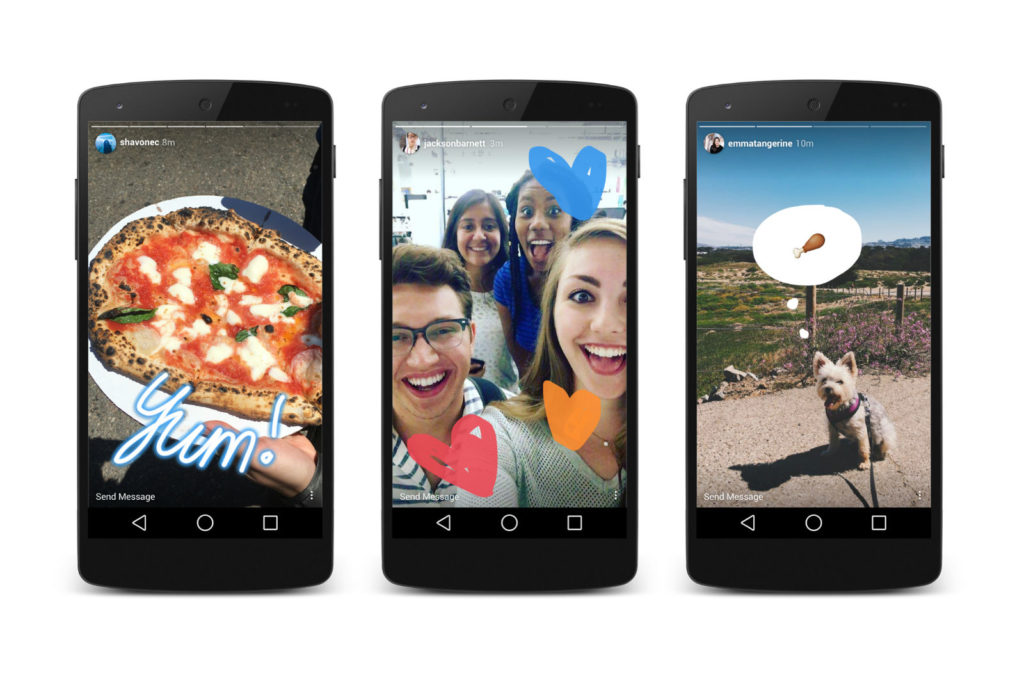
Instagram Stories are the photo-sharing social network’s attempt to muscle into Snapchat territory. Stories allow users to post temporary images and videos of their shenanigans that disappear once they’ve been displayed. They enable people to share more risqué experiences than they’d share on their permanent timeline. To ensure this added level of privacy, in February, Instagram began testing a feature that notified users if their Stories had been screenshotted and who had done it. Instagram has now announced that this feature is no longer active.

This means that all you have to do if you want to screenshot somebody’s Instagram Story secretly is follow your phone’s regular screenshot process.

Instagram hasn’t said why this change has happened or explained whether the feature was popular or not. There are two ways to look at this. You’ll either be happy if you’re the type of person who enjoys capturing those moments that people think shouldn’t be given away permanently. Or, If you enjoy knowing that you can share videos and images on Instagram Stories as a one-time deal, then this news might creep you out, and affect your sharing habits.

Instagram Download Instagram
7

We’d love to hear your thoughts on this development. Are you a sharer or a lurker? Let us know in the comments below.


A Facebook bug exposed the private posts of over 14 million users

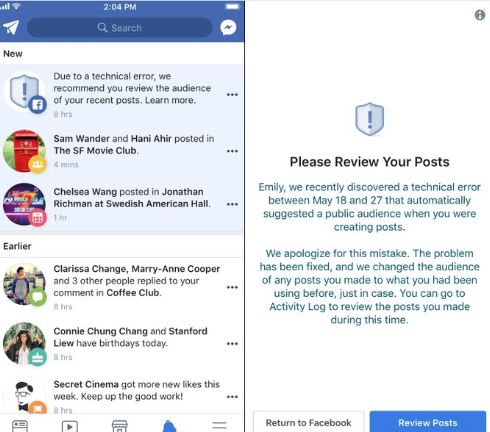
It is one thing after another with Facebook. If the big blue social network isn’t sharing your data deliberately, is sharing it accidentally. This latest error has seen 14 million users affected by a bug that shared people’s private posts. The posts of all those affected by the bug, posted between May 18 and May 24, were set to public by default. All affected posts were then not made private again until May 27.

Normally, when you post on Facebook, the privacy setting is the same as it was the last time you posted something. If you usually only post things so that just your friends can see them, then this will normally be your default setting. You can post away, knowing that only your friends will see what you’re posting. Bugs like this one change that, however, and when they strike your posts are free to be seen by anybody and everybody on Facebook. All of a sudden the world knows you had a bad day last Thursday or that you hated that movie you saw on Saturday.

Facebook Access Facebook
7

Facebook itself disclosed this leak. It added that if you are one of those affected by the bug you’ll be contacted and asked to review your recent posts. Likely to check if you’ve said anything you don’t want shared publicly.

Facebook will send you a link that will take you directly to your posts so you can easily see whether you’ve shared anything you shouldn’t have.

Facebook hasn’t given away much detail about what could have caused the problem in the first place. The social network did, however, state that this disclosure marks the beginning of a more proactive and transparent era on its part. This seems to imply that bugs like this one have occurred before but that we just never heard about them. As we’ve seen in recent weeks, Facebook as a company isn’t very good at effective communication.


How to control your Android phone if the screen is broken

You feel your phone slip out of your hand. A wave of panic surges from your toes to your scalp. Time stops. The phone bounces on the floor. You hold your breath and pick it up. The screen stares back at you, fractured in a million pieces. You stare at the sky and belt out your curse word of choice.

But did you know that you can control your Android phone even if the screen is broken? Follow along…

A key prior purchase

The screen is broken and your life is over, right? Keep breathing. We’re not going to use the screen to handle your cell phone. Instead, we’ll use a mouse. Yup, an ordinary PC mouse.

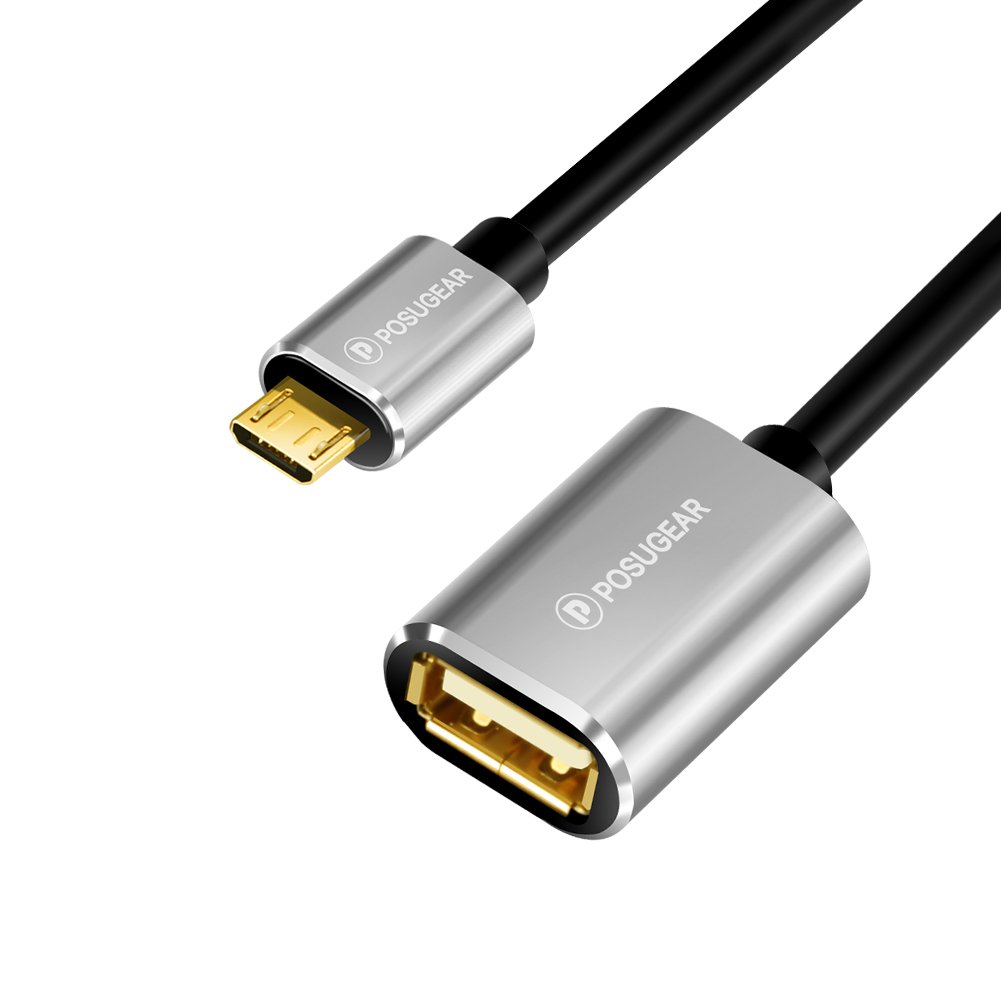
To manage this, we first have to buy a USB OTG adapter. This adapter lets you have micro USB or Type C USB connections. On one side, you have the output and on the other, a classic USB. In fact, you may have one inside your original smartphone packaging, since many cell phones come with a default one. However, if not, here’s a link to get one.

Once you’re ready to go, just plug one end into the cell phone and the other into the mouse (which has to be USB compatible, though 99% of models are nowadays). Once that’s done, the cell phone will display a cursor on the screen, just like a mouse on a PC.

With the left click, you can tap; with the right click, you can go back. The wheel scrolls the screen.

Of course, this method only works if your screen isn’t completely destroyed. If so, you have a serious problem, since you won’t be able to see the mouse. And in that case, feel free to let out another of your favorite curse words and prepare to shell out for a screen repair.

Join the Bitdefender 2019 BETA and test the future of cybersecurity!

Softonic is one of the world’s leading download portals where you can safely download all of the best apps and programs for your PC, Mac, iOS, and Android devices. To help us do this we proudly partner with the world’s leading software developers.

One of our partners is Bitdefender. Bitdefender is a leading global cybersecurity-technology company protecting hundreds of millions of users worldwide in more than 150 countries.

Bitdefender is looking for beta-testers for the 2019 version of Total Security suite and has asked if we can relay the following message to our users.

Bitdefender is almost ready to launch a brand new series of cybersecurity products for 2019 and needs some of the world’s most rigorous BETA testers. Therefore, we’re now putting together a strong team of forward thinkers from around the world to help us deliver brilliant, flawless cybersecurity products. You are most welcome to join us!

How it will happen

Starting with June 14th, you’ll be invited to try out and give feedback on Bitdefender Total Security 2019. The new version packs significant improvements of Bitdefender’s industry-leading attack prevention technology and a new layer of ransomware protection. The product interface and interaction with 2019 version products on Windows, Mac and Android is improved, so it’s much easier to find what you need and make use of all the cybersecurity features. Parental Control has also been improved with additional functionality on mobiles.

We are looking forward to hearing what you think about it!

Apply for this challenge now!

How to apply

First, fill out this survey: https://www.bitdefender.com/site/view/beta2019.html

We will choose only 150 people to be part of the Bitdefender 2019 BETA.

Once you’re enrolled and accepted, you will receive a welcome e-mail with a download link to get you started. After the campaign begins, we will rely on your willingness to continually communicate and provide feedback to the Bitdefender team and help us improve the product which, at this stage, may have bugs.

All interactions will take place on a secure online platform, available to the testing team only. Members can participate in individual beta testing tasks as well as engage in-group discussions with other members.

Please note that the program is only available in English.

What’s in it for you?

Not only will you be the first to get the newest awesome products to come out of the Bitdefender Labs, but you’ll have the opportunity to improve them with your feedback and become one of the ”good guys” of the cyber world. We’ll be grateful to you and try to show it by throwing in some extra goodies such as Bitdefender products and Amazon vouchers as well.

But the real reward will come from the millions of future users who will be safer and better-protected thanks to your effort. So apply for this challenge now!

4 myths and facts about Wi-Fi networks

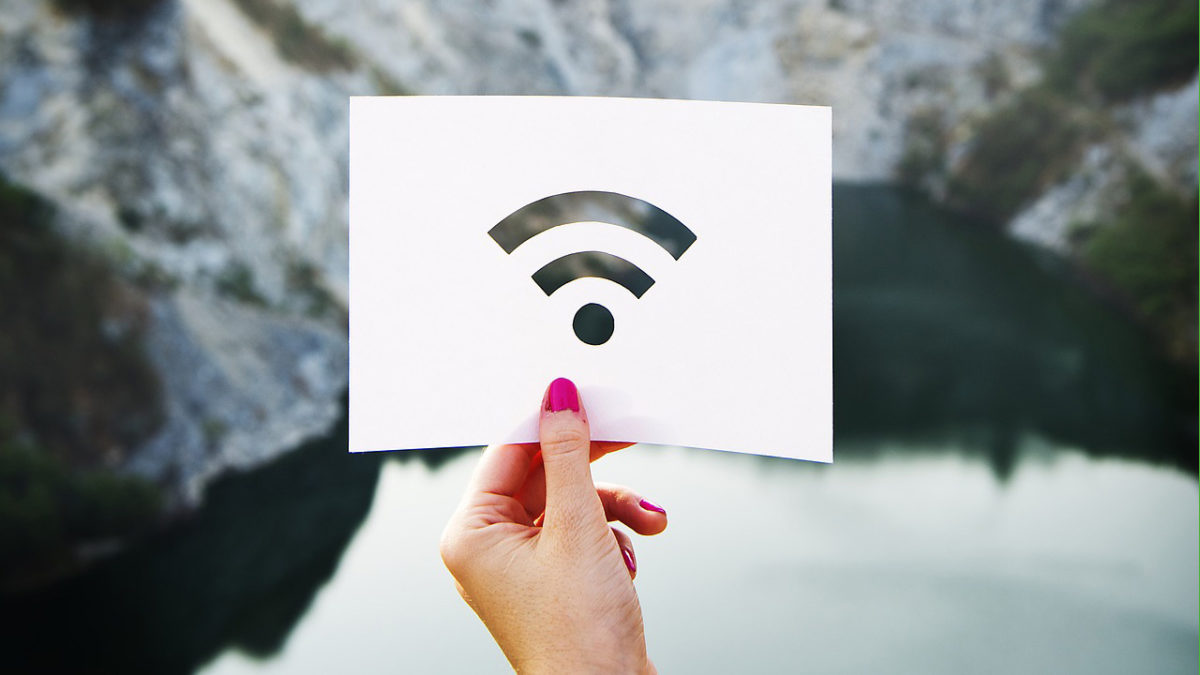
Wi-Fi networks are a key part of millions of people’s lives worldwide. They are so important to us that it’s common to get to a hotel and the first thing we’re given – besides the keys, of course – is the Wi-Fi password. Thing is, there are tons of myths about Wi-Fi, so at Softonic we’ve made a list of four myths and facts about Wi-Fi networks

Public Wi-Fi networks are unsafe

Myth or fact? Fact. Every time you connect to an open public Wi-Fi network, you have a high chance of getting your information intercepted by somebody. Remember that with this type of connection, data travels without encryption. That’s why it’s important you don’t connect to one without a password. Even if it has a password, our advice is that you try to stay away from them, barring exceptional circumstances.

We should note that when we use websites like Gmail or banking portals, their own certificates encrypt the content. But we urge you: stay away from them as much as possible. If you must use public Wi-Fi, be sure to use a VPN.

Wi-Fi networks are harmful

Myth or fact? Myth. This is one of the most widespread… and dangerous myths. We’ve heard over and over again that Wi-Fi networks can cause cancer, increase sexual dysfunction, etc. ALL of this is false.

It’s well verified that Wi-Fi networks aren’t dangerous. In fact, they’re well under the threshold set by the World Health Organization. After all, every day we receive hundreds of electromagnetic waves, both artificial (such as Wi-Fi networks) and natural (such as the planet’s electromagnetic field). Have no fear!

One Wi-Fi network can cause interference with another

Myth or fact? Fact. Though it usually doesn’t happen due to huge advances in technology, there’s a chance that your Wi-Fi network can interfere with your neighbor’s. This usually happens where there are dozens of Wi-Fi connections in a small area. It’s likely that one is intruding on your frequency and giving you problems. But there’s a solution.

If you notice this happening, our advice is that you restart your router so the connection doesn’t suffer interference. Likewise, you can add a password if you haven’t already. Never leave your Wi-Fi network unprotected.

Walls can affect Wi-Fi connection

Myth or fact? Fact. Electromagnetic waves from Wi-Fi can go through walls, of course, but their quality can be affected depending on several variables. That’s why experts advise that the router is always placed in a central location of the home, since the distribution of waves will be better.

On the other hand, we should talk about those other “variables” we mentioned earlier. It depends if you have a wall with tiles, mirrors or metals. Each kind of material affects Wi-Fi waves, not to mention any obstacles along the way.


Facebook unveils the first of its funded news shows

Facebook has been awash with scandal for quite some time now. From fake news to data leaks, the social network has done a lot to make the world a worse place than it was before Facebook came along. The service has even been banned by one country that wants to test the negative effects social media is having on its citizens. Facebook has been telling us that it is working to counter the many crises it faces, and one particular initiative will come to fruition this summer. In a bid to counter the spread of fake news, Facebook Watch will begin broadcasting funded news programs.

Facebook Access Facebook
7

Facebook Watch is Facebook’s video tab that has been around in the U.S. since last September. The tab offers users access to well-produced video content, and this latest announcement from Facebook means users will soon be able to tune into current event news programs also.

https://www.facebook.com/facebookwatch/videos/1691576720925605/

Facebook is creating a dedicated section for news shows that have been produced exclusively for the social network. The content will come from a host of award-winning journalists and well-known media outlets. Facebook is promising to showcase a mix of daily briefings, deep dives into important topics, and live breaking news coverage. There will be more shows announced in the run-up to launch, later this summer, but for now, Facebook has released the first batch of news shows that users will be able to tune into on Facebook Watch:

  • ABC News’ “On Location” [wt] is a daily news show with ABC News journalists from around the globe delivering on-the-ground reporting and the top headlines that are driving the day.
  • Advance Local’s “Chasing Corruption” In Alabama Media Group’s Chasing Corruption’s weekly series, host Ian Hoppe and the Reckon by AL.com team travel across the USA to meet some of America’s toughest watchdog journalists — and the stories of conspiracy, bribery, fraud and more they’ve uncovered.
  • ATTN:’s “Undivided ATTN:” is a weekly explainer show that breaks down the biggest issue of the week. In 3-5 minute episodes hosted by a rotating cast of social influencers, Undivided ATTN: will provide context on the stories everybody’s talking about.
  • CNN’s “Anderson Cooper Full Circle” is a daily global brief on the world, M-F evenings featuring Anderson Cooper and a roster of guests. The interactive program will air live from Anderson’s New York City newsroom in mobile-friendly vertical video.
  • FOX News’ “Fox News Update” will focus on up-to-the minute breaking news and the most compelling stories of the day. FNC’s chief news anchor Shepard Smith will report the latest news each weekday afternoon, with Carley Shimkus updating viewers every morning. Additionally, Abby Huntsman will provide the latest headlines once each morning throughout the weekend.
  • Mic’s “Mic Dispatch” reveals the world as we see it: complicated, diverse and full of potential. Mic correspondents on this new, twice-weekly show go beyond the headlines to profile the underrepresented, the problem-solvers and the provocateurs.”
  • Univision’s “Real America with Jorge Ramos” Award-winning journalist, anchor and author Jorge Ramos travels the country to talk to immigrants of diverse backgrounds and situations, delivering a rarely covered view of today’s America from their perspective. Univision will also cover the top stories in Spanish at noon every day on Watch with “Noticiero Univision Edición Digital.”

Facebook has also confirmed that all of the shows will be completely independent of Facebook with the creators retaining full editorial control.

(function(d,s,id){var js,fjs=d.getElementsByTagName(s)[0];if(d.getElementById(id))return;js=d.createElement(s);js.id=id;js.src=’https://embed.playbuzz.com/sdk.js’;fjs.parentNode.insertBefore(js,fjs);}(document,’script’,’playbuzz-sdk’));

From this summer on, you’ll be able to watch well-produced and independent news programs right there on Facebook. The plan is for you to be able to access news on local as well as national and international issues.

Image via: Mail&Guardian

Are you happy with this development? Do you think it will counter the spread of fake news across social networks? Let us know in the comments.

You will soon be able to trade stocks and shares for free on your phone!

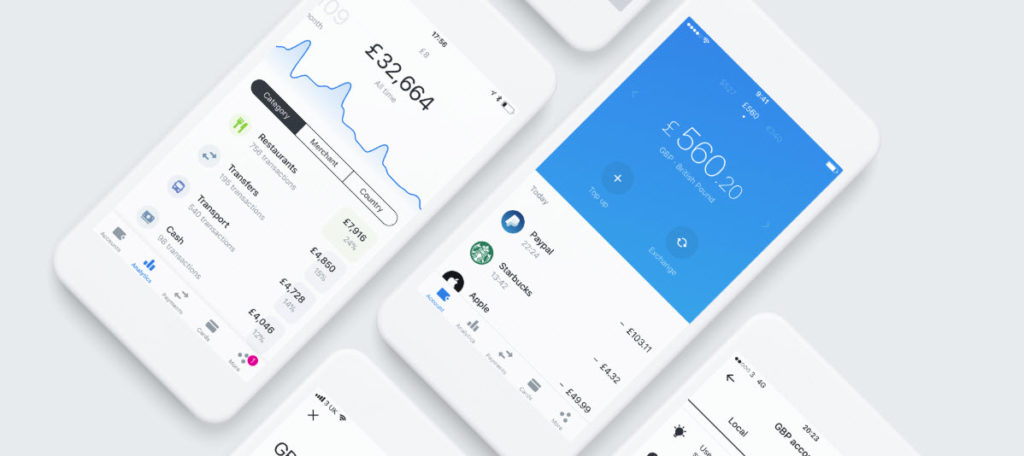
Revolut has been around for a while now and has proved itself to be a very handy app. Originally its purpose was allowing users to transfer and spend money in 120 currencies around the world. Users could spend the cash from their digital wallets or by using a pre-paid card connected to their account. It has since grown to offer so much more. Users can insure their phones, buy and sell cryptocurrencies, and even take out travel insurance that automatically kicks in when you move from one country to another.

Image via: Revolut

The growth in services offered by Revolut has been matched by a growth in users. Revolut now has around 2 million users, and they’re all about to gain access to a brand new service that Revolut will provide commission free. Revolut has announced today that users will soon be able to trade stocks and shares through the app for free.

Revolut Download Now
8

Speaking to the Financial Times, Revolut Chief Executive, Nikolay Storonsky, said:

“Brokers are charging people as much as £5 per trade and the user interfaces are typically clunky, slow and confusing for consumers… The pain points are clear for us and the room for improvement is massive.”

He added:

“To put it bluntly, we are going to cause the same disruption in investments as we have done in banking,”

Although Revolut is currently only available in the EU, the company has plans for a global expansion in the coming months. The U.S., Canada, Singapore, Hong Kong, Australia and New Zealand could all see Revolut coming their way around the same time as this new share-trading option rolls out to current users. As of now, there is no exact date for when the new feature will start will become available.

Revolut Download Now
8

Revolut’s basic features are very useful to anybody doing a spot of traveling or just going on holiday. If you haven’t tried it already, it is definitely worth a look, for what it offers now. If you think you’d like to try your hand trading shares then soon, it’ll be the easiest, and cheapest, way to do so.

Would you like to try share trading with Revolut?

The FIFA World Cup 2018 comes to your mobile for free

Image via: Cricket Rank

Next Thursday, June 14, is the big day when the FIFA World Cup 2018 kicks off in Russia. The hosts will take on Saudi Arabia, in what will be one of the few games of the tournament that you’ll want both teams to lose. If only it were possible. Then from Friday, June 15, we’ll be treated to at least three World Cup matches a day until the group stages conclude on June 28.

Why stop there? Why not take the action with you wherever you go? Why not be a part of the action? Go on your own search for glory! You can do both with the official FIFA Mobile Soccer game. The free-to-play mobile game for iOS and Android now has its very own World Cup mode complete with all 32 of the teams that’ll be taking part later this month.

There will also be separate story mode that includes 16 nations that failed to qualify for the tournament.

Other modes include a VS mode, which sees players facing off against each other in real match and fantasy match situations.

With so much on offer and for free, what is stopping you from giving FIFA Mobile World Cup a shot this summer? Do it. Play your way to immortality!

FIFA Mobile Soccer Play Now
9

5 tips for saving data on iOS and Android

Arcade Fire was spot-on with Infinite Content. The internet is awash with viral videos, celebrity tweets, and epic fail compilations, all readily available in the palm of our hands. Yes, smartphones are officially our browsing device of choice, and while that might make life more interesting when you’re waiting for the bus, you pay the price in dollars and cents.

Every time you tap an app, whether it’s to watch YouTube, update your status, or find your way home, those gigabytes start crumbling away like a cookie left in milk too long. Unless you’re on an unlimited data plan (which are often expensive), go beyond your allowance and you’re slapped with big bills, throttled speeds, or no internet access at all.

So what can you do about it?

The simplest answer is to save data wherever you can. This is easier than it sounds, and you won’t really need to change your habits too much – just follow our tips below. 

Disable background data and push notifications

Both iOS and Android apps have a nasty habit of gobbling up data when you’re not using them. Also, some apps periodically use data to notify you of a new event (like an email).

How to turn off background app data and notifications on iOS (Apple)

To turn off background app data, navigate to Settings > General > Background App Refresh and change it to Off or Wi-Fi.

To turn off push notifications, head to Settings > Notifications > select an app > toggle Allow Notifications off.

Android (Samsung, HTC, Google, etc.)

To turn off background app data, go to Settings > Data Usage > click the three vertical dots in upper right corner > select Restrict Background Data.

To turn off push notifications, head to Settings > Notifications > select an app and toggle Off.

Track usage, cap data, and set alerts

If you know you’ve only got 2GB of data each month, track your usage and set alerts for when you’ve used it up. On Android, you can even place a data cap that’ll stop all mobile data once you’ve reached your limit.

Both Apple and Android smartphones have data tracking services built in, but only Android includes a native alert and data cap feature (nice work, Google). For alerts on iOS, you’ll need to download a data management app like My Data Manager.

My Data Manager Download Free
7

How to track data usage on iOS

Head to Settings > Mobile Data > scroll down to see your usage for the current period. Make sure you reset data statistics every billing cycle (from within the same menu), as iOS won’t do this automatically.

How to track data usage, cap data, and set alerts on Android

Head to Settings > Connections > Data Usage > Mobile Data Usage

To limit data: toggle Data Limit on > tap Data Limit > set limit value > tap SET

To track usage and set an alert: toggle Data Warning on > set the alert value > Start billing cycle on > set your billing dates > tap SET

Use Wi-Fi wherever possible

Seems obvious, but it’s easy to forget there are millions of free Wi-Fi spots around the globe, most commonly found in restaurants, cafes, public institutions, and shops. Though do use a VPN where possible, as public Wi-Fi is easily exploited by hackers (and don’t use them to transmit sensitive information, such as bank details).

If you’re unsure where to find free Wi-Fi near you, apps like Wifi Map can help. So next time you’re out and about, connect to free Wi-Fi instead of chewing through your data like a beaver on a breadstick. 

WiFi Map Download Now
7

View videos, maps, and webpages offline

Whether it’s Netflix movies or photo albums, download them to your device over Wi-Fi instead of using cellular data. Similarly, Google Maps can also be downloaded for offline use, making it easier to get around your local area without devouring data. Even web pages can be stored for offline viewing with apps like Pocket.

Pocket Download Free
9

Turn off “autoplay”

Facebook, Instagram, and other social media networks do whatever they can to keep you hooked. A particularly clever trick is autoplaying videos that churn through your mobile data without your permission. Thankfully, these apps do give you the option of turning this feature off, so head to the relevant app’s settings and disable autoplay now.

Hopefully these tips keep your data within budget. If all else fails, you can simply disable cellular data completely from your phone’s mobile data settings. It’s an extreme measure, but with so much free Wi-Fi, it’s a valid one.

Yes, Facebook did deliberately share your data with over 60 companies

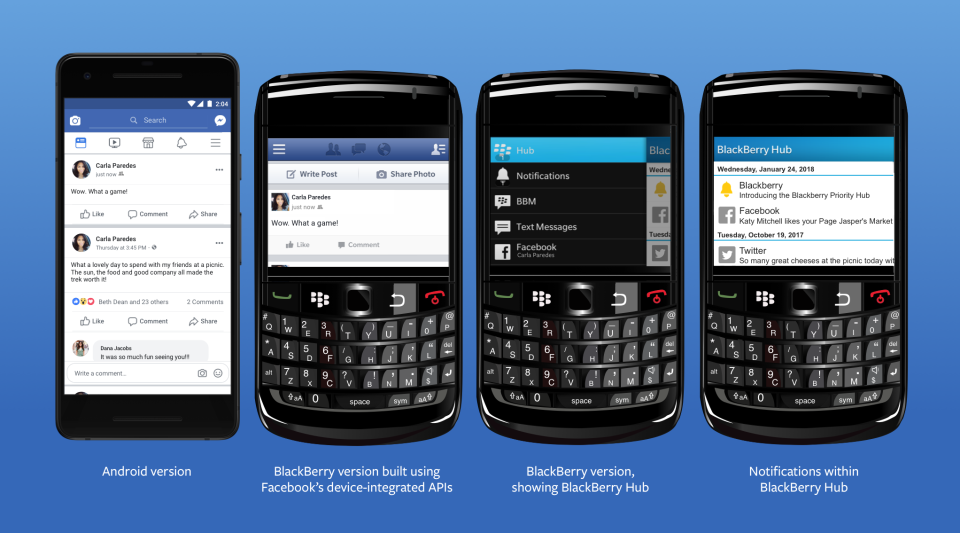
A New York Times investigation has revealed that Facebook has been purposely sharing your information. The findings, which Facebook has since confirmed in a blog post, show that Facebook reached an agreement to share user data including religion, relationship status, and political inclination with around 60 companies. These companies include the likes of Blackberry, Microsoft, Apple, and Samsung. The investigation also alleges that Facebook even gave access to user’s friends’ data, without consent.

Responding to the New York Times report, Facebook claims that the sharing of your information was legitimate and above board. According to Facebook, the agreement goes back years to a time when mobiles had app stores. Facebook agreed to share your data with third-party mobile manufacturers to facilitate the creation of bespoke Facebook experiences on their respective devices.

Image via: Facebook

Of the deal, Facebook’s VP of Product Partnerships, Ime Archibong, said:

“These partners signed agreements that prevented people’s Facebook information from being used for any other purpose than to recreate Facebook-like experiences. Partners could not integrate the user’s Facebook features with their devices without the user’s permission.”

Archibong also went on to say that Facebook is satisfied with the agreement as it has no record of any partner abusing the deal. Facebook also denied including access to friends’ data, without consent, as a part of the deal saying:

“Contrary to claims by the New York Times, friends’ information, like photos, was only accessible on devices when people made a decision to share their information with those friends.”

(function(d,s,id){var js,fjs=d.getElementsByTagName(s)[0];if(d.getElementById(id))return;js=d.createElement(s);js.id=id;js.src=’https://embed.playbuzz.com/sdk.js’;fjs.parentNode.insertBefore(js,fjs);}(document,’script’,’playbuzz-sdk’));

Although Facebook has moved to address the findings of the report, people are still angry at the revelations. It looks like Mark Zuckerberg may have lied to Congress when he said users have complete control over who sees their data. One Senator called Facebook’s response completely unacceptable. Senator Richard Blumenthal, a Connecticut Democrat and ranking member of the Senate subcommittee on consumer protection said:

“I think this explanation is completely inadequate and potentially disingenuous… I think Mark Zuckerberg’s testimony raises very serious and severe questions about Facebook’s credibility.”

The Cambridge Analytica scandal still fresh in everybody’s minds and the company has been stumbling from one crisis to another since the revelations first broke. It is almost a matter of when and not if we’ll hear about the latest way that the social network has been exploiting our private data to facilitate its bottom line.

Do you believe Facebook’ VP of Product Partnership? Are you satisfied that your data was shared with third-party companies in an appropriate manner? Let us know in the comments below.