
Top free games for kids

These are best free games your kids will love to play

Best free games for kids

Video games for kids. It sounds like the kind of irresponsible nonsense that would have conservatives screaming in panic. Kids games! The truth, however, is that there is plenty of research out there that shows video games, when played in moderation, can be a healthy hobby for children to have. Think about it, puzzle games, adventure games, educational games, and learning games can all help kids think creatively as they solve problems that are presented in abstract ways.

So, with that being the case, let’s look at some the best free games out there that you can introduce to your kids. Not only will these games keep your kids occupied and maybe get you a bit of peace in times of need, they’ll also stimulate your kids’ imaginations and boost their creativity. These are the best free games for kids online.

Free games for kids to play

Roblox
roblox

Roblox is great for kids aged 10 and up who want to play games. Letting your kids play Roblox is like giving them a virtual Lego set. Once they start playing their imaginations will be the only things holding them back. Like a virtual game of dress up, Roblox allows kids to  build their own characters. It goes further though, giving them the chance to build their own worlds, and even their own video games. On top of that they’ll also be able to play any of the thousands upon thousands of fan made games that are already available online.

Roblox also gives parents the ability to manage their children’s accounts to keep them safe. Roblox is available across all major platforms too with a version available on Windows, Apple Mac, Xbox One, PS4, iOS, and Android.

Disney Crossy Road

Disney Crossy Road

If you’ve ever played classic video games, you might have heard of Frogger, which is one of the all time most fun games to play. Disney Crossy Road is a new game that plays exactly like Frogger. The game offers over 100 Disney characters for you to take control of and guide across busy train tracks, highways, and rivers. Crossy Road is available to download for both Android smartphones and tablets, and iOS iPhones and iPads.

Disney Crossy Road Download now
8

Quick Draw

Quick Draw

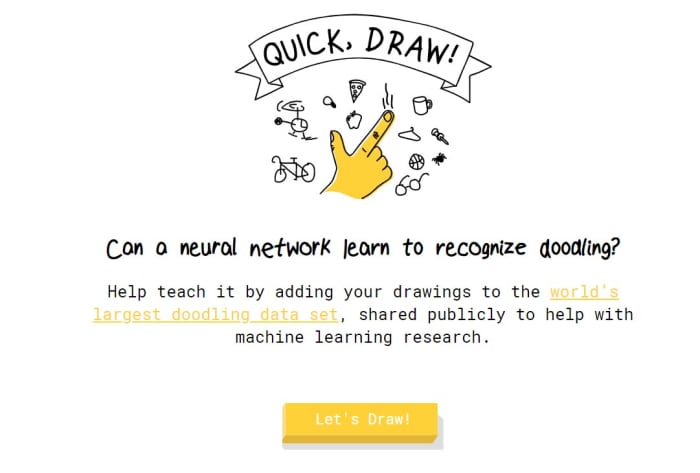
An excellent free online game for your kids to play is Quick draw by Google. Quick Draw is perfect for any aspiring little artists but is also lots of fun for kids who don’t see themselves as being creative. Basically, players have 20 seconds to draw a defined item so that Google’s AI neural net can recognize it. These items could be simple like a “pool” or more complicated concepts like “animal migration”. The fact that that the game shouts out its guesses gives the action a more frantic feel and is definitely worth a try. Don’t be surprised, if you get dragged into this one too.
Fruit Ninja

What kid doesn’t want to be a pirate, a cop or a robber, or what about a Ninja? Yep, kids love playing make believe and often they want to play at being some magical and often violent character. Fruit Ninja offers the perfect way to deal with this difficult crossroads. The game introduces samurai swordplay elements but in a way that sees your kids making a fruit salad rather than vanquishing enemies. Fruit Ninja is a colorful game that looks great and is available for both iOS and Android devices. As a parent, however, you should be aware that the game does include in-app purchases for non-essential items.

Fruit Ninja Download Now
8

Spaceteam

Spaceteam

This game is lots of fun for kids to play, but it might not be the best option, if you’re looking for a bit of peace and quiet. Spaceteam is a multiplayer game that requires each child has their own device. Once the game is downloaded on all devices, however, and then linked to each other the action can begin. The premise is that your team of intrepid space travelers is trying to outrun an exploding star. The instructions on how to fly their ship will show up on one screen but the controls might be on another. This means the game is all about teamwork and it’ll probably get loud. Check it out on iOS and Android now.

Spaceteam Download now
8

Pokémon Camp

Pokemon Camp

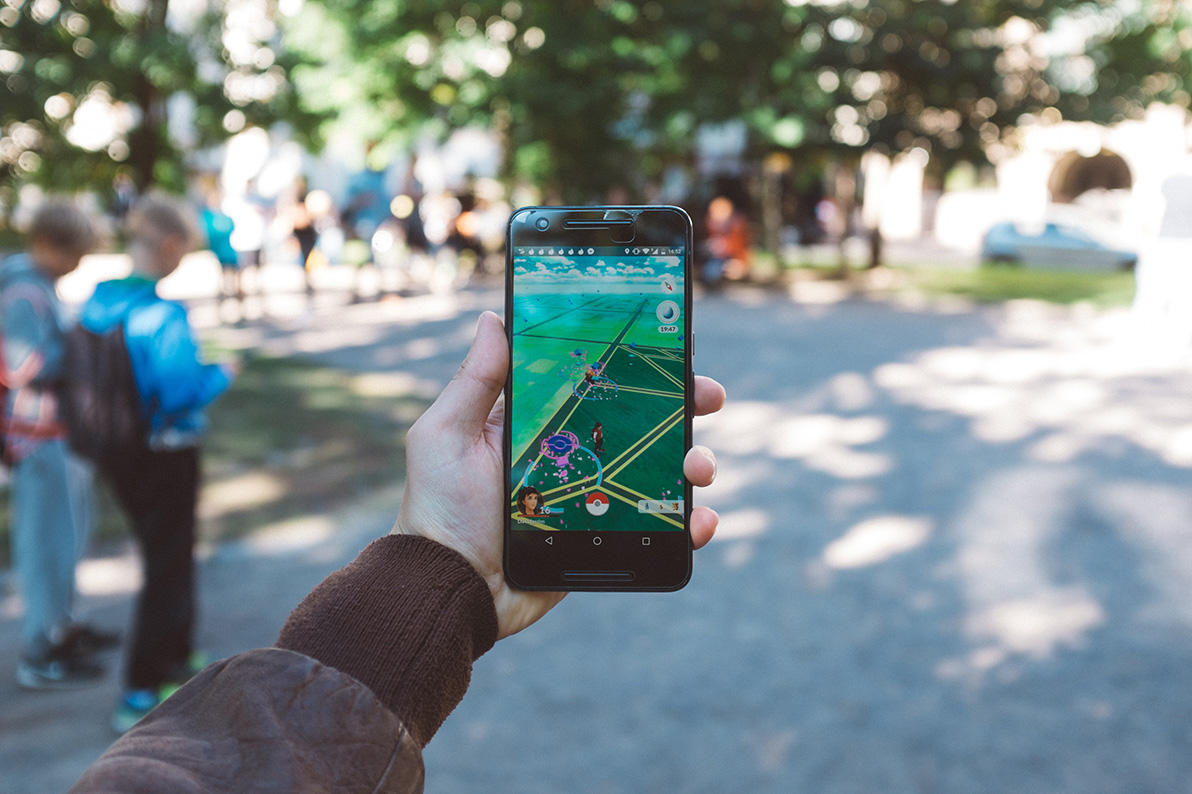
If you’re looking for the best free Pokémon games, you’ll find our list here. Our next game, however, although not on that list is bit of a crossover. Pokémon Camp is an excellent Pokémon game that has been built specifically for your little ones. For those too young to head out on a full Pokémon adventure, Camp offers the perfect place to get started.

Young Pokémon trainers can go to the Pokémon  Camp where they’ll be able to learn from camp counselors how to do the Pokémon basics such as throwing Poke Balls and finding Pokémon. There’s plenty here too, with Pokémon from the original Red and Blue generation available in the game as well as Pokémon from the more recent Sun and Moon games.

Pokémon Camp Download now
7

All Aboard: Trackin through Canada

All Aborad

All Aboard is a simple enough web browser game. All your kids have to do is build a track on the grid using the different track pieces that the game offers them. The pieces come at you in a similar way to pieces on Tetris, meaning you have no control over what piece comes next, but you can see what the following series of track pieces you’ll have to play with will be. It sounds simple but is challenging enough and will prove quite the puzzle for kids of all ages.

As well as All Aboard, you’ll also find hundreds of other kid’s games on the CBC Canada website. It is a real treasure trove for your kids.

Wrapping up

So, there you have seven excellent free games that your kids can play in any situation. We’ve tried to cover all bases here. You have apps that you can download onto your smartphones and tablets; both Android and iPhone. We’ve also included web browser games and PC games that your kids can play at any time. Most of all though, we’ve tried to include games that will stimulate your little ones. These games are not just about fun, although that’s very important here too, they’re also about pushing your kids to be creative and learn how to solve problems and express themselves. We hope they enjoy playing them.


Summer apps for parents

These great apps will make your family’s summer even easier.

Parent and child phone

Many (if not all) parents find themselves looking forward to school coming back after the hectic excitement of summer!

We’d like to suggest a few apps that could help during those summer months; a few helpful tools you probably wanted without realizing it. They are the 2019…

Summer Apps for Parents!

Cozi

Cozi

If Cozi doesn’t have it all, it certainly has a lot of it!

The app assists with planning chores, events, and meals. Normally, each of these functions would be covered by separate apps, but Cozi does an impressive job of performing all of them at once! Also, thanks to the magic of internet connectivity, every device running the Cozi account can be automatically updated so the whole family is on the same page across their multiple devices.

What better way to describe it than their intro video?

It’s that easy!

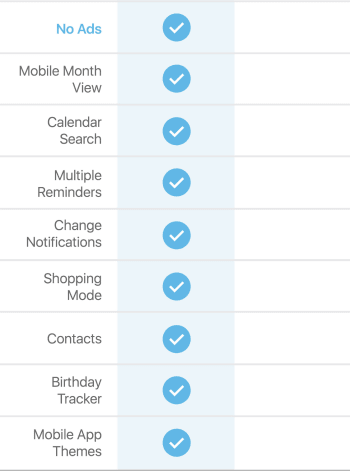
NOTE: while Cozi’s vanilla version works perfectly well, it offers a Gold account that adds extra features for $30 a year, applied to the whole family. The benefits are as follows:

Cozi

In the normal version, ads aren’t too intrusive and the mobile weekly views are helpful and everything still works well overall. Give it a shot, and go Gold if you think it’s worth the price!

Greenlight

Greenlight

What could go better with a chore planning app than a debit card for children? Allowance accountability here we come!

Greenlight prepares kids for the cashless future with a debit card that can be tracked and deactivated from either the kid’s or parent’s devices. As their website suggests, the system is, “Safer than cash. Wayyy safer.”

The reason they chose the name Greenlight comes from the ability to choose where the money can be spent, either “anywhere” or at a specific store. For example, allowance can be set for use anywhere, while lunch money can be restricted to a restaurant!

Not only that, but parent-set interest rates can be implemented, and savings projects can be created to teach a hands-on finance lesson.

If a financial app for kids still doesn’t seem like your thing, try visiting their Frequently Asked Questions page for more information on safety, features, and tutorials. We think you’ll enjoy what you find.

FamilySearch

FamSearch

Alright, admittedly, this one comes a little out of left field. But hey, who hasn’t watched “A Knight’s Tale” and wondered if their legacy can be traced back to Charlemagne?

Gosh, that would be cool.

This free application, courtesy of the Church of Jesus Christ of Latter-Day Saints, helps compile worldwide information on genealogy! Unlike our first two apps, it may not keep your family entertained for the whole summer, but it certainly may give you a better idea of your ancestry, and that could last even longer.

Better yet: if you make an account, you can add information to the website rather than just searching for your ancestors! The world’s family tree is growing, and sharing historical information will always be welcome and appreciated.

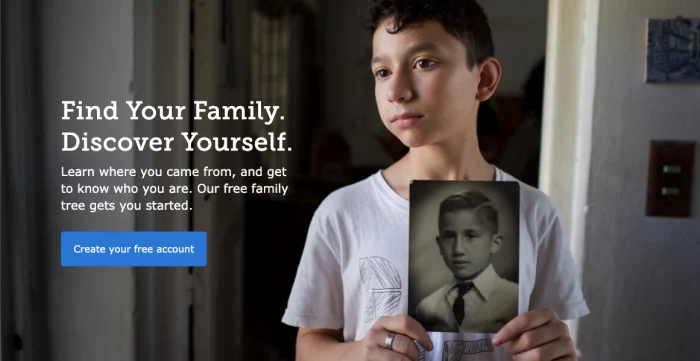
(Off-topic note: we’re not sure why the kid on the website’s main page looks so forlorn as he stares off into the middle distance. For some reason, it’s a little unsettling. Is that just us?)

Forlorn kid

(Anyway…)

Google FamilyLink

Google family link goes beyond internet safety apps. In addition to protecting kids from malicious sites, you can set time restrictions to internet access to build healthier habits, ensure uninterrupted sleep at night, encourage focus on productive tasks during the day…

Actually, this sounds good, even as an adult.

We’ve said it many times: the internet’s store of knowledge blows every other information resource out of the water, but poses many dangers to younger, developing minds. Plain and simple, Google Family Link helps parents shape an improved environment tailored to their family’s needs.

So, while your kids are helping with chores and dinner, spending their money wisely, and learning about their family tree, you can foster better internet usage as well.

Wishing you a happy summer

While parents don’t need these apps, they can help create a more interesting, fun, helpful, inspiring, and productive summer. We hope one or many of them sparked your interest!

How to create a Baby Registry on Amazon

Expecting? Here’s how to build a baby registry with Amazon.

baby

Look, letting others pick out stuff on your behalf is not always the thoughtful surprise they intended.

For parents-to-be, an Amazon Baby Registry is probably the most comprehensive, straightforward approach to stockpiling all things baby–and letting your network know exactly what you need.

This way, friends and family aren’t stuck trying to guess how you want to dress your baby or how you plan on wheeling them around.

Amazon is home to the largest selection of, well, everything, including baby stuff. 

Here, you’ll find practical items like bottles and diapers, as well as toys, high-tech monitors, and luxury cribs. (Need recommendations? We recommend Mr. Dad Reviews.)

What’s more, gift givers can send registry items straight to your house, they can join forces for one big purchase, or receive items themselves to wrap and give in person. 

Here, we’ll look at how to get started with your Amazon registry, and give you a quick overview of some of the features:

How to set up your Amazon baby registry

Signing up is really easy. 

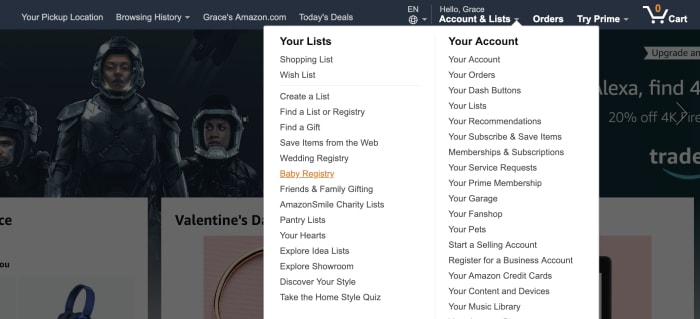
To get started, select “baby registry” from the dropdown menu on the top right-hand corner.

When you create your registry, Amazon will ask for a few details. Fill in the expected due date, an address for receiving gifts, and who can see the registry.

You can choose to make this private — i.e. so you can set things up before you’re ready to share the news. Provide access to anyone with a link, go public, or share your registry on TheBump.com.

Additionally, you can add a message for family and friends — select the gender (or leave it a surprise, if you don’t want to receive a bunch of frilly baby dresses or tiny football jerseys).

After that, you’re in — and it’s time to fill out that list.

Start “shopping”

Checklist baby registry

So, even if you’re totally unprepared and don’t really know what you’re supposed to have when the baby comes — Amazon breaks things down pretty well.

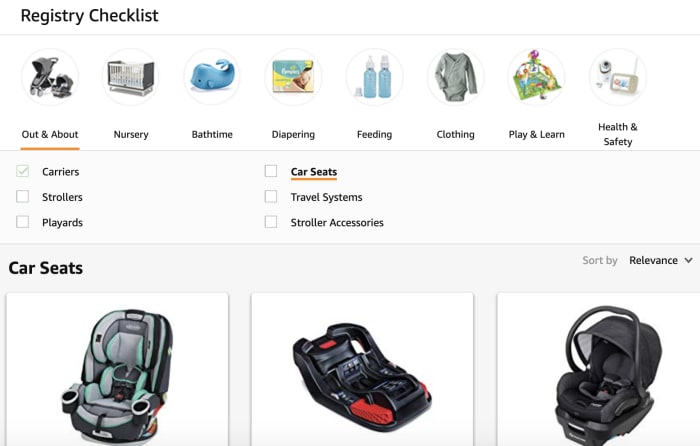
Navigate to the Registry Checklist tab, and you can shop by section. The Out & About section offers everything you need to transport your baby — from joggers to those baby-packs.

Nursery has cribs and changing tables — your basics for outfitting the baby’s room. And — from there, you can sort through diapering essentials, feeding, clothing, and toys.

There’s also the ideas and inspiration section, which provides a list of popular items, product guides, and additional checklists. 

Adding items is as easy as putting items in your Amazon cart. The only difference is, you’ll click the “Add to Baby Registry” link instead. 

There’s also a section that allows you to provide additional details. Set priority to low, medium, or high, and indicate how many of that item you have or need.

For example, you might opt to indicate that you need 10 bottles — and if someone buys six, your registry will reflect that you still need four. 

What’s nice about the browsing features is, it’s easy to discover products you might not have initially thought of.

Share your registry

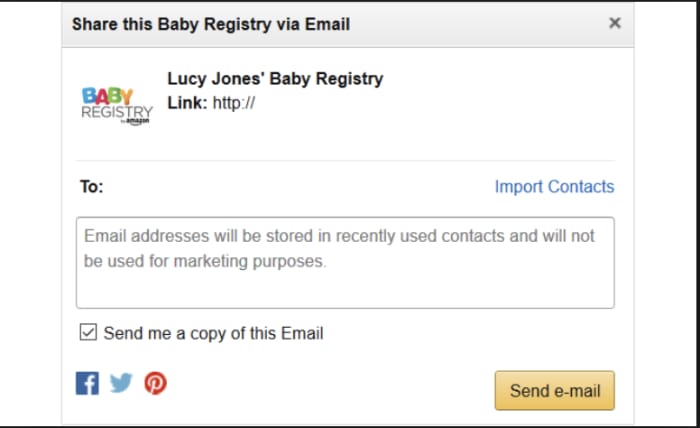
Amazon’s baby registry offers a few different sharing options — all of them easy. Share your link via email, social media, or create an ecard announcement. 

share registry link on Amazon

Claim your welcome box

The welcome box is a surprise selection of samples and full-size products. 

To claim a welcome box, you’ll need to first complete your checklist by adding products from each category. You’ll also need to mark each category as complete — and purchase $10 or more. That initial purchase can come from you or your gifters.

Contents vary, based on what’s available, but Amazon lists items that have been included in previous boxes — it’s a mix of things like baby wipes, ointments, diapers, and soaps and shampoos. There are a few outliers, the odd pacifier, a pack of onesies, bottles. 

Completion discount

Amazon offers a completion discount — 10% off or 15% off for Prime members — that applies to items remaining on the registry. 

The registrant can buy the items left over for up to 60 days after the arrival date listed on the registry. 

There are a couple of caveats here.

For one, the discount only applies to baby or maternity-related items. So you can’t load up your registry with household necessities or even books for the baby.

Second, the discount is only good for two orders for a combined total of $2,000 or less.

Still, this is a good way to buy up those last minute items and save a bit of cash.

Universal registry

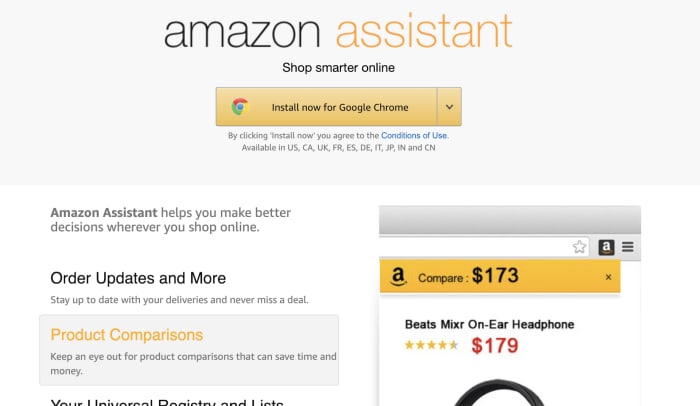
The universal registry is a feature that allows you to add items from any website with the help of the Amazon assistant. 

If you’ve used Amazon’s 1-Button App extension to add products to your wishlist, the process is the same. This allows you to add items not available on Amazon and add it to your registry.

amazon assistant add extension

Thank you list

Finally, we’ve got to call out this nice little touch. With all of the craziness that comes with getting ready for baby, keeping track of who gave you which set of burp cloths might not be a priority.

Luckily, your registry navigation links to Thank You List & Returns. This is a lifesaver, as you can see who purchased what — and show your appreciation accordingly down the road. 

Final thoughts

In the end, if you’re expecting,  Amazon’s Baby Registry is definitely the best bet when it comes to covering all your bases.

The massive selection, plus all of the convenience features, make things easy on you, your family and friends. 

Oh, and one final word of advice. Don’t be afraid of looking greedy. As you go through your checklist, add big-ticket items, miscellaneous necessities, and everything in between. You never know what people will give you.

And, if the spendy stuff goes untouched, that 15% Prime discount will take a good chunk off of that luxury crib.

Top 8 mobile games for children

These 8 games can entertain your kids while helping them learn.

children playing video games

Once your child is a teenager, they are able to navigate their mobile apps on their own for the most part. Before that, it can be difficult to decide what you want your child’s mobile device to have on it. Thankfully, there are games out there for children of all ages. Typically, these games are educational, and lack many of the ads that you see on mobile games for older audiences. This can prevent your child from accidentally accessing sites and apps that you don’t want them to go to. Since smartphones are more readily available for kids then ever before, it’s important to have something safe and fun for them to do on these phones. Here are some of the best mobile apps out there to help you keep your child entertained.

8 best tablet and phone games for kids

8. PBS Kids Games

PBS is well known for providing educational and entertaining content for kids, and their games app is no exception. With a plethora of games to choose from, young kids will never get bored of all the exciting stuff that this app has to offer. Each game teaches valuable lessons to the kids who play them, and it even has integration with some of its PBS Kids television programming, so if your child is a fan of PBS Kids then they will see some familiar faces, like Elmo from Sesame Street.

PBS Kids Video Free Download
10

7. Super Why! ABC Adventure

Similar to PBS Kids Games, the Super Why! ABC Adventure game takes the characters from the popular TV show of the same title, and adapts them to a group of mini-games that are addicting and educational for young children. In case you don’t know what Super Why! is, it’s a popular PBS kids show with a superhero protagonist. This superhero uses spelling (and other English-learning skills) to solve problems and fight crime, and the game follows this same principle. It’s great inspiration for young minds.

Super Why! ABC Adventure Download
7

6. Pokémon Playhouse & Camp Pokémon

Unsurprisingly, Pokémon has two games dedicated specifically to kids. Of course, all Pokémon mobile games can be enjoyed by kids, but these two provide minigames that are created for specific age groups. Pokémon Playhouse is reminiscent of Mickey Mouse’s playhouse, and is made for children under six, while Camp Pokémon is for children over six. The minigames are filled with some great interactive options that teach kids various skills as they play with their Pokémon.

Pokemon Quest Free Download
8

5. LEGO Juniors Quest

One of the few highly recognizable mobile game companies that doesn’t have in-app purchases, LEGO has done an excellent job of creating an immersive game that lets children express their creativity to the fullest. This game will save you a lot of stubbed toes, as it lets you keep all your child’s LEGOs in a digital format. They can essentially do anything they could with regular legos, which makes the game very intuitive. There are a variety of LEGO Junior games out there, and LEGO Junior Quest is the best game for following a storyline.

LEGO Juniors Quest Free Download
8

4. Artie’s World

For children who like to draw, this game lets you save money on drawing supplies. There are surprisingly few games that actually focus on drawing for children the way a coloring book would, and none are as interactive as Artie’s World. Though this game is primarily for young children, it allows drawing and coloring of many different objects and images. It can help teach your child early artistic skills, while also letting them express themselves through their art. It is a great game for any creative child.

3. Justice League Action Run

A superhero version of Temple Run that your kids will be sure to love. It is also one of the few games on this list that requires very little reading or sound, as the game itself is self-explanatory. This means your child can pick up this game at any age and get wrapped up into a world of superheroes.

2. Rosetta Stone Kids

Learning a new language is not only easier for kids, but it can be a fun and exciting process. Anyone who has used Rosetta Stone or Duolingo to try and learn a new language may know the kind of games and challenges they entail. The kids’ version is similar but specifically created for young people to keep them engaged. Whether you live in a bilingual family or you’re just trying to give your child more opportunities, this app is a free way to help your kids learn something new and have fun while doing it.

Learn Languages: Rosetta Stone Free Download
7

1. Minecraft Pocket Edition

While not exclusively a kids’ game, Minecraft is one of those games that appeals to all ages. It gives the creative freedom for a child to create a whole world of their own. It even has a vibrant community of children, so your child will be able to talk to their peers about it. It allows a kid to bring imaginative play to the next level by letting them create their own world. Whether they choose to be a builder in creative mode, or an adventurer in survival mode, your kid will find more amusement and opportunities for self-expression from this game than any other out there.

Minecraft Pocket Edition Download
7

If your child is more into puzzle games, then you’ll want to check out our Softonic Solutions page where our community has ranked the eight best puzzle games for kids.

Google and Disney want to add some magic to your kid’s story time

Google Home will now add sound effects and musical elements to Disney’s Little Golden Books

It is fair to say that today children live in a different world to the one kids were living in only a few years ago. This is thanks to mobile devices like smartphones, tablets, iPads and Nintendo Switches. There are now so many digital distractions for little ones to deal with, parents can be forgiven for worrying about whether their kids will be able to concentrate on more simple yet rewarding activities. Activities like reading, which will actually aid their development rather than just keep them occupied. Step forward Google Assistant and Disney.

Google Home will now add sound effects and musical elements to Disney’s Little Golden Books

Disney Google Home Little Golden Books

Story time is a magical time for kids, but with more and more vivid experiences available elsewhere, it has become much harder to get young children to focus on the simple task of reading words from a page. To combat this Google and Disney have teamed up.  The biggest name in tech and the biggest name in children’s entertainment have come together to try and turn the simple practice of reading into something that can compete with today’s multiple types of interactive entertainment.

Disney’s Little Golden Books include titles like “Toy Story 3,” “Coco,” “Alice in Wonderland,” “Peter Pan,” and many other classics and favorites. To make these titles more special, Google Home now has a brand-new skill that allows it to add relevant sound effects and music to go along with the story as it is being read aloud. All Google Home users have to do to activate the new skill is say, “Hey Google, let’s read along with Disney.” After that, the Google Home device will listen to the words of the story and know which sound effects and music it needs to play to bring the story to life.

Google Assistant Download now
8

Impressively, the system works on the words of the story alone, meaning should your little one want to skip to his or her favorite part of the story the Google Home will automatically catch up. In a blog post announcing the new skill Google said, “We wanted to reflect the way families actually read, so if you skip ahead in the book, Google Home will recognize that change and adjust to match the story. If you pause (because we all know kids love to chime in during story time), ambient music will play until you begin reading again.”

The Little Golden Books are already available up and down the country in the book sections of Walmart, Target, and Barnes & Noble. To get your hands on a Google Home click the link below.

-> See Black Friday offers from Walmart here <-

30%
Google Home

From: Walmart

$99 $129