4 tips for getting more followers on Instagram

Adding Instagram followers may be easier than you think.

fitness selfie

Who wouldn’t like a little more love on their Instagram posts? Whether you want to grow followers to promote your business or you want to become an Instagram influencer yourself, there are plenty of easy steps to get more followers on Instagram.

4 tips for getting more followers on Instagram

1. Use hashtags

The main way for people to discover you is through hashtags. The best way to include hashtags is in the caption of your post. The rule of thumb is to generally include five to 15 different hashtags on each post. To see which hashtags are most popular, try typing them in and seeing how many posts have used them. In general, it’s a good idea to use a mix of popular and less popular hashtags. This mix of hashtags will ensure that as many people as possible will see your pictures and be more likely to follow you.

2. Perfect your bio

One of the first things that people will read when they come to your Instagram page is your bio. Your bio should be short and sweet while summing up everything you want potential followers to know about you. Many people like to describe themselves in three or four words in their bio. One example of a successful bio is, “Liv, 24. Adventurer, Dog-Lover, Surfer.” You know a lot about that person from just a few words. Having a great bio will definitely increase the number of people that follow you!

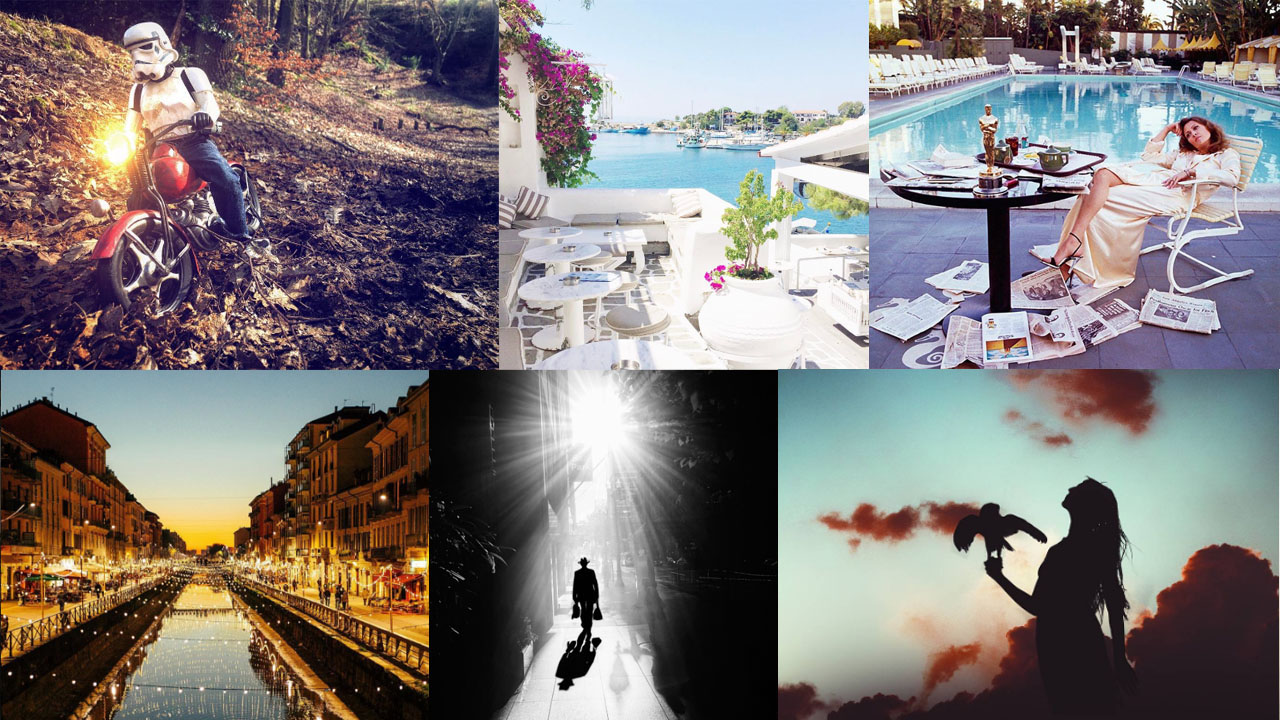
3. Create an aesthetic

Having each of your pictures look good together is important. When someone comes to your profile they will likely scroll through and look at all of your pictures together. An Instagram aesthetic means that all of your pictures have something in common visually. For example, do you love pink? Maybe include something pink in each of your Instagram posts. That way when people view your Instagram profile they will be enticed to follow you because of your unique aesthetic. For example, check out @muradosmann, who definitely has his aesthetic on lock:


View this post on Instagram


A post shared by MURAD OSMANN (@muradosmann) on May 15, 2018 at 5:50am PDT


View this post on Instagram


A post shared by MURAD OSMANN (@muradosmann) on Feb 27, 2018 at 8:51am PST


View this post on Instagram


A post shared by MURAD OSMANN (@muradosmann) on Nov 16, 2016 at 8:03am PST

4. Tag your location

Another way for people who don’t follow you to discover you is through your location. If you geo-tag your location in your Instagram posts, people can find your pictures. Whenever you post a picture, be sure to tag the location of where you took it so that as many people as possible will see your posts The more people who see your pictures, the more people who will end up following you.

Oh, and make sure you take great pictures. That helps, too.

Top 5 apps that’ll make you an Instagram model

Retouch your photos like a pro with these great picks!

selfie

Have you ever taken a picture for Instagram and thought there was something off about it? Maybe you wanted to post the perfect selfie, but there’s just one big blemish standing in the way. Thankfully there are a plethora of apps to help with this dilemma.

Top 5 apps that’ll make you an Instagram model

Pixtr - Auto Makeover Download now ►
7
Pixtr is an auto retouch app that automatically detects and removes facial imperfections so you don’t have to. It’s a smart app that can be used for quick photo editing when needed.
6
VSCO is it’s own Instagram-esque community of photo-takers, however their editing tools and filters are a bit more sophisticated than Instagram’s. If you’re looking to have more editing options in the same style of Instagram, such as simple brightness changes and filters, than this app is perfect for you.
Snapseed Download Now ►
9
This app features a more customizable approach to editing the brightness and clarity of a photo than other photo-editing apps. Many apps feature an auto-enhance feature, while this one is easier to customize to your own preferences instead.
InShot Video Editor Music, Cut Free Download ►
7
While the other apps on this list focus on editing specific photos, InShot is a great choice for a video editor to enhance your Instagram. With this, you can customize your videos to fit your Instagram’s style.
FaceTune Download Now ►
7
Out of every photo-editing app, FaceTune is probably the one you’ve heard of the most. It’s basically a more customizable version of Pixtr, where you can edit your photos for blemish removal and reconstructing facial imperfections. This app is by far the best face editor around, if you have the time to learn and use it properly.

With all these great apps to use, you’ll be an Instagram star in no time! Be sure to follow Softonic’s Instagram page while you’re rising to stardom.

How to add swipe up links on Snapchat and Instagram

Adding a swipe-up link is easy. Just follow our guide.

If you’re a frequent user of Snapchat and Instagram then you may have noticed their “swipe-up” features. This allows for someone to swipe up on a picture to be redirected to a website. Popular YouTubers will do this in their Snapchat stories with links to their new videos, while some people might link to their other social media accounts like Twitter. Regardless of what you’d like to link to, it can be a little confusing to get started. Here is an easy to follow step by step guide for both Snapchat and Instagram:

Snapchat Free Download
7

How to add swipe up links on Snapchat and Instagram

Swipe-up link in Snapchat

1. Take a picture in Snapchat

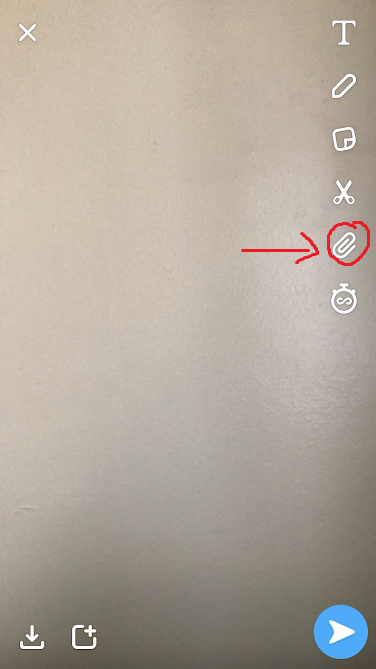
2. Press the paperclip on the right-hand side of the photo

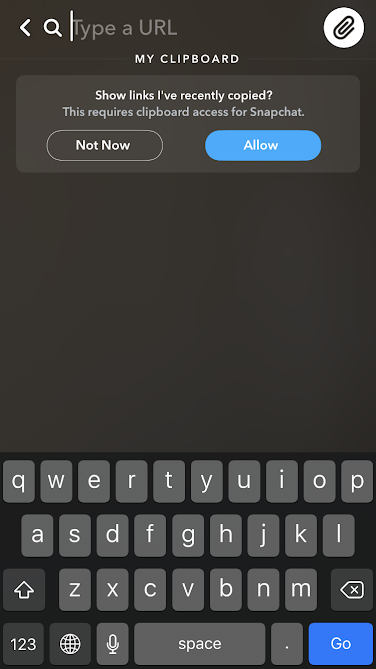
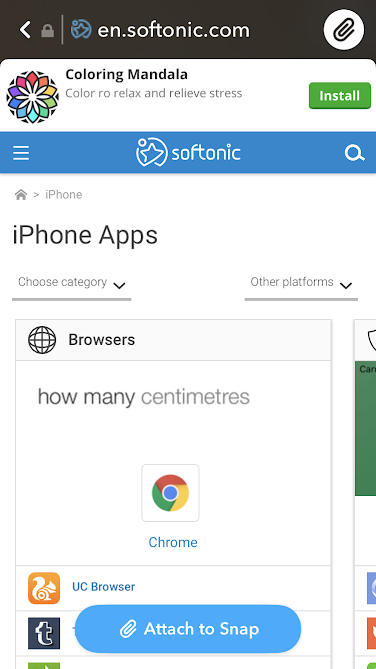
Snapchat paperclip3. Add the link you want to use into the URL box (Snapchat can use your clipboard so you don’t have to go looking for links frequently, you just have to save them).

Snapchat URLSwipe up4. Send the snap

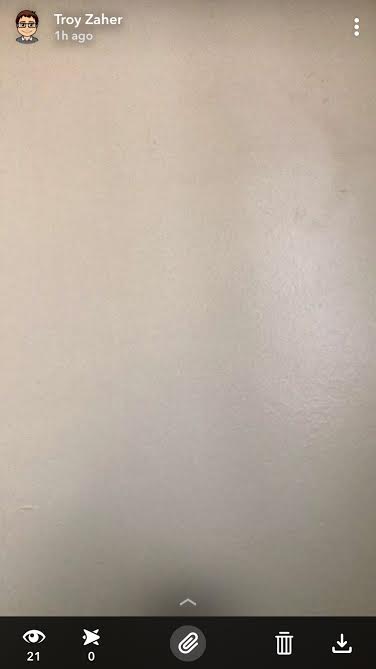
Once you’ve done this, the picture will have a swipe-up link that will direct viewers to whatever URL you’ve put.

Snapchat

Swipe-up link on Instagram

Unfortunately for Instagram users, not everyone can create a swipe-up link. Your account either needs to be verified or it must be a business account with at least 10,000 followers.

Instagram Free Download
7

The swipe-up feature itself works similarly to the one for Snapchat. You have to take a picture for your Instagram story, then there should be a paperclip-like symbol in the top middle section of the screen. Press this and you can fill in whatever URL you’d like to link. Then you can post the story, and the link will be attached to the photo.

Instagram gets a new emoji toolbar

The latest feature to come to the Instagram mobile apps makes it easier to communicate without using words

The latest feature to come to the Instagram mobile apps makes it easier to comment without using words

Love them or hate them, emojis are here to stay. They’ve evolved from binary text indicating basic facial expressions like winking to modern marvels that cover all kinds of people and objects. This evolution has even led to Apple creating emojis that react to your own facial movements and Google using AI to create a complete set of emojis based on your own facial features. Emojis are a big deal these days.

If there is one social network that epitomizes the age of the emoji it is Instagram. Instagram is all about visual communication and is famous for its poorly featured comments section. Comments are only there for basic communication and users can’t even add links to the comments they make on people’s posts. Is there a better tool than emojis to share your reaction to a pic?

Instagram seems to think not. They’ve introduced a brand-new emoji toolbar to both Android and iOS versions of the app. Once you’ve updated your Instagram app, you’ll find the new emoji shortcut bar right above your keyboard. In it, you’ll find all the emojis you use the most and you’ll be able to scroll through them from left to right. The emoji bar is only available for comments, however, and won’t show up when you’re writing captions for your own posts.

Instagram Download Instagram
7

Instagram has been testing this feature for some time, but it was released for everybody on September 6. If you haven’t seen it on your Instagram yet, update the app and it should be there next time you comment on a post.

7 Instagram accounts every Star Wars fan needs to follow

Looking for a daily Star Wars fix? Follow these 7 awesome Instagram accounts.

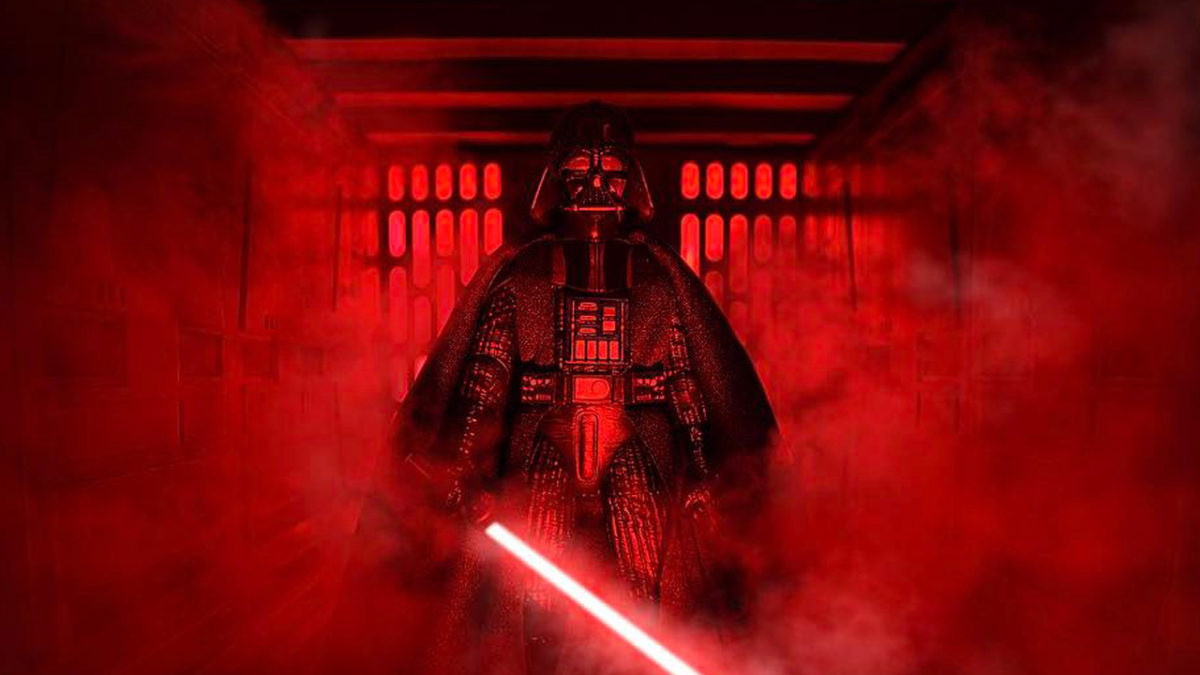
Since 1977, Star Wars has been kindling imaginations around the world. But how can we stay entertained during the wait between movies? Thankfully, Instagram has a large community of creators inspired by George Lucas’ creations. Follow these accounts and you’ll get a little Chewbacca hug every day.

7 Instagram accounts Star Wars fans need to follow

Fathers Figures


View this post on Instagram


A post shared by ??Dad, father, pops, padre.. (@fathersfigures) on Jul 9, 2017 at 8:13pm PDT

If you ever wish your action figures could come to life, FathersFigures has you covered. Using some careful poses, pyrotechnics, sand, and smoke, this account puts toys into the battle the way you always dreamed when you were a kid.

Galactic War Fighters


View this post on Instagram


A post shared by Matthew Callahan (@galacticwarfighters) on Sep 10, 2018 at 6:04pm PDT

Another great toy account, Galactic War Fighters features Stormtroopers fighting the good fight against Rebel Scum. From mundane tasks to intense firefights, this account helps you empathize with these faceless soldiers.

Dan Hipp


View this post on Instagram


A post shared by Dan Hipp (@danhipp) on Nov 30, 2017 at 8:09am PST

Dan Hipp is an incredible artist who uses colored pencils to illustrate all kinds of cool artwork about the geek world. From superheroes to cult classics, and a galaxy far, far away, every appearance in your timeline is a treat.

Instagram Download free
7

Brian Kesinger


View this post on Instagram


A post shared by briankesinger (@briankesinger) on Sep 9, 2018 at 9:08am PDT

Brian Kesinger is an artist for Disney, Marvel, and Lucasfilm. By following him on Instagram, you’ll often see Star Wars artwork inspired by Bill Watterson’s Calvin and Hobbes. It’s an adorable spin on our favorite characters.

Official 501st


View this post on Instagram


A post shared by The 501st Legion (@official501st) on Aug 16, 2017 at 10:12pm PDT

The 501st Legion is the world’s most well-known Star Wars cosplay group. Follow this account and you’ll see fantastic costumes in unlikely places. The group also does a lot of charity work, showing that even an evil Empire can have a softer side.

Rancho Obi-Wan


View this post on Instagram


A post shared by Rancho Obi-Wan (@ranchoobiwan) on Jul 4, 2013 at 6:26pm PDT

Steve Sansweet has one of the coolest jobs in the world. As the guardian of Rancho Obi-Wan, he oversees the world’s rarest collection of Star Wars memorabilia. From the original figures to that stupid inflatable Jar-Jar chair to goofy foreign knock-off toys, Rancho Obi-Wan has it all. Every post is a peek at a rare treat.

Brandon Bird


View this post on Instagram


A post shared by Brandon Bird (@beeburd) on May 4, 2018 at 2:25pm PDT

As the owner of the should-be-famous Jerry Orbach car, Brandon Bird has made a name for himself as an artist with a wicked sense of humor. Although Bird loves painting abandoned Sears stores and a staggering amount of “Law & Order” art, he often turns his talents on the Star Wars galaxy in all kinds of funny ways.

How to hide hashtags on Instagram

Wish you could hide all those hashtags in your Instagram post? It’s easy and we’ll show you how.

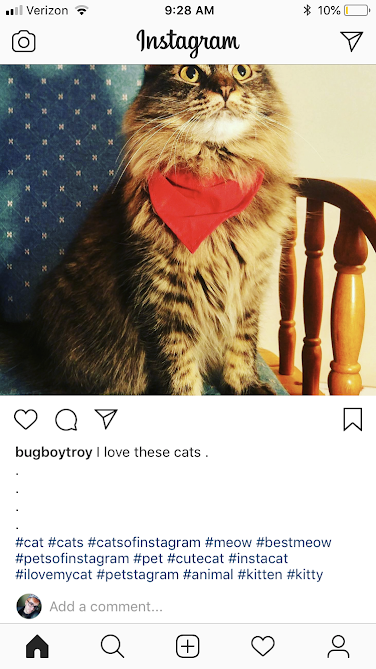
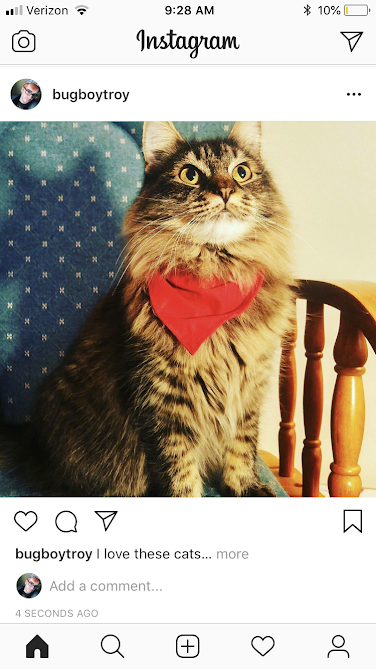
Instagram photos can look a little cluttered when the description is covered with hashtags. But those hashtags are what get your image seen by a bigger audience. In order to avoid this clutter, but still be seen, the best thing to do is to hide these hashtags under a “see more”.

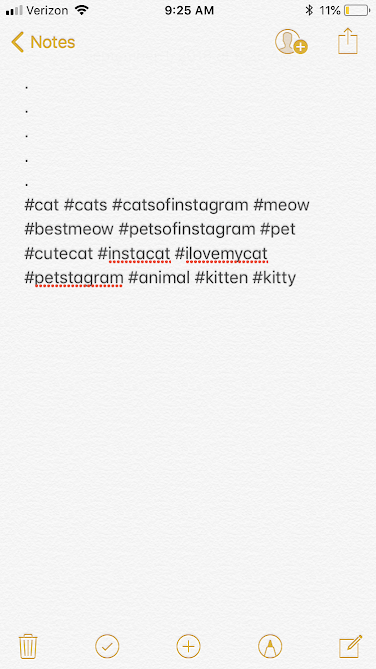
The process for hiding these hashtags is actually much simpler than you might expect. All you have to do is have 5 line breaks with a dot in each one.

Here’s an example:

Instagram

When you have the line breaks like this, the hashtags will be hidden like so:

Instagram

Many people will put these in a note-taking app first, and then copy and paste them over to their Instagram post. This can be particularly useful if you have a themed Instagram, and are frequently using the same hashtags!

Notes

So there you have it! Enjoy a less cluttered post that gets more views!


Why Facebook is losing teens

It’s been shown again and again that digital services age in dog years. There was a time when having a MySpace profile was edgy and cool, with its Top 10 Friends feature and music-based model. However, the arrival of Facebook, with its simple interface and lack of ads, toppled MySpace completely. Falling as quickly as it rose, MySpace went the way of the telegram; an archaic means of communication mentioned only as the butt of the joke. Facebook laughed, and it’s been laughing for years. But with the coming of newer, hipper rivals like Instagram* and Snapchat, Facebook isn’t laughing anymore.

Facebook: Boomer Central?

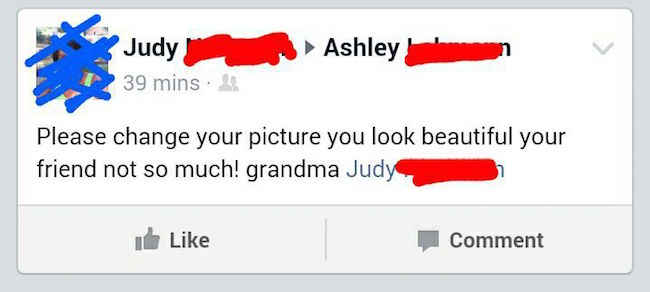
A commonly cited reason for leaving Facebook among teenagers is the influx of parents and older people to the website. Facebook is still the most popular social media platform by far amongst people outside the 12-17 year old demographic. When you’re a teenager, there is nothing less cool in the world than your parents. Why on earth would you want to share a social media platform with them? There’s no quicker way to have your hot new pic seen as uncool than to have your mom comment “CUTE! That’s my baby!! Love, Mom” underneath.

Old people and social media mix to hilarious results

The presence of relatives on Facebook has deterred teenagers from acting like themselves while posting, wary that whatever they say will be brought up at the dinner table. Teenagers have to moderate what they post so much that Facebook might as well be LinkedIn.

For today’s teenagers, their presence on social media is crucial for their social status. They don’t want to present themselves as some sort of sanitized, grandma-friendly figure. They’re teenagers; they want to seem rebellious, unique, and aloof. The demographics of Facebook do not allow them to do that.

Snap Today, Gone Tomorrow

Snapchat has stolen Facebook’s teenage users away, and they show no signs of turning back. The main appeal of Snapchat to teenagers is its impulsivity and lack of permanence. The Snap Stories feature, which allows users to upload videos or photos that last for 24 hours before being deleted, is incredibly popular among teenagers because users are encouraged to post more spur of the moment content, as opposed to Facebook’s timeline model encouraging the posting of more “significant” content. People aren’t going to post that shaky three-second clip they took of that cute dog on Facebook, but it would be perfectly normal to see it on a Snap Story.

By encouraging off the cuff, mundane content, Snapchat constantly stays in the back of its user’s heads. Facebook recognizes this design philosophy and has copied it wholesale with its “Moments” feature. Facebook’s core design is that of a timeline, displaying significant events or content chronologically on a user’s profile.

Snapchat is the exact opposite, being a social media platform that focuses on content that’s in the moment. For teenagers, who constantly ebb and flow between what they see as cool, having your embarrassing or uncool posts erase themselves only to be replaced by cooler and newer content is highly appealing.

Facebook in the Future

Snapchat currently stands as the most popular social media platform among people 12-17 years old. Reports from eMarketer suggest that Snapchat will gain 1.2 million new users in that demographic by 2022, while at the same time Facebook will lose 2.2 million teenage users. Because Facebook is still the most popular social media platform outside this demographic, they may double down and cater to their older user base. While this may alienate their younger users even further, it seems that Facebook is now past its trendy, younger days.

* Yes, Facebook owns Instagram. But the migration from the lucrative Facebook platform is a problem for the company.

These retro photo apps are taking over Instagram

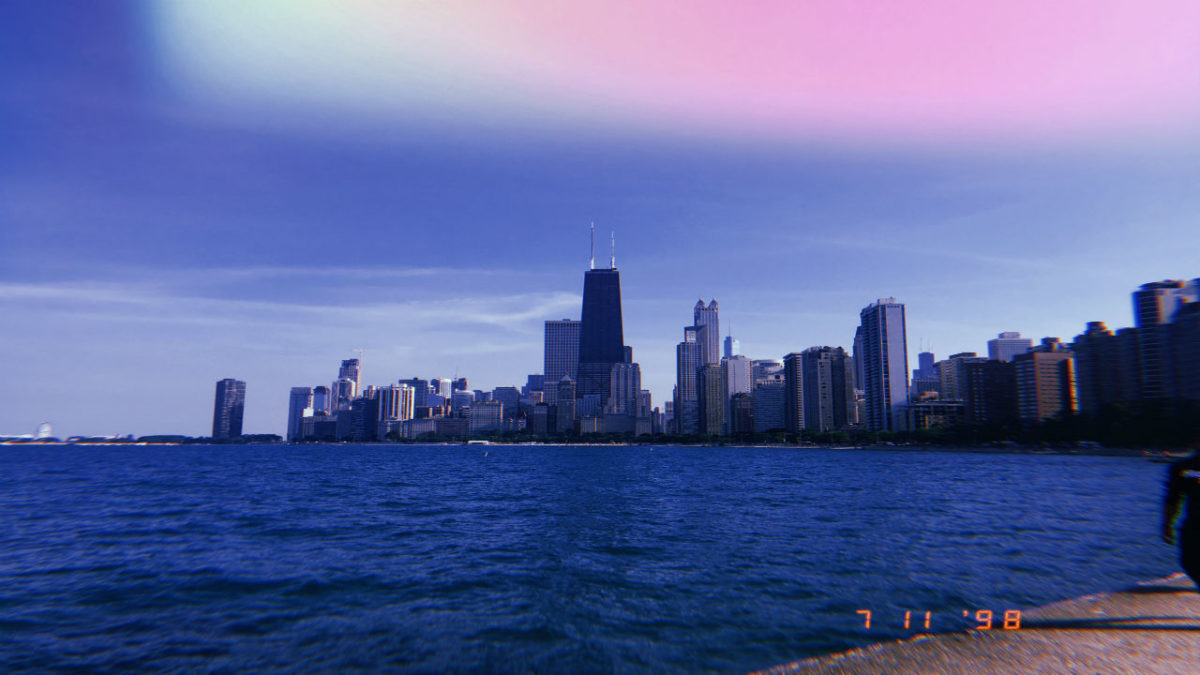
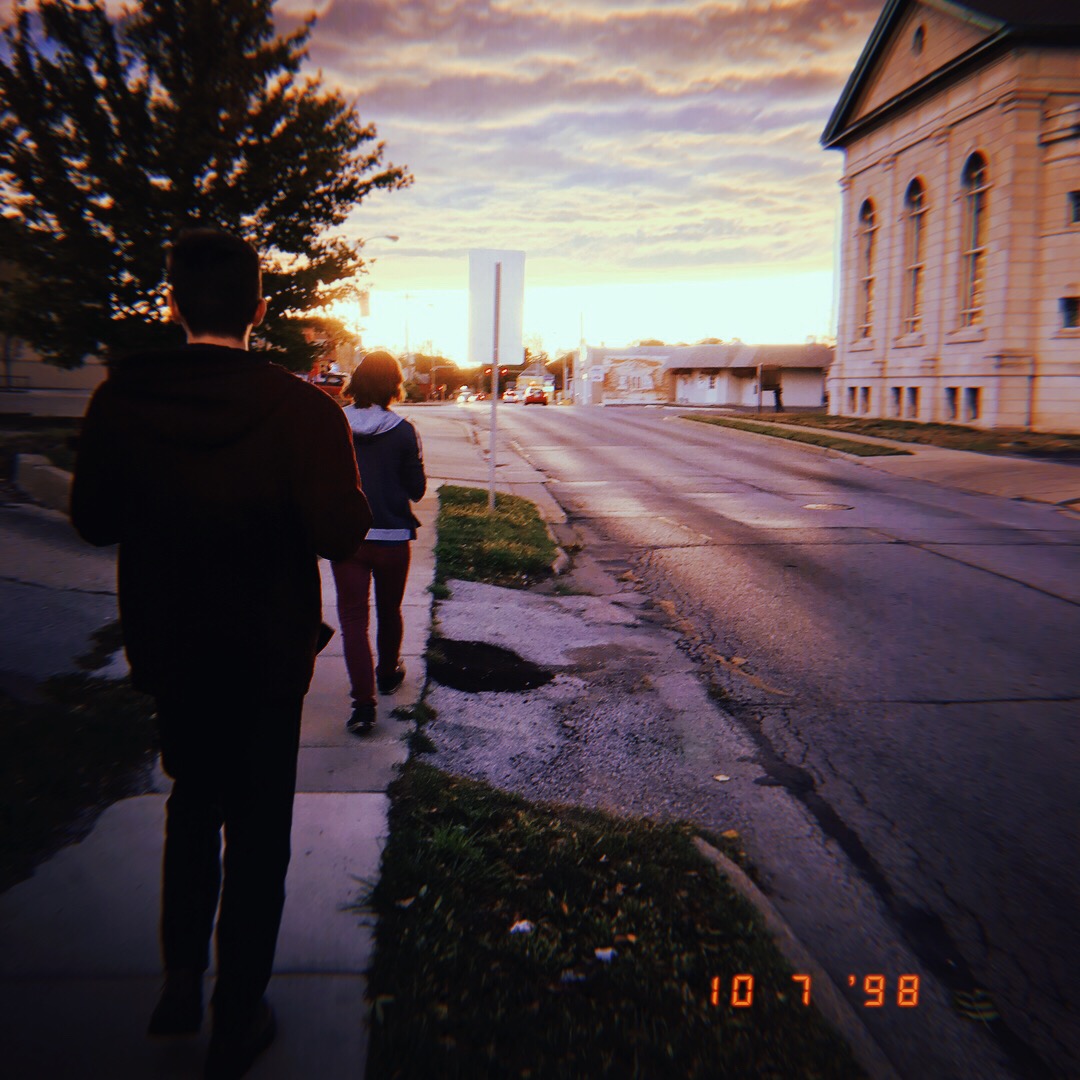
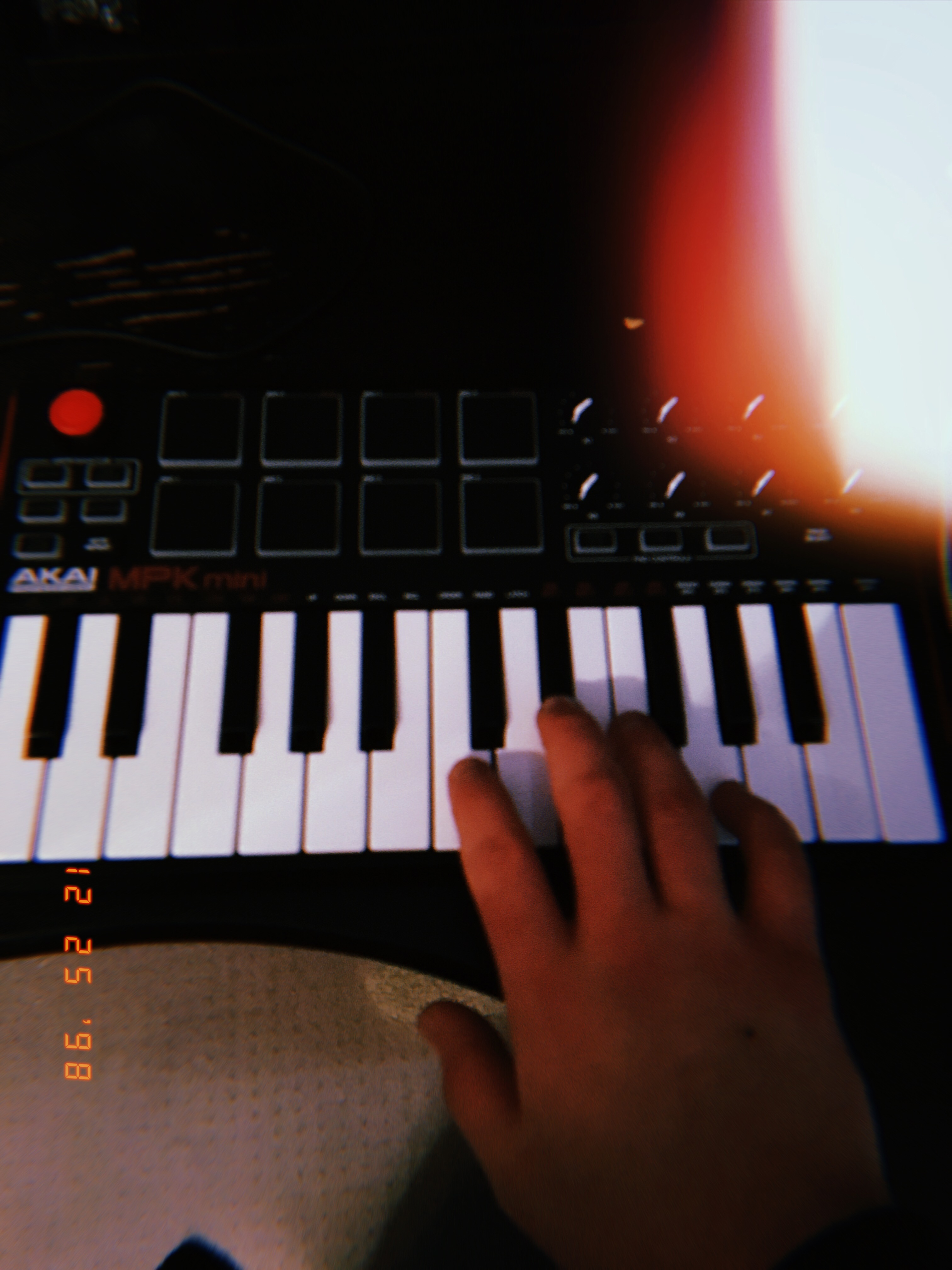
If you’ve scrolled through Instagram in the last week, you’ve probably noticed an influx of grainy pictures with the date 1998 on them. These pictures are the result of apps like Huji Cam and 1888, which take photos taken on your phone and filter them to look like a Polaroid picture from 1998.


The apps function almost identically. They take photos on your phone and “de-master” them to give them a warm, nostalgic aesthetic. Grain is added, edges are softened, and colors are bled and oversaturated, placing a strong emphasis on reds, oranges, and blues. They even add random light streaks that perfectly and charmingly emulate the shortcomings of the convenience-store bought disposable camera. These vintage effects work best in photos that are well lit and feature a wide variety of colors.

 The apps have caught on and become incredibly popular. Huji Cam alone has already been downloaded over 22 million times. The app is named as a homage to the popular photography company Fuji Film, whose instant cameras have regained widespread popularity in the age of Instagram. Likewise, 1888 is based on the photography company Kodak and is named after the year the company was founded.

9

Some may be asking: what’s with the rise of retro photo apps and Polaroids in the last few years? In an age where anyone with a smartphone can take a virtually unlimited amount of instant, high definition photos there’s something to be said about the intimacy of Polaroid pictures. Having a limited amount of film means you can’t just snap away aiming for the perfect picture, you need to actually set up the picture and make sure each photo is significant. These retro photo apps aim to emulate this feeling of emotional connection, as even users who weren’t alive in the 90’s can feel nostalgic for what pictures used to look like before the age of HD and Photoshop.

All pictures in this article were taken by yours truly.

Private Instagram: How to hide your Instagram status

Instagram’s latest feature tells your friends when you’re online. If you like your Instagram private, this is how to disable it.

Yes, Instagram is now a little less private. The hippest social network of them all now broadcasts your active status, telling people whether you are online or not. Your friends can now see a little green light next to your name whenever you’re using Instagram.

For those who are little more concerned about their privacy, Instagram has kindly included a way to disable this feature. To be fair to the Facebook-owned social network, it isn’t too hard to take back control of this Instagram privacy setting. This is how to hide your Instagram status:

Private Instagram: How to hide your Instagram status
It isn’t difficult to remove your Instagram active status
  1. Open Instagram and tap the gear icon on your profile page.
  2. Scroll down and tap on Privacy and Security.
  3. Click on Activity Status.
  4. Toggle Show Activity Status to off.

Once you’ve done this, your friends won’t see a green light indicating that you’re online. As well as this, they won’t be able to see when you were last online. The flip side of this is that you won’t be able to see the same information about your friends either.

Instagram Download Instagram
7

To give your Instagram a boost check out more great Instagram tips and tricks from Softonic below:

Instagram Stories users embarrassed by new questions feature

Instagram users anonymous questions

Anonymity. The onset of social networks has simultaneously stripped us of our privacy while also creating a legion of anonymous internet trolls. Under the cloak of anonymity, they spill their bile all over the internet without fear of recrimination. Twitter is awash with so much hate that there are even browser extensions out there to block all the anonymous nonsense out. It seems that when we think we’re saying things anonymously, we make things a little spicier than we usually would.

Instagram Download Instagram
7

Users on Instagram both proved this reality to be true and were caught out in the process this week. Instagram has rolled out some new interactive features for its Snapchat copying Stories feature. Users can now ask questions as a part of their Instagram Story. The thing is, the answers to these questions are not anonymous. Whoever asked the question can see who answers it. A lot of Instagram users didn’t know this, however, and answered as if nobody was looking. Ever since they’ve been taking to Twitter publicly to talk about their embarrassment. Check out some of the best (and worst) Tweets below:

It isn’t all bile, however, sometimes anonymity allows us to say those things that were too scared to say. Our heart wants to sing, but our fearful brain holds us back. In those moments, anonymity can give us an opportunity to say what we’ve always wanted to say.

We’re with you Ty, you wholesome meme of a man. The only question left now, is what happened next?