
Best Instagram accounts to train at home

All these Instagram accounts will inspire you to live a healthier lifestyle that’ll have you feeling much better and looking fantastic.

This week we’re bringing you all the best apps and social media accounts that can help you live healthy, happy lives even when staying indoors for long periods of time. Yesterday we looked at all the best mindfulness and meditation apps to help you safeguard your mental health even during adverse situations. Looking after your mind, however, isn’t enough. You also need to look after your body and today, and for the rest of the week, we’re going to help you do so.

Tomorrow we’ll be looking at the best YouTube channels offering good workout sessions and we’ll also look at workout apps this week too. Today though, we’re looking at another social network that has many accounts promoting healthy living. Believe it or not, Instagram is a fantastic resource for anybody looking to start working out or generally just try to get in shape. There is plenty of fit and healthy people on Instagram who are more than happy to share all their secrets with you. Let’s look then at some of the best Instagram workout ideas, programs, and fitness accounts.

Instagram Download Instagram
7

Best fitness Instagram accounts

These Instagram classes will have your body in tip-top shape in no time. Follow them all to inject your Instagram feed with fitness videos and workouts, healthy lifestyle tips, and recipes that are both good for your body and good for your soul.

Megan Roup

Mega Roup’s Instagram account is impressive, inspirational, and bursting with positivity. Roup founded a very popular cardio class called The Sculp Society, which became a bit of a cult classic in NYC. The Sculp Society uses fun and active routines pulling in the likes of dance and high-rep full-body toning exercises to get your blood pumping. Roup’s classes are lots of fun and will help you with weight loss and reaching your fitness goals.

Her Instagram builds on the success of her app, showcasing fantastic behind-the-scenes videos and photos as well as more intimate shots grabbed from Roup’s personal life. The videos here are fun little blasts, usually focusing on a single move or routine. Every now and then though, you’ll stumble upon a fab little dance routine that’ll leave you feeling motivated and hungry for your next exercise.

Anna Kaiser
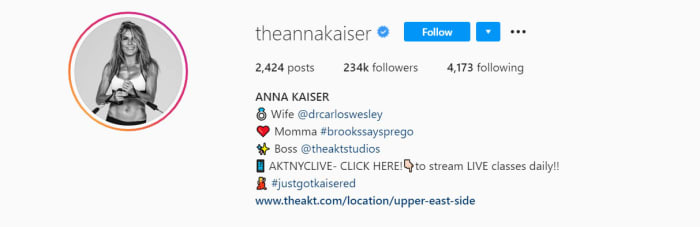
Anna Kaiser is one of a particular type of personal trainer. Bursting with positive energy, Kaiser sees it as her mission to have you pumped for your session. Motivation is both the biggest ally and potential enemy of any would-be workout enthusiast, which explains why Kaiser takes it so seriously. If you’re up for your workout, you’ll take so much more from it. If you’re not, well let’s just say you’ll struggle to get through your routines or complete your exercises effectively.

In this regard, Kaiser’s Instagram page is full of high-energy and High-Intensity-Interval-Training (HIIT) workouts that will vary your heart rate for maximum efficiency. You’ll also get healthy recipe ideas as well as all the exercise guidance, meaning you can get a full service from Kaiser if you follow her Instagram account. What’s also great about this account is that all the exercises can be done at home without too much fuss.

The Rock

Dwayne Johnson doesn’t too much introduction. The ex-wrestler has established himself as one of Hollywood’s hottest properties coming across as a much family-friendly version of what Arnie offered during the 80s. The Rock is huge, strong, yet also sensitive and welcoming. That is of course until you head to is his Instagram account where he shares his grueling weight-lifting workouts.

What’s really great about The Rock’s Instagram account is that you get to see exactly what it takes to have such a huge body. His workout routines can be insane at times but he’s always trying to bring you along for the ride too. On top of the workout videos and behind-the-scenes pictures, you’ll also get plenty of motivational messages from the big guy too. Cheat Day Recipes is another regular feature of the account, which sees The Rock go through some excellent cheat day recipes that won’t undo all the good work you’ve been putting through the week.

Ebenezer Samuel

If you’re stuck in the house, there aren’t much better Instagram accounts you can follow than Ebenezer Samuel. Samuel is a very well thought of personal trainer and he posts a few new workout routines every week. This means there is a vast wealth of personal training content there all ready for you to get into and you’ll never run out as he’s constantly updating his page and keeping it fresh.

The real reason Samuel’s is perfect for home workouts though is that he loves incorporating no equipment bodyweight exercises and everyday household items into his workout routines. You’ll regularly see him doing strength training reps with jugs and bottles of water, heavy bags, and very simple setups including resistance bands and basic dumbbells. The message from Samuel is clear. Just grab what you can and get at it. There’s nothing stopping you from working towards that healthier, fitter lifestyle.

Don Saladino

Don Saladino is a personal trainer to the stars. If you’ve ever seen movies with the likes of Ryan Reynolds or Blake Lively, you’ve seen just how good Saladino’s results can be. The big Don was also behind David Harbour’s impressive transformation into local super cop Jim Hopper in the Netflix smash Stranger Things.

Saladino’s Instagram account is a treasure trove of short workout videos, inspirational behind-the-scenes images, and all manner of quick tips and tricks to get you moving in the right direction. All these exercises can be done at home too with Saladino also pulling in different elements from the home such as the stairs into his routines. Beyond the odd dumbbell or kettlebell, there’s nothing major needed to get started here. Simply follow Saladino on Instagram and then follow his advice.


Best mindfulness and meditation apps

These apps are all designed to help have greater control over your mental health and wellbeing.

When you’re stuck inside life can feel it’s getting on top of you. The days start melding into one and it gets harder to recognize when one ends, and another begins. This means if you’re going to be inside for a prolonged period of time you need to protect your mental health and stay on top of your mindfulness.

Fortunately, there is a slew of apps available for Android smartphones and tablets, and Apple iPhones and iPads that can help you manage meditation sessions and teach you mindfulness techniques. You can add these apps to your smartphone and then you’re good to go. Performing just one meditation session a day will help you remain calm and grounded in even the most adverse of situations. If you think one a day is too much, don’t worry. Many of these apps offer adjustable schedules and can work around the pressures your day-to-day life puts on you. Download any of the best meditation apps today and start looking after yourself.

Meditation and mindfulness apps

These meditation and mindfulness apps will help you maintain your mental health even during stressful and difficult times.

Aura

Aura app

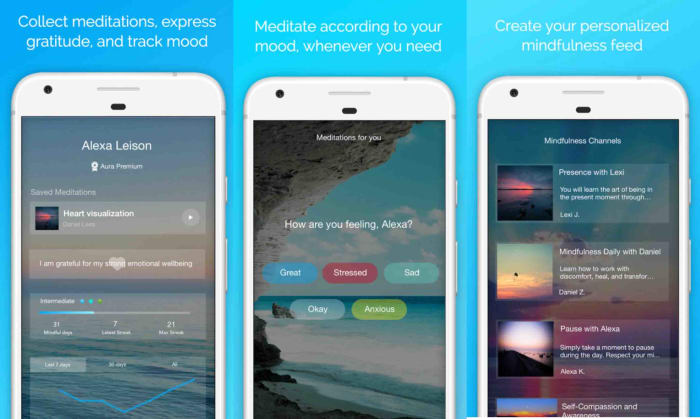
Aura is a mindfulness meditation app that is more like your own personal mindfulness and meditation guru. The app was created by prominent therapists, self-help gurus, and meditation teachers and offers users daily micro-meditations that can help level your mind. What’s great about these micro-meditations is that they only last 3 minutes each, meaning you can add some mental health-boosting meditation practices into your day no matter how busy you are.

Other great features in the Aura app include a mood and emotions journal, a thankfulness and gratitude journal, and extra daily meditation challenges and games. These challenges build up your skills day after day helping you learn and develop your meditation techniques further. Another cool Aura feature is the relaxing sounds playlist that includes lots of soothing tracks taken from the outdoors and other general sounds of nature.

8

Calm

calm

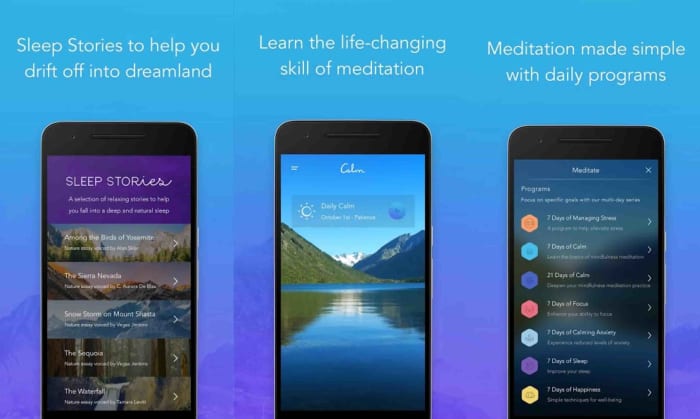
Calm is a great app that will introduce revolutionary calming techniques and exercises, and simple habits that will help destress and relax at even the worst of times. If you ever suffer anxiety or mild panic attacks, this award-winning app will help you develop the tools you need to regain control whenever you feel like things are getting away from you. The breathing techniques alone will help you a lot once you’ve mastered them.

Calm also has a special children’s section called Calm Kids, which focuses on specialized calming techniques and meditations for children aged 3-17. There’s also a very cool sleep-related section of the app where you access soothing Sleep Stories read aloud by a large number of famous celebrities known for their soothing voices. Even if you’re not looking for better sleep, having Matthew McConaughey read to you at night isn’t a bad thing.

8

Headspace

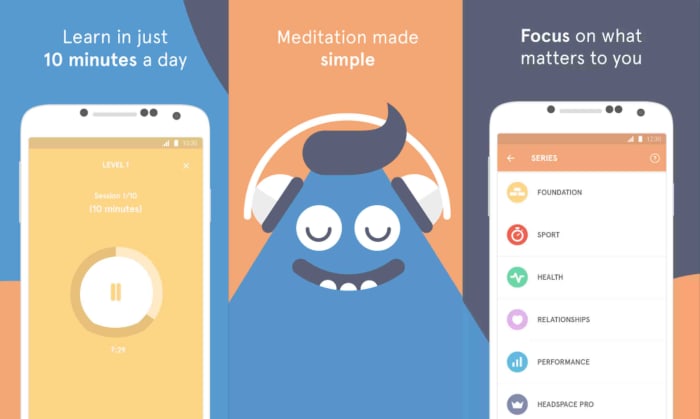
Headspace is an app that has been helping you train yourself on how to live a healthier life. With a healthier body and mind comes a happier existence and that idea sits at the heart of Headspace. Like many of the apps in today’s list, Headspace does have a free version of its services that include special exercises and techniques that can help you get a solid grip on the basics of meditation. This makes Headspace an excellent first step for anybody hoping to work on their mental health who isn’t quite ready to splash out on expensive subscription services.

As well as guided meditation, Headspace also includes soothing sleep music tracks and relaxing nature sounds that can quickly add an air of serenity into your day. Headspace works best by analyzing a few answers you give to certain questions and then building you your own personalized mindfulness routine.

Headspace Download now
10

Simply Being

Simply Being is another excellent app for somebody new to the meditation and mindfulness space, who wants to try things out without committing to an expensive plan. It offers a great way in, giving users solid voice-guided meditations and courses that will help you maintain calmness and tranquillity in your daily life.

What’s also great about this very popular app is that offers meditations that are as short as five minutes, so there are no excuses for not being able to these very helpful routines into your routine. Sessions can go up to 30 minutes long too, giving you control over how much of your day you can give to your mental wellbeing. There are also soothing audio tracks for you too here and although the layout is a little rudimentary, everything here works smoothly and effectively. This is a very well-reviewed app for a reason.

Simply Being Download now
9

The Mindfulness app

mindfulness app

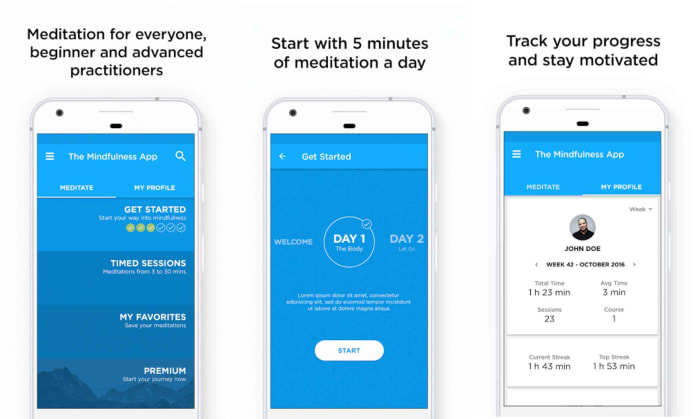
The name of our final app today says it all really. The Mindfulness App was developed by two Yoga specialists who were looking to help as many of the general public experience the benefits that can come with developing and maintain general mindfulness practices in day-to-day life. Again, this app also offers 3-minute micro-meditations making these benefits truly accessible to even the busiest of people.

The app also has soothing audio tracks and guided meditations. What’s great about this app is that it allows you to deactivate the narrator’s voice on certain meditation tracks, if you’re comfortable enough to it on your own. The Mindfulness App is another great option for anybody new to this stuff and offers a solid path of development for all rookies to follow.

The Mindfulness app Download now
8
Wrapping up

There you have five mindfulness apps that will help you exert more control over your mental health, even if you’re stuck in the house for long periods of time. Don’t worry about trying more than one of these apps. The key here is to go with what works best for you. It’s you’re body and your mind, so you’re the one in control here. Good luck with this. Namaste.

The best free mobile platform games

These mobile platform games are all free and available to play now.

You can’t overstate just how useful smartphones are these days. They can do pretty much anything and everything. You can take great photos, take care of pretty much any work-related task, contact people all over the world and have actual face-to-face conversations, and obviously access all the wonders the internet has to offer from almost everywhere.

The other big thing smartphones have to offer these days is video games. You don’t need a specialized gaming phone like the Asus Rog or the Razer Phone to get console console-like graphics on your mobile device. Most phones these days can handle state of the art graphics and hold vast game worlds that take days to uncover and explore. There is a rich gaming experience to be had with your iOS iPhone or Android devices and today we’re going to go through the best free platforming games you can play right now.
Platform games for Android

Below you’ll find a list of our top five free platforming games you can download for Android. Simply click the download button below any of the games, follow all the online instructions, and you’ll be good to go.

Super Phantom Cat 2

Super Phantom Cat 2

It shouldn’t come as a surprise that when they made a game about a cat that had phantom superpowers it became so popular that they simply had to make a sequel. Well, that is exactly what happened and Super Phantom Cat 2 is the result. This 2D platformer is a lot of fun to play with Phantom Cat’s superpowers creating all sorts of interesting dynamics that add to the gameplay.

There are plenty of mini-puzzles and games here to get into as the main action that plays as a fast-paced side scroller with plenty secret areas to discover, enemies to get the better of, and obstacles and platforms to jump over. This game is colorful too with a trippy feel to it that makes you feel lie you’re playing around inside a cat-themed crayon box. Try this game now.

Super Phantom Cat 2 Download now
8

Rayman Adventures

Rayman is the classic protagonist of one of the best platformer series ever. He’s been around forever and starred in a lot of great games. In fact, at the moment there are quite a few Rayman games available and they’re not all platformers. There’s also Rayman Jungle Run and Rayman Fiesta Run, which offer interesting side-scrolling takes on the Endless Runner genre.

Rayman Adventures takes these classic tap and swipe dynamics and adds a little more nuance, giving you control over Rayman’s vertical as well as horizontal movements. The results are a frantic-feeling action platformer that keeps going and going. The action is always a challenge but never stops being fun in the meantime.

Rayman Adventures Download now
7

Super Mario Run

Super Mario Run was the first mobile game from the legendary Nintendo. Ever since he first appeared on the 8-bit Nintendo Entertainment system way back when Mario has been the king of all platformers. When Nintendo took him to mobile the plan was to keep all of the platforming elements that Nintendo fans had come to love but to make the experience fun and relatable on smaller devices often used with just one hand.

The result is a non-stop running game that sees Mario sprinting across the screen from left to right with the player simply controlling when Mario jumps and how high or how far he goes. With other cool dynamics like wall jumps added to the action, Super Mario fun is a lot of fun and feels like a premium mobile game in every way, even if you could say that is gameplay is limited compared to the bigger console versions of Mario that are out there. If you’re a Mario fan, there’s a lot to like here and you can try the game for free before having to commit to the relatively high purchase price for a mobile game.

Super Mario Run Download now
8

Sonic the Hedgehog

Another classic platformer to rival Mario but this time coming from Sega is the inimitable Sonic the Hedgehog. Sonic is the ridiculously fast Hedgehog that for decades now has been battling against the evil Doctor Robotnik. Sonic’s antics are so famous that he’s recently been the protagonist in his own movie battling against non-other than Jim Carrey.

Sonic’s background makes him much more suited to high-speed frantic action than Mario and all of Sonic’s mobile games showcase this well. Game worlds in Sonic games are lush beautiful places filled jungle greenery, beautiful gold coins, and all manner of baddy out there looking to take them off you. The other great thing about Sonic mobile games is that they’re pretty much like for like reproductions of the full version games you get on consoles. Sure the controls can feel a little clumsy at times, dragging your fingers along virtual D-Pads on your touchscreen device the fact the full games are here on your mobile device and play so well is a testament to how well they were made in the first place.

Sonic Download now
9

Blackmoor

Blackmoor – Duberry’s quest is the final game in today’s list. Although it might not have the name recognition of a Sonic or a Mario, you can still expect a very good side-scrolling platformer here. You pick your hero and then you through 16 different worlds that are filled with 57 different types of enemies for you to vanquish. What makes this game so great, however, is that all worlds are randomly generated meaning you’ll never play the same level twice. If you add to this the fact that you can play cooperatively with friends, and you really have a lot of games to get into on your mobile. This is definitely up there with even the biggest names in today’s list.

Blackmoor Download now
9

Best apps for living a healthy lifestyle

These are all the best apps you can download that will help you live a healthy lifestyle.

Healthy living has evolved into some sort of modern-day religion. You have healthy living gurus and lifestyle coaches all out there trying to help you live your best life. You then have all manner of different diets and exercise plans you can follow and a whole host of books, videos, guides, and tutorials out there trying to help you fine-tune the decisions you make on a daily basis in search of a healthy lifestyle that will make you feel better and live longer. We now have a new pillar that supports us in our quest to live a healthy lifestyle, the trusty mobile app.

That’s right, apps are now fantastic tools for helping us stay healthy in many different ways. There are now apps for tracking what we eat and recommending healthy meal plans, recording our activity and promoting suitable exercises to boost our bodies and even apps that track lots of different biometric health data giving us greater insight into how our bodies are working than we’ve ever had before.

Best health apps

MyFitnessPal

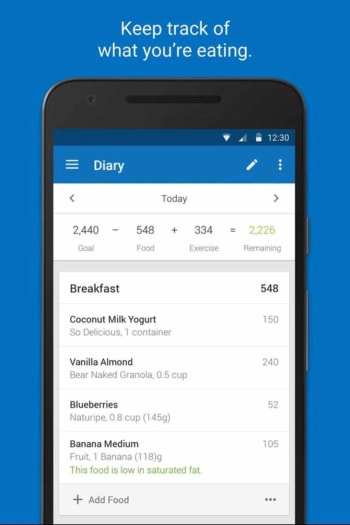
The first app we’re featuring today is a fantastic food tracking app that will help with weight loss. MyFitnessPal has a huge database of known foods and tries to make logging what you eat easier than ever. All foods in the database have nutritional information attached and there are literally millions of different foods and dishes here, with even common restaurant meals also in the list and ready for you to track. What’s also great about MyFitnessPal is that it will offer you macro-nutrient guidelines based on the individual nutritional needs of your diet. If you’re looking to eat more carbs or protein, for example, then MyFitnessPal will analyze the foods you’re eating and let you know whether you need to eat more or less of any particular foods.

MyFitnessPal Download now
8

Home Workout

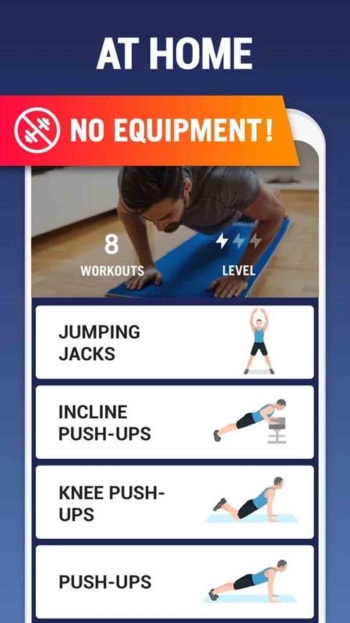
So, you’re tracking your calorie and macro-nutrient intake using MyFitnessPal and now you want to add fitness goals to your daily routine. For this, there is no better app for Apple iPhones or Android smartphones than Home Workout, which makes it easy to start working out at home without the need for any specialist equipment at all. This app is like having your own personal trainer.

home workout

Once you’ve downloaded Home Workout you won’t need a gym membership or your own weights or home equipment. The app will give you routines including weight training and strength training. You’ll also get warm-up routines and cool-down stretches as well a wide range of analytics tools including tracking charts and graphs, and drink reminders and period trackers if you want to go that far.

Home Workout Download now
8

Headspace

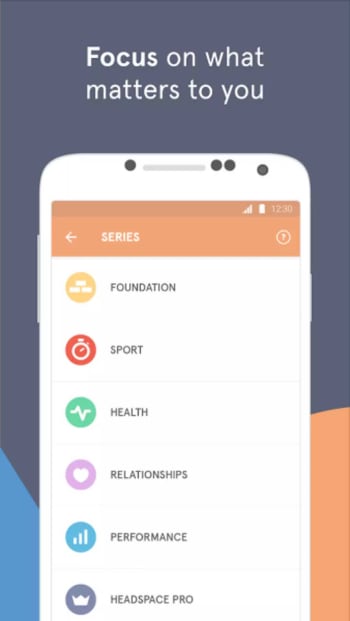
Now that you have your diet taken care of and a decent home workout routine set up the next step should be taking care of your mental health and well-being. This is what the app Headspace is about, helping you stay calm and relaxed and maintaining strong mental health. Eating well and regular exercise will help you stay on top of your mental health, but Headspace will help you take control of it.

Headspace, which is available for iOS and Android phones offers guided meditation sessions, help with sleep patterns, and many different ways to try and deal with stress and anxiety. There’s also access to emergency stress releasing sessions for people dealing with intense levels of stress or personal distress. There’s a free version of headspace but a lot of the features remain behind a monthly subscription.

Headspace Download now
7

Lumosity

Another great app to keep you feeling sharp and clear-minded is Lumosity. This free app sends you daily brain games and puzzles designed to both test your mental dexterity and expands it. Lumosity offers great quizzes, puzzles, and teasers that will require critical thinking, memory, and deep problem-solving skills to solve. This app is like a gym routine for your brain. It will get your synapses firing and keep your mental dexterity fresh and ready for a challenge.

Lumosity Download now
8

Runtastic

Runtastic has been one of the best apps for tracking runs for quite some time now. As well as the regular run tracking app, Runtastic has also expanded to track many other types of activities such as bodyweight training and daily steps. Runtastic offers you stats and graphs on your performance and progression and also works seamlessly with other wearable devices like Android smartwatches and even shoe trackers. As well as the free version, which you can sync with other fitness apps such as Google Fit or MyFitnessPal, Runtastic also has a premium plan that you can pay monthly or annually.

Runtastic Download now
8

Sweatcoin

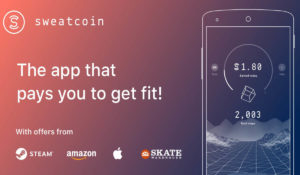
This app offers a unique spin on getting yourself active. Sweatcoins are a type of crypto coin that you generate when walking. You download the app onto your iPhone or Android smartphone and then allow it to track your steps. For every 1,000 steps, you take you’ll generate 0.95 Sweatcoins, which puts you on just over nine coins a day if you average 10,000 steps. This app should be seen as a novelty, however, rather than a genuine fitness app as the average item, you can get with your Sweatcoins costs 20,000 coins, which will take you around six years to collect, going on the average step rate outlined above.

10

Sleep Cycle

sleep cycle

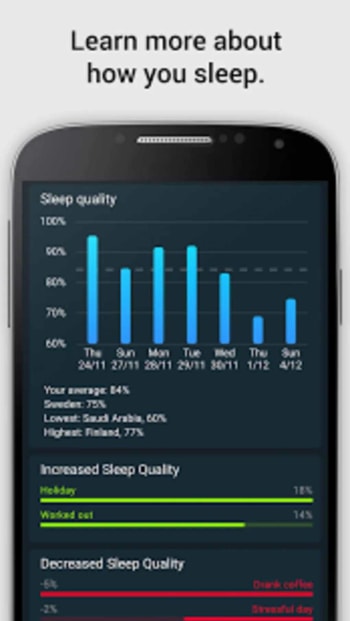
The final app in our list of healthy living apps is designed to help you get the best night’s sleep possible. Sleep Cycle tracks how deeply you sleep at night and is also able to track your heart rate through the night as you sleep. Another cool feature of the Sleep Cycle app is that it will wake you up during light patches of sleep. Basically, as the app tracks how deeply you’re sleeping, you’ll be able to set a period of time when it will assess your sleep patterns and then wake you when you’re in your lightest sleeping phase. This way you’ll feel fresh when you wake up because you won’t feel like you’ve been disturbed from a deep sleep.

Sleep Cycle Download now
8

How to activate the Android 10 hidden game

This guide will show you how to unlock the hidden game buried in Android 10

Android 10 hidden game

Easter eggs are fun bits of codes that developers hide deep within their programs. Think of them as like an artist’s tag and you’ll get a clearer understanding of what they are. They’re there to show exactly who is behind the computer program you’re using. They show ownership and pride and all things in between.

The great thing with digital Easter eggs though, is that the possibilities are endless. Rather than simple signatures like you see on a work of art or visual tag like you’ll see on a piece of street art, computer program Easter eggs can be literally anything. What started as a few strands of errant code and hidden digital images buried deep in the bowels of computer games and programs have evolved into so much more. Easter eggs can now be games in themselves worth the effort and enjoyment of finding them for the experiences they offer in their own right. Google clearly knows this as the speeding dinosaur in Chrome will attest to. It’s not just Chrome though, Google has actually hidden Easter egg games into Android. That’s right. If you have an Android phone, you can play a secret game on your phone right now. This is how.

Hidden games for Android smartphones

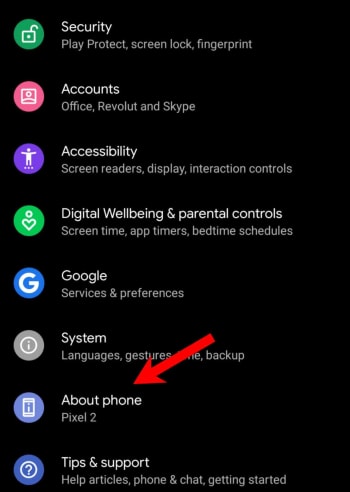
Google has been hiding little Easter eggs inside Android for years now. Each version of Android; be that Marshmallow, Oreo, Lollipop, Nougat, or Kit Kat has had its own special little Easter eggs. There’s even a hidden Flappy Bird game in there for you to find. There are Android Easter eggs for the different versions of Android but there are common themes that run through all versions of Google’s operating system. The biggest one is that you can go to the Settings menu on all versions of Android, hit the About phone option at the bottom of the menu, then press the Android version button, and finally repeatedly tap the Android version option that appears at the top of the menu. Historically, this opens up a simple little Easter egg widget that you can play around with.

Android easter eggs tips

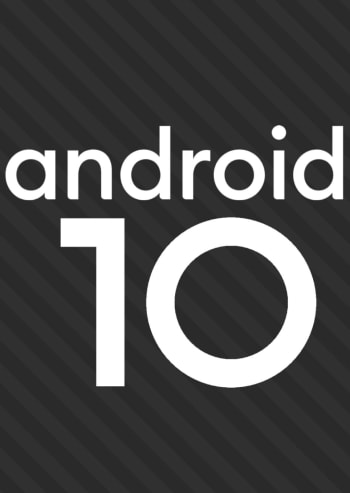
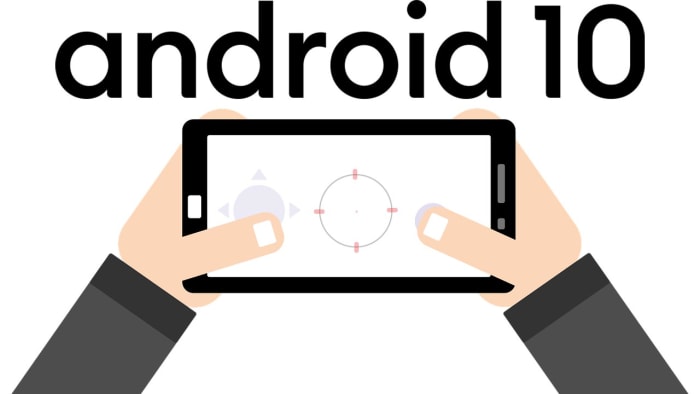
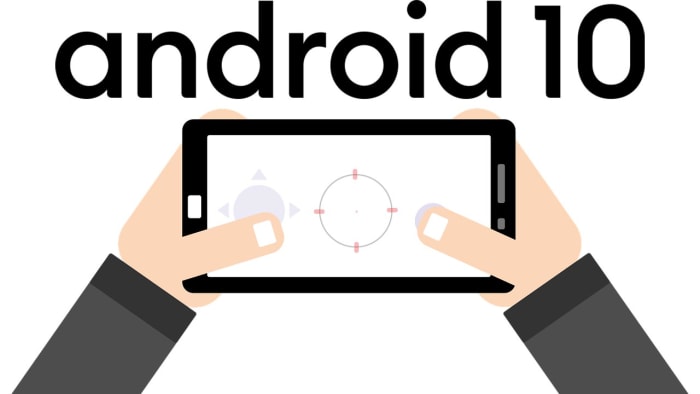
In the latest version of the Google mobile operating system, Android 10, this widget presents you with a movable Android 10 logo. You can drag the word Android around the screen, and you can drag the numbers one and zero around that make up the number ten. You can’t resize these individual elements but if you double-tap them and then long-press, they’ll begin to spin.

On its own, this provides a bit of a novelty and will maybe keep you occupied for a minute or two. What’s cool though, is that there is another Easter egg hidden underneath this classic Android hidden gem.

android 10 tips for easter eggs

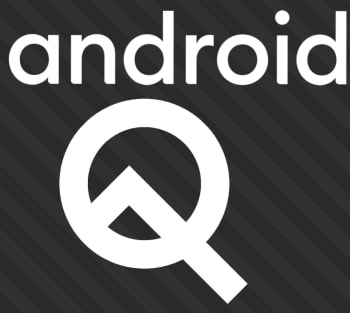
To access the next hidden game you need to rearrange the Android logo and spin the elements around until they all line up to show the original Android Q logo, that was the code name for Android 10 while it was still in development. Doing this on its own isn’t as easy as it sounds and knowing that you can activate something like this by spinning letters and numbers around in a certain way actually turns this non-descript little widget into a game in its own right.

When you pull it off though, and you drop the letters and numbers in just the right place you’ll notice the stripes behind the logo will begin moving. You then repeatedly click the word Android until you unlock the other game.

Android Q Easter egg tips

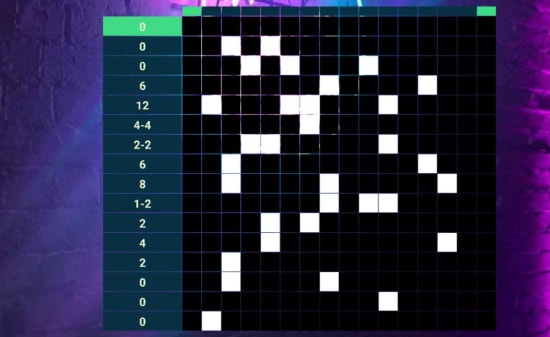
The game you get is called a Nonogram puzzle and is basically a series of grids and squares that you fill out to reveal certain images. These images are all related to Android iconography in one way or another and will reveal themselves once you’ve solved each puzzle. Then, whenever you solve a puzzle, you’ll unlock another Nonogram puzzle to play with the next time you unlock the Easter egg.

Android 10 Nonogram game

What’s cool about these puzzles is that you have different legends showing you which squares to fill on for each of the different aspect ratios of your phone. If you hold your phone in portrait mode, you’ll see one set of codes to work out and if you hold your phone in landscape mode, you’ll see another. This way you have to keep flipping your phone until you’ve figured out all the different elements of the code and filled them out on the grid.

Best apps to make money

These are the best apps to help you make money using your mobile phone

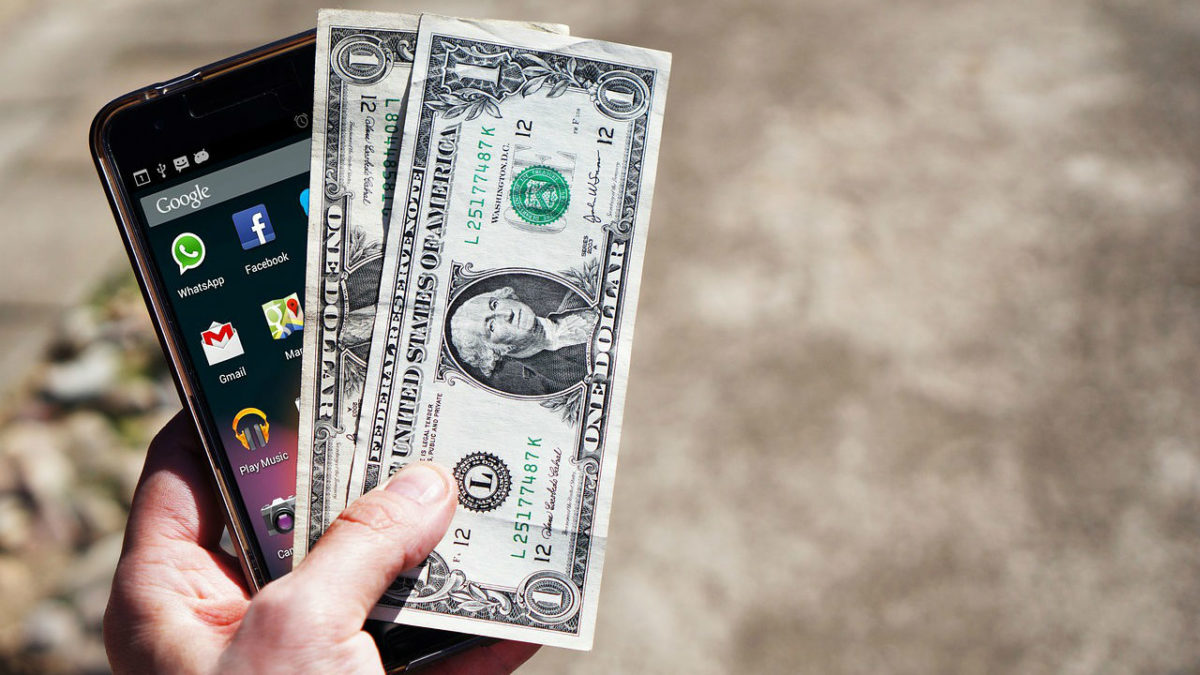
This age of the app that we find ourselves living in is filled with wonder and promise. Apps can do help us do anything from traveling to the places we’ve always dreamt of, losing weight and living a healthy lifestyle, connect with our friends, work from home, and talk with friends and relatives all over the world for free. What’s even more impressive is that the apps we download on our phone can even help us make some extra money. Yep, apps on your phone can help you pay the bills.

You might not believe this but there are, in fact, lots of different money-making apps. There are apps that will save you cash on your shopping, pay you to fill out surveys, help you invest your cash, and even pay you to walk more. Let’s go through them now. The best apps to help you make money online.

How to make money with apps

Sweatcoin

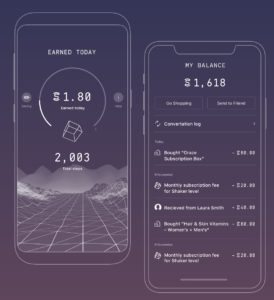
We’re starting today’s list with what just might be the most interesting free app we’ve ever featured. Billed as a new type of crypto coin, you can generate your own coins by getting outside and being more active. The way it works is you download the Sweatcoin app, which then tracks all the steps you take during the day. For every 1,000 steps you take in the real world, you will generate 0.95 Sweatcoins. You can then use these Sweatcoins, just like real money, to buy things online.

sweatcoin app

Sweatcoin is available for iOS iPhones and Android smartphones but don’t think this is going to be a get rich quick scheme. Essentially, this is money for free but its more of a passive balance that keeps building up in the background rather than something that will help you pay off your mortgage. You’re looking at paying around 20,000 Sweatcoins for most items, which means at 10,000 steps a day you’re looking at more than five years to be able to buy something with your steps.

10

Google Opinion Rewards

There are two ways you can look at this paid survey app from Google. One is to worry about the very direct manner that Google is trying to harvest the data off you that it can’t elsewhere. Yes, Google knows a lot about you and is basically trying to learn everything it doesn’t already know. If you want to know how to block Google doing so, read this guide to delete everything Google knows about you. It works with Apple and Android phones alike to, which is great for all you Apple fanboys out there.

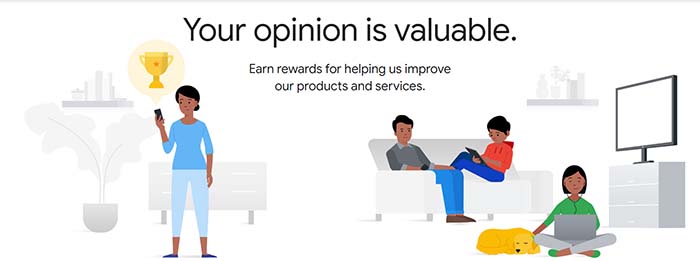
If you’re happy for Google to know about you and, in fact, would rather like to make some extra cash out of it all, then the Google Opinion Rewards app is for you. Google is willing to pay you between 10 cents and a dollar in Google Play Store credit to fill out various surveys on all sorts of diverse subjects. These surveys don’t take long to fill out so you can do them anywhere from waiting in line at the bank to taking the bus to work.

9

Ibotta

This cool little mobile app makes it possible for you to recoup some of the money you’ve spent on your groceries. You can even treat a bit like a game. Ibotta works with both iOS iPhones and iPads and Android smartphones and tablets.

ibotta earn money shopping

Ibotta works with PayPal and put actual cash money into your account within 48 hours of activating your rebates. All you have to do to get your money is search for all your groceries in the app and then find any available coupons or rebates linked to the products. After that, you simply scan your barcode and then wait for the cash rewards to land in your PayPal account.

Ibotta Download now
8

Shopkick

shopkick

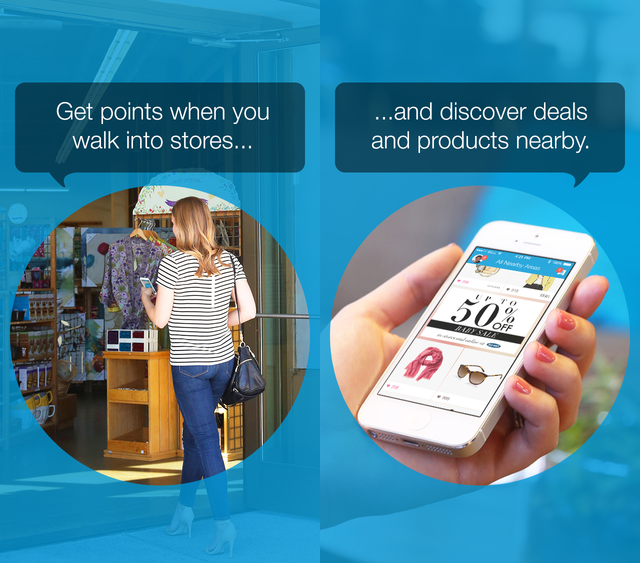
Shopkick is a very interesting voucher indeed. It’s interesting because Android and iPhone users who have it don’t even need to buy anything to make money. The app has eight different money-making activities that users can do to boost their balance and some of these don’t require making any purchases at all. With Shopkick you can earn money just by walking into a shop or by simply scanning the barcodes of certain items and not even buying them. There are, of course, bigger payouts available for making actual purchases but it is good to know you can earn money for nothing with this one. The only catch with Shopkick though is that your earning gift cards for the likes of Amazon rather than actual cashback.

Shopkick Download now
8

Acorns

The final app in our best apps to help you make money is Acorns, which is trying to help you build up your investment portfolio and boost your personal finance credentials. Acorns works by taking your spare change and investing it into diversified funds that are spread across thousands of different stocks and bonds. As well as the spare change option, Acorns also has a recurring investment platform, which will automatically invest a set amount each month. Out of all the apps featured today, Acorns is the most likely to make you decent money.

Acorns - Invest Spare Change

Acorns is available for both iOS and Android phones. To use the spare change option you need to link your bank account to the app and then every time you make a purchase, Acorns will round up the amount to the nearest dollar, and then take the difference and invest it into the Acorns funds. This might just be the easiest way to set yourself up with an investment portfolio.

Acorns Download now
8
Wrapping up

We’ve walked you through five of the best money making apps out there. The likes of Sweatcoin could work nicely if used in conjunction with Shopkick. as a way to boost your earnings in your free time by performing simple tasks. You earn credits as you walk to different shops and then also earn credits performing certain Shopkick actions. As you’d expect though, these free money apps aren’t going to start easing the financial strain of modern life but if used properly could see you getting yourself free stuff.

Best apps to edit your Instagram photos

These apps will help you edit your Instagram photos so that they look amazing. This is how to edit Instagram photos.

Instagram on mobile

Image is everything on Instagram. You want your photos to look good because you want to look good. Instagram is a photo first social network. Practically, this means that snapping quality photos just isn’t enough anymore. You can capture all the great views, vistas, events, people, or whatever you like and still not get any sort of traction on Instagram. Instead, what you need to do is edit your photos to bring out all the best elements, shades, and lighting effects.

All this means Instagram can be an intimidating place. When they pop up on your Instagram feed the most popular accounts, even the ones not run by celebrities, look they have hired a professional photographer to snap everything they do for their Instagram posts. The truth behind the lens though is less intimidating. What they’ve really done is downloaded any of a number of photo editor apps that then help them turn their basic photos and selfies into high-quality social media gold. This is what we’re here to do today. Walk you through all the best apps you can download that will help you edit Instagram photos. You’ll still need a good eye for a photo but with any of these apps on your phone, you’ll be able to take things to the next level and post your best Instagram photo yet.
Instagram Download Now ►
7

Best apps to edit photos for Instagram

VSCO

VSCO

VSCO is available for both Android and iOS phones and offers some very user-friendly photo editing features that will have your smartphone pictures looking excellent in no time at all. What’s very cool about VSCO is that as well as a simple user interfaces on your phone, it also offers a Lightroom plugin that will make it possible to work with the same filters on your desktop PC. This is an extremely effective trick to have up your sleeve when trying to break through on Instagram. Most successful accounts will be pulling off desktop edits of their shots before posting them on mobile. VSCO offers you a path to the big leagues by making it easy to do so yourself.
VSCO also has a great in-app camera feature which works very well alongside all the regular edit features you’d expect to find on a photo editing app like this. You’ll find filters, lighting effects, vignettes, tinting, and more all easily controlled via slide bars that will show you your edits in real-time.

VSCO Download
9

PIXLR

PIXLR

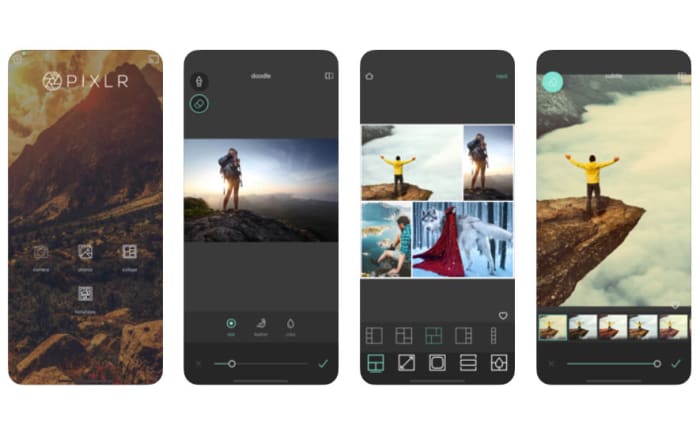
Another great app for all you budding Instagram influencers is PIXLR, which works on Android smartphones and tablets, iOS iPhones and iPads, and a whole host of other platforms including Microsoft Windows, Apple Mac, Linux, and web browsers like Google Chrome and Mozilla Firefox.

Again, like with VSCO, PIXLR has a very user-friendly interface so it won’t add an extra layer of complexity to your social sharing process. In fact, PIXLR has some specially designed social sharing features built right into the app. Editing features here include making collages, adding text, blurring or sharping your images, and even more outlandish edits like making your photos look like hand-drawn sketches. There’s a lot to master with PIXLR meaning you’ll really be able to develop your images, if you commit the time it’ll take to master the tools the app will give you.

PIXLR Download now
8

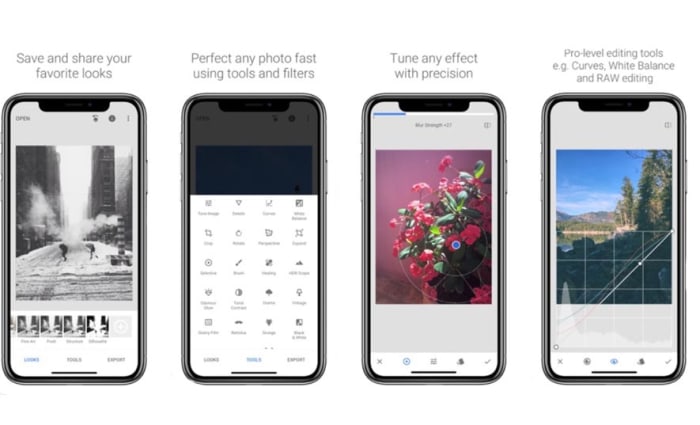
Snapseed

Snapseed on mobile

Google’s Snapseed app puts a lot of very powerful photo editing tools into your hands for free. Like with PIXLR, Snapseed also makes it very easy to instantly share your edited and optimized masterpieces to social networks like Instagram and Twitter. Snapseed is a mobile-only app that is available for iOS and Android phones.

All in all, Snapseed has an impressive 26 different editing tools and features including the likes of blur, vintage filters, white balance, lens bokeh, HDR optimization and more. For a mobile app, there is a lot here that can help you take a high level of control over your Instagram photos. Quite rightly, Snapseed is considered one of the best mobile photo apps available today and, accordingly, is the preferred choice of professional photographers and serious amateur snappers alike. You could say that there is somewhat of a steep learning curve to Snapseed but if you really want to try and make your Instagram sing with great photos, this is the one app you should download above all others.

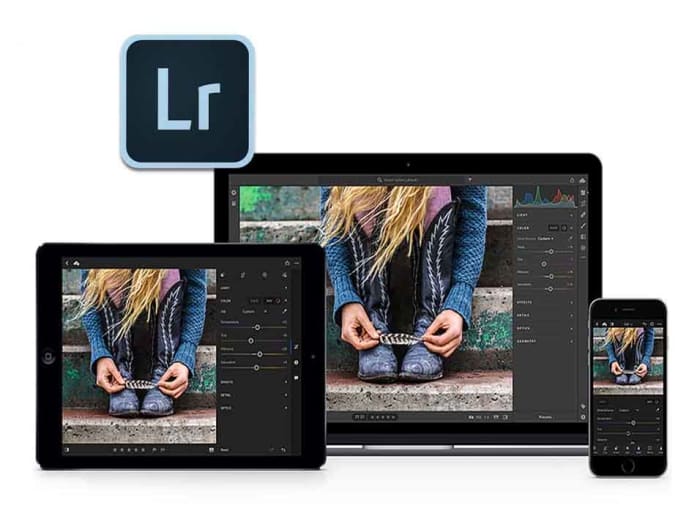
Adobe Photoshop Lightroom CC

Lightroom for mobile

When it comes to graphic design and photo manipulation, Adobe Photoshop is the top dog and has been for years. If you’ve ever edited an image you fall into one of two categories. You either have Photoshop or you want it. Fortunately for mobile users, Adobe has developed a rather handy mobile app in Photoshop Lightroom CC that is available on both Android and iOS. What’s even better is that the basic version is available for free.

Obviously, there are certain sacrifices you’ll make using a mobile app compared to the full desktop version. There’s still a lot here though including the tonal curve, exposure edits, and contrast and sharpness. Adobe has also built-in social sharing features that you can access from the free version. If you do decide to stump for a full Adobe CC subscription though, you’ll be able to seamlessly switch your edits from mobile to desktop.

Adobe Lightroom Download Lightroom
7
Layout

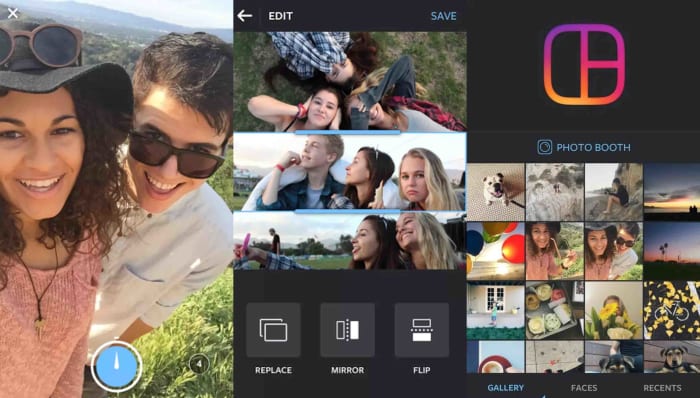
Layout app

Our final app today is Layout, which has actually been designed by Instagram itself. Layout is free and available on both iOS and Android and works as both a camera app and a photo editing tool. Layout isn’t a serious photo editing tool like Snapseed or Lightroom CC, but it has been optimized to work with the dimensions of the social network and to create visually appealing photo creations.

The main aim of Layout is to help you make cool collages and then run them through Instagram’s myriad filters and editing tools. You’ll then be able to quickly and efficiently share your work directly to Instagram.

Layout for Instagram Download now
8

Minecraft farming guide

Farming can feed you in Minecraft, giving you something peaceful to concentrate on, and put money in your pocket. This is how to do it.

We’re bringing you another of our Minecraft guides. Today, we’re looking at farming. Why do you need to farm in Minecraft? Well, because farming in the Minecraft world is a great food source just like it is in the real world. Also, just like in the real world, you will get hungry in Minecraft and want something to eat.

Farming isn’t just about food for your belly, though. You can trade your food with other players and NPCs (non-player characters), or you can simply sell it to get your hands on money, which you can then use to buy whatever you need. Like most things Minecraft though, farming is a big subject, so buckle in as we go through the basics.

What can you farm in Minecraft?

Minecraft farming: sugar cane

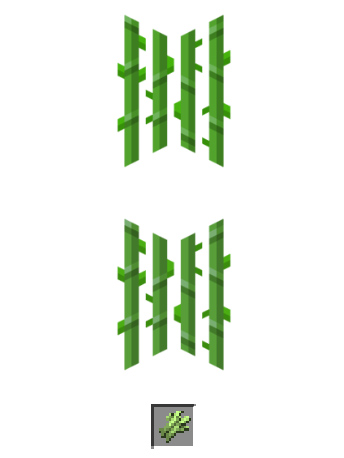
Sugar Cane grows naturally near water, and you can start a sugar cane farm with a single sugar cane block. It looks like green reeds and, when grown, can be used to make sugar, which can go into other food items, but also paper and other crafting items.

To grow sugar cane, you place the reeds next to a body of water you’ve either found or built. It will grow to be three blocks tall, and then you want to harvest the top two blocks and let the bottom block grow again.

Image via: Minecraft Wiki

Minecraft farming: chickens

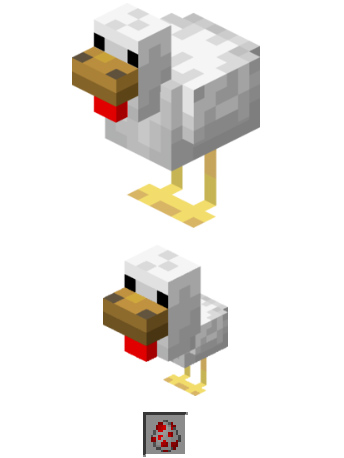
Chickens are a very useful resource in Minecraft. You can cook and eat them, they also produce eggs, and you can make arrows out of their feathers. You can hunt chickens if you have some seed in your hands as they will follow you wherever you go. You’ll need to walk slowly though. This means you can build a pen and then they’ll walk into it themselves.

Another way you can start a chicken farm is by using eggs. If you can collect eggs, one out of every eight you place in your pen will hatch into a chicken.

Minecraft farming: mushrooms

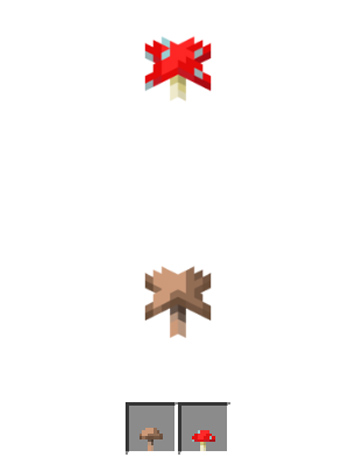
Mushrooms don’t need water and grow in the dark, or at least anywhere the light level is 12 or below, which means you’ll be best growing them indoors in a dimly lit room. You’ll probably be worrying about monsters now though, which spawn in the dark. You can use nearby torches, two blocks away, to prevent this or farm your mushrooms in corridors that are only one block high. This second method would work because mushrooms spread, as long as there aren’t more than five other mushrooms around, so you can direct this spread to an area where you can access them.

Minecraft farming: melons

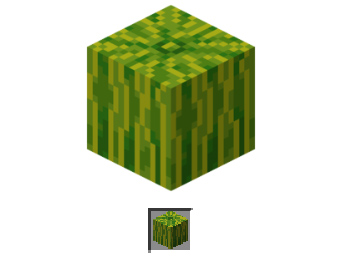
Melons are quite difficult crops to grow in Minecraft, but with a bit of effort and planning, you should be able to do it. Once grown, they’re an excellent source of food as melon slices and also produce further melon seeds.

To grow melons, you need to create strips of soil that are flanked either side by strips of water and grass. This is so the grass will support the heavy melon as it grows, which is helped by the water the melon can drink. You can use fertilizer to help them grow faster, but we’ll come to that later. When you harvest melons, chop the melon block and leave the stalk block to grow again.

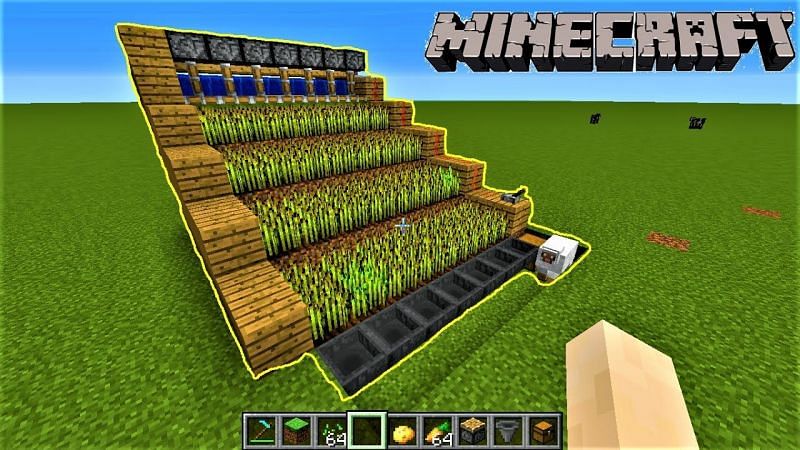
Minecraft farming: wheat

Wheat is a staple crop and is one of the easiest things you can grow in Minecraft. Wheat not only creates a crop for you to use, but it’ll also give you extra blocks that you can use to expand your farm.

To create a wheat farm, you’ll need to create strips of soil two blocks wide with one block wide strips of water either side. The wheat doesn’t need the water to grow, but it will grow much faster when it can access water. You need to plant your seeds in the soil and wait until the sprouts grow and turn a yellow or brown color. You then harvest the wheat and use some of the harvests to replant the wheat to grow again.

And more…

We’ve outlined some of the things you can grow on Minecraft. You can also grow things like carrots and potatoes, which grow like wheat. Another option for your melon farm would be pumpkins. You could also try your hand growing cocoa beans, cacti, or beetroot among other things.

How to: Farming in Minecraft

Minecraft farming house

The basics you’ll need for your Minecraft farmhouse beyond walls etc. are a bed, a chest, and a crafting table. With these in place you’ll always spawn nearby should you die, you’ll have somewhere to store your crops, and you’ll also be able to build new farming tools when you wear down the ones you have.

The right kind of soil

Speaking of farming tools, you’re going to need a hoe. You use a hoe to turn grass and dirt blocks into farmable soil. If you follow the guidelines laid out above, you’ll be able to create farmland in most areas and biomes. To make a hoe you need two planks and two sticks. Place one of the sticks in the center square of your crafting grid and the other directly below it. Then place one of the planks above the central stick and the other plank to the left in the top-left corner of the grid.

Water and light

Your crops are going to need access to water and light if they’re going to grow properly. The most efficient way to set up a farm is to build water channels next to your crops so that you don’t have to run around with buckets all the time. With light, outdoor farms will work best, except for mushrooms. You can grow indoors and even underground, but remember, if the light source isn’t as strong, the plants will take longer to grow.

Seeds and fertilizer

You can find seeds like pumpkin seeds, wheat seeds, plant seeds, and more in chests. You can also trade for them with villagers, and even get potato and carrot seeds by killing zombies. Another source of seeds is destroying grass blocks you find dotted around the world and searching out wild versions of the plants you want to grow.

To fertilize your crops you need to use bone meal and, in some cases, the crops will grow instantly when you fertilize them. You can create bone meal yourself by grinding up the bones of skeletons you’ve destroyed in a fight.

Where to find the coolest minimalist wallpapers

These are the best sites, pages, and posts for finding the best minimalist wallpapers

Minimalism is a philosophy that stands out in today’s world of more, more, more. The idea that less is actually more goes against the very culture that we’ve built our society upon, but do you know what? It works. There is a true, elegant beauty that can be found in minimalist designs, which has led to many non-believers adopting the minimalist deign style too.

A perfect way of adopting the minimalist design style is via a desktop wallpaper. Think about it, you don’t want your background distracting you from the live icons that sit above it. You don’t want a busy image with lots going on, you want something smart and distinct yes, but also quiet and understated. You want a minimalism wallpaper. What’s more perfect then for this than an image than adheres to the minimalist design philosophy.  Let’s look today then, in our fifth and final article on desktop wallpapers for Windows PC, Apple Macs, and Android and Apple smartphones, iPhones, and iPads, at where to find the best minimalist desktop wallpapers and 4K Ultra HD backgrounds. You’ll get extra points, if you spot the second Star Wars design.

Minimalist wallpapers

Imgur

Amazingly, our first source of mind-bendingly good minimalist wallpapers isn’t a webpage but rather a post on social media. Imgur was set up originally as a way of sharing images across the social network Reddit. As is usually the case on the internet, however, things evolved quickly and the Imgur platform quickly developed its own community, complete with its own unique quirks.

The post we’re highlighting today was made in 2016 and contains over 140 unique HD wallpapers. Strictly speaking, not all of these designs are what you’d call minimal designs, but there are more than enough fantastic designs here to warrant it a place in today’s list. These designs do follow a chic and minimal design philosophy but some of the images also include minute details, which goes against the idea of keeping elements to an absolute minimum. Still though, this is a fantastic collection of wallpapers that definitely deserves a look.

Inspiration Feed

If you’re looking for quotes, articles, tips, tricks, and all manner of listicle designed to inspire you to do what needs to be do then Inspiration Feed is a site worth looking at. There is lots here and the site is still updating with new content. What we’re looking at today though, is a post from 2019 that included 75 excellent minimal designs that would make fantastic minimalistic wallpapers on both desktop and laptop PCs, and mobile devices. The great thing about minimal designs is that they can simply be cropped to suit you layout needs. As there isn’t a lot going on in the images the chances of you cutting out something vital are slim to zero.

Minimalism.Life

As we mentioned earlier, for some, minimalism isn’t just a design philosophy it is a way of life. For those people, or anybody looking to enter that way of life, minimalism.life is a central hub offering information on how to organize your life according to minimalist principles.

As well as the articles and links to other minimalist organizations, you’ll also find a small gallery of minimalist wallpaper designs you can use on either your PC or smartphone. There are some great iPhone wallpapers here. It is definitely worth us pointing out though, that these designs take the minimalist idea to a whole new level offering little more than a fade from one color to another. In fact, some don’t even bother with the fade, simply offering a solid brick of color.

I can be creative

Here we have another design website that offers various tools to budding and professional designers alike. You’ll find tutorials here as well as guides and many different types of free tools that you can download. On top of all that, you can also download different designs to be used as wallpapers and backgrounds. Lucky for us, and for all you minimal lovers out there, there’s also a section for minimal wallpapers including lots of great minimal takes on things such as the solar system, superheroes, outfits, movies, and more. There are some fantastic designs here for you to check out.

Hongkiat

Our final source of stunning minimalist designs you can use as backgrounds for your phones, tablets, and desktop backgrounds is Hongkiat. Another design website, Hongkiat brings with it all the usual inspirational bells and whistles as well as a place for up and coming designers to showcase their work. This is where we come in looking for cool images and iconography to plaster all over our electronic devices. Hongkiat doesn’t let us down here at all and presents us with many different cool, inspirational, and most of all minimal designs that look amazing.

Hidden Chrome Settings You Should Change Right Now

Google Chrome has lots of hidden and experimental features that you cn change right now to instantly improve your web browsing experience.

Google Chrome settings

Google Chrome is by far the most popular browser on the planet. It is quick, secure, and keeps evolving to offer us more useful and innovative features via constant updates from Google HQ. One of the reasons Chrome is so popular is that it is a simple web browser that is easy to use. Available for Windows, Mac, and on Android smartphones, iPhones and iPads; you simply download it, install it, boot it up, and then you’re browsing the internet. Easy peasy. There’s a lot more to Chrome, however, than what it can do when you first download it.

Google Chrome has lots of interesting and useful features hiding just below the surface that can tweak and enhance your web browsing experience. Let’s have a look then at some of the best hidden Google Chrome features you should start using right now.

7

Google Chrome hidden settings

Manage your search engines

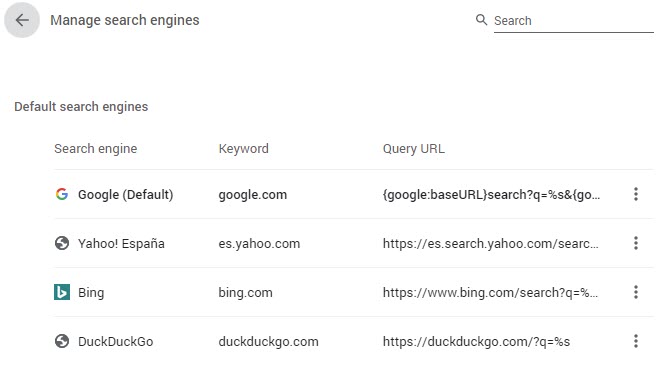
Obviously, the Chrome browser comes with Google as its default search engine and home screen. Google, however, would get in a lot of trouble, if it stopped you from using other search engines on Google Chrome. This means that Chrome has some useful options for managing your search engines. As well as selecting different default search engines  you can also add Omnibox search capabilities too. The Omnibox is the address bar that sits at the top of Chrome.

You can use the Omnibox to search websites that you set as search engines; these special searches are known as Quick searches. To do this go to Settings, then Search Engine, and then hit Manage search engines. You then want to click Add under the Manage search engines section and enter the URL for the site you want to add. Then, if you use Wikipedia, for example, every time you type Wikipedia into the Omnibox you’ll have the option to press tab and search Wikipedia directly.

Parental Controls

It is becoming increasingly normal for children these days to use the internet. Whether it be playing silly games, watching silly videos, or researching school projects there is an awful lot for kids to do online. Obviously, however, this brings with it certain risks, but Google Chrome is there to help give worried parents peace of mind.

Google Family Link

Chrome allows parents to manage the sites their kids will have access to and monitor their browser usage including how long they’re spending on all the sites they visit. Parents wanting to do this need to set up a Google Family Link, which is Google’s brand-new app for monitoring web and app usage across multiple Google accounts and devices. Family Link has actually replaced an older Chrome setting called Supervised accounts. This means that as well as monitoring web usage, parents can now monitor all online activity across apps and web pages.

Google Family Link Download now
8

Really Block Ads

If you use an ad blocker, you might have noticed recently that websites are able to detect your ad blocker then ask you to turn it off. So far, so annoying right! Well, Chrome has a secret feature that makes it next to impossible for websites to detect your ad blocker. Basically, these sites use JavaScript to detect your ad blocker and you can block that JavaScript to block that detection.

How to really block ads on Google Chrome

To unblock your ad blocker, copy and paste chrome://settings/content/javascript into Chrome’s Omnibox and hit enter. This will take you to Chrome’s JavaScript control panel where you can block the sites blocking your Ad-Blocker from using the JavaScript code.

Access your passwords

Google has built a password manager right into Google Chrome. This handy feature takes care of coming up with new and secure passwords when you create online accounts and auto-filling them in for you when you access said accounts. This is both useful and vital in today’s online world. A by-product of this, however, is that you’ll have a lot of passwords saved that you don’t actually know. If this is the case and you want to log into an account away from Chrome, you’ll need to check your passwords in Chrome first. To do this copy and paste chrome://settings/passwords into the Chrome Omnibox.

Block mic and camera use

The internet is quite a pervasive place when it comes to your personal privacy. The idea is that whatever sensors you have gathering information to feedback to you, there’ll be companies and corporations hoovering up that data too. Of all these sensors, none creep people out more than webcams and microphones. The idea of corporations spying on us so directly is frankly terrifying and this why it has become a thing these days to see people covering up their webcams with strips of tape.

The good news, however, is that using Chrome you can block websites from accessing your device’s webcam and microphone. To do so copy and paste chrome://settings/content into the Chrome Omnibox. This will take you to the Chrome permissions tab where you can decide all the permissions that websites have to access your device sensors.

Resume interrupted downloads

This is one of those hidden features that should just be the default setting. Basically, you can go into the experimental features found on the Chrome Flags page and enable Download Resumption, which will make it possible to continue downloads that were interrupted rather than having to start again from the beginning. If you’ve ever tried to download a large file such as a movie or photo album, you’ll know that it is madness that Chrome doesn’t have this setting activated by default.

To enable Download Resumption copy and paste chrome://flags/ into the Chrome Omnibox to open the Chrome Experiments tab. Here you want to search for Allow download resumption without strong validators. Hit the button that says Default next to this option and then change the setting to Enabled.