Best VLC add-ons

If you have VLC but think it is missing a key feature, check out our list of the best VLC extensions, plugins, and addons.

VLC Media Player is a verifiable institution. The ever-reliable media player has been around on Windows, Mac OS X, Linux, and Android and iPhones for what feels like forever and can play pretty much any video type or codec that has ever been invented is as popular now as it has ever been. It is the versatility that has always made VLC so popular with so many users but did you know that VLC is even more versatile than most people know. VLC can do so much more that think it can because of something very simple: extensions.

Yep, there are many VLC extensions, add-ons, and plugins that you can install to further augment VLC’s features. There are lots available too. If something about VLC has been frustrating you, there is likely an extension to fix the problem. If you’ve ever thought the VideoLan video player was missing a vital feature, there’s a good chance there is a VLC addon or plugin available that will add that feature to your version of VLC. Let’s take a look then at some of the best VLC Media Player add-ons, extensions, and plugins.

VLC media player download free ►
8

VLC plugins, extensions, and addons

These are all the best VLC Media Player extensions we’ve found to help you get more from the most popular and versatile video and media player available today.

SyncPlay
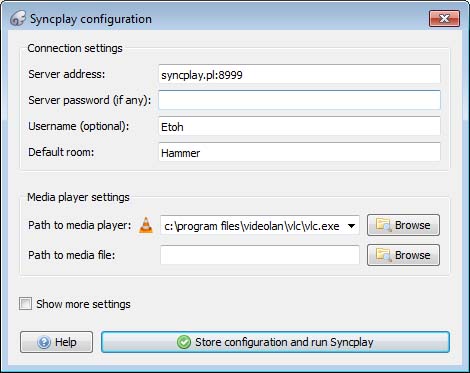
SyncPlay for VLC Media Player truly is an extension for our times. We’ve all had to deal with being away from loved ones recently, stuck at home and unable to spend time with friends and family. Sure, apps like Zoom and Skype have allowed us to chat with each other but when it comes to actual activities, it’s been tough. SyncPlay solves this problem, for one activity anyway, by making it possible to watch the same video concurrently on multiple computers at the same time. Yep, SyncPlay allows you to watch the same movie with friends and family even if you’re not in the same house.

To work you need to install VLC Media Player and the SyncPlay extension on all the different computers. Each PC then needs to connect to the same server and you’re ready to go. Once it has begun, one user can control playback on all the systems at once.

TuneIn Radio
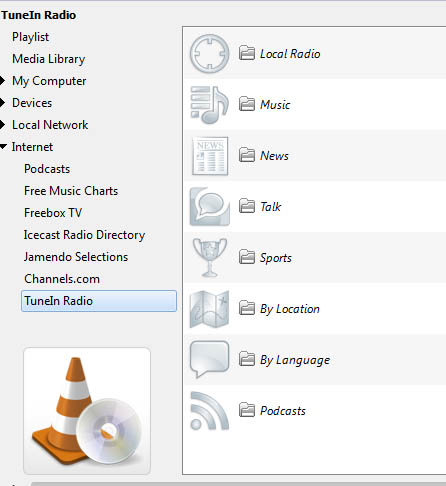
The TuneIn Radio plugin for VLC does exactly what you think it does. The plugin automatically grabs and displays all available TuneIn Radio stations instantly turning your VLC Media Player console into a massive and powerful internet radio. This means you can browse TuneIn’s extensive list of active radio stations without having to open Google Chrome, go to the radio stations web page, or look for it on a search engine.

With TuneIn installed on your VLC console you can easily browse radio stations by Music Genre, Local Radio Stations, News, Talk, Sports, and more. This extension basically puts radio stations from all around the world at your fingertips.

VLC for mobile Download now
8

Remember “Now Playing”

This simple extension works a little like Shazam but with audio tracks, you listen to while using internet radio stations. Yep, this extension will work perfectly alongside the TuneIn Radio extension we’ve just told you about. Basically, whenever you’re listening to internet radio you can use this extension to grab all of the metadata relating to that song so that you can then go and search for it and play it on your own. This extension keeps track of everything you’ve listened to so that you don’t have to.

Resume Media V3.4

The thing with VLC is that you usually use it to consume large media files. Whether they be movies, TV shows, or podcasts they all can last well over an hour. Sometimes you might not have all the time you need to get from start to finish and have to interrupt your playback. Of course, you can try to remember where you left off so that you can get back to it later, but wouldn’t it be much better to have VLC do that for you?

The Resume Media V3.40 plugin does exactly that. Whenever you close VLC Media Player with an active video or audio file, the extension will automatically start that file at the exact moment you left it when you open it up again.

Click to Play/Pause
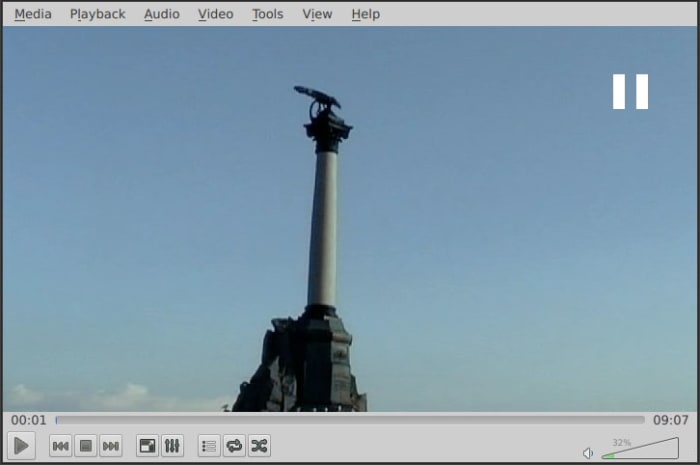
As more and more online streaming platforms have launched a number of them have added cool new features that make so much sense. We’ll get to the Skip Intro button in a minute but first we’re going to show you a simple extension that will make a big difference to how you use VLC. Straight out the box, VLC offers two ways for you to control playback. You can hit the tiny Play/Pause button in the bottom left of the screen or you can hit the space bar on your keyboard.

This extension makes it much easier to control playback by allowing you to click anywhere on the video to play or pause the action. As we said, it might not sound like much but trust us, it will make a big difference.

Skipper
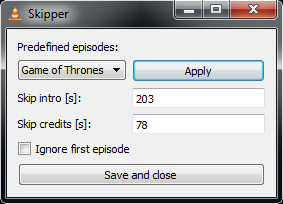
Please don’t misunderstand this as hyperbole or fluff. We think that the Skip Intro button might just be one of the greatest inventions of the 21st Century. Show intros and credits are incredibly annoying when all you’re trying to do is binge a season or two of your favorite show. Even if you like the intro, watching it 10-20 times in a single day is going to drive you crazy.

Well, the Skipper extension for VLC brings this wonderous innovation to the world’s most versatile media player. You can simply type I the amount of time you want skipping at the beginning and end of every media file and you’re good to go.

How to take better pictures on your phone

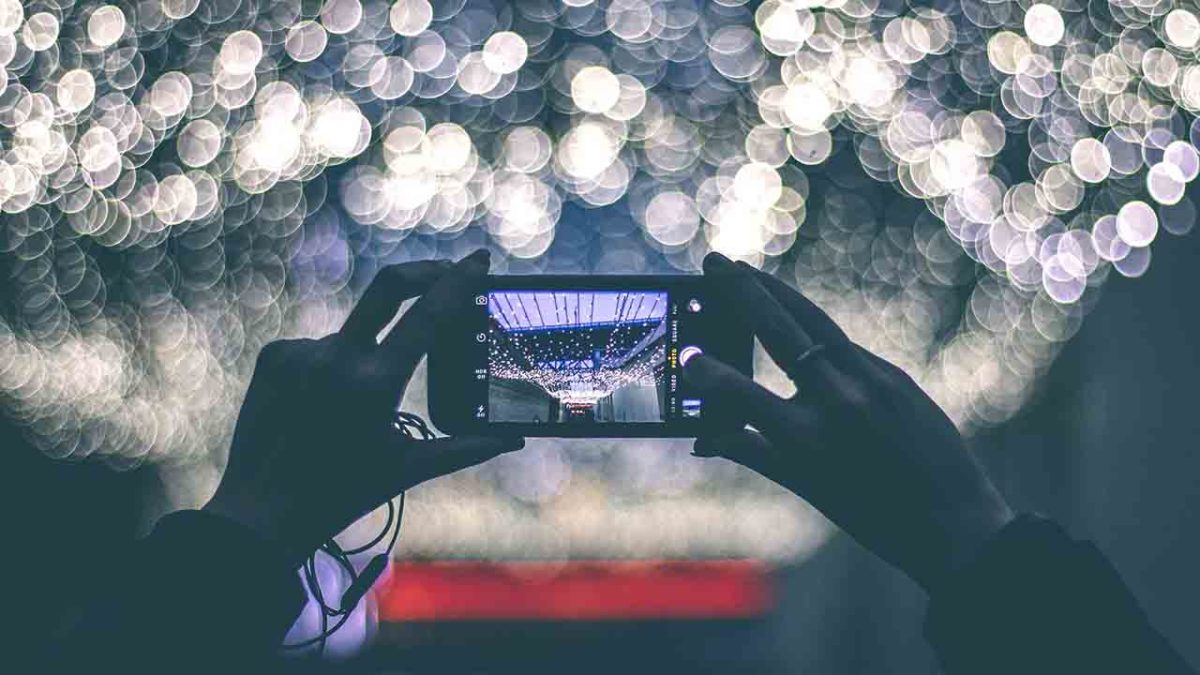
These quick and simple tips will help you take much better photos using your smartphone camera.

smartphone photography

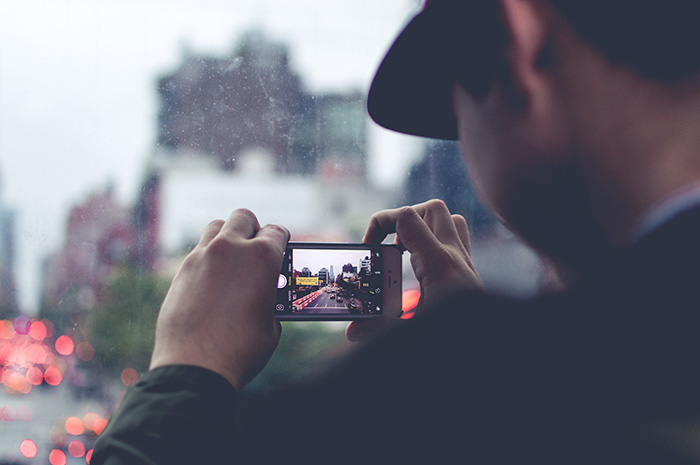
Your phone today likely has a camera that is better than the digital camera you used to own just a few years ago. The smartphone camera has long been one of those battleground features that manufacturers have used to try and get one over on their competitors. This is why we now live in a world with AI-infused smartphone cameras with dedicated neural chips and ridiculous 108-megapixel mobile photography rigs.

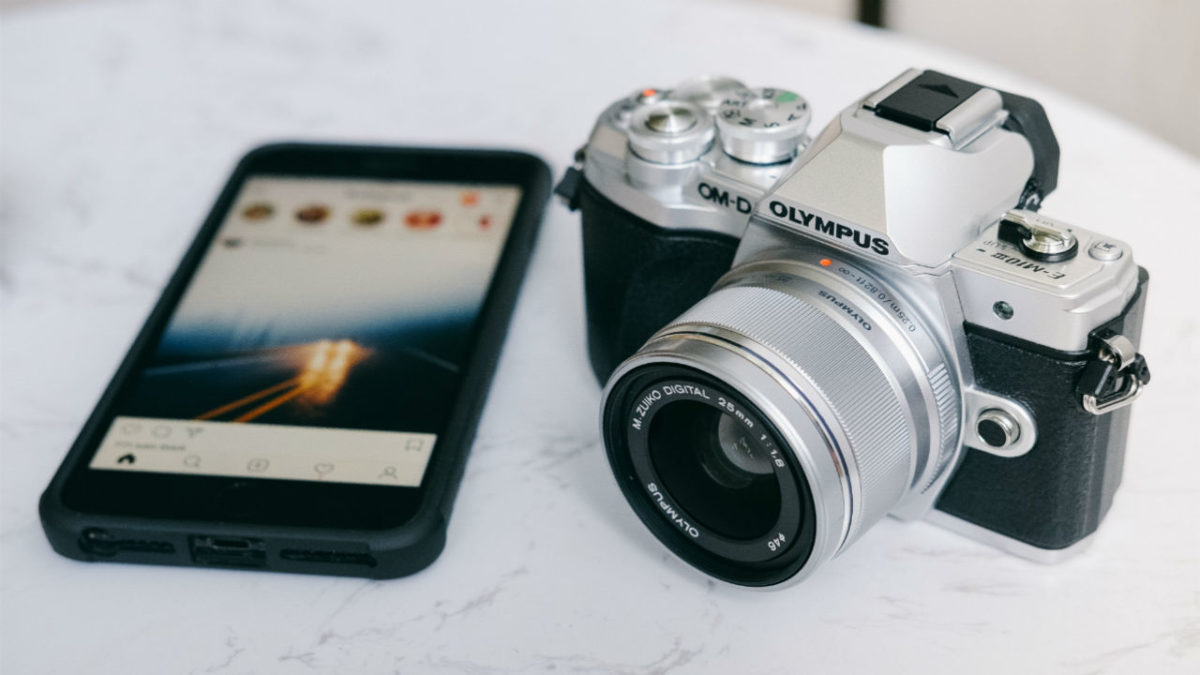
Technology and hardware, though, is just only half of it when it comes to taking good photos. Sure, having a powerful DSLR camera with a beautiful lens or an expensive smartphone equivalent is one thing but if you don’t know what you’re doing it with, your photos will still come out the same, they’ll just be a little clearer and their file sizes will likely be bigger. Therefore, today we’re going to bring you some basic photography tips and tricks to help you take better photos on your Android phone or iPhone.

Tips on how to take better pictures

If you want to take better photos with your smartphone check out these quick tips below. These simple tricks will help you take photos you’re proud to show other people.

Learn about light

Photography is the art of capturing light. Whatever your light source, the photo you take will only ever be the light your camera captures that has reflected off everything that falls within the field of view of your lens. This means that you have to consider the lighting in your shot as much as you need to consider the subject. This is so important that we’re going to give a few more tips on it.

Avoid direct sunlight

The sun is a very powerful source of light and in most cases, it is so powerful that it is too difficult to control. You see the sun won’t just be lighting up your subject, it’ll also be lighting up your surrounding environment making it hard to clearly define what the photo is supposed to be and, even worse, creating shadows. The brighter the sun, the darker the shadows and you’ll notice this particularly when taking photos of people and faces. On a bright sunny day, stepping into the shadows will give you much more control over what you’re photographing and help you take great photos.

Use the flash during the day

This might sound counter-intuitive but in many situations, it is the perfect remedy to what we’ve outlined above. Your camera’s flash is there to provide extra light on your subject. You can use this extra light fill in the shadows that direct sunlight might be creating on your subject. You see, it is all about the light. Control the light, control the photo.

The magic hours

Our final tip on controlling the light in your smartphone photography is simple but also will help you take fantastic photos. The level of daylight is different throughout the day and there are two magical hours when the natural sunlight will bathe everything you could ever want to take a photo of in warm, beautiful light countered with softer more subtle shades and shadows that help create fantastic photos. The two magic hours in photography are just after sunrise and just before sunset. Make yourself available to take photos during these hours and you’re already well on the way to taking better pictures.

Think about height

Another amazingly simple way you can drastically affect the quality of your shots is to think about the height you’re holding your smartphone camera. It is second nature to grab your camera and hold the viewfinder up to your eye or at least hold it up to see the screen and then start snapping away. If you instead stop and start to think about the level you want the camera to be at in relation to the subject, you’re already beginning to construct the photograph rather than simply grabbing a shot of something that caught your eye.

Start thinking off-center

Another common photography faux pas is to place the subject of your photo smack bang in the middle. Instead, a good rule to follow when you’re taking a photo of something is to think about the rule of thirds. Photographers split everything that will make up a photo into thirds and then decide to place the subject of the photo on one of the lines that would represent one of these thirds. It also works on landscape shots if you think about the elements that make up the shot. This can make photos appear less busy but again it forces you to think more about the photograph as a whole rather than simply considering what you’re taking a photograph of. Fortunately, your camera app will likely have a grid view that will help you break up your shots into thirds.

Focus manually

Auto-focus is great in many situations but learning to focus yourself will help you take your photos o the next level. Focusing is a way to contrast your subject from the surrounding environment and it is all the more powerful on smartphones that have Portrait modes. Portrait modes will blur the background while leaving the subject of the photo crystal clear. This is either achieved through using lens trickery or AI algorithms. Either way, the end result is fantastic and shows you what you can achieve if you focus your shots manually. On smartphone cameras focusing couldn’t be easier, you simply tap the screen where you want to focus and the camera will do the rest.

Practice

Our final tip is the simplest of them all. Take photos every day. It is only through keeping an eye out for potential photos all around you and then trying to capture that image perfectly as often as you can that you will get better. Photography is just like anything else in that practice makes perfect. Take photos and then see which ones you like and which ones you don’t. Follow the tips above and hone your technique and results until you start to see a style you like.

Best Mobile Apps for Enhancing Photos

These are the best apps to help you edit the photos you take on your Android smartphone or iPhone

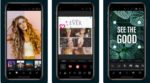
Are you a professional photographer that needs to be able to edit images on the move or just a person who likes to add that extra zing to their personal snaps? The development of mobile technology has brought about more complex photo editing apps with features that only used to be able on the desktop. Here is a compilation of the best apps to increase your creativity and get you producing photos that will surely impress your audience.

Best mobile apps to make photos look better

Snapseed

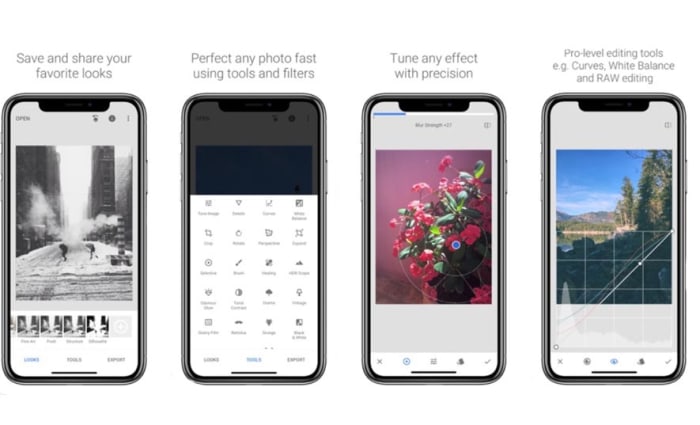
Another excellent Google app creation is Snapseed, which is a professional level app for editing your photos with a huge range of tools to spruce up your images.  It takes some knowledge of photography but a little experimentation will have you producing images that will be the envy of your friends. Being a Google app, it can also be accessed from Google Photos inside the editing options.

Key features:
  • Choose from over ten convenient styles to apply to your photo.
  • Finely tune your image with popular options such as brightness, contrast, saturation, and ambiance.
  • Rotate, crop, expand, and apply perspective to your pictures.
  • Apply HDR and other visually pleasing filters.
  • Comprehensive export options including exporting to selected folders, sharing with people of other apps, and saving copies with size/format/quality adjustments.

There are more features to play around with, just download and dive straight in.

9

Adobe Photoshop Express

Originally for desktop PCs, Adobe Photoshop has become the best photo editor on the market and the go-to image editor for the discerning professional. It offers an endless list of alterations that you can apply to images to get them to the required standard.

What this app does is take the best features of Photoshop and make them accessible for free on your mobile device. The interface is relatively easy to use, and a welcome benefit of this app is that it does not contain any annoying advertisements to interrupt your editing.

Other Key features:
  • Adjustment of contrast, brightness, exposure, hue saturation, luminance, and shadows.\
  • Rotate, flip, and perspective correcting functions.
  • A crop function that comes with pre-sets for those of us who like to upload to social media.
  • Removal of red-eye for people and animals.
  • The ability to make beautiful collages.
  • Usual sharing with links to the desktop version and Adobe cloud, but also other apps like Google Photos and Facebook.
Adobe Photoshop Express Download now
8

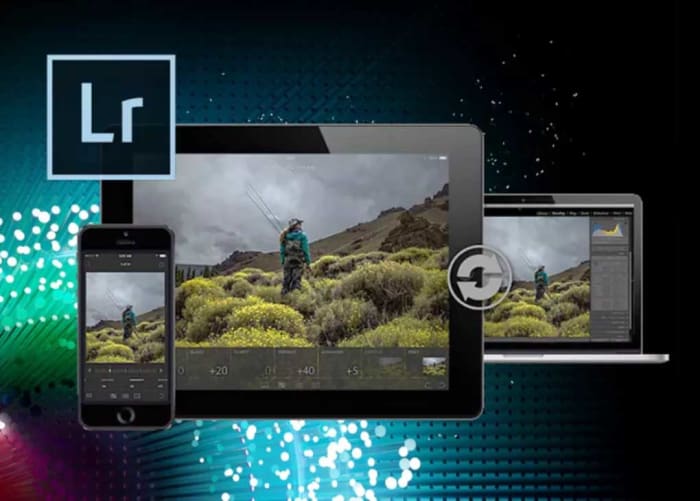
Adobe Lightroom CC

As with Photoshop, Adobe Lightroom CC also has a fully functional desktop version.  The mobile version of the app and in closely linked to the desktop app and if you want the full benefits of this amazing program, you really have to buy the full version. It main benefits are that it is easier to use than photoshop and enables you to work on more than one photograph at a time.

Other Key features:
  • Comprehensive feature set with similar adjustments to photoshop.
  • Great for people who like to post to social media easily and quickly.
  • Ability to edit RAW images (paid only).
  • Editing does not destroy the original image and all edits can be undone.
  • Can create and apply pre-sets even in the mobile version.
  • Available on iOS, Android, Windows, and Mac.
Adobe Lightroom CC Download now
7

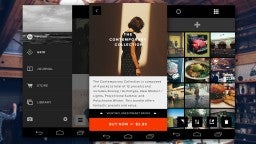
VSCO

VSCO Cam for Android header

Being another of the best free editing packages in the mobile world, VSCO offers a wide range of features for editing and posting to social media. You have access to the VSCO community, where you can post your pictures and view others to gain ideas from other users.  The paid version introduces a place where you can expand your knowledge with tips and tutorials.

Other Key Features:
  • Easy use interface
  • Features comparable to other apps in this category, like light exposure, contrast, cropping, clarity, and shadow adjustments. All available without upgrading.
  • The same adjustments can also be made to videos.
  • Access to some of the best filters in the business and even more with the paid version. It will also suggest pre-sets for quick editing on the go.

  • Available on iOS, Android, Windows, and Mac.
6

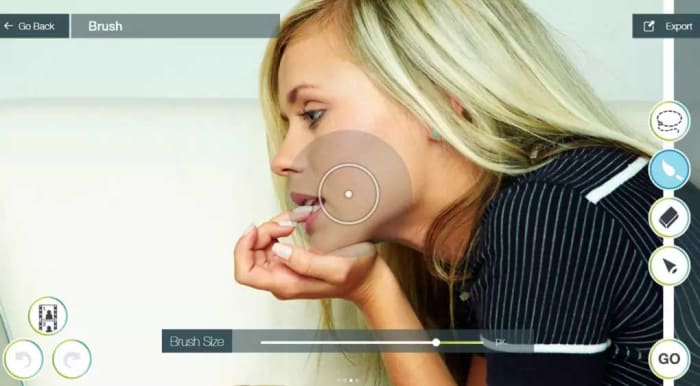
Touchretouch

Remove any unwanted blemishes from your images with this handy app with just one touch or swipe of your finger. It is a paid app but at such a low price compared to the results it produces, it has become one of the most popular photography tools on the market.

Key features:

  • One-touch removal of unwanted objects in your pictures.
  • Quick repair tool.
  • Line removal tool.
  • Clone stamp to recreate selected parts of the image.
TouchRetouch Download now
8

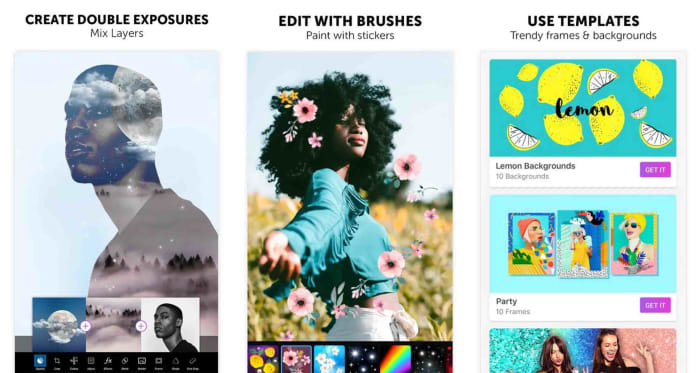
PicsArt

An awesome app containing the standard editing tools but also the ability to add a multitude of quality effects to your images. Like VSCO it also has it’s own community, where you can explore ideas from other users, and your photos can also be uploaded to popular social media sites like Facebook and Twitter. Believe it or not, a negative aspect of this app could be that it has too many features, but that is for you to decide.

Key features:
  • A huge amount of editing tools including the standard options provided by the other apps in this list.
  • A template gallery for quick and easy editing.
  • Several different types of effects that can be applied to your images, such as Magic, Duotone, and pixel stretch, to name but a few.
  • Ability to change picture backgrounds.
  • A great range of interesting filters.
  • A meme generator that provides templates to create some humorous memes to share.
  • Available on iOS, Android, and Windows.
PicsArt Download now
7

All the best tips and tricks for Google Photos

These are all the best tips and tricks for Google Photos that will help you take better photos and make it easier to find them when you want to view them.

Google Photos

The introduction of cameras on most devices has increased the need for effective photo applications. Google Photos has been around for about 5 years now and is a free app that can help you organize your memories and much more. The app is available on Android phones and iOS iPhone and iPad devices. Your photo collection can also be viewed and edited on web browsers at photos.google.com.

The main reason for downloading Google Photos, as opposed to other photo apps, is that it is a free unlimited back up of all the photos and videos on your device. The images are restricted to 16MB and videos to 1080p, but this is more than enough for the majority of phone cameras out there.

After downloading and opening the app you will be asked if you want to back up the photos on your device and, and from then on all of your photos and videos will automatically be backed up to Google’s cloud storage. All you need is a Google account. In addition to photo back up, Google Photos has a massive amount of features that you may not know about, so here are some more useful tips to get you started.

Google Photos Download Google Photos
7

Google Photos tips and tricks

1. Back-Up More Folders

To start off, Google Photos will automatically backup from your camera folder and prompt you to add other image folders, as they are created on your phone. But if you want the ability to back up other folders in your Google Drive directory, this can be done in menu > settings > Backup and sync > Back up device folders. You can then choose the important image folders that you need backing up.

2. Create More Space on Your Phone

Google Photos Create More Space

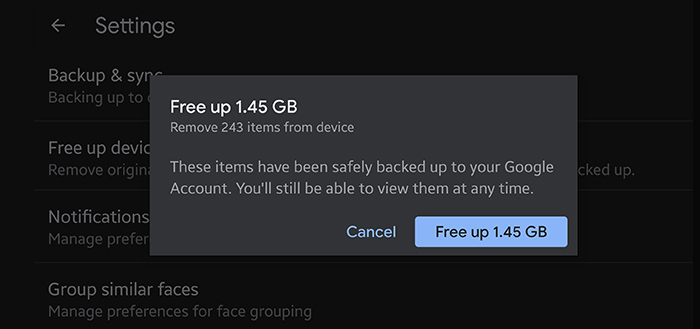
Phone companies are forever increasing the amount of storage space available on their devices and the more expensive phones seem to have a huge amount of space. However, as you visit more places and meet up with more friends, this space inevitably runs thin and you get the annoying pop-up informing you of your lack of space. Google Photos has got you on this and makes it easy to free up space. With one tap, you can delete the photos and screenshots on your phone that have already been backed up to your Google Drive. This means that you are not wasting time going through your vast photo collection to find things to delete. You can carry on snapping away quickly and with ease. This feature can also be activated in settings>Free up device storage.

3. Powerful Photo Search

With Google being known as the best search engine in the world, it is no surprise that they can apply these acumen to its Google Photos application. Finding certain photos to quickly show a mate can usually involve traipsing through an endless disorganized mess of pictures on your phone, at which time your friend has up and left to speak to someone less preoccupied.

With the Google Photos search, you can easily search your photos and videos for anything you can think of including people, animals, places, activities, and inanimate objects. The search possibilities are endless. Just click on the search box at the top of your app, or Google Photos webpage, and type in whatever search words you can think of. In the drop-down menu, there is also a selection of faces you can select and other useful search filters, enabling you to quickly find what you are looking for. You will be surprised, and maybe a little creeped out, by the results generated as Google Lens can even pick out people in the background of photos that you never even knew were there.

4. Automatic Album Creator

If like most people, you do not have time for the tedious task of sifting through endless pages of photos and organizing them into folders, then help is at hand. When you click on the albums tab in the Google Photos app, you will see that there are some albums that have been automatically created at the top of the page; such as people, places, and things. But things are about to get better, as you can also create your own unique albums.

Automatic Album Creator

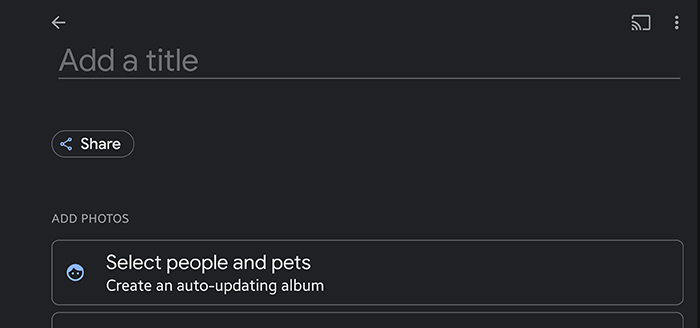
If you select New Album, you will notice that there is an option to select people and pets. Pressing this will present you with a collage of faces that have been extracted from your Google Photos pictures. All you need to do is select the faces to include in the album, click confirm and it will automatically create an album for that person or pet, just insert an album name at the top. What’s more, it will continually group any future pictures of that person or pet, into the same shared album. If you do not see faces when you create an album, then you can turn face grouping on and off in menu>settings>Group similar faces.

5. Google Home Integration

Google Home

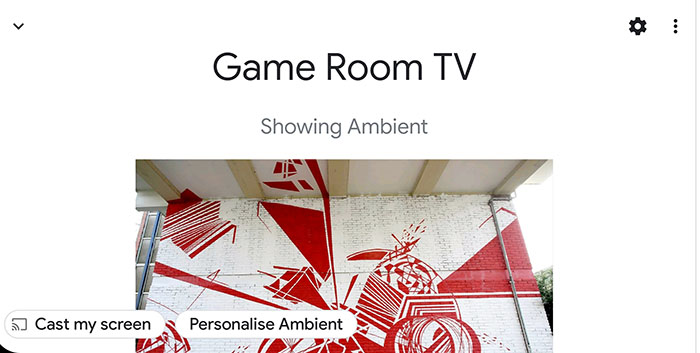
Over the past few years, smart home devices have really taken off, with Google home being one of the class leaders. If you have a Chromecast or a Google Nest Hub, there is a feature called ambient mode, which can display images from your Google Photos albums on your screen, when your device is not in use. Enabling this feature is easy, but you need to have the Google Home app installed on your smartphone and your smart devices connected to it. To set up this feature, open up the Google Home app, select your Chromecast or Nest Hub, and tap on ‘Personalise Ambient’ at the bottom of the page. Then tap Google Photos and select the album that you would like to be displayed. The album selected will then be promptly displayed on the device of your choice.

6. Rediscover This Day and Memories

Rediscover your day is a nice way to be reminded of past events to maybe upload to social media and rekindle old times. This feature is automatically turned on in google photos but can be turned off and on in settings > suggestions > Rediscover this day. This is an excellent feature of Google Photos until a lovely picture of you and an old flame pops up to destroy your actual day. But don’t worry, Google has thought of this and you can now hide people from your memories with a few simple steps.  In the Google app navigate to menu > settings > memories > hide from memories > people and pets and you are presented with a photomontage of faces to forever delete from your daily thoughts.

7. Stylized photos and Editing Tools

Photo editing tools

As you take photos on your smartphone, Google will also select certain photos and automatically edit them to look much more magical or put them into an attractive collage. If you lose track of one of these stylized photos, you can access them, as well as rediscover your day collections, in the For you tab at the bottom of the Google Photos app.

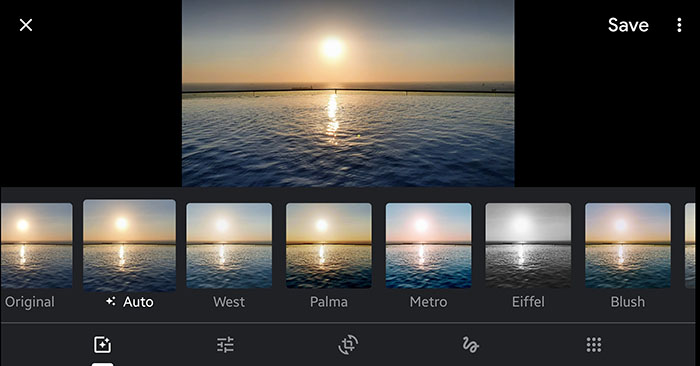
When opening an image in Google photos, you are sometimes presented by pop-up adjustments that google can make automatically to your picture. You can also click the second icon from the left at the bottom of the page to open up editing tools.   Here you can apply filters, change lighting, crop, rotate, draw, and write on your picture. These tools are simple to use and can really boost all your photos and slideshows. If you want to share photos, you want them to look great, so image editing is key.

8. Photo Printing (USA only)

Google Photos Printing

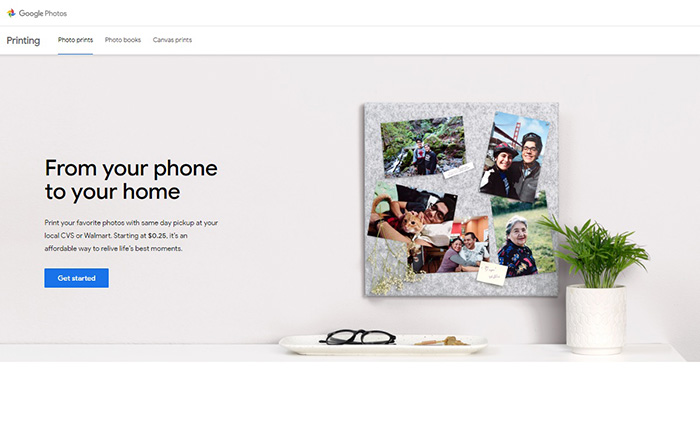
Now that you have organized your photos into albums and know where your important snaps are, how about decorating your house with some of your most treasured memories. If you are lucky enough to live in the US, your favorite photos can now be printed and collected the same day at over 11,000 locations, courtesy of CVS, and Wallmart. You have three options of photo prints, photo books, and canvas prints, which are ordered and paid for on pick up from the store.  Details of how to do this can be found here.

Productivity tips for lazy people

These productivity tips will help you get more work done when you need to do it.

productivity plan

Getting things done can be such a chore. It is not just the finishing of jobs that is hard neither. Starting them can be bad enough too. Whatever the reason or distraction that is standing in the way of the work that needs doing does not matter. The only thing that counts is that it is there, and the work is not getting done.

Fortunately, however, there are a number of coping techniques and tips that you can utilize to break through these difficult times when distraction reigns supreme. You are not lazy, you just like to occupy your mind with other pursuits when there is work to be done. Well, these tips are here for you to help you regain control of your consciousness and start getting stuff done. These are the top productivity hacks to help you improve productivity in your daily life.

Tips for productivity

These tips aren’t necessarily related to apps or software, they’re simply good practices to have at hand any time you feel distracted or struggle to start a task. The truth is we do a lot of jobs on our computers these days, and they bring with them a whole new world of electronic distractions such as social media and online procrastination. These tips are here to help you fight them.

The 2-minute rule

2 min rule

The two-minute rule is a simple yet brilliant way to increase productivity. It offers a way to instantly deal with the small tasks that end up in your in-tray and forces you into taking action on similar tasks that would eat up a larger amount of time. The two-minute rule states that:

If a job can be done in under two minutes, you should just do it there and then.

If a job is clearly going to take longer than two minutes, then you should start it right there and then.

This rule is brilliant because it instantly activates your brain to the task at hand. It declutters your to-do list by making sure none of those little tasks clog it up when they’re so easy to complete. On top of that, the rule also ensures that those bigger tasks are already underway when you move not the next item. It is always easier to come back to a task you’ve already started than it is to start a new one.

Chew gum

OK, this one sounds a little strange. Let’s all be honest though; you’re not looking for productivity tips here that are going to take a lot of effort. Really, you’re after the easiest tips that will have the biggest results. Well, that’s what we have here. Scientific studies have found that chewing gum can make you more productive. Amazingly, chewing gum can make you work 10% faster, can stop you feeling sleepy, and can even make you more charismatic. Start chewing gum now!

Break lists

This is a cool little tip that will make so much sense once you read through it. It is imperative that we take breaks during the day if we’re to work as effectively as we can. In fact, be should be taking 15-20-minute breaks roughly every 90 minutes. Shutting down one program on your computer and opening another one, say Twitter or Facebook, for example, is not going to have the regenerative effect a proper break will. This is why you should create break lists; write down all the short pleasurable activities you can think of that help make you feel better. Now, this could be something like “check Twitter” but only add activities to your list that help you feel like you’ve had a break. Mine would be something like read from a book or magazine, take a walk, make a coffee, call a friend, etc.

Microsoft To-Do Download
8

The Pomodoro method

Image via: Flickr

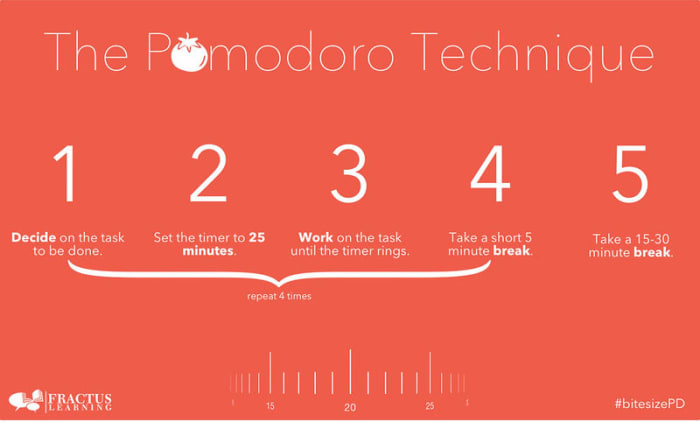
If you really want to take your breaks to the next level, you should look into the Pomodoro technique. Pomodoro works off the idea that your brain can only remain truly active for around 25 minutes. You set a timer for 25 minutes and then every time it rings you take a short five-minute break. This could be when you go make a coffee or check your phone. Then, when you’ve done this work-break cycle four times, you take a longer 15-30-minute break and then start the process all over again. This way you get to go through all the different items on your break list while training your brain to focus for shorter periods.

Pomodoro Timer Donwload
8

Don’t break the chain

We’re not talking about a Fleetwood Mac song here; we’re actually talking about a Seinfeld hack. Yep, Jerry Seinfeld actually shared one of the productivity tips he used to help him develop as a comic by trying to write better jokes every day. To do the same you need to get yourself a huge calendar poster that covers an entire year. Then every day you work on the task you want to work on you get to put a giant red x in the square for that day. Pretty soon, you’ll have a chain of red x’s and you’ll be a hell of a lot more motivated to work on your task because you won’t want to break the chain!

Do the hardest thing first

The final tip of the day is about what you should work on first. It is no secret that the most productive time of day is first thing in the morning just after we wake up. This means that it is first thing in the morning when we begin working that we should tackle our hardest tasks. This way you will take care of the most challenging and pressing issues when you’re at your best, but it also helps build momentum for the rest of the day. Once that first big task is out the way, everything else will feel smaller and less daunting.

Best mobile and desktop musical instrument apps

These apps and programs for mobile and desktop will give you access to all the virtual instruments you’ll need to start your very own virtual band.

Best virtual instruments

Today’s look into all the best apps and programs available to help you get into all things music is focusing on virtual musical instruments. After looking at DJ tutorials on YouTube and the best karaoke apps for iPhone and Android devices, we’re going to complete your musical line-up showing you how to source instruments for your musical project. After you’ve been through today’s guide, you’ll have everything you need to produce tracks that wouldn’t sound out of place at the top of the charts.

You’ll be surprised at how innovative app developers and musicians have been in coming up with virtual instruments. Thanks to touchscreens and other new control features, virtual instruments now have a new and improved tactile element to them that genuinely makes them feel a lot like playing actual instruments. Let’s go through some of the best virtual instruments for mobile and desktop devices.

Musical instrument apps

Check out our favorite musical instrument apps below. You’ll be able to use these to create a virtual band all on your own or to create music with your friends even while you’re all stuck in your homes.

GarageBand

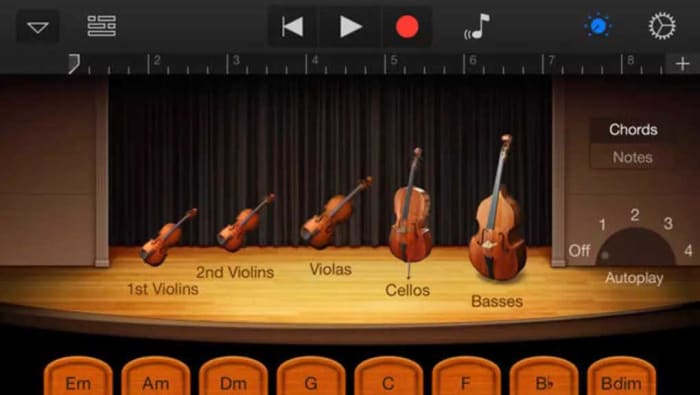
Apple’s GarageBand is the all-time classic virtual instrument program. The music production software gives you everything you need to start a band on your own by giving you access to many different virtual instruments including guitars, pianos, drums, and more. The program also works as a fantastic track producer for complete bands by giving you the ability to manage tracks from real instruments too.

Impressively, GarageBand works on MacBook but is also available for on iOS for iPhones and iPads too. If you know a thing or two about music and have the patience to stick with a project and go through tasks systematically, GarageBand will give you everything you need to create music of almost any genre.

GarageBand Download now
8

Virtuoso Piano Free 3

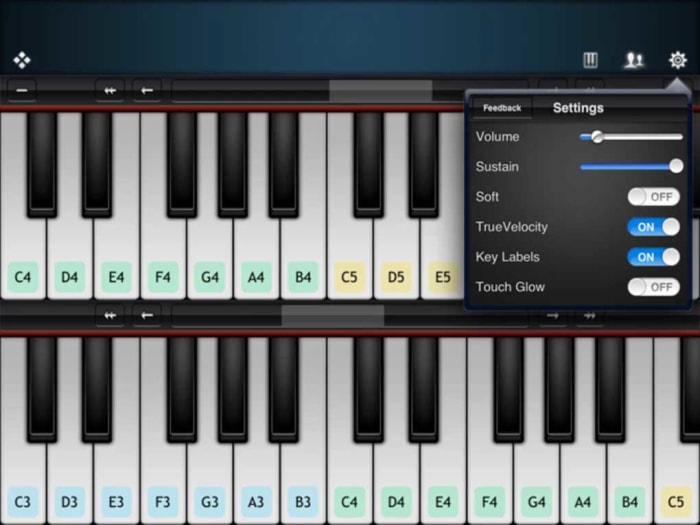
The Virtuoso Piano app is so innovative and well-made that you won’t be able to help yourself but be impressed, should you decide to download it. The app turns your phone’s touchscreen into a keyboard but being a screen, it also comes with a plethora of other neat features such as being able to label the keys with their subsequent notes.

The free version of the Virtuoso Piano app puts a complete piano to play although you’ll have to scroll through various sections of your piano to get through all the different octaves. Admittedly, this makes it challenging, if not impossible, to play any sort of complex composition yet the app is impressive, nonetheless. Another key consideration here is that the app works best when used with headphones as your phone’s speakers won’t do your playing justice on their own.

Virtuoso Piano 3 Download now
10

Real Guitar Free

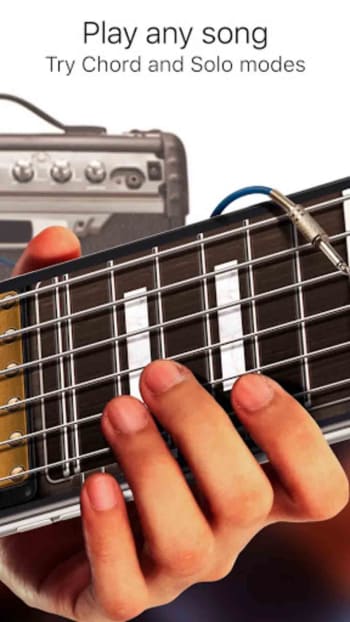
Here we have another innovative and impressive app that makes the most of the touchscreen technology that comes standard with all modern Android smartphones. Not only does the app make it possible to practice playing guitar without actually having one it will also teach you how to play the guitar too, showing you all the common chords and also having comprehensive lessons for many popular songs.

The app works by showing guitar strings on your phone’s screen and allowing you to practice both strumming and fingering in order to produce the sounds you’re after. The reproduced sounds are of a very high standard and the app also comes loaded with different effects including acoustic guitars, electric guitars, classic variations and even a 12-string variation too. Real Guitar Free also comes loaded with practice modes, chord recital modes, and even music theory. There is an impressive depth of content here that deserves checking out.

Real Guitar Download now
9

Drums

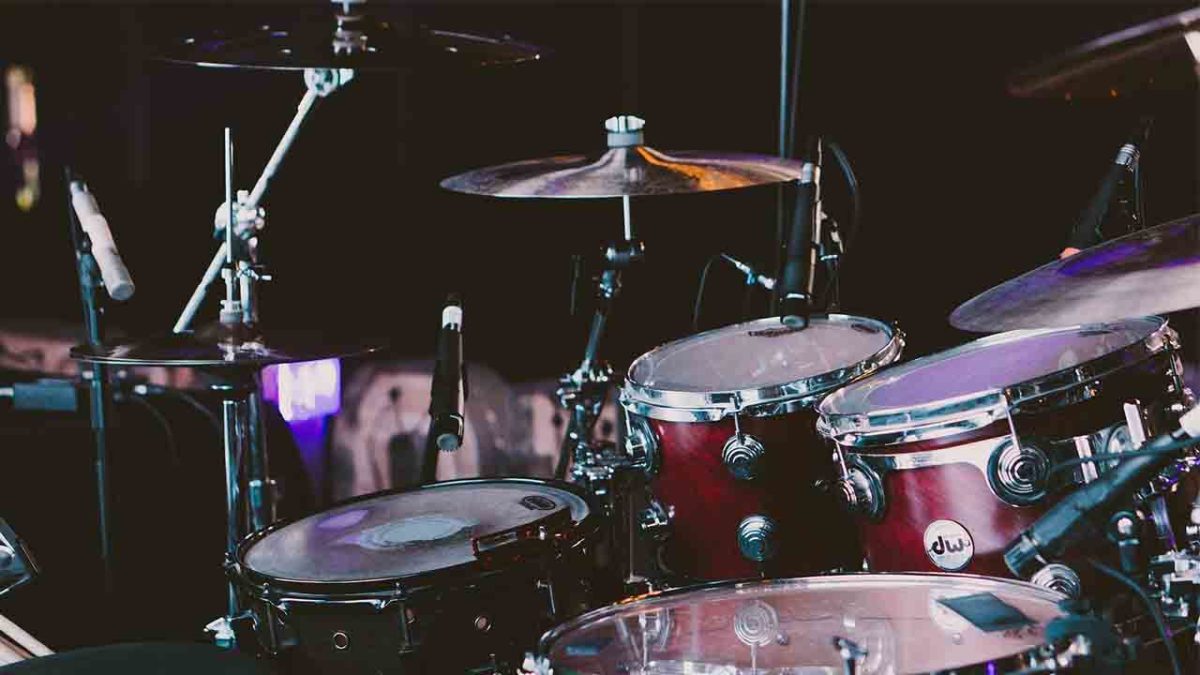
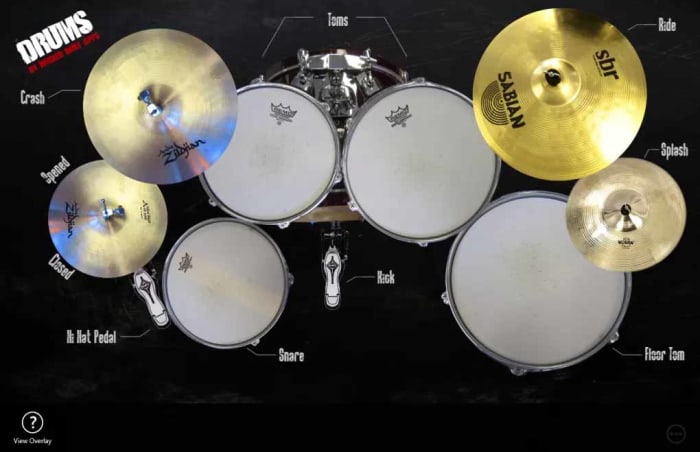
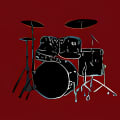
The Drums app for Windows 10 doesn’t over complicate things but does what does it does very well. If you have a touchscreen device this app basically gives you access to an epic, fully loaded drum kit complete Kick Pedals, Snares, Toms, Hi-Hats, and more. You can use this app on Windows 10 devices that don’t have touch support as the app works with a mouse, but in reality, you won’t be able to get anything more complicated than a simple beat out of this app if you’re using a mouse.

The way Drums works is to show you a bird’s eye view photo of a complete drum kit, with each drum having interactive elements built into the image. When you hit the picture of an individual drum it will play the corresponding sound. Et voila, you have a complete virtual drum kit that you can use to create the beats and set the pace for your virtual band’s songs and tracks. This app works really well too when used with touchscreen support and you’ll be surprised at just how well you’ll be able to create drum tracks for your tunes.

Drums Download now
8

Voice Training

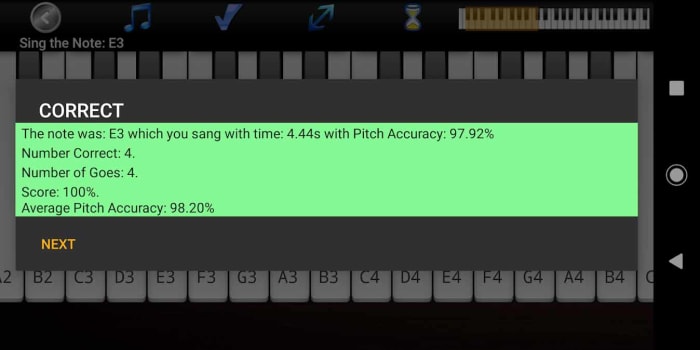
OK, so you’ve got your hands on all the virtual instruments your virtual band could ever need. There’s still something missing though, and that is a powerful, yet soulful lead singer who can connect with your audience and tug on their heartstrings. You’re going to need an emotional connection with your fans if you’re going to succeed and for that, you’re going to need to be able to sing. There’s no virtual instrument for this one though, but what we have got is a virtual voice coach that will help you develop your singing skills until you can hold a note with the best of them.

This app will help you simulate real-life singing lessons, track your progress, and also introduce interactive teaching elements such as singing games and vocal range examinations. If you’re looking to improve your singing, you need this app.

Voice Coach Download now
10

Best YouTube DJ tutorials

These are the four best YouTube channels for anybody wanting to become a DJ

Best YouTube video DJ guides

This week we’re continuing to look at all the fantastic opportunities that you can exploit through your PC, smartphone, or tablet even if you’re stuck in the house.  This week we’re going to mix it up a little by concentrating on music and in particular, DJing and performing music. All week we’re going to be bringing you articles that will help you develop your musical talents.

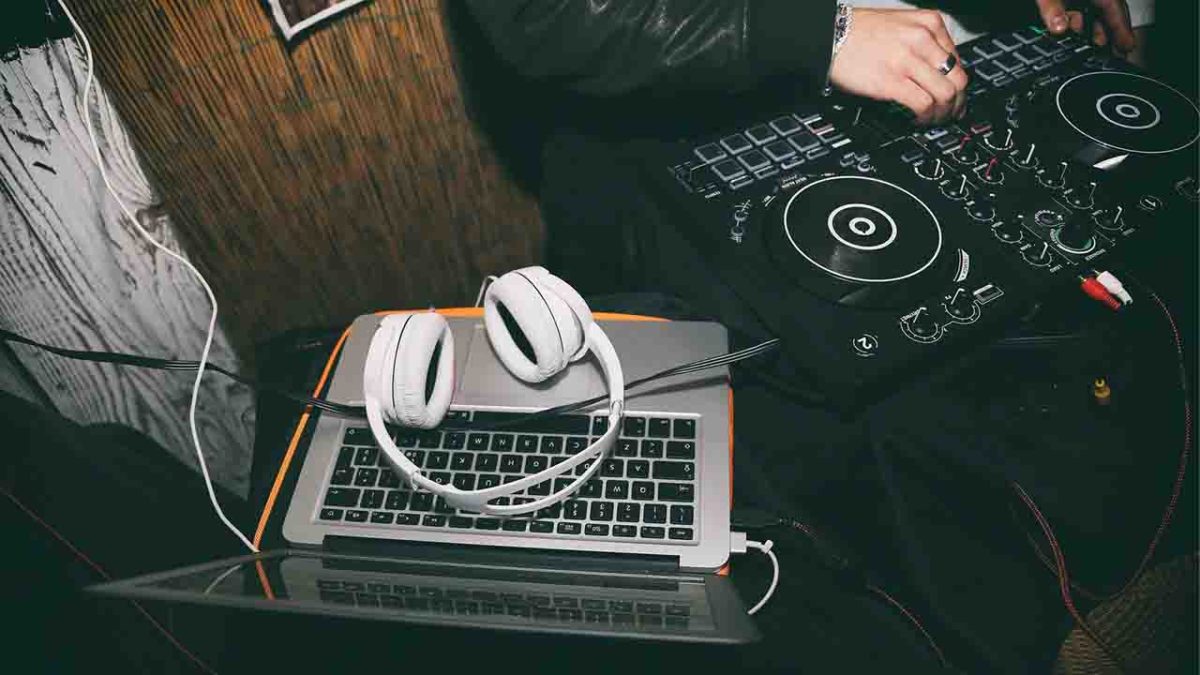
If you’re a DJ, it is now possible to keep all your music on your laptop and to seamlessly mix your songs together using a DJ controller, DJ software, and programs. There’s no need to invest in expensive turntables or CDJs, and you don’t need to cart around crates of heavy vinyl records. You can, of course, still do both, however, if you want to. As well as this newly enhanced accessibility, you’re also now able to find all the training materials and guides you could ever need to master all the technical wizardry that the top DJs have at their fingertips. Today, we’re going to help you find the best of these, focusing on YouTube video tutorials and guides.

Virtual DJ Free download
8

DJ video tutorials

Below are the four best YouTube channels we’ve found for learning how to become a DJ. Check out any one of them for all the help you need to get started as a beginner DJ and then move on to more advanced DJ techniques.

DJ Tech Tools

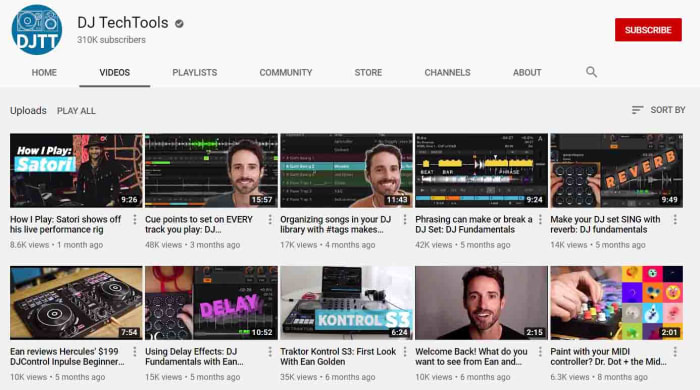
The DJ Tech Tools YouTube channel likes to think of itself as a central internet hub for all digital DJs looking to make a name for themselves in the world of music. As well as the YouTube channel, which has a very handsome 310,000 subscribers and has racked up a massive 54,000,000 video views, DJ Tech Tools also publishes weekly articles and guides on all things DJ related. Today though, we’re looking at the YouTube video guides.

DJing is a massive subject with many different subjects. The DJ Tech Tools videos are short and insightful, usually coming in at between 10 – 15 minutes. They cover all the different angles you’d expect including setting up midi controllers, gear reviews and guides, and even unique tutorials into niche skills like mixing in reverse. If there’s a negative to say about this channel, it is that the videos aren’t very well organized, which means beginners might find it difficult knowing where to start. For all intermediate and above DJs, however, there is an impressive breadth of information here that will prove invaluable in the right hands.

Jon Sine

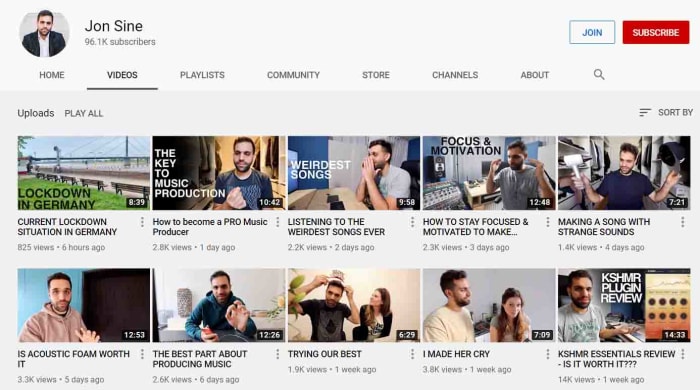
Jon Sine is an independent House DJ and music producer. That means that as well as playing other people’s tunes in his sets, he also makes his own songs to play too. In truth, with DJing being so much more accessible these days if you want to land yourself a good gig, you’re going to have to grab the promoter’s attention with your own songs. This makes Sine’s channel a fantastic resource for anybody hoping to break through as it offers guidance on both tracks of career progression.

If you’re just starting out though, and making your own beats sounds a little daunting, don’t worry as Sine has created a fantastic playlist called Everything DJing, which is well organized and will walk you through all you need to do to learn the skills required to make it behind the decks. He also brings in guests from the industry to explain their routes to success to give you more perspective. His little guides into smaller subjects such as basic transitions and even subjects like the practical considerations that come with making a living as a DJ are excellent too.

Crossfader

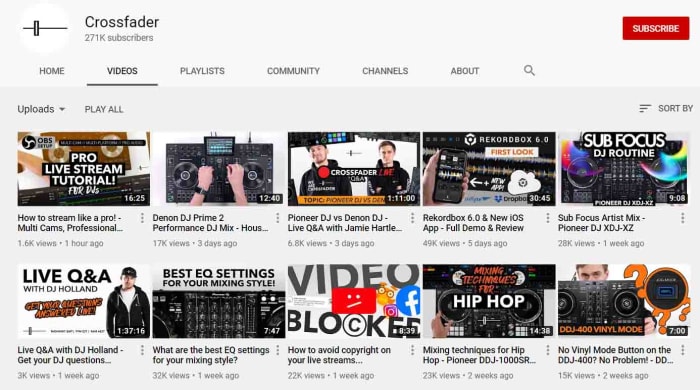
The Crossfader YouTube channel is an online DJ school based in the UK that is dedicated to helping the next generation of global superstar DJs find a place for themselves in the industry. Over at the Crossfader website you’ll all manner of guides and courses grouped into categories like Serato DJ, Rekordbox, Traktop, Pioneer DJ, and Performance. Many of these premium courses and resources come with a hefty price tag but over at the Crossfader YouTube channel, you can find many great video guides for free.

As well as great weekly mixes and uploads the Crossfader YouTube channel also comes with gear reviews, tips and tricks split into equipment categories, and all manner of helpful bits of advice. As well as technical guides you’ll also find simpler stuff here like how to sort your music library and which software you should use for different tasks. If you’re taking your DJing seriously, you need to check out this channel.

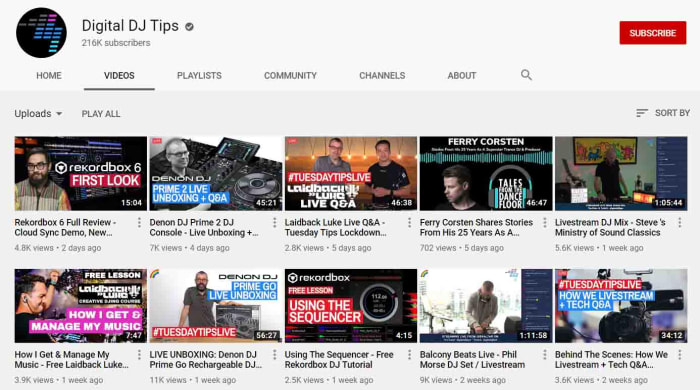
Digital DJ Tips

Digital DJ Tips is another online DJ and music production school. So far, the Digital DJ Tips YouTube channel has amassed almost 40,000,000 video views with each one of those helping an up and coming DJ in one way or another. This is a slick channel full of well-produced guides that include a plethora of big-name DJ guests such as the superstar DJ Laidback Luke.

What’s also interesting about Digital DJ Tips is that as well as grouping its videos into categories based on equipment manufacturers and software developers it also groups content into music genre too. This often-overlooked distinction means you’ll find different guides for aspiring Hip Hop DJs compared against the guides you’ll for House or Techno DJs. This channel is very well organized too meaning it’ll be easy for DJs of all levels to find the video they’re after whether that be about the basics of mixing or how to live stream your sets like a boss. There’s a lot of great content here and this site should not be overlooked.

Top 10 naval battle games for PC

Sail the seven seas and battle scurvy dogs in these naval adventures!

NAval battle

Disclosure: Our team is always looking for things we think our readers will value. We can receive compensation for publishing this article.

Although naval battle games are something of a niche genre, there are plenty of awesome games out there that focus mostly or entirely on naval battles and naval action ships. Whether you have to manage your fleet of aircraft and battleships to beat your enemy, defend your base, ports, and fleet, or launch raids to cut off naval routes and invade enemy territory, there are nautical warfare games for every scenario. These games take the Battleships board game to a whole new level.

World of Warships

Whether you’re an aspiring modern naval tactician or looking to sail the high seas as an adventurous pirate in search of plunder, there are countless choices in the naval battle PC gaming genre. If you’re fascinated by naval military history this is your new video game wishlist.

Below are some of the best naval battle games on the PC Desktop, taking you from WWII and Modern naval combat to the 17th Century high seas, and a lot of different ship games in between.

Top Ten Naval Battle Games

1. World of Warships

Taking the incredible free-to-play formula that WarGaming.net perfected with World of Tanks and World of Warplanes, World of Warships has you take command of the bridge of a modern military warship and fight in epic sea battles. As Captain, you don’t have the same direct control over your craft as you do in other games in the series. Because of this, the action is comparatively paced as you exchange powerful barrages with other players in a strategic experience that often feels like a first-person game of Battleships. There is also a very active World of Warships Reddit should you want to mix with other dreadnought captains. Play World of Warships free.

2. BattleStation: Midway

BattleStation: Midway

One of the classic games in the genre, BattleStation: Midway is a strategy game that takes place in the Pacific Ocean circa WWII. Using real-time tactics, you can control each individual ship or plane in your fleet, with the hope of defeating your enemy. While BattleStation: Midway may be an older game, it still has decent graphics, offers both single and multiplayer mode, and is truly a staple in the genre.

BattleStation: Midway Download now
7

3. BattleStations Pacific

Battlestations: Pacific

The sequel to BattleStations: Midway, takes place in the wild, cold waters of the Pacific Ocean. BattleStations: Pacific expands on the previous title by adding new features including new weapons and ships, different kinds of combat–namely, more advanced submarine battles– and the ability to play either an United States or Japanese campaign. It also has 5 extra multiplayer modes, including Island Capture, Duel, Competitive, Siege and Escort.

Battlestations: Pacific Download now
7

4. Silent Hunter IV: Wolves of the Pacific

Silent Hunter: Wolves of the Pacific

If submarine warfare is more to your taste, try Silent Hunter IV: Wolves of the Pacific, a game from Ubisoft that also takes place in the Pacific during WWII. The ​u-boat​​​ simulator uses really intricate graphics to literally immerse you in the depths of the Pacific Ocean, with everything from launching torpedo attacks, to using radar and sonar, to managing your crew. Different game modes make it easy for both beginners and more advanced players to master the game.

Silent Hunter: Wolves of the Pacific Download now
10

5. Naval War: Arctic Circle

Travel a bit further north in Naval War: Arctic Circle, a real-time naval strategy game that, unlike some of the previous games, takes place in the distant future during a fictional war. The game has everything from submarines, aircraft, and helicopters, to in-air refueling tankers and onshore airbases. It also features navies from many different countries – including the UK and Scandinavian – that can be battled in both single and multiplayer modes.

Naval War: Arctic Circle Download now
6

6. Dangerous Waters

DangerousWaters

As a modern-day naval game, Dangerous Waters lets you control all aspects of air, surface, and submarine warfare, simulating over 250 real-life naval units. Aside from the fact that you can work cooperatively in Multi-Station Mode to operate various crew stations as a team, one of the coolest thing about the game is the AI of the crew members, which lets you hand off tasks so that you don’t have to worry about actively managing specific aspects of the game.

7. Battle Fleet 2: World War 2 in the Pacific

A game of tactical naval combat, Battlefleet 2 puts you at the helm of Japanese or US fleets during WW2. Trying to make your way across the Pacific Ocean, you’ll get zoomed in on the action once you engage in battle. You’ll be engrossed in the game as you move from macro strategies to micro tactics, and with a great range of units, the game is perfect for any WW2 enthusiast. If you want to take gameplay on the go, you can even download a mobile version for iOS and Android.

Battle Fleet 2 Download now
6

8. Fighting Steel

Fighting Steel, from Strategic Simluations Inc, is a 3-D game that takes place in the Atlantic and Pacific Oceans during the biggest naval battles of WWII, between 1939 and 1942. Battling against American, German, Japanese, and British warships, you’ll use real-time strategy and an in-game camera to control multiple ships at once. You can play online multiplayer with up to four people, and with a super detailed instruction manual, getting started is easy.

9. Naval Action

Naval Action

Giving you the helm of an 18th-century vessel, Naval Action sees you take to the open seas in a huge online environment with other players. With battles of up to 50 ships, realistic damage physics, and navigation that demands you use landmarks and the stars, this game not only doesn’t hold your hand – it cuts it off and replaces it with a hook.

Naval Action Download now
6

10. Windward

Windward

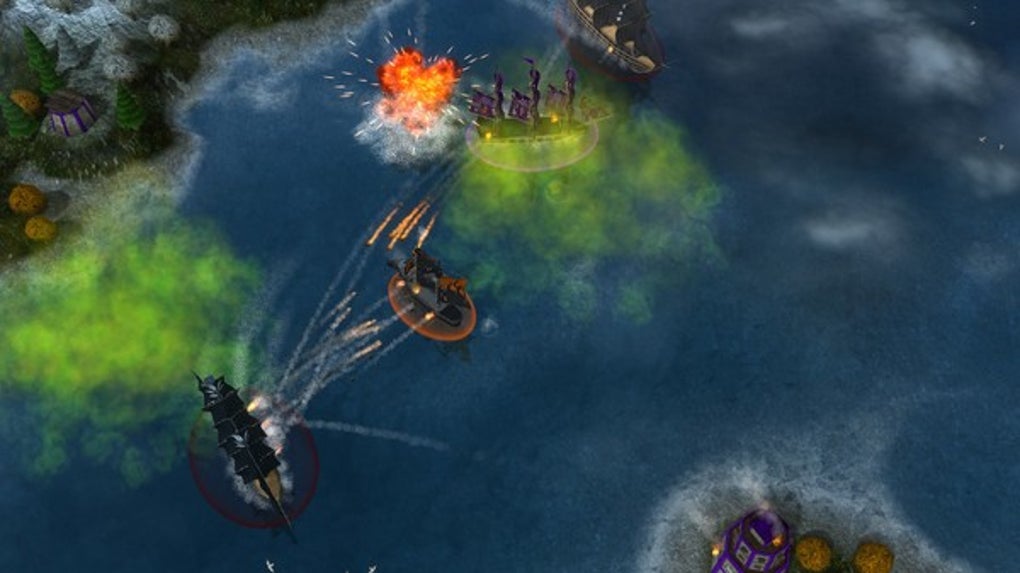
If you’re a fan of 17th-century ships but prefer a bit more small scale naval action, try Windward, an online open-world game from developer Tasharen. In Windward, you play in teams of four, using your ships to take over as many structures as you can on the map. It’s not as graphically advanced as some of the naval battle games on the list, but it’s still pretty impressive.

Windward Download now
10

The above games are all limited to naval battles, but here are a few honorable mentions of games that feature great naval warfare in some way or form.

Bonus: More War Games that Feature Naval Battles

War Thunder

War Thunder

War Thunder is a great option which, although not exclusively containing naval battles, definitely has some great naval content. The focus is on flight, but no air combat game is complete without naval battles. You can experience War Thunder naval warfare with aircraft carriers, warships, and naval aviation units. For a free game, it’s a great option.

War Thunder Play now
8

Battlefield 4 Naval Strike (expansion pack)

Battlefield 4

The Naval Strike expansion pack for Battlefield 4 brings naval warfare to the 21st century. Taking place in the South China Sea, the DLC pack brings multiplayer maps, new gadgets and weapons, and most importantly, a hovercraft. In the new Carrier Assault mode, you’ll be battling to sink the enemy’s aircraft carriers.

Battlefield 4 Download now
7

Assassin’s Creed IV: Black Flag

Assassin's Creed IV: Black Flag

For a series about climbing over rooftops and stabbing Templars, Assassin’s Creed IV: Black Flag’s ship-to-ship combat is surprisingly complete and satisfying. Sailing across the Caribbean taking direct control of your ship – The Jackdaw – you can attack different navy vessels with your vast armory to get money and supplies for upgrades. But, if you would rather board an enemy vessel for some cutlass based action, you can capture it and add it to your fleet.

Assassin's Creed IV: Black Flag Download now
8

Bonus: Top Mobile Naval Battle Games

The thrill and excitement of a good naval battle game should not be limited to just the PC Desktop experience. For naval battles on the go, try one of these mobile naval battle games:

Pacific Fleet Lite

Pacific Fleet Lite

Pacific Fleet Lite is the free version of a popular and detailed turn-based World War II naval battle simulation. It contains a lot of simulation data and logic-based gameplay that will appeal to a hardcore naval strategy enthusiast, but its lack of fast-paced action means arcade/action lovers will probably want to take a pass.

Pacific Fleet Lite Download now
9

Assassin’s Creed – Pirates

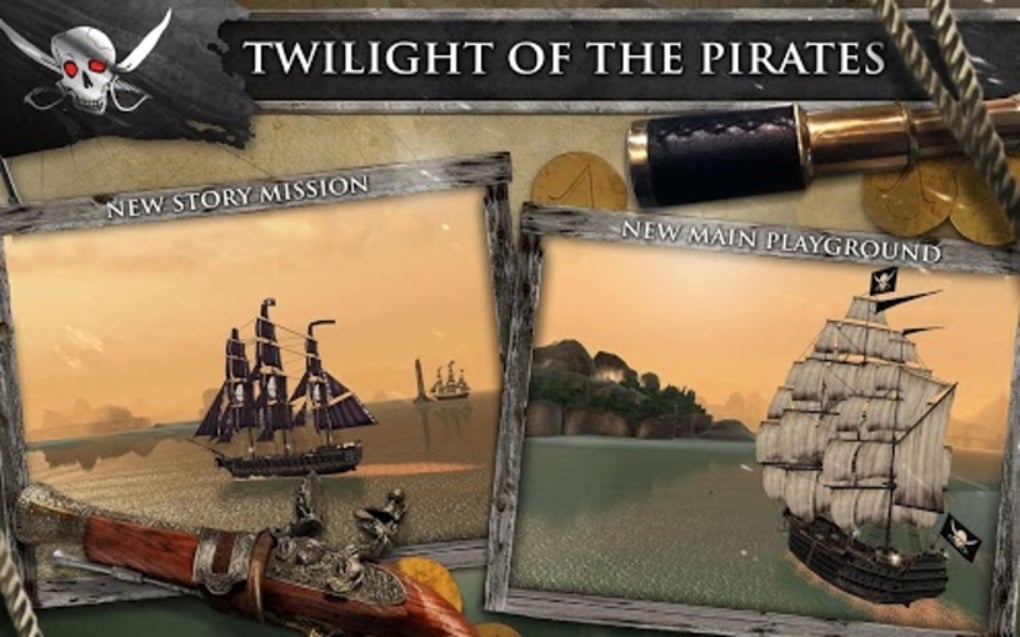
This mobile installment of the Assassin’s Creed franchise from Ubisoft features fast-paced 1 on 1 naval battles in an adventure storyline. The game was recently updated to be free-to-play (it used to be a $4.99 paid download).

Assassin's Creed Pirates Download now
8

Wrapping up

What’s your favorite naval battle game? What about Atlantic Fleet or Steel Fleet? Let us know in the comments section below.

Best YouTube channels to train at home

These YouTube channels all have plenty of great content that will help you get fit and stay healthy.

Today we’re finishing our look at all the best apps and accounts you need in your life if you want to stay fit and healthy while stuck indoors. We’ve looked at mindfulness and meditation apps, Instagram accounts for workouts, workout apps, and now today we’re looking at the best YouTube channels you want to subscribe to for all the best workouts.

If you think about it, YouTube is the perfect place to get your workouts from. The video platform places no limitations on what your workout gurus can do. You can get massive workouts that last for hours, quick High-Intensity Interval workouts, Yoga and Pilates sessions, and even weeks or months-long courses that have specific fitness and health-based goals in mind. Let’s get into it then. These are the best workout channels on YouTube.

YouTube Go Download YouTube Go
8
YouTube Go is a free, official app from Google that provides a variety of features that make the YouTube more bandwidth-conscious and help avoid buffering while on the go.
Best YouTube Home workout fitness channels

Check out all the best YouTube channels to subscribe to for workouts and fitness and health routines.

Adam Rosante

Adam Rosante’s YouTube channel offers a series of very accessible workouts for fitness enthusiasts of all levels. These quick sessions last anywhere between five and twenty minutes and are extremely challenging. There’s definitely something for everyone here with routines utilizing your own body weight rather than relying on expensive equipment. There are strength training routines, however, that will incorporate a dumbbell here or there, but there’s certainly a lot here for anybody who doesn’t have any home gym equipment.

The other great thing about this YouTube channel is just how welcoming and warm Rosante is. He has a great attitude that is infectious too. This will help to keep you motivated even when he’s pushing through some pretty painful sets and reps. This channel is all about pushing yourself to your limit.


Joanna Soh

Joanna Soh is a long-established personal trainer who has brought plenty of her workout routines and circuits to YouTube. Her YouTube channel is full of all sorts of different workout videos including sessions on Pilates, abs development and full-body strength, kickboxing, and more. What’s great too for anybody working out at home is that Joanna also releases great videos focusing on things like an indoor steps challenge and even performing full-body workouts while in a seated position.

As well as all of Joanna’s fitness videos she also goes the extra mile by producing videos on food, diet, and nutrition as well as looking at equipment and even clothing. Going even further, Joanna also offers tips and tricks on living a healthy lifestyle while living on a tight budget and she is also on a mission to bust all the common myths about weight loss that might be standing in your way. If you’re looking for a complete YouTube channel that gives you more than just workout videos, this is it.

Tone It Up

Tone it Up is another great YouTube channel that has been founded by well-known fitness gurus Karena Dawn and Katrina Scott. If you’re stuck at home, this channel will definitely have lots for you as it offers workouts that intelligently utilize many standard household items and pieces of furniture like coffee tables and office chairs.

Subscribing to this channel will get you hundreds of great videos covering all manner of different types of workouts such as HIIT workouts (High-Intensity Interval Training) as well as focused sessions that target areas like your arms, abs chest, and lower body. You’ll also find plenty of videos covering diet and nutrition too, which are just as important as the workout videos, if not more so, for anybody looking to shed a few pounds and get in better shape.

Blogilates

Blogilates has been live on YouTube for over ten years. This means there is a wealth of resources here for anybody looking to give their health and fitness a boost. What’s also great for anybody stuck at home is that all of these routines only require one piece of equipment, a Yoga mat. If you don’t have a Yoga mat, you could simply use a towel, meaning there’s nothing standing in the way of you starting a Blogilates session right now.

As you’d expect from the title there is a lot here that focuses on Pop Pilates stretches but the channel actually goes a lot further covering everything from healthy recipes to common problems and issues experienced by people trying to get in shape. There’s also plenty of great content about how to deal with your own position in the fitness world and cope with the aesthetic pressures modern society puts us under. Cassey Ho, who is behind the channel is like your supportive, funny, and knowledgeable friend, there to guide you on your fitness journey.

BodyRock TV

BodyRock TV puts out daily fitness videos covering many different types of workout. The aim of the game here is bodyweight exercises meaning anybody can get started with these routines at home immediately, without the need to buy expensive equipment. The workouts on this channel are quite intense, however, and not for the faint-hearted. You’ll get walkthrough guides to plenty of routines as well as all sorts of twists on common exercises.

The channel also plenty of content about healthy recipes, adjusting to a nutritious diet, and keeping on top of your calorie intake. On top of all that, you’ll also find the odd video showing exercise that requires some basic equipment like dumbbells if you want to give them a try.

Wrapping up

Starting a new healthy lifestyle at home really is easy on YouTube with plenty of great channels offering you a lot of amazing health-inspired content. The video platform really is the best place to start your new journey to a healthier lifestyle and a fitter body. If you’re stuck at home, there’s nothing better you can do than subscribe to one of the channels we’ve mentioned and start working through their videos. You won’t regret it.

Best Instagram accounts to train at home

All these Instagram accounts will inspire you to live a healthier lifestyle that’ll have you feeling much better and looking fantastic.

This week we’re bringing you all the best apps and social media accounts that can help you live healthy, happy lives even when staying indoors for long periods of time. Yesterday we looked at all the best mindfulness and meditation apps to help you safeguard your mental health even during adverse situations. Looking after your mind, however, isn’t enough. You also need to look after your body and today, and for the rest of the week, we’re going to help you do so.
Tomorrow we’ll be looking at the best YouTube channels offering good workout sessions and we’ll also look at workout apps this week too. Today though, we’re looking at another social network that has many accounts promoting healthy living. Believe it or not, Instagram is a fantastic resource for anybody looking to start working out or generally just try to get in shape. There is plenty of fit and healthy people on Instagram who are more than happy to share all their secrets with you. Let’s look then at some of the best Instagram workout ideas, programs, and fitness accounts.

Instagram Download Instagram
7

Best fitness Instagram accounts

These Instagram classes will have your body in tip-top shape in no time. Follow them all to inject your Instagram feed with fitness videos and workouts, healthy lifestyle tips, and recipes that are both good for your body and good for your soul.

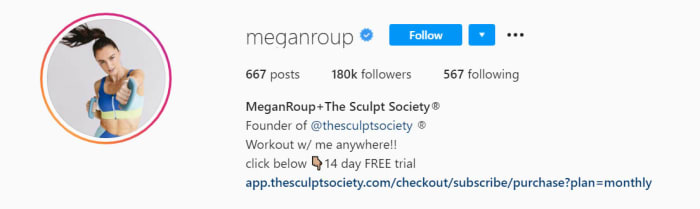
Megan Roup

Mega Roup’s Instagram account is impressive, inspirational, and bursting with positivity. Roup founded a very popular cardio class called The Sculp Society, which became a bit of a cult classic in NYC. The Sculp Society uses fun and active routines pulling in the likes of dance and high-rep full-body toning exercises to get your blood pumping. Roup’s classes are lots of fun and will help you with weight loss and reaching your fitness goals.

Her Instagram builds on the success of her app, showcasing fantastic behind-the-scenes videos and photos as well as more intimate shots grabbed from Roup’s personal life. The videos here are fun little blasts, usually focusing on a single move or routine. Every now and then though, you’ll stumble upon a fab little dance routine that’ll leave you feeling motivated and hungry for your next exercise.

Anna Kaiser

Anna Kaiser is one of a particular type of personal trainer. Bursting with positive energy, Kaiser sees it as her mission to have you pumped for your session. Motivation is both the biggest ally and potential enemy of any would-be workout enthusiast, which explains why Kaiser takes it so seriously. If you’re up for your workout, you’ll take so much more from it. If you’re not, well let’s just say you’ll struggle to get through your routines or complete your exercises effectively.

In this regard, Kaiser’s Instagram page is full of high-energy and High-Intensity-Interval-Training (HIIT) workouts that will vary your heart rate for maximum efficiency. You’ll also get healthy recipe ideas as well as all the exercise guidance, meaning you can get a full service from Kaiser if you follow her Instagram account. What’s also great about this account is that all the exercises can be done at home without too much fuss.

The Rock

Dwayne Johnson doesn’t too much introduction. The ex-wrestler has established himself as one of Hollywood’s hottest properties coming across as a much family-friendly version of what Arnie offered during the 80s. The Rock is huge, strong, yet also sensitive and welcoming. That is of course until you head to is his Instagram account where he shares his grueling weight-lifting workouts.

What’s really great about The Rock’s Instagram account is that you get to see exactly what it takes to have such a huge body. His workout routines can be insane at times but he’s always trying to bring you along for the ride too. On top of the workout videos and behind-the-scenes pictures, you’ll also get plenty of motivational messages from the big guy too. Cheat Day Recipes is another regular feature of the account, which sees The Rock go through some excellent cheat day recipes that won’t undo all the good work you’ve been putting through the week.

Ebenezer Samuel

If you’re stuck in the house, there aren’t much better Instagram accounts you can follow than Ebenezer Samuel. Samuel is a very well thought of personal trainer and he posts a few new workout routines every week. This means there is a vast wealth of personal training content there all ready for you to get into and you’ll never run out as he’s constantly updating his page and keeping it fresh.

The real reason Samuel’s is perfect for home workouts though is that he loves incorporating no equipment bodyweight exercises and everyday household items into his workout routines. You’ll regularly see him doing strength training reps with jugs and bottles of water, heavy bags, and very simple setups including resistance bands and basic dumbbells. The message from Samuel is clear. Just grab what you can and get at it. There’s nothing stopping you from working towards that healthier, fitter lifestyle.

Don Saladino

Don Saladino is a personal trainer to the stars. If you’ve ever seen movies with the likes of Ryan Reynolds or Blake Lively, you’ve seen just how good Saladino’s results can be. The big Don was also behind David Harbour’s impressive transformation into local super cop Jim Hopper in the Netflix smash Stranger Things.

Saladino’s Instagram account is a treasure trove of short workout videos, inspirational behind-the-scenes images, and all manner of quick tips and tricks to get you moving in the right direction. All these exercises can be done at home too with Saladino also pulling in different elements from the home such as the stairs into his routines. Beyond the odd dumbbell or kettlebell, there’s nothing major needed to get started here. Simply follow Saladino on Instagram and then follow his advice.