Apple is preparing to take a significant step in the video game industry, where it has shown untapped potential, despite having over 1 billion active iPhones and a market-leading App Store. According to Bloomberg, the company plans to launch a new app focused on video games that will replace Game Center, offering consolidated access to Apple Arcade, unified achievements, and personalized recommendations. This app will be available for iPhone, iPad, Mac, and Apple TV devices by the end of this year. A platform with which they seek to carve out a space in the world […]
Apple is preparing to take a significant step in the video game industry, where it has shown untapped potential, despite having over 1 billion active iPhones and a leading mobile App Store. According to Bloomberg, the company plans to launch a new gaming-focused app that will replace Game Center, providing consolidated access to Apple Arcade, unified achievements, and personalized recommendations. This app will be available for iPhone, iPad, Mac, and Apple TV devices later this year.
A platform they seek to carve a niche in the world of video games
One of the most notable features of this new app is the ability to run games downloaded from other sources on Macs, a strategic move that could attract regular PC gamers on platforms like Steam. This functionality suggests an interest from Apple in expanding its user base and strengthening its presence in the competitive world of gaming.
In addition, Apple has made its first acquisition in the field of video games, buying the studio RAC7, known for its popular title Sneaky Sasquatch, which is part of Apple Arcade. Although a company representative emphasized that this purchase does not indicate a shift towards a strategy of massive acquisitions, it does reflect a commitment to offering exclusive content and diversifying its catalog.
The official presentation of the new application will take place on June 9 during the Apple Worldwide Developers Conference, where more announcements about other products and services are also expected. With these initiatives, it seems that Apple is ready to make a bolder move in the video game sector, an area where players have been waiting for a more aggressive move from Tim Cook’s company.
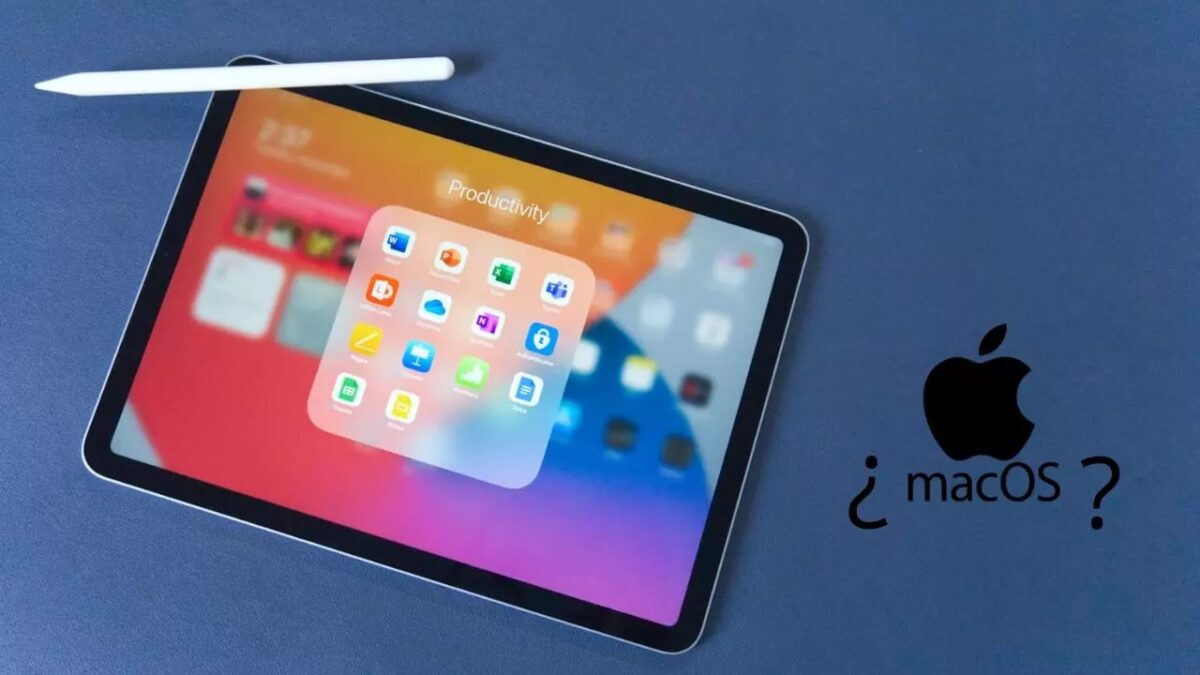
Apple is working on a new generation of iPads equipped with the M5 processor, which could bring their power closer to that of Macs. This hardware evolution will be complemented by an upcoming update to the iPadOS operating system, which will focus on improving productivity, multitasking, and window management. With these improvements, the user experience on the iPad will resemble more that of the company’s computers, all while not abandoning the characteristic operating system of tablets, which remains more similar to iOS than to […]
Apple is working on a new generation of iPads equipped with the M5 processor, which could bring their power closer to that of Macs. This hardware evolution will be complemented by an upcoming update to the iPadOS operating system, which will focus on improving productivity, multitasking, and window management. With these enhancements, the user experience on the iPad will resemble more closely that of the company’s computers, all while maintaining the characteristic operating system of tablets, which remains more similar to iOS than to macOS.
Getting the most out of your devices
During the upcoming Apple Worldwide Developers Conference (WWDC), the company is expected to make significant announcements about iPadOS 19. According to analyst Mark Gurman, the update will highlight the evolution of the operating system towards features reminiscent of macOS, a change that many users have demanded for years. Although the full inclusion of macOS on the iPad has not been confirmed, Apple seems satisfied with bringing some features of its computers to tablets, thus seeking to meet the needs of its consumers and maintain the hybridization of these devices.
The new iPad Pro, which will be launched on the market coinciding with the first anniversary of the iPad Pro M4, will be able to take advantage of all the improvements of iPadOS 19. In addition, it is expected that the models with M4 and M5 processors will have PC functionalities, allowing for optimized productivity and application management. This would mark a significant change in user perception, who have historically considered that the hardware of the iPad is superior to the available software. With this new approach, Apple aims to close that gap, offering a system that maximizes the performance of its most advanced devices.
The latest to fall has been the iPad Pro, which emerges as the market’s most incredibly thin tablet for those who care about such things. The issue wasn’t that, but rather the announcement to present it, which has been too destructive even for the company’s fans.
The usual mechanics of Apple, year after year, you already know what it is: they announce a new model of a device that slightly improves on the previous one, launch a flashy ad, and wait for all their loyal customers to buy it. And repeat ad infinitum. The latest to fall has been the iPad Pro, which is born as the thinnest tablet on the market for those who care about such things. The problem has not been that, but the announcement to present it, which has been too destructive even for the company’s fans.
The key to the announcement of the iPad was clear: everything fits in the tablet, from musical composition to WhatsApp. And, for this, its creatives have been inspired by these fascinating videos that TikTok occasionally recommends to you, in which a hydraulic press destroys all kinds of things. The problem is that this time what a very rich company has destroyed are cultural goods, and the bravado has not been well received precisely.
The hydraulic press breaks a trumpet, a piano, an arcade machine, several paint cans, a metronome, or a mixer table, among others, to press them into an iPad. And what Apple thought would be read as “Everything is inside”, many have read it as “The iPad wants to destroy art” or simply as a crude way to destroy objects for promotional purposes that could instead be used by people with limited resources to create it.
Meet the new iPad Pro: the thinnest product we’ve ever created, the most advanced display we’ve ever produced, with the incredible power of the M4 chip. Just imagine all the things it’ll be used to create. pic.twitter.com/6PeGXNoKgG
Obviously, the problem comes from one of the biggest companies in the world wanting to enter a meme based on destroying things valued at thousands of euros as if it were just loose change for them. Personally, I don’t think it’s a big deal, it’s just an advertisement, but I understand where all this is coming from: Apple has no right to make this kind of viral ads showing the obscene amount of money they can destroy just for fun. It’s not the end of the apple company, far from it, but it is a gesture of disgust that would have been unthinkable years ago. The times are changing.
Once they get used to it, pressing a couple of keys to do something can be very comfortable and, above all, really fast.
One of the fastest and most efficient ways to interact with our devices is to use keyboard shortcuts. We may have to learn them at first instead of tapping or clicking on buttons, but as soon as we get used to them we will be much more agile.
One of those many small details that Apple offers us in operating systems.
With time of use the Notes app ends up storing a lot of information and, when that happens, it can be somewhat complicated to find the particular note we are looking for. We can do some cleaning, of course, and help us with the search or Siri, but there will be situations in which, even so, we will have to visually review our collection of notes to find the one we are interested in. For these cases, the gallery view that the app offers us on our iPhone, iPad or Mac is especially useful.
A system that works very well and, however, sometimes I could give an error, this is what we can do if it happens to us.
How to update the apps on your iPhone or iPad? Easy, they update themselves. In general we do not have to do anything on our own, when the device has enough battery and network connection installs updates automatically. A system that works very well and, however, sometimes I could give some error, this is what we can do if it happens to us.
Let’s see how to review the security of all our passwords using simply our iPhone.
Starting with iOS 14 and iPadOS 14 the keychain of our iPhone or iPad, where we store the passwords, can warn us when some of them are not secure. The system is even able to check if the password has appeared in a leak and warn us about it. Let’s see how to review the security of our passwords simply using our iPhone.
Protecting all our personal information is really easy. And unlocking our iPhone in less than a second is even easier.
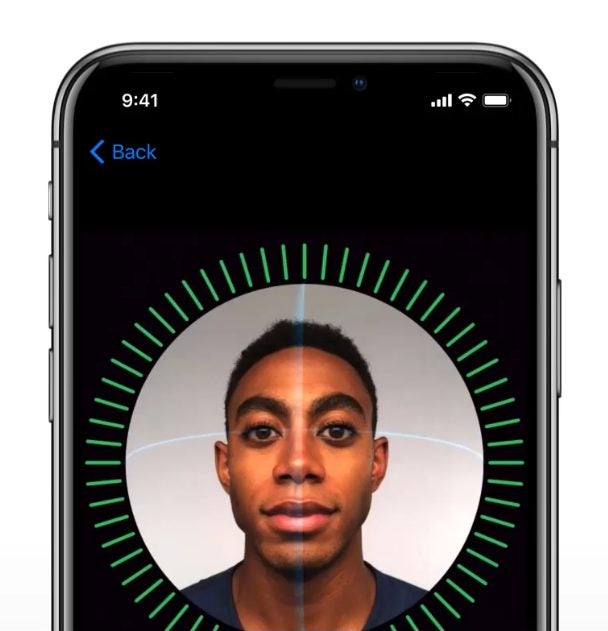
In recent years, we have become accustomed to using our iPhones for just about everything: communicating, working, entertainment, etc. For this reason, and considering the enormous amount of information they contain, it is essential that we make sure our device is properly protected and accessible only to us. This is where Face ID comes into play, Apple’s facial unlocking system that ensures security as well as convenience.
Face ID is a facial recognition system that allows us to unlock our iPhone, authenticate our identity to make purchases and access compatible applications, all in a fast and secure way. A technology that is available on the iPhone X and later.
How to set up Face ID
Before we start, we must verify that our iPhone is compatible with Face ID. As mentioned above, this feature is available on the iPhone X and later models. Beyond this, and to ensure that Face ID works properly, we need to make sure that our iPhone is updated with the latest version of iOS available. To do this, we go to Settings > General > Software Update and check if there are any updates available. If so, let’s install it.
Once we have checked the compatibility of our device and updated it, we can proceed to set up Face ID. To do this, follow these steps:
We open the Settings app on our iPhone or iPad.
Go to Face ID and passcode.
We enter the code of our iPhone, if we have not configured any we will be offered to create it.
Tap on Set up Face ID.
Now, when prompted, we place the device in front of the face and tap Start.
We place our face inside the frame and slowly move our head to complete the circle. We should look right and left and up and down.
After completing the circle we tap Continue.
We complete the second circle.
Touch OK.
How to customize Face ID functions
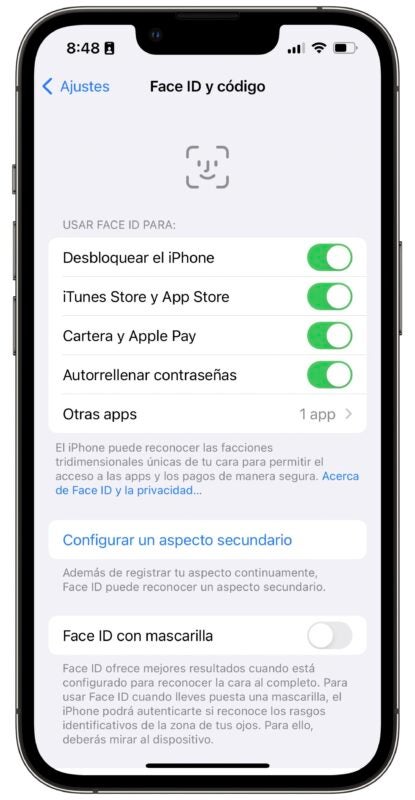
Once configured, we can customize Face ID functions according to our needs. Some of the options available include the ability to use Face ID to Unlock the iPhone, but also to make purchases in the iTunes Store and App Store, use it for the Wallet appand Apple Pay, to Autofill passwords and for Other apps.
In addition, we can Configure a secondary appearance, which will take us to the same process that we have just followed and where we can register a very different appearance to the one we usually have. The system also offers us to be able to use Face ID with mask, Require attention for Face ID with what is guaranteed not to unlock without us looking at the screen.
To finish, we can configure what we have access to with the iPhone or iPad locked. Options such as Today View and Search, Notification Center, Control Center, Widgets, Live Activities, Siri and others are available for us to enable or disable at will. All with the aim of being able to decide what will require us to unlock our iPhone or iPad with a glance before consulting.
Some tips for using Face ID
Face ID works really well. It is fast and recognizes us in almost any circumstance. However, a few tips are always useful to make it work even better. The most important thing is to make sure the cameras see us. Especially on the iPad, we may be covering the camera with our hand.
A case or considerable dirt can also affect its performance. It is also important that the angle at which our iPhone sees us is sufficient for it to recognize us. A distance of between two and three palms between the phone and our face is ideal.
If we still notice that the performance is not what it should, we can reset Face ID and configure it again. To do this, we go to Settings > Face ID and code > Reset Face ID and follow the steps we explained above to configure it again. Something, it must be said, that we should not do often, because the system is re-starting once configured, thus gaining in reliability and speed with use.
And by the way, Face ID does not depend on light, we can use it in absolute darkness.
Face ID is undoubtedly one of the most outstanding advantages offered by the iPhone. A feature that allows us to enjoy a much more secure and, above all, comfortable experience. Configuring and customizing Face ID on our device is really easy. Protecting all our personal information is really easy. And unlocking our iPhone in less than a second is even easier.
A game full of nods to original adventures, full of thousands of details that lead us to explore our new environment and do it in the most natural and fun way: gliding with the wind.
The developers of the award-winning game Alto’s Odyssey have done it again. In just a few days we will have with us the impressive Laya’s Horizon. A game with which we can glide along the slopes of a curious island with only our cape. With a really complete gameplay, not complex, but simple in its conception, we are facing a really attractive title that will soon be part of the Netflix catalog.
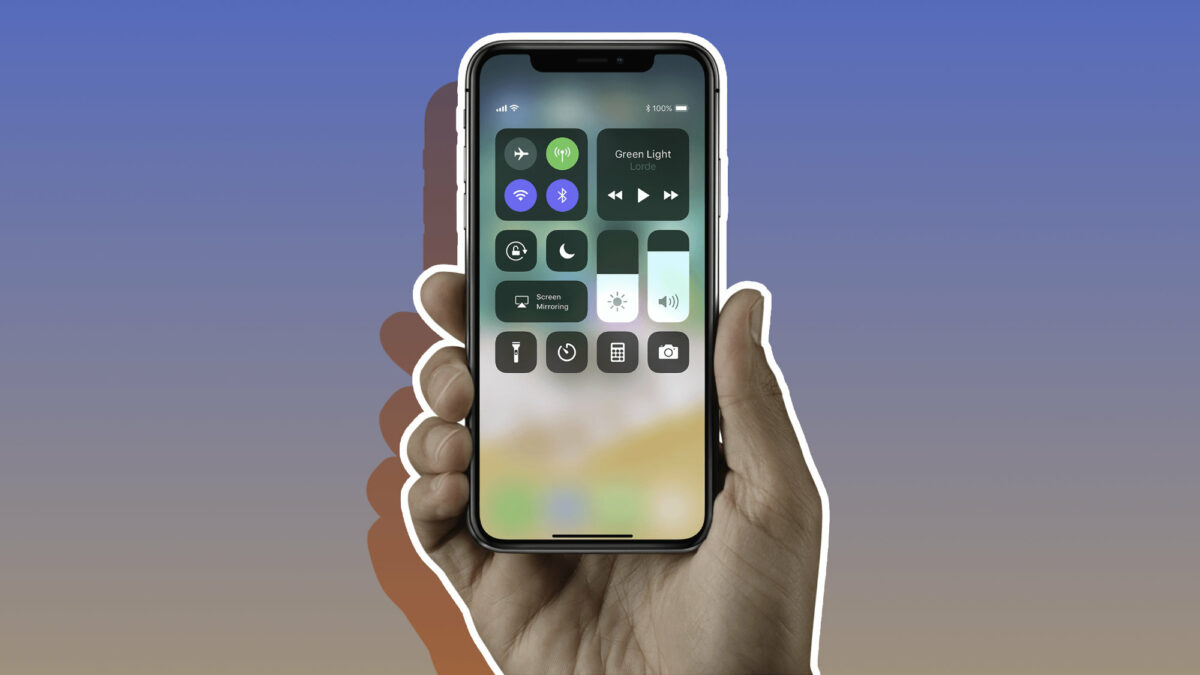
There are many situations in which we may want to record the screen. Doing so is as easy as swiping and pressing a button.
Our mobile devices have become absolutely essential tools for our daily lives. We do so much on them, besides allowing us to communicate with our loved ones. They also give us the ability to work, study and entertain ourselves – perhaps by listening to Apple Music Classical – and that’s just three examples. The screen of our devices sees everything from the daily weather to that game in which we passed the last level of our favorite game.