Microsoft Office 2011 for Mac released

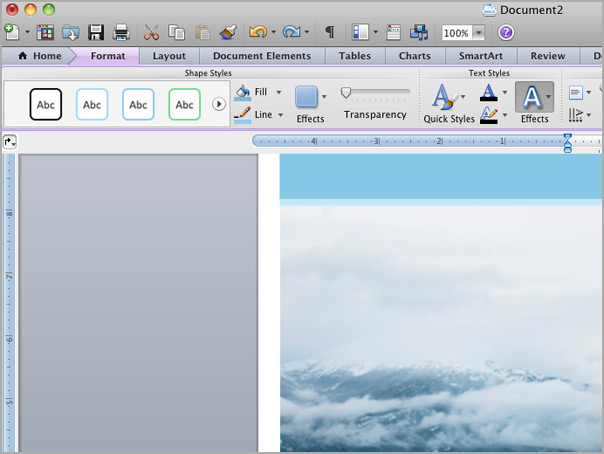
screen-capture-22.jpg

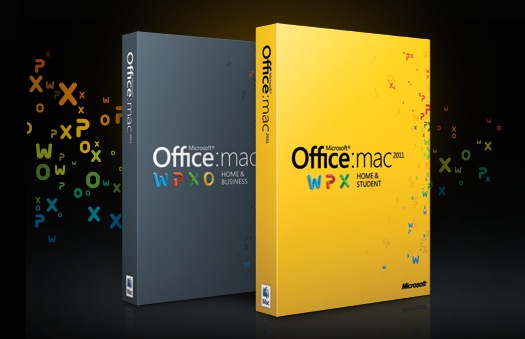
Microsoft Office 2011 for Mac will officially be released today and if you’re in New York, you can attend a special launch party according to the Microsoft Office 2011 for Mac Facebook page. We gave you a sneak preview of what to expect after testing the Beta version in April and the final release won’t disappoint Mac users who’ve finally got the OS X tailored Office suite they deserve.

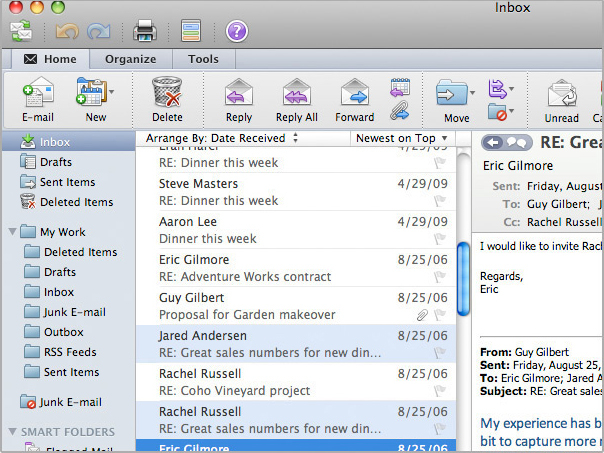
There are several things to be excited about (although perhaps not quite as excited as some of the people of the Office 2011 Facebook page who are reacting like Microsoft have landed on Mars). These include the long overdue introduction of Outlook:

outlook_unifiedinbox.jpg

The implementation of the “ribbon”:

word_ribbon.jpg

Continue reading “Microsoft Office 2011 for Mac released”

Skype could regret pulling its service from Nimbuzz

Nimbuzz LogoThere is bad news for Nimbuzz users today, after the developer was forced to pull support for Skype from its popular chat client. It seems Skype is sick of third-party apps tinkering with the way its service is offered, having already blocked fring from including Skype functionality a couple of months back.

Given that Nimbuzz helped to enable Skype capabilities on a host of devices that would otherwise have not had access to the service, it does seem a little harsh of Skype to stop other kids playing with its toy now that it has got finally grown up and got its own mobile offering in order. Skype might be thinking that it doesn’t need Nimbuzz or fring anymore, but the irony is that VoIP calls via NimbuzzOut and fringOut are generally cheaper than they are through Skype.

Add to this the fact that users can connect with other social networks and messaging clients through Nimbuzz, and you start to wonder why you would choose Skype now anyway. As Tobias Kemper, General Manager, Nimbuzz USA told us in response to Skype’s decision:

We are not here to argue, but to move on and if that means removing Skype on their orders, so be it. Nimbuzz users can still use free calls, messaging and file sharing on all major mobile handsets and platforms, even Mac and PC, and connect to Facebook, MySpace, Yahoo, GoogleTalk, Windows Live Messenger, AIM, ICQ, and more.

One of Skype’s advantages over Nimbuzz is that it enables you to make video calls via its mobile client. However, this edge may be about to be blown away, as Kemper revealed to us that Nimbuzz could choose to integrate Apple’s FaceTime video calling API into its software.

We are all about open communications and offering our users the flexibility of choosing the best way to communicate whichever way they want. Adding FaceTime would be a natural extension of our service offering.

Just as when it pulled the plug on fring, Skype is facing another PR pounding from disgruntled users of the massively popular Nimbuzz apps. Both Twitter and the Nimbuzz blog are awash with comments from users expressing their outrage at Skype’s decision. Of course, many of Nimbuzz’s 30 million-strong userbase will now just switch to the Skype app. However, users of these multi-network chat clients tend to be a loyal bunch, so it wouldn’t surprise me if Nimbuzz saw an upturn in sales of NimbuzzOut credits from today.

VLC comes to iPhone. Oh dear.

It’s no secret, we love VLC. If you own a PC or a Mac and you don’t have VLC… what are you doing? It’s free, it plays pretty much any video file you throw at it without complaint, if it was only a little prettier it would be perfection.

A month ago, Apple surprised us all by letting an iPad version of VLC through to the App Store, but the promise of multi format stable video was in reality a little disappointing. Looking unfinished, slightly clunky and with lots of accusations of instability, it just wasn’t the same app we’d grown to love on our desktops.

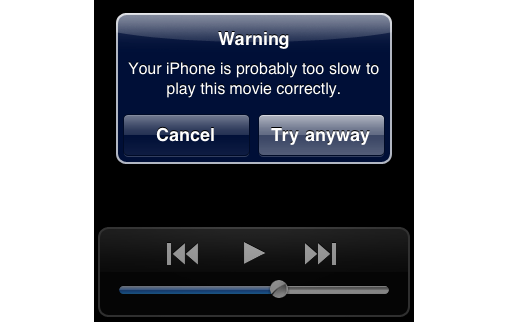
Now it has been rolled out to iPhone and iPod touch users, but is it any better? Very quick tests on an iPhone 3Gs running iOS 4.1 suggest VLC still has a way to go. The first video I loaded up refused to play because the iPhone was “too slow”. That was a good resolution AVI video clip, so I tried with a lower resolution FLV and it worked fine. But that’s not OK! If video has to be optimized at a certain resolution or size, VLC for iPhone needs to tell users, as experimentation is just irritating and ruins the much loved VLC experience.

In short – VLC on iOS is a nice idea, but needs some serious work done before it’ll win our hearts. Let’s hope it improves soon!

Adobe AIR 2.5 brings support for Android and smart TV

Adobe AIR, everyone’s favorite cross platform sexy app-maker/resource hogger is soon updating to version 2.5, with some important new features. The big news is support for the Android platform and for TV.

Taking advantage of the proliferation of Android devices around today, Adobe is clearly hoping AIR will catch on with smartphone and tablet users. Just like on your desktop, if you try to use an AIR application on your Android device, you will now be directed to download the AIR runtime from the Android Market. This may not be ideal, but Adobe hopes to convince manufacturers to sell devices with AIR pre-installed.

The second big development is a deal to put Adobe AIR in Samsung TVs. There will be a Samsung Apps platform that allows consumers to buy and download apps for their television. With Apple and Google stepping up to make TV the next technology for a platform war in our homes, I wouldn’t like to bet on Adobe managing to succeed here, but the competition should be fun.

Minecraft suffers DDOS attack


Indie favorite Minecraft has been unavailable due to a distributed denial of service (DDOS) attack. These types of attacks have often been aimed at corporations and companies as a form of protest, so Minecraft’s one-man development team was a little confused as to why he was suffering.

It seems as if Minecraft has been attacked by a group of unhappy Minecraft fans, who demanded more updates to the game! A message was posted on the notorious 4Chan site claiming responsibility, and while it’s hard to verify, it seems likely to be true.

How long the attack will go on is not clear, but it certainly won’t help Minecraft get updated! What’s incredible about the timing of this is that there is a huge update planned for Halloween, which will introduce a new realm – Hell – along with more monsters and other developments. We can only hope the protesters get bored soon, so the rest of use can get back to mining and crafting!

Best NBA basketball apps for iPhone

The NBA season tips off again in earnest on Tuesday, so it’s time to stock up on basketball apps for your iPhone. The App store is packed with NBA applications and choosing the best ones to install can be a bit of a hassle. I’ve picked out some of my favorites here, so you don’t have to trawl the store yourself.

Oh, and keep an eye out for EA’s new NBA Elite 11 game, which is due out this month. From the looks of it, it’s gonna become the best mobile basketball game out there. We’ll update you when we have more news.

ESPN ScoreCenterESPN ScoreCenter – ESPN can always be depended on for unbiased NBA news and its scores and results app is no different. ESPN ScoreCenter keeps you right up to date with what’s happening in all the NBA games, providing comprehensive play-by-play updates, stats and roster information. You have the ability to ‘favorite’ your team so its news appears on the front page.

Fox Sports MobileFOX Sports Mobile – This impressive app keeps you posted on everything that’s happening in the world of NBA basketball. The amount of content included in FOX Sports Mobile is incredible. As well as reading the latest news for your team, or for the leagues as a whole, the app provides stats, schedules, rosters, information about injuries, and video reports.

Pro Basketball ScoresPro Basketball Scores – A handy, well designed NBA season companion, Pro Basketball Scores offers live information about all the games taking place. Besides the usual scores, schedules, standings and news, this app allows you to chat with other fans, and to cheer and boo teams.  Pro Basketball Scores also lets you set your favorite team for one-touch access to its scores.

Yahoo! SportacularYahoo! Sportacular – Yahoo!’s sports app provides a more interactive way of following your favorite NBA team on your iPhone. It lets you customize alerts and get push reminders for events such as the game tip-off, scores, and game status. There’s also a geo-location game called Fan check-in, a game prediction section, and the ability to track players or fantasy teams.

ESPN Fantasy BasketballESPN Fantasy Basketball 2011 – If you want a competitive edge in your fantasy basketball league, this app is well worth installing. ESPN Fantasy Basketball 2011 allows you to manage multiple teams and leagues, keep tabs on match-ups in real time, and make trades via the app. Thanks to the app’s exclusive analysis and expert columns, you can turn your team into winners!

Fanball.comFanball.com Fantasy Basketball Annual Guide Magazine 2011 – Another essential download for your draft, Fanball.com’s guidebook is rammed with information to help you make the right choices. There are almost 250 well-researched player profiles and projections, along with cheat sheets, mock drafts and the lowdown on all of the NBA teams.
Top 5 basketball and NBA downloads for Mac

The NBA season starts on Tuesday and basketball fans will be looking forward to another mouth watering season featuring Bryant, Gasol and LeBron. Whether you want to follow the action, monitor performance stats, shoot some hoops or just decorate your desktop, here is a selection of top basketball and NBA related downloads for your Mac.

nbapod-02-100x100.pngIf you want to impress your buddies with in-depth knowledge of NBA rules and regulations, then look no further than NBAPod. NBAPod is simply a series of text files of the official NBA rules. You can download them onto your Mac for reading in any text editor or transfer them to your iPod or iPhone for reading on the move.

statbook-03-100x100.pngIf you want to impress them even more with your in depth knowledge of team and player performance stats, then Statbook is your answer. Statbook is ideal for both fans or even players that want to monitor their performance. You can create a category for just about anything and as you build your stats, you can share them in HTML format via e-mail or export them to your iPhone.

basketball-widget-01-100x100.pngTo keep up to date with the latest fixtures, scores and league placing, try Basketball Widget. This desktop widget displays NBA, WNBA and Men’s NCAA College games in local time according to your location and includes league tables. Despite the name, Basketball Widget also supports other sports including Baseball (MLB and minor leagues down to Class A), Football (NFL and NCAA College), and Hockey (NHL).

basketball3.pngIf you can’t be bothered taking to the court to shoot some hoops yourself, then you can always do it on your desktop thanks to Basketball. This simple but addictive widget challenges you to score as many points as possible from as many angles as you can. To aim and shoot the ball, simply extend the black line going from your mouse cursor to the basket. The further you stretch it, the further the ball travels.

2010-10-15-02-100x100.pngOf course, the team to watch this year will be yet again the all conquering LA Lakers who won back-to-back titles with victory in the 2009-10 playoffs. If you’re a Lakers fan, then use this official LA Lakers 2010-11 Schedule Widescreen Wallpaper to keep track of all their up-coming fixtures for the 2010/11 season from October until April. The wallpaper is in widescreen 1920×1200 resolution so it looks great on big screen displays.

Get AutoCAD for Mac free

autocadnew.png

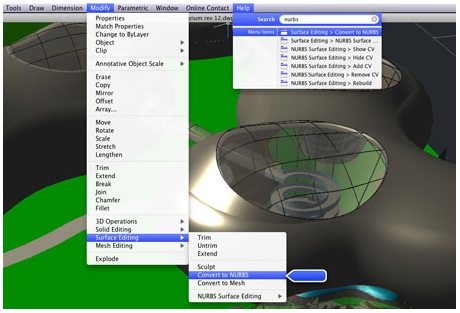
AutoCAD has finally been released on Mac and even better, students and educators can get a three year license absolutely free. This means you can use AutoCAD completely for free for three years although a watermark is added to designs. Alternatively, students and educators in the US and Canada can purchase an unlimited license with no watermark for €395 – a 90% discount on the full price.

screen-capture-4.jpg

Both offers are an absolute steal when you consider the full version costs almost €4,000. Note that the free offer is for personal and educational use only and requires you to sign-up as an educator or student.

The new native version of AutoCAD for Mac looks great too and takes full advantage of Mac OS X, including use of Cover Flow, Multi-Touch gestures, Magic Mouse and Magic Trackpad. You can of course create and edit DWG files natively and you can collaborate on projects across platforms with customers, clients, colleagues etc.

screen-capture-5.jpg

The release of the Mac version is well overdue and the developers AutoCad have probably already lost a lot of Mac users to alternative CAD applications on the Mac. The hefty price tag isn’t going to persuade many of them to switch either but the offer for educators and students is still an excellent one.

Mozilla Labs prepares its own web app store

Mozilla Labs have announced their latest experiment, Open Web Apps. According to Mozilla, this new type of application sits somewhere between traditional desktop software and standard online tools, providing the user with the best features of both worlds: they’re as handy and fully interactive as desktop apps, but also feed on Web technologies like HTML, Javascript and CSS.

Open Web Apps

The Open Web Apps can be used on both desktop and mobile environments, have a free or paid license, work on any browser and can be freely distributed by developers directly to users, or through other online stores – maybe a reference to the recently announced Mac App Store?

Mozilla Labs are currently working on all the key elements in the main infrastructure to make Open Web Apps available as soon as possible, but you can already sneak a look at the experiment with the App Store demo.The demo includes three simple test web apps you can download to see how the whole system works. And if you want to know more about Mozilla’s Open Web Apps project, check out this video:

[youtube]http://www.youtube.com/watch?v=iBFVrmyald4[/youtube]

How to sync Google contacts with Mac for FaceTime

Apple’s new FaceTime for Mac beta was one of the more popular announcements from yesterday’s event. The only significant drawback with FaceTime for Mac is that it uses Address Book, your Mac’s built-in contacts utility. This is OK if you also use Address Book. If, like me, you’ve studiously ignored it because you only ever use Gmail, however, then it’s time to remedy that state of affairs.

It’s really very easy to sync your Google Contacts with your Mac.

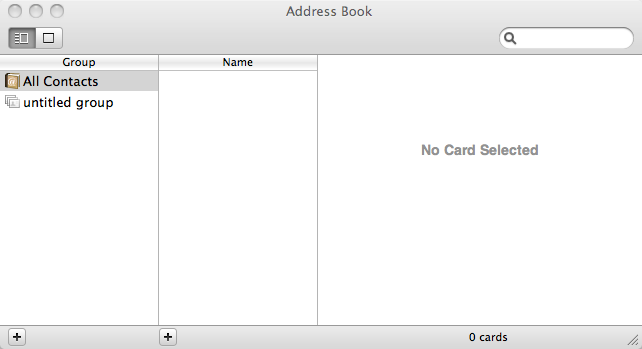
First, open Address Book.

address3.png

Now open Preferences by hitting (⌘ ,) or selecting FaceTime and then Preferences from the menu bar.

Select Accounts and then check the Synchronize with Google checkbox. Continue reading “How to sync Google contacts with Mac for FaceTime”