No Wi-Fi? No problem. Here’s how to download your Google Drive files.
Google Drive is heaven for the person who wants to make and organize documents. The ability to create a spreadsheet and allow other people to view and edit it by sending them a unique link helped boost productivity in the workplace and for personal projects. Making a shopping list or writing a letter as a Google Drive document is easy, but what if you want to download the document for offline use? Keep reading for a quick how-to so you can have a copy on your computer and mobile device.
Once in your Google Drive, open the document that you’d like to download.
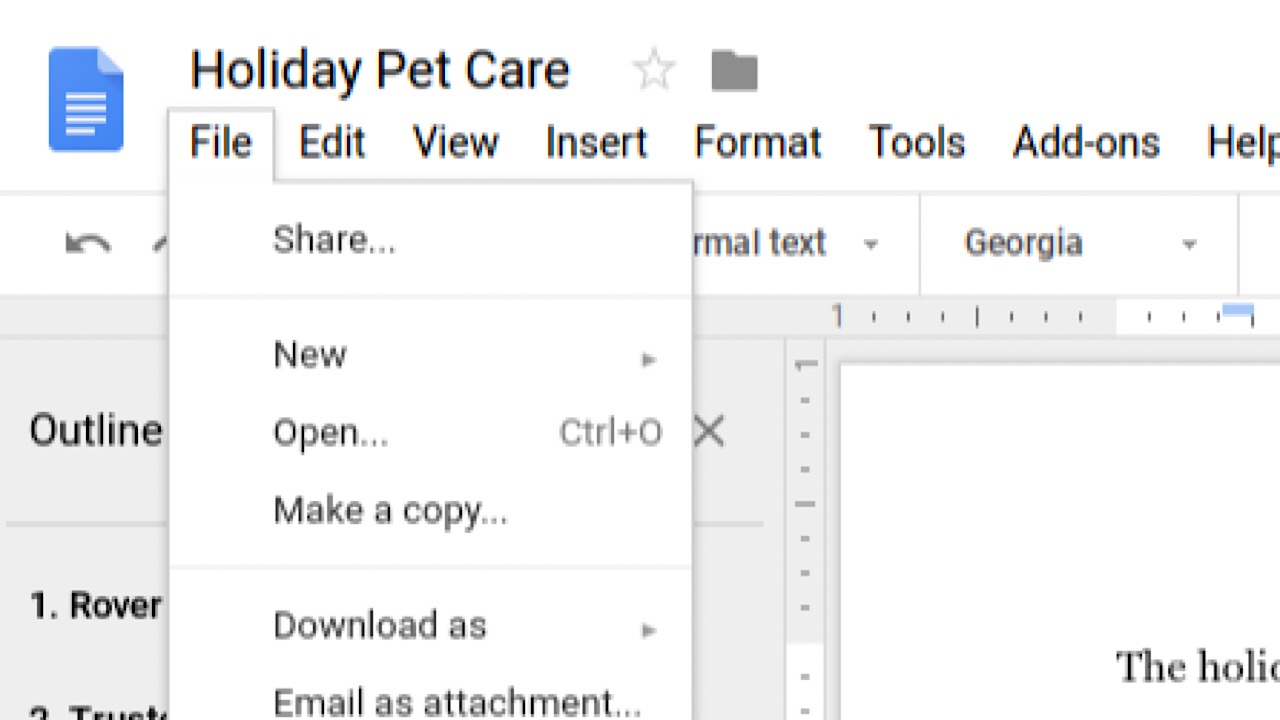
In the top left corner of your screen, click the “File” tab in the task bar.
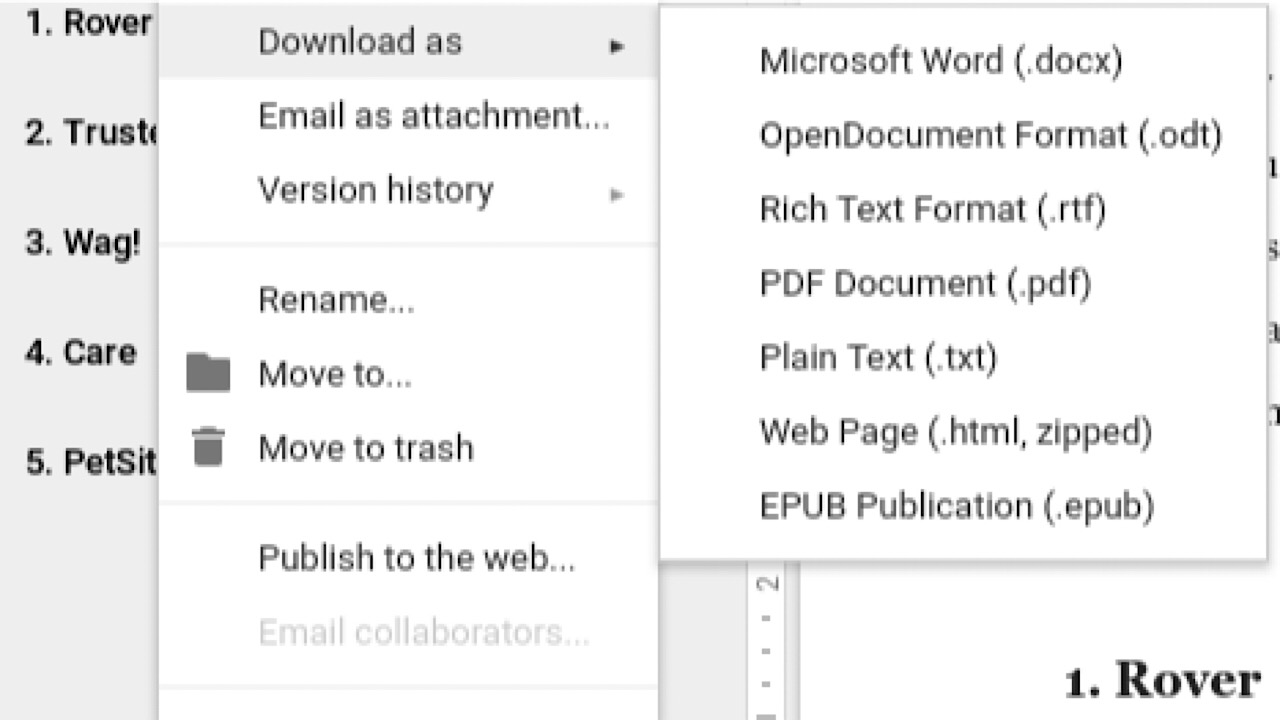
In the drop-down menu, hover over “Download as.” Choose which format that you’d like your document to be in, like a PDF or Microsoft Word document.
Once selected, you’re all done!
On your mobile device
In your Google Drive app, open the document that you’d like to download. Tap the three horizontal dots in the top right corner.
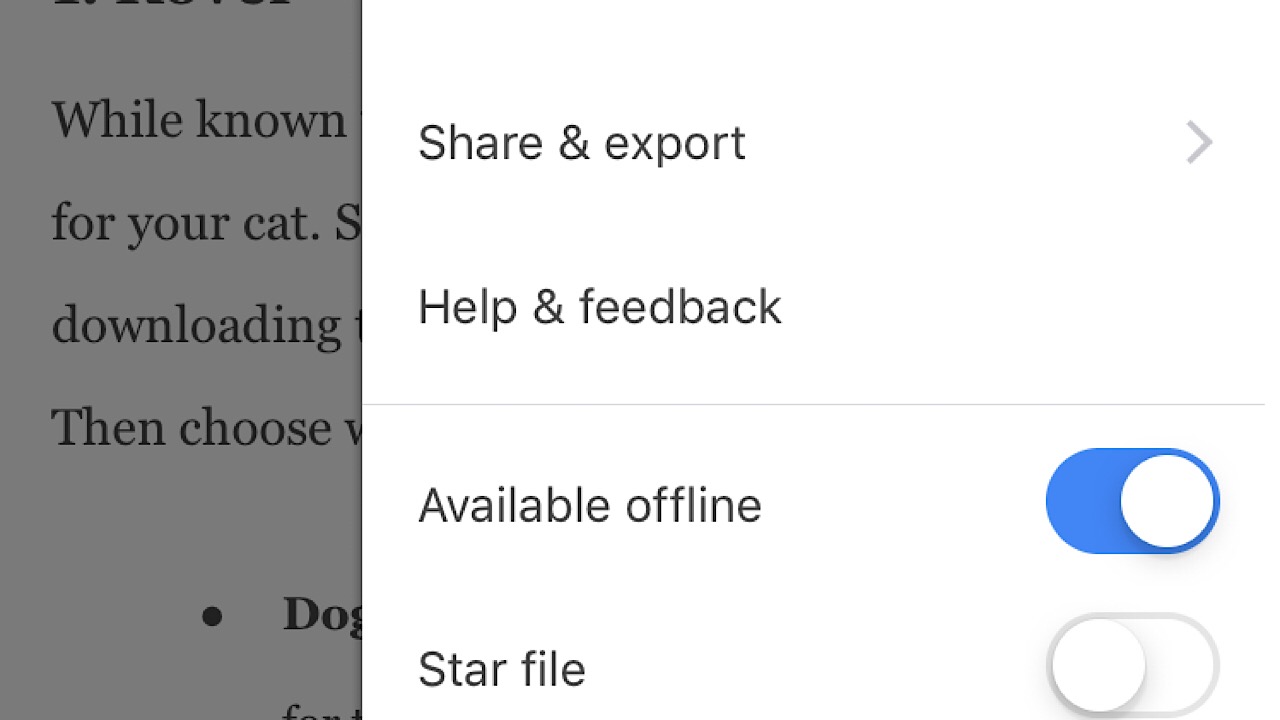
In the drop-down menu, scroll down to “Available offline” and toggle it on.
You can view it in the app now even if you’re out of Wi-Fi range or if you’ve run out of data. In the drop-down menu, you can also save as a Word document and email to anyone who needs to see it without allowing them editing privileges.
In just a few simple moves, you’re all set to view files on the go.
Red Dead’s Stranger side missions will often take you on some fairly wild journeys and quests. In one such quest, A Test of Faith, paleontologist Deborah MacGuiness will task you with finding ancient dinosaur bones scattered across the map. Finding all 30 will net you some pretty sweet rewards, including the unique Jawbone Knife melee weapon. These bones are tough to find, but we’ve tracked down all 30 for you. Follow this guide, and you’ll have your hands on that knife in no time.
An important note: You cannot complete this quest until after beating the game, when the New Austin portions of the map are unlocked.
Red Dead Redemption 2: Where to find all the dinosaur bones
Bone 1: Van Horn Trading Post
Van Horn trading post bone locationVan Horn Trading post bone
You’ll find this bone to the northwest of the Van Horn Trading Post, in a cluster of trees atop a hill. As with all bones, using Eagle Eye will make the bone much easier to spot.
Bone 2: Roanoke Valley Cliff
Roanoke Valley Cliff mapRoanoke Valley cliff bone
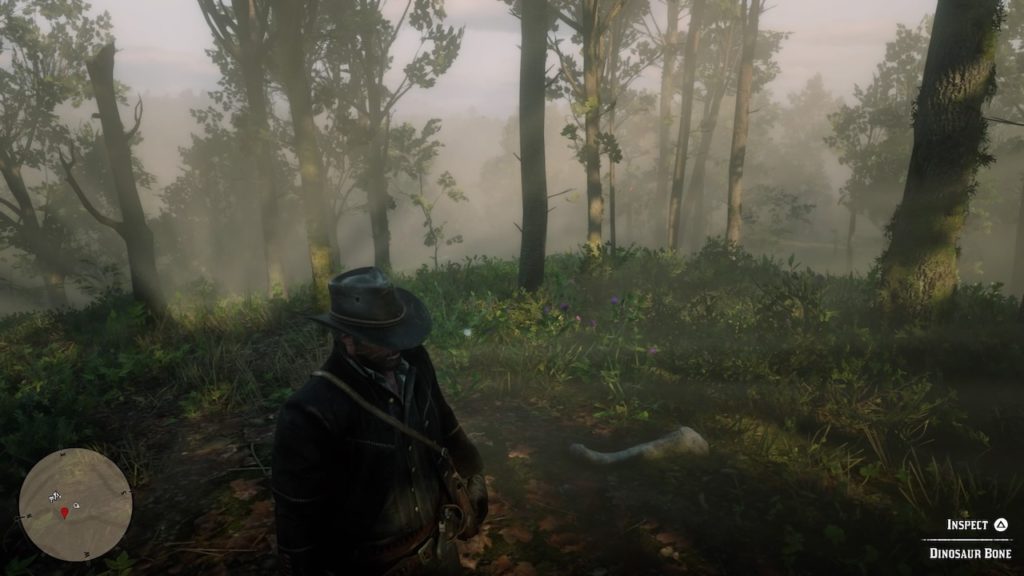
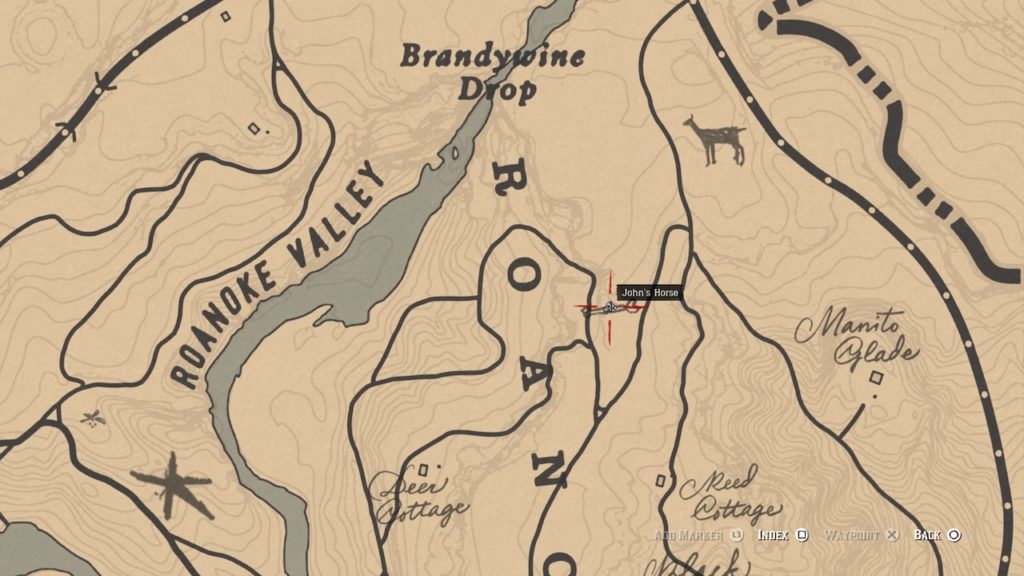
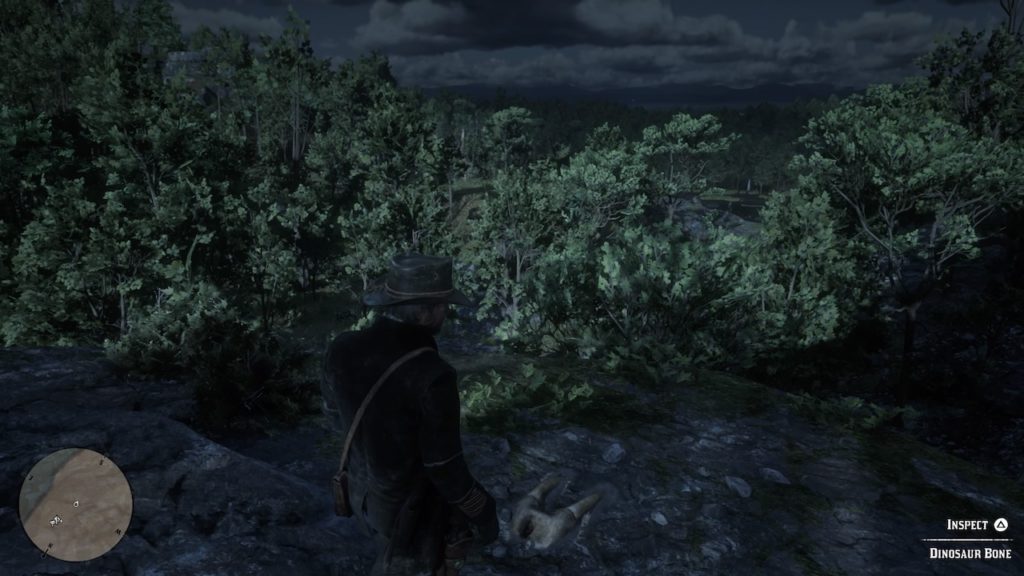
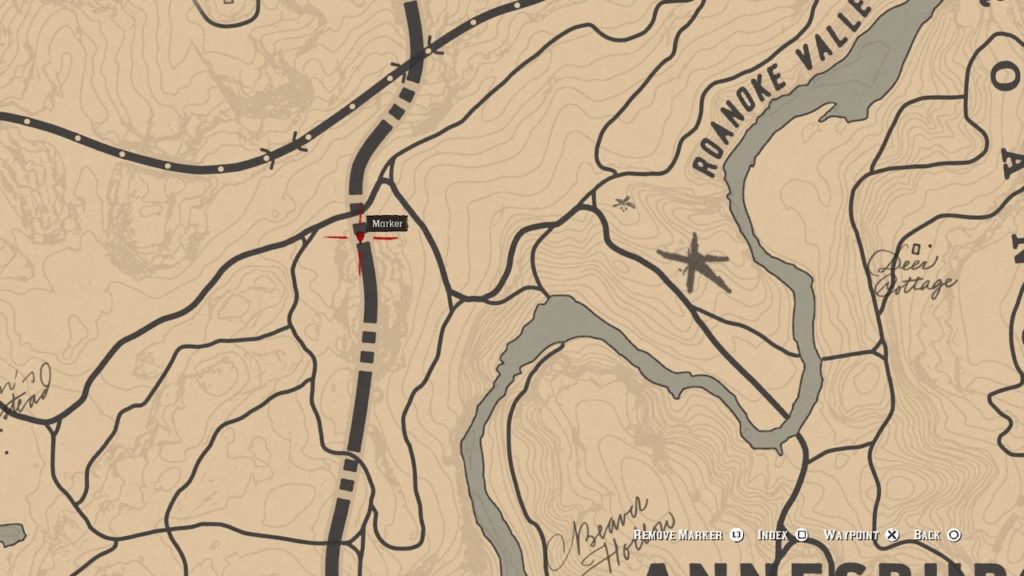
This bone perches atop a cliff overlooking a road to the north of the Roanoke Ridge Valley. Approach from the north, east, or south to get atop the cliff.
Bone 3: Elysian Pool
Elysian Pool bone mapElysian Pool bone
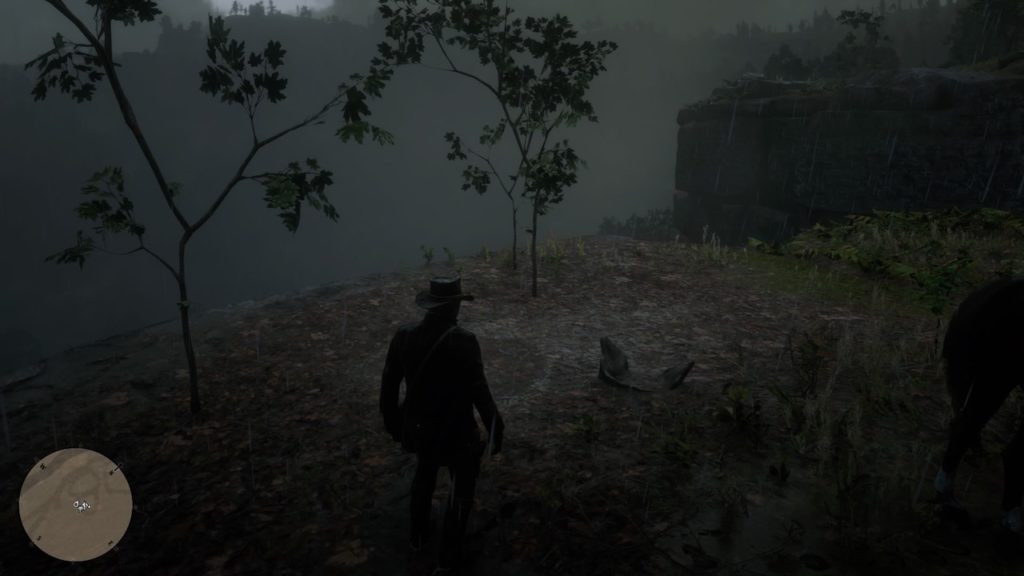
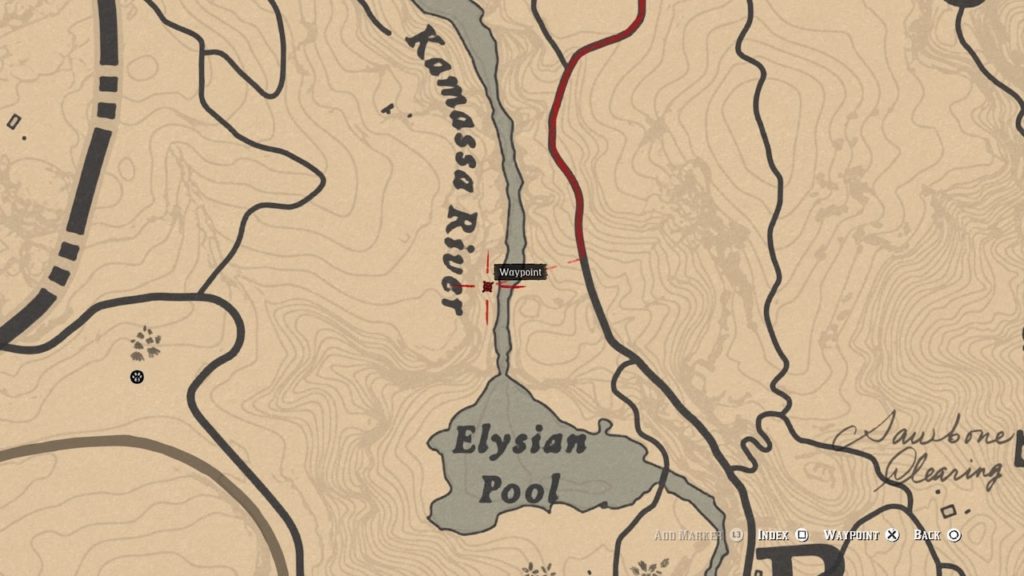
You’ll have to scale down a bunch of rocky cliffs north of the Elysian Pool to grab this one. It’s easier to leave your horse behind and make your way to this overhang on foot.
Bone 4: Roanoke Valley Border
Roanoke Valley Border mapRoanoke Valley Border bone
To find this bone, head to the border between Ambarino and the Roanoke Valley. You’ll see it perched atop a low, rocky outcropping.
Bone 5: Grizzlies East Mountaintop
Grizzlies East Mountain bone mapGrizzlies East mountaintop bone
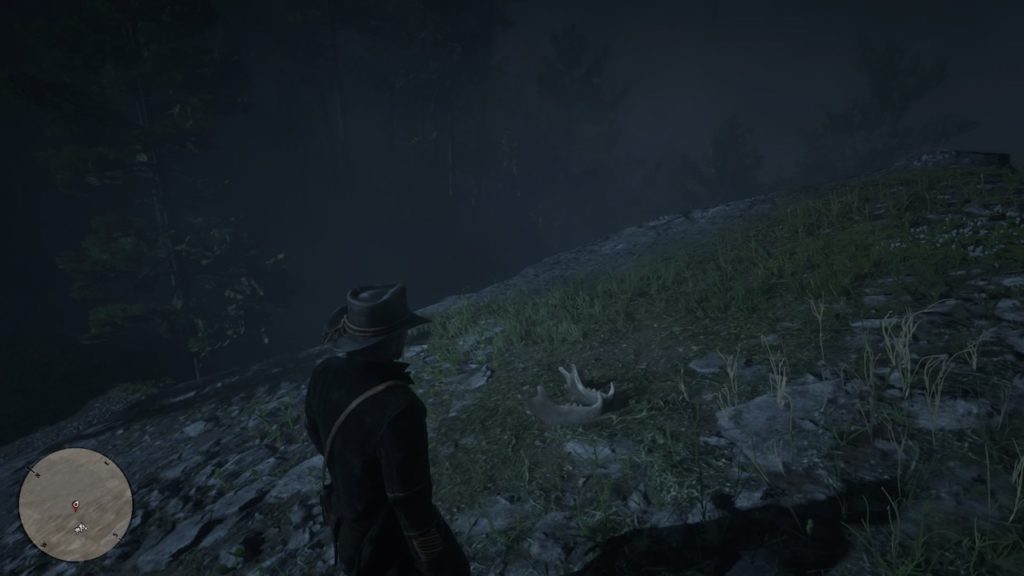
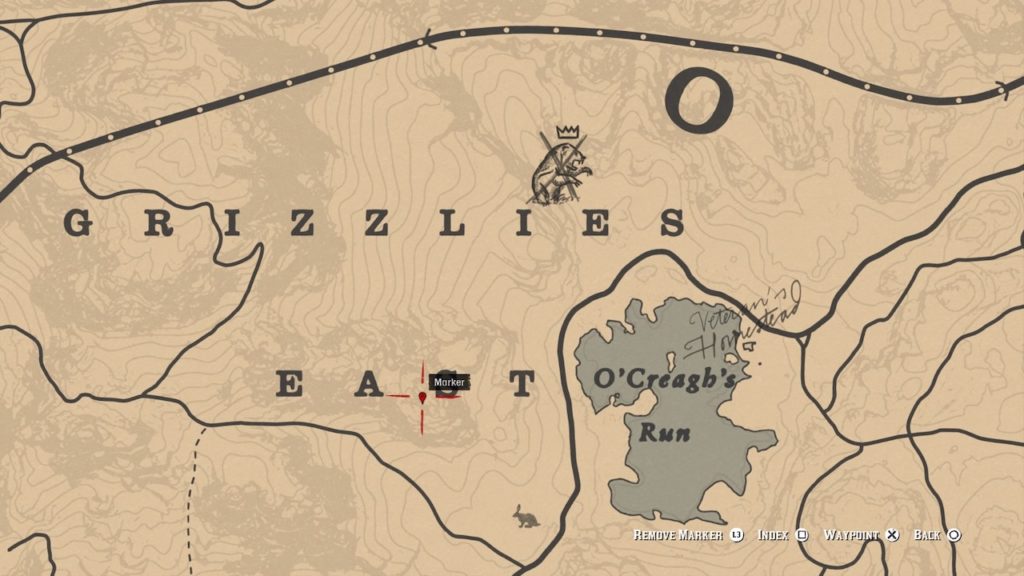
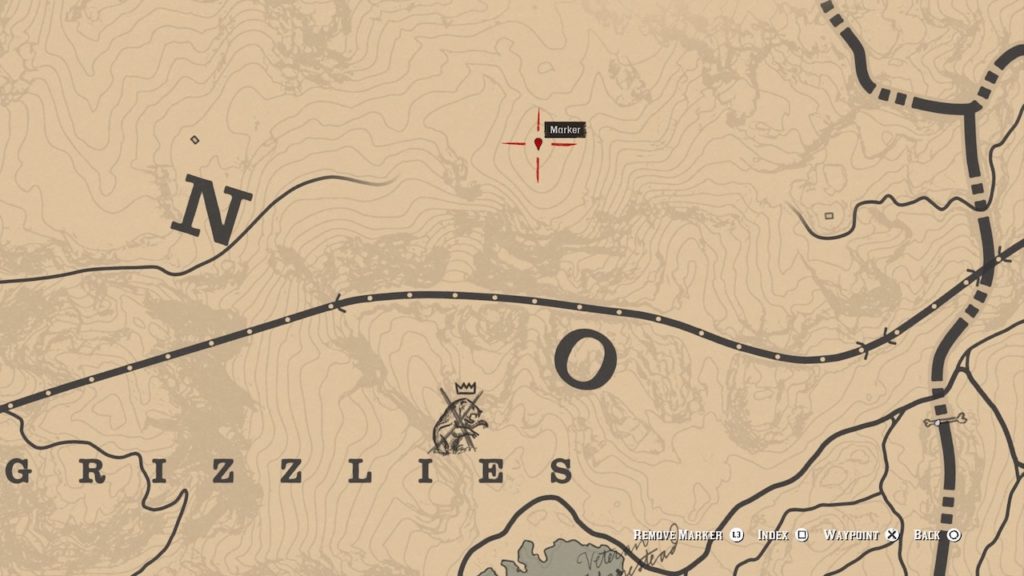
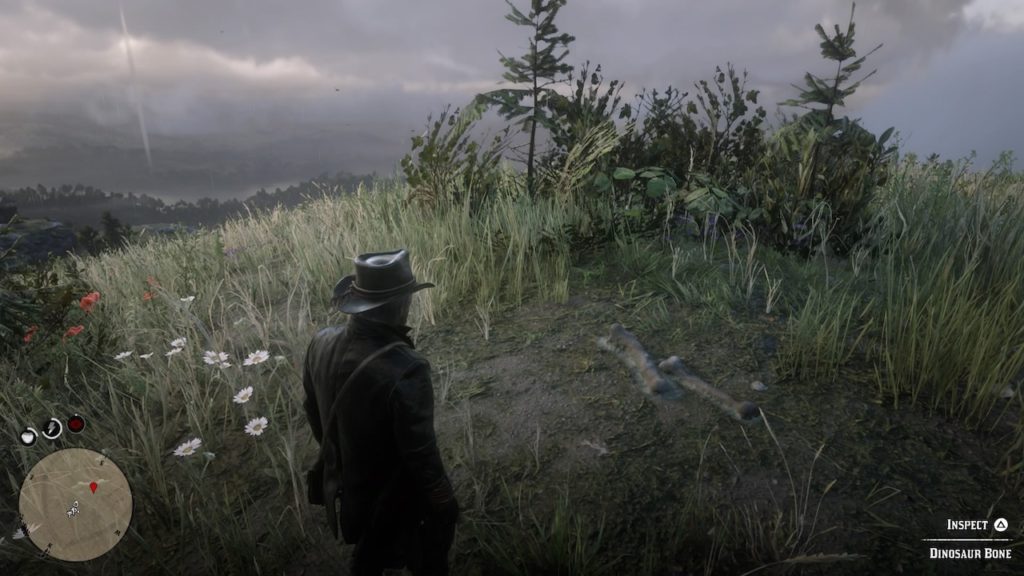
This one is a bit tricky to get to. Circle behind the mountain from the north to find a path leading to the peak, where this bone is located. You won’t be able to make the climb from the southern side.
Bone 6: Grizzlies North Hilltop
Grizzlies North bone mapGrizzlies North hilltop bone
You’ll find this bone due north of the previous one, atop a hill just off the northernmost path through the Grizzlies. It’s in a clearing and shouldn’t be hard to spot.
Bone 7: New Hanover Cabin
New Hanover Cabin bone mapNew Hanover cabin bone
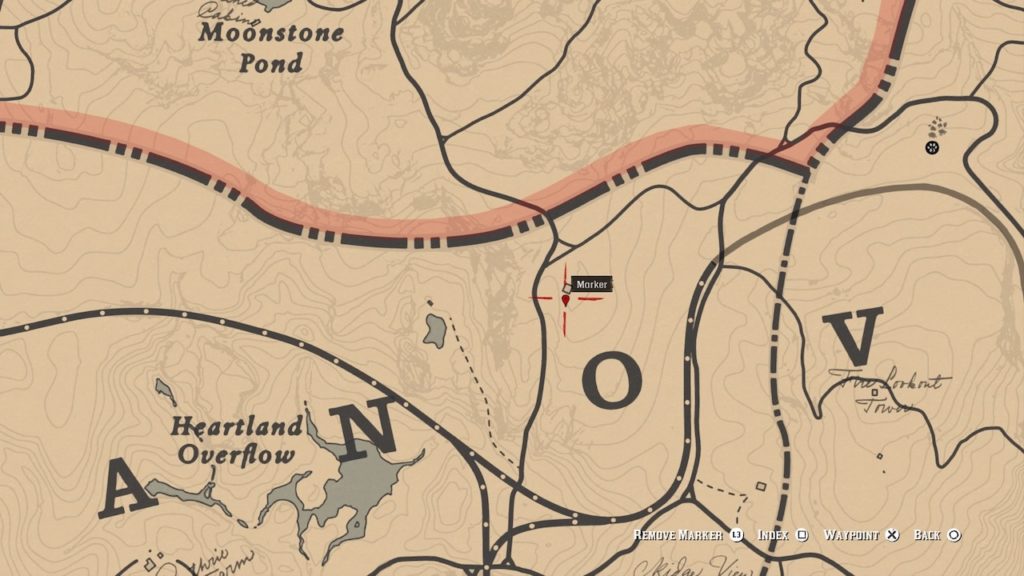
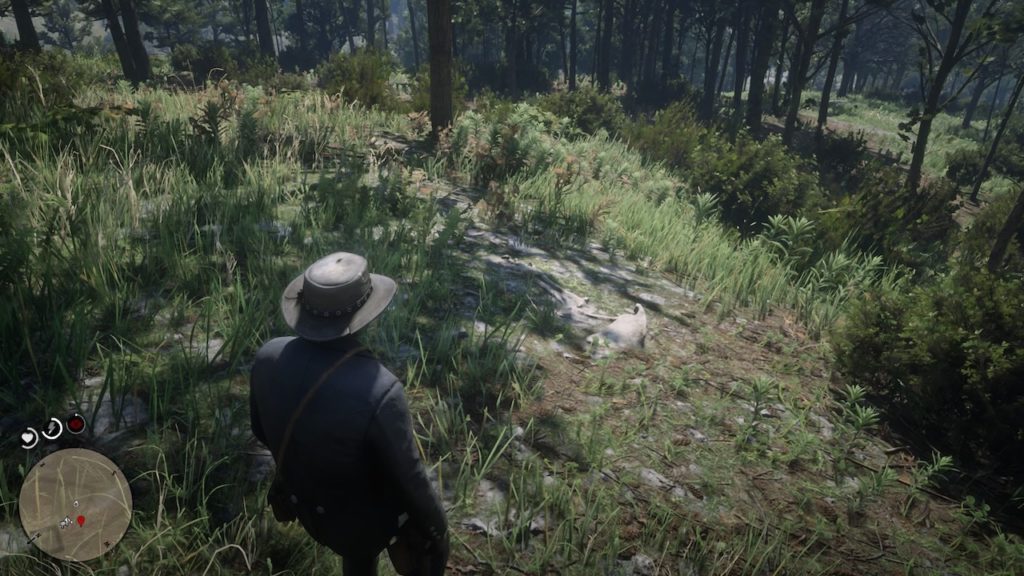
This bone is easy to find because of the nearby cabin. Simply head to the cabin, then circle around to the back to find this bone.
Bone 8: Heartlands Oil Field
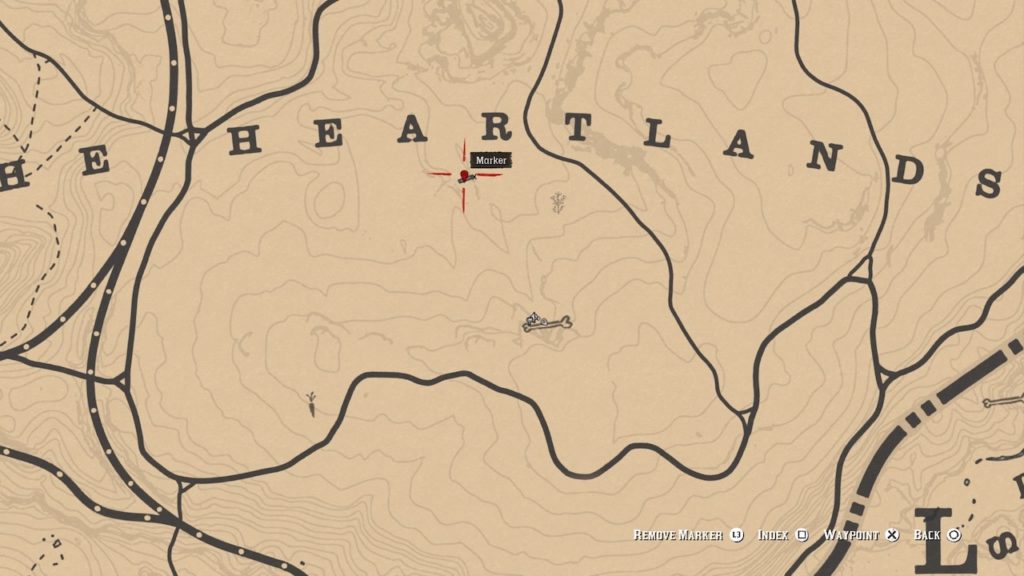
Heartlands Oil Field bone mapHeartlands Oil Field bone
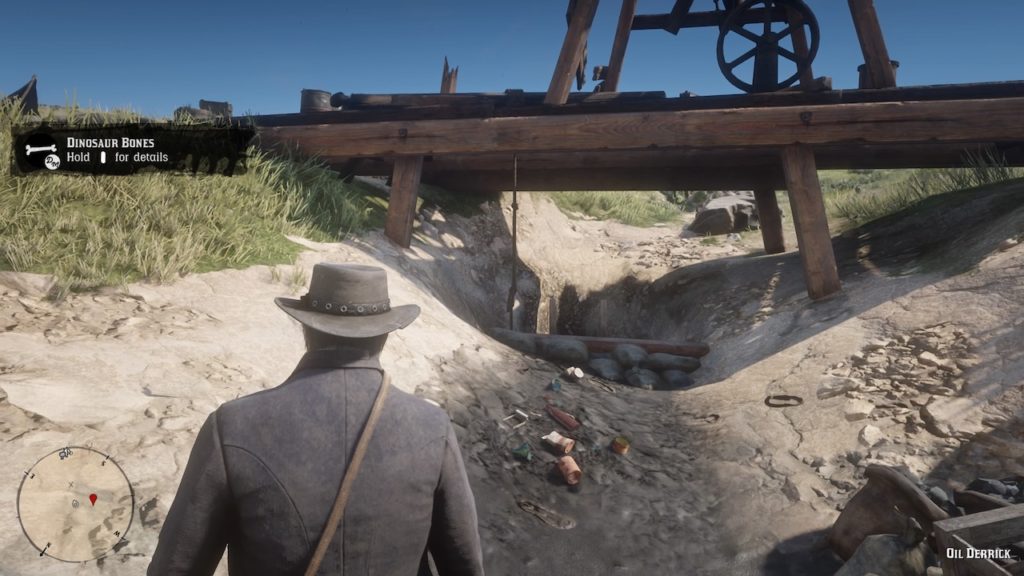
In the middle of the Heartlands Valley, it’s easy to spot this lone abandoned oil derrick. Climb down into the pit beneath it (pictured) to find this bone buried within.
Bone 9: Heartlands Gorge
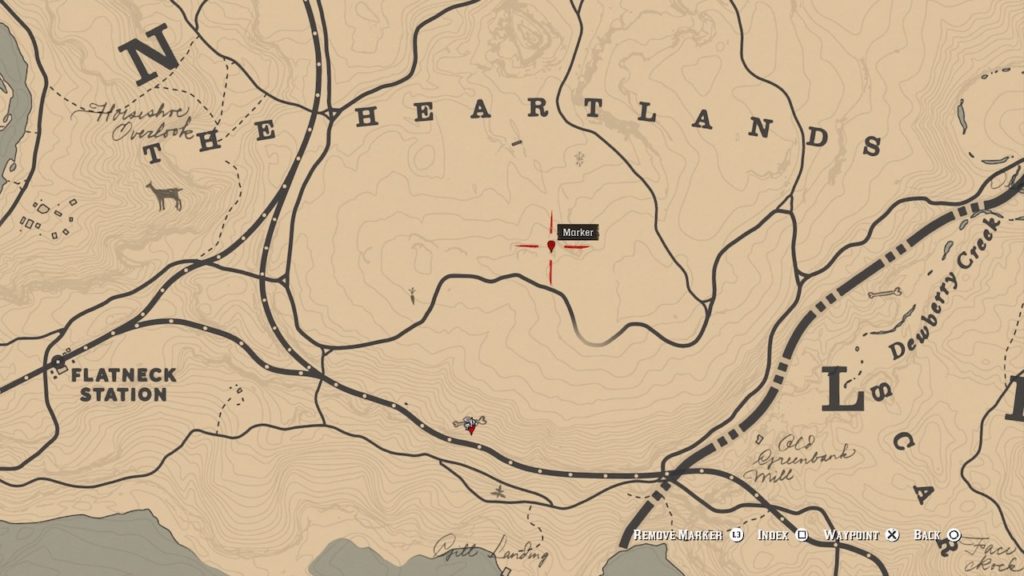
Heartlands Gorge bone mapHeartlands Gorge bone
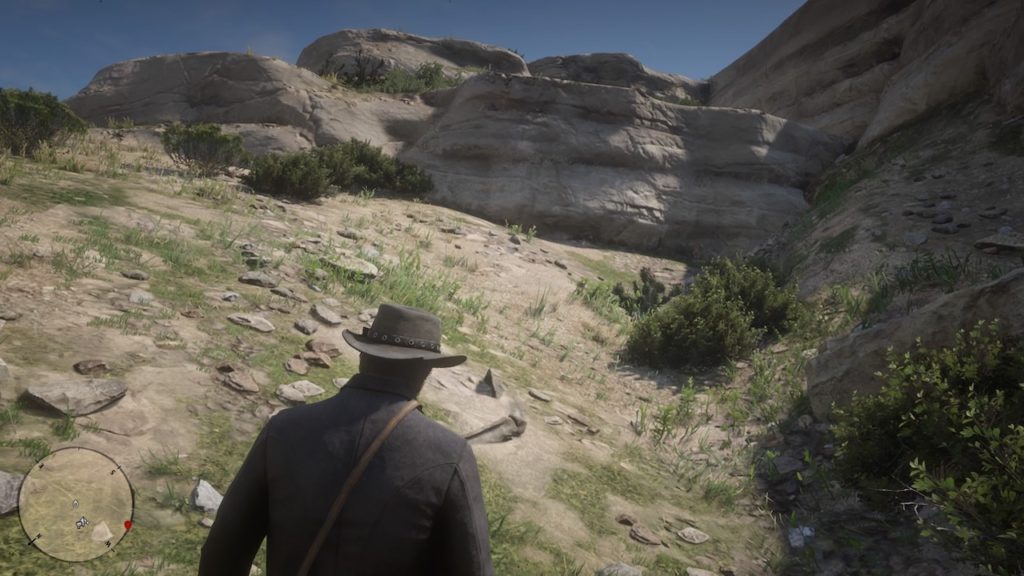
Head due south from the oil derrick to find this bone tucked into a gorge. You might want to use Eagle Eye on this one, as it can be hard to spot.
Bone 10: Heartlands Southern Hill
Heartlands Hill bone mapHeartlands Hill bone
Head south again from the Heartlands Gorge bone, and you’ll find the next bone sticking out like a sore thumb on this bright grassy hill.
Bone 11: Dewberry Creek North
Dewberry Creek North bone mapDewberry Creek North bone
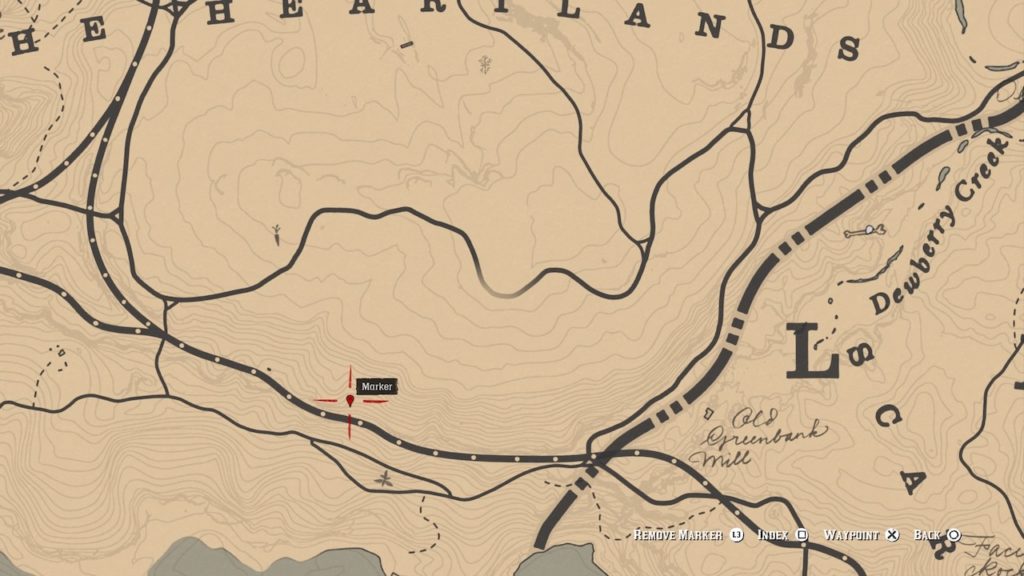
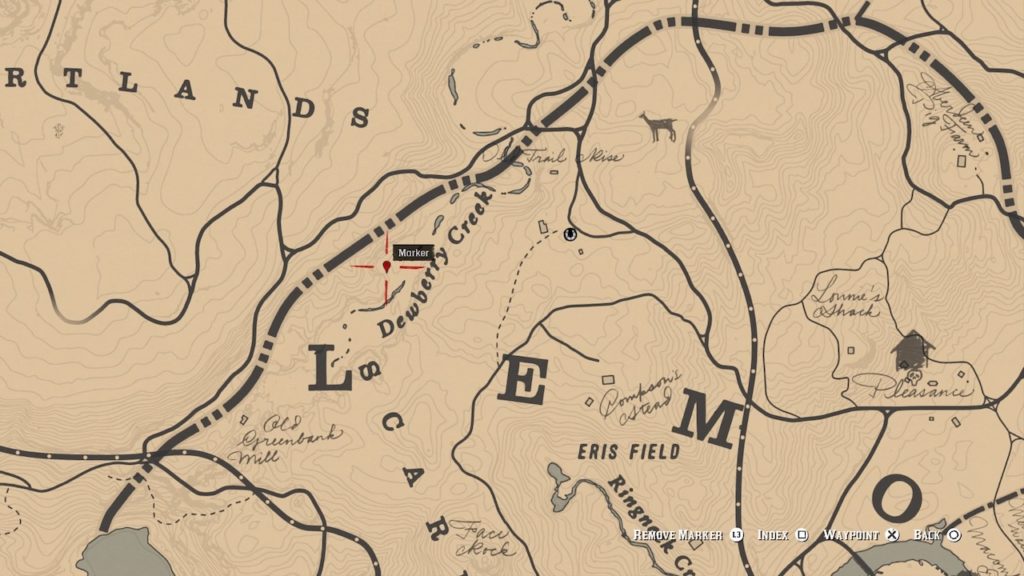
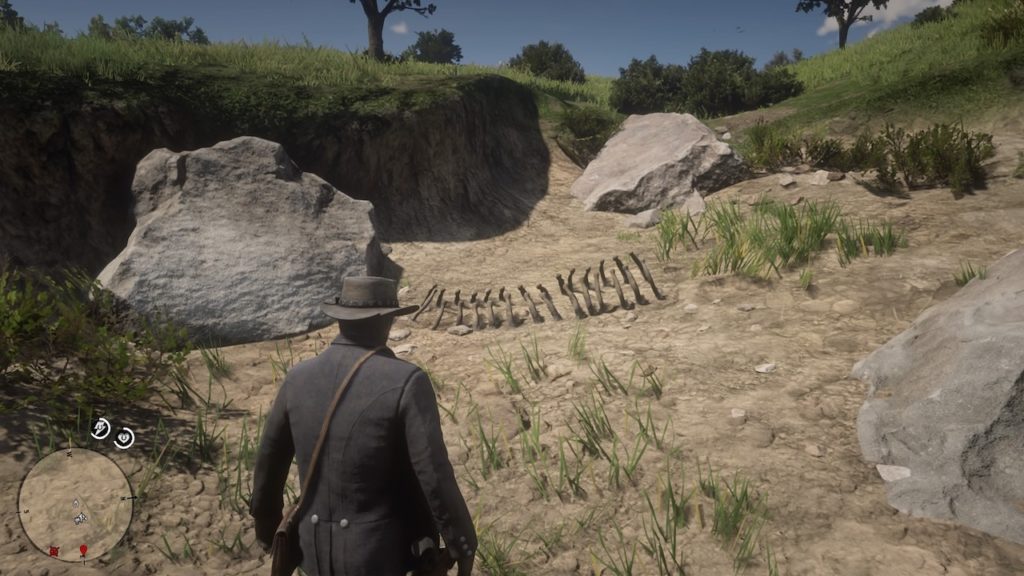
The first of two bones located not far from each other in Dewberry Creek, this massive ribcage is easy to spot along the riverbank.
Bone 12: Dewberry Creek South
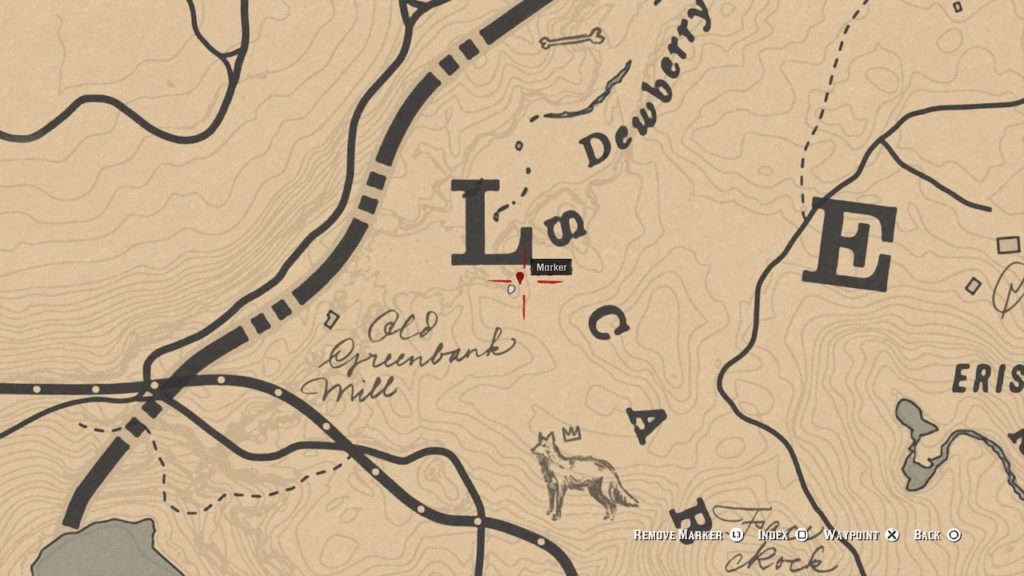
Dewberry Creek south map
Head south along the creek from Bone 11 to find Bone 12 along the creekbed on the same side. They’re not far from each other and should be easy to spot.
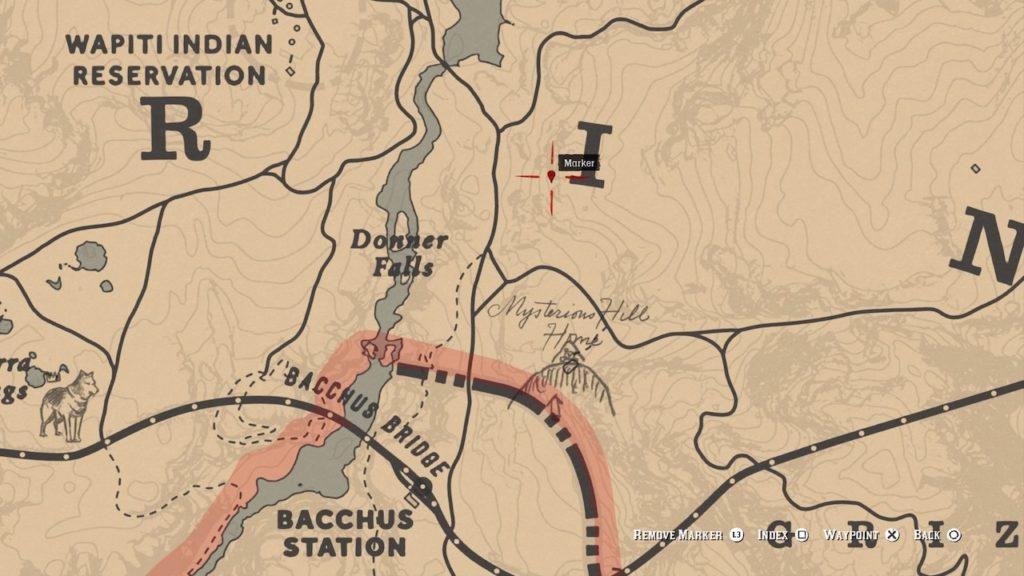
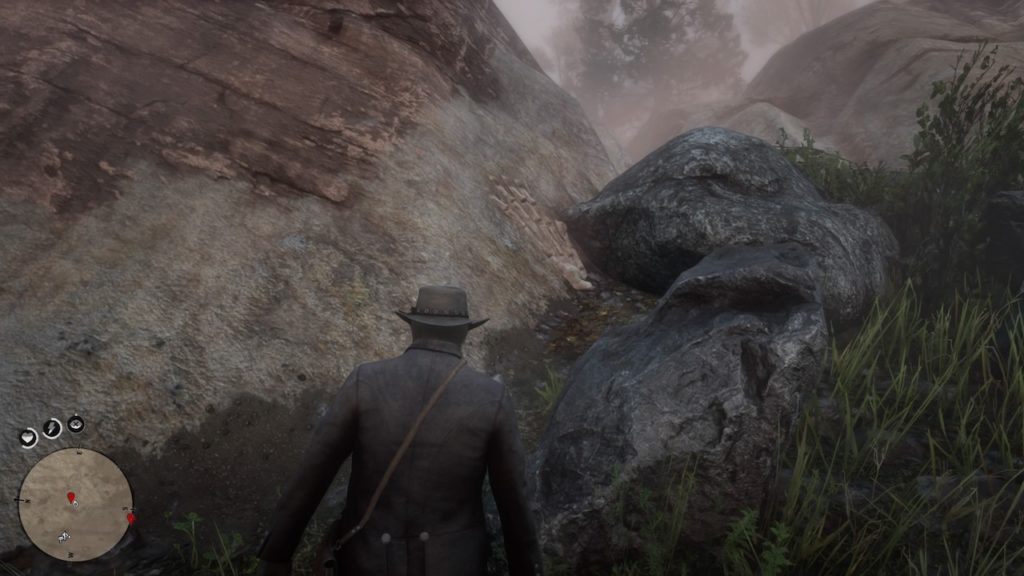
Bone 13: Donner Falls
Donner Falls bone mapDonner Falls bone
This bone sits on the slopes near Donner Falls. It’s absolutely massive, and should be easy enough to spot from afar.
Bone 14: Valentine North
Valentine North bone mapValentine North bone
Head northeast out of Valentine and you’ll come across this bone on top of a grassy hill.
Bone 15: Six Point Cabin
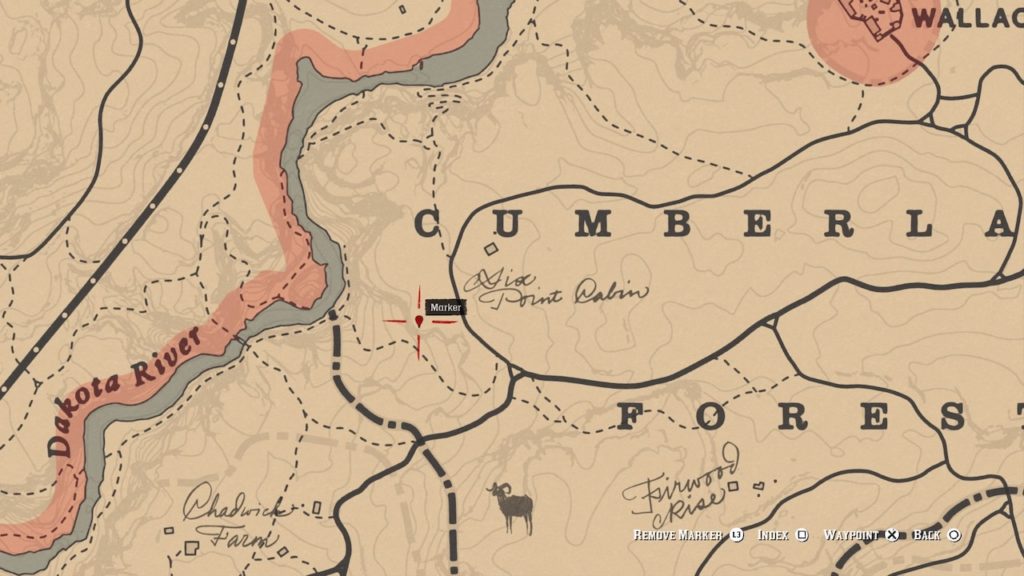
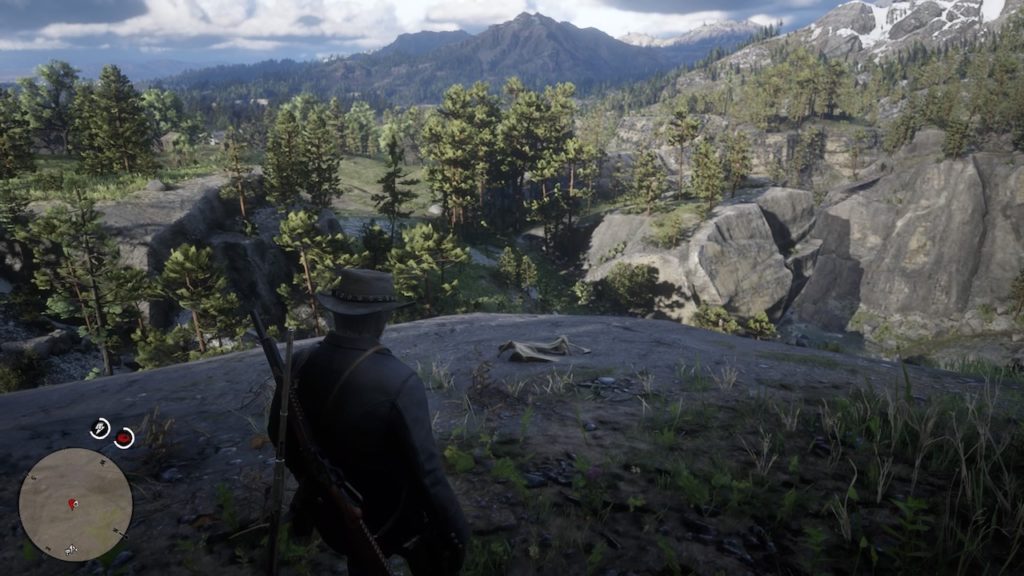
Six Point Cabin bone mapSix Point Cabin bone
You’ll find this bone concealed in the forested cliffs surrounding Six Point Cabin.
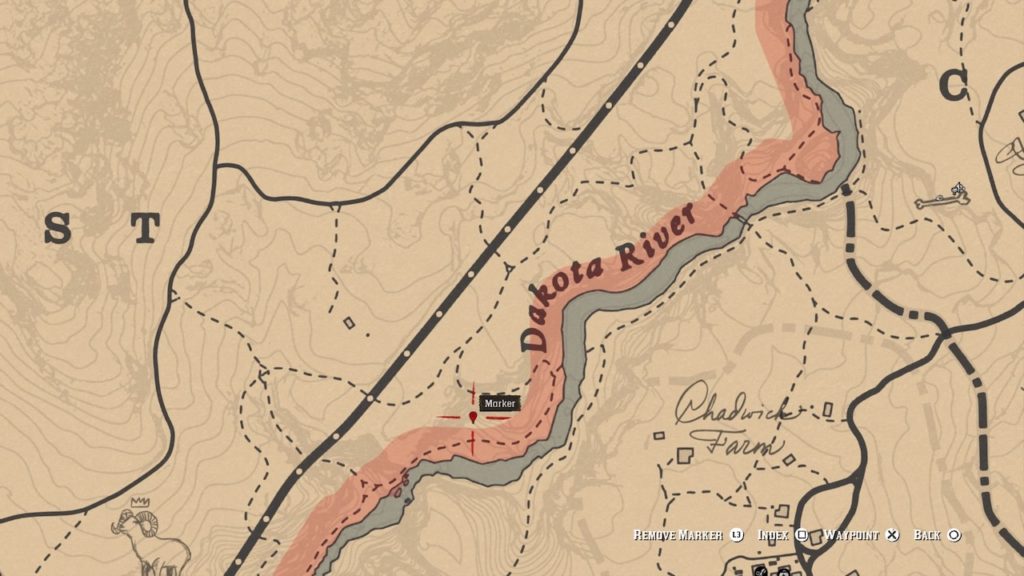
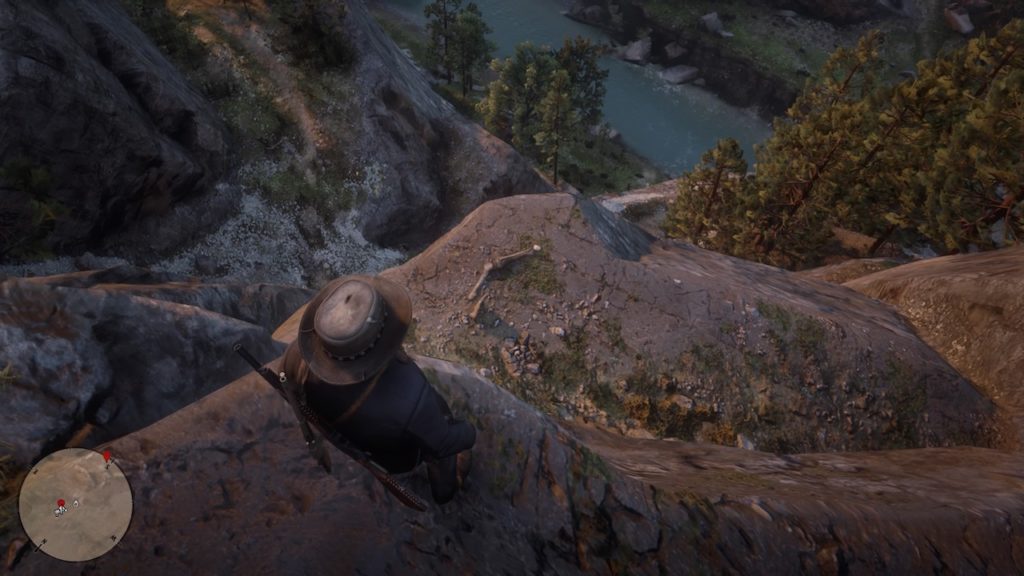
Dakota River Cliff bone mapDakota River cliff bone
This bone is hidden in plain sight. From the cliff top, look down to find this bone sitting on a rocky outcropping. Drop down to get it.
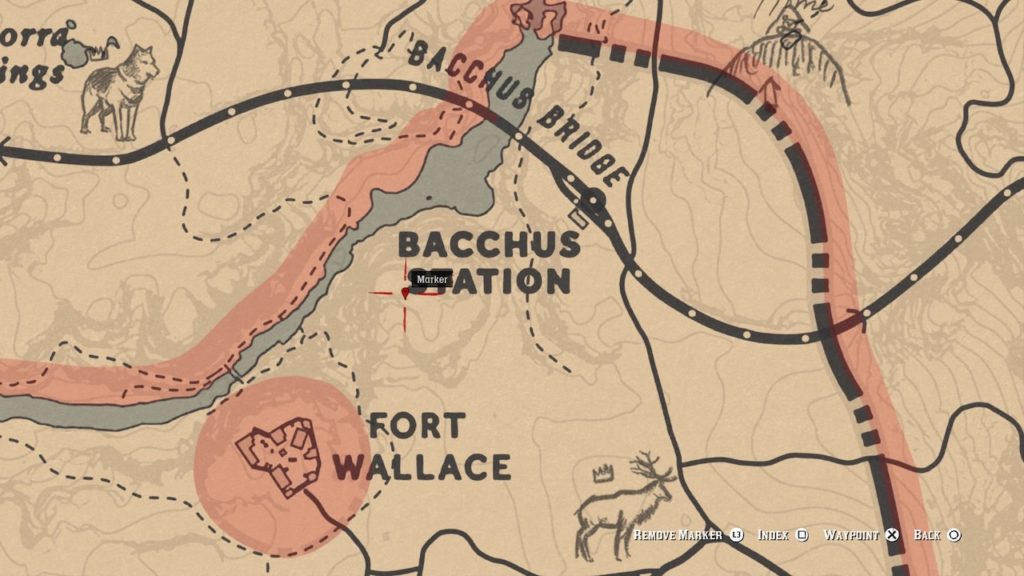
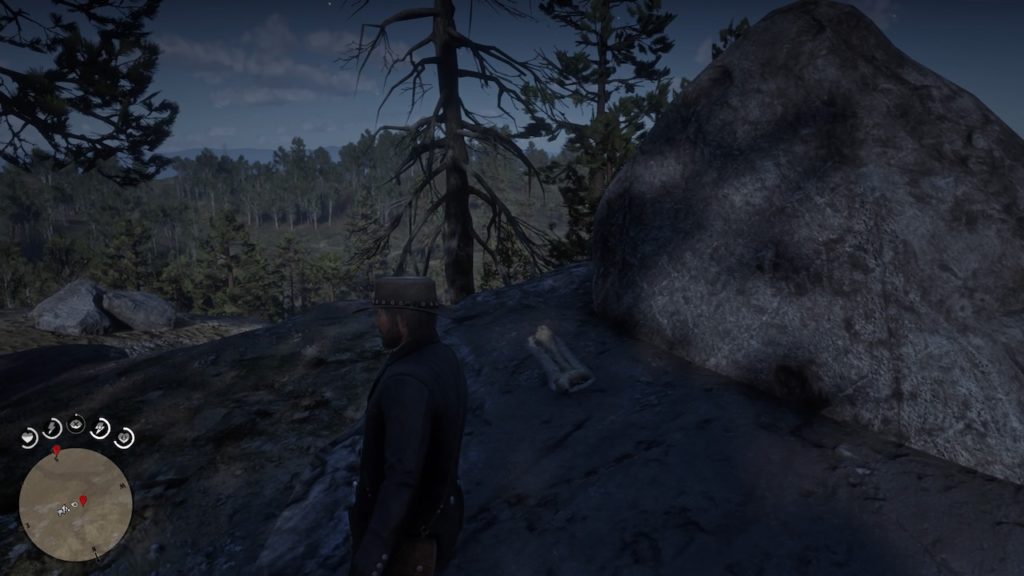
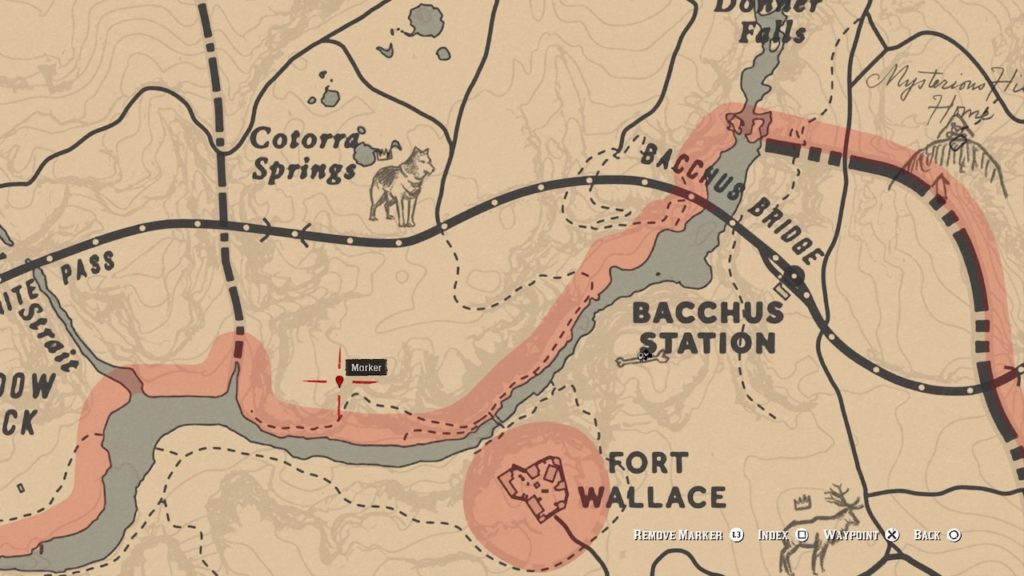
Bone 17: Bacchus Station
Bacchus Station bone mapBacchus Station bone
This bone is located atop a rocky hill between Fort Mercer and Bacchus Station.
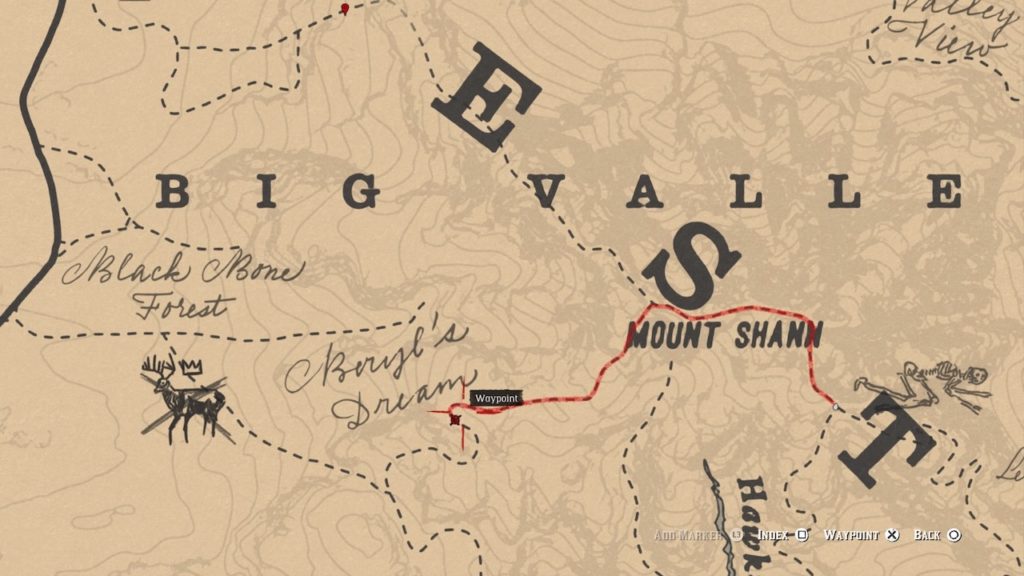
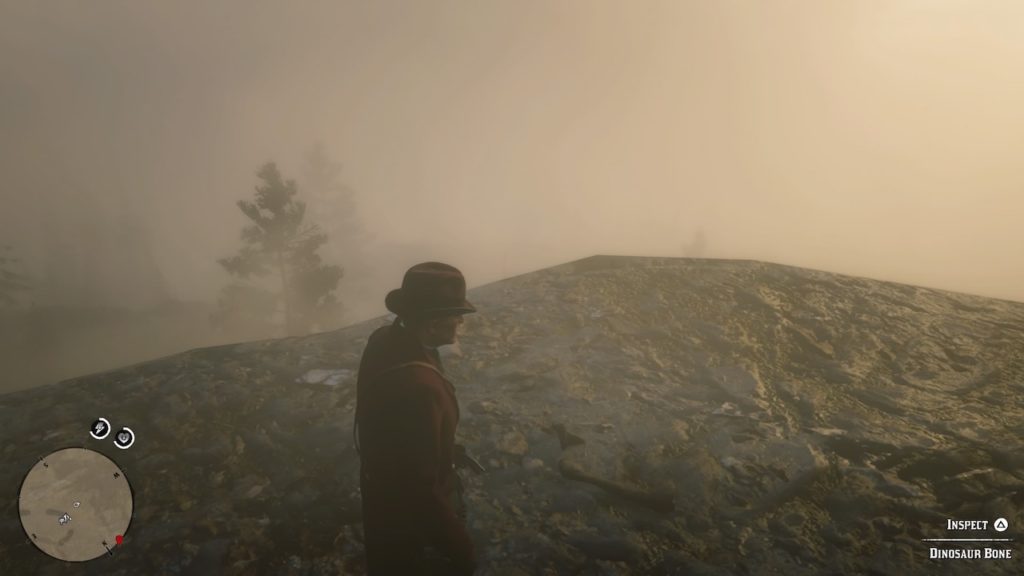
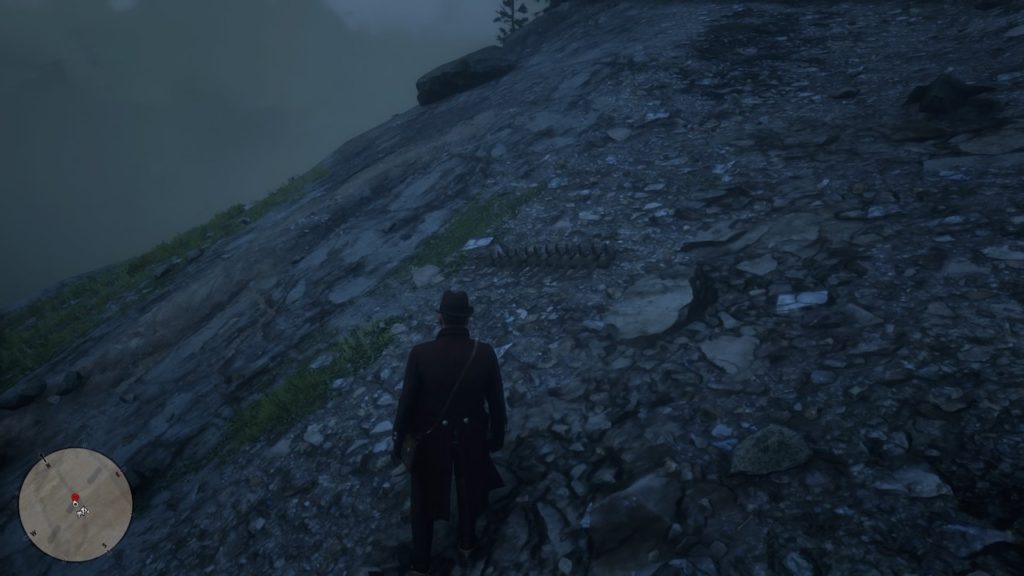
Bone 18: Mount Shann Slopes
Mount Shann slopes bone mapMount Shann slopes bone
This bone can be easily found just off the road that heads up Mount Shann. It does blend with the rocky cliffs somewhat, so don’t forget to use Eagle Eye to pinpoint it.
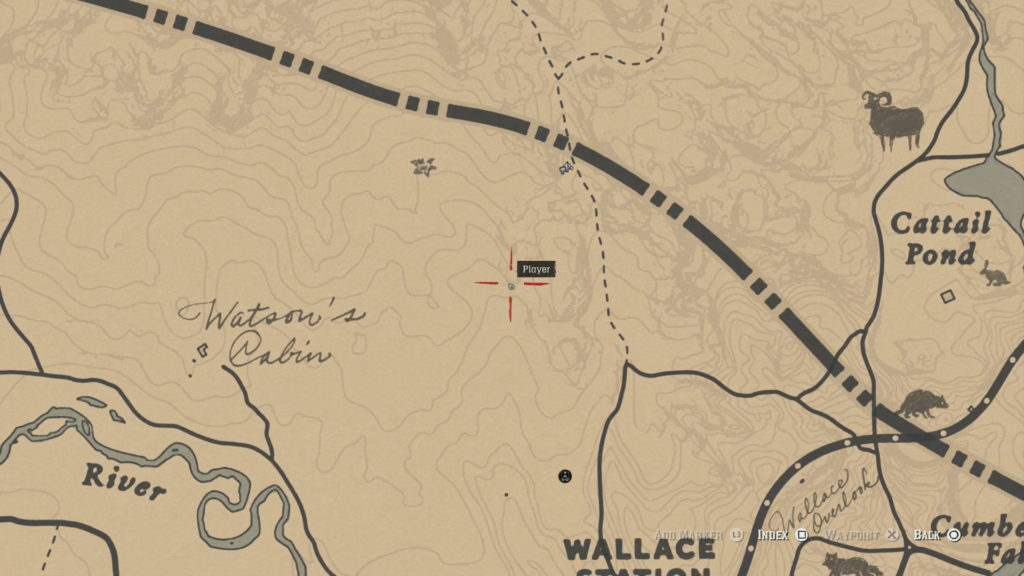
Bone 19: Watson’s Cabin
Watson’s Cabin bone map
From Watson’s Cabin, head into the wilderness and look for a cave at the spot marked above. Head into the cave to find the bone within.
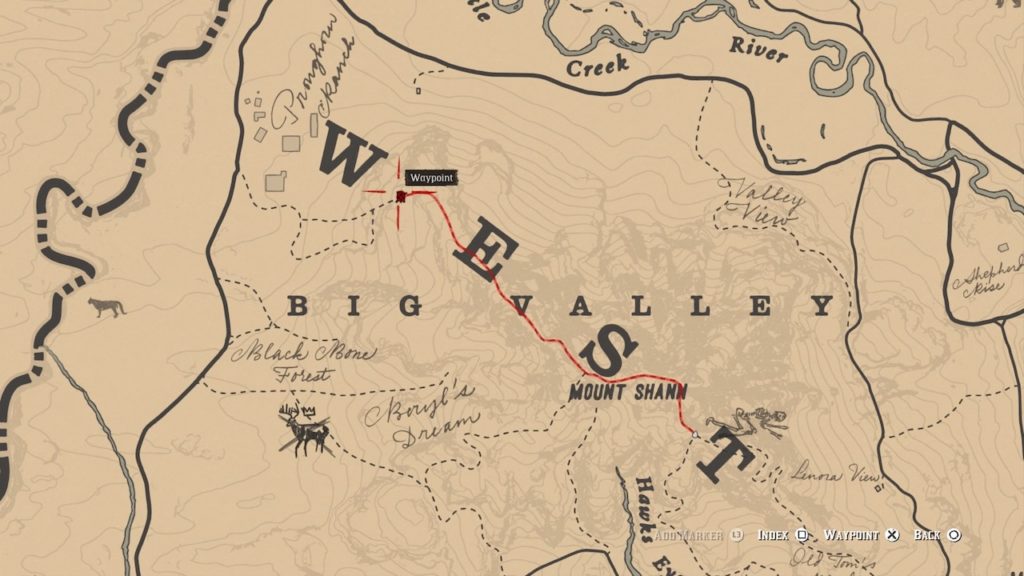
Bone 20: Pronghorn Ranch South
Red Dead 2 Pronghorn Ranch south bonePronghorn Ranch south bone
This may be the easiest bone you’ll find. It’s sitting directly in the middle of the road up the mountain to the south of Pronghorn Ranch.
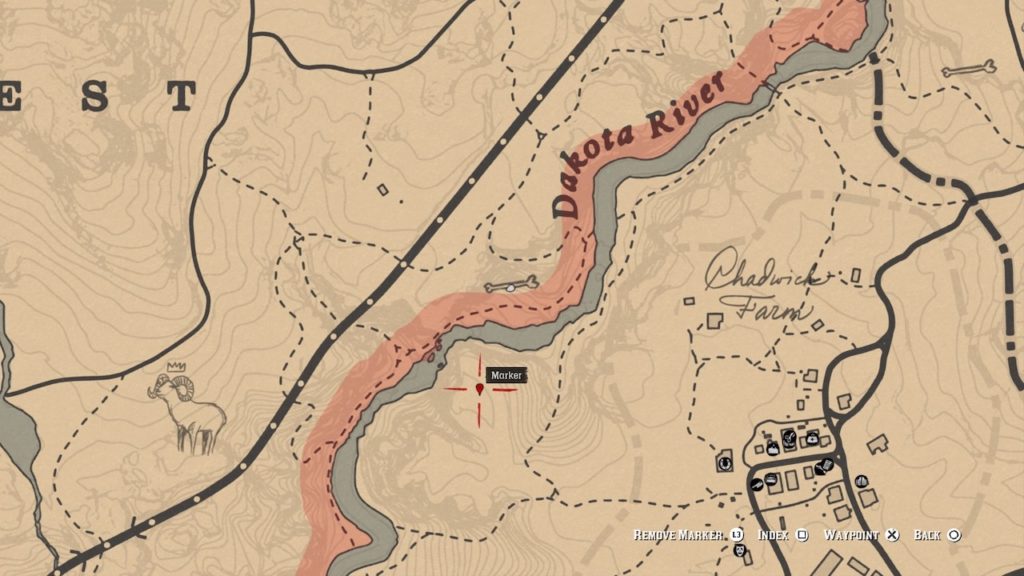
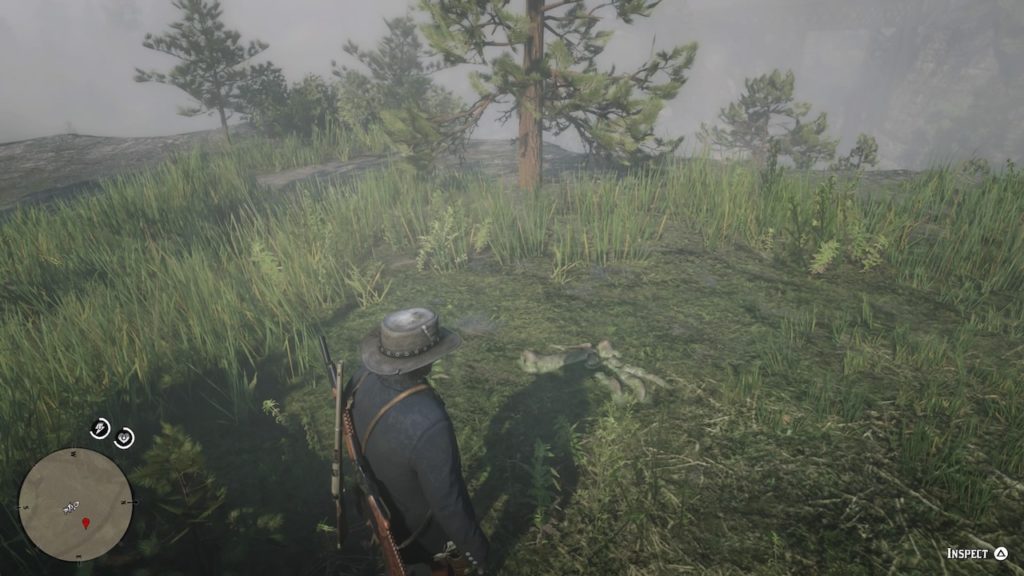
Bone 21: Dakota River South
Dakota River south bone mapDakota River south bone
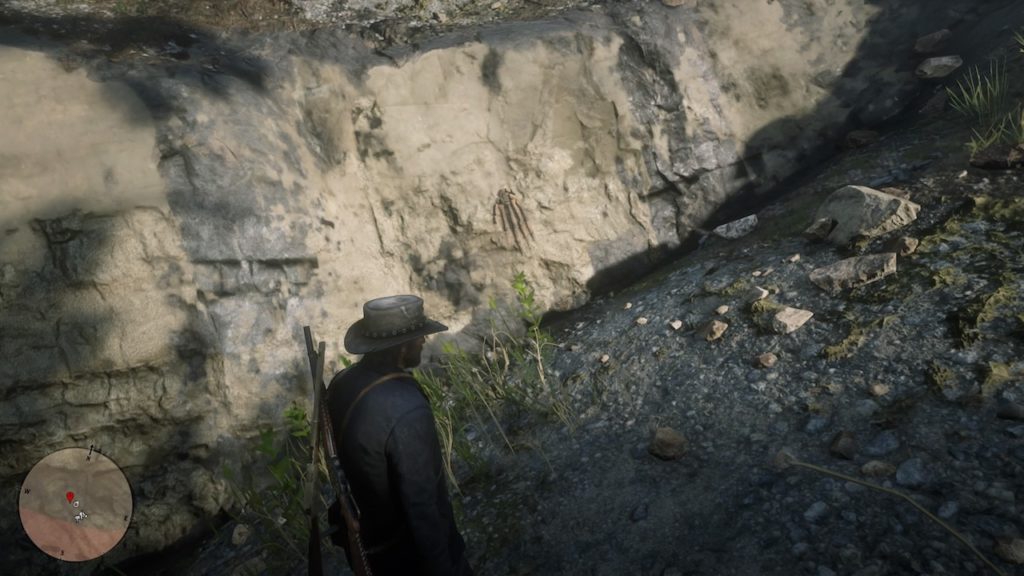
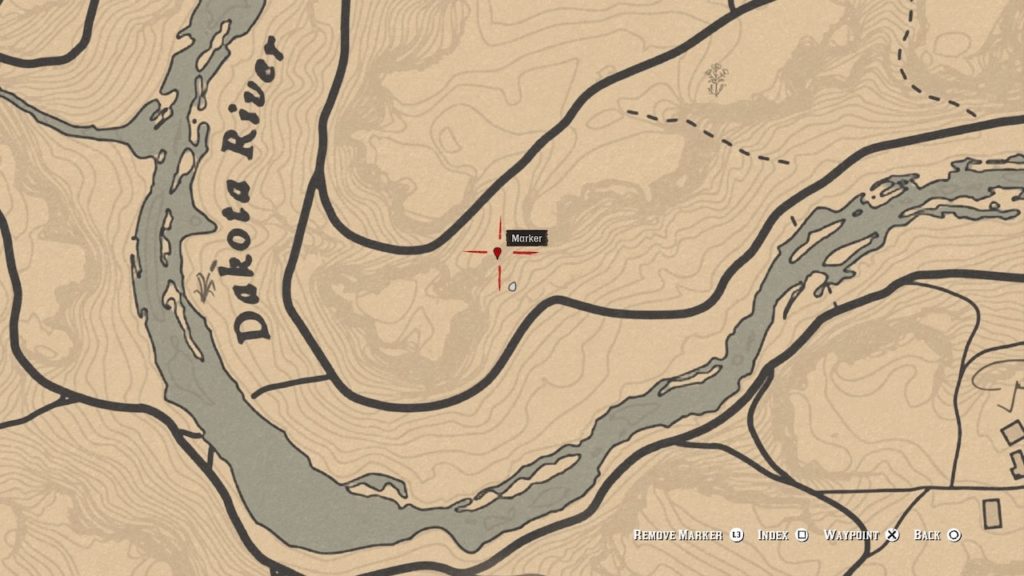
You’ll see this bone embedded into a cliff alongside a path that follows the banks of the Dakota River.
Bone 22: Valentine South
Cumberland Forest south bone map
Like a few other bones on this list, this one can be found in a cliffside along the Dakota River southeast of Valentine.
Bone 23: San Luis River
San Luis River bone mapSan Luis River bone
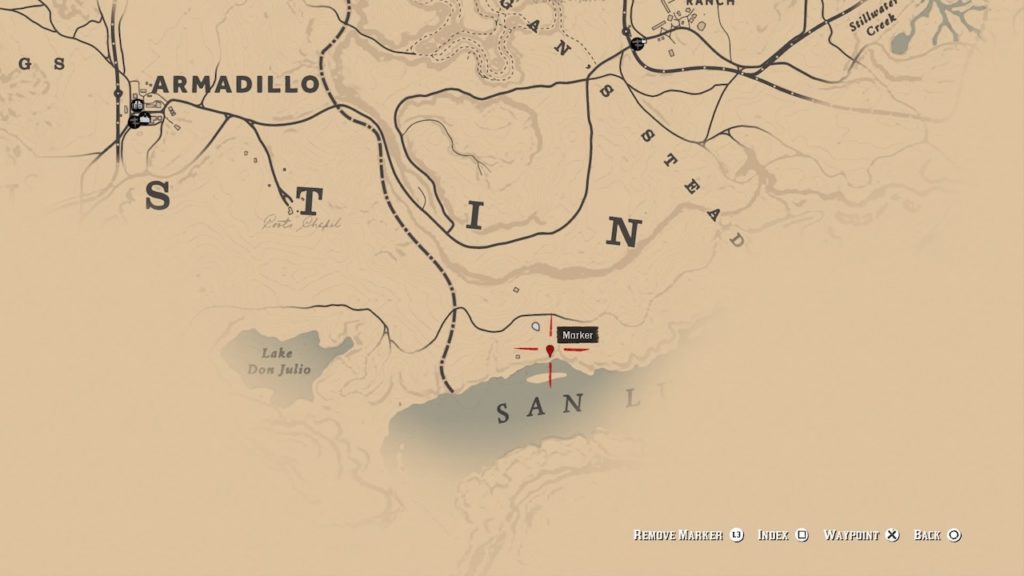
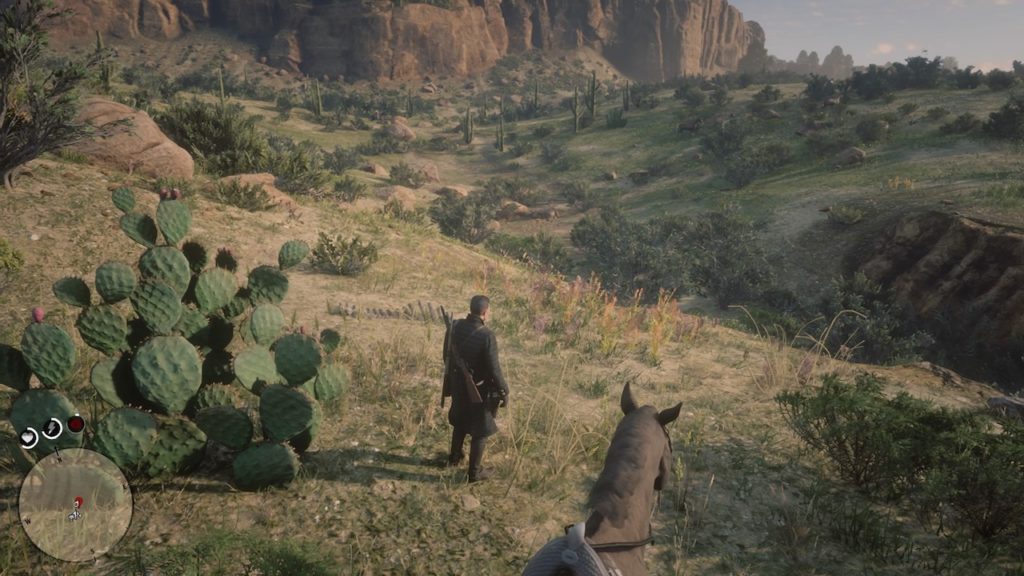
Head to the banks of the San Luis River south of MacFarlane’s Ranch for this one. If you spot a few ruined buildings, you’ll know you’re close.
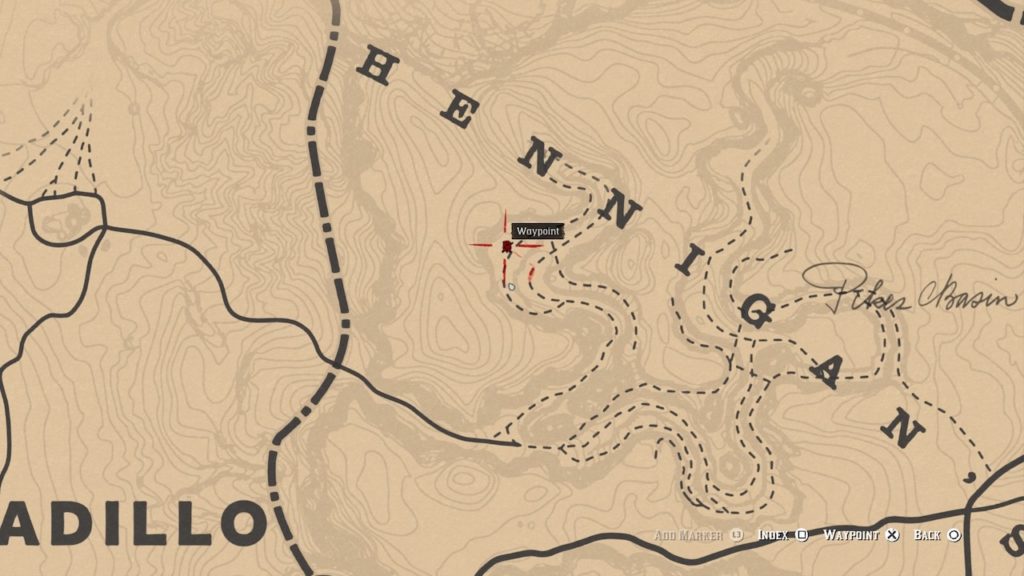
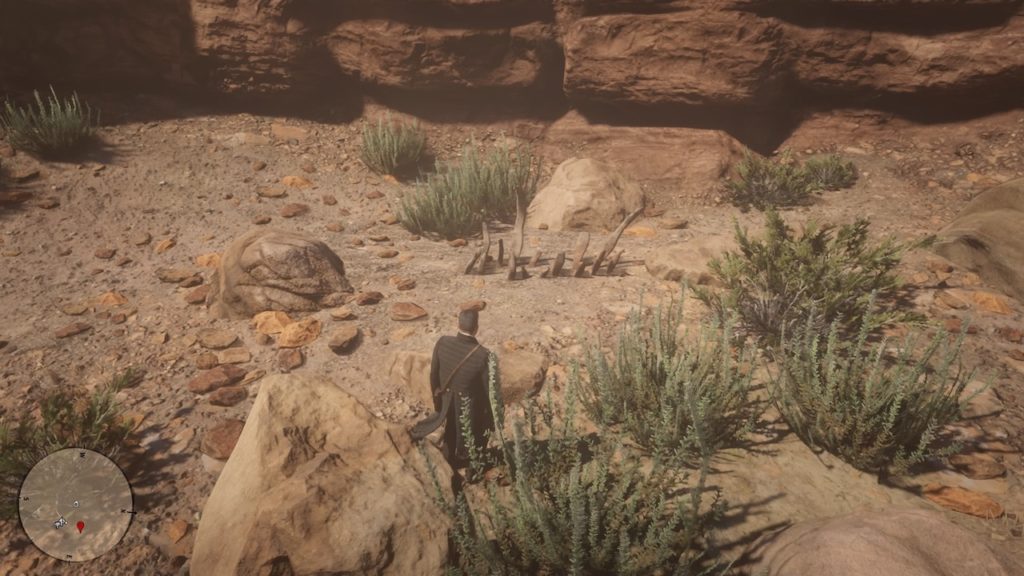
Bone 24: Pike’s Basin
Pike’s Basin bone mapPike’s Basin bone
To find this bone, head east out of Armadillo into Pike’s Basin. The bone is in the northeastern section of the canyon, on an outcropping against the canyon wall.
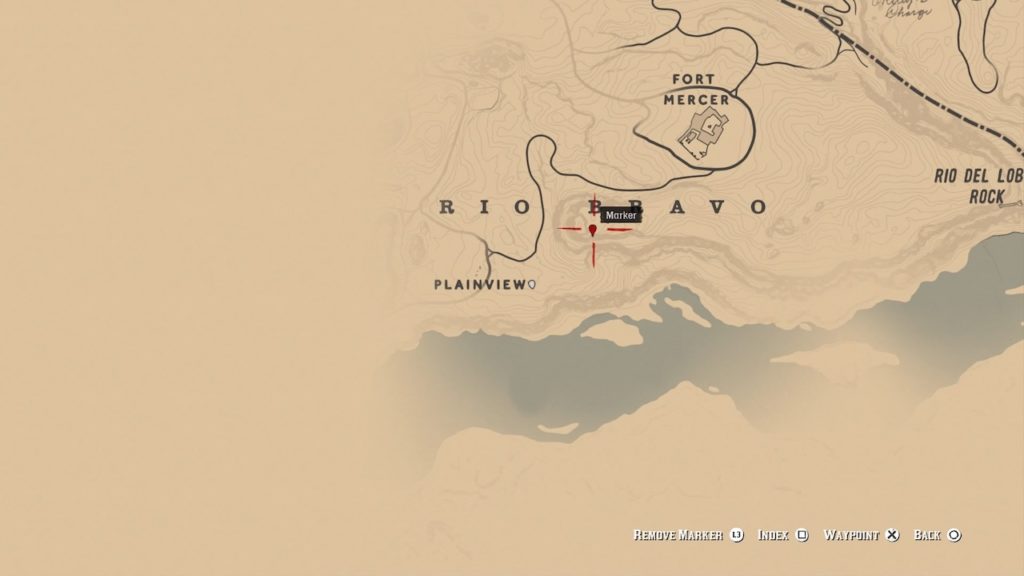
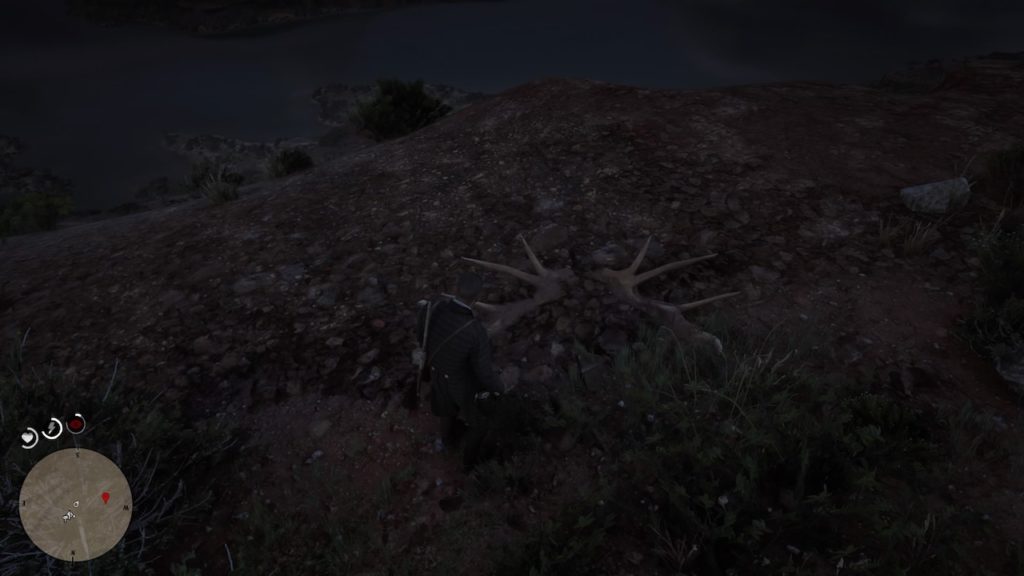
Bone 25: Rio Bravo Mesa
Rio Bravo Mesa bone mapRio Bravo Mesa bone
This mesa is located to the south of Fort Mercer. To get on top, head at it from the eastern side and you should be able to ride your horse all the way to the bone’s location.
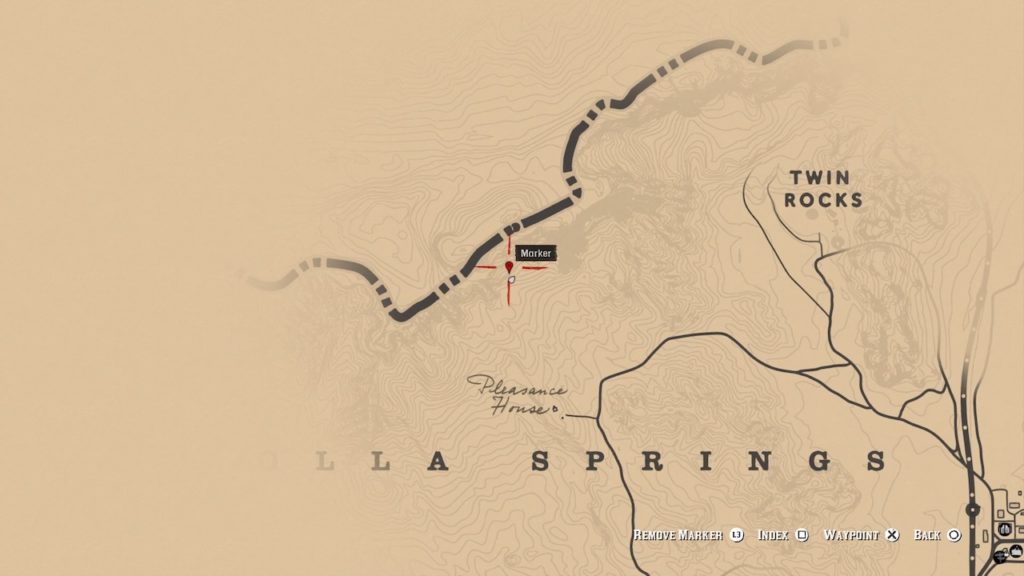
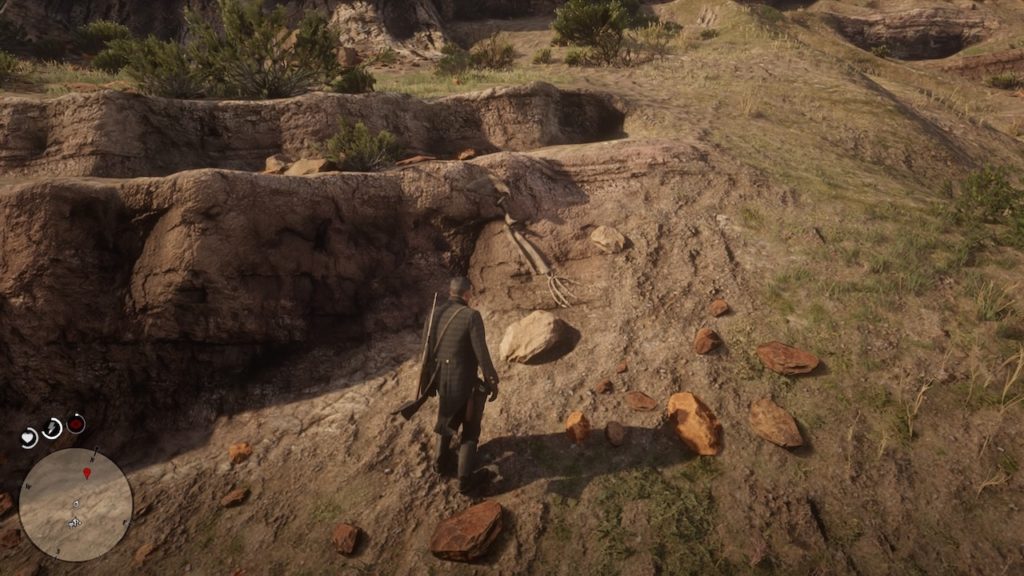
Bone 26: Cholla Springs North
Cholla Springs north bone mapCholla Springs north bone
This bone sits at the very northern edge of Cholla Springs, against the border of the map. Head north from Pleasance House to see this one embedded in the rocks.
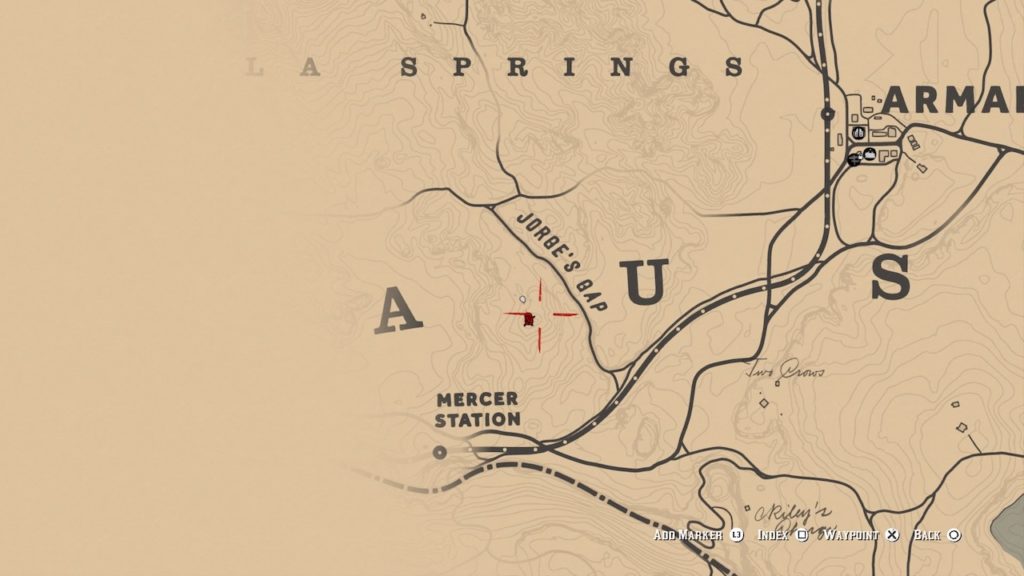
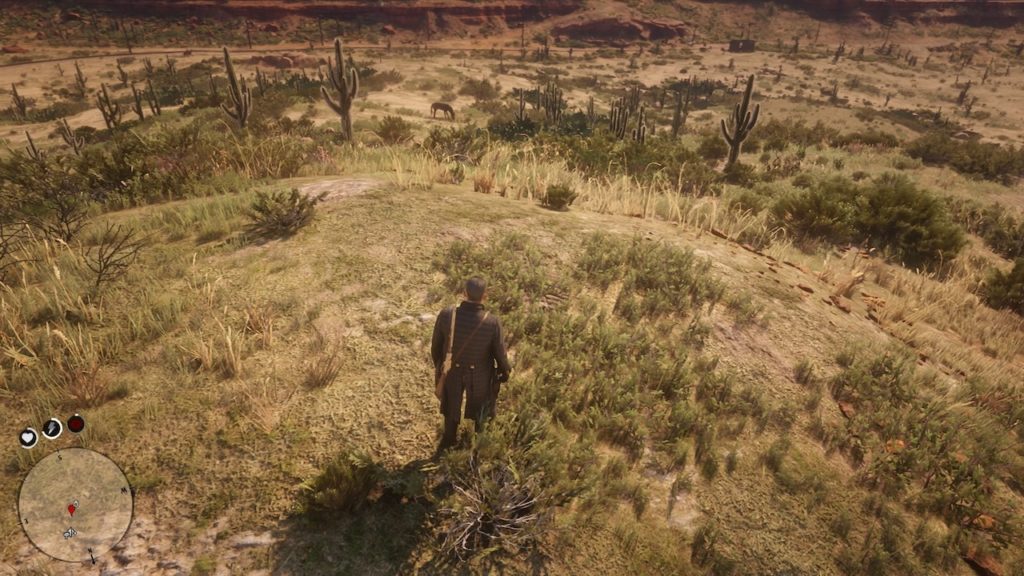
Bone 27: Jorge’s Gap
Jorge’s Gap bone mapJorge’s Gap bone
This bone isn’t actually located in Jorge’s Gap, but rather on a hilltop next to it. It’s concealed in scrub grass, so you may want to use Eagle Eye to help find it.
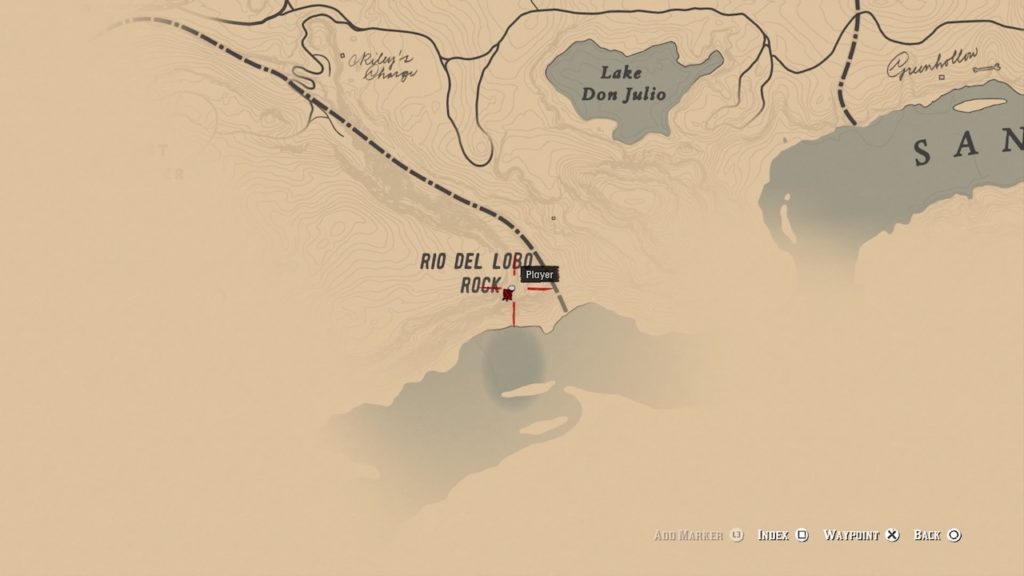
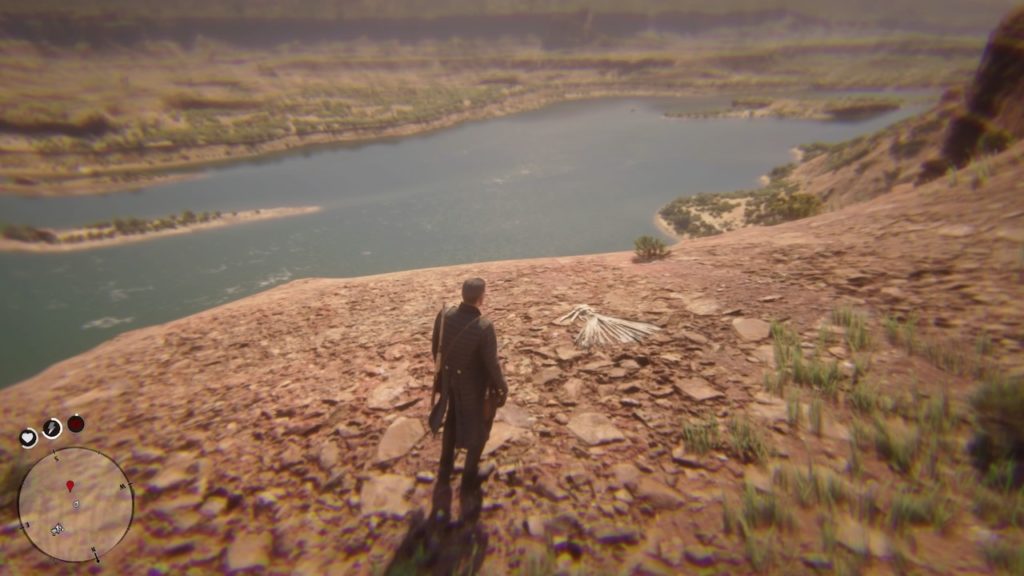
Bone 28: Rio Del Lobo Rock
Rio del Lobo Rock mapRio del Lobo Rock bone
Ride to the top of Rio del Lobo Rock to find this bone, sitting in plain sight in the dirt.
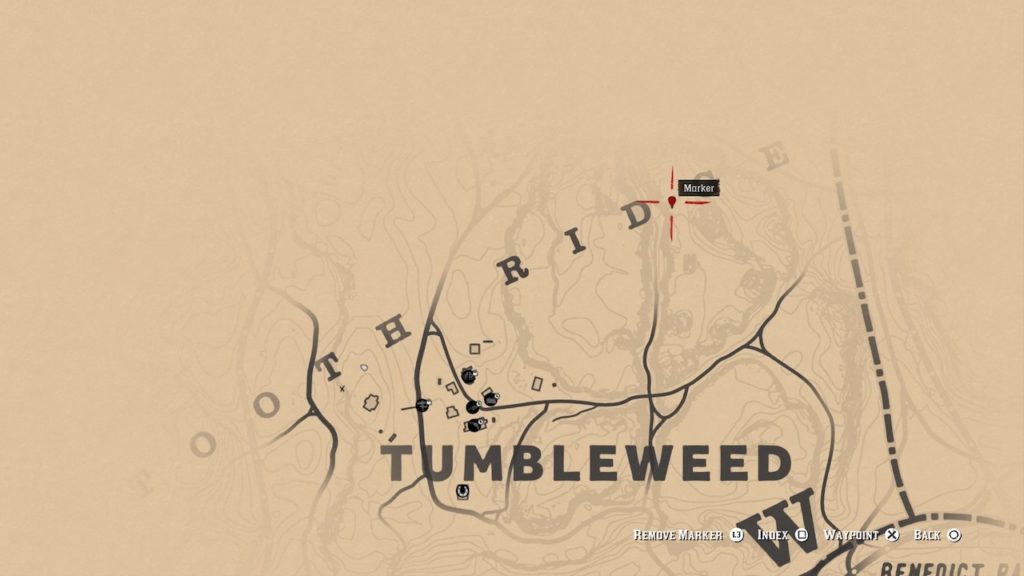
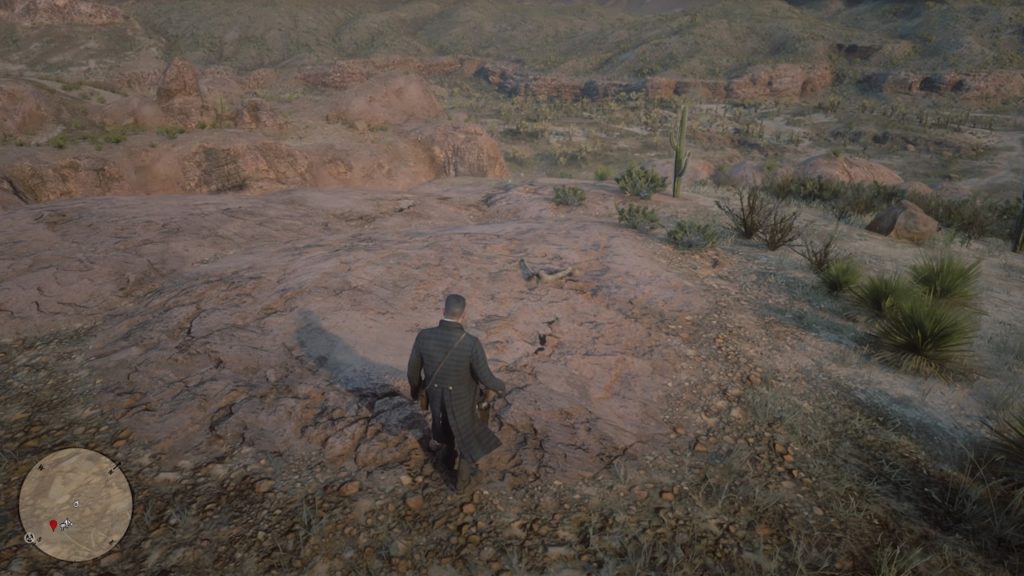
Bone 29: Tumbleweed North
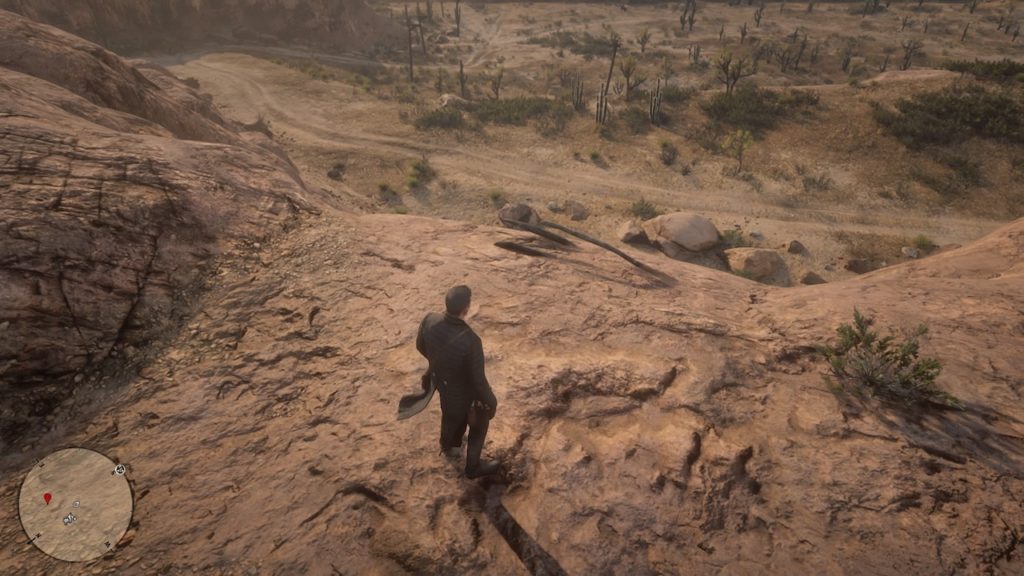
Tumbleweed North bone mapTumbleweed North bone
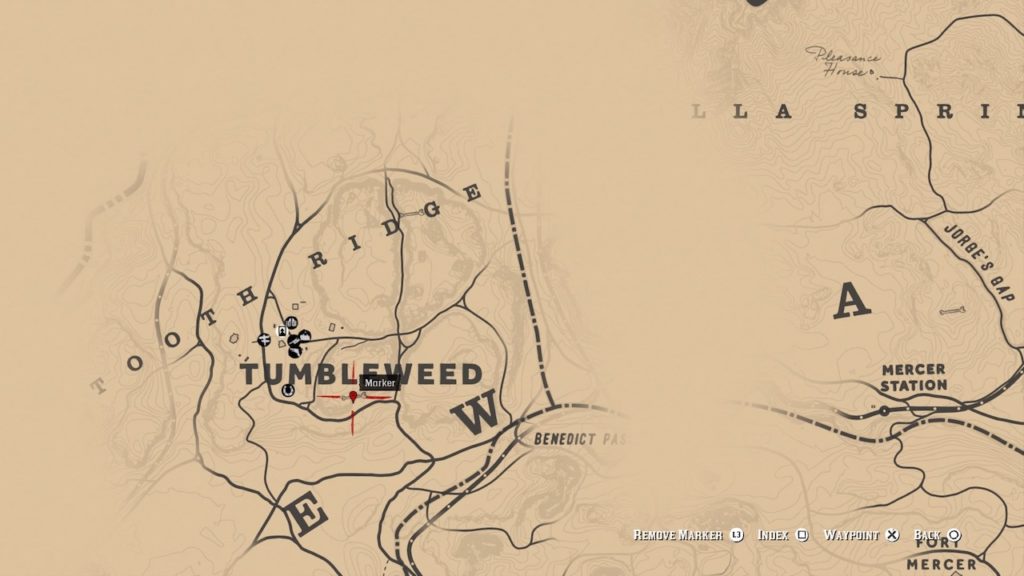
The first of two bones in Tumbleweed, ride northwest and look for a path to the top of the mesa. This bone is located on the northern edge.
Bone 30: Tumbleweed South
Tumbleweed South bone mapTumbleweed South bone
To find the final bone, ride back into Tumbleweed and look for the windmill. Take the path near it to get atop the mesa, and then ride to the southern edge to find this bone.
Rewards:
The Jawbone Knife
To receive your rewards, you’ll need to head to the nearest post office and mail the bone locations back to MacGuiness. After 24 hours or so, you can head back to the post office to receive the following rewards:
1 bone: Quartz Chunk
15 bones: Skull Statue
30 bones: Jawbone Knife
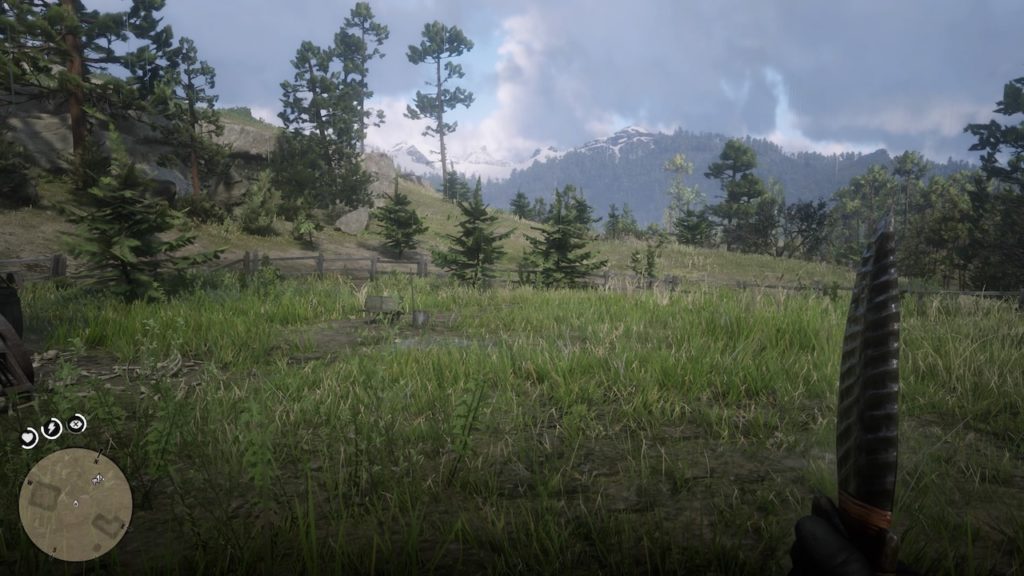
The knife itself will be received after accepting MacGuiness’s invitation to her cabin, at which point she’ll present you with the knife. It’s a unique looking weapon with an obsidian blade, the perfect reward for a job well done.
Look, curating an Instagram profile is a challenging exercise in appearing cool, connected, and fun. Exhausting, right?
When you’re feeling down, people might already be on to you — the answer lies in your body language, your tone of voice, and the odd defeated sigh.
Apparently, your Instagram photos can provide a window into the state of your mental health, too. Filters, color preferences, and how many faces, on average, you’ve featured in your feed, could reveal that you have clinical depression.
What your Instagram could reveal about your mental state
Filtering for depression
While you may not think much about your choices when you edit a photo to post, it can actually reveal a lot about your wellbeing, and could even signify depression.
Researchers at Harvard and the University of Vermont found several indicators of depression within photos posted to Instagram. The 2016 study looked at Instagram data from 166 people and relied on machine learning tools to identify markers of clinical depression.
Researchers asked Instagram users for permission to analyze their posts and asked if they had received a diagnosis for clinical depression from a qualified professional.
From there, researchers used the algorithm to assess common photo features in people both with and without depression. The algorithm sorted through things like filters, metadata, comments, and likes.
The program revealed some links to certain photo features and depression. For one, the depressed participants tended toward darker, cooler colors. Filters like Inkwell and Crema won out over the more cheerful Valencias.
They were also less likely to post photos of large groups of people, suggesting they spent less time socializing in group settings. Interestingly, the study also found that people with depression had more comments, but fewer likes than those without.
The researchers behind the study did acknowledge that they were looking at a small sample size. But, they said that there could be some real-world applications available in the future. As it stands, scanning accounts for depression comes with significant privacy and legal issues.
And, given the fact that companies are now leveraging algorithms for hiring, there are some scary implications lingering beneath the surface.
This talk about depression markers lying in Instagram’s gloomier filters brings us to this question: is color psychology a real thing?
The idea that blue makes us feel calm, reds rev us up, and yellows make us happy are Western ideas. And, they feel arbitrary.
There’s no shortage of blogs covering the merits of using color psychology in advertising, art, and design.
So, how does this play out in real life? Is color psychology as valid as, well, psychology psychology? According to researchers, the results are as mixed as your box of colored pencils.
Some believe that your experiences color (sorry) your perceptions of certain hues.
Chromotherapy has been around since ancient times. The idea is, the visible spectrum of colors of electromagnetic radiation could be used to cure diseases. For example, red was thought to stimulate circulation, while blue was used to relieve pain.
Researchers have made discoveries related to the effects of color on the mind, but most of the observations have been anecdotal at best. Still, some studies have revealed that color can affect our performance. Take, for example, this one that found that the color red can hurt test taking performance. Or, this one, that found sports teams with black uniforms were more likely to receive penalties during a game.
In Tokyo, railway operators found that adding blue lights to subway platforms resulted in a reduction in suicide attempts. It’s unclear if the novelty of the lights were a distraction or if the lights provided a sense of calm.
In the end, it’s unclear whether we should put too much stock into this type of study. As we mentioned above, the Instagram study looked at data from a small sample size.
If your Instagram is purely for personal purposes, go ahead paint the whole thing black.
However, if you’re managing social channels for a brand or trying to monetize, best spread those positive vibes, no matter how cool that moody lighting looks.
While color’s effects are completely subjective, we still have these cultural attachments that inform the way we interpret art, sports teams, and maybe even our Instagram friends.
Anybody who has been able to get their hands on Red Dead Redemption 2 knows that it is a massive game, both in terms of the expansive map that the game takes place in, and the sheer size and scope of the game’s story. This long, in-depth story is sure to take a while for any player to complete, but that isn’t stopping some from speculating about the possibility of upcoming story DLC for the title. One rumor in particular is gaining traction, based on a mysterious voice glitch that can be encountered in the post-game free roam section of the game.
Before reading further, be warned: the rest of the article includes major spoilers for the ending of Red Dead Redemption 2.
At the end of Red Dead Redemption 2’s main campaign, player character Arthur Morgan dies from tuberculosis, a disease that will slowly eat away at him in the game’s final chapters. This doesn’t mean that the game is over, however. The post-game epilogue puts players in the shoes of John Marston, fan-favorite character and the protagonist of the original Red Dead Redemption. It’s during the section of the game that players take control of John that this mysterious glitch can be encountered. Take a look at the video below to see it for yourself.
Captured by user Elemeno Peah, the video shows John Marston speaking in a strange voice. Eagle-eared players have pointed out that this voice seems to be that of an adult Jack Marston, John’s son. During the events of Red Dead 2, Jack is just a little boy. However, in the original Red Dead, players were able to take control of an adult Jack in the game’s epilogue.
The apparent existence of these lines in the game files has fueled speculation of additional post-game DLC that will once again allow players to take control of an adult Jack. This would make sense, as both games mirror each other with their endings. After Arthur dies, John takes up the mantle; after John dies, Jack does the same. If these rumors are true, this supposed DLC would likely take place after the events of the original Red Dead, playing as Jack as the Old West continues to be dragged into the modern era.
Some other players have speculated at a different explanation for Jack’s voice, however. Some seem to think that these lines indicate that a full-HD rebuild of the original Red Dead Redemption is in the works, with a full graphical upgrade to meet Red Dead 2’s standards. Other evidence seems to exist to support that claim: the entire map from the original game is unlockable after beating Red Dead 2’s main story, from the MacFarlane’s Ranch to the town of Armadillo and beyond. With the entire map already present and given an HD upgrade, much of the material needed for a full remaster already seems to be present.
Rockstar has yet to officially announce plans for Red Dead 2 DLC, with most of their attention at the moment focused on the Red Dead Online beta. They also have yet to weigh in on these rumors, leaving their authenticity up for debate. This glitch, however, is sure to leave fans scratching their heads, and no definite explanation has yet been given for the presence of these mysterious assets in the game files. Perhaps the tale of John Marston isn’t over quite yet.
No matter how often we’ve been warned about phishing scams and shady web-based transactions, we still fall for the fraudsters. According to an article in Forbes, costs associated with cybercrime are expected to top $2 trillion next year.
The Better Business Bureau Scam Tracker shows over 142,000 scams were reported this year in the U.S. — ranging from healthcare and Medicare scams to counterfeit products and online purchases.
In any case, here are some of the biggest scams to watch out for in the coming year.
Online scams to avoid in 2019
Phishing — evolved
Phishing isn’t exactly new. This form of fraud has been with us for a long time now. But as tech gets ever more sophisticated, so does phishing.
In the past, phishing attacks were more numbers game than anything. Hackers would cast a wide net using a generic email asking for credit card info, passwords, or other pieces of sensitive information.
Today, phishing attacks look more like they came from a specific company. Called “spearfishing,” hackers might pose as your bank, credit card company, or a site like Dropbox or PayPal. Generally, targets receive an email that looks as if it came from a legitimate business. You might be prompted to click on a link to “verify account details” and from there, fileless malware is installed on your device.
Where you once had to download a file or an app to get malware, it’s now a matter of clicking a link. These fileless attacks are also more difficult to detect, as most antivirus programs only scan your hard drive.
Here’s a look at how fileless phishing works, courtesy of CSO Online:
Mobile fraud
With the rise of mobile traffic, it’s no major surprise that fraudsters are meeting victims on their turf. Losses from mobile fraud are reportedly in the billions, expected to rise.
Mobile fraud comes in a few different forms. One example is click flooding, or click spamming, which takes advantage of users of some unpaid apps. When someone installs certain free apps, a serious of fraudulent clicks take place — which makes it seem like people are clicking on a paid ad.
Click flooding is an issue for advertisers more than consumers — as this form of fraud messes brands’ marketing strategies.
Marketers might think they’re getting a high volume of organic clicks and end up paying more for ads that ultimately don’t work.
Then there’s a newer form of mobile ad fraud, SDK spoofing. This involves a bot that hides on an app, which is essentially a cheaper way to buy fake followers.
With SDK spoofing, bots create fake requests made from an app to the servers of attribution companies and app publishers. The fake requests make it appear that a certain amount of users are running an app, though in reality, the app was never opened.
The SS scam is the new IRS scam, and it’s more dangerous for a couple of reasons. Today, crooks have their hands on robocalling technology, so they can call more people, playing the numbers game until someone eventually pays. Second, it’s gotten easier to spoof caller IDs.
You might have noticed this on your cell phone. Often, scammers call using a number from your local area code — and a similar phone number. In the case of the social security scam, scammers are using an 800 number that looks like a real deal call from the administration.
What to look out for: this scam is generally preying on Medicare patients and the elderly. Scammers reportedly have told people they’re going to lose their benefits and ask for personal information to keep those benefits.
One example involves using phishing emails as a way to send Apple users to a fake website where malicious code is inserted into apps like WhatsApp and Telegram. The code collects information like SMS data, photos, and contact details, which may be used for blackmail later on.
Users might receive a message like the one below, which looks like a routine update.
Other forms of tech support fraud include things like phone calls claiming your computer is infected with a virus, or you’ll receive a pop-up message or locked screen prompting you to call a fake company.
Credit report scam
The credit report scam targets job seekers and apartment hunters. Generally, you’ll run into this one on Craigslist and other online job boards.
The scam occurs when the prospective employer asks that you submit a credit report as part of the application process. If you agree they’ll send you to a specific reporting service, and you might end up having to pay for the report.
In some cases, the fake employer will ask you to send your social security number along with an application or an image of your license or a utility bill. These reports serve as a way to obtain personal information for later use.
Protect yourself
So, how can you defend yourself against spearfishers or robocalls that seem legit?
The usual advice is: never click a link in an email that comes from a bank, government agency, or commercial institution. If the link comes from a company, check your account by going directly to the website by typing the URL into the navigation bar manually.
Sound advice, but protection is limited to web apps. With mobile attacks, watch out for links that come by way of text message.
While the concept is the same as traditional phishing, mobile users tend to be more distracted and may inadvertently click on a bad link without realizing it.
The FTC also recommends that you hang up on recorded calls, avoid free trial offers, and be aware of how you pay for things online.
Google Fit is getting updated features including widgets to display your movement stats
Google Fit is the search giant’s way of giving you the ability to track your biometric data so that you can use it to improve your fitness. Biometrics is a big thing these days with all sorts of specialized fitness trackers and apps for smartphones available. Google Fit is available for both Android smartphones and WearOS smartwatches and Google has been working hard to update both apps.
Google Fit is getting updated features including widgets to display your movement stats
On your Android smartphone, the new widgets allow you to monitor your progress directly from your home screen. You’ll be able to place a widget on any of your home screens so that you can easily see your Heart Points, Move Minutes, and other daily stats. You’ll also be able to see details of your last workout right there too. There will be no getting away from it.
Another cool new feature that Google is bringing to Fit is the ability to more accurately monitor activities that you manually input into your devices. When you manually log a workout session, you’ll now be able to adjust the intensity of the activity and Fit will award them with a more accurate amount of Heart Points based on the work you’ve done.
The final new feature that Google mentioned in the blog post announcing the update to Fit is designed to help you unwind. Google Fit now has the ability to guide users through a breathing exercise to help them unwind. This can be done after a workout, or just at any time when you are feeling a little stressed out.
This latest update to Google Fit marks the end of a good year for the app. Earlier this year, Google completely redesigned the app making it easier to use and giving it an updated look. The redesign also focused the app on goals that were recommended to Google by the American Heart Association (AHA) and the World Health Organization (WHO). Move Minutes and Heart Points now sit at the center of the Google fitness app and are the two main metrics that the app pushes you to monitor and reach daily targets for. The redesign put these metrics front and center and displays them as a ring that fills up as you score Move Minutes and Heart Points.
You should be able to access all of these new features on Google Fit for your Android smartphone and WearOS device now.
Ready to play the Pokémon Trading Card Game? Here’s how to start.
The Pokémon franchise has been entertaining audiences since February 1996. Since the release of the original Nintendo games, there have been animated series, animated and live-action movies, mobile games, and even a popular Pokémon card game.
Collecting and trading Pokémon cards is an exciting hobby for many, but the real thrill comes from using your collected cards in a Pokémon card battle. If you’ve ever wondered how the card version of the game works, this Pokémon TCG guide will provide you with all the answers.
What Are Pokémon Cards?
The Pokémon Trading Card Game (or Pokémon TCG) is a card game based on the popular Pokémon franchise. Each card features a different Pokémon and their other stats such as health, attack power, etc. You can collect, trade or even battle with your cards.
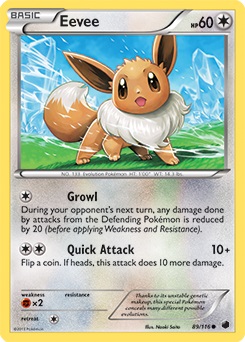
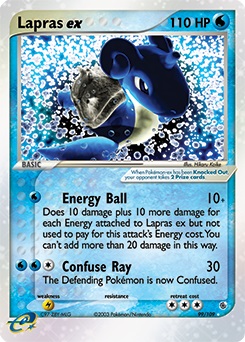
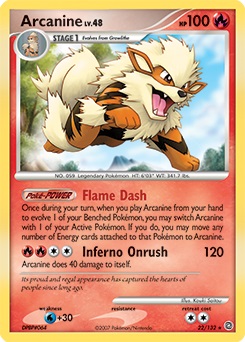
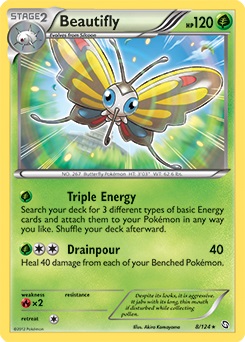
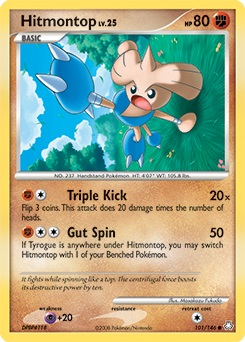
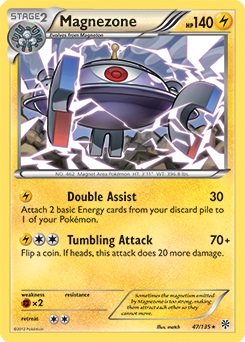
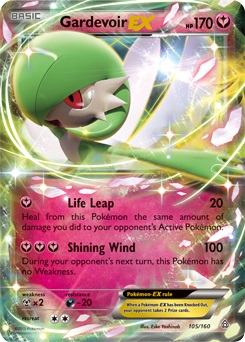
At the top of the card, you will find the Pokémon’s name. To the left of the name, you’ll see a rectangle that states if the Pokémon is ‘Basic’ or an evolved form of the Pokémon (Stage one or two, etc.). To the top right, you’ll see how much HP (health points) your Pokémon has. To the right of your Pokémon’s HP is a circle indicating the type, i.e. electricity, water, grass etc.
Below the Pokémon image, you’ll find a list of the Pokémon’s attacks and how much damage each attack does. To the left of each attack, you’ll see the energy cost for that attack. You’ll need to equip your Pokémon with the required energy cards to use the attack. Some attacks have additional effects. Make sure to follow the instructions under the attack to see the other effects.
FAQ About Pokémon Cards
Although the Pokémon TCG is easy enough to understand and start playing, players always have a few additional questions. This next section will provide answers to a few of the most commonly asked questions about the Pokémon TCG.
How Many Pokémon Cards Are in a Pack?
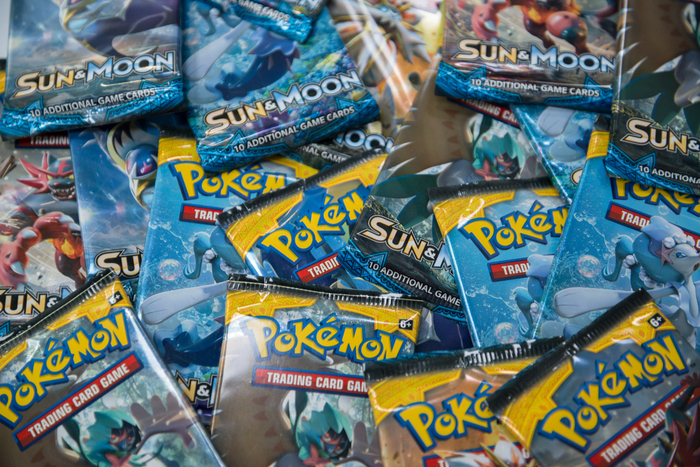
A Pokémon Booster pack contains ten cards. Of these cards, six will be common cards, three will be uncommon, and one will be rare. Along with these ten cards, you’ll also get one foil card, with the possibility of it being a rare foil card. The packs are completely randomized, so there is no knowing what you will find in a pack.
What Do Pokémon Code Cards Do?
Every Pokémon TCG product you buy, whether a booster pack or starter set, should have a code. This code can be used to unlock in-game items on the Pokémon TCG Online version. By entering the code in the online game, you will get digital cards from your booster packs and even promo cards.
How to Win the Pokémon TCG?
There are a few ways to win at Pokémon TCG. The easiest way is to knock out all six of your opponent’s Pokémon and collect the prize cards you set aside at the beginning of the match. Once you’ve picked up the sixth card, you win.
Another way to claim victory is by knocking out your opponent’s active Pokémon, and if there are no more active Pokémon on his bench, you’ll win. Finally, if your opponent runs out of cards and has no more in their deck, you’ll win by ‘decking’ your opponent.
Is There a Pokémon TCG App?
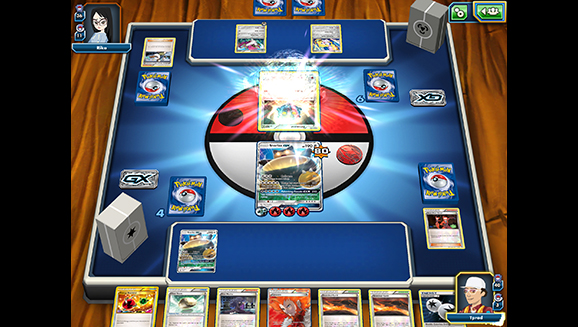
There is a new free-to-play app available that lets trainers take the POkemon TCG online. With the app, you can enjoy all your favorite aspects of the card game, such as collecting cards, building decks, and battling. The Pokémon TCG Live app is available on PCs, Mac’s and smart devices such as tablets.
What Pokémon Card Should I Buy?
When buying booster packs, you end up with ten random cards. However, now and again, you may stumble upon Pokémon cards that are for sale. You should try buying the rare cards or ones that you don’t have in your deck when this happens. Make sure you consider the energy types you have since it’s no use buying a card with a Pokémon you have no energy for. Some of the most valuable Pokémon cards to buy include Shaymin EX, Surfing Pikachu, Charizard GX, or Lysandre’s Trump card.
How to Trade Pokémon Cards?
Trading Pokémon cards is an exciting part of the game. However, it is important to know how to trade Pokémon cards to ensure that you get a fair trade and don’t end up with cards less than the value of the one you traded. In order to do this, make sure that you research trades and the value of cards beforehand.
Knowing the value of your cards is the best way to ensure that you end up with fair trade. To trade cards, you and the other trainer have to come to an agreement on which cards you are willing to trade, and if both parties feel it’s fair, you can make the trade.
How to Play Pokémon Cards? Beginner’s Guide to the Pokémon TCG
There are a few rules and steps that you need to be aware of if you’re starting to play Pokémon TCG. We will be sharing a few tips on how to play Pokémon cards for beginners.
Basic rules
The main objective in the Pokémon TCG is to take all of your prize cards before your opponent does. Every time you defeat an enemy Pokémon you’ll receive one of your six prize cards. Additionally, you win if your opponent has no Pokémon on the field, or runs out of cards in their deck.
Each deck is comprised of 60 cards. The game begins by drawing seven cards and tossing a coin to see who goes first. You must place at least one active Pokémon onto the field before starting the game (you can also place any other basic Pokémon from your hand onto your bench, with a maximum of one active, and five bench Pokémon). Pokémon require energy cards (typically of their specific type) to use their moves. The moves themselves are self-explanatory, as they contain their own unique details.
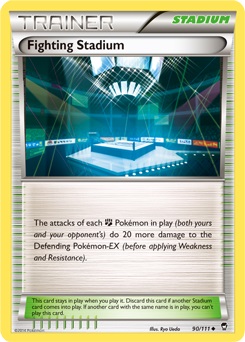
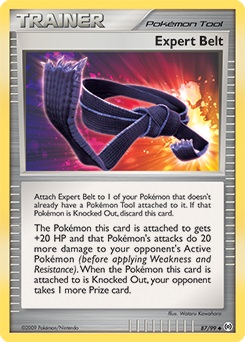
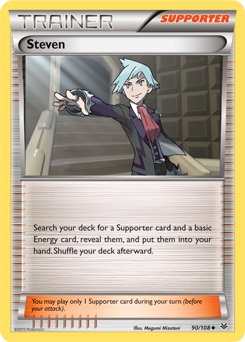
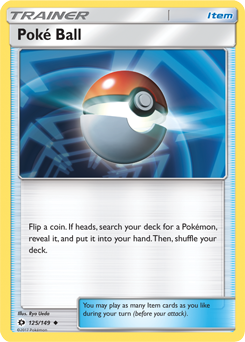
Trainer cards can also be used by each player for a variety of effects. There are four main types of Trainer cards: Stadiums, Tools, Supporters, and Items.
Stadiums are cards that affect both sides of the field, and only one can be in play at a time.
Tools attach themselves to a specific Pokémon, and only affect that Pokémon for the entire time that they are attached. They are also occasionally listed under Item cards.
Supporters are special Trainer cards with extremely powerful abilities. As such, only one can be used per turn.
Items are standard Trainer cards, which allows you to use as many of them as you want in a turn.
Additionally, only one energy card can be played per turn (unless a card says otherwise), a Pokémon can only evolve once per turn, and the player who goes first is not allowed to attack on their beginning turn.
As a rule of thumb, each deck should have around 20 Pokémon cards, 20 trainer cards, and 20 energy cards. Of course, you can bend these a little bit, but it should always be around those amounts. Additionally, you should avoid having any more than two types of Pokémon in one deck (other than colorless).
Within the TCG, there are five different conditions that Pokémon can be affected by. These are all negative effects caused by the moves or abilities of opponents. Burned and Poisoned are stackable conditions, so a Pokémon can be affected by both, along with one of the other three conditions. However, all three of the other conditions (Asleep, Confused, and Paralyzed) are mutually exclusive, so a Pokémon can only be affected one at a time. Here is how each special condition works:
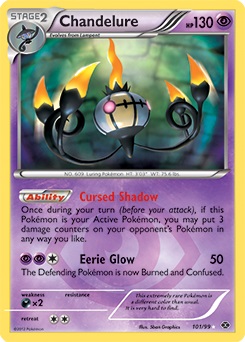
Burned – As stated above, this is one of the two special conditions that is not mutually exclusive with the rest. To represent being Burned, Pokémon with this special condition receive a “burn marker”, which is a large red circle. While Burned, a Pokémon receives two counters of damage between turns. After receiving the damage, the player then flips a coin. If heads, the Burned condition is cured.
If tails the Burned condition remains. In older versions of the TCG, Burned Pokémon would only receive the damage if the coin flip was tails, but would not be cured if the coin flip was heads (instead they would simply retain the special condition but with no damage taken).
Poisoned – A very common special condition, Poisoned Pokémon also receive a special counter. This “poison marker” is a large green circle. Poisoned Pokémon receive one damage counter between each turn.
Asleep – Pokémon that are Asleep are turned counterclockwise to the side. When affected by this special condition, they basically can’t do anything. They are unable to attack or retreat. Between each turn, the player flips a coin. If heads, the Asleep Pokémon wakes up and is no longer affected by the special condition. If tails, the Pokémon remains Asleep.
Confused – Confused Pokémon are placed upside-down. These Pokémon have to flip a coin if they want to attack. If heads, they are able to attack normally. If tails, they receive three damage counters, and the player’s turn ends. In older versions of the TCG, Confused Pokémon would only receive two damage counters on failed coin flips. Additionally, they had to flip a coin in order to retreat, and would lose their energy cards if they were unsuccessful.
Paralyzed – Paralyzed Pokémon are turned to the side, clockwise. Similar to being Asleep, a Paralyzed Pokémon is unable to attack or retreat. However, after the end of the player’s turn, the condition is automatically cured.
It is interesting to note that in addition to moves that would typically Paralyze a Pokémon in the video games, such as an Electric move, will cause this special condition, moves that would other Freeze a Pokémon in the video games will also often cause this condition.
There are other unique abilities that can affect a Pokémon’s stats or moves, however, they are not given unique counters or placements. Instead, you will just need to follow the directions of the card that inflicts the condition.
Additionally, all conditions can be removed through evolution or retreated an active Pokémon to the bench (since only active Pokémon can be affected by special conditions).
If you’re used to playing Pokémon games or watching anime, then you may be confused about some of the terminology used within the card game. The main difference in terminology is the type names. Many of the types have been merged into different types, while others have been renamed altogether. Below is a list of the TCG types and their corresponding video game types:
Colorless – Normal, Flying
Water – Water, Ice
Fire – Fire
Grass – Grass, Bug
Fighting – Fighting, Rock, Ground
Lightning – Electric
Psychic – Psychic, Ghost, Poison (old versions of the TCG have Poison types marked as Grass instead)
Dragon – Dragon (old versions of the TCG have Dragon types marked as Colorless instead)
Metal – Steel
Darkness – Dark
Fairy – Fairy
Additionally, Some Pokémon have weaknesses and resistances, but typically they only hold one. So while a Pokémon like Diglett may be weak to both water and grass in the video games, a card version may only be weak to one of them. This can lead to unique cards among the same species, with one Diglett card being weak to water, while another is weak to grass.
Moves also have their own unique names and traits within the card game, so be sure not to get hung up on some of the video game rules that you may be accustomed too.
Type Differences – Choosing your playstyle
Other than terminology and weaknesses, you may be surprised by some of the unique qualities present in the Pokémon types of card game. Each type has its own playstyle that it tends to lean towards, which is important when deciding what type to use in your deck.
Colorless Pokémon can be used in any deck since they can use any energy type. This makes them an incredibly versatile type, which shows and in the large variety of Pokémon they have. They often tend to be on the defensive side, but you will find Colorless Pokémon to provide any number of unique traits.
Water Pokémon cards tend to rely heavily on energy manipulation. This means that they frequently have abilities that let them draw energy cards from the deck, and may deal more damage based on how many energy cards they have attached. Water types also may have the ability to force opponents to switch Pokémon on their bench. This type is highly recommended for new players, as it isn’t as risky as many of the other types, and it has a plethora of Pokémon to choose from.
Fire types have extremely powerful attacks that can often Burn opponents, leaving them with a devastating status condition. However, they require extensive amounts of energy, since they often are forced to discard energy when using their most powerful attacks. Because of this, Fire types are somewhat of a one-hit wonder, often being able to take out powerful Pokémon instantly, and then needing to survive a few turns before they can do it again. Alternatively, these cards may deal damage to themselves instead of causing you to discard energy.
While Grass-types may be known for their frailty in video games, the TCG allows them to take advantage of a few skills in order to help them, survivor, for a while. One of the main strengths that Grass types have over the others is their ability to heal themselves whenever they attack. This can allow them to outlast their opponents long enough for their Poison abilities to slowly kill them off. It takes some strategy to pull these tricks off, but Grass is one of the best types for strategic beginners.
Nothing says “high-risk high-reward” like Fighting types do. Often relying on coin flips, Fighting type Pokémon can do devastatingly high amounts of damage, but are almost solely reliant on chance. Thankfully, they have some abilities and trainer cards that lower the negatives of this chance, so you’ll need to include these cards to maximize your probabilities if you choose to use this type. Despite the risk, Fighting type Pokémon can easily decide a game early with a few lucky coin tosses.
One of two energy manipulation types, Lightning Pokémon never has to worry about not being able to attack. While Water primarily manipulates energy from the deck, Lightning Pokémon are able to retrieve their cards from the graveyard. This ability works well with itself, as there are a few powerful Lightning types that must discard their energy to use their attacks. Additionally, Lightning Pokémon are known for their ability to Paralyze their opponents, as well as being able to attack benched Pokémon.
Psychic types are masters of special conditions. No matter what expansion you are playing with, it’s rare to find Psychic Pokémon that don’t inflict the opponent with Confusion, Paralysis, Poison, Sleep, or on even Burns on some occasions. They are able to use this to their advantage, as they can whittle down their opponent’s defenses, while their opponent is unable to attack back.
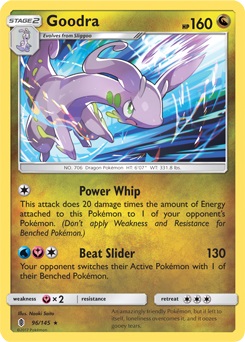
Probably the most powerful and unique type out there, Dragon Pokémon are actually the only ones without their own basic energy cards. Instead, each Dragon has two other types that they must pull from in order to be used. For example, this Goodra card requires both Water and Fairy energy to be used. Despite this requirement causing some trouble for Dragons, they have some of the most powerful moves in the game, with practically no other type resisting them.
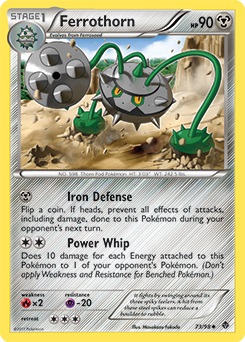
Just as its video game counterpart, Steel, is able to resist many different types, Metal Pokémon are known for their strong defensive abilities. Often they are able to increase their defenses, preventing any damage from penetrating their walls. They also have great synergy with Trainer cards, that allow them to bolster their offenses.
Darkness types are all about trickery, as one might expect from the name. These Pokémon are similar to rogues and thieves in other RPGs and trading card games. As such, their primary ability is being able to force their opponent to discard cards from their hand, the field, or their deck. In addition to this, they can force your opponent to switch their bench Pokémon, and deal additional damage to already weakened foes. This can disrupt any strategy your opponent may be thinking of using.
The most recent type to be added to the TCG, Fairy is also somewhat tricksters in their own right. They are known for their ability to weaken opponent attacks, and occasionally being able to prevent their opponent from attacking altogether. Fairy types require high levels of strategy to use, and are not often the best for new players to start with. However, if you’re able to successfully create a Fairy deck, you’ll be able to compete with the best decks out there.
These 4 hilarious Pokémon Go ripoffs will make you cringe
When deciding on multiple types to use, it’s important to think of what types would work well together. For instance, both Lightning and Water focus on energy manipulation, so they are an easy combination to make work. In contrast, you may want to look into types that make up for each other’s weakness. Since Lightning allows cards to return from the graveyard, and Fire sends energy cards to the graveyard, Lightning can help make up for Fire’s main weakness. This may be harder to make work then the synergistic Water/Lightning combination, but can yield powerful results when used correctly.
It’s important to keep in mind the main strengths of each type, and the similarities they have to other types, when deciding on what combination you want to have. Water and Lightning rely on easily managed energy manipulation; Fire, Fighting, and Dragon are risky, but provide incredibly strong moves; Grass and Metal are defensive types that wish to simply outlast their opponents; and Darkness, Psychic, and Fairy rely on messing with the opponent’s status condition and strength. Each of these can also be enhanced with Colorless Pokémon, which has its own unique abilities and play styles that mesh well with any type.
Also keep in mind that while these are the general strategies for each type, there are Pokémon within each of these types that break the norm. For example, even though Water and Lightning are known for their energy manipulation abilities, this Ribombee is also able to manipulate energy to some degree. Keep this in mind when building your decks, as you may come across a useful Pokémon that does not fit the standard mold of that type.
Tournaments – where can you play with others?
If you’re serious about getting into the Pokémon TCG, then it’s important to find places where you can play and practice. Most comic book shops that hold Magic: The Gathering tournaments, will hold some kind of Pokémon event on occasion. However, there is an easier way to find out about tournaments near you, rather than simply contacting nearby comic shops.
The Pokémon Company has its own special tournaments that are regulated through their Play! Pokémon site. These range anywhere from small get-togethers to major national championships. Often these tournaments have prizes to be won and are free to participate in, so they are worth checking out if you have the chance.
TCGO
If you prefer not to play in person or are simply looking to get better in your free time, the Trading Card Game Online app can provide an excellent source of practice. It also contains its tournaments if you want to stay competitive but aren’t able to go to Play! Pokémon’s events. The rules work the same way with the live card game, so it is the perfect way to become a TCG master.
Christmas is a time for family. Unfortunately, that often means a momentary catch-up, followed by awkward silences and everyone turning to their phones for comfort. But Twitter user Adrienne Young comes from a family that knows how to take Christmas to the next level.
While you may have experienced a White Elephant gift exchange before, you’ve probably never experienced one that forced you to defeat a family member to claim the prized present. Young’s family makes it an annual tradition – sure, you can steal a gift, but you have to earn it. Young posted videos of the challenges on Twitter.
So my family plays White Elephant with a twist: you have to challenge someone to a mini game if you want to steal their gift… With a huge family it gets out of hand pretty quick.
A thread of our games: pic.twitter.com/JEVFQiyThg
Also from last year: knocking over a row of cups with a stocking on ur head (I think there’s a tennis ball at the end of the stocking too) pic.twitter.com/lmSkXVazxH
Start with an Oreo on your forehead and then wiggle it down to your mouth without using your hands (I’ve lost his one SEVERAL YEARS and it makes me soooo salty and I always get crumbs in my eyes lol) pic.twitter.com/cvcvD3CtrA
Thread a bunch of mini donuts on a string for a donut eating contest (no hands) lol it’s better if they’re powdered cuz then it gets messy AF pic.twitter.com/cKmI99XIJw
Chugging half this bottle of water then flipping it onto the table upright (this one took forever cuz no one was getting it and we had to move the tables closer lol) pic.twitter.com/vteGHkau0E
The police are using fake Amazon packages to try and catch thieves
Over the holiday season, packages from Amazon and others have been whizzing all over the country. Some of these will end up waiting on our doorsteps until we arrive home from work. Unfortunately, this leaves them vulnerable to thieves. Yep, people have been stealing packages off people’s doorsteps even if they contain Christmas presents. Shocking, I know, but there is good news to help ease your holiday worries.
Watch: porch pirates face justice from glitter bomb vigilante
The police are using fake Amazon packages to try and catch thieves
The Associated Press reported that police in Jersey City ran sting operations in the run-up to Christmas, in order to tackle a growing problem up and down the country. They’ve been using fake Amazon packages with GPS transmitters inside them to catch the thieves red-handed. They’ve also been using doorbell cameras on the homes where they’ve been leaving their special packages to try and catch an image of the thieves doing the dirty deed.
These sting operations have been taking place in areas where the police have been receiving more reports of package theft. There are limits to the operation, but it has seen success. Obviously, the police can’t deliver as many packages as Amazon, but one of the sting packages was stolen a mere three minutes after if it was put out on somebody’s porch. The suspect was caught. Hopefully, word of these types of sting operation will spread and act as a deterrent that will make thieves think twice before they make off with that Amazon box.
Actions like these Jersey City sting operations are important as package theft has developed into a very real problem. Internet shopping is now a huge business and the amount of stuff we buy online grows every year. According to Adobe Analytics, we’ll have spent a massive $124.1 billion dollars online in November and December alone. This is up nearly 15% over last year. The more packages we buy, the more chances that somebody will take one of them before we get home. Between 8-30% of Americans have had a package stolen at some point.
In the meantime, there are a few tips you can follow to try and stop thieves from stealing your packages.
How to keep your packages from getting stolen
Install a doorbell camera, that will allow you to keep an eye on your porch even if you’re not home.
Have packages delivered to your workplace.
Require a signature for delivery so that the courier can’t just leave the package on your porch.
Over the course of Red Dead Redemption 2, you’ll have the opportunity to run into more than your fair share of eccentric strangers and colorful characters. There’s also plenty of bizarre, unexplainable, and even supernatural secrets to stumble across. Whispers run rampant among the townsfolk of Saint Denis that a vampire is on the loose among them, killing citizens and draining them of their blood. This vampire is no legend: he’s very real, and by finding and killing him you can take his unique weapon, the Ornate Dagger.
Red Dead 2: How to find the Saint Denis Vampire
To track down this mysterious vampire, you’ll have to locate 5 pieces of unique graffiti scattered across the city. Once you find the graffiti pieces, you’ll be prompted to examine them, at which point they’ll be sketched in the journal and you can move on to finding the next piece.
Location 1: Butcher Shop
The first piece of graffiti should be easy to track down. Look for the butcher shop and general store icons on your map, then head around the back of the building to find this piece of graffiti scrawled on the wall.
Location 2: Market
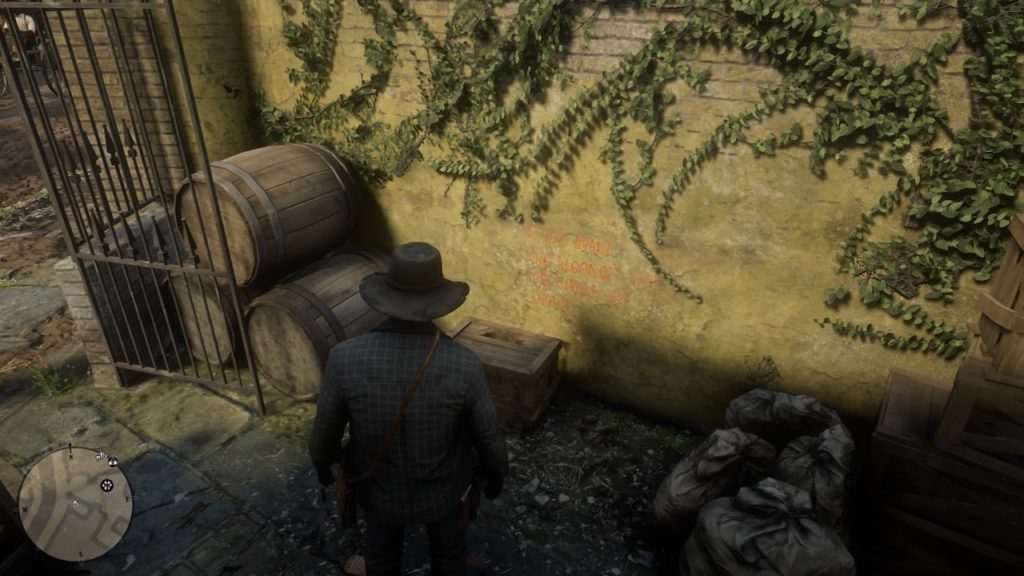
To find the next piece of graffiti, head to the Saint Denis Market. You can find it by looking for the icons for the Fence and the Trapper: both have stalls set up in the market. Near the market entrance, look for a large iron gate. Head through the gate and look for this graffiti, written in red on a yellow wall.
Perhaps the easiest piece of graffiti to spot, this one sits just across the street from the saloon north of the market where you found the last clue. It’s written in white on a red wall facing the street. It’s pretty much sitting out in plain daylight, and you shouldn’t have to hunt too hard to find it.
Location 4: Back Alley 1
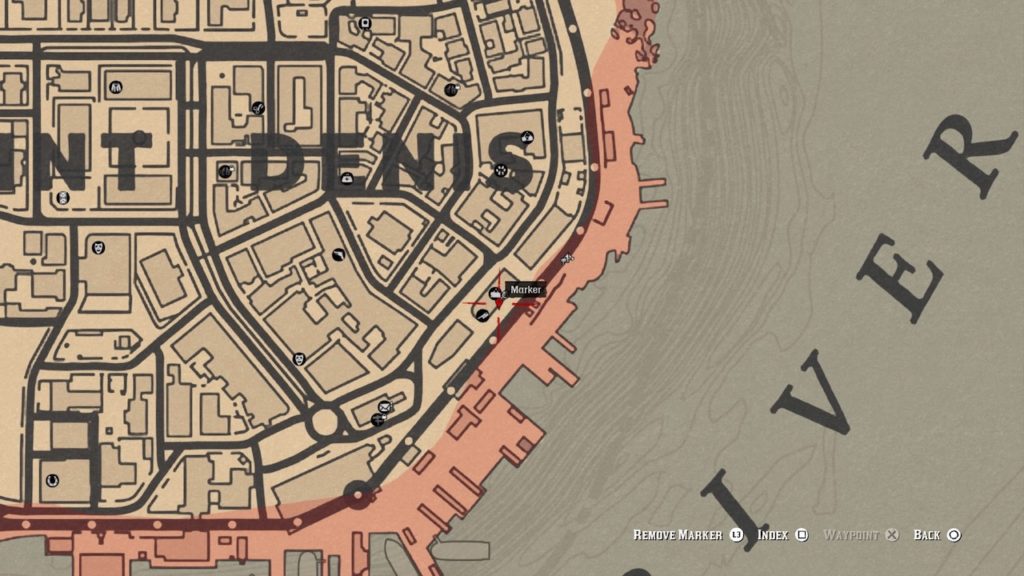
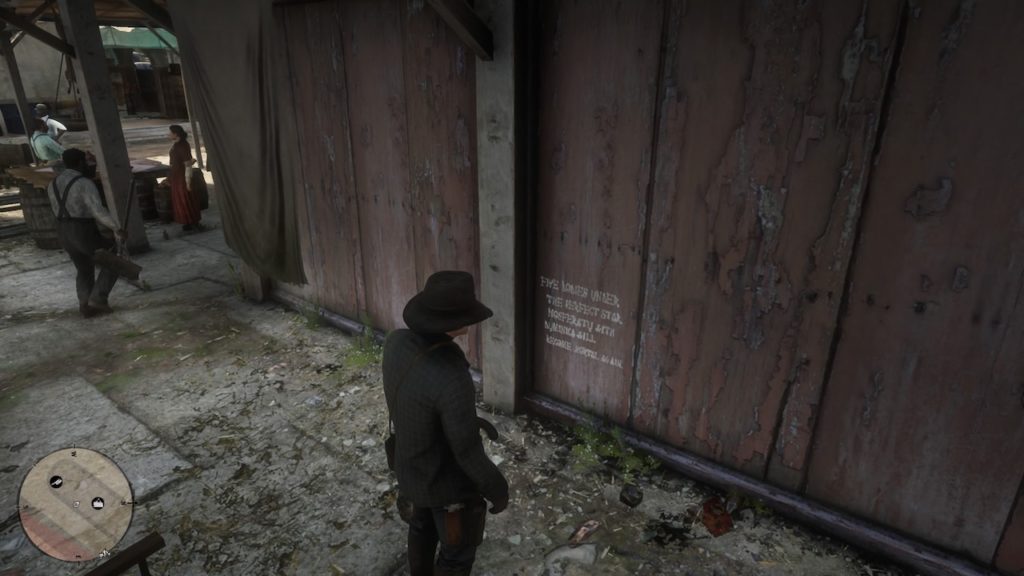
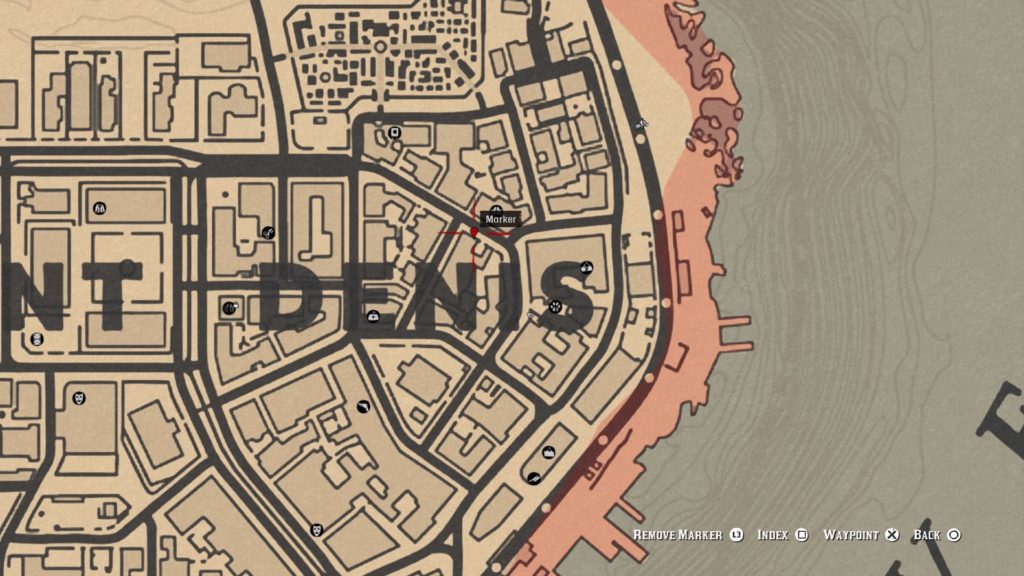
These next two pieces of graffiti are a little harder to track down. Head to the location marked on the map above and you should see an alcove under an awning in this back alley. The graffiti is faint, but look for it on the wall pictured above.
Location 5: Back Alley 2
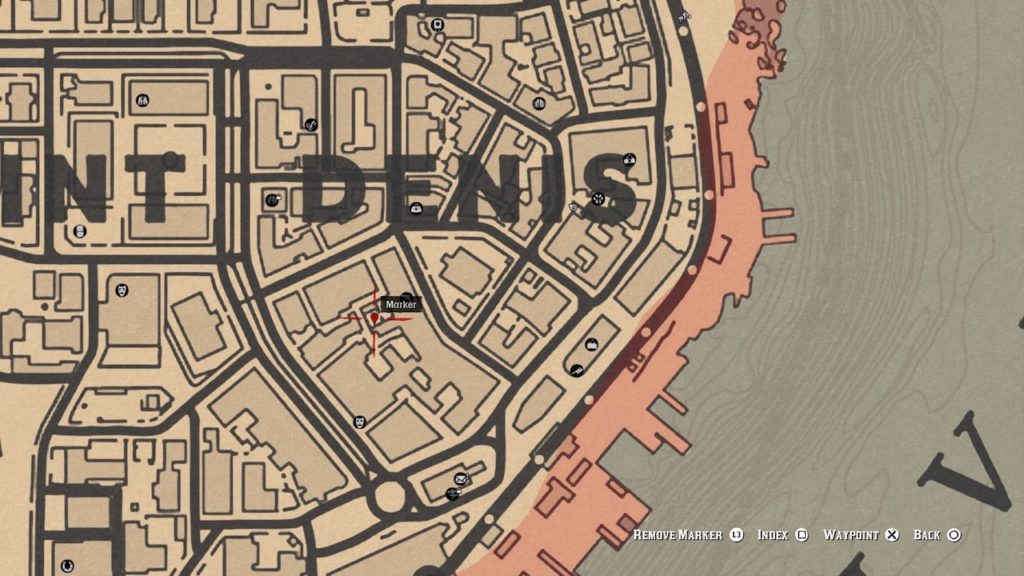
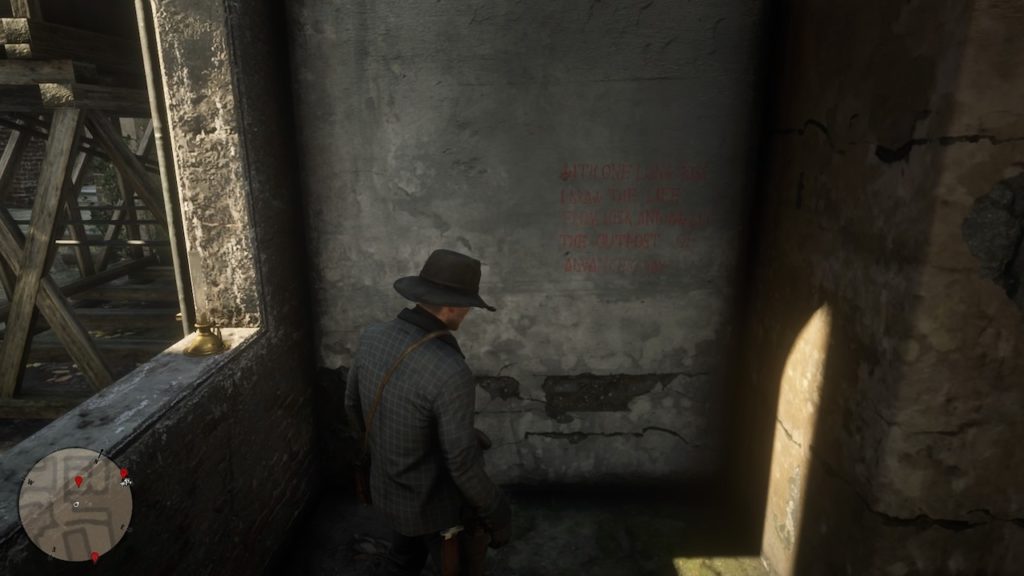
Just south of the previous piece of graffiti in the same set of alleyways, you’ll find this last clue. It’s also in a tunnel, near a stack of crates and a chair. It’s also very faint so you may have to look a bit to spot it.
Vampire Location:
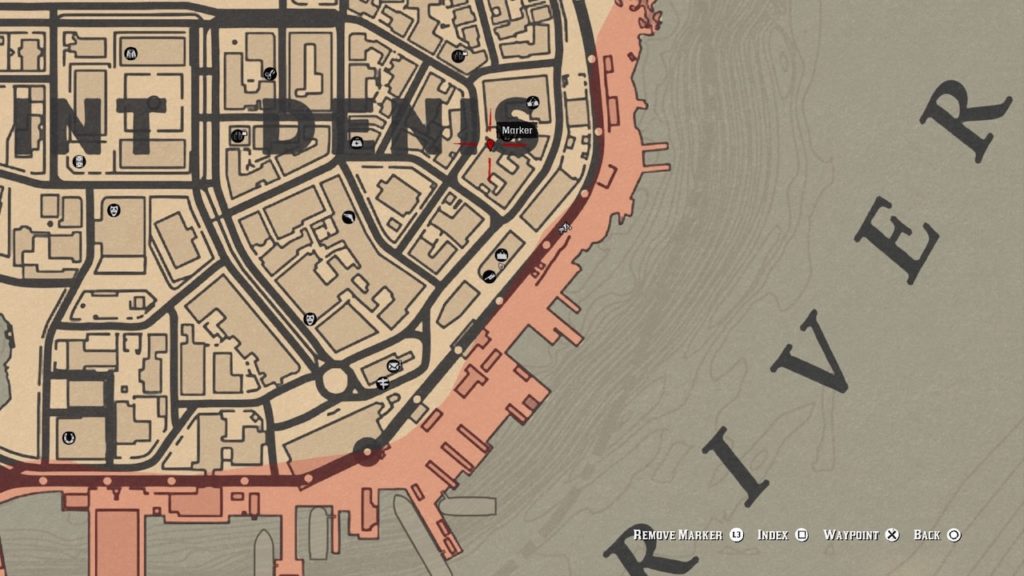
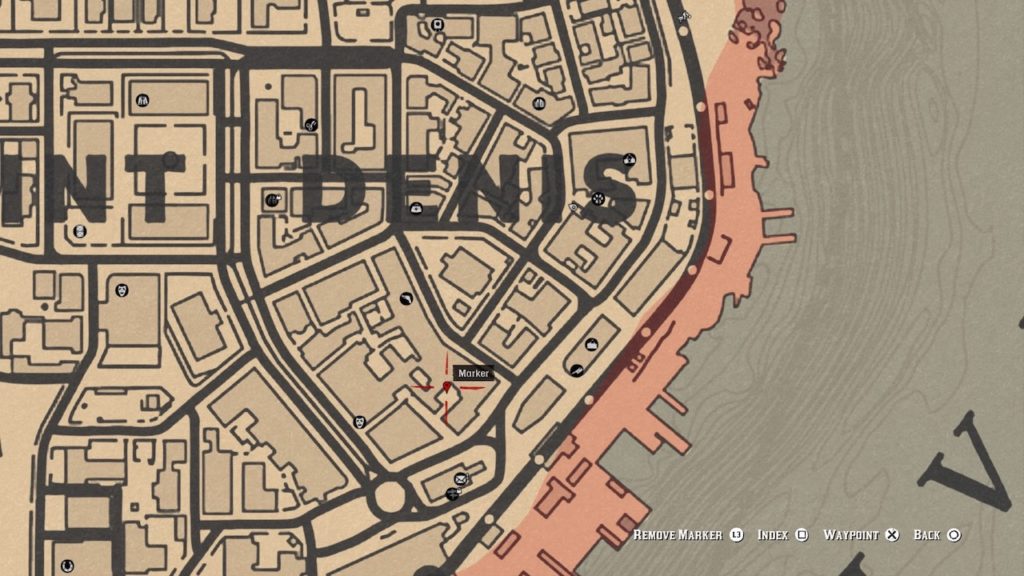
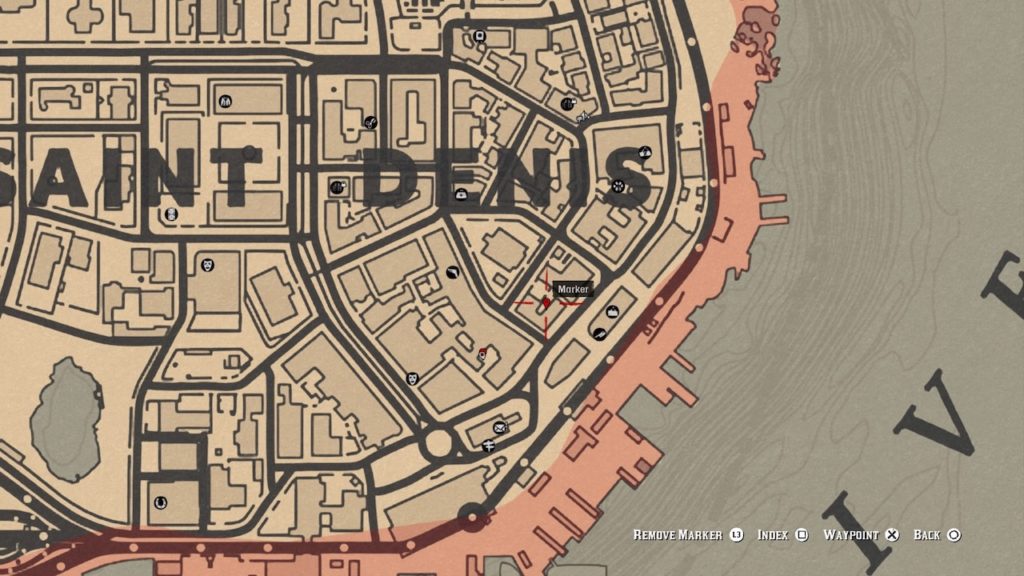
After locating the final piece of graffiti, Arthur will connect the dots in his journal, revealing that the locations form the shape of a pentagram. It’s not obvious, but you’ll want to mark the location at the center of the pentagram on your map. We’ve marked it on the map below:
Next, head to the saloon nearby and book a room. The vampire won’t show up immediately: you’ll have to wait a couple of nights until he appears. Use the rented room to sleep through the day, then head to the spot above after night falls to check for the vampire. Eventually, you’ll arrive to find a pale figure in black feasting on a corpse. After exchanging a few words, he’ll charge you. Make sure you’re quick on the draw, because if he reaches you, he’ll kill you instantly.
After the vampire lies dead, you’ll be able to grab the Ornate Dagger and some other gothic goodies off of his corpse.
The Ornate Dagger
That’s one vampire lord dead and a new weapon in your arsenal. Happy hunting.