
Your phone number can leak personal data online

Your phone number contains more personal information about you than your name does!

Phone number

When you’re on an app like Tinder, you already know better than to just slide anyone your digits. The last thing you want is to be harassed by some crazy person with obnoxious texts and unsolicited pics.

With that same logic, you wouldn’t give your phone number to some random website that says they need it to create an account for you, right?

Well, that’s where a lot of people fall off.

What can someone possibly learn from me just by having my phone number?

To state the obvious, if someone has your phone number, they can harass you and bombard you with ads. To some degree, that has probably happened to you.

You’ll be lounging around your home when suddenly you get an unsolicited text telling you about a deal on clothes, shoes, or food. 

However, your phone number can also give a hacker a ridiculous amount of personal information about you. In a recent article in the New York Times, a writer found the following personal knowledge about himself could be attained with his phone number. 

  • Full name
  • Birthday
  • Home address
  • Size of home in feet
  • Cost of property and other taxes
  • Full names of family members
  • Past phone numbers including ones associated with parents
  • Info on other owned property
  • Criminal record or lack thereof

The writer discovered that a hacker could find out more information about him with his phone number that with his full name. 

With this information, the writer discovered that someone with malicious intent could now attempt to answer his security questions. He and his family members could also be targeted with phishing ads. A hijacker could even trick his phone carrier into getting a new SIM card with his number. This means the hijacker would have access to the writer’s phone number and do with it as he pleases.

To make matters worse, this information wasn’t very hard to find at all. By using Whitepages Premium, a totally legal online tool, most of this information was uncovered from public records. Although using this information for nefarious deeds is illegal, obtaining it is not.

Why do so many websites ask for our phone numbers?

Phone number

In a lot of cases, giving a website your phone number makes perfect sense. For example, food delivery apps like Grubhub or the Papa John’s app and website ask for your phone number. They need it in case they show up to your residence to deliver your food and nobody is answering the door. 

At this point, you might be thinking, “Instagram and Twitter don’t deliver me food, so why do they need my number?” 

Well, they use it for a legitimate reason as well. For one, it makes logging in a whole lot easier. Be honest, are you more likely to remember your own cellphone number or the random username you created for a website? Also, many websites and apps require a cellphone number to make sure that you’re an actual person and not a bot. 

What should I do?

You don’t need to get a new phone number or throw your SIM card into a blender. However, you should start thinking twice before you give a person, app, or a website your cellphone number.

You should also consider upping your game when it comes to your online security. Make better passwords, and use two-factor verification whenever possible. 

Start treating websites and apps like they’re a potential new match from Tinder. Genuinely ask yourself whether you can trust this site (or person) enough to give them access to personal information about yourself. If the answer is “no,” do the smart thing and swipe left.
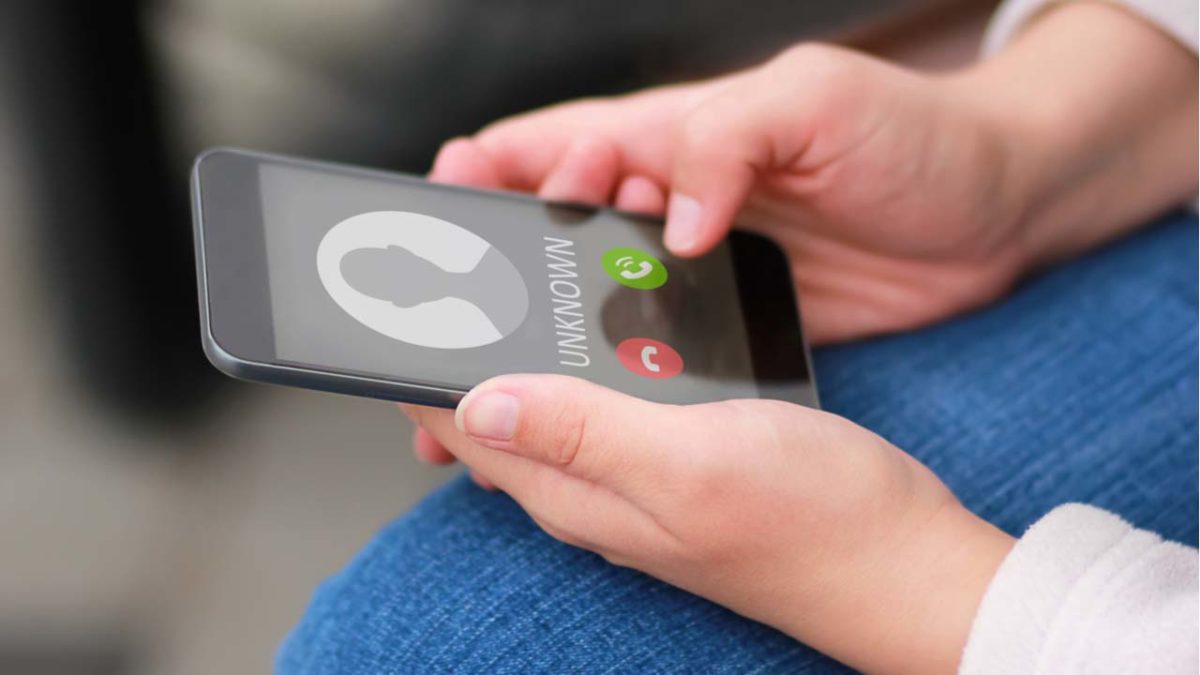
Phone companies could block robocalls, but there’s a catch

The FCC is making phone companies give us an option to block robocalls, but it might not be free.

Robocall

Nothing can spoil the moment quite as much as a robocall. Whether they interrupt you at work or bother you on date night, they’re a real nuisance.

Fortunately, the FCC is making the effort to combat robocalls. However, you might have to pay to make it happen.

According to a press release from the FCC, robocalls account for about 60% of their yearly complaints. In 2016 alone, there were about 2.4 billion robocalls per month. That number has risen to about 5 billion per month in 2019, according to research from YouMail. 

The FCC’s plan

FCC Chairman Ajit Pai announced in a video that he is making blocking robocalls one of his top priorities. In order to meet that goal, the FCC has ruled that phone companies must offer a default option to block robocalls.

Phone companies currently have the technologies to help block robocalls, but you have to call them and ask yourself.

The FCC is also looking to have phone companies improve caller ID . The FCC has a new policy for phone companies called “safe harbor.” Essentially, this means that if phone companies don’t block calls that don’t have proper caller ID verification, they can face legal trouble.

Pai said that he is optimistic that the changes will be implemented by the end of the year.

It could cost you

According to FCC commissioner Jessica Rosenworcel, phone companies will have the ability to charge customers for blocking robocalls.

“There is nothing in our decision today that prevents carriers from
charging consumers for this blocking technology to stop robocalls,” Rosenworcel said in a statement.

Although Rosenworcel is strongly pushing for this to be free across all phone companies, there is still a chance that it will be.

However, Pai said in a statement that he does expect phone companies will offer the service for free. 

Basically, handling robocalls costs phone companies money. Blocking them in the first place does not.

He also said that “based on public input” the FCC will determine if a rule to make blocking free would be appropriate.

Protecting elderly people

The FCC is currently pushing phone companies to offer a service that will allow users to block calls that do not come from a list they provide to the phone company. 

According to Pai, the feature would be an optimal tool to help prevent elderly people from being scammed by robocallers, as they are often the target. Again, phone companies could potentially charge customers for this service.

Another option with iOS

Apple revealed at the WWDC that the new iOS 13 will automatically send robocalls to voicemail. Using Siri technology, your phone will look at your contacts, Mail, and Messages apps when a number calls you. If your phone doesn’t recognize the contact from one of those spots, the call will go to voicemail. Users will be able to access this feature in their settings under “Silence Unknown Callers.”

Wrapping up

If phone companies do not charge us for blocking these robocalls, this is a giant leap forward. If they do charge us, that would be an unfortunate development.

We’re optimistic, but we still think you should play it safe and download a free app to block robocalls.

How to avoid MLM scams online

Fast money, huge potential. Too good to be true?

Avoiding a scam

Everyone has at least one friend from high school trying to sell them something. Whether it’s doTerra’s essential oils or LuLaRoe’s yoga pants, you’ve probably seen multiple ads from friends and family on social media.

Some may even have asked you if you’re interested in becoming a consultant for one of these companies and selling their products yourself. Before getting involved in these companies, however, you should learn a little bit more about them. Specifically, you should learn more about their business model as an MLM and what to do if someone wants you to be a consultant for them.

So what is MLM exactly?

Lularoe

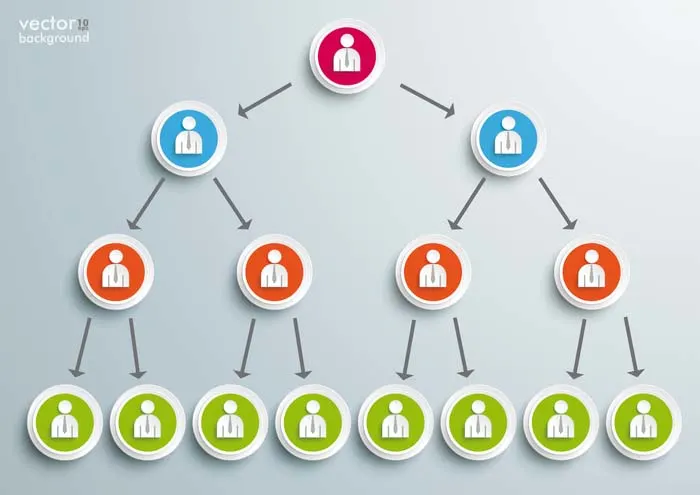
MLM stands for multi-level marketing. It’s basically a pyramid scheme disguised as an entrepreneurial opportunity. A pyramid scheme is an illegal investment model that recruits members via a promise of payments for enrolling others into the scheme.

It may seem at first glance that MLMs are just companies that hire independent consultants to sell their products. While that is true, they are so much more than that.

The real money in an MLM comes from recruiting people under you as new consultants since you get a profit from their buy-in fees and performance. Most MLMs require you to buy a large stock of product before you can become an actual consultant for them. Many of the most successful MLM consultants barely sell any of the product. Instead, they focus on spreading their network of consultants so they can rake in money without risking any more of their own.

Spotting an MLM

pyramid scheme

MLMs are usually easy to spot for two reasons.

First, since everyone is looking to recruit people under them, they are often overhyped on social media.

Second, MLMs are a type of direct-selling where you can only buy products from consultants, instead of being able to get them on the web or in a retail store.

The only difference between the two main types of direct selling (multi-level marketing and single-level marketing), is that MLMs pay you for commission and recruitment. SLMs (single-level marketing) pay you a commission. This may seem like MLMs are better, but recruitment is far harder to get than commission, and MLMs incentivize recruitment much more.

Product Quality

Woman checking quality

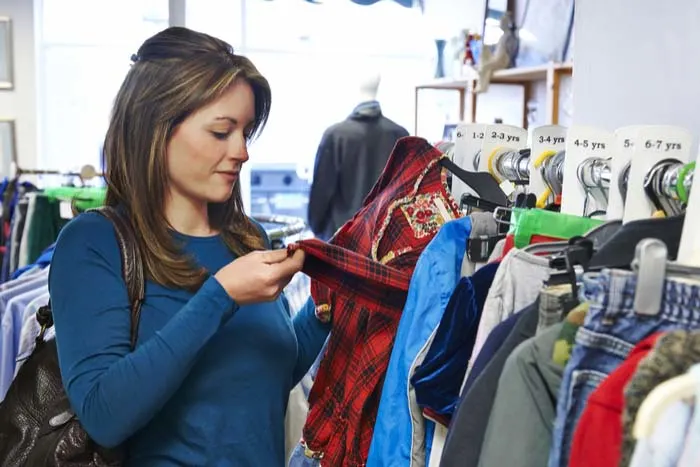
While there are some MLMs that are decent quality (Tupperware is a good example of this), many MLMs are known to be deceptive in their product quality. LuLaRoe had to change their products after a class action lawsuit was filed due to the defective quality of their material. Essential oils are a common MLM product that faces frequent scrutiny. There are very few studies conducted on whether essential oils actually work or not. The authenticity of these products is often called into question because of it.

As a potential customer or consultant, it’s important for you to research an MLM before getting involved with their product.

Should you join?

Questioning a choice

No matter how good the product or the community a multi-level marketing company has, it is an incredibly risky business. In fact, it is often less risky to create your own business than to join an MLM. Creating your own business lets you decide the quality of your products, and can even be cheaper than the buy-in price that it costs to join an MLM. It costs between $5,000 and $6,000 to join LuLaRoe. Nearly all of that money goes toward buying your start-up inventory. 

That being said MLMs give you the luxury of having a “reputable” name and an easy source for your products. That’s part of how they reel you into becoming a consultant. These perks make MLMs seem easy. However, you need to feel comfortable putting other people below you in debt. Even then, it is an incredibly high-risk venture. There are already so many consultants for each brand, and most people know that these companies are scams.

If you are going to try a direct-selling company, you should make sure they follow an SLM plan. These businesses are still risky to get involved in, but it is far easier for consultants to make a profit than MLM plans. Even then, we recommend you look into starting your own business if you’re looking for entrepreneurial experience since it’s far less risky.

Scam apps are all over the Play Store

The Google Play Store is packed with dangerous apps. Here’s what to look for.

scam apps

At the end of last year, the App Store and the Play Store removed a fake Alexa set-up app that was stealing users browser history and sending data to an unknown Chinese server.

We also recently posted an article covering the fraudulent GPS apps lurking in the Play store, and popular apps like WhatsApp and Fortnite are repeat targets of scammers trying to get a cut of the action.

Suffice to say, users from both the Apple and Android sides of the aisle should tread carefully when it comes to downloads.

Scam apps have long been a problem, yet, it’s difficult for the platforms to get ahead of these bad actors.

Widespread ad fraud

A few months back, Buzzfeed published an article that revealed a massive fraud ring in the Google Play Store. A company, called, We Purchase Apps was responsible for stealing millions in ad revenue. The story broke back in October 2018, and it looks like the company has since taken down their website.

And then there are instances like this one involving Cheetah Mobile and Kika Tech in December 2018. It was discovered that the two popular apps were engaging in ad fraud, by way of three malicious SDKs: AltaMob, BatMobi, and YeahMobi.

In this case, the scheme was something called app install attribution abuse, which means SDKs fake the number of new downloads to receive the payout from the developer. Google did remove the apps in question, demanding that they remove the SDKs.

It’s easy to ask why Google doesn’t just pull these apps automatically and inform consumers of fraudulent activity. But the sheer volume makes this a near-impossible task. Mobile attribution firm, AppsFlyer looked at 17 billion app installs spanning 7,000 apps globally. According to their findings, more than a quarter of those apps have engaged some form of install fraud.

The reason is, anyone can create and upload an app — and with so many amateur developers competing for space on the platform, there are plenty of opportunities for scammers to slip through the cracks.

A look at some of the biggest Play Store scams in recent memory

Fortnite fakers

Like WhatsApp, scammers are capitalizing on another one of the biggest apps in the game; Fortnite. Fortnite is a prime target for scammers, as the app is free and can be played across game consoles, phones, and PCs. While scams have spanned a range of mediums—the Play store has been walloped by fake apps.

One example is this Google Play app that claimed to help users earn free V-Bucks. As you can see in the image below, the scammers benefitted by including a link that “automatically gives the app a five-star rating.” That skewed results and prompted more downloads.

fortnite android scam

Navigation apps

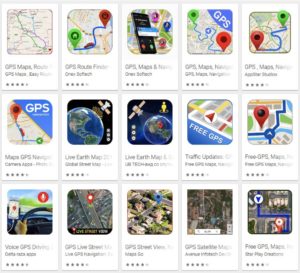
Researcher Lukas Stefanko of ESET found that the Google Play Store is loaded with navigation apps that pass Google Maps off as their own, then run ads over the program. Stefanko says that creating these fake apps is easy — all scammers need to do is add a small modification and they can start making ad revenue.

While the problem may be more of an issue for advertisers, consumers have found that the apps ask for a lot of information that has nothing to do with the program.

fake google map fraud

Fake WhatsApp

Over a million people were tricked into downloaded fake Android apps posing as WhatsApp. Initially, the fraudulent app was called “Update WhatsApp,” then it changed its name to “Dual Whatsweb Update” when users started to catch on.

Battery saver and performance booster fakes

battery saver apps

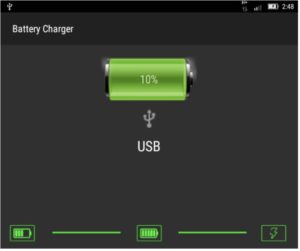
Many of the fraudulent apps currently lurking in the Play Store are apps that claim to save your battery charge or boost performance by freeing up RAM.

These apps are BS. They don’t do anything except give you a little animation to look at;  a technical representation of how “hard” the tool is working to generate more power.

Avoid these so-called performance boosters, as their advertised benefits are things your phone does automatically.

Apple users aren’t off the hook

Sure, Google might get more attention for their massive collection of scammy Android apps, but the App Store has its own share of problems.  One example is a Touch ID scam, a tactic that asks for your thumbprint or Face ID to authorize charges that, according to Wired, range from $90 to $120 each.

There have been several instances of these scams showing up in fitness assistant or health-focused apps, like this heart rate monitor or a since-removed app called Fitness Balance.

Tips for staying safe while shopping Google Play

The common wisdom for Play Store installs is; don’t download anything from malicious third-party apps. Unfortunately, fraudsters are becoming increasingly sophisticated.

These days you’ll need to be more careful; try the following preventive measures to lower your risk of installing infected apps:

  • Make sure you download from reputable sources only. Okay, duh. But, just a reminder: the top search result is usually the “official” version of the app you’re looking for. Double-check that the official developer posted the app. Additionally, add-ons or “cheat” apps like the Fortnite example from third-parties are especially risky, so be extra careful with these.
  • Read the reviews. Chances are, an infected app will have some low ratings, along with several bad reviews.
  • Do not change any security settings or root your device.
  • Use a reputable anti-virus scanner. While PCs are the usual malware victims, hackers can also break into your phone.
  • Check app permissions before downloading. Make sure permissions make sense. Granting access to sensitive data should be a red flag, so just double check that the fine print seems within the normal range.

Remember that you can also download apps from Softonic’s catalog as well, and we ensure that the apps we carry are free from any malware. Stay safe out there!

New year, new scams: what to watch out for in 2019

Protect yourself against these evolving threats.

phishing scams

No matter how often we’ve been warned about phishing scams and shady web-based transactions, we still fall for the fraudsters. According to an article in Forbes, costs associated with cybercrime are expected to top $2 trillion next year.

The Better Business Bureau Scam Tracker shows over 142,000 scams were reported this year in the U.S. — ranging from healthcare and Medicare scams to counterfeit products and online purchases.

And it’s not just the elderly falling victim to fraud. According to the FTC, 40% of consumers who reported fraud were between the ages of 20 and 29.

In any case, here are some of the biggest scams to watch out for in the coming year.

Online scams to avoid in 2019

Phishing — evolved

Phishing isn’t exactly new. This form of fraud has been with us for a long time now. But as tech gets ever more sophisticated, so does phishing.

In the past, phishing attacks were more numbers game than anything. Hackers would cast a wide net using a generic email asking for credit card info, passwords, or other pieces of sensitive information.

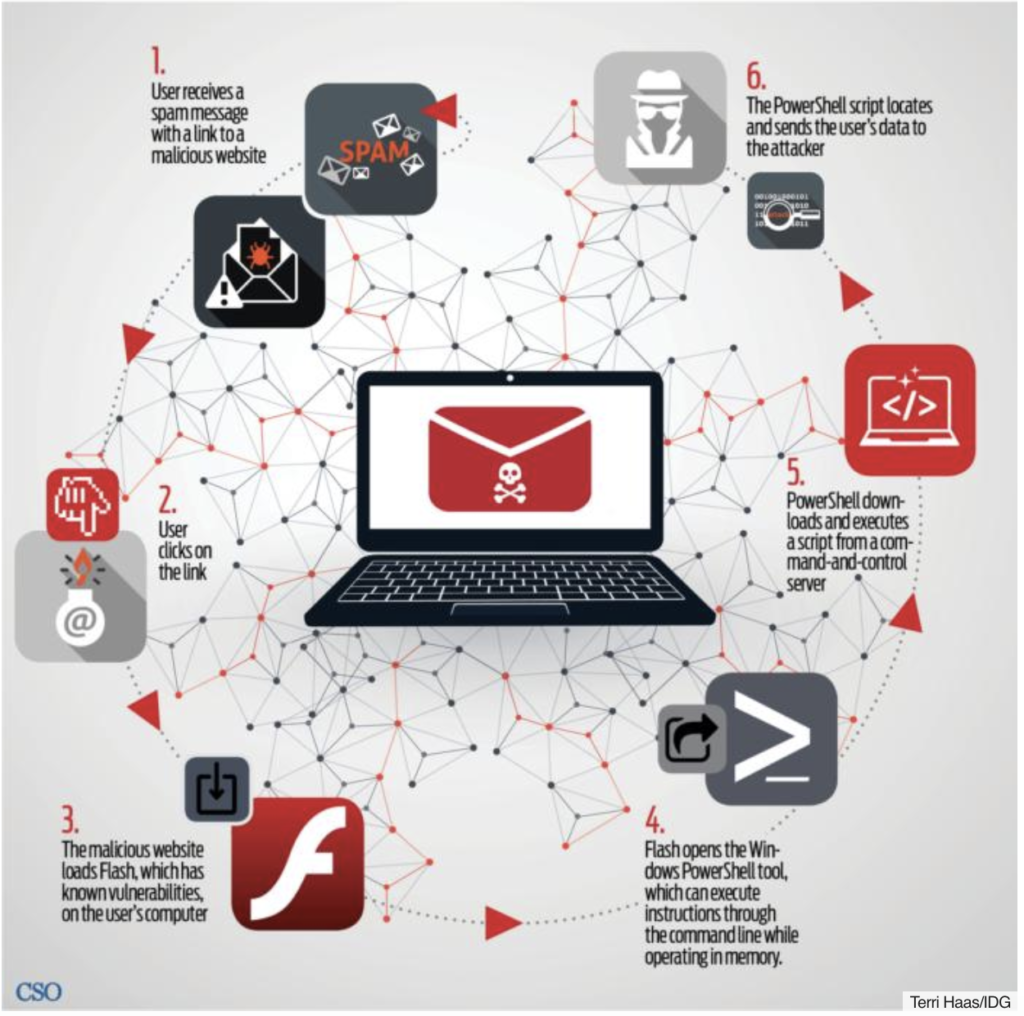
Today, phishing attacks look more like they came from a specific company. Called “spearfishing,” hackers might pose as your bank, credit card company, or a site like Dropbox or PayPal. Generally, targets receive an email that looks as if it came from a legitimate business. You might be prompted to click on a link to “verify account details” and from there, fileless malware is installed on your device.

Where you once had to download a file or an app to get malware, it’s now a matter of clicking a link. These fileless attacks are also more difficult to detect, as most antivirus programs only scan your hard drive.

Here’s a look at how fileless phishing works, courtesy of CSO Online:

Fileless malware

Mobile fraud

With the rise of mobile traffic, it’s no major surprise that fraudsters are meeting victims on their turf. Losses from mobile fraud are reportedly in the billions, expected to rise.

Mobile fraud comes in a few different forms. One example is click flooding, or click spamming, which takes advantage of users of some unpaid apps. When someone installs certain free apps, a serious of fraudulent clicks take place — which makes it seem like people are clicking on a paid ad.

Click flooding is an issue for advertisers more than consumers — as this form of fraud messes brands’ marketing strategies.

Marketers might think they’re getting a high volume of organic clicks and end up paying more for ads that ultimately don’t work.

phone scams

Then there’s a newer form of mobile ad fraud, SDK spoofing. This involves a bot that hides on an app, which is essentially a cheaper way to buy fake followers.

With SDK spoofing, bots create fake requests made from an app to the servers of attribution companies and app publishers. The fake requests make it appear that a certain amount of users are running an app, though in reality, the app was never opened.

Social security scams

According to Consumer Reports, fraudsters are increasingly making harassing calls posing as the Social Security Administration.

The SS scam is the new IRS scam, and it’s more dangerous for a couple of reasons. Today, crooks have their hands on robocalling technology, so they can call more people, playing the numbers game until someone eventually pays. Second, it’s gotten easier to spoof caller IDs.

You might have noticed this on your cell phone. Often, scammers call using a number from your local area code — and a similar phone number. In the case of the social security scam, scammers are using an 800 number that looks like a real deal call from the administration.

What to look out for: this scam is generally preying on Medicare patients and the elderly. Scammers reportedly have told people they’re going to lose their benefits and ask for personal information to keep those benefits.

Tech support fraud

According to Experian, tech support scams were responsible for over $15 million in losses in 2017. These scams take a few different forms.

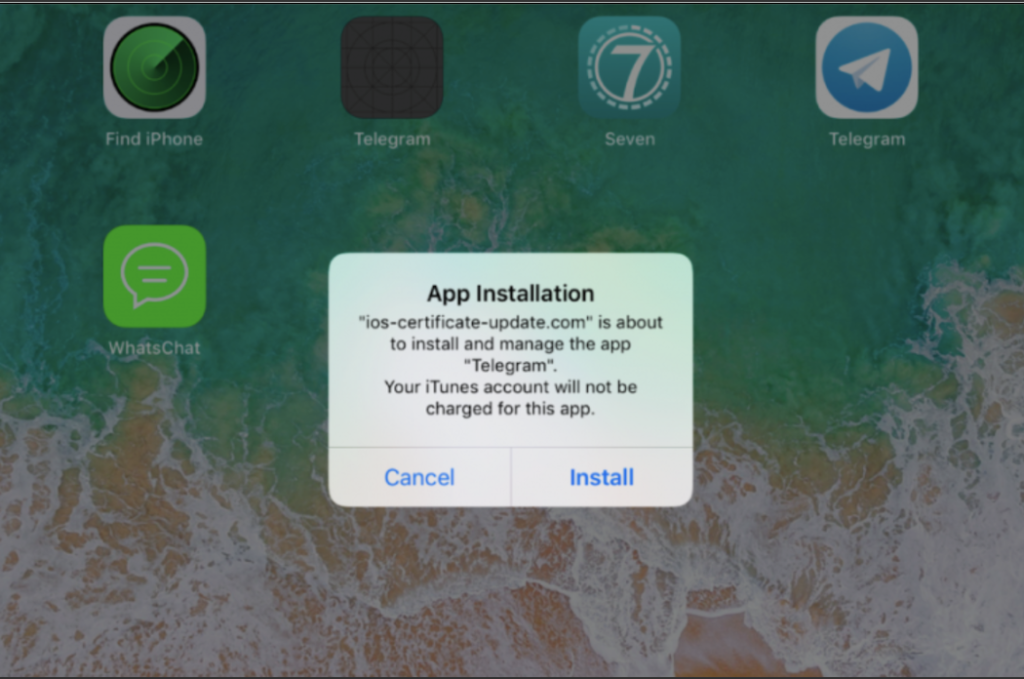
One example involves using phishing emails as a way to send Apple users to a fake website where malicious code is inserted into apps like WhatsApp and Telegram. The code collects information like SMS data, photos, and contact details, which may be used for blackmail later on.

Users might receive a message like the one below, which looks like a routine update.

fake apple support scam

Other forms of tech support fraud include things like phone calls claiming your computer is infected with a virus, or you’ll receive a pop-up message or locked screen prompting you to call a fake company.

Credit report scam

The credit report scam targets job seekers and apartment hunters. Generally, you’ll run into this one on Craigslist and other online job boards.

The scam occurs when the prospective employer asks that you submit a credit report as part of the application process. If you agree they’ll send you to a specific reporting service, and you might end up having to pay for the report.

In some cases, the fake employer will ask you to send your social security number along with an application or an image of your license or a utility bill. These reports serve as a way to obtain personal information for later use.

Protect yourself

So, how can you defend yourself against spearfishers or robocalls that seem legit?

The usual advice is: never click a link in an email that comes from a bank, government agency, or commercial institution. If the link comes from a company, check your account by going directly to the website by typing the URL into the navigation bar manually.

Sound advice, but protection is limited to web apps. With mobile attacks, watch out for links that come by way of text message.

While the concept is the same as traditional phishing, mobile users tend to be more distracted and may inadvertently click on a bad link without realizing it.

The FTC also recommends that you hang up on recorded calls, avoid free trial offers, and be aware of how you pay for things online.

Finally, it might be worth looking into virus protection software for your computer, too.