
Google offers new feature to protect your text messages

Google is adding anti-spam protection to the native Android Messages app

text messages

The humble SMS has come a long way since it burst onto the first ever phone you owned. Starting out as small messages of 160 characters, SMS apps now resemble the fully functional and feature-packed internet messaging services, like WhatsApp and Facebook, that we’ve become accustomed to. Like all points of contact, however, our SMS inboxes are targets for spam and junk mail. This latest news from Google, will be good news for anybody who is sick of having to filter through endless spam messages to get to the messages they really want to read.

Google is adding anti-spam protection to the native Android Messages app

The new anti-spam features allow users to block spammers from their inbox. Users will also be able to report spammers that have managed to break through the blockade. Another neat part of the new feature is the ability to go though Google’s list of suspected spammers and point out which of the messages are actually spam and you don’t want to see more of. Google has laid out the new feature in greater detail here.

Once you have the new anti-spam feature on your phone you will able to turn it on or off, should you wish. To find the button you’ll have to go to the Settings menu for Messages and then click on the Advanced button. The feature will automatically set to on for all users who receive it.

You might wonder why somebody would want to turn off an anti-spam feature, but privacy advocates might be quick to identify some issues with the feature. To work properly, Messages will need to send data about all your messages to Google, although this data will not include the content of the messages or your mobile number. With big tech firms like Google not enjoying high levels of trust from the general public, however, there may be quite a few people out there who won’t believe this.

This is just the latest effort in Google’s bid to protect your Android phone from the scourge of spam communication. Google has also recently put new features into the Google Phone app that will automatically route spam and other unwanted calls to voicemail.

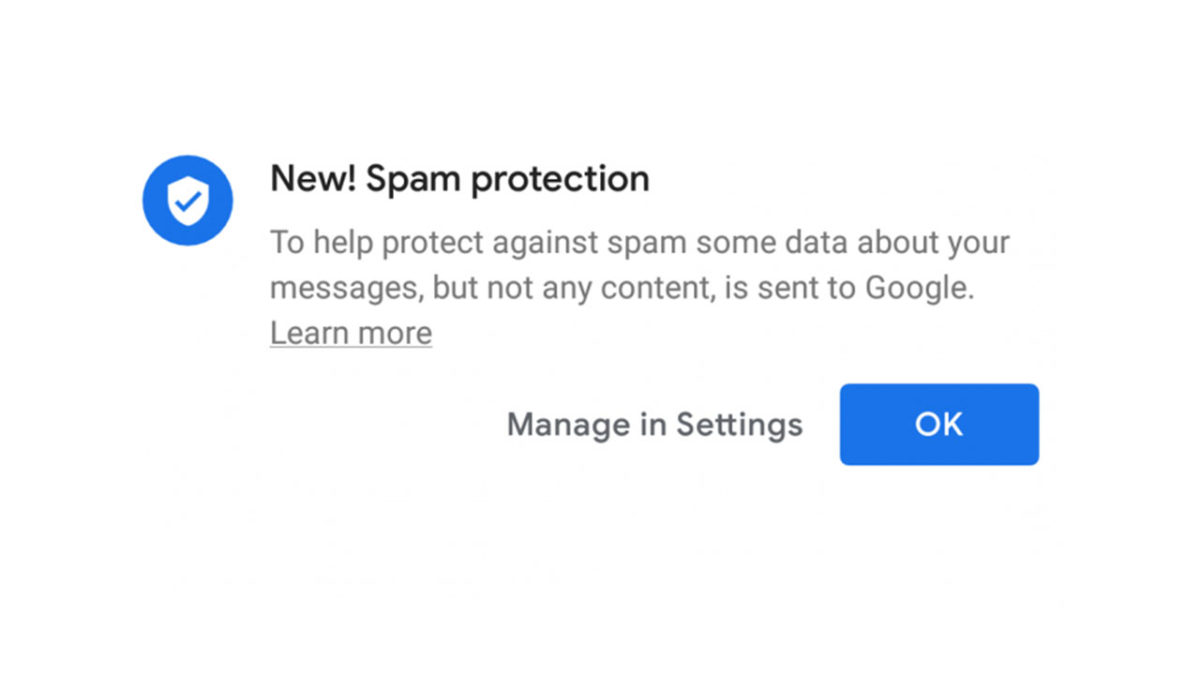
For now, it seems that the new anti-spam features will only be receiving a limited roll-out, so not all Android users will be getting it right now. You’ll know if you’ve been one of the lucky ones, as you’ll receive a notification about spam protection the next time you open the Messages app. The rest of us, however, will have to wait for a wider roll-out of the feature.
New Facebook update brings a new way to mark your life’s most important events

Facebook Life Events are all about commemorating your big moments

New Facebook moments feature

Facebook is in the grip of an existential crisis. The big blue network seems to be stumbling from crisis to crisis. Facebook’s reputation has been dragged through the dirt from crises ranging from personal privacy to democracy-defeating mass data misuse. Whenever the social giant responds to one crisis, another rears its head.

The reasons for these continuous crises will be long and complicated, but at the heart of all of them will be Facebook’s efforts to move beyond what it is. For years now, Facebook has neglected its core purpose of bringing friends and family together via the internet, in favor of finding new digital markets it can then try to dominate and even manipulate. Whatever your opinions on all of that, it could be seen as a little heartwarming at least to see Facebook introducing a new feature that harks back to those innocent old days when Facebook was just a social network.

Facebook Access Facebook
7

Facebook Life Events are all about commemorating your big moments

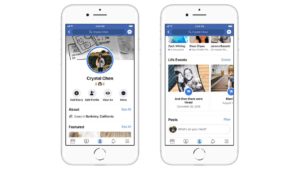
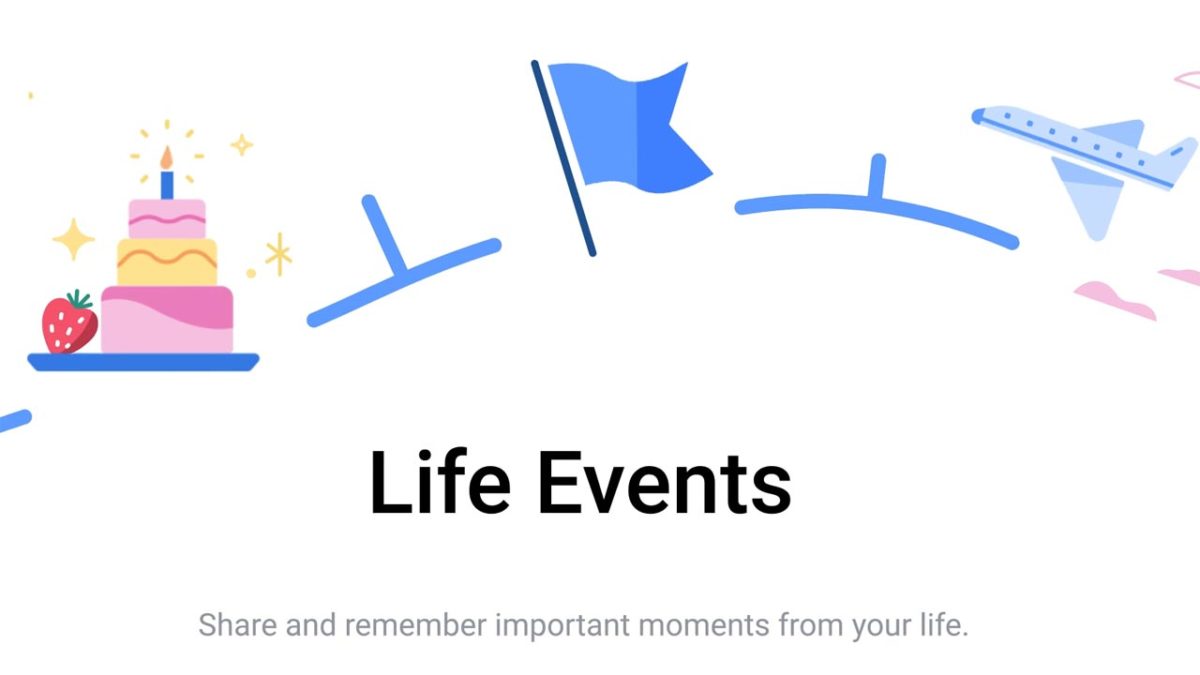
According to the blog post that announced Life Events, they are all about the core mission that Facebook has spent so long neglecting. Life Events are a way of announcing to your friends and family all the biggest moments of your life. These can include all of life’s positive events like engagements and new jobs but, maybe surprisingly, Facebook is also giving us the option to include what it calls more solemn events too. Facebook lists a number of certain life changes, achievements, and milestones that can be shared as Life Events including, “changes in your current city, work, education, and relationship status.”

Facebook Life Events

Posted by Facebook on Tuesday, December 11, 2018

Life Events will come through to your friends and family as notifications and will give you a number of customization options to ensure you can tailor your Facebook Life Event as you wish. These customization options are quite extensive and include “animated photos and videos.”

Facebook will also offer help should you be unsure about what to include. “If you don’t have your own images, you can now choose from a wide range of art from Facebook. You can also include photos from the people or Pages you’ve tagged in the post, like your partner in a relationship or a new school or workplace. The photos and videos in your post also include subtle animations, like slowly zooming in.” You’ll also be able to select a special icon to represent your event when it shows up in people’s feeds.

As well as helping you create your Life Events, Facebook has also included animated reactions. Whenever somebody reacts to your event, they’ll see a short animation of how other people have reacted, too. Your Life Events will also be kept in a dedicated section on your timeline, but you’ll be able to hide specific Life Events should you wish.

Life Events are already available on Facebook for desktop and iOS and Android, so you can try them out now. We’d love to hear what you think of them, and the non-stop Facebook crises that just keep coming in the comments below.

Security threat: 2 million malware downloads from the Google Play Store

Google forced to pull even more malware filled apps from the Play Store

mobile virus security issue

When it comes to online security, no news is good news. Sure, online threats are constantly evolving and we need to hear about new dangers and how to deal with them, but you don’t want to keep hearing about security issues relating to a single product. This is why it’s disappointing to hear about another bunch of malware apps that have been removed from the Google Play Stor. What’s worse, before they were removed from the Play Store, they’d been downloaded over 2 million times.

Google forced to pull even more malware filled apps from the Play Store

According to a report by security experts, Sophos, Google has removed 22 apps from the Google Play Store for containing backdoor malware. Unsuspecting users who downloaded the apps unleashed a plethora of problems onto their devices and created backdoors for hackers to then secretly download files from their own servers.

From there, the problems for users who downloaded any of the 22 fraudulent apps grew further. The apps click on fraudulent ads and drain battery power in the process. They also continue to run in the background, even after they’ve been closed, draining both battery power and mobile data. Although the apps have been removed from the Play Store, there is a chance some users still have the apps on their phones. Below is a full list of the apps:

Sparkle FlashLight, Snake Attack, Math Solver, ShapeSorter, Tak A Trip, Magnifeye, Join Up, Zombie Killer, Space Rocket, Neon Pong, Just Flashlight, Table Soccer, Cliff Diver, Box Stack, Jelly Slice, AK Blackjack, Color Tiles, Animal Match, Roulette Mania, HexaFall, HexaBlocks and PairZap.

If you have any of the above apps on your phone, you should delete them immediately.

Incidents like this one are being reported much more frequently and represent a real headache for Google. Over the last 18 months, we’ve reported on hundreds of malware infecting apps being removed from the Play Store, that have stacked up downloads in the hundreds of millions.

More than ever, we are responsible for our own security when browsing the web and downloading apps and programs. If you want to ensure that you stay safe when using the internet, there are a number of key things to remember. You should only ever download apps from trusted sources, like Softonic, and you should always check the developer listed with the program you are thinking of downloading. Another key point to remember is to look at reviews. Reviews from other users offer the best way of verifying whether a program is legitimate or not. For more tips on avoiding fake apps in the Google Play Store, check out our tutorial below.

Epic to launch its own store to overthrow Steam

Will you download from the Epic Games Store? Or do the 400-pound gorillas hold too much power?

epic games store logo

2018 was a banner year for Fortnite creator Epic Games. Its flagship battle royale title is the most popular game in the world, which helped Epic bank a whopping $3 billion profit. Epic aims to keep that success rolling into 2019 with the recent announcement that they will soon launch their own digital storefront.

Epic Games goes to war against major download hubs

Epic has long been vocal about their disapproval for existing digital storefronts like the Google Play Store and the Apple App Store. CEO Tim Sweeney made headlines last year after a very public feud with Google, and turned heads by deciding to keep Fortnite off of both the Play Store and Steam, a gaming-oriented storefront run by Valve.

Fortnite: Battle Royale Play Now
10

Sweeney justified the rationale behind these major decisions, explaining that he doesn’t believe either platform is fair in their support of creators. This comes down to numbers: Valve and Google both ask a 30% cut from developers to have their games listed in their stores. Epic believes this is simply too much; this led to their decision to keep Fortnite off both platforms, and is also a driving factor in the implementation of their new store. Epic will be letting creators walk away with a huge 88% cut of the profits, significantly higher than the industry standard 70%.

fortnite key art
Image courtesy Epic Games

Epic isn’t the first company to give Steam a run for its money, literally: from EA’s Origin platform to Blizzard’s Battle.net and Discord’s own proprietary client, companies across the gaming scene are circumventing the once ubiquitous Steam platform. Steam has responded to the digital exodus by offering a larger cut of profits to games that bring in $10 million or more, a move that is sure to please larger developers but leaves indie studios and creators struggling. Epic is going in the opposite direction, deliberately fostering a relationship with smaller studios and games.

Epic is also adding other features to make the platform more geared towards developers. They’re offering to cover royalties incurred by games built on the proprietary Unreal Engine, and are also offering a 5% cut of games sold via Twitch and YouTuber promotions. It’s part of a strategy that is continuing to foster Epic’s relationship with content creators, a relationship that kicked off in earnest with Fortnite’s Support-a-Creator event.

Aside from these details, Epic isn’t saying much else about the forthcoming service. The first round of games available for sale has been hand-picked by Epic, with other developers able to access the service sometime in 2019. The games that will be available at launch are currently unknown, but more details will likely be revealed soon.

What the hell happened to Instagram over the holidays?

Instagram briefly introduced horizontal scrolling and it was horrible.

instagram

You may have missed it, but Instagram had a bit of a meltdown over the holiday period. For a period of a few hours, everything went a little crazy over at Instagram HQ when a small test was accidentally released to a wider audience. People were not happy, and it wasn’t long before the whole incident was trending on Twitter. Let’s take a look at exactly what happened in a bit more detail.

Instagram Download Instagram
7

Instagram briefly introduced horizontal scrolling and it was horrible

It was Thursday, December 27, and poor unsuspecting Instagram users were picking up their phones to check what their buddies had been up to the night before. What they found was an alternate-universe Instagram that totally sucked. After they’d looked at that first post, sitting gloriously atop their Instagram timeline, rather scrolling down as normal, their timelines scrolled horizontally to the left.

It was worse than that. Instagram was pushing instructions telling them to tap through the posts on their timeline, just like they do when they are looking through Instagram Stories. Users double-checked to make sure that they weren’t in fact looking at Instagram Stories, and then panicked. It wasn’t a mistake. It was all really happening. Their beloved Instagram had mutated beyond recognition. If they wanted to see all of the posts in their timeline, they’d have to deal with nausea and scroll from right to left.

I have to admit, I was one of those poor Instagram users who was completely thrown by this ridiculous curveball. I didn’t know what to do with myself, so I took to Twitter to vent my frustration, but never got the chance. I quickly found the #instagramupdate, which was the number trending hashtag in the U.S. and my fellow Instagrammers cheered me up with their outrage.

The most hilarious thing about the whole affiar is that what annoyed everybody the most was the fact that the new horizontal scrolling forced them to actually pay attention to other people’s post, rather than mindlessly scrolling from top to bottom.

Then, before I even had a chance to post my own thoughts on the matter, Instagram had fixed the issue, put everything back the way it should be, and released a statement, saying, “Due to a bug, some users saw a change to the way their feed appears today. We quickly fixed the issue and feed is back to normal. We apologize for any confusion.” It was all over before it had ever really started.

The ironic thing about the whole episode is that Instagram was likely testing the new feature as a way to battle the mindless scrolling that users rushed to Twitter to defend.

This is the scariest Internet Explorer bug we’ve ever seen

Google has discovered a bug in Internet Explorer allow a hacker to gain control of the PC running it

microsoft internet explorer

Internet Explorer is an old browser, sure, and there are definitely plenty of better options out there. But that doesn’t mean there aren’t a lot of reasons for people to keep using it. If you are one of those people who still uses Internet Explorer for one of those reasons, then we have some very important news for you. You need to update Internet Explorer immediately.

Internet Explorer Download
6

Google has discovered a bug in Internet Explorer that allows hackers to gain control of the PC running it

The search giant, Google, has a special team tasked with searching out security threats across all software and programs. This team is called the Threat Analysis Group, and a member of Google’s team recently spotted a rather large vulnerability in Internet Explorer’s code. The particular type of threat is known as a remote code execution flaw. Microsoft explains:

“The vulnerability could corrupt memory in such a way that an attacker could execute arbitrary code in the context of the current user… An attacker who successfully exploited the vulnerability could gain the same user rights as the current user.”

This all means that if you are still using Microsoft Internet Explorer on any version of Windows, and you haven’t downloaded and installed Microsoft’s latest security update, your whole computer could be at risk.

If you are logged into Windows as an admin user, then the hacker could then gain the same admin privileges on the machine by exploiting the vulnerability. This would give them the ability to create new accounts, install new software, and even copy or delete your data. The scariest thing of all is that the vulnerability doesn’t need any new software downloading to do any of this.

All that is needed is for the users to click on a website that is designed to take advantage of the security flaw. This means that the flaw makes Internet Explorer users much more vulnerable than victims of regular phishing attacks, which often require the downloading of compromised software. In a post describing the security flaw, Microsoft outlined a scenario that would see hackers taking remote control of a victim’s PC. In the scenario, the specially designed website was promoted via email and merely clicking the link left the victim’s PC wide open.

Fortunately, Microsoft has already created a security patch for Internet Explorer that closes the vulnerability. If you allow Windows to automatically update your system, then there is a very good chance that this serious flaw has already been corrected. If not, however, you’ll be able to find out more details about the flaw and how to correct it here. We suggest you do so immediately.

4 best apps to help you shop for clothes

clothes shopping

Shopping for clothes in person can be incredibly time-consuming. Drive to the store, find parking, scan for something you like, see if they have it in your size, try it on, imagine yourself being photographed in that thing, then fling it back on the rack and go home in frustration. Luckily, we have a collection of great apps that can make fashion shopping easy and fun. Here are four of our favorites!

4 apps to help you shop for clothes

1. ShopStyle

The problem with shopping in stores is that they usually have a limited amount of clothes. With ShopStyle, you have access to millions of items from different brands worldwide. The app is also very easy to use. You can scroll through clothes from your favorites shops to see the latest popular clothing styles.

You can also add filters to find the perfect item. Trying to find a green denim jacket? Simply click on the denim jackets category, and then use the color filter to select the color green. It’s never been easier to find exactly what you’re looking for.

ShopStyle: Fashion Lifestyle Download Now ►
8

2. Poshmark

Have you ever wanted to shop your friends’ closets? Now you can with Poshmark! This is an app where people sell their new or gently used clothes at extremely discounted prices. If you want to wear designer clothes on a budget, then Poshmark has hundreds of great designer styles at a discount. And if you’re looking to sell some of your clothes to make room for new ones, the app makes it extremely easy to list clothing items for sale.

Poshmark: Buy & Sell Fashion Download Free ►
7

3. Rent the Runway

Now that we live in the age of Instagram and Facebook, some people don’t want to be outfit repeaters. With Rent the Runway, you can rent a beautiful dress you know you’ll only wear once. Rent the Runway has great style options like gowns, cocktail dresses, and accessories that are all available to rent! The best part is these styles are just a fraction of their full retail price (if you fall in love and want to buy one).

Rent the Runway Download Free ►
8

4. The RealReal

With The RealReal app, you can shop from hundreds of pre-owned luxury goods. All of this top-notch merch is sold at a considerable discount. You can purchase designer clothing or even a Chanel bag quickly and easily through the app. If you’re afraid you might purchase a knock-off, don’t worry — all of the items on the app are authenticated by The Real Real’s team of luxury goods experts. And the prices are consistently a fraction of the retail cost.

The RealReal Download Free
7

Overall, if you’re looking for amazing clothing deals, these apps are the ones for you. Get started and download a few today!

Fortnite: All 4 Candy Cane Locations

Follow our map to find all the candy canes!

There’s still a few days left to get in on the 14 Days of Fortnite. This seasonal celebration lets Fortnite players take on a series of winter-themed challenges to get their hands on unique themed rewards like sprays, skins, and back bling. One such challenge tasks players with visiting giant candy canes that are scattered in locations across the Fortnite map. Read on to find out how to find them and claim your rewards before time’s up!

Fortnite: All Candy Cane Locations

Fortnite: Battle Royale Download Fortnite: Battle Royale ►
10

Once you’re close by, these candy canes should be super easy to spot. They are, after all, giant candy canes. To start, you should be looking up high: all candy canes are located at peaks and mountaintops, and the reindeer decorations surrounding them keep them lit so that they can be spotted even at night.

fortnite candy cane locations map
All Candy Cane locations.

Location 1: Wailing Woods

Most candy canes are located in the southern, snow-covered map area. This one is located far, far away from the others. Look atop a grassy hill just at the northwestern edge of Wailing Woods.

Location 2: Frosty Flights

This candy cane is located just to the north of Frosty Flights. It can be hard to try to scale this peak, as Frosty Flights is a hotspot for player activity. Instead, consider dropping in directly on top of it.

Location 3: Shifty Shafts

Like the location near Frosty Flights, it’s easiest to just drop directly onto this location if possible.

Location 4: Fatal Fields

This final location is atop a small mountain between Fatal Fields and Lucky Landing. As with the others, simply walk up to the candy cane to mark it as part of the challenge.

Once you’ve visited two of the four locations listed above, the challenge should mark as complete. As a reward, you’ll unlock a unique holiday-themed loading screen, just one of the many festive Fortnite goodies you can unlock during Season 7.