This guide will show you how to unlock the hidden game buried in Android 10
Easter eggs are fun bits of codes that developers hide deep within their programs. Think of them as like an artist’s tag and you’ll get a clearer understanding of what they are. They’re there to show exactly who is behind the computer program you’re using. They show ownership and pride and all things in between.
The great thing with digital Easter eggs though, is that the possibilities are endless. Rather than simple signatures like you see on a work of art or visual tag like you’ll see on a piece of street art, computer program Easter eggs can be literally anything. What started as a few strands of errant code and hidden digital images buried deep in the bowels of computer games and programs have evolved into so much more. Easter eggs can now be games in themselves worth the effort and enjoyment of finding them for the experiences they offer in their own right. Google clearly knows this as the speeding dinosaur in Chrome will attest to. It’s not just Chrome though, Google has actually hidden Easter egg games into Android. That’s right. If you have an Android phone, you can play a secret game on your phone right now. This is how.
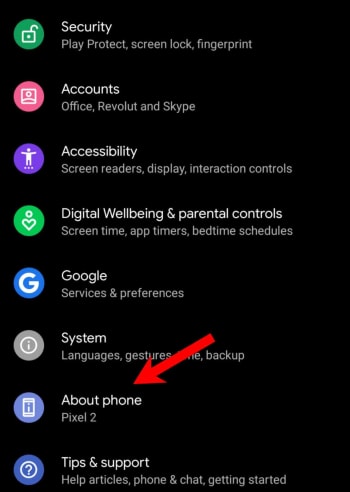
Google has been hiding little Easter eggs inside Android for years now. Each version of Android; be that Marshmallow, Oreo, Lollipop, Nougat, or Kit Kat has had its own special little Easter eggs. There’s even a hidden Flappy Bird game in there for you to find. There are Android Easter eggs for the different versions of Android but there are common themes that run through all versions of Google’s operating system. The biggest one is that you can go to the Settings menu on all versions of Android, hit the About phone option at the bottom of the menu, then press the Android version button, and finally repeatedly tap the Android version option that appears at the top of the menu. Historically, this opens up a simple little Easter egg widget that you can play around with.
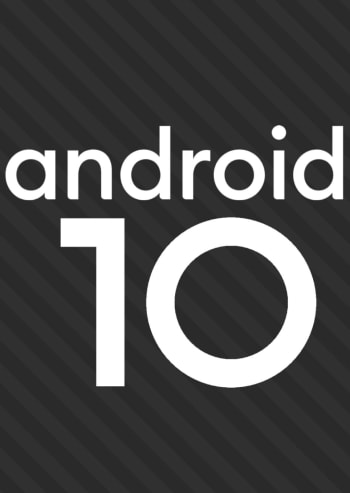
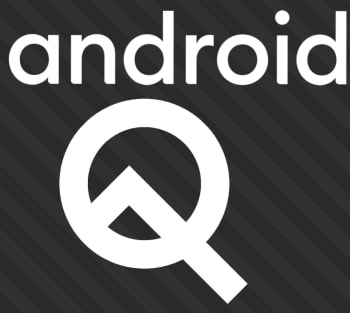
In the latest version of the Google mobile operating system, Android 10, this widget presents you with a movable Android 10 logo. You can drag the word Android around the screen, and you can drag the numbers one and zero around that make up the number ten. You can’t resize these individual elements but if you double-tap them and then long-press, they’ll begin to spin.
On its own, this provides a bit of a novelty and will maybe keep you occupied for a minute or two. What’s cool though, is that there is another Easter egg hidden underneath this classic Android hidden gem.
To access the next hidden game you need to rearrange the Android logo and spin the elements around until they all line up to show the original Android Q logo, that was the code name for Android 10 while it was still in development. Doing this on its own isn’t as easy as it sounds and knowing that you can activate something like this by spinning letters and numbers around in a certain way actually turns this non-descript little widget into a game in its own right.
When you pull it off though, and you drop the letters and numbers in just the right place you’ll notice the stripes behind the logo will begin moving. You then repeatedly click the word Android until you unlock the other game.
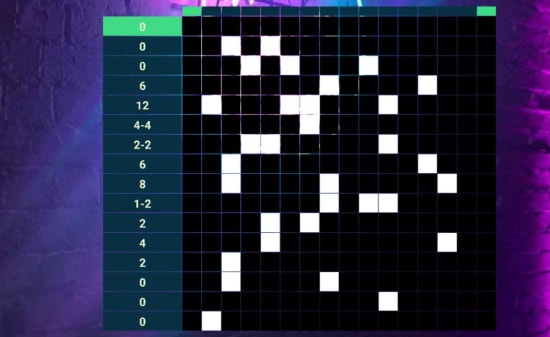
The game you get is called a Nonogram puzzle and is basically a series of grids and squares that you fill out to reveal certain images. These images are all related to Android iconography in one way or another and will reveal themselves once you’ve solved each puzzle. Then, whenever you solve a puzzle, you’ll unlock another Nonogram puzzle to play with the next time you unlock the Easter egg.
What’s cool about these puzzles is that you have different legends showing you which squares to fill on for each of the different aspect ratios of your phone. If you hold your phone in portrait mode, you’ll see one set of codes to work out and if you hold your phone in landscape mode, you’ll see another. This way you have to keep flipping your phone until you’ve figured out all the different elements of the code and filled them out on the grid.
Smartphones and tablets can be a minefield for kids and parents. App stores like the Google Play Store and Amazon AppStore are full of mobile games specifically designed for kids, which are filled with in-app purchases, ads that could take children to websites parents are unaware of, malware, or worse. There even plenty of fake apps out there for Apple iPhones, Android phones, and pretty much all types of mobile devices. But, there are games that you can trust.
Below you will find five safe Android games and Android apps for kids that have no ads and no in-app purchases. You can also be sure the content will be suitable. They may not all be free, but they are generally very cheap, and you’re paying for peace of mind: playing won’t result in other apps being downloaded to your Android device without your permission, and there’s no danger of your kids running up huge bills.
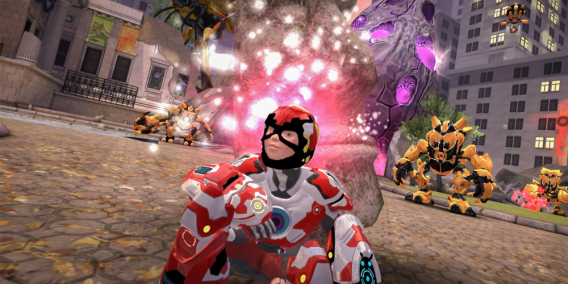
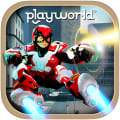
A new game, Playworld Superheroes is a neat concept. You play as a child on a normal street, who makes a superhero costume out of things lying around the garden. You’re then transported to another dimension called Playworld, to save it from evil attackers called Golumites. It really inspires creativity – kids are encouraged to design their own superhero costumes, right down to the hero’s logo, and add to it over time too. The game looks great, with excellent 3D graphics, puzzler gameplay, and a full orchestral score. Playworld Superheroes has no ads and no in-app purchases.
Metamorphabet is a strange puzzle game/experience which sees you work your way through the alphabet. All you do is touch, swipe, and mess around with a letter on the screen, and you’ll see it transform into an object beginning with that letter. It’s really inventive and surprising, with absolutely lovely animations that feel really tactile. Great as a learning tool as well as entertainment for young kids, it is charming enough to be fun for adults too. Your kids can play Metamorphabet on iPhones or iPads and it is well worth its $4.99 price. Suitable for kids aged 4+
It’s impossible to write about games for kids without mentioning Minecraft. It’s not cheap, but you get a great game that will last almost indefinitely. It has two main modes, Survival and Creative. In the former, you spend daytime mining and building so you can survive nighttime, which is full of monsters. In Creative mode, there’s nothing dangerous, you can just play around and build fantastical constructions without any pressure. For the uninitiated, it’s a little like a virtual world made of Lego, that you can play with. It’s great for creative kids, but adults can also get totally lost in the game too.
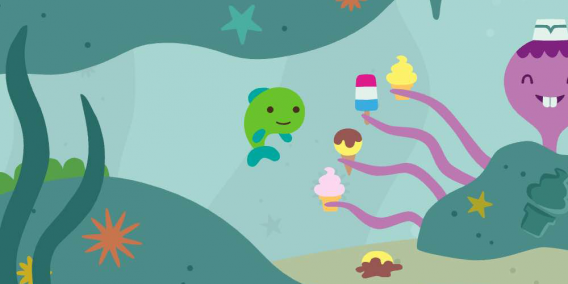
Great for toddlers, around 2-4 years, this colorful game lets them explore a cute underwater world. It’s full of cute things to discover and characters to meet, from a cat that feeds Fins the Fish a fiery chili, to a surprise birthday party. Fins is controlled easily with a finger pointing where you want to go, and there are over 30 activities/animations to check out. It’s open-world – so you’re free to do things in whatever order you want, and the ocean loops so you and your kid never gets lost. Developer Sago has a whole range of lovely apps for kids, and they all follow our rule of no in-app purchases or third-party advertising. By default, you can visit Sago’s other apps for kids from Sago Mini Ocean Swimmer, but by disabling ‘Sago News’ and ‘For Parents’ in your device settings, this disappears.
PDFelement 7: Create, edit and manipulate PDFs the easy, affordable way. Free for iOS and Android!
As the world continues to go paperless, it’s more crucial than ever that you have access to a software program that can handle the most common file type used to share statements, contracts, and other documents: PDF. While you can always use Adobe Acrobat from the company that created PDFs, you might find that the price tag is a little too high or that the software is a little too complicated.
Enter PDFelement, now in its seventh release, which provides you with every PDF tool you could possibly want at a much more reasonable price, and with an interface that will have even novices creating, changing, and marking up PDFs like pros in no time.
PDFelement 7: Create, edit and manipulate PDFs the easy, affordable way
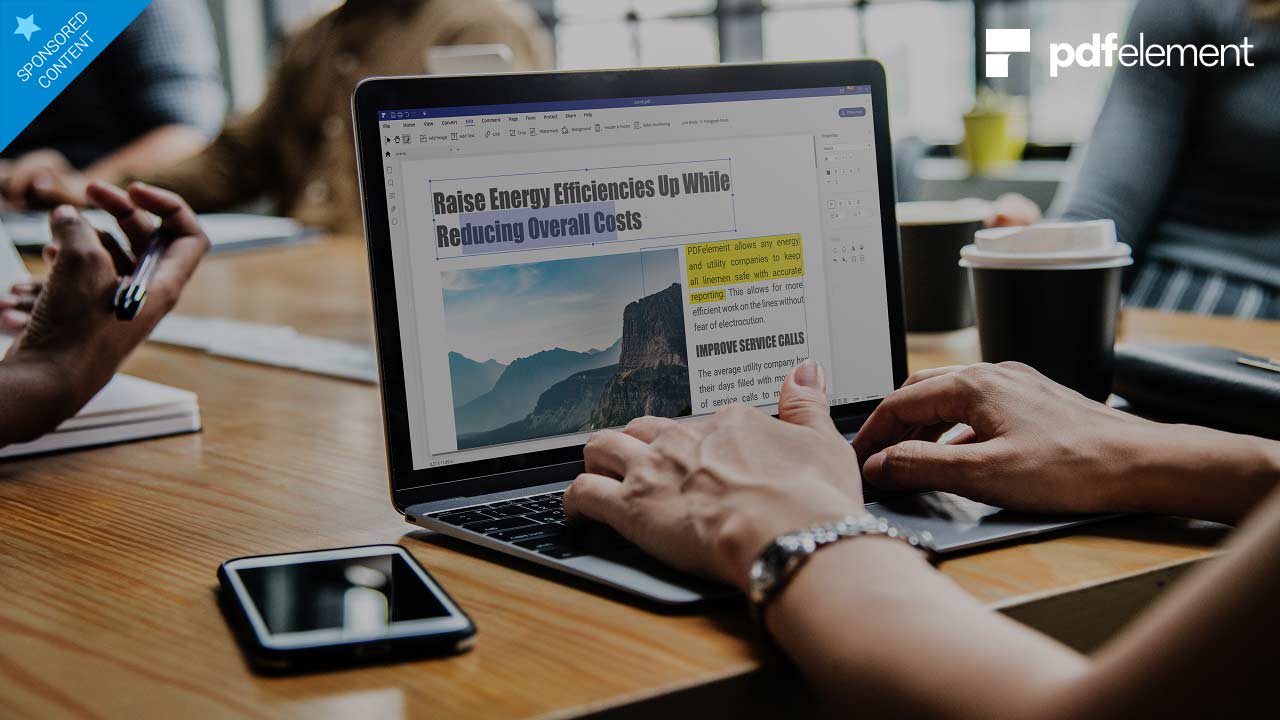
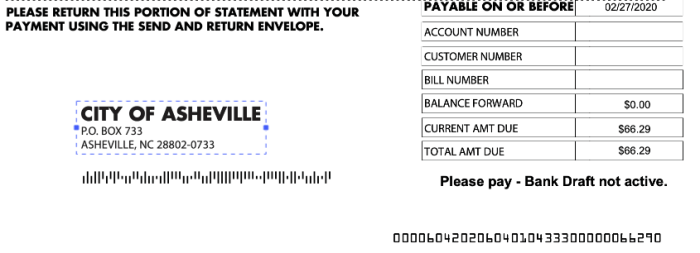
One of the most frustrating parts of working with PDFs has been the inability to edit them; PDFelement 7 eliminates this concern. The software basically turns a PDF into a word processing document. You’re able to move text around and alter its font, color and more; permanently hide text or images using the “redact” feature; add text and images; add signatures; and, turn any part of the document into a hyperlink.
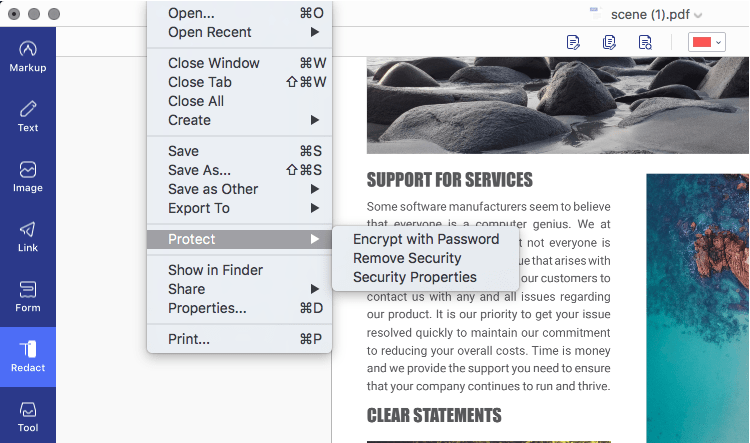
Once your document is edited, you can use the extensive PDF protection tools to secure it. Applying password encryption, redacting confidential data, restricting print, edit, and other permissions are quite simple and have its own section in the File menu (Mac version) or in the top toolbar in the Protect tab (Windows version).
Create PDF from or Convert PDF to a range of sources
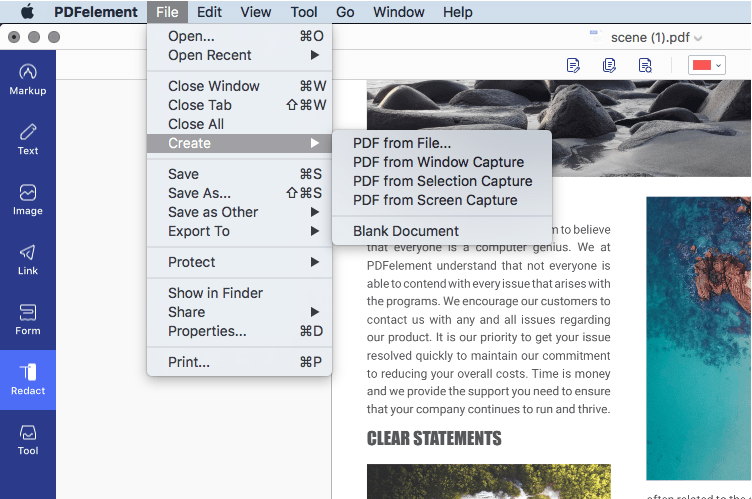
PDFelement 7 not only lets you fully manipulate existing PDFs, but it allows you to convert other document types to create PDFs, as well as letting you start completely from scratch. To do this, you can start with a blank document, or the software can create a PDF from a screen capture, a window capture, or a selection capture, as well as from any image file, Microsoft Office file, scans, a connected scanner (scan to PDF) or HTML code.
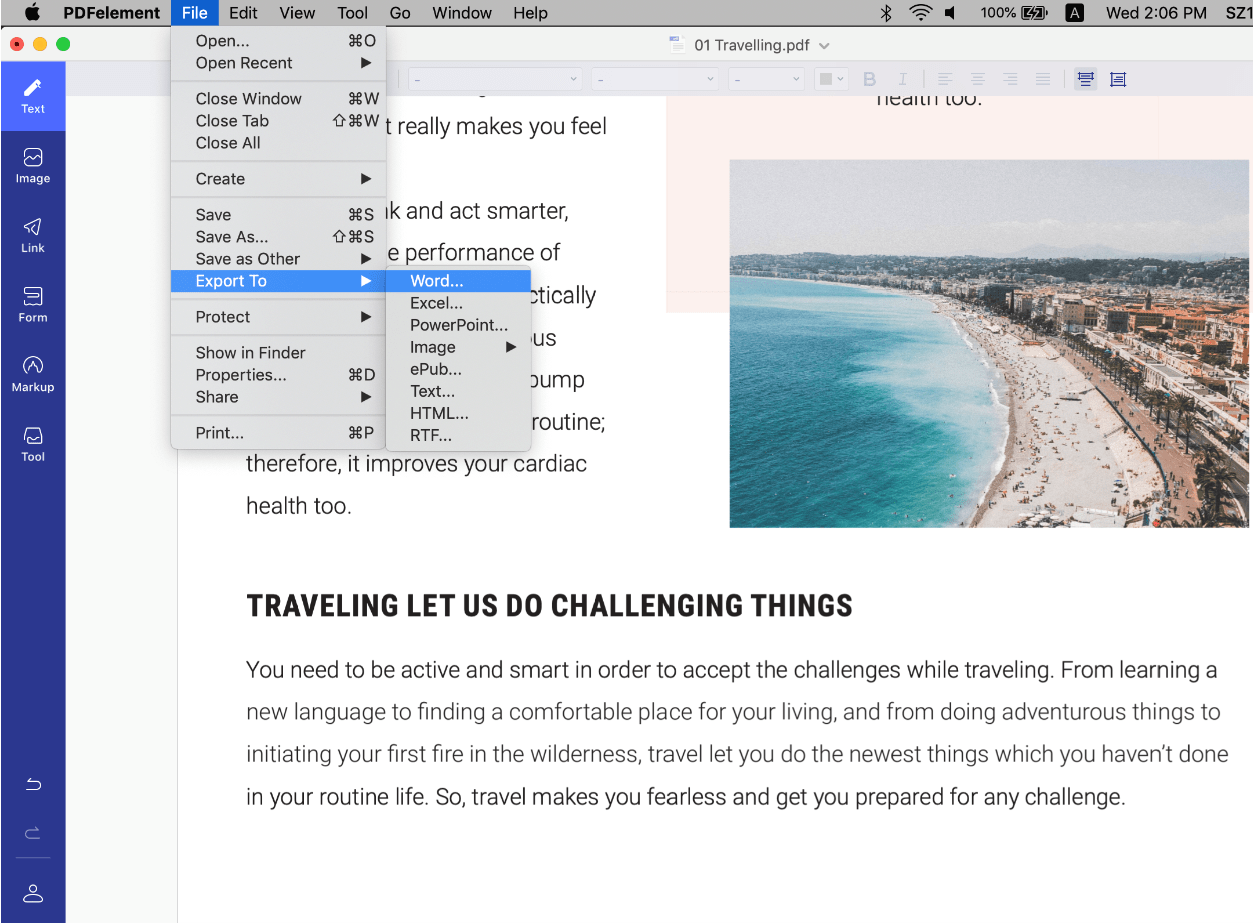
The Convert PDF function in PDFelement 7 is a powerful tool for communication because not everyone has a premium PDF editor. Some stakeholders in a particular process may require the information in a different format, such as Excel or a plain text file. In such cases, the improved conversion engine makes sure that the output file preserves the integrity of the source PDF. The output and input file options are extensive in PDFelement 7, including Excel, Word, PPT, HTML, EPUB, Text, and other file formats, making it a holistic document management software.
Simplified, intuitive navigation
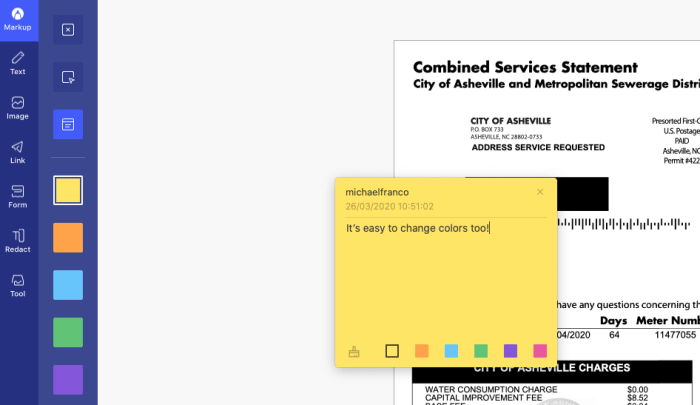
Working with PDFelement 7 is impressively easy. When you begin moving around images, altering text and marking up the file using a range of tools including sticky notes, text callouts, highlights and much more, you’ll view PDF files in an entirely new light. And the software is also quite intuitive.
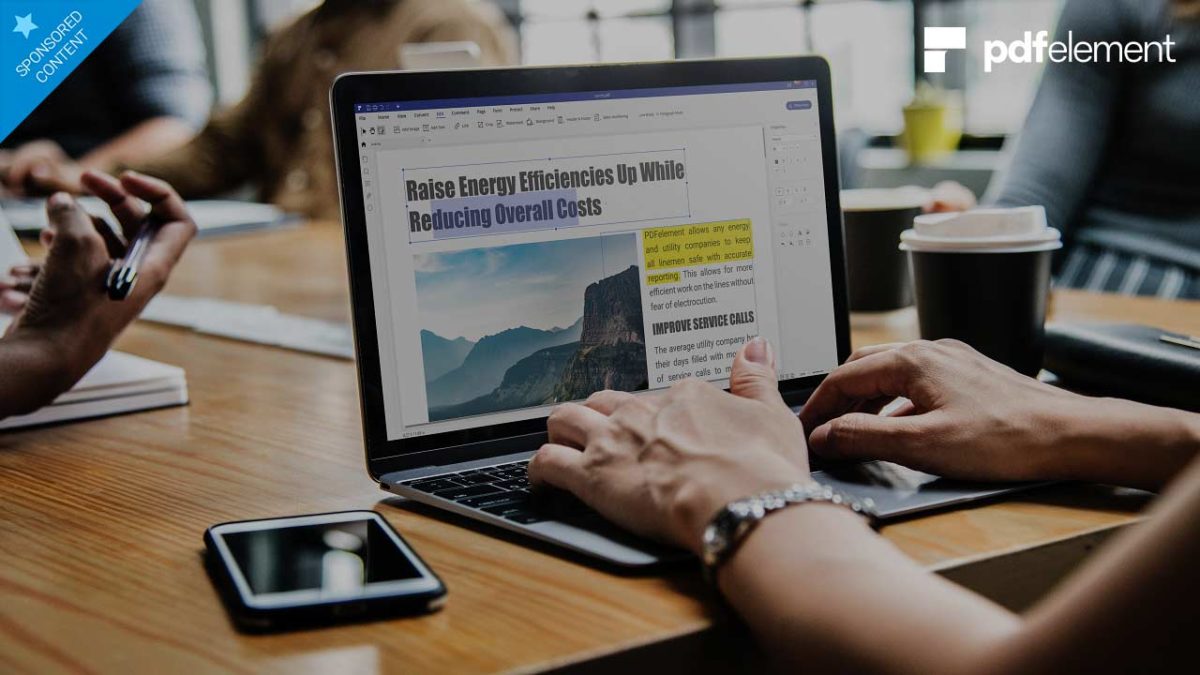
A toolbar on the left lets you decide how you want to annotate PDFs: Markup, Text, Image, Link, Form, Redact, and Tool. Once you select the appropriate one, an additional formatting toolbar on the top of the screen lets you fine-tune your work. Down the right side, you’ll find simple document-navigation tools.
Create forms, change backgrounds and more
As if all of those features weren’t enough, PDFelement 7 has a few other tricks up its sleeve that allow you to truly transform PDFs from being one of the most clunky file types to work with to one of the easiest. First among those is the ability to create or add forms to any document. The software allows you to insert fillable text fields, selectable drop-down windows and radio buttons, and a field requesting a digital signature that is legally binding.
You can also convert non-interactive content into fillable PDFs, have the software automatically recognize form fields, extract data and images, and a lot more.
Additionally, under the “Tools” section, you’ll find a range of extra goodies, including the ability to add a watermark or change the background, add a header or footer, and combine multiple PDFs into one file. But the standout feature in this section is the OCR scan function, which makes all the text in a PDF searchable or editable, per the conversion setting you choose. The OCR functionality works across 29 languages.
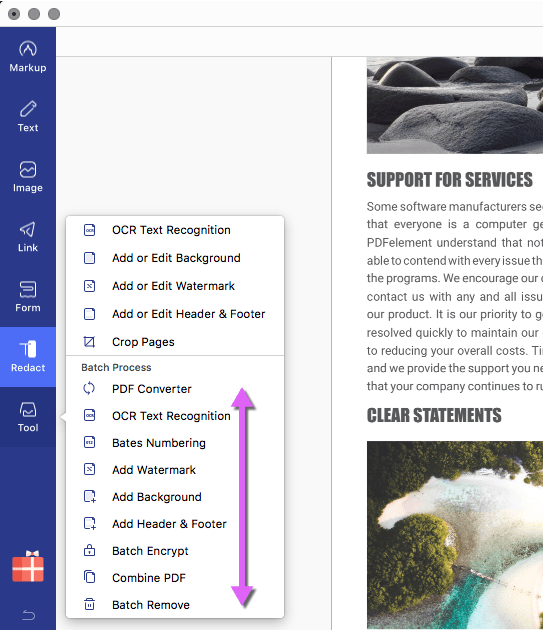
In PDFelement 7 Pro, you also have several Batch Process options for conversion, encryption, watermarking, OCR, merging PDFs, and so on. These allow you to handle large workflows containing hundreds of documents and process them in an automated queue instead of doing it manually, one by one.
Besides the macOS system, PDFelement is also available on these OS platforms: Windows, Android, and iOS. Plus, you can get the PDFelement for iOS and Android for free.
Extensive Product Support
Wondershare, the creator of PDFelement, offers full backup for its key PDF productivity product. This includes video tutorials, online help tools, an extensive knowledge base, user guides, and a live chat service in case you need immediate help, it will be more helpful to find the solutions.
Save up to $60 on PDFelement Pro
PDFelement allows you to download a free version of the software that lets you use nearly all of the program’s functionality. The only caveats are that files are saved with a watermark and there are some conversion caps/limits. Nevertheless, every basic PDF function is free to use.
For $79 per year (a savings of $40), you can upgrade to a Pro version, which includes complete functionality – or for $69 per year, you can snag the Standard version, which eliminates the OCR function, the ability to turn scanned PDFs into editable PDFs, the ability to add and edit form fields and digital signatures, and several other features. In our opinion, the upgrade to Pro is well worth the extra $10. Furthermore, you can also opt for a lifetime license so you don’t have to remember to renew your subscription every year or every month.
PDFelement 7: Create, edit and manipulate PDFs the easy, affordable way
Macbooster is an all-in-one system optimization tool for Macs. Download it for free!
Mac owners are often under the impression that their computers don’t need resources to help them run more smoothly. Yet the fact is, Macs can be just as susceptible to bloatware, unnecessary system files, bits of forgotten programs that have been uninstalled, and duplicate files that do nothing but hog resources. Even if you’re meticulous in keeping your Mac in order, chances are that you’re bound to miss the things that are keeping your system from running at peak performance.
That’s where Macbooster comes in. Produced by IObit, a trusted name in software development, Macbooster has just had its eighth release – which demonstrates the dedication the IObit team has to constantly improving its product.
Macbooster is an all-in-one system optimization tool for Macs. It analyzes every corner of your system, seeking out files that keep your computer from running at its full potential and then either removes the files for you automatically, or allows you to decide what to delete and what to keep.
When the software is first launched, you are given the option to run a full system scan. Upon its completion, you will be presented with an overview of three areas in which your computer may need improving:
System Junk: A look at files that do little more than take up space on your machine including leftover code from iOS software updates, application junk files, your iTunes cache, software installation utilities that are no longer needed, and more.
Virus and Malware: Scans your system for potentially damaging files that can creep onto your Mac despite its famous safeguards against viruses.
Turbo Boost: Examines items like disk permissions and looks for places to optimize the functioning of your drive and your storage configurations.
Click into any one of these categories, and you’re provided complete details regarding the results of the scan. You then simply click the “Fix” button and the software gets to work making things better, or you can choose what you’d like to repair.
On top of the main scans, the software also provides its tools as individual functions. These include a memory cleaning function; privacy protection; an uninstaller, which completely deletes all files associated with a program; a start-up optimizer; a duplicate finder; photo sweeper; and a solution for finding large and old files that you may no longer need.
What’s new
In version 8 of the software, IObit has given its Swiss-Army-knife software even more functionality by increasing the functionality of Turbo Boost with more disk optimization items; expanding and updating its malware database; improving and smoothing out the interface; and fixing the few bug reports the software company received since its last release. It has also made the software completely compatible with macOS Catalina, so it is basically one of the most cutting-edge optimization tools you can own right now.
Free download
To get a sense of how Macbooster 8 works, you can download a fully-functional trial version for one week. You can use the software to run a scan of your system and fix any issues that are uncovered. While you can cancel any time during your first seven days with no penalty, the reasonable rates make keeping Macbooster easy decision though, with robust plans starting at just $3.33 per month.
Disney+ is now in Europe too! Try its 7-day free trial and subscribe to its magic.
Often, the most memorable characters in Disney movies are their villains. Despite being the bad guys, they are always extremely charismatic, and we can even come to understand them… sometimes.
Also, many are known for more than their appearance or evil deeds: some have given truly superb musical performances. So, today we’re going to review the 10 best Disney songs sung by antiheroes.
And if this article inspires you to rewatch the movies starring those villains, you can find the whole collection on Disney+. Disney’s streaming platform is already available in Europe (specifically: Spain, the United Kingdom, Germany, Italy, Austria, Switzerland and Ireland). You can take advantage of the 7-day free trial period (plenty of time to watch the movies on this list), and among its special features, you can use it on up to 10 devices.
Try Disney+ for free during one week and on 10 devices
10. “Mine, Mine, Mine,” Governor John Ratcliffe in Pocahontas
Although Pocahontas has iconic songs like “Colors of the Wind,” sung by the protagonist, we can’t forget the melody of its villain (voiced in the original version by David Ogden Stiers). It’s the perfect number to introduce the bad guy of the movie. “Mine” has a double meaning: it refers to working in the mine, which his employees do to extract resources from the New World, but also to his selfishness.
Never before has a song so thoroughly defined a character’s greed. Radcliffe, an unscrupulous man, arrives in unexplored territory (which we now know as America) to exploit it without measure or consideration, destroying everything in his path. Luckily, the good guys always win at Disney.
9. “Mother Knows Best,” Mother Gothel in Tangled
The funny thing about this song is that, when we first hear it, we don’t know a villain is singing it. Because at first, Gothel (Donna Murphy) is Rapunzel’s protective mother who, in the song that concerns us, is apparently worried about the dangers of the outside world – all she wants to do is protect her daughter.
Apparently… but in fact, “Mother Knows Best” isn’t just about overprotectiveness: it’s the song a villain sings to the girl she kidnapped as a baby, whom she prevents from leaving the tower so she doesn’t learn the terrible truth about her past. Never before has such a sweet tune hidden so much evil.
8. “Be Prepared,” Scar in The Lion King
Although “Hakuna Matata” is quite the hymn, The Lion King has other great songs worth remembering. One of them stars Scar (voiced by the great Jeremy Irons), who makes a whole declaration of intent by singing “Be Prepared;” in other words, get ready for what’s coming when I’m king of the jungle.
“Be Prepared” is not only great from the musical perspective. Visually, it’s also quite genius: with his loyal hyenas as extras, we’ll see how Scar imagines the dictatorial regime that is about to begin. Furthermore, the bold colors in the scene, very different from those of the Mufasa or Simba scenes, confirm that what’s to come is a reign of terror.
7. “Oogie Boogie’s Song,” Oogie Boogie in The Nightmare Before Christmas
The Nightmare Before Christmas, one of the movies from the Tim Burton universe, is also a Disney production. So its villain song obviously deserved a place on our list.
Oogie Boogie, is a burlap sack villain who won’t hesitate to ruin Christmas by kidnapping Santa Claus. But instead of just behaving like the classic villain with evil laughter, he decides to torture him while singing a song (performed by Ken Page), pure jazz composed by Danny Elfman. It’s a cool theme song that slightly reminds us of the next villain on our list.
Try Disney+ for free during one week and on 10 devices
6. “Friends on the Other Side,” Dr. Facilier in The Princess and the Frog
And it’s about jazz: The Princess and the Frog is Disney’s foray into New Orleans of the early 20th century, when jazz was all the rage. All the characters in the movie sing in this musical style, including its villain, Dr. Facilier (voiced by Keith David).
In his star song, he talks about his “friends on the other side” who allow him to be evil sorcerer who will change the lives of Tiana and Prince Naveen. But it turns out playing with spirits isn’t always a good idea, since they won’t hesitate to drag you into their world of shadows…
5. “Hellfire,” Cardinal Frollo in The Hunchback of Notre Dam
One of the most fearsome and ghoulish Disney villains is Cardinal Frollo (Tony Jay), and it’s because we can imagine a person like that existing in real life. The cardinal of the Cathedral of Notre Dame is a person without skills or powers beyond the intelligence he uses to do evil. Is there anything more terrifying than that?
In the song Frollo sings in the film, he reveals all his contradictions: on the one hand, his devout Christian sentiment (accompanied by the religious choir in the basilica), and on the other, his desire for Esmeralda, the heroine whose death he wishes for if he cannot have her. If we had any doubts about Frollo being evil, they dissipate with this song, a melody with truly dark and adult themes to be from Disney.
4. “I Wanna Be Like You,” King Louie in The Jungle Book
Although the main villain in The Jungle Book is the tiger Shere Khan, he can’t boast of something: having one of the most famous Disney villain songs, so much that we’d be surprised if you’d never hummed it before. Yes, we’re talking about the great swing song “I Wanna Be Like You” starring the monkey King Louie (played by Louis Prima, famous trumpeter and jazz singer).
But don’t be fooled by this primate’s friendly appearance or cheerful tune: Louie is a selfish character who only cares about his own interests, and he wants Mogwli to give him fire to do his misdeeds.
Below is the original version of the theme, but actually, the version in the film’s live-action remake isn’t bad either: Louie is a much more threatening giant gorilla voiced by a first-rate actor, Christopher Walken.
3. “I Put a Spell on You,” Winnie Sanderson and her sisters in Hocus Pocus
Our list needed a real-image film, so we went with Hocus Pocus. In addition to being one of the most underrated Disney classics, it has some of the best villains: the Sanderson sisters, three witches who are as evil as they are funny.
In this scene, the eldest of the sisters, Winnie (the great Bette Midler), performs the classic R&B track “I Put a Spell on You.” Since they are at a costume party, no one (except the main characters) suspects that what she’s saying is true. Although she’s the lead singer, the eldest is always accompanied by her two sisters, Mary and Sarah (Kathy Najimy and Sarah Jessica Parker).
2. “Gaston,” Lefou and Gaston in Beauty and the Beast
If there’s a Disney song capable of lifting your spirits in just a few notes, it would have to be “Gaston.” The best musical composition from Beauty and the Beast, it is a joyous melody in true Broadway style, with fun lyrics and the excellent voices of Richard White and Jesse Corti as Gaston and Lefou, respectively. Yes, they are villains, but at this point in the film, they are still endearing villains (we will have the rest of the film to discover that Gaston is the worst).
Although we picked the animated sequence for our ranking, the film’s live action remake has a good version too. Luke Evans and Josh Gad are great as Lefou and Gaston!
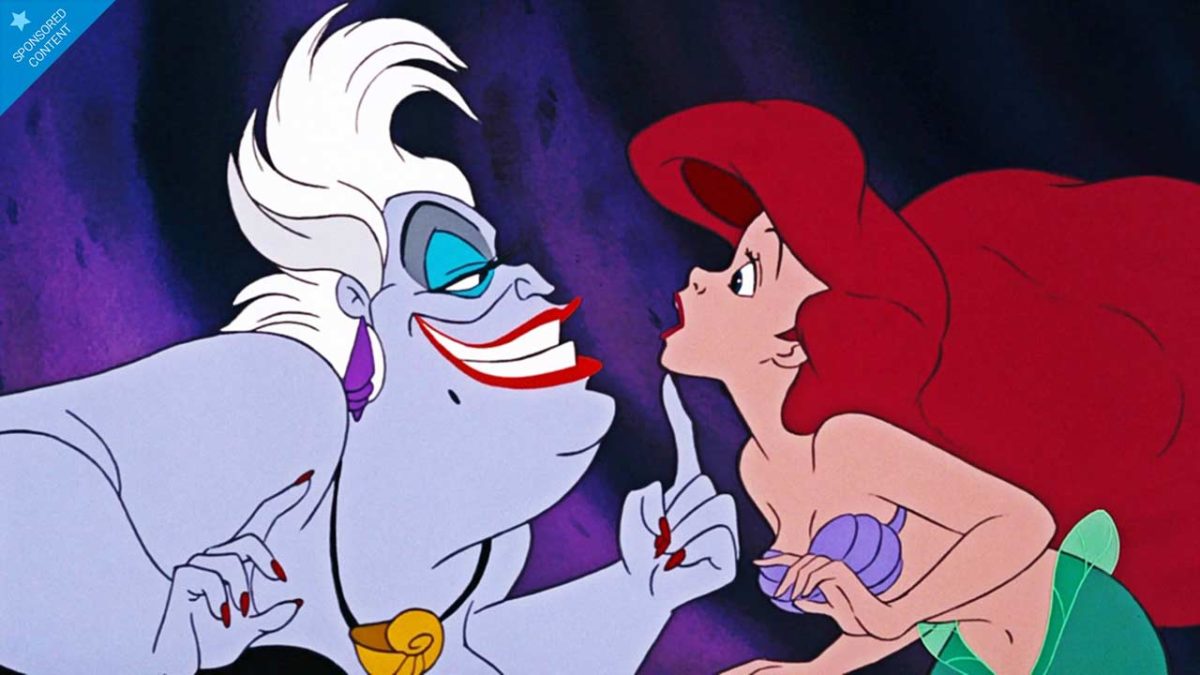
1. “Poor Unfortunate Souls,” Ursula in The Little Mermaid
Last but certainly not least, we have one of the most misunderstood villains of the Disney universe: Ursula! Okay, she stole Ariel’s voice and played dirty with it, but… hadn’t the little mermaid signed a contract with those terms? Before you sign anything, it’s always a good idea to read the fine print or, in this case, listen closely to the song the villain sings you.
Soon we’ll get a live-action adaptation of The Little Mermaid, and Ursula, voiced in the original by Pat Carroll, will be played by actress Melissa McCarthy. Will she do justice to such a legendary character?
Bonus Track: “Cruella de Vil” in 101 Dalmatians
We added this song as a bonus track, because although it’s about a villain, it’s not sung by her: it is Roger Radcliffe (Ben Wright), the human hero of the story, who tells his wife Anita and the viewers about Cruella de Vil, who is about to enter his house.
Never before has such a beautiful song said such ugly things about a person (and the song’s lyrics barely begin to describe Cruella’s evil).
https://www.youtube.com/watch?v=FuKDbx1hhrE
Try Disney+ for free during one week and on 10 devices
Try these Tinder alternatives to jump-start your love life.
Tinder and its unique way of connecting people have taken the world by storm since its release. Tinder has become well known as a hookup app for more casual encounters, although in essence, it is a dating app at its core. Many individuals have found meaningful connections and relationships on Tinder.
But maybe you’re looking for Tinder alternatives? While Tinder is available on Android and iOS platforms, maybe it isn’t the app for you. There are many similar apps to Tinder that you can consider.
Why Choose an Alternative to Tinder?
Tinder works hard to keep the app fresh and interesting for users. Whether it is by introducing 48-hour ‘Vibes’ events, or features that protect the LQBTQ users, they keep improving their offers along the way. Unfortunately, the push to monetize the app has caused many people to look for Tinder alternatives. The premium version does have many added benefits, but some want a simple dating app without the hassle of paying for it.
It is not uncommon to get bored of Tinder. Maybe the ‘swipe right’ system is no longer as entertaining as it used to be, and the push to get the premium version can be annoying. Or perhaps you’re no longer getting matches, or the matches you do get end up as disasters. No matter the reason, you can take a break from Tinder and explore some of these other dating apps that some would argue are better than Tinder.
Similar Dating Apps Better Than Tinder
Maybe you’re sick of Tinder, or maybe you’re just wondering if there are any better alternatives out there. Luckily for you, Tinder has a lot more competition now than it used to. If you’re looking for love and a long-term relationship potential dates, or maybe just a meetup, try these Tinder alternatives.
Hinge
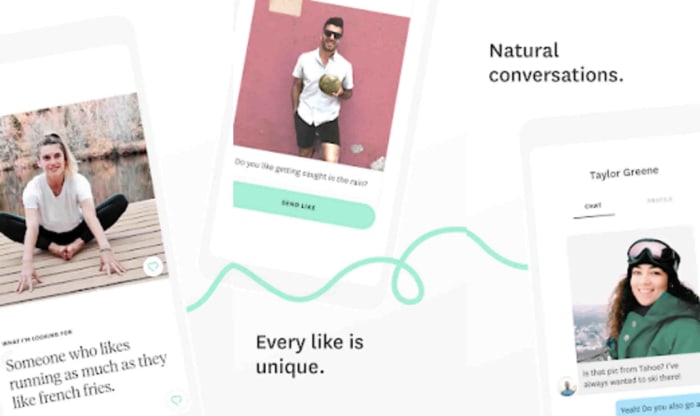
If you’re looking for a more meaningful relationship, give Hinge a shot. It claims to have a more thoughtful approach to matchmaking than Tinder or other alternatives. Unlike other dating apps, Hinge uses your Facebook profile to connect you with others, such as friends of friends. These quality matches can be a good option, if you’re nervous about sending that first message to a complete stranger online. But if you’re not into connecting with mutual friends through Facebook, Hinge now offers the option to simply log in with your phone number. Although it’s a free app to use, you can upgrade to a preferred membership with a monthly fee for additional features.
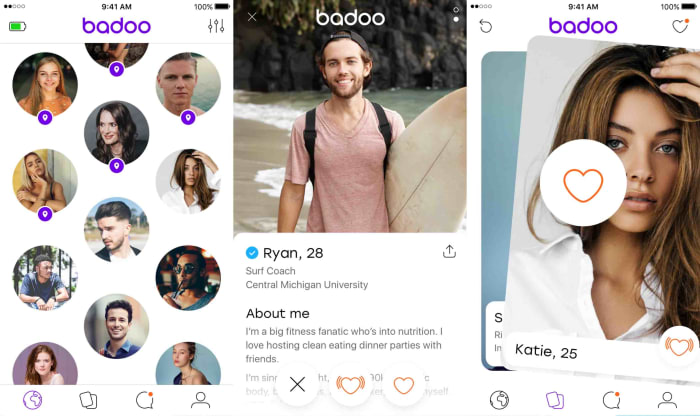
Over 330 million people use this app worldwide, operating in 190 countries in 47 different languages. There’s no pressure, either as you can use this app for more serious dating, casual dating, or for making new friends. Badoo is frequently updated with new features to help you in your dating search, and you can even connect with other users who are currently nearby, whether you’re at a bar or movie theater. The app also has the option to look for celebrity lookalikes, if you’re into that sort of thing.
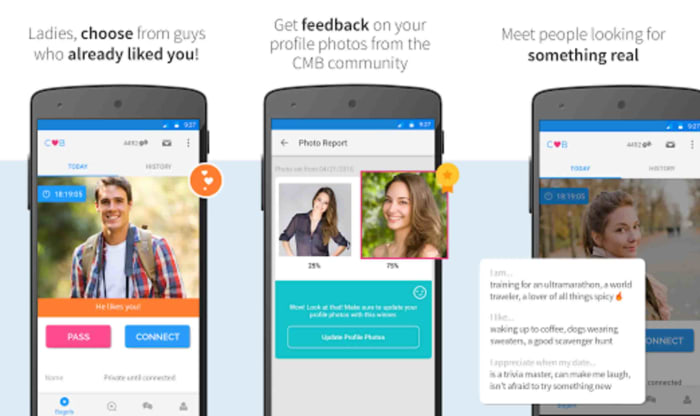
Coffee Meets Bagel promises to be a simpler, less time-consuming dating app. Instead of manually going through matches or swiping right, Coffee Meets Bagel uses an algorithm to match you with users who meet your basic criteria or share your interests. The app will even help you break the ice with conversation starters. It’s also LGBTQ-friendly—no need to use a separate app! A premium option is available, too, if you’re looking for more information about your matches or are having issues with ghosting.
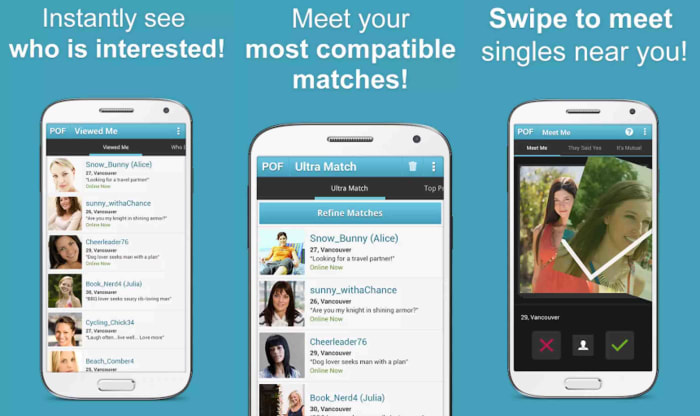
PlentyOfFish is one of the most downloaded free dating apps, boasting nearly 100 million users worldwide. It’s easy to match with other users and start conversations immediately, though the questionnaire is more in-depth and can be time-consuming. You can take a Chemistry Test to find other personalities with similar, long-lasting emotional needs, or even discover some relationship needs of yours for which you might not have been aware.
Better yet, the app features unlimited messaging, so chat away! If you want to receive better matches, fill out as many personality questionnaires as possible. Like many other alternative dating apps, you can choose to upgrade your account for a fee.
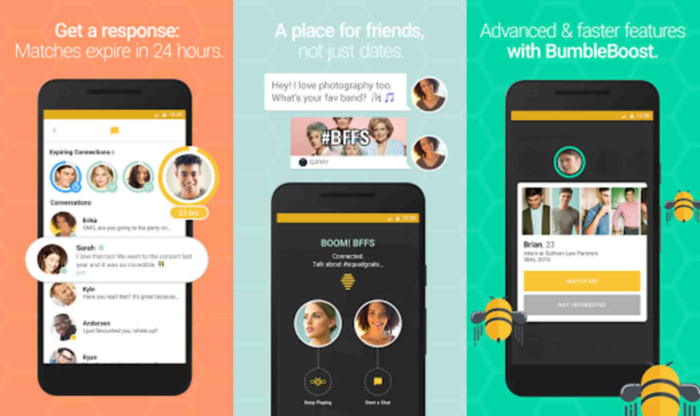
This free dating app has over 20 million users. It differs from many other options out there in that only women can initiate contact, and men only have 24 hours to respond. Although you might match with fewer numbers on Bumble than other apps, the matches are considered to be better quality, so you’ll likely experience fewer corny pick-up lines.
Like Hinge, you can now log in with a phone number instead of a Facebook account, if you wish. Even better, Bumble is more than just a dating app now. It can also help you to make new friends and network in your field with the help of its Bumble BFF and Bumble Bizz features. If you’re looking for a dating app that can do more, Bumble is the way to go.
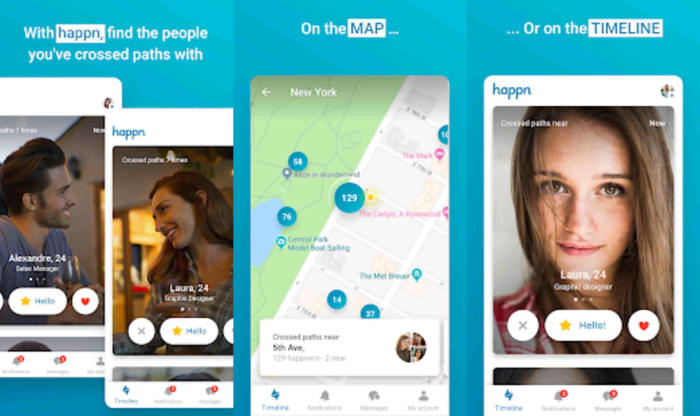
If you want your love affairs to start with something a little more personal than a swipe with potential matches, Happn could be what you’re looking for. Happn’s unique way of doing things involves a hookup with people you’ve encountered in real life. Unlike other online dating sites, Happn will only let you match with other users you’ve passed in the real world. If that sounds like something you’d be interested in, you can download Happn on Android and iPhones now.
OkCupid is similar to Tinder but more personalized. You start off by answering a fairly extensive questionnaire. The more questions you answer and the details you share, the better your experience on OkCupid will be. Once you’ve answered the questions, the app will match you with potential dates. This app really lets you weed out people with traits that are really a no-go for you, such as those with specific religious or political preferences.
Elite Singles is aimed at working individuals who struggle to find time to meet new people. The app includes ice-breaking questions that can be used when first meeting someone new, which is ideal for those that are a little awkward when meeting a new person. With Elite Singles, you will also receive a new match daily, so you’re guaranteed to meet new people making it one of the best Tinder alternatives. All matches are also based on your preferences.
Skout is a much more open dating app that allows users to connect with a wide range of people. You also don’t have location restrictions, which means you can connect globally. While Skout is still relatively unknown, many users have reported that they prefer Skout to more popular dating apps like Tinder and Grindr.
Ship: Dating Matchmaking has a fascinating approach to their dating app. Not only can you add your preferences and swipe on any matches received, but you can also allow friends to help with your matchmaking. This means that if you want friends, family or your parents to be involved in choosing your next date, this app is for you.
They can only swipe on matches provided based on the preferences you enter at the start. Once a ‘crew member’ has swiped on a profile they feel matches you; the conversation is opened. However, your crew members will not be able to see your conversations – thankfully. This is one of the best Tinder alternatives.
To make the process of finding dating apps better than Tinder, here is a scannable table with our top recommendations for you to consider.
Dating App
Ideal For:
Best Features
Available on Play Store
Available on App Store
Hinge
Those attracted by personality
Can connect with friends of friends. Location-based. Users can like and comment on specific sections of a profile
Yes
Yes
Badoo
Those who enjoy experimenting
Meet people close by Video chat function from within the app. Any explicit images are automatically blurred. Can only match with genuine profiles
Yes
Yes
Coffee Meets Bagel
Those looking for the real deal
Activity reports. Meet with those who liked you. Can browse through other profiles
Yes
Yes
PlentyOfFish
Those new to dating
Simple interface. Messaging on the app is free. Can live stream and have virtual dates. Can enable or disable messages
Yes
Yes
Bumble
Proactive daters
Have to respond to matches in 24 hours. Verified profiles. Different modes (date, bff, business). Can share music
Yes
Yes
Happn
Meeting people you’ve already met
Cross-path timeline notifications. Location is kept private. Crush-time, similar to super like on Tinder. Send secret likes
Yes
Yes
Ok Cupid
Free dating
Matches with those with the same interests. Requires mutual swipe to start messaging. Fun questionnaires
Yes
Yes
Elite Singles
Working individuals
Icebreaker questions. Can upload Facebook photos from the app. Receive daily matches. Matches based on preferences
Yes
Yes
Skout
Those wanting to make global connections
Watch other’s streams. Matches based on preferences and your chosen proximity. Get updates about other users nearby
Yes
Yes
Ship: Dating Matchmaking
Those looking for a fun and easy experience
Can set profile as dater or matchmaker. Set matches for yourself or your friends/family. Can arrange group chats with your crew to discuss prospects. Follow crew members dating activity
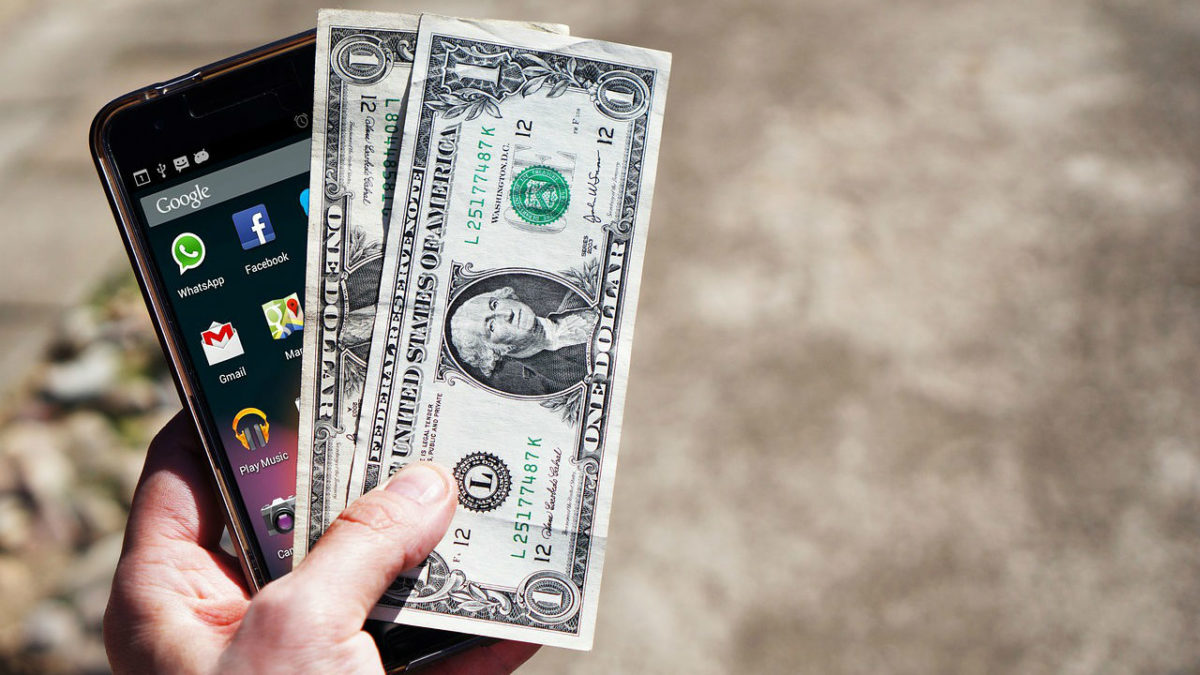
These are the best apps to help you make money using your mobile phone
This age of the app that we find ourselves living in is filled with wonder and promise. Apps can do help us do anything from traveling to the places we’ve always dreamt of, losing weight and living a healthy lifestyle, connect with our friends, work from home, and talk with friends and relatives all over the world for free. What’s even more impressive is that the apps we download on our phone can even help us make some extra money. Yep, apps on your phone can help you pay the bills.
You might not believe this but there are, in fact, lots of different money-making apps. There are apps that will save you cash on your shopping, pay you to fill out surveys, help you invest your cash, and even pay you to walk more. Let’s go through them now. The best apps to help you make money online.
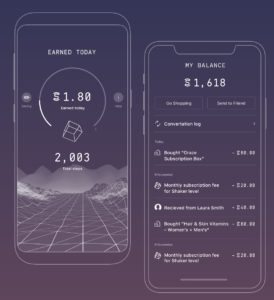
We’re starting today’s list with what just might be the most interesting free app we’ve ever featured. Billed as a new type of crypto coin, you can generate your own coins by getting outside and being more active. The way it works is you download the Sweatcoin app, which then tracks all the steps you take during the day. For every 1,000 steps you take in the real world, you will generate 0.95 Sweatcoins. You can then use these Sweatcoins, just like real money, to buy things online.
Sweatcoin is available for iOS iPhones and Android smartphones but don’t think this is going to be a get rich quick scheme. Essentially, this is money for free but its more of a passive balance that keeps building up in the background rather than something that will help you pay off your mortgage. You’re looking at paying around 20,000 Sweatcoins for most items, which means at 10,000 steps a day you’re looking at more than five years to be able to buy something with your steps.
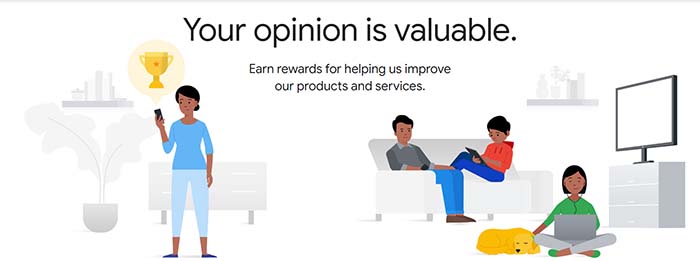
There are two ways you can look at this paid survey app from Google. One is to worry about the very direct manner that Google is trying to harvest the data off you that it can’t elsewhere. Yes, Google knows a lot about you and is basically trying to learn everything it doesn’t already know. If you want to know how to block Google doing so, read this guide to delete everything Google knows about you. It works with Apple and Android phones alike to, which is great for all you Apple fanboys out there.
If you’re happy for Google to know about you and, in fact, would rather like to make some extra cash out of it all, then the Google Opinion Rewards app is for you. Google is willing to pay you between 10 cents and a dollar in Google Play Store credit to fill out various surveys on all sorts of diverse subjects. These surveys don’t take long to fill out so you can do them anywhere from waiting in line at the bank to taking the bus to work.
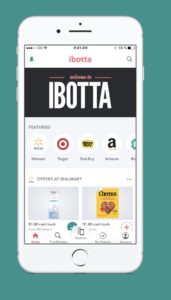
This cool little mobile app makes it possible for you to recoup some of the money you’ve spent on your groceries. You can even treat a bit like a game. Ibotta works with both iOS iPhones and iPads and Android smartphones and tablets.
Ibotta works with PayPal and put actual cash money into your account within 48 hours of activating your rebates. All you have to do to get your money is search for all your groceries in the app and then find any available coupons or rebates linked to the products. After that, you simply scan your barcode and then wait for the cash rewards to land in your PayPal account.
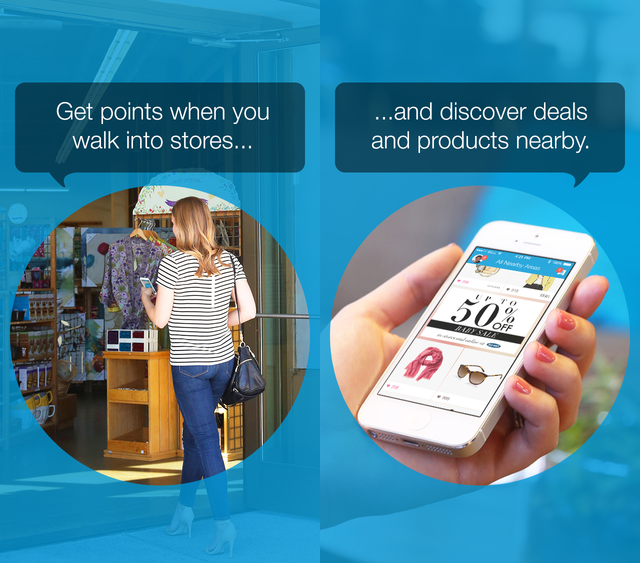
Shopkick is a very interesting voucher indeed. It’s interesting because Android and iPhone users who have it don’t even need to buy anything to make money. The app has eight different money-making activities that users can do to boost their balance and some of these don’t require making any purchases at all. With Shopkick you can earn money just by walking into a shop or by simply scanning the barcodes of certain items and not even buying them. There are, of course, bigger payouts available for making actual purchases but it is good to know you can earn money for nothing with this one. The only catch with Shopkick though is that your earning gift cards for the likes of Amazon rather than actual cashback.
The final app in our best apps to help you make money is Acorns, which is trying to help you build up your investment portfolio and boost your personal finance credentials. Acorns works by taking your spare change and investing it into diversified funds that are spread across thousands of different stocks and bonds. As well as the spare change option, Acorns also has a recurring investment platform, which will automatically invest a set amount each month. Out of all the apps featured today, Acorns is the most likely to make you decent money.
Acorns is available for both iOS and Android phones. To use the spare change option you need to link your bank account to the app and then every time you make a purchase, Acorns will round up the amount to the nearest dollar, and then take the difference and invest it into the Acorns funds. This might just be the easiest way to set yourself up with an investment portfolio.
We’ve walked you through five of the best money making apps out there. The likes of Sweatcoin could work nicely if used in conjunction with Shopkick. as a way to boost your earnings in your free time by performing simple tasks. You earn credits as you walk to different shops and then also earn credits performing certain Shopkick actions. As you’d expect though, these free money apps aren’t going to start easing the financial strain of modern life but if used properly could see you getting yourself free stuff.
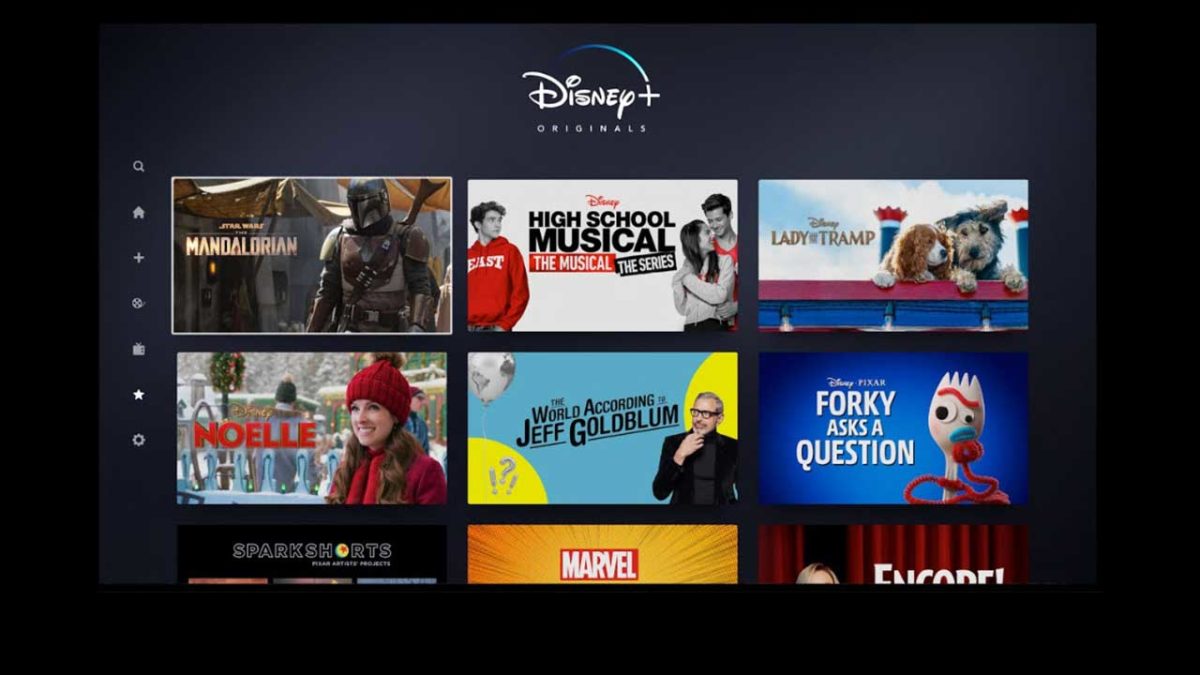
Starting March 24, 2020, Disney+ will be available in Spain, the United Kingdom, France, Germany, Italy, Austria, Switzerland and Ireland. Through this streaming service, you’ll have access to lots of series from franchises such as Disney, Marvel and Star Wars. Here are our top picks, the shows you simply must watch as soon as you subscribe!
The Mandalorian is the most surprising and exciting project from the Star Wars franchise in recent years. In this first season of eight episodes, you’ll embark on a mission with a stoic bounty hunter across the Outer Rim, an unusual place straight out of a Western movie.
Pedro Pascal plays the title character in a stellar cast including Gina Carano, Carl Weathers, Taika Waititi and Giancarlo Esposito. Behind the cameras, we find impressive credentials: of course, we have Jon Favreau as creator/producer/go-to guy, but also Deborah Chow (future showrunner of the Kenobi series), Dave Filoni…
2. Star Wars: The Clone Wars Season 7
The cool animated series The Clone Wars never had a finale. Season 5 ended just as Ahsoka, Anakin’s Padawan, was leaving the Jedi Order. We had a few “missing episodes,” but they didn’t offer any closure. At last, Season 7 is here with the mission of tying up the stories that catapulted this series to excellence.
The great thing about The Clone Wars was it gave us a chance to get to know the two great protagonists of the prequels. The series adds layers of complexity to Anakin Skywalker (Matt Lanter) and Obi-Wan Kenobi (James Arnold Taylor). We also have the rebellious Ahsoka Tano, Anakin’s apprentice who will gradually lose her faith in the Jedi.
3. The Simpsons
Does TV’s most famous family need an introduction? Whether you’re a fan of the classic seasons or a devourer of the episodes of the new era, hours and hours of entertainment are guaranteed by Homer, Bart, Marge and the rest of the residents of Springfield.
In addition to the main cast, The Simpsons stands out for its extensive list of guest stars. Patrick Stewart, Mark Hamill, Glenn Close, Michelle Pfeiffer and many others have made Homer and co.’s lives even more interesting.
4. The World According to Jeff Goldblum
The World According to Jeff Goldblum is a documentary series in which the charismatic actor explores ordinary yet interesting topics as ice cream, tattoos and even video games. On the one hand, we have the professional, polished format of a National Geographic production, and on the other, “Mr. Wizard” taking on quirky challenges such as trying to create his own flavor of ice cream.
As its title suggests, this documentary series stars Goldblum, who embraces his eccentricity in a sort of self-parody, to the point of getting excited over things as mundane as the flight of a fly.
5. Forky Asks a Question
Forky, the funny fork who debuted in Toy Story 4, will tackle major themes of humanity with simple yet compelling questions, such as “What is time?”, “What is art?” and… “What is cheese?”
Tony Hale reprises his role as Forky. Other returning toys in the franchise include Rex (Wallace Shawn), Hamm (John Ratzenberger) and Trixie (Kristeen Schaal).
The Imagineering Story is a documentary series exploring some of the feats of the Imagineers, the group of engineers, architects, screenwriters and programmers behind the Disney theme parks. We’ll hear stories and anecdotes about the birth of Disneyland and some key attractions such as the Haunted Mansion, Pirates of the Caribbean and Space Mountain.
Angela Basset, an actress known for her incredible performance as Tina Turner, narrates the series. Each episode includes interviews with different members, past and present, of the Imagineers…
7. DuckTales
Here are two recommendations for the price of one: on Disney+, you’ll find both the original ’80s DuckTales series and its cool modern reboot with David Tennant voicing Scrooge McDuck. No matter which format you choose, dozens of adventures starring the world’s richest duck and his mischievous nephews await you.
In the original series, comedian Alan Young voiced Scrooge McDuck, bringing this character to life for almost 30 years. In the new version, British actor David Tennant, known for playing Dr. Who and the tormented Alec Hardy on Broadchurch, is the perfect choice for his successor.
8. Gravity Falls
Gravity Falls es una serie de culto para todas las edades. Detrás de los casos paranormales y de los monstruos que se esconden en el pueblo de Gravity Falls, Gravity Falls is a cult series for all ages. Beyond the paranormal mysteries and monsters hiding in the town of Gravity Falls, we find stories of the transition from adolescence to adulthood. Older viewers will enjoy the complex background that is revealed episode by episode as well as perfectly constructed characters.
Actors Jason Ritter and Kristen Schaal star as Dipper and Mabel Pines, twins who investigate mysteries in Gravity Falls. Alex Hirsch has won BAFTA awards for his portrayal of Grunkle Stan, the twins’ great-uncle.
9. X-Men
The ’90s were a decade full of great animated series starring Marvel heroes, but if we had to pick a favorite, hands down it would be X-Men. Not only does it have great characters (the series has arguably the best portrayal of Jubilee) and complex stories, but it also does a fantastic job of adapting major arcs from the comics in just a few episodes. The characters in the series included Professor X, Wolverine, Cyclops, Jean Gray, Rogue, Gambit, Storm, Beast and the abovementioned Jubilation. As villains, the Brotherhood of Mutants steals the show, with Magneto, Mystic, Avalanche, Pyro and Blob.
10.Gargoyles
Disney’s great cult series is back, and you can relive it if you’re a fan or discover its cool, dark stories if you haven’t seen it yet. Gargoyles of the past awaken in modern-day New York, where they must face both technological and supernatural threats.
Along with the Gargoyles, whose leader Goliath is the main character, the series features a large cast of villains. One of the main bad guys is Xanatos, whose schemes anticipate so many variables and consequences that he earned his own TV trope, “Xanatos Gambit,” a term for evil plans that are highly complex and elaborate.
10 classic underrated and forgotten Disney movies that will be available on Disney+
Disney+ is here! We’re sure you already have a list of favorite Disney movies you’d love to rewatch. But one of the advantages of this streaming service is the chance to enjoy (sadly) forgotten classics from the world of Disney. Here are 10 underrated gems to add to your list.
Try Disney+ for free during one week and on 10 devices
After the success of Mary Poppins, Disney decided to produce a similar movie, that is, one with scenes of real-life actors interacting with cartoon characters. The result is the charming Bedknobs and Broomsticks, an adventure whose incredible animated sequences and visual effects continue to amaze us. Especially noteworthy is the film’s climax, when Eglantine Price, the protagonist newbie witch (played by a young Angela Lansbury), will conjure up a very curious army to face a legion of Nazis. It also has catchy musical numbers such as “Portobello Road” and “The Beautiful Briny.”
2. The Great Mouse Detective
Many believe the Disney Renaissance began with The Little Mermaid, but that’s not entirely true. Three years earlier, The Great Mouse Detective already mixed most of the ingredients that would make Disney succeed in the ’90s: an agile script, a charismatic hero (who can resist the mouse version of Sherlock Holmes?), excellent animation and, of course, a great villain. The final battle, in and out of London’s iconic Big Ben, is still quite spectacular. It was also one of the pioneers in introducing computer animation.
3. The Great Muppet Caper
We all remember the endearing The Muppet Christmas Carol or The Muppets reboot from 2011, but The Great Muppet Caper has been largely forgotten. It was the film that launched the absurd, self-referential comedy style that now permeates everything related to the Muppets. In fact, the movie opens with a song that acknowledges it’s a movie (“Hey a Movie!”) and explains how Kermit the Frog and Fozzie will play two journalists who are identical twins. This moment sets the tone for the entire film! The adventure is full of misunderstandings, trickery and stellar actors like Monty Python’s John Cleese.
4. Hocus Pocus
Hocus Pocus was released in 1993 with limited success, but in recent years it has luckily become regarded as a cult classic. And for good reason: the film is the quintessential ’90s movie in which genres are mixed without a problem. It offers 96 minutes of horror, comedy, fantasy, suspense… as we follow a teenager, Max Dennison, who inadvertently resurrects the Sandersons, a trio of fearsome witches played by Bette Midler, Kathy Najimy and Sarah Jessica Parker.
5. Darby O’Gill and the Little People
Darby O’Gill and the Little People is a must-see movie for fans of old-fashioned special effects. The homemade kind, without computerized tweaking. The story of an Irishman who captures the king of the leprechauns and gets him to grant three wishes is the perfect excuse to deliver magical scenes with great special effects and editing.
Try Disney+ for free during one week and on 10 devices
Here we’re breaking the rules a bit and recommending a documentary instead of a fiction film, but it’s well worth it. Waking Sleeping Beauty tells the story of how Walt Disney Feature Animation returned to the fore of entertainment after multiple box-office failures and productions that dragged on forever. Specifically, after the disaster that was The Black Cauldron, the situation was so dire that many analysts of the era believed Disney was finished. How did it go from that to The Little Mermaid, The Lion King or Aladdin? Watch the documentary to find out!
7. 10 razones para odiarte
10 Things I Hate About You is a modern-day adaptation of The Taming of the Shrew, one of William Shakespeare’s most popular comedies. In its day, the film’s romantic misunderstandings and hidden life lessons managed to resonate with the ’90s generation. What will happen when you watch it now? You may wonder why today’s teen romantic comedies can’t be as smart and mature as this one. And if that doesn’t convince you, you can always satisfy your curiosity by checking out a young Heath Ledger, Joseph Gordon-Levitt and Julia Stiles.
8. The Parent Trap (1961)
The title of The Parent Trap may bring to mind a movie from the late ’90s with Lindsay Lohan playing twins separated at birth, but we’re referring to the original ’60s film with Hailey Mills in the same role. The adventure is the same: twins who learn of each other’s existence at summer camp and then try to get their parents back together. But this version is better than its remake because it doesn’t consider itself a kids’ movie: it’s endearing without being cheesy and smart when it needs to be.
9. The Princess and the Frog
The Princess and the Frog was Disney’s last movie with traditional animation… because when it was released, it went largely unnoticed. And that’s a shame, because it’s an excellent remake of a classic tale, now set in New Orleans. Tiana is not only the first African-American Disney princess, but her strong, proactive personality makes her an excellent role model for the little ones in the house. Oh, and in case you were wondering: yes, the villain’s song lives up to expectations!
10. 20,000 Leagues Under the Sea
20,000 Leagues Under the Sea is still one of Disney’s best live-action films thanks to its stunning special effects (the movie won an Oscar for them in 1955), its massive dose of adventure, James Mason’s portrayal of Captain Nemo and Kirk Douglas as whaler Ned Land. The adventure begins when a mysterious sea monster is sinking ships in the Pacific Ocean. An expedition sets out to discover if the beast exists, receiving help from Nemo and his iconic submarine, the Nautilus.
Try Disney+ for free during one week and on 10 devices
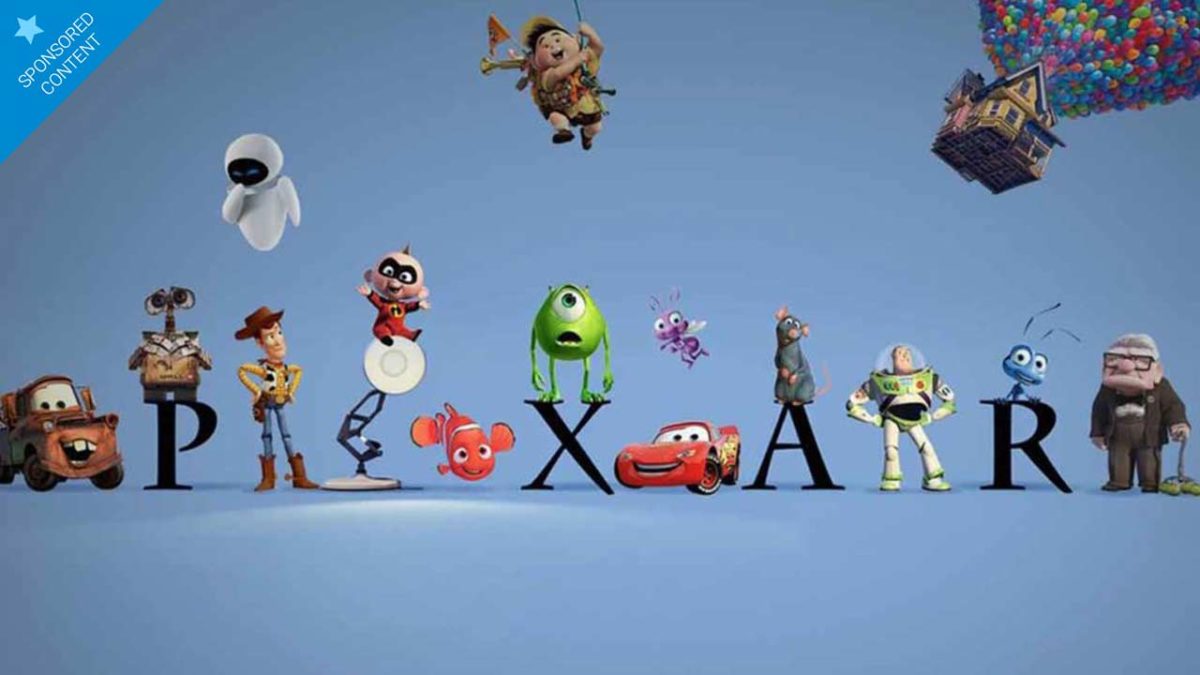
Now that Disney+ is here, we’re sure you already have a long list of movies you want to rewatch. To help you prioritize and remember, here’s our list of top 10 Pixar films. Enjoy!
Try Disney+ for free during one week and on 10 devices
The latest Pixar movie has earned a spot in our top 10 because of its combination of fantasy elements and incredibly realistic narrative roots that will thrill more than a few. Beyond its action scenes, chases, battles and dungeons, we find the story of two brothers who are unable to accept their father’s death, so they decide to bring him back with a spell that obviously goes wrong. Who hasn’t found themselves unable to move on with life after a tragic event?
Don’t forget Disney + subscribers will be able to watch Onward on the streaming platform starting April 3.
Keep in mind you’ll have a free 7-day trial period (more than enough time to watch your favorite Marvel movies), and you can use it on up to 10 devices, one of its special features.
9. Up
When we think of Up, the first thing that comes to mind are the tragic opening scenes and the incredible image of an old man’s house rising up into the sky. What many of us forget is the fantastic second half. True, it’s more formulaic than the first, but it serves to challenge many of grumpy Carl’s beliefs. By facing his childhood idol, Carl is forced to evolve and learn that despite all the tragedies that befall us, we always have reasons (and time!) to keep on living life as an adventure.
8. Wall-E
At a time when we believed Pixar had run out of innovation, Wall-E came along and silenced us. It was a tremendously ambitious and daring project in its day: the first half hour lacks a single line of dialogue, yet still manages to touch our hearts and make us smile… and let’s not forget that it tells a post-apocalyptic story in a subtle, intelligent way. In the second half, it’s more of a typical movie, but it also surprises us with a very Orwellian critique of the lazy capitalist society we have become.
7. The Incredibles
One of the best superhero movies of the past decade, The Incredibles is a real masterclass on how to construct a complex world in just two hours. The first hour focuses on the Parr family, their powers, and the post-superhero world they live in. The second hour shakes up the status quo with action and battles that, far from being superfluous, advance the relationships of the main characters. And obviously, it’s thoroughly entertaining for both adults and the little ones in the family.
6. Inside Out
It’s one of Pixar’s smartest movies, and the reasons are twofold. On the one hand, for its portrayal of the complex, abstract world of emotions and the importance of them all. And on the other, for getting its message across in a great way: with two adorable protagonists, Joy and Sadness, who need to return to their command center before their owner, a girl on the cusp of adolescence, gets overwhelmed by the changes in her everyday life. To get there, Joy and Sadness will travel across her mind and discover a series of places and allies.
Try Disney+ for free during one week and on 10 devices
Ratatouille is a movie about art. Yes, yes, we know the plot centers on a rat that’s actually the best chef in all of Paris, who controls a human from inside his hat and so on. But beyond that, we find notions about what art is, what it means to create, and how important it is to connect with the hearts and souls of those around us.
4. Finding Nemo
The reason why Finding Nemo is such a moving film lies with its director, Andrew Stanton. The movie is the culmination of years of wanting to exorcise his guilty memories of having overprotected his son. Anyone who has been a parent or had a child in their care will identify so much with the main character, a nervous clownfish who must find his lost son with the help of a memory-impaired blue tang.
3. Coco
It’s no big secret that one of the main themes of Pixar movies is family. But Coco explores this subject in a radically different way: through magical realism (so typical and unique to Latin American art) and overflowing dreamlike animation, Coco tells the story of Miguel, a boy who will travel across the Land of the Dead to unravel the truth behind a family curse that stands in the way of his dream of becoming a guitarist.
2. Toy Story
Okay, the animation is really showing its age. But, 25 years after its premiere, the story and characters of Toy Story are still as fresh as they were the first day. And now that we’re a bit more mature, we can rewatch it with new eyes. We’ll discover it’s a very melancholic film; it all starts with Woody’s obsession with wanting to preserve the good old days. Reluctant to accept the changes that come along with the new toy Buzz, he’ll cause a whole series of disasters, action sequences, and laughter, lots of laughter.
1. Toy Story 2
When someone says, “sequels are never any good,” remind them of The Empire Strikes Back or Toy Story 2. Woody’s adventure in pursuit of his true identity far outshines the original story, partly because it plays a lot with metalanguage and because it dares to be both cynical and subtle. It also dares to reduce the number of songs to just one (but what a song, we sigh just remembering it!), and it was a groundbreaking Pixar movie for revealing that the villain had been posing as an ally.
Try Disney+ for free during one week and on 10 devices