How to Clear and Manage Cookies in Chrome

How many of you know that the websites you visit save small files on your device called cookies? These cookies enable faster page loading when you visit the site again. 

If you’re like us, you’d prefer not to let these files remain on your device, specifically if storage is low or there are issues with accessing site content. Here are a few tips on how to clear and manage cookies in Chrome.

How to manage cookies on Android

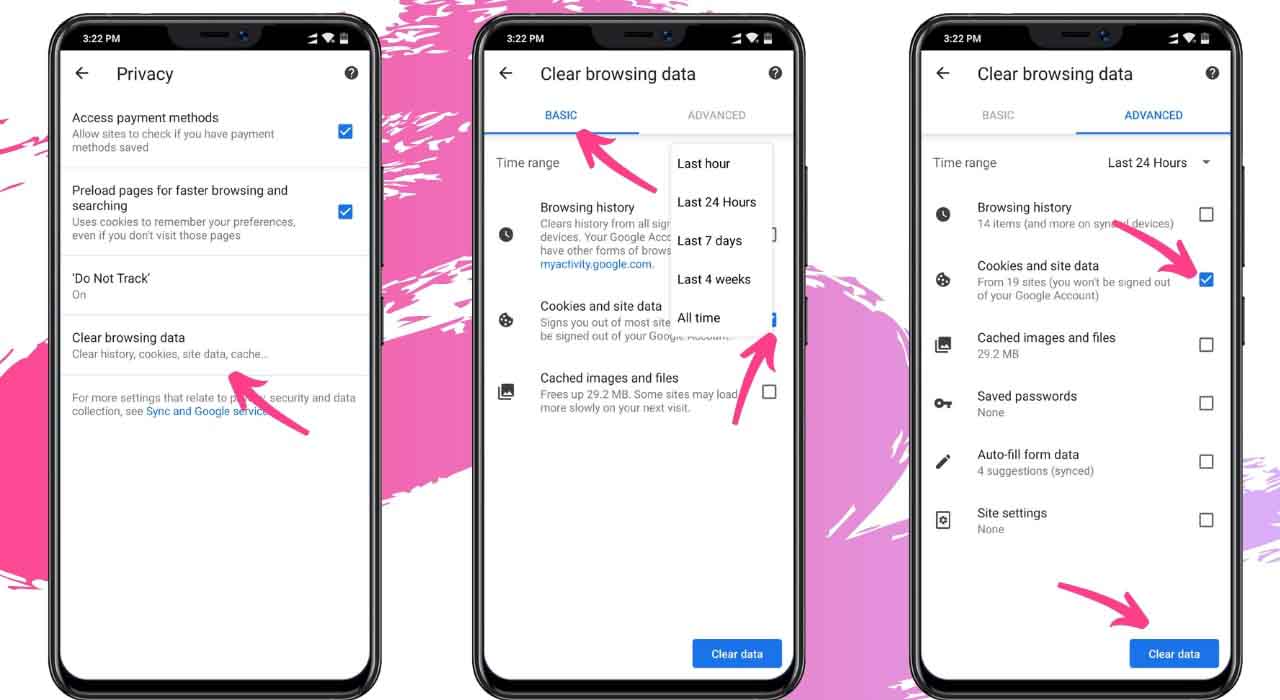
Here are the detailed steps for clearing your browsing data for Google Chrome on Android devices:

  1. Open the Chrome application;
  2. Next to the URL bar, tap ‘More’, ‘More’, and then select ‘Settings’;
  3. Tap on ‘Privacy’, followed by ‘Clear browsing data’;
  4. Pick one of the time ranges, such as ‘All’ or ‘Last Hour’;
  5. Select ‘Cookies, media licenses and site data’;
  6. Ensure that all other options are deselected;
  7. Choose ‘Clear data’ and then press ‘Clear’.

Of course, you may also want to decide whether to allow or block cookies. You’ll need to head into the settings again, select ‘Site Settings’, ‘Cookies’ and then turn the feature on or off.

How to Clear and Manage Cookies in Chrome

How to manage cookies on iPhone/iPad

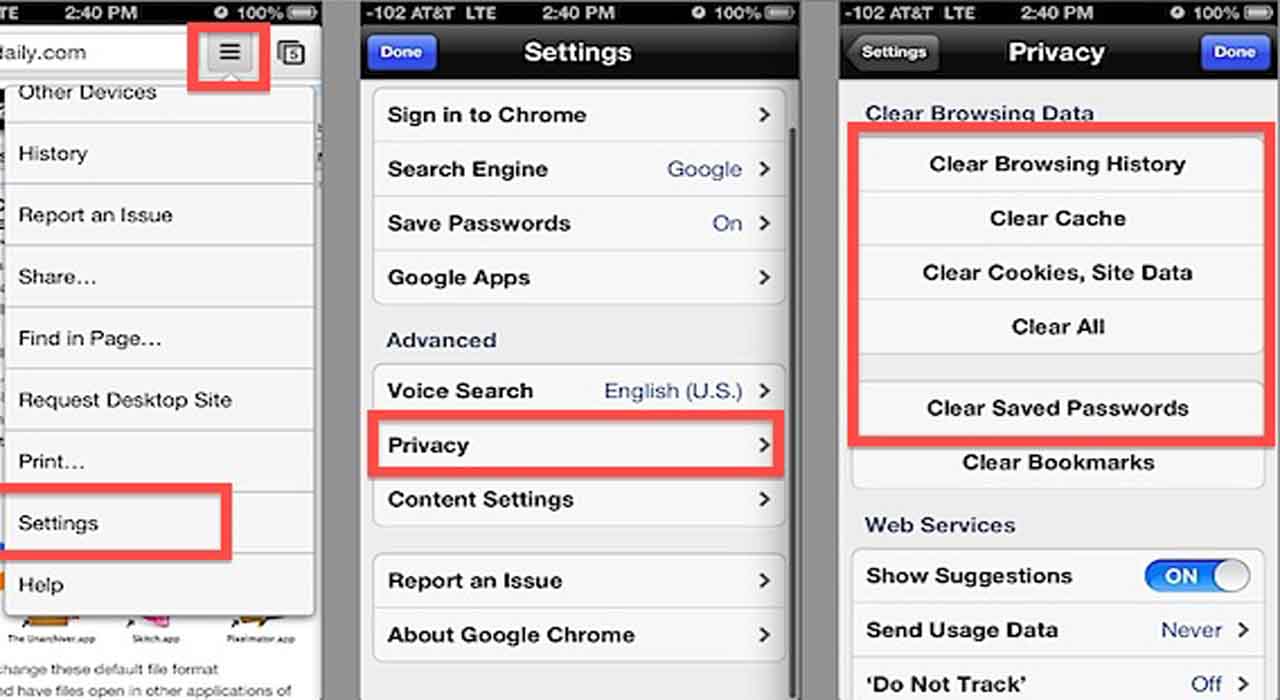
If you Chrome on iPhone or iPad, the process is pretty similar. You’ll follow the same first three steps like Android, but the procedure changes after selecting ‘Clear browsing data’:

  1. Select ‘Cookies’, followed by ‘Site Data’;
  2. Pick ‘Clear browsing data’ in the new menu;
  3. Choose ‘Clear browsing data’ again;
  4. Press ‘Done’.

How to Clear and Manage Cookies in Chrome

How to manage cookies on Windows and Mac

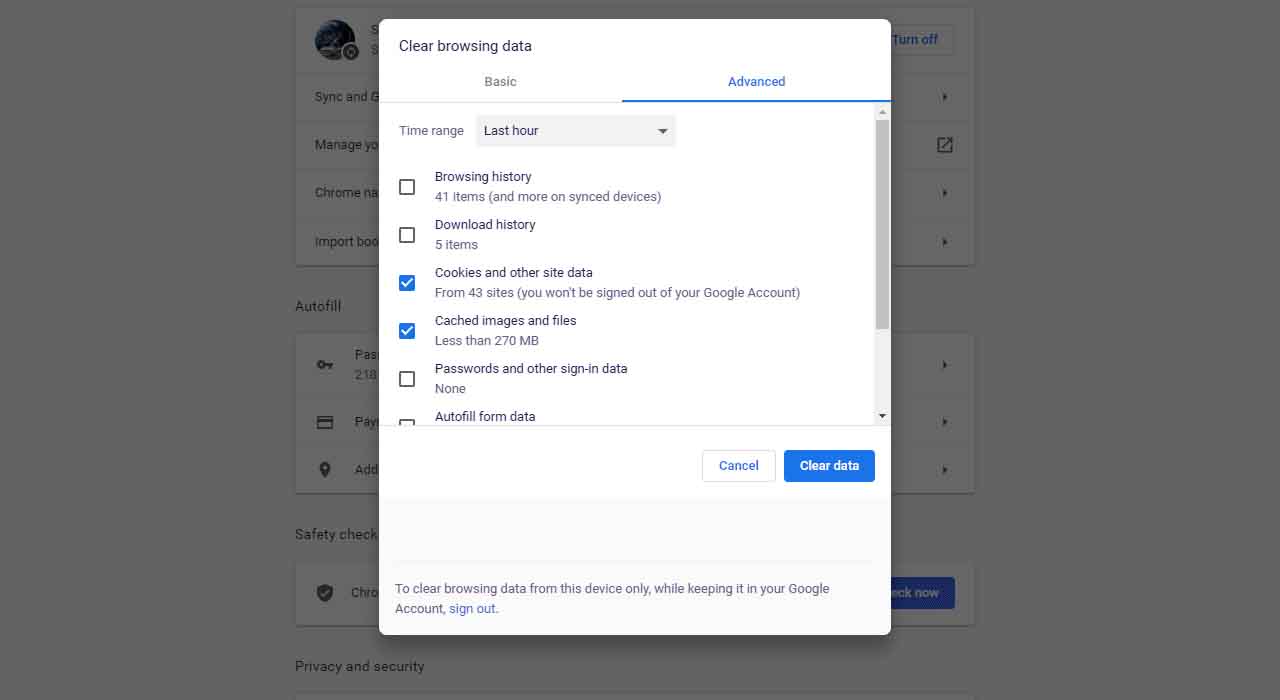
Whether you have Google Chrome on Windows or Mac, the web browser handles the same for both. The steps are slightly different, so let’s take a quick look at the process:

  1. On your Mac or Windows computer, open the Chrome app;
  2. On the top right section, select ‘More tools’,  and then choose ‘Clear browsing data’;
  3. Pick ‘Advanced,’ and select ‘Cookies and other site data’;
  4. Confirm this selection by selecting ‘Clear all’.

How to Clear and Manage Cookies in Chrome

Manage your cache and cookies well

If you’re running other browsers like Safari, Firefox, or Opera, you should know that they also store browser data in the same way. Ensure that you also clear the cache and cookies on these apps from time to time.

How to Download and Play Among Us on PC

Among Us has had several months on the charts as one of the best social media deduction games for mobile devices. While it’s free for Android and iPhone, Steam players will have to pay a small price to play as a crewmate or impostor on PC. Of course, that’s only if you haven’t discovered the secret we’re about to share with you – and yes, it’s completely legal and above board.

If you’re a beginner and still need to learn the ropes, don’t miss our handy guide on how to play Among Us online. For now, here’s a tip on how to download, install, and play Among Us on PC for free.

How to Download and Play Among Us on PC

How to download Among Us for PC

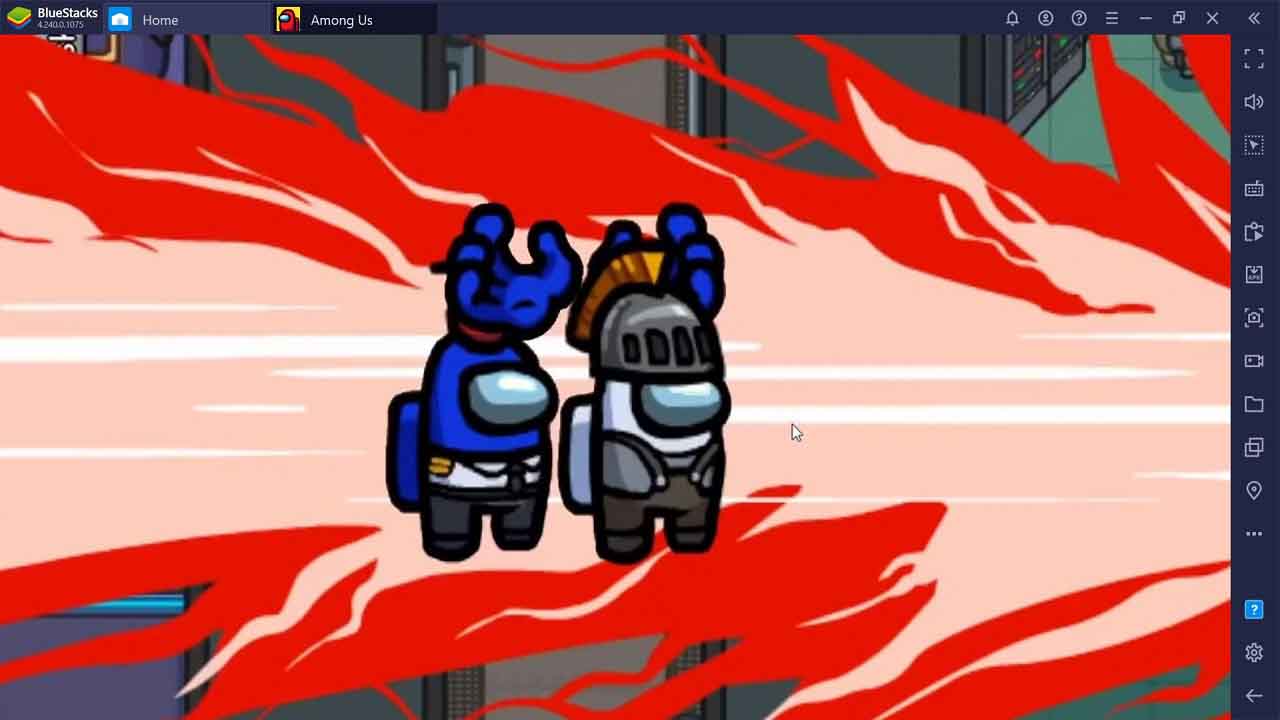
Your best bet to obtain this exciting, suspense-driven game for PC is to install an Android emulator. The one we recommend is Bluestacks, mostly because we find it reliable in terms of performance. One you have the application, you can link your account to the Google Play Store and find your game in the search bar.

How to Download and Play Among Us on PC

How to install Among Us for PC

Fortunately, the Among Us file is small, so you won’t have to worry about it taking up too much storage space. Of course, we’re assuming you aren’t an avid gamer like us with a hard drive full of action and adventure titles. If you’ve followed the step before by downloading the game via Bluestacks, the emulator will install Among Us on your PC on its main dashboard.

How to Download and Play Among Us on PC

How to play Among Us on PC

Are you wondering how different it is to play Among Us on PC compared to mobile? Well, it pretty much works the same, except you’ll click on the screen prompts and motion controls with the mouse instead of your finger. To start the game, you’ll need to head to the Bluestacks library, find the title’s icon, and hit the Enter button or double-click.

In summary, here are the steps to download and play Among Us on PC:

  1. Obtain and install the Bluestacks emulator
  2. Sign into or create a Google Play account
  3. Find Among Us in the store
  4. Select the install option
  5. Open the new Among Us icon
  6. Play with your mobile friends

Can you survive the mayhem?

Now that you can play Among Us on PC or your laptop, don’t forget to grab some Christmas hats for the silly season. We’re looking forward to hearing all about your holiday exploits with your crewmates.

Top Franchises We Want to See Return on the Next-Gen Consoles

PlayStation 5 and Xbox Series X/S are already here. The next generation of consoles has made an impressive debut, surpassing the expectations of Sony and Microsoft with all inventory sold out worldwide. It’s clear that if there’s one thing this grim year has been unable to destroy, it’s the desire to play video games.

Horizon Forbidden West

As with every generational change, the transition from PS4 and Xbox One to PS5 and Xbox Series X/S will be slow. This is clearly reflected by their launch titles, as the majority of the games available and those to come are crossgen. However, the start of a generation is always magical for gamers, who see in the new consoles the potential for the return of their favorite franchises. In new and improved versions, of course!

In today’s article, we’re going to let our imaginations run wild and fantasize, just for a moment, about the video game franchises we’d like to see on Xbox Series X/S or PlayStation 5. There’s never been a better time to dream about what this new generation of video games might have in store for us.

Uncharted

Nathan Drake en Uncharted 4

Let’s start our list with one of PlayStation’s most beloved and prized franchises: Uncharted. The last time we saw Nathan Drake was in 2016, on an adventure that would lead him to search for Henry Avery’s treasure with his brother Sam. Action-packed and full of heart-stopping cinematics, Uncharted 4 became one of the most anticipated games on PS4. However, since then we haven’t heard much from Drake except for the spin-off starring his partner, Chloe Frazer. No PlayStation launch has been without an Uncharted release to make the most of the new console, so why would PS5 be any different? We look forward to Nathan Drake’s return for a new journey, or perhaps to see his daughter Cassie take the reins of this adventure franchise.

Dead Space

Dead Space 3

Created by Visceral Games, the Dead Space franchise was a big hit with horror game fans. In it we play Isaac Clarke, a systems engineer who will be involved in a real nightmare when answering an emergency call from the USG Ishimura spacecraft. Clearly inspired by Alien, Dead Space managed to terrorize even the bravest of gamers with its grotesque necromorphs. However, after three editions, we lost all contact with Clarke in 2013. Although Visceral Games closed in 2017, we believe that reviving the Dead Space saga would make the most of the next-generation consoles.

Rival Schools

Rival Schools

Fans of Capcom’s beat ’em up will surely have fond memories of the Rival Schools franchise. These 3D fighting games featured fun battles between rival schools, where you had to defeat your enemies in three-on-three matches. One of the most entertaining aspects of Rival Schools is that all of its characters were downright memorable. We had the “popular kids” team, the class baddies, the American exchange students, the jocks… even the teachers from one of the high schools! Rival Schools is also memorable because it’s set in the same universe as the Street Fighter series. In fact, you’ll see Sakura at school and even blushing as she chats with her classmates about Ryu. The last time we got to play Rival Schools was in 2000, with the release of Project Justice: Rival Schools 2 for Dreamcast. It’s about time that Capcom brings back this classic!

Suikoden

Suikoden 2

Suikoden is a name that has earned a place in the hearts of all JRPG lovers. This long-running franchise spans five games and a couple of spin-offs that are considered by many to be the pinnacles of the genre. What always distinguished the Suikoden franchise from other JRPGs is that it dealt with a mature story, far from the clichés of the genre and where one could recruit up to 108 characters for the main character’s troops. Suikoden also included, in addition to the sequences typical of all JRPGs, the ability to manage a camp, city, castle and even a pirate ship as you progressed through the game. It also mixed classic turn-based combat with large-scale combat, naval battles, and one-on-one fighting. The last time we were able to play a Suikoden game was in 2006. We think it’s high time that we enjoyed a new edition!

Banjo-Kazooie

Banjo-Kazooie: Baches y Cachivaches

Banjo-Kazooie was a fun 3D platform saga starring a bear and a bird with a lot of fighting spirit. While at first it might seem like a mere clone of Spyro for Nintendo, Banjo-Kazooie stood out for its vast worlds full of bizarre characters and wacky stories, making it a delight for gamers. The hilarious dynamic between the bear and the bird was frankly difficult to match. Despite its success, the franchise was running out of steam, and the final sequel called Banjo-Kazooie: Nuts & Bolts was released for Xbox 360. We would love for Microsoft to bring back this magnificent franchise and give it the facelift it deserves for Xbox Series X/S.

Dino Crisis

Dino Crisis

Shinji Mikami, the creative mind behind the Resident Evil franchise, made the leap from zombies to dinosaurs with the Dino Crisis franchise. In it we met Regina, a formidable heroine who, during a reconnaissance mission on a scientific base, was trapped in an authentic Jurassic hell. While Dino Crisis wasn’t as innovative as Resident Evil, this survival horror game built up a solid base of fans who were thrilled to go up against the title’s velociraptors or even T-Rex. After the remake of Resident Evil 2 and Resident Evil 3, we think it’s reasonable to expect Capcom to revise the three installments of this wonderful franchise.

Legacy of Kain

Soul Reaver

The Legacy of Kain franchise has always offered a superb mix of action and adventure wrapped in a story that revolves around revenge. In both Blood Omen and Soul Reaver, we had the chance to explore Nosgoth while hunting and capturing those who betrayed us. With several sequels behind them, Kain and Raziel became beloved characters for the gaming community. However, we haven’t heard from these vampires since 2003. We hope that the arrival of this new generation of consoles is our chance to Nosgoth to exact revenge.

The Witcher

The Witcher 3

Yes, we know that CD Projekt RED just released the extraordinary Cyberpunk 2077. That game is very good, but frankly we miss Geralt and the gang. Although The Witcher 3 brought the sorcerer’s story to an incredible end, we were left wanting more, and frankly, we couldn’t think of better news than the announcement of a fourth installment for PS5 or Xbox Series X/S. Although Geralt’s story is over, Ciri’s could always continue… Don’t you agree?

Alone in the Dark

Alone in the Dark

Four years before Resident Evil coined the term “Survival Horror,” there was Alone in the Dark. This polygonal 3D adventure marked a turning point for video games, terrorizing gamers around the world as they explored the mysterious Derceto mansion. The Alone in the Dark franchise had many sequels, some of them as acclaimed as the great Alone in the Dark 2 and even a reboot of its first installment, but after the lousy Alone in the Dark: Illumination, the franchise died. We believe that this horror franchise deserves another chance, and the launch of the new generation of consoles is the perfect opportunity for a fresh start.

Tomb Raider

Tomb Raider

We can’t talk about consoles without mentioning the indefatigable Lara Croft. The charismatic adventurer won the hearts of gamers around the world when she debuted on PlayStation, and to this day, you can’t go wrong with Tomb Raider if you’re looking for a good action-adventure game. With 11 games behind her and having saved the world from the Mayan apocalypse, it would be almost sacrilege if Lara didn’t return one more time to thrill us with one of her expeditions. We hope that we’re not wrong and that we soon see her making the most of PlayStation 5 and Xbox Series X/S.

Bonus pick: PaRappa the Rapper

Parappa the Rapper

Everyone loves a good rhythm game so… how about the return of PaRappa the Rapper? The adventures of the flattest rapper in video game history are remembered to this day for their curious graphics and hilarious lyrics (and choreography!). With a sequel behind it and an entertaining spin-off, Um Jammer Lammy, we’d love the chance to enjoy its lively beats once again on the next-gen consoles.

What franchises would you like to see return on the next-gen consoles? Tell us about them in the comments section!

Everything You Need to Know About PS5

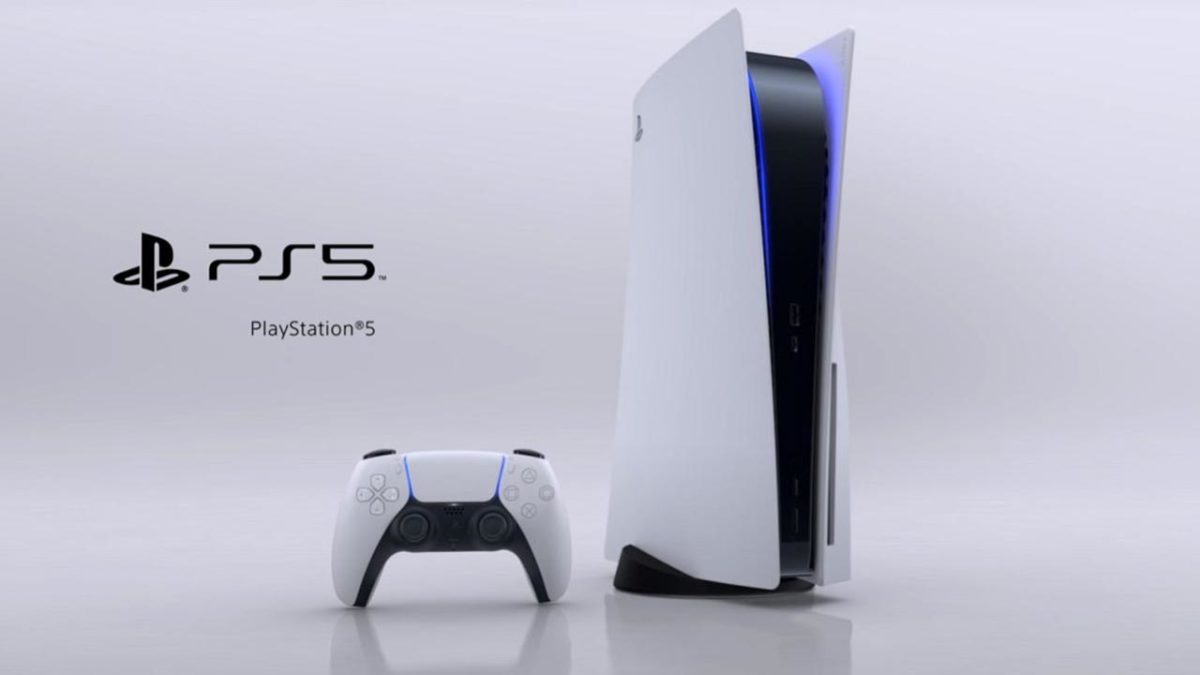
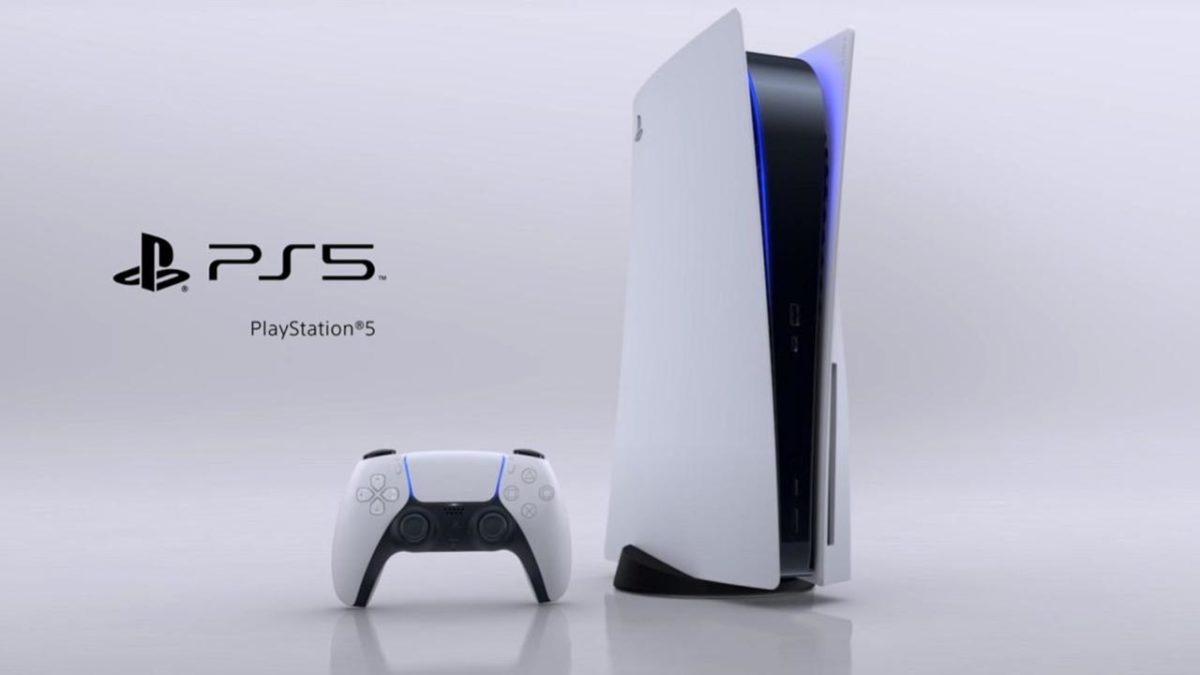
The next-gen PlayStation has already hit the market with its long-awaited PS5. The new Sony console comes loaded with spectacular new features and functions users awaited with bated breath, like the use of an SSD and backward compatibility with PS4 games. With a new –and somewhat large– design and the most powerful hardware created to date by Sony, we have the definitive console for PlayStation lovers on our hands.

PlayStation 5

The new PlayStation 5 has enjoyed a unprecedentedly successful launch. It is sold out around the world, and with Christmas just around the corner, it is the most ask-for item by the entire gamer community. But what does the PS5 offer to be breaking records after being on the market for just one month?

In today’s article we’ll review everything you need to know about the latest console from Sony. The PlayStation 5 is not only a large console, but it is ready to turn everything we know about video games upside down.

There are two versions of PS5 available on the market

Versiones de PlayStation 5

Like Microsoft, Sony offers two versions of PS5 at its launch: the PlayStation 5 and the PlayStation 5 Digital Edition. Both consoles are exactly the same with one tiny difference. The PlayStation 5 has an Ultra Blu-ray 4K UHD drive while the PlayStation 5 Digital Edition does not. That way Sony can offer all digital game users a console that is considerably cheaper but just as powerful as the version with an Ultra Blu-ray reader.

The launch prices for the consoles are:

  • PlayStation 5- 499.99€
  • PlayStation 5 Digital Edition- 399.99€

PS5 Specs

PlayStation 5 uses a 7nm Zen 2 architecture processor manufactured by AMD. Its chip is 8-core with a frequency of 3.5 GHz. That’s quite a considerable increase compared to its predecessor, because even though PS4 also had an 8-core CPU, its top frequency was 1.6 GHz.

As for its graphics card, the console has an AMD Navi with a performance of 10.28 TFLOPS (Teraflops), 36 CUs (Compute Units), and 2.23 GHz (Gigahertz) of variable frequency. PlayStation 4 only has a 1.84 TFLOPS GPU and 18 CUs at 800 MHz. That’s a big difference.

PS5 has 16 GB of RAM / 256 bit with a bandwidth of 448 GB/s. Its predecessor had 8GB of GDDR5 RAM with a bandwidth of 176 GB/s.

Let’s talk about its SSD storage unit. According to Sony, this “will change the way we play video games” since it will speed up loading times, cutting them back to nearly 0. PS5 has an 825 GB SSD that offers a speed of up to 5.5 GB/s in uncompressed data and 9 GB/s in compressed data. The console also has an NVMe slot to expand internal storage with other SSDs that have been validated by Sony.

Here’s a summary of all the technical data for PlayStation 5:

  • CPU: Zen 2 8 cores at 3.5GHz
  • GPU: 28 TFLOPs, 36 CUs at 2.23GHz
  • GPU architecture: RDNA 2
  • Memory/Interface: 16GB GDDR6/256-bit
  • Memory Bandwidth: 448GB/s
  • Storage: 825GB SSD
  • I/O: 5GB/s, 8-9GB/s on average
  • Storage expansion: NVMe SSD slot
  • External storage: USB HDD compatible
  • Reader: 4K UHD Blu-ray (the PlayStation 5 Digital Edition doesn’t have one)
  • Dimensions: 390mm x 104mm x 260mm (390mm x 92mm x 260mm for the PS5 Digital Edition model)
  • Weight: 5 kg/3.9 kg (PS5 Digital Edition)

DualSense: The revolutionary PS5 controller

Mando DualSense

Without a doubt, one of the most cutting-edge features of PlayStation 5 is its new DualSense controller. This speeds past the already classic Sony DualShock to offer us an amazing experience that goes far beyond mere vibrations.

DualSense’s goal is to immerse the player in the game thanks to its haptic feedback technology. It does so with motors capable of transmitting tactile experiences to the players. They allow you to feel the terrain your character is walking on, really immersing you in the story. You’ll be able to tell through touch if you’re walking on metal, ice, breaking glass, water, sand, mud, etc.

Another really interesting feature of the DualSense is that the L2 and R2 triggers have an adaptive resistance system. That way you can simulate your actions in the game. If you’re shooting an arrow, the trigger will stiffen as you pull back the bow. If the trigger of your gun has gotten stuck, the DualSense’s trigger will act the same way, so you can’t pull it.

The DualSense controllers have a headphone jack, so you can play with the volume turned up until the wee hours of the morning without needing wireless headphones.

Here’s what backward compatibility with PS4 looks like

Days Gone

For many players, backward compatibility with PS4 is a major factor when choosing PS5. Since the first model of PS3, Sony has not invested in the backward compatibility with their old consoles. Fortunately, with the arrival of the new PlayStation things have changed.

PlayStation 5 is compatible with 99% of PS4 titles, which you can access in two ways: by inserting your original disc or by downloading it from the Play Store. Once installed, these will work just like they did with the old Sony console.

According to the Sony support page, there are 10 PS4 games that are not compatible with PS5. They are:

  • DWVR
  • Afro Samurai 2 Revenge of Kuma Volume One
  • TT Isle of Man – Ride on the Edge 2
  • Just Deal With It!
  • Shadow Complex Remastered
  • Robinson: The Journey
  • We Sing
  • Hitman Go: Definitive Edition
  • Shadwen
  • Joe’s Diner

Some PS4 games will work better on PS5. These are the ones that will enjoy the so-called Game Boost. They will have shorter loading times, lower FPS, greater stability, and 4K. At the moment, the titles that have these improvements are:

  • Ghost of Tsushima- Reduced loading time and can be played at 60 FPS.
  • Days Gone- Runs in dynamic 4k and at 60 FPS.
  • God of War- Runs at 60 FPS.
  • Mobile Suit Gundam: Battle Operation 2- Improves its frame rate.

Other games, such as The Witcher 3, have already announced that they are working on a free patch that will bring the long-awaited Game Boost to the game.

PS4 titles’ saved games will be compatible in most of the PS5 games, although Sony has warned that not in all. To transfer your saved games, you can download them directly from your PS Plus cloud storage, use a USB drive, or simply use the PS4 to PS5 data transfer utility that the console has.

What is the PlayStation Plus Collection?

PlayStation Plus Collection

PlayStation Plus Collection is Sony’s incentive to PS5 owners to subscribe to its PS Plus service.

This is a collection of the most popular PlayStation 4 games so that they can be played on any PS5 starting the day the console is launched.

This is the list of games offered by the collection at the moment:

  • Batman: Arkham Knight
  • Battlefield 1
  • Bloodborne
  • Call of Duty: Black Ops III – Zombies Chronicles Edition
  • Crash Bandicoot N. Sane Trilogy
  • Days Gone
  • Detroit: Become Human
  • Fallout 4
  • Final Fantasy XV Royal Edition
  • God of War
  • Infamous Second Son
  • Monster Hunter: World
  • Mortal Kombat X
  • Persona 5
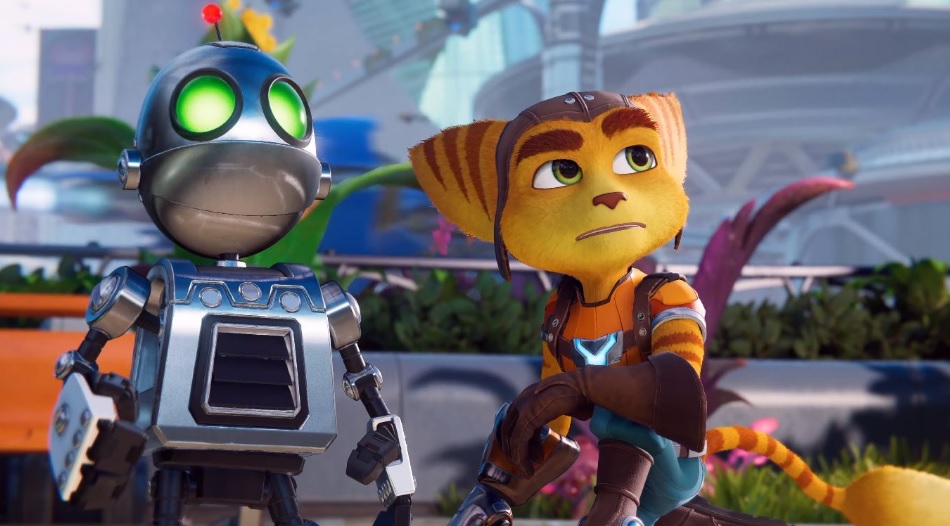
  • Ratchet and Clank
  • Resident Evil 7
  • The Last Guardian
  • The Last of Us Remastered
  • Until Dawn
  • Uncharted 4: A Thief’s End

For now, we don’t know if Sony will add more titles to its PlayStation Plus Collection.

Games available with the console’s launch

Demon's Souls Remastered

The launch of the Sony console comes with a complete selection of titles for PS5 along with Astro’s Playroom, the free game designed to demonstrate the full potential of the new console and its DualSense controller.

The main titles that are available for PlayStation 5 from the day of its release are:

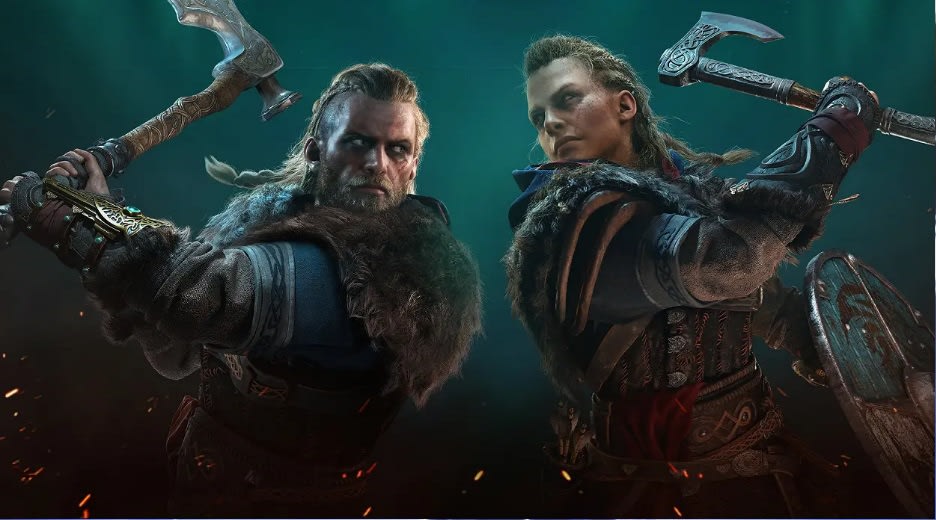
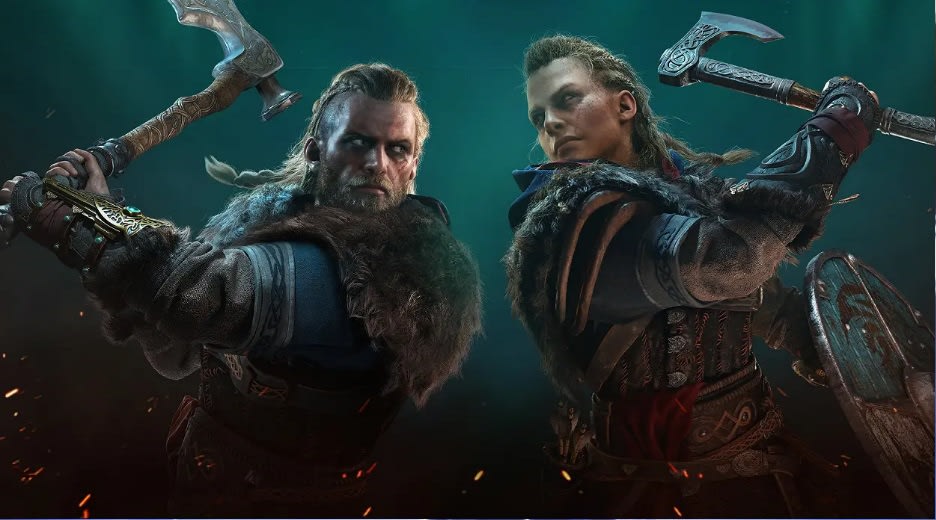
  • Assassin’s Creed Valhalla
  • Bugsnax
  • Call of Duty: Black Ops Cold War
  • Demon’s Souls
  • Destruction AllStars
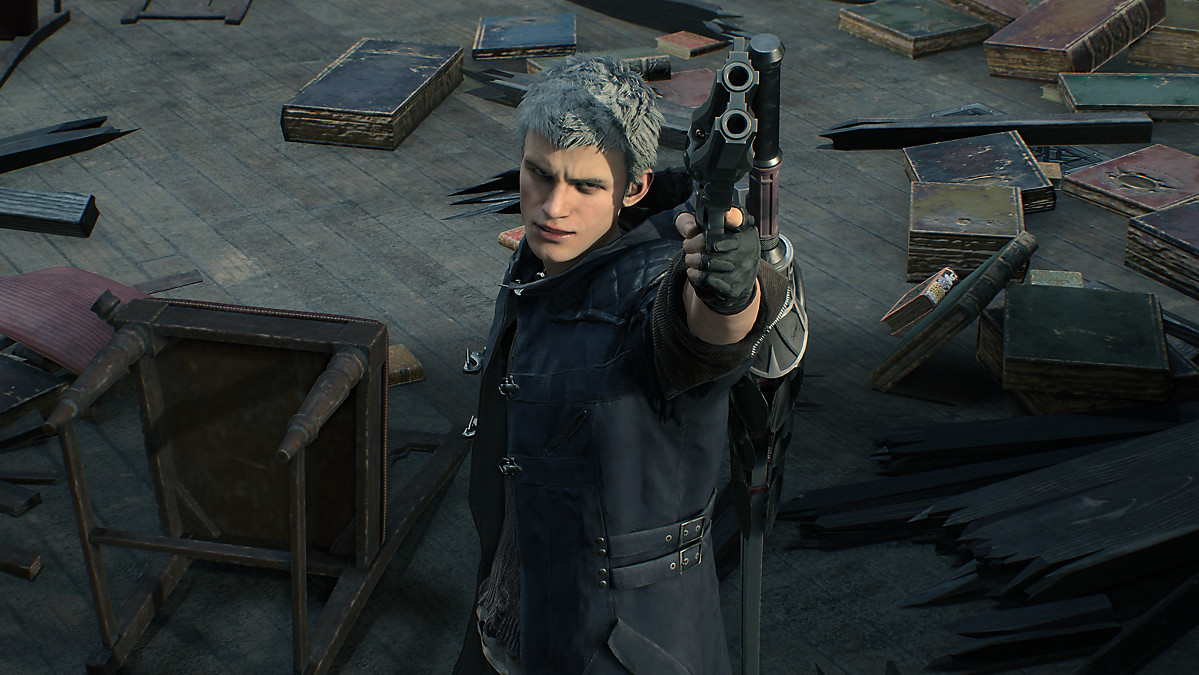
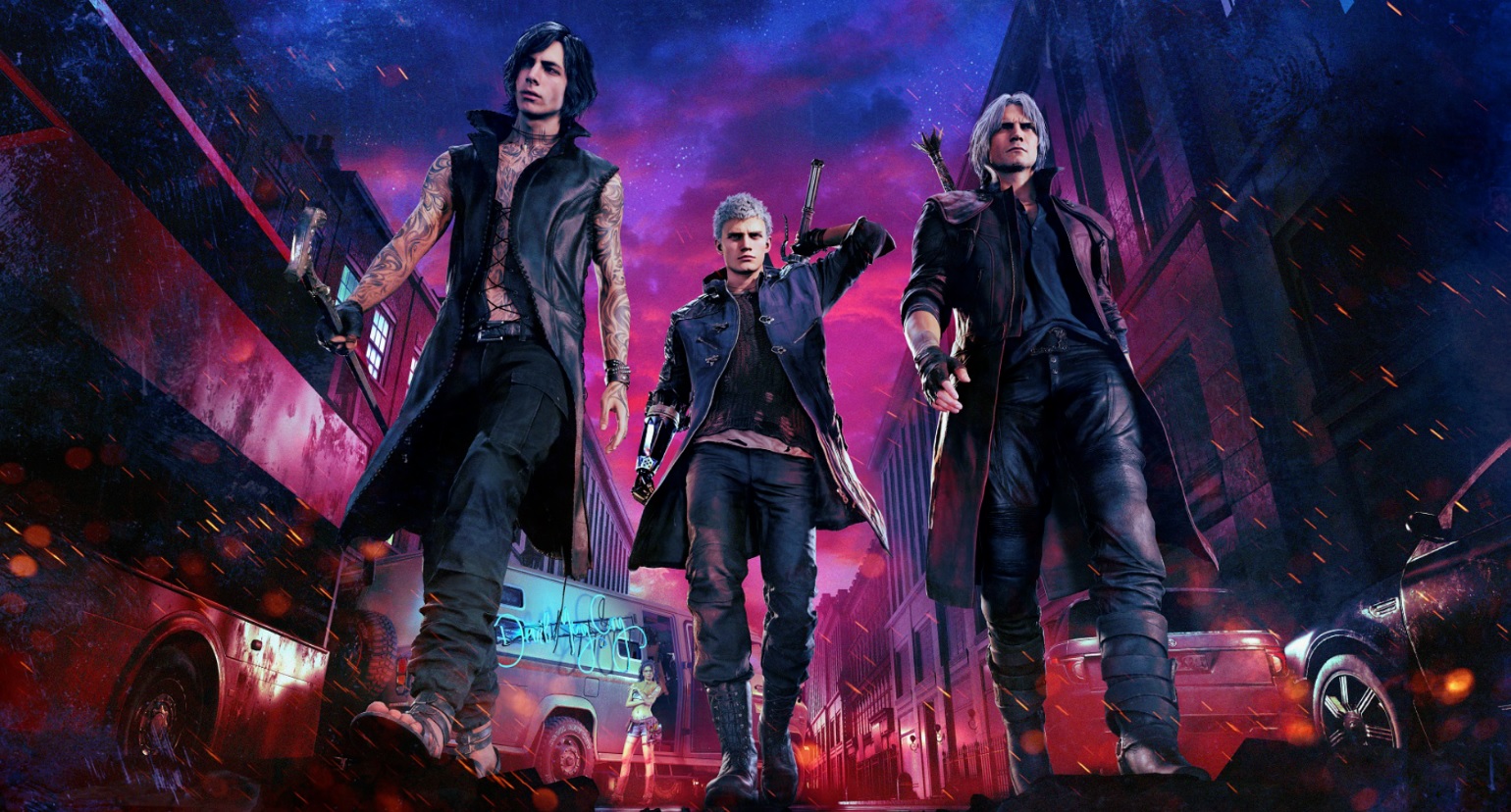
  • Devil May Cry 5: Special Edition
  • Fortnite
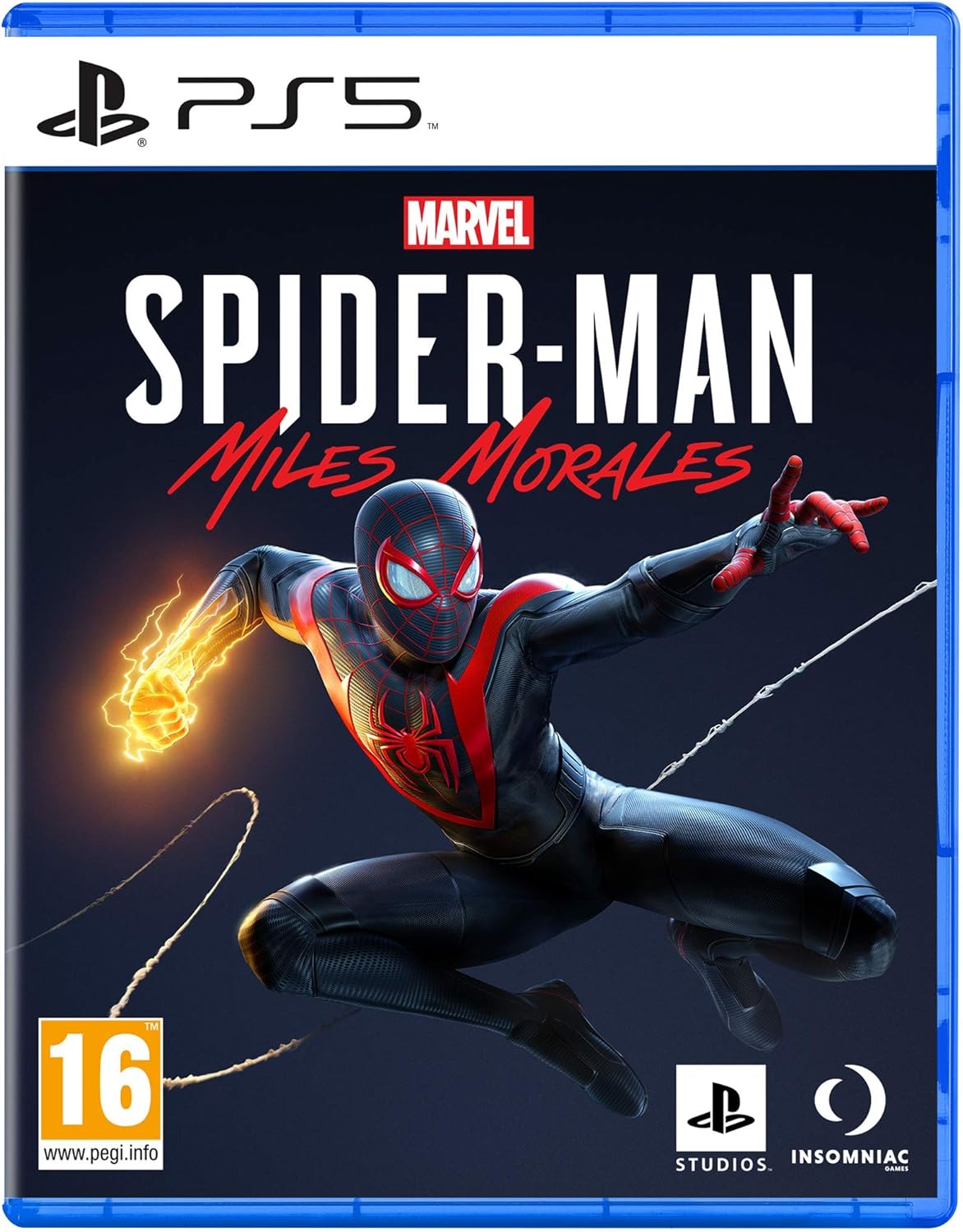
  • Marvel’s Spider-Man: Miles Morales
  • Marvel’s Spider-Man: Miles Morales Ultimate Edition
  • Observer: System Redux
  • Sackboy: A Big Adventure

However, at the The Future of Gaming conference held June 11, many more of them were shown. Here is the complete list of those to come:

  • Deathloop
  • Destruction Allstars
  • Final Fantasy XVI
  • Ghostwire: Tokyo
  • Godfall
  • Goodbye Volcano High
  • Grand Theft Auto V (Expanded and Enhanced)
  • Gran Turismo 7
  • Hitman 3
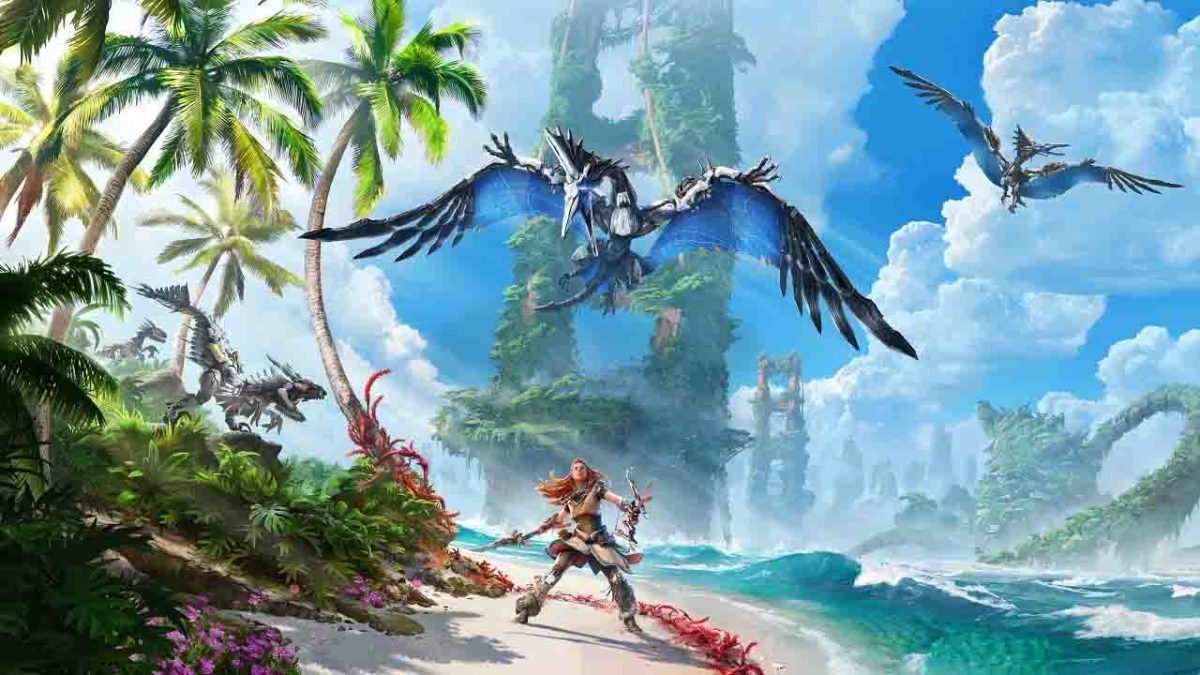
  • Horizon: Forbidden West
  • Jett: The Far Shore
  • Kena: Bridge of Spirits
  • Little Devil Inside
  • NBA 2K21
  • Oddworld: Soulstorm
  • Pragmata
  • Project Athia
  • Ratchet & Clank: Rift Apart
  • Resident Evil VIII: Village
  • Returnal
  • Stray
  • Solar Ash

We hope that our PS5 special has helped you. Do you already have a PlayStation 5 console or are you thinking of buying one? Share your experience in the comments section!

How to play CYBERPUNK 2077

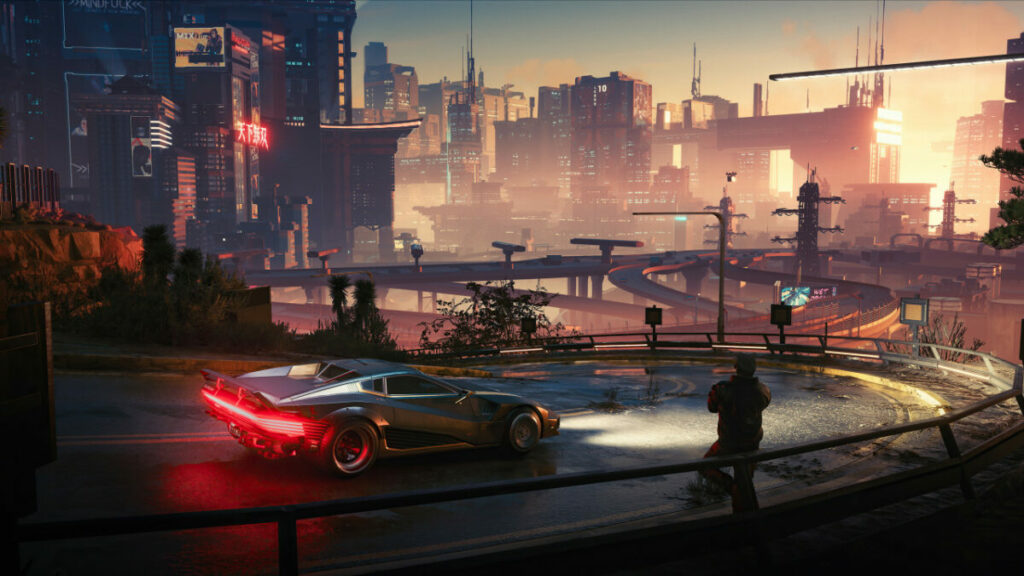
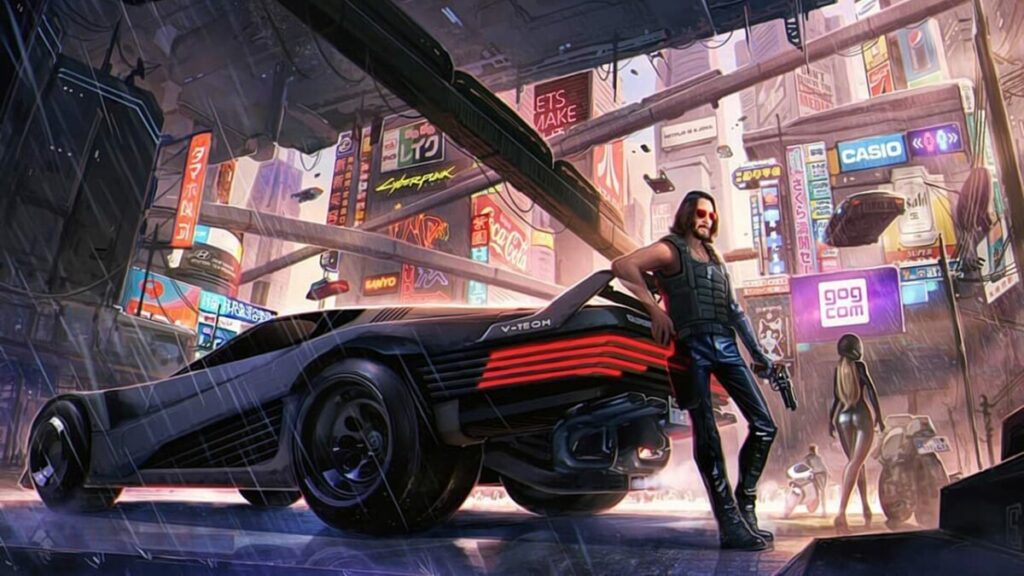
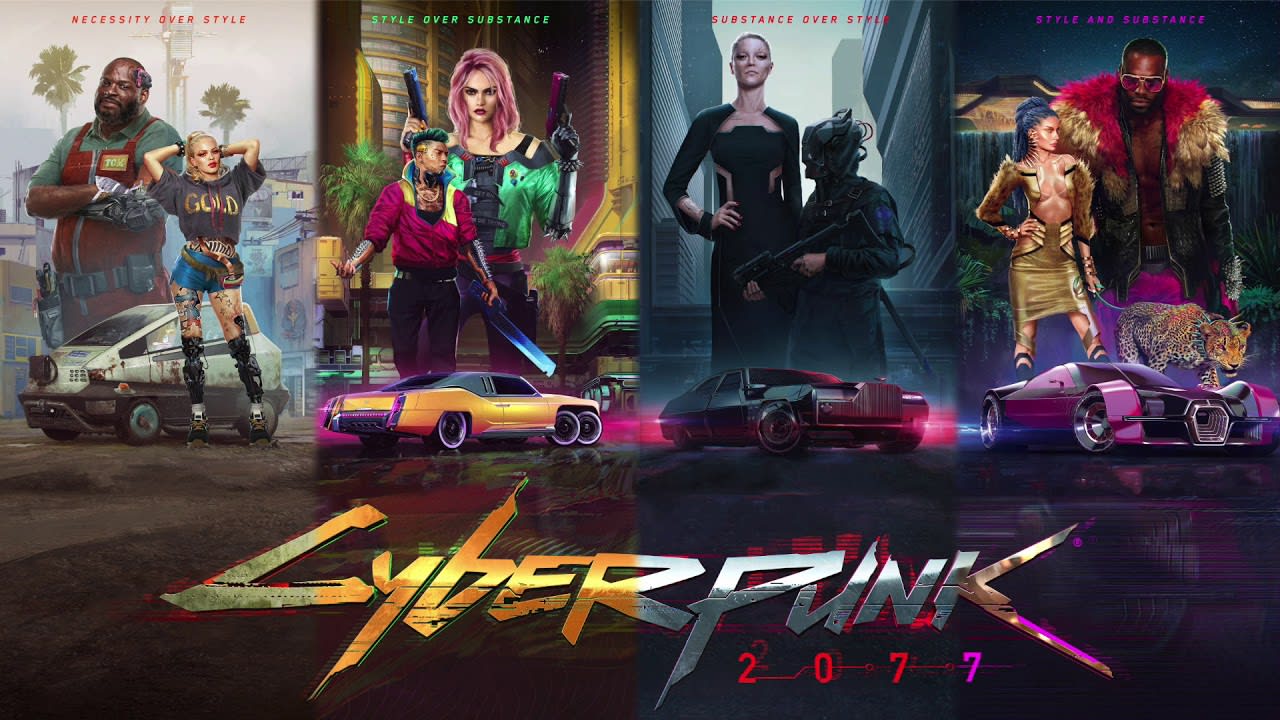
Cyberpunk 2077 is a game for Windows set in 2077 in a fictional metropolis called Night City. Wars and climate change have devastated the world. Nearly all the wildlife is extinct. Food and water are hard to find, so survival is difficult. Cyber attacks are common, so humans rely on body modifications like implants, including one that allows you to live forever. The city is occupied by a range of humans, including wealthy business people, celebrities, criminals, drug dealers, and mercenaries.

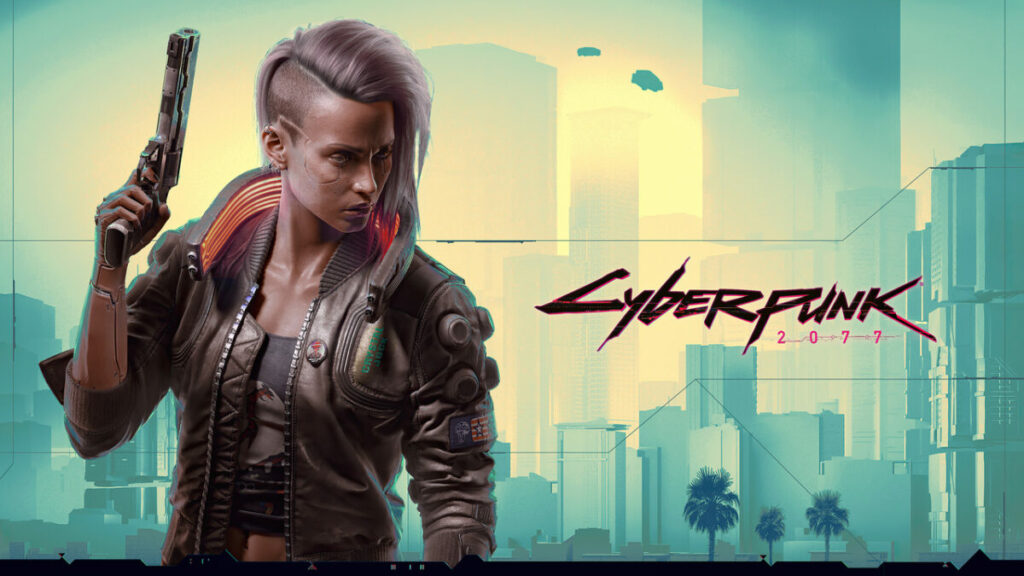
You can start the game as a mercenary known as V, who gets hired for missions that increase his property and ability to survive. Or you can be a nomad or a street kid trying to succeed in the city or a corporate employee trying to regain his old position.

How to play Cyberpunk 2077

Start by ensuring there’s enough space on your hard drive because it takes about 70GB at launch Cyberpunk 2077. Also, look at your graphics driver to ensure that you have the latest update. Once you’ve downloaded the game, you’re given an option to choose your background or life path to customize your character.

It begins with shaping your looks, including your face and body. Pay attention to your reflexes, intelligence, technical ability, and cool factor. Learn terms like mantle, cover, dodge, the radial menu, and weapon swap. Make the right choices before you head into Night City.

how to play cyberpunk 2077 3

Create your character

Before you start working out how to play CyberPunk 2077, you’ll need to build your character. While it begins with shaping the face, body, and looks, you should also pay attention to the five attributes for Body, Reflexes, Technical Ability, Intelligence, and Cool. These points will set the tone for leveling up later in the game, so make the right choices before you head out into Night City. 

Choose your Lifepath

The next part of CyberPunk 2077 is selecting your Lifepath. You have a choice between Nomad, Streekid, and Corpo. Don’t worry about whether this choice will have severe consequences in the game. It may affect dialogue choices and a few side missions, but ultimately, the story and progression remain the same.

Learn the gameplay mechanics

We won’t judge you if you feel intimidated when you first see the button layout for the keyboard or controller. There’s a lot to get used to, but we promise that you’ll get the hang of it soon enough. 

Take your time learning the most useful functions first, such as mantle, dodge, cover, weapon swap, and the radial menu. These mechanics are vital for surviving the first few hours of gameplay.

Study your gear and items

After your first few hours of playing CyberPunk 2077, you’ll learn how valuable your inventory is. You’ll find useful items, such as components, ranged and melee weapons, attachments, clothes, and grenades. We made the mistake of being too hasty to get into the action and missed how significant it is to sort through the backpack and cyberware upgrades – don’t make the same mistake.

Level up

While running around in Night City and completing missions, you’ll earn attribute points and experience. There are three categories to level up: Street Cred, your Character Level, and your individual Skills. There’s even a skill tree for each attribute, so ensure that you apply your points wisely.

Exploring Night City

You get a free vehicle early in the game that you can summon to go anywhere, anytime. There are cars to buy from your inbox or at the side of the road. You can steal one too, for free!

You can also use the speedier teleport option. There are teleport points in parts of Night City. You have to visit a point and manually unlock it. Then you can teleport back to your base or to somewhere else in the city. 

Undertaking missions

Players are offered missions to complete to earn rewards that they can use to buy body enhancements, armor, food, and other useful things. There are story missions, cash missions, and side missions. Each adds to the storyline to build up the unique ending.

Story missions push the storyline forward. Cash missions depend on how much money you have available to earn more. Side missions are an excellent way to get money, equipment, and weapons. The rewards can be very good for players who complete their side missions.  

Upgrading your body

You can upgrade every part of your body in Cyberpunk 2077. You can enhance your vision with the optic mod. The leg mod makes you run and jump better. You can even upgrade your arms so that they can fire ammunition! You have to earn money to buy enhancements.

how to play CyberPunk 2077

Tips and Tricks

Now that you understand how to play Cyberpunk 2077, here are some handy tips and tricks

Set the game’s level of difficulty

Cyberpunk 2077 is quite a challenging game with exciting visuals that make it interesting. It will appeal primarily to advanced players. For newbies, it offers a setting where you can lower the level of difficulty and change it up as your skills improve.

Walk the talk

Your conversations with other characters are meaningful and affect the game’s progress. 

Learn all about the three Cs: Conversation, and Choice, and Consequences. You’ll talk almost as much as you fight in Cyberpunk 2077. Your character is given dialog options, sometimes just things you want to know about other characters. But an answer could put you on a different path. The choices you make determine the game’s ending. 

You need to know a few things about conversations:

  • Lifepath icons link to your attributes
  • Blue options provide more intelligence
  • Yellow options advance dialogue
  • Timed replies have consequences
  • You can pause to access your skill points

Don’t upset the factions

Several factions inhabit Night City. There are three in the MegaCorporations and 10 gangs. You can’t join them, but you can undertake missions for them and avoid running into trouble if they don’t like what you’re up to.

Check your messages

Interacting with other players is an essential aspect of Cyberpunk 2077. You’ll get texts and calls offering you a car you can buy or details of missions you can go on, or even from friends you’ve made in Night City. Responding to messages builds relationships, including options for romance. So don’t ignore your messages!

how to play cyberpunk 2077 3

Head out into the nightlife

Now that you have a better understanding of how to play CyberPunk 2077, go out and conquer. There are about 30 hours of gameplay to enjoy and plenty of trophies to achieve. If you’d like a specific guide on achievements or completing missions, let us know in the comments, and we’ll make a plan.

Xbox Series X/S: The Best Launch Titles and Upcoming Games

Xbox Series X and S have starred in one of the most successful launches we’ve seen for a Microsoft console. Both platforms have sold out worldwide, and millions of gamers are already testing the extraordinary potential of this new generation of video game consoles. But a console needs more than just power to be a top seller. It also needs a full selection of games that you can play to enjoy all it has to offer.

If you still can’t decide between the PS5 or the Xbox Series X/S, then keep reading, because this article is for you! Today we’re going to tell you about the new Microsoft consoles’ launch games, exclusive titles and upcoming games that have been confirmed so far. We hope it helps you to choose your new console!

First of all, what is Smart Delivery?

One concept you need to understand before we reveal our list of new Xbox titles is Smart Delivery. With this innovative system, Microsoft’s new consoles take games from a lower platform, such as Xbox One, and optimize them for the new technology. In other words, if you purchase a title with Smart Delivery for Xbox One, when you buy the Xbox Series X/S you’ll have the same title for free but adapted for the new console. This means remarkable image and performance-related upgrades and much faster loading times.

Xbox Game Pass: Microsoft’s Secret Weapon

One of the most important features of Xbox Series X and S is Game Pass, a subscription service that many have already dubbed “The Netflix of video games.” According to one of the directors of Xbox Game Studios, the new Microsoft consoles won’t have exclusive games until at least a year after their launch. But that doesn’t mean you can’t enjoy video games on them. In fact, gamers can look forward to playing them like never before thanks to this on-demand video game service.

For just €12.99 per month (and € 1 for the first month), any Microsoft console, PC or Android mobile device user can access to more than 150 games from the company’s ecosystem as well as a library with the best Electronic Arts titles. Bethesda games are expected to join the catalog shortly. You can find out all the details about Game Pass here.

All the Xbox Series X/S launch games

Below is a list of all the launch titles already available for Xbox Series X/S. We’ll also tell you whether they offer optimization via Smart Delivery and if they’re available under the Game Pass subscription plan.

  • Assassin’s Creed Valhalla- Xbox Game Pass: No / Smart Delivery: Yes
  • Borderlands 3- Xbox Game Pass: No / Smart Delivery: Yes
  • Bright Memory- Xbox Game Pass: No / Smart Delivery: No
  • Cuisine Royale- Xbox Game Pass: No / Smart Delivery: Yes
  • Dead by Daylight-Xbox Game Pass: Yes / Smart Delivery: Yes
  • Devil May Cry 5: Special Edition- Xbox Game Pass: No / Smart Delivery: No
  • DIRT 5- Xbox Game Pass: No / Smart Delivery: Yes
  • Enlisted- Xbox Game Pass: No / Smart Delivery: No
  • Evergate- Xbox Game Pass: No / Smart Delivery: No
  • The Falconeer- Xbox Game Pass: No / Smart Delivery: Yes
  • Fortnite-  Xbox Game Pass: No / Smart Delivery: No
  • Forza Horizon 4- Xbox Game Pass: Yes / Smart Delivery: Yes
  • Gears 5- Xbox Game Pass: Yes / Smart Delivery: Yes
  • Gears Tactics- Xbox Game Pass: Yes / Smart Delivery: Yes
  • Grounded- Xbox Game Pass: Yes / Smart Delivery: Yes
  • King Oddball- Xbox Game Pass: No / Smart Delivery: Yes
  • Maneater- Xbox Game Pass: No / Smart Delivery: Yes
  • Manifold Garden- Xbox Game Pass: No / Smart Delivery: Yes
  • NBA 2K21- Xbox Game Pass: No / Smart Delivery: No
  • Observer: System Redux- Xbox Game Pass: No / Smart Delivery: No
  • Ori and the Will of the Wisps- Xbox Game Pass: Yes / Smart Delivery: Yes
  • Planet Coaster- Xbox Game Pass: No / Smart Delivery: Yes
  • Sea of Thieves- Xbox Game Pass: Yes / Smart Delivery: Yes
  • Tetris Effect: Connected- Xbox Game Pass: Yes / Smart Delivery: Yes
  • The Touryst- Xbox Game Pass: Yes / Smart Delivery: Yes
  • War Thunder- Xbox Game Pass: No / Smart Delivery: Yes
  • Warhammer: Chaosbane Slayer Edition- Xbox Game Pass: No / Smart Delivery: No
  • Watch Dogs: Legion- Xbox Game Pass: No / Smart Delivery: Yes
  • WRC 9 FIA World Rally Championship- Xbox Game Pass: No / Smart Delivery: Yes
  • Yakuza: Like a Dragon- Xbox Game Pass: No / Smart Delivery: Yes
  • Yes, Your Grace- Xbox Game Pass: No / Smart Delivery: Yes

Exclusive games for Xbox Series X/S

Although Microsoft has confirmed that it’s going to be a while until the launch of an exclusive game for its new generation of consoles, there are some promising titles on the horizon. So far, we know about a number of exclusive games, including temporary ones, for the new Xbox Series X/S. You can find them all below.

Halo Infinite

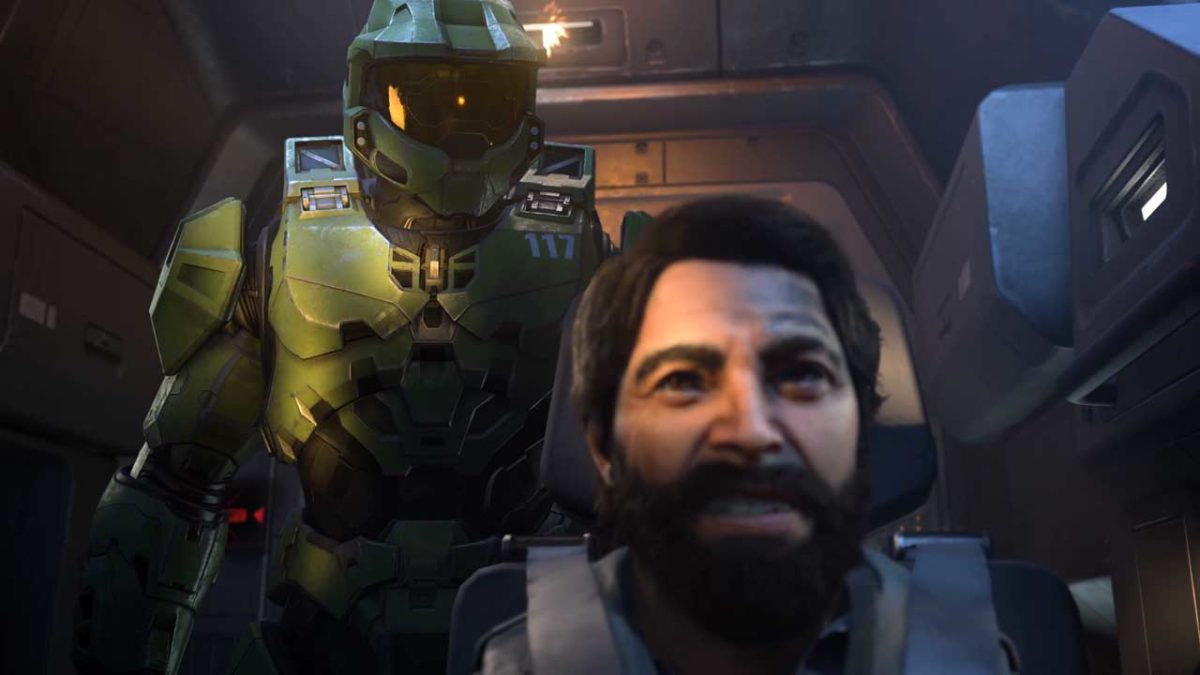
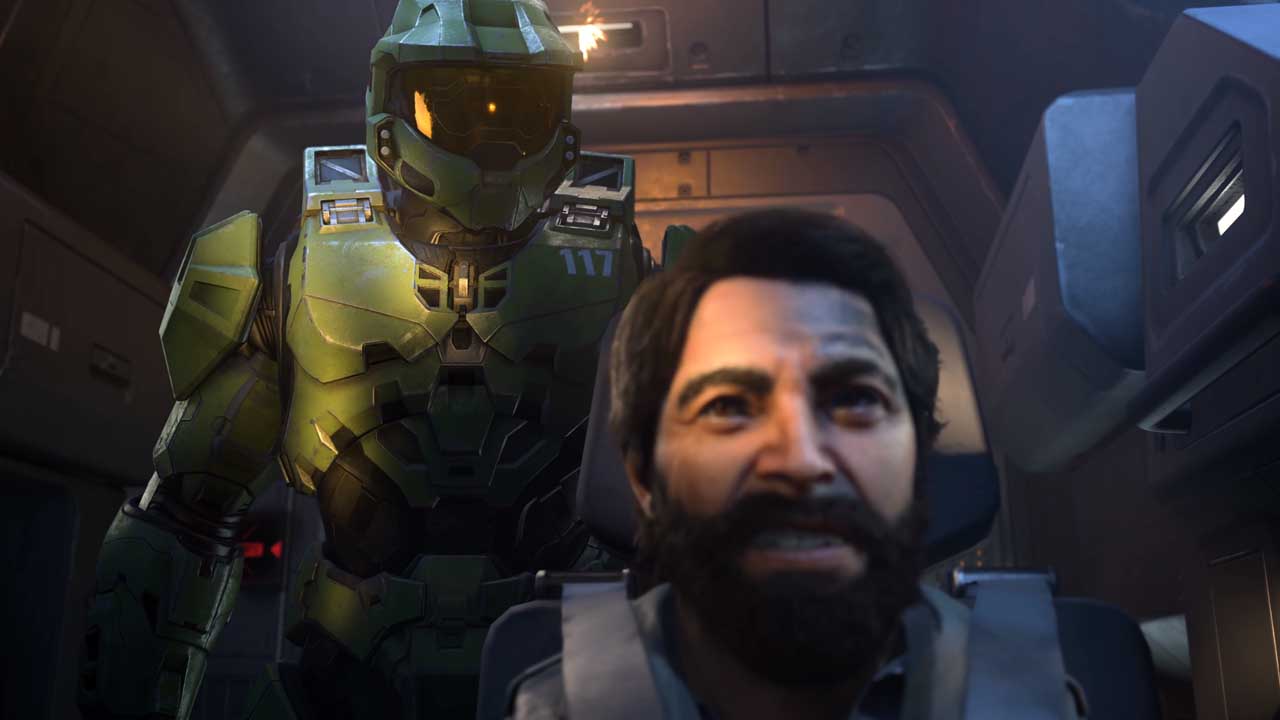
Halo Infinite is inarguably one of the most eagerly awaited exclusive games for owners of Microsoft’s console. This spiritual reboot of Halo will give you a chance to play Master Chief again. It will reach the Xbox Series X (as well as PC and Xbox One) sometime in 2021.

Fable

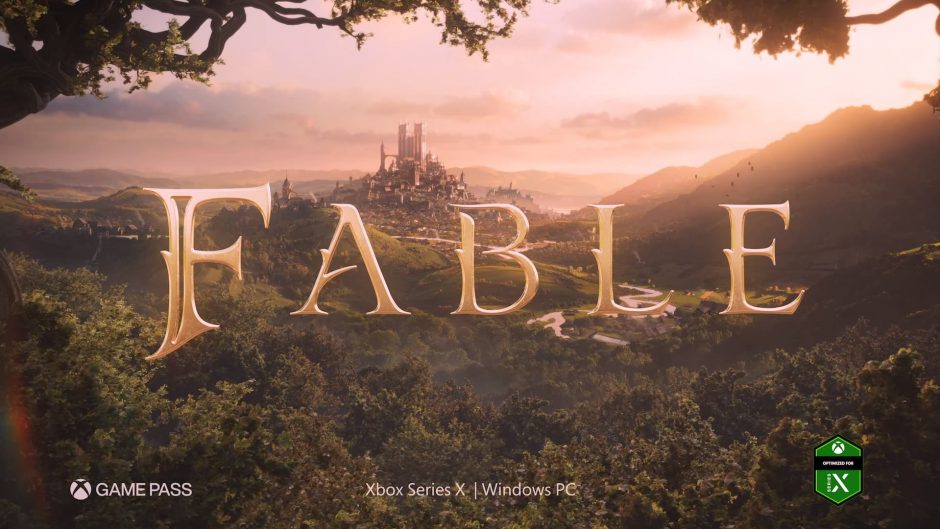
Fable, the reboot of the legendary RPG from Lionhead Studio, returns from Playground Games to take you back to a world of fantasy and heroes. Little is known about the game at this point, and no release date has been announced, but there are high hopes for the return of this beloved franchise.

Forza Motorsport

No, we haven’t forgotten to number the new Forza installment. Forza Motorsport promises to reinvent the driving franchise, making it a unique experience with the power of Xbox Series X. It will gain ray tracing, 4K and driving at 60 fps so you can feel the speed in your hands. There’s no release date yet.

Senua’s Saga: Hellblade II

Senua’s Saga: Hellblade II is the long-awaited sequel to Senua’s Sacrifice. After Microsoft’s acquisition of Ninja Theory, Hellblade II is exclusive on the company’s consoles, and according to its developers, it will showcase the full potential of Xbox Series X.

State of Decay 3

Every console needs a good zombie title, and the new Xbox could not settle for less. State of Decay 3 is the third part of the acclaimed horror game where you’ll have to survive, once again, a pandemic of the undead. Although there’s still no release date, the game will be playable on Xbox Series X as well as PC.

Avowed

Avowed is the eagerly awaited new Obsidian title that will be exclusive on the new Microsoft consoles. This first-person RPG will take you to Eoria, the world of the famed Pillars of Eternity, to demonstrate yet again why Obsidian is considered the true master of the fantasy narrative.

As Dusk Falls

As Dusk Falls is an interactive drama made by the recently created INTERIOR/NIGHT. It promises a story full of mystery, sacrifice and secrets spanning three generations of two different families.

The Medium

The Medium is a psychological thriller where you’ll solve a tough mystery using your paranormal abilities. With breathtaking graphics and the ability to interact with the real spirit world, The Medium promises to deliver hours of fun and terror. When it arrives on December 10, the game will be temporarily exclusive on the Xbox Series X.

In addition to the aforementioned games, you can enjoy the following exclusive titles on the new Microsoft consoles:

  • 12 Minutes
  • CrissfireX
  • Dead Static Drive
  • Exo One
  • Everwild
  • Lake
  • Last Stop
  • Mad Streets
  • Psychonauts 2
  • Sable
  • Shredders
  • Scorn
  • Song of Iron
  • S.T.A.L.K.E.R 2
  • The Artful Escape
  • The Ascent
  • The Big Con
  • The Gunk
  • Tunic
  • Unexplored 2: The Wayfarer’s Legacy
  • Warhammer 40.000: Darktide

Upcoming third-party games for Xbox Series X/S 

Now you know about all the exclusive games, temporary and otherwise, that have been announced for the Xbox Series X/S, but what about the rest of the games? Fortunately Microsoft has a wide range of confirmed titles for its next-generation consoles. Below is a list of the games confirmed so far:

  • Balan Wonderworld
  • Braid: Anniversary Edition
  • Bridge Constructor: The Walking Dead
  • Bright Memory Infinite
  • Call of Duty: Black Ops Cold War
  • Call of the Sea
  • Chivalry 2
  • Chorus
  • Cris Tales
  • Cyberpunk 2077
  • Demon Turf
  • Doctor Who: Edge of Reality
  • Dragon Age 4
  • Dustborn
  • Echo Generation
  • Earthlock 2
  • ExoMecha
  • Far Cry 6FIFA 21Football Manager 2021
  • Gotham Knights
  • Graven
  • Haven
  • Hello Neighbour 2
  • Hitman 3
  • Hood: Outlaws and Legends
  • Immortals Fenyx Rising
  • Lego Star Wars: The Skywalker Saga
  • Little Nightmares 2
  • Madden 21
  • Marvel’s Avengers
  • Metal: Hellsinger
  • Mørkredd
  • NBA 2K21
  • Outriders
  • Overcooked: All You Can Eat
  • Paradise Lost
  • Phantasy Star Online 2: New Genesis
  • PES
  • Planet Coaster: Console Edition
  • Poker Club
  • Pragmata
  • Puyo Puyo Tetris 2
  • Recompile
  • Resident Evil 8: Village
  • RIDE 4
  • Riders Republic
  • Scartlet Nexus
  • Second Extintion
  • Sherlock Holmes: Chapter One
  • Steelrising
  • Suicide Squad: Kill the Justice League
  • The Ascent
  • The Lord of the Rings: Gollum
  • TemTem
  • Unknown 9: Awakening
  • White Shadows
  • WRC9

Is there an Xbox Series X/S game that you can’t wait to play? Tell us about it in the comments section!

Top PS5 Games: New and Upcoming Releases

The PS5 is here. Sony’s next-gen console is making a big splash as the star of the most successful PlayStation launch to date. With unlimited power and providing a whole new dimension of sensations thanks to its revolutionary DualSense controller, PS5 has already dazzled players around the world. This is the most powerful console that Sony has ever created. But what’s a console without a game library?

The PlayStation 5 launch has been accompanied by a fantastic selection of titles to welcome the new console. There are exclusive Sony console games like the spectacular remake of Demon’s Souls or the exciting Marvel’s Spider-Man: Miles Morales as well as vastly improved versions of titles we already knew, like Devil May Cry 5: Special Edition. But that’s just the beginning!

PS5 already has a game library that will delight every gamer, but there’s much more to come. Sony’s The Future of Gaming conference made it clear that there are great titles on their way that will leave us speechless. Want to know which ones?

In today’s article, we’ll review the best PS5 launch games as well as the video games that are going to drop in 2021. Let’s get to it!

Exclusive PS5 launch games

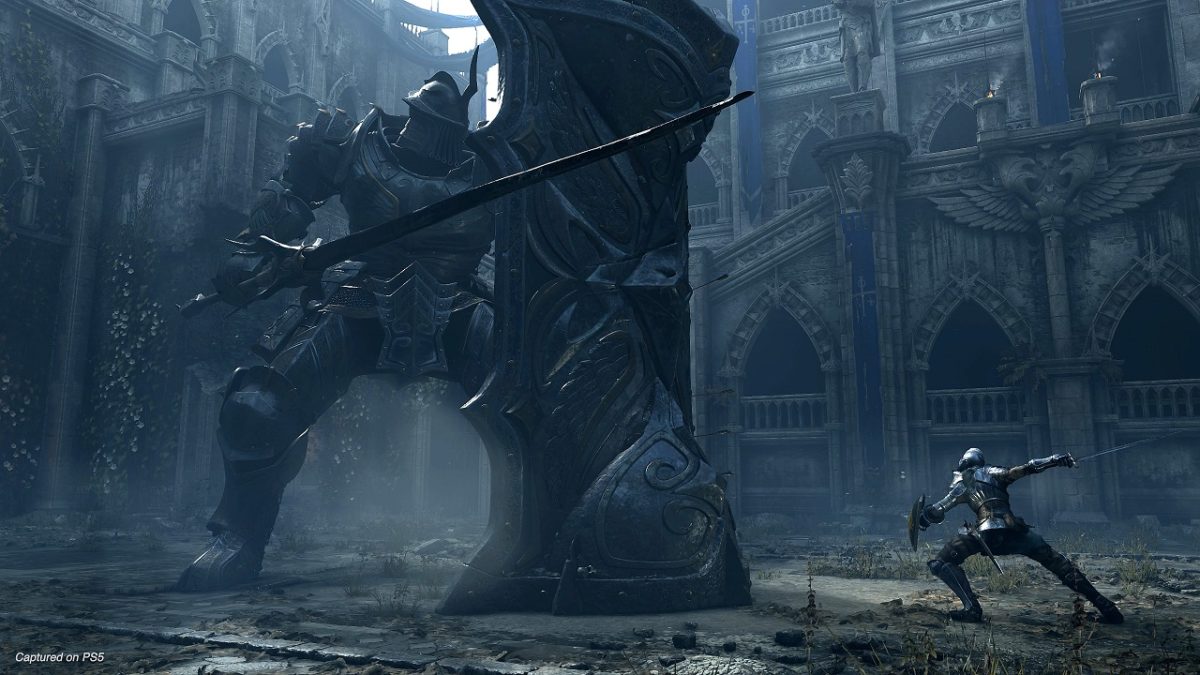
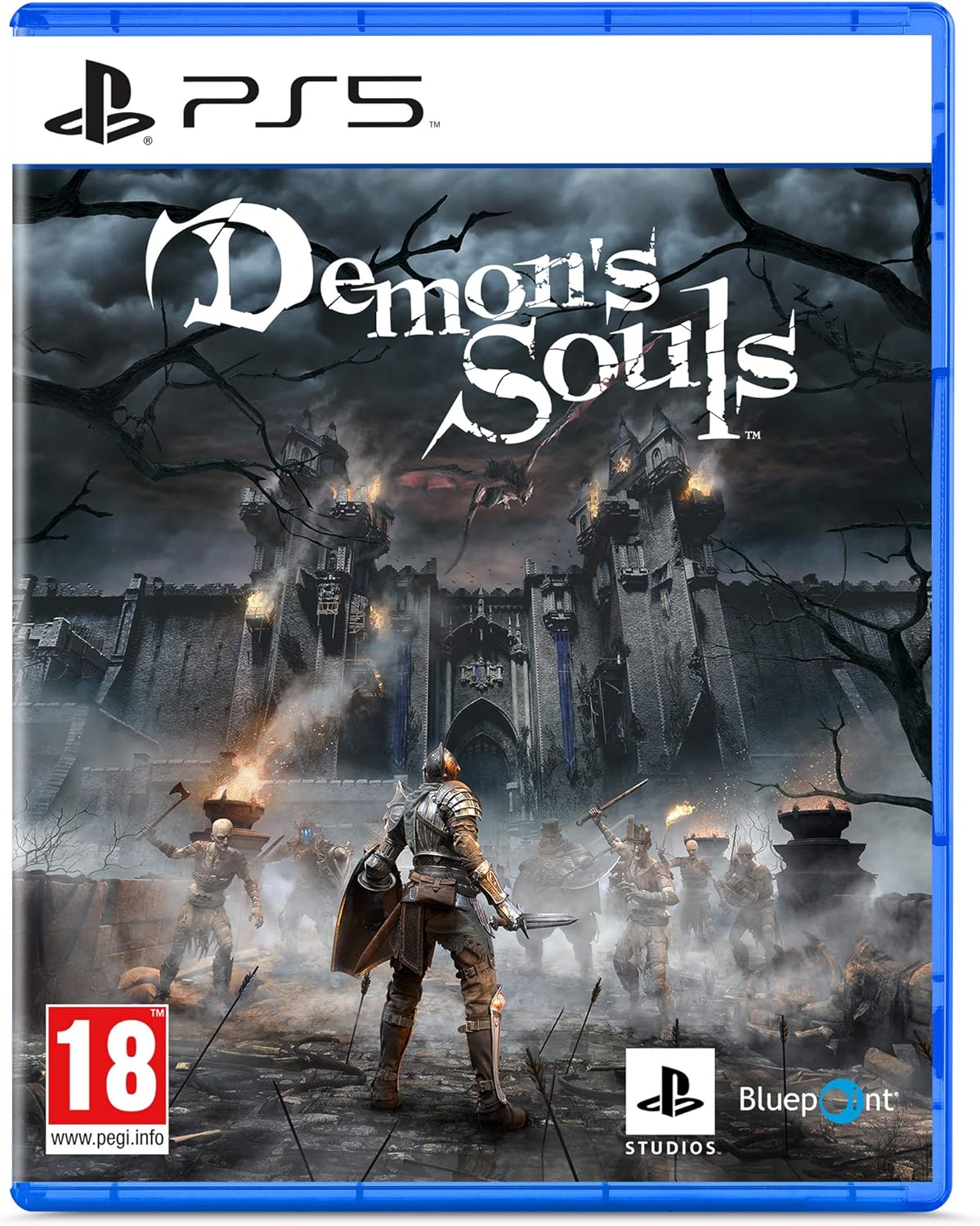
Demon’s Souls

We start our list off with Demon’s Souls, the spectacular remake of the From Software masterpiece that inspired other greats such as the Dark Souls saga, Sekiro: Shadows Die Twice or the superb Bloodborne.

The game is an exact recreation of Miyazaki’s original title, once again plunging us into the kingdom of Boletaria to face the curse. After succumbing to a demon, we will need to collect souls to recover our body and have any chance of defeating the threat menacing us.

Visually stunning and as challenging (and frustrating!) as the original, Demon’s Souls is a classic resurrected to make the most of Sony’s new console. Are you ready to die again?

Astro’s Playroom

Astro’s Playroom is the alluring way your PlayStation 5 will welcome you to the next generation of video games. The title is pre-installed on all PS5s and is designed to demonstrate all of the console’s new functions, especially the possibilities of its innovative DualSense controller.

In Astro’s Playroom you accompany the adorable Astro through various worlds where you can pick up all kinds of PlayStation collectibles. They will teach you how the DualSense controller is capable of interacting with the movement of your hands, and even when you blow into the mic. You’ll also discover how it can transfer the feeling of sensations and textures to your hands.

Fun, endearing, and full of nods to the story and characters we’ve known since the birth of the first PlayStation, Astro’s Playroom is a great, free game you shouldn’t pass up

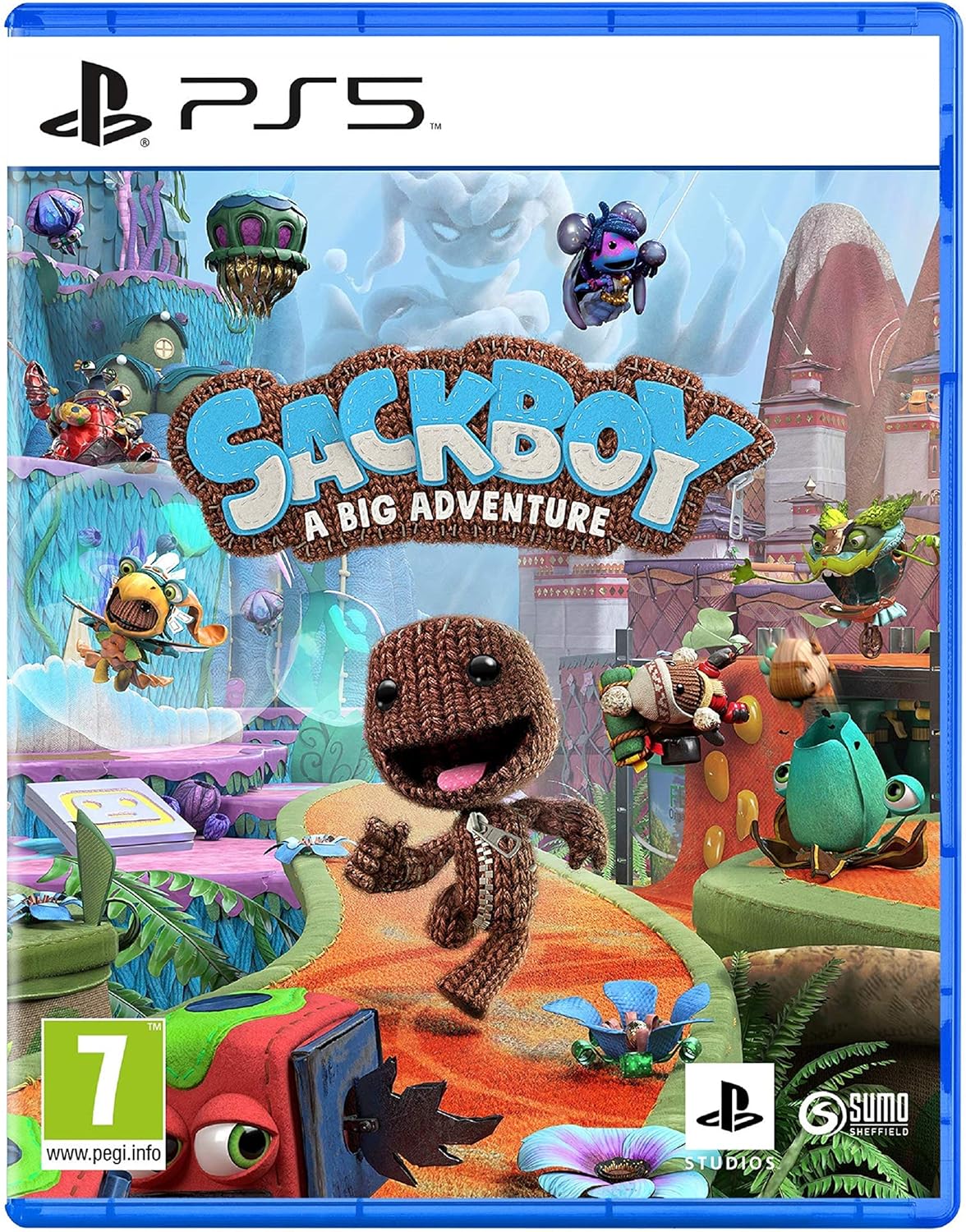
Sackboy: A Big Adventure

Sackboy, the mascot of the LittleBigPlanet saga, returns to PlayStation to welcome the new Sony console. But don’t let the name fool you, Sackboy: A Big Adventure is not just another addition to the sack-folk franchise. In this new game we leave behind the creation and exchange of levels to focus on something completely different: a challenging co-op platform to overcome with three more friends.

Sackboy: A Big Adventure shelves the 2.5D graphics typical of the LittleBigPlanet saga to offer us tantalizing 3D graphics to maximize the power of PS5. As on every good platform, your skill and reflexes are key to pass the 60 levels of the game. Their musical levels are especially memorable (and fun!). You have to coordinate your movements, jumps, and falls with the melodies that accompany the level. Sounds fun, right?

If you like the platforms or are looking for a good title with local co-op multiplayer, Sackboy: A Big Adventure is a great addition to your PS5

-5,09€
Sackboy: A Big Adventure

From: Amazon

59,90$ 69,99$

Marvel’s Spider-Man: Miles Morales

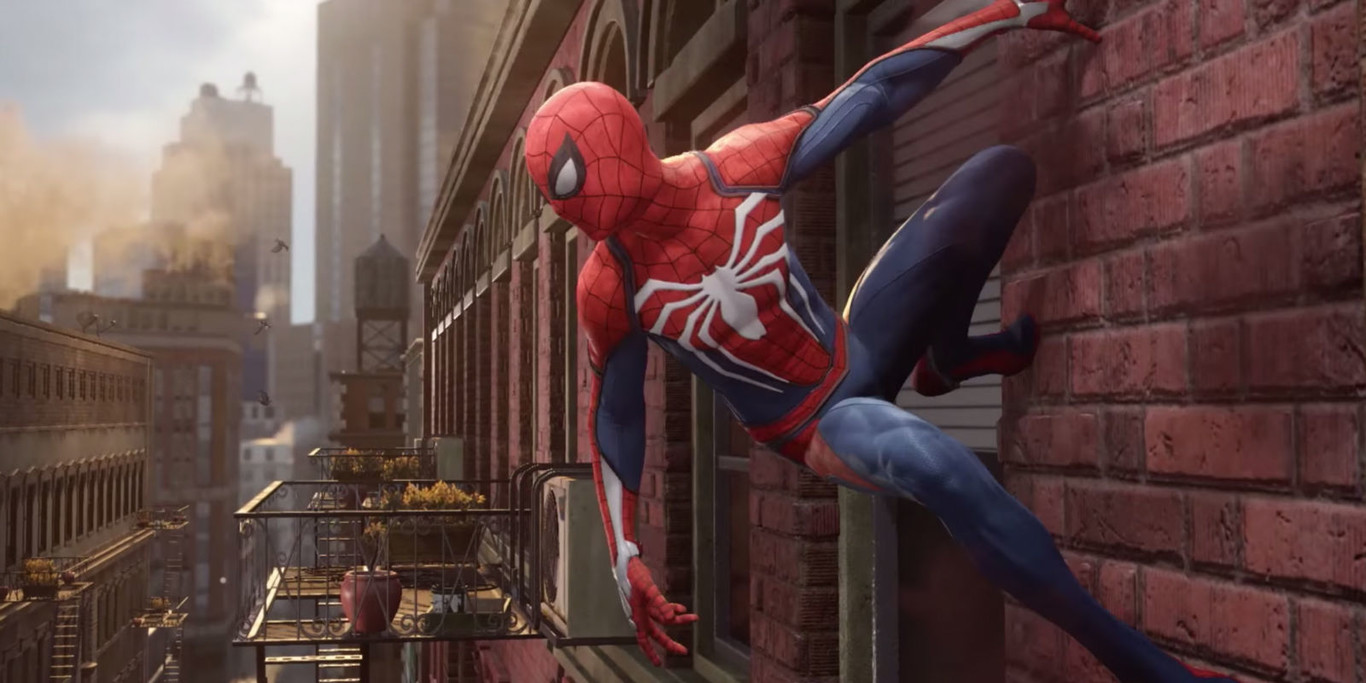
After the success of Marvel’s Spider-Man, Insomniac Games brings back Spider-Man for the long-awaited Marvel’s Spider-Man: Miles Morales. We have a new superhero for a new generation of players and consoles and the truth is, as always, Spidey delivers.

Marvel’s Spider-Man: Miles Morales is the direct continuation of the original 2018 game. If you haven’t played it, don’t worry, because the Ultimate version of Miles Morales comes with a remastered version of the original. In it, Peter Parker leaves the city for a few weeks, leaving Miles to keep the peace in New York City. The Underground organization and the ROXXON corporation, however, are not going to make it easy for us.

With improved gameplay and a huge dose of action, Miles Morales provides a unique experience on PS5 thanks to the DualSense controller. The game offers hours of fun and action spread over a ton of both primary and secondary missions. To top it off, it has a great soundtrack and a good number of easter eggs that will delight fans of good-ole Spider-Man. What are you waiting for?

Third-party games for PS5

We have already told you about the exclusive PlayStation 5 games that are available with the launch of the console. But that’s not all! PS5 has a superb selection of games from other companies to make the most out of your new console. Some of them, like Godfall, are exclusive to the console. Others, such as Borderlands 3, Assassin’s Creed Valhalla, Mortal Kombat 11, etc. can be upgraded to PS5 if you already have a PS4 version.

We’ve included the complete list of third-party games available since the release of PS5 for you below.

  • Assassin’s Creed Valhalla
  • Borderlands 3
  • Bugsnax (incluido en PS Plus)
  • Call of Duty: Black Ops Cold War
  • Devil May Cry 5 Special Edition
  • DiRT 5
  • For Honor
  • Fortnite
  • Godfall
  • Hyper Scape
  • Just Dance 2021
  • Maneater
  • Mortal Kombat 11
  • Mortal Kombat XI Ultimate
  • NBA 2K21
  • Observer: System Redux
  • Overcooked! All You Can Eat
  • Planet Coaster: Console Edition
  • Rainbow Six: Siege
  • The Pathless
  • WRC 9
  • Warhammer Chaosbane
  • Watch Dogs Legion

Games that can be upgraded to PS5 if a PS4 version is available 

As we said above, there are plenty of PS4 games that can be upgraded to PS5 completely free of charge if you have a copy of them. At the moment, these are all the confirmed PS4 games that will allow this free update.

  • Assassin’s Creed Valhalla
  • Borderlands 3
  • Call of Duty: Black Ops Cold War (Sólo con la Cross-Gen o Ultimate)
  • Control (sólo para quienes posean la edición Ultimate)
  • Cyberpunk 2077
  • Dead by Daylight
  • Destiny 2
  • DiRT 5
  • Doom Eternal
  • Far Cry 6
  • FIFA 21
  • Grand Theft Auto V
  • Hitman 3
  • Immortals: Fenyx Rising
  • Kena: Bridge of Spirits
  • Little Nightmares 2
  • Madden NFL 21
  • Marvel’s Avengers
  • Monster Boy and The Cursed Kingdom
  • NBA 2K21 (Sólo con la edición Mamba Forever)
  • Rainbow Six Siege
  • Riders Republic
  • The Elder Scrolls Online
  • The Witcher 3: Wild Hunt
  • Watch Dogs Legion
  • WRC 9
  • Yakuza: Like a Dragon (Se actualizará en 2021)

Games included in the PS Plus Collection 

In addition to the launch games, PS5 offers a free collection of its best PS4 titles to enjoy on the new console. Many of them have been enhanced by Game Boost technology, and all you need is a subscription to PlayStation Plus to access them.

The full list of games available in the PlayStation Plus Collection is:

  • Batman: Arkham Knight
  • Battlefield 1
  • Bloodborne
  • Call of Duty: Black Ops III – Zombies Chronicles Edition
  • Crash Bandicoot N. Sane Trilogy
  • Days Gone
  • Detroit: Become Human
  • Fallout 4
  • Final Fantasy XV Royal Edition
  • God of War
  • Infamous Second Son
  • Monster Hunter: World
  • Mortal Kombat X
  • Persona 5
  • Ratchet and Clank
  • Resident Evil 7
  • The Last Guardian
  • The Last of Us Remastered
  • Until Dawn
  • Uncharted 4: A Thief’s End

Upcoming PS5 Games

We’ve already talked about all the games that are available this 2020 or those we’ll be able to enjoy at the beginning of 2021. But Sony also presented a large selection of titles that will gradually expand its game library but whose exact release dates are still up in the air.

Below you’ll find a list of all PlayStation 5 games confirmed to date.

  • Ratchet & Clank: Rift Apart
  • Gran Turismo 7
  • Horizon Forbidden West
  • Resident Evil 8: Village
  • Deathloop
  • Ghostwire: Tokyo
  • GTA 5
  • Project Athia
  • Pragmata
  • Stray
  • Outriders
  • El Señor de los Anillos: Gollum
  • Rainbow Six: Quarantine
  • Gods and Monsters
  • Gothic Remake
  • Nascence: Anna’s Song
  • Quantum Error
  • Call of Duty: Warzone
  • Destiny 2
  • Scarlet Nexus
  • Dying Light 2
  • Chorus: Rise as One
  • Roots of Pacha
  • Martha is Dead
  • Ultimate Fishing Simulator 2
  • MicroMan
  • Vampire: The Masquerade – Bloodlines 2
  • Suicide Squad: Kill the Justice League
  • Gotham Knights
  • Temtem
  • Haven
  • Ride 4
  • Final Fantasy XVI
  • God of War 2: Ragnarok

Which PS5 game are you most looking forward to? Share in the comments section!

How to Stop Microsoft Teams from Popping Up & How to Disable Notifications

Social media is ruling the world at this point. If 2020 has taught us anything, it’s that not even a global pandemic can prevent us from face to face meetings and that technology rocks!

Unfortunately, the problem is that it has a way of creeping in and taking over our entire lives. If you have Facebook, Twitter, Instagram, and Microsoft Teams accounts all on one device, you’ll know what we mean. The notifications can ping your phone or PC into a frenzy if you allow it. It can make spending quality time with your family difficult if you answer each message.

Fortunately, we can control to what extent and when we receive message notifications. It’s quick and easy to stop Microsoft Teams from popping up by disabling notifications. It’ll help with the movie nights if you don’t have to deal with pop-ups on your screen.

Microsoft Teams DOWNLOAD
8

How to stop Microsoft Teams from popping up

Microsoft Teams is an excellent platform for connecting a remote workforce that you can access via Android and iPhone when away from your PC. Many users are annoyed by how it relaunches itself after they’ve already closed the app. Follow these quick steps to put it back under your stern command.

  1. Open Microsoft Teams on your device
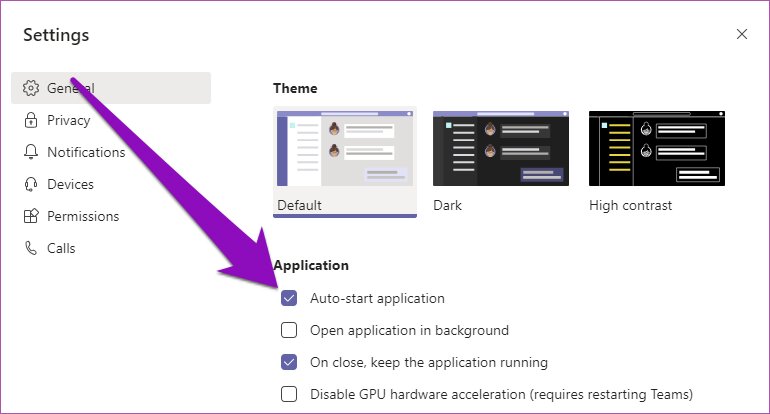
  2. Open the settings by pressing: Ctrl/Command + , (Comma)
  3. In the Settings section pop-up, click the ‘General’ tab from the left, uncheck the ‘Auto-start application’ and ‘On close, keep the application running.’

Following these simple steps will prevent the app from auto-launching and give you the control to only open it when needed. If you have some down-time planned over the holidays, you can also opt to disable notifications from Microsoft Teams for complete R&R away from work.

How to disable Microsoft Teams notifications

Here are the steps to follow if you need some time off from those MT notifications like we occasionally do:

  1. Open the app on your device.
  2. Open the settings by pressing: Ctrl/Command + , (Comma)
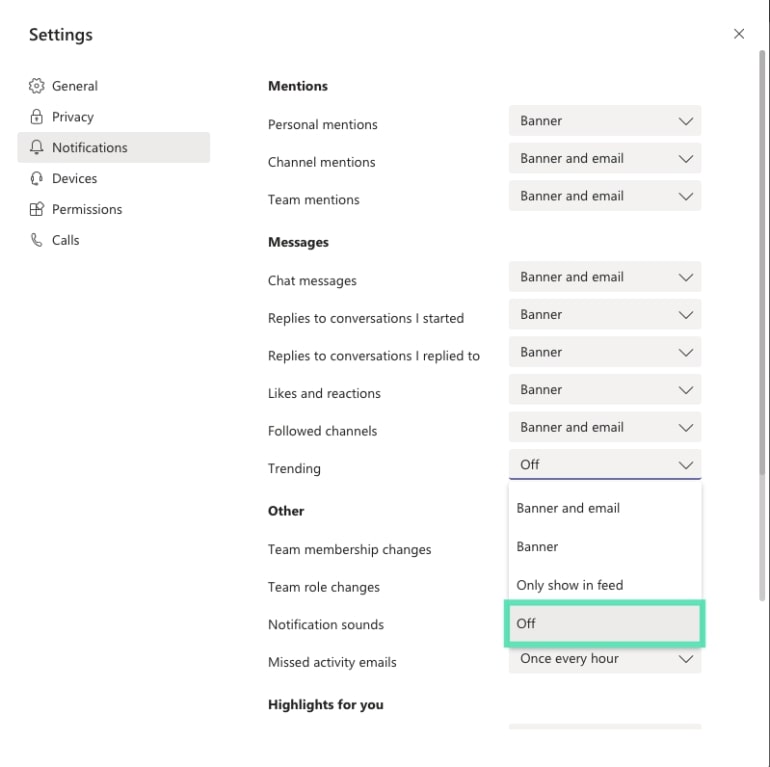
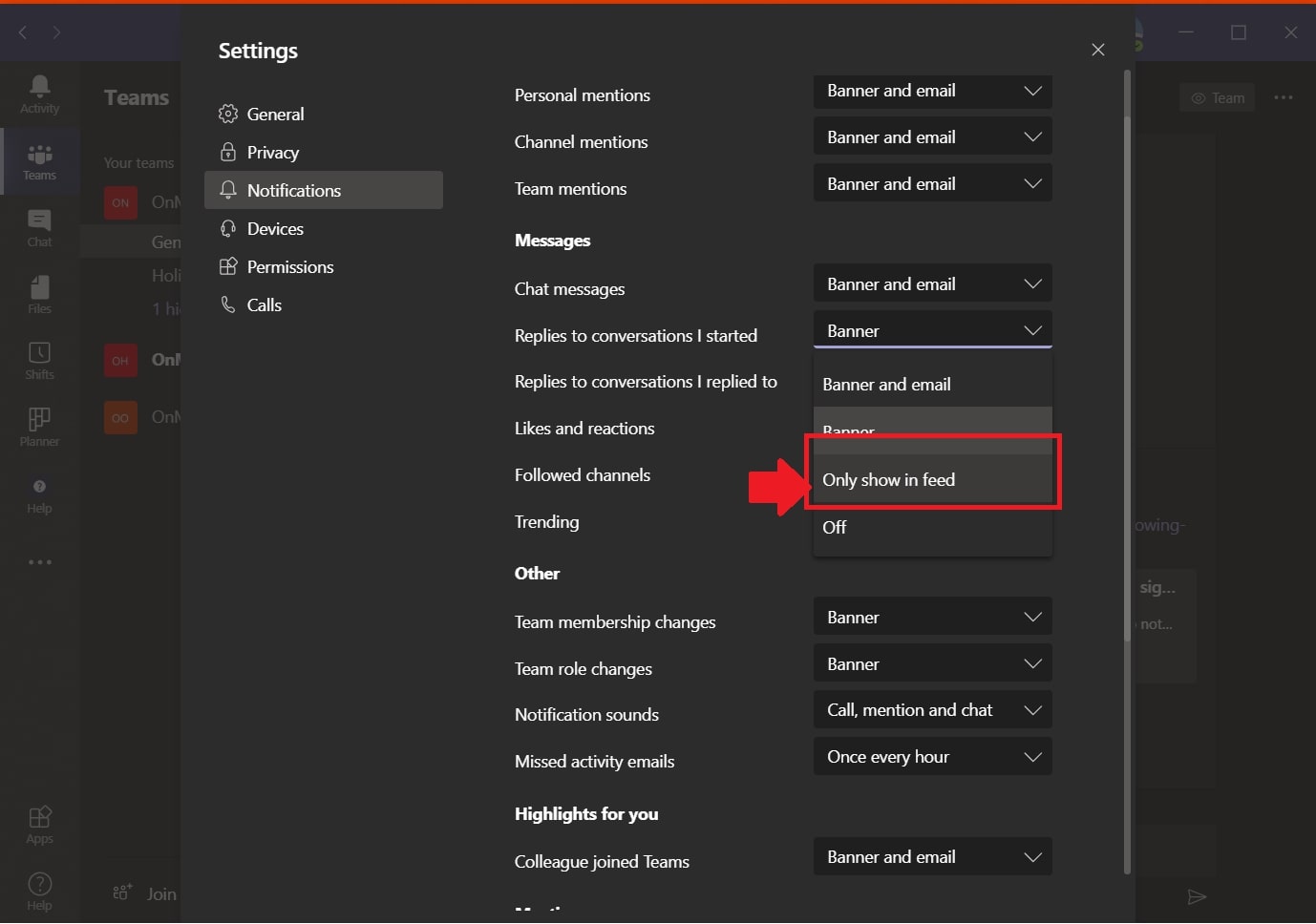
  3. Click on the ‘Notifications’ icon on the left dashboard.
  4. Now you can choose how you want to receive each type of notification. Under every category, you can switch it ‘Off’ in the drop-down menu to disable it.

What other social networking apps can we use?

Keep in mind that there are excellent apps available that can help you separate work and play. If you use Microsoft Teams for connecting with your work teams, why not use Skype or Zoom for your family and friends.

Skype DOWNLOAD
8

Zoom DOWNLOAD
8

How to Get Rid of Everything Google Knows About You

You’re probably blissfully unaware of the fact that Google knows way more about you than you think. Google knows what you search for, what interests you, and which places you visit in the real world. It then sells this data to advertisers and third parties with the goal of offering you information that may be helpful to you.

Logotipo de Google

Think I’m exaggerating? Let’s make a bet: visit these seven links to find out what kind of information Google is keeping on you. If your mind isn’t blown or you don’t decide to delete at least some of your data, I’ll eat my hat!

Note 1: To visit these links, you need to be logged into your Google account.

Note 2: This article was originally published on May 17, 2016, and updated on November 15, 2020, when I realized some services had changed or the instructions were obsolete.

1. How to delete all of your activity on Google

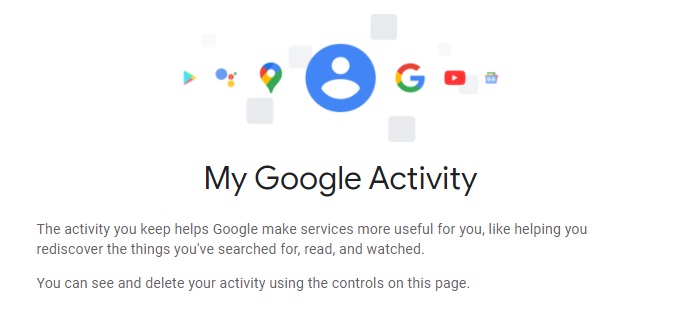
Google saves every search you run. Every last one. The page where everything is recorded is called “My Activity.” You can access it through your Google account page (click here) and then “Privacy & personalization.” Next, click “My Activity,” which appears under “Activity and timeline.” Alternatively, click here to go to the same website.

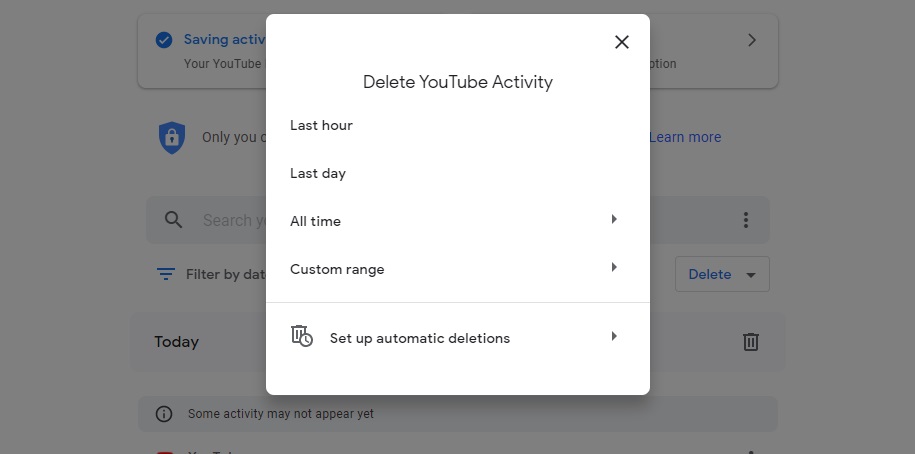
As you can see, any content you have accessed on Google is recorded on this page. There are three ways to delete your activity. The first is using the search feature, which is perfect if you’re concerned about Google knowing you have visited a specific website.

The second method is more straightforward. If you want to delete your searches from just one day, click the trash can icon that appears under “Today.”

Next Google will inform you that the deletion is complete and display a link where you can learn more about the process it follows to clear your activity from its servers. It will also offer some privacy tips with links to services that store similar activity.

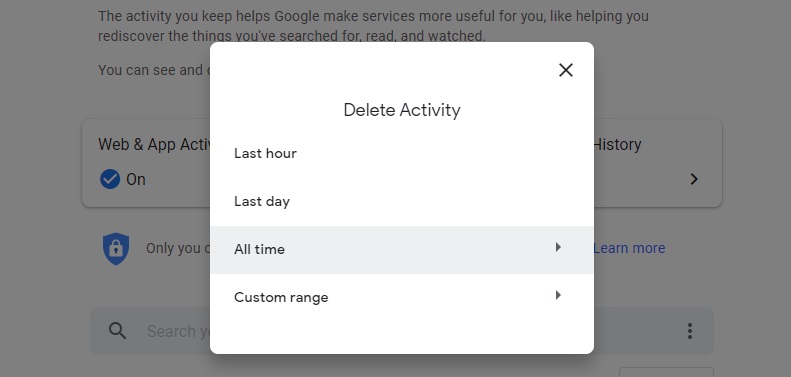
You know how to delete today’s searches, but what if you want to clear all of your searches since the beginning of time? Then you’ll want the third option. Click the drop-down “Delete” menu (check out the image above if you can’t find it) and then select “All time.” If you’re sure about this option, click “Next” to clear all of your activity from Google’s servers.

Ta-da! Done!

2. How to delete all of your activity on YouTube

So far, we’ve taught you how to delete your activity on Google. However, if you want to get rid of your full YouTube history, here’s the link to do that. Then just click the “Clear all search history” option.

But, as you may imagine, you still have some work to do. YouTube also stores your watch history, comments, live chats, etc. To delete everything, just pick an option under “History type” and clear all content.

3. How to delete everything advertisers know about you

Did you know that you can control the ads that appear when you use Google or its products? To do this, go to the Google ad settings panel by clicking here.

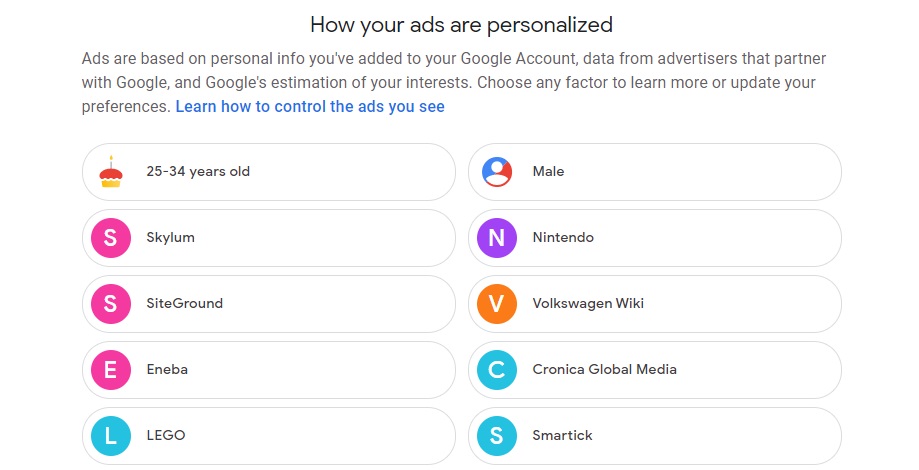
As you can see, Google knows I like manga and anime, video games, classical music… although I don’t know where it got my supposed interest in moving.

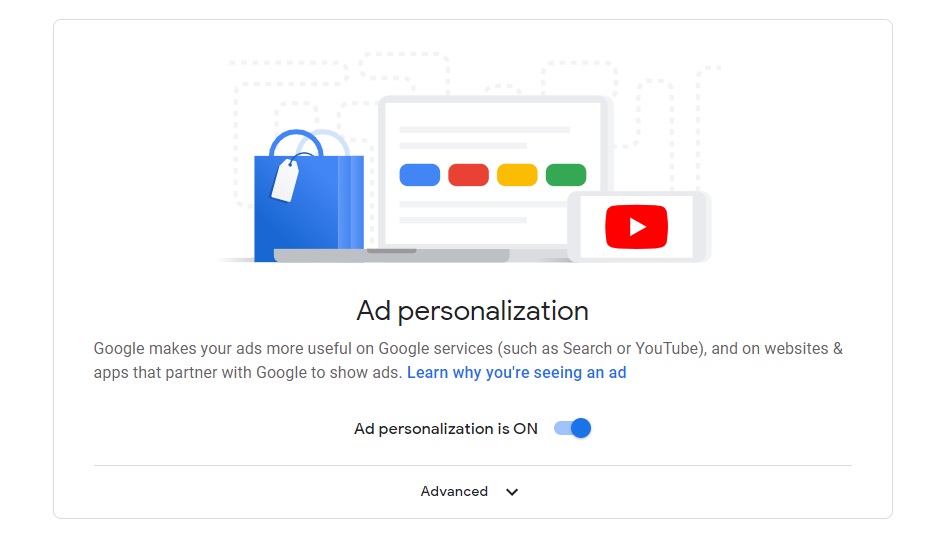
If you want Google to stop sending your info to advertisers, simply switch “Ad personalization” to “Off.”

4. How to clear your location history

If you use an Android device, Google keeps a record of the places you have visited with your device through a feature called Timeline. You can see it here.

6

If you want to delete the places you’ve visited, just click the trash can icon. After that, a message will appear from Google warning you that you are about to delete all your location info. Check the “I understand” box and click “Delete location history” to delete them.

5. Find out what apps can access your account

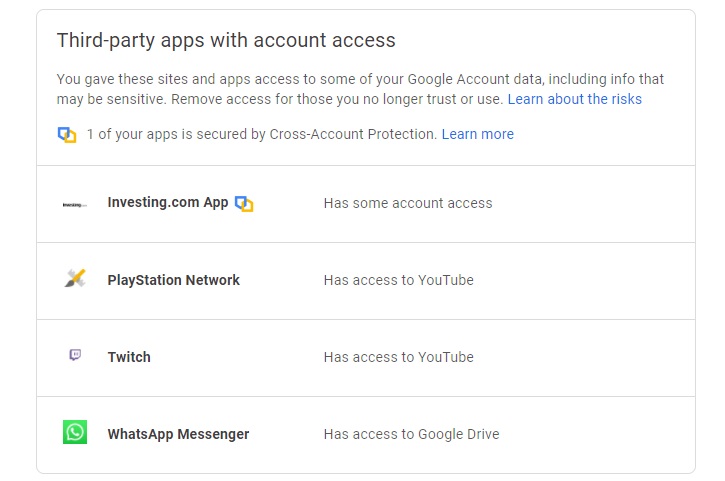
The Google Activity page also displays a list of all the apps with full or partial access to your data. Want to find out who is “monitoring” you, to what extent, and how to adjust what they know about you? Here’s the link.

6. Want to find out everything Google knows about you?

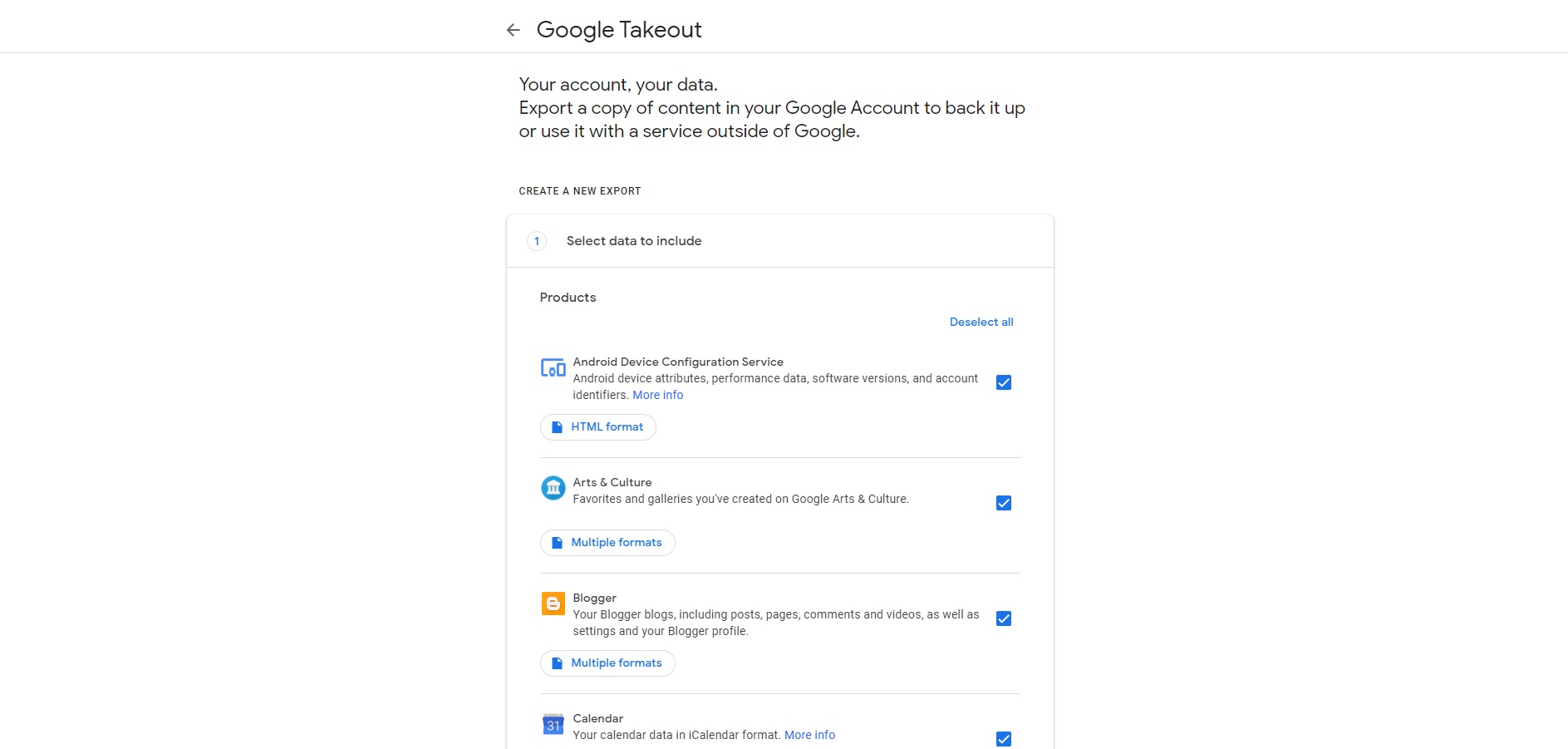
This exercise will make you more aware of all the personal data you are unknowingly sharing with Google. Use this link to export all of the data that you’ve uploaded to its services: favorites, emails, contacts, Google Drive files…

First select the services you want to include in this massive data export and then the type of file you want.

I haven’t tried this feature myself, but Business Insider did the experiment, and one of its staff writers discovered that, for example, Google had saved a photo he had taken of his puppy in 2013:

9

This information isn’t available to just anyone, so don’t get too paranoid (although it’s normal to feel uneasy, I certainly did). This tool is useful for recovering all of the info that Google and its products have on you, and it helps you to be more conscientious.

7. Pause your account’s activity controls

So far we’ve taught you how to clear your search history, YouTube activity and location history on Google. However, if you take no further steps, Google will store more information on you as soon as you run another search. And as you can imagine, constantly deleting this data can be tiresome and  waste of time, which is why I recommend pausing your account’s activity controls.

When you pause your activity controls, even if you run countless Google searches, spend the entire day watching YouTube, or explore your whole city on foot, your data won’t be stored and sold. Want to know how to do it?

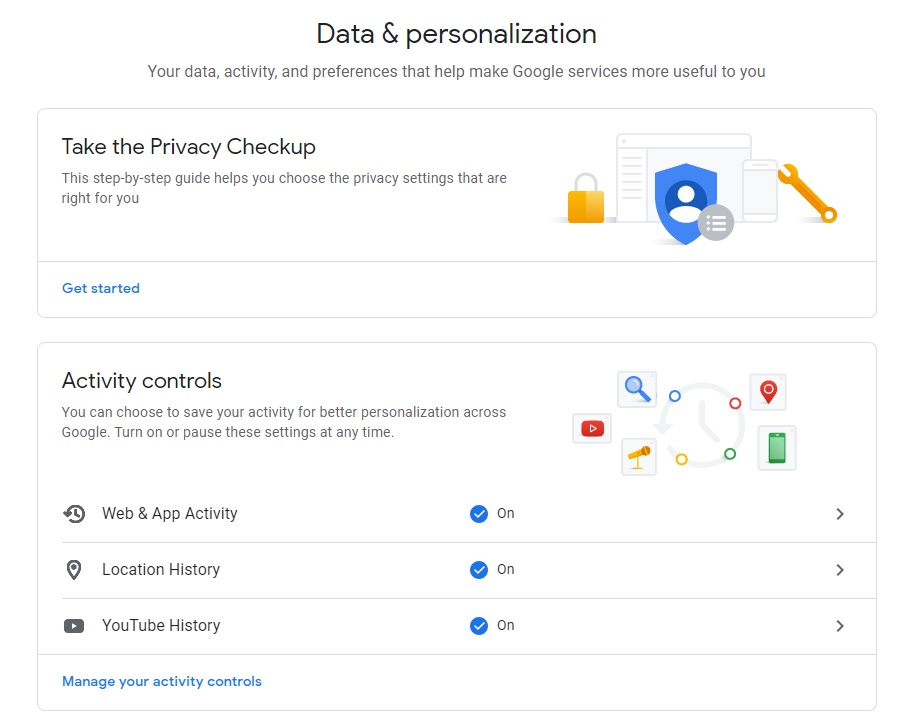
To pause your activity controls on Google, first open your account by clicking here. Next go to “Privacy & personalization” to visit the page where your data and Google service preferences are stored.

In the middle of this page, you’ll find a section called “Activity controls.” There you can pause your web and app activity, your location history and your YouTube history.

To pause these options, just click on each one to open the settings page. There, you can turn off the activity switch, which you’ll find at the top of the screen. Now the activity of that service will be paused indefinitely.

If you want to protect your privacy without making drastic decisions, don’t worry. You can also opt to have Google automatically delete all of your activity after a certain period of time. To do this, go into the web activity, location history and YouTube control pages and select the “Auto delete” option.

If you follow these steps correctly, a new window will open where you can choose how frequently to auto-delete your data. Your choices include:

  • Auto-delete activity older than 3 months
  • Auto-delete activity older than 18 months
  • Auto-delete activity older than 36 months
  • Don’t auto-delete

Keep in mind that even if you choose to auto-delete your activity every so often, it can also be done manually whenever you wish. To find out how, go to point 1.

Extra: Link cheat sheet

Since I’ve given you a number of useful links, below is a list so you remember to visit them every so often.

I hope this article has helped you to make your Google account more private and prevent the “Big G” from spying on your every move.

Did you find useful info in this article and think it can help your friends? Share this article on Facebook!

Sources used: ABC, Cloud Fender, Business Insider

Everything You Need to Know About Xbox Series X/S

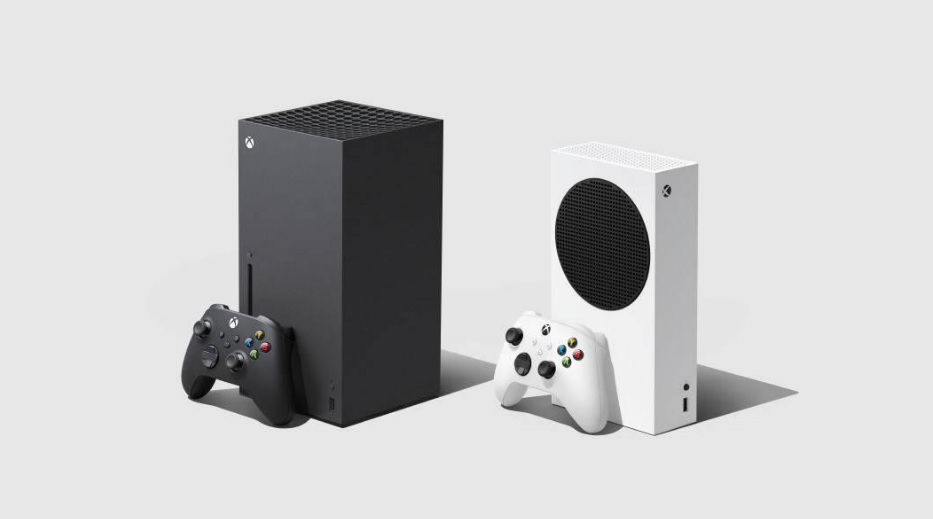
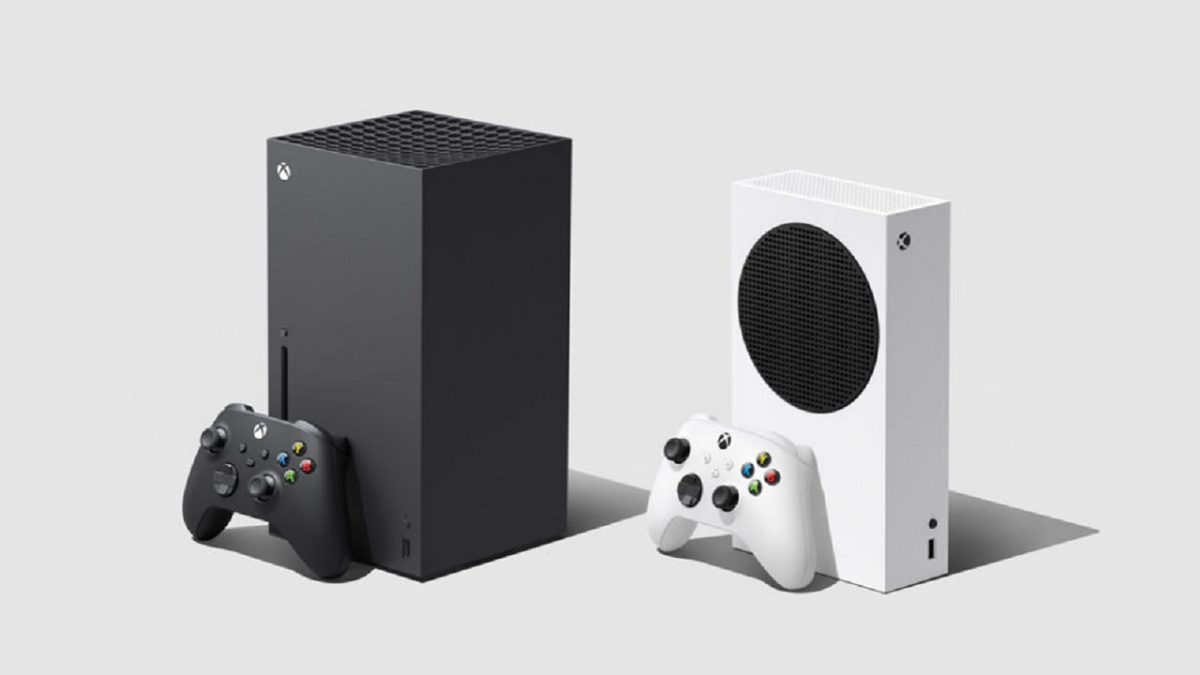
Microsoft has high hopes for its next generation of consoles, which is nothing like we are used to seeing. In fact, instead of presenting a single console, it has introduced the new Xbox in two versions: the Xbox Series X and the Xbox Series S. Each one is different from the other, but both have a clear purpose: to let us experience gaming like never before.
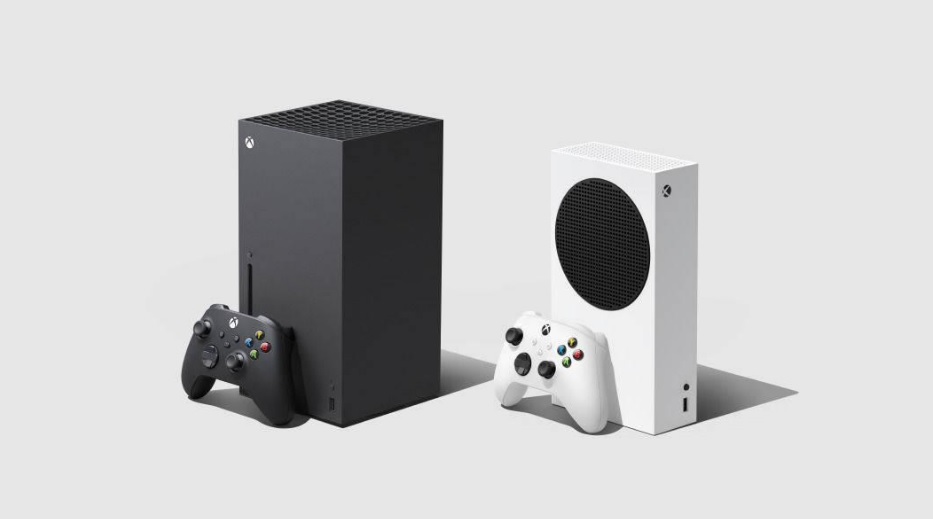
Following their successful launch around the world with all units sold out, the Xbox Series X and S are shaping up to be tough rivals to both PlayStation 5 models. So, what do Microsoft’s new consoles have to offer?

In today’s article, we’re going to cover everything you need to know about the Xbox Series X and the Xbox series S. Specs, features, news, games… It’s all explained below!

Xbox Series X specs
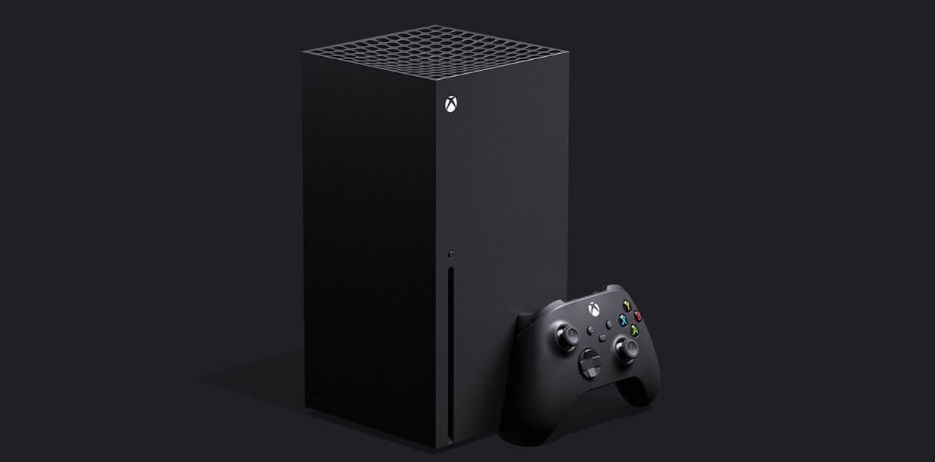
We’ll start with the “older sibling” of Microsoft’s two next-generation consoles: the Xbox Series X.

This console features a 7nm Zen architecture processor developed by AMD. With 8 cores and clocked at 3.8 GHz, it’s somewhat faster than the PS5. In comparison to previous Microsoft consoles, the Xbox Series X is twice as powerful as the Xbox One X and up to eight and a half times as powerful as the Xbox One.

On the subject of power, one of the Xbox Series X’s main strengths is that it supports 4K gaming at 120 fps (frames per second). Of course, many developers will choose to lower 120 to 60 fps to improve performance, or so their titles can be played at a lower resolution.

In terms of memory, the Xbox Series X abandons HDD to use a custom 1TB NVMe SSD. This means a dramatic decrease in game loading times, which drop from 2 minutes on an HDD to just 40 seconds on an SSD.

The Xbox Series X comes with an Ultra HD Blu-Ray disc reader and is backward compatible with the full Xbox One catalog. That is, in addition to being able to play all the Xbox One titles, you can enjoy 360 and original Xbox games that worked on that console.

Below you can find a rundown of the Xbox Series X’s specs:

  • CPU: 8 cores at 3.8 GHz (3.66 GHz with SMT) and custom AMD Zen 7 nm.
  • GPU: 52 CUs at 1,825 GHz with custom RDNA 2 (approximately 12 TFLOPS).
  • Memory: 16 GB GDDR6 (10GB at 560 GB/s, 6GB at 336 GB/s).
  • Storage: 1 TB custom NVMe SSD, with 802 GB for free use.
  • Optical drive: Yes.
  • HDMI: One HDMI 2.1 port.
  • USB: 3 USB 3.1 Gen 1 ports.
  • Wireless network: dual band 802.11ac.
  • Ethernet: 802.3 10/100/1000
  • Size: 30.1 cm x 15.1 cm x 15.1 cm

Due to its higher specs, the Xbox Series X has a launch price of €499.

 Xbox Series S specs
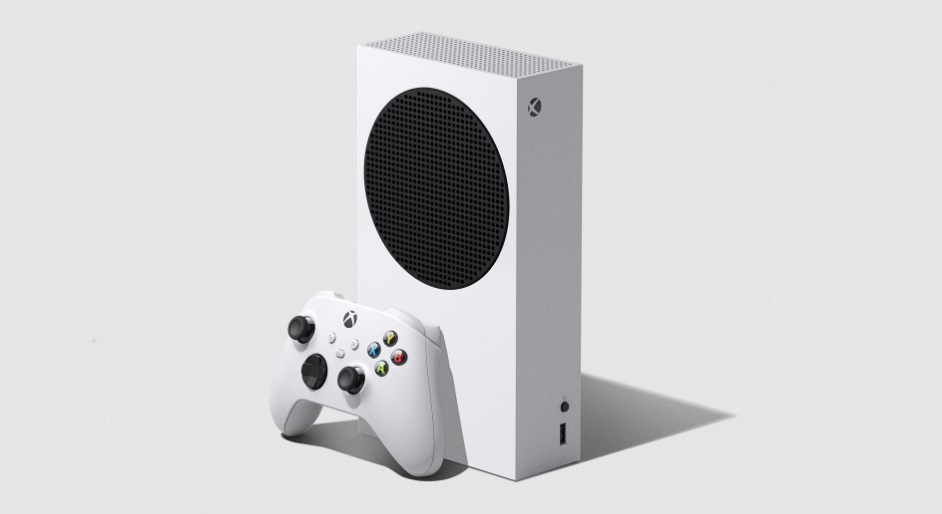
Xbox Series S is the budget version of Microsoft’s next-generation console. It may have more modest specs, but it’s a powerful machine that can be used to enjoy upcoming games.

If we compare it to the Xbox Series X, the S has much lower specs. This console has a graphics card with raw compute power of 4 TFLOPS, offering much lower resolution. Also, it doesn’t support Ray Tracing, a feature that will be very common in games from now on.

Regarding storage, Xbox Series S also makes use of an SSD, but it’s considerably smaller. It has 512 GB of capacity, leaving only 361.6 GB free to install your games.

One major difference between the Xbox Series S and the Xbox Series X is that it lacks an Ultra HD Blu-ray player. It’s therefore a digital console that can only be used to play titles downloaded from the Microsoft Store. Of course, it remains backward compatible with all titles that worked on Xbox One, although you need to own them in digital format.

Here are the specs of the Xbox Series S:

  • CPU: 8 core at 3.8 GHz (3.4 GHz with SMT) and custom AMD Zen 7 nm.
  • GPU: 20 CUs at 1,565 GHz with custom RDNA 2 (approximately 4 TFLOPS).
  • Memory: 10GB GDDR6 (8GB at 224 GB/s, 2GB at 56 GB/s).
  • Storage: 512 GB custom SSD NVMe, only 361.6 GB for free use.
  • Optical drive: No.
  • HDMI: One HDMI 2.1 port.
  • USB: 3 USB 3.1 Gen 1 ports.
  • Wireless network: dual band 802.11ac.
  • Ethernet: 802.3 10/100/1000
  • Size: 27.5 cm x 6.5 cm x 15.1 cm

The Xbox Series S is much more affordable. It costs €299, a little more than half the price of its older sibling.

The new controller for the Xbox Series X and S
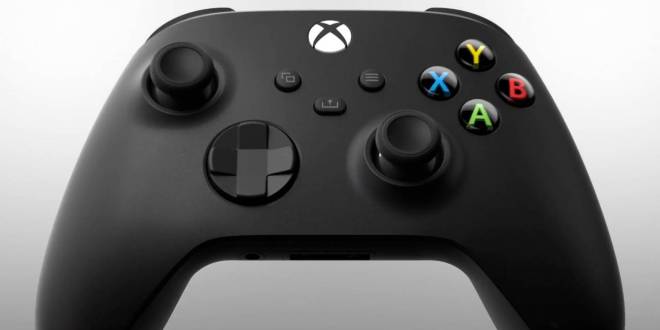
With every new console, there is a redesign of the Xbox controller. This time, both Xbox Series X and S controllers have a revised D-Pad, which is a hybrid of the traditional controller, but with a circular arrangement. In this way, it breaks away from the cardinal directions (left, right, up and down) and makes it easy to do diagonals.

As you can see in the picture, the new Xbox Series X and S controller has a new button in the middle. Called the “Share” button, it makes it easy to take screenshots and videos to be shared online.

As for size, it’s significantly smaller than the Xbox One’s controller and also rounder. It’s therefore far more comfortable and doesn’t feel heavy after hours of gaming. Another noteworthy change is that the triggers on the controller are now textured to improve grip.

One thing that has not changed on the Xbox Series controllers and that seems to be a hallmark of Microsoft’s consoles is that it still uses two AA batteries. This isn’t to everyone’s liking, but it can get you out of a pinch if your battery dies in the middle of the game and you need to charge it fast.

Finally, keep in mind that if you own an Xbox One, you can continue to use your console’s controllers on your new Xbox Series X or S.

Backward compatibility

As we mentioned, both the Xbox Series X and the Xbox Series S are 100% compatible with the full Xbox One catalog. That includes all the games of this console plus all the titles of the Xbox 360 and the original Xbox, which work on this console.

A truly interesting point about the backward compatibility of the new Xbox consoles is that all these games will have improved loading times and resolution. That way, you can enjoy your old titles with better image quality and much higher performance.

If you’re going to buy an Xbox Series S, don’t forget that you can only play the titles in your library of digital games, as this console lacks a disc unit.

What is Quick Resume?

One of the strong points of the new Xbox versions is their Quick Resume feature. It was highly touted during their launch, and even more has been said about it after their first few weeks on the market, but do you know what it is?

As we explained above, by using an SSD, the new console’s loading times are dramatically reduced. But this improvement doesn’t only make the Xbox Series X and S faster. It also lets you suspend a game and switch to another title at the touch of a button. This new feature is called Quick Resume, and as you can imagine, it means a major change in the way that games are played.

Quick Resume lets you suspend up to five games and resume them whenever you want. This means that if a friend invites you to join a multiplayer game, you won’t have to end the game you’re playing to participate. Just suspend it and go have a blast with your buddy. You can return to your own game later, whenever it’s convenient. Best of all, it works even if you turn off your console!

Xbox Series X and S Games
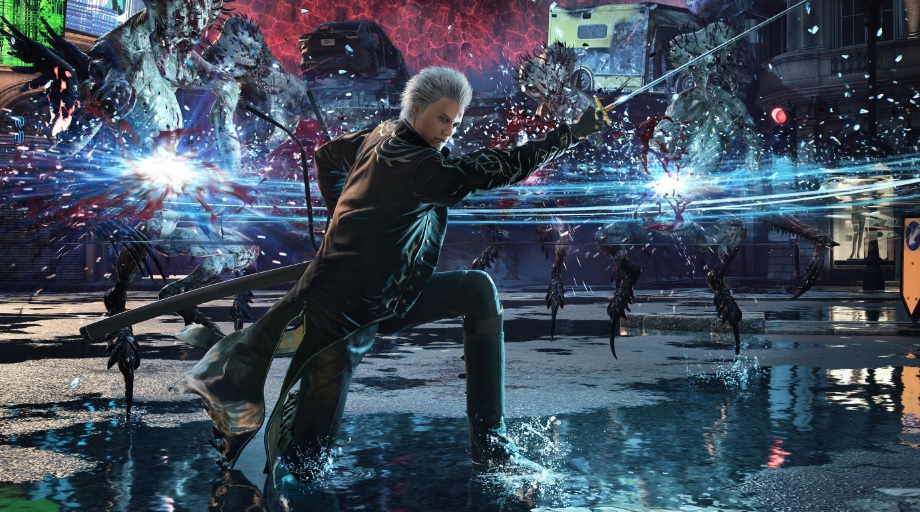
Now that we’ve talked about the consoles, it’s time to introduce the games that are currently available for Xbox Series X and S. Because in order to truly discover all that a console has to offer, you need a good library of games.

  • Assassin’s Creed Valhalla
  • Borderlands 3
  • Bright Memory
  • Cuisine Royale
  • Dead by Daylight
  • Devil May Cry 5: Special Edition
  • Dirt 5
  • Enlisted
  • Evergate
  • The Falconeer
  • Fortnite
  • Forza Horizon 4
  • Gears 5
  • Gears Tactics
  • Grounded
  • King Oddbal
  • Maneate
  • Manifold Garden
  • NBA 2K21
  • No Man’s Sky
  • Observer: System Redux
  • Ori and the Will of the Wisps
  • Planet Coaster
  • Sea of Thieves
  • Tetris Effect: Connected (Xbox Game Pass + Smart Delivery)
  • The Touryst
  • War Thunder
  • Warhammer: Chaosbane Slayer Edition
  • Watch Dogs: Legion
  • WRC 9 FIA World Rally Championship
  • Yakuza: Like a Dragon
  • Yes, Your Grace

After reading this list, you may think that the majority of these games are also available for Xbox One. However, these titles have been improved thanks to Microsoft’s Smart Delivery system, which makes the most of them by boosting their performance and resolution on Xbox Series X and S. What’s more, many of them are available through the famous Game Pass.

We hope that our special on the Xbox Series X and S has helped you to learn a bit more about the new generation of Microsoft consoles. Are you going to buy one, or do you prefer the PS5? Share your thoughts in the comments section!