Who all remembers the cherished Command & Conquer games from the 90s and early 20s where you took on and destroyed armies in real-time? The former team that recently remastered some of the games, Petroglyph, is back in action with a new WW1 strategy game. Its name is The Great War: Western Front, and we have an exciting trailer for it.
The original developer of the Command & Conquer series was Westwood Studios, a name RTS players like me know all too well. When EA took over the brand, some of the members remained to bring the games over to the then Origin platform. I remember when I bought the entire C&C collection and how it felt to play it on Windows 10.
EA then dismissed what remained of the Westwood team. Instead of vanishing into the Nether, they regrouped and formed Petroglyph. It’s the same studio that remastered Command & Conquer and Red Alert, two of the most popular RTS games of its time.
Now, Petroglyph is taking it back to the drawing board with the upcoming The Great War: Western Front. Set in World War 1, you’ll have two playable styles. These roles are Field Commander and Theatre Commander.
With Field Commander, you play the traditional real-time strategy style where everything happens in a steady flow. You can build bases and train troops, creating trenches as you advance. The Theatre Commander mode is a turn-based version, giving you chance to plan your attacks.
Those of us still loyal to Westwood, now Petroglyph, can’t wait to see what The Great War: Western Front will be like. The trailer doesn’t really offer that much information. If you’re hungry for some nostalgia, be sure to check out the Command & Conquer Remastered Collection.
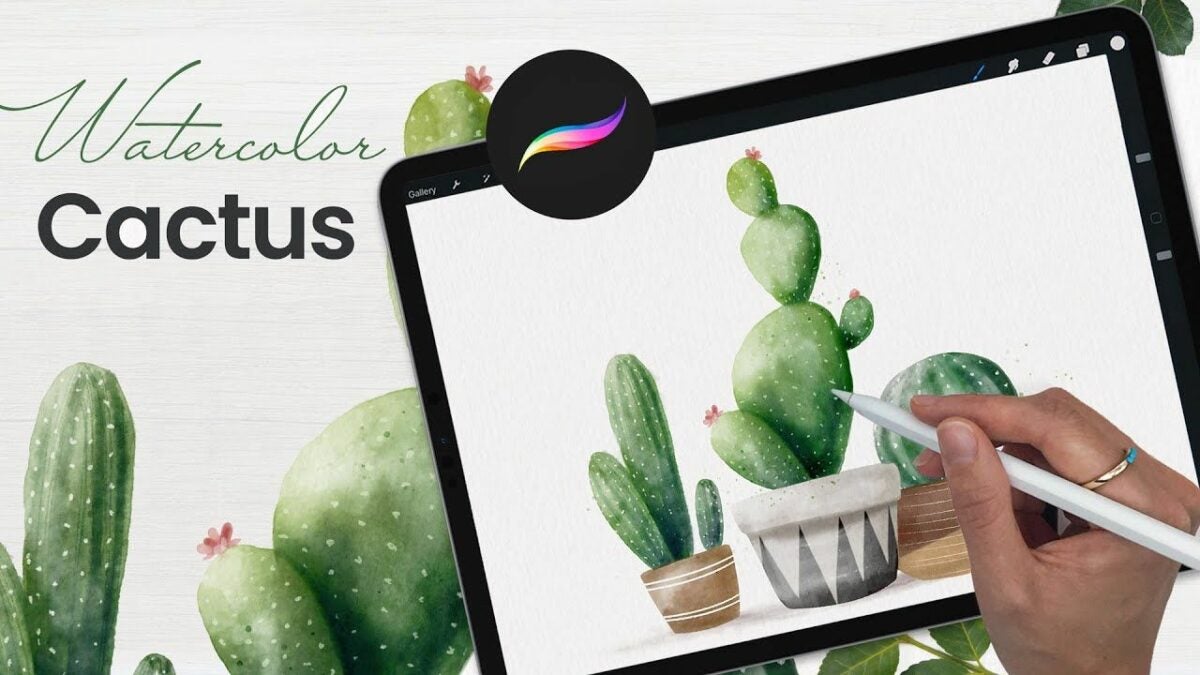
While it’s arguable that there is no replacement for the rich and dynamic results an artist can achieve with real paint on canvas, the Procreate application certainly comes close. The strongest upside of any digital illustration app is that you can create your artwork on the go. And Procreate is an excellent choice for tablet and iPad users who want to make realistic watercolors from scratch without the burden of a messy paintbrush and easel.
In this Procreate tutorial, we’ll look at a few techniques for creating authentic-looking digital watercolors within the app. We’ll show you how to make the best use of the tools and digital paintbrushes in Procreate to achieve stunningly realistic watercolors. To get started, all you need is a tablet, stylus, and the latest version of Procreate.
Select your watercolor brush kit
If you want to create a realistic-looking watercolor in Procreate, your final product should appear dry. To accomplish this, brush selection is crucial. Several brushes in Procreate will leave your finished piece looking wet, thus, hampering your ability to replicate a true watercolor painting.
Whenever you generate a watercolor with paint, the canvas dries, producing the abstract and imperfect look that most of us immediately recognize. The best way to accomplish this in Procreate is by choosing painting and blending brushes that give your digital watercolor the perfect finish. Procreate offers a range of free and premium digital brush bundles and kits to help you find the precise look you’re after. The brushes by Rowwenic and BasicX are both excellent free options for blending gorgeous, true-to-life digital watercolors.
Choose a light base color
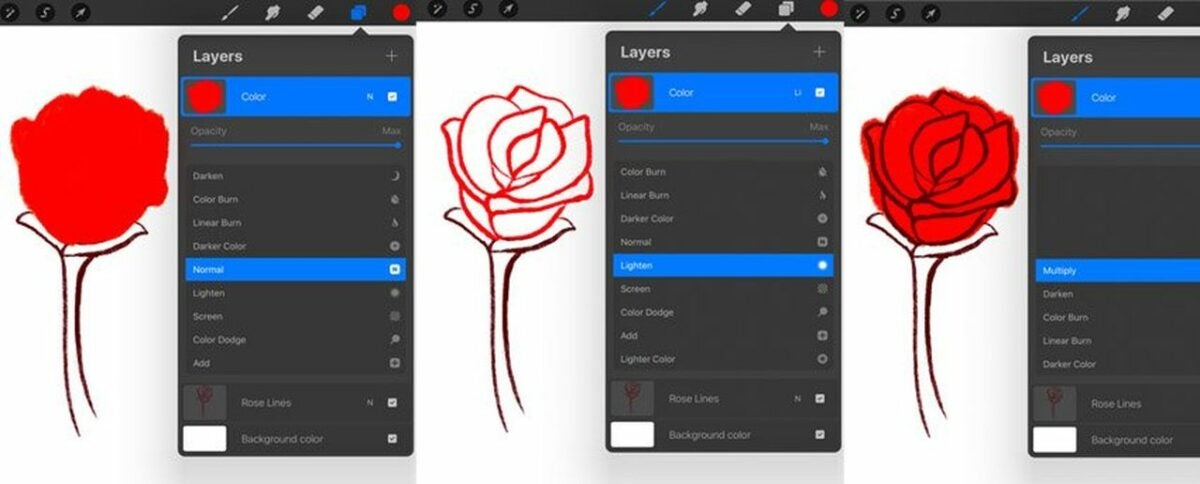
If you’re familiar with watercolor painting, you know the process requires the heavy use of a stamp brush. There’s a similar method in Procreate. Once you’ve selected your ideal brush kit, begin by layering your chosen base color with your stamp brush. The process requires Procreate’s clipping masks and blending modes for optimal results.
You can also experiment with the Multiply in Procreate feature, which amplifies the luminosity of the base color by the blend color. The effect helps you render a darker, more intense-looking image as it multiplies the various levels of darkening on the blend layer’s luminosity. Multiply similarly helps with creating splatters and shadows for more image depth. Minimizing your color palette selection will also produce the dry look of a real watercolor painting.
You ideally want to select a light base color at the outset. When you deploy the stamp brush tool to add stamps, your base color only gets darker. A light base color helps to avoid a wet-looking finished piece and gives you the intense color variation of an actual watercolor painting. The nice thing about watercolors is that they allow for imperfection. Don’t be afraid to get creative with your Stamp and Smudge tools. Use them generously to add more shadows and contrast to your digital painting.
Sketch in your subject
Procreate isn’t a template-based app, so you can create whatever you want. Watercolors don’t have to be symmetrical. The medium allows for a considerable degree of abstraction. For example, if you wish to paint a cactus, gradually ease the figure into your painting by drawing a centerline with your pencil or stylus, rendering loose curves along both sides.
Now, access the Liquify tool to continue rendering the stems and additional shapes. Once you have the cactus roughed in, use the All-Rounder Shape to complete your desired contour. Next, use your selected watercolor brushes in Procreate to continue the piece without lifting the stylus. Access your brushes to start filling in the cactus with a natural green color, keeping it roughly within the lines of your initial sketch.
Add a new layer
The final step, which you’ll repeat successively to complete your image, is to add a New Layer and choose a clipping mask. Set this layer to Multiply, and select a large sketchy stamp from your digital paintbrush bundle. Use this tool and a smudger to start fleshing out your cactus figure. Continue with the blending modes, and select a darker color to add depth to the image.
Consider placing shadows off to the sides of your cactus to establish mood and the time of day. Procreate lets you rotate and resize your figure as much as you like. Now, stamp around your cactus with the Blooms Stamp Brush while adjusting the scale until it fits the perfect dimensions. Finally, go back to your base layer, and access the Smudge tool to make your watercolor look as authentic as possible.
Continue adding in details as desired, and lower your brush size to blend in abstract spines within the cactus. Use Bloom Effect to introduce more dynamic color to your figure. Next, access the stamping brush to blend the image. This step allows the most vibrant elements of the pigment to bleed out like an authentic watercolor.
Continue experimenting in Procreate
Painting digital watercolors with the Procreate app can be tremendously rewarding for amateurs and professionals alike, especially after familiarizing yourself with the impressive tool suite. Want to learn more about the Procreate basics? Check out our guide to taking your first artistic steps in Procreate.
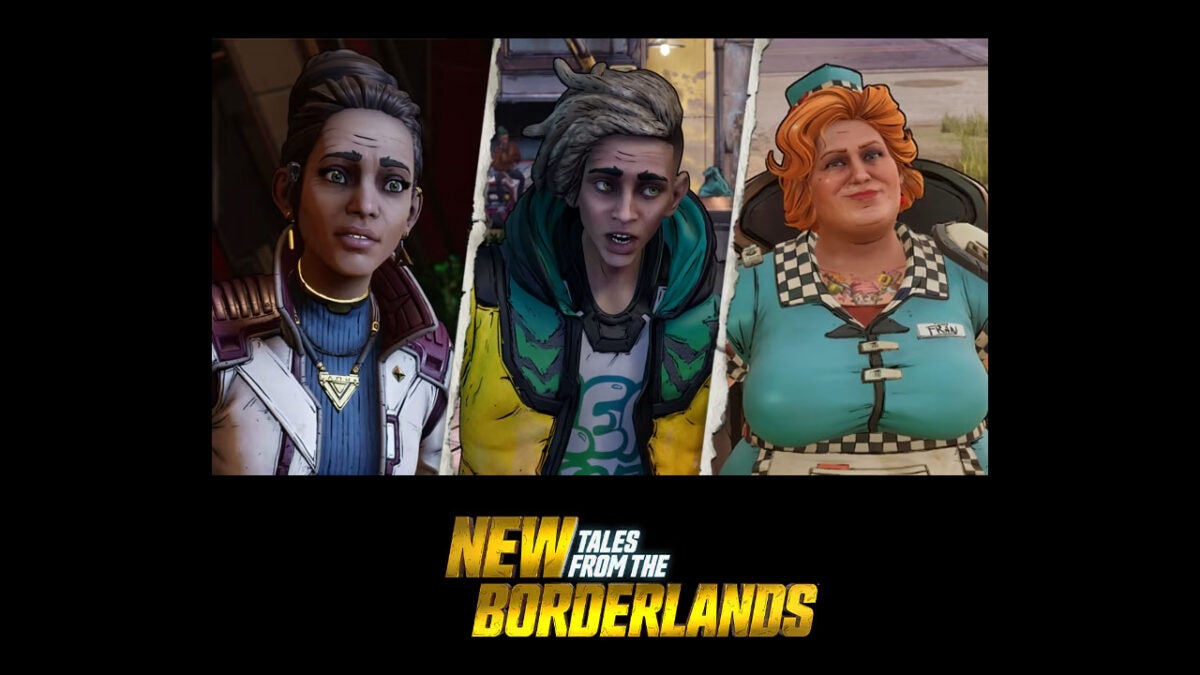
Back in 2015 Telltale Games released a narrative-driven episodic adventure based on the first-person shooter cult hit, Borderlands. Tales from the Borderlands followed heroes Rhys and Fiona and was a big hit among fans. Now, seven years later a sequel is on the way that will follow three brand new characters who are being dubbed as “lovable losers” by Gearbox Software, who are developing the sequel.
According to the trailer launched at Gamescom, the new heroes will be on a mission to both save the world and get their hands on mountains of cash as the story takes place during a planetary invasion by the arms manufacturing company Tediore. Interestingly, the new characters will not be Vault Hunters, like Borderlands fans will be familiar with, but rather everyday downtrodden civilians.
Even though the protagonists aren’t what we are used to, the trailer is filled with characteristic Borderlands humor, action, style, and finesse. The game looks fantastic and even though it will be driven by narrative choices rather than split-second FPS choices and instant reflexes, there seems to still be plenty there to keep gamers on the edge of their seats.
New Tales from the Borderlands is due for a release on October 21 and will launch on Nintendo Switch, PlayStation 4, PlayStation 5, Windows PC, Xbox One, and Xbox Series X. The price you will have to pay to get your hands on it will be $39.99 for the digital-only standard version of the game. There will also be a deluxe edition, which you will be able to buy both digitally and physically, which will come in at $49.99. If you are interested in this series but haven’t played the original, then the deluxe version will likely be your preferred choice as it will ship with full versions of both games.
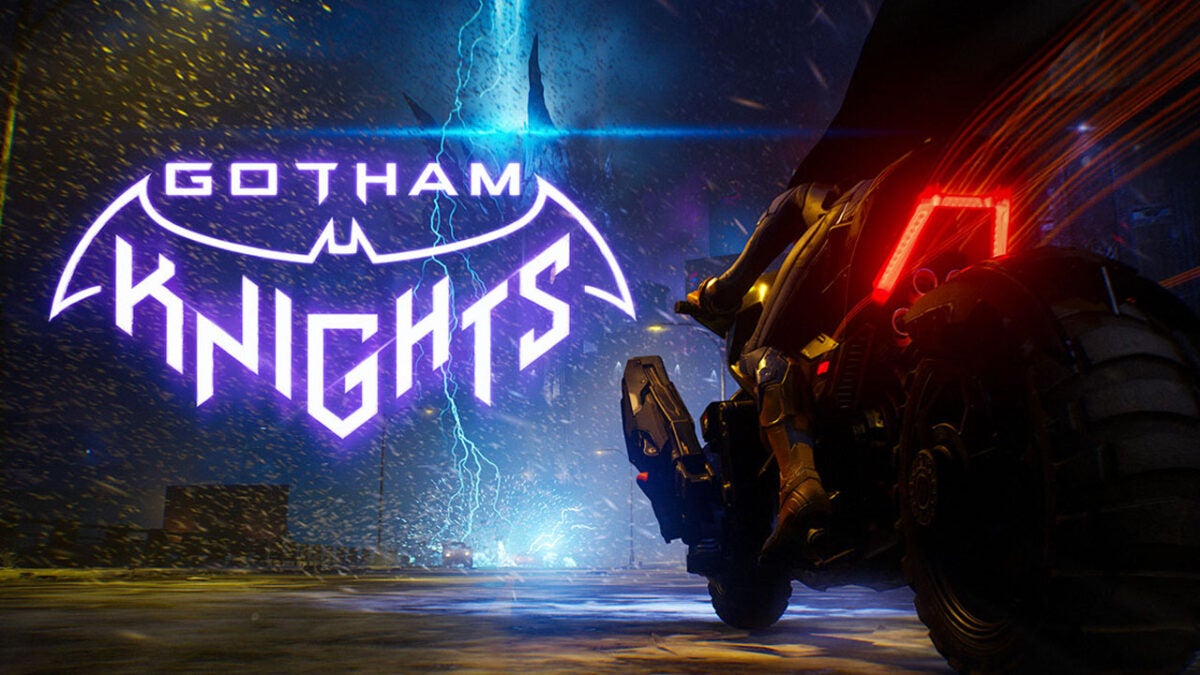
There were a couple of big announcements about Gotham Knights, the latest game in the Batman universe, on the opening night of Gamescom as well as a brand-new trailer to get into. Here is all the Gotham Knights news you need to know.
The first big revelation is that the game will be getting an earlier release than was first expected. Originally due to launch on October 25, the game’s release is now being moved forward a few days to October 21.
The other major piece of news about the Batman game, set after the recent demise of Batman himself, will allow you to play as either Batgirl, Robin, Nightwing, or Red Hood, relates to the villains you will be battling against. The new trailer, which is called the Official Villains Trailer, added a couple more names to the roster of villains we already know will be coming up in the game. As well as The Penguin, Mr. Freeze, and the Court of Owls, we now know that Harley Quinn and Clayface will also play a big part in the game.
The game is not a part of the Batman Arkham series of games and has a completely redesigned combat system, which should give it a brand-new feel altogether, while maintaining a enough of a connection to the series for fans to feel at home. Warner Bros. Montreal who are behind the game have said:
“We have entirely redesigned the combat system in order for it to work well in co-op. […] Of course, we’re still a brawler, and some of the mechanics won’t feel totally alien for people who played and enjoyed the Arkham series, but it is in many ways very different.”
Co-op play will also be big a part of the game, with the team of protagonists offering several different co-op combinations.
If you like the sound of Gotham Knights, make sure to hit the button below and follow all the on-screen instructions to make sure you get all the latest news and updates on the game as well as early access.
Hogwarts Legacy is the latest game in the Harry Potter series that has been in development for a long time and is due for a February 10 release on Nintendo Switch, PlayStation 4, Xbox Series X and Series S, PlayStation 5, Xbox One, and Microsoft Windows. Warner Bros showed off a brand-new trailer for the game on GamesCom opening night and it has uncovered a few interesting insights into the game. Here is what you need to know.
Hogwarts Legacy is an open-world RPG set in the Harry Potter universe. However, the game will give players the chance to fully immerse themselves in that universe during Victorian times, meaning they will get to visit Hogwarts and see what it was like way back in the 1800s.
The Gamescom trailer has made it clear that Hogwarts Legacy will have a much darker feel to it than previous Harry Potter titles. You will play as a Hogwarts student who has come upon a secret that could destroy the wizarding world and will have the opportunity to learn much darker spells such as the deadly “crucio” spell, the “unforgivable curse” spell, and you’ll also get to learn a lot more about the dark arts, which are usually reserved for House Slytherin.
Introducing much darker elements to the Harry Potter universe should offer a unique experience for fans of the series. The trailer, entitled Sebastian Sallow’s Dark Legacy, seems to indicate that there will be choices for players to take, meaning the dark arts will be available but not necessarily vital for success:
“Should you choose to befriend Slytherin student Sebastian Sallow, you will be faced with the decision to embrace or reject the Dark Arts as you uncover his family’s mystery through his companion quest line.
Will you choose to learn this dark magic?”
This seems to indicate that there will be some sort of ethics engine involved in the game that will record your choices and then adapt how the game world responds to the character you become. This is another really interesting element to add to the Harry Potter universe.
If you are a big Harry Potter fan and want to keep yourself up to date with all the latest news and be one of the first to play it, hit the link below and follow all the on-screen instructions.
Let’s step back into the way back machine for a minute. It’s 2014. West Africa is being ravaged by the Ebola epidemic, Sochi, Russia, sees the start of the XXII Winter Olympic Games, and gamers the world over get their first taste of Dead Island 2. Yes, the first trailer for this game was released in 2014. Since then? Radio silence on the follow-up trailer or release date front. Until now.
It’s only taken 8 years, but we finally have a new trailer for Dead Island 2, and it looks bleeping epic. Gasmescom’s Opening Night Live showcase introduced us to myriad new and upcoming titles, but one of the most surprising, and now highly-anticipated title, is Dead Island 2. With a throat slash here and a pink mist cloud there, the game pole-vaulted into our heart once more. You know, like the protagonist did to that one undead guy with the pointy end of his gun?
Well, he’s not actually the protagonist. His name is Jacob, and we now know that he’s one of six playable characters that we’ll get to cause carnage with when the game comes out. ‘When’s it being released?’ I can hear you thinking. You’ll be excited to know that those of you who thrive on shoving pointy-ended objects through zombie skulls will be able to do that and so much more from the 3rd of February next year. That’s no time at all, seeing as we’ve been sharpening our pointy objects for 8 years.
As for the trailer, I’m not going to give you a dramatic play-by-play as I did for the Callisto Protocol trailer; there’s simply too much going on and we’d both be stuck in the fantasy on this page for three hours. Needless to say, it’s got blood, it’s got gore, and it’s got Finish Him’s so realistic and detailed that you can practically smell the rotting corpse flesh from the other side of the screen.
If you hate zombies, love realistic gratuitous violence, and want to engage in such displays in an environment so beautiful you simultaneously don’t want to burn it to the ground, you’ll be more than happy with Dead Island 2.
I’m off to sharpen up on my sharp-shooting and prepare for the digital slaughter of the century. Feel free to check the article we did 8 years ago about the original Dead Island 2 trailer.
4th Generation Warfare is a turn-based strategy game developed and published by Eversim, launched on July 28, 2022. You play as a head of state, performing various actions to increase your score towards ultimate victory. While you strive to be an influential leader, there are ways to sabotage your opponents.
Most of your actions are political. You’ll instruct your cabinet members with specific orders, based on the suggestions in the to-do panel. If you’re not familiar with this type of gameplay, you’re in for confusing gameplay working out what to do next. Let’s take a look at what to expect with this 4th Generation Warfare review.
Running a country in 4th Generation Warfare
Are you ready to take charge of a country? With your cabinet and political leaders in place, it’s time to issue strategic orders that places you as the number one superpower on the map. 4th Generation Warfare certainly doesn’t make the task easy for you.
Establishing the settings
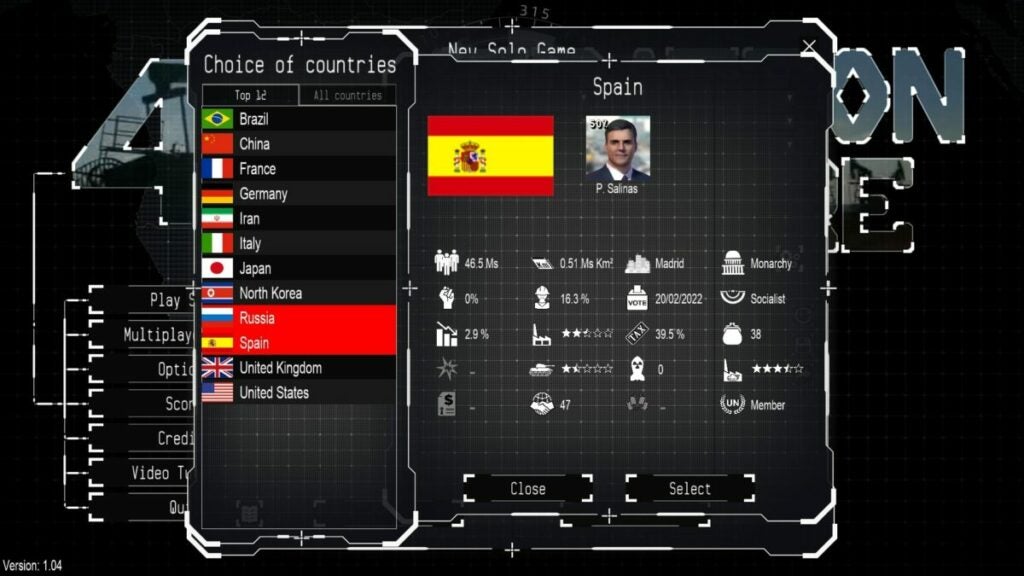
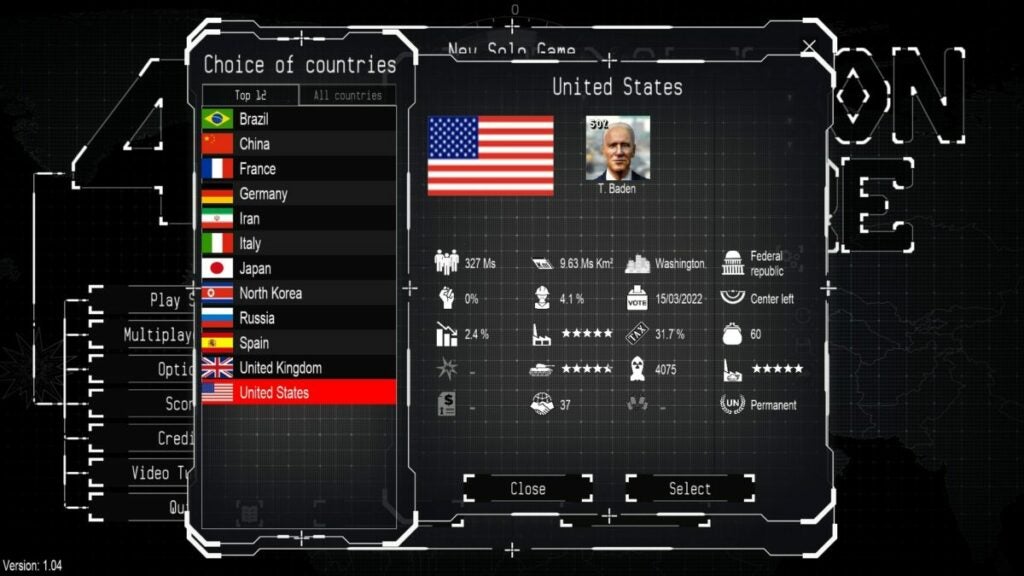
When you start playing 4th Generation Warfare, it’s essential that you create the best setup before the actual game begins. You can choose between real-time or turn-based. For the former, the clock will keep ticking while you decide what action to perform next. The latter gives you a limited number of actions before you can end the turn.
You’ll also need to decide if you only want the political figurehead at the start or the entire cabinet. I suggest you do the latter as a beginner, as working out how to choose your leaders becomes confusing in 4th Generation Warfare.
Determining your cabinet members
If you opt to only start with the figurehead, you’ll need to select the cabinet members within the game. It involved finding people that are suitable for the positions. Some of them will approach you to ask if they can fill the role, and you’ll need to read through their experience.
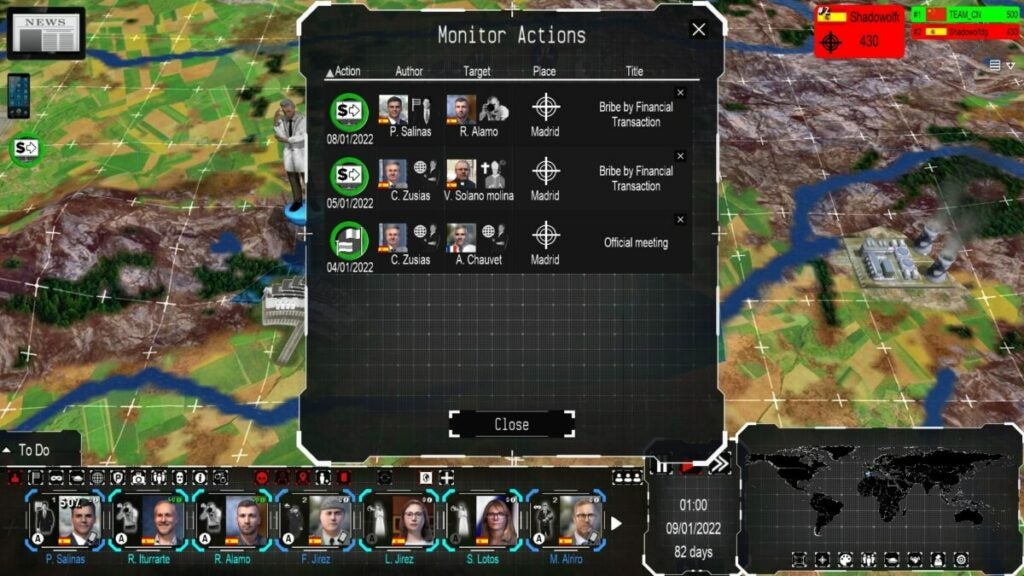
The members are essential to running your country properly. You’ll use them for various aspects, such as bribing organizations. They’re also useful for sending to other countries if you want to sabotage them.
Real-time turn-based missions
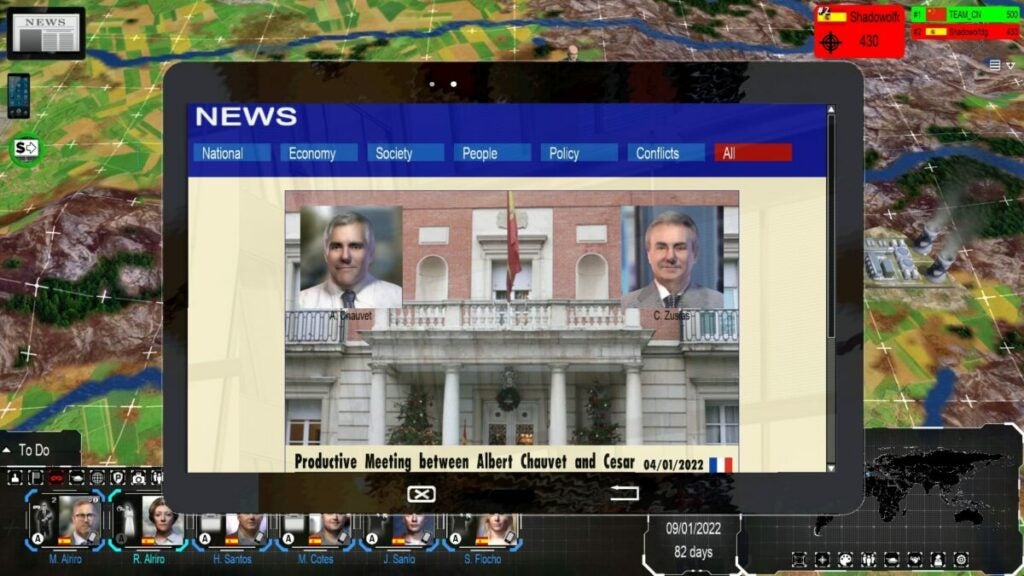
Even if you choose real-time gameplay in 4th Generation Warfare, there’s still a turn-based element in the background. Whenever the turn ends, you’ll notice news appear or someone giving you a call. The only difference is that you don’t have to end turns, and you can perform as many actions as you wish.
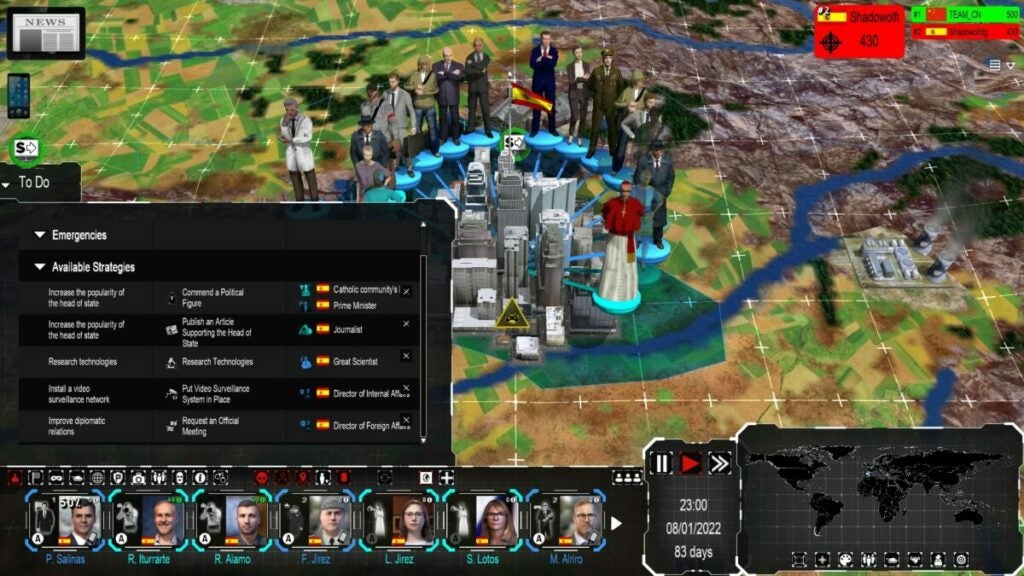
You’ll see a to-do list on the side. These are the proposed actions to increase your score. If you look carefully, you’ll see what you can do and which member can perform the action. 4th Generation Warfare does a poor job of letting you know you’ve completed the task.
Reaching high scores
The main objective of 4th Generation Warfare is to obtain the highest score by the end of the game. You determine how long you want the game to last, be it based on time or the number of turns. When it reaches that endpoint, your final score determines whether or not you’re the victor. There’s also unlimited gameplay if you want to conquer your enemy.
Using 4th Generation Warfare turns effectively
You now have a general idea of what 4th Generation Warfare is about. If you’re still interested in knowing more, I’ll cover some of the gameplay aspects here. Please bear through some of my frustration with some of the more promising elements.
Learn from the 4th Generation Warfare tutorials
I was hoping 4th Generation Warfare had some in-game tutorial elements to show me how to play. While there are tooltips that appear, I had no idea how to carry out orders and complete missions. I quit soon after starting and headed to the video tutorial section.
The developers didn’t even bother letting you watch the videos in the game. 4th Generation Warfare takes you to YouTube with a link, where you can see how the various components work. I hope you have a good memory, as you’ll have to take what you learn in the video back to the game.
Moving through the different views
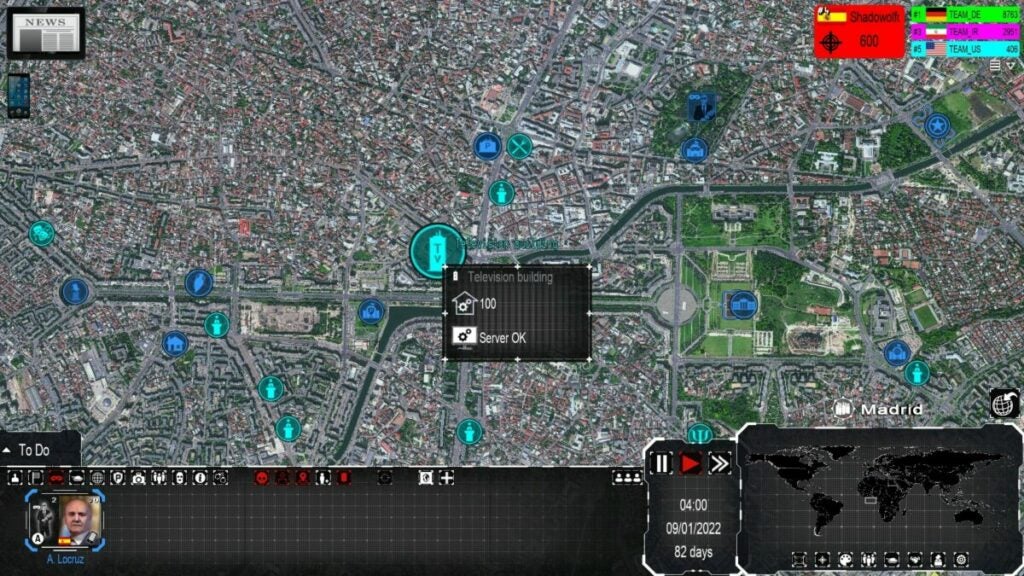
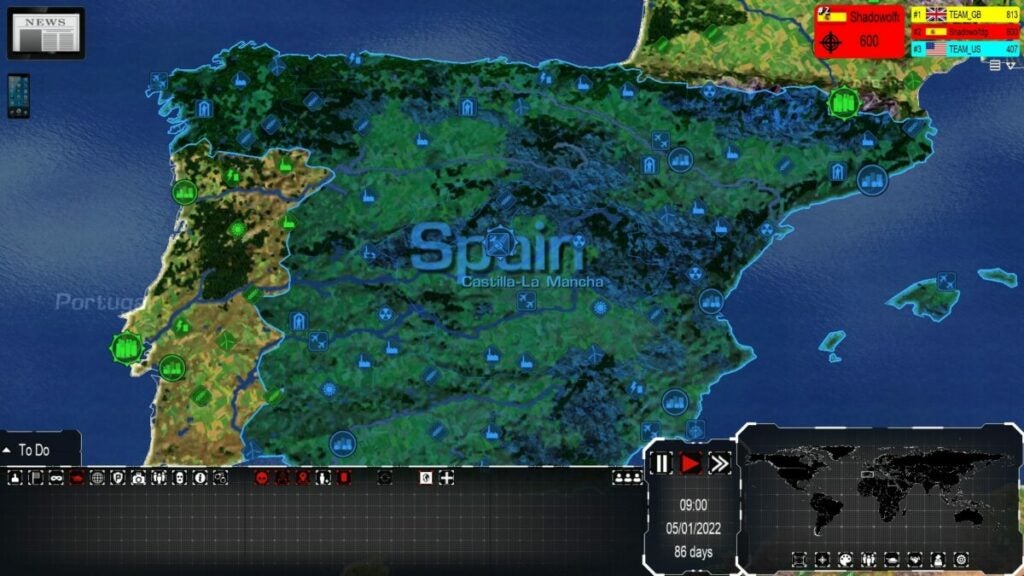
One tip I can give you for 4th Generation Warfare is to practice going through the various views. You have the general state map that shows you your country and the political leaders. If you zoom in, you’ll see the streets and buildings that are meant to replicate the country in real life. There’s also an icon to the right that gives you a global view.
Using your turns wisely in 4th Generation Warfare
If you didn’t select unlimited turns in 4th Generation Warfare, you’ll have to use your turns wisely. Check the to-do list and decide which actions you’ll take on your turn. Some have more points than others, while some actions take longer to complete.
When you end your turn, your opponents have a chance to play. It may affect what you do next or any action you’ve already put into place. Also, note that any stealth orvisible action discovered by the media will be reported.
Placing orders and following actions
The most important action you’ll take is giving orders in 4th Generation Warfare. You can perform some tasks, but you’ll need to issue the others to your cabinet members. The panel at the bottom shows you who is busy and what they’re doing at that time. If you’re inactive, it means you won’t score points on that turn.
Similar games to 4th Generation Warfare
There are plenty of other strategy games you’ll enjoy more than 4th Generation Warfare. Just off the top of my head, try Risk Factions, Dune: Spice Wars, or Civilization IV. If you’re not keen on the war or political aspects, Two Point Campus is an excellent and fun game with much more excitement.
What you’ll need on your PC
Fortunately, 4th Generation Warfare doesn’t require a heavy machine to play the game. Some of the 3D aspects may need a powerful video card, and it may get busy on your screen at a later stage. However, with how much space you need, I expected more exciting content.
OS: Windows 8 and up
Processor: 2 GHz
Memory: 8 GB RAM
Graphics: 3D video card with 1 GB RAM
Storage: 8 GB
Terrible graphics and sound elements
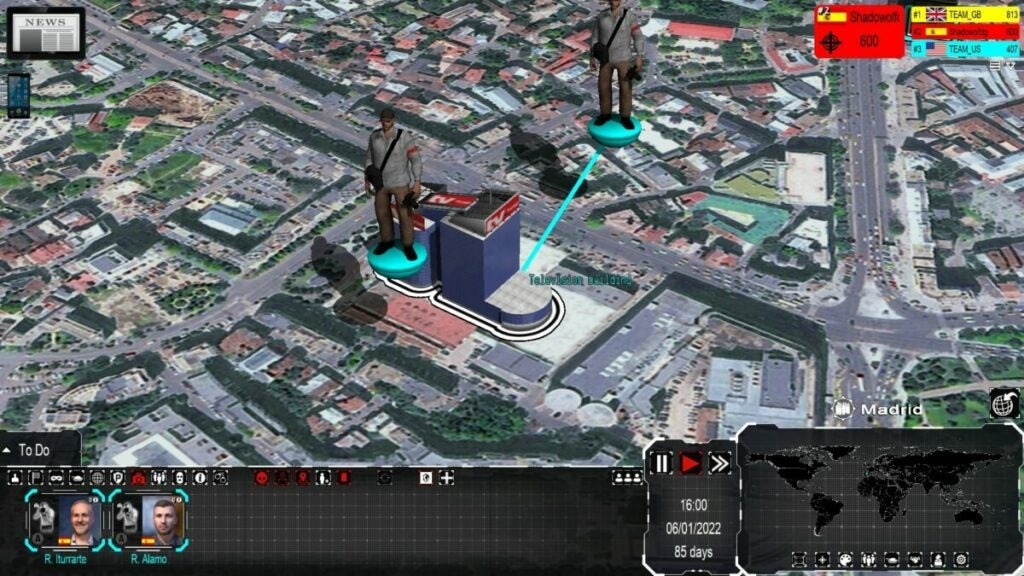
It’s here that 4th Generation Warfare fails to impress. Somehow, the developer felt that placing 3D objects on 2D images would be a good idea. It comes across as moving pieces on a Cluedo board, while the movement to different areas is terrible.
Blurry maps and odd buildings
The first thing you’ll notice when you start a round on 4th Generation Warfare is that the town maps are blurry. The points of interest are 3D objects built onto the map, which don’t look great. I appreciate that there are small moving parts and effects, but that’s about it. Even the icons on the interface at the bottom are subpar.
3D characters on a 2D image
The most atrocious factor is with the 3D characters on the 2D images. 4th Generation Warfare tries to make the maps look 3D when you zoom in and out, but it fails. The political figures and people of interest do move when you click on them, but it doesn’t add any value. The whole perspective simply puts you off.
Dull sounds and music
The music and sounds in 4th Generation Warfare are also on the dull side. While there’s some voice acting now and again, it doesn’t really stand out as an incredible feature. Your ears will be as bored as your eyes.
Final Verdict of 4th Generation Warfare
If you can’t tell from my 4th Generation Warfare review, I’m not incredibly impressed with this game. Perhaps I’m biased, as I sighed when the game started and I saw what type it was. Don’t get me wrong; I love turn-based and real-time strategy games with all my heart. However, I’ve come across too many indie games like this that just do it wrong.
If you have the patience to play through every round to become a superpower, maybe you’ll enjoy 4th Generation Warfare. However, there are just too many factors that put me off. I’ll definitely be removing it from my Steam library now that I’ve tested it for the review.
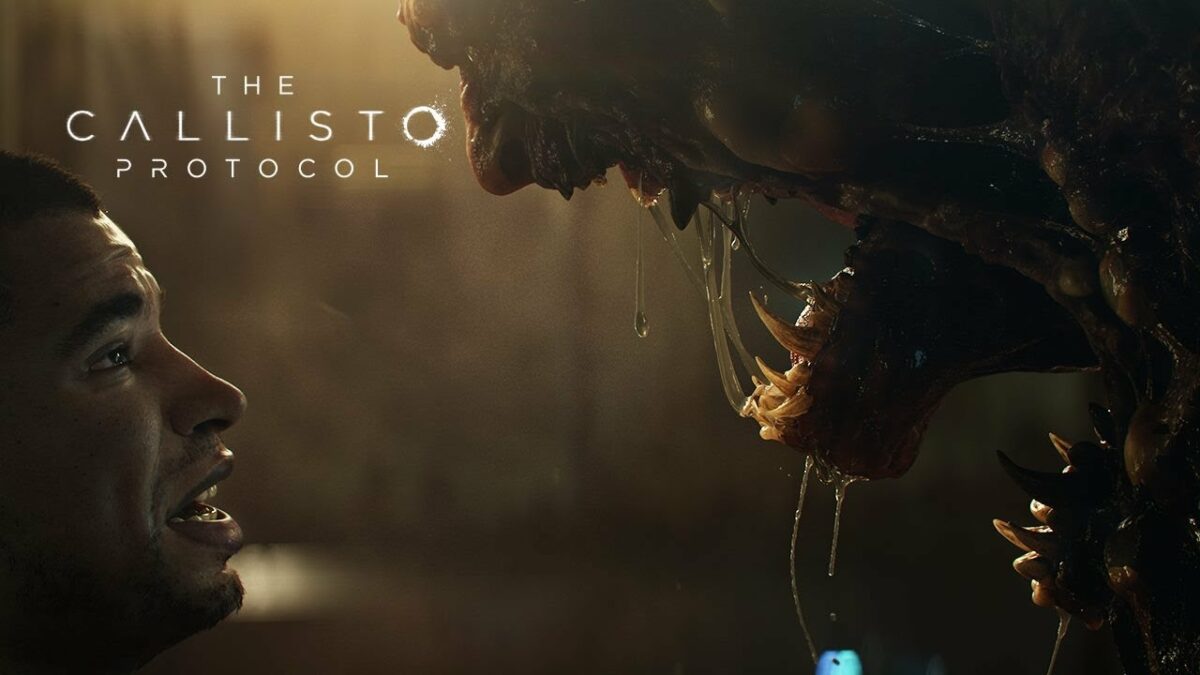
The Callisto Protocolis certainly one of 2022’s most highly-anticipated games. We’ve already received a good deal of details about the soon-to-be-released epic horror set in space, but Gamescom 2022 gave us something entirely unexpected; a brand new gameplay trailer with elements that some would describe as ‘gritty.’
Man of the hour, the creative director of The Callisto Protocol, Glen Schofield, took to the stage at Gamescom 2022 to thank fans for their positive response to the promotional material of the new title. He then introduced the new trailer with a short but tantalizing speech. ‘We’re gonna show combat and something new with a crazy ending.’
And what a crazy ending it was. I warn you, if you haven’t seen the trailer yet, the rest of this article is going to contain spoilers. Proceed at your own risk. You could always watch the trailer and head back here to see judge me on my descriptiveness.
The trailer kicks off in a dark mechanical environment with our protagonist, Jacob Lee, using one of his abilities to pull a health item toward himself. He crouches and proceeds to sneak across some kind of hallway or gangway before coming almost face to face with a large, bulbous humanoid creature. Quick as a whip, he draws his weapon and fires at the creature, sending it flying into a structure comprised of vertical turbines. The creature explodes into millions of pieces of viscera in a dense bloody mist.
Lee then sneaks up to a second creature that looks to be covered in cysts and stabs it before it knows what’s hit it. The first blow strikes its back, the next buries itself in the creature’s skull.
This starts a chain reaction of fearsome creature after fearsome creature charging at Lee. He does his best to disable them but some of them have regenerative abilities and don’t go down without a fight. Once the last creature has met its demise at the hands of our protagonist, the screen fades to black.
A new scene begins and we see Lee now making his way through a sewer-like system. A massive wave behind him sends him careening down the watery deathtrap filled with pylons that could split him open and turbines that could vaporize him. He flies down the course with the flood and then we see the crazy ending. Jacob Lee gets caught in a massive turbine.
His face contorts into agony as the turbine struggles to gain momentum again with his body caught in its blades. In the final few frames, Jacob Lee’s body gives way as the turbine slices through his torso. He lies, lifeless, on cold, wet metal in a presumably alien world.
The Callisto Protocol is expected to launch on Playstation 5, PS4, Xbox Series X|S, Xbox One, and PC on the 2nd of December this year.
Most information you send or receive on today’s internet passes through a layer of encryption to make sure it can only be read by the sender and receiver. This task is generally done via an automatic encryption key exchange through a cryptographic protocol in your browser.
The current most popular key exchange protocol is a handshake called Transport Layer Security (TLS). By following just a few steps, you can enable the latest TLS extension — known as Encrypted Client Hello (ECH) — in your Microsoft Edge browser to make your information even safer.
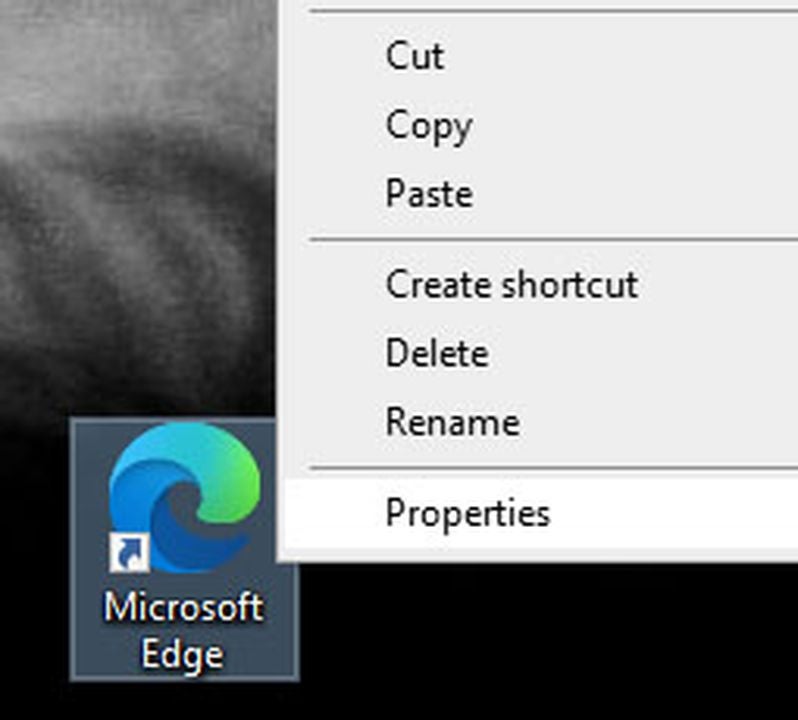
Find the shortcut you use to access MS Edge in your Start menu, taskbar, or desktop. Right-click on the shortcut, and select Properties from the popup menu.
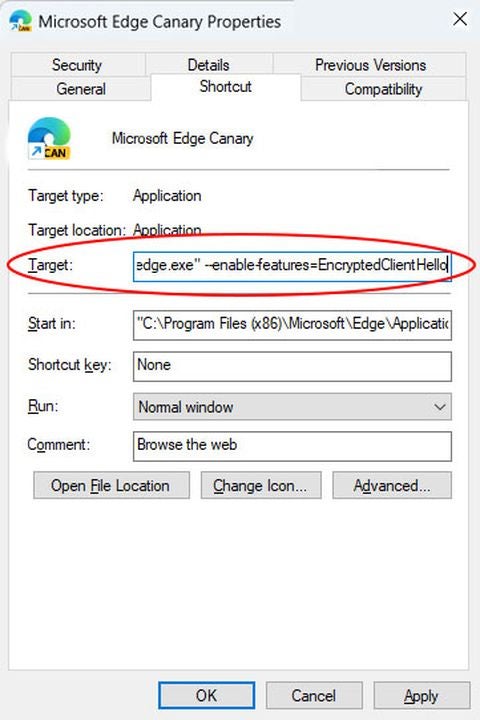
Go to the Shortcut tab in the Properties box. In the Target text box, third from the top, you’ll see the path to the location of your msedge.exe file. It should look something like “C:\..\msedge.exe.”
Update path location and launch
Don’t change the path itself. Directly after it, add a space followed by –enable-features=EncryptedClientHello.
Click OK at the bottom of the Properties box.
Use the shortcut you just modified to launch MS Edge.
Enable support for HTTPS records in DNS
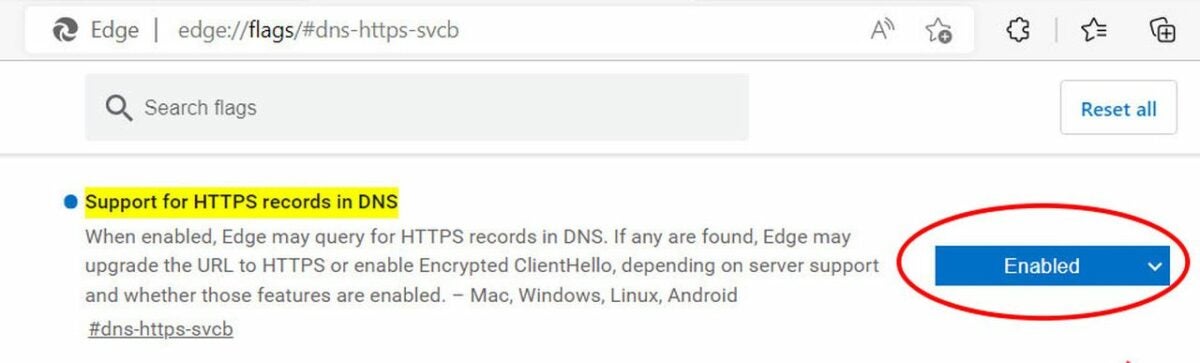
Before you start browsing, click on Edge’s address bar, and paste edge://flags/#dns-https-svcb.
Edge will display a list of services you can turn on or off. The first one is titled Support for HTTPS records in DNS. Click on the drop-down list to the right of that service, and select Enabled.
Enable use DNS https alpn
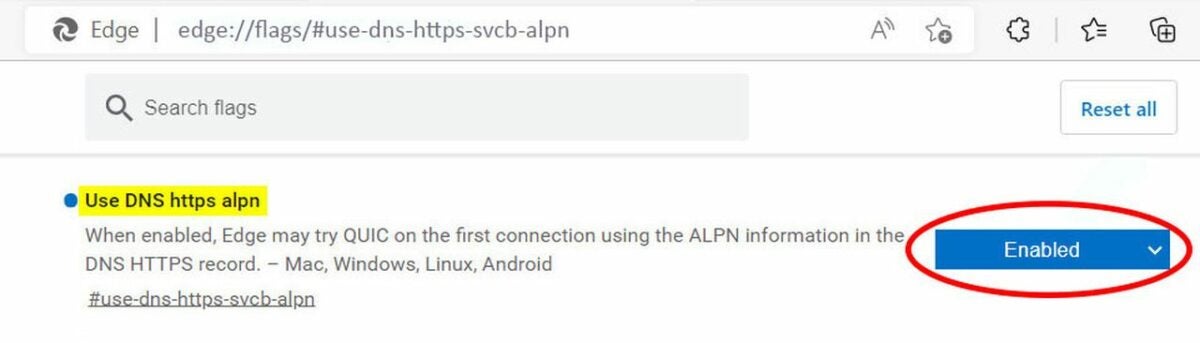
Click on the address bar again, and type in edge://flags/#use-dns-https-svcb-alpn. Select Enabled next to the option labeled Use DNS https alpn.
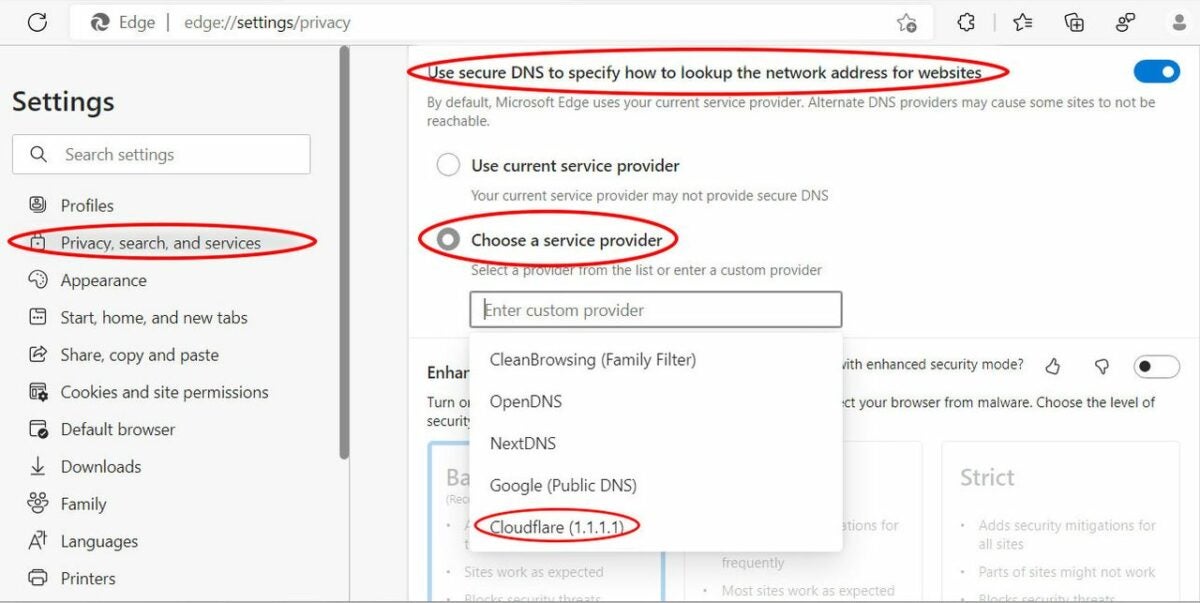
Next, press Alt + F to open Edge’s menu. Click on Settings and then Privacy, search, and services.
Under the Security subheading, find the option labeled Use secure DNS to specify how to lookup the network address for websites. Click on the toggle switch on the right to enable this. The switch will turn blue.
Select Cloudfare as service provider and relaunch Edge
Directly below, click the option labeled Choose a service provider. In the list of available providers below that, choose Cloudflare.
Restart the Edge browser. The ECH update is now enabled.
Use an Encrypted Client Hello checker
You can check that ECH is working properly in your Edge browser by visiting the defo.ie ECH check page at: https://defo.ie/ech-check.php. Check the status of the SSL ECH parameter. It should read success!
Why should you enable ECH in Microsoft Edge?
The TLS protocol was designed to protect data streams flowing between a web app like your browser and an external server. Since it was first created in 1999, TLS developers have released various updates to the protocol, the latest of which is TLS 1.3. Encrypted Client Hello is an add-on to TLS 1.3, extending its protection to include the full handshake between the sender and the receiver. This includes the initial introduction between endpoints, finally closing a privacy leak that had persisted since the beginning of the protocol.
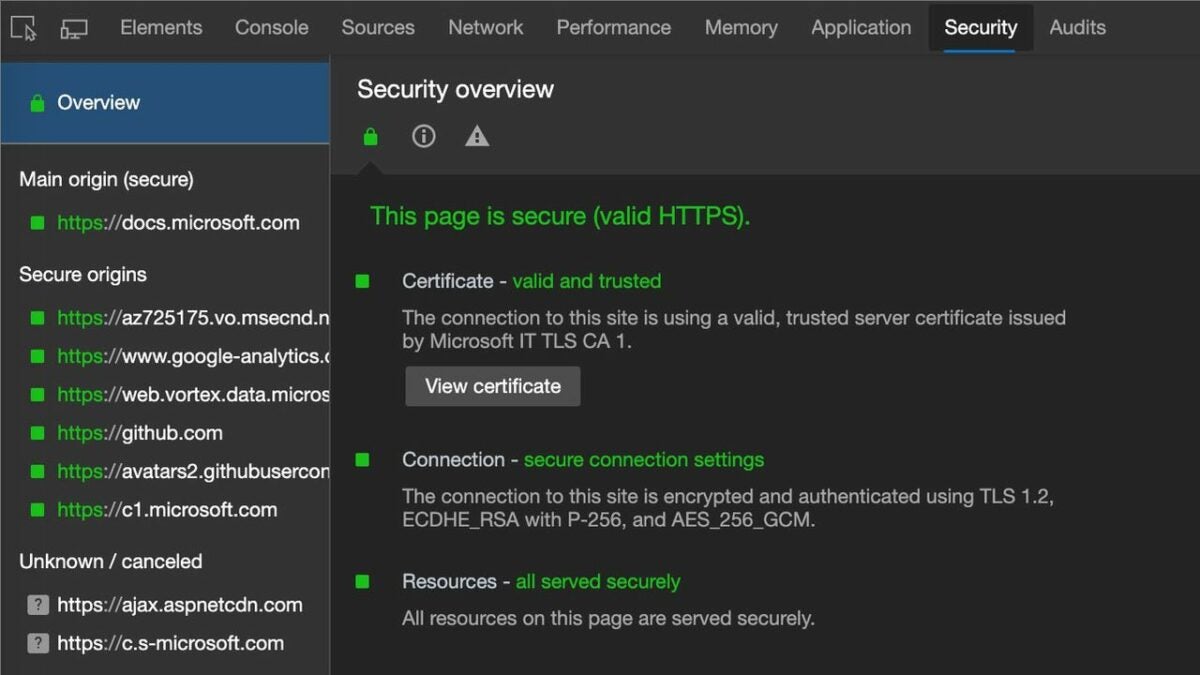
Online servers often use the same IP address to host a number of websites, such as in shared and virtual hosting services. Server Name Indication (SNI) is a previous TLS extension released in 2003 to fix common name mismatch errors caused by multiple websites using duplicate IP addresses. These used to result in browser error messages that read Your connection is not private. SNI allows the handshake process to specify a website’s exact domain name in the certificate.
SNI data is sent in what used to be an unencrypted client hello message, in which your browser initiates contact with a server, requesting its security certificate. Before this ECH update, the SNI data was not included in the encryption protocol. That meant eavesdroppers could see which servers and websites your network had requested access to. ECH prevents server name interception by using a public key to encrypt the entire payload, including the client hello.
Using ECH in other browsers
Encrypted Client Hello is currently in the process of being standardized for the final release to the wider browser ecosystem. You can also enable the experimental version in Firefox as well as the developer versions of various Chromium browsers.
Microsoft Edge is a free Chromium-based browser for Windows you can download with a click of a button. Along with storing passwords and the Bing search engine, Edge also offers a rewards program for user searches and trivia games. You earn points through this duo to trade in for gift cards from popular retailers such as Starbucks and Amazon.
Microsoft Edge and Bing make it quick and easy to collect points in a variety of ways. Read on to find out how you can earn rewards while using these quick and fun tips.
Go to Bing to find Microsoft Rewards
Once you’ve downloaded Microsoft Edge, you can click to the browser to earn five Microsoft Reward Points immediately and daily. Then, go to Bing.com and the top of the screen will show your current reward points. Click the trophy icon to see your daily options and start earning more points.
The menu will show the amount of points you can win for tasks with three highlighted ways, including a daily search. By pressing “More Activities,” you’ll find additional options to gather points as your total count for web searches and using Edge as your main browser.
Choose the search result task for quick points
Navigate to the Daily Tasks tab in Microsoft Rewards. The first link to click on should be a search engine result for 10 points when you follow the link. These links could lead you to results about history, music, sports and more. From there, you can help Bing by clicking through results and learning more about the daily topic.
Play ‘This or That’ trivia game for 50 points
‘This Or That’ requires using Bing search results to solve a trivia question. You will choose between two options and use the search engine to find the right answer and win the largest reward. The point of this game is to click around the Bing platform and make an educated guess. There are 10 questions with up to 50 points total. You can play ‘This Or That’ every day exclusively through Bing.
Try the Daily Poll for 10 points
The Daily Poll is a quick 10 points to add to your Microsoft Rewards. This task simply asks your preference between two things and adds earnings to your total. You can find pop culture polls and lifestyle questions to help Bing collect data to enhance their search engine. After 24 hours, you can play a different poll and gain more points
Check out your dashboard for special deals
Navigate to your dashboard in order to find special deals. You can locate the dashboard through the Microsoft Rewards pop-up to access the full webpage. There will be ads to help you reach your goal and gain access for free premium programs including popular titles like Spotify. Additional offers for trivia quizzes and adding extensions to Microsoft Edge grant you extra points daily.
Redeem points for gift cards
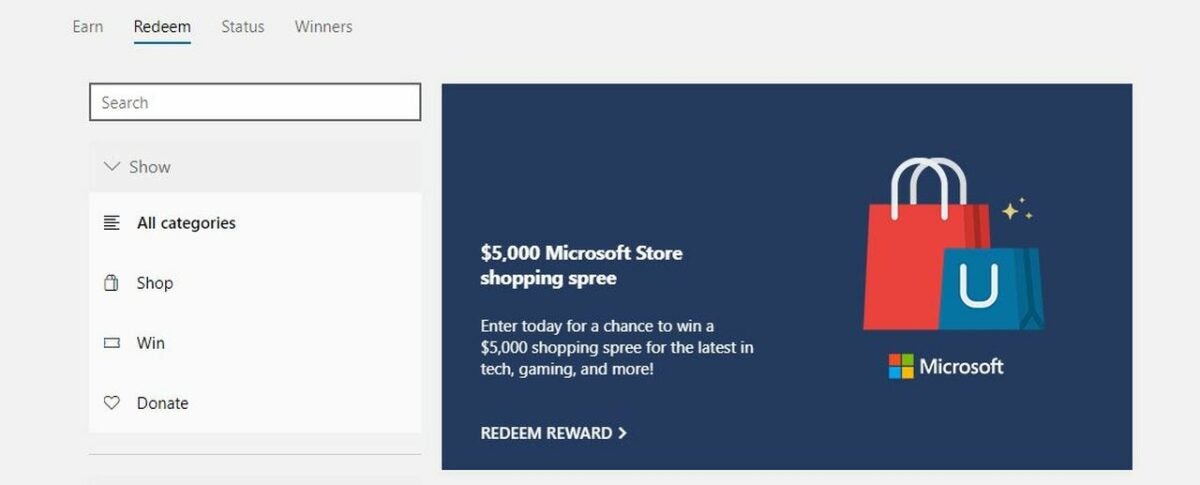
From your Bing dashboard, you can access the Redeem tab to see your rewards. In this section, you’ll be able to scroll through to donate your points or enter sweepstakes as well. The Redeem tab allows you to see your progress to gift cards for stores and online games. Entering sweepstakes requires less points than most rewards if you’re feeling lucky!
A donation goal is rewarding to give back to your favorite charity with just a few tasks a day on the platform. You can check your daily progress and see the quickest goal to the reward you desire.
Earn rewards from Microsoft Edge and the Bing search engine
Start earning points today with Microsoft Edge and the Bing search engine! These tasks are easy and quick to complete if you have free time on your computer. All you need is the browser and Bing website to rack up rewards and collect your earnings.
Even if you’re devoted to other search engines such as Chrome, Microsoft Edge is a handy tool for fast trivia games and free rewards. Please feel free to like and share this article with your friends who are interested in earning points from browsing Bing! We invite you to leave a comment below with tips and tricks for both Bing and Edge.