Gameplay trailer for Call of Duty: Modern Warfare 2 finally launches

Activision has finally released the gameplay trailer for Call of Duty: Modern Warfare II. At first glance, it looks nothing short of incredible. From next-gen graphics and hyper-realistic digital assets to the general feel of the trailer, it seems to suggest that when the game releases, it’s going to be an absolute belter

Modern Warfare 2 DOWNLOAD

The trailer focuses quite heavily on what we take to be the game’s campaign mode and gives us hints of the storyline that we’ll be following. One rumor that has been gaining traction is that at the core of the new game is a war on terrorism and drugs. The trailer seems to confirm and add even more color to this theory.

It looks like we’ll be fighting a brutal global war on drugs and terrorism that’s usually not far removed from those situations. Another big detail that the trailer reveals is that  Bloodline and Ozark actor Glenn Morshower is returning to the franchise. He’ll be lending his likeness and voice to one of the main characters. 

The campaign of Call of Duty: Modern Warfare II follows the events of its predecessors, Modern Warfare, Ghost, and Price. We’ll see the story of Task Force 141 unfold with returning as well as new cast members. 

Gameplay trailer for Call of Duty Modern Warfare 2 finally launches 2

If you’ve preordered Call of Duty: Modern Warfare II already or still intend to do so, you’ll be able to play the game a week earlier than everyone else. Preordered games will be playable from the 20th of October, 2022. The game will officially go live for the wider audience on the 28th of October, 2022. This is also not the only new Call of Duty title that Activision is releasing this year; we’ve also got Call of Duty: Warzone 2.0 arriving in November.

As our resident fantasy author and gaming fanatic Shaun M Jooste says, one of the most exciting elements we’ve seen so far is the ability to engage in aquatic combat against vehicles and players. You can read the rest of his thoughts in our coverage of the initial Call of Duty: Modern Warfare 2 trailer.

Dynamite tips for how to survive in Grounded

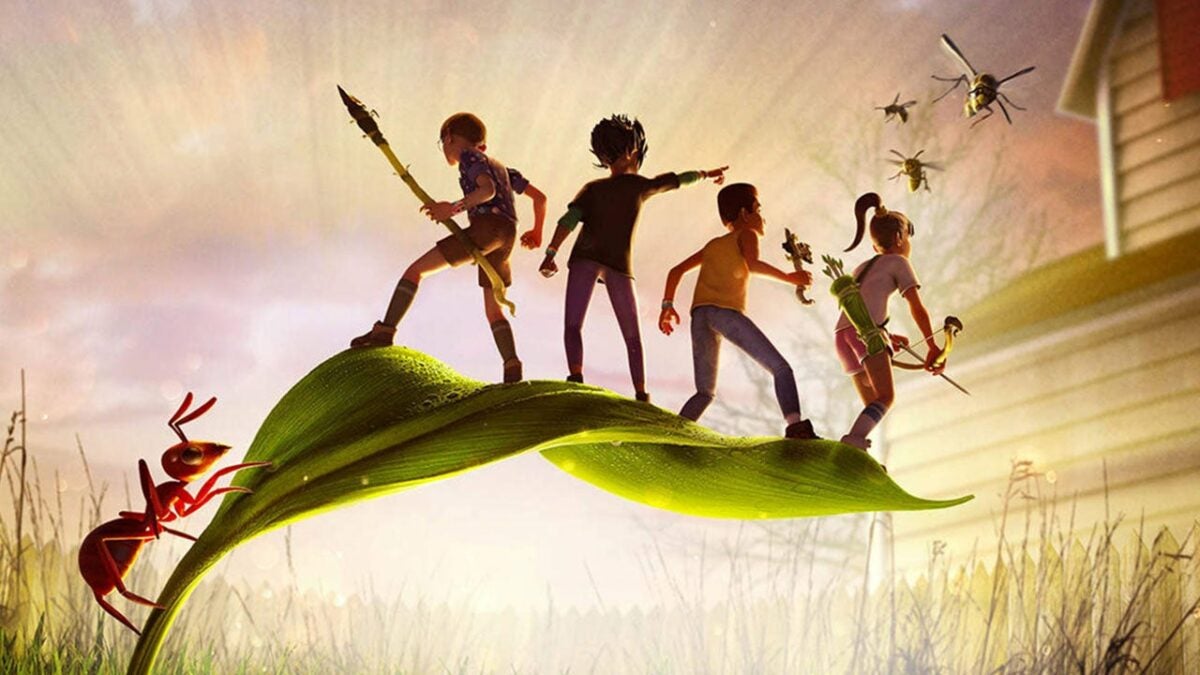
Grounded is one of the more interesting FPS games in the industry. The game lets you explore your garden, but you’re only as big as some of the insects you’ll come across. So if you like the idea of being the size of a thumbtack and finally getting revenge on that colony of ants that stole your Halloween candy that one year, this is the guide for you.

Grounded DOWNLOAD

In the following article, we’ll show you dynamite tips for surviving in Grounded, but we’ll also give you a list of useful items and how to get them. We won’t call this the definitive guide to Grounded, but that is most likely going to be in the works soon.

How to survive in Grounded

  1. Unleash your inner master builder

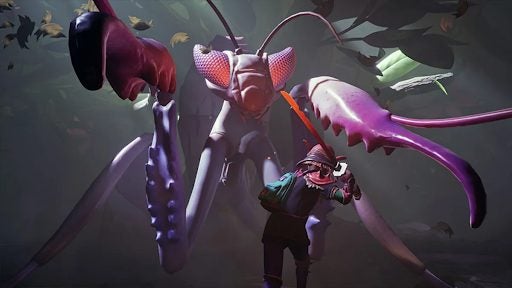
    how to survive in Grounded 1

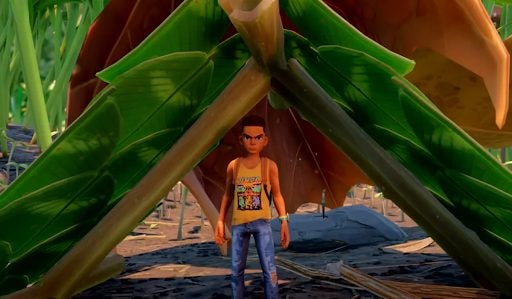
    One of the keys to surviving Grounded is to build your way to safety. When you’re only the size of a thumbtack, even a small garden is full of things that may want to do you harm, and the best way to protect yourself early on is to get a base set up. This should be close to a water source and a source of food. Otherwise, you may find yourself running out of both vital resources. You’ll also want to make sure that you’re not within close proximity to any predators, as this could prove your early structure to be useless. 

    As soon as you can, you’ll also want to build utilities such as the mushroom garden and dew collector. These will provide you with decent amounts of sustainable food. When building, ensure that you start with the shell first. If you start by placing down utilities, they might impede your wall placement. Also, remember that it’s always better to overbuild in this game. If you start off too small, it can be difficult to upgrade your base later.

  2. Collect everything

    how to survive in Grounded 1

    Sometimes, the simple act of collecting an item can earn you a brand-new recipe. Even in the case that it doesn’t, you may be able to unlock new recipes by taking your collectables to be analyzed. The other plus to collecting everything you lay your eyes on is that you never know when you’re going to need something that you’ve walked past. In Grounded, it’s always better to have a surplus than a deficit, even for items that you may have no immediate use for. Resources can also help you upgrade your base, which is always the best line of defence against the creatures you will encounter.

  3. Red eyes mean danger

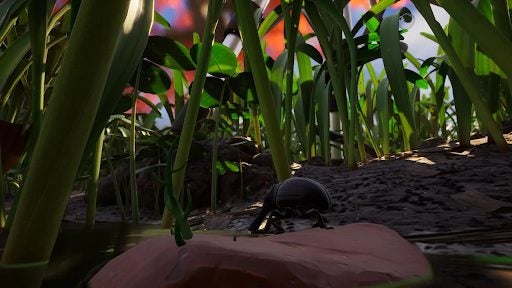
    how to survive in Grounded 1

    Red eyes rarely have a positive connotation. Usually, as in the case of Grounded, red eyes signal danger. In Grounded, if an insect has red eyes it means that it has taken an aggressive position. This isn’t always going to be aimed at you. There are many things in the garden that can cause an insect to lose its temper. However, to stay on the safe side, if an insect has red eyes, keep away as much as possible. 

    In the event that you get taken off the census by an insect in rage mode, watch its eyes when you respawn. If its eyes are still red and its still around your body, hang back for a while. Once the creature’s eyes are no longer red, you should be able to fetch the gear that you unceremoniously dropped when you died.

  4. Explore the garden

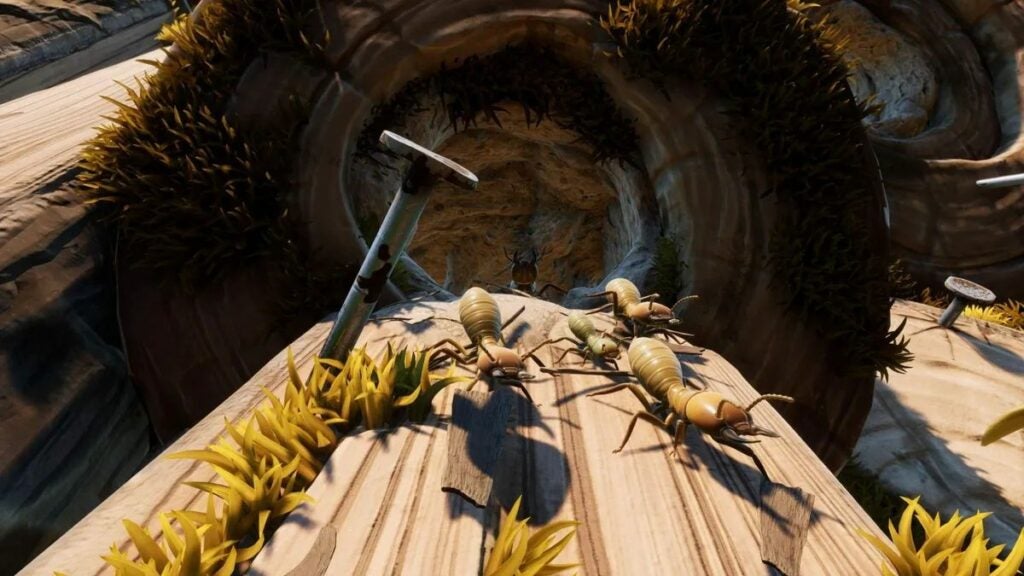
    how to survive in Grounded 1

    Exploration is the easiest way to familiarize yourself with your environment, identify safe spaces and potential threat-infested regions, and find resource rich areas. Even though, at the time of writing, the garden isn’t all that big, it’s still a decent space to explore when you’re the size of a thumbtack. 

    One of the most useful resources, raw science is found in abundance in the garden. However, it won’t just fall on your head like the famous Newtonian apple; you’ll have to work to reach it. In the same way, even though the garden is teeming with resources, some are a little trickier to get your hands on than others. For instance, if you have your sights set on an ant club, you’ll need to finish off a few soldier ants to get it. These are all over the ant hill ,though, so it should at least be easy to find them.

  5. Keep an eye on the grass

    how to survive in Grounded 1

    There are many things in the garden that could cause grass to move. Sometimes the culprit is a strong gust of wind, but more likely, it’s a predator. Predators like spiders move the grass as they approach you. Even though you can’t always see them through the grass, you can see what kind of movement the grass displays.

    If the grass moves a lot, it’s likely a large predator. If the grass only moves a little, you might be able to show the predator who’s boss. With larger predators, it’s recommended to head in the opposite direction until you have the weapons and skill with which to face them squarely.

List of resources

That concludes our five top tips for surviving in Grounded. However, we promised you a list of resources and where to find them, so here you go!

  • Pebbles – found abundantly throughout the garden. 
  • Plant fiber – gained by cutting stems left over from cut grass or as tiny leaves. 
  • Sprigs – tiny stalks that grow in abundance in the garden.
  • Spider silk – gained from attacking spiders or spider webs. 
  • Sap – harvestable from sap nodes. Can also be found on trees and the floor. 
  • Weed stems – harvested with a level 2 axe. Abundant in the garden. 
  • Grass planks – gained by cutting down grass.
  • Acorn – smash an acorn with a hammer to collect acorn tops, shells, and bits. 
  • Ant bits – gained by killing ants. Ants are scattered across the garden, bit most abundant near ant hills. 
  • Acid glands – harvested from soldier ants, the ant hill would be your best bet for this. 
  • Dry grass – you’ll find this mixed in with standard grass, or in drier patches. Watch out for aggressive insects in dry grass. 
  • Thistle needle – harvestable from the purple flowers east of the flower garden. 
  • Dandelion tuft – harvestable from dandelions, cutting one down will drop a tuft too. 
  • Mite and gnat fuzz – gained by killing gnats or mites in the lawn or around water sources. 
  • Berry chunks – harvested from near the southern hedge. 
how to survive in Grounded 1

Being Grounded isn’t all that bad

As we’ve highlighted above, there are numerous strategies for success in Grounded. Even though you’re stuck on the ground most of the time and almost everything wants to kill you, following our guide will help you learn the necessary skills to survive the treacherous landscape of the garden. Your primary focus should be on building in the early game.

But, as your defenses increase, you can spend more time gathering resources and building all sorts of interesting utilities to make life easier for yourself. Only take on creatures you know you can kill. As you get stronger, the prey you can catch is bound to get bigger. Remember that almost everything is a resource, so collect everything you see, even if its use isn’t immediately obvious.

How to use filters on YouTube Music to customize filters in 5 simple steps

The popular music streaming service, YouTube Music, has filters that make it easier to customize your recommendations, find what you’re looking for, and add new music to your playlist or queue. However, it could sometimes be challenging to understand just how these features work and how to get the most out of them.

YouTube Music DOWNLOAD

Let’s take a quick look at how to use filters on YouTube Music to customize your music suggestions.

Using filters on YouTube Music to customize content

Scrolling through hundreds of results just to find that one perfect song is not a great way to spend your time. We understand that you’d rather be listening to good music than scrolling through lists of songs. Here is a step-by-step guide to help you use filters on YouTube Music on mobile to narrow down your searches and quickly find what you’re looking for. The steps are very similar in the desktop and browser versions.

  1. Launch YouTube Music

    YouTube Music to customize filters

    First, you need to launch YouTube Music. You can do so by tapping on the app icon on your home screen or in your app drawer.

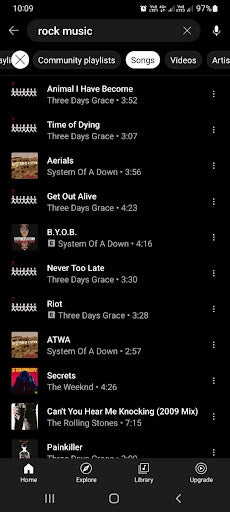
  2. Tap on the search bar and type in a request
    YouTube Music to customize filters

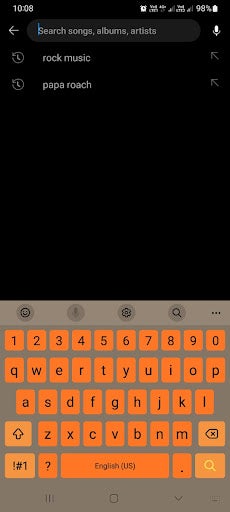
    Tap on the search bar found in the upper section of your screen. Next, type in what you’re looking for. It can be as specific as a song or artist’s name, or it can be more vague, like a genre. What you search will depend on what you’re looking for.

  3. Choose how to filter content

    YouTube Music to customize filters

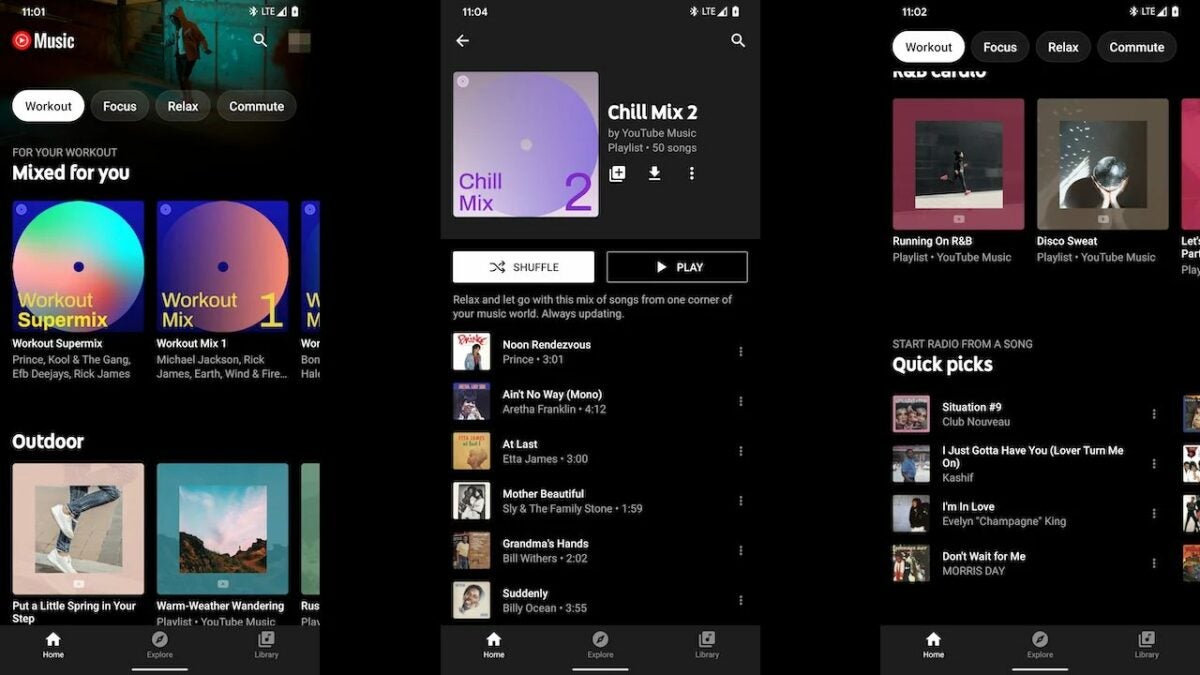
    Once you’ve tapped on the search bar, a long list of suggestions will appear. Above this list will be a few filter options to help you narrow down your results. Some of the tabs include ‘Featured Playlists,’ ‘Community Playlists,’ ‘Artist,’ ‘Albums,’ and more. The types of filters you see are based on what you’re searching for. As such, you may see different filter options for different searches.

    Tip: After tapping on a filter, a new queue will be generated according to the filter selected. Bear in mind that since your queue completely regenerates after tapping on a filter, you might not see the exact same lineup when going back to a previously selected filter, so if you like a song or playlist, make sure to add it to yours.

  4. Play your chosen result

    YouTube Music to customize filters

    Once you’ve filtered your suggestions and you find something you want to listen to, you simply need to tap on it. Once tapped, the selected song or playlist will start playing

    Tip: You can immediately start playing a song or playlist if you find what you’re looking for and finish the process here. However, if you’d like to see even more options, you can continue on to the next step.

  5. Tap on settings for more options

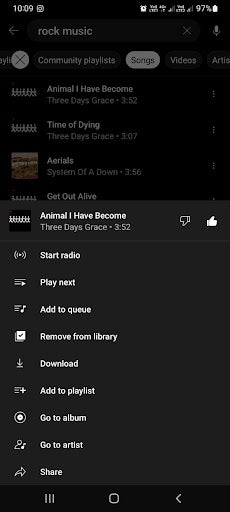
    YouTube Music to customize filters

    However, there are even more options that you can choose from if you don’t want to start listening quite yet. Tap on the three horizontal dots to see more options. Now you can choose to add the song to your playlist, queue, or you can like the song to get more suggestions similar to it.

Filtering explicit content on YouTube Music

YouTube Music has another useful filter, but unlike the others, this one is buried in your app settings. This feature is especially useful for parents as it filters out explicit content such as bad language. Having it hidden in your settings also means children won’t be able to disable it accidentally.

To enable this feature, you simply tap on your profile and navigate to settings in the drop-down menu. The cog icon represents your settings. Here, under the general tab, you’ll find the toggle to enable or disable explicit content.

However, it should be noted that while every measure is taken to make this feature effective, it doesn’t capture all the songs with explicit content every single time, and some might slip through the cracks.

Enjoy your favorite tunes seamlessly with filters

YouTube Music filters make it much easier to customize the results you see. This means you can easily find what you’re looking for without scrolling through hundreds of results. Following our simple instructions above can make using YouTube Music much easier, and finding the right songs, playlists, or artists will be more convenient.


Overwatch 2 apologizes for the numerous issues following the launch

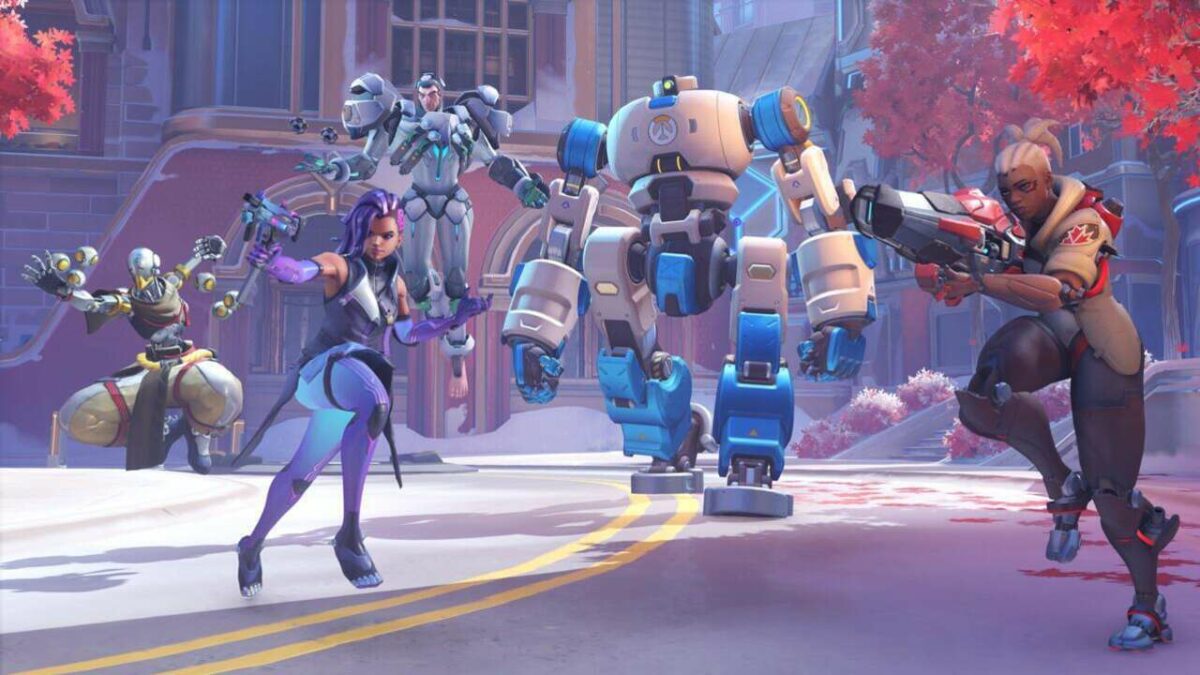
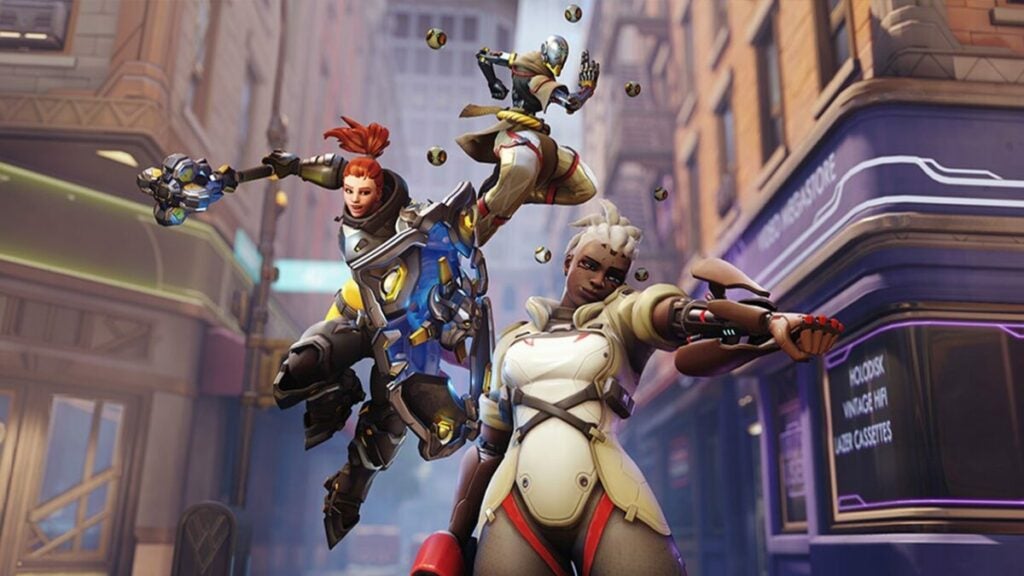
After much anticipation, the Overwatch 2 launch was underwhelming, to say the least. There were DDoS attacks on launch day, and players had to battle server errors, long queues, broken account mergers, and strange SMS requirements that locked mobile players using prepaid phones out of the game. 

Overwatch 2 DOWNLOAD

Blizzard has apologized and announced what they’re doing to fix these issues. The Blizzard community manager, Jodie, apologized on the Blizzard forum. She stated that they expected the launch to go without any problems but that the team is working on fixing the issues that did arise. 

Overwatch 2 introduced a new requirement for players to connect a phone number to their account. However, for some reason, this requirement doesn’t allow prepaid phone plans. The post explained that players who already have a Battle.net account won’t need a phone number from today as a fix for this issue. Unfortunately, it seems Blizzard isn’t removing this requirement entirely.

Overwatch 2 apologizes for the numerous issues

Jodie also announced that they are working on server stability to deal with the large number of crashes, lags, long queues, and even difficulty logging in. Some of the fixes will be to patch the login server and add nodes to the player database to lessen the load.

Another issue players experienced was merging accounts only to find lost inventory items. Blizzard is rolling out a UI fix to get more people to merge their accounts and stated that data isn’t lost. In many cases, it’s just taking longer to merge over to Overwatch 2.
Despite a rough launch, the game itself is solid – at least once you get past these initial issues. Even though there won’t be any loot boxes in Overwatch 2, it remains a fun team-based FPS that should only get better once these issues are resolved.

Spotify makes moves to protect users from harmful content

Spotify is a huge music streaming platform with a global reach that is therefore operating in multiple languages across many different countries. Whereas this is great for the bottom line and nobody can argue that Spotify isn’t the dominant music streaming platform, it does cause certain problems and headaches when it comes to moderating harmful content across so many different languages and even dialects. To fix this situation and help keep Spotify users protected from such content, the streaming company has purchased Kinzen to help moderate content on the platform.

Spotify Download Now

Spotify has had a partnership with content moderation specialists Kinzen since 2020. Kinzen uses highly trained staff and machine learning models to help detect and pull harmful content loaded online. To build on this, however, Spotify has just announced that it has acquired Kinzen, bringing the machine learning models and Kinzen workers into Spotify.

Discussing the move, Spotify’s Global Head of Public Affairs, Dustee Jenkins had this to say in the blog post announcing the move:

“We’ve long had an impactful and collaborative partnership with Kinzen and its exceptional team. Now, working together as one, we’ll be able to even further improve our ability to detect and address harmful content, and importantly, in a way that better considers local context. This investment expands Spotify’s approach to platform safety, and underscores how seriously we take our commitment to creating a safe and enjoyable experience for creators and users.”

The move means that Spotify will receive early warnings about potential harmful content problems and issues across all markets, meaning it will be able to more effectively moderate content in multiple languages.

In other recent Spotify news, the company is continuing to augment its audio options by launching an audiobook service in the US to add to its already popular music and podcast offerings.

It may be time to bolster your login security on Microsoft Outlook

Recently we reported on a Windows 11 update that was designed to make brute force attacks, which see scammers setting up algorithms to methodically check every password combination possible until they get the right one, much harder to pull off. Unfortunately, the reasoning behind that move has become even more apparent as the software giant has released details about a rise in password spray attacks, a particular type of brute force attack, against Microsoft Outlook users. Here is what you need to know.

Microsoft Outlook Download Now

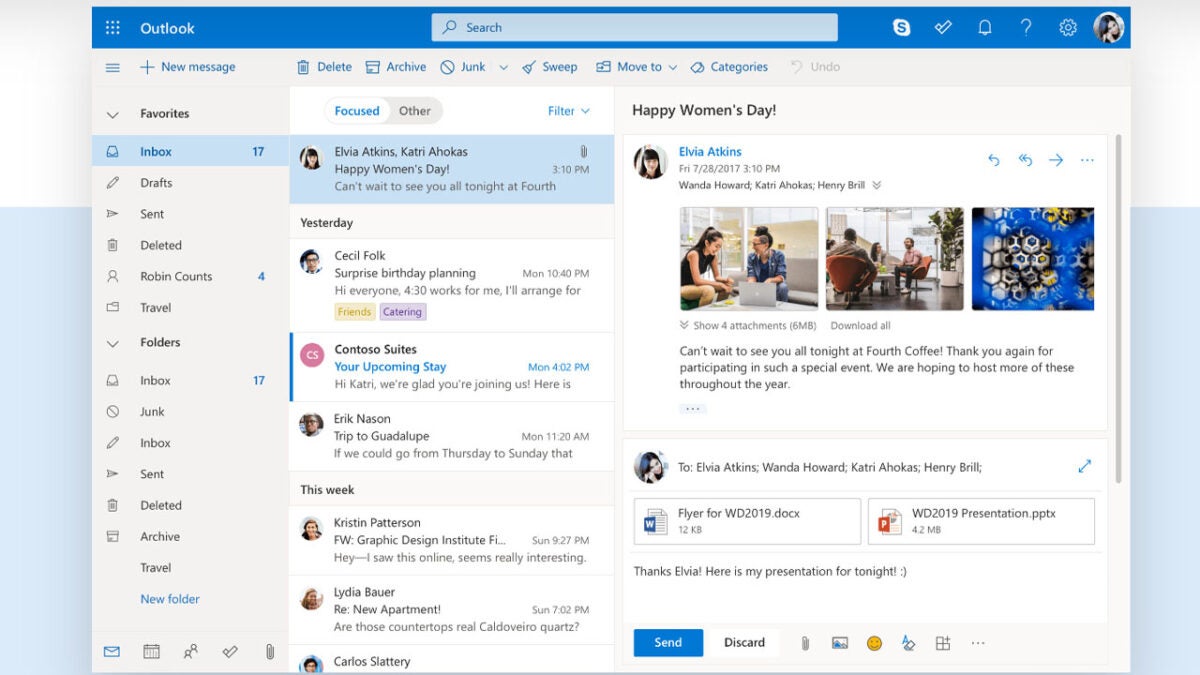
Microsoft has reported in one of its Tech Community blog posts that it has noticed a distinct rise in the number of password spray attacks being targeted at Microsoft Outlook. To combat these attacks the team has disabled the basic authentication features of the service.

If you are unsure about what exactly a password spray attack is or how it may affect you, check out the explanation below, which Microsoft included in the Tech Community blog post:

A password spray attack is a type of brute force attack in which the attacker tries a large number of usernames with a list of common passwords against a target system to see if any will work. It’s often hard to detect as the username keeps changing; accounts don’t get locked because the account being attacked keeps changing. Attackers also distribute their efforts over their targets and keep changing their source IP.”

Basically, it is like throwing a load of passwords and login details at the system and seeing if any of it sticks. Although it might sound like a haphazard methodology, what it comes down to is being a numbers game and the fact is that computers are good at numbers.

The surest way to protect against these types of attacks is to enable two-factor authentication and set up an authentication app like Microsoft Authenticator or Google Authenticator or add a second email address for confirming your identity when logging into your Outlook services.

You should also check out our cybersecurity guide to help you stay as safe as possible when you are using online services.

WhatsApp Premium mode has been spotted

Recently we have seen two big messaging and social media apps launch new premium services aimed at their most devoted users. Telegram Premium gives users access to enhanced features such as larger file transfer sizes while Snapchat+ comes with exclusive shareable content such as stickers, etc. Both offer more exclusive features to premium users for a monthly subscription. We now have leaked screenshots of an upcoming WhatsApp Premium offering, although it looks like it will work a little differently to the two apps outlined above. Let’s check it out.

WhatsApp Download Now

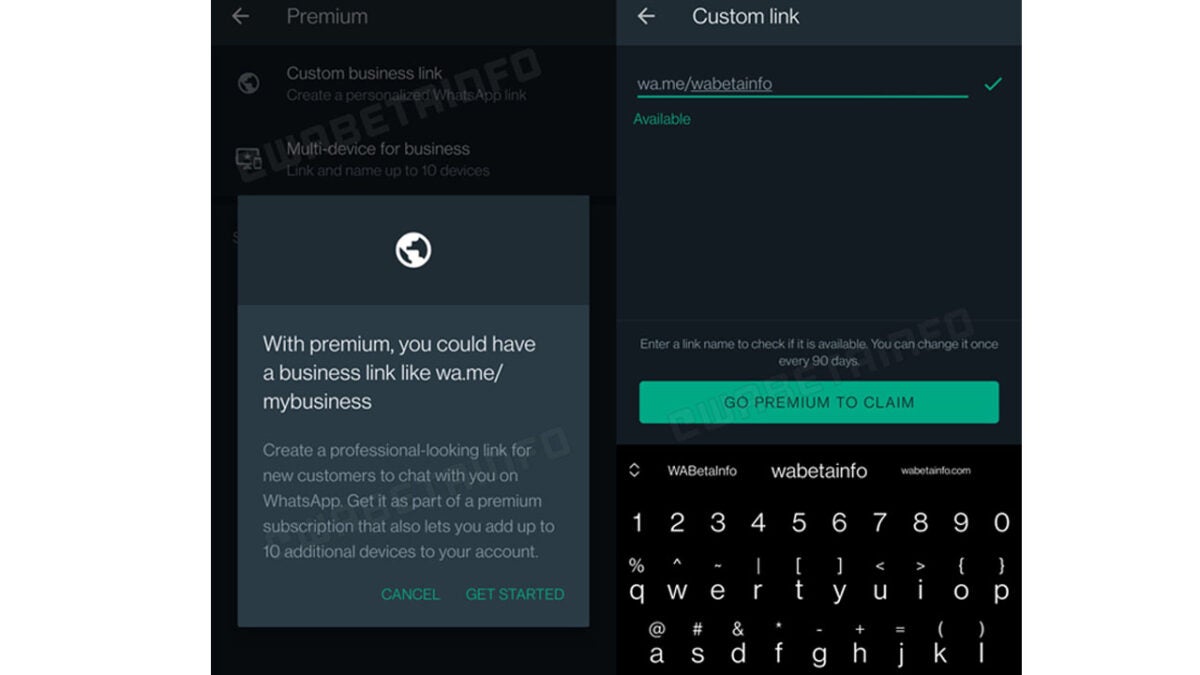
According to screenshots that have been posted online by the WhatsApp beta testing community a new premium version of WhatsApp has been confirmed as in development and already at the testing stage. However, it looks like WhatsApp Premium will be a WhatsApp Business feature only and so won’t be available for regular users of the app.

Companies using WhatsApp Business will be able to opt into a special premium plan that will be called WhatsApp Premium. This will give them the ability to access new advanced features. The first is a custom business link that will allow them to set their own unique branded URL link that will take users directly to their WhatsApp Business chat page every 90 days. The second is enhanced multi-device support, which will allow up to 10 users at the company to manage the WhatsApp Business account from their devices.

The screenshot above shows what eligible businesses will see when the update rolls out to all WhatsApp Business users. However, there is still little information about how much the monthly subscription fee for WhatsApp Premium will be or when it will roll out. We will keep tracking the story and report on these updates when the information becomes clear. In other recent WhatsApp news, the messaging app will soon be able to offer a polls and surveys feature for group chats.

Image via: WABetaInfo

How to play old games in your browser | Top 5 browser games

I love new PC games as much as the next gamer, but sometimes, only an oldie but goodie will do. For those times that you just want to play old games in your browser in a blanket of nostalgia and game it out to the sounds of your youth, we’ve compiled a list of our five favorite old games you play right now in your browser.

Simply click the link under each item, and you’ll be whisked away into yesteryear. The only thing you could do to elevate the experience is fire up Windows XP and play these games the way the universe intended.

Play old games in your browser with these top 5 titles

  1. Tetris

    How to play old games in your browser

    Tetris has to be the quintessential old-school game that you can still play in your browser today. Tetris is the most popular game in the industry’s history, even beating out Minecraft for that coveted top spot. The game’s popularity largely stems from how simple it is to grasp. However, simple doesn’t mean easy.

    It’s so easy to get stuck in the game if you don’t use the right strategies to clear lines and make sure that your blocks fit properly. Nonetheless, this is still one of the most fun games to play, no matter how advanced the industry becomes.

  2. Solitaire

    How to play old games in your browser

    Solitaire is another of the most popular games of all time. Solitaire is a game shipped with Windows XP and Windows 7 back in the day. The game provided hours of at-work entertainment to many a bored employee. Like Tetris, Solitaire also requires logic and critical thought if you intend to succeed at the game.

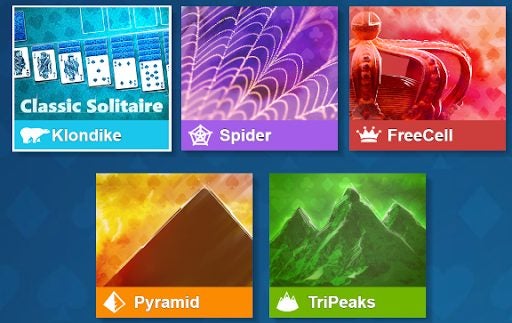
    This particular solitaire browser game has five different game modes to choose from. You can play either Klondike, Spider Solitaire, FreeCell, Pyramid Solitaire, or TriPeaks. If you enjoy digital card games, this is definitely the old-school PC game for you.

  3. Bubble Shooter

    How to play old games in your browser

    This list is pure gold, from start to finish. Bubble Shooter is another one of the internet’s favorite online games. All you need to do in this game is to try to get rid of as many bubbles as possible by connecting at least three bubbles of the same color.

    Bubble Shooter has inspired so many other games that use a similar core mechanic, but this will always be the most enjoyable bubble shooter game of all time. No matter what your skill level in gaming is, you’ll likely enjoy this trip down memory lane immensely.

  4. Hangman

    How to play old games in your browser

    Hangman is a schoolroom classic. I remember spending so many hours of my school career playing this on the chalkboard as a class after our work was done. The game is incredibly fun to play, and it’s so great to have a way to play it online. Even though this is a digital game, it looks like you’re playing on a piece of paper with a crudely scribbled pole from which to eventually hang the titular man.

    This little touch makes the game feel even more nostalgic and old-school than it is. Hangman is fun for all ages and can entertain any gamer for hours.

  5. Sudoku

    How to play old games in your browser

    Sudoku is another game that you likely grew up playing on paper. This is a game that is often found in the back of most magazines, as well as a popular choice for activity books for all ages. The idea behind Sudoku is to use the process of elimination to determine the best possible place for numbers on a grid. The classic sudoku grid is made of nine smaller grids.

    Each grid needs to contain the numbers from 1-9. Each column and row also needs to contain these numbers. No column, 9×9 grid, or row can contain multiples of a digit. This is what makes Sudoku so challenging but also so enjoyable. The thrill of finishing a Sudoku puzzle is something you’re not likely to find anywhere else.

Tonight we’re going to play like it’s 1995

Every one of the games on our list is a true classic. If you’re anywhere over 25, these are likely the games that you grew up playing. Whether you enjoyed these on paper or on Windows XP or 7, you’ll agree that these games have much to teach. Sudoku is likely the most educational game on our list, but the others all teach you critical thinking and planning, and even coordination.

We love reviewing new games and writing about the best MMORPGs and life simulators on the market. But sometimes, all we really want is to jump back in time and lose ourselves in a game of Tetris or Bubble Shooter. Be sure to check out my list of the top FPS games to play in your browser!

Optimize iOS 16 for battery saving

As we all know, one of the main issues with Apple devices is battery life. While iOS 16 includes some battery-saving features, you can still do a few things to optimize your device for even better battery life. One of the best things you can do is to reduce the amount of time your screen is active. You can also disable raise to wake and enable low power mode under settings.

iOS 16 DOWNLOAD

Additionally, make sure to close any apps that you’re not using and update to the latest version of these apps when prompted. Here are a few simple ways to prolong your battery life on iOS 16 devices.

How to optimize iOS 16 for battery saving

  1. Spotlight and photo indexing

    How to optimize iOS 16 for battery saving

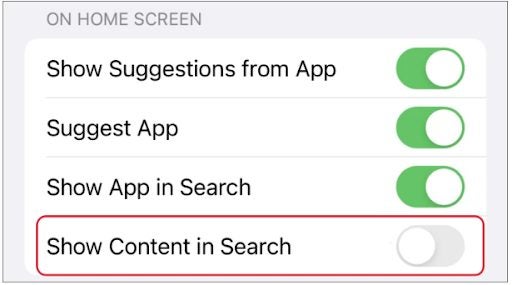
    With iOS 16, two new features drain the battery life: spotlight and indexing of photos. Spotlight is a new feature that allows you to search for specific keywords within your photos. So, if you’re looking for a photo of your cat, you can just type in “cat,” and it will bring up all the photos of your cat that are stored on your phone.

    Indexing of photos is a similar feature, but it goes one step further and actually creates a database of all the photos on your phone so that they can be searched more easily. Both of these features are great in theory, but they put a lot of strain on the battery life. So, if you want to preserve your battery life, you might want to disable these features.

  2. App updates

    How to optimize iOS 16 for battery saving

    Have you ever noticed that the battery of your iPhone seems to drain more quickly after you’ve installed a software update? While it may seem like a coincidence, it’s actually quite common. That’s because app developers often take advantage of new features in the latest operating system to add new functionality to their apps. However, they don’t always do a great job of optimizing their code for performance. As a result, installing app updates can sometimes lead to reduced battery life.

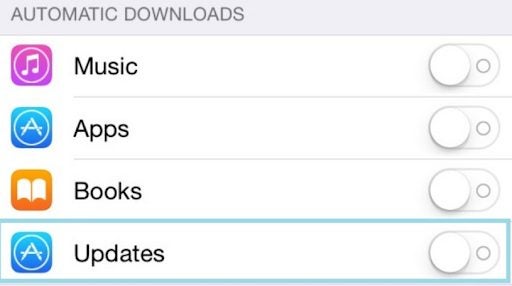
    Fortunately, an easy way to avoid this problem is to disable automatic app updates. Doing so will ensure that your apps only update when you’re ready to install the latest version. In addition, it’s a good idea to check for updates and install them manually regularly. This will give you more control over your apps’ updates and help you avoid battery drainage problems.

  3. Optimize apps

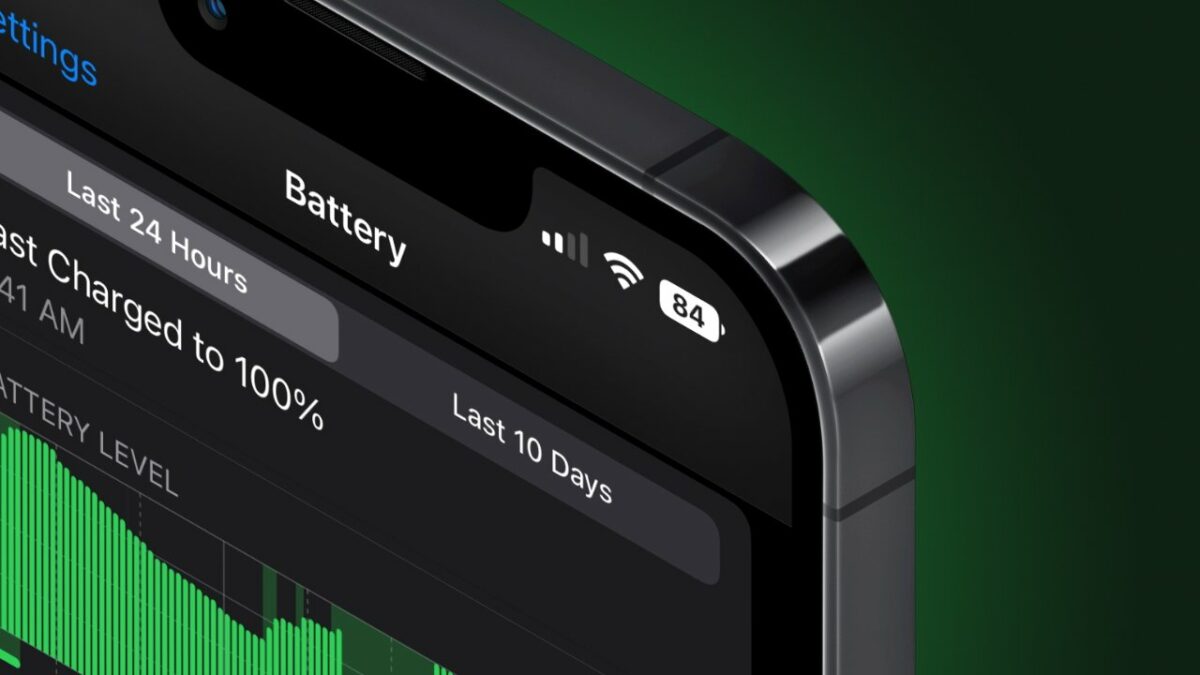
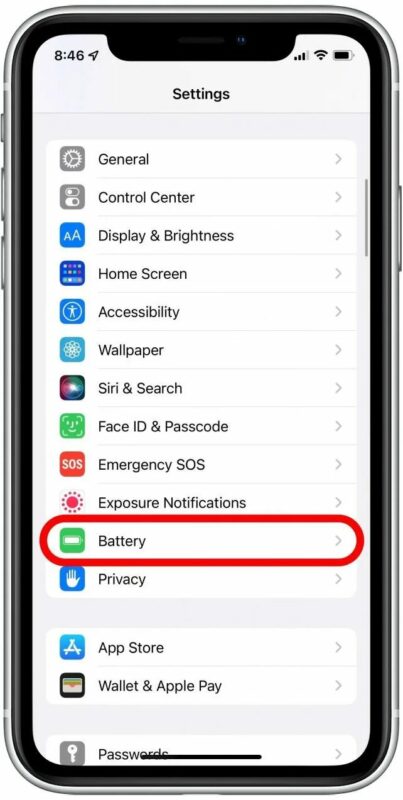
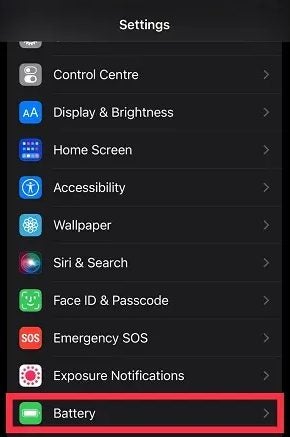
    There are a few ways to determine which apps are draining your battery the most. First, go to Settings > Battery. Here, you will see a list of all the apps that have used your battery power in the last 24 hours. The app at the top of the list is the one that has used the most power. If you tap on an app, you will also see how much power it has been used in the background. You can optimize your battery for this app or simply uninstall the app if you no longer need it.

  4. Low power mode

    How to optimize iOS 16 for battery saving

    The low power mode is one way to extend battery life on your iPhone. When you activate low power mode, apps will be restricted from accessing location services or cellular data. This means that apps won’t be able to use GPS, access the internet through your carrier, or even download new content from the App Store.

    You’ll still be able to use other apps that require these features – for example, if you want to take pictures with Flickr or browse Facebook – but they won’t be able to use these features unless they run in the background while they’re open.

  5. Keyboard haptics

    How to optimize iOS 16 for battery saving

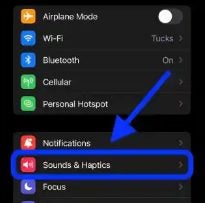
    The keyboard has been equipped with haptic feedback in iOS16, which means that when you type, you feel the movement of your finger on the screen. This is useful because it allows you to type without looking at your phone but also uses a lot of power. If you turn off the keyboard’s haptic feedback, you can use your phone for longer before charging it.

Halloween crossover: Dead by Daylight X PUBG X New State Mobile

If you’ve been sitting on the edge of your seat for months waiting for Halloween to come around, you won’t be disappointed this year. Halloween is pulling a jump scare of epic proportions in the gaming industry with a brand-new collaboration between PUBG, Dead by Daylight, and New State: Mobile. 

PUBG DOWNLOAD

Players of all three massively popular games are in for a massive treat (no tricks – we checked) this Halloween:

For fans of PUBG, you’ll have the chance to earn 3 new backpacks, 4 new masks and costumes, and a themed nameplate. This will last from October 19th to December 7th. All of these are based on assets in Dead by Daylight. So if you want to represent a few of your favorite killers, here’s your chance. You’ll also be able to participate in a hide-and-seek web event inspired by Dead by Daylight. Participation puts you in the running to unlock even more Dead by Daylight merch.

Halloween crossover Dead by Daylight X PUBG

The event will be available from October 21st to November 7th and gives players a chance to grab some truly terrifying Dead by Daylight-themed assets, including a nurse mask. If you’re a collector of ghoulish and gruesome digital merchandise, this is your chance to expand your loot. 

Dead by Daylight players will have an equally impressive selection of goodies to earn, including fancy new cosmetic items. Both killers and survivors will have a chance to pick some incredible new collaboration crates chocked full of items. This will run from October 20th to November 23rd.

In other news, PUBG developers created their first realistic virtual human. The issue with virtual humans is that they often fall face-first into the Uncanny Valley. What do you think? Has PUBG mastered the virtual human design with their new character Ana? Or is this yet another digital humanoid destined to make players feel uncomfortable?