Microsoft launches Bing Webmaster Tools on Android

As many of you may know, Microsoft has several tools dedicated to Bing, such as the Bing search engine itself, Bing Chat, their AI-powered chatbot, and their Bing Image Creator AI tool. However, this isn’t the only one worth mentioning; there’s also their Bing Webmaster Tools, which has recently been released for Android devices. It’s now available for download at any time, as announced on the Bing blog.

Microsoft Bing Webmaster Tools DOWNLOAD

This tool allows webmasters themselves to monitor the performance of their websites from anywhere. In other words, Bing Webmaster Tools is used to track traffic, search rankings, and crawling details, regardless of our current location, now that it’s available for download from the Google Play Store. Additionally, with this announcement, they also took the opportunity to share the key features of this Android mobile app.

The Microsoft app is now available for download from the Google Play Store

To begin with, Bing Webmaster Tools allows us to check firsthand, at any time, our website’s performance. This means we can see how many visitors our page receives, search rankings, and crawling details. Furthermore, we can receive notifications about issues that could harm our search results, such as HTML markup or crawling errors. Among its other features are the ability to easily submit sitemaps and individual URLs to Bing, ensuring we stay updated on all our website’s content, and the option to monitor the keywords we use.

Microsoft Bing Webmaster Tools DOWNLOAD

Certainly, Bing Webmaster Tools can be downloaded for free from the previously mentioned Google Play Store, available right away. This announcement comes a few months after the introduction of a very interesting feature in the aforementioned Redmond tool. This feature allowed the app to track traffic from Bing Chat links. It’s worth noting that this new functionality was included in September. However, it’s reported that Microsoft has merged regular search traffic with chat traffic, making it impossible now to differentiate how much traffic comes from the mentioned Microsoft chatbot.


Is AI a Job Killer? Study Finds 80% of Jobs at Risk, but with Nuances

If AI eats people’s jobs, what will happen to those unemployed positions? Will it be a benefit for ordinary people or for businessmen?

Overnight, in 2023 it seems like we’ve woken up straight into the future. Artificial Intelligence has turned everything so upside down that it is difficult to even imagine the job landscape in a few years. If AI eats people’s jobs, what will happen to those unemployed positions? Will it be a benefit for ordinary people or for businessmen? Although we all intuit the answer to this question, let’s see what conclusions Ethan Mollick, a Wharton College professor who has realized AI saves time and money, has come to.

It’s a drag to work

Mollick’s experiment was simple: he needed a marketing plan to kick off Wharton Interactive’s Saturn Parable, a grandiloquent name that hides a simulation to learn how to be a group leader. What would take days to do with a lot of people around him giving their opinions, was completed in just half an hour using Bing, ChatGPT4, MidJourney, ElevenLabs and D-iD on his own.

ChatGPT ACCESS

With these tools and a little ingenuity, Mollick created a marketing plan: branding, website, promotional video and even social media posts. At the very least, the professor is sure that a human team could have done better… But not so fast. Supply and demand. Are we doomed to a future of mediocre websites and marketing campaigns… Or maybe this is the beginning before AI learns what creativity is?

But the most interesting part of the experiment is posed in its conclusion: “When we can all do superhuman amounts of work, what happens? Do we do less work and have more leisure? Do we work more and do the work of ten people? Do employers benefit? Workers? I’m not sure”. Listen: anyone who says they have a magic recipe or that they know exactly what is going to happen in a few years is lying.

AI may change the world, it may stay the same. It certainly has the potential to lose 80% of jobs. It may do so and the world goes into global crisis, or it may gain millions of other jobs and we live better. There may be many who don’t even need to lift a finger to earn money. Hopefully, as Mollick points out in his conclusions, “we will live in a future where we do less of the boring work to focus on the more creative work we enjoy doing.”

The future of sci-fi movies is now. All that remains to be seen is whether we like living in it.

5 classic games on Bing you can play now

Have some fun for free!

trivia

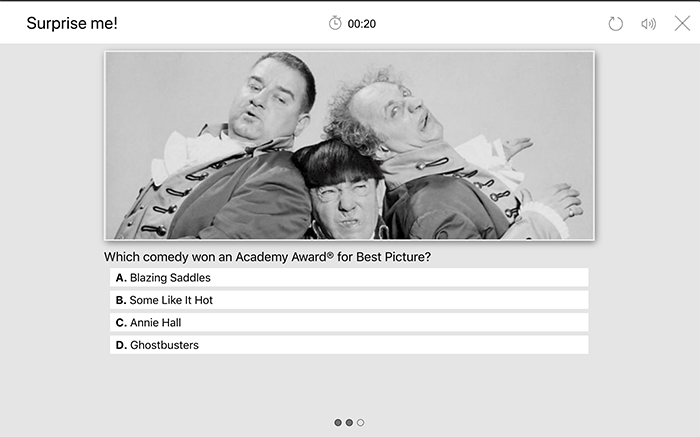
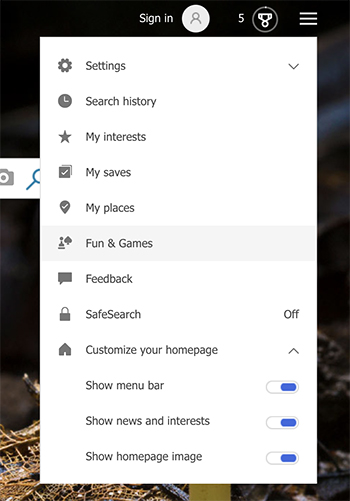
If you only use Bing occasionally, you may not know that the search engine offers lots of free games that you can play. To access the games on Bing, simply go to the menu (three horizontal lines) in the upper-right corner and click Fun & Games. From there, you can play a game, work on a puzzle, or take one of the quizzes.

bing

The games on Bing aren’t rejects, either. Bing has plenty of beloved classics you’re sure to enjoy. Before you play, it’s worth noting that Bing often changes the games that are available on the site — so if you don’t see a particular game anymore, it may have temporarily been replaced with another one. Also, many of these games play music. However, you can easily mute this feature if desired. Here are some of the classic games you can play on Bing right now:

5 classic games on Bing you can play now

1. Matching cards

matching cards

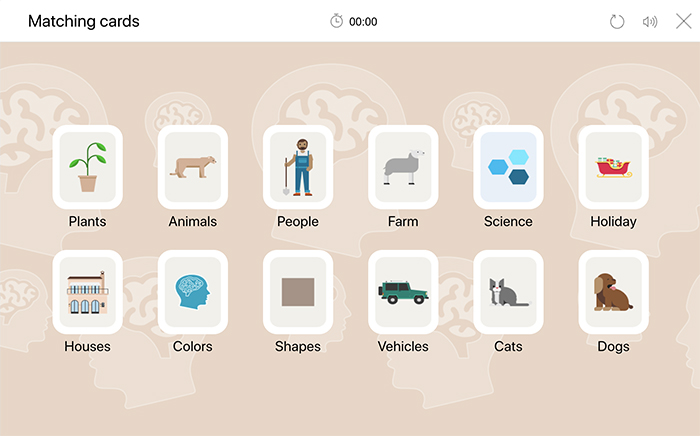
This game lets you pick from a variety of different themes, such as animals, houses, or vehicles. Once you pick your theme, you can then choose your difficulty level (easy, medium, or hard). Your game will be timed, and you’ll be given a score based on your performance once you’ve successfully finished the game.

2. Crossword

crossword

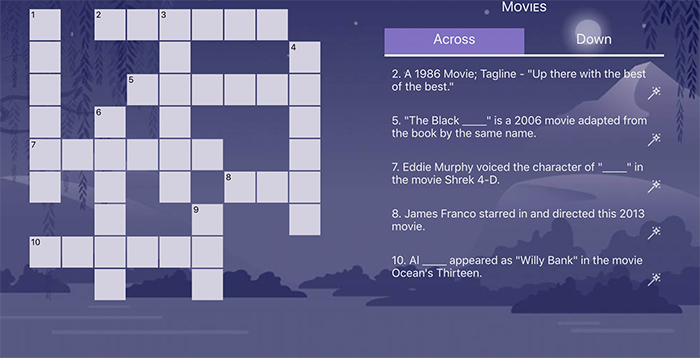
The crossword puzzles on Bing are a lot different from The New York Times crossword puzzles. Bing’s crossword puzzles start out fairly short, with about 10 questions. They are timed and organized by a specific theme. For example, you might be faced with a series of puzzles that revolve around movies or another element of pop culture. If you find that the current puzzle is too hard, press the refresh button to give another puzzle a go. You’ll also have the option to easily reveal any answers that have stumped you for too long. Don’t see it as giving up — think of it as building your knowledge base!

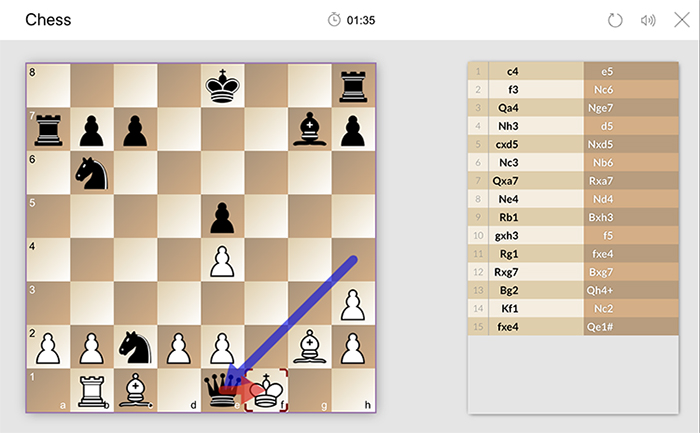
3. Chess

chess

This version allows you to select from three difficulty levels: easy, medium, or hard. The game also clearly displays a list of how many (and which) moves are made. So if you’re a beginner and you want to learn how to play chess, this can be a great way to start. And if you’re not satisfied with the way the game is going, it’s very easy to start over and try again.

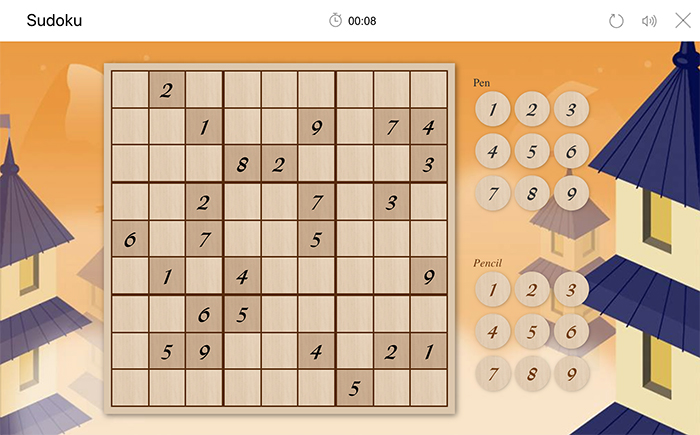
4. Sudoku

soduku

This classic puzzle is also available to play in easy, medium, or hard versions. There’s even the option to “write” your answers in pencil or pen. The pencil is used to make a note of a number you think is correct. The pen is used to write in a definite correct answer. Like the other games mentioned, this game is timed.

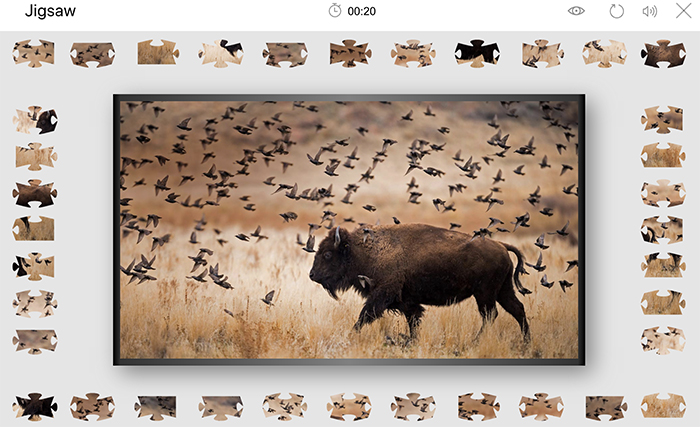
5. Jigsaw

jigsaw

If you didn’t think you could do a jigsaw puzzle online, think again. First, you’ll choose an image that you want to make into a puzzle. You can choose from a variety of categories and images such as animals, national monuments, movie posters, world wonders, and art, among many others. Next, you’ll choose your difficulty level (easy, medium, or hard), and the computer will then create and scramble your puzzle for you. Just like a real puzzle, you’ll “pick up” (or, technically “drag”) the pieces and put it together.