Gmail update will make your email inbox much more functional

Gmail is overhauling and updating its right-click feature.

Gmail is the preferred email client of 1.5 billion people around the world. That means any and all changes to Gmail will affect, in one way or another, the lives of almost a quarter of all people on the planet. We’re very happy to fill you in on what is going to be a very positive change to the way Gmail works.

Gmail Access now
8

Gmail is overhauling and updating its right-click feature

I know what you’re thinking. That sub-headline is hardly a thing of rock and roll legend, but bear with me. At the moment, right-clicking in Gmail will only bring up a very limited four option menu. These are the Move to tab, Archive, Mark as Read, and Delete options. You can already see just how useful these features are in an email inbox context. They’re probably the most used email features, which is why Google likely chose them for its right-click menu in the first place. Having these features just one click away makes it a lot easier to stay on top of your inbox. Ask yourself though, why could right-clicking not do more?

It seems that is exactly what Google has been asking itself recently and now it looks like the internet giant has come up with a few answers. In a recent blog post, Google announced that it has begun a phased roll-out of a ton of new features for Gmail, including a new and improved right-click menu. Yep, it is all happening already. There is a chance the new features will already be available on your Gmail. If they’re not, all you’ll have to do is be patient. They’re on their way.

new improved right-click on Gmail
Image via: Google

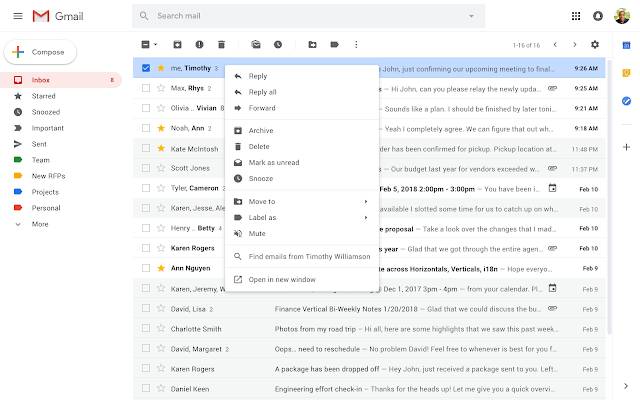
Once the update hits your Gmail account, what can you expect to see? The new right-click menu will include a whole host of new options like Reply, Reply all, Forward, Archive, Delete, Mark as unread, Snooze, Move to, Label as, Mute, and Open in new window. These are all commonly recognized email tools, but you’ll also see a cool new feature, which will allow you to search your inbox for all emails written by the author of the message you’ve right-clicked on.

The Mark as read option is no longer on the right-click menu, which means now you’ll have to select the email you want to mark as read, using the tick box to the left of the message in your inbox. Then you’ll need to hit the Mark as read icon at the top of the page, just below the search bar.

All-in-all this is a small change, but it is one that could have a big effect on the productivity of a lot of people all around the world. Let us know if you think this will affect how you use Gmail in the comments below.

Gmail now blocks an extra 100 million spam messages every day

Google is winning the battle against spam 100 million emails at a time.

gmail

Google has been putting a lot of work recently into drowning out all of the annoying background noise we have to deal with as constantly connected and contactable citizens. The Google Phone app now automatically redirects unsolicited calls and the Google Messages app does the same with incoming SMS messages. Google is working hard to drown out spam emails too. Gmail has long been touted by the search giant for blocking 99.9% of all incoming spam emails. A recent blog post claims that the world’s leading email client is now stamping out an additional 100 million spam emails every day.

Gmail Access now
8

The news comes on the back of Google implementing TensorFlow to protect your inbox and detect the spam emails. TensorFlow is a new Google-developed open-source machine learning framework that works alongside Google’s current detection protocols. Google had this to say about how TensorFlow has helped Gmail find even more spam emails:

“We’re now blocking spam categories that used to be very hard to detect. Using TensorFlow has helped us block image-based messages, emails with hidden embedded content, and messages from newly created domains that try to hide a low volume of spammy messages within legitimate traffic.”

The interesting thing to note here is that although it sounds massive, 100 million spam messages a day isn’t actually that much in the grand scheme of things. Gmail has 1.5 billion users, which means blocking 100 million spam messages a day only stops a spam message getting through to one in 10 users on a daily basis.

Gmail spam blocker

Google is winning the battle against spam

As always, however, context is king in this situation. On its own, blocking a spam message a day for one in 10 users isn’t much at all. When you think though that these messages are extra on top of the 99.9% of all spam messages that Gmail allegedly blocks already then it becomes much more impressive. Being able to successfully target that 0.1% of spam messages shows that TensorFlow is able to work to a very high level of accuracy.

In fairness to Google, although 99.9% might sound like hyperbole, it has been a long time indeed since we’ve had to deal with spam messages making it through to our primary Gmail inboxes. Spam isn’t something that Gmail users have to deal with on a daily basis anymore. It is good to see though, that even if it is only a small problem Google is still working on rooting out those few fake or spam emails that still make their way into our inboxes.

Can you pass this anti-phishing test from Google?

This test from Google will make you smarter and safer.

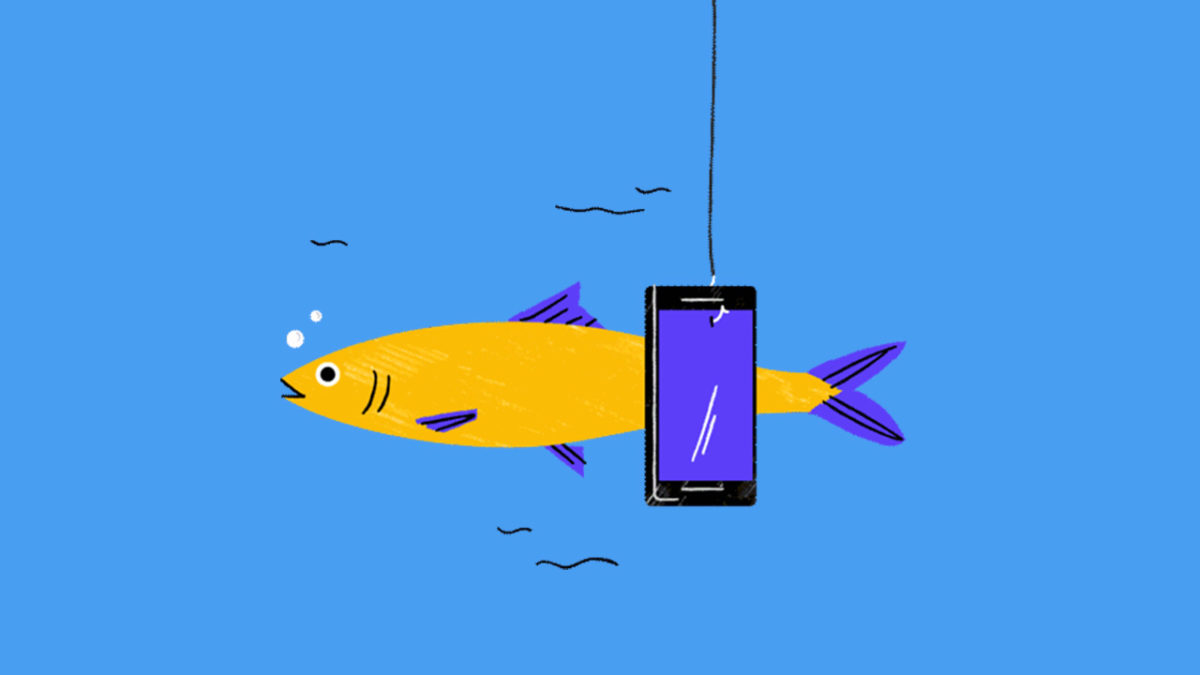
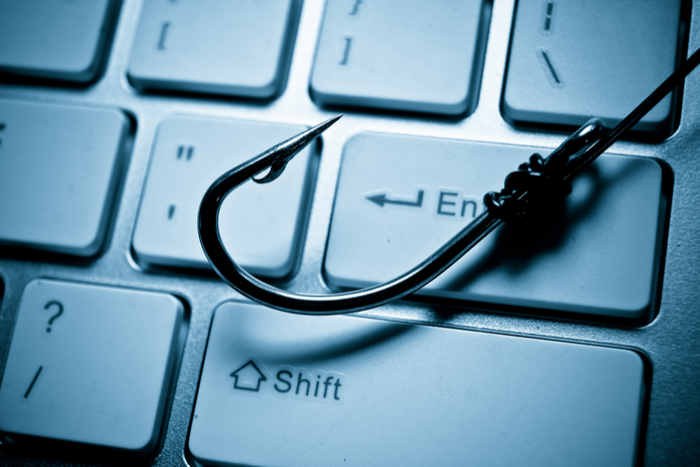
Phishing scams are one of the most prominent ways we can fall victim to cybercrime. Fake websites, emails, and other communications are all presented as legitimate in a bid to see us hand over our personal details including our financial information. Two recent examples include a huge phishing scam relating to Netflix that set alarm bells ringing at the FTC and a rather sophisticated attack that targeted Apple users.

Despite the fact they’ve been around for years, phishing scams are still claiming lots of victims each year, as the two recent examples prove. That’s why Google has been working on a training quiz to help you learn how to spot fake emails and links.

Google Project Jigsaw Phishing test

The key to protecting yourself from phishing attacks is being able to spot when something isn’t right and that is what the new quiz from Google’s Project Jigsaw aims to help you do.

How to avoid phishing scams and emails

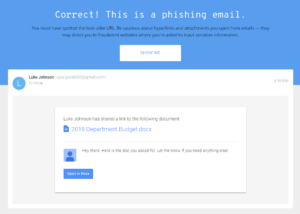
Click here to start Google’s anti-phishing quiz. It starts by asking you to create a false name and email to use throughout the test. This is because you’ll often receive personalized scam emails that will use your own name in a bid to have you lower your defenses. From there you’ll receive eight emails, each containing links and attachments that the text will push you to click and open. It is your job to identify whether the email is legitimate or is a phishing scam.

Throughout the test, you’re pushed to look at the URLs and files attached to the email, as well as who sent it. Once you’ve decided whether the email is legitimate or not, the test will walk you through the reasons why, including floating text boxes over the areas that give the game away, if it is a scam or prove that the message is real. You can’t move on to the next question in the quiz until you’ve gone through the explanation.

This phishing quiz from Google is one of the most difficult security quizzes we’ve come up against. Rather than simply relying on simpler infractions like grammatical errors or dodgy looking graphics, it concentrates on the technical aspects that good scammers can’t avoid. A common issue is the subdomain that scammers have been using more and more as a way of making their URLs look like official URLs. For example, a URL like “https://google.com/amp/tinyurl.com/y7u8ewlr” looks like it is hosted on Google’s domain but if you look closer, you’ll see that it is actually hosted on tinyurl.com

This new quiz is definitely worth your time. Even if you get every question wrong the first time around, just working through it will help you avoid phishing scams in the future. We highly recommend giving it a go. You can try Project Jigsaw’s phishing quiz by clicking here.


773 million emails and 21 million passwords exposed: how to tell if you’re affected

There’s never been a bigger data breach.

massive password and email leak

This is why we can’t have nice things. The internet just got hit with the biggest private data leak we’ve ever seen. So congrats, all you 772,904,991 email addresses and 21,222,975 different passwords. You’re now out in the open.

According to security expert Troy Hunt, a data dump nicknamed “Collection #1” was uploaded to the popular file-sharing site MEGA. (It’s since been taken down, but that doesn’t mean it doesn’t exist elsewhere.)

So how do you know if you’re affected? You can click here to visit Have I Been Pwned to see if your email has been compromised. And if you want to know if your password is out in general circulation, this site will let you know.

For more tips on creating a rock solid password, check out this video:

And be sure to stay with Softonic for any more news about further data breaches!

5 best email automation tools

Ready to take the next step in promoting your brand? Check out these great tools.

email automation

There are a million email automation tools out there. Many smaller operations, freelancers, and individuals scraping together an online presence believe that automation is still the domain of big companies with deep pockets.

But that’s not necessarily true.

Almost all options ranging from MailChimp to GetResponse, as well as some of the lesser-known tools out there, offer plans catering to everyone from the self-employed to the mom-and-pop operation.

So whether you’re trying to build a mailing list or helping past clients remember you down the road, here are some tools that will help you create pro-level campaigns—complete with analytics.

5 best tools for email automation

Why you should automate

There are several reasons you might want to automate your email outreach efforts. For one, you’re looking at sending messages to the right people at the right time.

Another great reason is, you’ll be able to pre-schedule your outgoing messages and focus on other things in the meantime.

While you might think email automation is something offered only to “real companies,” it’s actually something all organizations should consider bringing into the fold.

Taking the time to nurture your leads can set the tone for a better relationship down the line. Without automation, it’s hard to juggle manual follow-ups with your day-to-day operations.

Constant Contact

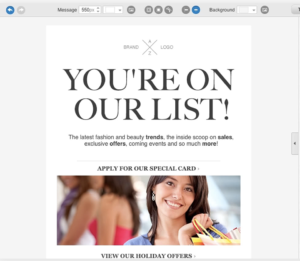
Constant Contact template

Constant Contact is one of the better-known email marketing services in the world. (Hello, they advertise on NPR!) It’s also a super easy to use, affordable marketing service ideal for overwhelmed small businesses.

Like the other tools we’ve mentioned, Constant Contact comes with a simple drag-and-drop approach to design. Users can pick from their 100+ deep template arsenal and customize newsletters accordingly.

What’s more, the automation features are SOLID. Send welcome emails, birthday wishes, and anniversary emails using the tool’s built-in autoresponder. Or, create a series of emails for new subscribers, aimed at keeping your audience engaged throughout. While the entry-level plan only supports 500 contacts at a time, that number makes sense for those just starting out. Ready to give it a shot? They’ve got a free trial.

Drip

drip email automation

Drip is known for its simple email automation builder and tag-based segmentation. Key features include automatic resend buttons, Zapier integration, and a huge collection of templates.

Drip aims to help users get a handle on things like mass emailing, tracking open rates, unsubscribes, and more — and it can scale. So your email marketing efforts can expand along with your business.

We found Drip’s intelligent marketing features set this one apart from the competition. It’s ideal for segmenting groups and creating campaigns, Facebook ads, and more.

The idea is to grow your reach across channels, not just inside the inbox — so e-commerce brands or those trying to grow their online presence can really benefit from this tool.

There are some limitations when it comes to customization options. For example, we found that you can only choose from a selection of preset fonts and sizes. So, those seeking complete control might be a little frustrated here and there.

ConvertKit

ConvertKit reporting

ConvertKit‘s approach is actually pretty cool. It’s a platform that allows you to build landing pages and forms for lead capture — and design email campaigns for customized groups of subscribers.

The founder of this application wanted to design a suite of marketing tools aimed at helping professional bloggers, marketers, and YouTubers grow a larger audience without learning to code or buying a million different platforms.

So while an experienced marketer might find the tool lacks a few features here and there, the idea is, freelancers of all stripes have access to a curated selection of tools that allow them to collect emails and create segmented campaigns.

The visual automation editor allows you to customize the selection of templates and edit the associated messaging. You can create lead magnets like an e-book, webinar, or some other free resource, and do some A/B testing.

That said, if you’re looking for a variety of email templates, this probably isn’t the right tool for you. Founder Nathan Barry is committed to plain text emails—he says they’re less likely to land in the spam folder and promote a more personal message.

GetResponse

getresponse email newsletter

GetResponse has been around forever and is one of the very first email service providers on the scene. The platform comes with hundreds of newsletter templates that you can customize with your own photos and branding.

GetResponse starts at $10 a month for an account with basic automation features — and the ability to send emails to 1,000 subscribers. As you grow your operation, you can always upgrade to the Pro Suite, which will run you $32 per month.

Campaign Monitor

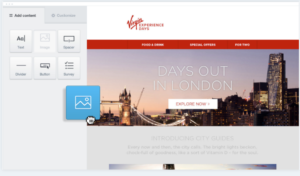
drag and drop campaign monitor

This email marketing tool is a good one for those starting with a smaller email list. As you grow, you might want to look toward something a little more robust. But, the simple interface, easy automation tools, and basic functionalities make this worth a look.

The basic plan is just $9 per month and you’ll get 2,500 emails across campaigns, core email marketing features, and access to the insights analytics suite.

Between the easy campaign set-up and the ability to build a custom list, and track your results, Campaign Monitor is bound to help you level up your marketing strategy.

Is Inbox Zero a goal worth striving for?

Overwhelmed by your emails? Here’s why Inbox Zero might be worth your time.

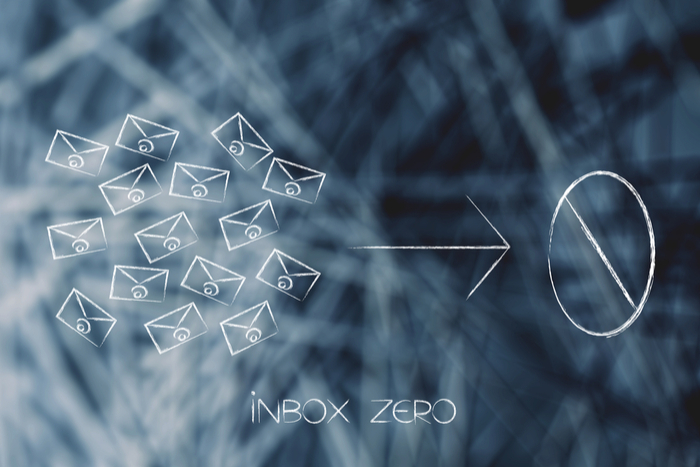
inbox zero

Question: how many emails are in your inbox as we speak?

If the number is deep in the thousands or tens of thousands, you’re not alone.

And, as you’re likely well aware, email has become the bane of our collective, modern existence. Even the type-As among us lose hours sorting through an endless heap of newsletters, urgent requests, and passive-aggressive ccs.

But is Inbox Zero the answer to our inbox woes?

The concept has been around for long enough that most people have heard of the term. However, we’re not so sure it’s the best way to boost productivity. In fact, many workers see the term as a battle against unread emails. And that’s not quite the point.

Here’s a little more about Inbox Zero, as well as some tips for getting your personal mailbox closer to your ideal number.

What is Inbox Zero?

Inbox Zero, defined
email

A concept that’s been floating around for at least a decade, the term refers to the method of responding to and discarding or filing all emails. It’s an ongoing effort, but the idea is, once you’ve done the initial setup and clean out, your inbox is forever easy to maintain.

The idea is, a cluttered inbox has the same impact on your productivity as a crowded desk or a messy office. As such—emails need to be addressed like action items—delete what’s not important, delegate, respond, complete a task, or defer action to a colleague.

Anyway, the idea was coined by Merlin Mann—the blogger behind 43 Folders. And the concept was more about spending less time on email in general, not obsessively dealing with each message. According to Mann, people took the term literally and ran with it.

If you want to lose an hour to something other than email, here’s Mann’s famous 2007 TED Talk.

The goal should be managing inbox anxiety

A study from back in 2012 found that around 70% of work emails were dealt with within six seconds of their arrival. Granted, the digital landscape has changed a bit since then—but email overload remains a problem today.

Now, some of us can ignore email, no problem. The Atlantic wrote about this a few years back.

There are the people who don’t mind the little number of unread messages growing by the day. Others can’t stand the sight, immediately feeling antsy as notifications pass through.

That said, both types cited in the article likely deal with some inbox-related stress. See, on one end, you have avoidant behavior. At the other, you’re looking at email addiction.

Simple ways to reduce stress

Uninstall any desktop or mobile push notifications

You don’t need to see every incoming message, you’ll just as easily be able to open the app or access your email from your desktop, but there’s no looming dread that comes with seeing an email when you’re working on something else or trying to relax. Trust us, your mental health will thank you.

Stop checking your email so much

checking email

The average worker spends up to 6.3 hours a day dealing with email, which honestly, is insane. Instead, try dividing your email checking into three or four shorter sessions.

Develop a system that works for you

Inbox Zero serves two main purposes. First, you’ll need to make an immediate decision on every email that passes through the inbox.

This means, each time you log in, you need to respond, delete, forward, or file each missive. The idea is noble, but, it’s difficult to apply this rule to every situation.

The second part of the philosophy is, when you make decisions about each email, you’ll manage that seemingly endless flow of messages.

Now, that second part is most important. Cleaning house will allow you to feel like you have some digital breathing room. However, how you get there doesn’t matter quite so much.

Look, Inbox Zero isn’t the point. Rather, the goal should focus on becoming more effective in managing both your time and your email.

Unsubscribe

Between the newsletters you don’t need, irrelevant industry publications, and sales alerts there’s a lot of junk mail clogging the system. Be selective about who gets your email and unsubscribe like crazy.

Try Unroll.me to consolidate the email subscriptions and newsletters you like. They’ll send you one daily digest allowing you to scan promotions and updates fast.

If you follow a lot of blogs or news sites, though, you may want to use an RSS reader instead.

If making a quick decision about every email isn’t possible, reschedule them. Snooze emails in Gmail, or use the Boomerang app. Both options allow your email to reappear later, getting them out of the way in the short-term so you can focus on other things.

Delete the irrelevant stuff

Emails that are old or contain information you have elsewhere can get tossed. You can set your inbox to dispose of these items after a certain point, if you’d like.

And, before you protest with a “what if I delete something important?” we’ll just say this: anything super urgent will come with a phone call or a follow-up email. It’s fine.

Develop a filing system

Email is great for the reason that, when organized properly, you have a searchable database of all of your interactions.

With so many communications coming in and out of our inboxes and elsewhere, an organized inbox functions as this amazing tool. Email doubles as a record-keeping system that comes in handy any time you need to recall some tiny detail.

Some people benefit from setting up filters and folders in their email program that allow you to quickly identify what items are important. That said, don’t make it too complicated. More labels than you can remember is a recipe for trouble.

In sum

In the end, if you think Inbox Zero works for you, give it a go. While the system isn’t perfect, it’s been successful enough to catch on with a wide audience—and has significant staying power.

But keep track of how long you’re spending trying to clear the inbox. If you’re still losing hours, it’s time to fix the system. That said, a combination of unsubscribing, filing, and marking important items can help you keep numbers low and that home base feeling clean.