
4 best apps for hiking

Ready to hit the trail? Add these great apps to your phone first!

Jump!

Although gyms are nice, nothing beats the fresh air and adventure of going on a hike. 

We may not go hiking too often because we say it’s difficult to find trails. The more reasonable explanation could be general laziness. But you know what makes it easier to be a lazy hiker?

Not knowing how to find trails!

Luckily, there are apps to help you find the best trails so you can get back out and enjoy nature!

Best apps for hiking

AllTrails

AllTrails sounds like Odin’s title “AllFather,” likely because it’s a god amongst hiking apps. (Boom, Avengers reference in a hiking app article. Nowhere is safe from the MCU!)

But seriously, this app has the best aspects of a professionally developed system. It looks good, it’s easy to use, and it compiles a large number of tools without feeling cluttered or unintuitive.

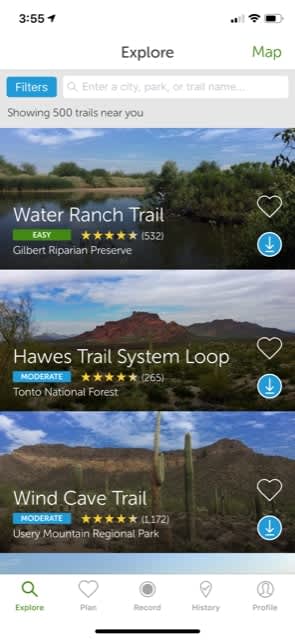
When you open the app, sign-in isn’t required immediately. AllTrails lives up to its ratings by taking you first to the hikes, based off either your current location or whatever search parameters are entered.
Locations

You can check out the ratings, discover the location, and, if you’re logged in, “favorite” a trail for later visits.

Along the bottom of the app, you can see more menu locations:

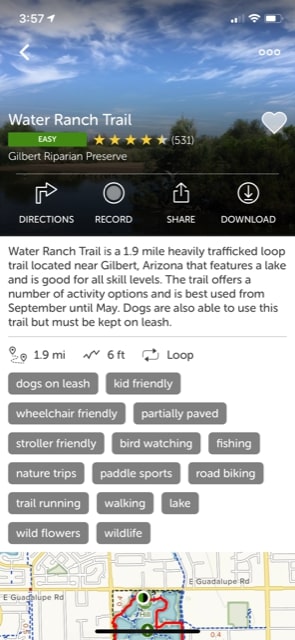
  • Plan: Once AllTrails helps you discover a new place to visit nature, they immediately give you help in setting up a trip, and a route along the trail. They list a number of aspects, the length, and whether it’s a loop, along with more information that may be useful.
Info

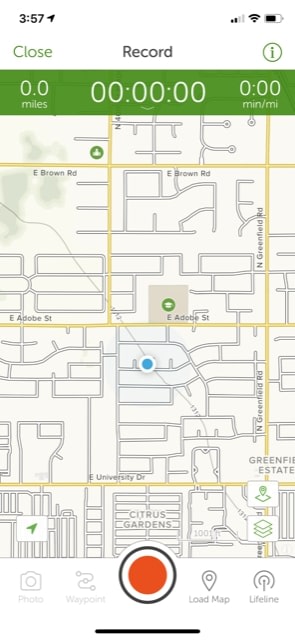
  • Record: This function will come up time and time again! Not only are recordings a great way to track your progress and see where you’ve been, but they’re also excellent tools for professional and hobbyist “trail runners.” Those are people that compete to set record times for a given hike, for you newbies.
Record

  • History and Profile: Here, you can watch your old recordings, track your stats, check out your past reviews, look at followers, and change settings. It’s pretty much what you’d expect.
AllTrails Download now ►
9

Gaia GPS

GaiaGPS

Gaia GPS also helps users find trails, with a few extra things that set it apart from other apps.

First off, staying true to their Global Positioning System roots, Gaia immediately shows exactly where you are on a world map. It shows your current elevation, speed, direction, and more.
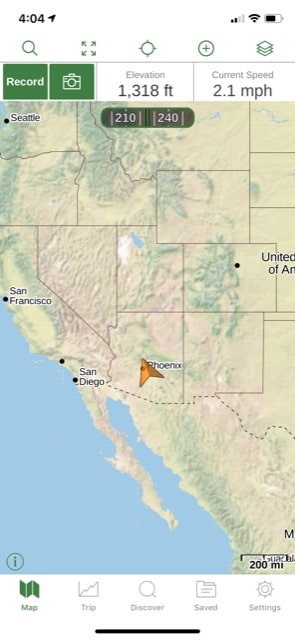
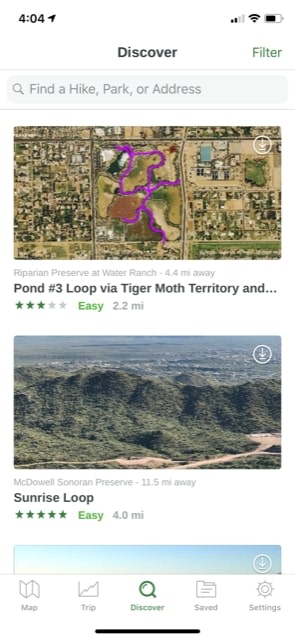
Gaia1So, if you were looking for trails to hike nearby, head to the center menu button, “Discover.” Here, you can find all the information you’re looking for and save the best hikes.
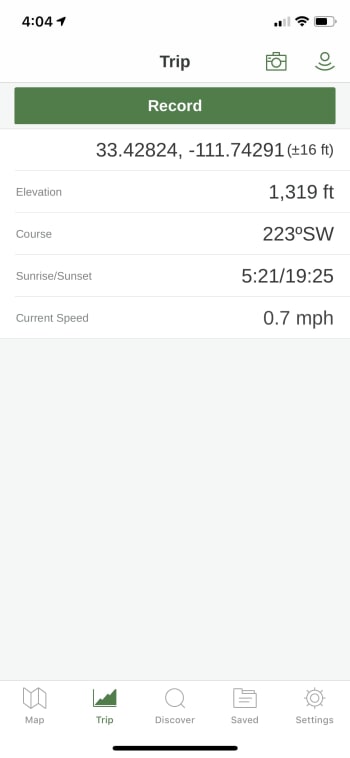
Gaia 2Finally, we’ll also mention the “Trip” function, which allows you to record your journey. This feature also gives you the ability to check elevation, speed, the time of sunrise and sunset, and more.
Gaia3

Pretty cool, right? We didn’t even realize Mesa, Arizona’s elevation was around 1,319 ft. You learn something new every day!

Gaia GPS Download now ►
8

Strava

Strava

While AllTrails and Gaia GPS focus on bringing you the best trails, Strava represents the first of our “health and wellness” hiking apps. They specifically focus on ensuring a healthy workout and provide an environment for relationships with other hikers.

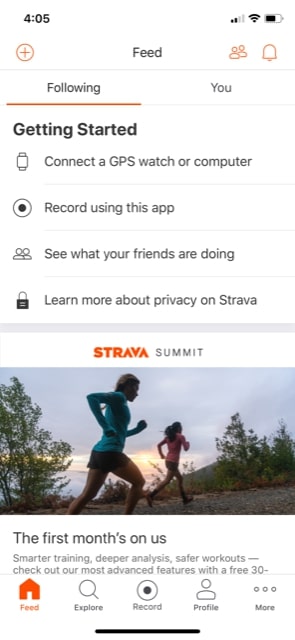
So, what does this app have that’s noteworthy? First and most importantly, the main page is a “Feed,” which will reveal information from your friends and followers, along with your own updates. At this time, we don’t have any connections, so ours looked a little bare:
Strava2

The “Explore” menu on their page has a huge list of challenges! If you’re interested in competing or simply want to join a fun competition, go here and see what’s new.
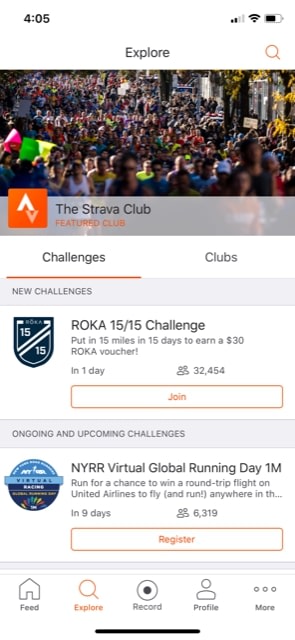
Strava1

Finally, we feel the need to mention that Strava has impressive health-tracking tools, but many of them require the “Training Pack,” part of their subscription. Keep that in mind.

8

MapMyHike

MMH

And now, Map My Hike by Under Armour!

This app has the plainest and simple user-interface. Like Strava, it begins with a feed page. However, you aren’t limited to friends or your own posts, which means you can enjoy voyages anyone has taken!
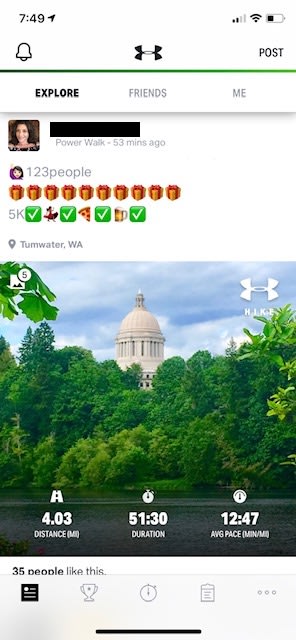
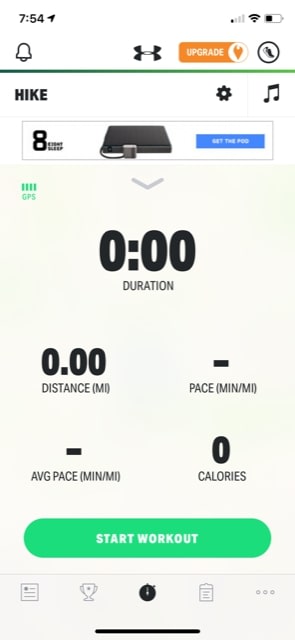
MMH1Aside from the social aspect, MMH’s main focus lies in their tracking app. In the beginning, you’ll see something like the picture below. There are pretty intrusive ads, but those can be removed with a subscription.
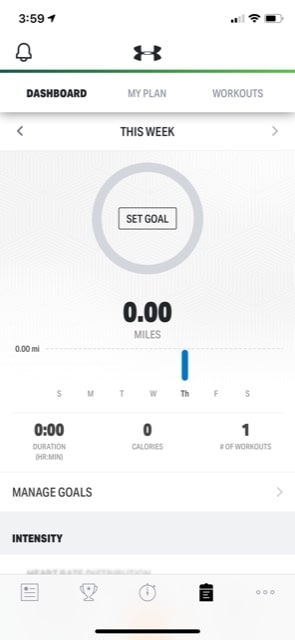
MMH2Once you’ve recorded your first adventure, you can head over to the tracking page. Once again, we appreciate that Map My Hike allows you a bit more freedom here; there are good metrics available without a subscription.
MMH3

Ah, good old zero-mile workouts.

We would recommend Map My Hike in conjunction with one of the better trail discovery apps. However, there is a way to find hikes. Visit the “Settings” menu, and scroll down to “Routes.” Here, you can find user-created paths that may or may not follow an actual trail!
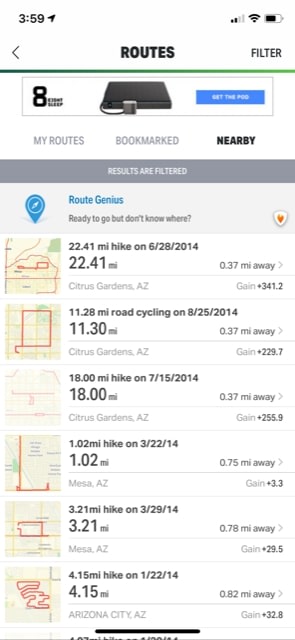
MMH4?!Still, these are definitely more like routes than trails. Does this make Map My Hike more of a path app than a trail app? Maybe. But if it does, we don’t mind too much. If you live in the city and don’t have time to get out in nature, there may be some excellent urban trails found here!

Map My Hike Download now ►
8

The journey of 1,000 miles…

We hope you enjoyed reading about these apps. Whether you’re outside more than inside or are currently one of our fellow couch potatoes looking to leave the house more often, these apps create a welcome sense of adventure along with the spirit of ease and sensibility.

Have a good time with it!
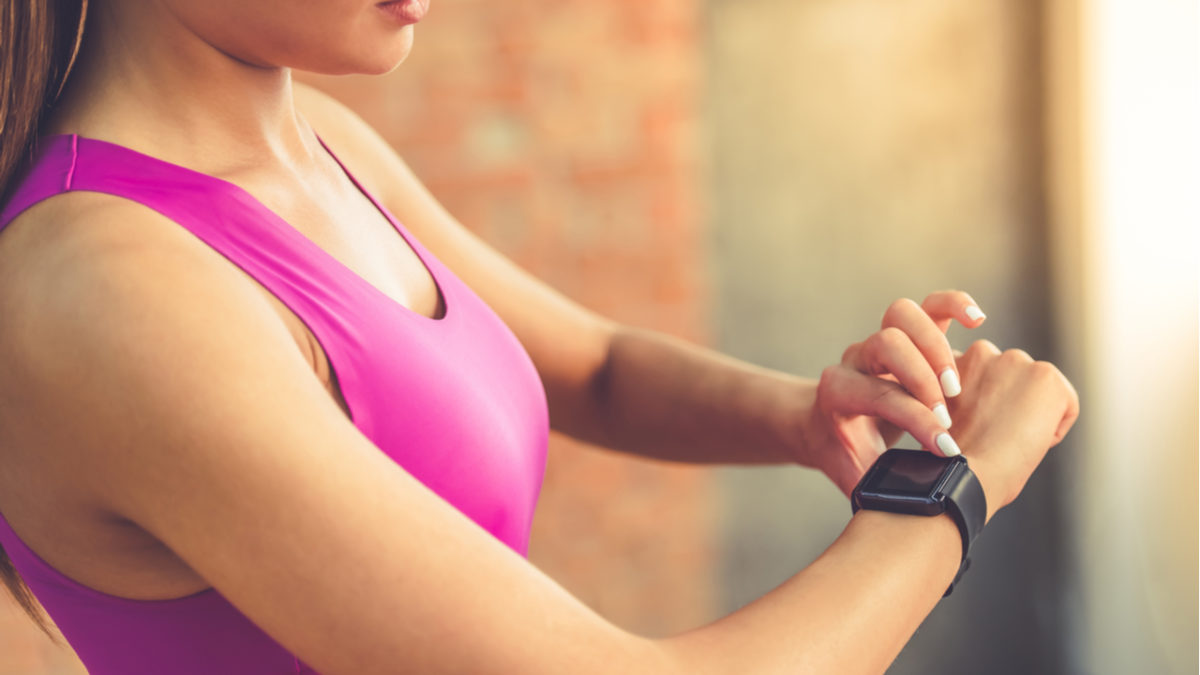
Do fitness trackers really work?

Evidence shows that for some individuals, exercising peripherals can help shed extra weight.

Checking FitbitBetween  fitness apps and the Fitbits, sometimes we still don’t see the results we want.


According to sociologist Deborah Lupton, there are something like 160,000 tracking apps circulating the various app stores. These apps cover the full spectrum of personal improvement tools. Apps like RunKeeper, Google Fit, and Apple Health promise a “knowledge is power” approach to managing our health stats.

While it seems like this personal quantification stuff is a trend we’ve been witnessing over the past few years, it’s definitely not new. What we were curious about was whether people stuck with their tracking efforts long term.

And if so, does tracking yield any positive results?

We’ve been documenting ourselves since the dawn of time

Personal observations are super old. People have long been documenting their activities from bodily functions and what they ate to efforts at fitness. This 2010 NYT piece looked at a few people who kept detailed accounts of their lives. While some devices were on the scene in 2010, the process was largely analog.

These days, the connection between data and the body is something the masses can tap into. Where we used to only have analog observations to rely on, we now get to play scientist with state-of-the-art tools.

There are always going to be people obsessed with their stats, but it seems unsustainable for most of us to track, optimize, and monitor ourselves.

The Quantified Self — is knowledge driving self-improvement?

People doing situpsThe Quantified Self movement believes that numbers bring a sense of logic to the table. These numbers underscore the emotions tied to our mistakes and other shortcomings. Fitness trackers give us a sense of accomplishment by sheer virtue of putting them on.

The data available so far doesn’t quite present a clear-cut solution as far as whether obsessive tracking pays off long term.

A 2015 study published by the American Journal of Public Medicine gave pedometers to one group of overweight women and fitness trackers to another. The women who used the trackers increased their activity by an average of 38 minutes a week. 

The pedometer group did not increase their fitness levels at all. So, here, we’re looking at two tools that essentially do the same thing. One cheers you on and sends little motivational alerts when you meet a goal, while the other just counts your steps.

Another study from the Journal of the American Medical Association found that obese people who wore fitness trackers lost less weight over two years. Those who made an effort to eat healthily and exercise without the technology actually fared better.

One problem is inaccurate reporting. Devices are good at tracking steps, but anything more strenuous than walking is hard to quantify. So, looking into the data you collect yourself could present a warped perception of your overall fitness levels.

The JAMA participants might have looked at an app that told them they burned 800 calories when in reality, that number was closer to 400. These skewed numbers can make you think you need to eat more and consequently gain weight.

What’s the point?

Well, okay. Maybe it’s a dumb question. The promise of tracking our bodies presents a means of gaining control over our mortality, our success, our appearance, and how we feel. Which, of course, sounds great.

But, we wonder, how many people know what to do with their “personal analytics?” If you’re considering a fitness tracker, it’s worth asking yourself a few questions.

  • What do you hope to learn?
  • What motivates you?
  • Do you plan on changing habits?

Admittedly, people are drowning in a data deluge. If you’re tracking sleep patterns, calories, steps, and workouts — what are you measuring, specifically?

Fitbit or not, old habits die hard

Lazy guy lounging

Are people using these new insights to improve in any way, or is it just fun to reap those digital rewards?

That’s hard to answer. Many people adopt these new tools in a sincere effort to change. For example, they might download an app like Sleep Cycle to monitor their habits and develop a routine, but the shine wears off quickly.

A report published by the Associated Press found that fitness tracker owners abandon their devices after a few months of use. They say monotony is the reason for abandoning ship, which makes sense.

Users collect all this data, amassing this big, unwieldy set. It’s like tracking a marketing campaign without first setting any goals.

That’s not to say these tools can’t be helpful. However, like watching fitness videos instead of hitting the gym, you need to commit to the routine for a sustained period in order to see results.

Ultimately, JAMA declared fitness trackers “facilitators, not drivers” of behavior change. People get excited about these tools but rarely do they bridge the gap between knowledge and lasting change.

Complete guide to self-improvement

Get smarter, healthier, more productive, and more in shape with our complete guide to self-improvement.

Ever wonder what the difference is between the people who reach their goals and those who merely dream? Those who hit their targets prepared themselves to do so. Here at Softonic, we’re focused on bringing you the best advice and digital tools to achieve any goal. Take a look at the stories we’ve assembled and consider how they can help you start building your tomorrow today!

Improve your mind

learning

Reaching your potential

Mental health

self esteem

Learning

learning

Staying balanced

meditation

Improve your body

exercise

Exercise

Food

vegetables

As we continue publishing articles to make your life better, we’ll add them to this page, so be sure to bookmark it and check back whenever you need a boost.

5 habit tracking apps that’ll help you keep those resolutions

Given up on your New Year’s resolutions? Here are 5 apps to get you back on track.

Whether you’re a January 1st resolution maker or you simply want to identify some patterns about yourself — an app might be a tool that can help you understand your habits and learn to leverage them for success.

The problem is, sticking to our resolutions is easier said than done. Reportedly, only 40% of Americans who made a resolution stuck with it for more than six months.

Here is a look at the top apps for making—and keeping—the habits that make you a better person.

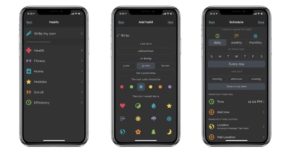
5 best apps to create good habits

running

Habitica

Habitica app

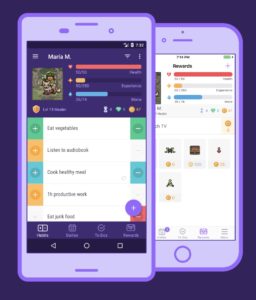
Habitica shines in the sense that it aims to make habit creation a game. The app takes something of an RPG video gaming approach — which makes it feel like you’re leveling yourself up with every task you complete. If you fall short of expectations, your avatar loses health.

While this won’t help you become a more powerful mage or stealthy assassin, the idea is pretty neat. Available for Android and iOS.

8

HabitBull

Habitbull interface

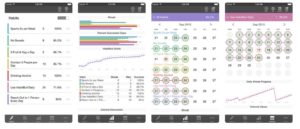
Strangely enough, HabitBull is based on Jerry Seinfeld’s method for building new habits. If you’re a Seinfeld fan, maybe you’ve heard of this, but the general idea is, you complete a task every day and you form a streak — Seinfeld marks each day off of the calendar. After performing a task day after day, you’ll start to get attached to that streak and will work hard not to break it.

Not only does HabitBull keep tabs on your streaks, but it also comes with several data recording features, aimed at giving you the most detailed information possible about how you’re progressing.

Integrations add an extra layer of functionality to the mix — the app connects with Google Fit, Apple Health, and your calendar. It also creates graphs and offers access to a ton of data. We could see this app being a bit overwhelming for someone who just wants to remember to exercise more often. Available for Android and iOS.

HabitBull Habit Tracker Download Free ►
7

Habitshare

Habitshare social app

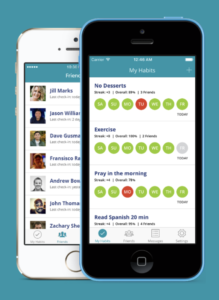
Habitshare operates on the social pressure/group motivation philosophy. If not breaking the chain or treating yourself like a game character doesn’t motivate you — the social networking aspect employed in this app might make a difference.

We could see this app being especially appealing to those who like to keep things organized. The interface is clean, easy to read, and it allows you to schedule reminders. The social aspect isn’t mandatory, so if you prefer to keep all or some of your activity private, no problem. That said, the main selling point here is the motivation and accountability that sharing with friends can offer. Available for Android and iOS.

HabitShare - Habit Tracker Download Free ►
8

Streaks

Streaks habit app

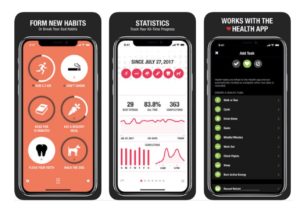
Streaks and its signature bright orange interface are a joy to interact with. How it works is, users can choose up to 12 habits to track. Each time you complete one of these tasks, a streak is extended — and, if you break the chain, your streak resets to zero days.

The app integrates with the iOS Health app, which allows Streaks to automatically track goals like walking X amount of steps, going for a run, and so on. Additionally, the app lets you track habits that you don’t do every day — set it up so you can remember to go to the gym four times a week or pay your water bill. Available for iOS.

7

Productive

Productive habit tracking

Productive is a robust blend of reporting features, reminders, and usability. It’s similar to Streaks and Habitbull, in that your calendar keeps track of your habit streaks. What we like most about Productive is, the app is delightful to look at.

The app syncs up with the Apple Watch and Siri Shortcuts but isn’t compatible with other devices or applications. That lack of integrations may be a mark against Productive for some prospective users, but it’s still got a good mix of general features. Plus, the Siri shortcuts are pretty cool—you can set up trigger phrases for marking habit tasks off your to-do list.

One thing that would make the app all the more useful is if it connected with your Mac, just like your Notes, Tasks, and Calendar. Available for iOS.

Productive habits & daily goals tracker Download Free ►
7

What to know about habit tracking

The above apps are all highly rated, well-designed choices, but sticking to new habits requires commitment, motivation, and finding a system that works for you.

Some people are motivated by social pressure, while others like to track their improvement over time. Chances are, the app won’t make you a better person, but it might be just the thing you need to get going on that new gym habit — or even just remembering to drink water.

Your company could buy you a Fitbit Inspire

Fitbit has a device only for sale to companies for their employees.

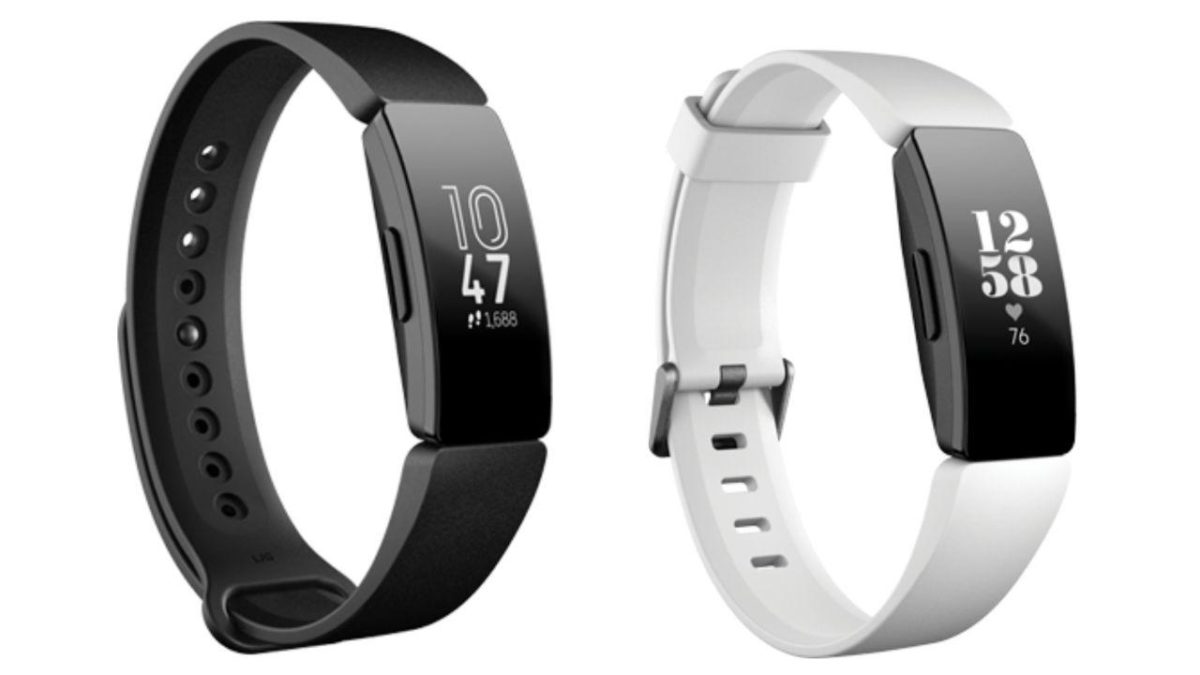
You may have heard that Fitbit just released a new line of activity trackers – but you probably haven’t. That’s because you can’t actually buy the new Fitbit Inspire. Rather, the product is aimed at businesses and insurance companies so they can be given to their members in bulk. So the only way you’d get one is through your boss at work, or through your health insurance.

What is Fitbit Inspire?

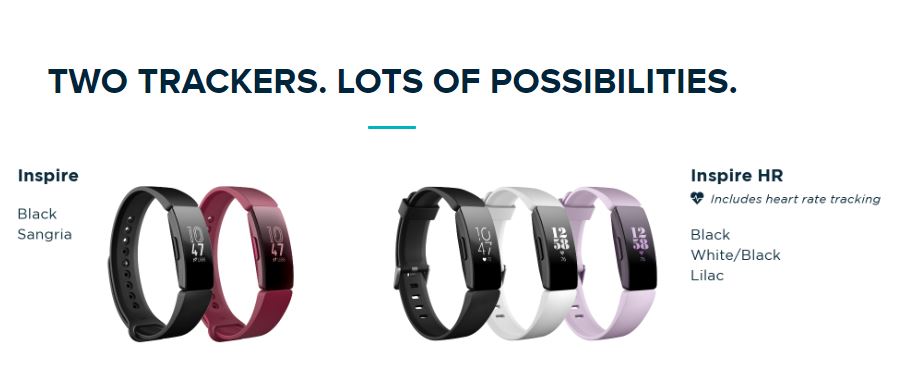
Fitbit Inspire bracelet colors
Inspire comes with two colors, HR comes with three.

Considering their market demographic, it probably comes as no surprise that the Inspire is Fitbit’s cheapest model yet, with their price varying from company to company. Like other Fitbit products, Inspire is a health tracker that motivates you to reach your health and fitness goals by monitoring your activity, exercise, sleep, weight and more. Inspire is unique in that it’s available exclusively through Fitbit corporate via Fitbit Health Solutions.

What does the Fitbit Inspire do?

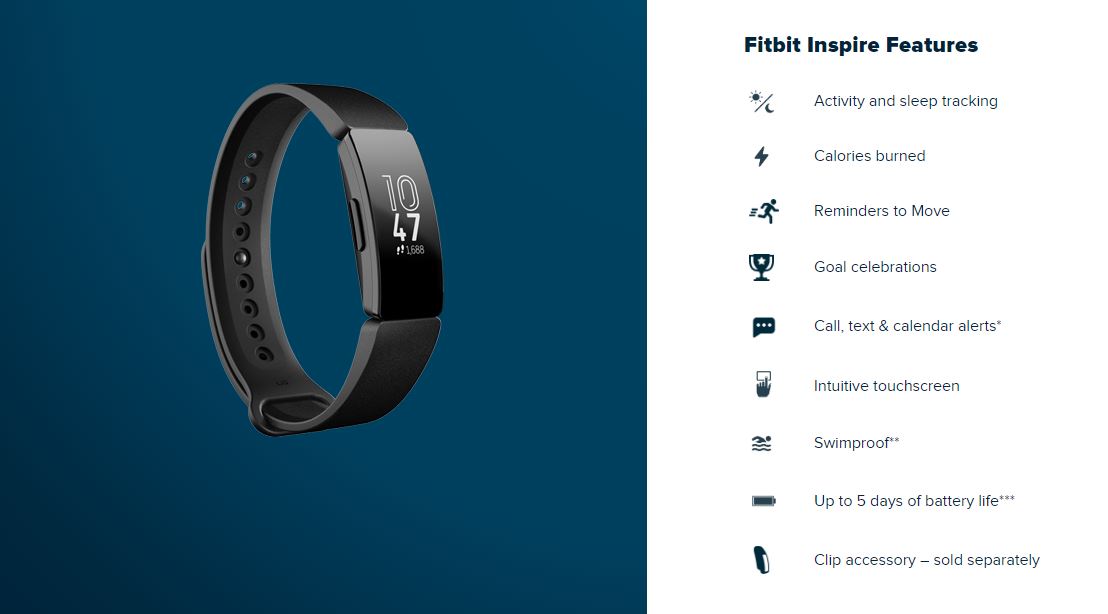
Fitbit Inspire Features
Fitbit Inspire is more attractive to budgeting companies than to its consumers

The Fitbit Inspire does exactly what you’d expect a Fitbit to do, and nothing more. Keep in mind that the Inspire is meant to be bulk distributed, so there’s a reason it’s a little lacking in frills and features. That said, you can’t deny that this is a cool device: Calendar alerts, calls, texts, activity and sleep tracking, and the famous ‘calories burned’ notification that puts a smile on your face while you’re going for a walk. You can also set the Inspire to ‘inspire’ you to get up and move at set intervals, and congratulates you for meeting your goals.

The Fitbit Inspire HR has extra features

The HR model adds a little extra to the Fitbit Inspire package with enhanced tracking and goal-setting. It syncs with your phone’s GPS and takes the calorie burn monitor to a new level with 24/7 heart rate tracking and more specific sleep stage tracking. The HR also comes with over 15 goal-based exercise modes to choose between when you’re setting your new regimen.

The basic version of the Fitbit Inspire is reliable and useful, but lacks a few of the bells and whistles of the HR. Both are solid choices for a company however, with lightweight, comfortable silicone bands and incredible battery life – up to five days! Both use similar touchscreens as well, and both are completely waterproof for those of us who like to swim for exercise.

Fitbit is waterproof
The new Fitbit Inspire is waterproof, making it a great device for tracking water sports.

All in all, the Fitbit Inspire is a nifty gadget with a handful of new features, but it’s not a high-end one-stop fix like the Apple Watch. In a way, this is for the best, though; it’s necessary for there to be a low-cost variation made available to the more general public so that it’s not just the more elitist or health-obsessed who are getting their hands these devices. Do you think that being more accessible to a wide crowd will make this more ubiquitous and successful than the Apple Watch?

Let us know in the comments below, and stay healthy!

5 great apps for tracking your exercise

Ready to get fit? These apps will help you drop weight and add muscle.

Regular exercise is an integral part of a healthy lifestyle. There’s just no way around it: If you want to look and feel your best, you’ve got to work out.

Already committed to gym life, but just looking for a good routine-planning app? Wish you could get killer gains without leaving your living room? Just starting out and don’t want to feel intimidated by all the gym jargon? There’s an app for all of that. In fact, there are lots of them. Here are a few of the very best exercise-tracking apps out there.

5 great apps for tracking your exercise

Fitbod Workout Log Download Free ►
8
FitBod is a great all-around fitness tracker and accountability buddy. Log your workouts and get personalized suggestions to help you maximize your next trip to the gym. FitBod has an impressive library of exercises to help keep your routine from getting stale. You can also track your progress and share your achievements with the community. Bonus: If you have a Strava (running and cycling tracking) account, you can connect it to your FitBod account.
GymBook - Strength training Download Free ►
7
GymBook is all about helping you become your fittest self. Log and analyze your workouts to see where you need to step it up, and then create your own customized workouts. GymBook creates a handy line graph to help you track your progress and lets you add notes to your workout logs. There are tons of exercises in the database, and you can group them however you want. If you’re serious about customizing your workout, GymBook even lets you create your own exercise moves.
Freeletics Download free ►
8
If you’re looking for something a bit more intense, Freeletics is here for you — and it is not messing around. No gym, no equipment, no excuses. All the exercises on the app use your own body weight for resistance, eliminating the unnecessary and maximizing your results. A personal coach will analyze the details of your workouts and design short, intensive workout sessions just for you. Connect with other users to compare results and stay motivated.
Runtastic Download Free ►
7
There are plenty of running apps out there, but Runtastic is a user favorite. Runtastic tracks your running progress in real time (and place). At the end, you’ll get a readout of the area you covered. Plus, see your average speed and plenty of other cool and helpful metrics to help you analyze everything about your workout. There are lots of ways you can customize the way Runtastic works, like having it keep track of how far you’ve run in a particular pair of shoes or comparing your stats across time. You'll also get a personalized voice coach feature to keep you on track.
JEFIT Workout Planner Gym Log Download free ►
7
Jefit has a clean, user-friendly fitness tracking platform. Track your results and get data readouts in every form — whether line graphs are your thing or you’re more into pie charts. Choose from a vast number of exercises in Jefit’s database, complete with illustrations and videos. Use them to tailor workout programs based on your goals and your progress. Jefit also offers access to a huge community of fellow fitness enthusiasts in case you’re ever looking for advice or encouragement, or you just want to show off the rock-hard abs you’ve been cultivating.