You can ignore certain applications or areas of the screen, and only record one screen regardless of your settings.
We’ve all been there: you remember reading or seeing something on your PC, but all attempts to find it again are useless. Repeating previous searches doesn’t work, and the browser history is also useless.
You’re not sure where you saw that conversation, that photo or that song on your computer and in the end you start wondering if you just imagined it.
In one of the first episodes of Black Mirror, titled “The Entire History of You”, the technology of “grains” allows people to record and replay their memories on demand.
This episode, along with the Rewind app on macOS and FOMO (fear of missing out), has led a developer to create a new open-source application.
Windrecorder, the “personal memory finder”, records everything you see and do on your screen and allows you to rewind and search through it.
The application uses FFmpeg to record screen activity in 15-minute fragments and then indexes them using a local Windows OCR API and image embedding.
You can ignore certain applications or areas of the screen, and only record one screen regardless of your settings, although support for multiple monitors is planned.
The application allows you to view daily and periodic screen times, as well as circadian summaries, and can generate monthly light boxes.
You have to take into account some disadvantages: FFmpeg can occasionally consume a large amount of memory, and instant rewind is not an option. You have to wait for each 15-minute video fragment to finish recording before you can rewind it.
The recording is not encrypted, but if you are concerned about what you do on your computer being leaked to the Internet, the good news is that everything is managed locally, nothing is uploaded to the cloud. There is also no support for AI/ML, although it is a possibility for the future.
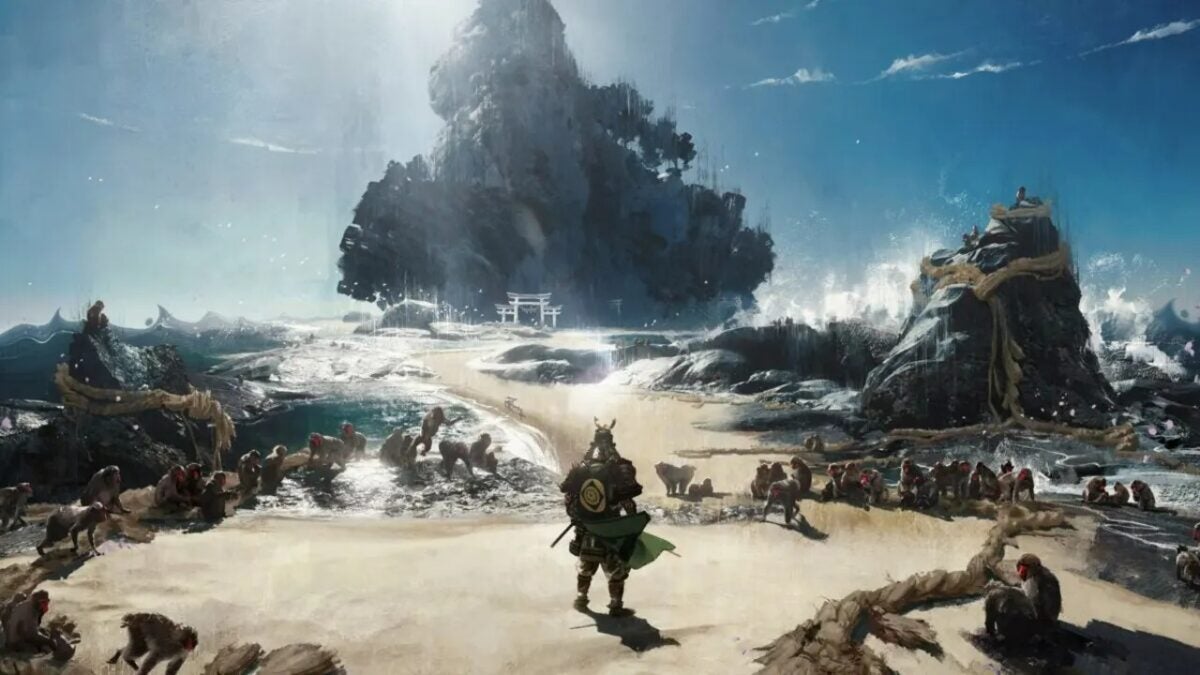
Ghost of Tsushima has received a new patch to make the PC and PlayStation 5 versions compatible, which has resulted in a serious error.
In programming, there is always room for error. No matter how solid a code is, there is always the possibility of a bug. Things may not go as expected. It is normal and even happens in the most solid video games. It is inevitable that something does not turn out as we intend. But fortunately, sometimes things have a much simpler solution than it seems.
The big news of the latest patch for Ghost of Tsushima, version 2.19, is the addition of cross-platform play. Although the game is currently only available on PlayStation 4 and PlayStation 5, this doesn’t come as a surprise: it will be released for PC in just two weeks. On May 16th. But unfortunately, this patch has not arrived without its own problems.
As players of Ghost of Tsushima have made known on Sony platforms, the game has become practically unplayable due to the patch. With constant slowdowns, flickering images, and all sorts of issues, the game is now practically broken.
Fortunately, the people at Sucker Punch, the game developers, have quickly discovered where the problem was and found a simple solution. The problem was due to an error in the engine that was causing the game to not work properly. To fix it, there was no need to update the game: only those who were affected by it had to restart the game and their console and start them again.
Given that the game will be released in the coming days on PC, the fact that they have been able to locate and solve the error in such a fast and effective way is a testament to their good work. In the past, Sony game ports to PC have either been great successes or great failures in technical terms, with no middle ground. And this efficient resolution gives us confidence that this port could fall into the company’s great successes.
Some of the links added in the article are part of affiliate campaigns and may represent benefits for Softonic.
As reported by IDC consulting firm, it seems that the global PC market is once again reaching levels similar to those before the coronavirus pandemic. In other words, the mentioned market has experienced growth during the first quarter of this 2024, which is undoubtedly great news for the sector.
The mentioned analyst company has indicated that global shipments have grown by 1.5% during the first three months of 2024, which means that 59.8 million shipments have been made. The most striking thing about this news is that, after several years without experiencing growth, the computer market is growing again and approaching pre-pandemic figures. Specifically, during the first quarter of 2019, this sector shipped 60.5 million units.
The global PC market grows after several years without doing so
As you can see, the increase in shipments is more than remarkable and it makes the PC market return to more optimal levels. This news has a greater impact if we review the figures for the same period last year, since in the first quarter of 2023 it fell by 28.7%, which was the lowest point in the history of the mentioned sector. The growth of the market during the first months of the year is something that has had a great effect in regions such as America or EMEA (Europe, Middle East and Africa), while in China it seems that there is a weak demand that is harming the desktop computer segment.
Furthermore, Jitesh Ubrani, research director at IDC, stated the following: “Despite the challenges in China, recovery is expected to continue in 2024 as new AI-powered PCs hit the shelves later this year and commercial buyers start to upgrade the PCs they purchased during the pandemic. Along with the growth in shipments, AI-powered PCs are also expected to have higher prices, which will provide more opportunities for PC and component manufacturers.”
Before finishing, IDC also provided additional data, such as the one that reflects which original equipment manufacturer has achieved better results during this market growth. In first position, we find Lenovo, a company that has a market share of 23%, followed by HP with a market share of 20.1%. In addition, Dell is also in third place, with a market share of 15.5%, and Apple in fourth place, with a share of 6.1%.
Palworld receives a patch for PC and Xbox to prevent issues such as being unable to load your game, among other less clearly significant but appreciated changes.
Despite being an undeniable success, Palworld is in early access. That means it’s not finished. There are still many things to polish, fix, and work on. That’s why its developer, Pocket Pair, has released a new patch that fixes a series of errors that players had been experiencing since the game’s release.
Some of the errors that this patch fixes will only be noticed by the most avid players. For example, the corruption of saved games if we capture more than 7000 pals. Others are more common. Like pals getting stuck in walls when using charged attacks. Or the possibility of other players capturing our pal when they have 30% health or less. In addition to the classic crashes that should now occur less frequently.
In addition to this, they have made some small changes that should make the gaming experience more friendly. For example, now when we reach the weight limit, we will move extremely slowly instead of being completely unable to move. And the camera position has been changed when riding certain poles to make it easier to move while doing so.
While there are many other changes in this patch, which you can read here, these are the most important ones. This patch is already available on both Xbox and PC versions and it is expected that more will be coming in the following weeks as they continue to progress in the game’s development. Even though we are still waiting for a detailed roadmap, we hope it arrives sooner rather than later.
With AMD struggling to keep up and Intel still in the early days of their dedicated GPU business, Nvidia cards have been the preferred choice for many gamers since the RTX 4000 family was launched in late 2022.
Now is the time to renew them and, of course, the new Nvidia cards are even more powerful and cheaper at launch than their original counterparts.
Welcome to the family, RTX 40 Super
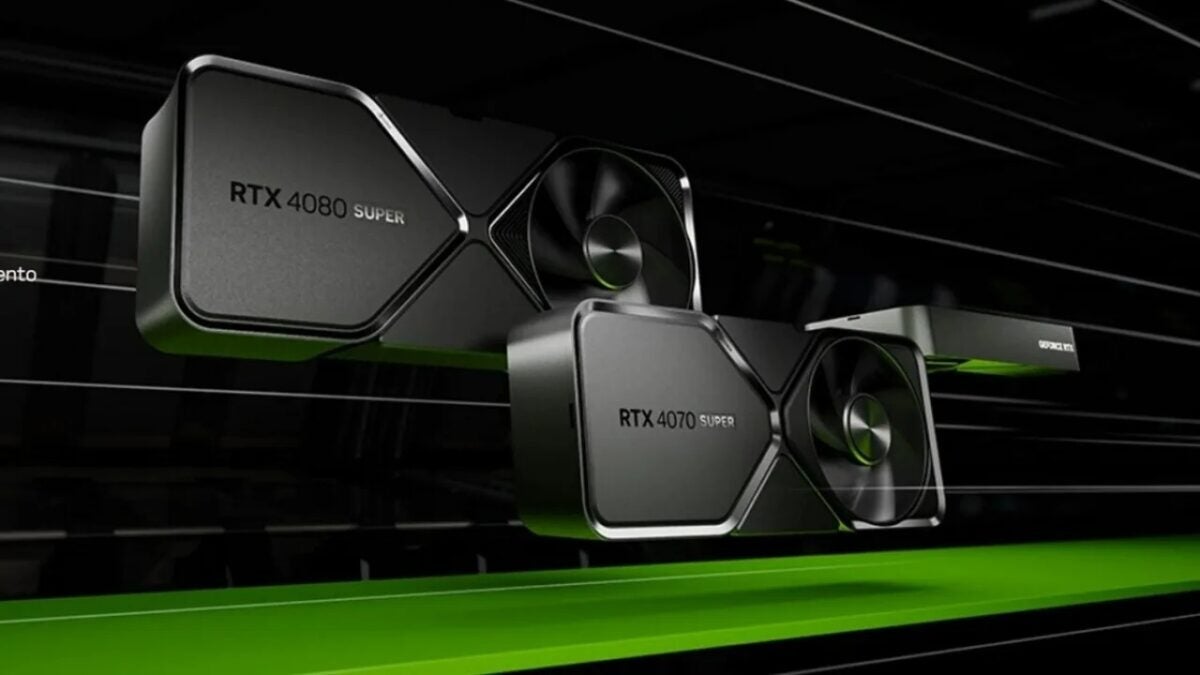
Nvidia has unveiled its family of GPU from the GeForce RTX 40 Super series, which includes the GeForce RTX 4080 Super, the GeForce RTX 4070 Ti Super, and the GeForce RTX 4070 SUPER.
These GPUs continue to be based on the Ada Lovelace architecture, and it won’t change until the release of the true successors to the RTX 4000 series, but now that it’s a more mature architecture, Nvidia is able to double down and transfer the performance gains to gamers.
The cards offer up to 52 TFLOPS of shading, 121 TFLOPS of RT, and 836 TOPS of AI, making them ideal for both gaming and creative purposes.
The GeForce RTX 4080 SUPER offers the necessary power to enjoy games with full ray tracing at 4K resolution. Being 1.4 times faster than the GeForce RTX 3080Ti without DLSS Frame Generation, the RTX 4080 SUPER offers unparalleled performance in traditional rasterization.
With 836 AI TOPS, DLSS Frame Generation provides an extra performance boost, making the RTX 4080 SUPER twice as fast as an RTX 3080 Ti.
The RTX 4080 SUPER features more cores and faster memory for superior performance. It will be available on January 31st starting at 1,119 euros.
GeForce RTX 4080 Super available Jan 31st starting $999
The GeForce RTX 4070 Ti SUPER is the ideal GPU for gaming at 1440p, and even up to 4K. Compared to the RTX 4070Ti, it has more cores, an increased 16 GB frame buffer, and a 256-bit memory bus, offering a significant increase in bandwidth up to 672 GB per second.
It is 1.6 times faster than the RTX 3070 Ti and 2.5 times faster with DLSS 3. The GeForce RTX 4070 Ti SUPER will be available on January 24th starting at 889 euros.
Nvidia's new RTX 40-series Super GPUs are official. They offer more performance at the same or lower price points.
• RTX 4080 Super – $999 • RTX 4070 Ti Super – $799 • RTX 4070 Super – $599 • RTX 4070 drops to $549
Ideal for Full HD and 2.5K: The GeForce RTX 4070 SUPER
The GeForce RTX 4070 SUPER comes with 20% more cores than the RTX 4070, making it faster than the RTX 3090 with a fraction of its power consumption. With DLSS 3, the advantage becomes 1.5 times faster. Available on January 17th starting at 669 euros.
The Razer Blade laptop line has been one of the best in the gaming industry for years, and this 2024 brings new features to the Blade 16 and Blade 18 lines. This is commendable, considering that the 2023 models were among the most impressive (yours truly got to analyze the Razer Blade 18).
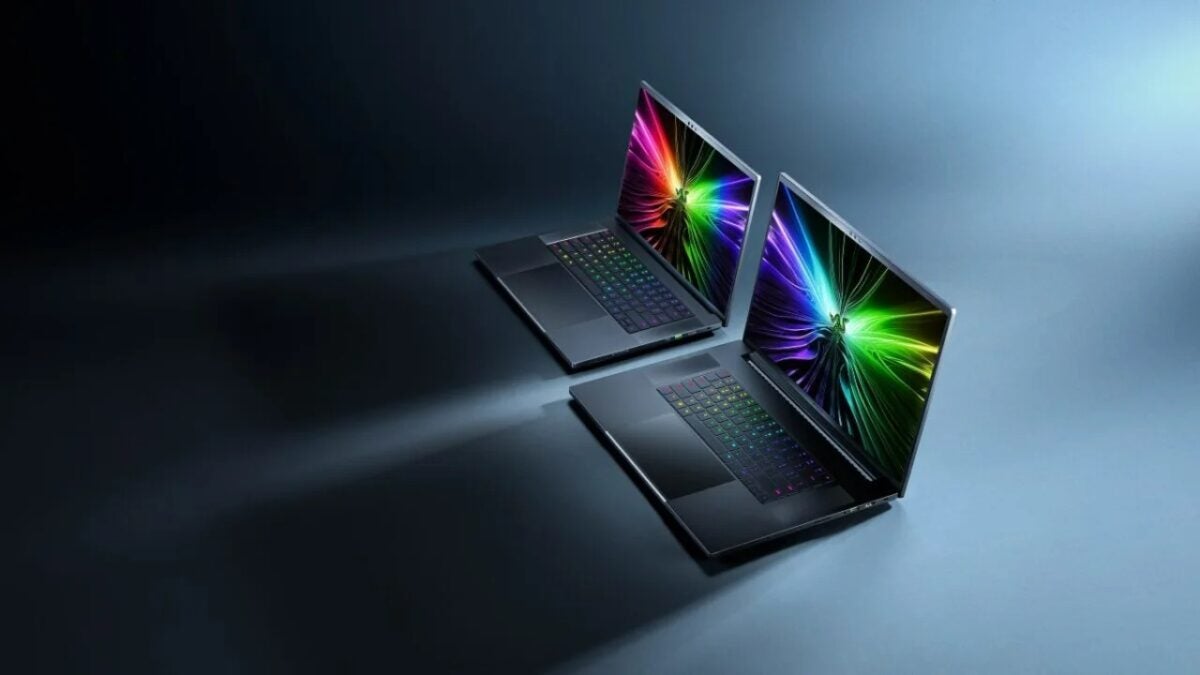
For all those who are thinking of changing their laptop this 2024, here we present the Razer Blade 16 and Razer Blade 18, with their features and specifications. Without further ado, let’s get started:
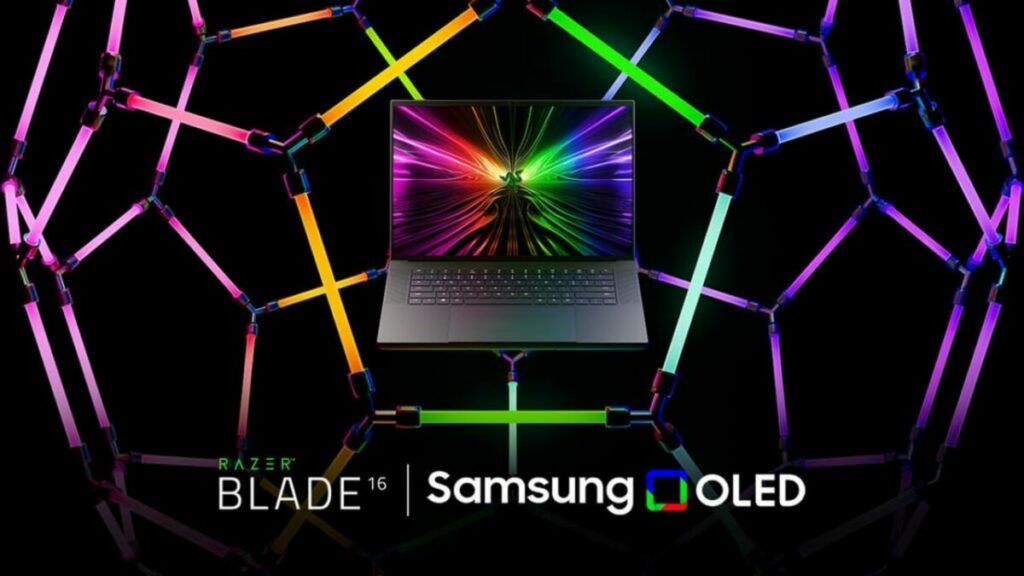
Developed in collaboration with @SamsungDisplay, the new Razer Blade 16 features the world’s first OLED 240 Hz 16” display. Witness speed, accuracy, and quality like never before with the next evolution in gaming display technology. Tune in to our CES Livestream from RazerStore… pic.twitter.com/G602mqaFbL
Razer Blade 16: first laptop with 240 Hz OLED display
For those who don’t want to carry a 4 kg laptop with a huge size, the 16-inch model is the chosen one. Additionally, as we mentioned in the highlight, we are talking about the first 16″ OLED display that reaches 240 Hz on a laptop.
This is what Razer highlights about their new laptop:
Exceptional speed and precision: With a refresh rate of 240 Hz and a response time of 0.2 ms, it allows for higher accuracy rates and reduced activation times.
Excellent image quality: With QHD+ resolution (2,560 x 1,600 px), it offers vivid and immersive gaming images.
Crystal clear clarity: The Blade 16 is also the world’s first laptop with VESA ClearMR™ 11000 certification. This certification guarantees minimal blur and maximum sharpness.
Deep contrast and colors: With a contrast ratio of 1M:1 and VESA DisplayHDR True Black™ 500 certification, it provides stunning depth and a realistic color experience.
Razer Blade 18: the world’s first 18″ 4K 165Hz display
And for those who don’t want to use an external monitor, but only use the laptop screen, the Razer Blade 18 aims to be the model you end up putting in the shopping cart.
This is the world’s first 18″ 4K screen with 165 Hz. As the most powerful Blade in the range, Razer is able to take advantage of all the capabilities of such a high resolution to provide gamers and creators with an impressive visual experience:
Ultra-high resolution: 4K clarity provides unparalleled detail and sharpness on larger screens. This additional space offers gamers a more immersive experience and creators the space to comfortably adjust every detail.
High refresh rate: A 165 Hz refresh rate ensures smooth and fluid gameplay. This smoothness not only enhances the gaming experience but also the overall feeling when browsing or performing everyday tasks.
3 ms response time and NVIDIA® G-Sync® compatibility: Say goodbye to screen tearing thanks to NVIDIA® G-Sync®, along with a 3 ms response time, games have never looked better.
Up to 100% DCI-P3 color space: Covering 25% more color space than the standard sRGB color space allows for more vibrant images and experiences as intended by their creators.
All screens of Razer Blade 16 and Razer Blade 18 laptops are verified by Calman, ensuring the most accurate color from the very beginning. Each panel undergoes individual factory calibration, providing a 100% DCI-P3 color gamut for realistic images, as intended by the creators.
In addition, the high-quality full-body CNC aluminum construction perfectly integrated, the 16:10 aspect ratio, a screen-to-body ratio of up to 89%, and the ultra-thin bezels create an immersive viewing experience that is visually stunning and long-lasting.
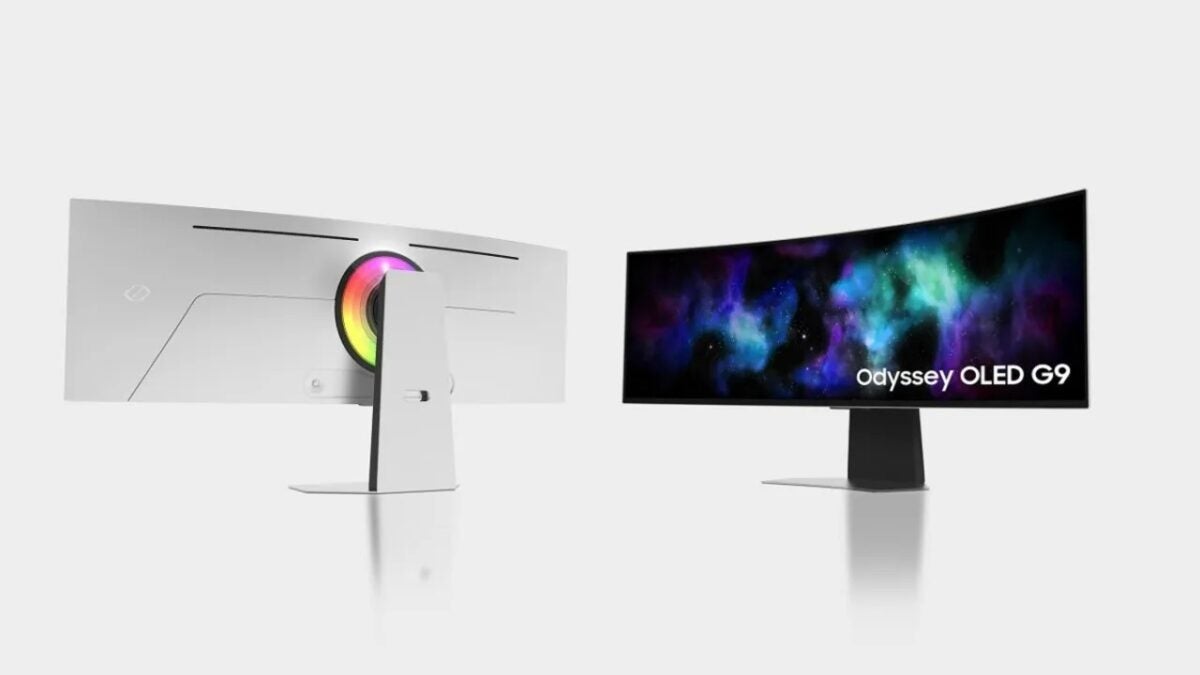
The new range of monitors will be presented at the CES fair in Las Vegas next week and will include two smaller monitors, in addition to an updated version of the 49-inch Odyssey OLED G9 screen.
The Samsung press release states that the three new Odyssey monitors will feature “Glare-Free OLED technology.” This will allow users to enjoy the best images on the monitors in any lighting condition.
Odyssey OLED G9, G8 and G9
The three monitors are also compatible with VESA DisplayHDR True Black 400, which provides vibrant colors and deep blacks, and with AMD FreeSync Premium Pro, which helps reduce tearing and flickering when playing PC games.
The Samsung OLED G6, with 27 inches and 2,560 x 1,440 pixels, and the Samsung OLED G8, with 32 inches and 3,840 x 2,160 pixels, are flat monitors with a 16:9 aspect ratio. In addition, both have a new design with a slim metallic bezel of 3.9 mm.
Both also include support for what the company calls Core Lighting+, which generates ambient light from the back of the monitor. The G6 has a refresh rate of 360 Hz, while the G8 has a refresh rate of 240 Hz.
Say hello to the 2024 Samsung Odyssey OLED lineup
Odyssey G9 OLED: 49 inch curved DQHD 240hz Oled Display
Odyssey G8 OLED: 32 inch flat 4K 240hz Oled Display
Odyssey G6 OLED: 27 inch flat QHD 360hz OLED Display
There is also an updated version of the curved ultrawide Samsung Odyssey OLED G9 coming soon. It will have a resolution of 5,120 x 1,440 and an aspect ratio of 32:9.
Both the G9 and the smaller G8 will have what the company calls Multi Control: this allows users to seamlessly transfer images and/or text between their Samsung monitor and other Samsung devices.
The Samsung Odyssey OLED G9 and G8 monitors can also function as a Samsung SmartThings Hub to seamlessly connect compatible smart home devices with Matter.
Both monitors will also feature integrated Samsung Smart TV and Gaming Hub platforms to stream movies, TV shows, and games from the cloud without the need for a PC.
The release dates and prices of the new Samsung Odyssey OLED monitors have not been revealed yet. We will have to wait until CES 2024 to learn these details.
Modern games are very demanding graphically, and, in addition, they are optimized in the worst possible way. PC programmers don’t know..
When we buy a powerful PC, we are eager to try games, live adventures that were previously impossible for us. Once installed, we set the game to 4K and Ultra graphics quality and… boom. The game doesn’t start.
This makes computer players have to change computer parts very often. If you don’t have the best hardware, it seems like the gaming sector forgets about you.
For all those who want to play with the best quality without sacrificing a 60 fps frame rate along the way, these four tricks can come in handy for 2024.
Use an FPS counter
We often can’t tell if the computer is running smoothly or if the game is destroying us with its poor optimization. That’s why nothing beats an FPS counter and, if possible, a meter that gives us percentages of RAM, CPU, and GPU usage.
Consider it an extra tip, but I think it’s equally important to ensure proper optimization. I always make sure to activate a frames per second counter in the top right corner of the screen while playing, and I recommend you do the same.
Durante más de dos décadas hemos ayudado a evolucionar a los videojuegos. ??️
It is not necessary to constantly monitor the frame rate, but using it -at least during the first two hours of gameplay- will help you quickly identify the places and moments in the game that demand more from the graphics card and determine their impact on performance.
In some cases, I even have a detailed summary of performance, but I usually disable both when I know no adjustments need to be made. I think having a dedicated frame rate counter is more reassuring than looking at fps or simply feeling the smoothness with which a game runs.
Nowadays, most games have a frame rate counter, but you can also use the one built into Nvidia GeForce Experience or AMD Adrenaline software.
Use the new scaling technologies: DLSS and FSR
You are likely to find Nvidia’s DLSS scaling technology or AMD’s FSR (or both in some cases) in most modern games, and I cannot recommend them enough.
Yes, it can be argued that visual fidelity is lost when rendering the game at a relatively low resolution and scaling it, but I haven’t had any issues with either.
I say this because I start with the “Quality” mode before making further adjustments, but I usually stick with the “Quality” or “Balanced” modes to get the best results. You can also use features like AMD frame generation or smooth motion frames for a smoother experience.
I have had more luck optimizing and getting better results with Nvidia’s DLSS than with AMD’s FSR, but both provide good performance currently and will help you achieve better performance in games.
Upscaling is often the first setting I tweak to determine if I can achieve the desired results before messing with anything else. It’s a great way to see instant performance improvements without compromising other visual aspects.
Yes, the image quality is slightly affected, but it is usually insignificant and worth it for the increase in performance.
Raytracing yes or Raytracing no
Before moving on to other graphic settings such as volumetrics and post-processing, I recommend that you check the lighting settings. The combination of these settings, such as lighting, shadows, ambient occlusion, etc., is usually one of the most demanding for hardware.
But since these settings also have the most impact on visual quality, I suggest adjusting them before the others to improve performance.
Adjusting the lighting is especially important in games that use ray tracing to add more realism to the scenes. Ray tracing implementations tend to be even more demanding on hardware, so I only recommend using them with a scaling adjustment to achieve the best results.
I find it tempting to enable ray tracing whenever I can, but it’s not always possible, even for me with a decent RTX 3080 in my tower today.
Don’t ignore volumetric adjustments
Don’t make the same mistake I did and ignore volumetric settings, as they can be just as taxing on your hardware. Volumetric settings, in case you’re wondering, include volumetric lighting, fog, and clouds, which can severely impact the game’s frame rate.
These are undoubtedly the first adjustments you should optimize before diving into a game. Both volumetric fog and clouds don’t have as much impact as volumetric lighting, so you can save a lot of performance by lowering them completely without seeing a big impact on the visual effects.
And with all this, we would already have the games ready to be played with good graphic quality, without sacrificing the precious 60 fps that us players love so much.
This website allows you to see the beautiful boxes of old PC games, allowing you to enjoy a time when video games were something more.
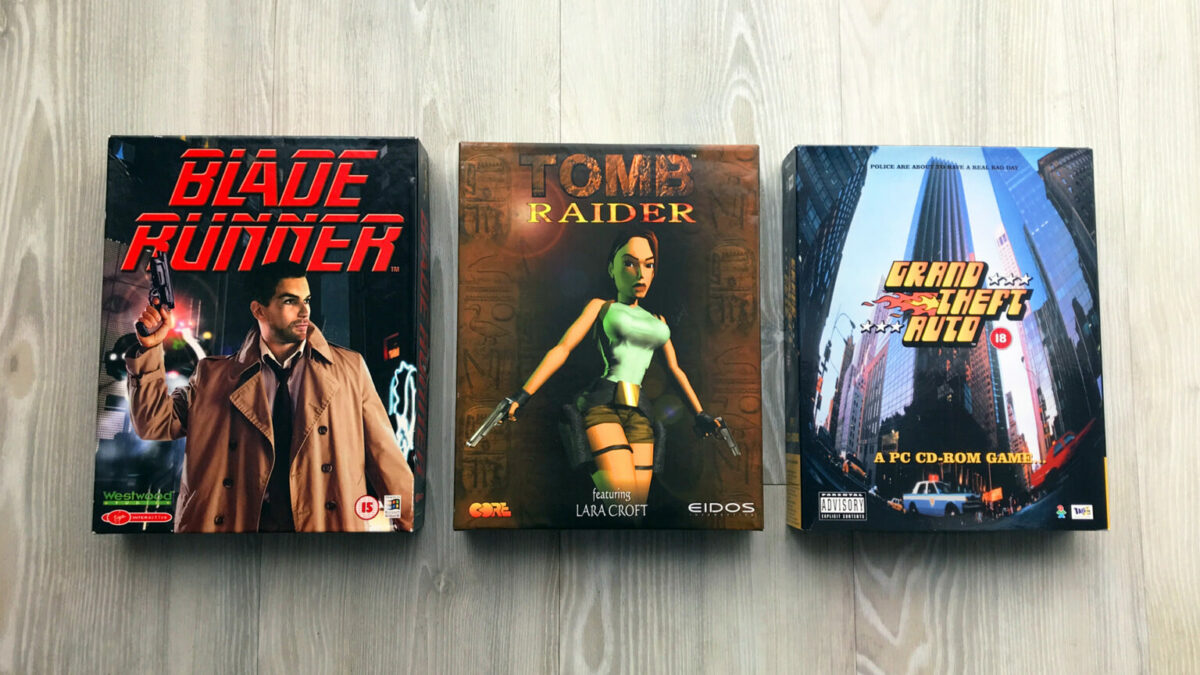
Although it may be hard to believe for those who haven’t experienced it, there was a time when PC video games came in huge boxes. Very well taken care of, with manuals, maps, and all kinds of extras, buying a game was a truly sensory experience. In fact, the gaming experience would begin even before getting home. Just by seeing that enormous box and everything it contained and promised inside, our imagination would soar as far as possible.
Now these boxes are practically non-existent. The industry is driven by profits and cutting back on packaging, distribution, and industrial design was a way to make more money from each copy sold. That’s why they are now little more than objects of nostalgia and collectibles. Fortunately, a man has decided to make them accessible.
The Big Box Collection website is literally what its name indicates. A visual collection of video game boxes created by Benjamin Wimmer, which allows us to appreciate how those carefully crafted releases were. All of this without leaving out a single detail.
Because Big Box Collection’s main interest is that as much care has been taken in the presentation as was initially put into these boxes. With impeccable aesthetics, 3D models that we can rotate as we please, and images of the contents of the box itself, Big Box Collection is currently the best source of information on the packaging of old PC games. With over 700 games currently cataloged, it is a fascinating archaeological work that shows us a world that today seems inconceivable, but that in the 90s and 00s was the norm.
This makes Big Box Collection not only a nostalgic pleasure, but also a necessary source of preservation. These boxes will become increasingly difficult to find in an acceptable condition, and thus it is possible to have a record of them. Something that, as we always say, is important for the video game industry to start taking much more seriously.
Tokyo Revengers is about to receive its first video game, Tokyo Revengers: Last Mission, and we already have its first details along with open pre-registration.
Although Tokyo Revengers no longer has the same pull it had some time ago, it is still a manga and anime beloved and appreciated by a large part of the audience. This work about juvenile delinquents who only want to do the right thing, even if they find themselves on the wrong side of history and a couple of time travels, has captivated with its action and charming characters. Something that has made it the perfect object to become a video game.
In fact, that’s exactly what’s going to happen very soon. Because Tokyo Revengers is going to receive its first video game early next year: Tokyo Revengers: Last Mission. Which promises to put us in the shoes of our favorite delinquents.
Announced last June, Tokyo Revengers: Last Mission will be a 3D action RPG with gacha gameplay elements where we can obtain all the characters from the Tokyo Revengers franchise. To make it even more exciting, the Japanese voice actors from the anime will voice their respective characters, seeking to replicate the experience as closely as possible to the original anime. This, combined with a recreation of the real-world Shibuya as the game map, promises us an elaborate and very interesting game.
Tokyo Revengers: Last Mission will be released in February 2024 for iOS and Android, where it is already possible to pre-register. It will also have a PC version in early the same year. The developer studio, Victor Entertainment, has announced plans to release versions of the game on Nintendo Switch, PlayStation 4, and PlayStation 5, but they have no release date yet.