Neowiz, creators of Lies of P, the popular soulslike that mixed the story of Pinocchio with gameplay reminiscent of Bloodborne, has confirmed that they are looking to hire an AI Creator. This would be a profile specialized in using generative artificial intelligence tools to create art that would later be integrated into their games. Something that has generated discontent among the community. Trying to fix their own mess In any case, Neowiz’s intention is not to directly use what the AI creates within their games. The intention is for the AI Creator to use tools like Stable Diffusion, Midjourney […]
Neowiz, creators of Lies of P, the popular soulslike that mixed the story of Pinocchio with gameplay reminiscent of Bloodborne, has confirmed that they are looking to hire an AI Creator. This would be a profile specialized in using generative artificial intelligence tools to create art that will later be integrated into their games. This has generated discontent among the community.
Trying to fix your own mess
In any case, Neowiz’s intention is not to directly use what the AI creates within its games. The intention is for the AI Creator to use tools like Stable Diffusion, Midjourney, or others that may appear in the future to create concept art, sketches, textures, or references that artists will then use to create the final game art. Another of its functions will be to “identify the latest trends in generative AI and provide usage guides for artificial intelligence tools for internal artists,” according to the job listing itself.
All of this has not served to quell the anger of the fans, which has led the company to provide explanations in international media, such as PC Gamer. Stating that the idea is to use AI only for pre-production phases and repetitive tasks, with the work of the AI Creator being confined to that of an independent team.
Although Lies of P 2 should have already passed the pre-production phase and theoretically should not have any trace of AI, future projects remain in doubt from this point onward. Especially because the vision of generative AI between Asian countries, which is much more understanding and permissive, and the West, which has a nearly outright rejection, is becoming increasingly evident. And companies still haven’t understood this. Therefore, it is to be expected that more Asian studies will introduce generative AI. If not promoting it openly.
“How to install Waifu Diffusion” is a popular question among Anime enthusiasts and AI aficionados nowadays. If you are one of them, get ready to dive into the world of Waifu Diffusion! This innovative adaptation of the Stable Diffusion anime model has taken the community by storm.
In this guide, we’ll walk you through the exciting process of installing and operating Waifu Diffusion via AUTOMATIC1111’s Stable Diffusion WebUI. Prepare to embark on a journey of creativity and customization.
How to install Waifu Diffusion easily on both Windows and Mac in 5 steps
Are you ready to bring your favorite anime characters to life like never before? Get ready to dive into the captivating world of Waifu Diffusion! With a seamless installation process and a user-friendly interface, you’re just a few steps away from unlocking a realm of creativity and customization.
Let’s start with the basics. Installing Waifu Diffusion is a breeze, taking just under 10 minutes (excluding download times). Before you begin, ensure you have a comfortable 10GB of free space on your hard drive.
Now, here’s the hardware scoop for optimal performance:
A minimum of 16GB RAM to keep things smooth.
A GPU from NVIDIA’s GTX 7xx series or newer, with at least 2GB of VRAM (although AMD GPUs work, NVIDIA is the favored choice).
Supported operating systems include Linux, Windows 7/8/10/11, and Mac M1/M2 (Apple Silicon).
Keep 10GB of disk space on hand to house the models.
You’re poised for an immersive Waifu Diffusion adventure by meeting these requirements.
Model Matters
The core of Waifu Diffusion lies within its model files. These files, with a ‘ckpt’ extension (short for ‘checkpoint’), encapsulate the AI’s training data and capabilities. To snag the latest Waifu Diffusion model, head over to the Waifu Diffusion Model download link. The specific file you’re after is named ‘wd-1-4-anime_e2.ckpt.’
Wrangling the WebUI
Now, let’s get to the heart of the matter—the WebUI. AUTOMATIC1111’s Stable Diffusion WebUI stands out for its user-friendly interface and responsive development team.
Depending on your operating system, here’s how to set it up:
For Windows users:
Download the ‘sd.webui.zip’ file and extract its contents.
Run ‘update.bat’ to ensure you’re on the latest version of the WebUI.
Launch the WebUI using ‘run.bat.’ The initial launch might take a while as it downloads necessary packages, including Stable Diffusion v5.1.
For Mac users (M1/M2):
Ensure you have Homebrew installed. If not, follow their installation guide on the Homebrew website.
In Terminal, install required packages using the command: brew install cmake protobuf rust python@3.10 git wget.
Clone the WebUI repository using: git clone https://github.com/AUTOMATIC1111/stable-diffusion-webui.
Navigate to the cloned folder and start the WebUI with: ./webui.sh.
Organizing your arsenal
Once your downloads are complete, move both the model and WebUI files into the ‘stable-diffusion-webui/models/Stable-diffusion’ folder within the main WebUI directory. This tidy organization will pay off down the line.
Lights, camera, interaction!
Here’s where the magic happens. Start the WebUI:
Windows Users: Launch ‘webui-user.bat.’
Mac Users: Use Terminal to run ‘./webui.sh.’
As the interface fires up, you’ll spot a toggle labeled “Stable Diffusion Checkpoint.” Switch it to your freshly downloaded Waifu Diffusion model, titled ‘wd-1-4-anime_e2.ckpt.’
How to install Waifu Diffusion: Stable Diffusion’s anime model explained
And voilà! You’re all set to immerse yourself in the captivating realm of Waifu Diffusion. Let your creativity flourish as you explore the endless possibilities this fusion of anime and AI has to offer. Get ready to bring your favorite characters to life in entirely new ways!
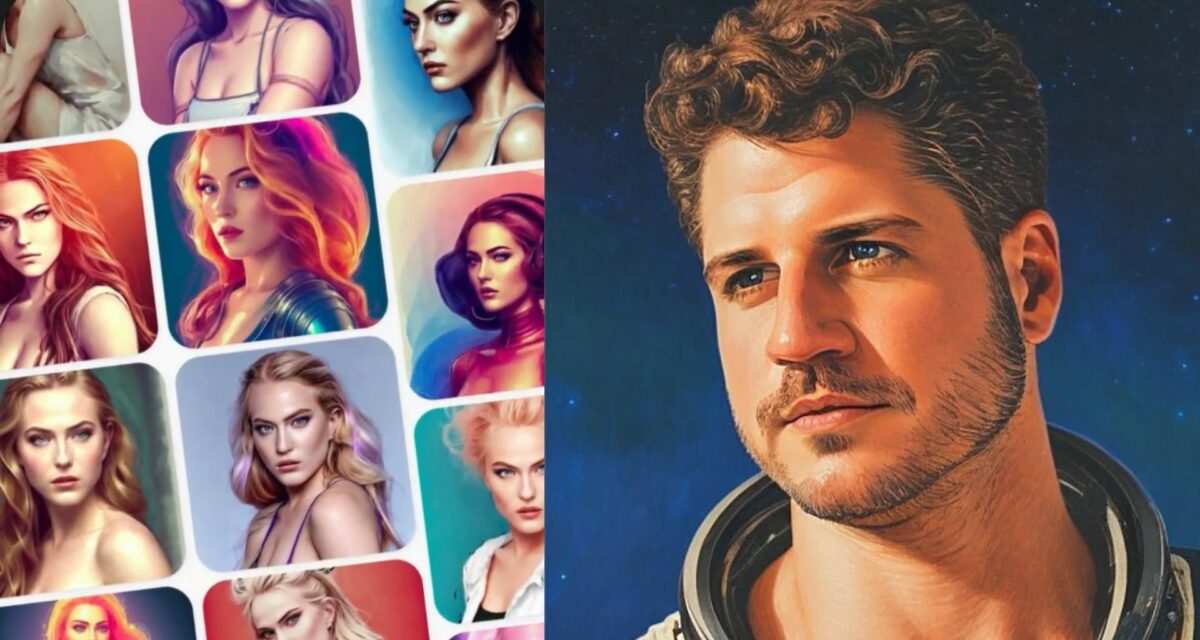
We’ve been seeing artificial intelligence take several leaps forward in the world of art and digital creations. Up until now, you’ve seen the news about DALL-E 2 and the latest A.I. features, while Stable Diffusion has also had some spotlight. The latest trend is LENSA, which lets you create a spectacular avatar based on your photo.
I first noticed LENSA’s artwork on Instagram and then TikTok. Don’t judge me; I have both platforms for my author brand. I don’t have a bad voice or guitar skills either. Gloating aside, I’ve been seeing celebrities and peasants alike sharing several avatars based on their faces. I must admit, it looks outstanding, and I’m tempted to try it out for myself.
It’s becoming more apparent how much A.I. is going to play a role in our future. Let’s head back to me being an author. Many writers and publishers pay to have someone develop a book cover for them to make it more appealing to potential buyers. Do we still need to when we can ask A.I. to generate one based on our facial or other features?
At least something like LENSA will make our profile photos stand out more. Of course, there’s still the discussion on whether or not we can copyright A.I. generated content. When it comes to avatars based on our faces, I’m pretty sure we can. Why would we allow someone else to use our precious avatars and place them on commercial properties without our permission?
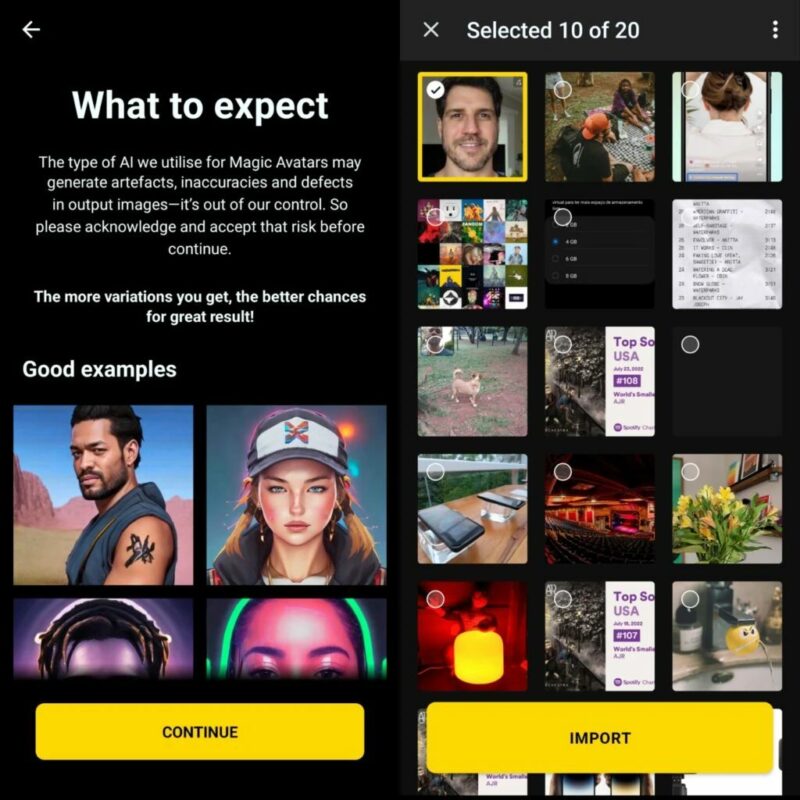
The only factor about LENSA that may make you think twice about using it is that you need to pay for a batch of avatars. The free version only lets you try three. That’s probably why celebrities are going mad making them, as they can afford to pay for these digital transformations. Despite this payment profile, the A.I. app is still trending.
With artificial intelligence moving to smarter ways of producing images from text, there have been many fears by artists that their work will be replicated without their permission. While there is still a massive debate on whether or not this is legal, Stable Diffusion seems to be moving in the right direction. It now limits how similar the result is to the original masterpiece while also removing pornographic capabilities.
Stable Diffusion 2.0 was released recently with some stunning improvements. With competitors like DALL-E still getting complaints about artists’ work being replicated, the company decided to make a few changes. It specifically addresses these fears, reducing how much the rendered image looks like the original artwork.
While there’s still some contention on whether or not AI-rendered images can be copyrighted, artists don’t like their work being replicated without permission. However, some see it as an opportunity to market their work. Stable Diffusion developers have said they will provide a future update where artists can choose if they want their work protected from AI renderings or if it doesn’t matter.
Another issue that Stable Diffusion 2.0 deals with is NSFW or pornographic content. There seem to have been too many instances where users have placed celebrities or other people in unwelcoming images. To protect others from such technological abuse, it has removed the ability to do this. Users have now taken to Reddit, saying that the developers have nerfed the open-source model.
The most significant complaint is that limiting an open-source model like Stable Diffusion no longer makes it open-source. Some are stating that the decision to replicate artists or include NSFW content should be left up to the user. It definitely makes for an interesting debate about the nature of open-source systems and what should or should not be allowed.